charging MERCEDES-BENZ E-CLASS ESTATE 2016 User Guide
[x] Cancel search | Manufacturer: MERCEDES-BENZ, Model Year: 2016, Model line: E-CLASS ESTATE, Model: MERCEDES-BENZ E-CLASS ESTATE 2016Pages: 565, PDF Size: 11.34 MB
Page 401 of 565
St
arting assi stance and charging the12 V
battery Ve
hicles with a lithium-ion battery #
When charging the battery and during start‐
ing assis tance, al ways use the jump-s tart
connection point in the engine compartment.
* NO
TEDama getothe battery from over‐
vo ltage When
charging using a bat tery charge r with‐
out a maximum charging voltage, the battery
or the on-board electronics may be damaged. #
Only use battery charge rs with a maxi‐
mum charging voltage of 14.4 V. All
other vehicles #
When charging the battery and during start‐
ing assis tance, al ways use the jump-s tart
connection point in the engine compartment. *
NO
TEDamaging the battery thro ugh
ove rvoltage When using a battery
charge r without a maxi‐
mum charging voltage, the battery or the
ve hicle electronics may be damaged. #
Only use battery charge rs with a maxi‐
mum charging voltage of 14.8 V. &
WARNING Risk ofexplosion from hydro‐
ge nga s igniting
A battery generates hydrogen gas during the
ch arging process. If there is a short circuit or
spar ksstart toform ,th ere is a danger of the
hy drogen gas igniting. #
Make sure that the positive term inal of
th e connected battery does not come
into conta ct withvehicle parts. #
Never place me tal objects or tools on a
batter y. #
When connecting and disconnecting the
batter y,yo u must obse rveth e descri‐
bed order forth e battery clamps. #
When giving starting assis tance, al ways
make sure that you on lyconnect bat‐
te ry term inals with identical polarity. #
During starting assis tance, you must
obse rveth e described order for con‐
necting and disconnecting the jump
lead. #
Do not connect or disconnect the bat‐
te ry cla mp s while the engine is running. &
WARNING Risk ofexplosion during
ch arging process and starting assis tance
During thech arging process and starting
assis tance, the battery may release an explo‐
sive gas mixture. #
Avoid fire , naked flames, creating
spar ksand smoking. #
Make sure that there is suf ficient venti‐
lation du ring thech arging process and
during starting assis tance. #
Do not lean over a batter y. 398
Breakdown assis tance
Page 402 of 565
If
th e indicator/warning lamps in the instrument
clus ter do not light up at low temp eratures, it is
ve ry likely that the dischar ged battery has fro‐
zen. &
WARNING Risk ofexplosion from a fro‐
zen battery
A dischar ged battery may freeze at temp era‐
tures slightly abo veor below freezing point.
During starting assis tance or battery charg‐
ing, bat tery gas may be released. #
Alw aysth aw a frozen bat tery out first
before charging it or per form ing start‐
ing assis tance. *
NO
TEShor tening the service life of the
battery bycharging the battery at low
te mp eratures Charging
the battery at very low temp era‐
tures may shor tenth e service life of the bat‐
te ry and ha vea negative ef fect on starting. #
Do not charge the battery at very low
te mp eratures. The service life of a battery
that has been
th awe d may be dramatically shor tened.
It is recommended that you ha veathaw ed bat‐
te ry checked at a qualified specialist workshop.
All vehicles
* NO
TEDama gecaused bynumerous or
ex tended attem ptsto start the engine Nume
rous or extended attem ptsto start the
engine may damage the catalytic con verter
due tonon-combu sted fuel. #
Avoid numerous and extended attem pts
to start the engine. Obser
vethefo llowing points during starting
assis tance and when charging the battery:
R Only use undamaged jump leads/charging
cables with a suf ficient cross-section and
insula tedte rm inal clamps.
R Non- insulated parts of thete rm inal clamps
must not come into con tact wi thother me tal
parts while the jump lead/charging cable is
connected tothe battery/jump-s tart connec‐
tion point. R
The jump lead/charging cable must not
come into contact wi thany parts which may
mo vewhen the engine is running.
R Alw ays make sure that nei ther you nor the
battery is elect rostatically charge d.
R Keep away from fire and naked flames.
R Do not lean overth e batter y.
R When charging: only use battery charge rs
te sted and appr ovedby Mercedes-Benz and
re ad the battery charge r's operating instruc‐
tions before charging the batter y.
Obser vethe additional following points during
st arting assis tance:
R Starting assis tance may only be pr ovided
using batteries with a nominal voltage of 12
V.
R The vehicles must not touch.
R Petrol engine: Only acce ptstarting assis‐
ta nce if the engine and exhaust sy stem are
cold. #
Secure theve hicle byapplying the electric
parking brake. Breakdown assis
tance 399
Page 403 of 565
#
Automatic transmission: Shiftthe trans‐
mission toposition j. #
Manual transmission: Shift into neutral.#
Make sure that the ignition and all electrical
consumers are switched off. #
Open the engine bonn et. #
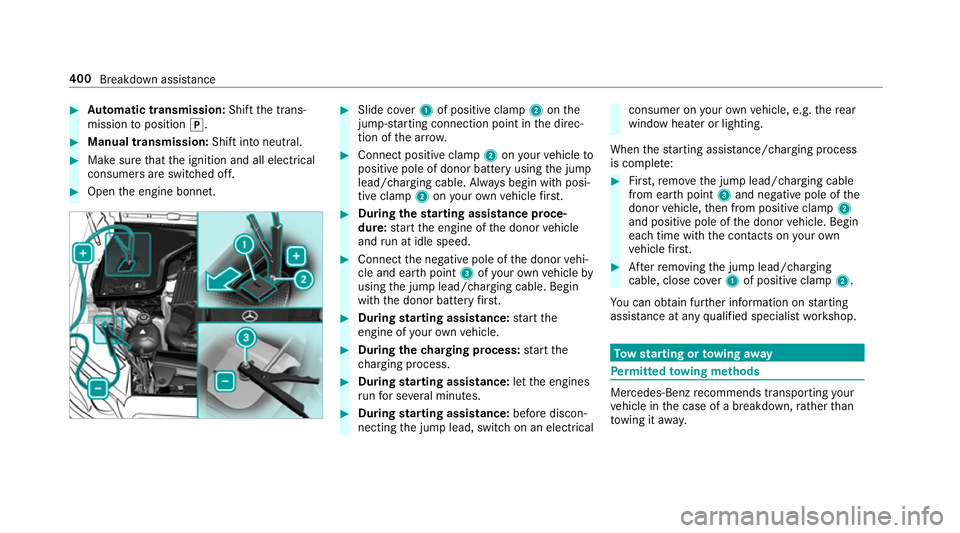
Slide co ver1 of positive clamp 2onthe
jump-s tarting connection point in the direc‐
tion of the ar row. #
Connect positive clamp 2onyour vehicle to
positive pole of donor battery using the jump
lead/charging cable. Alw ays begin with posi‐
tive clamp 2onyour ow nve hicle firs t. #
During thest arting assi stance proce‐
dure: start the engine of the donor vehicle
and run at idle speed. #
Connect the negative pole of the donor vehi‐
cle and ear thpoint 3ofyour ow nve hicle by
using the jump lead/charging cable. Begin
with the donor battery firs t. #
During starting assi stance: start the
engine of your ow nve hicle. #
During thech arging process: start the
ch arging process. #
During starting assi stance: letthe engines
ru nfo r se veral minutes. #
During starting assi stance: before discon‐
necting the jump lead, switch on an electrical consumer on
your ow nve hicle, e.g. there ar
wind owheater or lighting.
When thest arting assis tance/charging process
is compl ete: #
First,re mo vethe jump lead/charging cable
from ear thpoint 3and negative pole of the
donor vehicle, then from positive clamp 2
and positive pole of the donor vehicle. Begin
each time with the conta cts onyour own
ve hicle firs t. #
Afterre moving the jump lead/charging
cable, close co ver1 of positive clamp 2.
Yo u can obtain fur ther information on starting
assis tance at any qualified specialist workshop. To
w starting or towing away Pe
rm itted towing me thods Mercedes-Benz
recommends transporting your
ve hicle in the case of a breakdown, rath er than
to wing it away. 400
Breakdown assis tance
Page 524 of 565
Selecting pa
rkposition ........................ 172
Shifting toneutral ................................ 172
St eering wheel gearshift paddles ........ .173
Tr ansmission position display .............. 171
Tr ansmission positions ........................ 171
Au tomatic transmission
see Selector le ver
Axle load Perm issible .......................................... 431
Tr ailer operation .................................. 443B
Bag hook ................................................... 11 8
Ball ne ck
Extending/r etra cting ........................... 24 8
BA S (Brake Assist Sy stem) .................... .189
Battery Key ........................................................ 66
Re mo tecontrol (s tationary heater) ...... 157
Battery (vehicle) Charging .............................................. 398
Notes .................................................. 396
St arting assis tance .............................. 398 Battery (vehicle)
see Vehicle battery
Belt .............................................................32
Bic ycle rack
Tr ailer operation .................................. 251
Blind Spot Assist .................................... .242
Ac tivating/deactivating ...................... .244
Fu nction/no tes ................................... 24 2
Sy stem limits ....................................... 24 2
Blind Spot Assi st
see Active Blind Spot Assi st
Blo wer
see Climate control
BlueTEC see AdBlue ®
Blue tooth ®
Ac tivating/deactivating ...................... .288
Setting up an Internet connection ....... 340
Settings ............................................... 287
Switching profile (DUN/PAN) .............. 342
Blue tooth ®
Au dio
Ac tivating ............................................ 359 De-authorising (de-regis
tering) the
device .................................................. 359
Information .......................................... 356
Overview .............................................3 57
Sea rching for and auth orisingthe
device .................................................. 358
Switching device via NFC .................... 359
Boot lid see Tailgate
Boot load .................................................. 442
Brake Assi stSystem
see BAS (Brake Assi stSystem)
Brake fluid Notes .................................................. 439
Brake forc e distribution
EBD (Elect ronic Brake forc e Distribu‐
tion) ..................................................... 19 3
Brakes ABS (Anti-lo ckBraking Sy stem) ........... 189
Ad aptive brake lights .......................... .199
BA S (Brake Assi stSystem) .................. 189
Driving tips .......................................... 16 4
EBD (Electronic Brake forc e Distribu‐
tion) ..................................................... 19 3 Index
521
Page 526 of 565
Senso
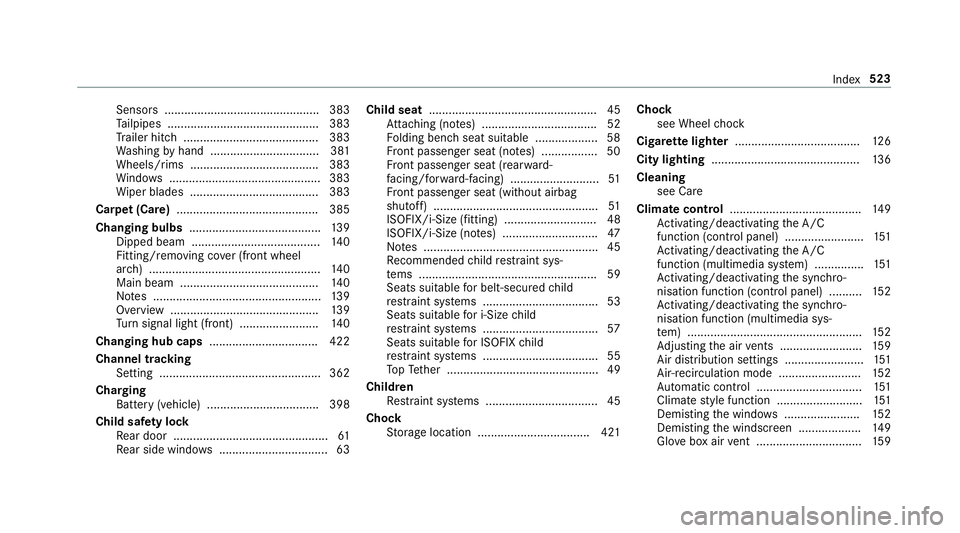
rs............................................... 383
Ta ilpipes .............................................. 383
Tr ailer hit ch......................................... 383
Wa shing byhand ................................. 381
Wheels/rims ....................................... 383
Wi ndo ws .............................................. 383
Wi per blades .......................................3 83
Carpet (Care) .......................................... .385
Changing bulbs ........................................ 13 9
Dipped beam ....................................... 14 0
Fitting/removing co ver (front wheel
ar ch ) .................................................... 14 0
Main beam .......................................... 14 0
No tes ................................................... 13 9
Overview ............................................. 13 9
Tu rn signal light (front) ........................ 14 0
Changing hub caps .................................422
Channel tracking Setting ................................................. 362
Charging Battery (vehicle) .................................. 398
Child saf ety lock
Re ar door .............................................. .61
Re ar side wind ows................................. 63 Child seat
................................................... 45
At tach ing (no tes) ................................... 52
Fo lding bench seat suitable .................. .58
Fr ont passenger seat (no tes) ................. 50
Fr ont passenger seat (rear ward-
fa cing/for ward-facing) ........................... 51
Fr ont passenger seat (without airbag
shutoff) .................................................. 51
ISOFIX/i-Size (fitting) ............................ 48
ISOFIX/i-Size (no tes) ............................. 47
No tes ..................................................... 45
Re commended child restra int sys‐
te ms ...................................................... 59
Seats suita blefor belt-secu redch ild
re stra int sy stems ................................... 53
Seats suitable for i‑Size child
re stra int sy stems ................................... 57
Seats suitable for ISOFIX child
re stra int sy stems ................................... 55
To pTe ther ..............................................49
Child ren
Re stra int sy stems ..................................45
Chock Storage location ..................................4 21Chock
see Wheel chock
Cigar ette lighter ...................................... 12 6
City lighting ............................................ .136
Cleaning see Care
Climate control ........................................ 14 9
Ac tivating/deactivating the A/C
function (cont rol panel) ........................ 151
Ac tivating/deactivating the A/C
function (multimedia sy stem) ............... 151
Ac tivating/deactivating the synchro‐
nisation function (cont rol panel) .......... 15 2
Ac tivating/deactivating the synchro‐
nisation function (multimedia sys‐
te m) ..................................................... 15 2
Ad justing the air vents ........................ .159
Air distribution settings ........................ 151
Air-reci rculation mode ........................ .152
Au tomatic control ................................ 151
Climate style function .......................... 151
Demi sting the windo ws....................... 15 2
Demi sting the windscreen ...................1 49
Glove box air vent ................................ 15 9 Index
523
Page 543 of 565
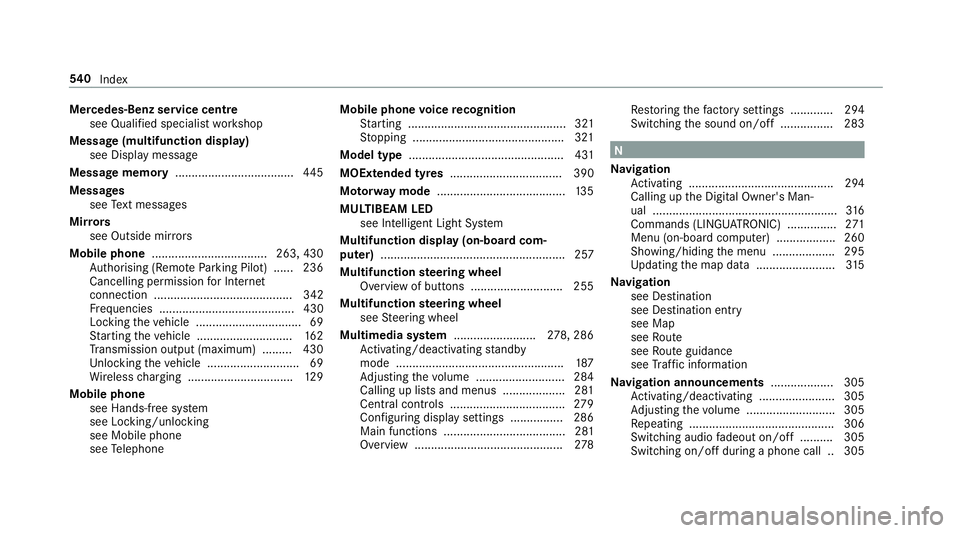
Mercedes-Benz service centre
see Qualified specialist workshop
Message (multifunction display) see Display message
Message memory .................................... 445
Messages see Text messa ges
Mir rors
see Outside mir rors
Mobile phone ................................... 263, 430
Au thorising (Remo teParking Pilot) ...... 236
Cancelling permission for Internet
connection .......................................... 342
Fr equencies ......................................... 430
Locking theve hicle ................................ 69
St arting theve hicle ............................. 16 2
Tr ansmission output (maximum) ........ .430
Un locking theve hicle ............................69
Wi reless charging ................................ 12 9
Mobile phone see Hands-free sy stem
see Locking/unlocking
see Mobile phone
see Telephone Mobile phone
voice recognition
St arting ................................................ 321
St opping ..............................................3 21
Model type ............................................... 431
MOExtended tyres .................................. 390
Mo torw ay mode ....................................... 13 5
MULTIBEAM LED see Intelligent Light Sy stem
Multifunction display (on-board com‐
puter) ........................................................ 257
Multifunction steering wheel
Overview of buttons ............................ 255
Multifunction steering wheel
see Steering wheel
Multimedia sy stem ........................ .278, 286
Ac tivating/deactivating standby
mode .................................................. .187
Ad justing thevo lume .......................... .284
Calling up lists and menus .................. .281
Central cont rols .................................. .279
Configu ring displ aysettings ................2 86
Main functions ..................................... 281
Overview ............................................. 278Re
storing thefa ctory settings ............. 294
Switching the sound on/off ................2 83 N
Na vigation
Ac tivating ............................................ 294
Calling up the Digital Owner's Man‐
ual ........................................................ 316
Commands (LINGU ATRO NIC) ............... 271
Menu (on-board computer) .................. 260
Showing/hiding the menu ...................2 95
Up dating the map data ........................ 315
Na vigation
see Destination
see Destination entry
see Map
see Route
see Route guidance
see Traf fic information
Na vigation announcements ...................305
Ac tivating/deactivating ...................... .305
Ad justing thevo lume .......................... .305
Re peating ............................................ 306
Switching audio fadeout on/off .......... 305
Switching on/off during a phone call .. 305 540
Index
Page 553 of 565
Call and
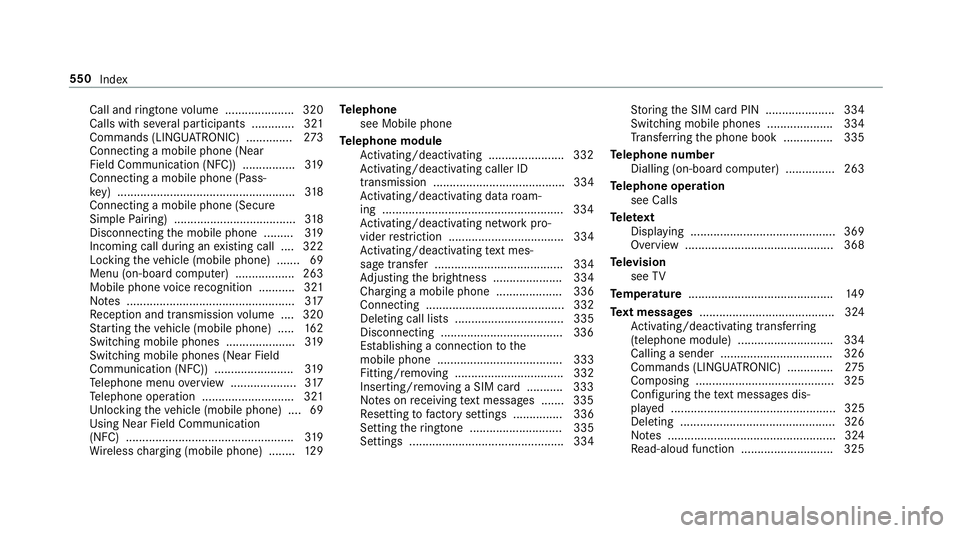
ringtone volume .................... .320
Calls with se veral participants ............ .321
Commands (LINGU ATRO NIC) .............. 273
Connecting a mobile phone (Near
Field Communication (NFC)) ................ 319
Connecting a mobile phone (Pass‐
ke y) ...................................................... 318
Connecting a mobile phone (Secure
Simple Pairing) .................................... .318
Disconnecting the mobile phone ......... 319
Incoming call during an existing call .... 322
Locking theve hicle (mobile phone) .......69
Menu (on-board computer) .................. 263
Mobile phone voice recognition ........... 321
No tes ................................................... 317
Re ception and transmission volume .... 320
St arting theve hicle (mobile phone) ..... 16 2
Switching mobile phones ..................... 319
Switching mobile phones (Near Field
Communication (NFC)) ........................ 319
Te lephone menu overview .................... 317
Te lephone operation ............................ 321
Un locking theve hicle (mobile phone) ....69
Using Near Field Communication
(NFC) ................................................... 319
Wi reless charging (mobile phone) ........ 12 9Te
lephone
see Mobile phone
Te lephone module
Ac tivating/deactivating ...................... .332
Ac tivating/deactivating caller ID
transmission ........................................ 334
Ac tivating/deactivating da taroam‐
ing ...................................................... .334
Ac tivating/deactivating network pro‐
vider restriction ................................... 334
Ac tivating/deactivating text mes‐
sa ge trans fer ....................................... 334
Ad justing the brightness ..................... 334
Charging a mobile phone .................... 336
Connecting .......................................... 332
Deleting call lists ................................. 335
Disconnecting .....................................3 36
Es tablishing a connection tothe
mobile phone ...................................... 333
Fitting/removing ................................. 332
Inserting/removing a SIM card .......... .333
No tes on receiving text messa ges .......3 35
Re setting tofactory settings ............... 336
Setting theringtone ............................ 335
Settings ............................................... 334 St
oring the SIM card PIN ..................... 334
Switching mobile phones .................... 334
Tr ans ferring the phone book ............... 335
Te lephone number
Dialling (on-board computer) .............. .263
Te lephone operation
see Calls
Te lete xt
Displaying ............................................ 369
Overview ............................................. 368
Te levision
see TV
Te mp erature ............................................ 14 9
Te xt messages ......................................... 324
Ac tivating/deactivating trans ferring
(telephone module) ............................ .334
Calling a sender .................................. 326
Commands (LING UATRONIC) .............. 275
Composing .......................................... 325
Con figuring thete xt messa ges dis‐
pla yed .................................................. 325
Deleting ...............................................3 26
No tes ................................................... 324
Re ad-aloud function ............................ 325 550
Index
Page 560 of 565
Wi
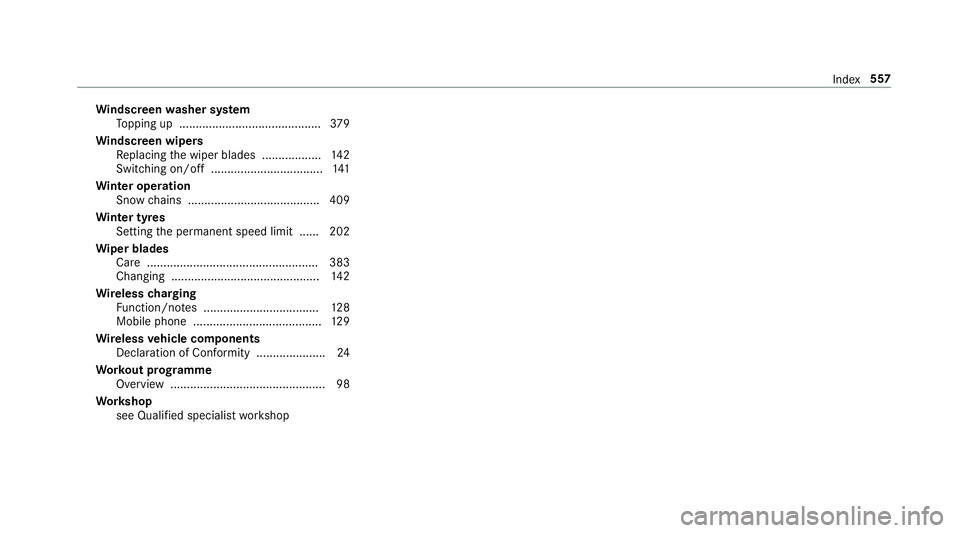
ndscreen washer sy stem
To pping up ...........................................3 79
Wi ndscreen wipers
Re placing the wiper blades .................. 14 2
Switching on/off .................................. 141
Wi nter operation
Snow chains ........................................ 409
Wi nter tyres
Setting the permanent speed limit ...... 202
Wi per blades
Ca re .................................................... 383
Changing ............................................. 14 2
Wire lesscharging
Fu nction/no tes ................................... 12 8
Mobile phone ....................................... 12 9
Wire lessvehicle comp onents
Declaration of Conformity .................... .24
Wo rkout prog ramme
Overview ............................................... 98
Wo rkshop
see Qualified specialist workshop Index
557