radio MERCEDES-BENZ E-CLASS ESTATE 2016 User Guide
[x] Cancel search | Manufacturer: MERCEDES-BENZ, Model Year: 2016, Model line: E-CLASS ESTATE, Model: MERCEDES-BENZ E-CLASS ESTATE 2016Pages: 565, PDF Size: 11.34 MB
Page 311 of 565
#
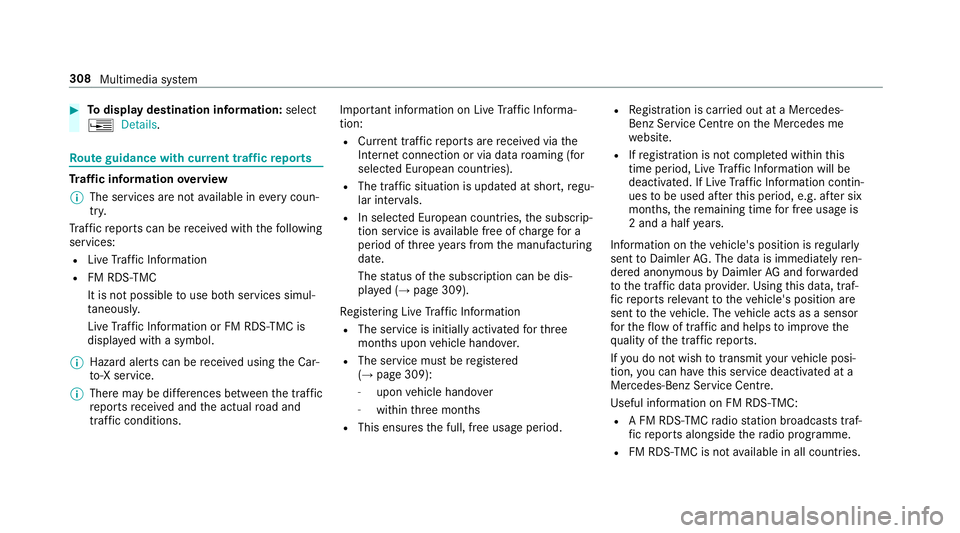
Todispl aydestination information: select
¥ Details. Ro
ute guidance with cur rent traf fic re ports Tr
af fic information overview
% The services are not available in everycoun‐
tr y.
Tr af fic re ports can be recei ved with thefo llowing
services:
R Live Traf fic Information
R FM RDS-TMC
It is not possible touse bo thservices simul‐
ta neously.
Live Traf fic Information or FM RDS-TMC is
displ ayed with a symbol.
% Hazard alerts can be recei ved using the Car-
to -X service.
% Theremay be dif fere nces between the traf fic
re ports recei ved and the actual road and
traf fic conditions. Impor
tant information on Live Traf fic Informa‐
tion:
R Current tra ffic reports are recei ved via the
Internet connection or via data roaming (for
selec ted European count ries).
R The tra ffic situation is updated at short, regu‐
lar inter vals.
R In selec ted European count ries, the subscrip‐
tion service is available free of charge for a
period of thre eye ars from the manufacturing
date.
The status of the subscription can be dis‐
pla yed (→ page 309).
Re gis tering Live Traf fic Information
R The service is initially acti vatedfo rth ree
months upon vehicle hando ver.
R The service must be regis tered
( → page 309):
- upon vehicle hando ver
- within thre e months
R This ensures the full, free usage period. R
Registration is car ried out at a Mercedes-
Benz Service Centre on the Mercedes me
we bsite.
R Ifre gistration is not comple ted within this
time period, Live Traf fic Information will be
deactivated. If Live Traf fic Information contin‐
ues tobe used af terth is period, e.g. af ter six
months, there maining time for free usage is
2 and a half years.
In fo rm ation on theve hicle's position is regularly
sent toDaimler AG. The da tais immediately ren‐
de red anonymous byDaimler AGand forw arded
to the traf fic da taprov ider. Using this data, traf‐
fi c re ports releva nt totheve hicle's position are
sent totheve hicle. The vehicle acts as a sensor
fo rth eflow of traf fic and helps toimpr ovethe
qu ality of the tra ffic reports.
If yo u do not wish totransmit your vehicle posi‐
tion, you can ha vethis service deactivated at a
Mercedes-Benz Service Cent re.
Useful information on FM RDS-TMC:
R A FM RDS-TMC radio station broadcasts traf‐
fi c re ports alongside thera dio prog ramme.
R FM RDS-TMC is not available in all countries. 308
Multimedia sy stem
Page 348 of 565
R
Smartscroll #
Switch the function on Oor off ª.
Deleting Internet his tory
Multimedia sy stem:
, Con-
nect .
z Browser .
Z Options .
Del
ete browser data
The following options are available:
R All
R Cache
R Cookies
R Entered URLs
R Form data #
Select an option. #
Select Yes. Setting Internet
favo urites
Multimedia sy stem:
, Con-
nect .
z Browser .
Z Options .
Bo
okmarks
Selecting favo urites #
Select bookma rks.
Creating favo urites #
Select Add new bookmark. #
Enter URL and name. #
Select ¡.
Editing favo urites #
Select bookma rks. #
Select Edit. #
Enter URL and name. #
Select ¡.
Deleting favo urites #
Select Delete. #
Select Yes. Closing
the br owser
Multimedia sy stem:
, Connect .
z Browser #
Select åClose browser . Internet
radio Calling up the In
ternetradio
Re quirements:
R There is an account on http://
www.me rcedes.me.
R The Internet radio service is activated.
R The data volume is available.
Depending on the count ry, data volume may
need tobe pur chased.
R Afast Internet connection for data transmis‐
sion free of inter fere nce.
The services are countr y-dependent.
Fo r more information, consult a Mercedes-
Benz service centre. Multimedia sy
stem 345
Page 349 of 565
Multimedia sy
stem:
, Radio .
Ý Internet radio #
Select TuneIn radio.
The Internet radio display appears. The last
st ation set starts playing.
% The connection quality depends on the local
mobile phone reception. In
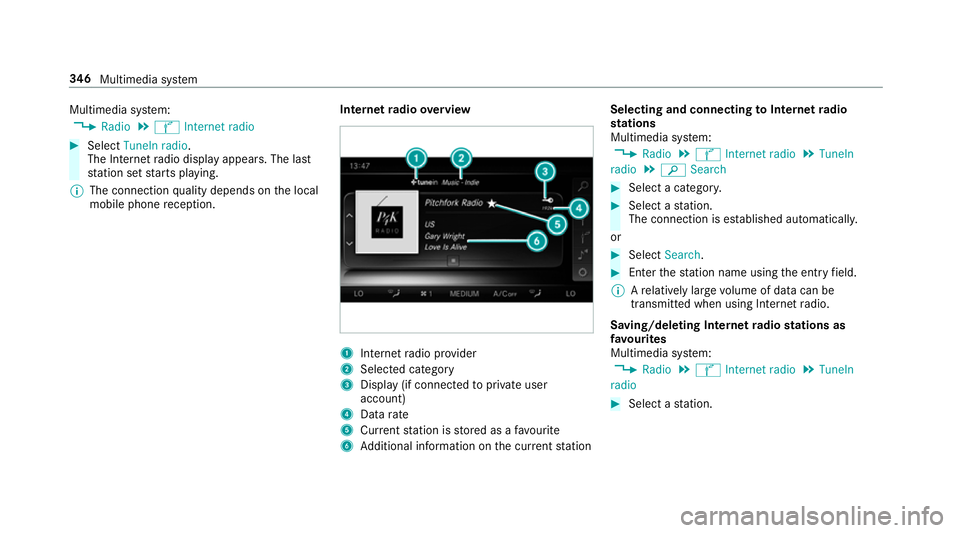
tern etradio overview 1
Inte rn et radio pr ovider
2 Selec ted category
3 Display (if connec tedto private user
account)
4 Data rate
5 Current station is stored as a favo urite
6 Additional information on the cur rent station Selecting and connecting
toInternet radio
st ations
Multimedia sy stem:
, Radio .
Ý Internet radio .
TuneIn
radio .
è Search #
Select a categor y. #
Select a station.
The connection is es tablished automaticall y.
or #
Select Search. #
Enter thest ation name using the entry field.
% Arelatively lar gevolume of data can be
transmitte d when using Internet radio.
Saving/deleting Internet radio stations as
fa vo urites
Multimedia sy stem:
, Radio .
Ý Internet radio .
TuneIn
radio #
Select a station. 346
Multimedia sy stem
Page 350 of 565
#
Press and hold theto uchpad or cont roller
until an audible signal sounds.
The ß symbol appears bythest ation
name. #
Select ßFavourites.
The list of sa vedfavo urite stations appears.
or #
Create an account forth e online pr ovider
(TuneIn radio) and then log in on the multi‐
media sy stem.
Yo ur favo urites are impor tedto the multime‐
dia sy stem.
Deleting favo urites #
Select ßFavourites. #
Select a station. #
Press and hold theto uchpad or cont roller
until an audible signal sounds.
The ß symbol bythest ation name disap‐
pears. Setting
the Internet radio options
Multimedia sy stem:
, Radio .
Ý Internet radio .
TuneIn
radio .
Z Options
The following options are available:
R Select stream: select thest re am qualit y.
R Login to TuneIn account : loginto yourTuneIn
user account.
R Log out of account: log out of your TuneIn
user account. #
Select an option. Media
Au
dio mode In
fo rm ation on audio mode &
WARNING Risk of di stra ction when han‐
dling da tastorage medium
If yo u handle a data storage medium while
driving, your attention is diver ted from the traf
fic conditions. This could also cause you
to lose control of theve hicle. #
Only handle a data storage medium
when theve hicle is stationar y. Pe
rm issible file sy stems:
R FAT32
R exFAT
R NTFS
Pe rm issible data storage medium:
R SD card
R USB storage device
R iPod/iPhone
R MTP devices
R Blue tooth ®
audio equipment
% The multimedia sy stem supports a total of
up to50,000 files.
Suppor tedfo rm ats:
R MP3
R WMA Multimedia sy
stem 347
Page 362 of 565
Ac
tivating Blue tooth ®
audio
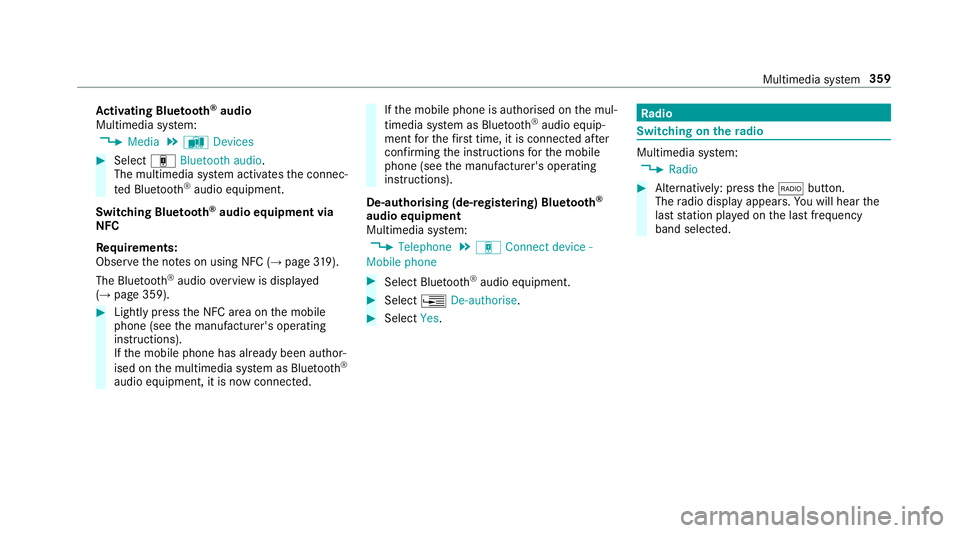
Multimedia sy stem:
, Media .
à Devices #
Select áBluetooth audio.
The multimedia sy stem activates the connec‐
te d Blue tooth®
audio equipment.
Swit ching Blue tooth ®
audio equipment via
NFC
Requ irements:
Obser vethe no tes on using NFC (→ page319).
The Bluetoo th®
audio overview is displa yed
( → page 359). #
Lightly press the NFC area on the mobile
phone (see the manufacturer's operating
instructions).
If th e mobile phone has already been author‐
ised on the multimedia sy stem as Blue tooth®
audio equipment, it is now connec ted. If
th e mobile phone is authorised on the mul‐
timedia sy stem as Blue tooth®
audio equip‐
ment forth efirs t time, it is connected af ter
confirming the instructions forth e mobile
phone (see the manufacturer's operating
instructions).
De-authorising (de-regis tering) Blue tooth ®
audio equipment
Multimedia sy stem:
, Telephone .
á Connect device -
Mobile phone #
Select Blue tooth®
audio equipment. #
Select ¥De-authorise. #
Select Yes. Ra
dio Switching on the
radio Multimedia sy
stem:
, Radio #
Alternatively: press the$ button.
The radio display appears. You will hear the
last station pla yed on the last frequency
band selected. Multimedia sy
stem 359
Page 363 of 565
Ra
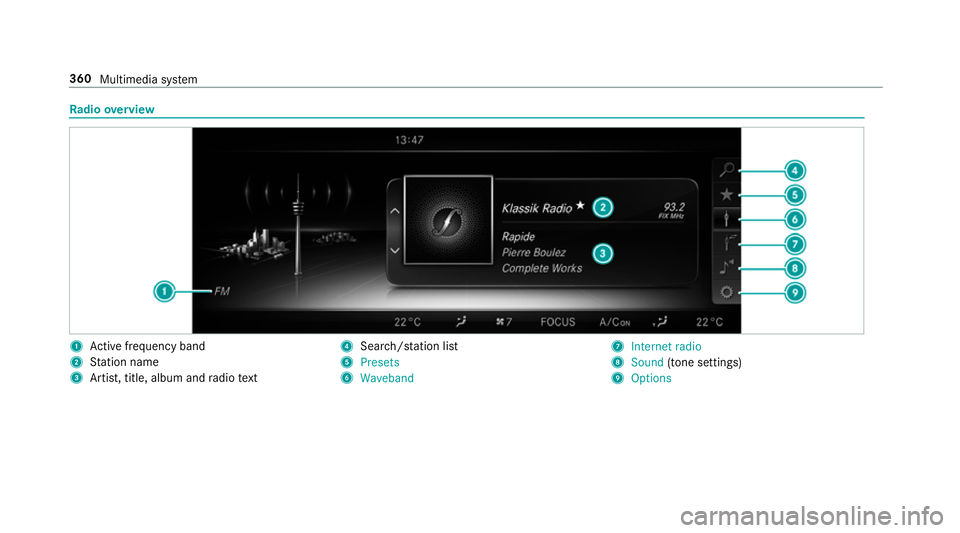
dio overview 1
Active frequency band
2 Station name
3 Artist, title, album and radio text 4
Search/s tation li st
5 Presets
6 Waveband 7
Internet radio
8 Sound (tone settings)
9 Options 360
Multimedia sy stem
Page 364 of 565
Setting
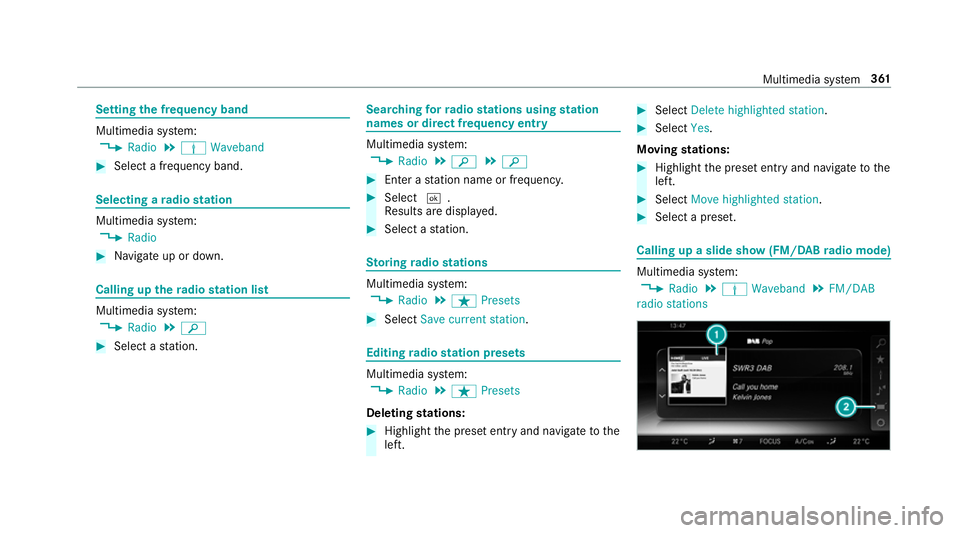
the frequency band Multimedia sy
stem:
, Radio .
Þ Waveband #
Select a frequency band. Selecting a
radio station Multimedia sy
stem:
, Radio #
Navigate up or down. Calling up
thera dio station list Multimedia sy
stem:
, Radio .
è #
Select a station. Sear
ching forra dio stations using station
names or direct frequency entry Multimedia sy
stem:
, Radio .
è .
è #
Ente r astation name or frequenc y. #
Select ¬.
Re sults are displa yed. #
Select a station. St
oring radio stations Multimedia sy
stem:
, Radio .
ß Presets #
Select Save current station . Editing
radio station presets Multimedia sy
stem:
, Radio .
ß Presets
Deleting stations: #
Highlight the preset entry and navigatetothe
left. #
Select Delete highlighted station. #
Select Yes.
Moving stations: #
Highlight the preset entry and navigatetothe
left. #
Select Move highlighted station. #
Select a preset. Calling up a slide show (FM/DAB
radio mode) Multimedia sy
stem:
, Radio .
Þ Waveband .
FM/DAB
radio stations Multimedia sy
stem 361
Page 365 of 565
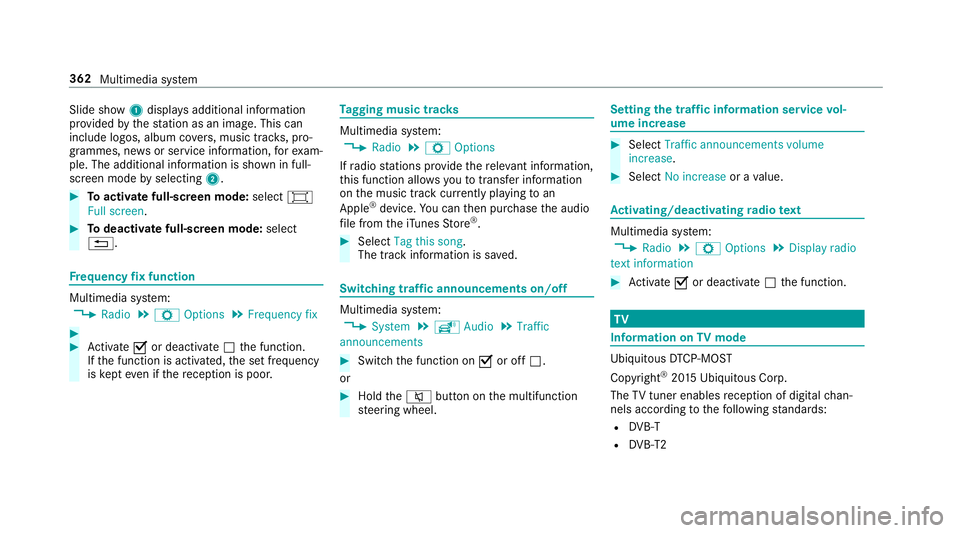
Slide show
1displ ays additional information
pr ov ided bythest ation as an image. This can
include logos, album co vers, music trac ks, pro‐
grammes, ne wsor service information, forex am‐
ple. The additional information is shown in full-
sc reen mode byselecting 2. #
Toactivate full-screen mode: select#
Full screen. #
Todeactivate full-sc reen mode: select
%. Fr
equency fix function Multimedia sy
stem:
, Radio .
Z Options .
Frequency fix #
#
Activate Oor deacti vate ª the function.
If th e function is activated, the set frequency
is ke pt eve n ifthere ception is poo r. Ta
gging music trac ks Multimedia sy
stem:
, Radio .
Z Options
If ra dio stations pr ovide there leva nt information,
th is function allo wsyouto trans fer information
on the music track cur rently pl aying toan
Apple ®
device. You can then pur chase the audio
fi le from theiTunes Store ®
. #
Select Tag this song.
The track information is sa ved. Switching traf
fic announcements on/off Multimedia sy
stem:
, System .
õ Audio .
Traffic
announcements #
Switch the function on Oor off ª.
or #
Hold the8 button on the multifunction
st eering wheel. Setting
the traf fic information service vol‐
ume increase #
Select Traffic announcements volume
increase. #
Select No increase or avalue. Ac
tivating/deactivating radio text Multimedia sy
stem:
, Radio .
Z Options .
Display radio
text information #
Activate Oor deacti vate ª the function. TV
Information on
TVmode Ubiquito
usDTCP-MOST
Copyright ®
20 15 Ubiquitous Corp.
The TVtuner enables reception of digital chan‐
nels according tothefo llowing standards:
R DVB-T
R DVB-T2 362
Multimedia sy stem
Page 370 of 565
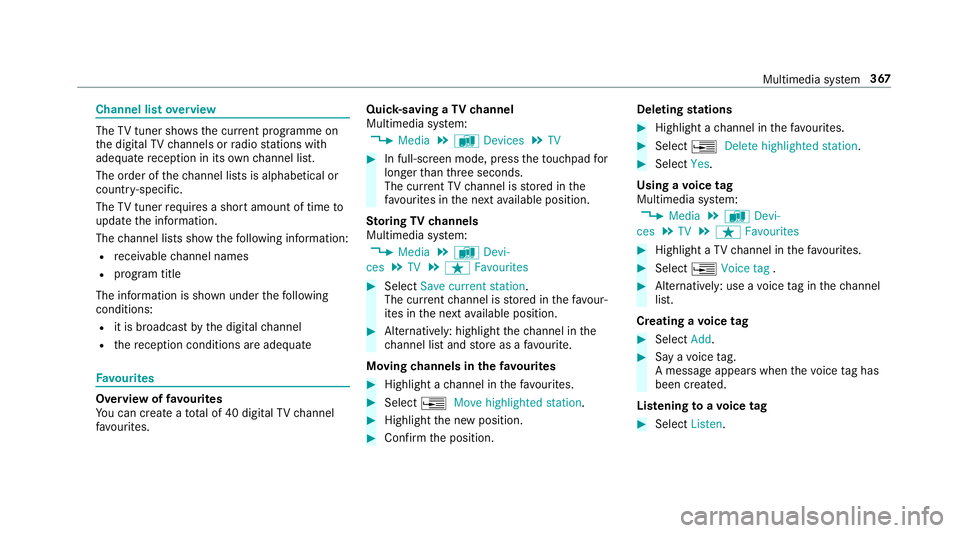
Channel list
overview The
TVtuner sho wsthe cur rent programme on
th e digital TVchannels or radio stations with
adequate reception in its ownch annel list.
The order of thech annel lists is alphabetical or
countr y-specific.
The TVtuner requ ires a short amount of time to
update the information.
The channel lists show thefo llowing information:
R recei vable channel names
R program title
The information is shown under thefo llowing
conditions:
R it is broadcast bythe digital channel
R there ception conditions are adequate Favo
urites Overview of
favo urites
Yo u can create a total of 40 digital TVchannel
fa vo urites. Qui
ck-saving a TVchannel
Multimedia sy stem:
, Media .
à Devices .
TV #
In full-screen mode, press theto uchpad for
longer than thre e seconds.
The cur rent TV channel is stored in the
fa vo urites in the next available position.
St oring TVchannels
Multimedia sy stem:
, Media .
à Devi-
ces .
TV .
ß Favourites #
Select Save current station .
The cur rent channel is stored in thefa vo ur‐
ites in the next available position. #
Alternatively: highlight thech annel in the
ch annel list and store as a favo urite.
Moving channels in thefa vo urites #
Highlight a channel in thefa vo urites. #
Select ¥Move highlighted station. #
Highlight the new position. #
Confirm the position. Deleting
stations #
Highlight a channel in thefa vo urites. #
Select ¥Delete highlighted station. #
Select Yes.
Using a voice tag
Multimedia sy stem:
, Media .
à Devi-
ces .
TV .
ß Favourites #
Highlight a TVchannel in thefa vo urites. #
Select ¥Voice tag . #
Alternatively: use a voice tag inthech annel
list.
Creating a voice tag #
Select Add. #
Say a voice tag.
A message appears when thevo ice tag has
been created.
Lis tening toavo ice tag #
Select Listen. Multimedia sy
stem 367
Page 417 of 565
On-board computer:
, Service .
Tyre pressure #
Swipe down wards on theTo uch Control on
th e left-hand side of thesteering wheel.
The Use current pressures as new reference
values message is shown in the multifunction
displa y. #
Press atoconfirm there start.
The Tyre press. monitor restarted message is
shown in the multifunction displa y.
Cur rent wa rning messages are dele ted and
th eh yellow warning lamp goes out.
Af teryo u ha vedriven for a few minutes, the
sy stem checks whe ther the cur rent tyre pres‐
su res are within the specified range. The cur‐
re nt tyre pressures are then accep ted as ref‐
erence values and monitored.
Be sure toalso obse rveth efo llowing fur ther
re lated subjects:
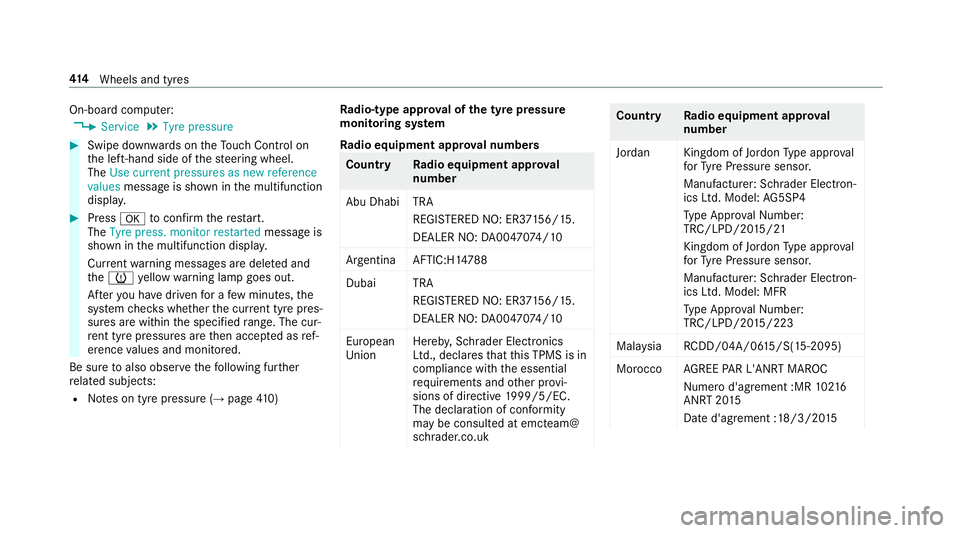
R Notes on tyre pressure (→ page410) Ra
dio-type appr oval of the ty repressure
moni toring sy stem
Ra dio equipment appr oval numbers Countr
yRadio equipment appr oval
number
Abu Dhabi TRA REGISTERED NO: ER3 7156/15.
DEALER NO: DA00470 74/10
Argentina AFTIC:H1 4788
Duba iT RA
REGI STERED NO: ER3 7156/15.
DEALER NO: DA00470 74/10
European
Union Hereb
y,Schrader Electronics
Ltd., declares that this TPMS is in
compliance with the essential
re qu irements and other pr ovi‐
sions of directive 1999/5/EC.
The declaration of conformity
may be consul ted at emcteam@
schrader.co.uk Countr
yRadio equipment appr oval
number
Jordan Kingdom of Jordon Type appr oval
fo rTy re Pressure sensor.
Manufacturer: Schrader Elect ron‐
ics Ltd. Model: AG5SP4
Ty pe Appr oval Numb er:
TRC/LPD/20 15/21
Kingdom of Jo rdon Type appr oval
fo rTy re Pressure sensor.
Manufacturer: Schrader Elect ron‐
ics Ltd. Model: MFR
Ty pe Appr oval Numb er:
TRC/LPD/20 15/223
Mal aysia RCDD/04A/0 615/S(15-2095)
Morocco AGREE PAR L'ANRT MA ROC
Nume rod'agrement :MR 10216
ANRT 20 15
Date d'agrement :18/3/20 15414
Wheels and tyres