audio MERCEDES-BENZ E-CLASS ESTATE 2017 User Guide
[x] Cancel search | Manufacturer: MERCEDES-BENZ, Model Year: 2017, Model line: E-CLASS ESTATE, Model: MERCEDES-BENZ E-CLASS ESTATE 2017Pages: 585, PDF Size: 11.8 MB
Page 325 of 585
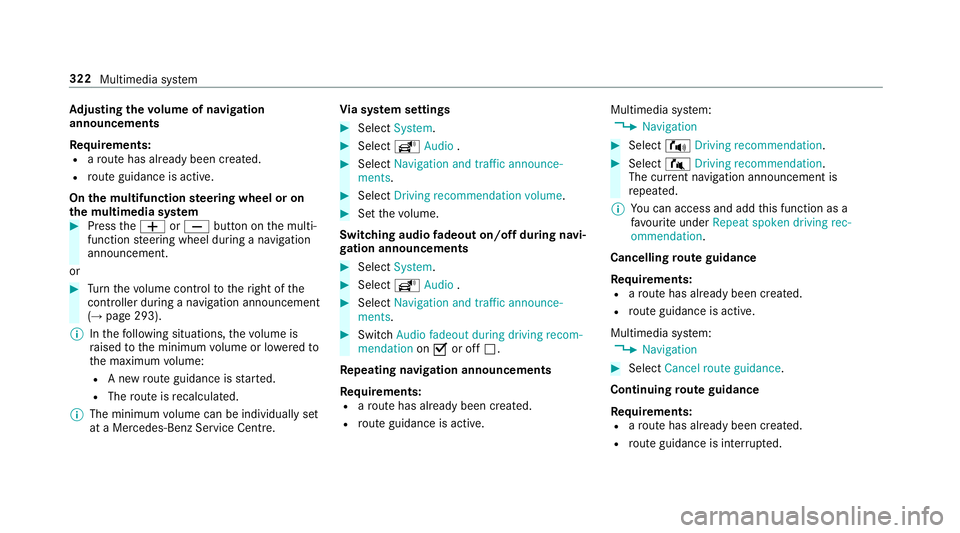
Ad
justin gthe volum eofn avigation
announcements
Re quirements:
R arout ehas already been created.
R routeg uidance is active.
On them ultifunction steering wheel or on
th em ultimedia sy stem #
Press theW orX button on them ulti‐
function steering wheel during anavigation
announcement.
or #
Turn thev olume control tother ight of the
controller du ring anavigation announcement
(→ page 293).
% Inthef ollowing situations, thev olume is
ra ised tothem inimum volume or lo weredto
th em aximum volume:
R Anew routeg uidance is star ted.
R The routeisr ecalculated.
% The minimum volume can be individuall yset
at aM ercedes-Benz Service Cent re.Vi
as ystems ettings #
Select System. #
Select õAudio . #
Select Navigation and traffic announce-
ments. #
Select Drivingrecommendation volume. #
Setthe volume.
Switching audio fadeout on/o ffduring navi‐
ga tio na nnouncements #
Select System . #
Select õAudio . #
Select Navigation and traffic announce-
ments . #
Switch Audio fadeou tduring driving recom-
mendation onO or off ª.
Re peating navigatio nannouncements
Re quirements:
R arout ehas already been created.
R routeg uidance is active. Multimedia sy
stem:
, Navigation #
Select !Drivingrecommendation . #
Select #Drivingrecommendation .
The cur rent navigation announcement is
re peated.
% Youc an access and add this function as a
fa vo urit eunder Repeat spoken driving rec-
ommendation .
Cancelling rout eg uidance
Re quirements:
R arout ehas already been created.
R routeg uidance is active.
Multimedia sy stem:
, Navigation #
Select Cancel route guidance .
Continuing rout eg uidance
Re quirements:
R arout ehas already been created.
R routeg uidance is inter rupte d. 322
Multimedia sy stem
Page 344 of 585
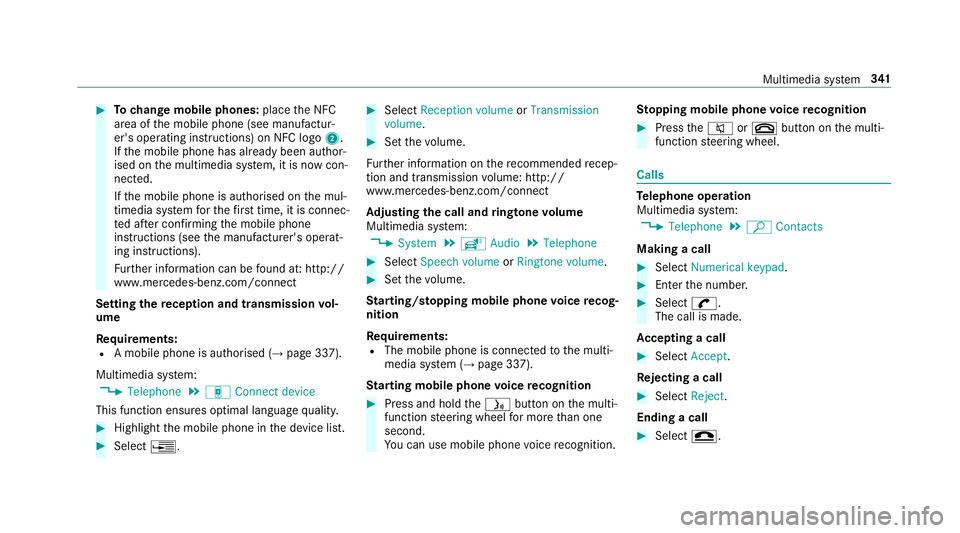
#
Tochang em obile phones: placetheN FC
area of them obile phone (see manufactur‐
er's operating instructions) on NFC logo 2.
If th em obile phone has already been author‐
ised on them ultimedia sy stem, it is no wcon‐
nected.
If th em obile phone is authorised on them ul‐
timedia sy stem fort he firs tt ime, it is connec‐
te da fter confirming them obile phone
instruction s(see them anufacturer's operat‐
ing instructions).
Fu rther information can be found at :http://
www.mercedes-benz.com/connect
Setting ther eception and transmission vol‐
ume
Re quirements:
R Am obile phon eisauthorised (→ page337).
Multimedia sy stem:
, Telephone .
á Connec tdevice
This function ensures optimal languag equalit y. #
Highlight them obile phone in thed evice list. #
Select ¥. #
Select Reception volume orTransmission
volume . #
Setthe volume.
Fu rther information on ther ecommende drecep‐
tio na nd transmission volume: http://
www.me rcedes-benz.com/connect
Ad justin gthe call and ringtone volume
Multimedia sy stem:
, System .
õ Audio .
Telephone #
Select Speech volume orRington evolume . #
Setthe volume.
St arting/ stopping mobile phon evoice recog‐
nition
Re quirements:
R The mobile phon eisconnec tedtot he multi‐
media sy stem (→ page337).
St arting mobile phone voice recognition #
Press and hold theó button on them ulti‐
function steering wheel form oret han one
second.
Yo uc an use mobile phon evoice recognition. St
opping mobil ephone voice recognition #
Press the8 or~ button on them ulti‐
function steering wheel. Calls
Te
lephone operation
Multimedia sy stem:
, Telephone .
ª Contacts
Making acall #
Select Numerical keypad. #
Ente rthe number. #
Select w.
The call is made.
Ac ceptin gacall #
Select Accept.
Re jectin gacall #
Select Reject.
Endin gacall #
Select =. Multimedia sy
stem 341
Page 351 of 585
R
Display participants
R Set up call/Connect now #
Select afunction.
Markin ganentry in the to-do lis tascomple‐
ted
Multimedia sy stem
, In Car Office #
Select an entry inthet o-do list O.
Ac cepting/rejecting an incoming call fora
te lephone conference #
Toaccep t:select Accept. #
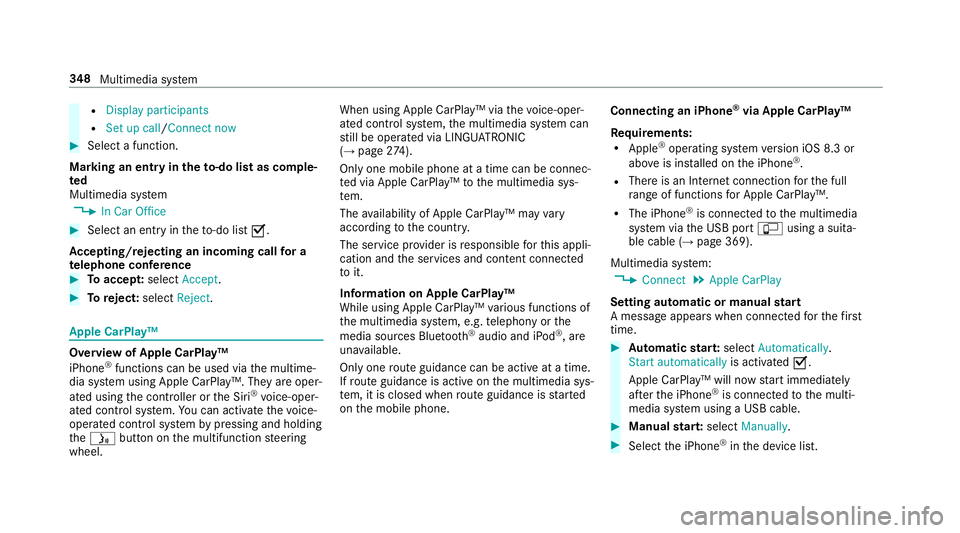
Toreject: select Reject. Apple CarPl
ay™ Overvie
wofApple CarPlay™
iPhone ®
functions can be used via them ultime‐
dia sy stem using Apple CarPlay™. The yareoper‐
ated using thec ontroller or theS iri®
vo ice-oper‐
ated control sy stem. Youc an activat ethe voice-
operated control sy stem bypressing and holding
the ó button on them ultifunction steering
wheel. When using Apple CarPlay™ via
thev oice-oper‐
ated control sy stem, them ultimedia sy stem can
st ill be operated via LINGU ATRO NIC
(→ pag e274).
On ly one mobile phone atat imec an be connec‐
te dv ia Apple CarPlay™ tothem ultimedia sys‐
te m.
The availabilit yofApple CarPlay™ ma yvary
accordin gtothe countr y.
The service pr ovider is responsible fort his appli‐
cation and thes ervices and conte nt connected
to it.
Information on Apple CarPlay™
While using Apple CarPlay™ various functions of
th em ultimedia sy stem, e.g. telephon yorthe
media sources Blue tooth®
audio and iPod ®
,a re
una vailable.
Onl yone routeg uidance can be activ eatatime.
If ro uteg uidance is activ eonthe multimedia sys‐
te m, it is closed when routeg uidance is star ted
on them obile phone. Connecting an iPhone
®
via Apple CarPlay™
Re quirements:
R Apple ®
operatin gsystemv ersion iOS 8.3 or
abo veis ins talled on thei Phone ®
.
R Ther eisanI nternetconnection fort he full
ra ng eoff unctions forA pple CarPlay™.
R The iPhone ®
is connected tothem ultimedia
sy stem via theU SB port çusing asuita‐
ble cable (→ page369).
Multimedia sy stem:
, Connect .
Apple CarPlay
Setting automatic or manual start
Am essa geappear swhen connec tedf or thef irst
time. #
Automatic star t:select Automatically.
Start automatically is activatedO.
Apple CarPlay™ will no wstart immediately
af te rt he iPhone ®
is connected tothem ulti‐
media sy stem using aUSB cable. #
Manua lstar t:select Manually . #
Select thei Phone ®
in thed evice list. 348
Multimedia sy stem
Page 352 of 585
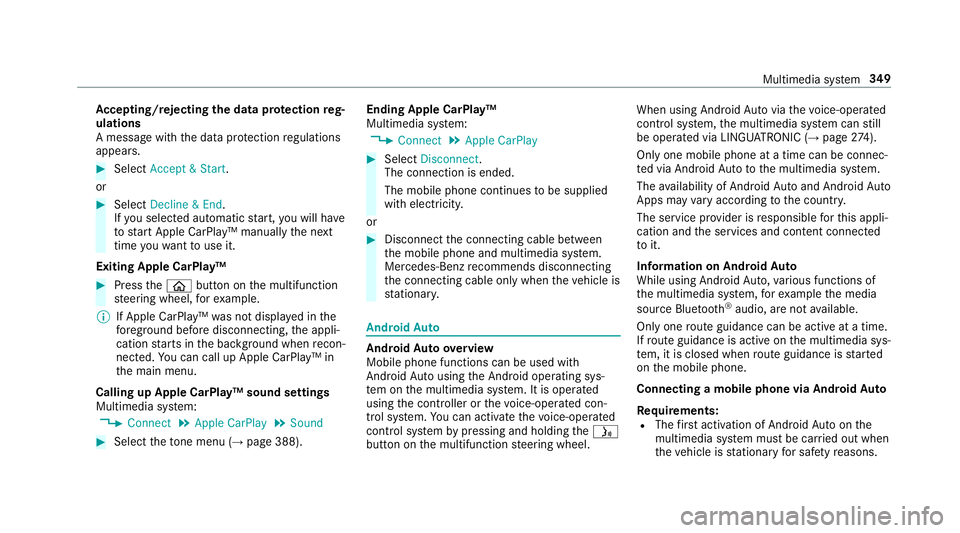
Ac
cepting/rejecting thed atap rote ction reg‐
ulations
Am essag ewitht he dat aprotection regulations
appears. #
Select Accept &Start .
or #
Select Decline &End.
If yo us elected automatic start, youw ill ha ve
to star tA pple CarPlay™ manuall ythe next
time youw ant touse it.
Exiting Apple CarPlay™ #
Press theò button on them ultifunction
st eering wheel, fore xamp le.
% If Apple CarPlay™ wasn otdispla yedint he
fo re ground befor edisconnecting, thea ppli‐
cation starts in theb ackg round when recon‐
nected. Youc an call up Apple CarPlay™ in
th em ain menu.
Calling up Apple CarPlay™ sound settings
Multimedia sy stem:
, Connect .
Apple CarPlay .
Sound #
Select thet one men u(→ page 388). Ending Apple CarPlay™
Multimedi
asystem:
, Connect .
Apple CarPlay #
Select Disconnect.
The connection is ended.
The mobile phone continues tobe supplied
wit he lect ricity.
or #
Disconnect thec onnecting cable between
th em obile phone and multimedia sy stem.
Mercedes-Benz recommends disconnecting
th ec onnecting cable onl ywhen thev ehicle is
st ationar y. Android
Auto Android
Autoove rview
Mobile phon efunction scan be used with
Android Autousin gthe Android operating sys‐
te mont he multimedia sy stem. It is operated
using thec ontroller or thev oice-operated con‐
trol sy stem. Youc an activat ethe voice-opera ted
control sy stem bypressing and holding theó
button on them ultifunction steering wheel. When using Android
Autovia thev oice-opera ted
control sy stem, them ultimedia sy stem can still
be opera tedv ia LINGU ATRO NIC (→ page274).
On ly one mobile phone atat imec an be connec‐
te dv ia Android Auto to them ultimedia sy stem.
The availabilit yofAndroid Au toand Android Auto
App smayvary accordin gtothe countr y.
The service pr ovider is responsible fort his appli‐
cation and thes ervices and conte nt connected
to it.
Information on Android Auto
While using Android Auto,v arious func tions of
th em ultimedia sy stem, fore xamp lethem edia
source Blue tooth®
audio, ar enotavailable.
On ly one routeg uidance can be activ eatatime.
If ro uteg uidance is activ eonthe multimedia sys‐
te m, it is closed when routeg uidance is star ted
on them obile phone.
Connecting amobile phone via Android Auto
Requ irements:
R The firs ta ctivatio nofA ndroidAutoont he
multimedia sy stem mus tbecarried out when
th ev ehicle is stationar yfor saf etyr easons. Multimedia sy
stem 349
Page 368 of 585
Setting
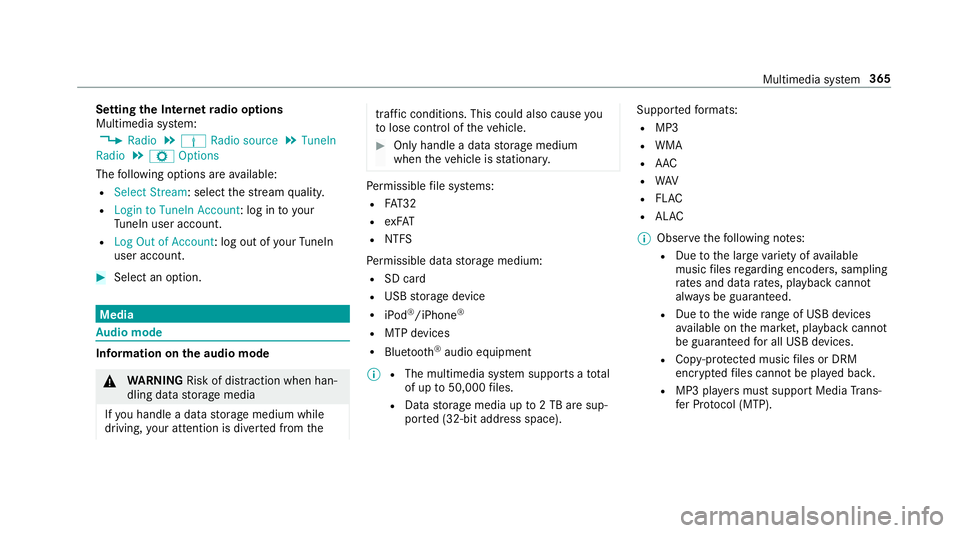
theI nterne tradio options
Multimedia sy stem:
, Radio .
Þ Radio source .
TuneIn
Radio .
Z Options
The following option sareavailable:
R Select Stream:s electthe stre am qualit y.
R Login to TuneIn Account :log in to your
Tu neIn user account.
R Log Ou tofAccount :log outofy ourTuneIn
user account. #
Select an option. Media
Au
dio mode In
fo rm ation on thea udio mode &
WARNING Risk of di stra ction whe nhan‐
dling da tastorag emedia
If yo uh andle adatas torage medium while
driving, your attentio nisdivertedf romt he traf
ficc onditions .Thisc ould also cause you
to lose control of thev ehicle. #
Onlyhandle adatas tora ge medium
when thev ehicle is stationar y. Pe
rm issible file sy stems:
R FAT32
R exFAT
R NTFS
Pe rm issible dat astorage medium:
R SD card
R USB storag edevice
R iPod ®
/iPhone ®
R MTP devices
R Blue tooth ®
audio equipment
% R
The multimedia sy stem supports atotal
of up to50,000 files.
R Dat astorage media up to2TBa resup‐
por ted( 32-bit address space). Suppor
tedf ormats:
R MP3
R WMA
R AAC
R WAV
R FLAC
R ALAC
% Obser vethef ollowing no tes:
R Due tothel arge variet yofa vailable
music files rega rding encoders, sampling
ra tesa nd dat arates, playba ckcannot
alw aysbeg uaranteed.
R Due tothew ide rang eofU SB devices
av ailable on them arke t, pl aybac kcann ot
be guaranteed fora ll USB devices.
R Cop y-pr otected music files or DRM
enc rypte dfiles canno tbeplaye db ack.
R MP3 pla yers mus tsuppor tMediaTrans‐
fe rP rotocol (MTP). Multimedia sy
stem 365
Page 369 of 585
Manufactured under license from Dolb
yLabora‐
to ries. Dolb y,Dol byAudio and thed ouble-D sym‐
bol ar etrademar ksof Dolb yLaboratories. Graceno
te,t he Graceno telogo and logotype,
"P ow ered byGracen ote", MusicID and Pla ylist
Plus ar eeither regis tere dt rademar ksor trade‐
mar ksof Graceno te,Inc .int heUnited States
and/or other countries.
Note sonc opyright
Au dio files that youc reateorr eproduce yourself
fo rp layback areg ene rallys ubject tocopyright
pr otection. In man ycount ries, reproductions,
eve nfor privat euse, ar enotpermitted without
th ep rior consent of thec opyright holder .Make
sur ethat youk nowa bout thea pplicable copy‐
ri ght regulations and that youc omply wi th these. Switching on media mode
Multimedia sy
stem:
, Media .
à Media sources #
Select amedia source.
Pla yable music files ar eplaye db ack.
Inserting/removing an SD card &
DANG ER Risk of fata linjur yfroms wal‐
lowing SD cards
SD cards ar esmall parts.
The ycould be swallo weda nd lead tochok‐
ing. #
Keep SD cards out of ther eac hofc hil‐
dren. #
Seek medical attention immediately if
an SD car dhas been swallo wed. *
NO
TEDama gecaused byhigh temp era‐
tures High
temp eratures can damag ethe SD mem‐
or yc ard. 366
Multimedia sy stem
Page 371 of 585

Overvie
wofthe audio mode 1
Actived atas tora ge medium
2 Album co ver
3 Trac k, artist, album
4 Search 5
Playbac kcontrol
6 Media sources
7 Sound 8
Full screen (for videoplayback)
9 Options
A Trac kn umber and number of trac ksinthe
trac klist 368
Multimedia sy stem
Page 375 of 585
Ac
tivating/deactivatin gfull-scree nmode
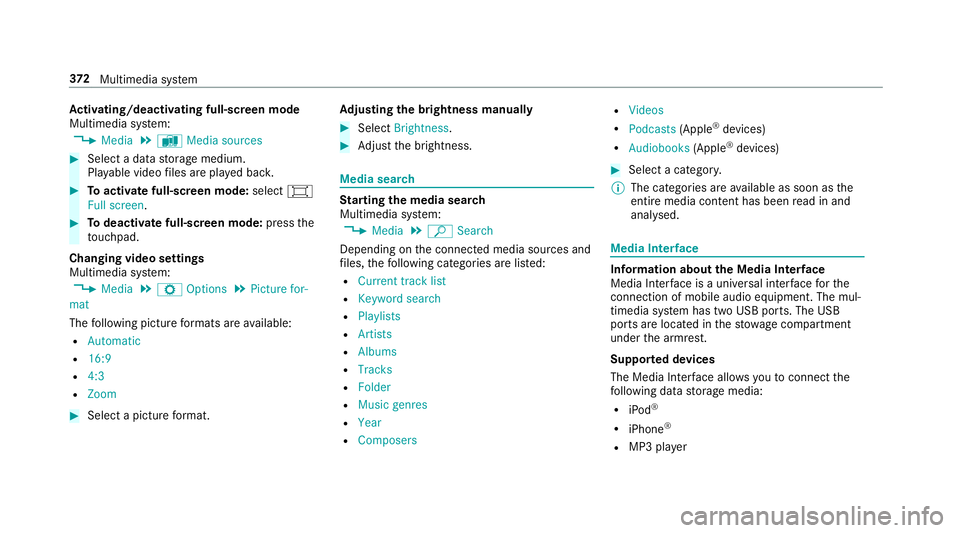
Multimedia sy stem:
, Media .
à Media sources #
Select adatas torage medium.
Pla yable video files ar eplaye db ack. #
Toactivat efull-screenm ode:select #
Full screen. #
Todeactivat efull-sc reen mode: pressthe
to uchpad.
Changing video settings
Multimedia sy stem:
, Media .
Z Options .
Picture for-
mat
The following pictur eformats ar eavailable:
R Automatic
R 16:9
R 4:3
R Zoom #
Select apictur eformat. Ad
justin gthe brightness manually #
Select Brightness . #
Adjus tthe brightness. Media sear
ch St
arting them edia sear ch
Multimedia sy stem:
, Media .
ª Search
Depending on thec onnected media sources and
fi les, thef ollowing categories ar eliste d:
R Current trac klist
R Keyword search
R Playlists
R Artists
R Albums
R Tracks
R Folder
R Music genres
R Year
R Composers R
Videos
R Podcasts (Apple®
devices)
R Audiobooks (Apple®
devices) #
Select acategor y.
% The categories ar eavailable as soon as the
entir emedia conte nt hasbeenr ead in and
analysed. Media Inter
face Information abou
tthe Media Inter face
Media In terface is auniversal inter face fort he
connection of mobile audioe quipment. The mul‐
timedi asystemh as tw oUSB ports. The USB
ports ar elocated in thes towa ge compartment
unde rthe armrest.
Suppor tedd evices
The Media Inter face allo wsyoutoc onnect the
fo llowing dat astorage media:
R iPod ®
R iPhone ®
R MP3 pla yer 372
Multimedia sy stem
Page 377 of 585
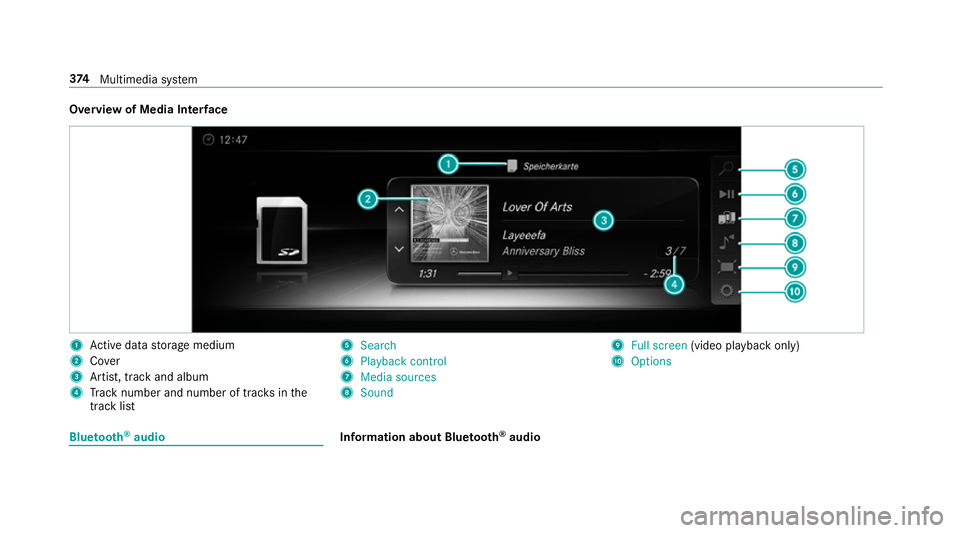
Overvie
wofMedia Inter face 1
Actived atas tora ge medium
2 Cover
3 Artist, trac kand album
4 Trac kn umber and number of trac ksinthe
trac klist 5
Search
6 Playback control
7 Media sources
8 Sound 9
Fullscreen (video pl aybac konly)
A Options Blue
tooth ®
audio Information about Blue
tooth ®
audio 374
Multimedia sy stem
Page 378 of 585
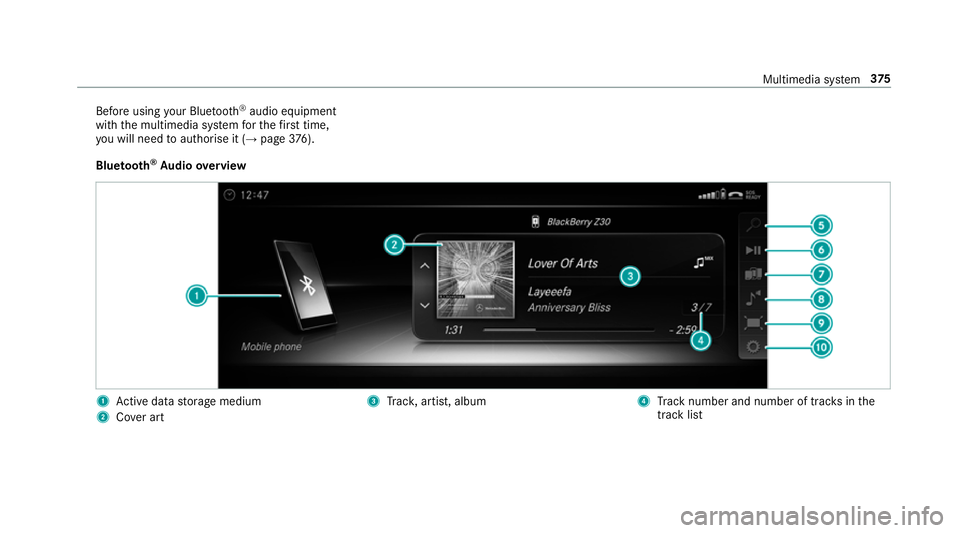
Befor
eusing your Blue tooth®
audio equipment
wit hthe multimedia sy stem fort he firs tt ime,
yo uw ill need toauthorise it (→ page376).
Blue tooth ®
Au dio overview 1
Actived atas tora ge medium
2 Covera rt 3
Trac k, artist, album 4
Trac kn umber and number of trac ksinthe
trac klist Multimedia sy
stem 375