transmission MERCEDES-BENZ E-CLASS ESTATE 2017 Owner's Manual
[x] Cancel search | Manufacturer: MERCEDES-BENZ, Model Year: 2017, Model line: E-CLASS ESTATE, Model: MERCEDES-BENZ E-CLASS ESTATE 2017Pages: 585, PDF Size: 11.8 MB
Page 239 of 585
&
WARNING Risk of accident du etovehi‐
cle swinging out while parking or pulling
out of aparking space
While parking or exitin gap arkin gspace, the
ve hicle swings out and can driv eontoa reas
of theo ncoming lane.
This could cause youtoc ollidewitho bjects
or other road users. #
Paya ttention toobject sand other road
users. #
Wher enecessar y,stop thev ehicle or
cancel thep arking procedur ewith
Ac tiveP arking Assist. #
If,fore xamp le,the Engage reverse gear mes‐
sag eappear sinthe multimedia sy stem dis‐
play: select thec orresponding transmission
position.
The vehicle drives int othe selected parking
space.
On completion of thep arking procedure, the
Active Parking Assist finished, take contro lofthe vehicle.
displaymessa geappears. Further
manoeuvring ma ystillben ecessar y. #
Afterc ompletion of thep arking procedure,
safeguar dthe vehicle agains trolling away.
When requ ired bylegal requirements or local
conditions: tur nthe wheels towa rdst he kerb.
% Youc an stop thev ehicle and chang ethe
transmiss ionp osit iond urin gthe parking pro‐
cedure. The sy stem then calculates anew
ve hicle path. The parking procedur ecan
th en be continued. If no ne wvehicle pat his
av ailable, thet ransmission position will be
ch anged again. If thev ehicle has no tyet
re ached thep arking space, thep arking pro‐
cedur ewill be cancelled, should agear be
ch anged.
Exiting aparki ng space wit hActive Parking
Assist
Re quirement:
Yo uc an on lyex itap arkin gspace wit hActive
Pa rking Assis tifyou ha veprev iousl yparke dt he
ve hicle wit hActiv eParking Assist. Please no
tethat youa re re sponsible fort he vehi‐
cle and sur rounding sduring thee ntir eparking
procedure. #
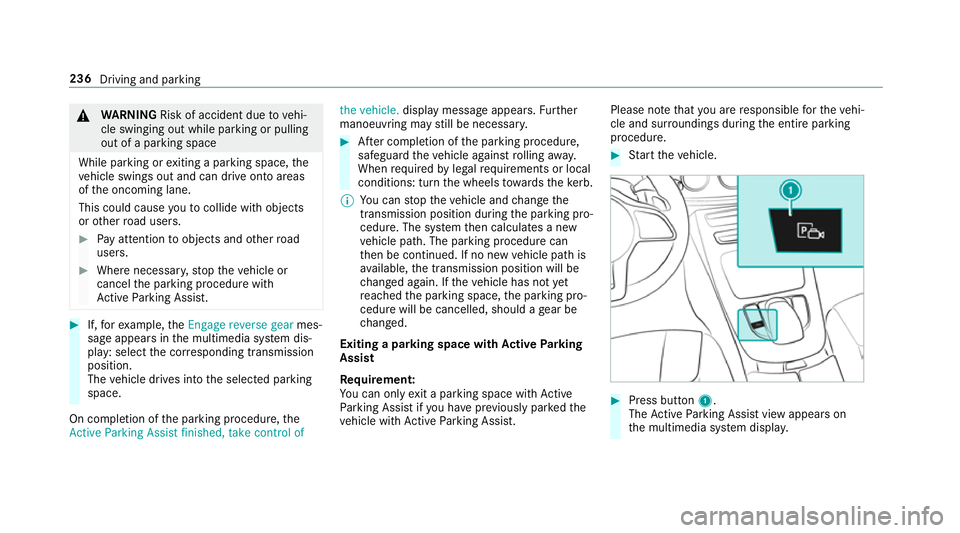
Startt he vehicle. #
Press button 1.
The ActiveP arking Assis tviewa ppear son
th em ultimedia sy stem displa y. 236
Driving and parking
Page 240 of 585
#
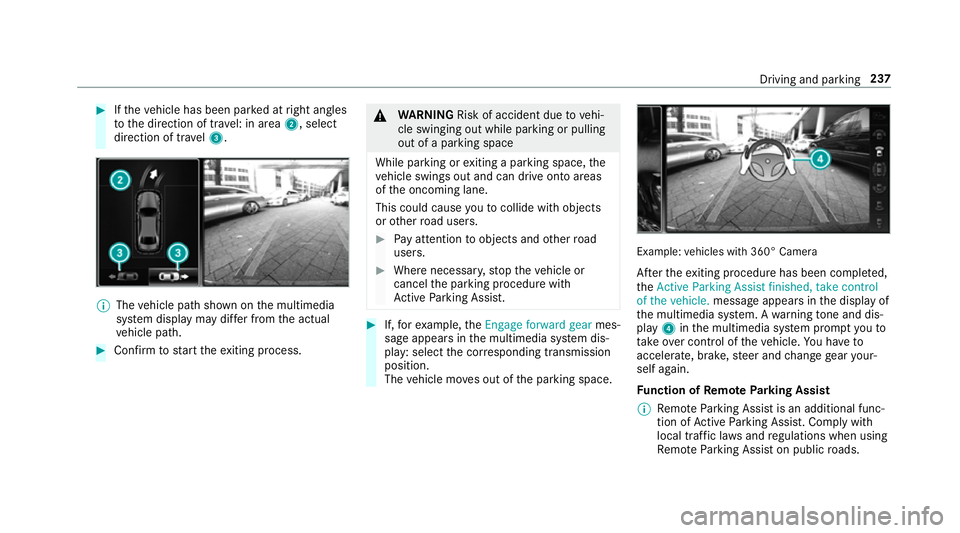
Ifth ev ehicle has been par kedatr ight angles
to thed irection of tra vel: in area 2,select
direction of tra vel3. %
The vehicle pat hshown on them ultimedia
sy stem displa ymaydifferf romt he actual
ve hicle path. #
Confir mtos tart thee xiting process. &
WARNING Risk of accident du etovehi‐
cle swinging out while parking or pulling
out of aparking space
While parking or exitin gap arkin gspace, the
ve hicle swings out and can driv eontoa reas
of theo ncoming lane.
This could cause youtoc ollidewitho bjects
or other road users. #
Paya ttention toobject sand other road
users. #
Wher enecessar y,stop thev ehicle or
cancel thep arking procedur ewith
Ac tiveP arking Assist. #
If,fore xamp le,the Engage forward gear mes‐
sag eappear sinthe multimedia sy stem dis‐
play: select thec orresponding transmission
position.
The vehicle mo veso ut of thep arking space. Example:
vehicles wit h360° Camera
Af tert he exitin gprocedur ehas been comple ted,
the Active Parkin gAssist finished, take control
of the vehicle. messageappear sinthe displa yof
th em ultimedia sy stem. Awarning tone and dis‐
pl ay 4 inthem ultimedia sy stem prom ptyouto
ta ke over control of thev ehicle. Youh ave to
accelerate, brake, steer and chang egear your‐
self again.
Fu nction of Remo teParking Assist
% Remo teParking Assis tisanadditional func‐
tion of ActiveP arking Assist. Compl ywith
local traf ficl aw sa nd regulations when using
Re mo teParking Assis tonpublicroads. Drivin
gand parking 237
Page 241 of 585
Re
mo teParking Assis tsupports them anoeu‐
vring or parking procedur ewhile youa reoutside
yo ur vehicle. Once youh ave selected asuitable
parking space, yout hen exitth ev ehicle and
guide it int othe parking space using asuitable
mobile phone. Remo teParking Assis tchanges
ge ar,a ccelerates, brakes and steer sthe vehicle.
While Remo teParking Assis tisactive, thev ehi‐
cle is loc ked. Youc an inter rupt thep arking proc‐
ess at an ytime wit hthe mobile phone or the
ve hicle keya nd then take ove rthe vehicle your‐
self.
Yo uc an also use your mobile phon etomove
yo ur vehicle backwards and forw ards in the
st ra ight-ahead position (exploration mode). This
is useful, fore xamp le, ifagarag eisson arrow
th at it is dif ficul tori mpossible togetinoro utof
th ev ehicle af terith as been par ked. Re mo te
Pa rking Assis tautomaticall yperform sa ny minor
st eering cor rections that ar erequired.
Re mo teParking Assis tisonlyana id. It is no ta
substitut efor your attentio ntothe sur roundings.
The responsibility fors afem anoeuvring and
parking remains wit hyou. Inter rupt or term inate
th ep arking procedur eifnecessar y.Mak esure th
at no persons, animals or object setc. ar ein
th em anoeuvring range.
Fo rthe Remo teParking Assis tfunction ,you
re qu iream obile phon eand thec urrent Remo te
Pa rking Assis tApp.
The following operatin gsystems ar esuppor ted:
R Android™
R Apple ®
iOS
If th ec onnection between thev ehicle and the
mobil ephone is inter rupte dw hile aparking
manoeuvr eisbeing per form ed, them anoeuvre
can be continued if thec onnection is re-es tab‐
lished within about tw ominutes.
The following scenarios ar esuppor ted:
R Parking in aparkin gspace parallel tothe
direction of tra vel.
R Parking in aparkin gspace at right angles to
th ed irection of tra vel.
R Exitin gaparkin gspace at right angles tothe
direction of tra vel(ex ploration mode).
R Parking in astraight-ahea dposition, e.g. into
ag arag eorc arport(ex ploration mode). R
Exiting aparking space in astraight-ahead
position ,e.g. from agarag eorc arport(ex plo‐
ra tio nm ode).
If am alfunctio norasystem limitation is de tec‐
te dw hile parkin gormanoeuvring (e.g. thep er‐
mitted downhill gradient is exceeded), thef ol‐
lowing actions ar eperform ed automatically:
R The parking manoeuvr eiscancelled.
R The vehicle is brought toas tandstill.
R Transmission position jis engaged.
R thev ehicle is switched off.
R The vehicle remains loc ked.
If th ep arking manoeuvr eiscancelled, acorre‐
sponding messag eisdisplayedont he mobile
phone. Youc an then take ove rand manoeuvre
th ev ehicle int othe parking space yourself .Alter‐
nativel y,yo uc an mo vethev ehicle bac ktoits
original position, if necessar y.
Yo uc an inter rupt thep arking procedur ewith
Ac tiveP arking Assis tinorder totake control of
th ev ehicle wit hRemo teParking Assis tand
manoeuvr eitintoi ts final position. 238
Driving and pa rking
Page 244 of 585
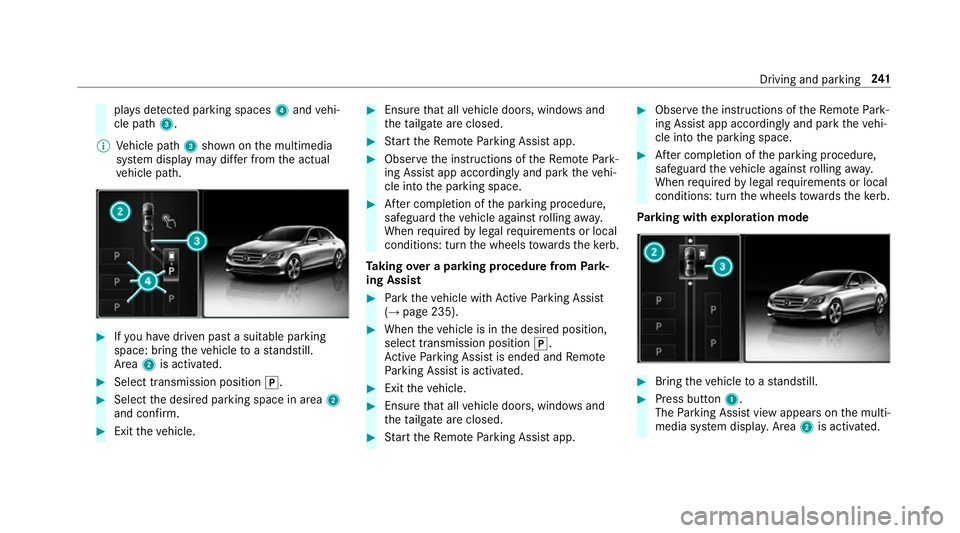
pla
ysdetected pa rking spaces 4and vehi‐
cle path 3.
% Vehicle path 3shown on them ultimedia
sy stem displa ymaydifferf romt he actual
ve hicle path. #
Ifyo uh ave driven pas tasuitable parking
space: bring thev ehicle toas tandstill.
Area 2is activated. #
Select transmissio nposition j. #
Select thed esired parking space in area 2
and confi rm. #
Exit thev ehicle. #
Ensur ethat all vehicle doors, windo wsand
th et ailgat eareclosed. #
Startt he Remo teParking Assis tapp. #
Obser vethei nstruction softheRemo tePark‐
ing Assis tapp accordingly and par kthe vehi‐
cle int othe parking space. #
Afterc ompletion of thep arking procedure,
safeguar dthe vehicle agains trolling away.
When requ ired bylegal requirements or local
conditions: tur nthe wheels towa rdst he kerb.
Ta king overap arkin gproce du re from Park‐
ing Assist #
Park thev ehicle wit hActiv eParking Assist
(→ pag e235). #
When thev ehicle is in thed esired position,
select transmission position j.
Ac tiveP arking Assis tisended and Remo te
Pa rking Assis tisactivated. #
Exit thev ehicle. #
Ensur ethat all vehicle doors, windo wsand
th et ailgat eareclosed. #
Startt he Remo teParking Assis tapp. #
Obser vethei nstruction softheRemo tePark‐
ing Assis tapp accordingly and par kthe vehi‐
cle int othe parking space. #
Afterc ompletion of thep arking procedure,
safeguar dthe vehicle agains trolling away.
When requ ired bylegal requirements or local
conditions: tur nthe wheels towa rdst he kerb.
Pa rking wit hexploration mode #
Bring thev ehicle toas tandstill. #
Press button 1.
The Parking Assis tviewa ppear sonthe multi‐
media sy stem displa y.Area 2is acti vated. Driving and parking
241
Page 245 of 585
#
Toactivat eRemo teParking Assist, select
transmissio nposition j. #
Selec tyour ownv ehicle 3and confirm. #
Exit thev ehicle. #
Ensur ethat all vehicle doors, windo wsand
th et ailgat eareclosed. #
Startt he Remo teParking Assis tapp. #
Obser vethei nstruction softheRemo tePark‐
ing Assis tapp accordingly and driv ethe vehi‐
cle forw ards or backwards int othe desired
position. #
Afterc ompletion of thep arking procedure,
safeguar dthe vehicle agains trolling away.
When requ ired bylegal requirements or local
conditions: tur nthe wheels towa rdst he kerb.
Alternatively ,you can proceed as follo ws: #
Bring thev ehicle toas tandstill. #
Engage transmission position jand switch
of ft he vehicle. #
Exit thev ehicle. #
Startt he Remo teParking Assis tapp. #
Obser vethei nstruction softheRemo tePark‐
ing Assis tapp accordingly and driv ethe vehi‐
cle forw ards or backwards int othe desired
position. #
Afterc ompletion of thep arking procedure,
safeguar dthe vehicle agains trolling away.
When requ ired bylegal requirements or local
conditions: tur nthe wheels towa rdst he kerb.
The parking procedu re requiresaminimum park‐
ing space size .Ifclearances getsmaller during
th ep arking procedure, e.g. if thev ehicle is being
driven int oagarage, amessag eappear sonthe
mobile phone. Youw ill need toconfir mthe
re duced clearances.
Exiting aparking space wit hexploration
mode #
Unloc kthe vehicle. #
Startt he Remo teParking Assis tapp within
one minute. #
Obser vethei nstruction softheRemo tePark‐
ing Assis tapp accordingly and driv ethe vehi‐
cle forw ards or backwards int othe desired
position. %
The outside mir rors aren otautomaticall yfol‐
ded out af tere xiting aparkin gspace.
Au thorising and de-authorising amobile
phone forR emo teParking Assist
Multimedia sy stem:
, Vehicle .
k Assistance .
Camera
&P ark. Assist .
Remote Parkin gAssist
Au thorisin ganewmobil ephone
In orde rtobea bletouse theR emo teParking
Assis tfunction ,you mus tauthorise your mobile
phone. Youc an authorise up tosix mobile
phones. #
Select Connect new device .
Re mo teParking Assis tisready toconnect. #
Startt he Remo teParking Assis tapp and
additionall ystart thea uthorisation process.
Ac onnection prom ptis displa yed. #
Ente rthe PIN.
De-authorising amobile phone #
Select them obile phone. #
Select ¥Options. 242
Driving and pa rking
Page 257 of 585
Tr
aile rhitch Tr
aile roperation no tes Mercedes‑AMG
vehicles: alwayso bser vethe
no tesint he Supplement. Otherwise, youm ay
fa ilto recognise dangers.
Obser vethef ollowing no tesont hetongue
we ight:
R use atongue weight as clos easpossible to
th em aximum tongu eweight
R do no tuse atongue weight that exc eeds or
fa lls belo wthe permissible tongu eweight
Do no texceed thef ollowing values:
R thep ermissible towing capacity
R thep ermissible rear axle load of thet ow ing
ve hicle
R thep ermissible gross mass of thet ow ing
ve hicle
R thep ermissible gross mass of thet railer
R them aximum permissible speed of thet railer Mak
esureoft hefollowing befor estartin gaj our‐
ney:
R thet yrep ressur eont herear axle of thet ow‐
ing vehicle is se tfor am aximu mload
R thel ighting of thec onnected trailer is opera‐
tional
R Vehicles without LED headlamps or MUL‐
TIBEA MLED headlamps: The headlamps
ha ve been se tcorrectly.
In thee vent of increased rear axle load, thec ar/
trailer combination ma ynot exc eedamaximum
speed of 100k m/h forr easons concerning the
operating permit. This also applies in countri es
in whic hthe permissible maximum speed for
car/traile rcombinations is ab ove1 00 km/h. Extending/
retracting the bal lneckf ullye lec‐
trically &
WARNING Risk of accident du etothe
ball nec knotbeing engaged
If th eb all nec kisnotengaged, thet railer
ma ycome loose. #
Mak esuret hat theb all nec ksecurely
engages and loc ksintop lace. *
NO
TEDama getothef ully-electric trailer
hitch The fully-elect
rict railer hitchcould be
mechanically damaged byapplying additional
pressur ewhen theb all nec kisbeingexten‐
de dorr etra cted. #
Do no tmaket he ball nec kextend/
re tract faster by applying additional
pressure. Re
quirements:
Mak esureoft hefollowing befor eextending/
re tracting theb all nec kfullye lectrically:
R Shif tthe transmission toposition jori.
R The rang eofm ovement is clear.
R Onl yw hen retracting: remo vethet railer
cables or adap terp lugs. 254
Driving and parking
Page 267 of 585
#
Toexitas ubmenu: presstheb ackb utton
on thel eft 1.
If yo ua rebrows ingasubmen uand youp ress
and hold theb ackb utton on thel eft 1,t he
menu bar appears. Setting
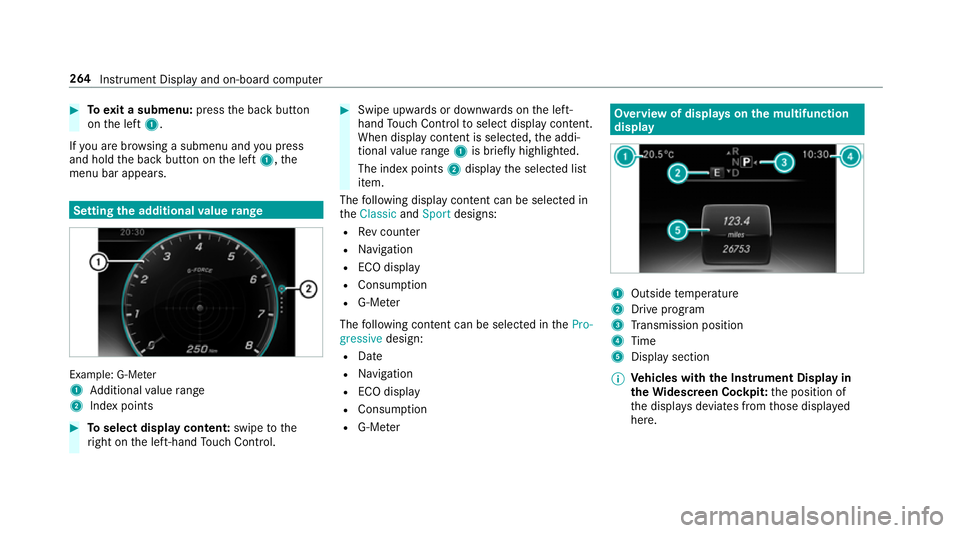
thea dditional value range Example: G-Me
ter
1 Additional value range
2 Inde xpoints #
Toselect displa ycontent: swipetothe
ri ght on thel eft-hand Touc hC ontrol. #
Swip eupwards or down wardsont he left-
hand Touc hC ontrol toselect displa ycontent.
When displa ycontent is selected, thea ddi‐
tional value range 1is brie flyh ighligh ted.
The inde xpoints 2displa ythe selected list
item.
The following displa ycontent can be selected in
the Classic andSport designs:
R Revc ounter
R Navigation
R ECOd isplay
R Consu mption
R G-M eter
The following con tent can be selected in thePro-
gressive design:
R Date
R Navigation
R ECOd isplay
R Consu mption
R G-M eter Overvie
wofdisplayson them ultifunction
display 1
Outside temp erature
2 Driv eprogram
3 Transmission position
4 Time
5 Displa ysection
% Ve
hicles with theI nstrument Displa yin
th eW idescreen Cockpit: thep osition of
th ed ispla ysdeviates from those displa yed
here. 264
Instrument Displa yand on-boar dcomputer
Page 300 of 585
#
Select Summer Time. #
Select OnorOff.
Setting the time and dat eformat
Multimedia sy stem:
, System .
& Time and date .
Set
format #
Setthe dat eand time form at#.
Setting thet imem anually
Re quirement:
R The Manual time adjustment function is
switched on.
Multimedia sy stem:
, System .
& Time and date .
Set
time #
Setthe hours. #
Navigat etot heright tosetthe minutes. #
Setthe minutes. #
Confir mchanges when exitin gthe menu.
The dat eissetautomaticall yvia GPS. Connectivity
Setting up
ahotspo tvia business telephony
Multimedia sy stem:
, System .
ö Connectivity .
Set up
hotspot #
Select Select the vehicle's mobile hotspot . #
Select Business phone.
The hotspo tisactive.
Exte rnal devices (e.g. tablets) can be connec‐
te dtot he multimedia sy stem via business
te lephon y.
% Information abouts etting up ahotspot
(→ pag e358).
Switching transmission of thev ehicle posi‐
tio no n/off
Multimedi asystem:
, System .
ö Connectivity #
Select Transmit vehicle position . #
Switc hthe function on Oor off ª. Blue
tooth ® Information abou
tBluet oo th®
Bl ue tooth ®
tech nology is astandar dfor short-
ra ng ew ireles sdatat ransfer up toappr oximately
10 m.Youc an use Blue tooth®
to connect your
mobile phon etothe multimedia sy stem and use
th ef ollowing functions, fore xamp le:
R hands-free sy stem wit haccess tothef ollow‐
ing options:
- contacts (→ page342)
- call lists (→ page345)
- text messa ges
R Interne tconnection
R listening tomusi cvia Blue tooth®
audio
(→ pag e374 )
R transfer ring business cards (vCards) int othe
ve hicle
Blue tooth ®
is ar egis tere dt rademar kofBlue‐
toot hSpecial Interes tGroup (SIG) Inc.
% Interne tconnection via Blue tooth®
is not
av ailable in all countries. Multimedia sy
stem 297
Page 344 of 585
#
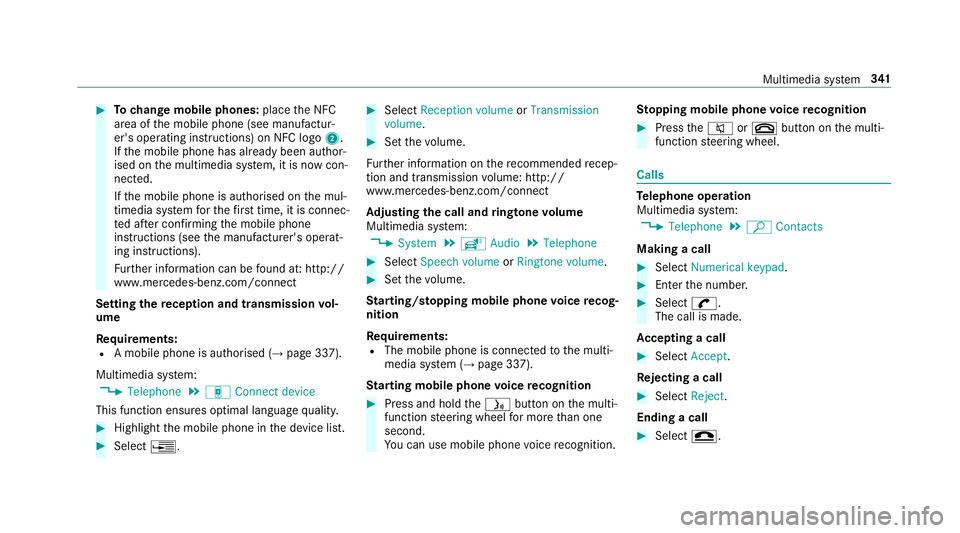
Tochang em obile phones: placetheN FC
area of them obile phone (see manufactur‐
er's operating instructions) on NFC logo 2.
If th em obile phone has already been author‐
ised on them ultimedia sy stem, it is no wcon‐
nected.
If th em obile phone is authorised on them ul‐
timedia sy stem fort he firs tt ime, it is connec‐
te da fter confirming them obile phone
instruction s(see them anufacturer's operat‐
ing instructions).
Fu rther information can be found at :http://
www.mercedes-benz.com/connect
Setting ther eception and transmission vol‐
ume
Re quirements:
R Am obile phon eisauthorised (→ page337).
Multimedia sy stem:
, Telephone .
á Connec tdevice
This function ensures optimal languag equalit y. #
Highlight them obile phone in thed evice list. #
Select ¥. #
Select Reception volume orTransmission
volume . #
Setthe volume.
Fu rther information on ther ecommende drecep‐
tio na nd transmission volume: http://
www.me rcedes-benz.com/connect
Ad justin gthe call and ringtone volume
Multimedia sy stem:
, System .
õ Audio .
Telephone #
Select Speech volume orRington evolume . #
Setthe volume.
St arting/ stopping mobile phon evoice recog‐
nition
Re quirements:
R The mobile phon eisconnec tedtot he multi‐
media sy stem (→ page337).
St arting mobile phone voice recognition #
Press and hold theó button on them ulti‐
function steering wheel form oret han one
second.
Yo uc an use mobile phon evoice recognition. St
opping mobil ephone voice recognition #
Press the8 or~ button on them ulti‐
function steering wheel. Calls
Te
lephone operation
Multimedia sy stem:
, Telephone .
ª Contacts
Making acall #
Select Numerical keypad. #
Ente rthe number. #
Select w.
The call is made.
Ac ceptin gacall #
Select Accept.
Re jectin gacall #
Select Reject.
Endin gacall #
Select =. Multimedia sy
stem 341
Page 354 of 585
Sy
stem information:
R Softwar erelease of them ultimedia sy stem
R System ID (anonymised)
The transfer of this dat aisusedtooptimise
communication between thev ehicle and the
mobil ephone.
To do this, and toassig nseve ralv ehicles tothe
mobil ephone, avehicle identifier is randomly
ge nerated.
Thi sh asno connectio ntothevehicle identifica‐
tion number (VIN) and is dele tedw hen them ulti‐
media sy stem is rese t(→pag e306).
Driving status data:
R Transmission position engaged
R Distinction between par ked, standstill, rolling
and driving
R Day/night mode of thei nstrument clus ter
The transfer of this dat aisusedtoalter how
con tent is displ ayed tocor respond tothed riving
situation. Po
sition data:
R Coordinates
R Speed
R Compass direction
R Acceleration di rection
Thi sd ata is on lytransfer redw hile then avigation
sy stem is activ einorder toimpr oveit (e.g. so it
can continue functioning when in atunnel). Mercedes me connect
Information on Mercedes me connect
Mercedes me connec
tprovide sthe following
services:
R Breakdown management
R Appointmen trequests or similar
R Mercedes-Benz emer gency cal lsyst em
R Accident mana gement
The Mercedes-Benz Cust omer Centreand the
Mercedes-Benze mergency cal lcentr eareavaila‐
ble fory ou around thec lock. The Inf
ocall button, theb reakdown assis tance
cal lbuttona nd thee mer gency cal lbuttonc an be
fo und on theo verhead control panel of thev ehi‐
cle (→ page352).
Yo uc an also call theM ercedes-Benz Cus tomer
Centr eusing them ultimedia sy stem
(→ pag e351).
Please no tethat Mercedes me connec tisa
Mercedes-Ben zservice. In emer gencies, al ways
cal lthe national emer gency service sfirst using
th es tandar dnational emer gency service phone
numbe rs.Ine mergencies, youc an also use the
Mercedes-Benze mergency cal lsyst em
(→ pag e354).
Fu rther information on Mercedes me connect,
th ep rovide dservice scope and operation:
http://manuals.daimler.com/baix/cars/
connectme/de_DE/index.html
Calling theM ercedes-Benz Cus tomer Centre
using the multimedi asystem
Requ irements:
R Youh ave access toaG SM networ k. Multimedia sy
stem 351