lights MERCEDES-BENZ E-CLASS ESTATE 2020 Owner's Guide
[x] Cancel search | Manufacturer: MERCEDES-BENZ, Model Year: 2020, Model line: E-CLASS ESTATE, Model: MERCEDES-BENZ E-CLASS ESTATE 2020Pages: 489, PDF Size: 9.15 MB
Page 228 of 489
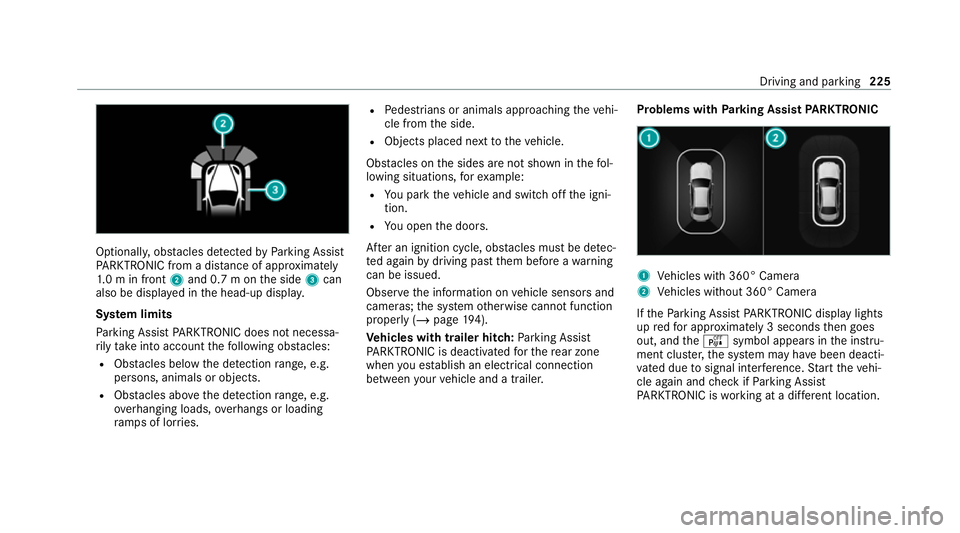
Optionally, obs
tacles de tected byParking Assist
PA RKTRONIC from a dis tance of appr oximately
1. 0 m in front 2and 0.7 m on the side 3can
also be displa yed in the head-up displa y.
Sy stem limits
Pa rking Assist PARKTRONIC does not necessa‐
ri ly take into account thefo llowing obs tacles:
R Obs tacles bel ow the detection range, e.g.
pe rsons, animals or objects.
R Obs tacles ab oveth e de tection range, e.g.
ove rhanging loads, overhangs or loading
ra mp s of lor ries. R
Pedestrians or animals approaching theve hi‐
cle from the side.
R Objects placed next totheve hicle.
Obs tacles on the sides are not shown in thefo l‐
lowing situations, forex ample:
R You park theve hicle and switch off the igni‐
tion.
R You open the doors.
Af ter an ignition cycle, obs tacles must be de tec‐
te d again bydriving past them before a warning
can be issued.
Obser vethe information on vehicle sensors and
cameras; the sy stem otherwise cannot function
properly (/ page194).
Ve hicles with trailer hitch: Parking Assist
PA RKTRONIC is deacti vatedfo rth ere ar zone
when you es tablish an elect rical connection
between your vehicle and a trailer. Problems with
Parking Assist PARKTRONIC 1
Vehicles with 360° Camera
2 Vehicles without 360° Camera
If th ePa rking Assist PARKTRONIC display lights
up redfo r appro ximately 3 seconds then goes
out, and theé symbol appears in the instru‐
ment clus ter,th e sy stem may ha vebeen deacti‐
va ted due tosignal inter fere nce. Start theve hi‐
cle again and check if Parking Assist
PA RKTRONIC is working at a dif fere nt location. Driving and pa
rking 225
Page 246 of 489
Fu
rther information (/ page211).
Displaying de tected traf fic signs in the
medi a display #
Select Display in head unit. #
Activate or deacti vate the function.
Setting the type of warning #
Select Visual & audible ,Visual orOff .
Setting thewa rning threshold
This value de term ines the speed at which a
wa rning is issued when exceeded. #
Select Warning threshold. #
Set the desired speed. Blind Spot Assist and
Active Blind Spot
Assi stwith exitwa rning Fu
nction of Blind Spot Assist and Active
Blind Spot Assi stwith exitwa rning
Blind Spot Assist and Active Blind Spot Assi st
use two lateral, rear-facing radar sensors to
monitor the area up to40 m behind and 3 m
next toyour vehicle. If a
vehicle is de tected at speeds ab ove appr ox‐
imately 12km/h and this vehicle subsequently
enters the monitoring range di rectly next to your
ve hicle, thewa rning lamp in the outside mir ror
lights up red.
Pe rm anent status display in the instrument clus‐
te r:
R ¸ (gre y): sy stem is activated but inopera‐
tive
R ¸ (green): sy stem is activated and opera‐
tional
If a vehicle is de tected close toyour vehicle and
yo u swit chon the turn signal indicator in the cor‐
re sponding direction, a double warning tone
sounds and there dwa rning lamp in the outside
mir rorflashes. If the turn signal indicator
re mains switched on, all other de tected vehicles
are indicated only bytheflashing of thered
wa rning lamp.
If yo uove rtake a vehicle quickl y,no warning is
given. &
WARNING Risk of accident despi teBlind
Spot Assi st
Blind Spot Assi stdoes not react tovehicles
approaching and overtaking you at a greatly
di fferent speed.
Blind Spot Assist cann otwa rndrivers in this
situation. #
Alw ays pay careful attention tothe traf‐
fi c situation and maintain a safe dis‐
ta nce at the side of theve hicle. Obser
vethe no tes on driving sy stems and your
re sponsibility; you may otherwise failto recog‐
nise dangers (/ page 194).
Exit warning
The exitwa rning is an additional function of
Blind Spot Assist and can warnvehicle occu‐
pants about approaching vehicles when leaving
th eve hicle when stationar y. Driving and pa
rking 243
Page 293 of 489

Making an emer
gency call #
Toopen the co ver of SOS button 2, press it
brief ly. #
Press and hold SOS button 3for at least
one second.
If a Mercedes me call is active, an emer gency
call can still be triggered. This has priority over
all other active calls.
Information about the Mercedes me call
using the me but ton
A call tothe Mercedes-Benz Cus tomer Centre
has been initia ted via the me button in theove r‐
head control panel or the multimedia sy stem
(/ page 289).
Using thevo ice dialogue sy stem you access the
desired service:
R Accident and Breakdown Management
R Mercedes-Benz Cu stomer Centre forge neral
information about theve hicle
Yo u can find information on thefo llowing topics:
R Activation of Me rcedes me connect
R Operating theve hicle R
Nearest Mercedes-Benz service centre
R Other products and services from Mercedes-
Benz
Data is transfer red during the connection tothe
Mercedes-Benz Cus tomer Centre (/ page 292).
Calling the Mercedes-Benz Cus tomer Centre
using the multimedia sy stem
Requ irements:
R Access toa GSM network is available.
R The contract partner's GSM network co ver‐
age is available in there spective region.
R The ignition must be switched on so that
ve hicle data can be transfer red automati‐
call y.
Multimedia sy stem:
4 © 5
Phone 5
g #
Call Mercedes me connect.
Af ter confirmation, the multimedia sy stem
sends there qu ired vehicle data. The data
transfer is shown in the media displa y.Then,
you can select a service and be connected
to a specialist at the Mercedes-Benz Cus tomer
Centre.
Calling the Mercedes-Benz Cus tomer Centre
af te r automatic accident or breakdown
de tection
Re quirements:
R The vehicle has de tected an accident or
breakdown situation.
R The vehicle is stationar y.
R The hazard warning lights are switched on.
% This function is not available in all countries.
The vehicle can de tect accident or breakdown
situations under cer tain circums tances.
In theeve nt an accident or breakdown is de tec‐
te d, the emer gency guide sho wssafety no tes in
th e multimedia sy stem displa y.
Af terqu itting the emer gency guide displ ayon
th e multimedia sy stem, a prom ptappears asking
whe ther you wish toget support from the
Mercedes-Benz Cus tomer Centre. 290
MBUX multimedia sy stem
Page 388 of 489
Lights
Display messages
Possible causes/consequences and M
MSolutions
: Left dipped beam (examp le) *T
he cor responding light source is defective. #
Drive on carefully. #
Consult a qualified specialist workshop immediatel y.
% LED light sources: the display message forth e cor responding light appears only when allthe light-emitting
diodes in the light are faulty.
: Malfunction See Owner's
Manual *T
heexterior lighting is malfunctioning. #
Consult a qualified specialist workshop.
* Ve hicles with a trailer hitch: a fuse may haveblown. #
Stop theve hicle in accordance with the tra ffic conditions. #
Check the fuses and replace them if necessary (/ page 341).
: Automatic driving lights
inoperative *T
he light sensor is malfunctioning. #
Consult a qualified specialist workshop. Display messages and
warning/indicator lamps 385
Page 389 of 489
Display messages
Possible causes/consequences and M
MSolutions
: Active Light System inoper-
ative *T
he active headlamp s are malfunctioning. #
Consult a qualified specialist workshop.
: Switch on headlamps *Y
ou are driving without lo w-beam headlamps. #
Turn the light switch totheL orà position.
:
Switch off lights *Y
ou are leaving theve hicle and the lights are still switched on. #
Turn the light switch totheà position.
: Intelligent Light System
inoperative *T
he Intelligent Light Sy stem is malfunctioning. The lighting sy stem continues tofunction proper lywithout the func‐
tions of the Intelligent Light Sy stem. #
Consult a qualified specialist workshop. 386
Display messages and warning/indicator lamps
Page 440 of 489
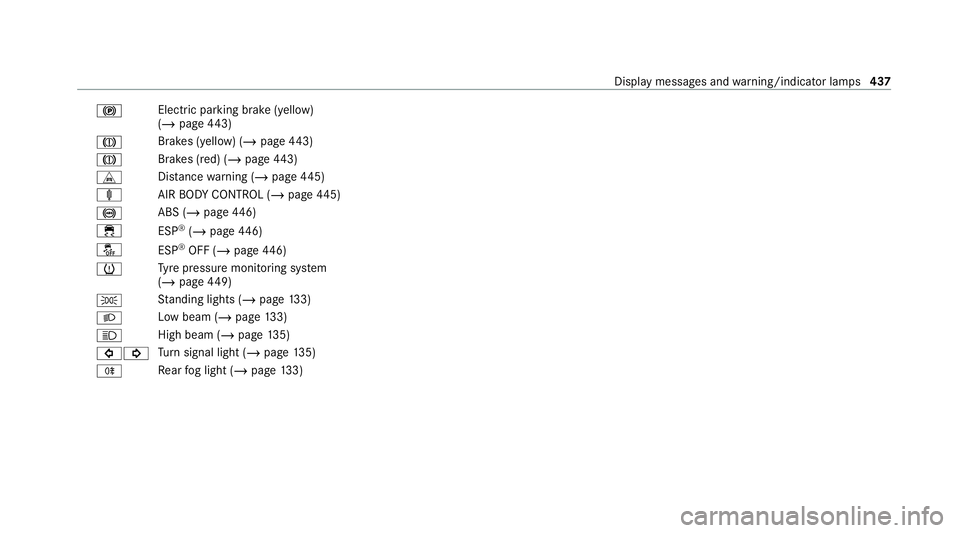
!
Electric pa
rking brake (yellow)
(/ page 443)
J Brakes (yell
ow) (/ page 443)
J Brakes (red) (/
page 443)
L Distance warning (/ page445)
ä AIRBODY CONTROL (/ page445)
! ABS (/
page446)
÷ ESP®
(/ page 446)
å ESP®
OFF (/ page446)
h Ty
re pressure monitoring sy stem
(/ page 449)
T St
anding lights (/ page133)
L Low beam (/
page133)
K High beam (
/page 135)
#! Tu
rn signal light (/ page135)
R Re
ar fog light (/ page133) Displ
aymessa ges and warning/indicator lamps 437
Page 442 of 489
Wa
rning/indicator lamp
Possible causes/consequences and M
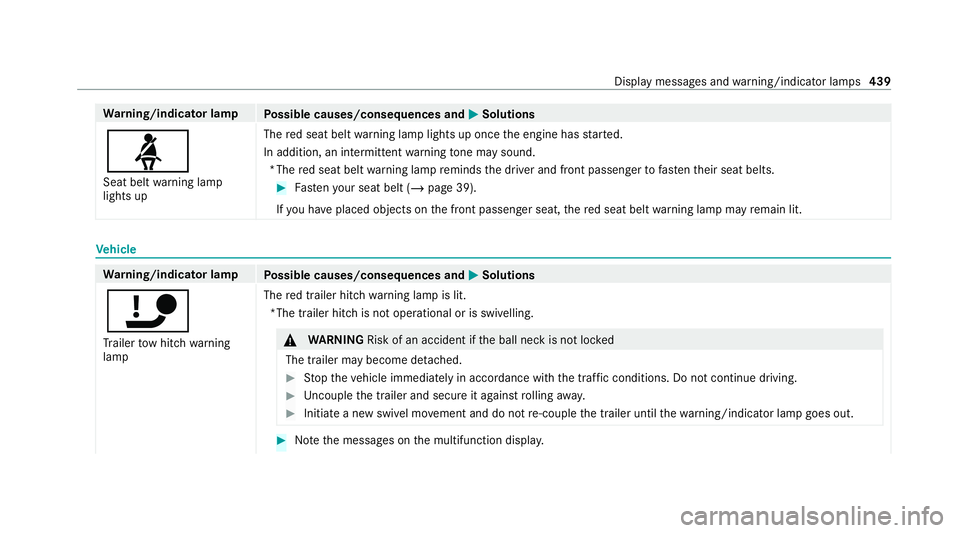
MSolutions
ü Seat belt warning lamp
lights up The
red seat belt warning lamp lights up once the engine has star ted.
In addition, an intermittent warning tone may sound.
*T he red seat belt warning lamp reminds the driver and front passenger tofast entheir seat belts. #
Fasten your seat belt (/ page 39).
If yo u ha veplaced objects on the front passenger seat, there d seat belt warning lamp may remain lit. Ve
hicle Wa
rning/indicator lamp
Possible causes/consequences and M
MSolutions
ï Tr ailer tow hit chwarning
lamp The
red trailer hitch warning lamp is lit.
*The trailer hitch is not operational or is swivelling. &
WARNING Risk of an accident if the ball neck is not loc ked
The trailer may become de tach ed. #
Stop theve hicle immediately in accordance with the traf fic conditions. Do not continue driving. #
Uncouple the trailer and secure it against rolling away. #
Initiate a new swivel mo vement and do not re-couple the trailer until thewa rning/indicator lamp goes out. #
Notethe messages on the multifunction displa y. Displ
aymessa ges and warning/indicator lamps 439
Page 446 of 489
Wa
rning/indicator lamp
Possible causes/consequences and M
MSolutions
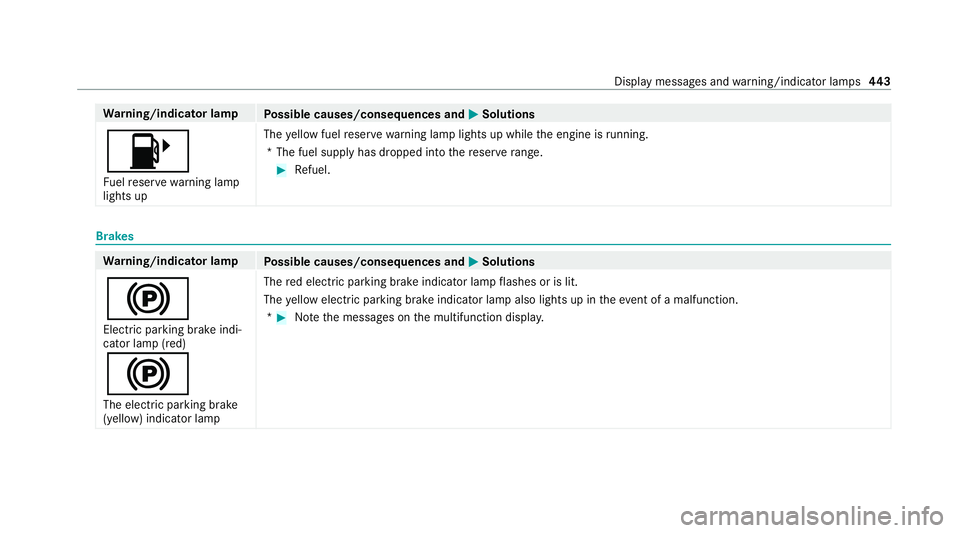
8 Fu elreser ve wa rning lamp
lights up The
yellow fuel reser vewarning lamp lights up while the engine is running.
*T he fuel supply has dropped into there ser verange. #
Refuel. Brakes
Wa
rning/indicator lamp
Possible causes/consequences and M
MSolutions
! Elect ric pa rking brake indi‐
cator lamp (red)
!
The elect ric pa rking brake
(yellow) indicator lamp The
red elect ric pa rking brake indicator lamp flashes or is lit.
The yellow elect ric pa rking brake indicator lamp also lights up in theev ent of a malfunction.
* #
Notethe messages on the multifunction displa y. Displ
aymessa ges and warning/indicator lamps 443
Page 448 of 489
Wa
rning/indicator lamp
Possible causes/consequences and M
MSolutions #
Stop in a safe location immediately. Do not continue driving! #
Consult a qualified specialist workshop. &
WARNING Risk of an accident due tolow brake fluid le vel
If th e brake fluid le vel is too lo w,the braking ef fect and the braking characteristics may be impaired. #
Stop theve hicle as soon as possible, paying attention toroad and traf fic conditions. Do not continue driv‐
ing. #
Consult a qualified specialist workshop. #
Do not top up the brake fluid. Driving sy
stems Wa
rning/indicator lamp
Possible causes/consequences and M
MSolutions
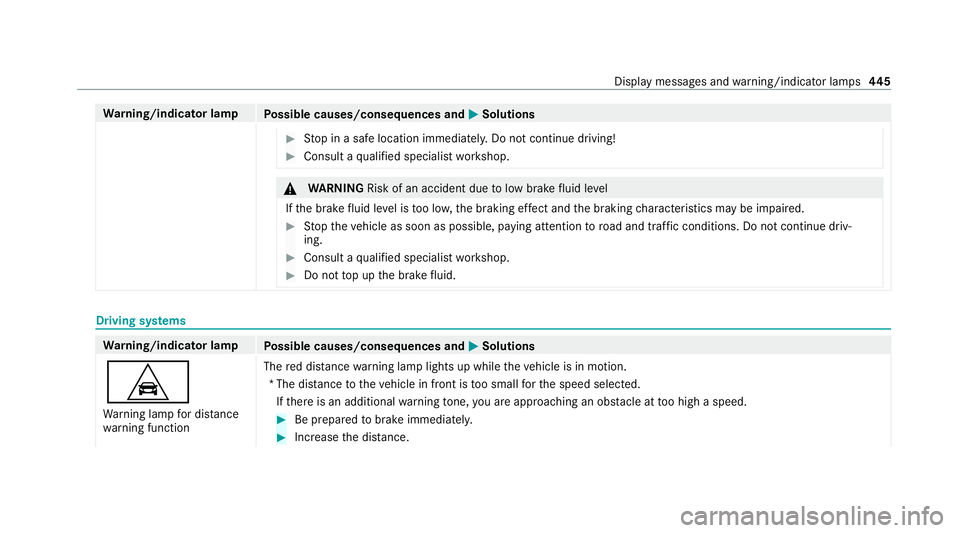
L Wa rning lamp for dis tance
wa rning function The
red dis tancewarning lamp lights up while theve hicle is in motion.
*T he dis tance totheve hicle in front is too small forth e speed selected.
If th ere is an additional warning tone, you are approaching an obs tacle at too high a speed. #
Be prepared tobrake immediatel y. #
Increase the dis tance. Display messa
ges and warning/indicator lamps 445
Page 450 of 489
Wa
rning/indicator lamp
Possible causes/consequences and M
MSolutions
The steerability and braking characteristics are heavily impaired and the braking dis tance may increase. In addi‐
tion, other driving saf ety sy stems are switched off. #
Drive on carefull y. #
Have the brake sy stem checked immediately at a qualified specialist workshop. ÷
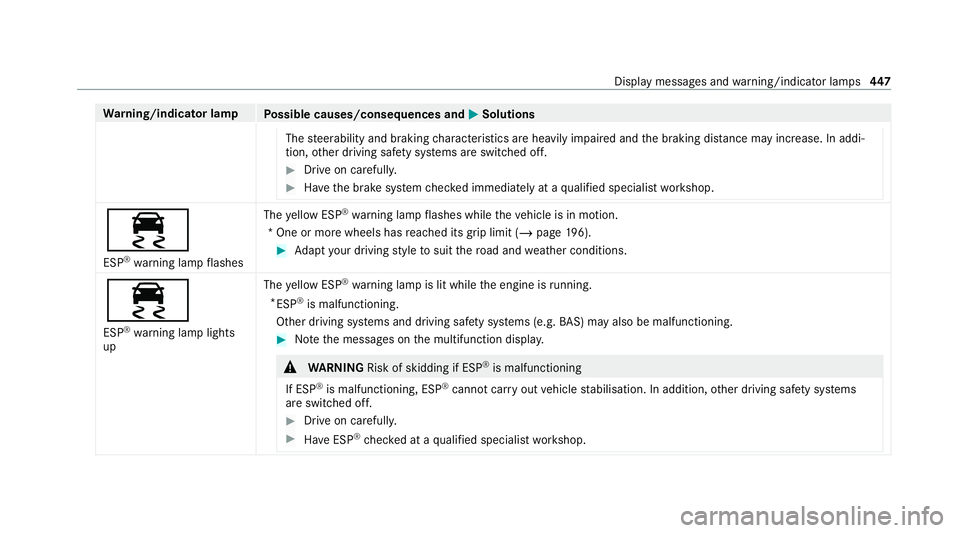
ESP ®
wa rning lamp flashes The
yellow ESP ®
wa rning lamp flashes while theve hicle is in motion.
*O ne or more wheels has reached its grip limit (/ page196). #
Adapt your driving style to suit thero ad and weather conditions.
÷ ESP ®
wa rning lamp lights
up The
yellow ESP ®
wa rning lamp is lit while the engine is running.
* ESP ®
is malfunctioning.
Other driving sy stems and driving saf ety sy stems (e.g. BAS) may also be malfunctioning. #
Notethe messages on the multifunction displa y. &
WARNING Risk of skidding if ESP ®
is malfunctioning
If ESP ®
is malfunctioning, ESP ®
cannot car ryout vehicle stabilisation. In addition, other driving saf ety sy stems
are switched off. #
Drive on carefull y. #
Have ESP ®
ch ecked at a qualified specialist workshop. Display messages and
warning/indicator lamps 447