warning lights MERCEDES-BENZ E-CLASS SALOON 2015 User Guide
[x] Cancel search | Manufacturer: MERCEDES-BENZ, Model Year: 2015, Model line: E-CLASS SALOON, Model: MERCEDES-BENZ E-CLASS SALOON 2015Pages: 497, PDF Size: 16.23 MB
Page 73 of 497
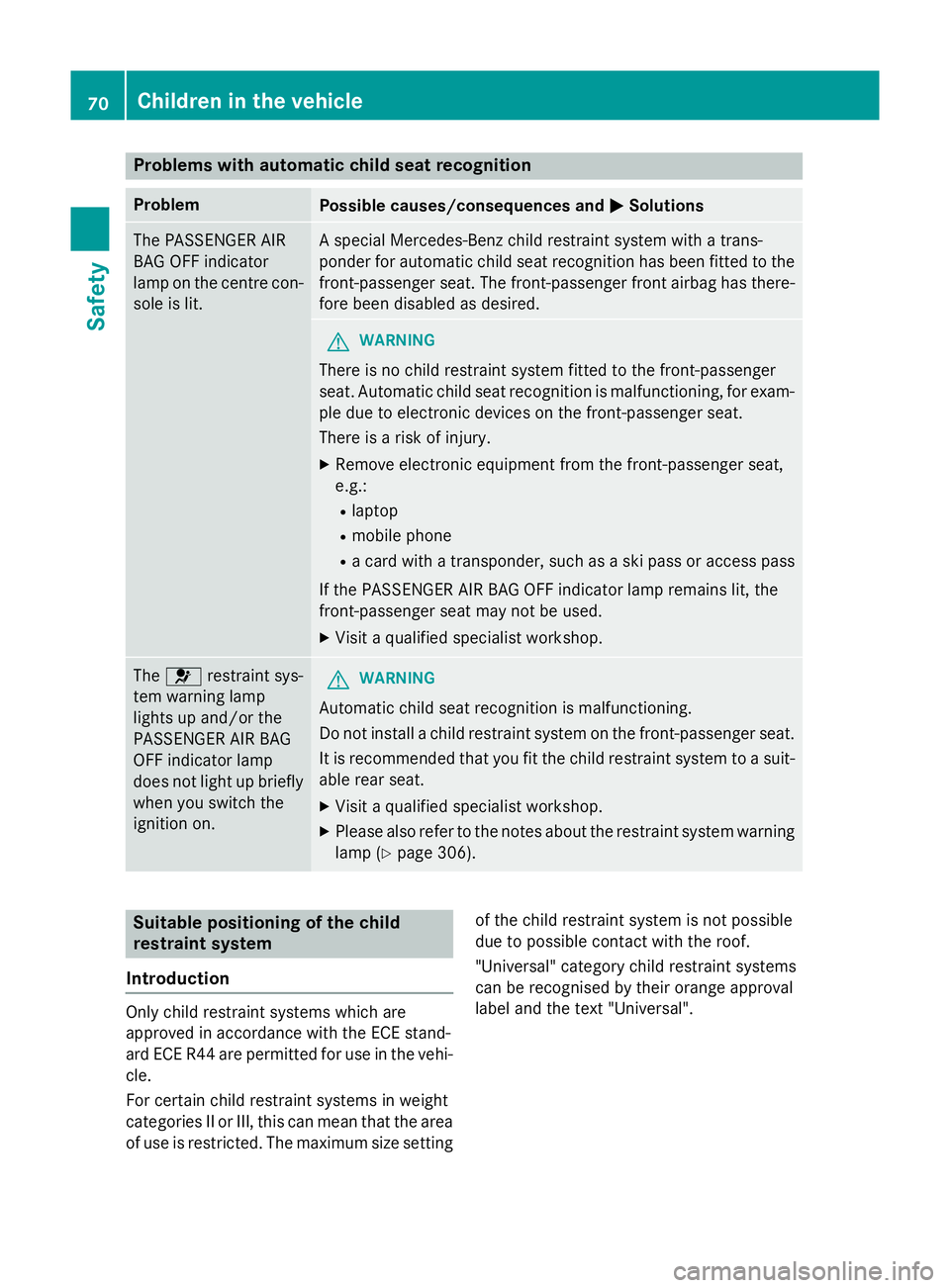
Problems with automatic child seat recognition
Problem
Possible causes/consequences and
M
MSolutions The PASSENGER AIR
BAG OFF indicator
lamp on the centre con-
sole is lit. As
pecial Mercedes-Benz child restraint system with atrans-
ponder for automatic child seat recognition has been fitted to the
front-passenger seat. The front-passenger front airbag has there- fore been disabledasd esired. G
WARNING
There is no child restraint system fitted to the front-passenger
seat. Automatic child seat recognition is malfunctioning, for exam-
ple due to electronic devices on the front-passenger seat.
There is arisk of injury.
X Remove electronic equipment from the front-passenger seat,
e.g.:
R laptop
R mobile phone
R ac ard with atransponder, such as aski pass or access pass
If the PASSENGER AIR BAG OFF indicator lamp remains lit, the
front-passenger seat may not be used.
X Visit aqualified specialist workshop. The
6 restraint sys-
tem warning lamp
lights up and/or the
PASSENGER AIR BAG
OFF indicator lamp
does not light up briefly
when you switch the
ignition on. G
WARNING
Automatic child seat recognition is malfunctioning.
Do not install achild restraint system on the front-passenger seat.
It is recommended that you fit the child restraint system to asuit-
able rear seat.
X Visit aqualified specialist workshop.
X Please also refer to the notes about the restraint system warning
lamp (Y page 306). Suitable positioning of the child
restraint system
Introduction Only child restraint systems which are
approved in accordance with the ECE stand-
ard ECE R44 are permitted for use in the vehi- cle.
For certain child restraint systems in weight
categories II or III, this can mean that the area of use is restricted. The maximum size setting of the child restraint system is not possible
due to possible contact with the roof.
"Universal" category child restraint systems
can be recognised by their orange approval
label and the text "Universal".70
Children in the vehicleSafety
Page 84 of 497
cialist workshop. Thi
salsoa pplies to colli-
sions at slo wspeeds where there is no visible
damag etothe front of the vehicle.
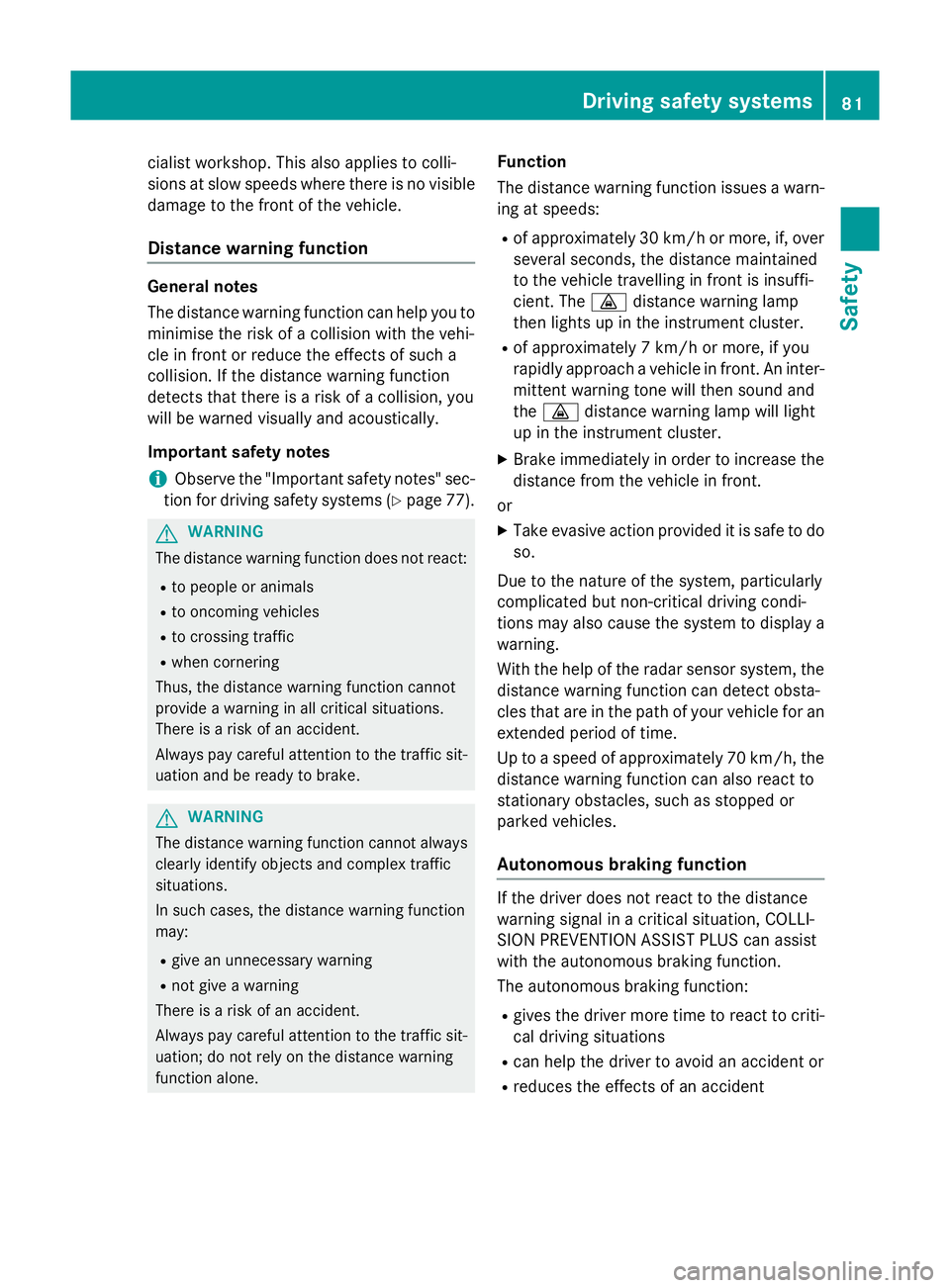
Distanc ewarnin gfunction General notes
The distance warning function can hel
pyou to
minimis ethe ris kofa collisio nwitht he vehi-
cle in front or reduce the effects of such a
collision. If the distance warning function
detects that there is ariskofa collision, you
will be warned visuall yand acoustically.
Important safety notes
i Observe the "Important safety notes" sec-
tion for driving safety systems (Y page 77).G
WARNING
The distance warning function doe snot react:
R to peopl eoranimals
R to oncoming vehicles
R to crossing traffic
R whe ncornering
Thus, the distance warning function cannot
provid eawarning in al lcritical situations.
There is ariskofana ccident.
Alway spaycareful attention to the traffic sit-
uation and be ready to brake. G
WARNING
The distance warning function cannot always
clearl yide ntif yobjects and comple xtraffic
situations.
In such cases, the distance warning function
may:
R giv eanu nnecessary warning
R not giv eawarning
There is ariskofana ccident.
Alway spaycareful attention to the traffic sit-
uation; do not rel yonthe distance warning
function alone. Function
The distance warning function issue
sawarn-
ing at speeds:
R of approximately 30 km/h or more ,if, over
several seconds, the distance maintained
to the vehicle travelling in front is insuffi-
cient. The ·distance warning lamp
then lights up in the instrument cluster.
R of approximately 7km/h or more ,ifyou
rapidly approach avehicle in front. An inter-
mittent warning tone will then sound and
the · distance warning lamp will light
up in the instrument cluster.
X Brake immediately in order to increas ethe
distance from the vehicle in front.
or
X Take evasiv eaction provided it is safe to do
so.
Due to the nature of the system, particularly
complicate dbutnon-critical driving condi-
tions may also cause the system to display a
warning.
With the hel pofthe radar sensor system, the
distance warning function can detect obsta-
cle sthat are in the path of your vehicle for an
extended period of time.
Up to aspeed of approximately 70 km/h ,the
distance warning function can also react to
stationary obstacles, such as stopped or
parked vehicles.
Autonomous braking function If the driver doe
snot react to the distance
warning signal in acritical situation, COLLI-
SION PREVENTIO NASSIST PLUS can assist
with the autonomous braking function.
The autonomous braking function:
R gives the driver more time to react to criti-
cal driving situations
R can hel pthe driver to avoid an accident or
R reduce sthe effects of an accident Drivin
gsafety systems
81Safety Z
Page 86 of 497
Adaptive brak
elamps
i Observ
ethe "Importan tsafet ynotes "sec-
tion (Y page 77).
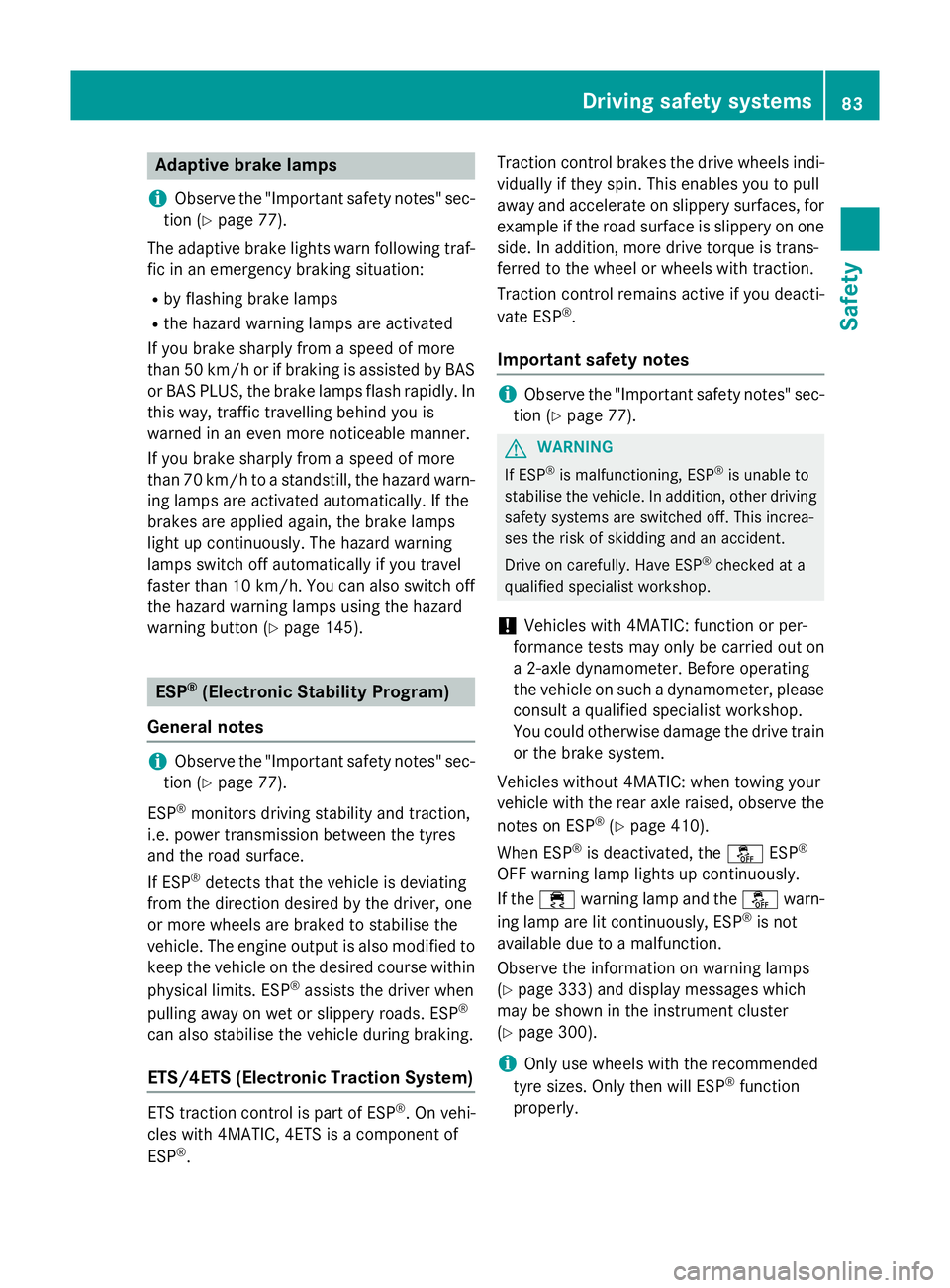
The adaptive brak elights warn followin gtraf-
fic in an emergenc ybraking situation:
R by flashin gbrak elamps
R theh azard warning lamp sare activated
If you brak esharply from aspee dofm ore
than 50 km/h or if braking is assisted by BAS or BA SPLUS, th ebrak elamp sflas hrapidly. In
this way, traffic travellin gbehind you is
warned in an eve nmoren oticea ble manner.
If you brak esharply from aspee dofm ore
than 70 km/h to astandstill, th ehazard warn-
ing lamp sare activated automatically. If the
brakes are applie dagain ,the brak elamps
ligh tupc ontinuo usly. The hazard warning
lamp sswitch off automatically if you travel
faste rtha n1 0k m/ h.You can also switch off
th eh azard warning lamp susingthe hazard
warning butto n(Ypage 145). ESP
®
(Electronic Stabilit yProgram)
Genera lnotes i
Observ
ethe "Importan tsafet ynotes "sec-
tion (Y page 77).
ESP ®
monitors driving stabilit yand traction,
i.e .p ower transmission between th etyres
and th eroad surface.
If ESP ®
detects that th evehicl eisd eviating
from th edirection desired by th edriver, one
or mor ewheels are braked to stabilis ethe
vehicle. The engin eoutput is also modifie dto
keep th evehicl eont hedesired cours ewithin
physical limits .ESP ®
assist sthe driver when
pullin gaway on wet or slippery roads. ESP ®
can also stabilis ethe vehicl eduring braking.
ETS/4ET S(Electronic Traction System) ET
St raction control is part of ESP ®
.Onv ehi-
cle sw ith4 MATIC ,4ETSisa component of
ESP ®
. Traction control brakes th
edrivew heels indi-
vidually if they spin .This enables you to pull
away and accelerate on slippery surfaces, for exampl eiftheroad surfac eisslippery on one
side .Ina ddition ,mored rivet orque is trans-
ferred to th ewhee lorw heels wit htraction.
Traction control remain sactive if you deacti-
vat eE SP®
.
Important safety notes i
Observ
ethe "Importan tsafet ynotes "sec-
tion (Y page 77). G
WARNING
If ESP ®
is malfunctioning ,ESP ®
is unable to
stabilis ethe vehicle. In addition ,other driving
safet ysystems are switched off .This increa-
ses th eriskofs kiddin gand an accident.
Drive on carefully. Hav eESP®
checke data
qualified specialist workshop.
! Vehicles wit
h4MATIC :function or per-
formance test smay only be carrie dout on
a2 -axled ynamometer. Befor eoperating
th ev ehicl eons uchad ynamometer, please
consult aqualified specialist workshop.
You could otherwise damag ethe driv etrain
or th ebrak esystem.
Vehicles without 4MATIC: when towin gyour
vehicl ewitht he rear axl eraised, observ ethe
note sonE SP®
(Y page 410).
When ESP ®
is deactivated, the åESP®
OF Fw arning lamp lights up continuously.
If the ÷ warning lamp and the åwarn-
ing lamp are lit continuously, ESP ®
is not
available due to amalfunction.
Observ ethe information on warning lamps
(Y page 333) and display message swhich
may be shown in th einstrumen tcluster
(Y page 300).
i Only use wheels wit
hthe recommended
tyr es izes. Only then will ESP ®
function
properly. Driving safety systems
83Safety Z
Page 88 of 497
Deactivating/activating ESP
®
(AMG
vehicles) Important safet
ynotes
You can selec tbetween th efollowing sta-
tuses of ESP ®
:
R ESP ®
is activated
R SPORT handlin gmodeisa ctivated
R ESP ®
is deactivated G
WARNING
Whe nSPORT handlin gmodeisa ctivated,
there is agreater ris kofskidding and acci-
dents.
Only activat eSPORT handlin gmodeint hesit-
uation sdescribed in th efollowing. G
WARNING
If you deactivat eESP®
,E SP ®
no longer sta-
bilises th evehicle. There is an increase drisk
of skidding and an accident.
Only deactivat eESP®
in th esituation sdescri-
bed in th efollowing.
In th efollowing situations, it may be bette rto
activat eSPORT handlin gmodeord eactivate
ESP ®
:
R when usin gsnowc hains
R in deep snow
R on san dorgravel
R on specially designated roads when the
vehicle' sown oversteering and understeer-
in gc haracteristics are desired
Driving in SPORT handlin gmodeorw ithout
ESP ®
require sanextremel yqualified and
experience ddriver.
i Activat
eESP®
as soo nasthesituations
described abov enolonger apply. ESP ®
will
otherwise no tbeable to stabilise th evehi-
cl eift hevehicle start stoskidoraw heel
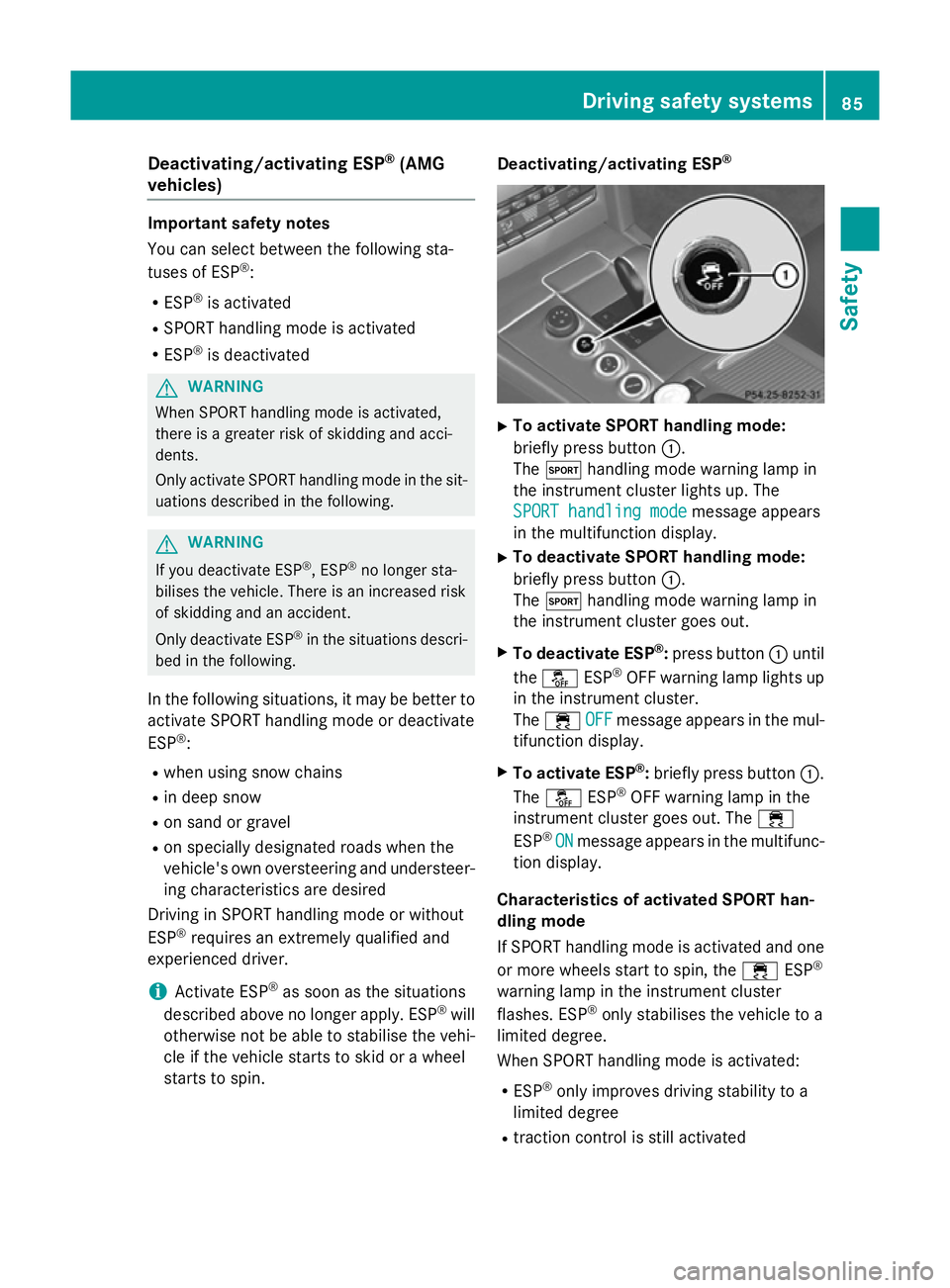
start stos pin. Deactivating/activating ESP
® X
To activate SPORT handling mode:
briefly press button :.
The M handlin gmodew arnin glamp in
th ei nstrument cluster lights up. The
SPORT handling mode SPORT handling mode message appears
in th emultifunction display.
X To deactivate SPORT handling mode:
briefly press button :.
The M handlin gmodew arnin glamp in
th ei nstrument cluster goe sout.
X To deactivate ESP ®
:press button :until
the å ESP®
OF Fw arnin glamp lights up
in th einstrument cluster.
The ÷ OFF
OFFmessage appears in th emul-
tifunction display.
X To activate ESP ®
:briefly press button :.
The å ESP®
OF Fw arnin glamp in the
instrumen tcluster goe sout.T he ÷
ESP ®
ON
ON message appears in th emultifunc-
tion display.
Characteristics of activate dSPORT han-
dling mode
If SPORT handlin gmodeisa ctivated and one
or more wheels start to spin, the ÷ESP®
warnin glamp in th einstrument cluster
flashes .ESP ®
only stabilises th evehicle to a
limited degree.
Whe nSPORT handlin gmodeisa ctivated:
R ESP ®
only improves drivin gstability to a
limited degree
R traction contro lisstill activated Driving safet
ysyste ms
85Safety Z
Page 91 of 497
R
to crossing traffic
R when cornering
As aresult, PRE-SAFE ®
Brake ma yneither
give warnings nor intervene in al lcritica lsit-
uations. There is ariskofana ccident.
Alway spaycarefu lattentio ntothe traffi csit-
uatio nand be ready to brake.
In the event of snowfall or heav yrain, detec-
tio nc an be impaired.
Detectio nbythe rada rsensor system is also
impaire dinthe event of:
R dirt on the sensor sorobscured sensors
R interferenc ebyotherradar sources
R strong rada rreflections, for example, in
multi-storey car parks
R an arrow vehicl etravelling in front, e.g .a
motorcycle
R av ehicl etravelling in front on adifferent
line
Detectio nbythe camera system is also
impaire dinthe event of:
R dirt on the camera or if the camera is cov-
ered
R glar eont he camera system ,e.g.f ro mt he
su nb eing lo wint he sky
R darkness
R if:
- pedestrians mov equickly, e.g .into the
path of the vehicle
- the camera system no longe rdetects a
pedestrian as aperso nd ueto special
clothing or othe robjects
- ap edes trian is concealed by other
objects
- the typica loutline of aperso ni sn ot dis-
tinguishabl efromt he background
Following damage to the front end of the vehi- cle ,havet he rada rsensor setting sand oper-
ation checked at aquali fied specialis twork-
shop. This also applie stocollisions at slow
speeds where there is no visible damage to
the front of the vehicle. Following damage to the windscreen, have
the configuratio nand operatio nofthe cam-
era syste mchecked at aquali fied specialist
workshop.
Function X
To activate/deactivate: activate or deac-
tivate PRE-SAFE ®
Brake in the on-board
compute r(Ypage 287).
If the PRE-SAFE ®
Brake is not activated ,the
æ symbo lappears in the multifunction
display.
This functio nwilli ssue awarning if:
R at as peed of approximately 30 km/h or
mor ethe distance maintaine dtothe vehi-
cle travelling in front is insufficient for sev-
era lsec onds
The · distance warning lamp the nlights
up in the instrument cluster.
R at as peed of approximately 7km/h or
more, yo urapidly approach avehicl ein
front
An intermittent warning tone will then
sound and the ·distance warning lamp
will light up in the instrument cluster.
X Brake immediatel ytodefusethe situation.
or
X Take evasive action provided it is safe to do
so.
If there is an increase driskofc ollision, pre-
ventive passenge rprotection measures (PRE-
SAFE ®
)a re activated.
If the risk of collision with the vehicl einfront
remains and yo udonot brake, take evasive
action or accelerate significantly, the vehicle
ma yperform automatic emergency braking,
up to the point of full brake application. Auto- matic emergency braking is not performed
unti limm ediatel yprior to an imminent acci-
dent. 88
Driving safet
ysystemsSafety
Page 139 of 497
If you close the driver's door with the key
inserted in the ignition lock, the steering
wheelisa utomaticall ymoved to the previ-
ouslys et position.
The last positio nofthe steering wheelis
stored when you switch off the ignition or
when you store the setting with the memory
function (Y page 139).
Crash-responsive EASY-EXIT feature If the crash-responsive EASY-EXIT feature is
triggered in an accident, the steering column
willm ove upwards when the driver's door is
opened. This occurs irrespective of the posi-
tion of the key in the ignition lock. This makes it easier to exit the vehicle and rescue the
occupants.
The crash-responsive EASY-EXIT feature is
only operational if the EASY-EXIT/ENTRY fea-
ture is activated in the on-board computer
(Y page 294). Mirrors
Rear-view mirror
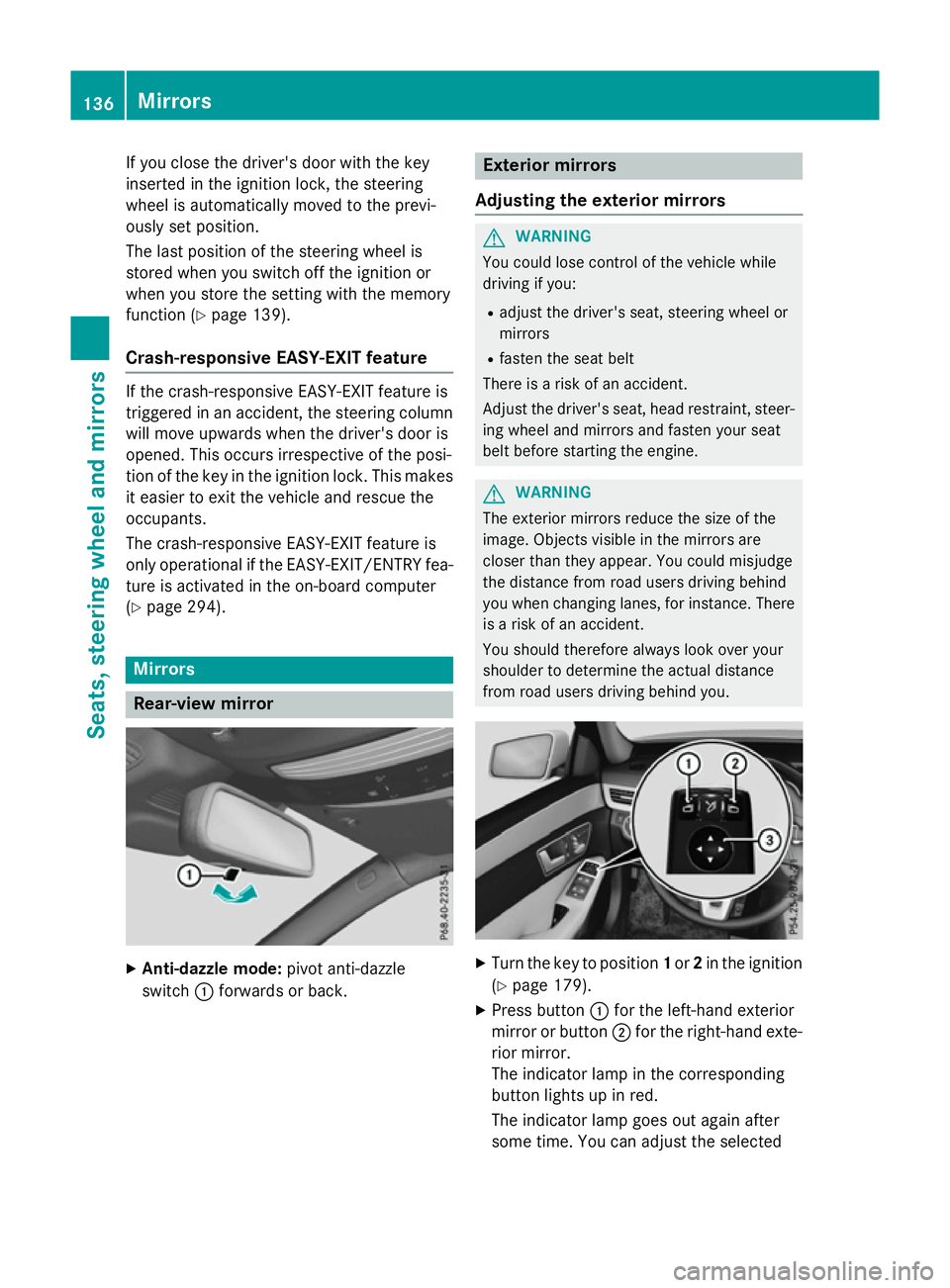
X
Anti-dazzle mode: pivot anti-dazzle
switch :forward sorback. Exterio
rmirrors
Adjusting the exterio rmirrors G
WARNING
You could lose control of the vehicle while
driving if you:
R adjust the driver's seat, steering wheelor
mirrors
R fasten the seat belt
There is arisk of an accident.
Adjust the driver's seat, head restraint, steer-
ing wheela nd mirrors and fasten yours eat
belt before starting the engine. G
WARNING
The exterior mirrors reduce the size of the
image.O bjects visible in the mirrors are
closer than they appear. You could misjudge
the distance from road users driving behind
you when changing lanes, for instance. There is ar isk of an accident.
You shouldt herefore always look over your
shoulder to determine the actual distance
from road users driving behind you. X
Turn the key to position 1or 2in the ignition
(Y page 179).
X Press button :for the left-hand exterior
mirror or button ;for the right-hand exte-
rior mirror.
The indicator lamp in the corresponding
button lights up in red.
The indicator lamp goes out again after
some time. You can adjustt he selected136
MirrorsSeats, steeringw
heel and mirrors
Page 146 of 497
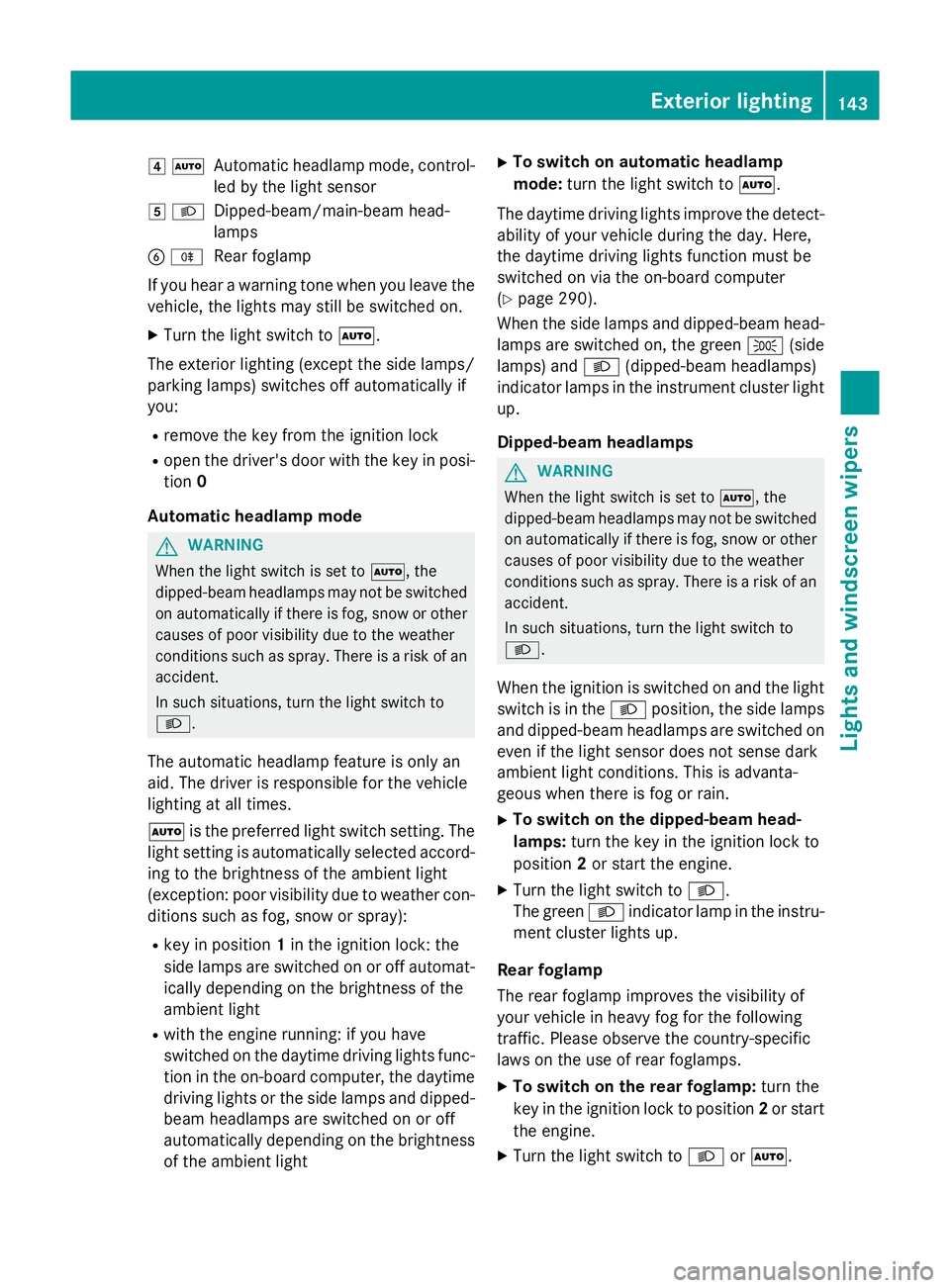
4
Ã
Automatic headlamp mode, control-
le dbyt he light sensor
5 L
Dipped-beam/main-bea mhead-
lamps
B R
Rear foglamp
If yo uhearaw arning tone when yo uleave the
vehicle, the lights ma ystill be switched on.
X Turn the light switch to Ã.
The exterio rlighting (excep tthe side lamps/
parking lamps )switches off automaticall yif
you:
R remove the key fro mthe ignition lock
R open the driver's door with the key in posi-
tion 0
Automati cheadlamp mode G
WARNING
Whe nthe light switch is set to Ã,the
dipped-beam headlamps ma ynot be switched
on automaticall yifthereisf og,snow or other
causes of poor visibility du etothe weather
conditions such as spray .There is ariskofan
accident.
In such situations, tur nthe light switch to
L.
The automatic headlamp featur eisonlyan
aid. The driver is responsibl efor the vehicle
lighting at al ltimes.
à is the preferred light switch setting. The
light setting is automaticall yselecte daccord-
ing to the brightness of the ambient light
(exception: poor visibility du etoweather con-
ditions such as fog ,snow or spray):
R key in position 1in the ignition lock: the
side lamps ar eswitched on or off automat-
icall ydepen ding on the brightness of the
ambient light
R with the engine running :ifyouhave
switched on the daytime driving lights func-
tio nint he on-board computer, the daytime
driving lights or the side lamps and dipped-
beam headlamps ar eswitched on or off
automaticall ydepen ding on the brightness
of the ambient light X
To switc honautomatic headlamp
mode: turnthe light switch to Ã.
The daytime driving lights improv ethe detect-
ability of your vehicl eduring the day. Here,
the daytime driving lights functio nmustbe
switched on via the on-board computer
(Y page 290).
When the side lamps and dipped-beam head- lamps ar eswitched on, the green T(side
lamps )and L (dipped-bea mheadlam ps)
indicator lamps in the instrument cluster light
up.
Dipped-beam headlamps G
WARNING
Whe nthe light switch is set to Ã,the
dipped-beam headlamps ma ynot be switched
on automaticall yifthereisf og,snow or other
causes of poor visibility du etothe weather
conditions such as spray .There is ariskofan
accident.
In such situations, tur nthe light switch to
L.
When the ignition is switched on and the light
switch is in the Lposition, the side lamps
and dipped-beam headlamps ar eswitched on
eve nift he light sensor does not sens edark
ambient light conditions. Thi sisadvanta-
geou swhent her eisf og or rain.
X To switc honthe dipped-beam head-
lamps: turnthe key in the ignition lock to
position 2or start the engine.
X Turn the light switch to L.
The green Lindicator lamp in the instru-
ment cluster lights up.
Rea rfoglamp
The rea rfoglamp improves the visibility of
your vehicl einheavyfog for the following
traffic. Please observe the country-specific
laws on the us eofrearfoglamps.
X To switc honthe rear foglamp: turnthe
key in the ignition lock to position 2or start
the engine.
X Turn the light switch to LorÃ. Exterior lighting
143Lights andwindscreen wipers Z
Page 148 of 497
The blue
Kindicator lamp in the instru-
ment cluster lights up when the main-beam headlamps are switched on.
X To deactivate: move the combination
switch back to its normal position.
The blue Kindicator lamp in the instru-
ment cluster goes out.
Vehicles with Adaptive Highbeam Assist
Plus: when Adaptive Highbeam Assist Plus is
activated, it automatically controls activation
and deactivation of the main-beam head-
lamps (Y page 147).
Headlam pflasher X
To switch on: turn the key in the ignition
lock to position 1or 2,ors tart the engine.
X Pull the combination switch in the direction
of arrow =. Hazard warning lamps
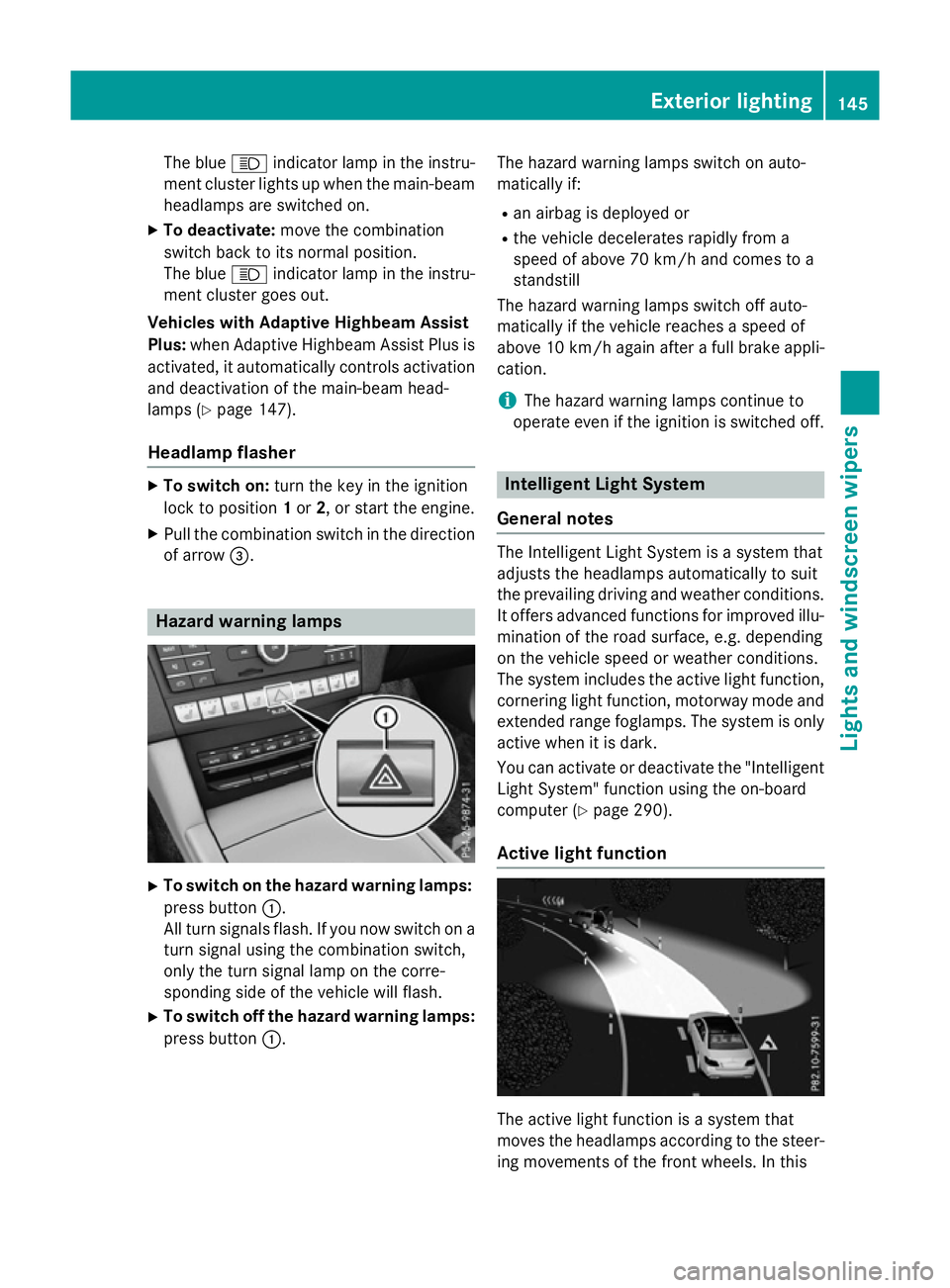
X
To switch on the hazard warning lamps:
press button :.
All turn signals flash. If you now switch on a turn signal using the combination switch,
only the turn signal lamp on the corre-
sponding side of the vehicle will flash.
X To switch off the hazard warning lamps:
press button :. The hazard warning lamps switch on auto-
matically if:
R an airbag is deployed or
R the vehicle decelerates rapidly from a
speed of above 70 km/ha nd comes to a
standstill
The hazard warning lamps switch off auto-
matically if the vehicle reaches aspeed of
above 10 km/ha gain afterafull brake appli-
cation.
i The hazard warning lamps continue to
operate even if the ignition is switched off. Intelligent Light System
General notes The Intelligent Light System is
asystem that
adjusts the headlamps automatically to suit
the prevailing driving and weather conditions.
It offers advanced functions for improved illu-
mination of the road surface, e.g. depending
on the vehicle speed or weather conditions.
The system includes the active light function, cornering light function, motorway mode and
extended range foglamps. The system is only active when it is dark.
You can activate or deactivate the "IntelligentLight System" function using the on-board
computer (Y page 290).
Active light function The active light function is
asystem that
moves the headlamps according to the steer-
ing movements of the front wheels. In this Exterior lighting
145Lights and windscreen wipers Z
Page 150 of 497
Adaptive Highbeam Assis
tPlus
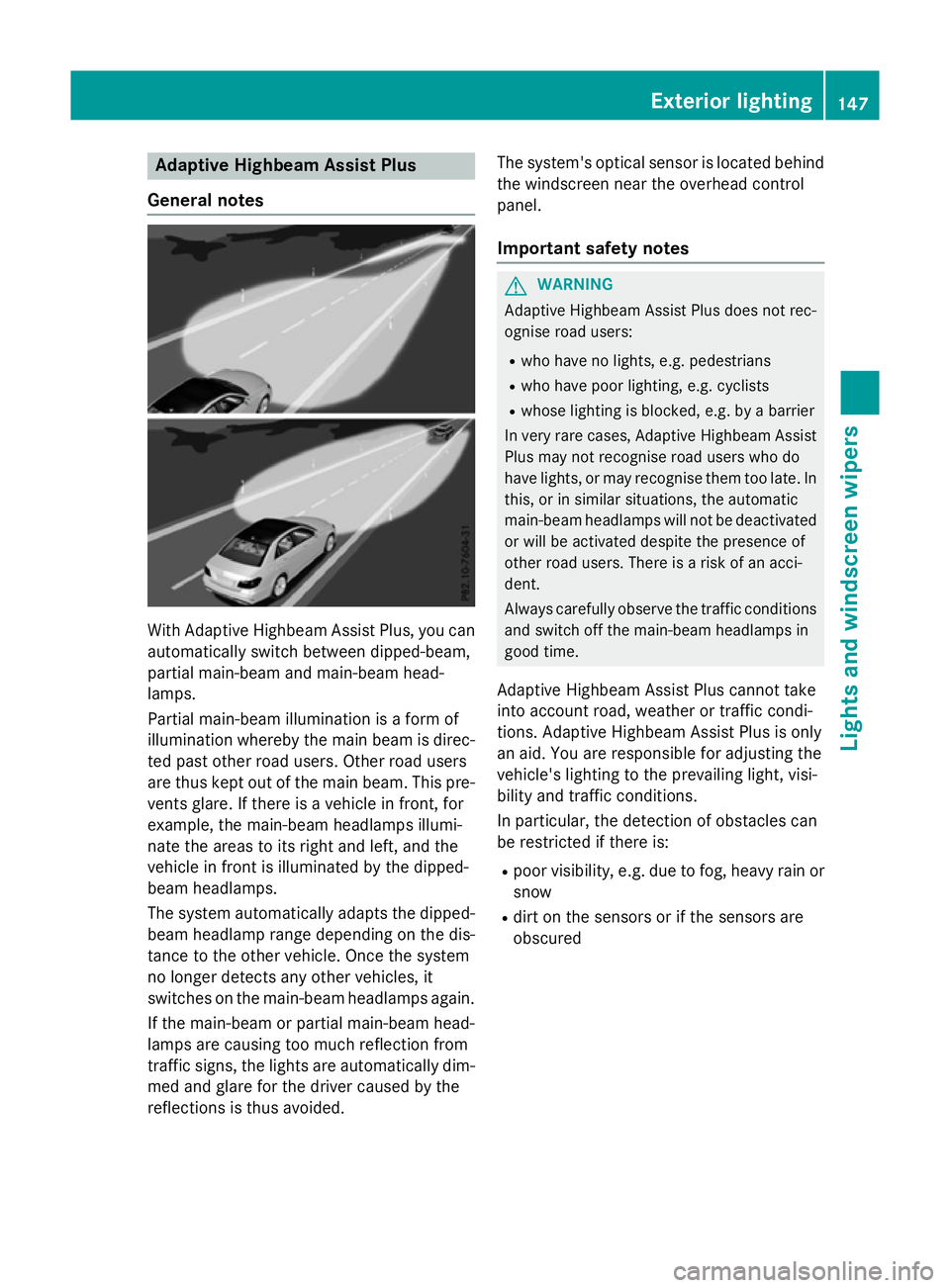
Genera lnotes Wit
hAdaptive Highbeam Assis tPlus, you can
automatically switch between dipped-beam,
partial main-beam and main-beam head-
lamps.
Partial main-beam illumination is aformof
illumination whereby th emain beam is direc-
te dp ast other road users. Other road users
are thus kept out of th emain beam .This pre-
vents glare. If there is avehicl einf ront,for
example, th emain-beam headlamps illumi-
nat ethe areas to it sright and left, and the
vehicl einfrontis illuminate dbythedipped-
beam headlamps.
The system automatically adapt sthe dipped-
beam headlamp range depending on th edis-
tance to th eother vehicle. Once th esystem
no longer detects any other vehicles, it
switches on th emain-beam headlamps again.
If th emain-beam or partial main-beam head-
lamp sare causing to omuchr eflection from
traffic signs, th elights are automatically dim-
med and glar efor th edriver caused by the
reflection sisthusa voided. The system'
soptical sensor is locate dbehind
th ew indscree nnearthe overhead control
panel.
Important safety notes G
WARNING
Adaptive Highbea mAssistP lus does no trec-
ognise road users:
R who hav enolights,e.g.p edestrians
R who hav epoor lighting ,e.g.c yclists
R whos elighting is blocked, e.g. by abarrier
In ver yrarec ases, Adaptive Highbea mAssist
Plus may no trecognise road user swho do
hav elights ,orm ay recognise them to olate. In
this, or in similar situations, th eautomatic
main-beam headlamp swill no tbed eactivated
or will be activated despit ethe presence of
other road users. There is ariskofana cci-
dent.
Always carefully observ ethe traffic conditions
and switch off th emain-beam headlamp sin
goo dtime.
Adaptive Highbeam Assis tPlus canno ttake
int oa ccoun troad ,weather or traffic condi-
tions. Adaptive Highbeam Assis tPlus is only
an aid. You are responsible for adjusting the
vehicle's lighting to th eprevailing light, visi-
bilit yand traffic conditions.
In particular, th edetection of obstacles can
be restricted if there is:
R poor visibility, e.g. due to fog ,heav yrain or
snow
R dirt on th esensor sorift hesensor sare
obscured Exterior lighting
147Lightsand windscreen wipers Z
Page 152 of 497
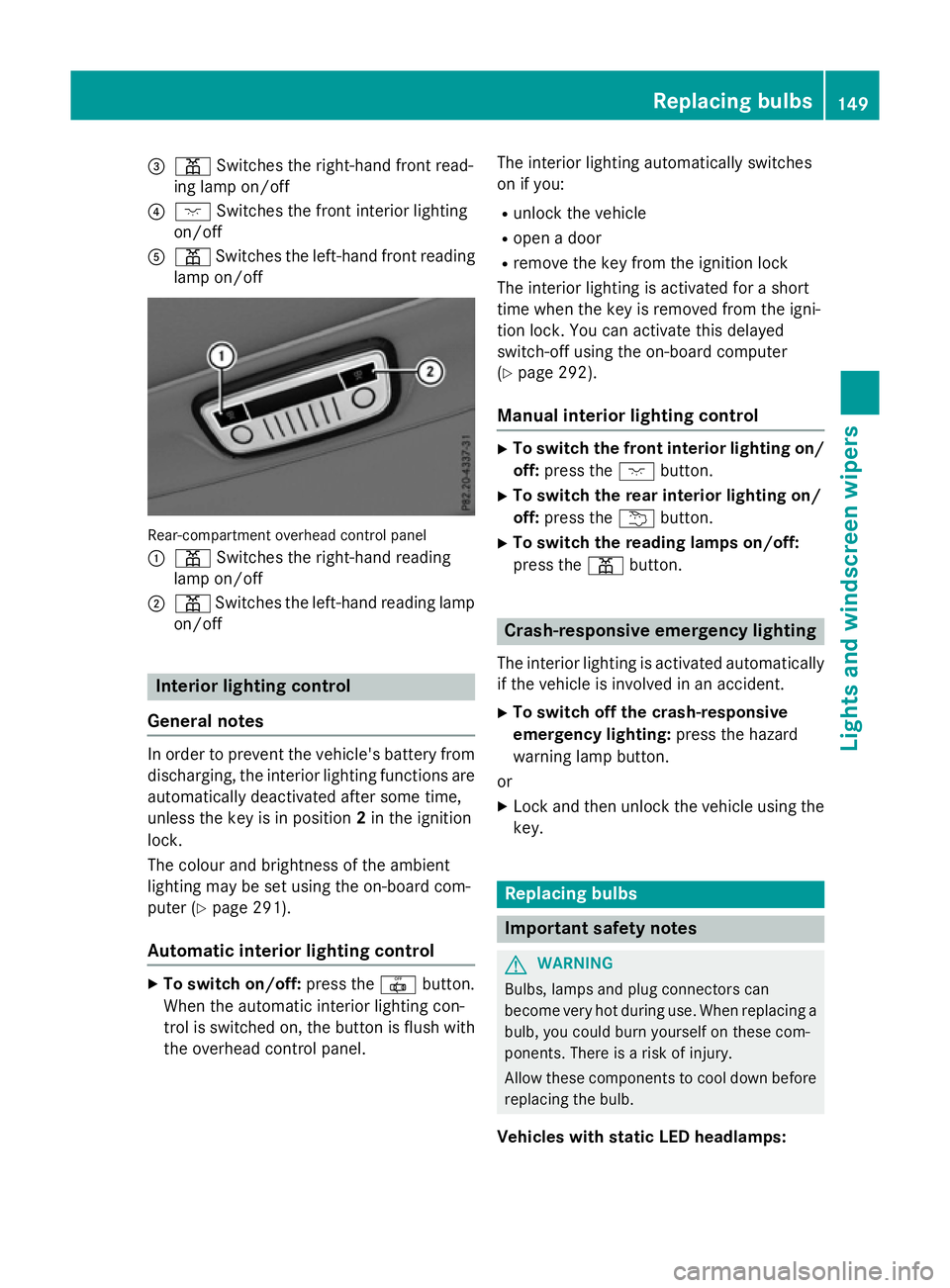
=
p Switches the right-hand front read-
ing lamp on/off
? c Switches the front interio rlighting
on/off
A p Switches the left-hand front reading
lamp on/off Rear-compartment overhead contro
lpan el
: p Switches the right-hand reading
lamp on/off
; p Switches the left-hand reading lamp
on/off Interior lighting control
General notes In order to prevent the vehicle's battery from
discharging, the interio rlighting functions are
automaticall ydeactivate daftersom etime,
unless the key is in position 2in the ignition
lock.
The colou rand brightness of the ambient
lighting may be set using the on-board com-
puter (Y page 291).
Automatic interior lighting control X
To switc hon/off: press the |button.
Whe nthe automatic interio rlighting con-
trol is switche don, the button is flush with
the overhead control panel. The interio
rlighting automaticall yswitches
on if you:
R unlock the vehicle
R ope nad oor
R remove the key from the ignition lock
The interio rlighting is activate dfor as hort
time when the key is removed from the igni-
tion lock. Yo ucan activate this delayed
switch-off using the on-board computer
(Y page 292).
Manua lint erior lighting control X
To switc hthe fron tint erior lighting on/
off: press the cbutton.
X To switc hthe rear interior lighting on/
off: press the ubutton.
X To switc hthe reading lamps on/off:
press the pbutton. Crash-responsive emergenc
ylighting
The interio rlighting is activate dautomatically
if the vehicl eisinvolve dinana ccident.
X To switc hoff the crash-responsive
emergenc ylighting: press the hazard
warning lamp button.
or X Lock and then unlock the vehicl eusing the
key. Replacing bulbs
Important safety notes
G
WARNING
Bulbs, lamps and plug connectors can
become very hot during use. Whe nreplacing a
bulb ,you could burn yoursel fonthesecom-
ponents. There is ariskofi njury.
Allow thes ecomponents to cool dow nbefore
replacing the bulb.
Vehicles with stati cLED headlamps: Replacing bulbs
149Lights and windscree nwipers Z