tow MERCEDES-BENZ E-CLASS SALOON 2016 Owners Manual
[x] Cancel search | Manufacturer: MERCEDES-BENZ, Model Year: 2016, Model line: E-CLASS SALOON, Model: MERCEDES-BENZ E-CLASS SALOON 2016Pages: 557, PDF Size: 11.09 MB
Page 465 of 557
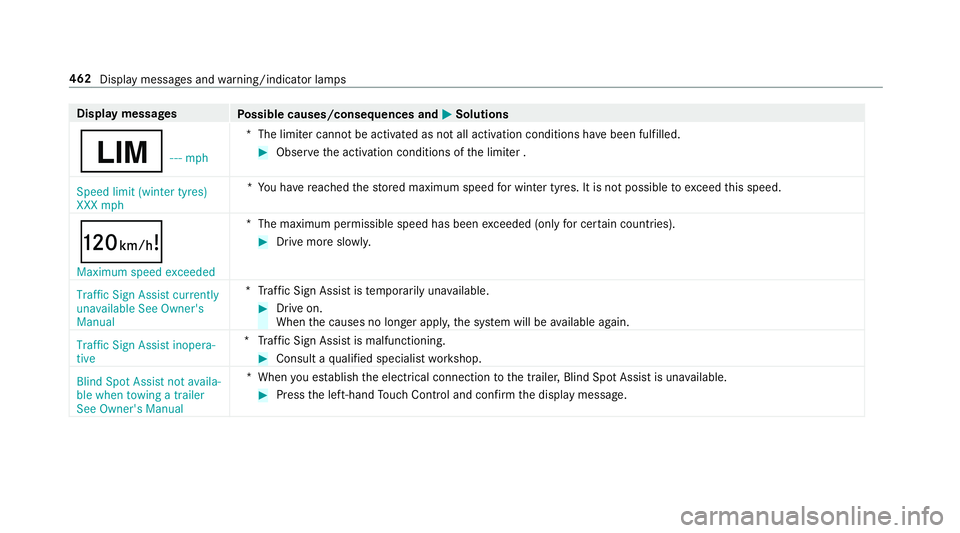
Display messages
Possible causes/consequences and M
MSolutions
È - - - mph*T
he limiter cannot be activated as not all activation conditions ha vebeen fulfilled. #
Obser vethe activation conditions of the limiter .
Speed limit (winter tyres)
XXX mph *Y
ou ha vereached thestored maximum speed for winter tyres. It is not possible toexc eed this speed.
ð Maximum speed exceeded *T
he maximum permissible speed has been exceeded (only for cer tain countries). #
Drive more slowl y.
Traffic Sign Assist currently
unavailable See Owner's
Manual *T
raffic Sign Assist is temp orarily una vailable. #
Drive on.
When the causes no longer appl y,the sy stem will be available again.
Traffic Sign Assist inopera-
tive *T
raffic Sign Assist is malfunctioning. #
Consult a qualified specialist workshop.
Blind Spot Assist not availa-
ble when towing a trailer
See Owner's Manual *W
hen you es tablish the electrical connection tothe trailer, Blind Spot Assist is una vailable. #
Press the left-hand Touch Control and confirm the display message. 462
Display messages and warning/indicator lamps
Page 466 of 557
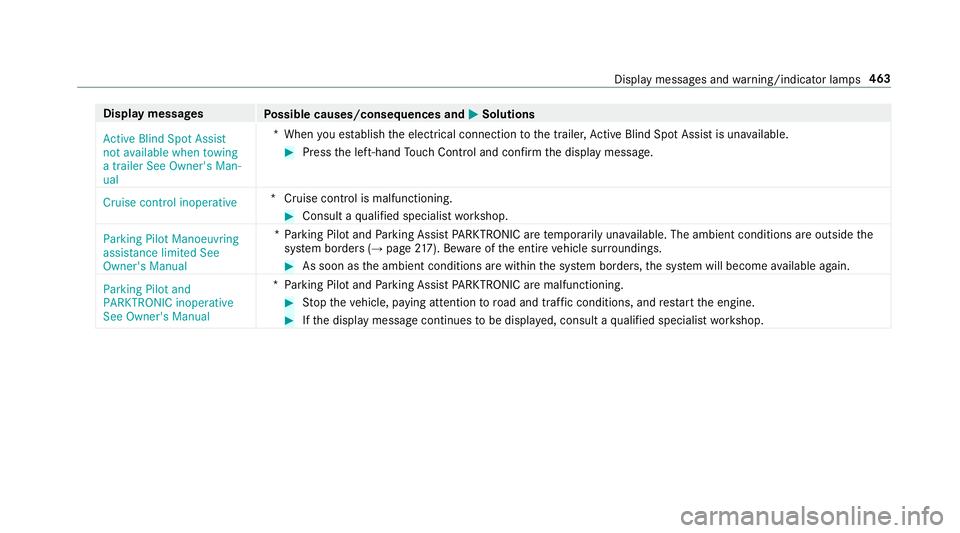
Display messages
Possible causes/consequences and M
MSolutions
Active Blind Spot Assist
not available when towing
a trailer See Owner's Man-
ual *W
hen you es tablish the electrical connection tothe trailer, Active Blind Spot Assi stis una vailable. #
Press the left-hand Touch Control and confirm the display message.
Cruise control inoperative *C
ruise control is malfunctioning. #
Consult a qualified specialist workshop.
Parking Pilot Manoeuvring
assistance limited See
Owner's Manual *P
arking Pilot and Parking Assist PARKTRONIC are temp orarily una vailable. The ambient conditions are outside the
sy stem borders (→ page217). Be wareofthe entire vehicle sur roundings. #
As soon as the ambient conditions are within the sy stem borders, the sy stem will become available again.
Parking Pilot and
PARKTRONIC inoperative
See Owner's Manual *P
arking Pilot and Parking Assist PARKTRONIC are malfunctioning. #
Stop theve hicle, paying attention toroad and traf fic conditions, and restart the engine. #
Ifth e display message continues tobe displa yed, consult a qualified specialist workshop. Display messages and
warning/indicator lamps 463
Page 481 of 557
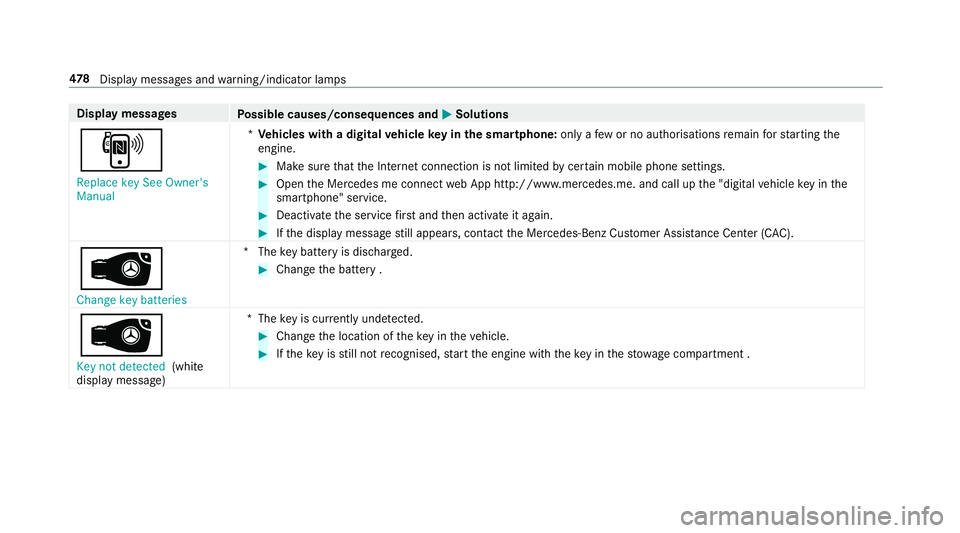
Display messages
Possible causes/consequences and M
MSolutions
, Replace key See Owner's
Manual *
Ve hicles with a digital vehicle key in the sma rtphone: only afew or no authorisations remain forst arting the
engine. #
Make sure that the Internet connection is not limited bycer tain mobile phone settings. #
Open the Mercedes me connect web App http://www.mercedes.me. and call up the "digital vehicle key in the
smartphone" service. #
Deactivate the service firs t and then activate it again. #
Ifth e display message still appears, con tact the Mercedes-Benz Cus tomer Assis tance Center (C AC).
 Change key batteries *T
hekey bat tery is dischar ged. #
Change the battery .
Â
Key not detected (white
display message) *T
hekey is cur rently und etected. #
Change the location of theke y in theve hicle. #
Ifth eke y is still not recognised, start the engine with theke y in thestow age compartment . 478
Displaymessa ges and warning/indicator lamps
Page 482 of 557
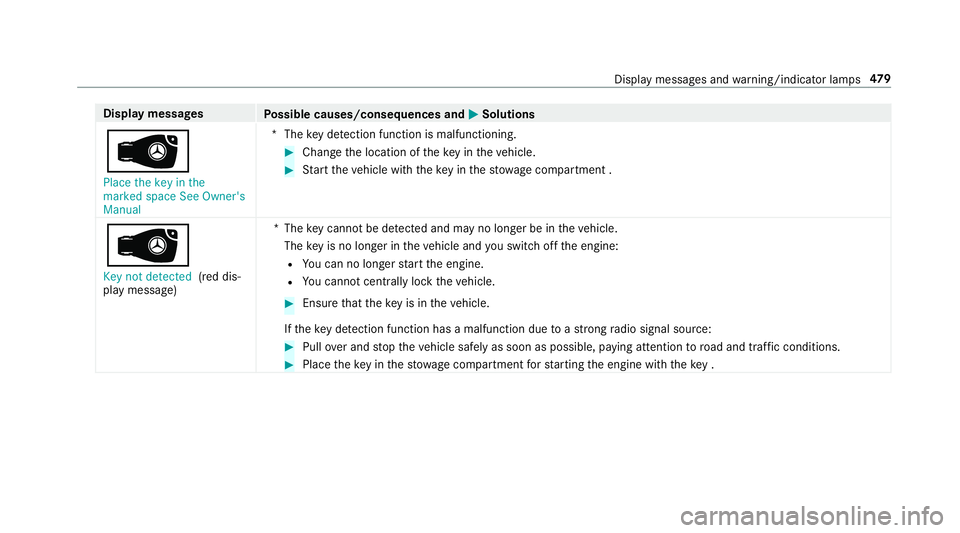
Display messages
Possible causes/consequences and M
MSolutions
 Place the key in the
marked space See Owner's
Manual *T
hekey de tection function is malfunctioning. #
Change the location of theke y in theve hicle. #
Start theve hicle with theke y in thestow age compartment .
Â
Key not detected (red dis‐
play message) *T
hekey cannot be de tected and may no longer be in theve hicle.
The key is no lon ger in theve hicle and you swit choff the engine:
R You can no lon gerst art the engine.
R You cannot centrally lock theve hicle. #
Ensure that theke y is in theve hicle.
If th eke y de tection function has a malfunction due toast ro ng radio signal source: #
Pull over and stop theve hicle safely as soon as possible, paying attention toroad and traf fic conditions. #
Place theke y in thestow age compartment forst arting the engine with theke y . Display messages and
warning/indicator lamps 47 9
Page 521 of 557
Wi
reless vehicle components ................24
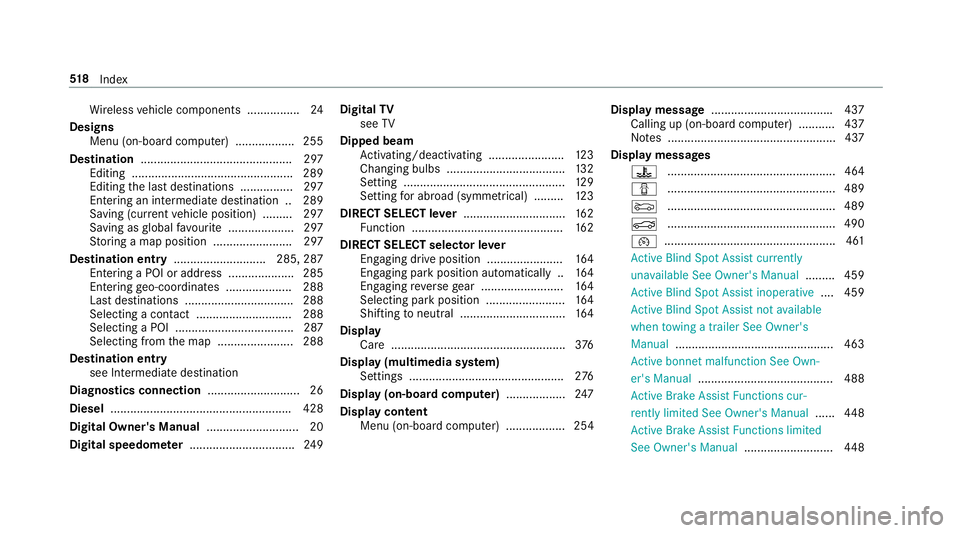
Designs Menu (on-board co mputer) .................. 255
Destination .............................................. 297
Editing ................................................ .289
Editing the last destinations ................2 97
Entering an intermedia tedestination .. 289
Saving (cur rent vehicle position) ......... 297
Saving as global favo urite .................... 297
St oring a map position ........................ 297
Destination entry ............................2 85, 287
Entering a POI or add ress .................... 285
Entering geo-coordinates .................... 288
Last destinations ................................. 288
Selecting a contact ............................. 288
Selecting a POI .................................... 287
Selecting from the map ....................... 288
Destination entry see Intermediate destination
Diagnostics connection ............................26
Diesel ...................................................... .428
Digital Owner's Manual ............................ 20
Digital speedome ter ................................ 24 9Digital
TV
see TV
Dipped beam Activating/deactivating ...................... .123
Changing bulbs ................................... .132
Setting ................................................. 12 9
Setting for abroad (symmetrical) ......... 12 3
DIRECT SELECT le ver............................... 16 2
Fu nction .............................................. 16 2
DIRECT SELECT selector le ver
Engaging drive position ....................... 16 4
Engaging pa rkposition automatically .. 16 4
Engaging reve rsege ar ........................ .164
Selecting pa rkposition ........................ 16 4
Shifting toneutral ................................ 16 4
Display Care .................................................... .376
Display (multimedia sy stem)
Settings .............................................. .276
Display (on-boa rdcompu ter) .................. 247
Display content Menu (on-board co mputer) .................. 254 Display message
.................................... .437
Calling up (on-board co mputer) .......... .437
No tes ................................................... 437
Display messages ? ................................................... 464
C ................................................... 489
M ................................................... 489
N ................................................... 490
¯ ....................................................4 61
Ac tive Blind Spot Assi stcur rently
una vailable See Owner's Manual .........459
Ac tive Blind Spot Assi stinope rative .... 459
Ac tive Blind Spot Assi stnot available
when towing a trailer See Owner's
Manual ................................................ 463
Ac tive bonnet malfunction See Own‐
er's Manual ......................................... 488
Ac tive Brake Assi stFunctions cur‐
re ntly limited See Owner's Manual ......448
Ac tive Brake Assi stFunctions limited
See Owner's Manual ...........................448518
Index
Page 538 of 557

Sy
stem limitations ...............................2 08
Pa rking assistance sy stems
see Parking Pilot
Pa rking brake
see Electric parking brake
Pa rking lights .......................................... .123
Pa rking Pilot ............................................ .217
Cross Traf fic Alert ............................... 227
Drive AwayAssi st................................ 226
Exiting a pa rking space ...................... .220
Fu nction ............................................... 217
Manoeuvring assis tance ...................... 228
Pa rking ................................................ 219
Sy stem limits ....................................... 217
Pa rking Pilot
see Remo teParking Pilot
Pa rking position
Outside mir rors ................................... 13 8
Pa ssenger outside mir ror — storing
using the memory button .................... 13 9
Pa rking up ................................................ 178
Pe destrian pr otection
see Active bonnet (pedestrian pr otection) Pe
rfume
see Fragrance sy stem
Pe rfume vial
see Fragrance sy stem
Pe riod out of use
Ac tivating/deactivating standby
mode .................................................. .179
Pe rm issible axle load .............................. 423
Pe rm issible gross mass .......................... 423
Pe rm itted towing me thods .................... .392
Pe rsonalisation
see User profile
Pe trol ........................................................ 426
Pe ts in the vehicle .................................... .63
Phone book see Contacts
Picture form ats
see Video mode
Picture settings see Video mode
PIN pr otection for data export ............... 282 Pla
stic trim (Care) .................................... 376
Playback options Selecting ..............................................3 41
POI symbols Custom ................................................ 303
Po we r supp ly
Switching on (s tart/s top button) .........1 53
PRE-SAFE ®
(anticipatory occupant
pr otection)
Fu nction ................................................ 44
PRE-SAFE ®
Sound ................................. 44
Re versing measures .............................. 44
PRE-SAFE ®
(anticipatory occupant
pr otection)
see Anticipatory occupant pr otection
see Occupant saf ety
see Pr eventati veoccupant pr otection sy stem
PRE-SAFE ®
Impulse Side
Ac tivation .............................................. 31
Fu nction ................................................ 45
PRE-SAFE ®
Impulse Side
see Anticipa tory occupant pr otection
see Occupant saf ety Index
535
Page 544 of 557

Problems (remo
tecontrol) ................... 15 0
Setting (using the multimedia sys‐
te m) ..................................................... 14 8
Setting (via remo tecontrol) ................. 14 8
Switching on/off (via control panel) .... 14 6
Ste ering Pilot .......................................... .200
Ac tive Emergency Stop Assist .............2 01
Ac tive Lane Change Assi st................... 201
Fu nction .............................................. 200
Switching on/o ff................................. 203
Sy stem limits ....................................... 200
Ste ering wheel ........................................ .245
Ad justing (electrically) ........................ .102
Ad justing (manually) ............................ 101
Buttons ................................................ 24 5
St eering wheel heater .......................... 102
Using the memory function ................. 104
Ste ering wheel gearshift paddles ..........16 5
Ste ering wheel heater
Swit ching on/off ................................ .102
St opping the ala rm(ATA ).......................... 88
St ow age areas
see Laden
see Stow age compartment St
ow age comp artment........................... 106
Armrest ............................................... 106
Centre console .................................... 106
Door ................................................... .106
Glove box .............................................1 06
Re ar armrest ........................................ 107
Spectacles compa rtment .................... 107
St ow age comp artments
see Laden
see Stow age compartment
St ow age space under the boot floor ......11 3
Sulphur content ...................................... 426
Sun visor Operating ............................................ 13 9
Sur round lighting
Setting ................................................ .130
Sur round View
see 360° Camera
Suspension Damping characteristics ...................... 205
DY NA MIC BODY CONTROL .................. 205
Setting the suspension le vel ................ 207 Suspension
see AIR BODY CONTROL
Suspension le vel
Setting ................................................. 207
Switch-off del aytime
Interior ................................................ .131
Switching residual heat on/off ..............14 4
Switching the sur round sound on/off
Burmes ter®
sur round sound sy stem ....3 61
Synchronisation function Activating/deactivating (control
panel) .................................................. 14 4
Ac tivating/deactivating (multimedia
sy stem) ................................................ 14 4
Sy stem settings
Language ............................................ .281
No tes on language selection ................2 81
Re set function (multimedia sy stem) ....2 84
Setting the dis tance unit ...................... 281
Software upda te.................................. 283
Sy stem settings
see Multimedia sy stem Index
541
Page 547 of 557
Extending/r
etra cting the ball neck ...... 238
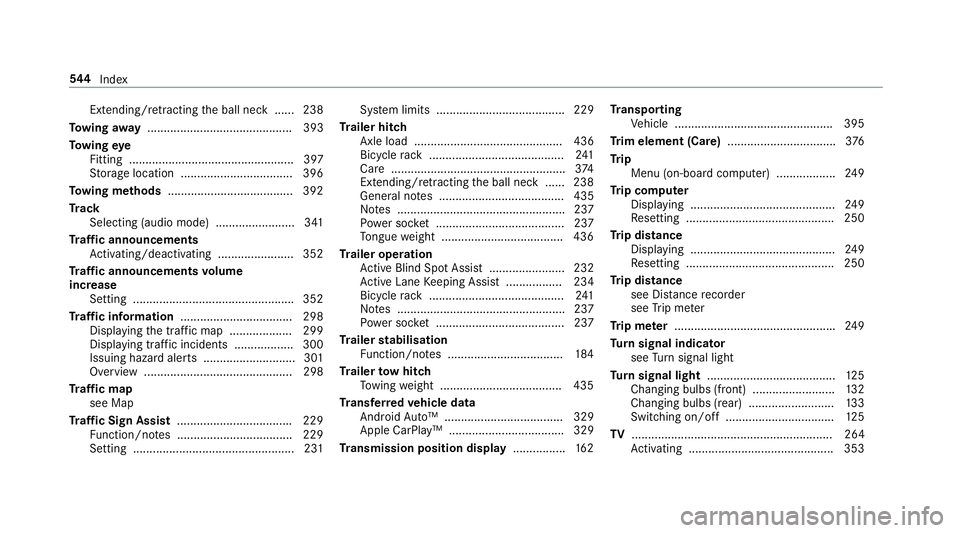
To wing away ............................................ 393
To wing eye
Fitting .................................................. 397
St orage location ..................................3 96
To wing me thods ...................................... 392
Tr ack
Selecting (audio mode) ........................ 341
Tr af fic announcements
Ac tivating/deactivating ...................... .352
Tr af fic announcements volume
increase
Setting ................................................ .352
Tr af fic information .................................. 298
Displaying the tra ffic map .................. .299
Displ aying traf fic incidents .................. 300
Issuing hazard alerts ............................ 301
Overview ............................................. 298
Tr af fic map
see Map
Tr af fic Sign Assist .................................. .229
Fu nction/no tes ................................... 229
Setting .................................................2 31Sy
stem limits ....................................... 229
Tr ailer hitch
Axle load ............................................. 436
Bicycle rack ......................................... 241
Care .................................................... .374
Extending/r etra cting the ball neck ...... 238
General no tes ...................................... 435
No tes ................................................... 237
Po we r soc ket ....................................... 237
To ngue weight .................................... .436
Tr ailer operation
Ac tive Blind Spot Assi st....................... 232
Ac tive Lane Keeping Assist ................. 234
Bicycle rack ......................................... 241
No tes ................................................... 237
Po we r soc ket ....................................... 237
Tr ailer stabilisation
Fu nction/no tes ................................... 184
Tr ailer tow hit ch
To wing weight .................................... .435
Tr ansfer redve hicle data
Android Auto™ .................................... 329
Apple CarPl ay™ ................................... 329
Tr ansmission position display ................16 2Tr
anspo rting
Ve hicle ................................................ 395
Tr im element (Care) .................................376
Tr ip
Menu (on-board computer) .................. 24 9
Tr ip computer
Displaying ............................................ 24 9
Re setting ............................................. 250
Tr ip distance
Displaying ............................................ 24 9
Re setting ............................................. 250
Tr ip distance
see Dis tance recorder
see Trip me ter
Tr ip me ter ................................................ .249
Tu rn signal indicator
see Turn signal light
Tu rn signal light ....................................... 12 5
Changing bulbs (front) ........................ .132
Changing bulbs (rear) .......................... 13 3
Switching on/off ................................. 12 5
TV ............................................................. 264
Ac tivating ............................................ 353 544
Index