navigation system MERCEDES-BENZ E-CLASS SALOON 2016 User Guide
[x] Cancel search | Manufacturer: MERCEDES-BENZ, Model Year: 2016, Model line: E-CLASS SALOON, Model: MERCEDES-BENZ E-CLASS SALOON 2016Pages: 557, PDF Size: 11.09 MB
Page 299 of 557
%
When youstart theve hicle, thevo lume is set
to the lo west setting. #
Alternativel y:select System. #
Select õAudio. #
Select Driving recommendation volume .#
Set thevo lume.
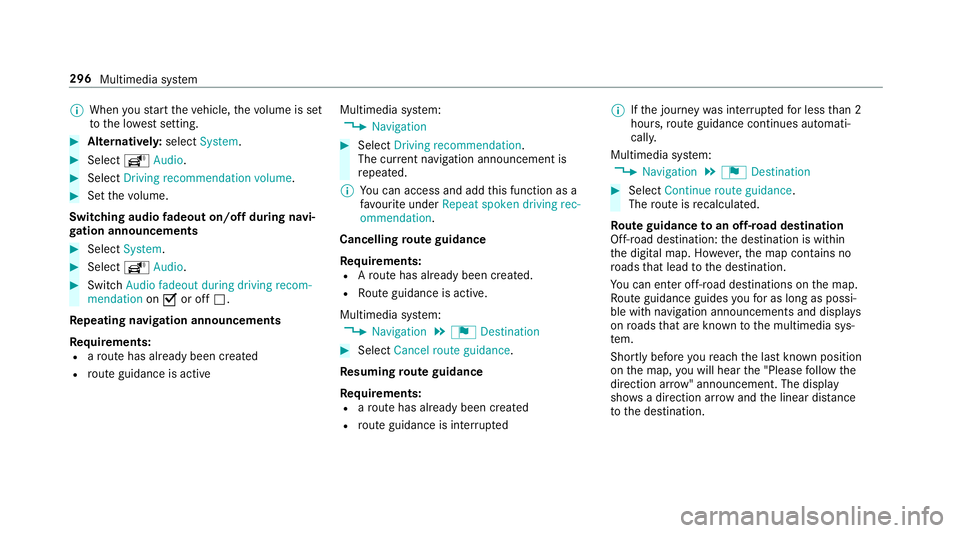
Switching audio fadeout on/o ffduring navi‐
ga tion announcements #
Select System . #
Select õAudio. #
Switch Audio fadeout during driving recom-
mendation onO or off ª.
Re peating navigation announcements
Re quirements:
R aro ute has already been created
R route guidance is active Multimedia sy
stem:
, Navigation #
Select Driving recommendation .
The cur rent navigation announcement is
re peated.
% You can access and add this function as a
fa vo urite under Repeat spoken driving rec-
ommendation .
Cancelling route guidance
Re quirements:
R Aro ute has already been created.
R Route guidance is active.
Multimedia sy stem:
, Navigation .
¬ Destination #
Select Cancel route guidance .
Re suming route guidance
Re quirements:
R aro ute has already been created
R route guidance is inter rupted %
Ifth e journey was inter rupted for less than 2
hours, route guidance continues automati‐
call y.
Multimedia sy stem:
, Navigation .
¬ Destination #
Select Continue route guidance .
The route is recalculated.
Ro ute guidance toan off-road destination
Off-road destination: the destination is within
th e digital map. Ho wever,th e map conta ins no
ro ads that lead tothe destination.
Yo u can en ter off-road destinations on the map.
Ro ute guidance guides youfo r as long as possi‐
ble with navigation announcements and displa ys
on roads that are kn ownto the multimedia sys‐
te m.
Shortly before youre ach the last know n position
on the map, you will hear the "Please follow the
direction ar row" announcement. The displ ay
sho wsa direction ar rowand the linear dis tance
to the destination. 296
Multimedia sy stem
Page 313 of 557
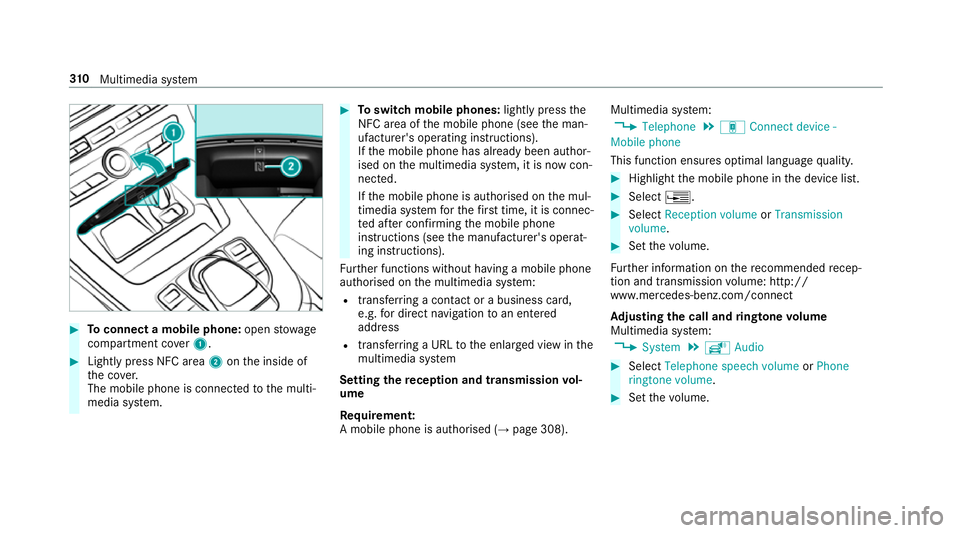
#
Toconnect a mobile phone: openstowage
compartment co ver1. #
Lightly press NFC area 2onthe inside of
th e co ver.
The mobile phone is connected tothe multi‐
media sy stem. #
Toswitch mobile phones: lightly pressthe
NFC area of the mobile phone (see the man‐
ufacturer's operating instructions).
If th e mobile phone has already been author‐
ised on the multimedia sy stem, it is now con‐
nected.
If th e mobile phone is authorised on the mul‐
timedia sy stem forth efirs t time, it is connec‐
te d af ter confirming the mobile phone
instructions (see the manufacturer's operat‐
ing instructions).
Fu rther functions without having a mobile phone
authorised on the multimedia sy stem:
R transfer ring a contact or a business card,
e.g. for direct navigation toan entered
address
R transfer ring a URL tothe enlar ged view in the
multimedia sy stem
Setting there ception and transmission vol‐
ume
Re quirement:
A mobile phone is authorised (→ page 308).Multimedia sy
stem:
, Telephone .
á Connect device -
Mobile phone
This function ensures optimal language qualit y. #
Highlight the mobile phone in the device list. #
Select ¥. #
Select Reception volume orTransmission
volume . #
Set thevo lume.
Fu rther information on there commended recep‐
tion and transmission volume: http://
www.me rcedes-benz.com/connect
Ad justing the call and ringtone volume
Multimedia sy stem:
, System .
õ Audio #
Select Telephone speech volume orPhone
ringtone volume. #
Set thevo lume. 310
Multimedia sy stem
Page 332 of 557
The mobile phone continues
tobe supplied
with elect ricity.
or #
Disconnect the connecting cable between
th e mobile phone and multimedia sy stem.
Mercedes-Benz recommends disconnecting
th e connecting cable only when theve hicle is
st ationar y. Tr
ansfer redve hicle data when using Apple
CarPlay™ and Android Auto Note
s on transfer redve hicle data
When using Android Auto™ or Apple CarPl ay™,
cer tain vehicle data is transfer redto the mobile
phone. This enables youto getth e best out of
selected mobile phone services. Vehicle data is
not directly accessible.
Sy stem information:
R software release of the multimedia sy stem
R system ID (anonymised)
The transfer of this data is used tooptimise
communication between theve hicle and the
mobile phone. To
do this, and toassign se veralve hicles tothe
mobile phone, a vehicle ID is randomly gener‐
ated.
This has no connection totheve hicle identifica‐
tion number (VIN) and is dele ted when the multi‐
media sy stem is reset (→ page 284).
Driving status data:
R transmission position engaged
R distinction between par ked, standstill, rolling
and driving
R day/night mode of the instrument clus ter
The transfer of this data is used toalter how
con tent is displ ayed tocor respond tothe driving
situation.
Po sition data:
R co-ordinates
R speed
R compass direction
R acceleration direction This data is only transfer
red while the navigation
sy stem is active in order toimpr ove it (e.g. so it
can continue functioning when in a tunnel).
If yo u do not consent tovehicle data being trans‐
fe rred, you can deactivate the automatic start of
Android Auto™ (→ page 328) or Apple CarPlay™
(→ page 327) and temp orarily term inate the USB
connection between the mobile phone and the
ve hicle. Online and Internet functions
Internet connection
Internet connection
restrictions &
WARNING Risk of di stra ction from infor‐
mation sy stems and communications
equipment
If yo u operate information and communica‐
tions equipment integ rated in theve hicle
when driving, you will be distracted from the
traf fic situation. This could also cause youto
lose control of theve hicle. Multimedia sy
stem 329