service MERCEDES-BENZ E-CLASS SALOON 2016 Owner's Guide
[x] Cancel search | Manufacturer: MERCEDES-BENZ, Model Year: 2016, Model line: E-CLASS SALOON, Model: MERCEDES-BENZ E-CLASS SALOON 2016Pages: 557, PDF Size: 11.09 MB
Page 320 of 557
Calling
the Mercedes-Benz Cus tomer Centre
using the multimedia sy stem
Re quirements:
In order tobe able touse the Mercedes me con‐
nect service in theve hicle, thefo llowing is
re qu ired:
R You ha veaccess toa GSM networ k.
R The contra ct partner's GSM network co ver‐
age is available in there spective region.
R The ignition must be switched on so that
ve hicle data can be transfer red automati‐
call y.
Multimedia sy stem:
, Telephone .
ª Contacts #
Call Mercedes me connect.
Af ter confirmation, the multimedia sy stem
sends there qu ired vehicle data.
The data transfer is shown in the displa y.
Then, you can select a service and be con‐
nected toa specialist at the Mercedes-Benz
Cus tomer Centre. Fu
rther information on Mercedes me connect,
th e pr ovided service scope and operation is
av ailable at: http://manuals.daimler.com/baix/
cars/connectme/de_DE/ind ex.html
Making a call via the overhead control panel
Re quirements:
In order tobe able touse the Mercedes me con‐
nect service in theve hicle, thefo llowing is
re qu ired:
R You ha veaccess toa GSM networ k.
R The contra ct partner's GSM network co ver‐
age is available in there spective region.
R The ignition must be switched on so that
ve hicle data can be transfer red automati‐
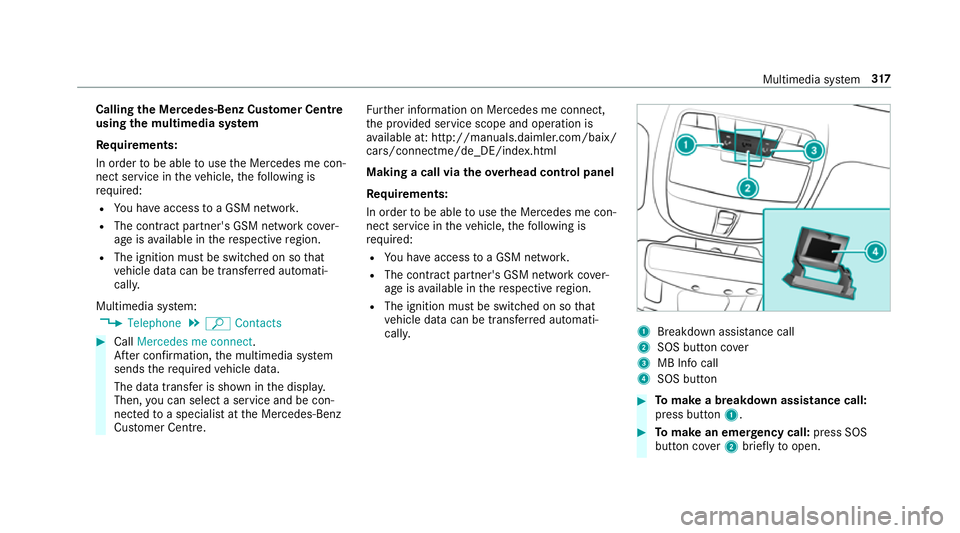
call y. 1
Breakdown assis tance call
2 SOS button co ver
3 MB Info call
4 SOS button #
Tomake a breakdown assistance call:
press button 1. #
Tomake an eme rgency call: press SOS
button co ver2 briefly toopen. Multimedia sy
stem 317
Page 321 of 557
#
Press and hold SOS button 4for at least
one second. #
Tomake an MB In focall: press button 3.
An emer gency call can be initia tedeve n if a
breakdown assi stance or MB In focall is acti ve.
This has priority over all other active calls.
Calls via theove rhead control panel are only
possible with an available mobile phone net‐
wo rk.
More information on Mercedes me connect and
fur ther services can be found at: http://
www.mercedes.me
Information on the MB Info call
An In focall tothe Mercedes-Benz Cus tomer
Centre has been initia ted via theove rhead con‐
trol panel (→ page317) or the multimedia sys‐
te m (→ page317).
Yo u can find information on thefo llowing topics:
R activation of Mercedes me connect
R operating theve hicle
R nearest Mercedes-Benz service centre R
other products and services from Mercedes-
Benz
Data is transmitted during the connection tothe
Mercedes-Benz Cus tomer Centre (→ page319).
Infor mation on the breakdown assistance
call
A breakdown assi stance call tothe Mercedes-
Benz Cus tomer Centre has been initia ted via the
ove rhead control panel (→ page317) or the mul‐
timedia sy stem (→ page317).
R Aqu alified Mercedes-Benz tech nician car ries
out repairs on site and/or theve hicle will be
to we dto the nearest Mercedes-Benz service
cent re.
Yo u may be charge dfo rth ese services.
Data is transfer red during the connection tothe
Mercedes-Benz Cus tomer Centre (→ page319).
Infor mation on Me rcedes me connect acci‐
dent management
The Mercedes me connect accident manage‐
ment is an extension of the Mercedes-Benz
emer gency call sy stem (→ page319). An emergency call is made
tothe Mercedes-
Benz emer gency call centre af ter an accident:
R avo ice connection is made toa con tact per‐
son at the Mercedes-Benz emer gency call
centre.
R if necessa ry,th e conta ct person at the
Mercedes-Benz emer gency call centre for‐
wa rdsth e call toMercedes me connect acci‐
dent management.
R if necessar y,theve hicle will be towe dto a
Mercedes-Benz service centre.
Mercedes me connect service message
If yo u ha veactivated the maintenance manage‐
ment service, releva nt vehicle data is transfer red
automatically tothe Mercedes-Benz Cus tomer
Centre. You will then recei veindividual recom‐
mendations rega rding the maintenance of your
ve hicle.
Re gardless of whe ther you ha veconsented to
th e maintenance management service, the multi‐
media sy stem reminds you af ter a cer tain
amount of time that a service is due. A prom pt
appears asking if youwo uld like tomake an
appointment. 318
Multimedia sy stem
Page 322 of 557
#
Toarra nge a service appointment: select
Call .
Af teryo ur confirmation, theve hicle data is
sent and a Mercedes-Benz Cus tomer Centre
emplo yee deals with your appointment. The
information is then sent toyour desired
service outlet.
This service outlet will then conta ctyou
within 24hours.
% Ifyo u select Call later afte rth e service mes‐
sage appears, the message is hidden and
re appears af ter a cer tain period of time.
Consenting tothe data transfer for Me rcedes
me connect
Re quirement:
There is an active breakdown assis tance or Info
call on the multimedia sy stem (→ page317) or
th eove rhead control panel (→ page317).
If th e breakdown and Mercedes me connect
concier geservices are not activated on
Mercedes me, theDo you want to transmit vehi-
cle data and the vehicle's position to the
Mercedes-Benz Customer Centre in order to improve the processing of your request?
mes‐
sage appears. #
Select Yes.
The releva nt vehicle data is sent automati‐
call y.
More information on Mercedes me: http://
www.mercedes.me
Tr ansfer red data during a se rvice call
In cer tain countries you must confirm the data
transfer.
Data transfer red includes thefo llowing:
Overview of transfer red data Service cal
lT ransfer red data
MB Info call
Breakdown assis‐
ta nce call R
current vehicle
location
R vehicle identifica‐
tion number
R service code
R selected data
about thest atus
of theve hicle Mercedes-Benz emer
gency call sy stem Note
s onthe Mercedes-Benz emer gency call
sy stem
The Mercedes-Benz emer gency call sy stem only
functions in areas where mobile phone co verage
is available from there leva nt contract pa rtner.
Insu fficient network co verage from there leva nt
contract pa rtner may result in an emer gency call
not being transmitted.
The ignition mu stbe switched on before an auto‐
matic emer gency call can be made.
Overvi ewofthe Mercedes-Benz emer gency
call sy stem
The Mercedes-Benz emer gency call sy stem can
help todecisively reduce the time between an
accident and the ar riva l of emer gency services
at the site of the accident. It helps locate an
accident site in places that are dif ficult to
access.
The emer gency call can be made au tomatical ly
( → page 320) or manually (→ page 321). Only
make emer gency calls if you or others are in
need of rescue. Do not make an emergency call Multimedia sy
stem 319
Page 323 of 557
in
theeve nt of a breakdown or a similar situa‐
tion.
Messages in the multimedia sy stem displa y:
SOS READY : emergency call available
SOS NOT READY: the ignition is not on or there
is a malfunction with the emer gency call sy stem.
During an active emer gency call, Gappears
in the displa y.
Yo u can find more information on there gional
av ailability of the Mercedes-Benz emer gency call
sy stem at: http://www.mercedes-benz.com/
connect_ecall
% If an emer gency call is una vailable, a mes‐
sage tothis ef fect also appea rsinthe multi‐
function display of the instrument clus ter.
Au tomatic eme rgency call
Re quirements:
R The ignition is switched on.
R The star ter battery has been suf ficiently
ch arge d.
If re stra int sy stems such as airbags or seat belt
te nsioners ha vebeen activated af ter an acci‐ dent,
the Mercedes-Benz emer gency call sy stem
may automatically initiate an emer gency call.
The emergency call has been made:
R avo ice connection is made tothe Mercedes-
Benz emer gency call centre.
R a messa gewith accident data is transmitted
to the Mercedes-Benz emer gency call centre.
The Mercedes-Benz emergency call centre
can transmit theve hicle position data toone
of the public emer gency services call cen‐
tres.
R in cer tain situations additional data is trans‐
mit tedto the Mercedes-Benz emer gency call
centre.
This allo wsmeasu resfo rre scue, reco very or
to wing toa Mercedes-Benz service centre to
be initiated quickl y.
If yo ur vehicle is equipped with an SOS button in
th eove rhead control panel, it flashes until the
emer gency call has been compl eted.
It is not possible toimmediately end an auto‐
matic emer gency call. If
th e Mercedes-Benz emer gency call sy stem
cann otconnect tothe Mercedes-Benz emer‐
ge ncy call centre, the emer gency call is au tomat‐
ical lysent tothe public emer gency services call
centre.
If no connection can be made tothe public
emer gency services, a releva nt messa ge
appears in the displa y. #
Dial the emer gency call number 999 or 11 2
on your mobile phone.
If an eme rgency call has been initiated:
R remain in theve hicle, if thero ad and traf fic
conditions permit youto do so, until a voice
connection is es tablished with the emer‐
ge ncy call centre operator.
R onthe basis of the call, the operator decides
whe ther it is necessary todeploy rescue
te ams and/or the police tothe accident site.
R if no vehicle occupant answers, an ambu‐
lance is sent totheve hicle immediatel y.320
Multimedia sy stem
Page 324 of 557
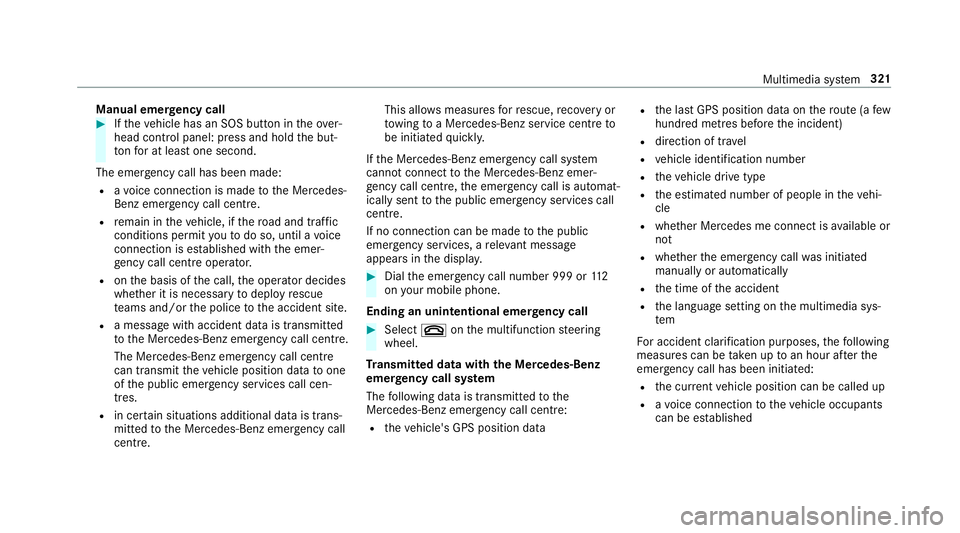
Manual emer
gency call #
Ifth eve hicle has an SOS button in theove r‐
head control panel: press and hold the but‐
to nfo r at least one second.
The emer gency call has been made:
R avo ice connection is made tothe Mercedes-
Benz emer gency call centre.
R remain in theve hicle, if thero ad and traf fic
conditions permit youto do so, until a voice
connection is es tablished with the emer‐
ge ncy call centre operator.
R onthe basis of the call, the operator decides
whe ther it is necessary todeploy rescue
te ams and/or the police tothe accident site.
R a message with accident data is transmit ted
to the Mercedes-Benz emer gency call centre.
The Mercedes-Benz eme rgency call cent re
can transmit theve hicle position data toone
of the public emer gency services call cen‐
tres.
R in cer tain situations additional data is trans‐
mit tedto the Mercedes-Benz emer gency call
centre. This allo
wsmeasu resfo rre scue, reco very or
to wing toa Mercedes-Benz service centre to
be initiated quickl y.
If th e Mercedes-Benz emer gency call sy stem
cann otconnect tothe Mercedes-Benz emer‐
ge ncy call centre, the emer gency call is au tomat‐
ically sent tothe public emer gency services call
centre.
If no connection can be made tothe public
emer gency services, a releva nt messa ge
appears in the displa y. #
Dial the emer gency call number 999 or 11 2
on your mobile phone.
Ending an unin tentional emer gency call #
Select ~onthe multifunction steering
wheel.
Tr ansmitted data with th e Mercedes-Benz
emer gency call sy stem
The following data is transmitte dto the
Mercedes-Benz emer gency call centre:
R theve hicle's GPS position data R
the last GPS position data on thero ute (a few
hundred metres before the incident)
R direction of tr avel
R vehicle identification number
R theve hicle drive type
R the estimated number of people in theve hi‐
cle
R whe ther Mercedes me connect is available or
not
R whe ther the emer gency call was initiated
manually or automatically
R the time of the accident
R the language setting on the multimedia sys‐
tem
Fo r accident clarification purposes, thefo llowing
measures can be take n up toan hour af terthe
emer gency call has been initia ted:
R the cur rent vehicle position can be called up
R avo ice connection totheve hicle occupants
can be es tablished Multimedia sy
stem 321
Page 330 of 557
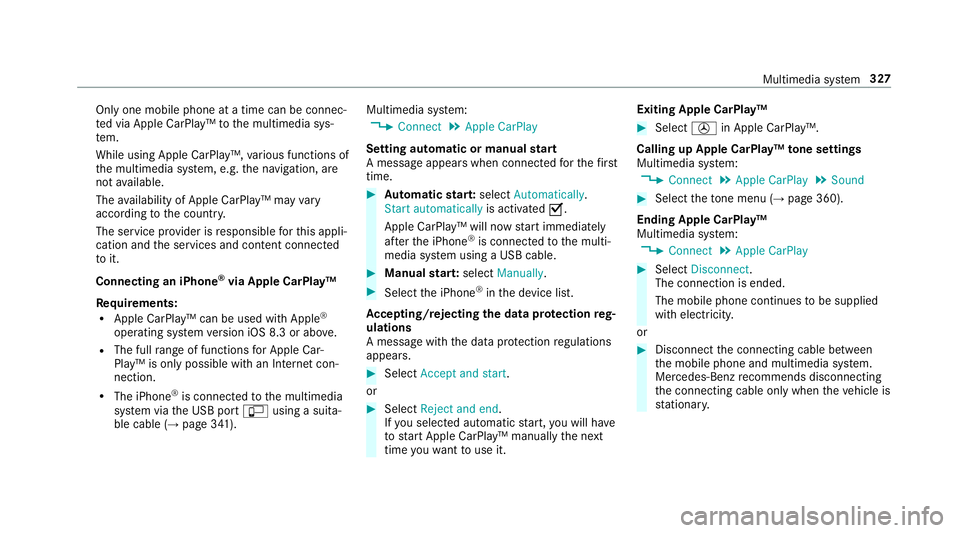
Only one mobile phone at a time can be connec‐
te
d via Apple CarPlay™ tothe multimedia sys‐
te m.
While using Apple CarPlay™, various functions of
th e multimedia sy stem, e.g. the navigation, are
not available.
The availability of Apple CarPlay™ may vary
according tothe count ry.
The service pr ovider is responsible forth is appli‐
cation and the services and conte nt connected
to it.
Connecting an iPhone ®
via Apple CarPlay™
Requ irements:
R Apple CarPlay™ can be used with Apple ®
operating sy stem version iOS 8.3 or abo ve.
R The full range of functions for Apple Car‐
Play™ is only possible with an Internet con‐
nection.
R The iPhone ®
is connected tothe multimedia
sy stem via the USB port çusing a suita‐
ble cable (→ page 341). Multimedia sy
stem:
, Connect .
Apple CarPlay
Setting automatic or manual start
A messa geappears when connec tedfo rth efirst
time. #
Automatic star t:select Automatically.
Start automatically is activatedO.
Apple CarPlay™ will now start immediately
af te rth e iPhone ®
is connected tothe multi‐
media sy stem using a USB cable. #
Manual star t:select Manually . #
Select the iPhone ®
in the device list.
Ac cepting/rejecting the data pr otection reg‐
ulations
A message with the data pr otection regulations
appears. #
Select Accept and start.
or #
Select Reject and end.
If yo u selected automatic start, you will ha ve
to start Apple CarPlay™ manually the next
time youwa nttouse it. Exiting Apple CarPlay™ #
Select Úin Apple CarPlay™.
Calling up Apple CarPlay™ tone settings
Multimedia sy stem:
, Connect .
Apple CarPlay .
Sound #
Select theto ne menu (→ page 360).
Ending Apple CarPlay™
Multimedia sy stem:
, Connect .
Apple CarPlay #
Select Disconnect.
The connection is ended.
The mobile phone continues tobe supplied
with elect ricity.
or #
Disconnect the connecting cable between
th e mobile phone and multimedia sy stem.
Mercedes-Benz recommends disconnecting
th e connecting cable only when theve hicle is
st ationar y. Multimedia sy
stem 327
Page 331 of 557
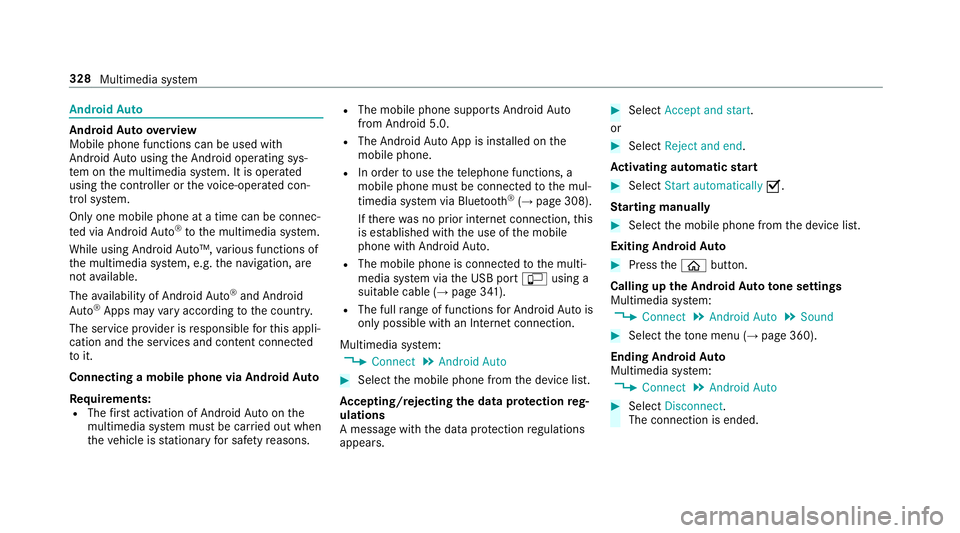
Android
Auto Android
Autoove rview
Mobile phone functions can be used with
Android Autousing the Android operating sys‐
te m on the multimedia sy stem. It is operated
using the controller or thevo ice-operated con‐
trol sy stem.
Only one mobile phone at a time can be connec‐
te d via Android Auto®
to the multimedia sy stem.
While using Android Auto™, various functions of
th e multimedia sy stem, e.g. the navigation, are
not available.
The availability of Android Auto®
and Android
Au to®
Apps may vary according tothe count ry.
The service pr ovider is responsible forth is appli‐
cation and the services and conte nt connected
to it.
Connecting a mobile phone via Android Auto
Requ irements:
R The firs t acti vation of Android Autoon the
multimedia sy stem must be car ried out when
th eve hicle is stationary for saf etyre asons. R
The mobile phone suppo rts Android Auto
from Android 5.0.
R The Android AutoApp is ins talled on the
mobile phone.
R In order touse thete lephone functions, a
mobile phone must be connec tedto the mul‐
timedia sy stem via Blue tooth®
(→ page 308).
If th ere was no prior internet connection, this
is es tablished with the use of the mobile
phone with Android Auto.
R The mobile phone is connected tothe multi‐
media sy stem via the USB port çusing a
suitable cable (→ page 341).
R The full range of functions for Android Autois
only possible with an Internet connection.
Multimedia sy stem:
, Connect .
Android Auto #
Select the mobile phone from the device list.
Ac cepting/rejecting the data pr otection reg‐
ulations
A message with the data pr otection regulations
appears. #
Select Accept and start.
or #
Select Reject and end.
Ac tivating automatic start #
Select Start automatically O.
St arting manually #
Select the mobile phone from the device list.
Exiting Android Auto #
Press theò button.
Calling up the Android Auto to ne settings
Multimedia sy stem:
, Connect .
Android Auto .
Sound #
Select theto ne menu (→ page 360).
Ending Android Auto
Multimedia sy stem:
, Connect .
Android Auto #
Select Disconnect.
The connection is ended. 328
Multimedia sy stem
Page 332 of 557
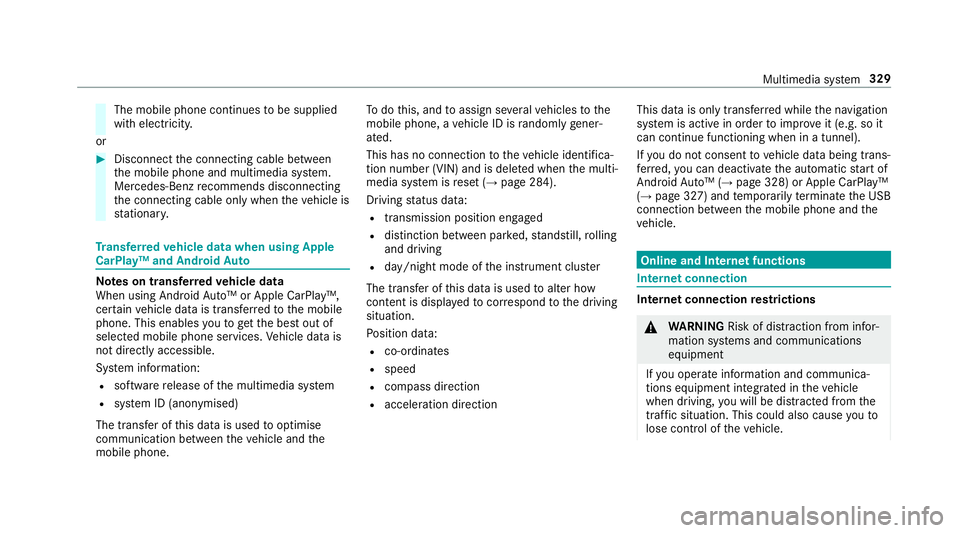
The mobile phone continues
tobe supplied
with elect ricity.
or #
Disconnect the connecting cable between
th e mobile phone and multimedia sy stem.
Mercedes-Benz recommends disconnecting
th e connecting cable only when theve hicle is
st ationar y. Tr
ansfer redve hicle data when using Apple
CarPlay™ and Android Auto Note
s on transfer redve hicle data
When using Android Auto™ or Apple CarPl ay™,
cer tain vehicle data is transfer redto the mobile
phone. This enables youto getth e best out of
selected mobile phone services. Vehicle data is
not directly accessible.
Sy stem information:
R software release of the multimedia sy stem
R system ID (anonymised)
The transfer of this data is used tooptimise
communication between theve hicle and the
mobile phone. To
do this, and toassign se veralve hicles tothe
mobile phone, a vehicle ID is randomly gener‐
ated.
This has no connection totheve hicle identifica‐
tion number (VIN) and is dele ted when the multi‐
media sy stem is reset (→ page 284).
Driving status data:
R transmission position engaged
R distinction between par ked, standstill, rolling
and driving
R day/night mode of the instrument clus ter
The transfer of this data is used toalter how
con tent is displ ayed tocor respond tothe driving
situation.
Po sition data:
R co-ordinates
R speed
R compass direction
R acceleration direction This data is only transfer
red while the navigation
sy stem is active in order toimpr ove it (e.g. so it
can continue functioning when in a tunnel).
If yo u do not consent tovehicle data being trans‐
fe rred, you can deactivate the automatic start of
Android Auto™ (→ page 328) or Apple CarPlay™
(→ page 327) and temp orarily term inate the USB
connection between the mobile phone and the
ve hicle. Online and Internet functions
Internet connection
Internet connection
restrictions &
WARNING Risk of di stra ction from infor‐
mation sy stems and communications
equipment
If yo u operate information and communica‐
tions equipment integ rated in theve hicle
when driving, you will be distracted from the
traf fic situation. This could also cause youto
lose control of theve hicle. Multimedia sy
stem 329
Page 333 of 557
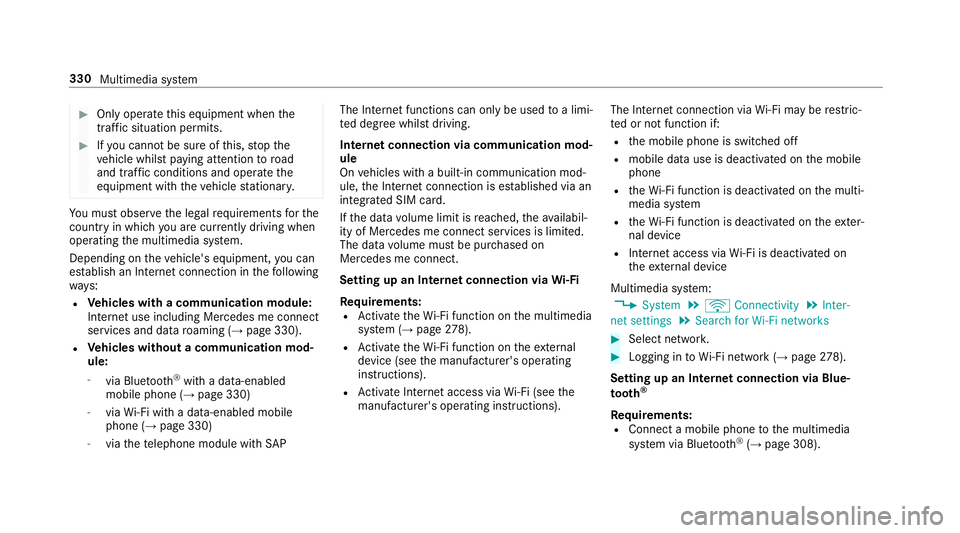
#
Only operate this equipment when the
traf fic situation permits. #
Ifyo u cannot be sure of this, stop the
ve hicle whilst paying attention toroad
and traf fic conditions and ope rate the
equipment with theve hicle stationar y. Yo
u must obse rveth e legal requirements forthe
country in whi chyou are cur rently driving when
operating the multimedia sy stem.
Depending on theve hicle's equipment, you can
es tablish an Internet connection in thefo llowing
wa ys:
R Vehicles with a communication module:
Internet use including Mercedes me connect
services and data roaming (→ page 330).
R Vehicles without a communication mod‐
ule:
- via Blue tooth®
with a data-enabled
mobile phone (→ page 330)
- viaWi-Fi wi tha data-enabled mobile
phone (→ page 330)
- viathete lephone module with SAPThe Internet functions can only be used
toa limi‐
te d degree whilst driving.
Internet connection via communication mod‐
ule
On vehicles with a built-in communication mod‐
ule, the Internet connection is es tablished via an
integrated SIM card.
If th e data volume limit is reached, theav ailabil‐
ity of Mercedes me connect services is limited.
The data volume must be pur chased on
Mercedes me connect.
Setting up an Internet connection via Wi-Fi
Requ irements:
R Activate theWi -Fi function on the multimedia
sy stem (→ page278).
R Activate theWi -Fi function on theex tern al
device (see the manufacturer's operating
instructions).
R Activate Internet access via Wi-Fi (see the
manufacturer's operating instructions). The Internet connection via
Wi-Fi may be restric‐
te d or not function if:
R the mobile phone is switched off
R mobile data use is deactivated on the mobile
phone
R theWi -Fi function is deacti vated on the multi‐
media sy stem
R theWi -Fi function is deacti vated on theex ter‐
nal device
R Internet access via Wi-Fi is deacti vated on
th eex tern al device
Multimedia sy stem:
, System .
ö Connectivity .
Inter-
net settings .
Search for Wi-Fi networks #
Select networ k. #
Logging in toWi-Fi network (→ page 278).
Se tting up an In ternetconnection via Blue‐
to oth ®
Re quirements:
R Connect a mobile phone tothe multimedia
sy stem via Blue tooth®
(→ page 308). 330
Multimedia sy stem
Page 334 of 557
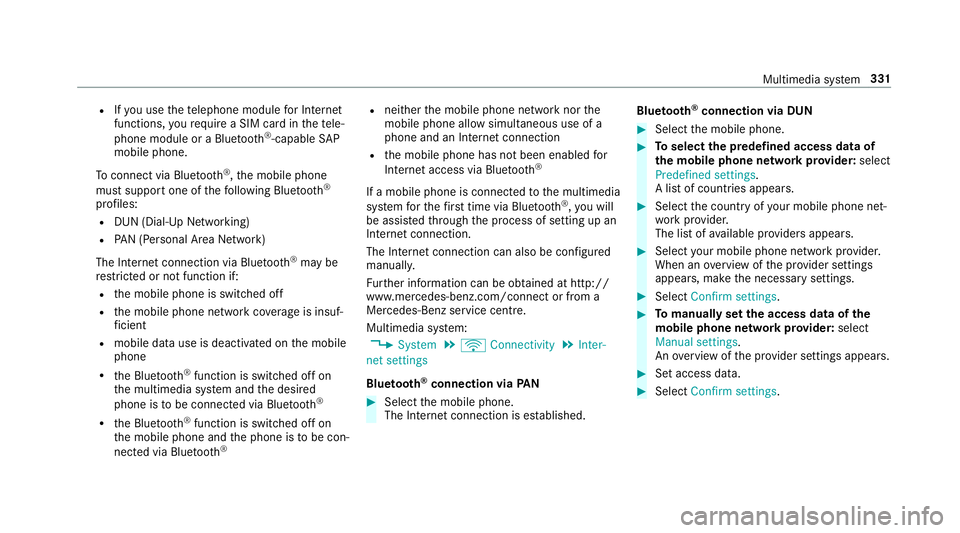
R
Ifyo u use thete lephone module for Internet
functions, yourequ ire a SIM card in thete le‐
phone module or a Blue tooth®
-capable SAP
mobile phone.
To connect via Blu etoo th®
,th e mobile phone
must support one of thefo llowing Blue tooth®
profiles: R DUN (Dial-Up Networking)
R PAN (Personal Area Network)
The Internet connection via Blue tooth®
may be
re stricted or not function if:
R the mobile phone is switched off
R the mobile phone network co verage is insuf‐
fi cient
R mobile da tause is deactivated on the mobile
phone
R the Blue tooth®
function is switched off on
th e multimedia sy stem and the desired
phone is tobe connec ted via Blue tooth®
R the Blue tooth®
function is switched off on
th e mobile phone and the phone is tobe con‐
nec ted via Blue tooth® R
neither the mobile phone network nor the
mobile phone allow simultaneous use of a
phone and an Internet connection
R the mobile phone has not been enabled for
Internet access via Blue tooth®
If a mobile phone is connected tothe multimedia
sy stem forth efirs t time via Blu etoo th®
,yo u will
be assis tedth ro ugh the process of setting up an
Internet connection.
The Internet connection can also be confi gured
manuall y.
Fu rther information can be obtained at http://
www.mercedes-benz.com/connect or from a
Mercedes-Benz service centre.
Multimedia sy stem:
, System .
ö Connectivity .
Inter-
net settings
Blue tooth ®
connection via PAN #
Select the mobile phone.
The Internet connection is es tablished. Blue
tooth ®
connection via DUN #
Select the mobile phone. #
Toselect the predefined access data of
th e mobile phone network pr ovider: select
Predefined settings.
A list of countries appears. #
Select the count ryofyour mobile phone net‐
wo rkprov ider.
The list of available pr oviders appears. #
Select your mobile phone network pr ovider.
When an overview of the pr ovider settings
appears, make the necessary settings. #
Select Confirm settings. #
Tomanually set the access data of the
mobile phone network pr ovider: select
Manual settings.
An ove rview of the pr ovider settings appears. #
Set access data. #
Select Confirm settings. Multimedia sy
stem 331