bonnet MERCEDES-BENZ E-CLASS SALOON 2016 Owners Manual
[x] Cancel search | Manufacturer: MERCEDES-BENZ, Model Year: 2016, Model line: E-CLASS SALOON, Model: MERCEDES-BENZ E-CLASS SALOON 2016Pages: 557, PDF Size: 11.09 MB
Page 91 of 557
R
The boot lid is opened.
R The bonnet is opened.
R Interior pr otection is triggered. (→ page 89)
R Tow- aw ay protection is triggered.
(→ page 88)
The ATA system is primed automatically af ter
appr oximately 10seconds:
R After locking theve hicle with thekey.
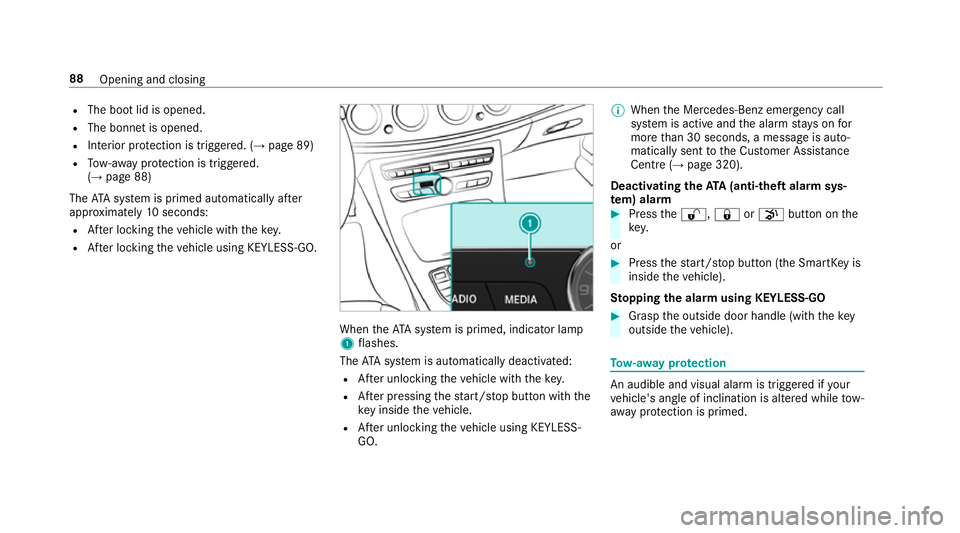
R After locking theve hicle using KEYLESS-GO. When
theATA system is primed, indicator lamp
1 flashes.
The ATA sy stem is automatically deactivated:
R After unlocking theve hicle with thekey.
R After pressing thest art/ stop button with the
ke y inside theve hicle.
R After unlocking theve hicle using KEYLESS-
GO. %
When the Mercedes‑Benz emer gency call
sy stem is active and the alarm stay s on for
more than 30 seconds, a message is auto‐
matically sent tothe Cus tomer Assis tance
Centre (→ page 320).
Deactivating theATA (anti-theft ala rmsys‐
te m) ala rm #
Press the%, &orp button on the
key.
or #
Press thest art/ stop button (the SmartK eyis
inside theve hicle).
St opping the ala rmusing KEYLESS-GO #
Grasp the outside door handle (with thekey
outside theve hicle). To
w- aw ay protection An audible and visual alarm is triggered if
your
ve hicle's angle of inclination is altered while tow-
aw ay protection is primed. 88
Opening and closing
Page 201 of 557
#
Take into account the tra ffic situation
before calling up thestored speed. #
Ifth estored speed is not known, store
th e desired speed again. &
WARNING Risk of accident due tounex‐
pec ted acceleration byDis tance Pilot
DISTRONIC
If Dis tance Pilot DISTRONIC no longer
de tects a vehicle in front, it may unexpect‐
edly accelerate tothe speed stored.
R This speed may be too high for a filter
lane or a slip road.
R If driving in theright lane, this speed may
be so high that you pass vehicles driving
on the left (in count ries where traf fic
drives on theright).
R If driving in the left lane, this speed may
be so high that you pass vehicles driving
on theright (in countri es where traffic
drives on the left). Alw
ays carefully obser vethe traf fic condi‐
tions and be ready tobrake at all times. &
WARNING Risk of accident due toDis‐
ta nce Pilot DISTRONIC pulling away auto‐
matically
If Dis tance Pilot DISTRONIC pe rforms an
automatic driving-off procedure, theve hicle
may accelerate unexpectedly.
Where necessar y,brake theve hicle yourself
and take evasive action. &
WARNING Risk of accident due toSpeed
Limit Pilot adapting theve hicle's speed
The speed adop tedby the Speed Limit Pilot
may be too high or incor rect in some individ‐
ual cases, su chas:
R inthewe t or in fog
R when towing a trailer
Ensure that the driven speed complies with
traf fic re gulations. Re
quirements:
R The vehicle has been star ted.
R The elect ric pa rking brake is released.
R Parking Pilot is not being used topark the
ve hicle or toexit from a parking space.
R ESP ®
is activated, but is not inter vening.
R The transmission is in position h.
R The driver's door, front passenger door and
there ar doors are closed.
R The engine bonnet is closed. 19 8
Driving and pa rking
Page 367 of 557
Battery disconnection periods
The AS
SYST PLUS service inter val display
can only calculate the service due da tewhen
th e bat tery is connected. #
Notedown the service due date displa yed in
th e instrument display before disconnecting
th e battery (→ page 363). Engine compartment
Ac
tive bonn et(pedestrian pr otection) Operation of
the active bonnet (pedestrian
pr otection)
In cer tain accident situations, therisk of injury
to pedestrians can be reduced bythe actuation
of the active bonn et. The rear area of the engine
bonn etisraised byappr oximately 85 mm.
Fo rth e drive tothewo rkshop, reset the trig‐
ge red active bonn etyourself. If the active bonn et
has been triggered, pedestrian pr otection may
be limited.
A qu alified specialist workshop must re-ins tate
th e full functionality of the active bonn et. The active bonnet is not
available in all coun‐
tries.
Re setting the active bonnet &
WARNING Danger of bu rns from hot
component parts in the engine compart‐
ment
Cer tain component parts in the engine com‐
partment may be very hot, e.g. the engine,
th era diator and parts of theex haust sy stem. #
Let the engine cool down and only
to uch the component parts described
below: #
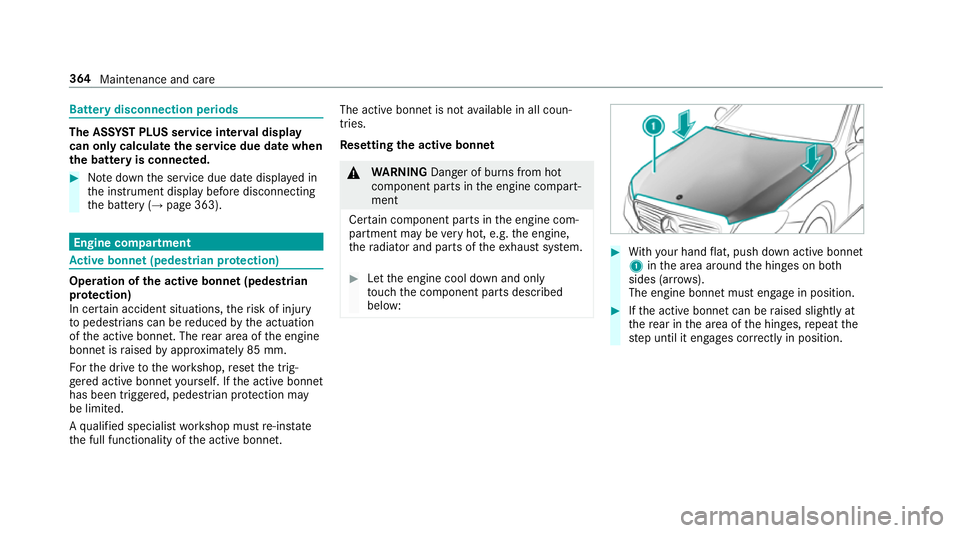
With your hand flat, push down active bonnet
1 inthe area around the hinges on bo th
sides (ar rows).
The engine bonnet must engage in position. #
Ifth e active bonn etcan be raised slight lyat
th ere ar in the area of the hinges, repeat the
st ep until it engages cor rectly in position. 364
Maintenance and care
Page 368 of 557
Opening/closing
the bonnet &
WARNING Risk of accident due todriv‐
ing with the engine bonn etunlo cked
An unloc ked engine bonn etmay open up
when theve hicle is in motion and block your
vie w. #
Never unlock the engine bonn etwhen
driving. #
Before every trip, ensure that the
engine bonn etis loc ked. &
WARNING Risk of accident and inju ry
when opening and closing the engine
bonn et
When opening or closing the engine bonn et,
it may suddenly drop into the end position.
There is a risk of injury for an yone in the
engine bonn et's range of mo vement. #
Only open or close the engine bonn et
when there are no persons in the
engine bonn et's range of mo vement. &
WARNING Danger of bu rns when open‐
ing the bonn et
If yo u open the engine bonn etwhen the
engine has overheated or during a fire inthe
engine compartment, you could come into
contact with hot gases or other escaping
operating fluids. #
Before opening the bonn et, allow the
engine tocool down. #
Intheeve nt of a fire inthe engine com‐
partment, keep the engine bonn et
closed and call thefire service. &
WARNING Risk of inju rydue tomoving
parts
Cer tain components in the engine compart‐
ment may continue tomo veor suddenly
mo veagain even af terth e ignition has been
switched off, e.g. the cooler fan.
Ma kesure of thefo llowing before per form ing
ta sks in the engine compartmen t: #
Switch the ignition off. #
Neverto uch the danger zone sur round‐
ing moving co mponent parts, e.g. the
ro tation area of thefa n. #
Remo vejewe llery and watches. #
Keep items of clo thing and hair away
from moving parts. &
WARNING Risk of inju ryfrom touching
co mp onent parts under voltage
The ignition sy stem and the fuel injection
sy stem workunder high voltage. If youto uch
co mp onent parts which are under voltage,
yo u could recei vean electric shoc k. #
Neverto uch co mponents of the ignition
sy stem or the fuel injection sy stem
when the ignition is switched on. &
WARNING Danger of bu rns from hot
component parts in the engine compart‐
ment
Cer tain component parts in the engine com‐
partment may be very hot, e.g. the engine, Maintenance and care
365
Page 369 of 557
th
era diator and parts of theex haust sy stem. #
Let the engine cool down and only
to uch the component parts described
below: &
WARNING Risk of inju ryfrom using the
windscreen wipers while the engine bon‐
net is open
When the engine bonn etis open, and the
windscreen wipers are set in motion, you can
be trapped bythe wiper linkage. #
Alw ays switch off the windscreen wip‐
ers and ignition before opening the
engine bonn et. Plug-in
hybrid: make sure that youre ad the
separate Owner's Manual. You could otherwise
fa ilto recognise dangers, e.g. due tohigh volt‐
age. #
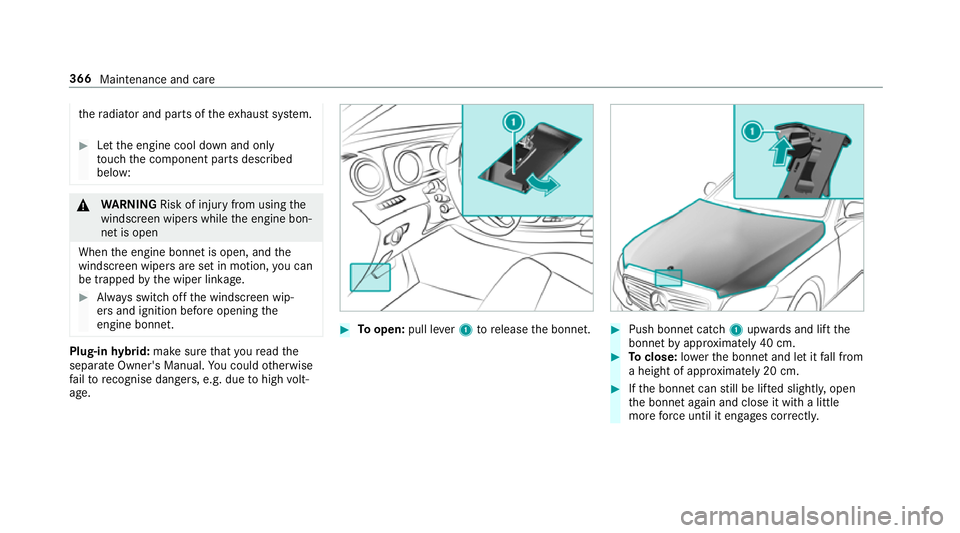
Toopen: pull lever1 torelease the bonn et. #
Push bonnet catch 1upwards and lift the
bonn etby appr oximately 40 cm. #
Toclose: lowe rth e bonn etand let it fall from
a height of appr oximately 20 cm. #
Ifth e bonn etcan still be lif ted slightl y,open
th e bonn etagain and close it with a little
more forc e until it engages cor rectly. 366
Maintenance and care
Page 371 of 557
R
The bonnet was pr eviously opened.
The engine must be restar ted and the engine oil
le ve l will be de term ined again during driving.
On-board computer: , Service .
Engine oil level:
Yo u will see one of thefo llowing display
messa ges in the multifunction displa y:#
Engine oil level Measuring now: measu re‐
ment of the oil le vel is not yet possible.
Re peat there qu est af ter a maximum of 30
minutes' driving. #
Engine oil level OK andthe bar display for
indicating the oil le vel in the multifunction
display is green and is between "min" and
"max": the oil le vel is cor rect. #
Engine oil level Add 1.0 l andthe bar display
fo r indicating the oil le vel in the multifunction
display is orange and is below "min": top up
with 1 l of engine oil. #
Reduce engine oil level andthe bar display
fo r indicating the oil le vel in the multifunction
display is orange and is abo ve"max": drain off
theexc ess engine oil. Consult a qualified
specialist workshop. #
For engine oil level turn on ignition: switch on
th e ignition tocheck the engine oil le vel. #
Engine oil level System inoperative : sensor
fa ulty or not connected. Consult a qualified
specialist workshop. #
Engine oil level System currently unavail. :
close the engine bonn et.
To pping up engine oil &
WARNING Danger of bu rns from hot
component parts in the engine compart‐
ment
Cer tain component parts in the engine com‐
partment may be very hot, e.g. the engine,
th era diator and parts of theex haust sy stem. #
Let the engine cool down and only
to uch the component parts described
below: &
WARNING Risk offire and injury from
engine oil
If engine oil comes into con tact wi thhot
component parts in the engine compart‐
ment, it may ignite. #
Make sure that no engine oil is spilled
next tothefiller opening. #
Allow the engine tocool off and thor‐
oughly clean the engine oil from compo‐
nent parts before starting theve hicle. *
NO
TEEngine dama gecaused byan
incor rect oil filter, incor rect oil or addi‐
tives #
Do not use engine oils or oil filters
which do not cor respond tothe specifi‐
cations explicitly prescribed forthe
service inter vals. #
Do not alter the engine oil or oil filter in
order toachie velonger change inter vals
th an presc ribed. #
Do not use additives. 368
Maintenance and care
Page 491 of 557
Display messages
Possible causes/consequences and M
MSolutions
& inoperative Battery low *T
he on-board electrical sy stem voltage is too lo w.
The stationary heater has swit ched itself off. #
Drive a long dis tance until the battery has reached a suf ficient charge leve l again.
& inoperative Refuel vehicle *T
here is too little fuel in the fuel tank. The stationary heater cannot be swit ched on. #
Refuel theve hicle.
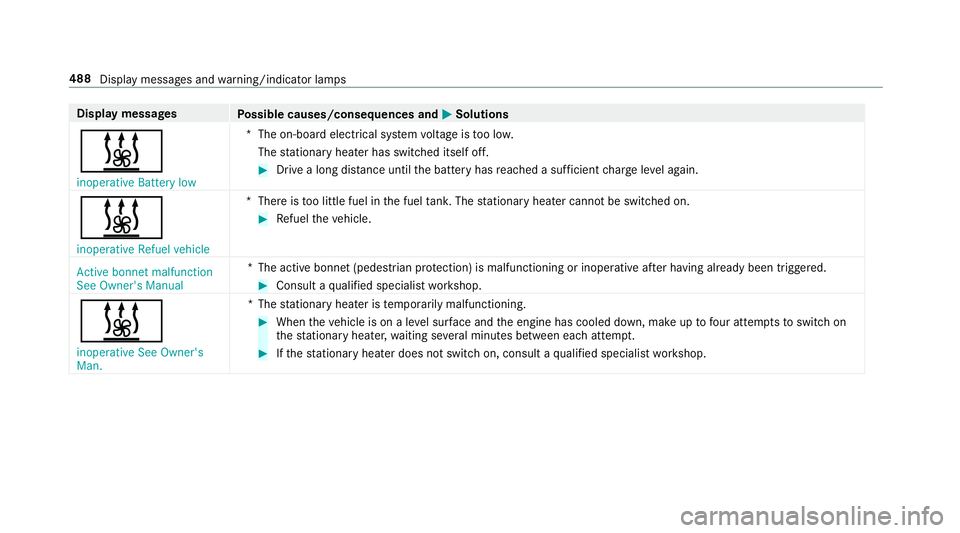
Active bonnet malfunction
See Owner's Manual *T
he active bonnet (pedestrian pr otection) is malfunctioning or inoperative af ter having already been triggered. #
Consult a qualified specialist workshop.
& inoperative See Owner's
Man. *T
hestationary heater is temp orarily malfunctioning. #
When theve hicle is on a le vel sur face and the engine has cooled down, make up tofour attem ptsto switch on
th est ationary heater, waiting se veral minutes between each attem pt. #
Ifth est ationary heater does not swit chon, consult a qualified specialist workshop. 488
Display messages and warning/indicator lamps
Page 492 of 557
Display messages
Possible causes/consequences and M
MSolutions
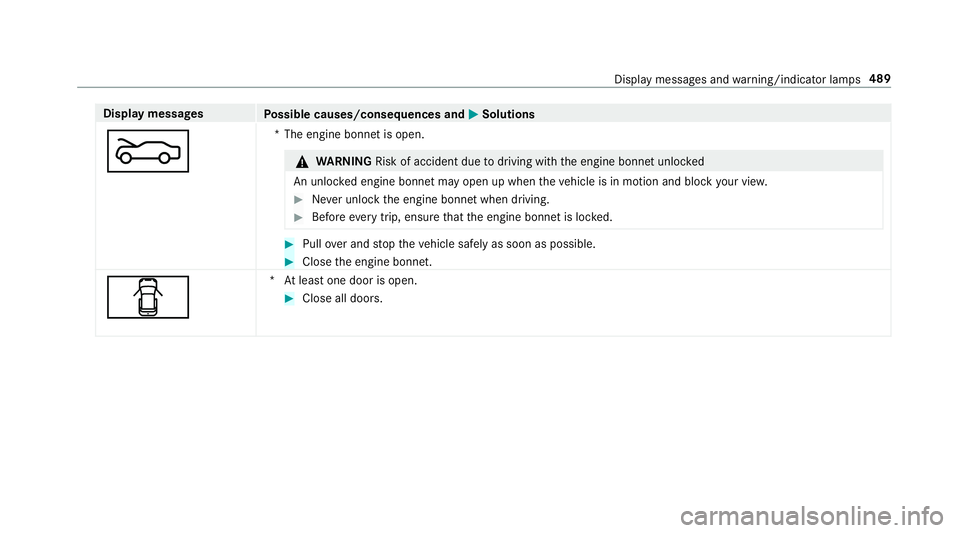
M *T
he engine bonnet is open. &
WARNING Risk of accident due todriving with the engine bonn etunlo cked
An unloc ked engine bonn etmay open up when theve hicle is in motion and block your vie w. #
Never unlock the engine bonn etwhen driving. #
Before every trip, ensure that the engine bonn etis loc ked. #
Pull over and stop theve hicle safely as soon as possible. #
Close the engine bonn et.
C *A
t least one door is open. #
Close all doors. Displ
aymessa ges and warning/indicator lamps 489
Page 521 of 557
Wi
reless vehicle components ................24
Designs Menu (on-board co mputer) .................. 255
Destination .............................................. 297
Editing ................................................ .289
Editing the last destinations ................2 97
Entering an intermedia tedestination .. 289
Saving (cur rent vehicle position) ......... 297
Saving as global favo urite .................... 297
St oring a map position ........................ 297
Destination entry ............................2 85, 287
Entering a POI or add ress .................... 285
Entering geo-coordinates .................... 288
Last destinations ................................. 288
Selecting a contact ............................. 288
Selecting a POI .................................... 287
Selecting from the map ....................... 288
Destination entry see Intermediate destination
Diagnostics connection ............................26
Diesel ...................................................... .428
Digital Owner's Manual ............................ 20
Digital speedome ter ................................ 24 9Digital
TV
see TV
Dipped beam Activating/deactivating ...................... .123
Changing bulbs ................................... .132
Setting ................................................. 12 9
Setting for abroad (symmetrical) ......... 12 3
DIRECT SELECT le ver............................... 16 2
Fu nction .............................................. 16 2
DIRECT SELECT selector le ver
Engaging drive position ....................... 16 4
Engaging pa rkposition automatically .. 16 4
Engaging reve rsege ar ........................ .164
Selecting pa rkposition ........................ 16 4
Shifting toneutral ................................ 16 4
Display Care .................................................... .376
Display (multimedia sy stem)
Settings .............................................. .276
Display (on-boa rdcompu ter) .................. 247
Display content Menu (on-board co mputer) .................. 254 Display message
.................................... .437
Calling up (on-board co mputer) .......... .437
No tes ................................................... 437
Display messages ? ................................................... 464
C ................................................... 489
M ................................................... 489
N ................................................... 490
¯ ....................................................4 61
Ac tive Blind Spot Assi stcur rently
una vailable See Owner's Manual .........459
Ac tive Blind Spot Assi stinope rative .... 459
Ac tive Blind Spot Assi stnot available
when towing a trailer See Owner's
Manual ................................................ 463
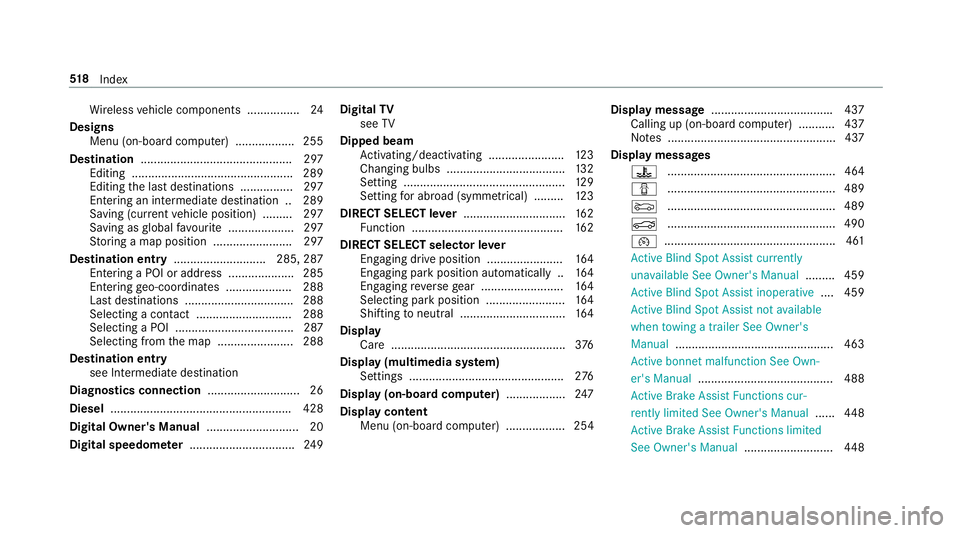
Ac tive bonnet malfunction See Own‐
er's Manual ......................................... 488
Ac tive Brake Assi stFunctions cur‐
re ntly limited See Owner's Manual ......448
Ac tive Brake Assi stFunctions limited
See Owner's Manual ...........................448518
Index
Page 527 of 557
EBD (Electronic Brake
forc e Distribu‐
tion)
Function/no tes ................................... 184
ECO display Function .............................................. 15 9
Re setting ............................................. 250
ECO start/s top function ................. 158, 15 9
Au tomatic engine start ........................ 15 8
Au tomatic engine stop .........................1 58
Operation ............................................ 15 8
Switching off/on ................................. 15 9
Electric pa rking brake .............176,17 7, 178
App lying automatically ........................ .176
App lying or releasing manually ............ 178
Emergency braking .............................. 178
Re leasing automatically ...................... .177
Electric pa rking brake
see Parking
Electrical fuses see Fuses
Electromagnetic compatibility Declaration of Conformity ..................... 24Electronic
Stability Prog ram
see ESP ®
(Electronic Stability Prog ram)
Electronics ............................................... 421
Emer gency
Assis tance overview .............................. 18
Fire extinguisher ................................. .381
Fir st-aid kit (so ftsided) ....................... 380
Re moving thewa rning triangle ............ 380
Saf etyve st ........................................... 379
Setting up thewa rning triangle .......... .380
Emer gency braking ................................. 178
Emer gency call sy stem
see Mercedes-Benz emer gency call sy stem
Emer gency engine start .......................... 397
Emer gency key
Locking a door ....................................... 72
Un locking a door .................................. .72
Emer gency key element
Inserting/removing ............................... 66
Emer gency operation mode
St arting vehicle ................................... 15 5
Emer gency spare wheel
No tes ................................................... 419Re
moving ............................................ 420
Emer gency spare wheel
see Spare wheel
see Wheel change
Energy consu mption
Ke y ........................................................ 65
Engine ECO start/ stop function ......................1 58
Engine number ................................... .423
St arting (eme rgency operation
mode) .................................................. 15 5
St arting (mobile phone) ...................... .154
St arting (s tart/s top button) .................1 54
St arting assis tance .............................. 389
Switching off (s tart/s top button) .........1 72
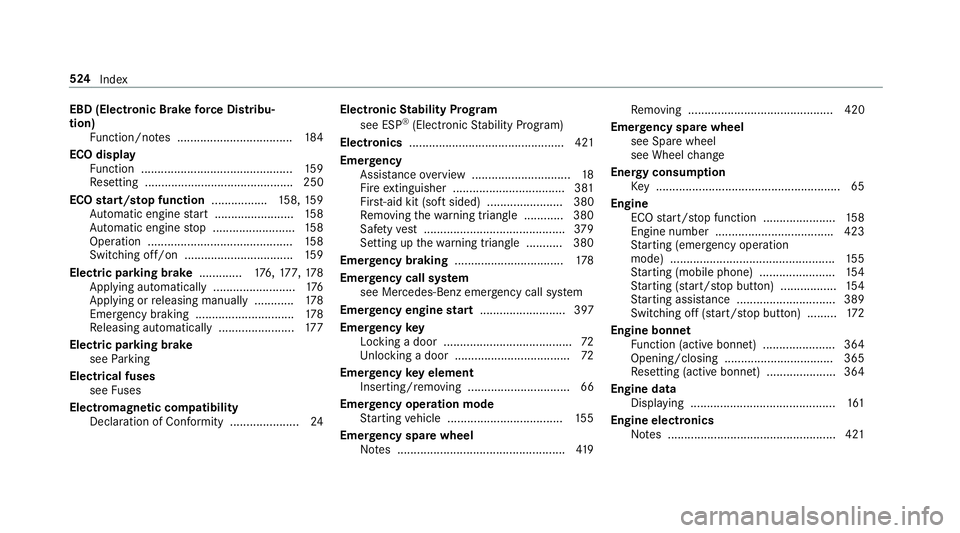
Engine bonnet Function (active bonnet) ...................... 364
Opening/closing ................................. 365
Re setting (active bonnet) ..................... 364
Engine data Displaying ............................................ 161
Engine electronics Notes ................................................... 421 524
Index