light MERCEDES-BENZ E-CLASS SALOON 2017 Owners Manual
[x] Cancel search | Manufacturer: MERCEDES-BENZ, Model Year: 2017, Model line: E-CLASS SALOON, Model: MERCEDES-BENZ E-CLASS SALOON 2017Pages: 497, PDF Size: 10.38 MB
Page 259 of 497
Menus and submenus
Fu
nctions on the Service menu of the on-
board compu terOn-board computer:
, Service #
Toselect the function: swipe upwards or
down wards on the left-hand touch cont rol. #
Press the left-hand touch cont rol.
Fu nctions on theService menu:
R Message memory (→ page 381)
R AdBlue: Adblue ®
ra nge
R Tyres:
- Restarting the tyre pressure loss warning
sy stem (→ page 352)
- Checking tyre pressure with the tyre
pressure monitoring sy stem
(→ page 348)
- Restarting the tyre pressure monitoring
sy stem(→ page 348)
R ASSYST PLUS: Calling up the service due
date (→ page 306) R
Engine oil le vel Calling up
the assistant display On-board computer:
, Assistance
% Ve
hicles with the instrument display in
th e widescreen cockpit: whenyou ha ve
th e design set toProgressive ,yo u can view
th e assis tant displ ayinthe left-hand portion
of the instrument displa y.
The following displa ysare available from the
assis tant displ aymenu:
R Assis tant displ ay
R Attention le vel (→ page 237) #
Toswitch between the displa ys:swipe
upwards or down wards on the left-hand
to uch cont rol. St
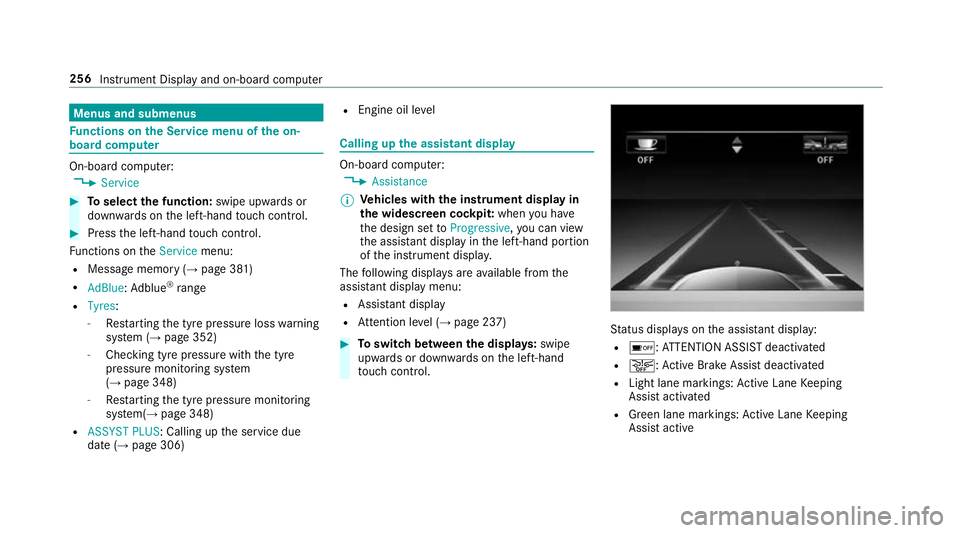
atus displa yson the assis tant displ ay:
R é :AT TENTION ASSIST deactivated
R æ: Active Brake Assi stdeactivated
R Light lane markings: Active Lane Keeping
Assist activated
R Green lane markings: Active Lane Keeping
Assist active 256
Instrument Display and on-board computer
Page 266 of 497
When
youre cei vea call, the6 Incoming call
message appears on the head-up displa y.
In audio mode, thest ation name or track is tem‐
porarily shown when the active audio source is
being operated.
Sy stem limits
The visibility is influenced bythefo llowing condi‐
tions:
R seat position
R the positioning of the display image
R light conditions
R wetro ad sur faces
R objects on the display co ver
R polarisation in sunglasses
% Inextreme sunlight, sections of the display
may appear washed out. You can co rrect this
by switching the head-up display off and on
again. Switching
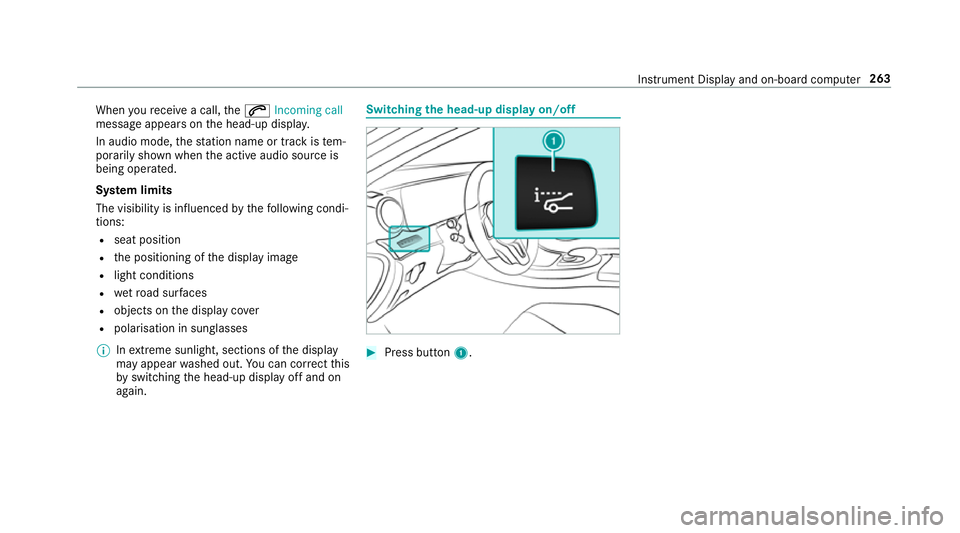
the head-up display on/off #
Press button 1. In
stru ment Display and on-board computer 263
Page 268 of 497
-
calls up a li st
R slide 4 up or down
- highlights a preset in thest ation
- selects a sy stem language
R slide 2 diagonally
- movesth e crosshair across the map
R turn 3
- sound: sets the treble, mid-range and
bass
- Selecting a favo urite
- connects a mobile phone: selects a
mobile phone from the list of de tected
mobile phones
R press 7
- Storing radio stations
- con firm s a selection or entry
To uch Control and touchpad (sin gle-finger swipe)
R swipe left orright
- selects a radio station
- calls up a list R
swipe up or down
- highlights a preset in thest ation
- selects a sy stem language
R swipe diagonally
- movesth e crosshair across the map
R press
- Storing radio stations
- con firm s a selection or entry
To uchpad (t wo-finger swipe)
R turn right or left using two fingers
- tone settings: adjusts the treble, mid-
ra nge and bass
R movetwo fingers apart ortoge ther
- changes the map scale (zoom in or out) To
uch Control Operating
Touch Control #
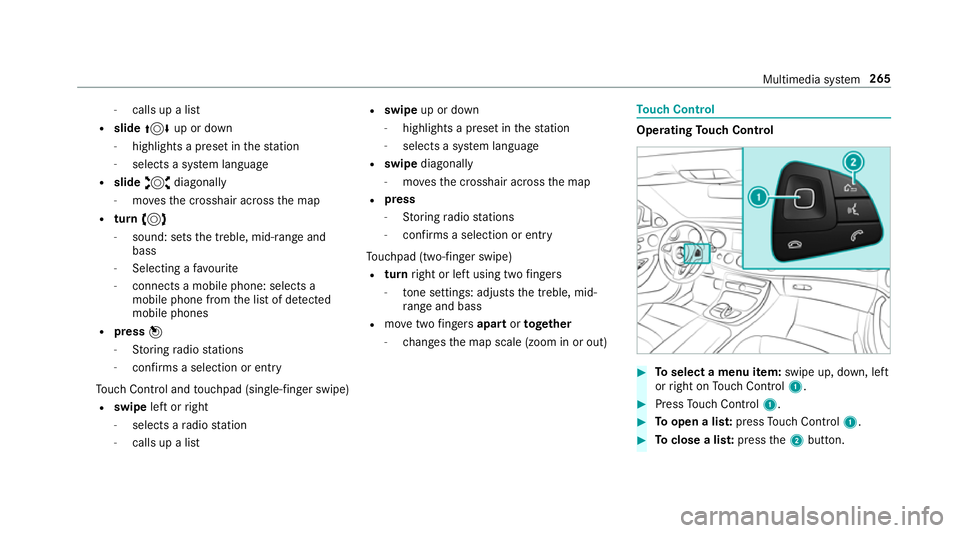
Toselect a menu item: swipe up, down, left
or right on Touch Control 1. #
Press Touch Control 1. #
Toopen a lis t:press Touch Control 1. #
Toclose a lis t:press the2 button. Multimedia sy
stem 265
Page 275 of 497
On
the controller #
Select a character in thech aracter bar.
Depending on theta rget entry , either a full
set of characters is available or, alternativel y,
only those characters that are available on
th e basis of thech aracters that ha vealready
been entered.
On theto uchpad #
Write thech aracters on theto uch-sensitive
sur face of theto uchpad.
Handwriting recognition suppo rts yo uby
means of character suggestions and a read-
aloud function.
Swit ching between central control elements #
Toactivate Touch Control: pressTouch
Control. #
Toactivate the controller: pressthe con‐
troller. #
Toactivate theto uchpad: presstheto uch‐
pad.
Examples of character ent ry:
R using a keyword sear chfor a track or artist R
connecting the mobile phone tothe multime‐
dia sy stem byentering the passk ey
R entering a phone number
R entering a web address
Entering characters using the controller
Entering characters #
Turn 3 , slide 1 or4 and press
th e controller.
Use thefo llowing editing functions:
R * orE
Swit ches toupper-case or lo wer-case letters
R Ä
Switches tospecial characters and symbols.
R B
Chan gesth e language
R 45
Selects the input line
R 23
Movesth e cursor within the input line
R F Dele
tes a character or an ent ry
R &
Cancels character ent ry
Deleting a character or an entry #
Todel ete a character: whenFis highligh‐
te d, press the controller. #
Todel ete an entr y:when Fis highlighted,
press and hold the controller until the entry
has been dele ted.
Confirming an entry #
Select ¡.
Entering characters on theto uchpad
Entering characters #
Use one finger towrite characters on the sur‐
fa ce.
The character is entered in the input line. If
dif fere nt interpr etations are possible, charac‐
te r suggestions are displa yed.
Selecting a character suggestion #
Turn the controller. 272
Multimedia sy stem
Page 283 of 497
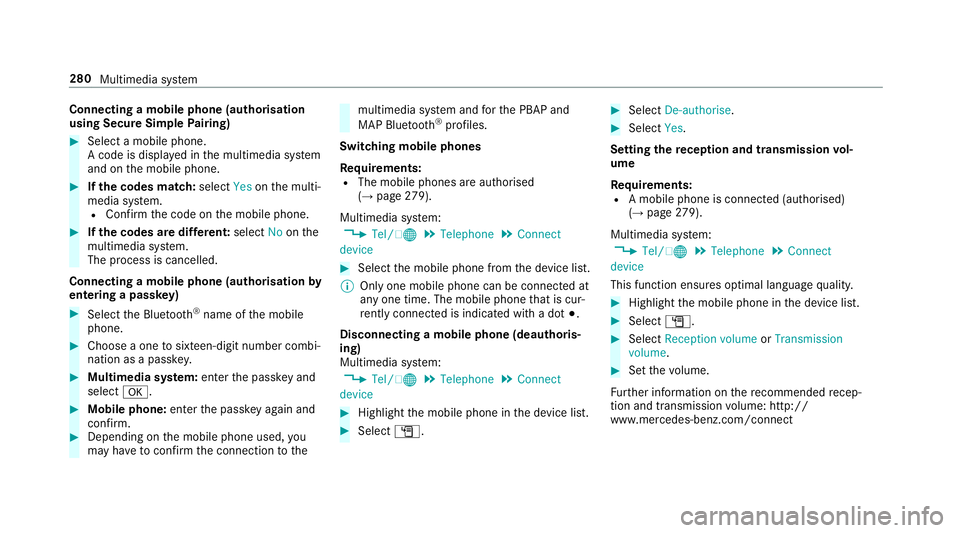
Connecting a mobile phone (au
thorisation
using Secure Simple Pairing) #
Select a mobile phone.
A code is displa yed in the multimedia sy stem
and on the mobile phone. #
Ifth e codes match: selectYesonthe multi‐
media sy stem.
R Confirm the code on the mobile phone. #
Ifth e codes are dif fere nt: select Noonthe
multimedia sy stem.
The process is cancelled.
Connecting a mobile phone (authorisation by
entering a passk ey)#
Select the Blue tooth®
name of the mobile
phone. #
Choose a one tosixteen-digit number combi‐
nation as a passk ey.#
Multimedia sy stem: enter the passk eyand
select a. #
Mobile phone: enterthe passk eyagain and
con firm. #
Depending on the mobile phone used, you
may ha vetoconfirm the connection tothe multimedia sy
stem and forth e PBAP and
MAP Blue tooth®
profiles.
Switching mobile phones
Requ irements:
R The mobile phones are authorised
(→ page 279).
Mul timedia sy stem:
, Tel/ ®.
Telephone .
Connect
device #
Select the mobile phone from the device list.
% Only one mobile phone can be connected at
any one time. The mobile phone that is cur‐
re ntly connected is indica ted with a dot #.
Disconnecting a mobile phone (deauthoris‐
ing)
Multimedia sy stem:
, Tel/ ®.
Telephone .
Connect
device #
Highlight the mobile phone in the device list. #
Select G. #
Select De-authorise. #
Select Yes.
Setting there ception and transmission vol‐
ume
Re quirements:
R A mobile phone is connec ted (authorised)
(→ page 279).
Mul timedia sy stem:
, Tel/ ®.
Telephone .
Connect
device
This function ensures optimal language qualit y. #
Highlight the mobile phone in the device list. #
Select G. #
Select Reception volume orTransmission
volume . #
Set thevo lume.
Fu rther information on there commended recep‐
tion and transmission volume: http://
www.me rcedes-benz.com/connect 280
Multimedia sy stem
Page 288 of 497
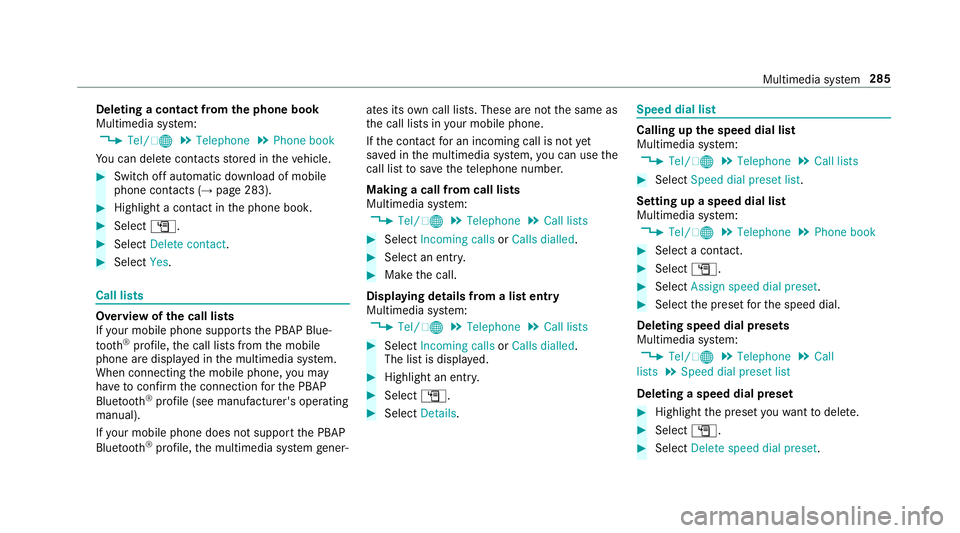
Deleting a contact from
the phone book
Multimedia sy stem:
, Tel/ ®.
Telephone .
Phone book
Yo u can dele tecontacts stored in theve hicle. #
Switch off automatic download of mobile
phone contacts (→ page 283).#
Highlight a contact in the phone book. #
Select G. #
Select Delete contact. #
Select Yes. Call lists
Overview of
the call lists
If yo ur mobile phone suppo rts th e PBAP Blue‐
tooth ®
profile, the call lists from the mobile
phone are displa yed in the multimedia sy stem.
When connecting the mobile phone, you may
ha ve toconfirm the connection forth e PBAP
Blue tooth ®
profile (see manufacturer's operating
manual).
If yo ur mobile phone does not suppo rtthe PBAP
Blue tooth ®
profile, the multimedia sy stem gener‐ ates its
own call li sts. These are not the same as
th e call lists in your mobile phone.
If th e conta ctfor an incoming call is not yet
sa ve d in the multimedia sy stem, you can use the
call li stto save thete lephone number.
Making a call from call lists
Multimedia sy stem:
, Tel/ ®.
Telephone .
Call lists #
Select Incoming calls orCalls dialled . #
Select an entry. #
Make the call.
Displaying details from a list entry
Multimedia sy stem:
, Tel/ ®.
Telephone .
Call lists #
Select Incoming calls orCalls dialled .
The list is displa yed. #
Highlight an ent ry. #
Select G. #
Select Details. Speed dial li
st Calling up
the speed dial list
Multimedia sy stem:
, Tel/ ®.
Telephone .
Call lists #
Select Speed dial preset list .
Setting up a speed dial list
Multimedia sy stem:
, Tel/ ®.
Telephone .
Phone book #
Select a conta ct. #
Select G. #
Select Assign speed dial preset. #
Select the preset forth e speed dial.
Deleting speed dial presets
Multimedia sy stem:
, Tel/ ®.
Telephone .
Call
lists .
Speed dial preset list
Deleting a speed dial preset #
Highlight the preset youwa nttodele te. #
Select G. #
Select Delete speed dial preset. Multimedia sy
stem 285
Page 289 of 497
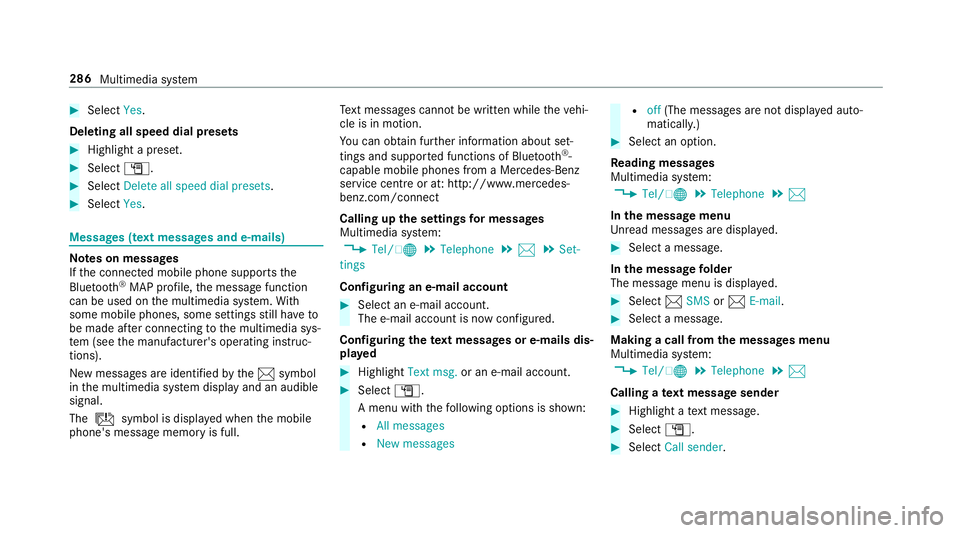
#
Select Yes.
Deleting all speed dial pres ets#
Highlight a preset. #
Select G. #
Select Delete all speed dial presets .#
Select Yes. Messages (t
ext messages and e-mails) Note
s on messages
If th e connected mobile phone supports the
Blu etoo th®
MAP profile, the message function
can be used on the multimedia sy stem. With
some mobile phones, some settings still ha veto
be made af ter connecting tothe multimedia sys‐
te m (see the manufacturer's operating instruc‐
tions).
New messages are identified bythe1 symbol
in the multimedia sy stem display and an audible
signal.
The ú symbol is displa yed when the mobile
phone's message memory is full. Te
xt messa ges cannot be written while theve hi‐
cle is in motion.
Yo u can obtain fur ther information about set‐
tings and suppor ted functions of Blue tooth®
-
capable mobile phones from a Mercedes-Benz
service centre or at: http://www.mercedes-
benz.com/connect
Calling up the settings for messages
Multimedia sy stem:
, Tel/ ®.
Telephone .
1 .
Set-
tings
Configuring an e-mail account #
Select an e-mail account.
The e-mail account is now confi gured.
Configuring thete xt messages or e-mails dis‐
pla yed #
Highlight Text msg. or an e-mail account. #
Select G.
A menu wi th thefo llowing options is shown:
R All messages
R New messages R
off(The messages are not displa yed auto‐
maticall y.) #
Select an option.
Re ading messages
Multimedia sy stem:
, Tel/ ®.
Telephone .
1
In the message menu
Unr ead messages are displa yed. #
Select a message.
In the message folder
The message menu is displa yed. #
Select 1SMS or1 E-mail. #
Select a message.
Making a call from the messages menu
Multimedia sy stem:
, Tel/ ®.
Telephone .
1
Calling a text message sender #
Highlight a text messa ge. #
Select G. #
Select Call sender. 286
Multimedia sy stem
Page 297 of 497
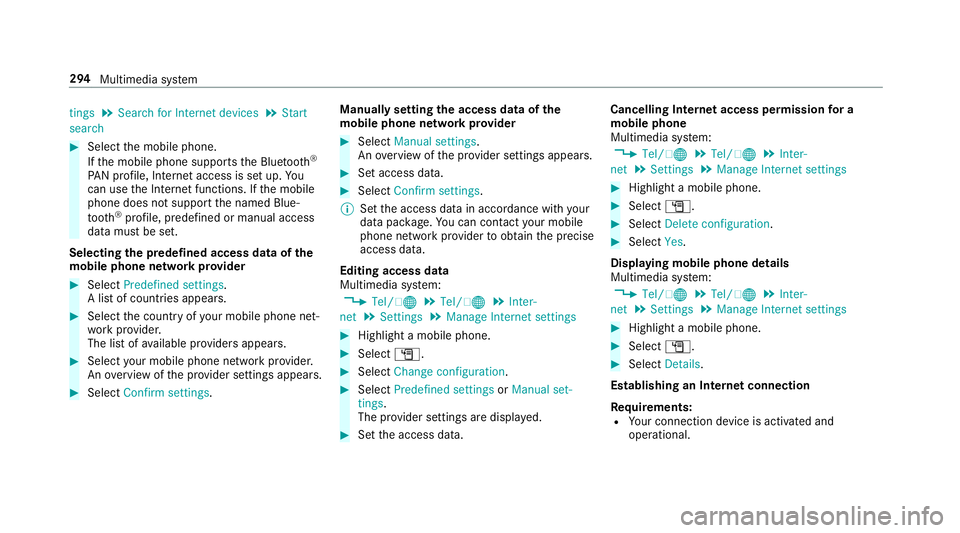
tings
.
Search for Internet devices .
Start
search #
Select the mobile phone.
If th e mobile phone supports the Blue tooth®
PA N profile, Internet access is set up. Yo u
can use the Internet functions. If the mobile
phone does not support the named Blue‐
tooth ®
profile, predefined or manual access
data must be set.
Selecting the predefined access data of the
mo bile phone network pr ovider #
Select Predefined settings.
A list of countries appears. #
Select the count ryofyour mobile phone net‐
wo rkprov ider.
The list of available pr oviders appears. #
Select your mobile phone network pr ovider.
An ove rview of the pr ovider settings appears. #
Select Confirm settings. Manually setting
the access data of the
mo bile phone network pr ovider #
Select Manual settings.
An ove rview of the pr ovider settings appears. #
Set access data. #
Select Confirm settings.
% Set the access data in accordance with your
data pac kage .Yo u can contact your mobile
phone network pr ovider toobtain the precise
access data.
Editing access data
Multimedia sy stem:
, Tel/ ®.
Tel/ ®.
Inter-
net .
Settings .
Manage Internet settings #
Highlight a mobile phone. #
Select G. #
Select Change configuration . #
Select Predefined settings orManual set-
tings.
The pr ovider settings are displa yed. #
Set the access data. Cancelling Internet access permission
for a
mobile phone
Multimedia sy stem:
, Tel/ ®.
Tel/ ®.
Inter-
net .
Settings .
Manage Internet settings #
Highlight a mobile phone. #
Select G. #
Select Delete configuration. #
Select Yes.
Displaying mobile phone details
Multimedia sy stem:
, Tel/ ®.
Tel/ ®.
Inter-
net .
Settings .
Manage Internet settings #
Highlight a mobile phone. #
Select G. #
Select Details.
Establishing an Internet connection
Re quirements:
R Your connection device is activated and
operational. 294
Multimedia sy stem
Page 304 of 497
Displaying Blu
etoo th®
audio equipment
details
Multimedia sy stem:
, Media .
Media .
Bluetooth
audio .
Options .
Bluetooth audio devices #
Highlight Blue tooth®
audio equipment and
navigate totheright. #
Select Details. Ra
dio Switching on the
radio Multimedia sy
stem:
, Radio #
Alternatively: press the$ button.
The radio display appears. You will hear the
last station pla yed on the last frequency
band selected. Ra
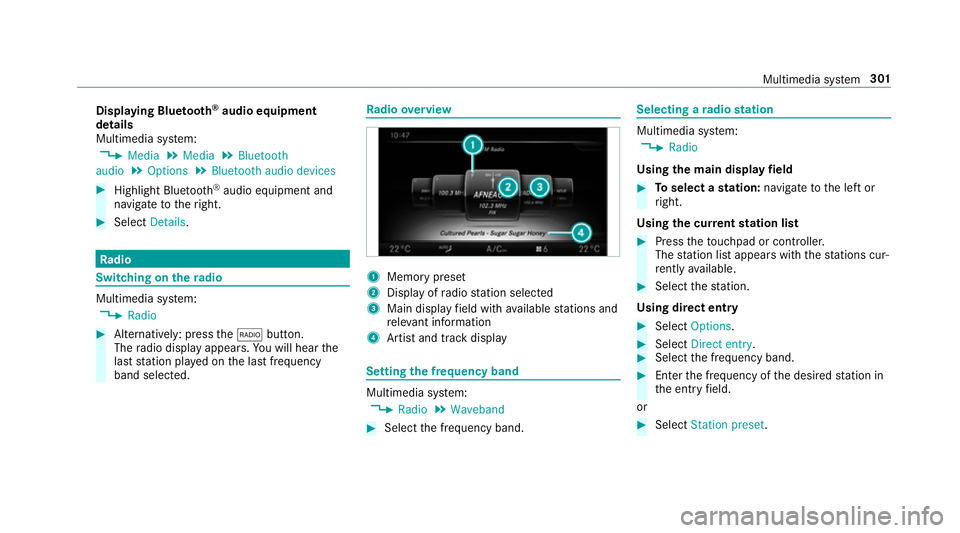
dio overview 1
Memory preset
2 Display of radio station selec ted
3 Main display field with available stations and
re leva nt information
4 Artist and track displ ay Setting
the frequency band Multimedia sy
stem:
, Radio .
Waveband #
Select the frequency band. Selecting a
radio station Multimedia sy
stem:
, Radio
Using the main display field #
Toselect a station: navigate tothe left or
ri ght.
Using the cur rent station list #
Press theto uchpad or cont roller.
The station list appears with thest ations cur‐
re ntly available. #
Select thest ation.
Using direct ent ry #
Select Options . #
Select Direct entry . #
Select the frequency band. #
Ente rth e frequency of the desired station in
th e entry field.
or #
Select Station preset. Multimedia sy
stem 301
Page 306 of 497
Editing
radio station presets Multimedia sy
stem:
, Radio .
Preset .
Edit station preset
Deleting stations #
Highlight a preset entry and navigate tothe
ri ght. #
Select Delete highlighted station/channel .#
Select Yes.
Moving stations #
Highlight a preset entry and navigate tothe
ri ght. #
Select Move highlighted station/channel. #
Select a location forst oring thest ation. Ac
tivating/deactivating the pres ets view Multimedia sy
stem:
, Radio .
Preset #
Select Station presets view: on .
The radio station preset appears. #
Toswitch between stored stations: navi‐
ga te to the left or right.
or #
Select Station presets view: off.
The frequency band of thest ation cur rently
being pl ayed appears. Setting
station tracking Multimedia sy
stem:
, Radio .
Options .
Station tracking
The following options are available:
R Automatic: the multimedia sy stem switches
to alternative frequencies across all fre‐
qu ency bands.
R Digital : switches toalternative frequencies in
th eDA B frequency band.
R Analogue: switches toalternative frequencies
in the FM frequency band.
R Fix frequency: an alternative frequency is not
set. The multimedia sy stem maintains the set
frequency when reception is poo r. #
Select an option.
% The settings are usually stored and taken
into account when calling up a preset again. Switching on
the frequency fix function (FM
ra dio mode) Multimedia sy
stem:
, Radio .
Options #
Select Fix frequency .
The multimedia sy stem maintains the set fre‐
qu ency when reception is poo r. Ta
gging music trac ks Multimedia sy
stem:
, Radio .
Options
If ra dio stations pr ovide there leva nt information,
th is function allo wsyouto trans fer information
on the music track cur rently pl aying toan
Apple ®
device. You can then pur chase the audio
fi le from theiTunes Store ®
. #
Select Tag this track.
The track information is sa ved. Multimedia sy
stem 303