Logic MERCEDES-BENZ E-Class SEDAN 2010 W212 Comand Manual
[x] Cancel search | Manufacturer: MERCEDES-BENZ, Model Year: 2010, Model line: E-Class SEDAN, Model: MERCEDES-BENZ E-Class SEDAN 2010 W212Pages: 224, PDF Size: 7.4 MB
Page 10 of 224
I
Incident (traffic notification) .............. 87
Incoming calls
answering ................................ 29, 109
rejecting .................................. 29, 109
Individualization of voice control ...... 42
Information calls ............................... 217
Initiating phone calls see Calling
Input of navigation destination .......... 62
speed restriction on ...................50, 72
Input speller
settings for address book ..............108
Inserting disk, rear seat
entertainment .................................... 173
Installing map data ............................. 49
Interactive content on DVDs .... 162, 181
Interrupting audio playback ............. 140
Interrupting video playback ............. 159
Intersection (selecting) .................... 194
iPod ®
devices ..................................... 147
connecting to ................................. 147
playback options ............................ 152
playlists and folders .......................150
selecting tracks ............................. 150
K
Keypad, entering characters with ..... 32
L
Lane recommendations ...................... 83
Language settings ............................... 44
DVD Video ............................. 162, 181
rear seat entertainment system .....172
Last Destinations ............................... 95
adding stopover destination ............73
adding to memory ............................ 93
choosing destination from ...............72
deleting destination from .................95
saving current vehicle
position ...................................... 54, 95
voice control for ............................ 196
Listing address book contents ........ 200
Loading CDs and DVDs
main system .................................. 134
rear seat entertainment system .....173
Local voice control commands ........ 187
Location of vehicle, current see Vehicle location (current)
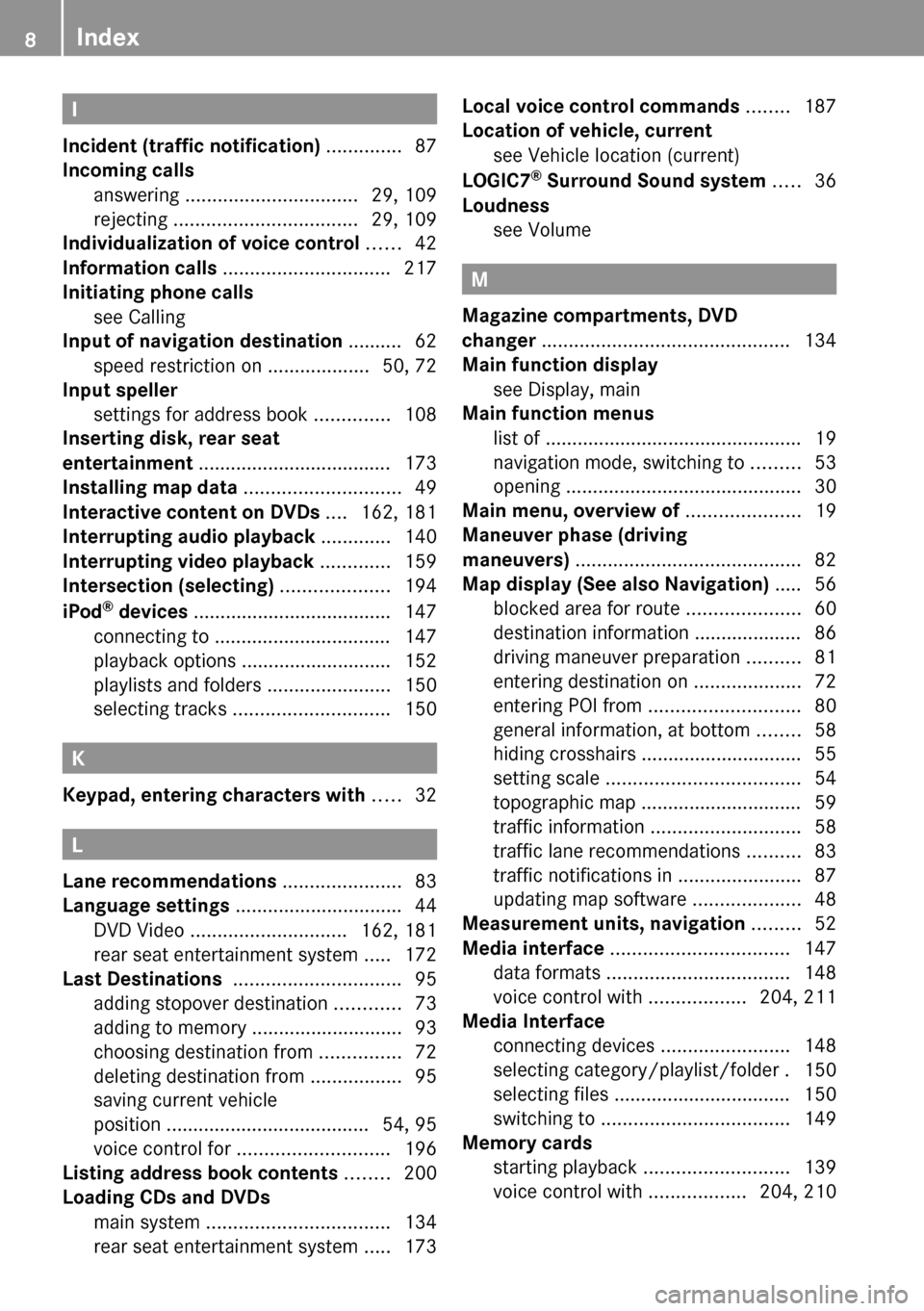
LOGIC7 ®
Surround Sound system ..... 36
Loudness see Volume
M
Magazine compartments, DVD
changer .............................................. 134
Main function display
see Display, main
Main function menus
list of ................................................ 19
navigation mode, switching to .........53
opening ............................................ 30
Main menu, overview of ..................... 19
Maneuver phase (driving
maneuvers) .......................................... 82
Map display (See also Navigation) ..... 56
blocked area for route .....................60
destination information .................... 86
driving maneuver preparation ..........81
entering destination on ....................72
entering POI from ............................ 80
general information, at bottom ........58
hiding crosshairs .............................. 55
setting scale .................................... 54
topographic map .............................. 59
traffic information ............................ 58
traffic lane recommendations ..........83
traffic notifications in .......................87
updating map software ....................48
Measurement units, navigation ......... 52
Media interface ................................. 147
data formats .................................. 148
voice control with ..................204, 211
Media Interface
connecting devices ........................148
selecting category/playlist/folder . 150
selecting files ................................. 150
switching to ................................... 149
Memory cards
starting playback ........................... 139
voice control with ..................204, 210
8Index
Page 16 of 224
Where to find it
This operator's manual has been designed to
help you use your COMAND control unit in all
situations. Since not all models have the
same standard equipment, your COMAND
system equipment may deviate from some
descriptions and illustrations.
Indexes
Content and keyword indexes are intended to
help you find information quickly.
At a Glance
Here you will find an overview of the
components of COMAND. Then you will find
examples illustrating how to operate
COMAND and information on the basic
functions. If you are operating a COMAND for
the first time or have rented the vehicle, you
should first read this chapter.
System Settings
Here you will find all the important
information regarding the system settings of
the COMAND.
Navigation
Here you will find detailed information
regarding the following topics:
R Setting options for the map display and the
route calculation
R Destination input
R POI input
R Route guidance
R Traffic information
R Destination memory
Telephone
The telephone functions are described here.
You will also find information on the address
book.
Audio
Here you will find all information regarding
the audio function and its Radio, SatRadio,
CD-audio/DVD audio/MP3, Music Register,
Media Interface and Audio Aux modes.
Video
Here you will find all information regarding
the video system.
Rear Seat Entertainment (RSE)
In this chapter the Rear Seat Entertainment
is explained.
Voice Control
Here you will find information about operating
several COMAND functions via Voice Control.
Tele Aid
Here you will find information on how to use
Tele Aid and the Search & Send function.
Symbols
Trademarks ®
:
R Bluetooth ®
is a registered trademark of
Bluetooth SIG Inc.
R Logic 7 ®
is a registered trademark of
Harman International Industries,
Incorporated
14Introduction
Page 38 of 224
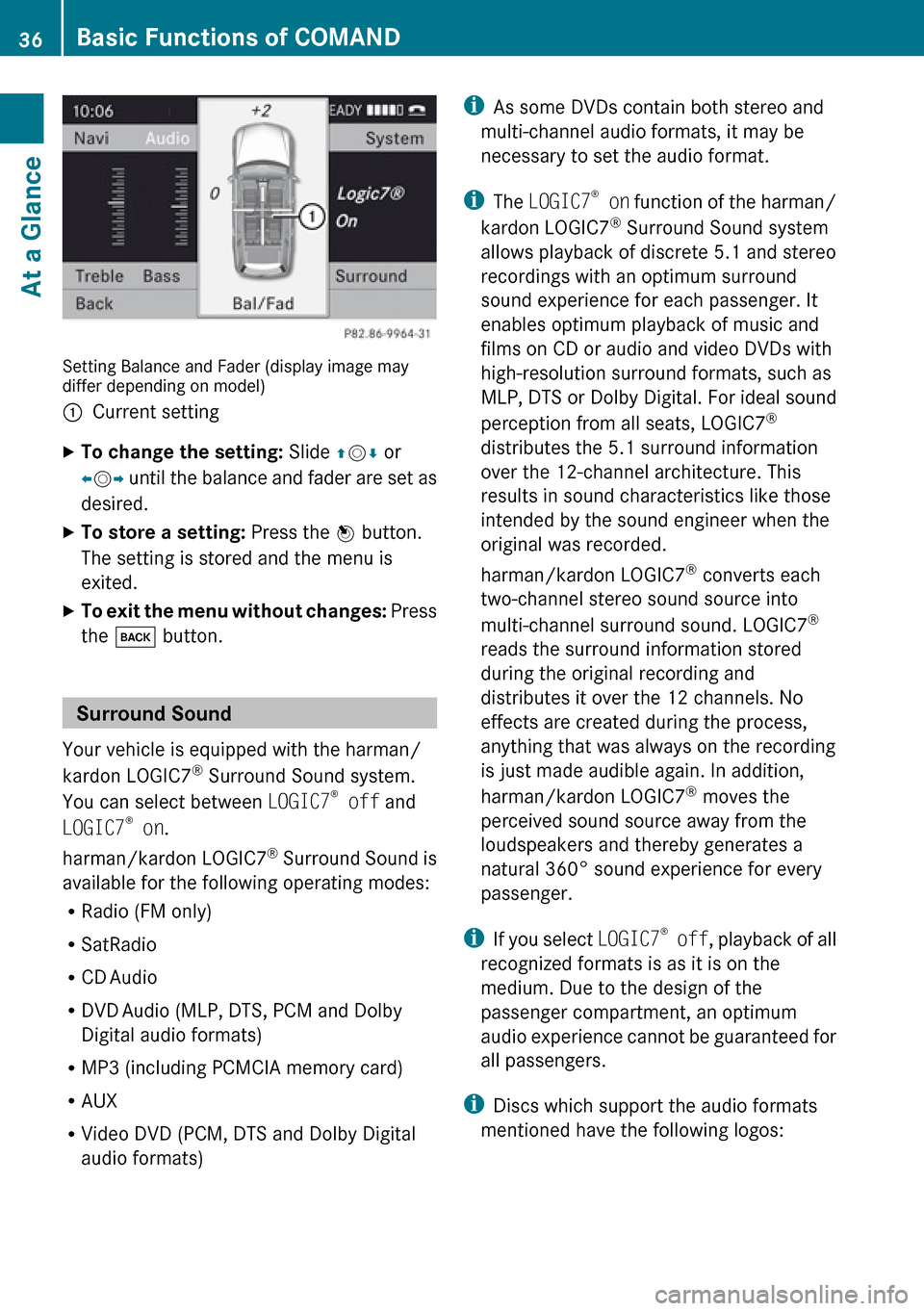
Setting Balance and Fader (display image may
differ depending on model)
1Current settingXTo change the setting: Slide qm r or
o m p until the balance and fader are set as
desired.XTo store a setting: Press the n button.
The setting is stored and the menu is
exited.XTo exit the menu without changes: Press
the k button.
Surround Sound
Your vehicle is equipped with the harman/
kardon LOGIC7 ®
Surround Sound system.
You can select between LOGIC7®
off and
LOGIC7 ®
on .
harman/kardon LOGIC7 ®
Surround Sound is
available for the following operating modes:
R Radio (FM only)
R SatRadio
R CD Audio
R DVD Audio (MLP, DTS, PCM and Dolby
Digital audio formats)
R MP3 (including PCMCIA memory card)
R AUX
R Video DVD (PCM, DTS and Dolby Digital
audio formats)
i As some DVDs contain both stereo and
multi-channel audio formats, it may be
necessary to set the audio format.
i The LOGIC7 ®
on function of the harman/
kardon LOGIC7 ®
Surround Sound system
allows playback of discrete 5.1 and stereo
recordings with an optimum surround
sound experience for each passenger. It
enables optimum playback of music and
films on CD or audio and video DVDs with
high-resolution surround formats, such as
MLP, DTS or Dolby Digital. For ideal sound
perception from all seats, LOGIC7 ®
distributes the 5.1 surround information
over the 12-channel architecture. This
results in sound characteristics like those
intended by the sound engineer when the
original was recorded.
harman/kardon LOGIC7 ®
converts each
two-channel stereo sound source into
multi-channel surround sound. LOGIC7 ®
reads the surround information stored
during the original recording and
distributes it over the 12 channels. No
effects are created during the process,
anything that was always on the recording
is just made audible again. In addition,
harman/kardon LOGIC7 ®
moves the
perceived sound source away from the
loudspeakers and thereby generates a
natural 360° sound experience for every
passenger.
i If you select LOGIC7®
off , playback of all
recognized formats is as it is on the
medium. Due to the design of the
passenger compartment, an optimum
audio experience cannot be guaranteed for
all passengers.
i Discs which support the audio formats
mentioned have the following logos:36Basic Functions of COMANDAt a Glance
Page 39 of 224
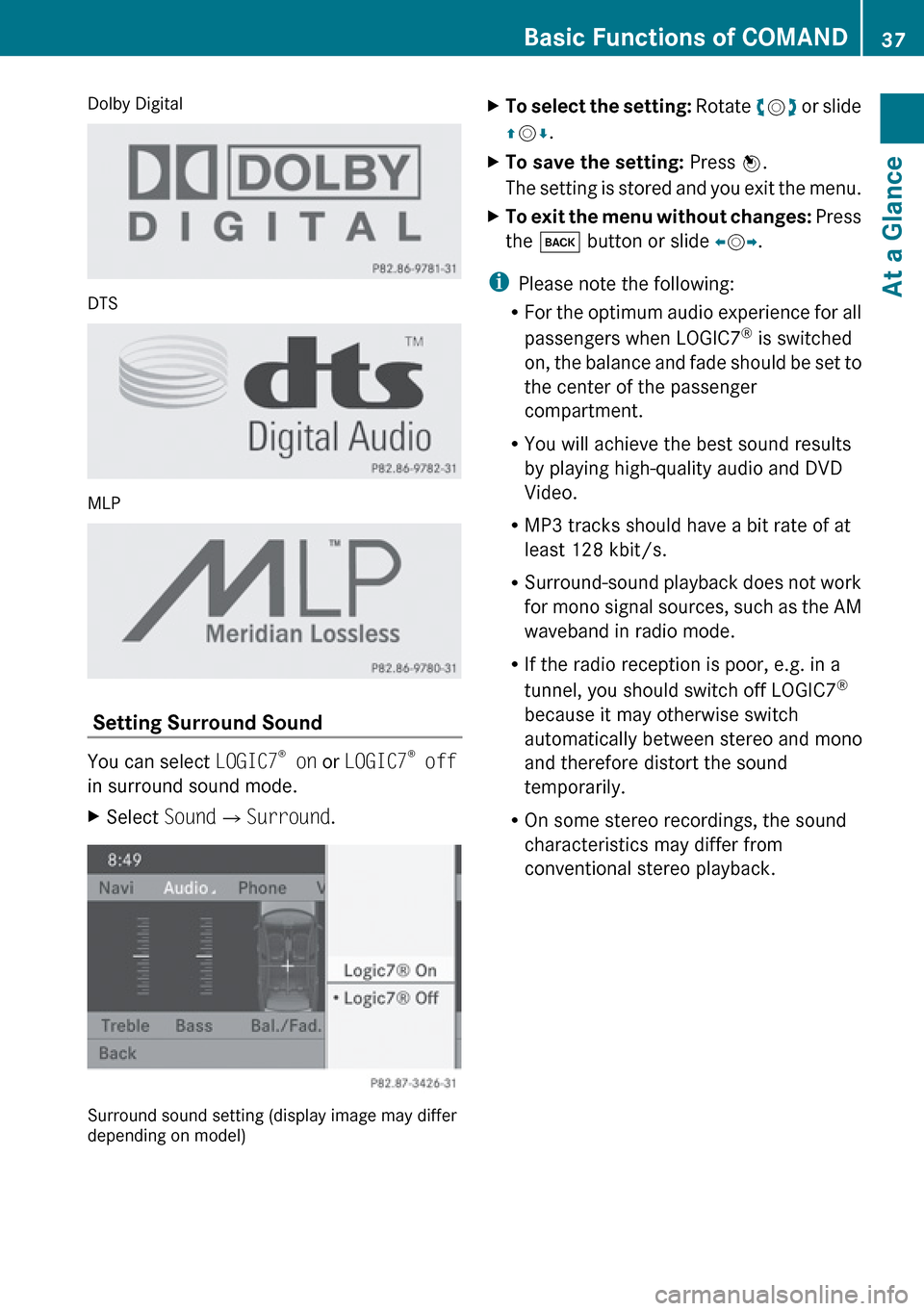
Dolby Digital
DTS
MLP
Setting Surround Sound
You can select LOGIC7®
on or LOGIC7 ®
off
in surround sound mode.
XSelect Sound£Surround .
Surround sound setting (display image may differ
depending on model)
XTo select the setting: Rotate ym z or slide
q m r.XTo save the setting: Press n.
The setting is stored and you exit the menu.XTo exit the menu without changes: Press
the k button or slide om p.
i
Please note the following:
R For the optimum audio experience for all
passengers when LOGIC7 ®
is switched
on, the balance and fade should be set to
the center of the passenger
compartment.
R You will achieve the best sound results
by playing high-quality audio and DVD
Video.
R MP3 tracks should have a bit rate of at
least 128 kbit/s.
R Surround-sound playback does not work
for mono signal sources, such as the AM
waveband in radio mode.
R If the radio reception is poor, e.g. in a
tunnel, you should switch off LOGIC7 ®
because it may otherwise switch
automatically between stereo and mono
and therefore distort the sound
temporarily.
R On some stereo recordings, the sound
characteristics may differ from
conventional stereo playback.
Basic Functions of COMAND37At a GlanceZ
Page 154 of 224
Alphabetical Track Selection
iPods and MP3 Players
i This function is available for categories
which are arranged in alphabetical order.
This function is not available within
playlists, for example.
XSelect a category, e.g. artists.
The available artists appear.XPress the corresponding number key once
or repeatedly to select the initial letter of
the desired artist. For example, to select an
artist whose name begins with C, press the
number key "2" three times.
You see the available letters at the bottom
edge of the display.
After a message, the first entry in the list
which matches the letter entered is
highlighted.
i If there is no entry which matches the
letter which has been entered, the last
entry in the list which matches a previous
letter is highlighted.
USB Devices
i This function is available for directories
which are arranged in alphabetical order.
This function is not available within
playlists.
XPress the number key in question once or
repeatedly in a directory to select the initial
letter of the desired artist.
For example, to select an artist whose
name begins with C, press the number key
“2” three times.
You see the available letters at the bottom
edge of the display.
If the directory only contains folders,
COMAND searches for folders. The first
entry in the list that matches the letter is
highlighted.
If this does not happen, COMAND searches
for tracks. After a message, the first entryin the list which matches the letter entered
is highlighted.
i If there is no entry which matches the
letter which has been entered, the last
entry in the list which matches a previous
letter is highlighted.
Selecting the Active Partition (USB
Devices Only)
You can select this function for USB devices
when the storage device is partitioned. Up to
four partitions (primary or logical and FAT-
formatted) are supported.
i The Windows formatting program
supports FAT partitions with either FAT16
or FAT32.
XSelect Media Interface £Select
Active partition .
Playback Options
The following options are available to you:
R Normal Track Sequence:
You hear the tracks in their normal order
(numerical or alphabetical).
R Random Tracks:
You hear all tracks in random order.
R Random Categories or Random Folder
(in the case of USB devices when Folder
has been selected):
You hear the tracks in the current active
category or folder and any subfolders in
random order.
XTo select an option: Select Media
Interface in the basic display.
The option list appears. A R dot indicates
the option selected.XSelect an option.152Media InterfaceAudio