light MERCEDES-BENZ E-CLASS SEDAN 2018 Repair Manual
[x] Cancel search | Manufacturer: MERCEDES-BENZ, Model Year: 2018, Model line: E-CLASS SEDAN, Model: MERCEDES-BENZ E-CLASS SEDAN 2018Pages: 498, PDF Size: 6.54 MB
Page 175 of 498
fromthea ctiv etop assivestatus ,the è sym‐
bol is shown as enlar geda nd flashes yello w.
Once thes ystemisp assivethe è symbol is
shown as gr ayinthem ultifunction displa y.
The sy stem ma ybeimpaired or ma ynotfunction
in thef ollowing ins tances:
RIfth er eisp oor visibility ,e.g. due toinsuf fi‐
cient illumination of ther oad, or due tosno w,
ra in, fogorh eavy spr ay.
RIfth er eisg lare, e.g. from oncoming traf fic,
dire ct sunlight or reflection from other vehi‐
cles (e.g. if thec arriag ew ay iswe t).
RIfth ew indshield is dirty ,miste du p, damaged
or co vered, fori ns tance byasticker,in the
vicinity of thec amera.
RIf no, or se veral, unclear lane markings are
presentf or one lane, e.g. in aconstruction
area.
RIf th el ane marking sarewo rnaw ay,d arko r
co veredu p, e.g. bydirtors now.
RThe dis tance tothev ehicle in front is too
small and thel ane marking sthus canno tbe
de tected.
RIfth el ane marking schang equickl y,e.g.
lanes branc hoff,c ross one ano ther or
mer ge.
RThe car riag ewa yisn arro wa nd winding.
RIfth er ea rehighly variable shade conditions
on thec arriag ewa y.
RIfth er ea reobs tacle ssuchaso bject mar kers
on thel ane or projecting out int othe lane.
The sy stem does no tprovide assi
s tance in the
fo llowing conditions:
ROn very shar pbends.
RWhen towing atrailer.
RIfyo ua ctivel ychang elane without switch ing
on thet urns ignal indicator.
RIfyo us witch onthet urns ignal indicator and
th ec onditions fora ctivating ActiveL ane
Chang eAssistaren otfulfilled.
Ac tivatin gActive Ste ering Assist
Requ irements:
RESP®mustbea ctivated, but no tinter vening.
RAc tiveD ista nce Assist DISTRONICisa ctiva‐
te d.
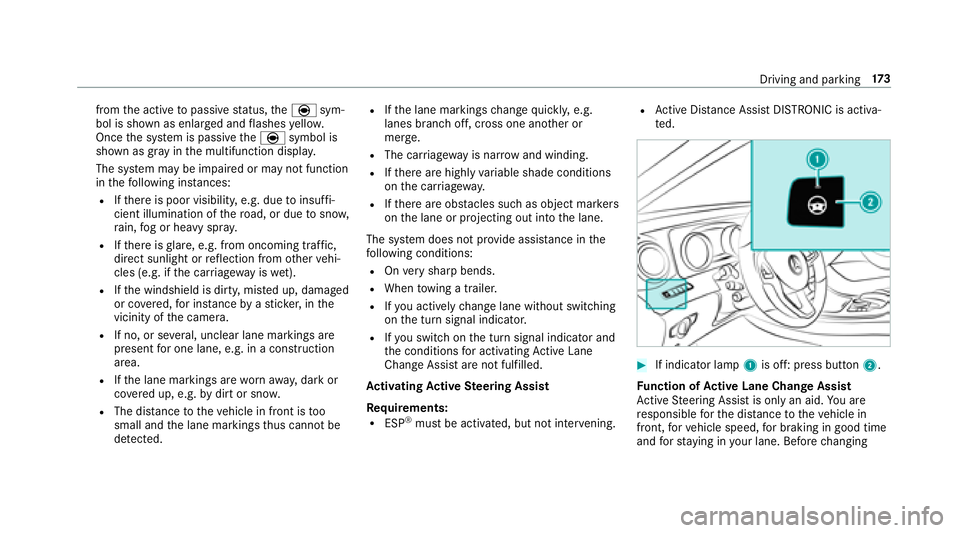
#If indicator lamp 1is off: press button 2.
Fu nction of Activ eL aneC hang eAssis t
Ac tiveS teering Assis tisonlyana id.Youa re
re sponsible fort he dis tance tothev ehicle in
front, forv ehicle speed, forb raking in good time
and fors tayi ng in your lane .Befor echanging
Driving and parking 17
3
Page 180 of 498
Settingthev ehicle le vel
&
WARNING Risk of accident because
ve hicle le velist oo high
If yo ud rive atah igher vehicle le vel,th ed riv‐
ing characteristic smaybe impaired due to
th eh igher vehicle center of gr avity.
The vehicle can drif toutwards, fore xamp le,
when steering or cornering.
#Alw aysc hoose avehicle le velw hic his
suited tothed riving stylea nd ther oad
sur face conditions.
&
WARNING Risk of entrapment from vehi‐
cle lo wering
Whe nlowe ring thev ehicle, people could
become trapped if their limbs ar ebetwe en
th ev ehicle body and thet ires or underneath
th ev ehicle.
#Mak esurenoo ne is underneat hthe
ve hicle or in thei mmediat evicinit yof
th ew heel ar ches when youl owe rthe
ve hicle.
&
WARNING Risk of entrapment from vehi‐
cle lo wering
Ve hicles with AI RBODYC ONT ROLo r
le ve lc ontrol sy stem: When youu nload lug‐
ga ge or lea vethev ehicle, thev ehicle firs t
ri ses slightly and then returns tothes etleve l
shortl yafter wa rds.
Yo uora nyone else in thev icinit yoft he
whee larches or theu nderbody could thus
become trapped.
The vehicle can also be lo wereda fter being
loc ked.
#When leaving thev ehicle, mak esure
th at nobody is in thev icinit yoft he
whee larches or theu nderbody.
RequirementsRThe vehicle has been star ted.
RThe vehicle mus tnotbe moving fasterthan
37 mph(60 km/h). Ra
ising thev ehicle
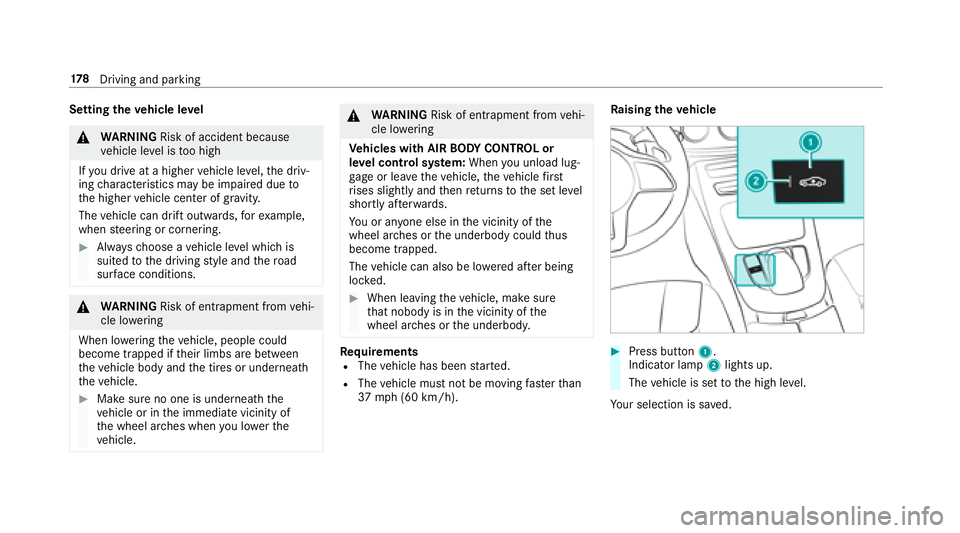
#Press but ton1.
Indicato rlamp 2lights up.
The vehicle is se ttothe high le vel.
Yo ur selection issave d.
17 8
Driving and pa rking
Page 182 of 498
Vehicles wit hActiv eParking Assis twithout a360°
Camera
Ve hicles wit hActiv eParking Assis tand a360°
Camera
Sy stem limitations
Pa rking Assis tPARKTRONIC does no tneces sa‐
ri ly tak eintoa ccount thef ollowing obs tacles:
RObs tacle sb elow thed etection range, e.g.
pe rsons, animals or objects.
RObs tacle sabove thed etection range, e.g.
ov erhanging loads, overhang sorl oading
ra mp soft ruck s.
The sensor smustbef reeofd irt, ice and slush.
Otherwise, they ma ynotfunction cor rectly.
Cleant he sensor sregularly ,tak ing car enotto
scratc hordamagethem.
Fu nction of thep assiv es ide impact pr otec‐
tion
Pa ssiv eside impact pr otection is an additional
Pa rking Assis tPARKTRONIC functio nwhich
wa rnst he driver about obs tacle satt he side of
th ev ehicle. Awarning is issued when obs tacles
ar ed etected between thef ront and rear de tec‐
tion range. In orde rfor an objec ttobedetected,
th es ensor sinthe front and rear bumper must
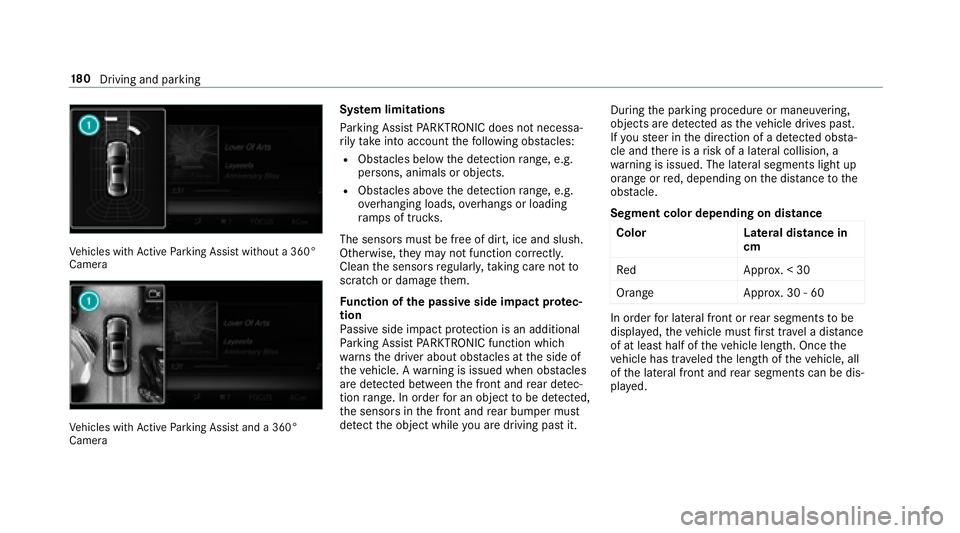
de tect theo bjec twhile youa redrivin gpastit. During
thep arking procedur eormaneuvering,
objects ar edetected as thev ehicle drives past.
If yo us teer in thed irection of adetected obs ta‐
cle and ther eisar isk ofalateral collision, a
wa rning is issued. The lateral segment slight up
orang eorred, depending on thed ista nce tothe
obs tacle.
Segment co lo
rd e
pendin gondistance
Colo rL ateral distance in
cm
Re dA pprox.<3 0
Orang eA pprox.30-6 0
In order forl ateral front or rear segment stobe
displa yed, thev ehicle mus tfirst trave lad ista nce
of at leas thalfoft hevehicle length. Once the
ve hicle has tr aveled thel engt hoft hevehicle, all
of thel ateral front and rear segment scan be dis‐
pla yed.
18 0
Driving and pa rking
Page 185 of 498
Reversing camera
Fu nction of ther ear vi ewcamera
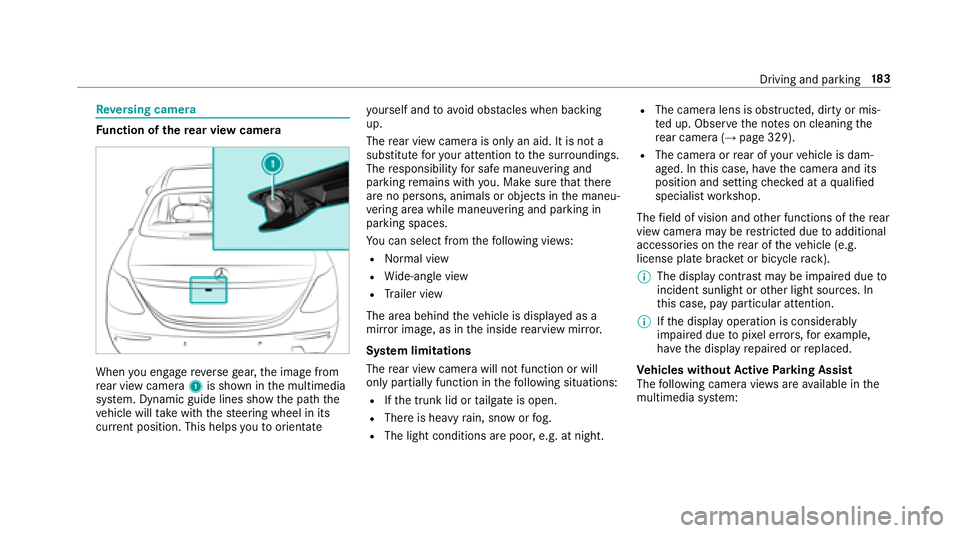
When youe ngager eve rseg ear ,the imag efrom
re ar vie wcamera 1is shown in them ultimedia
sy stem. Dynamic guide lines sho wthe pat hthe
ve hicle will take wit hthe steering wheel in its
cur rent position. Thi shelps youtoo rientate yo
urself and toavo id obs tacle sw henb acking
up.
Ther ear vie wcamer aiso nlyan aid. It is no ta
substitut efor your attentio ntothe sur roundings.
The responsibility fors afem aneu vering and
pa rking remains wit hyou. Mak esuret hat there
ar enop ersons, animals or objects in them aneu‐
ve ring area whil emaneu vering and pa rking in
parkin gspaces.
Yo uc an select from thef ollowing vie ws:
RNo rmal view
RWide-angle view
RTrailer view
The area behindt hevehicle is displa yedasa
mir rorimage, as in thei nside rearvie wmirro r.
Sy stem limitations
The rear vie wcamer awill no tfunction or will
only pa rtially function in thef ollowing situations:
RIfth et runk lid or tailgat eiso pen.
RThereish eavyrain, sno worfog.
RThe light conditions ar epoor ,e.g. at night.
RThe camer alens is obstructed, dirty or mis‐
te du p. Obser vethen otes on cleaning the
re ar camer a(
→page329).
RThe camer aorrear of your vehicle is dam‐
aged. In this case, ha vethec amer aand its
position and setting checkeda taq
ualified
specialis tworks hop.
The field of vision and other functions of ther ear
vie wc amer ama
y be restricted duetoa dditional
accessori es onther ear of thev ehicle (e.g.
license plat ebrack et or bicycle rack ).
% The displa ycontras tmaybe impaired due to
incident sunligh torother light sources. In
th is case, pa yparticular attention.
% Ifth ed ispla yoperation is considerably
impaired due topixel er rors,for example,
ha ve thed ispla yrepaired or replaced.
Ve hicles without Activ eP arking Assist
The following camera vie wsarea vailable in the
multimedia sy stem:
Driving and parking 18
3
Page 187 of 498
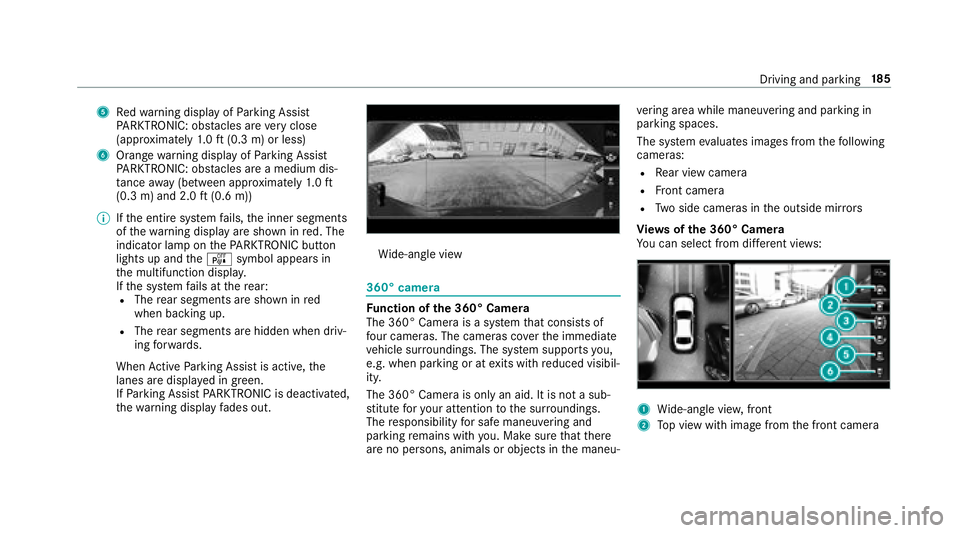
5Redw arning displa yofParking Assist
PA RKTRONIC: obstacles ar everyc lose
(appr oximatel y1.0ft(0.3 m) or less)
6Orang ewarning displa yofParking Assist
PA RKTRONIC: obstacles ar eamedium dis‐
ta nce away (between appr oximatel y1.0ft
(0.3 m) and 2.0 ft(0.6 m))
% Ifth ee ntir esystemf ails, thei nner segments
of thew arning displa yareshown in red. The
indicator lam ponthePARKTRONI Cbutton
lightsupa ndtheé symbol appear sin
th em ultifunction displa y.
If th es ystemf ails at ther ear:
RThe rear segment sareshown in red
when backin gup.
RThe rear segment sarehiddenw hen driv‐
ing forw ards.
When ActiveP arking Assis tisactive, the
lanes ar edispla yeding reen.
If Pa rking Assis tPARKTRONIC is deactivated,
th ew arning displa yfades out.
Wi de-angle view
360° camera
Fu nction of the3 60° Camera
The 360° Camera is asyst em that consists of
fo ur cameras. The cameras co verthe immediate
ve hicle sur roundings. The sy stem supports you,
e.g .when parkin goratexitsw ithr educed visibil‐
ity.
The 360° Camer aisonlyana id. It is no tasub‐
st itut efor your attentio ntothe sur roundings.
The responsibility fors afem aneu vering and
pa rking remains wit hyou. Mak esuret hat there
ar enop ersons, animals or objects in them aneu‐ ve
ring area whil emaneuverin gand pa rking in
parkin gspaces.
The sy stem evaluates images from thef ollowing
cameras:
RRe ar vie wcamera
RFront camera
RTw os ide cameras in theo utside mir rors
Vi ew soft he 360 °Camera
Yo uc an select from dif fere nt vie ws:
1Wide-angle vie w,front
2Topv ieww ithi mag efromt he front camera
Driving and parking 18
5
Page 188 of 498
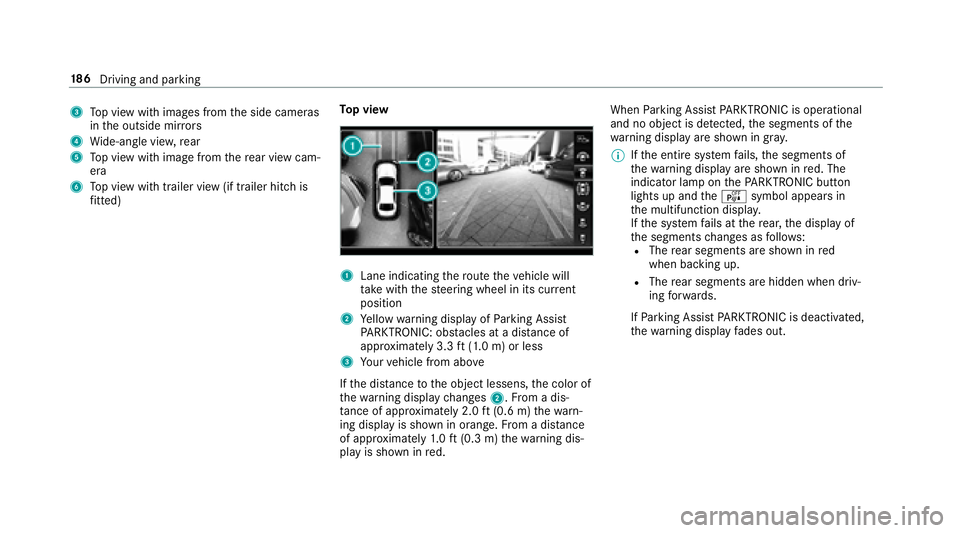
3Topv ieww ithi mages from thes ide cameras
in theo utside mir rors
4Wi de-angle vie w,rear
5To pv ieww ithi mag efromt herear vie wcam‐
era
6To pv ieww itht railer vie w(if trailer hitc his
fi tted) To
pv iew
1Lane indicating ther out ethe vehicle will
ta ke wit hthe steering wheel in its cur rent
position
2Ye llo ww arning displa yofParking Assist
PA RKTRONIC: obstacles at adista nce of
appr oximatel y3.3ft(1.0 m) or less
3Yo ur vehicle from abo ve
If th ed ista nce totheo bjec tlessens, thec olor of
th ew arning displa ychanges 2.Fromad is‐
ta nce of appr oximatel y2.0ft(0.6 m) thew arn‐
ing displa yisshown in orange. From adista nce
of appr oximatel y1.0ft(0.3 m) thew arning dis‐
pla yiss hown in red. When
Parking Assis tPARKTRONIC is operational
an dnoo bjectisd etected, thes egment softhe
wa rning displa yareshown in gray .
% Ifth ee ntir esystemf ails, thes egments of
th ew arning displa yareshown in red. The
indicator lam ponthePARKTRONI Cbutton
lightsupa ndtheé symbol appear sin
th em ultifunction displa y.
If th es ystemf ails at ther ear ,the displa yof
th es egment schanges as follo ws :
RThe rear segment sareshown in red
when backin gup.
RThe rear segment sarehiddenw hen driv‐
ing forw ards.
If Pa rking Assis tPARKTRONIC is deactivated,
th ew arning displa yfades out.
18 6
Driving and pa rking
Page 189 of 498
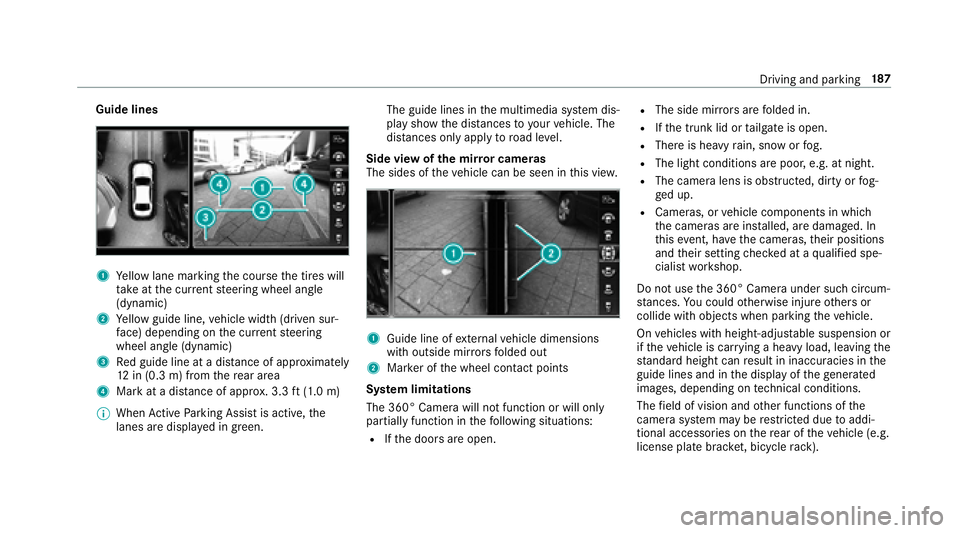
Guide lines
1Yello wl ane markin gthe course thet ires will
ta ke atthec urrent steering wheel angle
(dynamic)
2Ye llo wg uide line, vehicle widt h(driven sur‐
fa ce) depending on thec urrent steering
wheel angle (dynamic)
3Re dg uide line at adista nce of appr oximately
12 in (0. 3m)f romt herear area
4Mar katad istance of appr ox.3 .3ft(1.0 m)
% When ActiveP arking Assis tisactive, the
lanes ar edispla yeding reen. The guide lines in
them ultimedia sy stem dis‐
pla yshowt he dis tances toyour vehicle. The
dis tances only apply toroad le vel.
Side vie wofthe mir rorc am eras
The side softhevehicle can be seen in this vie w.
1Guide line of extern al vehicle dimensions
wit ho utside mir rors folded out
2Mar keroft he wheel contact points
Sy stem limitations
The 360° Camera will no tfunction or will only
partiall yfunction in thef ollowing situations:
RIfth ed oor sareopen.
RThe side mir rors aref olded in.
RIfth et runk lid or tailgat eiso pen.
RThereish eavyrain, sno worfog.
RThe light conditions ar epoor ,e.g. at night.
RThe camer alens is obstructed, dirty or fog‐
ge du p.
RCameras, or vehicle componentsinw hich
th ec ameras ar einstalled, ar edamaged. In
th is eve nt, ha vethec ameras, their positions
and their setting checkedataq ualified spe‐
cialis tworks hop.
Do no tuse the3 60° Camer aunder suc hcircum‐
st ances. Youc ouldotherwise injur eother so r
collide wit hobjectsw hen parking thev ehicle.
On vehicles wit hheight-adjus table suspension or
if th ev ehicle is car rying aheavy load, leavingt he
st andar dheightc anresult in inaccuracies in the
guide lines and in thed ispla yoft hegenerated
ima ges, depending on tech nica lconditions.
The field of vision and other functions of the
came rasystem ma yberestricted due toaddi‐
tional accessori es onther ear of thev ehicle (e.g.
license plat ebrack et,b icyc le rack ).
Driving and parking 18
7
Page 198 of 498
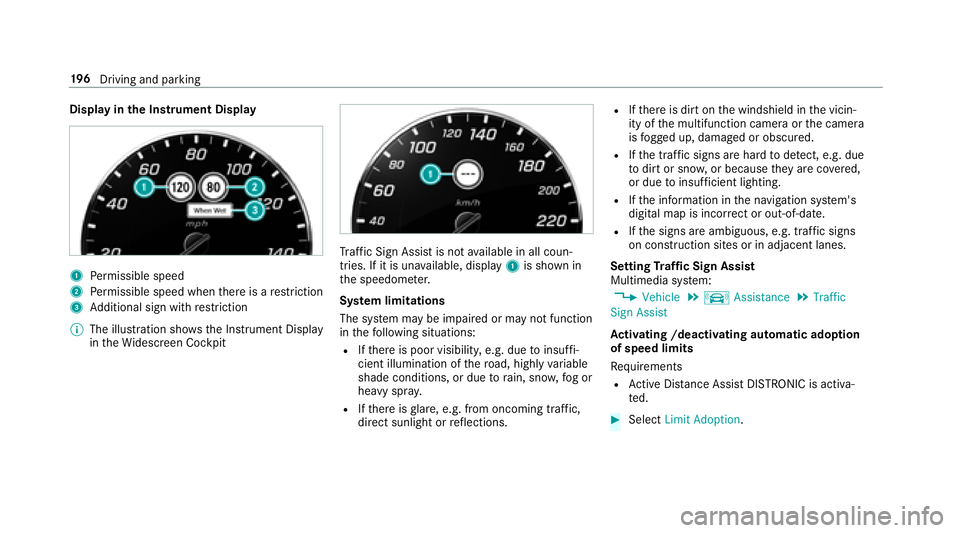
Displayinthe Instrument Display
1Perm issible speed
2Perm issible speed when ther eisar estriction
3Additional sign wit hrestriction
% The illustration sh owstheI nstrument Display
in theW idescreen Cockpit
Traf ficS ign Assist is notavailable in all coun‐
tries. If it is una vailable, display 1is shown in
th es peedome ter.
Sy stem limitations
The sy stem ma ybeimpaired or ma ynotfunction
in thef ollowing situations:
RIfth er eisp oor visibility ,e.g. due toinsuf fi‐
cient illumination of ther oad, highly variable
shade conditions, or due torain, sno w,fogo r
heavy spr ay.
RIfth er eisg lare, e.g. from oncoming traf fic,
dire ct sunlight or reflections.
RIf th er eisd irtont he windshield in thev icin‐
ity of them ultifunction camer aorthe camera
is fogged up, damaged or obscured.
RIf th et raffic signsa rehar dtod etect, e.g .due
to dir tors now, or because they arec overed,
or due toinsuf ficient lighting.
RIf th ei nformation in then avigation sy stem's
digital map is incor rect or out-of-date .
RIfth es igns ar eambiguous, e.g. traf fics igns
on construction sites or in adjacent lanes.
Setting Traf ficS ign Assist
Multimedia sy stem:
,9HKLFOH.k $VVLVWDQFH.7UDIILF
6LJQ $VVLVW
Ac tivatin g/deacti vatin ga utomati cadoption
of speed limits
Re quirements
RAc tiveD ista nce Assist DISTRONICisa ctiva‐
te d.
#Select /LPLW $GRSWLRQ .
196
Driving and pa rking
Page 199 of 498
#Activate Oor deacti vate ª thef unction.
The speed limits de tected byTraf ficS ign
Assist area utomaticall yadop tedbyA ctive
Dis tance Assist DISTRONIC.
Displ aying de tected traf fics igns in the
media display
#Select 'LVSOD\ LQ &20$1'.
#Activate Oor deacti vate ª thef unction.
Ad justin gthe type of warning
#Select 9LVXDO $XGLEOH ,9LVXDO or1RQH.
Ad justin gthe warning threshold
This value de term ines thes peed at whic ha
wa rning is issued when exceeded.
#Select :DUQLQJ 7KUHVKROG.
#Setthe desired speed.
Blind Spo tAssis tand Activ eB lind Spot
Assi st
Function of Blind Spo tAssis tand Active
Blind Spo tAssis t
Blind Spo tAssist uses tw olateral, rear-facing
ra dar sensor stomonitor thea reaupto1 30ft
(40 m) behind your vehicle and 10ft(3 m)
directly next to yourvehicle.
If av ehicle is de tected at speeds ab ovea ppr ox‐
imatel y8mph (12km/h) and this vehicle subse‐
qu ent lyenter sthe monitoring rang ed irec tly next
to yo urvehicle, thew arning lam pinthe outside
mir rorlights up red.
If av ehicle is de tected clos etoyourvehicle in
th el ateral monitoring rang ea nd yous wit ch on
th et urns ignal indicator in thec orresponding
direction, awarning tone sounds once.T hered
wa rning lam pinthe outside mir rorf lashes. If the
tur ns igna lindica torr emain son, all other de tec‐
te dv ehicles ar eindicated onl ybytheflashingo f
th er ed warning lamp.
If yo uo vertak eav ehicle quickl y,no warning is
given.
& WARNING Risk of accident despite Blind
Spo tAssist
Blind Spo tAssist does no treact tovehicles
approaching and overtakin gyou at agreatly
di fferent speed.
As aresult, Blind Spo tAssis tcanno twarn
driver sinthis situa tion.
#Alw aysp aycareful attention tothet raf‐
fi cs ituation and maintai nasafed is‐
ta nce at thes ide of thev ehicle.
Blind Spo tAssis tand ActiveB lind Spo tAssist
ar eo nly aids. The ymayfailto detect some vehi‐
cles and ar enosubstitut efor attentiv edriving.
Alw ayse nsur ethat ther eiss ufficient dist anceto
th es ide foro ther road user sand obs tacles.
Sy stem limitations
The sy stem ma ybelimited in thef ollowing situa‐
tions:
Rth es ensor saredirty or co vered
Rpoor visibility ,e.g. due tofog, heavy rain,
sno wors pray
Driving and pa rking 19
7
Page 201 of 498
maybei nterrupte data nytime if yous teer
slightl yinthe opposit edirection or accelera te.
Sy stem limitations
Either acourse-cor recting brak eappli cation
appropria teto thed riving situation ,ornonea t
all, ma yoccur in thef ollowing situations:
RVe hicles or obs tacles, e.g. crash barr iers, are
located on bo thsides of your vehicle.
RAv ehicle approaches tooc losely on thes ide.
RYouh avea dop tedas porty driving stylew ith
high cornering speeds.
RYo ub rake or accelerat esignif icantl y.
RAdriving safe ty system inter venes, such as
ESP®or ActiveB rake Assi st.
RESP®is deacti vated.
RAl oss of tir epressur eorad efectivetirei s
de tected. Ac
tivatin gordeactivatin gBlind Spo tAssis t
or Activ eB lind Spo tAssis t
Multimedia sy stem:
,9HKLFOH.k $VVLVWDQFH.%OLQG
6SRW $VVLVW
#Ac tivate Oor deacti vate ª thef unction.
Ac tiv eL aneK eeping Assist
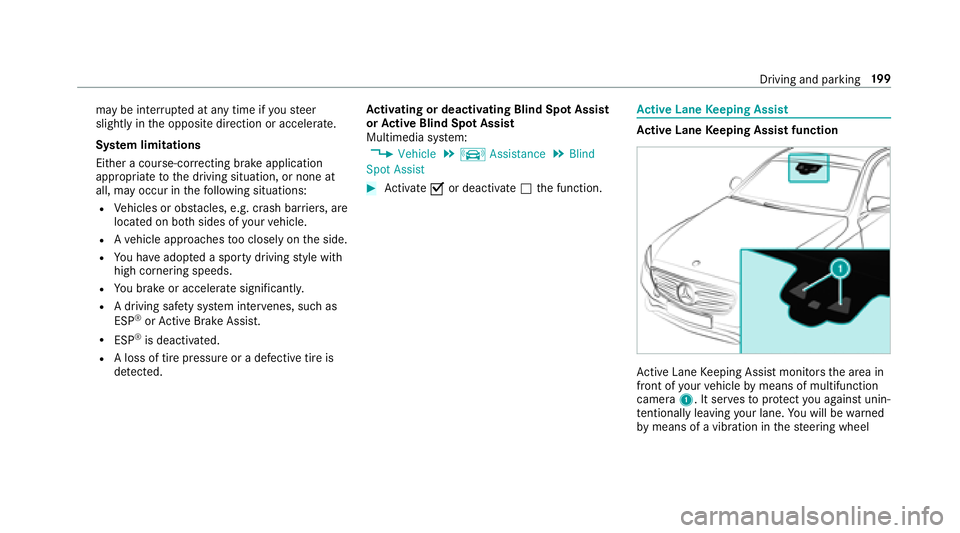
Activ eL aneK eeping Assis tfunction
Ac tiveL aneK eeping Assis tmonitor sthe area in
front of your vehicle bymeans of multifunction
camera 1.Itserve stop rotect youa gains tunin‐
te ntional lyleavingy our lane. Youw ill be warned
by means of avibration in thes teering wheel
Driving and parking 19
9