display MERCEDES-BENZ E-Class WAGON 2001 W210 Comand Manual
[x] Cancel search | Manufacturer: MERCEDES-BENZ, Model Year: 2001, Model line: E-Class WAGON, Model: MERCEDES-BENZ E-Class WAGON 2001 W210Pages: 231, PDF Size: 1.7 MB
Page 43 of 231
41
Introduction
AudioTelephone
Navigation
Index Info Services and
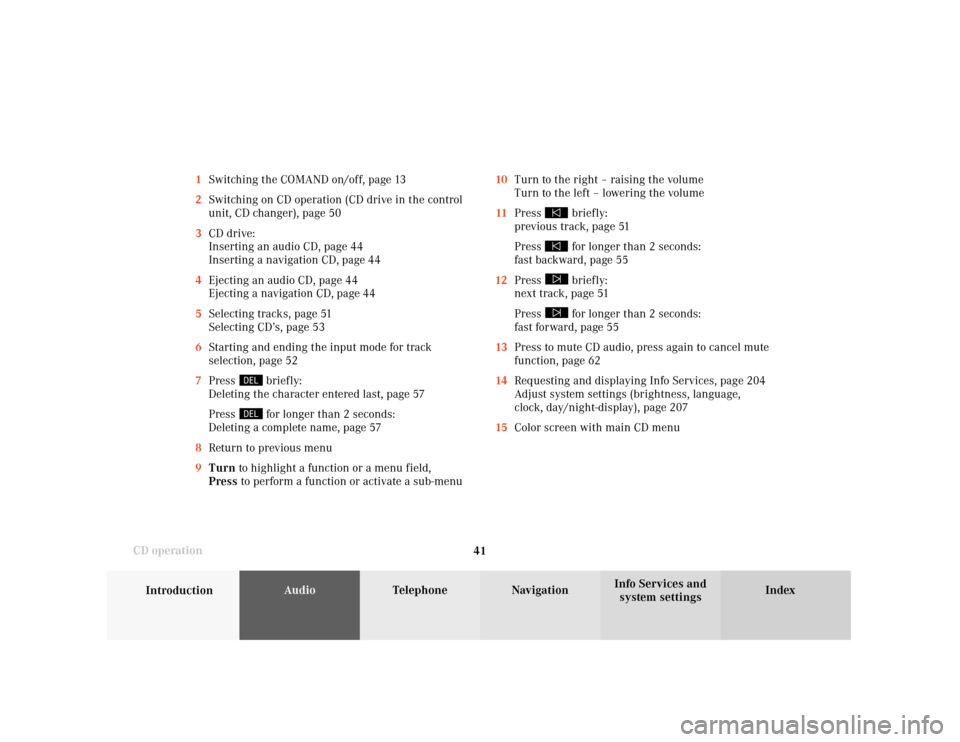
system settings CD operation10Turn to the right – raising the volume
Turn to the left – lowering the volume
11Press
briefly:
previous track, page 51
Press for longer than 2 seconds:
fast backward, page 55
12Press briefly:
next track, page 51
Press for longer than 2 seconds:
fast forward, page 55
13Press to mute CD audio, press again to cancel mute
function, page 62
14Requesting and displaying Info Services, page 204
Adjust system settings (brightness, language,
clock, day/night-display), page 207
15Color screen with main CD menu 1Switching the COMAND on/off, page 13
2Switching on CD operation (CD drive in the control
unit, CD changer), page 50
3CD drive:
Inserting an audio CD, page 44
Inserting a navigation CD, page 44
4Ejecting an audio CD, page 44
Ejecting a navigation CD, page 44
5Selecting tracks, page 51
Selecting CD’s, page 53
6Starting and ending the input mode for track
selection, page 52
7Press
briefly:
Deleting the character entered last, page 57
Press for longer than 2 seconds:
Deleting a complete name, page 57
8Return to previous menu
9Turn to highlight a function or a menu field,
Press to perform a function or activate a sub-menu
Page 54 of 231
52
AudioTelephone Navigation
Index Info Services and
system settings Introduction
CD operation
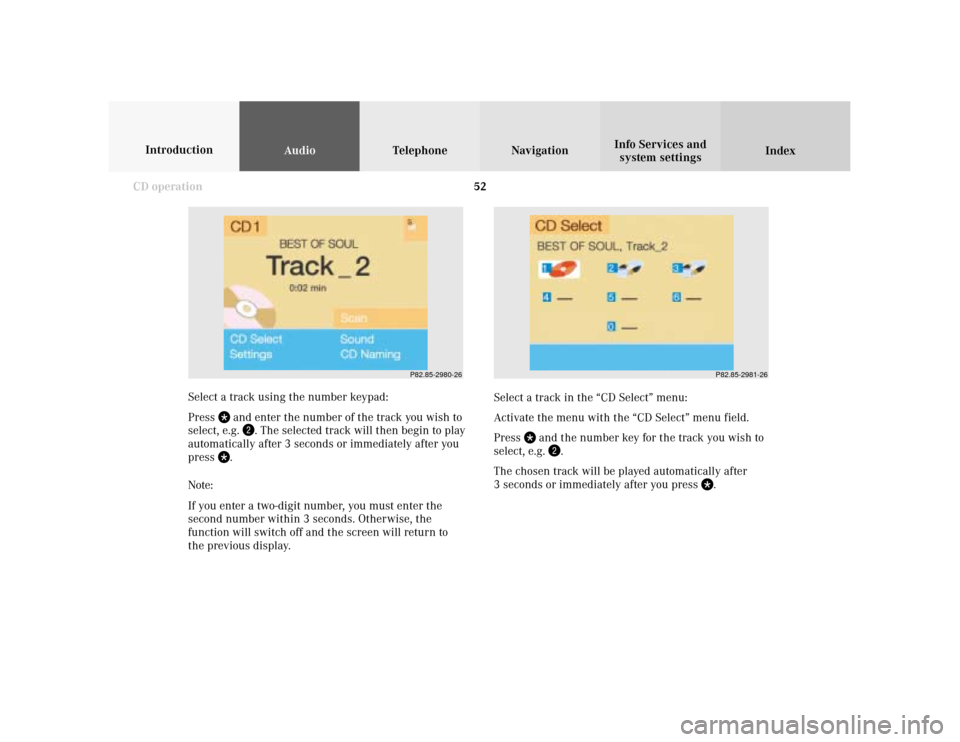
Select a track in the “CD Select” menu:
Activate the menu with the “CD Select” menu field.
Press
and the number key for the track you wish to
select, e.g.
.
The chosen track will be played automatically after
3 seconds or immediately after you press
. Select a track using the number keypad:
Press
and enter the number of the track you wish to
select, e.g.
. The selected track will then begin to play
automatically after 3 seconds or immediately after you
press
.
Note:
If you enter a two-digit number, you must enter the
second number within 3 seconds. Otherwise, the
function will switch off and the screen will return to
the previous display.
P82.85-2980-26
P82.85-2981-26
Page 56 of 231

54
AudioTelephone Navigation
Index Info Services and
system settings Introduction
CD operation
Selecting a CD in the “CD select” menu:
Use the right-hand rotary/pushbutton
to highlight
the “CD Select” menu field in the main CD menu and
confirm your selection by pressing.
Use the right-hand rotary/pushbutton to highlight
the desired CD in the menu and confirm your selection
by pressing. “CD loading ...” will appear middle above
the selection places on the screen. Playback will then
begin with track 1 of the CD selected.
Note:
If magazine slots are empty, it is not possible to select
them with the right-hand rotary/pushbutton
.
If you select an empty magazine slot with a number
key, e.g.
the message “No CD” is displayed. 1Current track and the name of the CD playing if
this was entered previously, page 57
2Selected CD, current CD in red color
3Magazine slot contains a CD
Position 0: CD drive
Position 1-6: magazine slots in the CD changer
4Magazine slot does not contain a CD
P82.85-2983-26
43
2
1
Page 57 of 231
55
Introduction
AudioTelephone
Navigation
Index Info Services and
system settings CD operationFast forward/backward
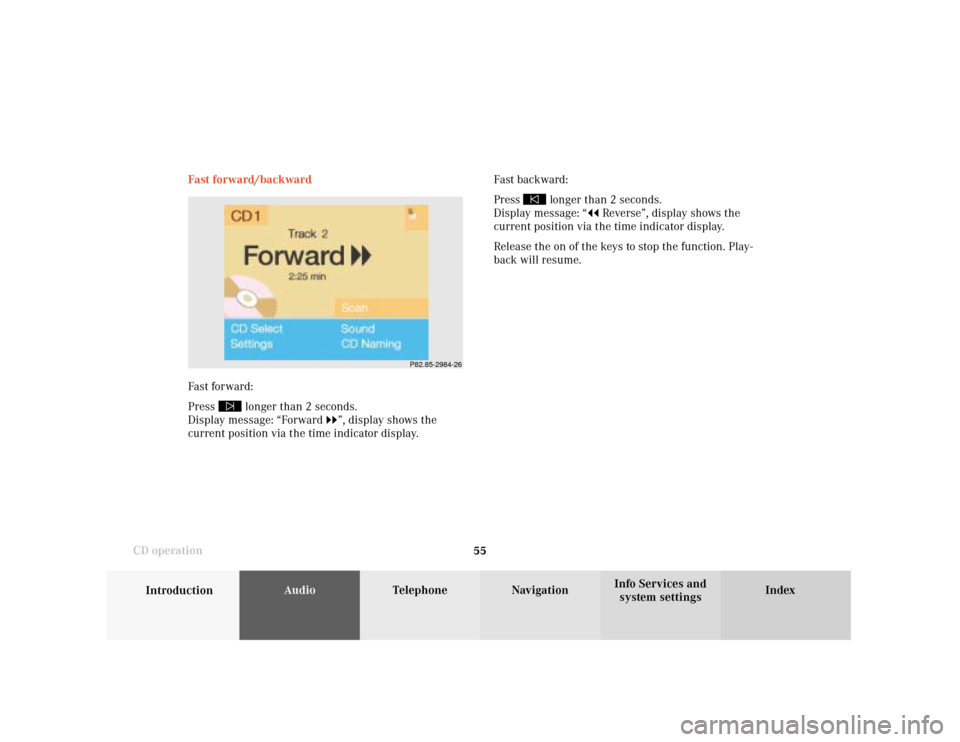
Fast forward:
Press
longer than 2 seconds.
Display message: “Forward
”, display shows the
current position via the time indicator display.Fast backward:
Press
longer than 2 seconds.
Display message: “
Reverse”, display shows the
current position via the time indicator display.
Release the on of the keys to stop the function. Play-
back will resume.
P82.85-2984-26
Page 59 of 231
57
Introduction
AudioTelephone
Navigation
Index Info Services and
system settings CD operationEntering, altering and deleting CD names
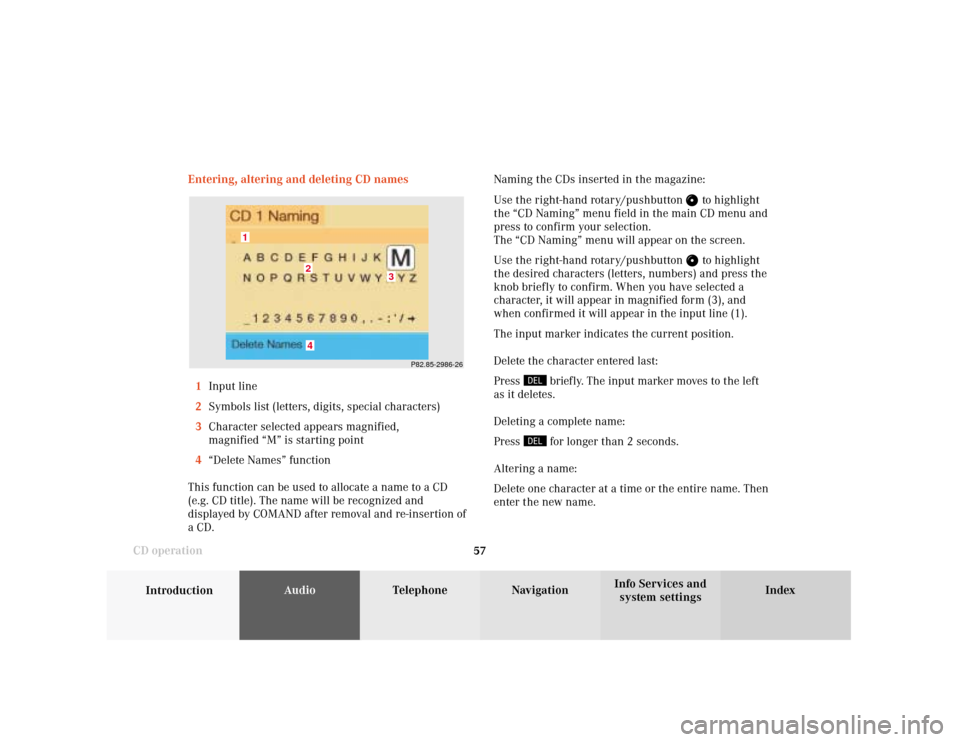
1Input line
2Symbols list (letters, digits, special characters)
3Character selected appears magnified,
magnified “M” is starting point
4“Delete Names” function
This function can be used to allocate a name to a CD
(e.g. CD title). The name will be recognized and
displayed by COMAND after removal and re-insertion of
a CD.Naming the CDs inserted in the magazine:
Use the right-hand rotary/pushbutton
to highlight
the “CD Naming” menu field in the main CD menu and
press to confirm your selection.
The “CD Naming” menu will appear on the screen.
Use the right-hand rotary/pushbutton to highlight
the desired characters (letters, numbers) and press the
knob briefly to confirm. When you have selected a
character, it will appear in magnified form (3), and
when confirmed it will appear in the input line (1).
The input marker indicates the current position.
Delete the character entered last:
Press
briefly. The input marker moves to the left
as it deletes.
Deleting a complete name:
Press for longer than 2 seconds.
Altering a name:
Delete one character at a time or the entire name. Then
enter the new name.
P82.85-2986-26
4
3
2
1
Page 62 of 231
60
AudioTelephone Navigation
Index Info Services and
system settings Introduction
CD operation
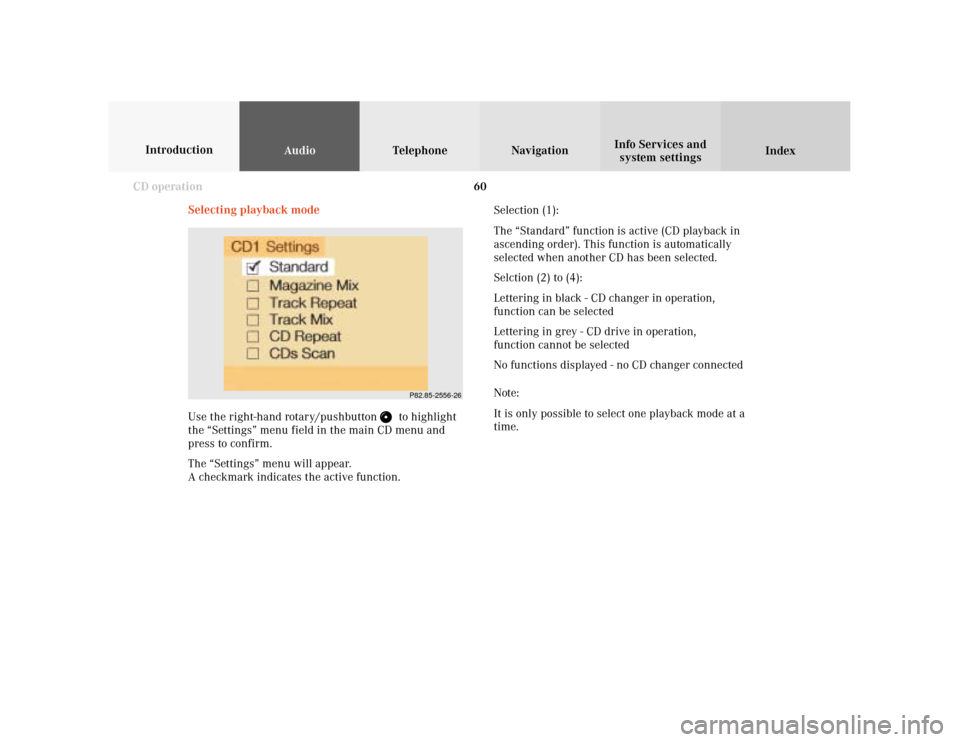
Selecting playback mode
Use the right-hand rotary/pushbutton
to highlight
the “Settings” menu field in the main CD menu and
press to confirm.
The “Settings” menu will appear.
A checkmark indicates the active function.Selection (1):
The “Standard” function is active (CD playback in
ascending order). This function is automatically
selected when another CD has been selected.
Selction (2) to (4):
Lettering in black - CD changer in operation,
function can be selected
Lettering in grey - CD drive in operation,
function cannot be selected
No functions displayed - no CD changer connected
Note:
It is only possible to select one playback mode at a
time.
P82.85-2556-26
Page 70 of 231
68
Audio
Telephone Navigation
Index Info Services and
system settings Introduction
CD operation
Multifunction steering wheel, Multifunction
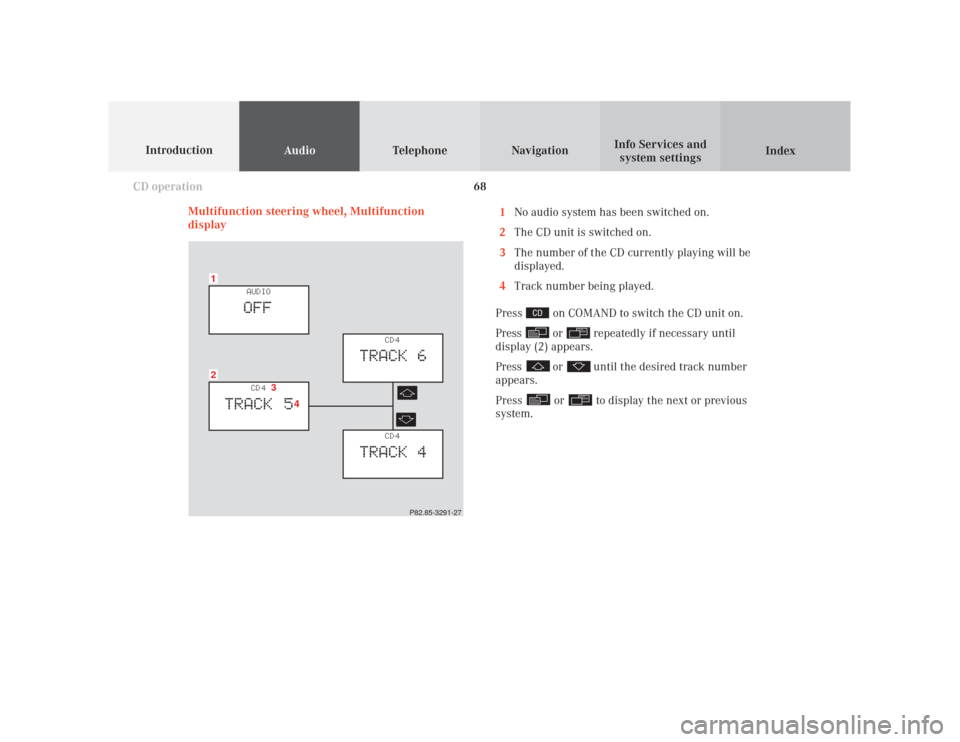
display1
No audio system has been switched on.
2
The CD unit is switched on.
3
The number of the CD currently playing will be
displayed.
4
Track number being played.
Press
on COMAND to switch the CD unit on.
Press or
repeatedly if necessary until
display (2) appears.
Press
or
until the desired track number
appears.
Press
or
to display the next or previous
system.
21
CD 4
TRACK 5
AUDIOOFF
CD 4
TRACK 6
CD 4
TRACK 4
3
4
P82.85-3291-27
Page 72 of 231
70
IntroductionAudioTelephone
Navigation
Index Info Services and
system settings
Sound settings
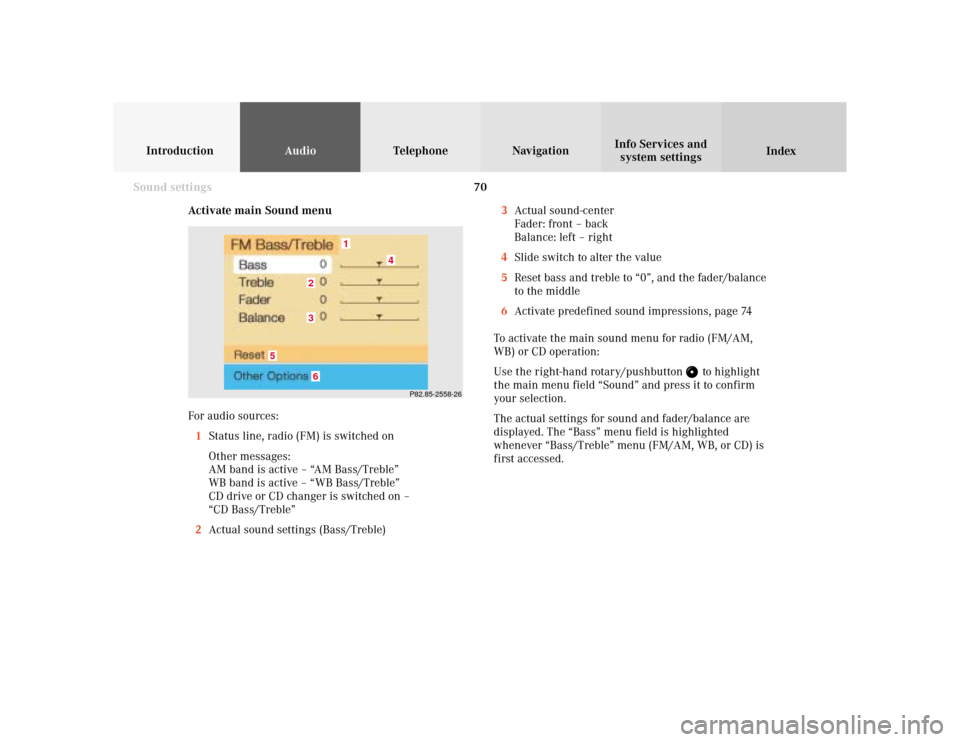
Activate main Sound menu
For audio sources:
1Status line, radio (FM) is switched on
Other messages:
AM band is active – “AM Bass/Treble”
WB band is active – “WB Bass/Treble”
CD drive or CD changer is switched on –
“CD Bass/Treble”
2Actual sound settings (Bass/Treble)
P82.85-2558-26
5
4
32
1
6
3Actual sound-center
Fader: front – back
Balance: left – right
4Slide switch to alter the value
5Reset bass and treble to “0”, and the fader/balance
to the middle
6Activate predefined sound impressions, page 74
To activate the main sound menu for radio (FM/AM,
WB) or CD operation:
Use the right-hand rotary/pushbutton
to highlight
the main menu field “Sound” and press it to confirm
your selection.
The actual settings for sound and fader/balance are
displayed. The “Bass” menu field is highlighted
whenever “Bass/Treble” menu (FM/AM, WB, or CD) is
first accessed.
Page 73 of 231
71
Introduction
AudioTelephone
Navigation
Index Info Services and
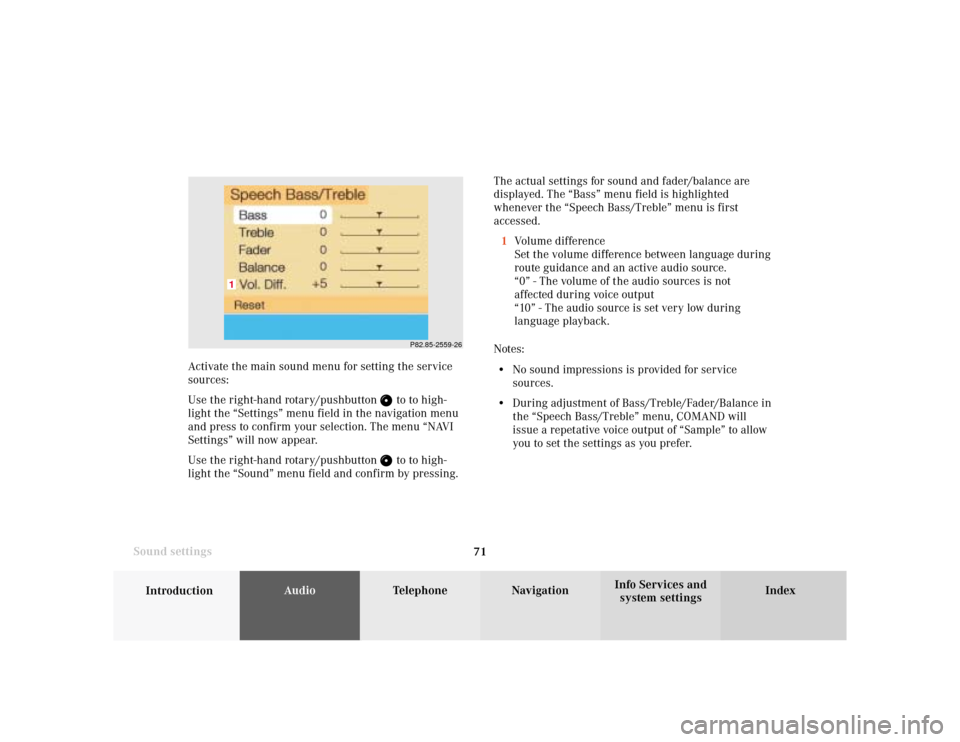
system settings Sound settingsThe actual settings for sound and fader/balance are
displayed. The “Bass” menu field is highlighted
whenever the “Speech Bass/Treble” menu is first
accessed.
1Volume difference
Set the volume difference between language during
route guidance and an active audio source.
“0” - The volume of the audio sources is not
affected during voice output
“10” - The audio source is set very low during
language playback.
Notes:
• No sound impressions is provided for service
sources.
• During adjustment of Bass/Treble/Fader/Balance in
the “Speech Bass/Treble” menu, COMAND will
issue a repetative voice output of “Sample” to allow
you to set the settings as you prefer.
P82.85-2559-26
1
Activate the main sound menu for setting the service
sources:
Use the right-hand rotary/pushbutton
to to high-
light the “Settings” menu field in the navigation menu
and press to confirm your selection. The menu “NAVI
Settings” will now appear.
Use the right-hand rotary/pushbutton to to high-
light the “Sound” menu field and confirm by pressing.
Page 79 of 231
Telephone
Telephone77
Contents – Telephone
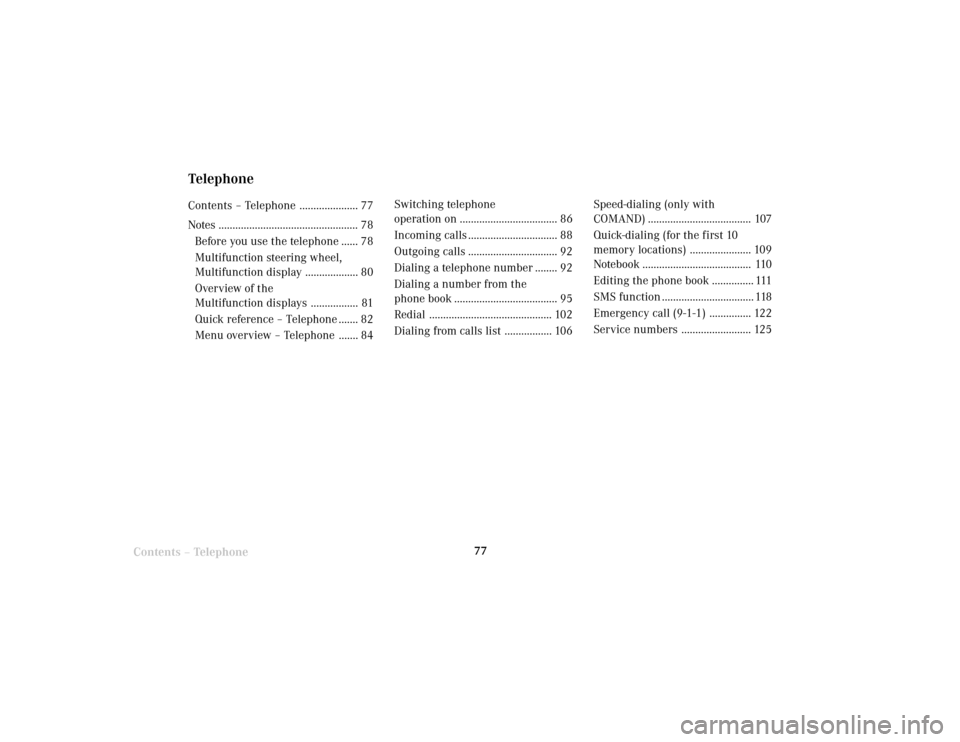
TelephoneContents – Telephone ..................... 77
Notes .................................................. 78
Before you use the telephone ...... 78
Multifunction steering wheel,
Multifunction display ................... 80
Overview of the
Multifunction displays ................. 81
Quick reference – Telephone ....... 82
Menu overview – Telephone ....... 84Switching telephone
operation on ................................... 86
Incoming calls ................................ 88
Outgoing calls ................................ 92
Dialing a telephone number ........ 92
Dialing a number from the
phone book ..................................... 95
Redial ............................................ 102
Dialing from calls list ................. 106Speed-dialing (only with
COMAND) ..................................... 107
Quick-dialing (for the first 10
memory locations) ...................... 109
Notebook ....................................... 110
Editing the phone book ............... 111
SMS function ................................. 118
Emergency call (9-1-1) ............... 122
Service numbers ......................... 125