AUX MERCEDES-BENZ E-Class WAGON 2011 S212 Comand Manual
[x] Cancel search | Manufacturer: MERCEDES-BENZ, Model Year: 2011, Model line: E-Class WAGON, Model: MERCEDES-BENZ E-Class WAGON 2011 S212Pages: 234, PDF Size: 8.64 MB
Page 181 of 234

i
The separate USBconn ection ensures
quick access andexpanded mediacontent
options.
i Consult anauthorized Mercedes-Benz
Center ifyou have further questions. Switching
toMedia Interfa cemode
General information In
extr eme cases, startingupindividual
funct ionscantake uptoseveral minutes –
this depends onthe exter naldevice andits
cont ent(e.g. video podcasts).
Only usetheoriginal software tosave fileson
iPods orMP3 players. Otherwise, someorall
funct ionsmay notbeavailab le.
Option 1 X
Connec tane xter naldevice (Ypage 178).
COMAND activatesthe device. Thebasic
display thenappears.
Option 2 The
exter naldevice isconn ected tothe Media
Int erface.
X Press theh functionbutton oneormore
times.
By pressing thefunct ionbutton repeatedly,
you can change theoperating modeinthe
following order:
R audio CD/DVD/MP3 (disc)
R memory cardmode
R MUSIC REGISTE R
R USB storage device
R Media Interface oraudio AUXmode
R Bluetoot h®
audio mode
Option 3 X
Press thei number button.
This selects theconn ected externalaudio
device directly. Option
4 X
In the media list(Ypage 159), select the
ent ryat position 0byturnin gcVd the
COMAND controller andpress Wto
conf irm.
COMAND activatesthe conn ected device.
You willsee amessage tothis effect .The
basic displa ythen appea rs.
If no device isconn ected, youwillsee the
Media Int. entr
yinstead ofad evice
name. Media
Interface mode (iPod®
mode) when
equippe dwithaD VD changer
: Type ofdata medium
; Track number
= Elapsed tracktime(also informat
00:0 0:00 foraudi obooks)
? Track name
A Graphic timedispla y
B Graphic trackdispla y
C Sound settings
D Media list
E Album name(ifavaila ble)
F Music search
G Position inthe media list
H Artist (ifavaila ble)
I Play back options
Type ofdevice :conn ected isindicated by
the corresponding symbolforiPod ®
or MP3
play er. Media
Interface mode
179Audio Z
Page 184 of 234
If
different sortingrulesaredefined (e.g.in
iTu nes ®
), the search iscanceled without
any resul t. Playbac
koptio ns
The followi ng opti ons areavailab le:
R Nor mal TrackSeq uence Norm
altrack sequence: youh earthe
track sint heir normal order(e.g.numerical
or alpha betical).
R Random Medium All
the track sonthe medium areplay edin
random order.
R Random TrackList The
track sint he current lyactive category
or folder, including anysubfolders, are
play edinrandom order.
i For MP3 players, therandom playlists
offer amaximum of300 track schosen at
random.
X To selec taplayback option:select
Media Interface in
the basic displa yby
sliding VÆandturning cVdtheCOMAND
cont roller andpress Wtoconfirm .
The options listappea rs.The #dot
indicates theoption selected.
X Select anoption andpress Wtoconfirm . MP3
player instructions
Data forma ts MP3
andWMA aresupported asdata formats
with fixed andvariable bitrates (upto
320 kbits/s ).
Special considerationswhen using MP3
players Up
toeight directory levelswithupto1000
track sperdirectory aresupported.
Do not use USB exten sionleads oradapters.
They canimpair functionality. i
DRM (Digital RightsManagement)
protect edfiles arenot supported bythe
Media Interface. Audio
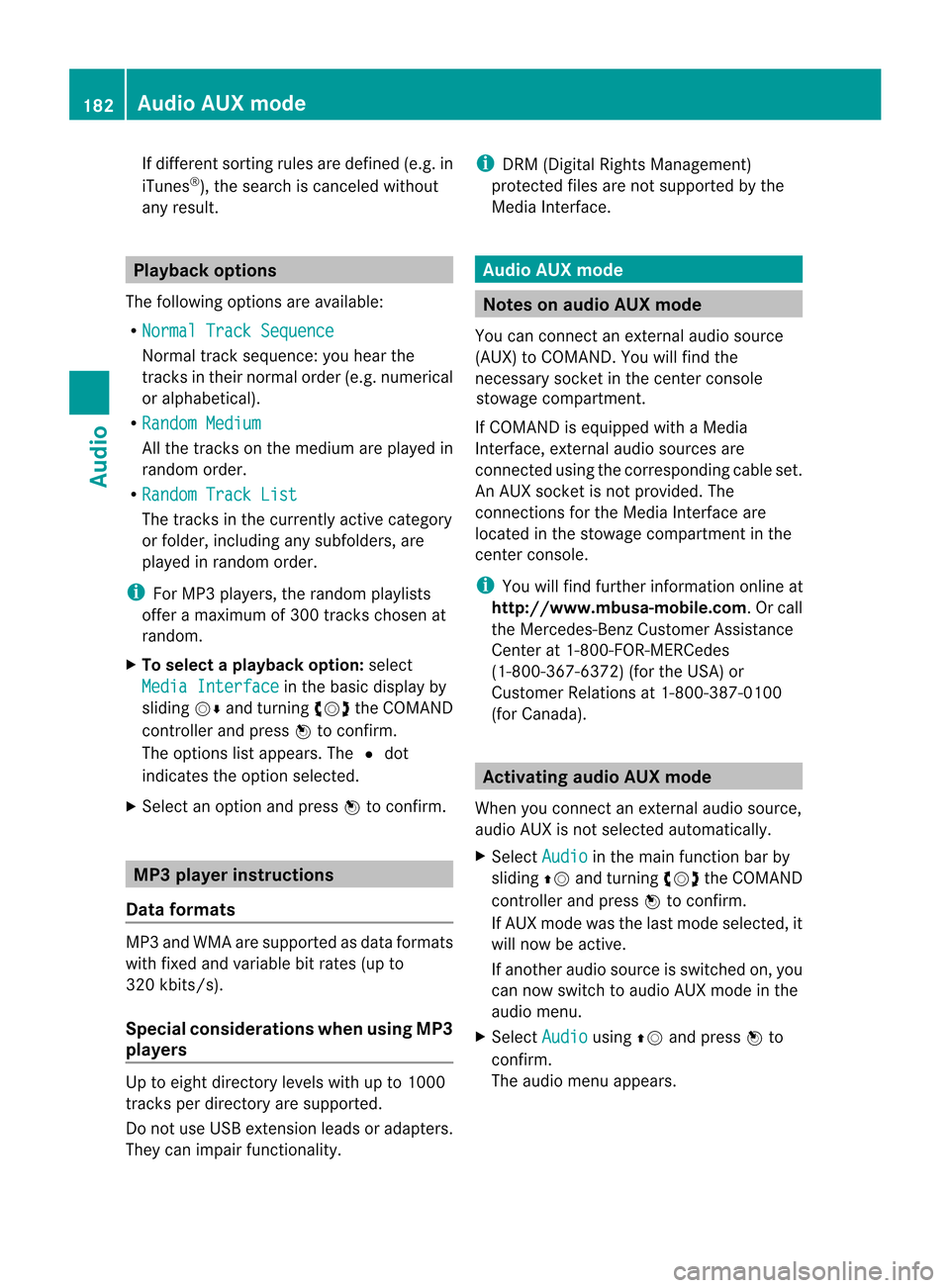
AUXmode Notes
onaudio AUXmode
If COMAND isequipped withaMedia
Interface, externalaudiosources are
located inthe stowage compartment inthe
center console.
i You willfind further information onlineat
<0012001800180019000F00320032001E001E001E00460014002900250017002A
002F00140027002900230020001B0046001F002700149.O rcall
the Merced es-BenzCustome rAssistance
Center at<0038004600440042004200460002000E00170046001400010017001C00240025
00240020V
(1-800-367-6372) (fortheUSA) or
Customer Relationsat1-800-387-0100
(for Canada). Activating
audioAUXmode
When youconnect anexternal audiosource,
audio AUXisnot selected automatically.
X Select Audio in
the main function barby
sliding ZVandturning cVdtheCOMAND
controller andpress Wtoconfirm.
If AUX mode wasthelast mode selected, it
will now beactive.
If another audiosource isswitched on,you
can now switch toaudio AUXmode inthe
audio menu.
X Select Audio using
ZVandpress Wto
confirm.
The audio menu appears. 182
Audio
AUXmodeAudioAnAUX socket isnot provided. The
You
canconn ectanextern alaudi osource
connections forthe Media Interface are
(AUX)
toCOMAND. Youwillfind the
connected usingthecorresponding cableset.
necessary
socketinthe cent erconsole
stowage compartment .
Page 185 of 234

X
Sel ect Aux us
ing cVd andpressW to
confi rm.
The audioA UX menu appe ars .The medium
in the extern alaudi osource isplay ed,ifthe
source isconn ected andplayback
selected. Please
seetherespective operating
instruct ionsforhow tooperate theextern al
audi osource.
You willfind details onvolume (Ypage 33)
and sound (Ypage 34)settin gsinthe "Ata
glance" section. G
WARNING
Ext ernal audiosources mayhave different
volumes, whichcanmean thatsystem
messages suchastraffic announcemen tsand
navigation systemannouncemen tsare much
louder. Ifnecessary, pleasedeactivate the
system messages oradjust theirvolume
manually . Increasing
thevolume usingCOMAND
In some cases, thevolume ofthe extern al
audi odevice maybequieter orlouder, orthe
usua lmaximum possible volumemaybe
lower. Onsome devices, itis possible to
adjust thevolume separately. Inthis case,
start atam edium volume andincrease it
gradua lly.This enables youtodetermine
whether thesystem isable toplay themusic
at high volume without distorting it. X
Select Volume in
the AUX displa ybyturning
cVd theCOMAND controller andpress
W toconfirm .
Am enu appears. The#dot indicat esthe
curren tsett ing. X
Select Standar d or
Boost and
press Wto
con firm.
Standar d :t
he volume ofthe extern alaudi o
source isadjusted toas tandard value.
Boost :t
he volume ofthe extern alaudi o
source israised byapproximately 10dB. Audio
AUXmode
183Audio Z
Page 187 of 234

COMAN
Dfeatures .... .... .... ...... ........ ... 186
Gener alinfor mation <003B003B003B003B003B003B003B003B003B003B003B003B003B003B003B003B
003B003B003B003B003B003B003B003B003BV 186
Basic settings ........ .......... ...... ........ .. .. 186
Video DVDmode <003B003B003B003B003B003B003B003B003B003B003B003B003B003B003B003B
003B003B003B003B003B003B003B003B003B003B003B003B003B003B003BV 186
AUX video mode ........ .......... ...... ........ 192
Pictur eviewer <003B003B003B003B003B003B003B003B003B003B003B003B003B003B003B003B
003B003B003B003B003B003B003B003B003B003B003B003B003B003B003B003B
003B003B003B> 193 185Video
Page 194 of 234

Int
era ctive cont ent
DV Ds can contain interac tive conten t(e.g. a
vide ogame ).In av ide og ame ,for example ,
you may beable toinfluen ceeve ntsb y
sele cting and trigge ringa ction s.The typeand
num berofact ionsdepe ndontheD VD.
X Se lec tana ction bysliding ZVÆ orXVY the
CO MAND controllera nd pre ssW to
exe cute it.
Am enu appe arsa nd the first entry ,
Sel ect ,i
sh ighl ighted .
X Pre ssW the COMAND controller. AU
Xv ideo mode Co
nnectin ge xtern alvideo source s
If yo ur veh iclei se quippe dwithaM edia
Inter face (Y pa ge 178) ,you can conne ctan
exte rnalvideo sou rce (AUXvideo).
The 1/8inch audio/vi deoj ack sareinthe
cen terc onsole stowage compartment.
i Invehicles witharear view camera, the
AUX video jackcann otbe used forexter nal
video sources. Switching
toAUX video mode
X Select Video in
the main functionbar by
sliding ZVandturnin gcVd theCOMAND
cont roller andpress Wtoconf irm.
If AUX video mode wasthelast mode
selected, itwill now beactive.
If another videosource isswitched on,you
can now switch toAUX video mode inthe
video menu.
X Select Video and
press Wtoconf irm.
X Select Aux and
press Wtoconf irm.
The AUX video menu appears. Youwillhear
and seethecont entofthe exter nalvideo
source ifit is conn ected andswitched to
playb ack. AUX
video mode
For details onhow tooperate theexter nal
video source, seetherespect ivedevice's
operating instructions. Showing/hiding
themenu
X To show: pressWthe COMAND
cont roller.
X To hide: slideZVtheCOMAND controller
and conf irmFull Screen by
pressing W. Volume
andsound settings
You willfind details onvolume (Ypage 33)
and sound (Ypage 34)settings inthe "Ata
glance" section. G
WARNIN
G
Ext ernal video sources mayhave different
volumes, whichcanmean thatsystem
messages suchastraffic announc ementsand
navigation systemannounc ementsaremuch
louder. Ifnecessary, pleasedeactivate the
system messages oradjust theirvolume
manually.
i Itmay bethe case thatadevice which is
conn ected asan exter nalvideo source
seems quieter orlouder inthe vehicle, or
that theusual maximum volumecannotbe
reached. Onsome devices, itis possible to
adjust thevolume separately. Inthis case,
start atam edium volume andincrease it
graduall y.This enables youtodetermin e 192
AUX
video modeVideo
Page 209 of 234
COMAN
Dfeatures .... .... .... ...... ........ ... 208
Gener alinfor mation <003B003B003B003B003B003B003B003B003B003B003B003B003B003B003B003B
003B003B003B003B003B003B003B003B003BV 208
Basic functions <003B003B003B003B003B003B003B003B003B003B003B003B003B003B003B003B
003B003B003B003B003B003B003B003B003B003B003B003B003B003B003B003B
003B> 213
System settings <003B003B003B003B003B003B003B003B003B003B003B003B003B003B003B003B
003B003B003B003B003B003B003B003B003B003B003B003B003B003B003B003BV 215
Audio CD/DVD andMP3 mode ........ 216
Video DVDmode <003B003B003B003B003B003B003B003B003B003B003B003B003B003B003B003B
003B003B003B003B003B003B003B003B003B003B003B003B003B003B003BV 221
Opera tionwith anactive COMAND
source <003B003B003B003B003B003B003B003B003B003B003B003B003B003B003B003B
003B003B003B003B003B003B003B003B003B003B003B003B003B003B003B003B
003B003B003B003B003B003B003B003B003B003B003B003B003B003B003B003B> 225
AUX mode <003B003B003B003B003B003B003B003B003B003B003B003B003B003B003B003B
003B003B003B003B003B003B003B003B003B003B003B003B003B003B003B003B
003B003B003B003B003B003B003B003B003B003B> 228 207Rear
SeatEntert ainm
ent
System
Page 211 of 234

Rear-c
ompartmen tscree ns :
AUX jacks, detailed viewinthe "CD/DVD drive and AUX jacks" section(Ypage 210)
; Disp lay Remo
tecontrol
Ove rview i
Tworemo tecontrol sareincl uded inthe
scop eofsup plyf or the USA andCanad a. :
Switches thescre enon/off
; Switches thebutton lighti ngon/off
= Selects thescre enfor the remo tecontrol
? Selects amenu ormenu item Gen
eral informati on
209Rear
Seat
Entertain men
tS
ystem Z
Page 212 of 234
A
Con firms asele ction orset ting
B Swit ches soun don/off( forc orded
headphones)
C Adjust sthe volume (forcorded
headphones)
D Skips toatrack, fast-forwa rd/fast-rew ind
E Selects atrack; directentry
F Exits amenu (back)
Sel ecting thescre enfor the remote
co ntrol You
canusetheremote controltoopera te
one ofthe two rear screens atat ime. Todo
so, you must switch the remote controltothe
desi redscreen.
X To sele ctthe left-hand screen:turn
thumbw heel=until "LREAR" is
high lighted inthe windo w.
X To sele ctthe right-hand screen:turn
thumbw heel=until "REAR R"is
high lighted inthe windo w.
Swi tching thescre enon/ off If
the SmartKey isin posi tion 0or 1in the
ignitio nlock (see thevehicle Operator's
Manual), orthe Smart Keyisnot insert ed,the
screen sint he rear willswitch offafter 30
minutes. Beforethescreen sswitch off,they
show amessage tothis effect .
You canswitch thescreen sback on.
How ever,this will disc harg ethe start er
bat tery.
X Poin tthe rem otec ontro latthe rear -
co mpar tments cree nwhich hasbeen
selected forremote operation.
X Press button :onthe remote control.
The respective rearscreen switches onor
off.
i You canonly switch thescreens onusing
the remote controlifthe ignition is
switched on. Switching
thebutt onlighting on/off X
Press button ;onthe remote control.
Depending onthe previous status,the
button lighting isswitched onoroff.
i Ifyou donot use theremote controlfor
about 15seconds, thebutton lighting
switches offautomatically .
Switching thesound on/off(corded
headph onesonly) X
Press button Bonthe remote control.
The sound isswitched on/off.
Selec tingamenu/m enuitem and
confir mingyour select ion X
Sele ctam enu/m enuitemu singthe
=;9 :buttonso nthe
rem otec ontrol and pres sthe 9 butt onto
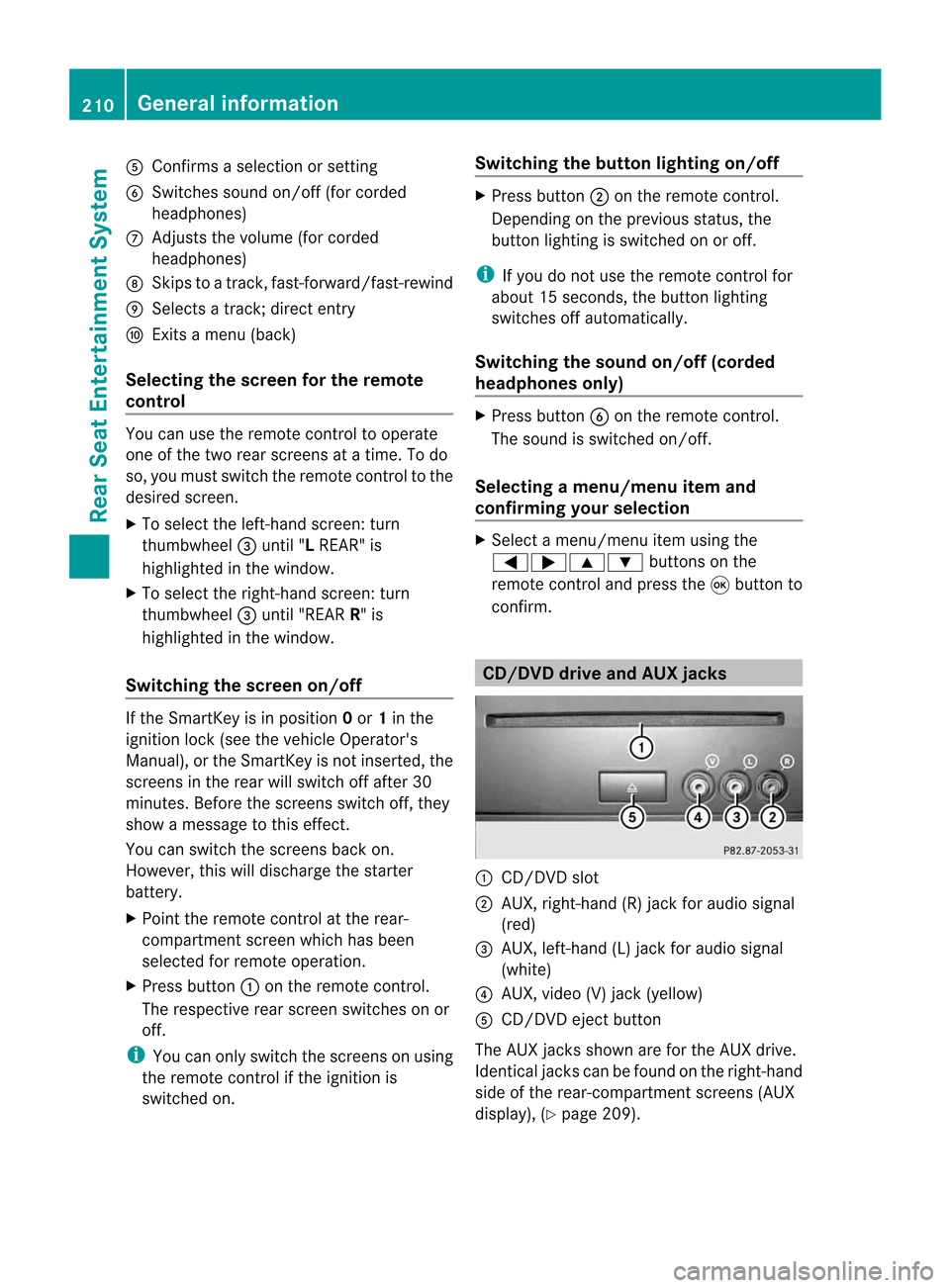
con firm. CD/DVD
drive and AUX jacks :
CD/ DVDs lot
; AUX,righ t-han d(R) jac kfor audio signal
(red)
= AUX, left-hand (L)jack foraudio signal
(white)
? AUX, video (V)jack (yellow )
A CD/D VDeject button
The AUX jacksshown areforthe AUX drive.
Ident icaljack scan be found onthe right- hand
side ofthe rear-com partmentscreen s(AUX
display ),(Y page 209). 210
General
informationRear
Seat
Entert ainment System
Page 216 of 234
i
The headphones' volumesettingdoes not
affect themain loudspeakers. Adjust
ingthe sound settings
You canselect thesound settings inthe audio
CD/D VD/MP3, video DVDandAUX modes.
X Switc honano perating mode(e.g.audio
CD mode) (Ypage 217).
X Select Treble or
Bass using
the :=; buttonsonthe remote
cont roland press the9button toconf irm.
An adjustmen tscal ea ppears.
X Sel ect asetti ngusing the 9:
bu ttons andpressthe 9button toconfi rm. Multi
pleusers
Simul taneoususeofthe rear-
co mpartment discdrive The
two rear-comp artmentscree nscan be
ope rate dalmost entir elyi nd epe ndentl yfrom
one another. However,there canbeaconfl ict
in some menusifthe two scree nsare used
sim ultaneo usly.
If the rear-comp artmentdisc drive isbei ng
us ed for both scree nssim ultaneo usly,
sel ecting certainmenu sorsetti ngs onone of
the scree nsalso affe ctsthe othe rscree n.
The followi ng functi onsaffectboth scree ns:
R cha nging play ba ck opti ons
R sel ecting atrack (fromat rack list or folder)
R us ing the play ,p ause and stopfunctio ns
R fast for wa rding/r ewind ing orscro lling
R cal ling up the DVD menu andnavigati ng
wi thi nit
R setting thelangua ge,subtitles andcamera
angle
R calling upinteract iveDVD content The
followi ngfunction saffect onlyone
screen:
R audi oand video function sasw ellaspicture
settings
R switching betweenfullscreen andthe
menu
Switching betweenoperating modes When
youexit anoperating mode(e.g.audio
CD mode), thecurrent settingissaved. Ifyou
call upthis operating modeagainlate r,th ere
are two poss ibilities:
R theo per atin gmodeh asbeen chang edon
th eo ther scree n.
R theo per atin gmodeh asnotb een changed.
In the first case, theoperatin gmode appears
as itis on the other screen .
In the secon dcase, thesett ingappears onthe
screen asitwas when youlast exitedthe
operatin gmode. Pictur
esettings
Overview You
canselect thesesettings invideo DVD
and AUX mode. Instruct ions forAUX mode
are detailed later(Y page 228).
Adju sting thebright ness,contra stand
color X
Switc honvideo DVD mode (Ypage 221).
X To show themenu: pressthe9button
on the remot econtrol.
or
X Select (Ypage 188)Menu while
the
navigation menuisshown andpress the
9 button tocon firm.
X Select DVD-Vid eo using
the :=; buttonsand press the
9 button tocon firm. 214
Ba
sic functionsRear
Seat
Entert ainment System
Page 230 of 234
Vide
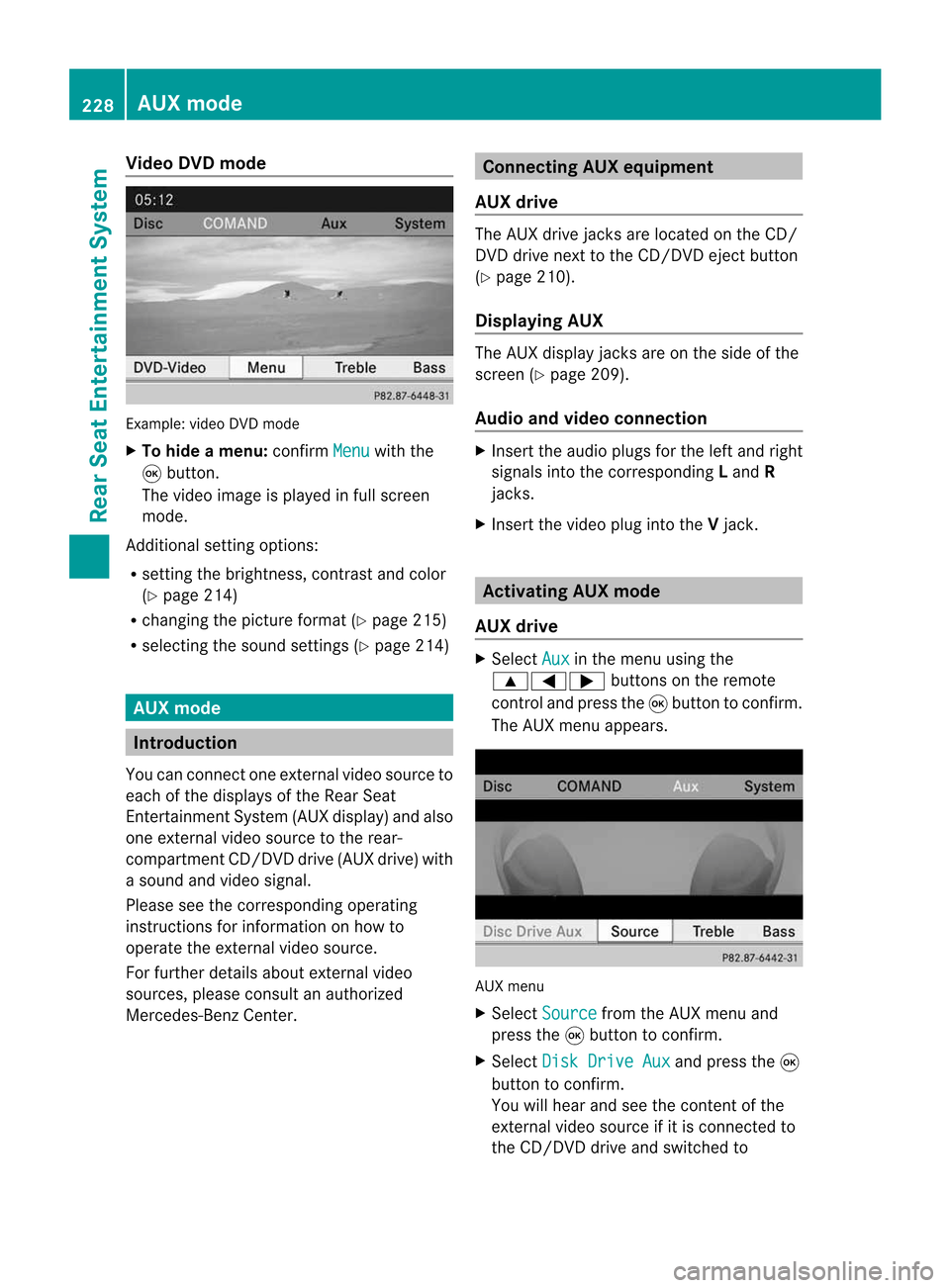
oDVD mode Examp
le:v ideo DVD mode
X To hide amenu:confi rmMen u wi
th the
9 button.
The video ima geisplay ed inful lscre en
mod e.
Add itiona lsetti ngoptio ns:
R setti ngthe brightne ss,contra stand color
(Y page 214)
R cha nging the pictur eform at(Y pa ge 215)
R sel ecti ngthe soundsetti ngs(Y pa ge 214) AU
Xm ode In
troduc tion
Yo uc an conne ctone exter nalvideo sou rce to
ea ch ofthe displ ayso fthe Rear Sea t
Enterta inmentSys tem (AUX displ ay)a nd also
one exter nalvideo sou rce tothe rear-
comp artment CD/DV Ddrive (AUX drive) with
as ound and video signa l.
Pl ea se see thecorre sponding opera ting
ins truc tions for info rma tiono nhow to
op era tethe exter nalvideo sou rce.
For further detai lsab ou te xterna lvideo
sou rces ,pleas ec onsu ltan author ized
Mer cedes-B enzCenter. Co
nnectin gA UX equi pmen t
AU Xd rive The
AUX drive jacks arel oc ate donthe CD/
DVD drive next tothe CD/DV Deject button
(Y page 210) .
Di spl aying AUX The
AUX displ ayjacks areo nthe side ofthe
scre en(Ypage 209) .
Au dio and video conn ectio n X
Inse rtthe audiop lugs for the left and right
si gna lsinto thecorr espond ingLand R
jacks .
X Inse rtthe video plug into theVjack. Ac
tiv atin gAUX mode
AU Xd rive X
Sel ect Aux in
the menu using the
9=; buttons onthe rem ote
contro land pre ssthe 9button toconfi rm.
The AUX menu appe ars. AUX
menu
X Sel ect Source from
theAUX menu and
pre ssthe 9button toconfi rm.
X Sel ect DiskDrive Aux and
pressthe 9
bu tton toconfi rm.
Yo uw illh eara nd see theconte ntofthe
exte rnalvideo sou rce ifit is conne ctedto
the CD/DV Ddrive and switch edto 22
8 AU
Xm odeRear
Seat
Entertai
nmentSys tem