engine MERCEDES-BENZ E-Class WAGON 2013 W212 Owners Manual
[x] Cancel search | Manufacturer: MERCEDES-BENZ, Model Year: 2013, Model line: E-Class WAGON, Model: MERCEDES-BENZ E-Class WAGON 2013 W212Pages: 420, PDF Size: 14.26 MB
Page 230 of 420
Steam from an overheated engine can cause
serious
burns which can occur just by opening
the engine hood. Stay away from the engine
if you see or hear steam coming from it.
Stop the vehicle in a safe location away from
other traffic. Turn off the engine, get out of the
vehicle and do not stand near the vehicle until
the engine has cooled down.
! A display message is shown if the coolant
temperature is too high.
If the coolant temperature is over
248 ‡(120 †), do not continue driving. The
engine will otherwise be damaged.
The coolant temperature gauge is in the
instrument cluster on the right-hand side
(Y page 31).
Under normal operating conditions and with
the specified coolant level, the coolant
temperature may rise to 248 ‡ (120 †). Tachometer
! Do not drive in the overrevving range, as
this could damage the engine.
The
red band in the tachometer indicates the
engine's overrevving range.
The fuel supply is interrupted to protect the
engine when the red band is reached. Outside temperature display
G
WARNING
The outside temperature indicator is not
designed to serve as an ice-warning device
and is therefore unsuitable for that purpose.
Indicated temperatures just above the
freezing
point do not guarantee that the road
surface is free of ice. The road may still be icy,
especially in wooded areas or on bridges.
The outside temperature display is in the
multifunction display ( Y page 230).
Changes in the outside temperature are
displayed after a short delay. Speedometer with segments
The segments in the speedometer indicate
which speed range is available.
R Cruise control activated ( Y page 183):
The segments light up from the stored
speed to the maximum speed.
R DISTRONIC PLUS activated (Y page 185):
One or two segments in the set speed
range light up.
R DISTRONIC
PLUS detects a vehicle in front:
The segments between the speed of the
vehicle in front and the stored speed light
up. Operating the on-board computer
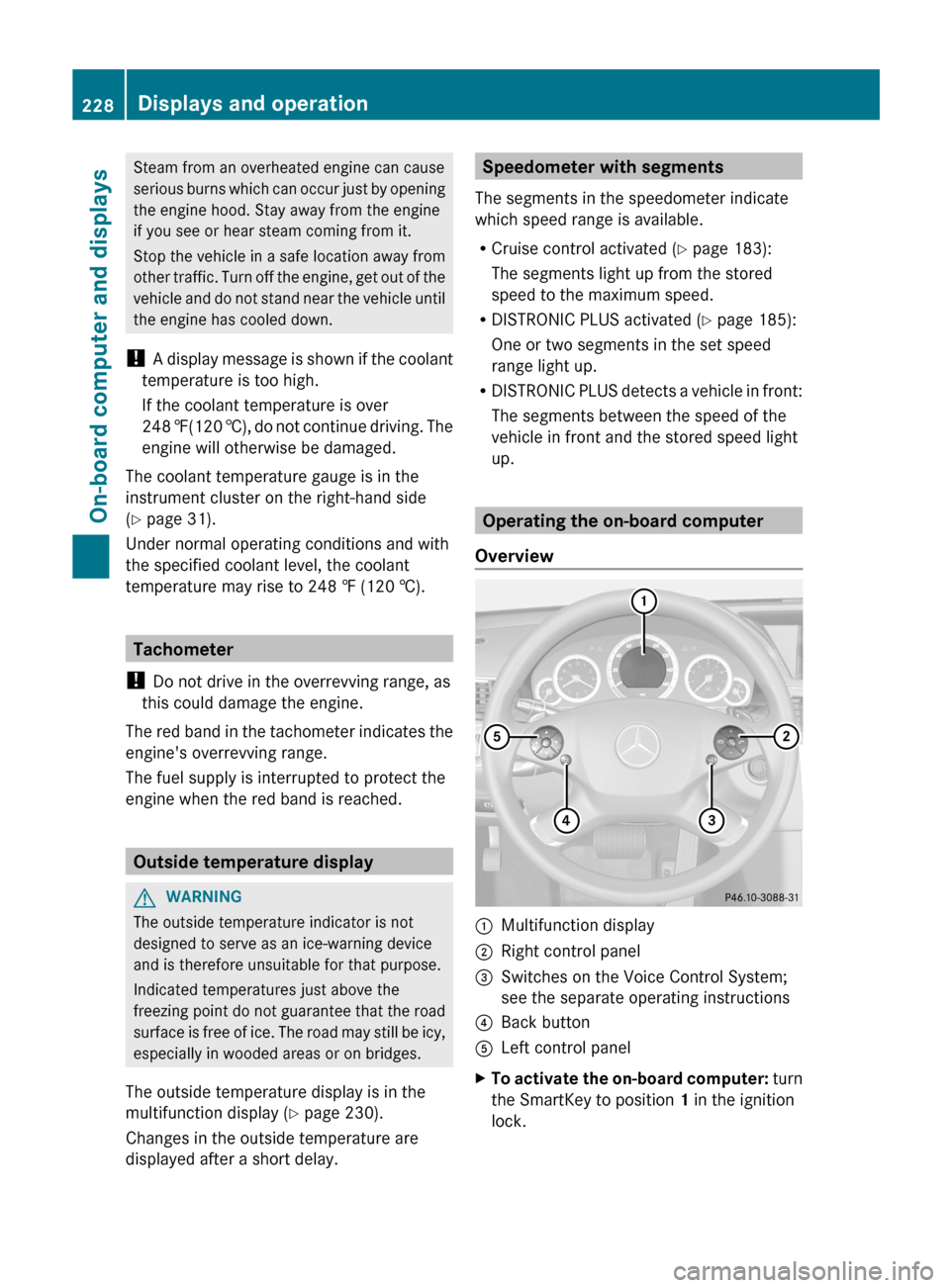
Overview :
Multifunction display
; Right control panel
= Switches on the Voice Control System;
see the separate operating instructions
? Back button
A Left control panel
X To activate the on-board computer:
turn
the SmartKey to position 1 in the ignition
lock. 228
Displays and operation
On-board computer and displays
Page 238 of 420
Assistance menu
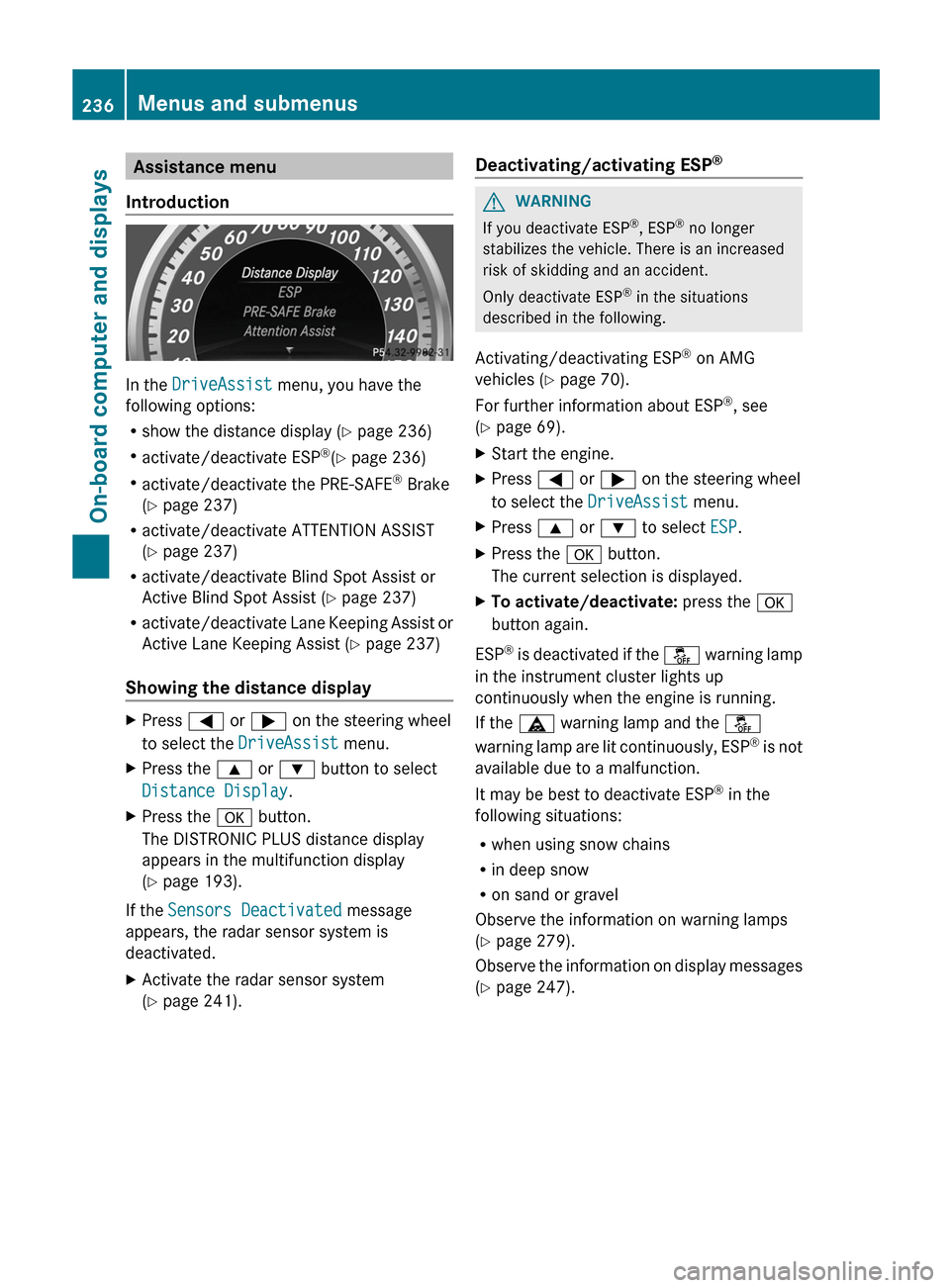
Introduction In the
DriveAssist menu, you have the
following options:
R show the distance display
(Y page 236)
R activate/deactivate ESP ®
(Y page 236)
R activate/deactivate the PRE-SAFE ®
Brake
(Y page 237)
R activate/deactivate ATTENTION ASSIST
(Y page 237)
R activate/deactivate Blind Spot Assist or
Active Blind Spot Assist (Y page 237)
R activate/deactivate Lane Keeping Assist or
Active Lane Keeping Assist (Y page 237)
Showing the distance display X
Press = or ; on the steering wheel
to select the DriveAssist menu.
X Press the 9 or : button to select
Distance Display.
X Press the a button.
The DISTRONIC PLUS distance display
appears in the multifunction display
(Y page 193).
If the Sensors Deactivated message
appears, the radar sensor system is
deactivated.
X Activate the radar sensor system
(Y page 241). Deactivating/activating ESP
® G
WARNING
If you deactivate ESP ®
, ESP ®
no longer
stabilizes the vehicle. There is an increased
risk of skidding and an accident.
Only deactivate ESP ®
in the situations
described in the following.
Activating/deactivating ESP ®
on AMG
vehicles ( Y page 70).
For further information about ESP ®
, see
(Y page 69).
X Start the engine.
X Press = or ; on the steering wheel
to select the DriveAssist menu.
X Press 9 or : to select ESP.
X Press the a button.
The current selection is displayed.
X To activate/deactivate: press the a
button again.
ESP ®
is deactivated if the å warning lamp
in the instrument cluster lights up
continuously when the engine is running.
If the ä warning lamp and the å
warning lamp are lit continuously, ESP ®
is not
available due to a malfunction.
It may be best to deactivate ESP ®
in the
following situations:
R when using snow chains
R in deep snow
R on sand or gravel
Observe the information on warning lamps
(Y page 279).
Observe the information on display messages
(Y page 247). 236
Menus and submenus
On-board computer and displays
Page 242 of 420
Delayed switch-off of the exterior lighting is
reactivated the next time you start the
engine.
If you have activated the
Surround
Lighting
function and the light switch is set
to Ã, the following functions are activated
when it is dark:
R Surround lighting: the exterior lighting
remains lit for 40 seconds after unlocking
with the SmartKey. If you start the engine,
the surround lighting is switched off and
the automatic headlamp mode is activated
(Y page 121).
R Exterior lighting delayed switch-off: the
exterior lighting remains lit for
60 seconds after the engine is switched off.
If you close all the doors and the boot lid/
tailgate, the exterior lighting goes off after
5 seconds.
i Depending on your vehicle's equipment,
when the surround lighting and delayed
switch-off exterior lighting are on, the
following light up:
R Parking lamps
R Front fog lamps
R Low-beam headlamps
R Daytime running lamps
R Side marker lamps
R Surround lighting in the exterior mirrors
Activating/deactivating the interior
lighting delayed switch-off
If you activate the Interior Lighting
Delay function, the interior lighting remains
on for 20seconds after you remove the
SmartKey from the ignition lock.
X Press the = or ; button on the
steering wheel to select the Sett. menu.
X Press the :
or 9 button to select the
Lights submenu.
X Press a to confirm. X
Press : or 9 to select the Light.
Delay function.
When the Interior Lighting Delay
function
is activated, the vehicle interior is
displayed in red in the multifunction
display.
X Press the a button to save the setting.
Vehicle Activating/deactivating the automatic
door locking mechanism
X
Press the = or ; button on the
steering wheel to select the Sett. menu.
X Press : or 9 to select the Vehicle
submenu.
X Press a to confirm.
X Press : or 9 to select the Auto.
Door Locks function.
When
the Automatic Door Lock function
is activated, the vehicle doors are displayed
in red in the multifunction display.
X Press the a button to save the setting.
If you activate the Automatic Door Lock
function,
the vehicle is centrally locked above
a speed of around 9 mph (15 km/h).
For further information on the automatic
locking feature, see ( Y page 86).
Activating/deactivating the acoustic
locking verification signal
If you switch on the Acoustic Lock function,
an acoustic signal sounds when you lock the
vehicle.
X Press the = or ; button on the
steering wheel to select the Sett. menu.
X Press : or 9 to select the Vehicle
submenu.
X Press a to confirm.240
Menus and submenus
On-board computer and displays
Page 244 of 420
X
Press the = or ; button on the
steering wheel to select the Sett. menu.
X Press the : or 9 button to select the
Convenience submenu.
X Press a to confirm.
X Press : or 9 to select the Auto.
Mirror Folding function.
If the Auto. Mirror Folding function is
activated, the vehicle's exterior mirror is
displayed in red in the multifunction
display.
X Press the a button to save the setting. :
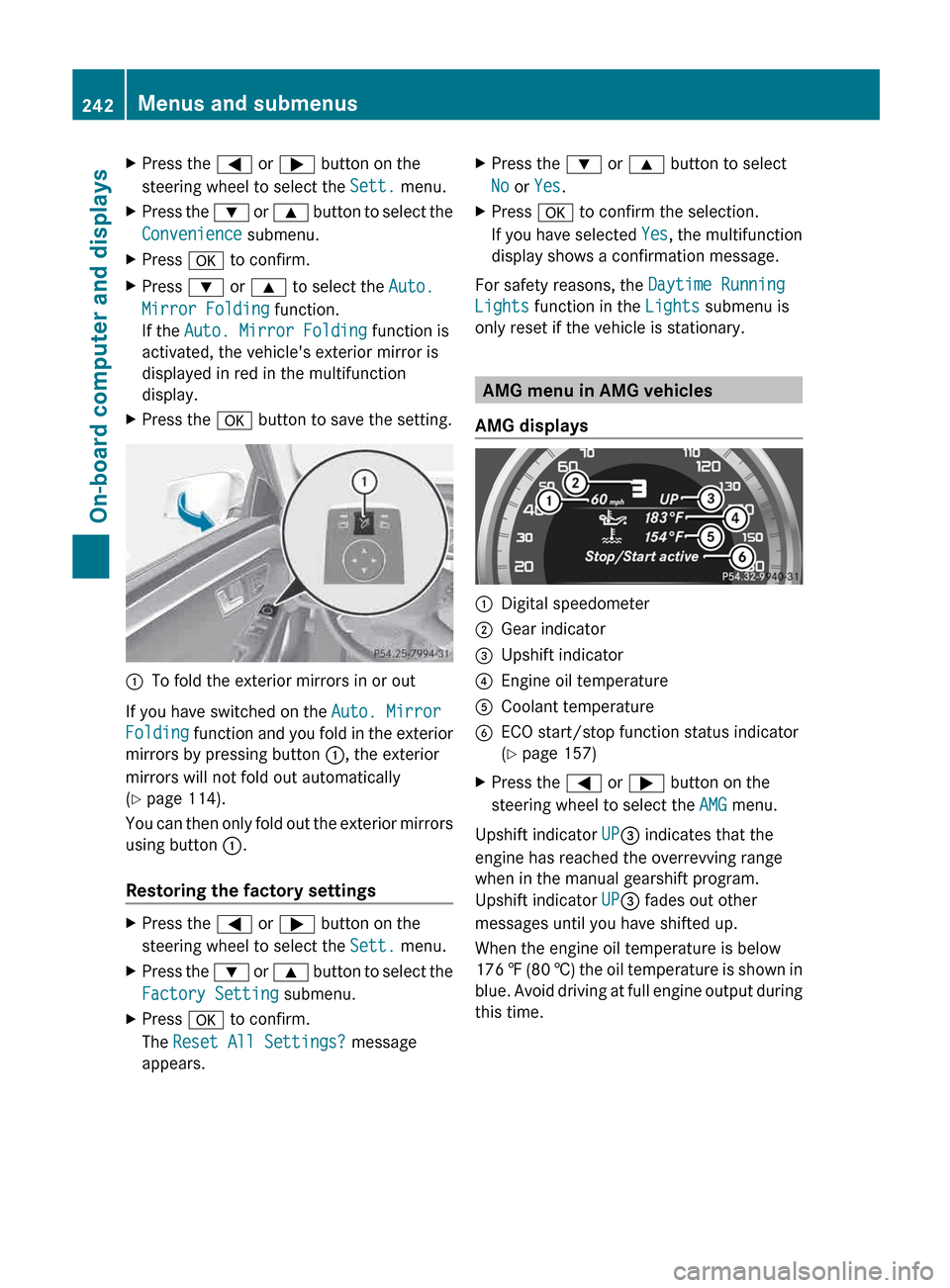
To fold the exterior mirrors in or out
If you have switched on the Auto. Mirror
Folding
function and you fold in the exterior
mirrors by pressing button :, the exterior
mirrors will not fold out automatically
(Y page 114).
You can then only fold out the exterior mirrors
using button :.
Restoring the factory settings X
Press the = or ; button on the
steering wheel to select the Sett. menu.
X Press the :
or 9 button to select the
Factory Setting submenu.
X Press a to confirm.
The Reset All Settings? message
appears. X
Press the : or 9 button to select
No or Yes.
X Press a to confirm the selection.
If
you have selected Yes, the multifunction
display shows a confirmation message.
For safety reasons, the Daytime Running
Lights function in the Lights submenu is
only reset if the vehicle is stationary. AMG menu in AMG vehicles
AMG displays :
Digital speedometer
; Gear indicator
= Upshift indicator
? Engine oil temperature
A Coolant temperature
B ECO start/stop function status indicator
(Y page 157)
X Press the = or ; button on the
steering wheel to select the AMG menu.
Upshift indicator UP= indicates that the
engine has reached the overrevving range
when in the manual gearshift program.
Upshift indicator UP= fades out other
messages until you have shifted up.
When the engine oil temperature is below
176 ‡
(80 †) the oil temperature is shown in
blue. Avoid driving at full engine output during
this time. 242
Menus and submenus
On-board computer and displays
Page 245 of 420
SETUP
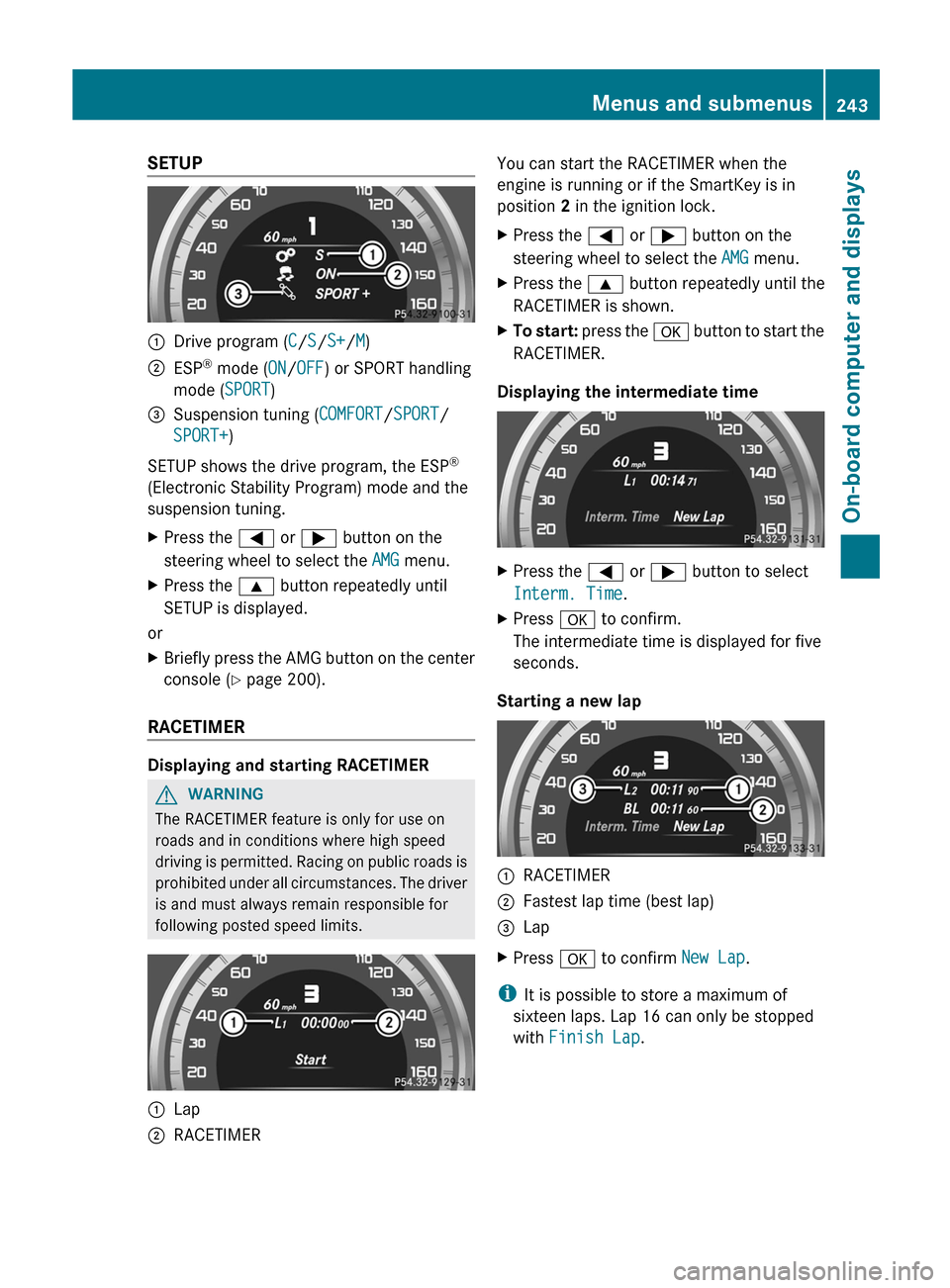
:
Drive program (C/S/S+/M)
; ESP ®
mode ( ON/OFF) or SPORT handling
mode ( SPORT)
= Suspension tuning (COMFORT/SPORT/
SPORT+)
SETUP shows the drive program, the ESP ®
(Electronic Stability Program) mode and the
suspension tuning.
X Press the = or ; button on the
steering wheel to select the AMG menu.
X Press the 9 button repeatedly until
SETUP is displayed.
or
X Briefly press the AMG button on the center
console (Y page 200).
RACETIMER Displaying and starting RACETIMER
G
WARNING
The RACETIMER feature is only for use on
roads and in conditions where high speed
driving
is permitted. Racing on public roads is
prohibited under all circumstances. The driver
is and must always remain responsible for
following posted speed limits. :
Lap
; RACETIMER You can start the RACETIMER when the
engine is running or if the SmartKey is in
position 2 in the ignition lock.
X
Press the = or ; button on the
steering wheel to select the AMG menu.
X Press the 9 button repeatedly until the
RACETIMER is shown.
X To start:
press the a button to start the
RACETIMER.
Displaying the intermediate time X
Press the = or ; button to select
Interm. Time.
X Press a to confirm.
The intermediate time is displayed for five
seconds.
Starting a new lap :
RACETIMER
; Fastest lap time (best lap)
= Lap
X Press a to confirm New Lap.
i It is possible to store a maximum of
sixteen laps. Lap 16 can only be stopped
with Finish Lap. Menus and submenus
243
On-board computer and displays Z
Page 246 of 420
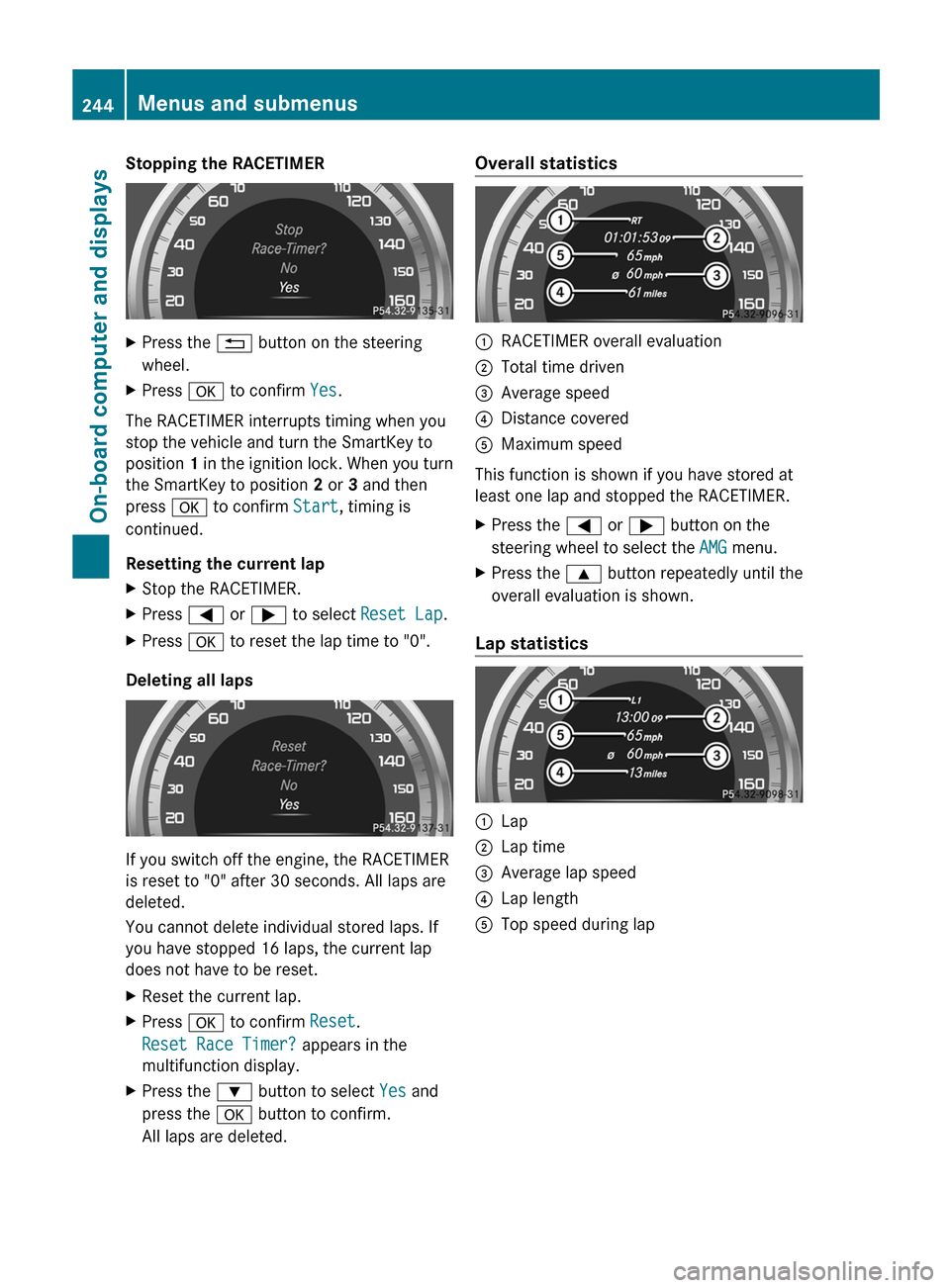
Stopping the RACETIMER
X
Press the % button on the steering
wheel.
X Press a to confirm Yes.
The RACETIMER interrupts timing when you
stop the vehicle and turn the SmartKey to
position 1
in the ignition lock. When you turn
the SmartKey to position 2 or 3 and then
press a to confirm Start, timing is
continued.
Resetting the current lap
X Stop the RACETIMER.
X Press = or ; to select Reset Lap.
X Press a to reset the lap time to "0".
Deleting all laps If you switch off the engine, the RACETIMER
is reset to "0" after 30 seconds. All laps are
deleted.
You cannot delete individual stored laps. If
you have stopped 16 laps, the current lap
does not have to be reset.
X
Reset the current lap.
X Press a to confirm Reset.
Reset Race Timer? appears in the
multifunction display.
X Press the : button to select Yes and
press the a button to confirm.
All laps are deleted. Overall statistics
:
RACETIMER overall evaluation
; Total time driven
= Average speed
? Distance covered
A Maximum speed
This function is shown if you have stored at
least one lap and stopped the RACETIMER.
X Press the = or ; button on the
steering wheel to select the AMG menu.
X Press the 9 button repeatedly until the
overall evaluation is shown.
Lap statistics :
Lap
; Lap time
= Average lap speed
? Lap length
A Top speed during lap244
Menus and submenus
On-board computer and displays
Page 252 of 420
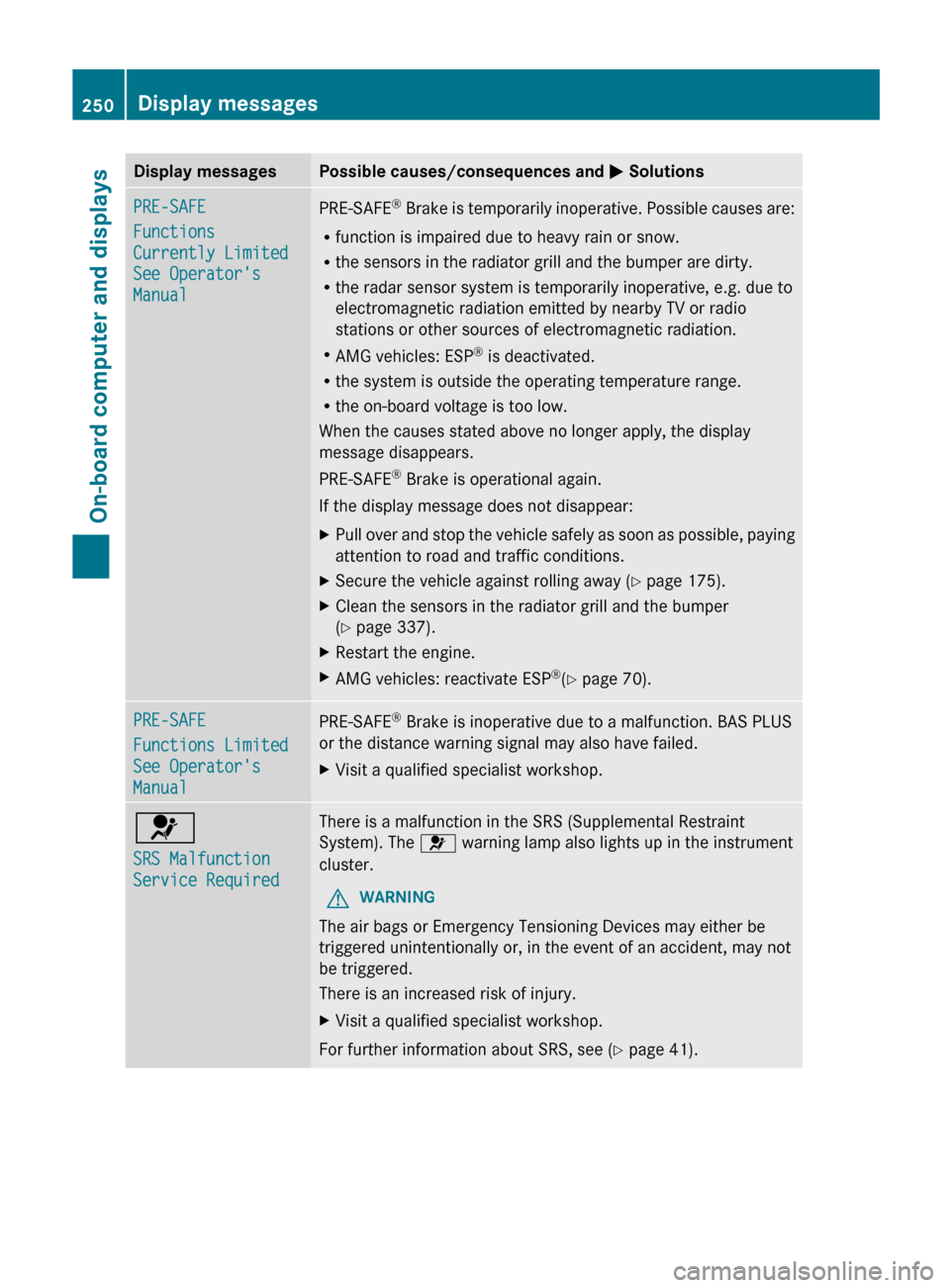
Display messages Possible causes/consequences and
M SolutionsPRE-SAFE
Functions
Currently Limited
See Operator's
Manual
PRE-SAFE
®
Brake is temporarily inoperative. Possible causes are:
R function is impaired due to heavy rain or snow.
R the sensors in the radiator grill and the bumper are dirty.
R the radar sensor system is temporarily inoperative, e.g. due to
electromagnetic radiation emitted by nearby TV or radio
stations or other sources of electromagnetic radiation.
R AMG vehicles: ESP ®
is deactivated.
R the system is outside the operating temperature range.
R the on-board voltage is too low.
When the causes stated above no longer apply, the display
message disappears.
PRE-SAFE ®
Brake is operational again.
If the display message does not disappear:
X Pull over and stop the vehicle safely as soon as possible, paying
attention to road and traffic conditions.
X Secure the vehicle against rolling away ( Y page 175).
X Clean the sensors in the radiator grill and the bumper
(Y page 337).
X Restart the engine.
X AMG vehicles: reactivate ESP ®
(Y page 70). PRE-SAFE
Functions Limited
See Operator's
Manual
PRE-SAFE
®
Brake is inoperative due to a malfunction. BAS PLUS
or the distance warning signal may also have failed.
X Visit a qualified specialist workshop. 6
SRS Malfunction
Service Required There is a malfunction in the SRS (Supplemental Restraint
System). The 6 warning lamp also lights up in the instrument
cluster.
G WARNING
The air bags or Emergency Tensioning Devices may either be
triggered unintentionally or, in the event of an accident, may not
be triggered.
There is an increased risk of injury.
X Visit a qualified specialist workshop.
For further information about SRS, see (Y page 41). 250
Display messages
On-board computer and displays
Page 260 of 420
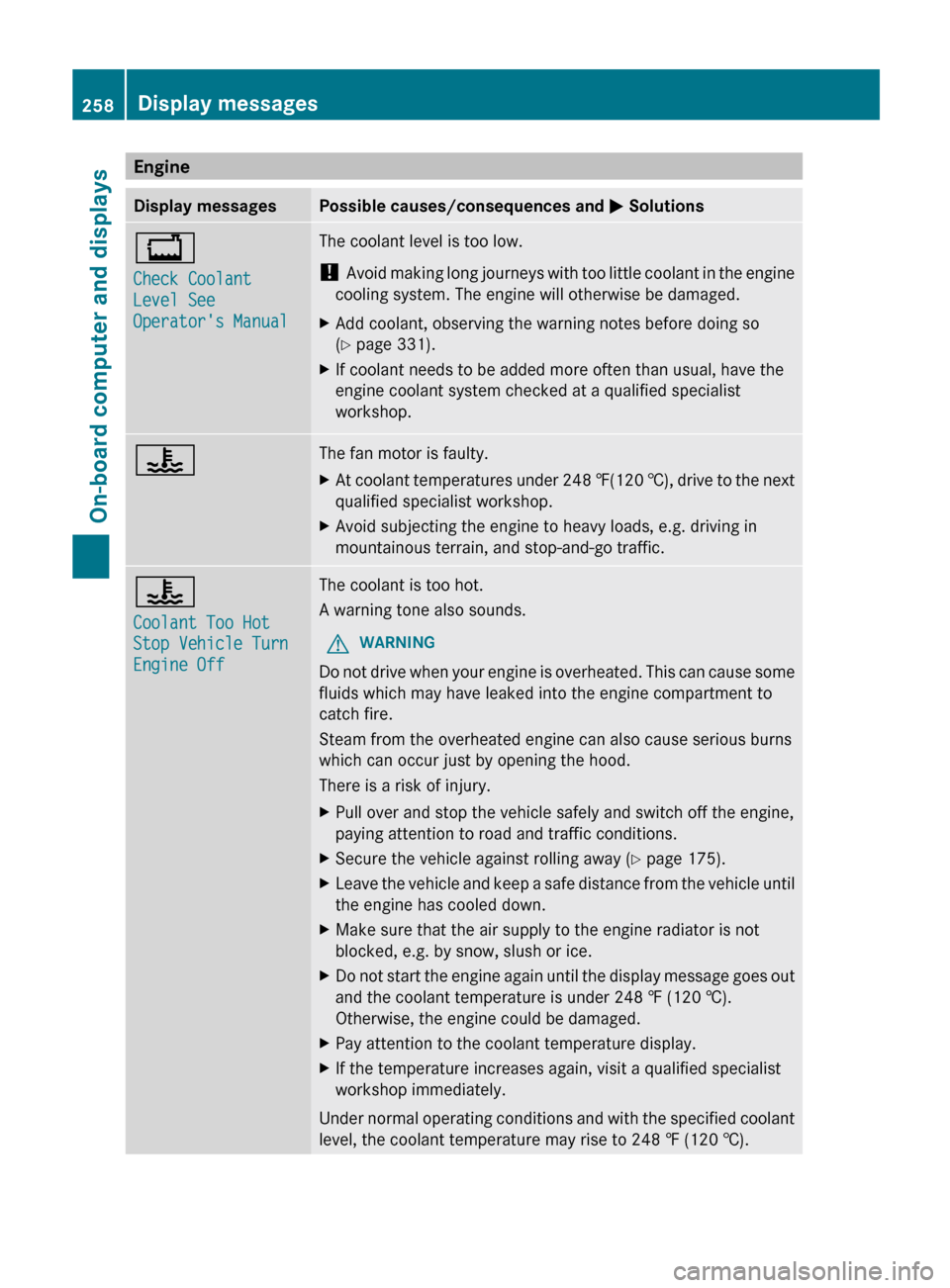
Engine
Display messages Possible causes/consequences and
M Solutions+
Check Coolant
Level See
Operator's Manual The coolant level is too low.
!
Avoid
making long journeys with too little coolant in the engine
cooling system. The engine will otherwise be damaged.
X Add coolant, observing the warning notes before doing so
(Y page 331).
X If coolant needs to be added more often than usual, have the
engine coolant system checked at a qualified specialist
workshop. ? The fan motor is faulty.
X
At coolant temperatures under 248 ‡(120 †),
drive to the next
qualified specialist workshop.
X Avoid subjecting the engine to heavy loads, e.g. driving in
mountainous terrain, and stop-and-go traffic. ?
Coolant Too Hot
Stop Vehicle Turn
Engine Off The coolant is too hot.
A warning tone also sounds.
G WARNING
Do not drive when your engine is overheated. This can cause some
fluids which may have leaked into the engine compartment to
catch fire.
Steam from the overheated engine can also cause serious burns
which can occur just by opening the hood.
There is a risk of injury.
X Pull over and stop the vehicle safely and switch off the engine,
paying attention to road and traffic conditions.
X Secure the vehicle against rolling away ( Y page 175).
X Leave the vehicle and keep a safe distance from the vehicle until
the engine has cooled down.
X Make sure that the air supply to the engine radiator is not
blocked, e.g. by snow, slush or ice.
X Do not start the engine again until the display message goes out
and the coolant temperature is under 248 ‡ (120
†).
Otherwise, the engine could be damaged.
X Pay attention to the coolant temperature display.
X If the temperature increases again, visit a qualified specialist
workshop immediately.
Under normal operating conditions and with the specified coolant
level, the coolant temperature may rise to
248 ‡ (120 †).258
Display messages
On-board computer and displays
Page 261 of 420
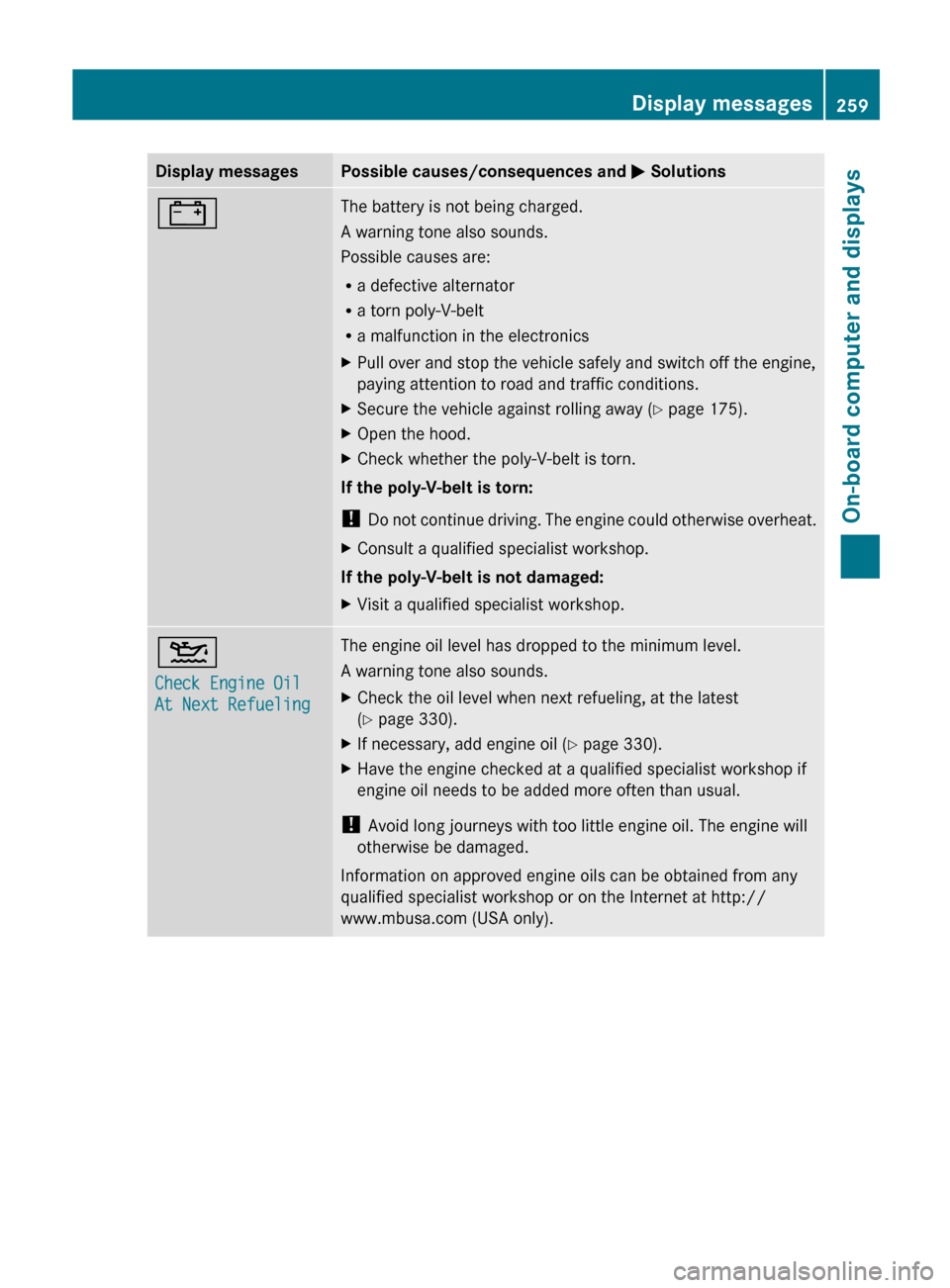
Display messages Possible causes/consequences and
M Solutions# The battery is not being charged.
A warning tone also sounds.
Possible causes are:
R
a defective alternator
R a torn poly-V-belt
R a malfunction in the electronics
X Pull over and stop the vehicle safely and switch off the engine,
paying attention to road and traffic conditions.
X Secure the vehicle against rolling away ( Y page 175).
X Open the hood.
X Check whether the poly-V-belt is torn.
If the poly-V-belt is torn:
! Do
not continue driving. The engine could otherwise overheat.
X Consult a qualified specialist workshop.
If the poly-V-belt is not damaged:
X Visit a qualified specialist workshop. 4
Check Engine Oil
At Next Refueling The engine oil level has dropped to the minimum level.
A warning tone also sounds.
X
Check the oil level when next refueling, at the latest
(Y page 330).
X If necessary, add engine oil ( Y page 330).
X Have the engine checked at a qualified specialist workshop if
engine oil needs to be added more often than usual.
! Avoid long journeys with too little engine oil. The engine will
otherwise be damaged.
Information on approved engine oils can be obtained from any
qualified specialist workshop or on the Internet at http://
www.mbusa.com (USA only). Display messages
259
On-board computer and displays Z
Page 262 of 420
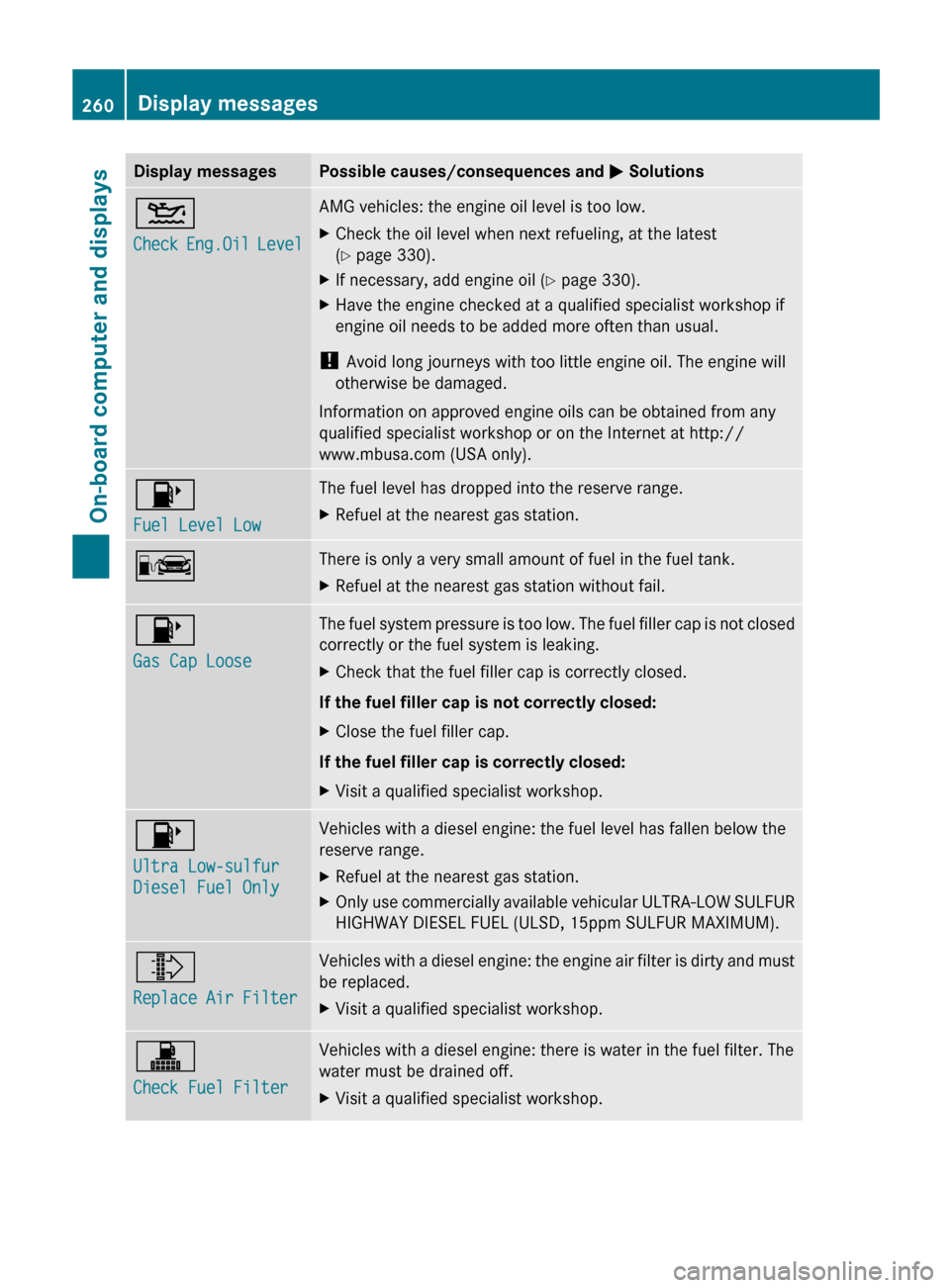
Display messages Possible causes/consequences and
M Solutions4
Check
Eng.Oil Level AMG vehicles: the engine oil level is too low.
X
Check the oil level when next refueling, at the latest
(Y page 330).
X If necessary, add engine oil ( Y page 330).
X Have the engine checked at a qualified specialist workshop if
engine oil needs to be added more often than usual.
! Avoid long journeys with too little engine oil. The engine will
otherwise be damaged.
Information on approved engine oils can be obtained from any
qualified specialist workshop or on the Internet at http://
www.mbusa.com (USA only). 8
Fuel Level Low The fuel level has dropped into the reserve range.
X
Refuel at the nearest gas station. C There is only a very small amount of fuel in the fuel tank.
X
Refuel at the nearest gas station without fail. 8
Gas Cap Loose The fuel system pressure is too low. The fuel filler cap is not closed
correctly or the fuel system is leaking.
X
Check that the fuel filler cap is correctly closed.
If the fuel filler cap is not correctly closed:
X Close the fuel filler cap.
If the fuel filler cap is correctly closed:
X Visit a qualified specialist workshop. 8
Ultra Low-sulfur
Diesel Fuel Only Vehicles with a diesel engine: the fuel level has fallen below the
reserve range.
X
Refuel at the nearest gas station.
X Only use commercially available vehicular ULTRA-LOW SULFUR
HIGHWAY DIESEL FUEL (ULSD,
15ppm SULFUR MAXIMUM).¸
Replace Air Filter Vehicles with a diesel engine: the engine air filter is dirty and must
be replaced.
X
Visit a qualified specialist workshop. !
Check Fuel Filter Vehicles with a diesel engine: there is water in the fuel filter. The
water must be drained off.
X
Visit a qualified specialist workshop.260
Display messages
On-board computer and displays