phone MERCEDES-BENZ E-CLASS WAGON 2019 User Guide
[x] Cancel search | Manufacturer: MERCEDES-BENZ, Model Year: 2019, Model line: E-CLASS WAGON, Model: MERCEDES-BENZ E-CLASS WAGON 2019Pages: 538, PDF Size: 48.23 MB
Page 252 of 538
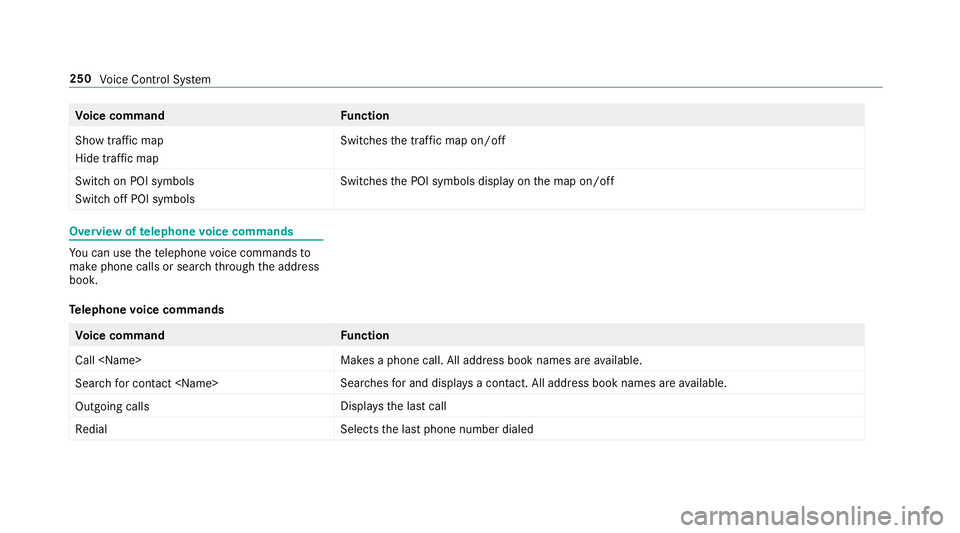
Vo
ice comm and Function
Show trafficmap
Hide trafficmap Switc
hesthetra ffic map on/off
Swit chon POI symbols
Swit choff POI symbols Swit
ches thePOI symbols displayon themap on/off Ov
ervie wof telephone voice comm ands Yo
ucan usethete lephon evo ice com mand sto
mak ephone callsor sear chthro ugh theaddr ess
book .
Te lephone voice comm ands Vo
ice comm and Function
Call
esaphone call.Alladdr essbook names areav ailable.
Sear chfor con tact
ches forand displays acon tact. Alladdress bookname sar eav ailable.
Out goin gcalls Dis
playsthelas tcall
Redial Select
sth elas tphone number dialed 250
Voice Cont rolSy stem
Page 271 of 538
0007
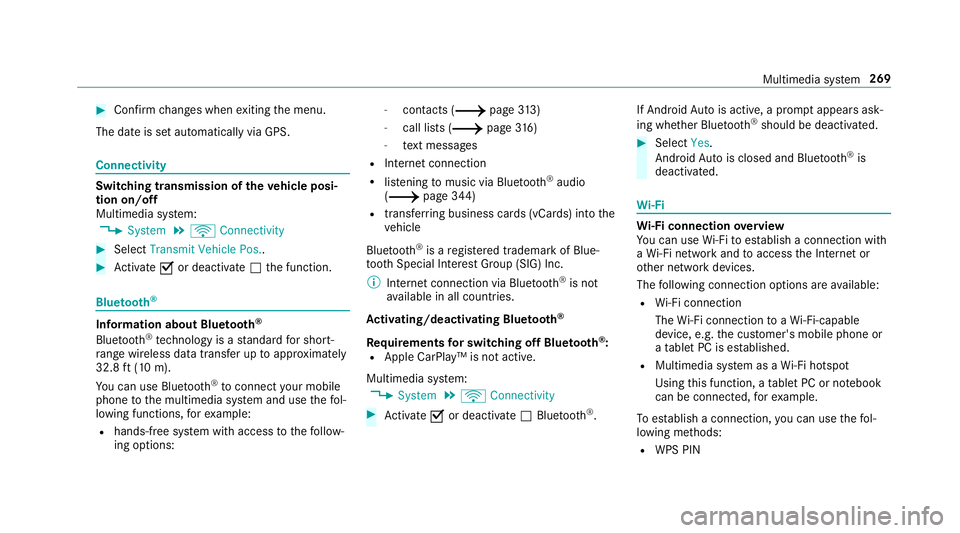
Con firm chang eswhen exitin gth emenu.
The dateis setaut omaticall yvia GPS. Connectivity
Switc
hingtransmission oftheve hicl eposi ‐
tion on/off
Mul timedi asy stem:
0018 System 0019
ö Connec tivity 0007
Select Transm itVehicle Pos.. 0007
Activate0073 ordeacti vate 0053 thefunc tion. Blue
tooth® Inf
orma tion abou tBlu etoo th®
Bl ue tooth®
tech nol ogy isast andar dfo rshor t-
ra ng ewi reless datatransf erup toappr oximat ely
32. 8ft (10 m).
Yo ucan useBlue tooth®
to connect your mob ile
phon eto themultimedia system and usethefo l‐
lo wing functions,forex am ple:
R han ds-free system withaccess tothefo llo w‐
ing option s: -
con tacts (0013 page 313)
- calllist s(0013 page31 6)
- text mes sage s
R Interne tconnection
R listening tomusi cvia Blue tooth®
audio
(0013 page34 4)
R trans ferring busine sscar ds(vCar ds)intoth e
ve hicle
Blue tooth®
is are gis tere dtra demar kof Blue‐
to othSpecial Interes tGr oup (SIG) Inc.
0009 Interne tconn ection viaBlue tooth®
is no t
av ailable inall coun tries.
Ac tiv atin g/deac tivatin gBlue tooth®
Re quirement sfo rsw itchin gof fBlue tooth®
:
R App leCa rPlay™ isno tactiv e.
Mul timed iasystem:
0018 System 0019
ö Connec tivity 0007
Activate0073 ordeacti vate 0053 Bluetoo th®
. If
Andr oidAutoisact ive, apr om ptappear sask ‐
ing whe ther Blue tooth®
should bedeactiv ated. 0007
Select Yes.
Andr oidAutoisclos edand Bluetooth®
is
deact ivat ed. Wi
-Fi Wi
-Fico nne ctio nove rview
Yo ucan useWi-Fi toestablish acon nection with
a Wi -Fi networkand toacc ess theInt erne tor
ot her networkde vices.
The follo wing connection option sar eav ailable:
R Wi-Fi conne ction
The Wi-Fi conne ctionto aWi -Fi-ca pable
de vice ,e.g .th ecus tomer's mobilephone or
a ta ble tPC ises tablished.
R Multimedia system asaWi -Fi hotspo t
Usi ngthis func tion,a ta ble tPC ornotebook
can becon nected, forex am ple.
To establish acon nection ,yo ucan usethefo l‐
lo wing methods:
R WPS PIN Multimedia
system 269
Page 278 of 538
Se
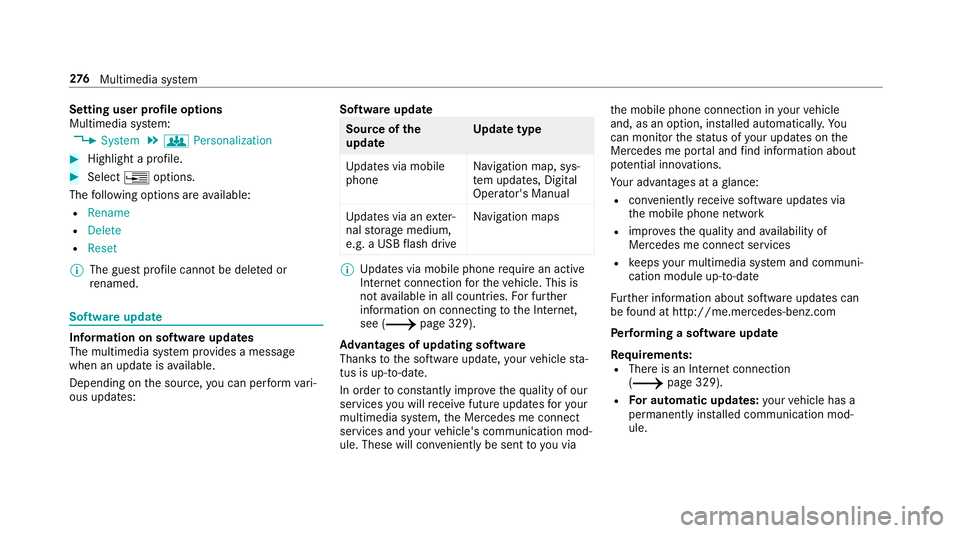
tting userprofile options
Multimedia system:
0018 System 0019
g Person alization 0007
Highlight apr ofile. 0007
Select 0080option s.
The follo wing option sar eav ailable:
R Renam e
R Delete
R Reset
0009 The gues tpr ofile can notbe dele tedor
re nam ed. So
ftwa reupdat e Inf
ormation onsof twareupdat es
The multimedi asy stem prov ides amess age
when anupdat eis available.
De pen dingon thesour ce,youcan perform vari‐
ous updat es: Sof
twareupd ate Sour
ceofthe
updat e Up
dat etype
Up dat esvia mobile
phone Na
vig ation map,sys‐
te m upd ates, Digit al
Oper ator's Manua l
Up dat esvia anexter‐
nal stor ag emedium,
e.g. aUSB flash drive Na
vig ation maps 0009
Updat esvia mobile phonerequ ire an act ive
Int erne tcon nection forth eve hicle. Thisis
no tav ailable inall coun tries. Forfur ther
inf ormation oncon nect ingtotheInt erne t,
see (0013 page329).
Ad vantag esofupd ating software
Thank sto thesof twareupdat e,your vehicle sta‐
tus isup-t o-dat e.
In order tocons tantly improve thequ alit yof our
ser vices youwill recei vefutur eupd ates foryo ur
mult imed iasystem, theMer cedes meconnect
ser vices andyour vehicle's communication mod‐
ule. These willconvenie ntlybe sent toyouvia th
emobile phoneconnect ioninyour vehicle
and, asan option, installed automat ically.Yo u
can moni torth est atus ofyour updat eson the
Mer cedes meportaland find informa tionab ou t
po tentia linno vatio ns.
Yo ur adv antages ataglanc e:
R con venie ntly recei vesof twareupda tesvia
th emobile phonenetwork
R improve sth equ alit yand availabilit yof
Mer cedesme connectser vices
R keeps your mult imed iasystem and comm uni‐
cation module up-to-dat e
Fu rther information aboutsoftwareupdat escan
be found athttp :/ /m e.m erced es-ben z.co m
Pe rfor min gasof twareup date
Re quirement s:
R Ther eis an Interne tcon nection
(0013 page329).
R Foraut omat icupdat es:yo ur vehicle hasa
per manent lyins talled com munic ationmod‐
ule. 27
6
Multimedia system
Page 279 of 538
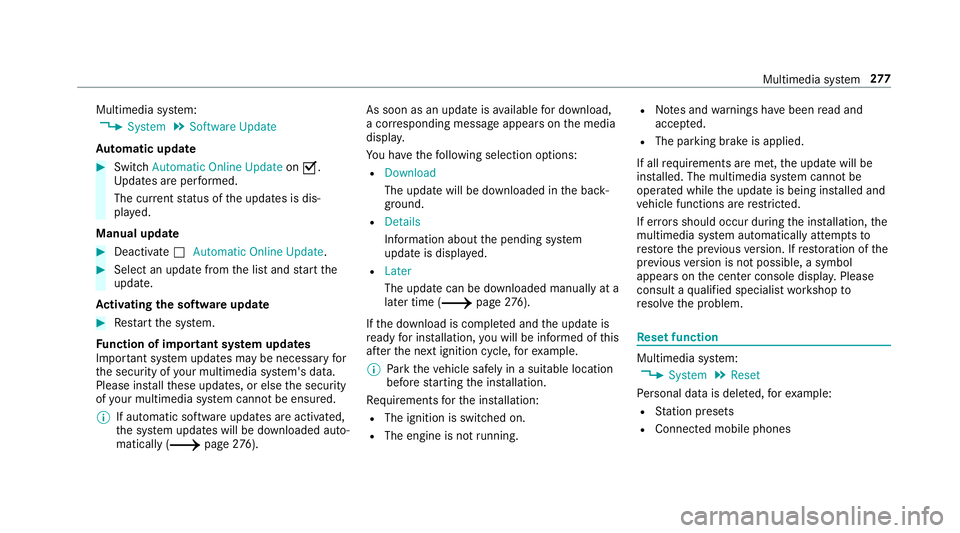
Multimedia
system:
0018 System 0019
Soft ware Update
Au tomatic update 0007
Swi tchAuto matic Onl ine Update on 0073.
Up dat esareper form ed.
The current status oftheupdat esisdis‐
pla yed.
Manu alupd ate 0007
Deact ivat e0053 Auto matic OnlineUpdate. 0007
Select anupdat efrom thelis tand star tth e
updat e.
Ac tiv atin gthe softwa reupdat e 0007
Restar tth esy stem.
Fu nction ofimpor tant system updates
Im por tant system updat esma ybe neces saryfo r
th esecur ityofyour mult imed iasystem's data.
Please installth ese updat es,orelse thesecur ity
of your mult imed iasystem cann otbe ensur ed.
0009 Ifaut omatic softwareupdat esareactiv ated,
th esy stem updat eswill bedownloaded auto‐
maticall y(0013 page27 6). As
soon asan upd ateis available fordo wnloa d,
a cor responding messageappea rson themedia
displa y.
Yo uha ve thefo llo wing selectionoption s:
R Down load
The updat ewill bedownloaded inthebac k‐
gr ound.
R Det ails
Inf ormation aboutthepending system
updat eis displa yed.
R Later
The updat ecan bedownloaded manuallyata
lat er time (0013 page27 6).
If th edo wnload iscom pletedand theupdat eis
re ady forins tallation ,yo uwill beinformed ofthis
af te rth ene xt ignition cycle, forex am ple.
0009 Park theve hicle safely inasuit able location
bef orest ar tin gth eins tallation .
Re quiremen tsforth eins tallation :
R The ignit ionisswitc hedon.
R The engin eis no tru nning . R
Notesand warnings have been read and
acc epted.
R The parkingbr ak eis applied.
If all requ iremen tsareme t,th eupdat ewill be
ins talled. Themultim ediasystem cann otbe
oper ated while theupdat eis being installed and
ve hicle functionsarere strict ed.
If er ro rs should occurduring theins tallation ,th e
multime diasystem automatic allyatt em ptsto
re stor eth epr ev ious version. Ifre stor ation ofthe
pr ev ious version isno tpossible ,a symbol
appear son thecent ercon sole displa y.Please
cons ultaqu alif ied spec ialistwo rkshop to
re solv eth epr oblem. Re
setfunction Multimedia
system:
0018 System 0019
Reset
Pe rsonal datais dele ted, forex am ple:
R Statio npr ese ts
R Con nectedmobile phones Multimedia
system 27
7
Page 288 of 538
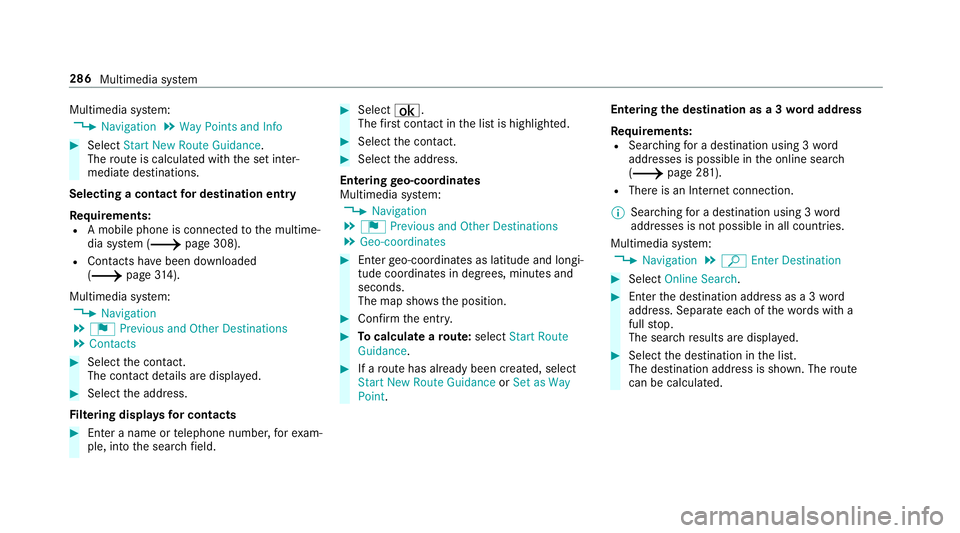
Multimedia
system:
0018 Navigation 0019
Way Point sand Info 0007
Select Start New Route Guidance.
The routeis calc ulatedwithth ese tint er‐
mediat edes tinat ions.
Selecting acontact fordes tinatio nen try
Re quirement s:
R Amobile phoneis con nectedto themultime‐
dia system (0013 page308).
R Cont acts have been downloaded
(0013 page31 4).
Mul timediasystem:
0018 Navigation
0019 ¬ Previous andOther Destination s
0019 Contac ts 0007
Select thecon tact.
The cont actdetails aredispla yed. 0007
Select theaddr ess.
Fi lter ing disp lays forco ntac ts 0007
Enteranam eor telephon enumb er,fo rex am‐
ple, intoth esear chfield. 0007
Select ¡.
The firs tcont actinthelis tis highlight ed. 0007
Select thecon tact. 0007
Sele cttheaddr ess.
Ent ering geo-coor dinates
Multimedia system:
0018 Navigation
0019 ¬ Previous andOther Destination s
0019 Geo-coor dinates 0007
Enterge o-coor dinatesaslatitude andlongi‐
tude coordinat esindegr ees, minut esand
seconds.
The map showstheposition . 0007
Conf irm theent ry. 0007
Tocalcu latearo ut e: sele ctStart Route
Gu ida nce. 0007
Ifaro utehas already been creat ed, sele ct
St art New RouteGuidan ceorSet asWay
Poin t. Ent
ering thedes tina tion asa3 wo rdaddr ess
Re quirement s:
R Sear ching fora des tination using 3wo rd
addr esse sis poss ibleintheonline search
( 0013 page28 1).
R Ther eis an Interne tcon nection .
0009 Sear ching fora des tination using 3wo rd
addr esse sis no tposs ibleinall coun tries.
Mult imed iasystem:
0018 Navigation 0019
ª Enter Dest ination 0007
Select Online Search. 0007
Enterth edes tinat ionaddr essasa3 wo rd
addr ess. Separateeac hof thewo rdswit ha
full stop.
The sear chresults aredispla yed. 0007
Select thedes tinat ioninthelis t.
The destinat ionaddr essissho wn. The route
can becalc ulated. 286
Multimed iasystem
Page 290 of 538
0009
Traf fic re por tsareno tav ailable inall coun ‐
tr ies.
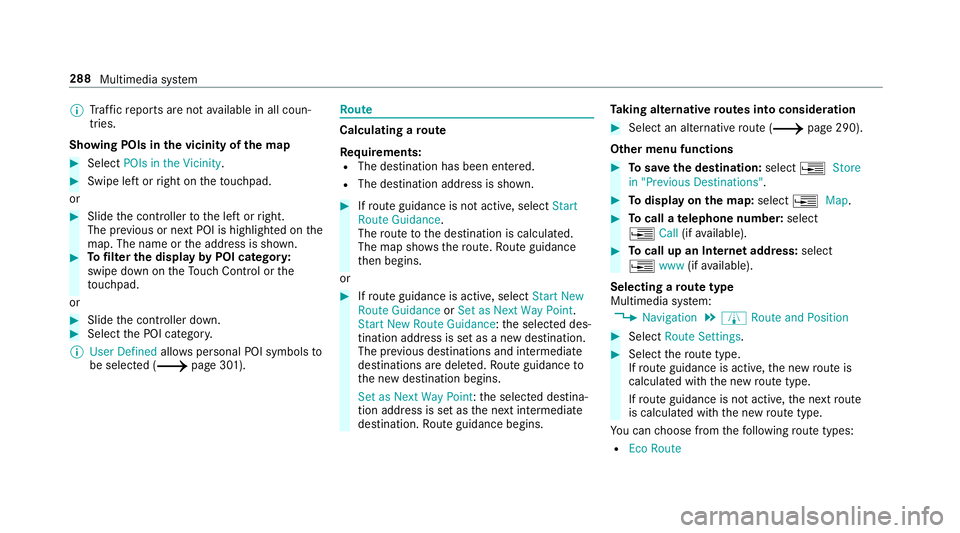
Sho wing POIsinthevicinit yof thema p 0007
Sele ctPOIs intheVic init y. 0007
Swipe leftor right ontheto uc hpad.
or 0007
Slid eth econ troller tothelef tor right.
The prev ious ornext POI ishighligh tedon the
map. Thename ortheaddr essissho wn. 0007
Tofilt er thedisp layby POI categor y:
swipe down ontheTo uc hCon trol or the
to uc hpad.
or 0007
Slid eth econ troller down. 0007
Select thePOI categor y.
0009 User Defined allowspersonal POIsymbols to
be select ed(0013 page30 1). Ro
ute Calc
ulating aro ut e
Re quirement s:
R The destination hasbeen entered.
R The destination addressissho wn. 0007
Ifro uteguidan ceisno tact ive, sele ctStart
Rout eGuidan ce.
The routeto thedes tinat ioniscalculat ed.
The map showsthero ute. Ro uteguidan ce
th en begins.
or 0007
Ifro uteguidan ceisact ive, sele ctStart New
Rout eGuidan ceorSet asNex tWay Point.
St art New RouteGuidan ce:th eselect eddes‐
tinat ionaddr essissetas ane wdes tinat ion.
The prev ious destination sand intermediat e
des tination sar edele ted. Ro uteguidan ceto
th ene wdes tinat ionbegins.
Set asNext WayPoint :th eselect eddes tina‐
tion addr essissetas thene xt int ermediat e
des tinat ion.Routeguidan cebegin s. Ta
king alternativ ero ut es intoco nside ratio n 0007
Select analte rn ativ ero ute(0013 page29 0).
Ot her men ufu nct ions 0007
Tosave thedes tina tion: select0080 Store
in "Prev iousDestination s". 0007
Todispl ayon thema p:selec t0080 Map. 0007
Tocall ate lephone number: select
0080 Call(ifavailable). 0007
Tocall upanInterne tad dress: selec t
0080 www(ifavailable).
Select ingaro ut etype
Mul timedi asy stem:
0018 Navigation 0019
À Route andPosition 0007
Select RouteSetting s. 0007
Select thero utetyp e.
If ro uteguidan ceisact ive, thene wrouteis
calc ulatedwithth ene wroutetype .
If ro uteguidan ceisno tact ive, thene xt route
is calc ulatedwithth ene wroutetype .
Yo ucan choose from thefo llo wing routetype s:
R EcoRout e 288
Multimed iasystem
Page 296 of 538
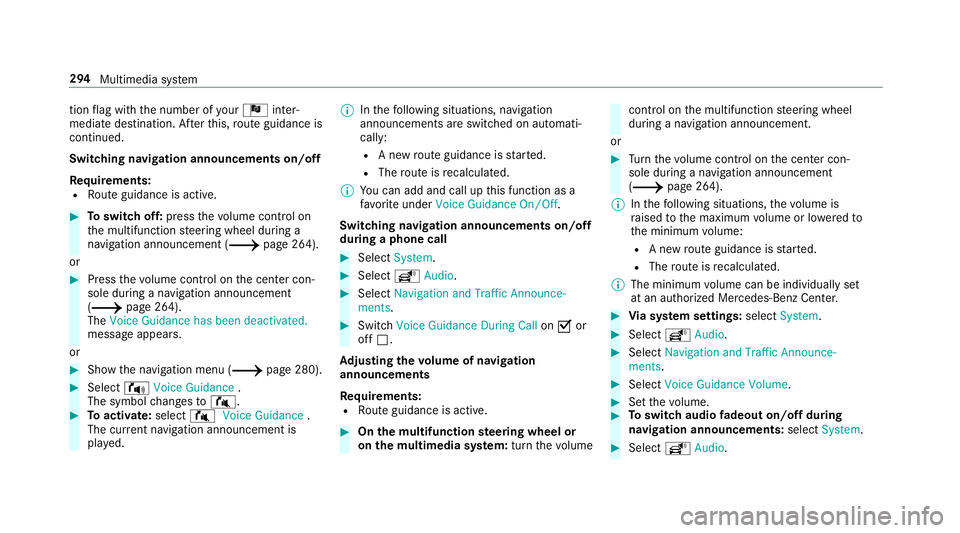
tio
nflag withth enumber ofyour Î inter‐
med iatedes tinatio n.Afterth is, routeguidan ceis
co ntinue d.
Swit ching navig ation announ cement son/of f
Re quirement s:
R Routeguidan ceisact ive. 0007
Toswitc hof f:pr ess thevo lume control on
th emultifunc tionsteer ing wheel during a
na vig ation announ cement(0013 page26 4).
or 0007
Press thevo lume control on thecent ercon ‐
sole during ana vig ation announ cement
(0013 page26 4).
The Voice Guidance hasbeen deactivat ed.
messag eappear s.
or 0007
Sho wthena vig ation menu (0013 page280). 0007
Select !Voice Guidance .
The symbol chang esto# . 0007
Toactiv ate: sele ct# VoiceGuida nce .
The current navig ation anno uncement is
pl ay ed. 0009
Inthefo llo wing situat ions,na vig ation
ann ounc emen tsareswitc hedonaut omat i‐
call y:
R Ane wrouteguidan ceisstar ted.
R The routeis recal cul ated.
0009 Youcan add andcallupthis func tion asa
fa vo rite und erVoic eGuidan ceOn/O ff.
Swit ching navig ation announ cement son/of f
dur ing aphone call 0007
Selec tSyst em. 0007
Selec tõ Audio. 0007
Selec tNavigat ionand Traff icAn noun ce-
men ts. 0007
Swit chVoice Guidance During Callon 0073 or
of f0053.
Ad jus tingthe volum eof navig ation
announ cement s
Re quirement s:
R Routeguidan ceisact ive. 0007
On themu ltifunct ionsteer ing wheel or
on themu ltim edia system: turnth evo lume con
trol on themultifunc tionsteer ing wheel
dur ing ana vig ation announ cement.
or 0007
Turn thevo lume control on thecent ercon ‐
sole during ana vig ation announ cement
(0013 page26 4).
0009 Inthefo llo wing situat ions,th evo lume is
ra ised tothemaximum volume orlowe redto
th eminimum volume:
R Ane wrouteguidan ceisstar ted.
R The routeis recal cul ated.
0009 The mini mum volume canbeindiv iduall yse t
at an aut hor ized Mercedes -Benz Cent er. 0007
Viasy stem settings: selectSyst em. 0007
Sele ctõ Audio. 0007
Sele ctNavig ation andTrafficAnnoun ce-
men ts. 0007
Sele ctVoic eGuidanc eVolume . 0007
Setth evo lume. 0007
Toswitc haud iofadeo uton/o ffdur ing
na vig atio nanno unceme nts: select System . 0007
Select õ Audio. 29
4
Mu ltimed iasystem
Page 307 of 538
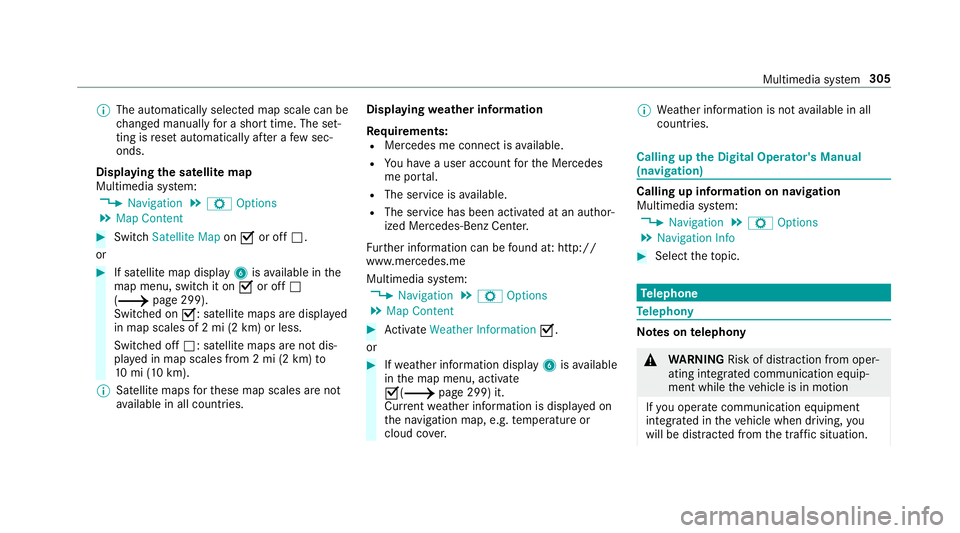
0009
The automaticall yselect edmap scale canbe
ch ang edman uallyfo ra shor ttime. Theset‐
ting isrese taut omatically afte ra fe w sec ‐
ond s.
Displa yingthesat ellit ema p
Multi media system:
0018 Navigation 0019
Z Option s
0019 Map Conten t 0007
Switc hSatellit eMap on0073 oroff0053.
or 0007
Ifsat ellit emap displa y6 isavailable inthe
map menu, switchit on 0073 oroff0053
(0013 page299) .
Switc hedon0073: satellite maps aredisp laye d
in map scales of2mi (2km )or less.
Swit ched off0053: satellit emaps areno tdis‐
pla yedin map scales from 2mi (2km) to
10 mi(10 km).
0009 Satellite maps forth ese map scales areno t
av ailable inall coun tries. Displ
aying weather information
Re quirement s:
R Mer cedes meconnectis available.
R Youha ve auser accoun tfo rth eMer cedes
me portal.
R The service isavailable.
R The servicehas been activat ed atan aut hor ‐
ize dMer cedes-Ben zCent er.
Fu rther information canbefound at:ht tp :/ /
www .merced es.me
Mult imed iasystem:
0018 Navigation 0019
Z Option s
0019 Map Conten t 0007
ActivateWe ath erInfo rma tion0073.
or 0007
Ifwe ather informat iondispla y6 isavailable
in themap menu, activate
0073(0013 page299) it.
Cur rent we ather informat ionisdispla yedon
th ena vig ation map,e.g.temp eratur eor
cloud cover. 0009
Weather informat ionisno tav ailable inall
coun tries. Calli
ngup theDigital Operator' sMan ual
(na vigation) Calling
upinforma tion onnavig ation
Multi media system:
0018 Navigation 0019
Z Option s
0019 Navigation Info 0007
Select theto pic. Te
lephone Te
lephon y No
teson telephon y 000A
WARNIN GRisk ofdist ra ction from oper‐
ati ng integr ated commu nication equip‐
ment whiletheve hicle isin mo tion
If yo uoper ateco mm unic ationeq uipme nt
int egrat edintheve hicle when driving, you
will bedistract edfrom thetra ffic situat ion. Multim
ediasystem 305
Page 309 of 538
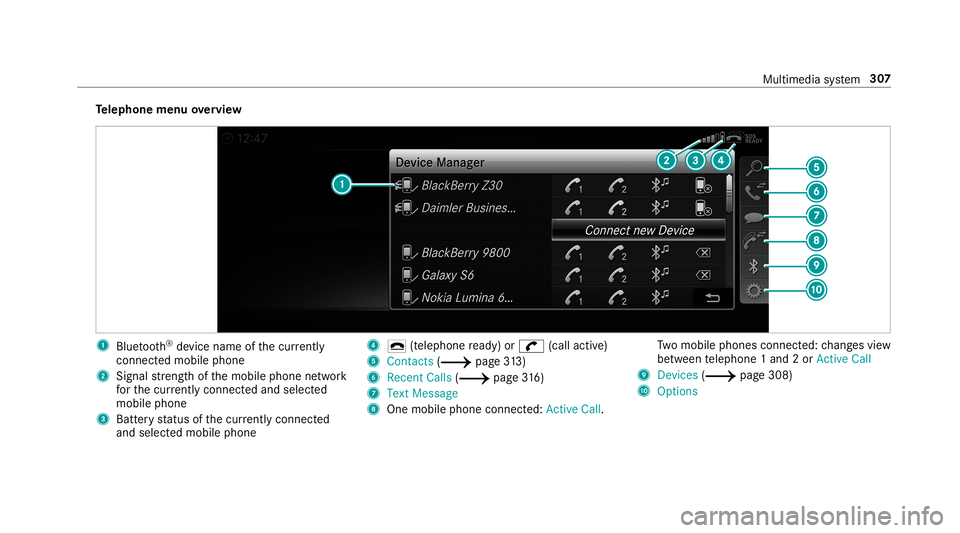
Te
lephone menuoverview 1
Blue tooth®
de vice name ofthecur rently
conne cted mob ile pho ne
2 Signal stre ngt hof themobile phonenetwork
fo rth ecur rently conne cted and select ed
mob ile pho ne
3 Batt eryst atus ofthecur rently conne cted
and select edmob ile pho ne 4
0071 (tel ep hone ready) or0097 (callactive)
5 Con tacts(0013 page31 3)
6 RecentCa lls (0013 page 316)
7 Text Mes sage
8 One mobile pho neconne cted :Active Call. Tw
omobile phones connected: chang esview
be tween telephon e1 and 2or ActiveCall
9 Devices (0013 page308)
A Options Multim
ediasystem 30
7
Page 310 of 538
Symb
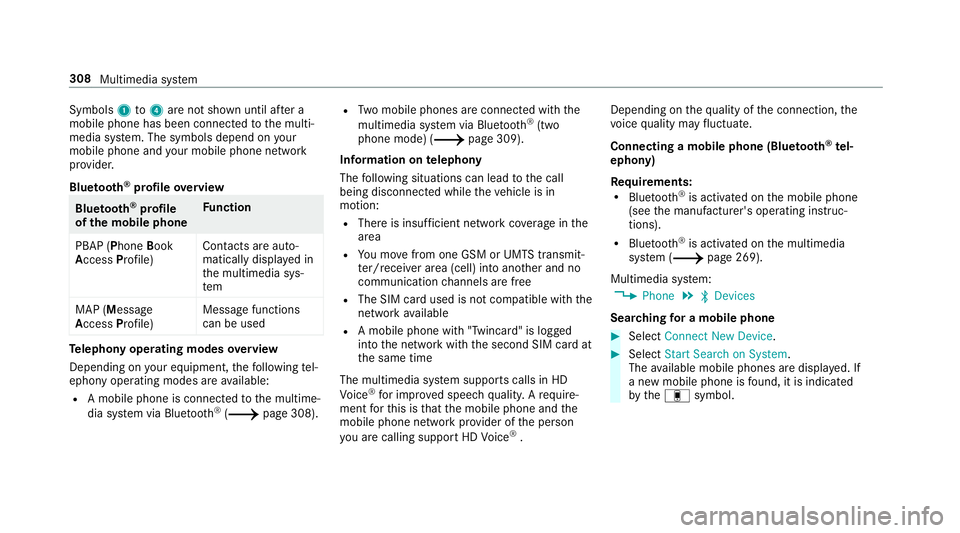
ols1 to4 areno tsho wnuntilaf te ra
mobil ephone hasbeen connect edtothemulti‐
media system. Thesymbols dependonyour
mob ilephon eand your mob ilephon ene twork
pr ov ider .
Blu etoo th®
pr ofile ove rview Blue
tooth®
pr ofile
of the mobi lephon eFu
nction
PB AP (Phone Book
Access Profile) Cont
actsar eaut o‐
matic allydispla yedin
th emultimedia sys‐
te m
MAP (Messag e
Access Profile) Messag
efunc tions
can beused Te
lephon yoper ating mod esove rview
Depen dingonyour equipme nt,th efo llo wing tel‐
ephon yoper atingmodes areav ailable:
R Amobi lephon eis con nectedto themultime‐
dia system viaBlue tooth®
(0013 page308). R
Twomobile phones areconn ectedwithth e
multime diasystem viaBlue tooth®
(tw o
phone mode) (0013 page309).
Inf orma tion ontelephon y
The follo wing situat ionscanlead tothecall
being discon nectedwhile theve hicle isin
mo tion:
R Ther eis insuf ficie ntnetworkco verage inthe
ar ea
R Youmo vefrom one GSM orUMT Stransmit‐
te r/r eceiv erarea (cell )int oano ther and no
comm unication chann elsarefree
R The SIM car dused isno tcom patible withth e
ne tworkav ailable
R Amobi lephon ewit h"T winc ard" islogg ed
int oth ene tworkwit hth esecon dSIM cardat
th esame time
The multimedia system suppor tscalls inHD
Vo ice ®
forim prove dspeec hqu alit y.Arequ ire‐
men tfo rth is isthat themobile phoneandthe
mobil ephone networkpr ov ider oftheper son
yo uar ecalli ngsuppo rtHD Voice ®
. Depe
ndingon thequ alit yof thecon nect ion,the
vo ice qualit yma yfluct uate.
Connect ingamob ilephone (Bluetoo th®
te l‐
ephon y)
Re quirement s:
R Blue tooth®
is act ivat ed on themobile phone
(see themanuf acturer'soper ating instruc‐
tion s).
R Blue tooth®
is act ivat ed on themultimedia
sy stem (0013 page269).
Multimedia system:
0018 Phone 0019
00A5 Devic es
Sear ching fora mob ile pho ne 0007
Select Connect NewDevice. 0007
Select Star tSea rch onSys tem .
The available mobilephon esaredispla yed. If
a ne wmobile phoneisfound ,it is ind icat ed
by the# symbol. 308
Multimedia system