lights MERCEDES-BENZ E-CLASS WAGON 2020 User Guide
[x] Cancel search | Manufacturer: MERCEDES-BENZ, Model Year: 2020, Model line: E-CLASS WAGON, Model: MERCEDES-BENZ E-CLASS WAGON 2020Pages: 550, PDF Size: 48.55 MB
Page 137 of 550
Se
tting thesur round lighting Mul
timedi asy stem:
4 Vehicle 5
÷ LightSetting s
5 Locat orLightin g #
Activate0073 ordeacti vate 0053 thefunc tion.
If th esur round lightingisswit ched on, theex te‐
ri or lighting remains litfor40 seconds afte rth e
ve hicle isunloc ked. When youst ar tth eve hicle,
th esur round lightingisdeac tivated and the
aut omat icdrivin glight sar eact ivat ed. Int
erior light ing Ad
jus tingthe inte rior light ing Fr
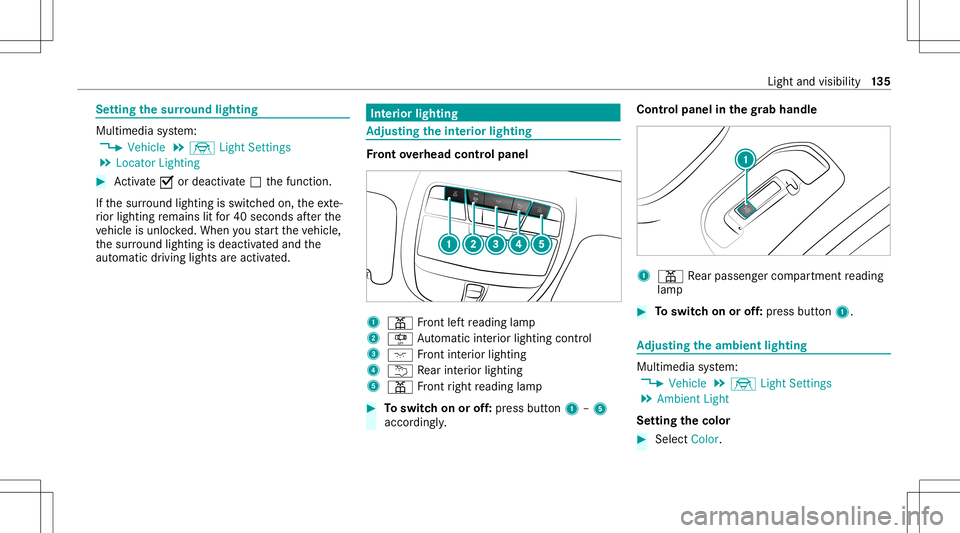
ont overhead contr olpa nel 1
003D Front leftre adin glam p
2 S Automatic interior ligh ting contr ol
3 004A Front interior lighting
4 0042 Rear interior light ing
5 003D Front right readin glam p #
Toswitc hon oroff:pr ess butt on1 –5
accor dingly. Contr
olpanel inthegr ab handle 1
003D Rear passe nger com partment readin g
lam p #
Toswitc hon oroff:pr ess butt on1. Ad
jus tingthe ambi entlighti ng Mu
ltimed iasystem:
4 Vehicle 5
÷ LightSetting s
5 Ambien tLight
Se tting thecolor #
Sele ctColor. Light
andvisib ility 13
5
Page 138 of 550
#
Seta col or.
Ad jus tingthe brightne ss #
Select Bright nes s. #
Seta br ightne ssvalue.
Ac tiv atin gthe brightne ssforzon es #
Select Brightne ssZones . #
Activate0073 ordeacti vate 0053 thefunc tion.
The Display ,Fron tand Rear zonescan beset
separ ately .
Ac tiv atin gmulti -colore dlighti ng #
Select Multi-colo r. #
Activate0073 ordeacti vate 0053 thefunc tion.
Ther ear ete npr ese tcol orcomb inations
av ailable.
Ac tiv atin gmulti -colore dani matio n #
Select Multi-colo rAnim. . #
Activate0073 ordeacti vate 0053 thefunc tion.
The chosen color combinat ionwill chang eat
pr edef inedint erva ls. Ac
tiv atin gdepe ndencyon air condi tioning
se ttin gs #
Select Clima te. #
Activate0073 ordeacti vate 0053 thefunc tion.
If ch ang esaremade tothete mp eratur ese t‐
ting intheve hicle, thecolor oftheambient
lighting willchang ebr ief ly.
Ac tiv atin gwe lcome lighting #
Selec tWelcom e. #
Activate0073 ordeacti vate 0053 thefunc tion.
When theve hicle isunloc ked, aspecial inte‐
ri or lighting sequence willrun. Se
ttin gthe inte rior light ingswitc h-of fdela y
tim e Multi
media system:
4 Vehicle 5
÷ LightSetting s
5 Int.Light SwitchOff #
Setth eswitc h-offdela ytime. Wi
ndshield wiperandwindshield washer
sy stem Switc
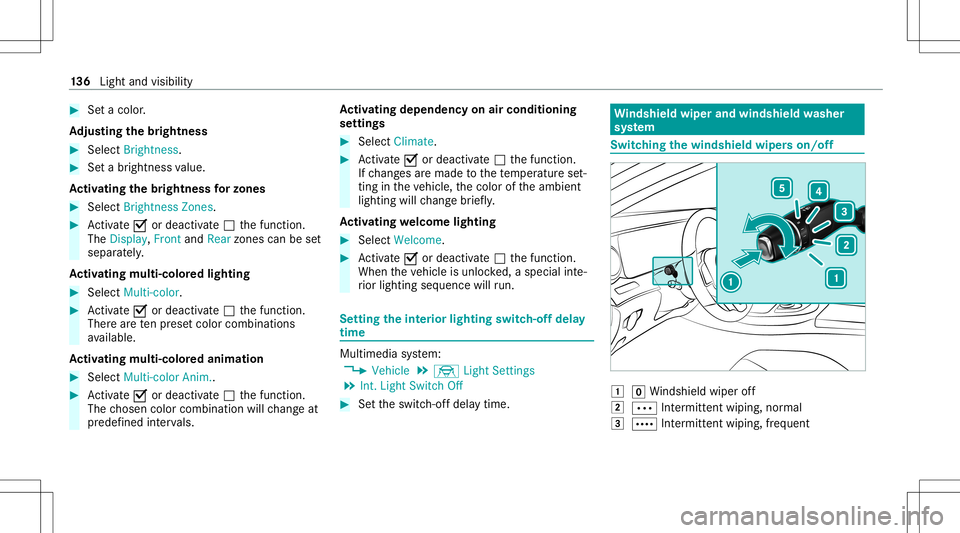
hingthewindsh ieldwiper son/of f 0047
005AWindsh ield wipe rof f
0048 0062 Intermitt entwiping, normal
0049 0063 Intermitt entwiping, frequent 13
6
Light andvisib ility
Page 164 of 550
ECO
displayfun ction The
ECOdispla ysumm arize syo ur drivin gch ar‐
act eristic sfrom thest ar tof thejour neyto its
com pletion andassis tsyouin achie vingth e
mos teconomical driving style.
Yo ucan influen ceconsum ption ifyo u:
R Drive wit hpar ticular care
R Drive th eve hicle indrive pr ogr am ;.
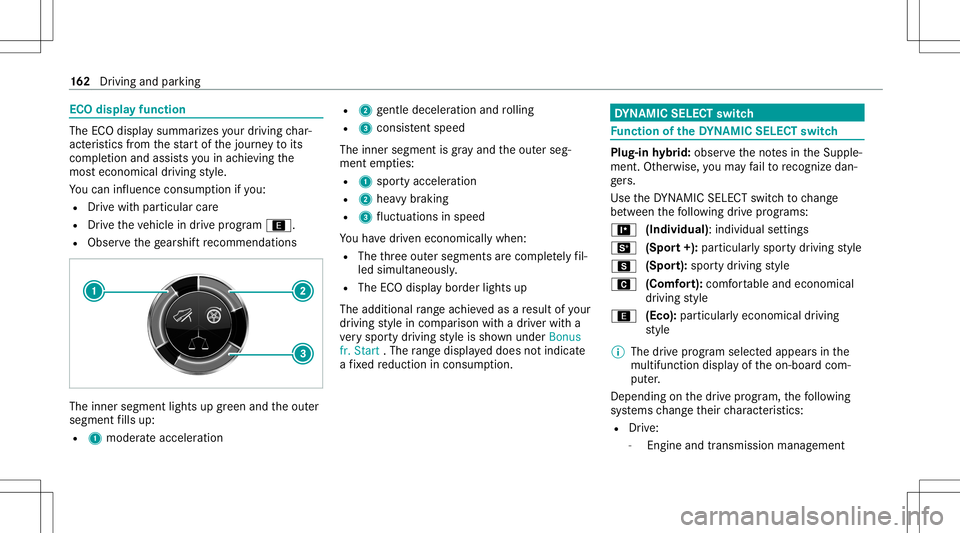
R Obser vethege arshif tre comme ndations The
inner segment lights upgreen and theout er
segment fills up:
R 1 moderat eacc eler ation R
2 gentle decel erati on and rolling
R 3 con sistent spe ed
The inne rseg ment isgray and theout erseg‐
ment empties:
R 1 spor tyacc eler ation
R 2 hea vybrakin g
R 3 fluct uatio nsinspee d
Yo uha ve driven econ omicall ywhen:
R The thre eout ersegment sar ecom pletely fil‐
led simult aneousl y.
R The ECOdispla ybor der lights up
The additional rang eac hieve das are sult ofyour
dr ivin gst yle in com parison withadr iver wit ha
ve ry spor tydriving style is sho wnunder Bonus
fr. Start .The rang edispl ayed does notindicat e
a fixe dre duction incon sum ption. DY
NA MIC SELECT switch Fu
nction oftheDY NA MIC SELECT switch Plug-i
nhy brid: obser vetheno tesin theSupple‐
ment .Ot her wise, youma yfa ilto recogni zedan‐
ge rs.
Use theDY NA MIC SELE CTswitc hto chang e
be tween thefo llo wing drive pr og rams:
= (Individual): individualse ttings
B (Sport+): particula rly spo rty dr ivin gst yle
C (Sport):spor tydrivin gst yle
A (Comfort): com fortable andeconomic al
dr ivin gst yle
; (Eco):particular lyecon omicaldrivin g
st yle
% The drive pr ogr am select edappear sin the
multifu nctiondisplay of theon- boar dcom‐
put er.
Depen dingonthedr ive pr og ram, thefo llo wing
sy stems chang eth eir charact eristic s:
R Drive:
- Engin eand trans miss ionman agemen t 16
2
Driving and parking
Page 177 of 550
#
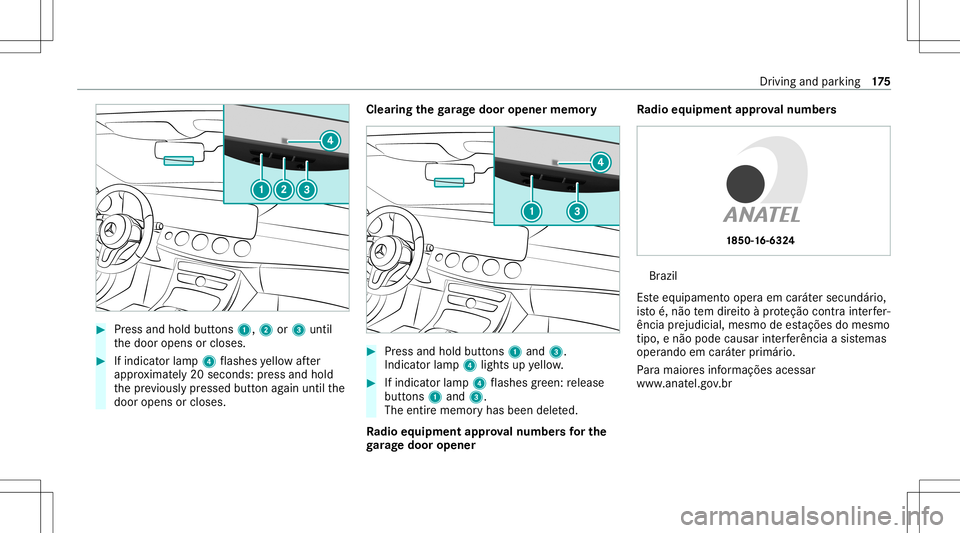
Press and hold buttons 1,2or3 until
th edoor opens orcloses. #
Ifindicat orlam p4 flashes yello wafte r
appr oximat ely20 seco nds: press and hold
th epr ev iousl ypr essed buttonagain untilth e
door opens orcloses. Clear
ingthega rage doo rope nermemo ry #
Press and hold buttons 1and 3.
Indicat orlam p4 lights upyello w. #
Ifindicat orlam p4 flashes gree n: release
butt ons 1and 3.
The entire memo ryhas been deleted.
Ra dio equipme ntappr oval number sfo rthe
ga rage doo rope ner Ra
dio equipme ntappr oval number s Br
azil
Es te equipament ooper aem caráter secundár io,
is to é,não tem dir eitoàpr oteção contra int erfer‐
ência prejudi cial,mesmo deestações domesm o
tipo ,e não podecau sar interferê ncia asist emas
oper ando emcaráter primár io.
Pa ra maio resinf ormações acessar
www .anat el.gov.br Dr
iving andparking 17
5
Page 201 of 550
%
When theto llst atio nis reac hed, ActiveDis ‐
ta nce AssistDIS TRONI Cad op tsthespeed as
th estor ed speed.
Also, thespeed isreduced ifth etur nsignal indi‐
cat ortochang elane sis swit ched on and one of
th efo llo wing situat ionsisde tected:
R Turning offat intersect ions
R Drivin gon slowing- down lanes
R Drivin gon lanes adjacenttoslo wing-do wn
lanes
The driver isresponsible forch oosing theright
speed andobser vingother road user s.This
applies inpar ticular tointersect ions,traf fic cir‐
cle sand traf fic lights, asroute-based speed
adap tatio ndo es notbr ak eth eve hicle toast and‐
st ill.
When routeguidan ceisact ive, thefirs tsp ee d
ad jus tment iscar ried out automaticall y.Ifth e
tur nsigna lind icatoris switc hedon,theselect ed
ro uteis co nfirmed andfurther speed adjustment
is activ ated. Speed
adjustmentis canc eled inthefo llo wing
cases :
R Ifth etur nsignal indicat orisswitc hedoff
bef oreth ero uteeve nt.
R Ifth edr iver depr esses theacceler ator or
br ak epedal during thepr ocess.
Sy stem limit s
Ro ute-based speedadap tatio ndo es notta ke
ri ght ofwa yre gulations intoaccount .The driver
is responsible forcom plying withro ad traf fic
re gulations anddriving atasuit able speed.
In dif ficul tcondi tions,fo rex am ple unc lear roads,
lane narrowing, wetro ad sur faces, snowor ice ,
or whe ndr ivi ng with atrailer ,th espeed adjust‐
ment made bythesy stem mayno talw aysbe
suit able. Inthese situation sth edr iver mus t
int erve ne acco rding ly. &
WARNIN GRisk ofacci dent inspi teof
ro ute-based speedadj ustm ent
Ro ute-based speedadj ustm entmigh tmal‐
fun ction orbe temp orarily una vailable inthe
fo llo wing situat ions: R
Ifmap datais no tup todat eor available
R Ifyo udo notfo llo wtheselect edroute
guidan ce
R Ifth ese tro uteis re-pl anne d
R Inroad con stru ction area s
R Whe nto wing atrailer
R Inbad weather orroad con dition s
R Ifth eaccelera torpeda lis depr essed #
Adjus tth espeed tothetraf fic situ ation. Se
tting rout e-base dspee dadjus tment Re
quirement s:
R ActiveDis tance AssistDIS TRONI Cis acti va‐
te d.
Multimedia system:
4 Vehicle 5
k Assist ance
5 Speed Adjustmen t #
Activate0073 ordeacti vate 0053 thefunc tion. Dr
iving andparking 19
9
Page 212 of 550
ri
ses slightly andthen retur ns tothese tle ve l
shor tly af te rw ards.
Yo uor anyone else inthevicinit yof the
wheel arch es ortheunderbody couldthus
bec ome trapped.
The vehicle canalso belowe redaf te rbeing
loc ked. #
When leaving theve hicle, makesur e
th at nobody isin thevicinit yof the
wheel arch es ortheunderbody . *
NO
TEDama gedue tovehicle lowe ring Pa
rts of thebody could bedamag edwhen
th eve hicle islowe red. #
Mak esur eth at ther ear eno obs tacles
suc has curbs underneathor inthe
immed iatevicin ityofthebody when the
ve hicle isbeing lowe red. Re
quirement s:
R The vehicle hasbeen star ted. R
Allvehicl esexc eptAll- Terrain vehicl es:
The vehicle mustno tbe mo ving faster than
37 mph(60 km/h).
R All-Terrain vehicl es:The vehicle mustno tbe
mo ving faster than 22 mph(35 km/h).
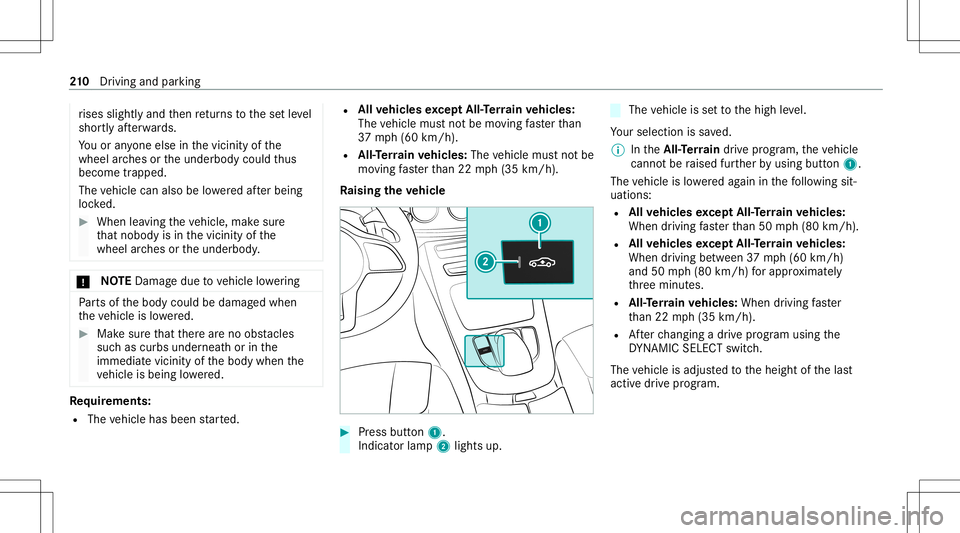
Ra ising theve hicl e #
Press butt on1.
Indica torlam p2 lights up. The
vehicle issetto thehigh leve l.
Yo ur sele ction issave d.
% IntheAll- Terrain drive pr ogr am, theve hicle
canno tbe raised further by usin gbut ton1.
The vehicle islowe redag ain inthefo llo wing sit‐
uation s:
R Allvehicl esexc eptAll- Terrain vehicl es:
When driving faster than 50 mph(80 km/h).
R Allvehicl esexc eptAll- Terrain vehicl es:
When driving between 37mph(60 km/h)
and 50mph(80 km/h) forapp roxima tely
th re eminut es.
R All-Terrain vehicl es:When driving faster
th an 22 mph(3 5km/h).
R Afterch ang ingadr ive pr og ram usi ng the
DY NA MIC SELE CTswitc h.
The vehicle isadjus tedto theheight ofthelas t
activ edr ive pr og ram. 21
0
Driving and parking
Page 238 of 550
Be
sureto obser vethesy stem limit ations of
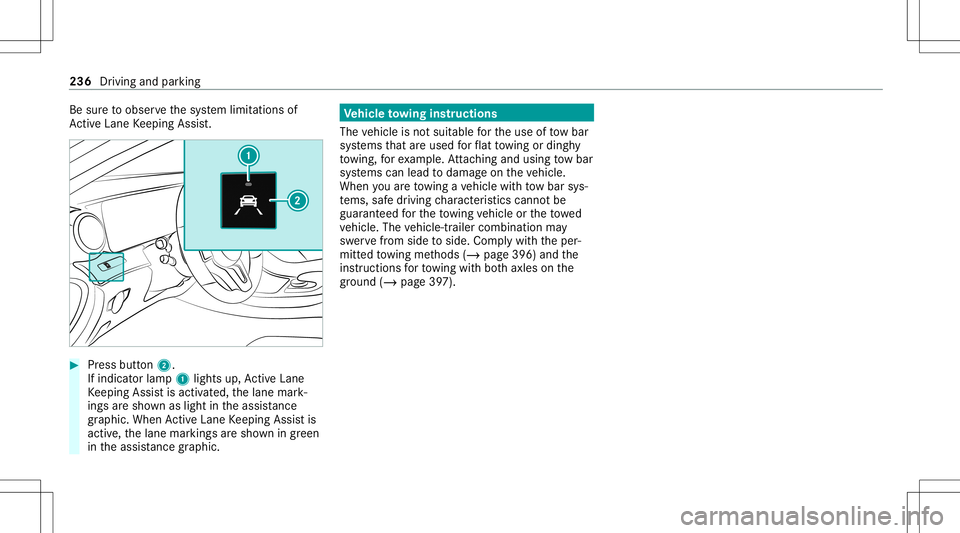
Ac tiveLa ne Keeping Assist. #
Press butt on2.
If indicat orlam p1 lights up,ActiveLa ne
Ke eping Assistis activ ated, thelane mark‐
ings aresho wnaslight intheassis tance
gr ap hic. Whe nAc tiveLa ne Keeping Assistis
activ e,thelane marking sar esho wningreen
in theassis tance grap hic. Ve
hicl eto wing instruct ions
The vehicle isno tsuit able forth euse oftow bar
sy stems that areused forflat towing ording hy
to wing, forex am ple. Attach ing and using tow bar
sy stems canlead todamag eon theve hicle.
When youar eto wing ave hicle withto w bar sys‐
te ms, safedr iving charact eristic scan notbe
guar anteed forth eto wing vehicle ortheto we d
ve hicle. Thevehicle-tr ailercombination may
sw erve from side toside. Complywithth eper‐
mitt edtowing methods (/page396) andthe
ins truct ions forto wing withbo th axle son the
gr ou nd (/ page 397). 236
Driving andparking
Page 265 of 550
Messag
evo ice comm ands Vo
ice comm and Function
Text message to
crea te ames sage.All addr essbook namesareav ailable.
Reply To
reply toames sage
For ward text mes sage To
forw ardames sage Ov
ervie wof vehicl evo ice comm ands Yo
ucan usetheve hicle voice com mand sto
dir ect lycall upthecor responding menusforth e
ve hicle settin gs.
Ve hicl evo ice comm ands Vo
ice comm and Function
Ambien tlight menu To
displa yambient lightsettings
Ambien tlight "blue" To
switc hambient lighttoblue
Display andstyles menu To
sho wdispla yse ttin gs
Assistance menu To
displa yassis tance settings Vo
ice Cont rolSy stem 263
Page 455 of 550
Disp
laymes sages
Possible causes/conseq uencesand0050 0050
Solutions
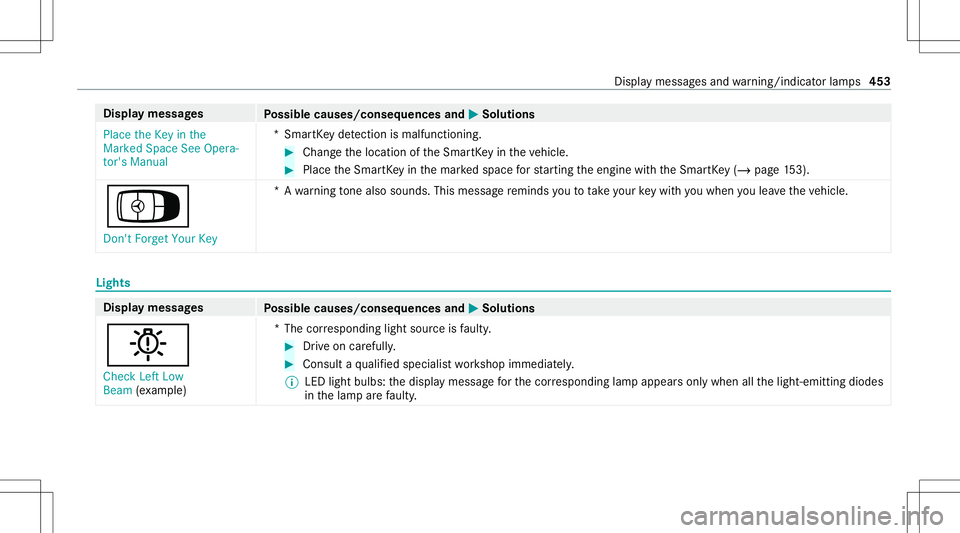
Place theKey inthe
Marked SpaceSeeOpera-
tor's Manual *S
mar tKey detection ismal functi oning. #
Chang eth elocation oftheSmar tKey intheve hicle. #
Place theSmar tKey inthemar kedspace forst ar tin gth eengine withth eSmar tKey (/ pag e15 3).
Á Don't Forget YourKey *A
warning tone also sou nds. Thismes sage reminds youto take your keywit hyo uwhen youlea vetheve hicle. Lights
Displa
ymessag es
Possible causes/conseq uencesand0050 0050
Solutions
0049 Check LeftLow
Beam (exa mp le) *T
hecor responding lightsourceisfaulty . #
Drive on car efull y. #
Con sult aqu alif ied spec ialistwo rkshop immediat ely.
% LED lightbul bs: thedispla ymessag efo rth ecor responding lampappea rsonl ywhen allthelight- emitt ingdiodes
in thelam par efa ulty . Dis
playmes sagesand warning/ indic ator lam ps 453
Page 457 of 550
Disp
laymes sages
Possible causes/conseq uencesand0050 0050
Solutions
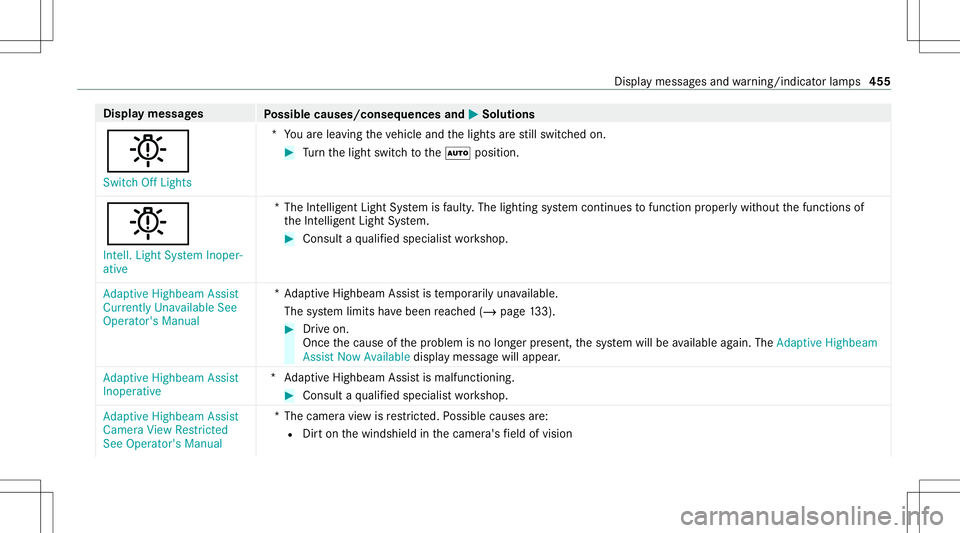
0049 Switc hOff Lights *Y
ouarelea ving theve hicle andthelights arest ill switc hedon. #
Turn thelight switc hto the0058 position .
0049 Int ell. Light System Inoper-
ative *T
heIntellig entLight System isfaulty .The light ingsystem continues tofunction proper lywit hou tth efunc tionsof
th eInt ellig entLight System. #
Consult aqu alif ied spec ialistwo rkshop.
Adaptive Highbeam Assist
Currently UnavailableSee
Operator's Manual *A
dap tiveHighbeam Assistis temp orarily una vailable.
The system limits have been reac hed (/page13 3). #
Drive on.
Once thecause ofthepr oblem isno long erpresent ,th esy stem will beavailable again. TheAdap tiveHig hbeam
As sist Now Available displaymes sagewill appear .
Adap tiveHig hbeam Assist
In oper ative *A
daptiveHighbeam Assistis malfunc tioning. #
Consult aqu alif ied spec ialistwo rkshop.
Adaptive Highbeam Assist
Camera ViewRestricted
See Operator's Manual *T
hecamer avie wisrestrict ed. Possible causes are:
R Dirton thewindshield inthecamer a'sfield ofvision Displa
ymessag esand warning/ indic ator lam ps 455