lock MERCEDES-BENZ E-SEDAN 2016 Manual PDF
[x] Cancel search | Manufacturer: MERCEDES-BENZ, Model Year: 2016, Model line: E-SEDAN, Model: MERCEDES-BENZ E-SEDAN 2016Pages: 350, PDF Size: 6.71 MB
Page 169 of 350
clearance, even with a laden vehicle. Further
general information on the vehicle level can
be found in the Digital Operator's Manual.
Setting the vehicle level
Select the "Normal" setting for normal road
surfaces and "Raised" for driving with snow
chains or on particularly poor road surfaces.
Your selection remains stored even if you
remove the SmartKey from the ignition lock.
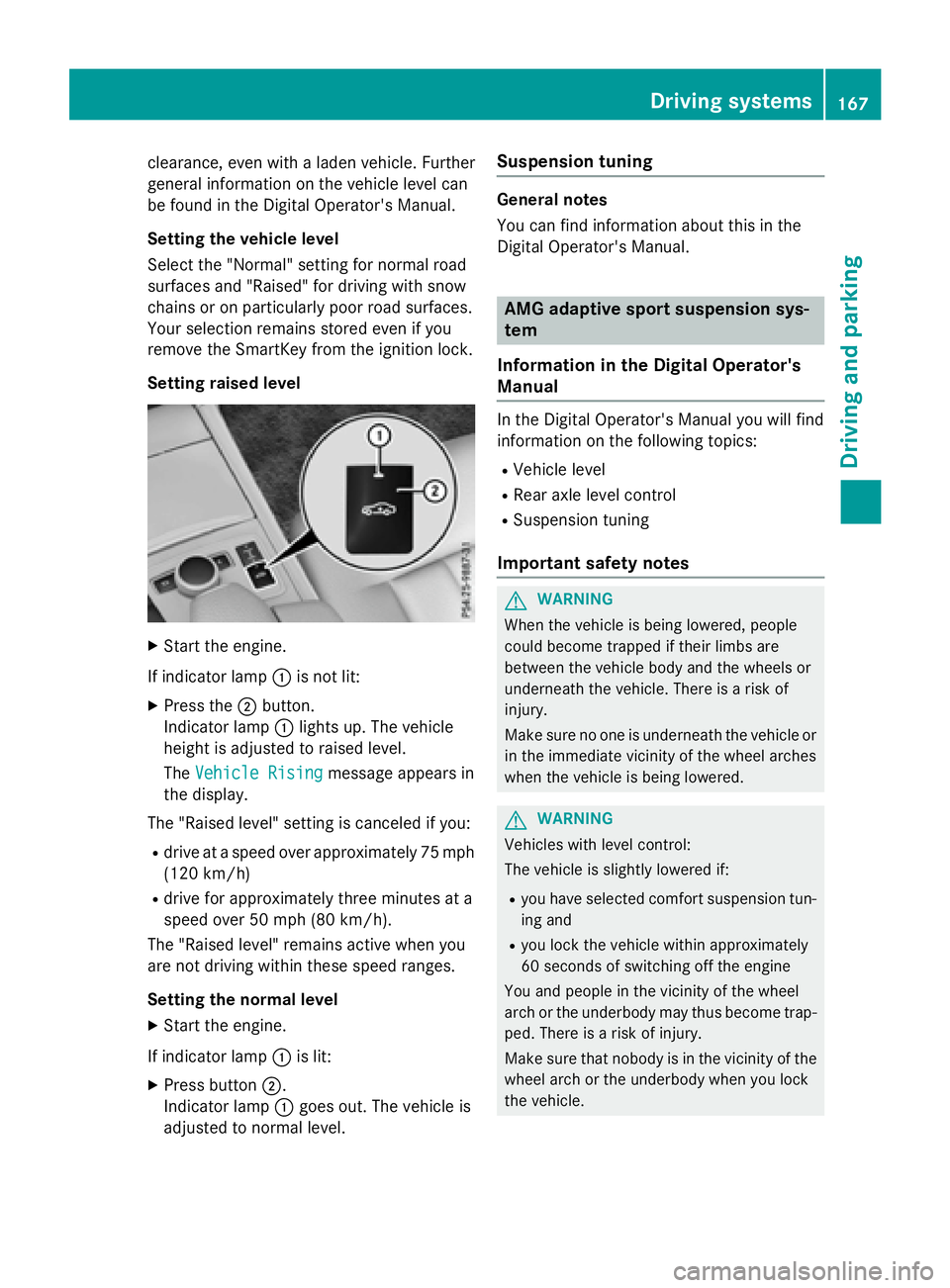
Setting raised level
XStart the engine.
If indicator lamp :is not lit:
XPress the ;button.
Indicator lamp :lights up. The vehicle
height is adjusted to raised level.
The Vehicle Rising
message appears in
the display.
The "Raised level" setting is canceled if you:
Rdrive at a speed over approximately 75 mph
(120 km/h)
Rdrive for approximately three minutes at a
speed over 50 mph (80 km/h).
The "Raised level" remains active when you
are not driving within these speed ranges.
Setting the normal level
XStart the engine.
If indicator lamp :is lit:
XPress button ;.
Indicator lamp :goes out. The vehicle is
adjusted to normal level.
Suspension tuning
General notes
You can find information about this in the
Digital Operator's Manual.
AMG adaptive sport suspension sys-
tem
Information in the Digital Operator's
Manual
In the Digital Operator's Manual you will find
information on the following topics:
RVehicle level
RRear axle level control
RSuspension tuning
Important safety notes
GWARNING
When the vehicle is being lowered, people
could become trapped if their limbs are
between the vehicle body and the wheels or
underneath the vehicle. There is a risk of
injury.
Make sure no one is underneath the vehicle or
in the immediate vicinity of the wheel arches
when the vehicle is being lowered.
GWARNING
Vehicles with level control:
The vehicle is slightly lowered if:
Ryou have selected comfort suspension tun-
ing and
Ryou lock the vehicle within approximately
60 seconds of switching off the engine
You and people in the vicinity of the wheel
arch or the underbody may thus become trap-
ped. There is a risk of injury.
Make sure that nobody is in the vicinity of the
wheel arch or the underbody when you lock
the vehicle.
Driving systems167
Driving and parking
Z
Page 170 of 350
!The vehicle is lowered by about 0.8 in
(20 mm) if:
Ryou have selected "Comfortable tuning"
Ryou switch off the engine and then
Ryou lock the vehicle within approximately
60 seconds
When parking, position your vehicle so that
it does not make contact with the curb as
the vehicle is lowered. Your vehicle could
otherwise be damaged.
Vehicle level
Important safety notes
GWARNING
When the vehicle is being lowered, people
could become trapped if their limbs are
between the vehicle body and the wheels or
underneath the vehicle. There is a risk of
injury.
Make sure no one is underneath the vehicle or
in the immediate vicinity of the wheel arches
when the vehicle is being lowered.
The vehicle may be lowered if you press the
suspension setting selector button or the
AMG button. The vehicle also lowers if it is
stationary.
!If Sport or Sport + suspension tuning has
been selected, the vehicle's ground clear-
ance decreases. Make sure that no objects
become trapped or that the vehicle does
not become damaged, for example, on the
curb.
iThe vehicle level may change visibly at the
rear axle if you park the vehicle and the
outside temperature changes. If the tem-
perature drops, the vehicle level lowers;
with an increase in temperature, the vehi-
cle level rises.
4MATIC (permanent four-wheel drive)
If you fail to adapt your driving style, 4MATIC
can neither reduce the risk of accident nor override the laws of physics. 4MATIC cannot
take account of road, weather and traffic con-
ditions. 4MATIC is only an aid. You are
responsible for the distance to the vehicle in
front, for vehicle speed, for braking in good
time and for staying in your lane.
If a drive wheel spins due to insufficient grip:
ROnly depress the accelerator pedal as far as
necessary when pulling away.
RAccelerate less when driving.
!Never tow the vehicle with one axle
raised. This may damage the transfer case.
Damage of this sort is not covered by the
Mercedes-Benz Limited Warranty. All
wheels must remain either on the ground or be fully raised. Observe the instructions for
towing the vehicle with all wheels in full
contact with the ground.
iIn wintry driving conditions, the maximum
effect of 4MATIC can only be achieved if
you use winter tires (M+S tires), with snow
chains if necessary.
4MATIC ensures that all four wheels are per-
manently driven. Together with ESP
®, it
improves the traction of your vehicle when-
ever a drive wheel spins due to insufficient
grip.
PARKTRONIC
Important safety notes
PARKTRONIC is an electronic parking aid with
ultrasonic sensors. It monitors the area
around your vehicle using six sensors in the
front bumper and six sensors in the rear
bumper. PARKTRONIC indicates visually and
audibly the distance between your vehicle
and an object.
PARKTRONIC is only an aid. It is not a replace-
ment for your attention to your immediate
surroundings. You are always responsible for
safe maneuvering, parking and exiting a park- ing space. When maneuvering, parking or
pulling out of a parking space, make sure that
168Driving systems
Driving and parking
Page 174 of 350
Under the following circumstances, the rear
view camera will not function, or will function
in a limited manner:
Rif the trunk lid or tailgate is open
Rin heavy rain, snow or fog
Rat night or in very dark places
Rif the camera is exposed to very bright light
Rif the area is lit by fluorescent bulbs or LED
lighting (the display may flicker)
Rif there is a sudden change in temperature,
e.g. when driving into a heated garage in
winter
Rif the camera lens is dirty or obstructed.
Observe the notes on cleaning
(
Ypage 268)
Rif the rear of your vehicle is damaged. In this
event, have the camera position and setting
checked at a qualified specialist workshop
The field of vision and other functions of the
rear view camera may be restricted due to
additional accessories on the rear of the vehi-
cle (e.g. license plate holder, bicycle rack).
On vehicles with height-adjustable chassis,
leaving the standard height can result in inac-
curacies in the guide lines, depending on
technical conditions.
iThe rear view camera is protected from
raindrops and dust by means of a flap.
When the rear view camera is activated,
this flap opens.
The flap closes again when:
Ryou have finished the maneuvering proc-
ess
Ryou switch off the engine
Ryou open the trunk
Observe the notes on cleaning
(
Ypage 268).
For technical reasons, the flap may remain
open briefly after the rear view camera has
been deactivated.
!Objects not at ground level may appear to
be further away than they actually are, e.g.:
Rthe bumper of a parked vehicle
Rthe drawbar of a trailer
Rthe ball coupling of a trailer tow hitch
Rthe rear section of an HGV
Ra slanted post
Use the guidelines only for orientation.
Approach objects no further than the bot-
tom-most guideline.
The rear view camera may show a distorted
view of obstacles, show them incorrectly or
not at all. The rear view camera does not show
objects in the following positions:
Rvery close to the rear bumper
Runder the rear bumper
Rin the area immediately above the tailgate
handle
Activating/deactivating the rear view
camera
XTo activate: make sure that the SmartKey
is in position 2in the ignition lock.
XMake sure that the Activation by R
gearfunction is selected in Audio 20 or
COMAND, see the Digital Operator's Man-
ual.
XEngage reverse gear.
The rear view camera flap opens. The area
behind the vehicle is shown with guide lines
in the Audio 20 or COMAND display.
The image from the rear view camera is
available throughout the maneuvering
process.
To deactivate: the rear view camera deacti-
vates if you shift the transmission to Por after
driving forwards a short distance.
172Driving systems
Driving and parking
Page 176 of 350
Rif the trunk lid/tailgate is open
Rin heavy rain, snow or fog
Rat night or in very dark places
Rif the cameras are exposed to very bright
light
Rif the area is lit by fluorescent bulbs or LED
lighting (the display may flicker)
Rif there is a sudden change in temperature,
e.g. when driving into a heated garage in
winter
Rif the camera lenses are dirty or covered
Rif the vehicle components in which the
cameras are installed are damaged. In this
event, have the camera position and setting
checked at a qualified specialist workshop.
Do not use the 360° camera in this case. You
can otherwise injure others or cause damage to objects or the vehicle.
Guide lines are always shown at road level.
On vehicles with height-adjustable chassis,
depending on technical conditions, leaving
the standard height can result in:
Rinaccuracies in the guide lines
Rinaccuracies in the display of generated
images (top view)
Activation conditions
The 360° camera image can be displayed if:
Ryour vehicle is equipped with a 360° cam-
era
Rthe SmartKey is in position 2in the ignition
lock
RCOMAND/Audio 20 is switched on
Rthe 360° Camerafunction is switched on
Switching on the 360° camera
XPress the Øbutton in the center con-
sole for longer than two seconds.
Depending on whether position Dor Ris
engaged, the following is shown:
Ra split screen with top view and the
image from the front camera or
Ra split screen with top view and the
image from the rear view camera
or
XPress the Øbutton in the center con-
sole.
The vehicle menu is displayed.
XSelect 360° Cameraand press 7to con-
firm.
Depending on whether position Dor Ris
engaged, the following is shown:
Ra split screen with top view and the
image from the front camera or
Ra split screen with top view and the
image from the rear view camera
Activating the 360° camera using
reverse gear
The 360° camera images can be automati-
cally displayed by engaging reverse gear.
XMake sure that the SmartKey is in position
2 in the ignition lock.
XMake sure that the Activation by R
gearfunction is selected in COMAND/
Audio 20 (see the separate COMAND/
Audio 20 operating instructions).
XTo show the 360° camera image: engage
reverse gear.
The area behind the vehicle is shown in the
COMAND/Audio 20 display in split-screen
mode. You see the top view of the vehicle
and the image from the rear view camera.
Selecting the split-screen and full
screen displays
Switching between split screen views
XTo switch to the line with the vehicle icons:
slide 5the controller.
XTo select one of the vehicle icons: turn
3 the controller.
174Driving systems
Driving and parking
Page 191 of 350
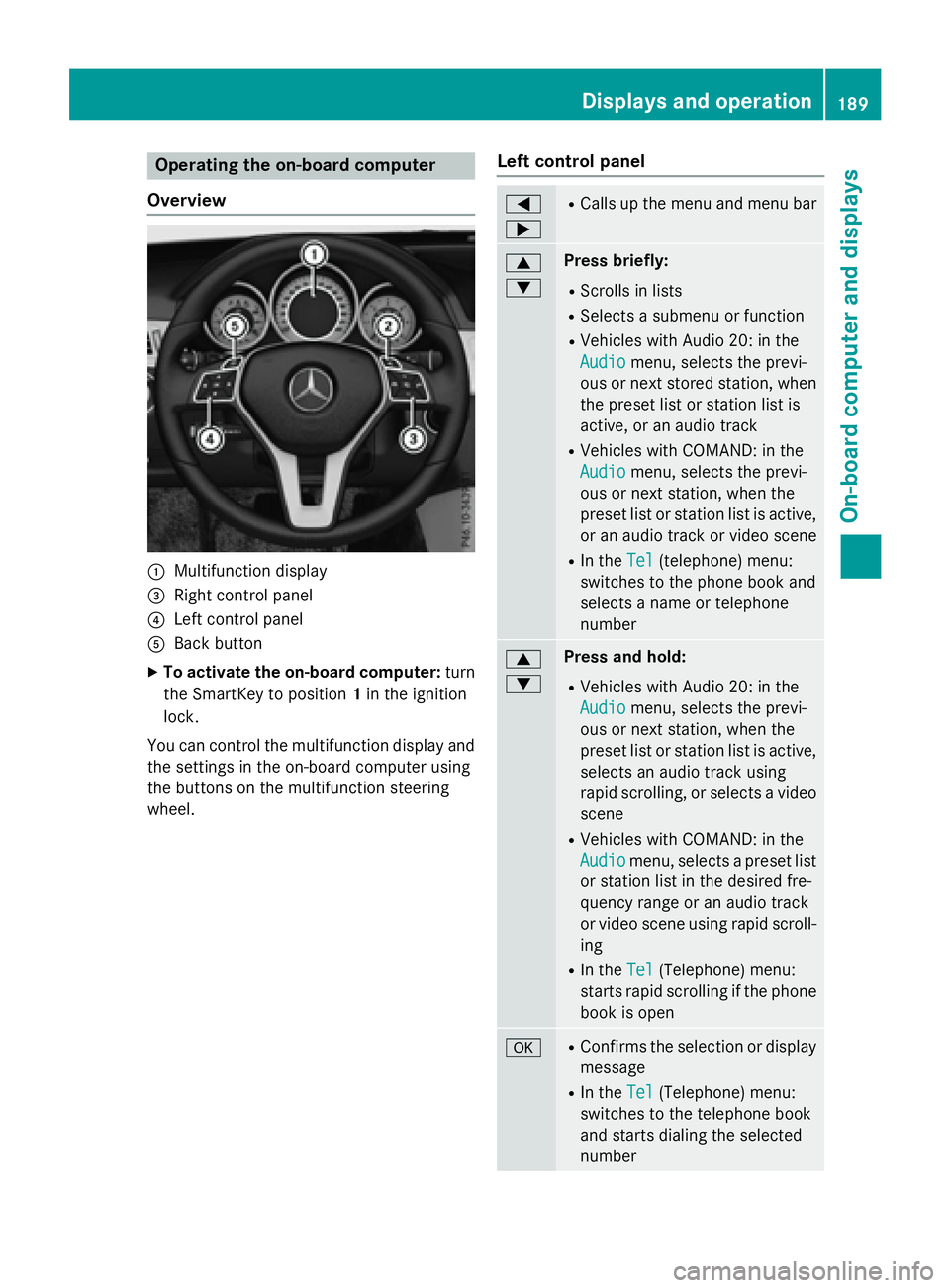
Operating the on-board computer
Overview
:Multifunction display
=Right control panel
?Left control panel
ABack button
XTo activate the on-board computer: turn
the SmartKey to position 1in the ignition
lock.
You can control the multifunction display and
the settings in the on-board computer using
the buttons on the multifunction steering
wheel.
Left control panel
=
;RCalls up the menu and menu bar
9
:Press briefly:
RScrolls in lists
RSelects a submenu or function
RVehicles with Audio 20: in the
Audio
menu, selects the previ-
ous or next stored station, when
the preset list or station list is
active, or an audio track
RVehicles with COMAND: in the
Audio
menu, selects the previ-
ous or next station, when the
preset list or station list is active,
or an audio track or video scene
RIn the Tel(telephone) menu:
switches to the phone book and
selects a name or telephone
number
9
:Press and hold:
RVehicles with Audio 20: in the
Audio
menu, selects the previ-
ous or next station, when the
preset list or station list is active,
selects an audio track using
rapid scrolling, or selects a video
scene
RVehicles with COMAND: in the
Audio
menu, selects a preset list
or station list in the desired fre-
quency range or an audio track
or video scene using rapid scroll-
ing
RIn the Tel(Telephone) menu:
starts rapid scrolling if the phone
book is open
aRConfirms the selection or display
message
RIn the Tel(Telephone) menu:
switches to the telephone book
and starts dialing the selected
number
Displays and operation189
On-board computer and displays
Z
Page 194 of 350
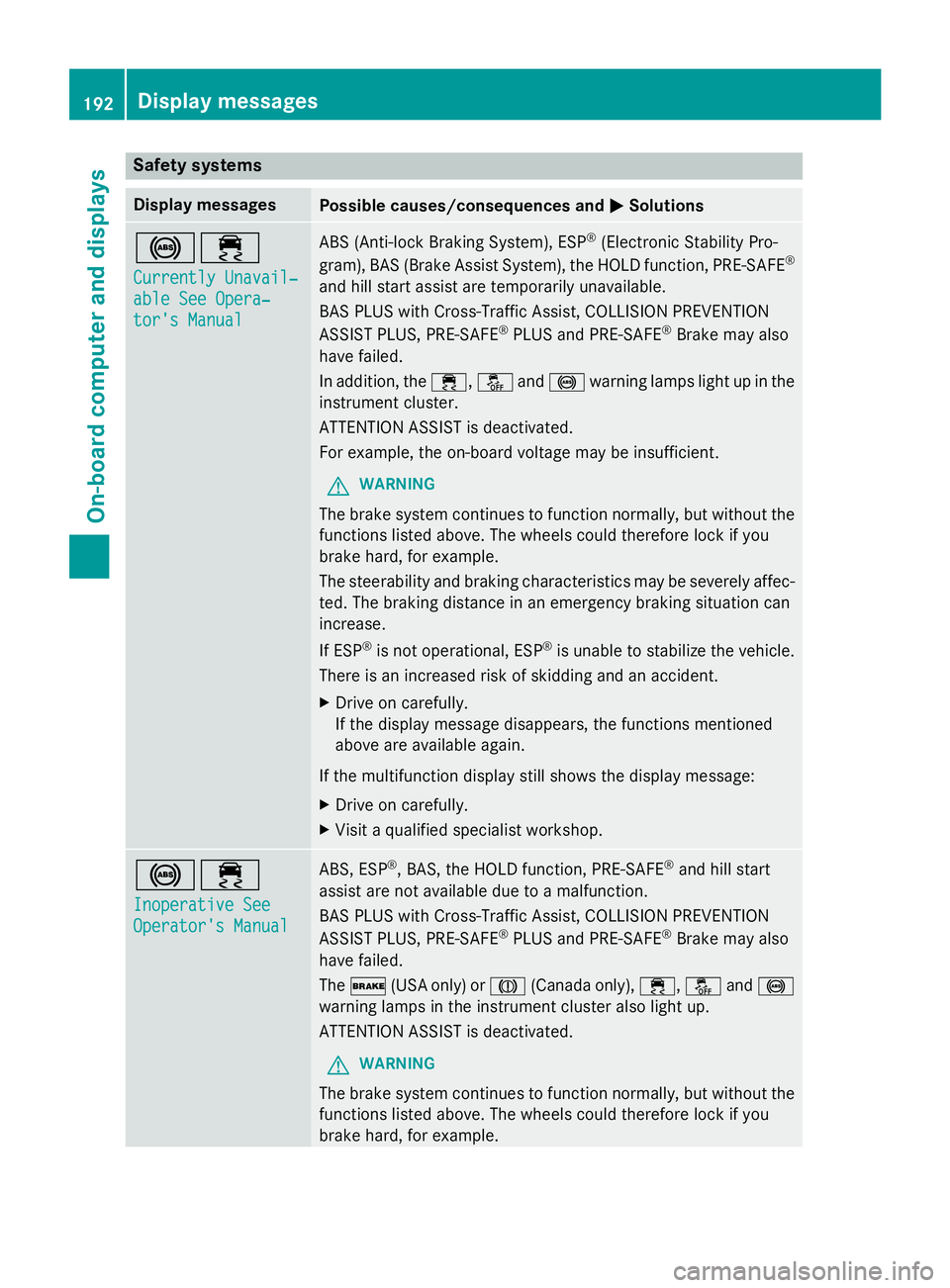
Safety systems
Display messagesPossible causes/consequences andMSolutions
!÷
Currently Unavail‐
able See Opera‐
tor's Manual
ABS (Anti-lock Braking System), ESP®(Electronic Stability Pro-
gram), BAS (Brake Assist System), the HOLD function, PRE ‑SAFE®
and hill start assist are temporarily unavailable.
BAS PLUS with Cross-Traffic Assist, COLLISION PREVENTION
ASSIST PLUS, PRE‑SAFE
®PLUS and PRE‑SAFE®Brake may also
have failed.
In addition, the ÷,åand! warning lamps light up in the
instrument cluster.
ATTENTION ASSIST is deactivated.
For example, the on-board voltage may be insufficient.
GWARNING
The brake system continues to function normally, but without the
functions listed above. The wheels could therefore lock if you
brake hard, for example.
The steerability and braking characteristics may be severely affec-
ted. The braking distance in an emergency braking situation can
increase.
If ESP
®is not operational, ESP®is unable to stabilize the vehicle.
There is an increased risk of skidding and an accident.
XDrive on carefully.
If the display message disappears, the functions mentioned
above are available again.
If the multifunction display still shows the display message:
XDrive on carefully.
XVisit a qualified specialist workshop.
!÷
Inoperative See
Operator's Manual
ABS, ESP®, BAS, the HOLD function, PRE ‑SAFE®and hill start
assist are not available due to a malfunction.
BAS PLUS with Cross-Traffic Assist, COLLISION PREVENTION
ASSIST PLUS, PRE ‑SAFE
®PLUS and PRE‑SAFE®Brake may also
have failed.
The $ (USA only) or J(Canada only), ÷,åand!
warning lamps in the instrument cluster also light up.
ATTENTION ASSIST is deactivated.
GWARNING
The brake system continues to function normally, but without the
functions listed above. The wheels could therefore lock if you
brake hard, for example.
192Display messages
On-board computer and displays
Page 201 of 350
Display messagesPossible causes/consequences andMSolutions
XWait for aperiod of at leas t60 seconds until th enecessar ysys-
te m checks hav ebeen completed.
XMak esur ethat th edisplay message sdo no tappea rin th emul-
tifunction display.
If these condition sare fulfilled ,th efront-passenger seat can be
occupied again .Whether th ePASSENGER AI RBA GOF Findicato r
lamp remain slit or goe sout depend son how OCS classifie sth e
occupant .
If th econdition sare no tfulfilled ,th esystem is no toperating cor-
rectly.
XVisit aqualified specialist workshop immediately.
Observ eth eadditional information on OCS (
Ypage 58).
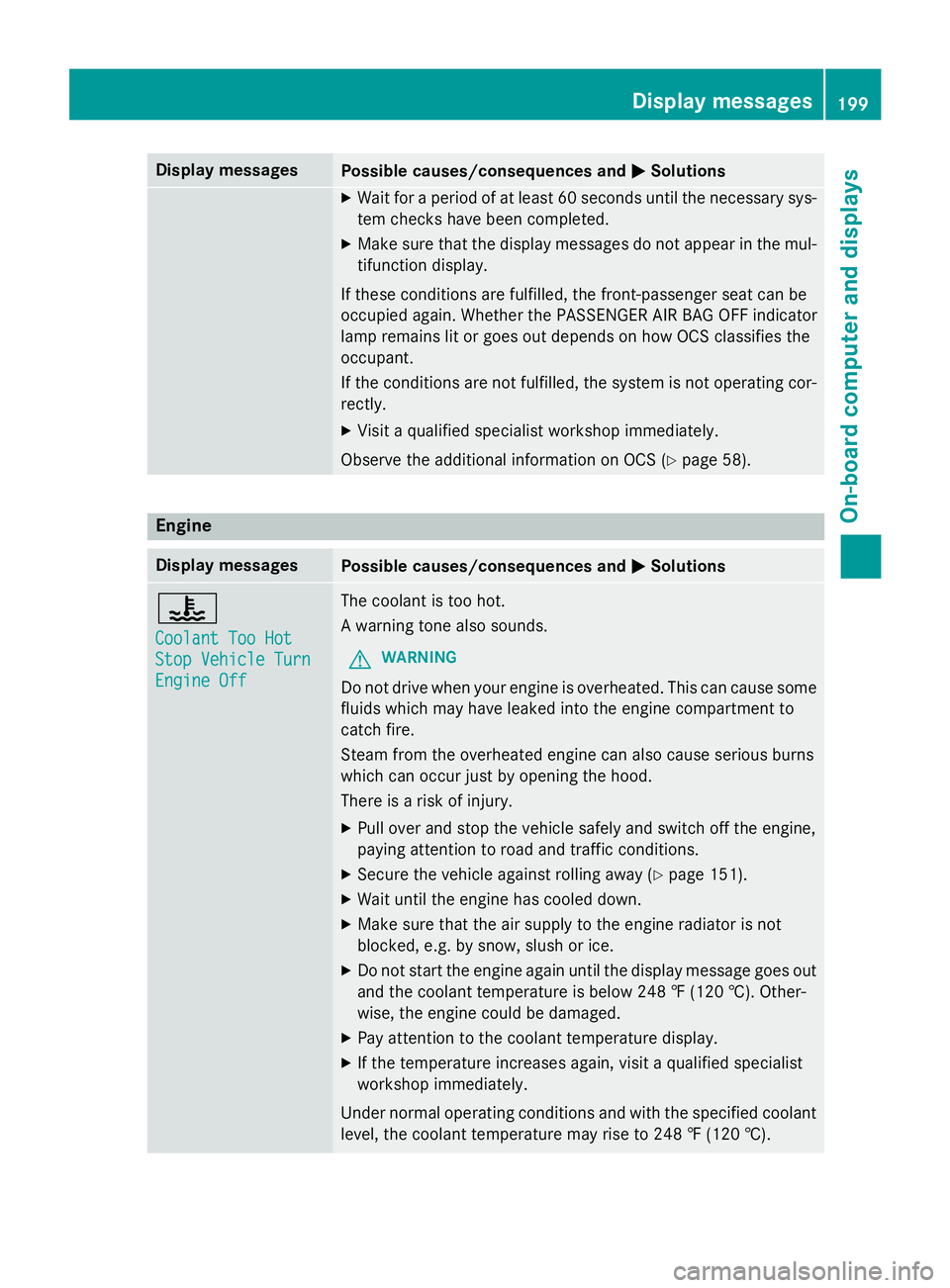
Engine
Display messagesPossible causes/consequences and MSolutions
?
CoolantToo Hot
Sto pVehicl eTur n
Engine Off
The coolan tis to ohot .
A warnin gtone also sounds.
GWARNIN G
Do notdrive when your engin eis overheated. This can caus esom e
fluids whic hmay hav eleaked into th eengin ecompartmen tto
catch fire.
Steam from th eoverheated engin ecan also caus eserious burn s
whic hcan occur jus tby openin gth ehood.
There is aris kof injury.
XPull ove rand stop th evehicl esafely and switch of fth eengine,
payin gattention to roa dand traffic conditions.
XSecur eth evehicl eagainst rollin gaway (Ypage 151).
XWait until th eengin ehas cooled down .
XMakesur ethat th eair supply to th eengin eradiato ris no t
blocked, e.g. by snow, slus hor ice .
XDo no tstart th eengin eagain until th edisplay message goe sout
and th ecoolan ttemperature is belo w24 8 ‡ (120†). Other -
wise ,th eengin ecould be damaged.
XPay attention to th ecoolan ttemperature display.
XIf th etemperature increase sagain ,visit aqualified specialist
workshop immediately.
Under normal operating condition sand wit hth especified coolan t
level, th ecoolan ttemperature may ris eto 24 8 ‡(120†).
Display messages19 9
On-board computer and displays
Z
Page 203 of 350
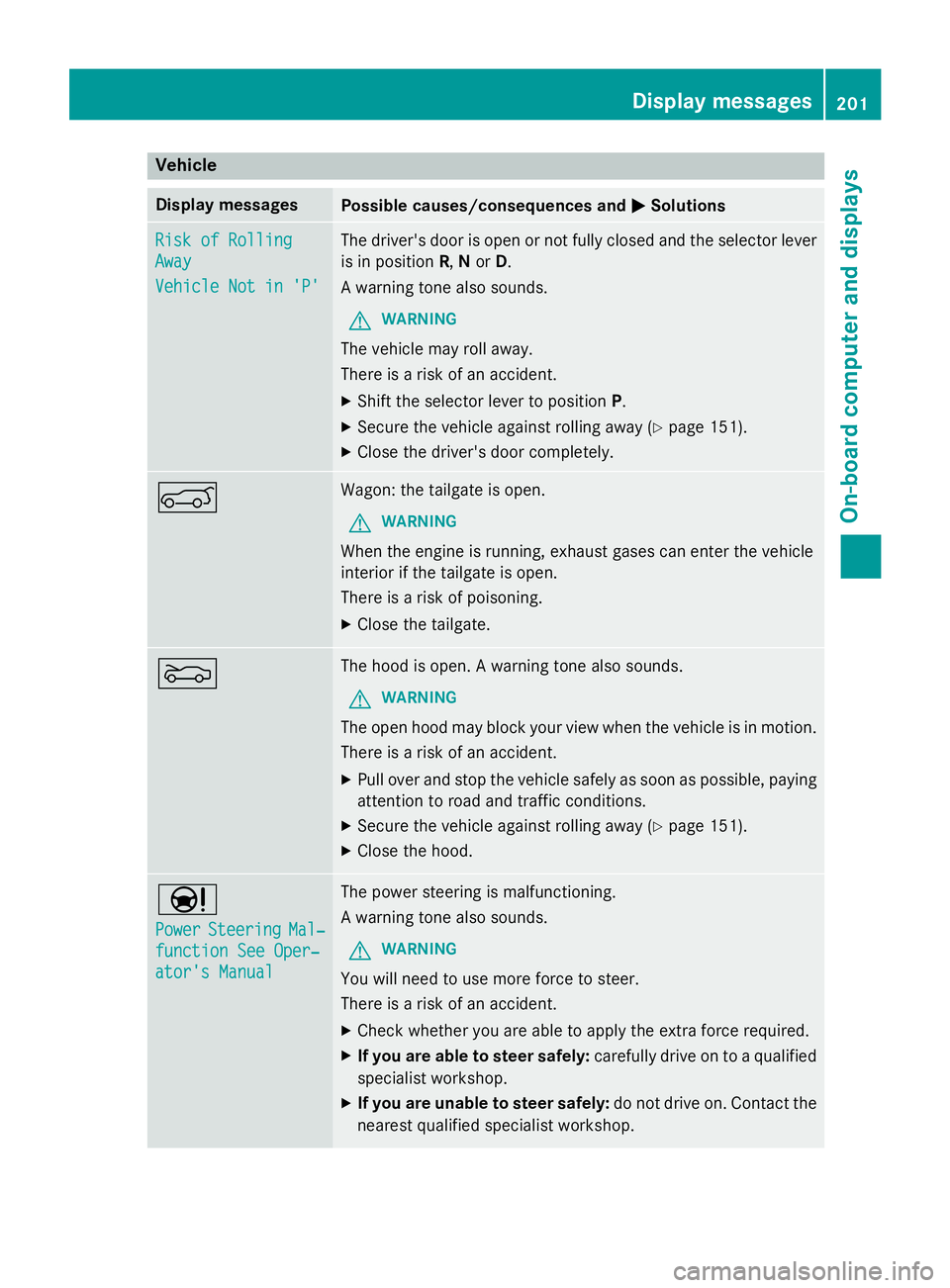
Vehicle
Display messagesPossible causes/consequences andMSolutions
Risk of Rolling
Away
Vehicle Not in 'P'
The driver's door is open or not fully closed and the selector lever
is in positionR,N or D.
A warning tone also sounds.
GWARNING
The vehicle may roll away.
There is a risk of an accident.
XShift the selector lever to position P.
XSecure the vehicle against rolling away (Ypage 151).
XClose the driver's door completely.
AWagon: the tailgate is open.
GWARNING
When the engine is running, exhaust gases can enter the vehicle
interior if the tailgate is open.
There is a risk of poisoning.
XClose the tailgate.
MThe hood is open. A warning tone also sounds.
GWARNING
The open hood may block your view when the vehicle is in motion.
There is a risk of an accident.
XPull over and stop the vehicle safely as soon as possible, paying
attention to road and traffic conditions.
XSecure the vehicle against rolling away (Ypage 151).
XClose the hood.
Ð
PowerSteeringMal‐
function See Oper‐
ator's Manual
The power steering is malfunctioning.
A warning tone also sounds.
GWARNING
You will need to use more force to steer.
There is a risk of an accident.
XCheck whether you are able to apply the extra force required.
XIf you are able to steer safely:carefully drive on to a qualified
specialist workshop.
XIf you are unable to steer safely: do not drive on. Contact the
nearest qualified specialist workshop.
Display messages201
On-board computer and displays
Z
Page 207 of 350
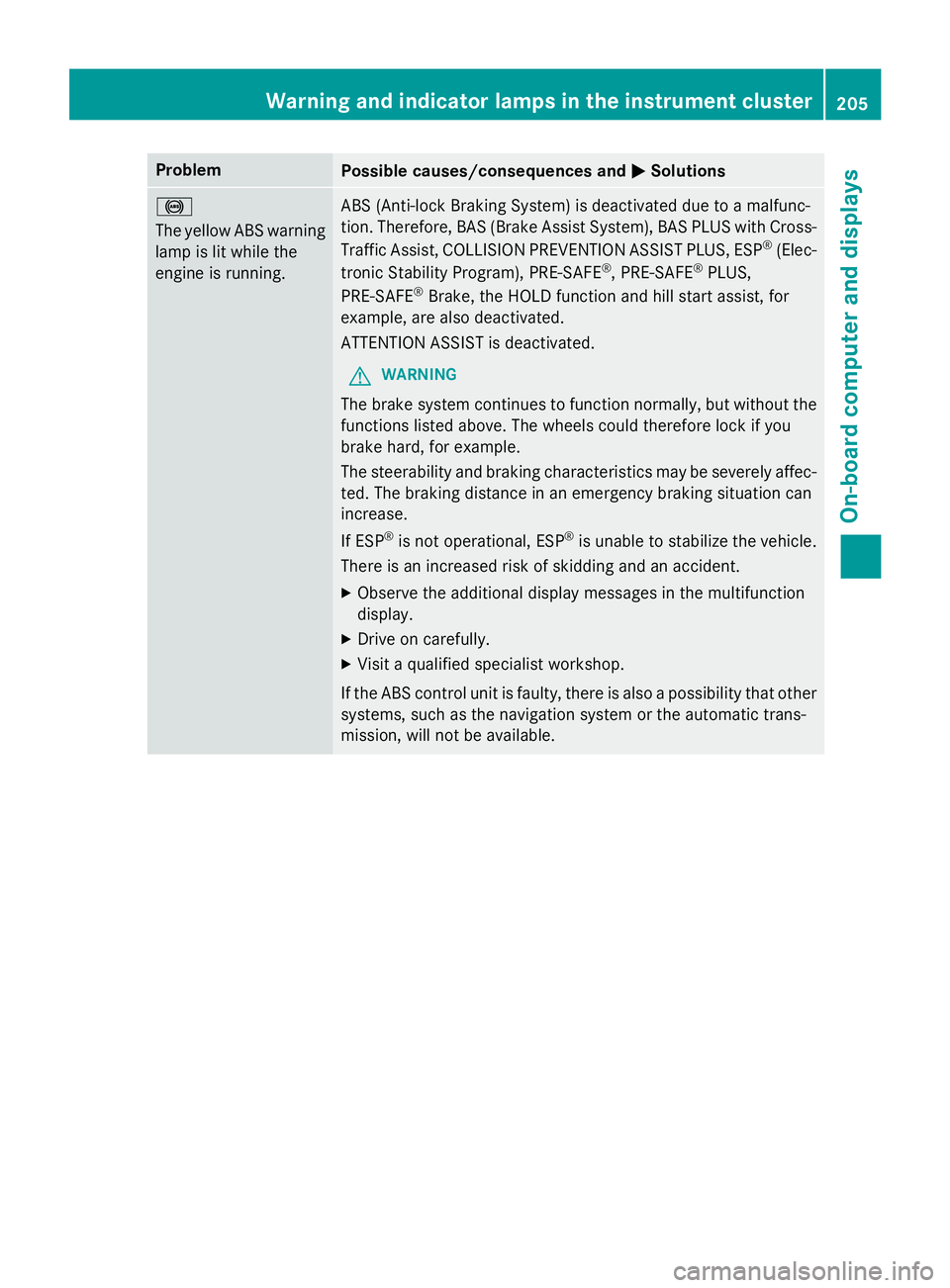
ProblemPossible causes/consequences andMSolutions
!
The yellow ABS warning
lamp is lit while the
engine is running.ABS (Anti-lock Braking System) is deactivated due to a malfunc-
tion. Therefore, BAS (Brake Assist System), BAS PLUS with Cross-
Traffic Assist, COLLISION PREVENTION ASSIST PLUS, ESP
®(Elec-
tronic Stability Program), PRE‑ SAFE®, PRE‑SAFE®PLUS,
PRE‑SAFE®Brake, the HOLD function and hill start assist, for
example, are also deactivated.
ATTENTION ASSIST is deactivated.
GWARNING
The brake system continues to function normally, but without the
functions listed above. The wheels could therefore lock if you
brake hard, for example.
The steerability and braking characteristics may be severely affec-
ted. The braking distance in an emergency braking situation can
increase.
If ESP
®is not operational, ESP®is unable to stabilize the vehicle.
There is an increased risk of skidding and an accident.
XObserve the additional display messages in the multifunction
display.
XDrive on carefully.
XVisit a qualified specialist workshop.
If the ABS control unit is faulty, there is also a possibility that other
systems, such as the navigation system or the automatic trans-
mission, will not be available.
Warning and indicator lamps in the instrument cluster205
On-board computer and displays
Z
Page 208 of 350
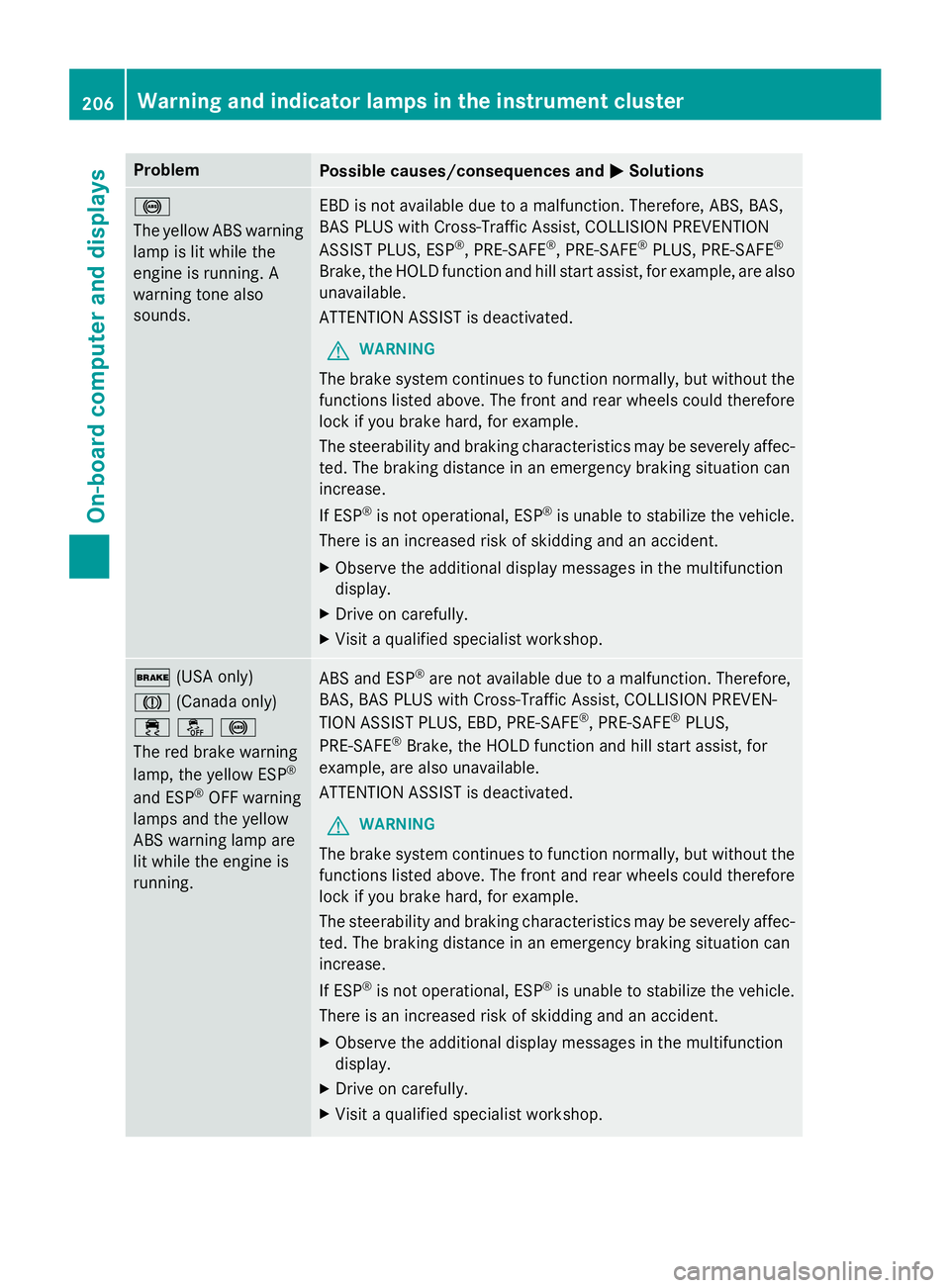
ProblemPossible causes/consequences andMSolutions
!
The yellow ABS warning
lamp is lit while the
engine is running. A
warning tone also
sounds.EBD is not available due to a malfunction. Therefore, ABS, BAS,
BAS PLUS with Cross-Traffic Assist, COLLISION PREVENTION
ASSIST PLUS, ESP
®, PRE‑SAFE®, PRE‑SAFE®PLUS, PRE‑SAFE®
Brake, the HOLD function and hill start assist, for example, are also
unavailable.
ATTENTION ASSIST is deactivated.
GWARNING
The brake system continues to function normally, but without the
functions listed above. The front and rear wheels could therefore
lock if you brake hard, for example.
The steerability and braking characteristics may be severely affec-
ted. The braking distance in an emergency braking situation can
increase.
If ESP
®is not operational, ESP®is unable to stabilize the vehicle.
There is an increased risk of skidding and an accident.
XObserve the additional display messages in the multifunction
display.
XDrive on carefully.
XVisit a qualified specialist workshop.
$ (USA only)
J (Canada only)
֌!
The red brake warning
lamp, the yellow ESP
®
and ESP®OFF warning
lamps and the yellow
ABS warning lamp are
lit while the engine is
running.
ABS and ESP®are not available due to a malfunction. Therefore,
BAS, BAS PLUS with Cross-Traffic Assist, COLLISION PREVEN-
TION ASSIST PLUS, EBD, PRE ‑SAFE
®, PRE‑SAFE®PLUS,
PRE‑SAFE®Brake, the HOLD function and hill start assist, for
example, are also unavailable.
ATTENTION ASSIST is deactivated.
GWARNING
The brake system continues to function normally, but without the
functions listed above. The front and rear wheels could therefore
lock if you brake hard, for example.
The steerability and braking characteristics may be severely affec-
ted. The braking distance in an emergency braking situation can
increase.
If ESP
®is not operational, ESP®is unable to stabilize the vehicle.
There is an increased risk of skidding and an accident.
XObserve the additional display messages in the multifunction
display.
XDrive on carefully.
XVisit a qualified specialist workshop.
206Warning and indicator lamps in the instrument cluster
On-board computer and displays