Telephone MERCEDES-BENZ E320 2000 W210 User Guide
[x] Cancel search | Manufacturer: MERCEDES-BENZ, Model Year: 2000, Model line: E320, Model: MERCEDES-BENZ E320 2000 W210Pages: 341, PDF Size: 15.07 MB
Page 107 of 341
104 Multifunction steering wheel, multifunction display
Te ch n ica l
data Instruments
and controlsOperationDrivingInstrument
cluster displayPractical hints Car care Index
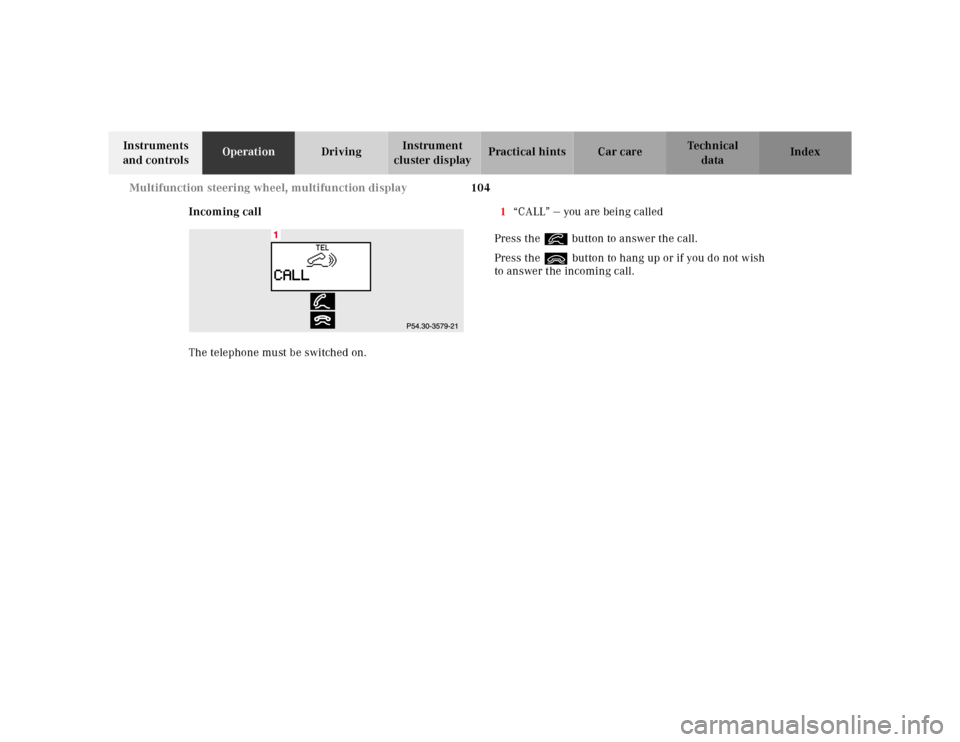
Incoming call
The telephone must be switched on.1“CALL” — you are being called
Press the í button to answer the call.
Press the ì button to hang up or if you do not wish
to answer the incoming call.
Page 116 of 341
113 Multifunction steering wheel, multifunction display
Te ch n ica l
data Instruments
and controlsOperationDrivingInstrument
cluster displayPractical hints Car care Index To return setting menus (4 to 8) to their factory settings:
•Call up the individual setting preliminary
display (1).
•Press theJbutton in the instrument cluster for
approximately 3 seconds. Display (9) will appear.
•Press theJbutton once more, the message
“RESET TO FACTORY SETTINGS” appears in the
display.
The individual setting preliminary display (1) will
appear if you do not press theJbutton within
about 5 seconds. The setting menus will not be
reset.Setting the audio volume
You can only adjust the volume of the system currently
in use. The volume setting for each system (audio,
telephone, navigation and voice recognition system) is
sto red sep arately.
Setting button:
æ increases the volume.
ç reduces the volume.
Page 138 of 341
135 Audio system
Te ch n ica l
data Instruments
and controlsOperationDrivingInstrument
cluster displayPractical hints Car care Index Operation – audio and telephone
These instructions are intended to help you become
acquainted with your Mercedes- Benz car radio. They
contain useful tips and a detailed description of the user
functions.
The right to correct errors and make technical amendments is
reserved.
Operating safety1 Optional equipment
Dolby and the double-D symbol
Ù
are trademarks of Dolby
laboratories Licensing Corporation. The Dolby noise reduction
system is manufactured under licence from Dolby Laboratories
Licensing Corporation.
Wa r n i n g !
In order to avoid distraction which could lead to an
accident, system settings should be entered with
the vehicle at standstill and systems should be
operated by the driver only when traffic conditions
permit. Always pay full attention to traffic
conditions first before operating system controls
while driving. Bear in mind that at a speed of just 30 mph
(approximately 50 km / h), your vehicle is covering
a distance of approximately 50 feet (approximately
14 m ) e v e r y s e c o n d .
Wa r n i n g !
Any alternations made to electronic components
can cause malfunctionsThe radio, cassette deck, CD changer
1 and
telephone
1 are interconnected. Therefore, when
one of the components is defective or has not been
removed / replaced properly this may impair the
function of other components.
These malfunctions might seriously impair the
operating safety of your vehicle.We recommend that you have any service work or
alternations on electronic components done in an
authorized Mercedes-Benz Center.
Page 139 of 341
136 Audio system
Te ch n ica l
data Instruments
and controlsOperationDrivingInstrument
cluster displayPractical hints Car care Index
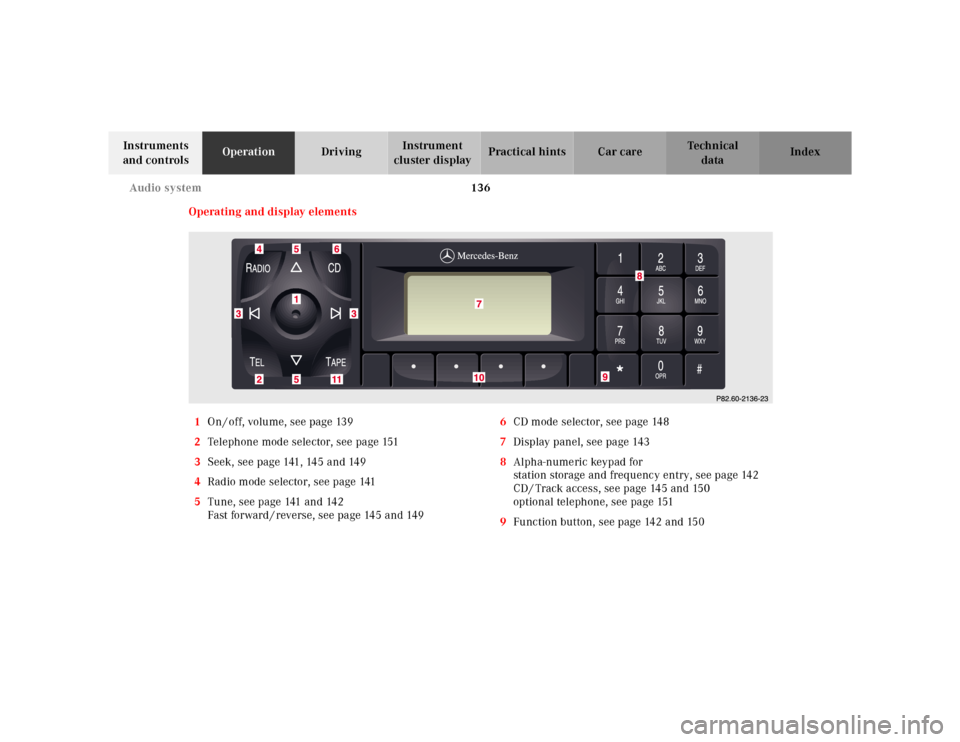
Operating and display elements
1On / off, volume, see page 139
2Telephone mode selector, see page 151
3Seek, see page 141, 145 and 149
4Radio mode selector, see page 141
5Tune, see page 141 and 142
Fast forward / reverse, see page 145 and 1496CD mode selector, see page 148
7Display panel, see page 143
8Alpha-numeric keypad for
station storage and frequency entry, see page 142
CD / Track access, see page 145 and 150
optional telephone, see page 151
9Function button, see page 142 and 150
Page 154 of 341
151 Audio system
Te ch n ica l
data Instruments
and controlsOperationDrivingInstrument
cluster displayPractical hints Car care Index Telephone operation
Various functions of the Mercedes-Benz integrated
cellular telephone
1 can be performed and displayed via
the car radio. Further instructions for operating the car
telephone can be found in the operation guide for the
cellular telephone1.
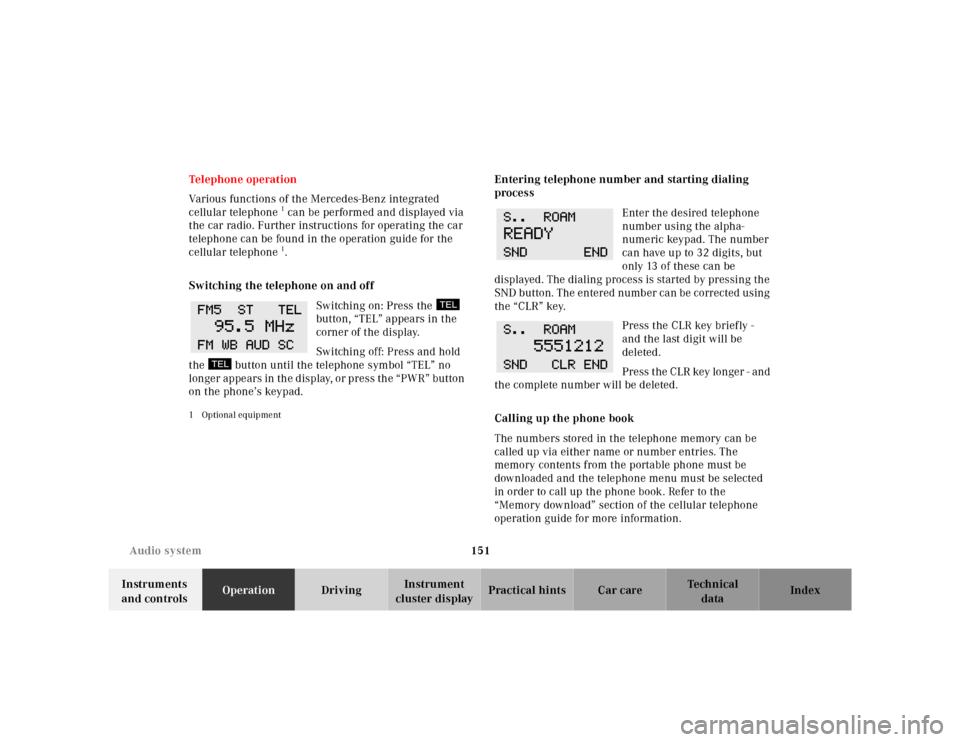
Switching the telephone on and off
Switching on: Press the
button, “TEL” appears in the
corner of the display.
Switching off: Press and hold
the button until the telephone symbol “TEL” no
longer appears in the display, or press the “PWR” button
on the phone’s keypad.
1 Optional equipment
Entering telephone number and starting dialing
process
Enter the desired telephone
number using the alpha-
numeric keypad. The number
can have up to 32 digits, but
only 13 of these can be
displayed. The dialing process is started by pressing the
SND button. The entered number can be corrected using
the “CLR” key.
Press the CLR key briefly -
and the last digit will be
deleted.
Press the CLR key longer - and
the complete number will be deleted.
Calling up the phone book
The numbers stored in the telephone memory can be
called up via either name or number entries. The
memory contents from the portable phone must be
downloaded and the telephone menu must be selected
in order to call up the phone book. Refer to the
“Memory download” section of the cellular telephone
operation guide for more information.
Page 155 of 341
152 Audio system
Te ch n ica l
data Instruments
and controlsOperationDrivingInstrument
cluster displayPractical hints Car care Index
Switching between name search and number search
Press ABC key - Name search
Press NUM key - Number search
Searching and selecting phone book entries by name
Press the ABC key. The current name is shown on the
display. The stored entries in alphabetical order can be
selected using the or button. By pressing the
or buttons, the stored entries can be selected
according to alphabetical initial letters (e.g. A-Adam,
B-Brown, M-Miller).
Searching and selecting phone book entries by
number
Press the NUM key. The current number is shown on
the display. The stored entries can be selected in
numerical order using the or button. By
pressing the or buttons, the stored entries
can be selected in increments of 5 (e.g. Entry no. 2,
Entry no. 7, etc.).Placing a call
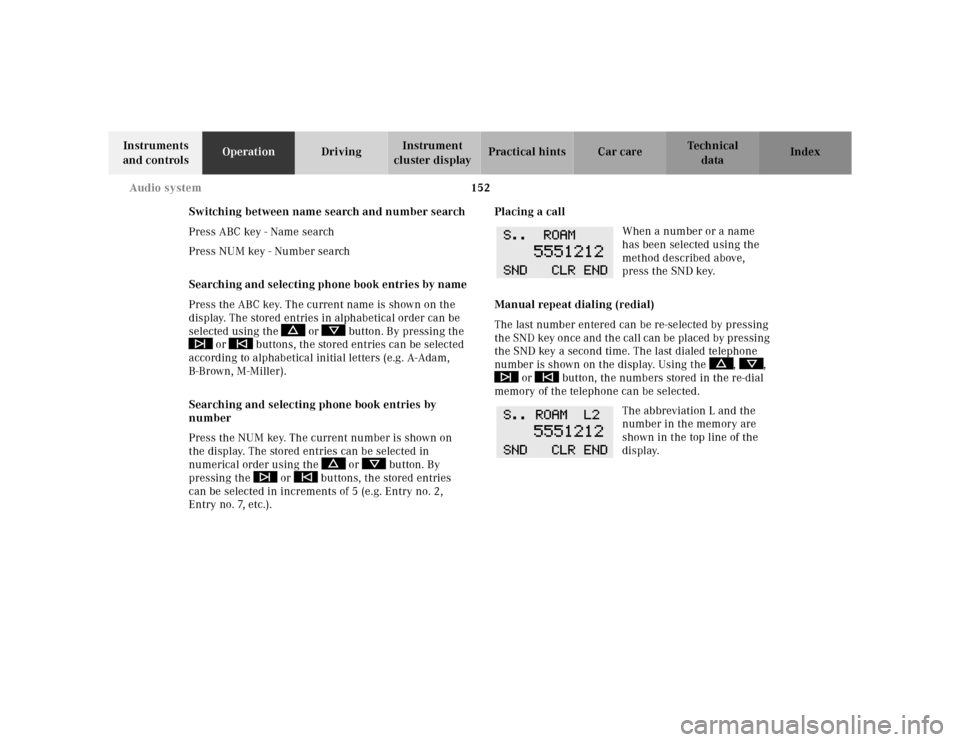
When a number or a name
has been selected using the
method described above,
press the SND key.
Manual repeat dialing (redial)
The last number entered can be re-selected by pressing
the SND key once and the call can be placed by pressing
the SND key a second time. The last dialed telephone
number is shown on the display. Using the , ,
or button, the numbers stored in the re-dial
memory of the telephone can be selected.
The abbreviation L and the
number in the memory are
shown in the top line of the
display.
Page 156 of 341
153 Audio system
Te ch n ica l
data Instruments
and controlsOperationDrivingInstrument
cluster displayPractical hints Car care Index Accepting incoming call in telephone mode
With an incoming call, the ringing tone will be heard
and the message “CALL” appears in the display. Press
the SND key to answer the call.
Accepting incoming call in tape, CD or radio mode
If the telephone is activated in the background
(telephone symbol in the display), then a switch is made
automatically to telephone when an incoming call is
received. The audio source is muted, the ringing tone is
heard and the message “CALL” appears. After the call
has been terminated, the previously selected audio
source is resumed.
Terminating call
A current call can be terminated by pressing the END
key.Component malfunctions
The radio, CD changer
1, and Mercedes-Benz integrated
cellular telephone
1 are part of a fiberoptic networked
system. Failure of one of the components can lead to
malfunctions of the other components. Please contact
your authorized Mercedes-Benz Center or call
1-800-FOR-MERCedes for more information in the event
of a malfunction.
1 Optional equipment
Page 173 of 341
170 Interior equipment
Te ch n ica l
data Instruments
and controlsOperationDrivingInstrument
cluster displayPractical hints Car care Index
Cellular telephone
The vehicle is prepared for the installation of a cellular
telephone. For further information and installation
contact your authorized Mercedes-Benz Center.Shelf below rear window
Wa r n i n g !
Some jurisdictions prohibit the driver from using a
cellular telephone while driving a vehicle. Whether
or not prohibited by law, for safety reasons, the
driver should not use the cellular telephone while
the vehicle is in motion. Stop the vehicle in a safe
location before answering or placing a call.
Wa r n i n g !
The shelf below the rear window should not be
used to carry objects. This will avoid such objects
from being thrown about and injuring vehicle
occupants during an accident or sudden maneuver.The trunk is the preferred place to carry objects.
Page 179 of 341
176 Control and operation of radio transmitters
Te ch n ica l
data Instruments
and controlsOperationDrivingInstrument
cluster displayPractical hints Car care Index
Control and operation of radio transmitters
COMAND, radio and telephone
1 Observe all legal requirements.
Telephones and two-way radio
Radio transmitters, such as a portable telephone or a
citizens band unit should only be used inside the
vehicle if they are connected to an antenna that is
installed on the outside of the vehicle.
Refer to the radio transmitter operation instructions
regarding use of an external antenna.
Wa r n i n g !
Please do not forget that your primary
responsibility is to drive the vehicle. Only operate
the COMAND (Cockpit Management and Data
System), radio or telephone
1 if road and traffic
conditions permit.
Bear in mind that at a speed of just 30 mph
(approximately 50 km / h), your vehicle is covering
a distance of approximately 50 feet (approximately
14 m ) e v e r y s e c o n d .
Wa r n i n g !
Never operate radio transmitters equipped with a
built-in or attached antenna (i.e. without being
connected to an external antenna) from inside the
vehicle while the engine is running. Doing so could
lead to a malfunction of the vehicle’s electronic
system, possibly resulting in an accident and
personal injury.
Page 329 of 341
326 Index
Te ch n ica l
data Instruments
and controlsOperation DrivingInstrument
cluster displayPractical hints Car careIndex
Index
AABS (Antilock brake system) ....................................... 217
Malfunction indicator lamp .....................................237
ABS-SYSTEM -
malfunction and warning messages ......................242
Adjusting steering wheel ................................................ 81
Air conditioner refrigerant ...........................................320
Air distribution .............................................................. 130
Air volume ...................................................................... 130
Airbag deactivation system ............................................ 67
AIRBAG OFF indicator lamp ........................................238
Airbags .............................................................................. 70
Alarm system ............................................................. 43, 45
Anticorrosion/antifreeze .................... 210, 262, 319, 322
Antilock brake system (ABS) ....................................... 217
Malfunction indicator lamp .....................................237
Antitheft alarm system ................................................... 43
Aquaplaning ...................................................................207
Armrest, rear bench ...................................................... 162
Ashtrays .......................................................................... 166
Center console ........................................................... 166
Rear doors .................................................................. 167Aud io system
Anti-theft system ....................................................... 137
Button and soft key operation ................................. 138
Cassette mode ............................................................143
CD changer .................................................................148
CD mode ..................................................................... 147
Operating and display elements ............................. 136
Operating safety ........................................................ 135
Operation – audio and telephone ........................... 135
Radio mode ................................................................ 141
Telephone operation ................................................. 151
Audio systems ...................................................................97
Cassette player ............................................................99
CD player ......................................................................98
Radio .............................................................................97
Automatic central locking ..............................................38
Automatic climate control ............................................126
Activated charcoal filter ........................................... 132
Air distribution .......................................................... 130
Air recirculation ........................................................ 131
Air volume .................................................................. 130
Basic setting ...............................................................129
Defogging windows ...................................................129
Defrosting ...................................................................129
Display and controls .................................................128
Dust filter ................................................................... 131