radio MERCEDES-BENZ E320 WAGON 2003 S210 Owner's Guide
[x] Cancel search | Manufacturer: MERCEDES-BENZ, Model Year: 2003, Model line: E320 WAGON, Model: MERCEDES-BENZ E320 WAGON 2003 S210Pages: 354, PDF Size: 13.99 MB
Page 150 of 354
147 Audio system
Te ch n i c a l
data Instruments
and controlsOperationDrivingInstrument
cluster displayPractical hints Car care Index CD mode
General notes on CD mode
Should excessive temperatures occur while in CD mode,
“TEMP HIGH” will appear in the display and muting
will take place. The unit will then switch back to radio
mode until the temperature has decreased to a safe
operating level.
Should temperatures occur while in CD mode which are
too low, “TEMP LOW” will be displayed, but the CD will
play. It will be sensitive to skipping if you are driving
over rough roads.
Handle CDs carefully to prevent interference during
playback.
Avoid fingerprints and dust on CDs. Do not write on the
CDs or apply any label to the CDs.
Clean CDs from time to time with a commercially
available cleaning cloth. No solvents, anti-static sprays,
etc. should be used.
Replace the CD in its container after use. Protect CDs
from heat and direct sunlight.Only use CDs, which bear the
label shown and that conform to
the compact disc digital audio
standard (IEC 60908).
Use of CDs which do not meet this
standard may cause damage to the
CD changer. Do not play single-CDs (80 mm) with an
adapter.
1Optional equipmentWa r n i n g !
The CD changer
1 is a Class 1 laser product. There
is a danger of invisible laser radiation if the cover
is opened or damaged.
Do not remove the cover. The CD changer
1 does not
contain any parts which can be serviced by the
user. For safety reasons, have any service work
which may be necessary performed only by
qualified personnel.
Page 151 of 354
148 Audio system
Te ch n i c a l
data Instruments
and controlsOperationDrivingInstrument
cluster displayPractical hints Car care Index
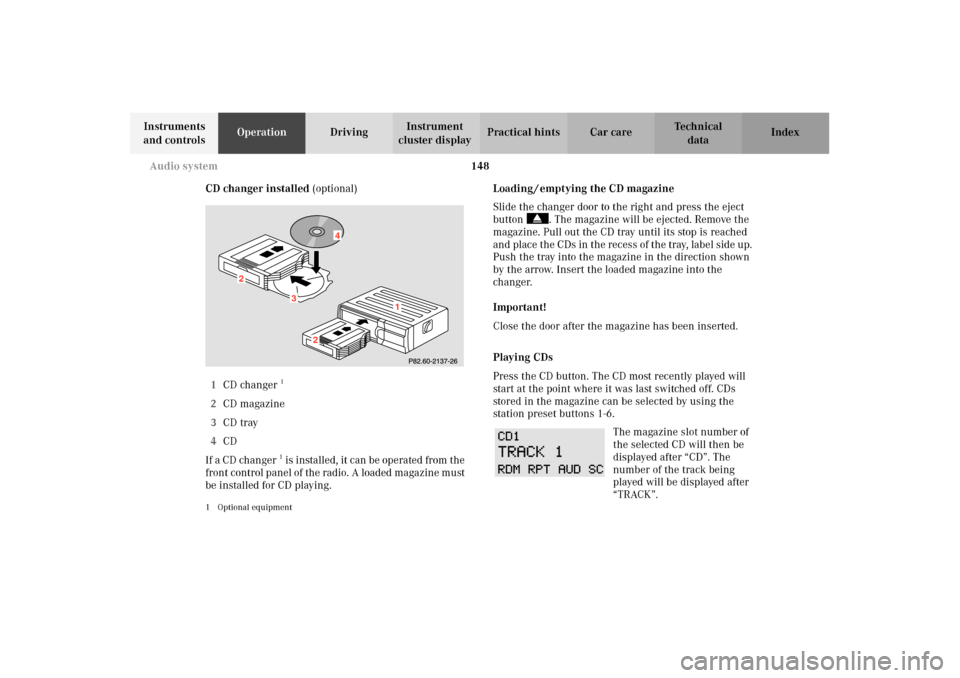
CD changer installed (optional)
1CD changer
1
2CD magazine
3CD tray
4CD
If a CD changer1 is installed, it can be operated from the
front control panel of the radio. A loaded magazine must
be installed for CD playing.
1 Optional equipment
Loading / emptying the CD magazine
Slide the changer door to the right and press the eject
button . The magazine will be ejected. Remove the
magazine. Pull out the CD tray until its stop is reached
and place the CDs in the recess of the tray, label side up.
Push the tray into the magazine in the direction shown
by the arrow. Insert the loaded magazine into the
changer.
Important!
Close the door after the magazine has been inserted.
Playing CDs
Press the CD button. The CD most recently played will
start at the point where it was last switched off. CDs
stored in the magazine can be selected by using the
station prese t buttons 1-6.
The magazine slot number of
the selected CD will then be
displayed after “CD”. The
number of the track being
played will be displayed after
“TRACK”.
3
2
2
1
4
Page 154 of 354
151 Audio system
Te ch n i c a l
data Instruments
and controlsOperationDrivingInstrument
cluster displayPractical hints Car care Index Telephone operation
Various functions of the Mercedes-Benz integrated
cellular telephone
1 can be performed and displayed via
the car radio. Further instructions for operating the car
telephone can be found in the operation guide for the
cellular telephone1.
Switching the telephone on and off
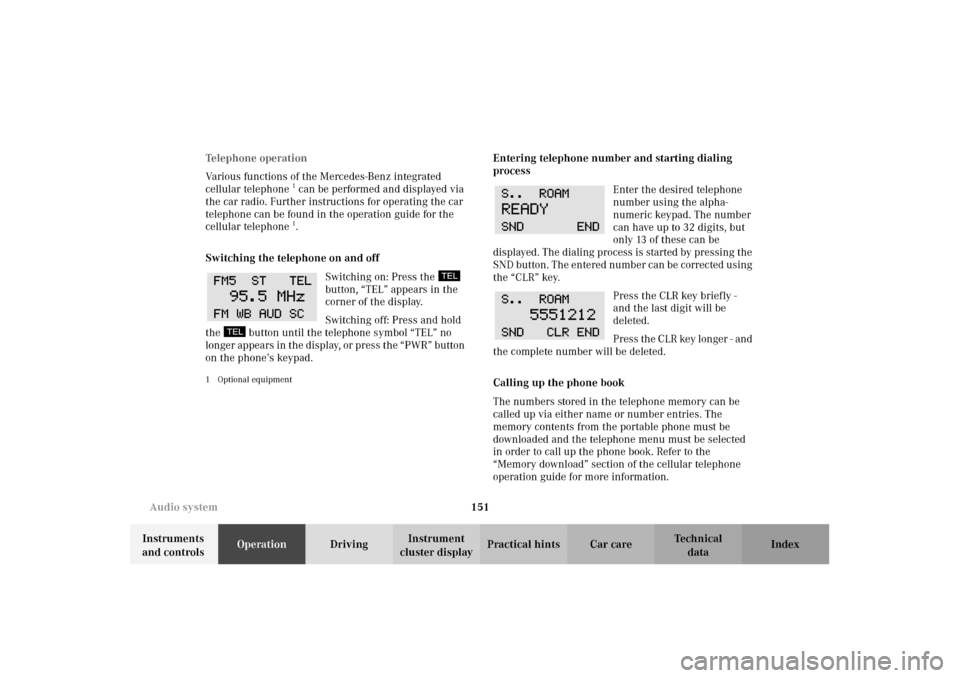
Switching on: Press the
button, “TEL” appears in the
corner of the display.
Switching off: Press and hold
the button until the telephone symbol “TEL” no
longer appears in the display, or press the “PWR” button
on the phone’s keypad.
1 Optional equipment
Entering telephone number and starting dialing
process
Enter the desired telephone
number using the alpha-
numeric keypad. The number
can have up to 32 digits, but
only 13 of these can be
displayed. The dialing process is started by pressing the
SND button. The entered number can be corrected using
the “CLR” key.
Press the CLR key briefly -
and the last digit will be
deleted.
Press the CLR key longer - and
the complete number will be deleted.
Calling up the phone book
The numbers stored in the telephone memory can be
called up via either name or number entries. The
memory contents from the portable phone must be
downloaded and the telephone menu must be selected
in order to call up the phone book. Refer to the
“Memory download” section of the cellular telephone
operation guide for more information.
Page 156 of 354
153 Audio system
Te ch n i c a l
data Instruments
and controlsOperationDrivingInstrument
cluster displayPractical hints Car care Index Accepting incoming call in telephone mode
With an incoming call, the ringing tone will be heard
and the message “CALL” appears in the display. Press
the SND key to answer the call.
Accepting incoming call in tape, CD or radio mode
If the telephone is activated in the background
(telephone symbol in the display), then a switch is made
automatically to telephone when an incoming call is
received. The audio source is muted, the ringing tone is
heard and the message “CALL” appears. After the call
has been terminated, the previously selected audio
source is resumed.Terminating call
A current call can be terminated by pressing the END
key.
Component malfunctions
The radio, CD changer
1, and Mercedes-Benz integrated
cellular telephone
1 are part of a fiberoptic networked
system. Failure of one of the components can lead to
malfunctions of the other components. Please contact
your authorized Mercedes-Benz Center or call
1-800-FOR-MERCedes for more information in the event
of a malfunction.
1Optional equipment
Page 182 of 354
179 Interior equipment
Te ch n i c a l
data Instruments
and controlsOperationDrivingInstrument
cluster displayPractical hints Car care Index Te l e p h o n e , ge n e ra lNote:
See separate instruction manual for instructions on how
to operate the telephone.
Cellular telephone
The vehicle is prepared for the installation of a cellular
telephone. For further information and installation
contact your authorized Mercedes-Benz Center.
Wa r n i n g !
A driver’s attention to the road must always be his/
her primary focus when driving. For your safety
and the safety of others, we recommend that you
pull over to a safe location and stop before placing
or taking a telephone call. If you choose to use the
telephone while driving, please use the hands-free
device and only use the telephone when road,
weather and traffic conditions permit.Some jurisdictions prohibit the driver from using a
cellular telephone while driving a vehicle.Bear in mind that at a speed of just 30 mph
(approximately 50 km/h), your vehicle is covering
a distance of approximately 50 feet (approximately
14 m ) e v e r y s e c o n d . Never operate radio transmitters equipped with a
built-in or attached antenna (i.e. without being
connected to an external antenna) from inside the
vehicle while the engine is running. Doing so could
lead to a malfunction of the vehicle’s electronic
system, possibly resulting in an accident and
personal injury.
Wa r n i n g !
Some jurisdictions prohibit the driver from using a
cellular telephone while driving a vehicle. Whether
or not prohibited by law, for safety reasons, the
driver should not use the cellular telephone while
the vehicle is in motion. Stop the vehicle in a safe
location before answering or placing a call.
Page 188 of 354
185 Contents – Driving
Te ch n i c a l
data Instruments
and controlsOperationDrivingInstrument
cluster displayPractical hints Car care Index
DrivingControl and operation of radio
transmitters ............................... 186
The first 1 000 miles
(1 500 km) ................................. 187
Maintenance ................................... 187
Tele Aid ........................................... 188
Catalytic converter ........................ 198
Emission control ............................ 199
Steering lock ...................................200
Starting and turning off
the engine ..................................202
Automatic transmission ...............203
Parking brake ................................. 212Driving instructions .......................213
Drive sensibly - Save Fuel .........213
Drinking and Driving ................213
Pedals ...........................................213
Power assistance .........................214
Brakes ...........................................214
Driving off ....................................215
Parking ......................................... 216
Tires .............................................. 216
Snow chains ................................ 219
Winter driving instructions ...... 219
Block heater ................................ 221
Standing water ........................... 221
Passenger compartment ........... 221
Traveling abroad ........................ 221Cruise control .................................222
Brake assist system (BAS) ............225
Antilock brake system (ABS) .......227
Four wheel electronic traction
system (4MATIC) ......................229
Electronic stability
program (ESP) ...........................230
Parking assist (Parktronic) ..........234
What you should know at the
gas station ..................................239
Check regularly and before
a long trip ................................... 241
Page 189 of 354
186 Control and operation of radio transmitters
Te ch n i c a l
data Instruments
and controlsOperationDrivingInstrument
cluster displayPractical hints Car care Index
Control and operation of radio transmitters
COMAND, radio and telephone
1 Observe all legal requirements.
Telephones and two-way radio
Radio transmitters, such as a portable telephone or a
citizens band unit should only be used inside the
vehicle if they are connected to an antenna that is
installed on the outside of the vehicle.
Refer to the radio transmitter operation instructions
regarding use of an external antenna.
Wa r n i n g !
Please do not forget that your primary
responsibility is to drive the vehicle. Only operate
the COMAND (Cockpit Management and Data
System), radio or telephone
1 if road and traffic
conditions permit.
Bear in mind that at a speed of just 30 mph
(approximately 50 km / h), your vehicle is covering
a distance of approximately 50 feet (approximately
14 m ) e v e r y s e c o n d .
Wa r n i n g !
Never operate radio transmitters equipped with a
built-in or attached antenna (i.e. without being
connected to an external antenna) from inside the
vehicle while the engine is running. Doing so could
lead to a malfunction of the vehicle’s electronic
system, possibly resulting in an accident and
personal injury.
Page 198 of 354
195 Tele Aid
Te ch n i c a l
data Instruments
and controlsOperationDrivingInstrument
cluster displayPractical hints Car care Index Important!
If the indicator lamp continues to flash or the system
does not reset, contact the Response Center at
1-800-756-9018 (in the USA) or 1-888-923-8367 (in
Canada), or Mercedes-Benz Customer Assistance at
1-800-FOR-MERCedes (1-800-367-6372) in the USA or
Customer Service at 1-800-387-0100 in Canada.
Notes:
The indicator lamp in the respective button flashes until
the call is concluded. Calls can only be terminated by a
Response Center or Customer Assistance Center
representative except Roadside Assistance and
Information calls, which can also be terminated by
pressing ìbutton on the multifunction steering
wheel.When a Tele Aid call has been initiated, the audio
system or the COMAND system audio (only vehicles
with COMAND) is muted and the selected mode (radio,
tape or CD) pauses. The optional cellular phone (if
installed) switches off. If you must use this phone, the
vehicle must be parked. Disconnect the coiled cord and
place the call. The COMAND navigation system (if
engaged) will continue to run. The display in the
instrument cluster is available for use and spoken
commands are only available by pressing the RPT
button on the COMAND unit. A pop-up window will
appear in the COMAND display to indicate that a Tele
Aid call is in progress.
Page 339 of 354
336 Index
Te ch n i c a l
data Instruments
and controlsOperation DrivingInstrument
cluster displayPractical hints Car careIndex
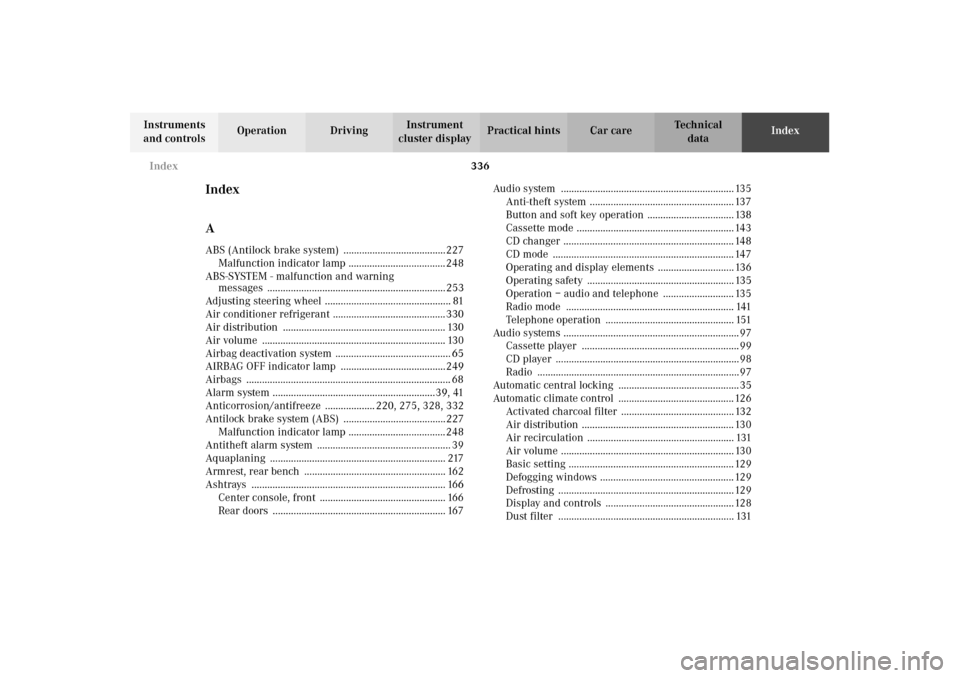
Index
AABS (Antilock brake system) .......................................227
Malfunction indicator lamp ..................................... 248
ABS-SYSTEM - malfunction and warning
messages .................................................................... 253
Adjusting steering wheel ................................................ 81
Air conditioner refrigerant ........................................... 330
Air distribution .............................................................. 130
Air volume ...................................................................... 130
Airbag deactivation system ............................................ 65
AIRBAG OFF indicator lamp ........................................249
Airbags .............................................................................. 68
Alarm system ..............................................................39, 41
Anticorrosion/antifreeze ................... 220, 275, 328, 332
Antilock brake system (ABS) .......................................227
Malfunction indicator lamp ..................................... 248
Antitheft alarm system ................................................... 39
Aquaplaning ................................................................... 217
Armrest, rear bench ...................................................... 162
Ashtrays .......................................................................... 166
Center console, front ................................................ 166
Rear doors .................................................................. 167Audio system .................................................................. 135
Anti-theft system ....................................................... 137
Button and soft key operation ................................. 138
Cassette mode ............................................................ 143
CD changer ................................................................. 148
CD mode ..................................................................... 147
Operating and display elements ............................. 136
Operating safety ........................................................ 135
Operation – audio and telephone ........................... 135
Radio mode ................................................................ 141
Telephone operation ................................................. 151
Audio systems ................................................................... 97
Cassette player ............................................................ 99
CD player ......................................................................98
Radio .............................................................................97
Automatic central locking .............................................. 35
Automatic climate control ............................................ 126
Activated charcoal filter ........................................... 132
Air distribution .......................................................... 130
Air recirculation ........................................................ 131
Air volume .................................................................. 130
Basic setting ............................................................... 129
Defogging windows ................................................... 129
Defrosting ...................................................................129
Display and controls .................................................128
Dust filter ................................................................... 131
Page 341 of 354
338 Index
Te ch n i c a l
data Instruments
and controlsOperation DrivingInstrument
cluster displayPractical hints Car careIndex
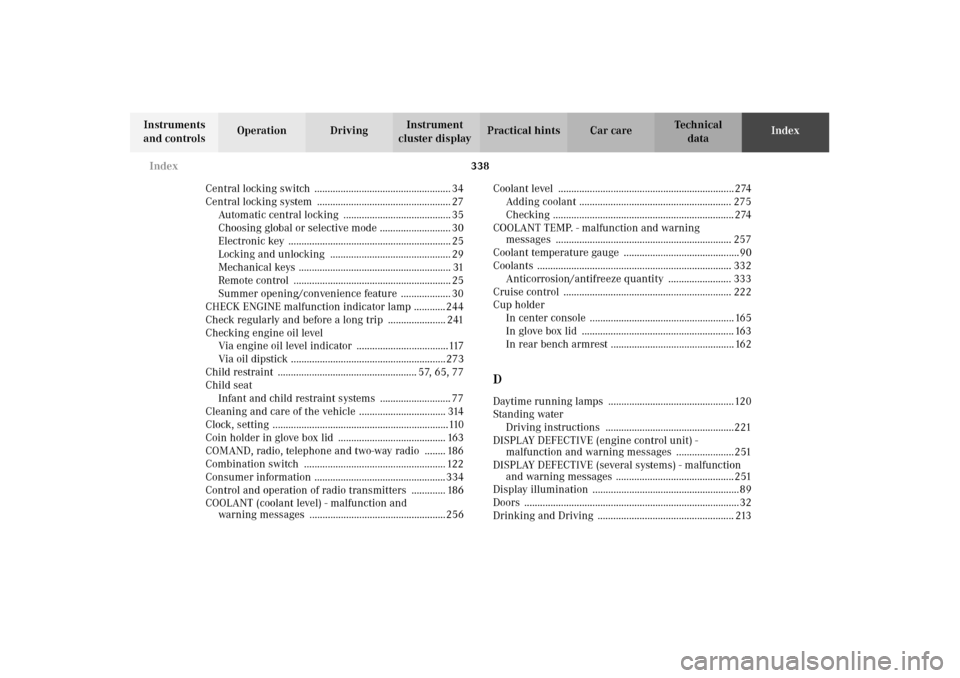
Central locking switch .................................................... 34
Central locking system ................................................... 27
Automatic central locking ......................................... 35
Choosing global or selective mode ........................... 30
Electronic key .............................................................. 25
Locking and unlocking .............................................. 29
Mechanical keys .......................................................... 31
Remote control ............................................................ 25
Summer opening/convenience feature ................... 30
CHECK ENGINE malfunction indicator lamp ............ 244
Check regularly and before a long trip ...................... 241
Checking engine oil level
Via engine oil level indicator ...................................117
Via oil dipstick ...........................................................273
Child restraint ..................................................... 57, 65, 77
Child seat
Infant and child restraint systems ........................... 77
Cleaning and care of the vehicle ................................. 314
Clock, setting ...................................................................110
Coin holder in glove box lid ......................................... 163
COMAND, radio, telephone and two-way radio ........ 186
Combination switch ...................................................... 122
Consumer information .................................................. 334
Control and operation of radio transmitters ............. 186
COOLANT (coolant level) - malfunction and
warning messages ....................................................256Coolant level ................................................................... 274
Adding coolant .......................................................... 275
Checking ..................................................................... 274
COOLANT TEMP. - malfunction and warning
messages ................................................................... 257
Coolant temperature gauge ............................................90
Coolants .......................................................................... 332
Anticorrosion/antifreeze quantity ........................ 333
Cruise control ................................................................ 222
Cup holder
In center console ....................................................... 165
In glove box lid .......................................................... 163
In rear bench armrest ............................................... 162
DDaytime running lamps ................................................120
Standing water
Driving instructions .................................................221
DISPLAY DEFECTIVE (engine control unit) -
malfunction and warning messages ......................251
DISPLAY DEFECTIVE (several systems) - malfunction
and warning messages ............................................. 251
Display illumination ........................................................89
Doors ..................................................................................32
Drinking and Driving .................................................... 213