blind spot assist MERCEDES-BENZ E63AMG 2010 W212 Owner's Manual
[x] Cancel search | Manufacturer: MERCEDES-BENZ, Model Year: 2010, Model line: E63AMG, Model: MERCEDES-BENZ E63AMG 2010 W212Pages: 372, PDF Size: 8.55 MB
Page 7 of 372
ATTENTION ASSIST ........................... 178
Messages in the multifunction
display ........................................... 292
Switching on or off ......................... 138
Audio menu ........................................ 134
Auto-dimming rear view mirrors ........ 95
Automatic central locking .......... 80, 144
Automatic climate control see Climate control system
Automatic headlamp mode ................ 98
Automatic interior lighting control .. 103
Automatic locking when driving ...... 144
Automatic shift program .................. 120
Automatic transmission ................... 114
Automatic shift program ................120
Gear range indicator ......................120
Gear ranges ................................... 120
Gear selector lever ........................115
Hill-start assist system ..................160
Kickdown ....................................... 119
Kickdown (manual shift program) ..124
Manual shift program ..................... 122
One-touch gearshifting ..................121
Program mode indicator ................121
Program mode selector dial
(E 63 AMG) ............................ 121, 123
Program mode selector switch
(automatic shift program) ..............120
Shifting procedure .........................118
Steering wheel gearshift control ....122
Transmission position indicator .....118
Transmission positions ..................118
AUX socket ........................................ 201
Axle oils .............................................. 360
B
BabySmart™
Air bag deactivation system .............46
Self-test ........................................... 47
Backrest
see Seats
Backup lamps
Messages in the multifunction
display ........................................... 300
Bar (air pressure unit) ....................... 250
BAS (Brake Assist System) ................. 63
BAS PLUS (Brake Assist System
PLUS) .................................................... 63
Batteries, SmartKey
Checking condition ..........................79
Replacing ....................................... 317
Battery, Vehicle ................................. 336
Charging ........................................ 337
Jump starting ................................. 338
Messages in the multifunction
display ................................... 284, 297
Bead (tire) .......................................... 250
Beverage holders see Cup holders
Bleeding the fuel system (diesel
engine) ............................................... 333
Blind Spot Assist ............................... 175
Messages in the multifunction
display ........................................... 281
Switching on or off ......................... 138
BlueTEC
AdBlue ®
tank ................................. 333
Brake Assist System
see BAS
Brake Assist System PLUS
see BAS PLUS
Brake fluid
Checking level ............................... 227
Messages in the multifunction
display ........................................... 289
Brake lamps
Cleaning lenses ............................. 262
Brake pads
Messages in the multifunction
display ........................................... 287
Brakes ................................................ 254
Ceramic brake system ...................256
High-performance brake system ....256
Parking brake ................................ 113
Warning lamp ................................. 305
Break-in period .................................. 220
Bug cover (Radiator) ......................... 224
Bulbs see Replacing bulbs Index5212_AKB; 2; 41, en-USd2ureepe,Version: 2.11.8.12009-07-17T09:14:21+02:00 - Seite 5
Page 10 of 372
RACE START (E 63 AMG) ...............159
Safety systems ................................ 61
Systems ......................................... 146
Through standing water .................257
With DISTRONIC PLUS ...................157
Driving and parking
Safety notes .................................. 109
Driving off .................................. 111, 257
Driving safety systems ....................... 61
ABS .................................................. 62
Adaptive Brake ................................ 64
BAS .................................................. 63
BAS PLUS ........................................ 63
EBP .................................................. 64
ESC .................................................. 65
ETS/4-ETS ....................................... 65
PRE-SAFE ®
Brake ............................. 69
Driving systems
AIRMATIC (except E 63 AMG) ........163
All-wheel drive (4MATIC) ................ 161
AMG adaptive sport suspension
system (E 63 AMG) ........................164
ATTENTION ASSIST ........................178
Blind Spot Assist ............................ 175
Cruise control ................................ 146
DISTRONIC PLUS ........................... 149
Hill-start assist system ..................160
HOLD function ............................... 161
Lane Keeping Assist ......................177
Night View Assist Plus ...................172
Parking Guidance ........................... 168
Parktronic system ..........................165
RACE START (E 63 AMG) ...............159
Rear view camera .......................... 171
Driving tips, automatic
transmission ...................................... 119
E
Easy-entry/exit feature .............. 93, 145
EBP (Electronic Brake
Proportioning) ...................................... 64
Electrical system
Improper work on or
modifications ................................... 22
Power outlets ................................. 207
Electrical system (Technical data)
see Vehicle specification
Electronic Stability Control
see ESC
Electronic Traction System
see ETS/4-ETS
Emergency, in case of
First aid kit ..................................... 268
Flat tire .......................................... 323
Hazard warning flasher ..................101
Roadside Assistance ................ 21, 210
Towing the vehicle .........................340
Emergency calls
Tele Aid .......................................... 208
Emergency operations
Remote door lock (Tele Aid) ........... 212
Remote door unlock (Tele Aid) .......211
Trunk lid, emergency release ...........84
Emergency Tensioning Device
see ETD
Emission control ............................... 258
Information label ............................ 347
System warranties ...........................20
Engine
Break-in recommendations ............220
Cleaning ......................................... 261
Compartment ................................ 223
Malfunction indicator lamp ............310
Messages in the multifunction
display ........................................... 295
Number .......................................... 347
Starting .......................................... 109
Turning off ..................................... 113
Engine (Technical data)
see Vehicle specification
Engine compartment
Radiator ......................................... 224
Engine coolant
see Coolant
Engine oil
Adding ........................................... 225
Additives ........................................ 362
Checking level ............................... 224
Consumption ................................. 224
Messages in the multifunction
display ........................................... 298
Oil dipstick ..................................... 225
Recommended engine oils and oil
filter ............................................... 3618Index212_AKB; 2; 41, en-USd2ureepe,Version: 2.11.8.12009-07-17T09:14:21+02:00 - Seite 8
Page 14 of 372
SRS .......................................... 36, 308
Turn signals ..................................... 29
Lane Keeping Assist .......................... 177
Messages in the multifunction
display ........................................... 283
Switching on or off ......................... 138
LATCH-type child seat anchors (ISOFIX)
see Children in the vehicle
License plate lamps
Messages in the multifunction
display ........................................... 301
Light alloy wheels, cleaning ............. 265
Lighter see Cigarette lighter
Lighting ................................................ 97
Daytime running lamp mode ............98
Exterior ............................................ 97
Interior ........................................... 103
Limp-home mode .............................. 124
Load index (tires) ...................... 246, 250
Loading see Vehicle loading
Locator lighting ................................. 142
Locking the vehicle
KEYLESS-GO .................................... 77
Manually ........................................ 315
SmartKey ......................................... 76
Loss of
Key .................................................. 79
Service and Warranty Information
booklet .......................................... 346
Low-beam headlamps ......................... 98
Exterior lamp switch ........................97
Indicator lamp .................................. 30
Replacing bulbs ............................. 319
Switching on .................................... 98
Lubricants .......................................... 359
Lumbar support ................................... 89
M
Maintenance ........................................ 21
Maintenance System
Service indicator display ................259
Service indicator message .............258
Service term exceeded ..................259
Manual headlamp mode (Low-
beam headlamps) ................................ 98
Manual shift program ....................... 122
Maximum engine speed see Vehicle specification
Maximum loaded vehicle weight ..... 250
Maximum load rating (tires) ............. 250
Maximum permissible tire
inflation pressure .............................. 251
Mechanical key see Key, Mechanical
Media interface ................................. 201
Memory function ................................. 96
Menus see Control system menus
Minispare wheel
see Spare wheel
Mirrors .................................................. 94
Auto-dimming rear view mirrors ....... 95
Exterior rear view mirror parking
position ............................................ 95
Exterior rear view mirrors ................95
Interior rear view mirror ...................94
Memory function .............................. 96
Vanity mirror .................................. 205
MOExtended system ......................... 329
MOExtended tires ..................... 329, 353
MON (Motor Octane Number) .......... 363
Motor Octane Number see MON
Multifunction display ........................ 128
Symbol messages ..........................287
Text messages ............................... 274
Vehicle status messages ...............272
Multifunction display messages
ABS ....................................... 288, 289
Active headlamps .......................... 299
Advanced TPMS ............................. 285
Air bags ......................................... 276
Air filter .......................................... 299
AIRMATIC ...................................... 292
Alternator .............................. 284, 297
ATTENTION ASSIST ........................292
Automatic
transmission .......................... 283, 284
Backrests ....................................... 293
Battery ................................... 284, 297
Blind Spot Assist ............................ 281
Brake fluid ..................................... 28912Index212_AKB; 2; 41, en-USd2ureepe,Version: 2.11.8.12009-07-17T09:14:21+02:00 - Seite 12
Page 73 of 372
To maintain the proper distance to the vehicle
in front of you and thus prevent a rear-end
collision, you must apply the brakes yourself.XBrake the vehicle immediately to avoid a
collision.
Under no circumstances should the driver
await the intermittent warning sound
before braking. Observe the following
warning note.
The intermittent warning sound ceases and
the distance warning lamp · goes out
when the necessary distance to the vehicle
ahead is again established.
The PRE-SAFE ®
Brake can react to stationary
obstacles such as standing or parked vehicles
at road speeds of up to approximately 40 mph
(70 km/h).
GWarning!
If you do not receive visual or acoustic
warning signals, the PRE-SAFE ®
Brake may
R not have recognized the collision risk
R have been deactivated
R be malfunctioning
Apply the brakes yourself to avoid a collision.
The PRE-SAFE ®
Brake does not always clearly
interpret complex traffic situations. If a visual
and/or acoustic warning is issued in an
uncritical driving situation, or if the vehicle
brakes lightly, you can interrupt the PRE-
SAFE ®
Brake maneuver by pressing down all
the way on the accelerator pedal, using
kickdown, or releasing the brake pedal.
The PRE-SAFE ®
Brake maneuver is
terminated immediately when
R you avoid the obstacle by evasive steering
R you drive less than 9 mph (15 km/h)
R an obstacle can no longer be identified
ahead of you
R the system no longer senses the risk of a
collision
i The PRE-SAFE ®
Brake will remain passive
while DISTRONIC PLUS is switched on
( Y page 149).
After a hard collision or damage to the front
of the vehicle from an accident, have the
settings and operation of the radar sensors
checked by an authorized Mercedes-Benz
Center.XActivating and deactivating: Activate or
deactivate the PRE-SAFE ®
Brake using the
instrument cluster control system
( Y page 137).
After the function has been activated, the
PRE-SAFE ®
Brake indicator Ä appears
in the instrument cluster. When the HOLD
function is switched on, the PRE-SAFE ®
Brake indicator Ä will not appear.
In vehicles with Parking Guidance, the
automatic transmission must be in park
position P for the PRE-SAFE ®
Brake
indicator Ä to be displayed.
The PRE-SAFE ®
Brake is deactivated when
the radar system is switched off. When you
switch off the radar system, the following
functions are deactivated:
R PRE-SAFE ®
Brake
R BAS PLUS ( Y page 63)
R DISTRONIC PLUS ( Y page 149)
R Blind Spot Assist ( Y page 175)
Anti-theft systems
Immobilizer
The immobilizer prevents unauthorized
persons from starting your vehicle.
When leaving the vehicle, always take the
SmartKey with you and lock the vehicle. The
engine can be started by anyone with a valid
SmartKey that is left inside the vehicle.
Anti-theft systems71Safety and security212_AKB; 2; 41, en-USd2ureepe,Version: 2.11.8.12009-07-17T09:14:21+02:00 - Seite 71Z
Page 139 of 372
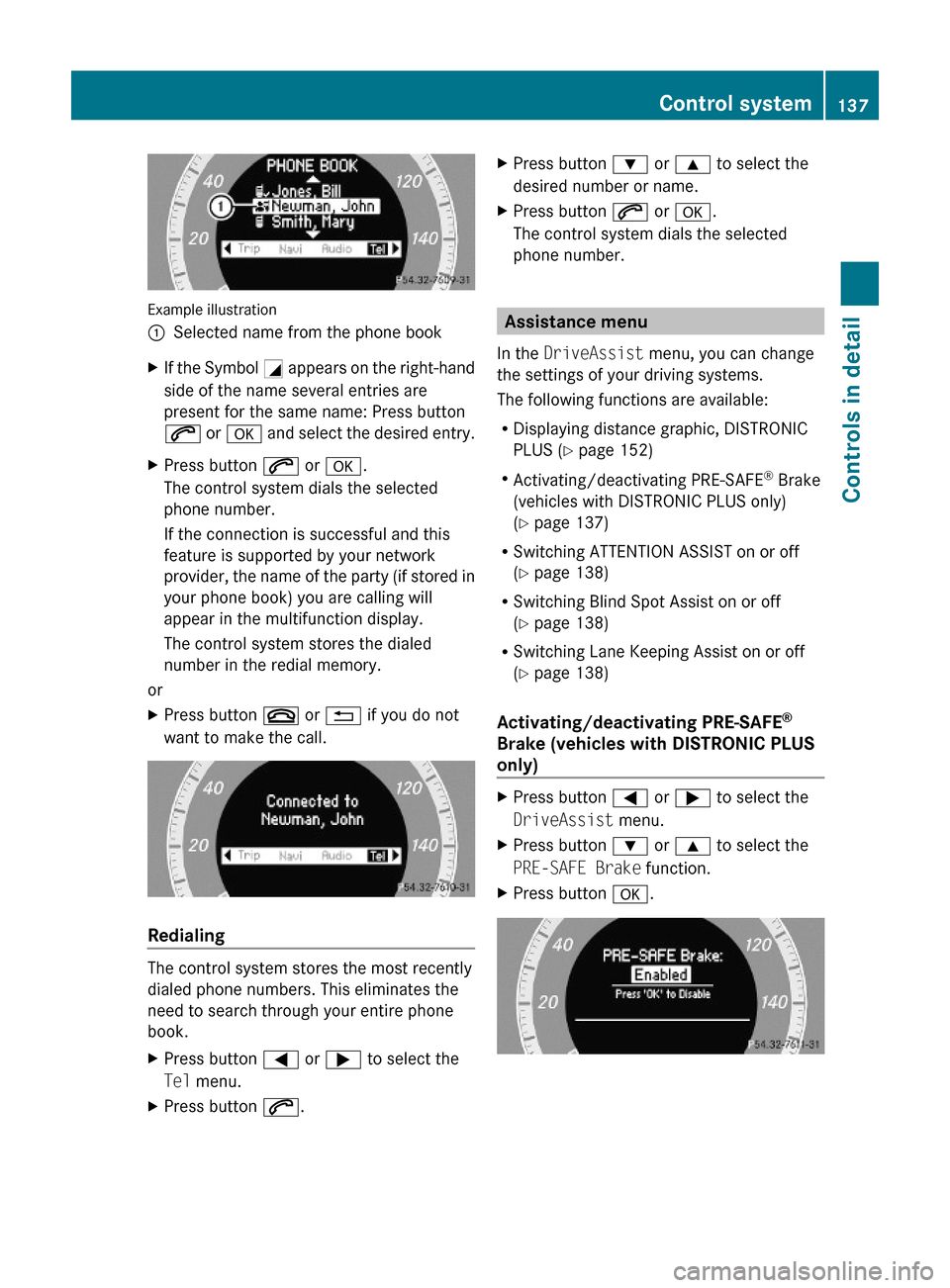
Example illustration
:Selected name from the phone bookXIf the Symbol G appears on the right-hand
side of the name several entries are
present for the same name: Press button
6 or a and select the desired entry.
XPress button 6 or a.
The control system dials the selected
phone number.
If the connection is successful and this
feature is supported by your network
provider, the name of the party (if stored in
your phone book) you are calling will
appear in the multifunction display.
The control system stores the dialed
number in the redial memory.
or
XPress button ~ or % if you do not
want to make the call.
Redialing
The control system stores the most recently
dialed phone numbers. This eliminates the
need to search through your entire phone
book.
XPress button = or ; to select the
Tel menu.
XPress button 6.XPress button : or 9 to select the
desired number or name.
XPress button 6 or a.
The control system dials the selected
phone number.
Assistance menu
In the DriveAssist menu, you can change
the settings of your driving systems.
The following functions are available:
RDisplaying distance graphic, DISTRONIC
PLUS (Y page 152)
RActivating/deactivating PRE-SAFE® Brake
(vehicles with DISTRONIC PLUS only)
(Y page 137)
RSwitching ATTENTION ASSIST on or off
(Y page 138)
RSwitching Blind Spot Assist on or off
(Y page 138)
RSwitching Lane Keeping Assist on or off
(Y page 138)
Activating/deactivating PRE-SAFE®
Brake (vehicles with DISTRONIC PLUS
only)
XPress button = or ; to select the
DriveAssist menu.
XPress button : or 9 to select the
PRE-SAFE Brake function.
XPress button a.Control system137Controls in detail212_AKB; 2; 41, en-USd2ureepe,Version: 2.11.8.12009-07-17T09:14:21+02:00 - Seite 137Z
Page 140 of 372
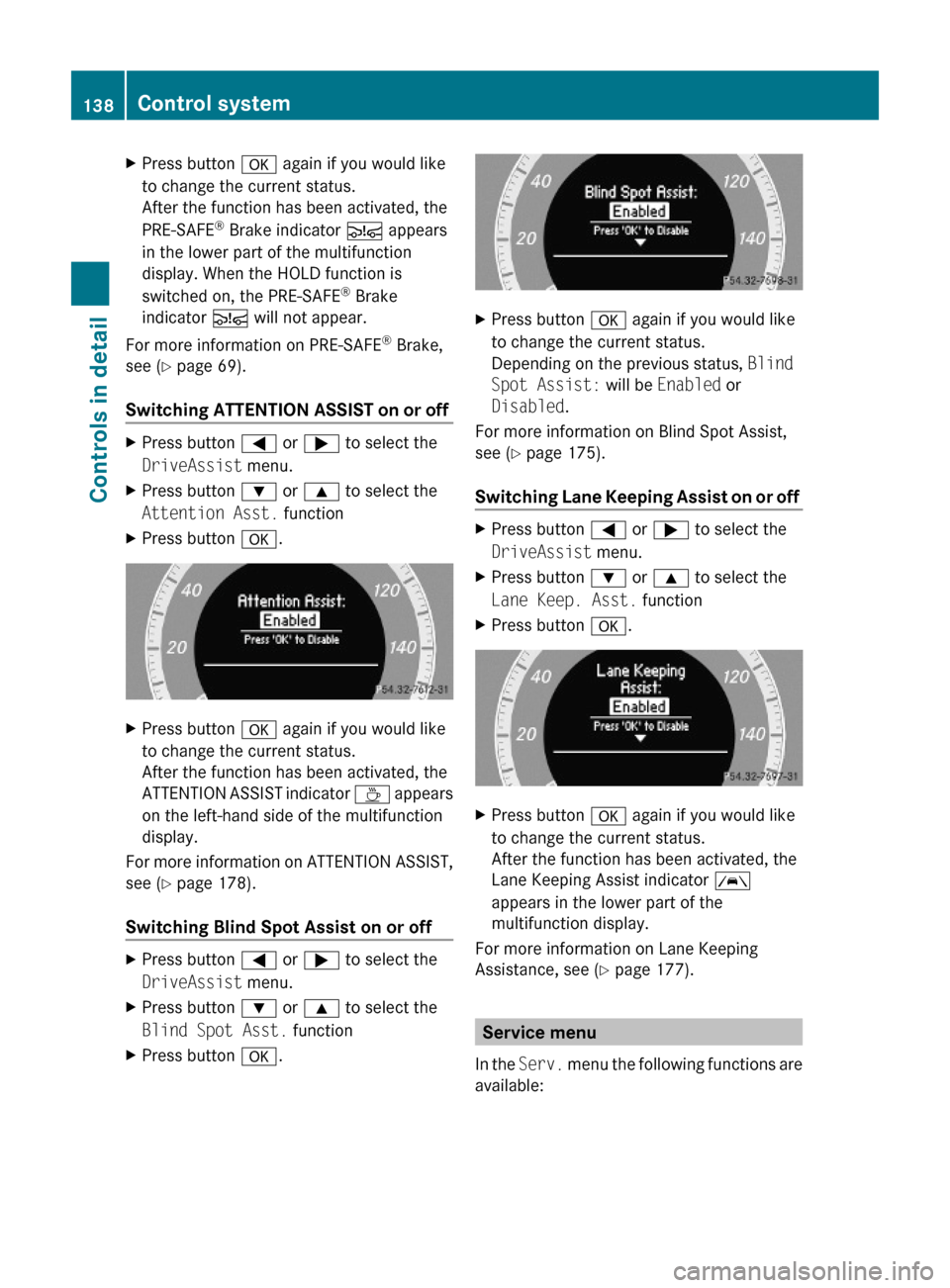
XPress button a again if you would like
to change the current status.
After the function has been activated, the
PRE-SAFE® Brake indicator Ä appears
in the lower part of the multifunction
display. When the HOLD function is
switched on, the PRE-SAFE® Brake
indicator Ä will not appear.
For more information on PRE-SAFE® Brake,
see (Y page 69).
Switching ATTENTION ASSIST on or off
XPress button = or ; to select the
DriveAssist menu.
XPress button : or 9 to select the
Attention Asst. function
XPress button a.XPress button a again if you would like
to change the current status.
After the function has been activated, the
ATTENTION ASSIST indicator À appears
on the left-hand side of the multifunction
display.
For more information on ATTENTION ASSIST,
see (Y page 178).
Switching Blind Spot Assist on or off
XPress button = or ; to select the
DriveAssist menu.
XPress button : or 9 to select the
Blind Spot Asst. function
XPress button a.XPress button a again if you would like
to change the current status.
Depending on the previous status, Blind
Spot Assist: will be Enabled or
Disabled.
For more information on Blind Spot Assist,
see (Y page 175).
Switching Lane Keeping Assist on or off
XPress button = or ; to select the
DriveAssist menu.
XPress button : or 9 to select the
Lane Keep. Asst. function
XPress button a.XPress button a again if you would like
to change the current status.
After the function has been activated, the
Lane Keeping Assist indicator Ã
appears in the lower part of the
multifunction display.
For more information on Lane Keeping
Assistance, see (Y page 177).
Service menu
In the Serv. menu the following functions are
available:
138Control systemControls in detail
212_AKB; 2; 41, en-USd2ureepe,Version: 2.11.8.12009-07-17T09:14:21+02:00 - Seite 138
Page 146 of 372
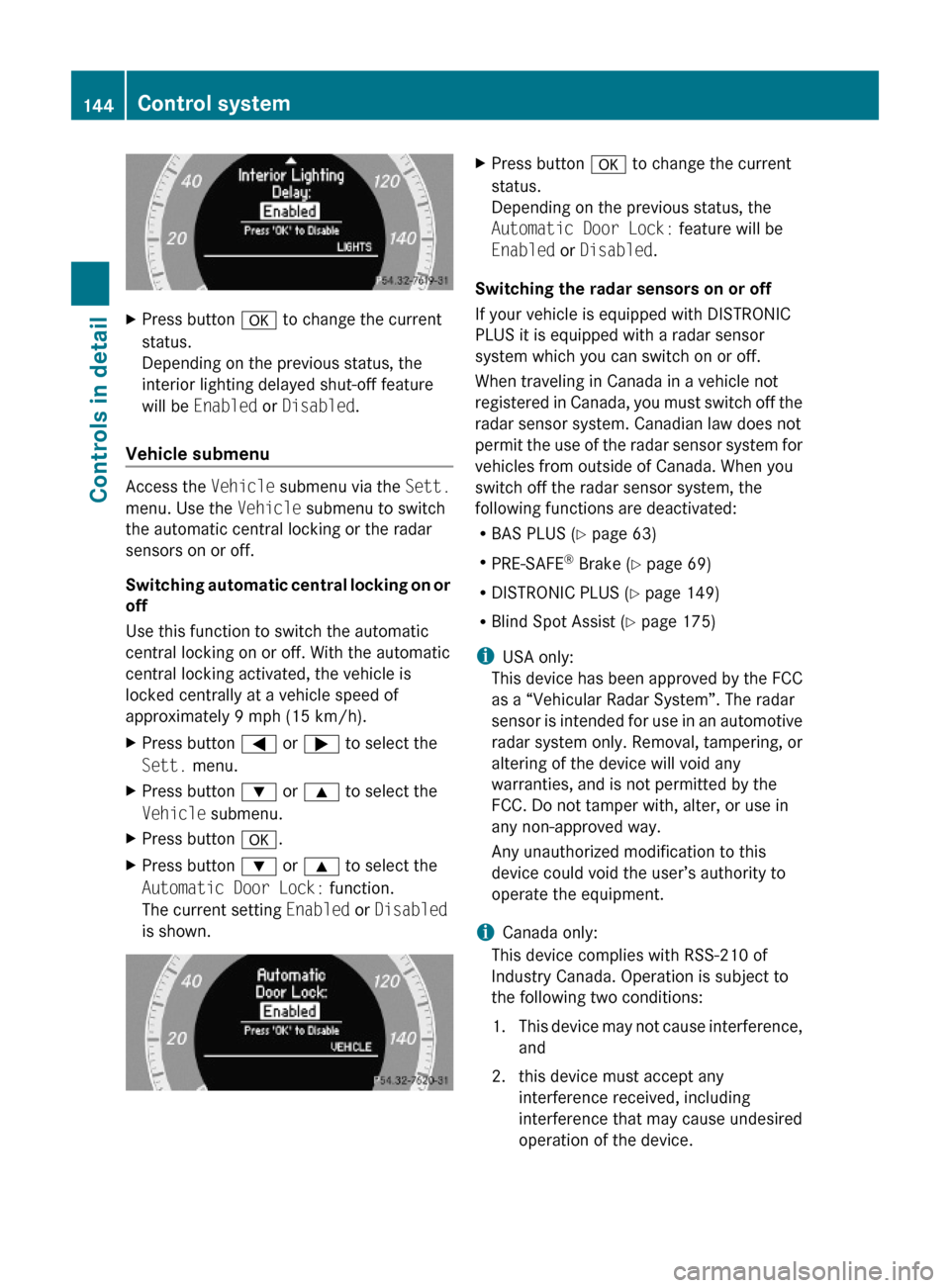
XPress button a to change the current
status.
Depending on the previous status, the
interior lighting delayed shut-off feature
will be Enabled or Disabled.
Vehicle submenu
Access the Vehicle submenu via the Sett.
menu. Use the Vehicle submenu to switch
the automatic central locking or the radar
sensors on or off.
Switching automatic central locking on or
off
Use this function to switch the automatic
central locking on or off. With the automatic
central locking activated, the vehicle is
locked centrally at a vehicle speed of
approximately 9 mph (15 km/h).
XPress button = or ; to select the
Sett. menu.
XPress button : or 9 to select the
Vehicle submenu.
XPress button a.XPress button : or 9 to select the
Automatic Door Lock: function.
The current setting Enabled or Disabled
is shown.
XPress button a to change the current
status.
Depending on the previous status, the
Automatic Door Lock: feature will be
Enabled or Disabled.
Switching the radar sensors on or off
If your vehicle is equipped with DISTRONIC
PLUS it is equipped with a radar sensor
system which you can switch on or off.
When traveling in Canada in a vehicle not
registered in Canada, you must switch off the
radar sensor system. Canadian law does not
permit the use of the radar sensor system for
vehicles from outside of Canada. When you
switch off the radar sensor system, the
following functions are deactivated:
RBAS PLUS (Y page 63)
RPRE-SAFE® Brake (Y page 69)
RDISTRONIC PLUS (Y page 149)
RBlind Spot Assist (Y page 175)
iUSA only:
This device has been approved by the FCC
as a “Vehicular Radar System”. The radar
sensor is intended for use in an automotive
radar system only. Removal, tampering, or
altering of the device will void any
warranties, and is not permitted by the
FCC. Do not tamper with, alter, or use in
any non-approved way.
Any unauthorized modification to this
device could void the user’s authority to
operate the equipment.
iCanada only:
This device complies with RSS-210 of
Industry Canada. Operation is subject to
the following two conditions:
1.This device may not cause interference,
and
2. this device must accept any
interference received, including
interference that may cause undesired
operation of the device.
144Control systemControls in detail
212_AKB; 2; 41, en-USd2ureepe,Version: 2.11.8.12009-07-17T09:14:21+02:00 - Seite 144
Page 148 of 372
XPress button = or ; to select the
Sett. menu.
XPress button : or 9 to select the
Convenience submenu.
XPress a.XPress button : or 9 to select the
Belt Adjustment: function.
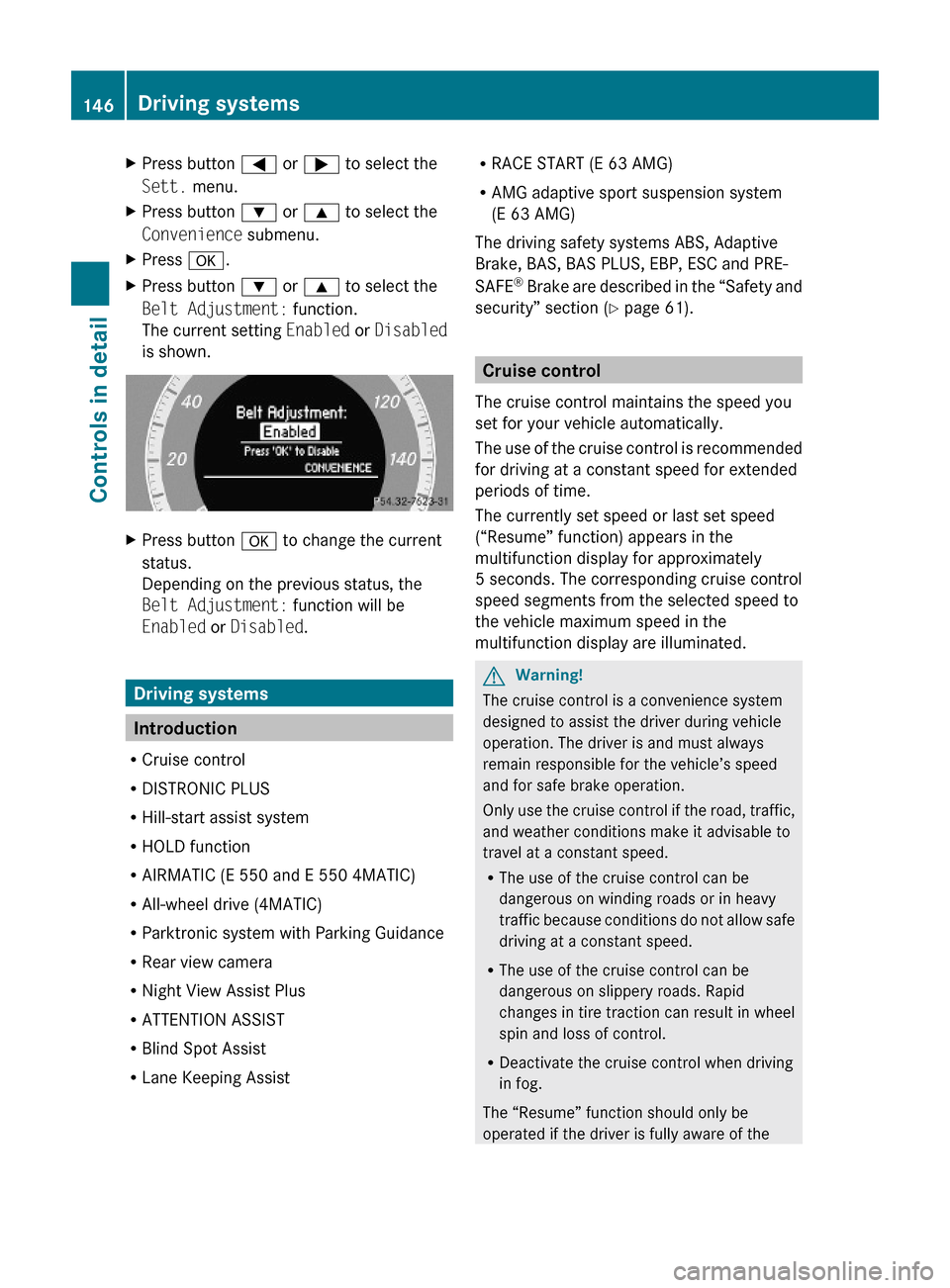
The current setting Enabled or Disabled
is shown.
XPress button a to change the current
status.
Depending on the previous status, the
Belt Adjustment: function will be
Enabled or Disabled.
Driving systems
Introduction
RCruise control
RDISTRONIC PLUS
RHill-start assist system
RHOLD function
RAIRMATIC (E 550 and E 550 4MATIC)
RAll-wheel drive (4MATIC)
RParktronic system with Parking Guidance
RRear view camera
RNight View Assist Plus
RATTENTION ASSIST
RBlind Spot Assist
RLane Keeping Assist
RRACE START (E 63 AMG)
RAMG adaptive sport suspension system
(E 63 AMG)
The driving safety systems ABS, Adaptive
Brake, BAS, BAS PLUS, EBP, ESC and PRE-
SAFE® Brake are described in the “Safety and
security” section (Y page 61).
Cruise control
The cruise control maintains the speed you
set for your vehicle automatically.
The use of the cruise control is recommended
for driving at a constant speed for extended
periods of time.
The currently set speed or last set speed
(“Resume” function) appears in the
multifunction display for approximately
5 seconds. The corresponding cruise control
speed segments from the selected speed to
the vehicle maximum speed in the
multifunction display are illuminated.
GWarning!
The cruise control is a convenience system
designed to assist the driver during vehicle
operation. The driver is and must always
remain responsible for the vehicle’s speed
and for safe brake operation.
Only use the cruise control if the road, traffic,
and weather conditions make it advisable to
travel at a constant speed.
RThe use of the cruise control can be
dangerous on winding roads or in heavy
traffic because conditions do not allow safe
driving at a constant speed.
RThe use of the cruise control can be
dangerous on slippery roads. Rapid
changes in tire traction can result in wheel
spin and loss of control.
RDeactivate the cruise control when driving
in fog.
The “Resume” function should only be
operated if the driver is fully aware of the
146Driving systemsControls in detail
212_AKB; 2; 41, en-USd2ureepe,Version: 2.11.8.12009-07-17T09:14:21+02:00 - Seite 146
Page 152 of 372
The DISTRONIC PLUS does not function in
adverse sight and distance conditions. Do not
use the DISTRONIC PLUS during conditions of
fog, heavy rain, snow or sleet.GWarning!
The DISTRONIC PLUS cannot take weather
conditions into account. Switch off the
DISTRONIC PLUS or do not switch it on if:
R roads are slippery or covered with snow or
ice. The wheels could lose traction while
braking or accelerating, and the vehicle
could skid.
R the DISTRONIC PLUS system sensor covers
are dirty or visibility is diminished due to
snow, rain or fog, for example. The distance
control system functionality could be
impaired.
Always pay attention to surrounding traffic
conditions even while the DISTRONIC PLUS is
switched on. Otherwise, you may not be able
to recognize dangerous situations until it is
too late. This could cause an accident in which
you and/or others could be injured.
GWarning!
The “Resume” function should only be
operated if the driver is fully aware of the
previously set speed and wishes to resume
this particular preset speed.
GWarning!
Close attention to road and traffic conditions
is imperative at all times, regardless of
whether or not the DISTRONIC PLUS is
activated.
Use of the DISTRONIC PLUS can be
dangerous on winding roads or in heavy traffic
because conditions do not allow safe driving
at a constant speed.
The DISTRONIC PLUS will not react to
stationary objects in the roadway (e.g. a
stopped vehicle in a traffic jam or a disabled
vehicle). The DISTRONIC PLUS will also not
respond to oncoming vehicles.
Switch off the DISTRONIC PLUS:
R when changing from the left to the right
lane if vehicles are moving more slowly in
the left lane
R when entering a turn lane or highway off
ramp
R in complex driving situations, such as in
highway construction zones
In these situations, the DISTRONIC PLUS will
continue to maintain the set speed unless
deactivated.
The DISTRONIC PLUS is designed and
intended only to maintain a set speed and
keep a set distance from moving objects in
front of it.
The DISTRONIC PLUS functions in a speed
range of 0 to 120 mph
(Canada: 0 to 200 km/h) if a preceding
vehicle is detected. If no preceding vehicle is
detected the DISTRONIC PLUS functions in a
speed range of 20 to 120 mph
(Canada: 30 to 200 km/h).
Always obey applicable speed limits.
Do not use the DISTRONIC PLUS if you are
driving on a road with steep uphill or downhill
slopes.
When traveling in Canada in a vehicle not
registered in Canada, you must switch off the
radar sensor system ( Y page 144). Canadian
law does not permit the use of the radar
sensor system for vehicles from outside of
Canada. When you switch off the radar sensor
system, the following functions are
deactivated:
R DISTRONIC PLUS
R BAS PLUS ( Y page 63)
R PRE-SAFE ®
Brake ( Y page 69)
R Blind Spot Assist ( Y page 175)
i Due to its radar-emitting nature
DISTRONIC PLUS may have an appearance
similar to a radar detector to law
enforcement officials. You may want to150Driving systemsControls in detail
212_AKB; 2; 41, en-USd2ureepe,Version: 2.11.8.12009-07-17T09:14:21+02:00 - Seite 150
Page 177 of 372
XCleaning inside of windshield: Use a soft,
non-scratching cloth ( Y page 263).
Blind Spot Assist
The Blind Spot Assist uses radar sensors to
monitor the area on both sides of your
vehicle. It will assist you when you change
lanes driving at speeds of above 20 mph
(30 km/h). A red warning lamp will come on
in the exterior rear view mirror as soon as
another vehicle is detected. If you then
activate the corresponding turn signals to
change lanes, the red warning lamp flashes
and warning sounds (collision warning). The
Blind Spot Assist operates using sensors in
the rear bumper.
GWarning!
The Blind Spot Assist is only a driving aid and
may not detect all vehicles.
The Blind Spot Assist may not be able to
detect narrow vehicles such as motorcycles
or bicycles, or it may not detect them until it
is too late.
The monitoring function may be impaired if
your sensors are dirty, subject to heavy spray,
or if visibility is poor due to e.g. snow, rain, or
fog. This can result in vehicles not being
detected or being detected too late.
The Blind Spot Assist cannot detect road,
traffic and weather conditions.
It is the driver’s responsibility at all times to
be attentive to road, weather and traffic
conditions and to provide the steering,
braking and other driving inputs necessary to
retain control of the vehicle. Failure to do so
could result in recognizing dangers too late,
possibly resulting in an accident and serious
injury to yourself and others.
In order for the Blind Spot Assist to function,
the radar sensors must be switched on and
operational.
When traveling in Canada in a vehicle not
registered in Canada, you must switch off the
radar sensor system ( Y page 144). Canadian
law does not permit the use of the radar
sensor system for vehicles from outside of
Canada. When you switch off the radar sensor
system, the following functions are
deactivated:
R Blind Spot Assist
R BAS PLUS ( Y page 63)
R PRE-SAFE ®
Brake ( Y page 69)
R DISTRONIC PLUS ( Y page 149)
i USA only:
This device has been approved by the FCC
as a “Vehicular Radar System”. The radar
sensor is intended for use in an automotive
radar system only. Removal, tampering, or
altering of the device will void any
warranties, and is not permitted by the
FCC. Do not tamper with, alter, or use in
any non-approved way.
Any unauthorized modification to this
device could void the user’s authority to
operate the equipment.
i Canada only:
This device complies with RSS-210 of
Industry Canada. Operation is subject to
the following two conditions:
1. This device may not cause interference,
and
2. this device must accept any interference received, including
interference that may cause undesired
operation of the device.
Removal, tampering, or altering of the
device will void any warranties, and is not
permitted. Do not tamper with, alter, or use
in any non-approved way.
Any unauthorized modification to this
device could void the user’s authority to
operate the equipment.
Sensor monitoring range
The Blind Spot Assist is able to monitor a
range up to 10 ft (3 m) to the rear and both
sides of the vehicle.
Driving systems175Controls in detail212_AKB; 2; 41, en-USd2ureepe,Version: 2.11.8.12009-07-17T09:14:21+02:00 - Seite 175Z