ECO mode MERCEDES-BENZ EQC SUV 2019 Owners Manual
[x] Cancel search | Manufacturer: MERCEDES-BENZ, Model Year: 2019, Model line: EQC SUV, Model: MERCEDES-BENZ EQC SUV 2019Pages: 629, PDF Size: 11.02 MB
Page 21 of 629
#
Use recycled reconditioned compo‐
nents and pa rts from Daimler AG.*
NO
TEImpairment of the operating ef fi‐
ciency of there stra int sy stems from
ins talling accessory parts or from repairs
or we lding Airbags and seat belt
tensioners, as well as
control units and sensors forth ere stra int
sy stems, may be ins talled in thefo llowing
areas of your vehicle:
R doors
R door pillars
R door sills
R seats
R cockpit
R instrument clus ter
R centre console
R late ra lro of frame #
Do not ins tall accessory parts such as
audio sy stems in these areas. #
Do not car ryout repairs or welding. #
Have accesso ries retrofitted at a quali‐
fi ed specialist workshop. Yo
u could jeopardise the operating saf ety of your
ve hicle if you use parts, tyres and wheels as well
as accessories releva nt tosaf ety which ha venot
been appr ovedby Mercedes-Benz. Saf ety-re le‐
va nt sy stems, e.g. the brake sy stem, may mal‐
function. Only use Mercedes-Benz Genuine Parts
or parts of equal qualit y.Only use tyres, wheels
and accessories that ha vebeen specifically
appr ovedfo ryo ur vehicle model.
Mercedes-Benz tests original parts and con ver‐
sion parts and accessories that ha vebeen spe‐
cifically appr ovedfo ryo ur vehicle model forth eir
re liability, saf ety and suitabilit y.Despite ongoing
ma rket resear ch, Mercedes-Benz is unable to
assess other parts. Mercedes-Benz therefore
accepts no responsibility forth e use of such
parts in Mercedes-Benz vehicles, even if they
ha ve been of ficially appr oved or independently
appr ovedby ate sting centre. Cer
tain parts are only of ficially appr ovedfor
ins tallation or modification if they comply wi th
legal requirements. All Mercedes-Benz Genuine
Pa rts meet the appr oval requ irements. The use
of non-appr oved parts may in validate theve hi‐
cle's general operating pe rmit.
This is the case in thefo llowing situations:
R theve hicle type is dif fere nt from that for
which theve hicle's general operating pe rmit
wa s granted.
R other road users could be endangered.
R the noise le velget swo rse.
Alw ays specify theve hicle identification number
(VIN) (/ page511) when orde ring Mercedes-
Benz Genuine Parts. Owner's Manual
This Owner's Manual describes all models and
all standard and optional equipment available for
yo ur vehicle at the time of this Owner's Manual
going topress. Countr y-specific dif fere nces are
possible. No tethat your vehicle may not be fit‐
te d with all features desc ribed. This is also the18
General no tes
Page 26 of 629
Fr
equency rang eT echnology Transmission output/magn etic field
st re ngth
868 MHz (868.0–868.6 MHz)H eater booster function remo tecontrol, garage
door opener ≤ 25 mW e.r.p.
869 MHz (868.7–869.2 MHz )Heater booster function remo tecontrol, garage
door opener ≤ 25 mW e.r.p.
2.4 GHz ISM band (2400–2483.5 MHz) Bluetooth ®
, Kleer, RLAN, remo tecontrols, wi re‐
less headphones ≤
10 0 mW e.i.r.p.
5.8 GHz UNII-3 (5 725–58 75MHz) Sensorfor interior monitoring, RLAN ≤ 25 mW e.i.r.p.
24 .05–24.25 GHz* 24GHz ISM radar ≤10 0 mW e.i.r.p.
24 .25–26.65 GHz* 24GHz UWB radar ≤ -41.3 dBm/MHz e.i.r.p mean ≤ 0 dBm/50 MHz
e.i.r.p. peak
76 –77 GHz 76GHz radar ≤ 55 dBm peak e.i.r.p.
* Model series launched on the mar ket be fore
April 20 16 . Jack
Copy and translation of
the original declaration
of confo rmity: EC declaration of conformity
1.
The signator
y,as a representative
Manufacturer: General no
tes23
Page 66 of 629
Securing
thech ild restra int sy stem with the seat belt Note
s onthe suitability of seats for attaching belt-secured child restra int sy stems
Re ar seats We
ight categor yL eft/rightrear seat
Centrerear seat 1
1 Child restrai nt sy stems with a supporting brac ket are not sui table forth is seat.
Category 0: upto10 kg U, LU , L
Category 0+: upto13 kg U, LU , L
Category I: 9to 18 kg U, LU , L
Category II: 15to25 kg U, LU , L
Category III: 22to36 kg U, LU , L
U Suitable forch ild restrai nt sy stems of the "Universal" category in this we ight categor y.
L Suitable for semi-universal child restrai nt sy stems according totheta ble in "Recommended child restrai nt sy stems", or if theve hicle and the seat are lis ted in the
ch ild restrai nt sy stem manufacturer's vehicle model list. Occupant saf
ety63
Page 141 of 629
Ro
undabout and intersection function: the
cornering light will be acti vated on bo thsides
based on an evaluation of the cur rent GPS posi‐
tion of theve hicle. It will remain active until af ter
th eve hicle has left thero undabout or the inter‐
section.
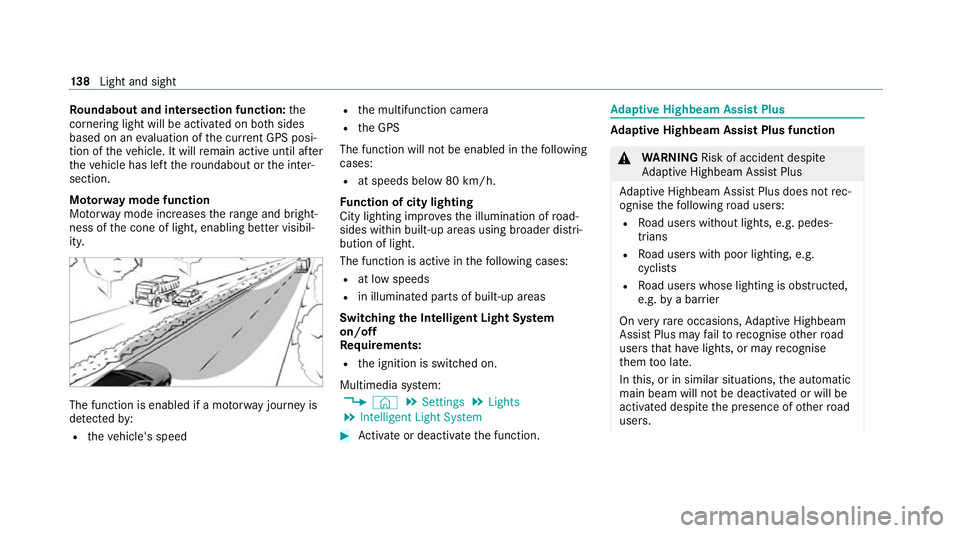
Mo torw ay mode function
Mo torw ay mode increases thera nge and bright‐
ness of the cone of light, enabling better visibil‐
ity. The function is enabled if a mo
torw ay jou rney is
de tected by:
R theve hicle's speed R
the multifunction camera
R the GPS
The function will not be enabled in thefo llowing
cases:
R at speeds below 80 km/h.
Fu nction of city lighting
City lighting impr ovesth e illumination of road‐
sides within built-up areas using broader distri‐
bution of light.
The function is active in thefo llowing cases:
R at low speeds
R in illuminated parts of built-up areas
Switching the Intelligent Light Sy stem
on/off
Re quirements:
R the ignition is switched on.
Multimedia sy stem:
4 © 5
Settings 5
Lights
5 Intelligent Light System #
Activate or deacti vate the function. Ad
aptive Highbeam Assist Plus Ad
aptive Highbeam Assist Plus function &
WARNING Risk of accident despi te
Ad aptive Highbeam Assist Plus
Ad aptive Highbeam Assist Plus does not rec‐
ognise thefo llowing road users:
R Road users without lights, e.g. pedes‐
trians
R Road users with poor lighting, e.g.
cyclists
R Road users whose lighting is obstructed,
e.g. bya bar rier
On very rare occasions, Adaptive Highbeam
Assist Plus may failto recognise other road
users that ha velights, or may recognise
th em too late.
In this, or in similar situations, the automatic
main beam will not be deactivated or will be
activated despite the presence of other road
users. 13 8
Light and sight
Page 153 of 629
Overview of climate control sy
stems Note
s on climate control An interior air
filter in combination with the pre‐
fi lter in the engine compartment must alw ays be
used so that the air conditioning sy stem, pollu‐
tion lebutton vel monitoring and the air filtration
wo rkcor rectly. Ma kesure that thefilter is ins tal‐
led cor rectly and thefilter housing in the engine
compartment is closed cor rectly using the cap
and alw ays tightly sealed when in operation. Use
fi lters recommended and appr ovedby
Mercedes-Benz. Alw ays ha veservice workcar‐
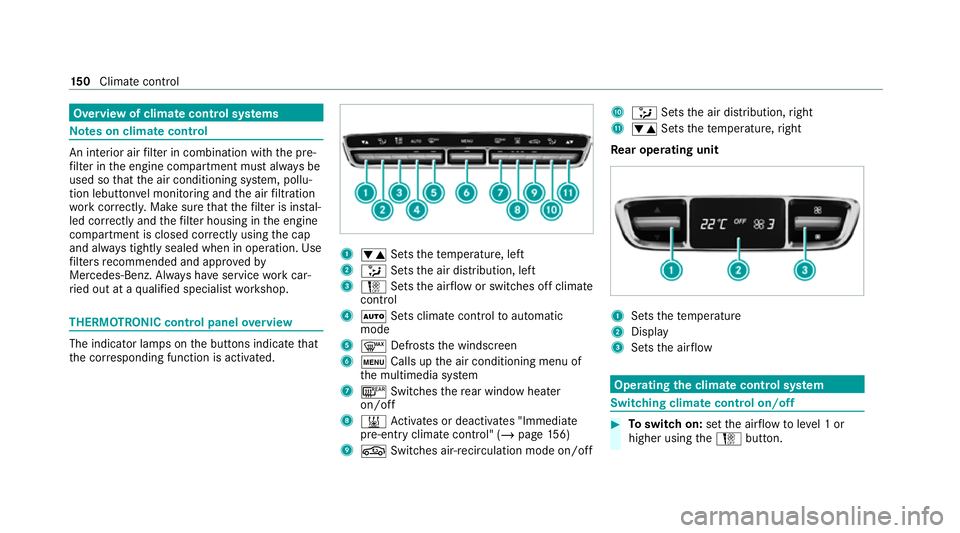
ri ed out at a qualified specialist workshop. THERMOTRONIC control panel
overview The indicator lamps on
the buttons indicate that
th e cor responding function is activated. 1
w Setsthete mp erature, left
2 _ Setsthe air distribution, left
3 H Setsthe air flow or switches off climate
control
4 Ã Sets climate control toautomatic
mode
5 ¬ Defrosts the windscreen
6 t Calls up the air conditioning menu of
th e multimedia sy stem
7 ¤ Switches there ar wind owheater
on/off
8 & Activates or deacti vates "Immediate
pre-entry climate contro l" (/page156)
9 g Switches ai r-re circulation mode on/off A
_ Setsthe air distribution, right
B w Setsthete mp erature, right
Re ar operating unit 1
Sets thete mp erature
2 Display
3 Sets the air flow Operating
the clima tecont rol sy stem Switching clima
tecont rol on/off #
Toswitch on: setthe air flow toleve l 1 or
higher using theH button. 15 0
Climate cont rol
Page 154 of 629
#
Toswitch off: setthe air flow toleve l 0 using
th eH button.
% If climate control is switched off, the win‐
do ws may mist up more quickl y.Switch off
climate control only brie fly. Calling up
the air conditioning menu Calling up
the air conditioning menu using
th e multimedia sy stem #
Select one of thete mp erature displa ysatthe
lo we r edge of the media displa y.
Calling up the air conditioning menu using
th e but ton on the control panel #
Press thet button on the control panel.
% The button on the control panel is not availa‐
ble on all equipment variants. In this case,
th e air conditioning menu can only be called
up using the multimedia sy stem. Ac
tivating/deactivating the A/C function via
the multimedia sy stem The A/C function heats, cools and dehumidifies
th
eve hicle's interior air. #
Call up the air conditioning menu
(/ page 151). #
Select First row of seats . #
Select A/C.
Depending on the pr evious status, the func‐
tion is activated or deactivated. Setting climate control
toautomatic mode In auto
matic mode, the set temp erature is con‐
trolled and maintained at a const ant levelby the
air suppl y. #
Press the à button. #
Toswitch tomanual mode: pressthe H
or _ button. Climate
style Climate
style function
In automatic mode, you can select thefo llowing
climate style settings forth e driver's and front
passenger areas:
R FOCUS: high air flow , slightly cooler setting
R MEDIUM: medium air flow ,st andard setting
R DIFFUSE: low airflow , slightly warmer and
draught-f ree setting Overview of
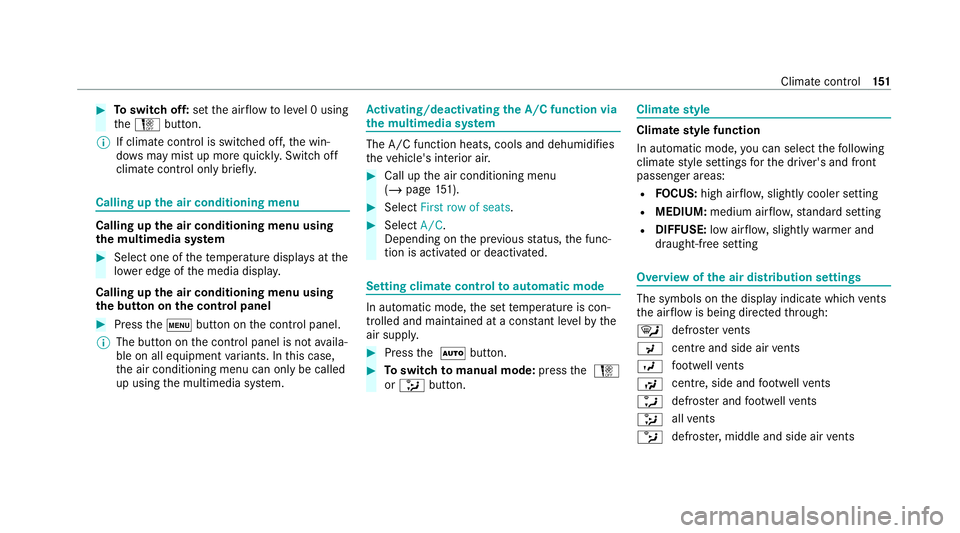
the air distribution settings The symbols on
the display indicate which vents
th e air flow is being directed thro ugh:
¯ def
rost ervents
P centre and side air
vents
O fo
ot we llve nts
S centre, side and
foot we llve nts
a defros
ter and foot we llve nts
_ all
vents
b defros
ter,middle and side air vents Clima
tecontrol 151
Page 155 of 629
W
automatic air distribution Setting
the air distribution #
Call up the air conditioning menu
(/ page 151). #
Select First row of seats orSecond row of
seats. #
Toset the air distribution: select¯,
P orO. #
Set the air flow.
% Several air distribution options can be selec‐
te d at the same time, forex ample toset the
te mp erature/air conditioning forth e wind‐
screen and thefo ot we lls simultaneousl y.
The ¯ climate contro lfo rth e windscreen
can only be selected forth efirs t seat row. Ac
tivating/deactivating the climate control
syn chro nisation function using the multime‐
dia sy stem Climate control can be set centrally using
the
synchronisation function. The driver's settings fo
rte mp erature, air quantity and air distribution
are adop ted automatically for all clima tezones. #
Call up the air conditioning menu
(/ page 151). #
Select First row of seats . #
Select SYNC.
Depending on the pr evious status, the func‐
tion is activated or deactivated. Demisting
the windo ws Wi
ndo wsmis ted up on the inside #
Press theà button. #
Ifth e windo wscontinue tomist up: press the
¬ button.
Wi ndo wsmis ted up on the outside #
Switch on the windscreen wipers. #
Press theà button. Switching air-recirculation mode on/off
#
Press theg button.
The interior air will be recirculated. Air-reci
rculation mode automatically swit ches to
fresh air mode af ter some time.
% If air-recirculation mode is switched on, the
windo wsmay mist up more quickl y.Switch
on ai r-re circulation mode only brie fly. Ac
tivating/deactivating ionisation The ionisation impr
oves thequ ality of theve hi‐
cle's interior air. The ionisation of the interior air
is odourless. #
Call up the air conditioning menu
(/ page 151). #
Select Air quality. #
Select IONISATION .
Depending on the pr evious status, the func‐
tion is activated or deactivated. Fr
ag rance sy stem Setting
the frag rance sy stem
Re quirements:
R Automatic clima tecontrol is acti vated.
R The glove box is closed. 15 2
Climate cont rol
Page 165 of 629
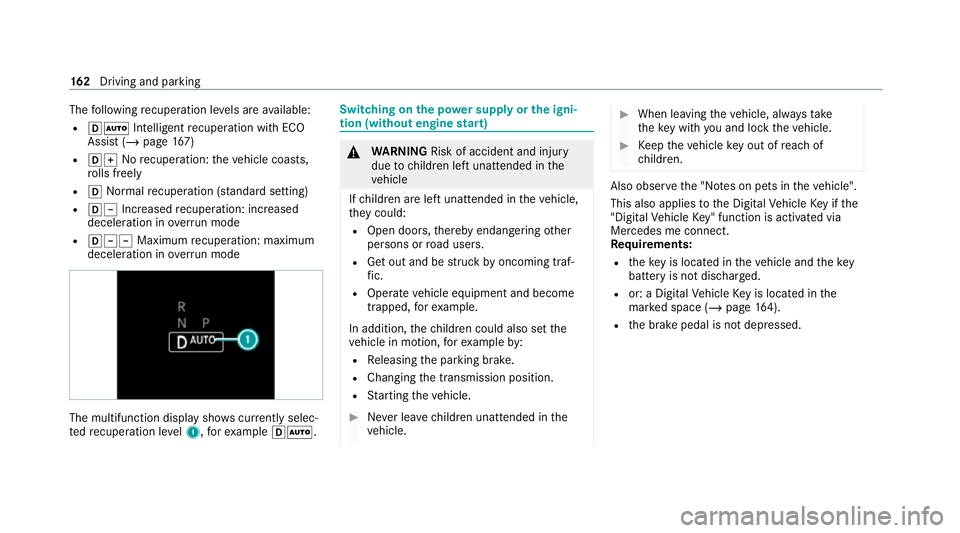
The
following recuperation le vels are available:
R hà Inte lligent recuperation wi thECO
Assi st (/ page 167)
R hq Norecuperation: theve hicle coasts,
ro lls freely
R h Normalrecuperation (s tanda rdsetting)
R h± Increased recuperation: increased
decele ration in overru n mode
R h±± Maximum recuperation: maximum
decele ration in overrun mode The multifunction displ
aysho wscurrently selec‐
te dre cuperation le vel1, forex ample hÃ. Swit
ching on the po wer supp lyor the igni‐
tion (without engine start) &
WARNING Risk of accident and inju ry
due tochildren left unat tended in the
ve hicle
If ch ildren are left unat tended in theve hicle,
th ey could:
R Open doo rs,th ereby endangering other
persons or road users.
R Get out and be stru ck byoncoming traf‐
fi c.
R Ope rate ve hicle equipment and become
trapped, forex ample.
In addition, thech ildren could also set the
ve hicle in motion, forex ample by:
R Releasing the parking brake.
R Changing the transmission position.
R Starting theve hicle. #
Never lea vechildren unat tended in the
ve hicle. #
When leaving theve hicle, alw aysta ke
th eke y with you and lock theve hicle. #
Keep theve hicle key out of reach of
ch ildren. Also obser
vethe "No tes on pets in theve hicle".
This also applies tothe Digital Vehicle Key if the
"Digital Vehicle Key" function is activated via
Mercedes me connect.
Re quirements:
R theke y is located in theve hicle and thekey
battery is not dischar ged.
R or: a Digital Vehicle Key is located in the
mar ked space (/ page164).
R the brake pedal is not depressed. 16 2
Driving and pa rking
Page 170 of 629
Yo
u can influence energy consum ption bydoing
th efo llowing:
R driving with particular care (/ page167)
R driving theve hicle in drive program Í
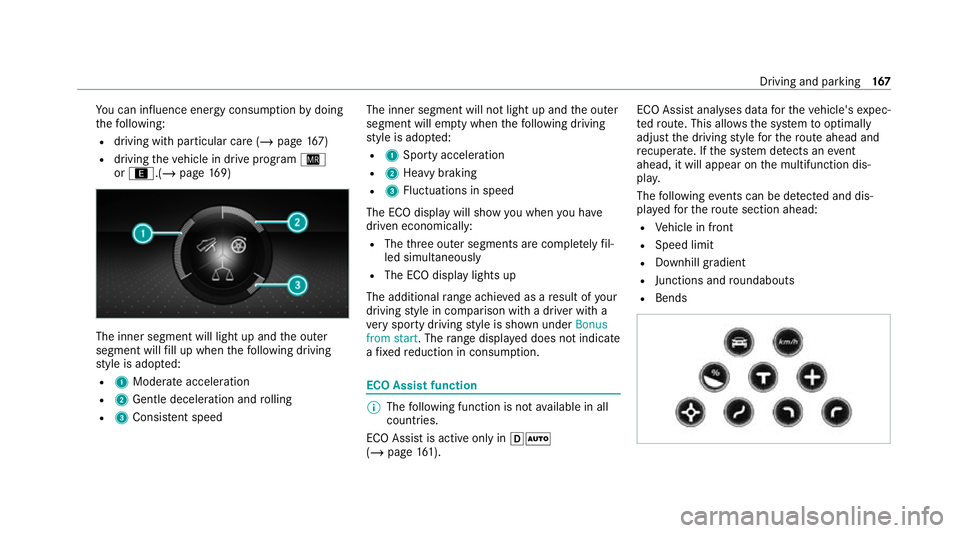
or ;.(/ page169) The in
ner segment will light up and the outer
segment will fill up when thefo llowing driving
st yle is adop ted:
R 1 Moderate acceleration
R 2 Gentle deceleration and rolling
R 3 Consis tent speed The inner segment will not light up and
the outer
segment will em pty when thefo llowing driving
st yle is adop ted:
R 1 Sporty acceleration
R 2 Heavy braking
R 3 Fluctuations in speed
The ECO display will show you when you ha ve
driven economically:
R The thre e outer segments are comple tely fil‐
led simultaneously
R The ECO display lights up
The additional range achi eved as a result of your
driving style in comparison with a driver with a
ve ry sporty driving style is shown under Bonus
from start. The range displ ayed does not indicate
a fixe dre duction in consum ption. ECO Assist function
%
The following function is not available in all
countries.
ECO Assist is active on lyin hÃ
(/ page 161). ECO Assi
stanal yses data forth eve hicle's expec‐
te dro ute. This allo wsthe sy stem tooptimally
adjust the driving style fo rth ero ute ahead and
re cuperate. If the sy stem de tects an event
ahead, it will appear on the multifunction dis‐
pla y.
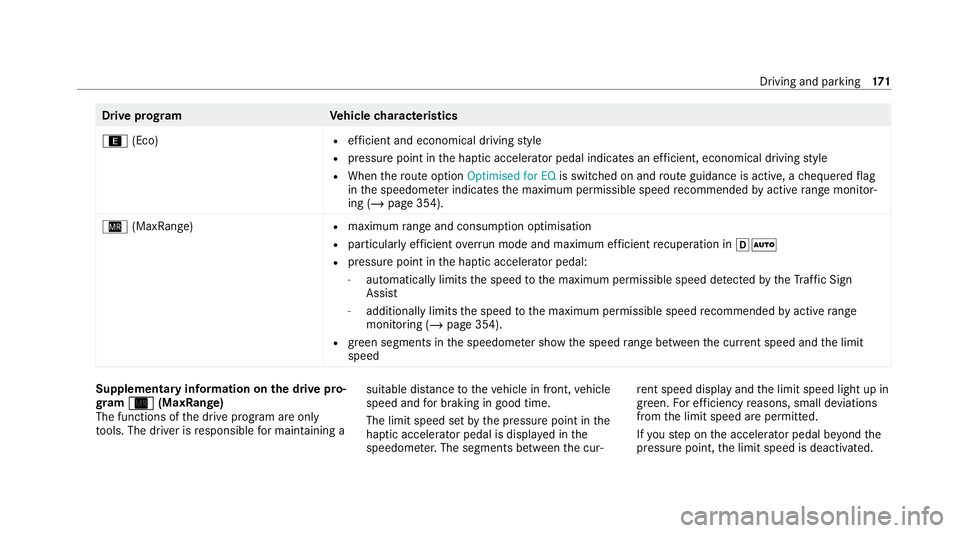
The following events can be de tected and dis‐
pl ay ed forth ero ute section ahead:
R Vehicle in front
R Speed limit
R Downhill gradient
R Junctions and roundabouts
R Bends Driving and parking
167
Page 174 of 629
Drive prog
ramV ehiclecharacteristics
; (Eco) R
efficient and economical driving style
R pressure point in the haptic accelera tor pedal indica tes an ef ficient, economical driving style
R When thero ute option Optimised for EQ is switched on and route guidance is active, a chequered flag
in the speedome ter indica testh e maximum permissible speed recommended byactive range moni tor‐
ing (/ page 354).
Í (MaxRange) R
maximum range and consu mption optimisation
R particular lyefficient overru n mode and maximum ef ficient recuperation in hÃ
R pressure point in the haptic accelerator pedal:
- automatically limits the speed tothe maximum permissible speed de tected bytheTraf fic Sign
Assi st
- additionally limits the speed tothe maximum permissible speed recommended byactive range
moni toring (/ page 354).
R green segments in the speedome ter show the speed range between the cur rent speed and the limit
speed Supplementary information on
the drive pro‐
gr am Í
Í (MaxRange)
The functions of the drive prog ram are only
to ols. The driver is responsible for maintaining a suita
ble dis tance totheve hicle in front, vehicle
speed and for braking in good time.
The limit speed set bythe pressure point in the
haptic accelerator pedal is displa yed in the
speedome ter.The segments between the cur‐ re
nt speed displ ayand the limit speed light up in
green. For ef ficiency reasons, small deviations
from the limit speed are permitted.
If yo ustep on the accelera tor pedal be yond the
pressure point, the limit speed is deactivated. Driving and parking
171