change wheel MERCEDES-BENZ G-Class 2016 W463 User Guide
[x] Cancel search | Manufacturer: MERCEDES-BENZ, Model Year: 2016, Model line: G-Class, Model: MERCEDES-BENZ G-Class 2016 W463Pages: 302, PDF Size: 7.04 MB
Page 164 of 302
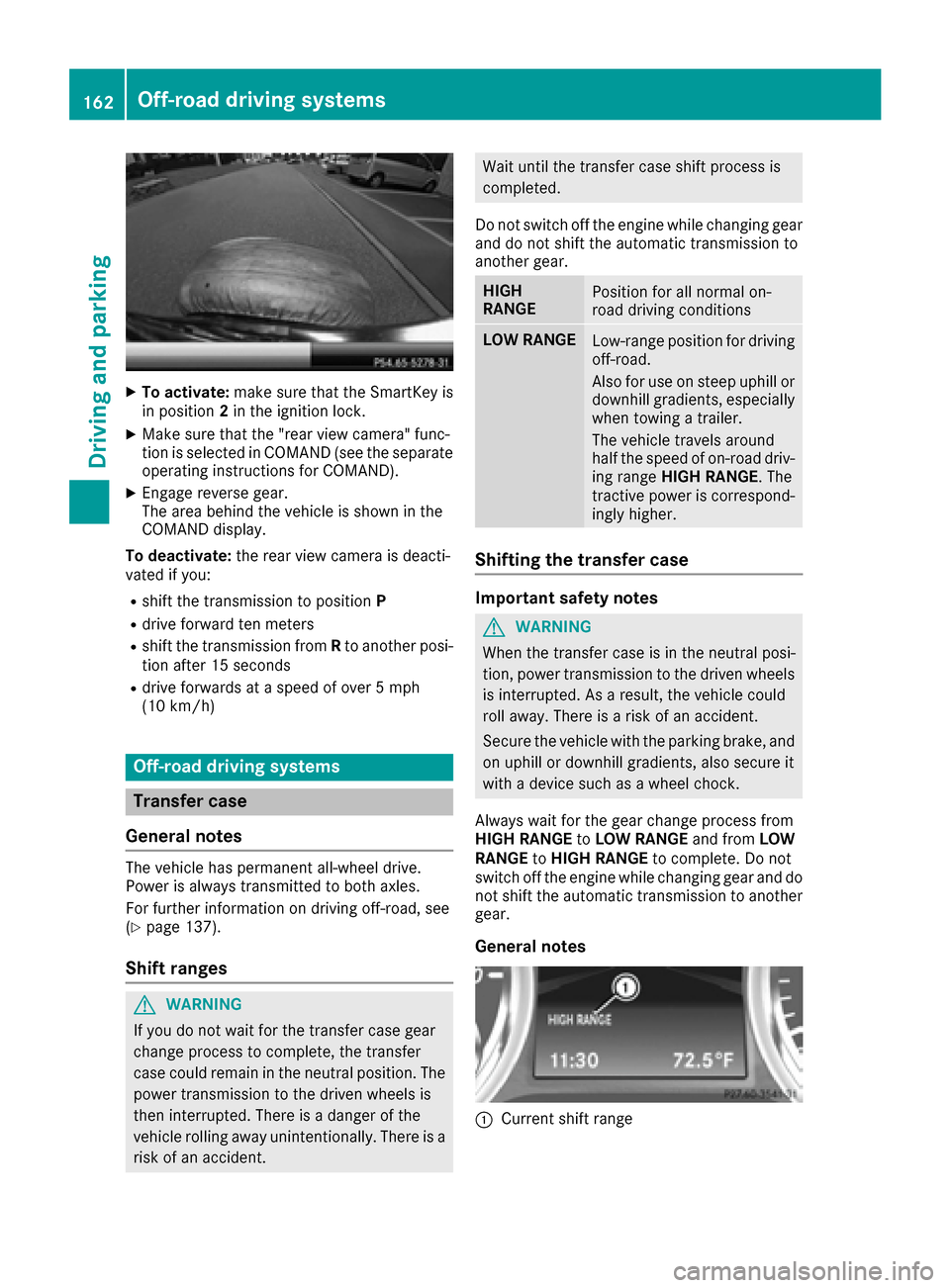
XTo activate:make sure that the SmartKey is
in position 2in the ignition lock.
XMake sure that the "rear view camera" func-
tion is selected in COMAND (see the separate
operating instructions for COMAND).
XEngage reverse gear.
The area behind the vehicle is shown in the
COMAND display.
To deactivate: the rear view camera is deacti-
vated if you:
Rshift the transmission to position P
Rdrive forward ten meters
Rshift the transmission fromRto another posi-
tion after 15 seconds
Rdrive forwards at a speed of over 5 mph
(10 km/h)
Off-road driving systems
Transfer case
General notes
The vehicle has permanent all-wheel drive.
Power is always transmitted to both axles.
For further information on driving off-road, see
(
Ypage 137).
Shift ranges
GWARNING
If you do not wait for the transfer case gear
change process to complete, the transfer
case could remain in the neutral position. The power transmission to the driven wheels is
then interrupted. There is a danger of the
vehicle rolling away unintentionally. There is a
risk of an accident.
Wait until the transfer case shift process is
completed.
Do not switch off the engine while changing gear
and do not shift the automatic transmission to
another gear.
HIGH
RANGEPosition for all normal on-
road driving conditions
LOW RANGELow-range position for driving
off-road.
Also for use on steep uphill or
downhill gradients, especially
when towing a trailer.
The vehicle travels around
half the speed of on-road driv-
ing range HIGH RANGE . The
tractive power is correspond-
ingly higher.
Shifting the transfer case
Important safety notes
GWARNING
When the transfer case is in the neutral posi-
tion, power transmission to the driven wheels
is interrupted. As a result, the vehicle could
roll away. There is a risk of an accident.
Secure the vehicle with the parking brake, and
on uphill or downhill gradients, also secure it
with a device such as a wheel chock.
Always wait for the gear change process from
HIGH RANGE toLOW RANGE and fromLOW
RANGE toHIGH RANGE to complete. Do not
switch off the engine while changing gear and do
not shift the automatic transmission to another
gear.
General notes
:Current shift range
162Off-road driving systems
Driving an d parking
Page 165 of 302
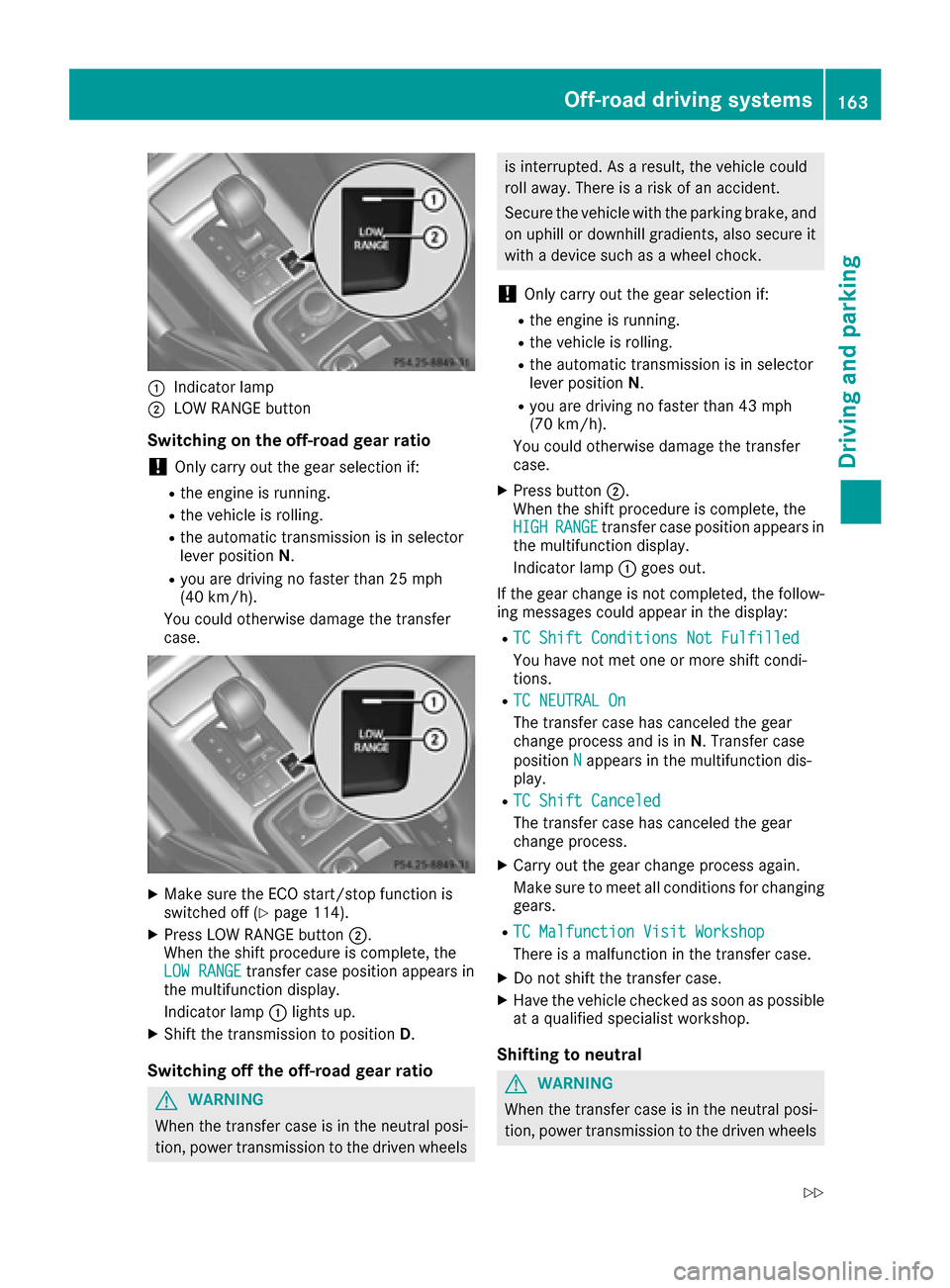
:Indicator lamp
;LOW RANGE button
Switching on the off-road gear ratio
!Only carry out the gear selection if:
Rthe engine is running.
Rthe vehicle is rolling.
Rthe automatic transmission is in selector
lever positionN.
Ryou are driving no faster than 25 mph
(40 km/h).
You could otherwise damage the transfer
case.
XMake sure the ECO start/stop function is
switched off (Ypage 114).
XPress LOW RANGE button ;.
When the shift procedure is complete, the
LOW RANGE
transfer case position appears in
the multifunction display.
Indicator lamp :lights up.
XShift the transmission to position D.
Switching off the off-road gear ratio
GWARNING
When the transfer case is in the neutral posi-
tion, power transmission to the driven wheels
is interrupted. As a result, the vehicle could
roll away. There is a risk of an accident.
Secure the vehicle with the parking brake, and
on uphill or downhill gradients, also secure it
with a device such as a wheel chock.
!Only carry out the gear selection if:
Rthe engine is running.
Rthe vehicle is rolling.
Rthe automatic transmission is in selector
lever position N.
Ryou are driving no faster than 43 mph
(70 km/h).
You could otherwise damage the transfer
case.
XPress button ;.
When the shift procedure is complete, the
HIGH
RANGEtransfer case position appears in
the multifunction display.
Indicator lamp :goes out.
If the gear change is not completed, the follow-
ing messages could appear in the display:
RTC Shift Conditions Not Fulfilled
You have not met one or more shift condi-
tions.
RTC NEUTRAL On
The transfer case has canceled the gear
change process and is in N. Transfer case
position N
appears in the multifunction dis-
play.
RTC Shift Canceled
The transfer case has canceled the gear
change process.
XCarry out the gear change process again.
Make sure to meet all conditions for changing gears.
RTC Malfunction Visit Workshop
There is a malfunction in the transfer case.
XDo not shift the transfer case.
XHave the vehicle checked as soon as possible
at a qualified specialist workshop.
Shifting to neutral
GWARNING
When the transfer case is in the neutral posi-
tion, power transmission to the driven wheels
Off-road driving systems163
Driving and parking
Z
Page 166 of 302
is interrupted. As a result, the vehicle could
roll away. There is a risk of an accident.
Secure the vehicle with the parking brake, and
on uphill or downhill gradients, also secure it
with a device such as a wheel chock.
XTurn the SmartKey to position2in the ignition
lock (Ypage 112).
XApply the parking brake.
XDepress the brake pedal.
XMove the selector lever to position N
(Ypage 119).
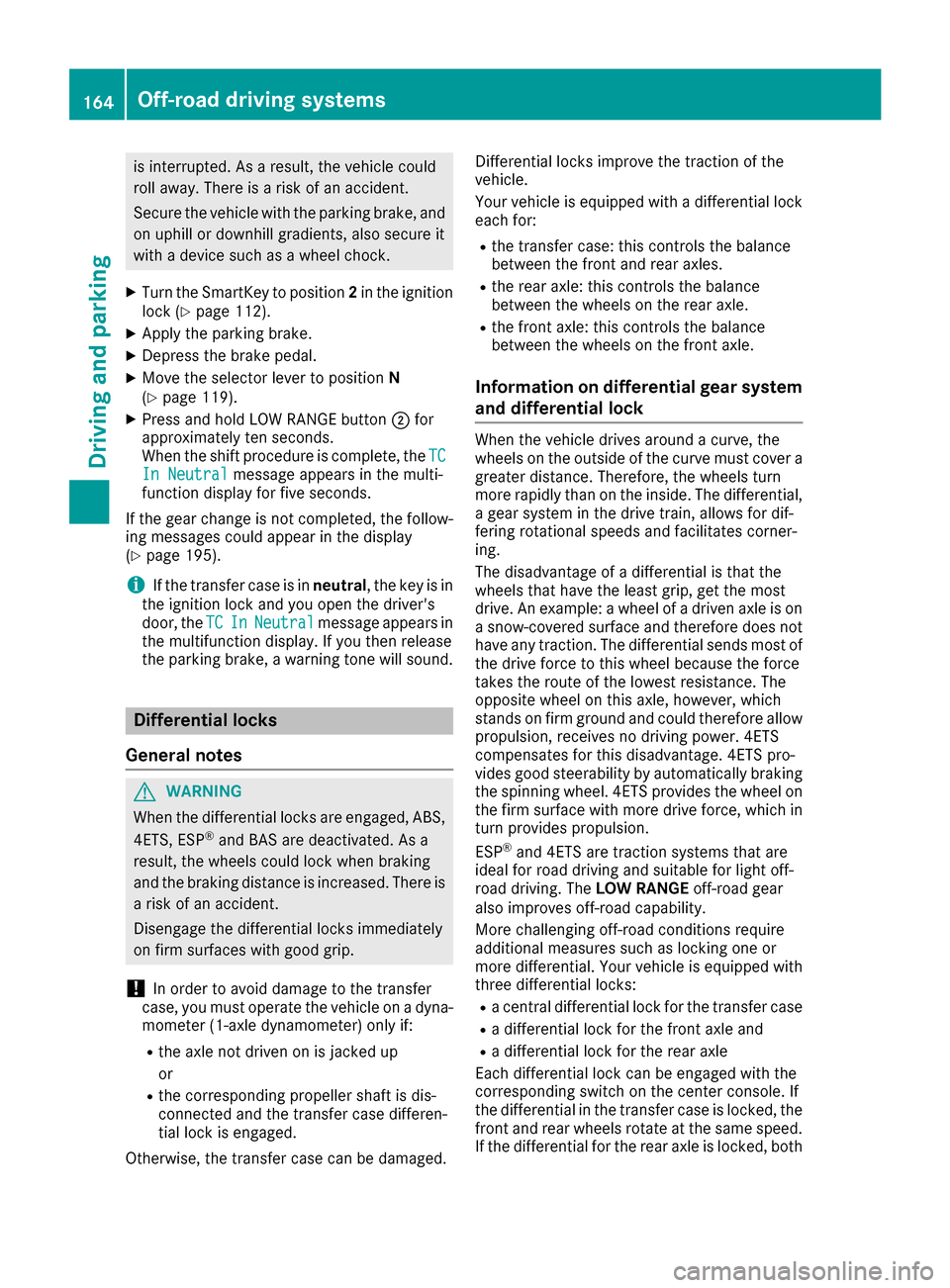
XPress and hold LOW RANGE button ;for
approximately ten seconds.
When the shift procedure is complete, the TC
In Neutralmessage appears in the multi-
function display for five seconds.
If the gear change is not completed, the follow-
ing messages could appear in the display
(
Ypage 195).
iIf the transfer case is in neutral, the key is in
the ignition lock and you open the driver's
door, the TC
InNeutralmessage appears in
the multifunction display. If you then release
the parking brake, a warning tone will sound.
Differential locks
General notes
GWARNING
When the differential locks are engaged, ABS, 4ETS, ESP
®and BAS are deactivated. As a
result, the wheels could lock when braking
and the braking distance is increased. There is
a risk of an accident.
Disengage the differential locks immediately
on firm surfaces with good grip.
!In order to avoid damage to the transfer
case, you must operate the vehicle on a dyna-
mometer (1-axle dynamometer) only if:
Rthe axle not driven on is jacked up
or
Rthe corresponding propeller shaft is dis-
connected and the transfer case differen-
tial lock is engaged.
Otherwise, the transfer case can be damaged. Differential locks improve the traction of the
vehicle.
Your vehicle is equipped with a differential lock
each for:
Rthe transfer case: this controls the balance
between the front and rear axles.
Rthe rear axle: this controls the balance
between the wheels on the rear axle.
Rthe front axle: this controls the balance
between the wheels on the front axle.
Information on differential gear system
and differential lock
When the vehicle drives around a curve, the
wheels on the outside of the curve must cover a
greater distance. Therefore, the wheels turn
more rapidly than on the inside. The differential,
a gear system in the drive train, allows for dif-
fering rotational speeds and facilitates corner-
ing.
The disadvantage of a differential is that the
wheels that have the least grip, get the most
drive. An example: a wheel of a driven axle is on
a snow-covered surface and therefore does not
have any traction. The differential sends most of
the drive force to this wheel because the force
takes the route of the lowest resistance. The
opposite wheel on this axle, however, which
stands on firm ground and could therefore allow
propulsion, receives no driving power. 4ETS
compensates for this disadvantage. 4ETS pro-
vides good steerability by automatically braking
the spinning wheel. 4ETS provides the wheel on
the firm surface with more drive force, which in
turn provides propulsion.
ESP
®and 4ETS are traction systems that are
ideal for road driving and suitable for light off-
road driving. The LOW RANGEoff-road gear
also improves off-road capability.
More challenging off-road conditions require
additional measures such as locking one or
more differential. Your vehicle is equipped with
three differential locks:
Ra central differential lock for the transfer case
Ra differential lock for the front axle and
Ra differential lock for the rear axle
Each differential lock can be engaged with the
corresponding switch on the center console. If
the differential in the transfer case is locked, the
front and rear wheels rotate at the same speed.
If t
he differential for the rear axle is locked, both
164Off-road driving systems
Driving and parking
Page 177 of 302
XSwitch on COMAND (see the separate oper-
ating instructions).
XPress the=or; button on the steering
wheel to select the Navimenu.
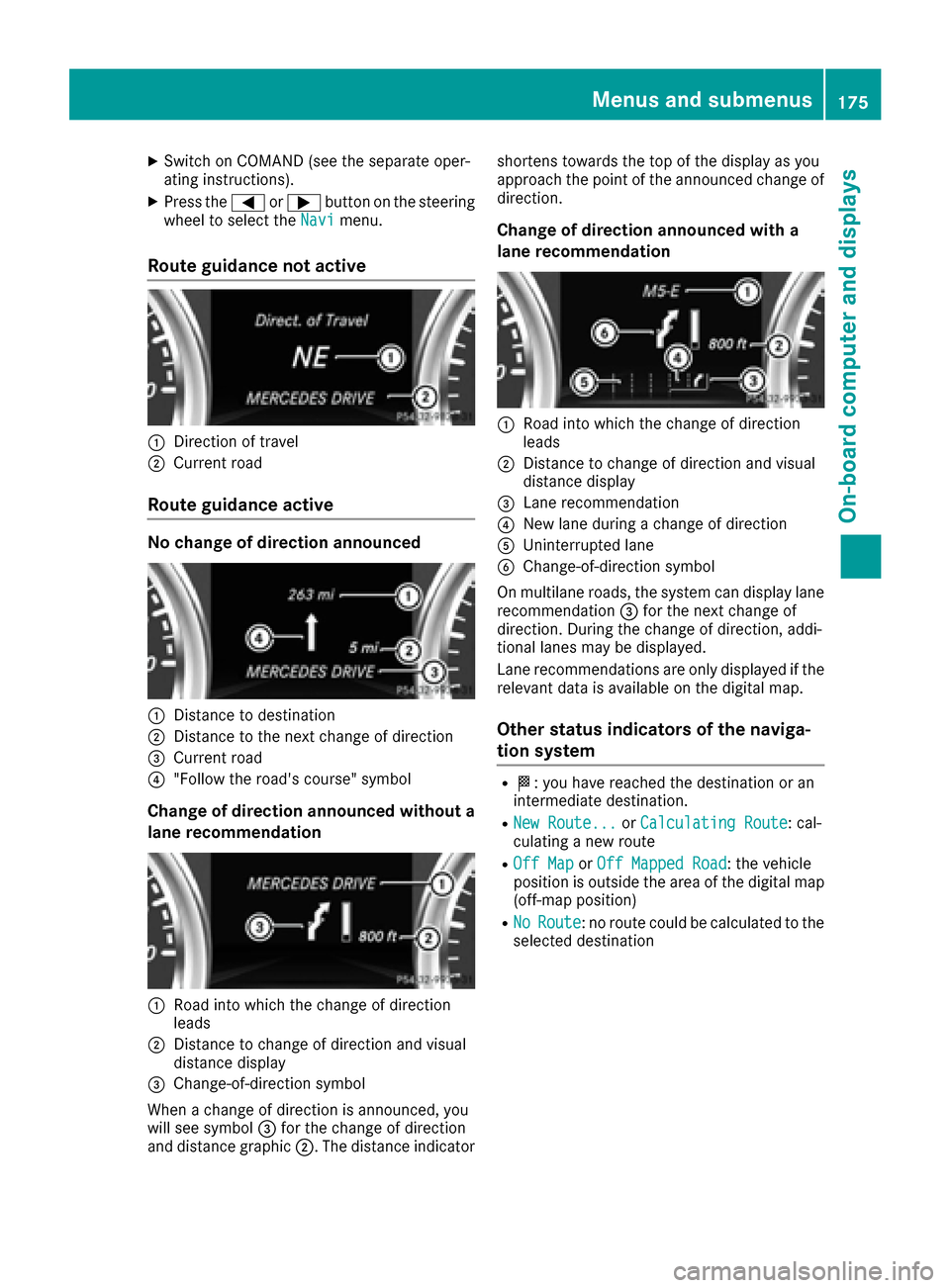
Route guidance not active
:Direction of travel
;Current road
Route guidance active
No change of direction announced
:Distance to destination
;Distance to the next change of direction
=Current road
?"Follow the road's course" symbol
Change of direction announced without a
lane recommendation
:Road into which the change of direction
leads
;Distance to change of direction and visual
distance display
=Change-of-direction symbol
When a change of direction is announced, you
will see symbol =for the change of direction
and distance graphic ;. The distance indicator shortens towards the top of the display as you
approach the point of the announced change of
direction.
Change of direction announced with a
lane recommendation
:Road into which the change of direction
leads
;Distance to change of direction and visual
distance display
=Lane recommendation
?New lane during a change of direction
AUninterrupted lane
BChange-of-direction symbol
On multilane roads, the system can display lane recommendation =for the next change of
direction. During the change of direction, addi-
tional lanes may be displayed.
Lane recommendations are only displayed if the
relevant data is available on the digital map.
Other status indicators of the naviga-
tion system
RO: you have reached the destination or an
intermediate destination.
RNew Route...or Calculating Route: cal-
culating a new route
ROff Mapor Off Mapped Road: the vehicle
position is outside the area of the digital map
(off-map position)
RNoRoute: no route could be calculated to the
selected destination
Menus and submenus175
On-board computer and displays
Z
Page 216 of 302
Useful information
i
This Operator's Manual describes all models
and all standard and optional equipment of
your vehicle available at the time of publica-
tion of the Operator's Manual. Country-spe-
cific differences are possible. Please note
that your vehicle may not be equipped with all
features described. This also applies to
safety-related systems and functions.
iRead the information on qualified specialist
workshops: (Ypage 23).
Loading guidelines
GWARNING
If objects, luggage or loads are not secured or
not secured sufficiently, they could slip, tip
over or be flung around and thereby hit vehicle
occupants. There is a risk of injury, particu-
larly in the event of sudden braking or a sud-
den change in direction.
Always store objects so that they cannot be
flung around. Secure objects, luggage or
loads against slipping or tipping before the
journey.
GWARNING
If you distribute the load unevenly in the vehi- cle, the handling as well as the steering and
braking characteristics are severely affected.
There is a risk of an accident.
Distribute the load evenly in the vehicle.
Secure the load to prevent it from slipping.
GWARNING
The exhaust tail pipe and tail pipe trim can
become very hot. If you come into contact
with these parts of the vehicle, you could burn
yourself. There is a risk of injury.
Always be particularly careful around the
exhaust tail pipe and the tail pipe trim. Allow
these components to cool down before touch-
ing them.
GWARNING
Combustion engines emit poisonous exhaust
gases such as carbon monoxide. If the rear
door is open when the engine is running, par-
ticularly if the vehicle is moving, exhaust
fumes could enter the passenger compart-
ment. There is a risk of poisoning.
Turn off the engine before opening the rear
door. Never drive with the rear door open.
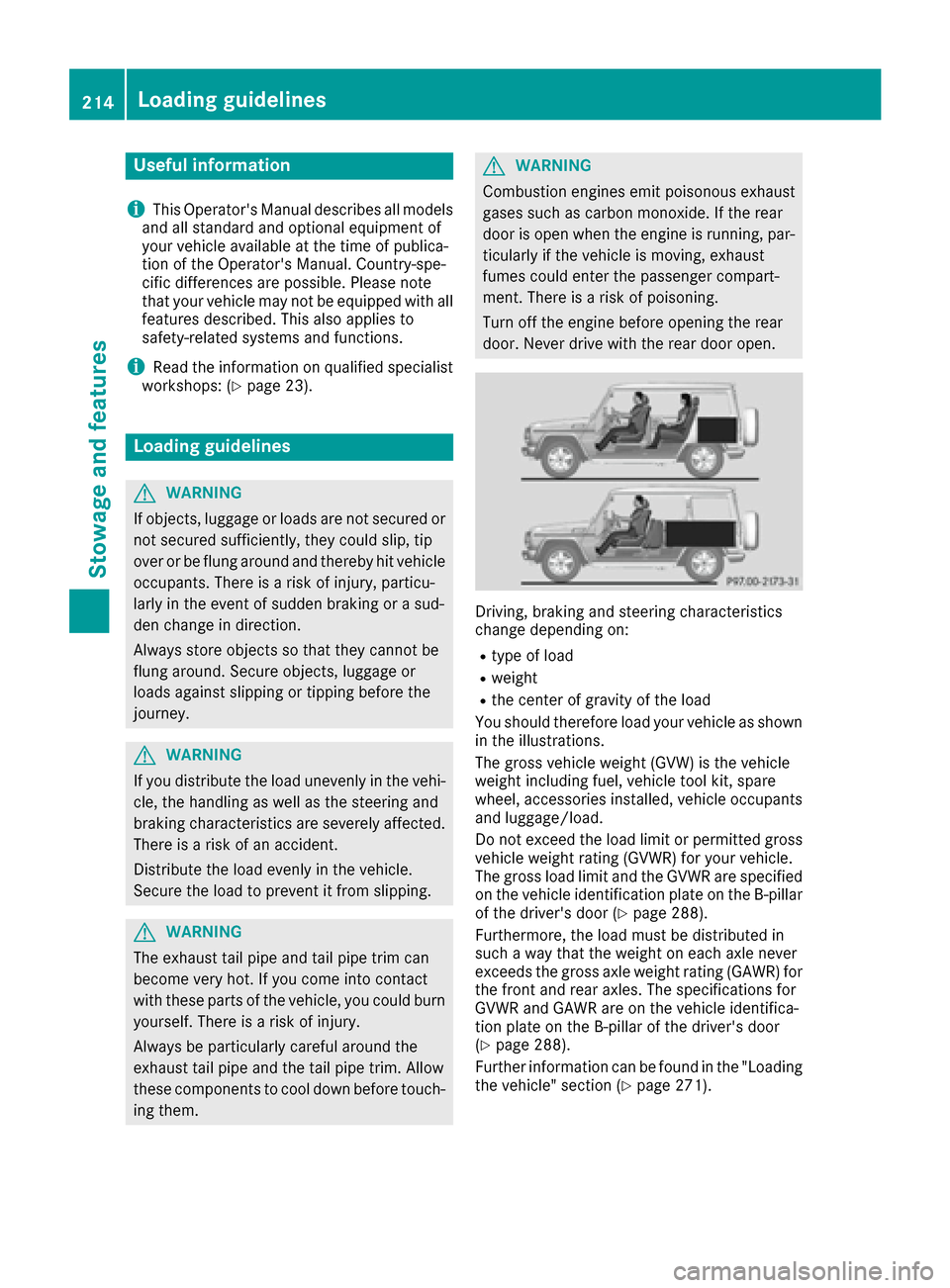
Driving, braking and steering characteristics
change depending on:
Rtype of load
Rweight
Rthe center of gravity of the load
You should therefore load your vehicle as shown
in the illustrations.
The gross vehicle weight (GVW) is the vehicle
weight including fuel, vehicle tool kit, spare
wheel, accessories installed, vehicle occupants
and luggage/load.
Do not exceed the load limit or permitted gross
vehicle weight rating (GVWR) for your vehicle.
The gross load limit and the GVWR are specified
on the vehicle identification plate on the B-pillar
of the driver's door (
Ypage 288).
Furthermore, the load must be distributed in
such a way that the weight on each axle never
exceeds the gross axle weight rating (GAWR) for
the front and rear axles. The specifications for
GVWR and GAWR are on the vehicle identifica-
tion plate on the B-pillar of the driver's door
(
Ypage 288).
Further information can be found in the "Loading
the vehicle" section (
Ypage 271).
214Loading guidelines
Stowage and features
Page 229 of 302
If a connection can be made, theCall Con‐nectedmessage appears in the multifunction
display.
If a mobile phone network is available and there
is sufficient GPS reception, the mbrace system
transmits data to the Response Center, for
example:
Rcurrent location of the vehicle
Rvehicle identification number
Rvehicle model
Rvehicle color
iThe COMAND display shows that an mbrace
call is active. You can change to the naviga-
tion menu by pressing the NAVI button on
COMAND during the call. Voice output is not
available.
A voice connection is established between the
Mercedes-Benz Roadside Assistance Represen- tative and the vehicle occupants.
The Mercedes-Benz Roadside Assistance Rep-
resentative either sends a qualified Mercedes-
Benz technician or makes arrangements for
your vehicle to be transported to the nearest
authorized Mercedes-Benz Center. You may be
charged for services such as repair work and/or
towing. Further details are available in your
mbrace manual.
XDescribe the type of assistance needed.
iIf the indicator lamp in Roadside Assistance
button :is flashing continuously and no
voice connection with the Response center
has been established, then the mbrace sys-
tem has not been able to initiate a Roadside
Assistance call (e.g. the relevant mobile
phone network is not available). The Call
Failedmessage appears in the multifunction
display.
XTo end a call: press the~button on the
multifunction steering wheel.
or
XPress the corresponding COMAND button to
end a phone call.
iSign and drive services1: you are not
charged for services such as jump-starting,
providing a few gallons of fuel for a fuel tank
that has been run dry or changing a faulty tire
with the vehicle's own spare wheel.
MB Info call button
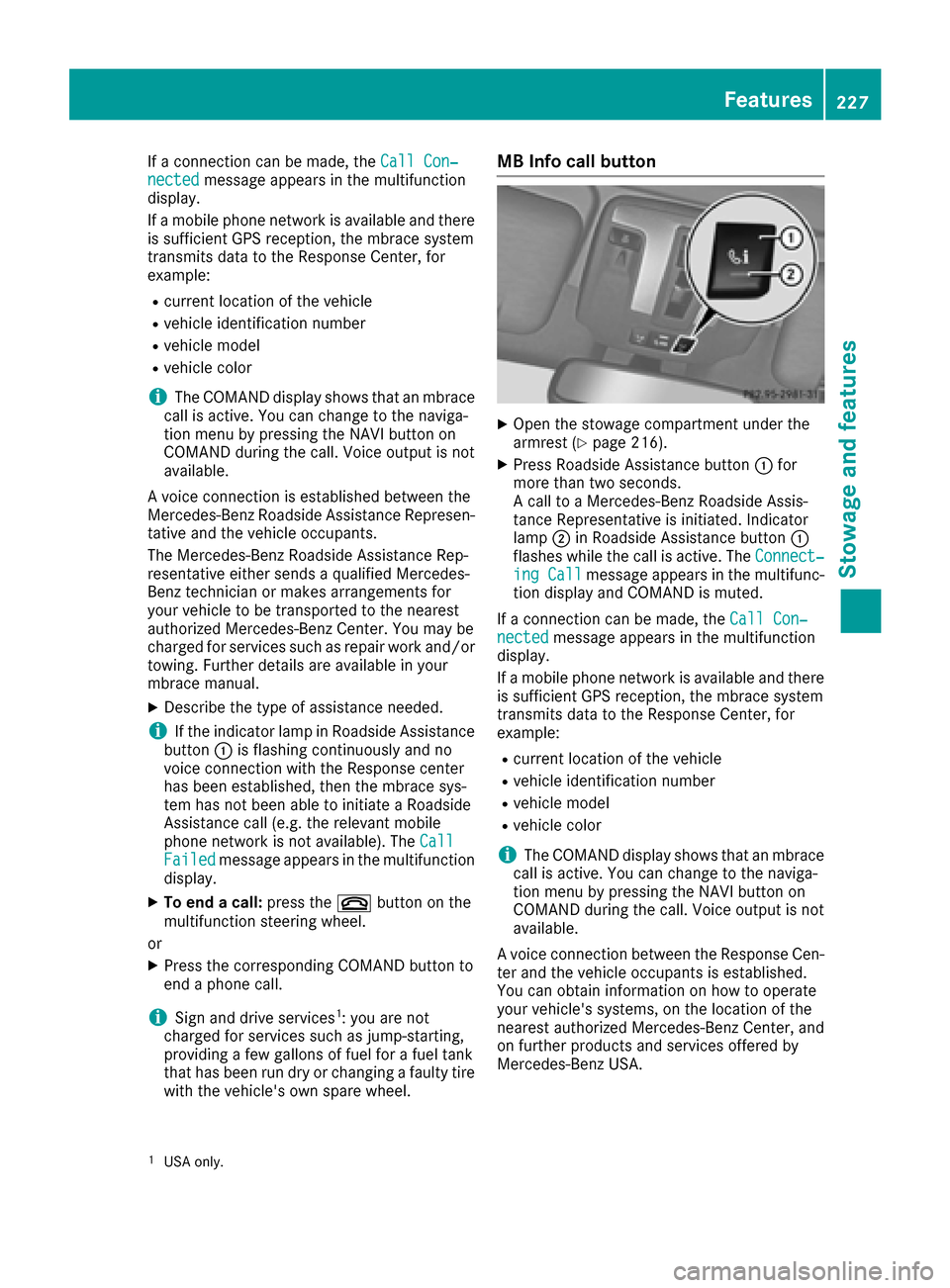
XOpen the stowage compartment under the
armrest (Ypage 216).
XPress Roadside Assistance button :for
more than two seconds.
A call to a Mercedes-Benz Roadside Assis-
tance Representative is initiated. Indicator
lamp ;in Roadside Assistance button :
flashes while the call is active. The Connect‐
ing Callmessage appears in the multifunc-
tion display and COMAND is muted.
If a connection can be made, the Call Con‐
nectedmessage appears in the multifunction
display.
If a mobile phone network is available and there
is sufficient GPS reception, the mbrace system
transmits data to the Response Center, for
example:
Rcurrent location of the vehicle
Rvehicle identification number
Rvehicle model
Rvehicle color
iThe COMAND display shows that an mbrace
call is active. You can change to the naviga-
tion menu by pressing the NAVI button on
COMAND during the call. Voice output is not
available.
A voice connection between the Response Cen- ter and the vehicle occupants is established.
You can obtain information on how to operate
your vehicle's systems, on the location of the
nearest authorized Mercedes-Benz Center, and
on further products and services offered by
Mercedes-Benz USA.
1USA only.
Features227
Stowage and features
Z
Page 243 of 302
Ruseinmountainous terrain or on poor road
surfaces
Rif the engine isoften left idling for long periods
Under these or similar conditions, have, for
example, the air filter, engine oil and oil filter
replaced or changed more frequently. Under
arduous operating conditions, the tires must be
checked more often. Further information can be
obtained at a qualified specialist workshop,e.g.
an authorized Mercedes-Benz Center.
Fuel/water separator
HEnvironmental note
Dispose of service products inan environ-
mentally responsible manner.
!Ifyou continue drivingwithout having the
fuel/water separator serviced, th iscould
cause damage to the engine. Any resulting
damage isnot covered bythe warranty.
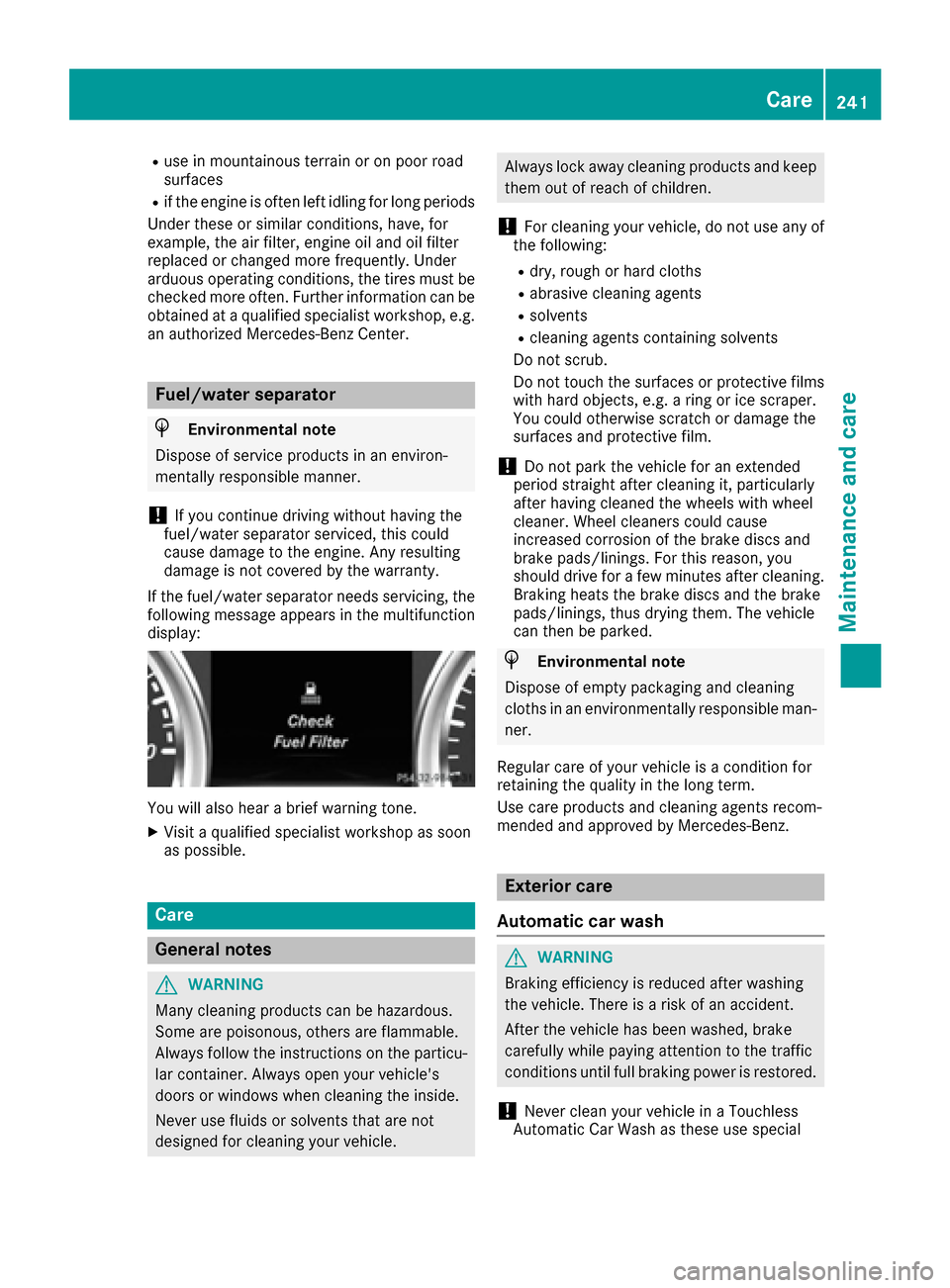
If the fuel/water separator needs servicing, the
fol lowin g message appears inthe multifunction
displ ay:
Youwillalso hear a brief warning tone.
XVisit a qualified specialist workshop as soon
as possible.
Care
General notes
GWAR NING
Many cleaning products can behazardous.
So me are poisonous, others are flammable.
Alwa ys follow the instructions on the particu-
lar container. Always open your veh icle's
doors or windows when cleaning the ins ide.
Never use fluids or solvents that are not
designed for cleaning your veh icle.
Always lock away cleaning products and keep
them out of reach of children.
!For cleaning your vehicle, donot use any of
the following:
Rdry, rough or hard cloths
Rabrasive cleaning agents
Rsolvents
Rcleaning agents containing solvents
Do not scrub.
Do not touch the surfaces or protective films
wit h hard objects, e.g. a ring or ice scraper.
You could otherwise scratch or damage the
surfaces and protective film.
!Do not park the vehicle for an extended
period straight after cleaning it, particularly
after having cleaned the wheels with wheel
cleaner. Wheel cleaners could cause
increased corrosion of the brake discs and
brake pads/linings. For this reason, you
should drive for a few minutes after cleaning.
Braking heats the brake discs and the brake
pads/linings, thus drying them. The vehicle
can then beparked.
HEnvironmental note
Dispose of empty packaging and cleaning
cloths in an environmentally responsible man-
ner.
Regular care of your vehicle isa condition for
retaining the quality in the long term.
Use care products and cleaning agents recom-
mended and approved by Mercedes-Benz.
Exterior care
Automatic car wash
GWARNING
Braking efficiency is reduced after washing
the vehicle. There is a risk of an accident.
After the vehicle has been washed, brake
carefully while paying attention to the traffic
conditions until full braking power is restored.
!Never clean your vehicle ina Touchless
Automat icCar Wash as these use special
Care241
Maintenance and care
Z
Page 250 of 302
Useful information
i
This Operator's Manual describes all models
and all standard and optional equipment of
your vehicle available at the time of publica-
tion of the Operator's Manual. Country-spe-
cific differences are possible. Please note
that your vehicle may not be equipped with all
features described. This also applies to
safety-related systems and functions.
iRead the information on qualified specialist
workshops: (Ypage 23).
Where will I find...?
Warning triangle
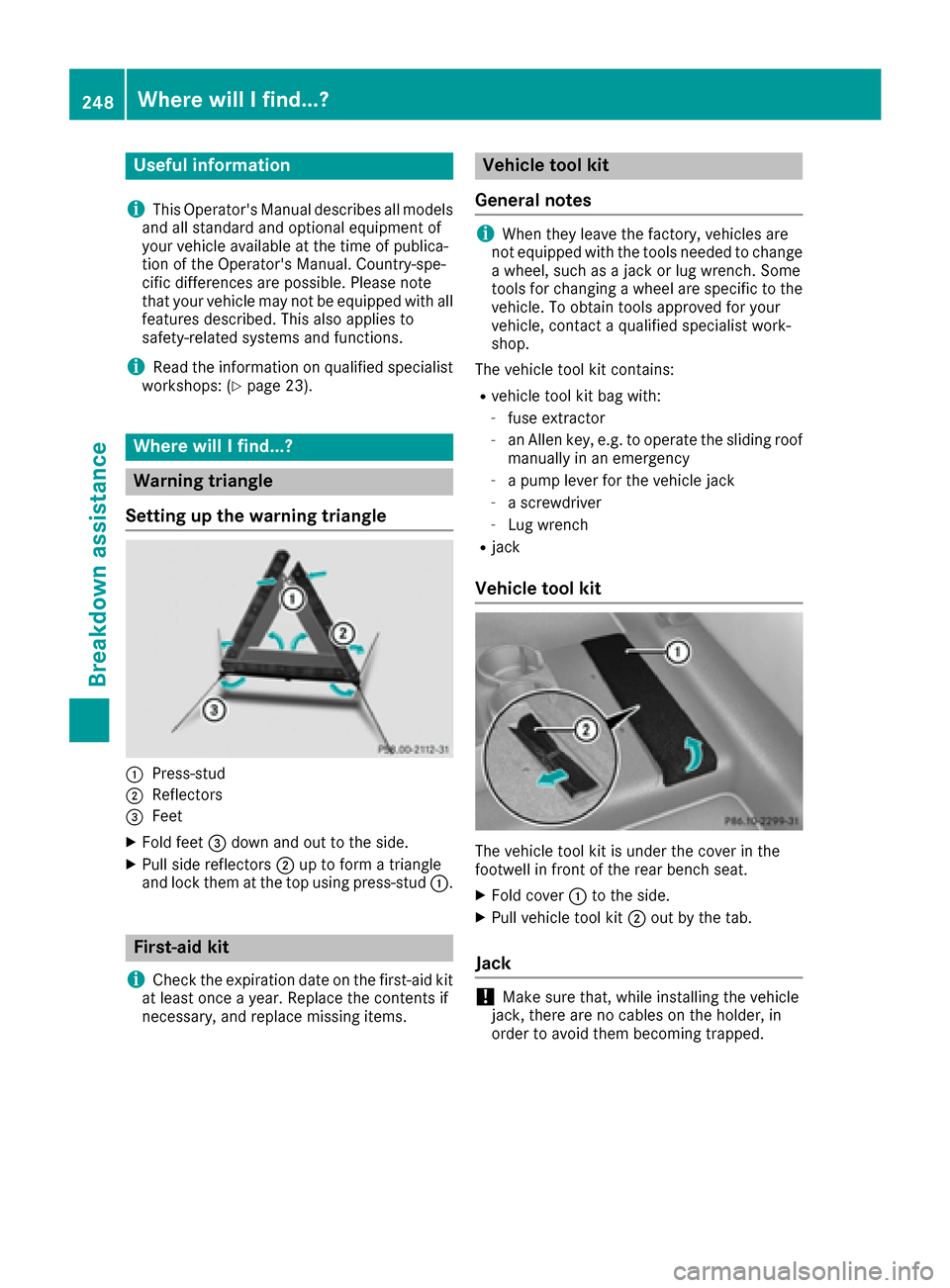
Setting up the warning triangle
:Press-stud
;Reflectors
=Feet
XFold feet =down and out to the side.
XPull side reflectors ;up to form a triangle
and lock them at the top using press-stud :.
First-aid kit
i
Check the expiration date on the first-aid kit
at least once a year. Replace the contents if
necessary, and replace missing items.
Vehicle tool kit
General notes
iWhen they leave the factory, vehicles are
not equipped with the tools needed to change
a wheel, such as a jack or lug wrench. Some
tools for changing a wheel are specific to the
vehicle. To obtain tools approved for your
vehicle, contact a qualified specialist work-
shop.
The vehicle tool kit contains:
Rvehicle tool kit bag with:
-fuse extractor
-an Allen key, e.g. to operate the sliding roof
manually in an emergency
-a pump lever for the vehicle jack
-a screwdriver
-Lug wrench
Rjack
Vehicle tool kit
The vehicle tool kit is under the cover in the
footwell in front of the rear bench seat.
XFold cover :to the side.
XPull vehicle tool kit ;out by the tab.
Jack
!Make sure that, while installing the vehicle
jack, there are no cables on the holder, in
order to avoid them becoming trapped.
248Where will I find...?
Breakdown assistance
Page 252 of 302
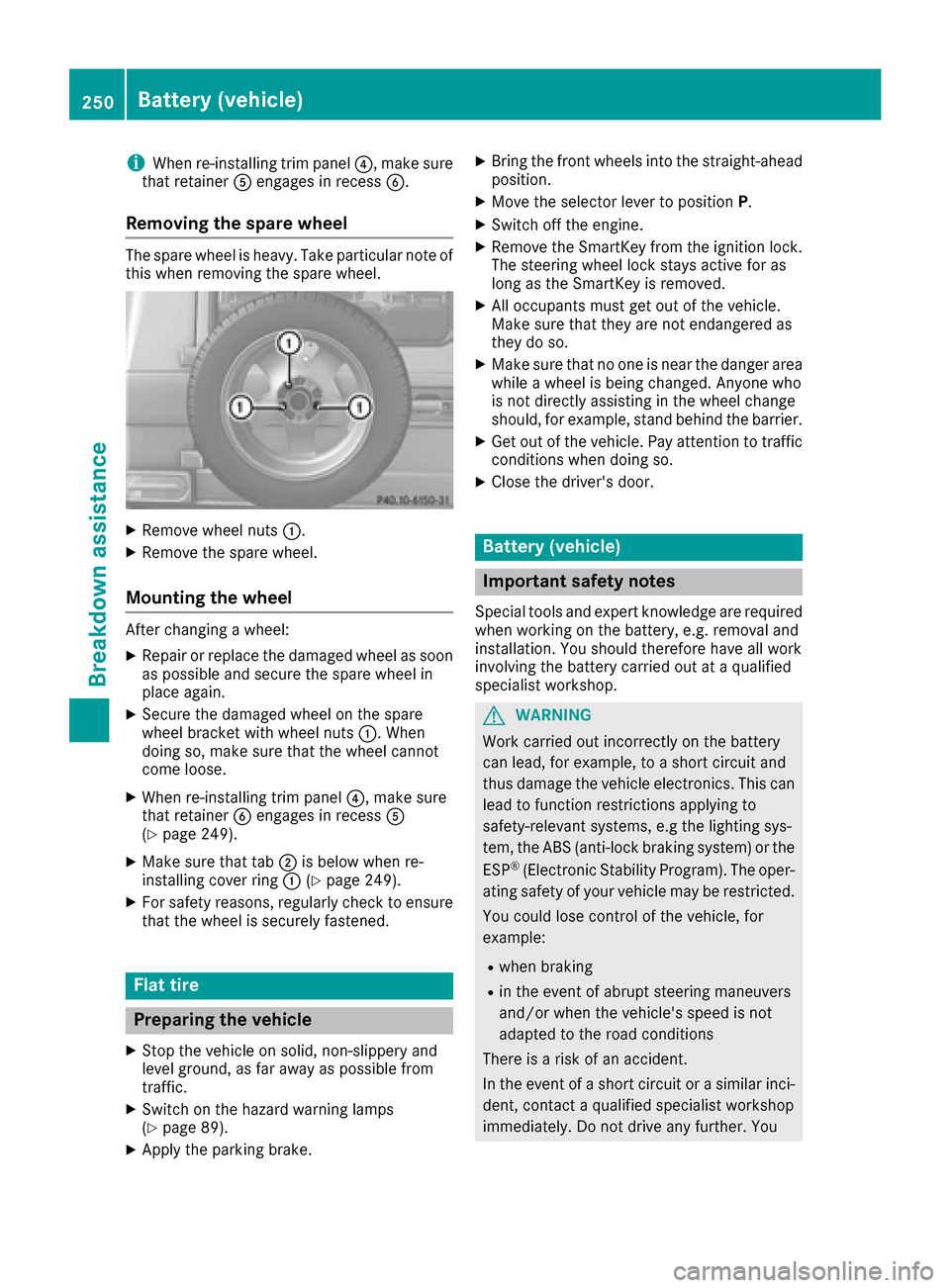
iWhen re-installing trim panel?, make sure
that retainer Aengages in recess B.
Removing the spare wheel
The spare wheel is heavy. Take particular note of
this when removing the spare wheel.
XRemove wheel nuts :.
XRemove the spare wheel.
Mounting the wheel
After changing a wheel:
XRepair or replace the damaged wheel as soon
as possible and secure the spare wheel in
place again.
XSecure the damaged wheel on the spare
wheel bracket with wheel nuts :. When
doing so, make sure that the wheel cannot
come loose.
XWhen re-installing trim panel ?, make sure
that retainer Bengages in recess A
(
Ypage 249).
XMake sure that tab ;is below when re-
installing cover ring :(Ypage 249).
XFor safety reasons, regularly check to ensure
that the wheel is securely fastened.
Flat tire
Preparing the vehicle
XStop the vehicle on solid, non-slippery and
level ground, as far away as possible from
traffic.
XSwitch on the hazard warning lamps
(Ypage 89).
XApply the parking brake.
XBring the front wheels into the straight-ahead
position.
XMove the selector lever to position P.
XSwitch off the engine.
XRemove the SmartKey from the ignition lock.
The steering wheel lock stays active for as
long as the SmartKey is removed.
XAll occupants must get out of the vehicle.
Make sure that they are not endangered as
they do so.
XMake sure that no one is near the danger area
while a wheel is being changed. Anyone who
is not directly assisting in the wheel change
should, for example, stand behind the barrier.
XGet out of the vehicle. Pay attention to traffic
conditions when doing so.
XClose the driver's door.
Battery (vehicle)
Important safety notes
Special tools and expert knowledge are required
when working on the battery, e.g. removal and
installation. You should therefore have all work
involving the battery carried out at a qualified
specialist workshop.
GWARNING
Work carried out incorrectly on the battery
can lead, for example, to a short circuit and
thus damage the vehicle electronics. This can
lead to function restrictions applying to
safety-relevant systems, e.g the lighting sys-
tem, the ABS (anti-lock braking system) or the
ESP
®(Electronic Stability Program). The oper-
ating safety of your vehicle may be restricted.
You could lose control of the vehicle, for
example:
Rwhen braking
Rin the event of abrupt steering maneuvers
and/or when the vehicle's speed is not
adapted to the road conditions
There is a risk of an accident.
In the event of a short circuit or a similar inci-
dent, contact a qualified specialist workshop
immediately. Do not drive any further. You
250Battery (vehicle)
Breakdown assistance
Page 266 of 302
Winter operation
General notes
Have your vehicle winterproofed at a qualified
specialist workshop at the onset of winter.
Observe the notes in the "Changing a wheel"
section (
Ypage 281).
Driving with summer tires
At temperatures below 45 ‡ (+7 †), summer
tires lose elasticity and therefore traction and
braking power. Change the tires on your vehicle
to M+S tires. Using summer tires at very cold
temperatures could cause cracks to form,
thereby damaging the tires permanently.
Mercedes-Benz cannot accept responsibility for
this type of damage.
M+S tires
GWARNING
M+S tires with a tire tread depth of less than
ã in (4 mm) are not suitable for use in winter
and do not provide sufficient traction. There is
a risk of an accident.
M+S tires with a tread depth of less than ãin
(4 mm) must be replaced immediately.
GWARNING
Wheel and tire dimensions as well as the type of tire can vary between the spare wheel and
the wheel to be replaced. When the spare
wheel is mounted, driving characteristics may be severely affected. There is a risk of an acci-
dent.
In order to reduce risks:
Ryou should therefore adapt your driving
style and drive carefully.
Rnever mount more than one spare wheel
that differs from the wheel to be replaced.
Ronly use a spare wheel that differs from the
wheel to be replaced for a short time.
Rdo not deactivate ESP®.
Rhave a spare wheel that differs from the
wheel that has been changed replaced at
the nearest qualified specialist workshop.
You must observe the correct wheel and
tire dimensions as well as the wheel type.
Do not exceed a maximum speed of 50 mph
(80 km/h) if a spare wheel of a different size is
installed.
At temperatures below 45 ‡ (+7 †), use all-
season tires or winter tires. Both types of tire are
identified by the M+S marking.
Not all tires with the M+S marking provide the
driving characteristics of winter tires. In addition
to the M+S marking, winter tires also have the
i snowflake symbol on the tire wall. Tires
with this marking fulfill the requirements of the
Rubber Manufacturers Association (RMA) and
the Rubber Association of Canada (RAC) regard-
ing snow traction, and were specially developed
for driving on snow. Only these tires will allow
driving safety systems such as ABS and ESP
®to
function optimally in winter, since these tires
have been designed specifically for driving on
snow.
Use M+S tires of the same make and tread on all
wheels to maintain safe handling characteris-
tics.
Always observe the maximum permissible
speed specified for the M+S tires you have
mounted.
When you have mounted the M+S tires:
XCheck the tire pressures (Ypage 265).
XRestart the tire pressure monitor
(Ypage 270).
iYou can obtain information about winter
tires that have been approved by Mercedes-
Benz especially for your vehicle at any
Mercedes-Benz Service center.
iFor further information about tires, see
(Ypage 286).
Snow chains
GWARNING
If you drive too fast with snow chains moun-
ted, they may snap. As a result, you could
injure others and damage the vehicle. There is
a risk of an accident.
264Winter operation
Wheels and tires