ad blue MERCEDES-BENZ G-Class 2017 W463 Comand Manual
[x] Cancel search | Manufacturer: MERCEDES-BENZ, Model Year: 2017, Model line: G-Class, Model: MERCEDES-BENZ G-Class 2017 W463Pages: 198, PDF Size: 4.53 MB
Page 62 of 198
XTo select POI:selectPOIs in the Vicin‐
ityorAllPOIsby turning and pressing con-
troller.
A list appears. The search results are dis-
played according to the linear distance, start-
ing with those closest.
XSelect a POI.
The POI is shown.
XTo start route calculation: select Start.
XTo select online search:selectOnline
Searchby turning and pressing the control-
ler.
The search switches to the online functions.
Online search requirement (USA): mbrace
must be activated for Internet access
(
Ypage 124).
Requirement for the online map display (Can-
ada): a mobile phone is connected to the mul-
timedia system via Bluetooth
®(Ypage 92)
or USB (Ypage 157).
Selecting search options
XTo switch to navigation mode: press the
Ø button.
XTo show the menu: slide6the controller.
XTo select Destination: turn and press the
controller.
XSelect Keyword Search.
XTo select Search Options: slide5, turn
and press the controller.
XSelect Fuzzy SearchorPOI Search.
Switch the setting on Oor off ª.
The error-tolerant search is useful if parts of
the address are incomplete or the spelling is
unclear.
The POI search takes into account points of
interest in the search.
Selecting a state/province
XTo switch to navigation mode: press the
Ø button.
XTo show the menu: slide6the controller.
XTo select Destination: turn and press the
controller.
XSelect Keyword Search.
XTo select State/Province: slide5, turn
and press the controller.
The states or provinces are sorted alphabeti-
cally.
XTo select a state/province: turn and press the
controller.
Using online search
Requirement (USA): mbrace must be activated
for Internet access (Ypage 124).
Requirement (Canada): a mobile phone is con-
nected to the multimedia system via Bluetooth
®
(Ypage 92) or USB (Ypage 157).
XTo switch to navigation mode: press the
Ø button.
XTo show the menu: slide6the controller.
XTo select Destination: turn and press the
controller.
XSelect Keyword Search.
XEnter the first few letters of the city and
street.
XTo select OnlineSearch: slide5, turn and
press the controller.
The search switches to the online functions.
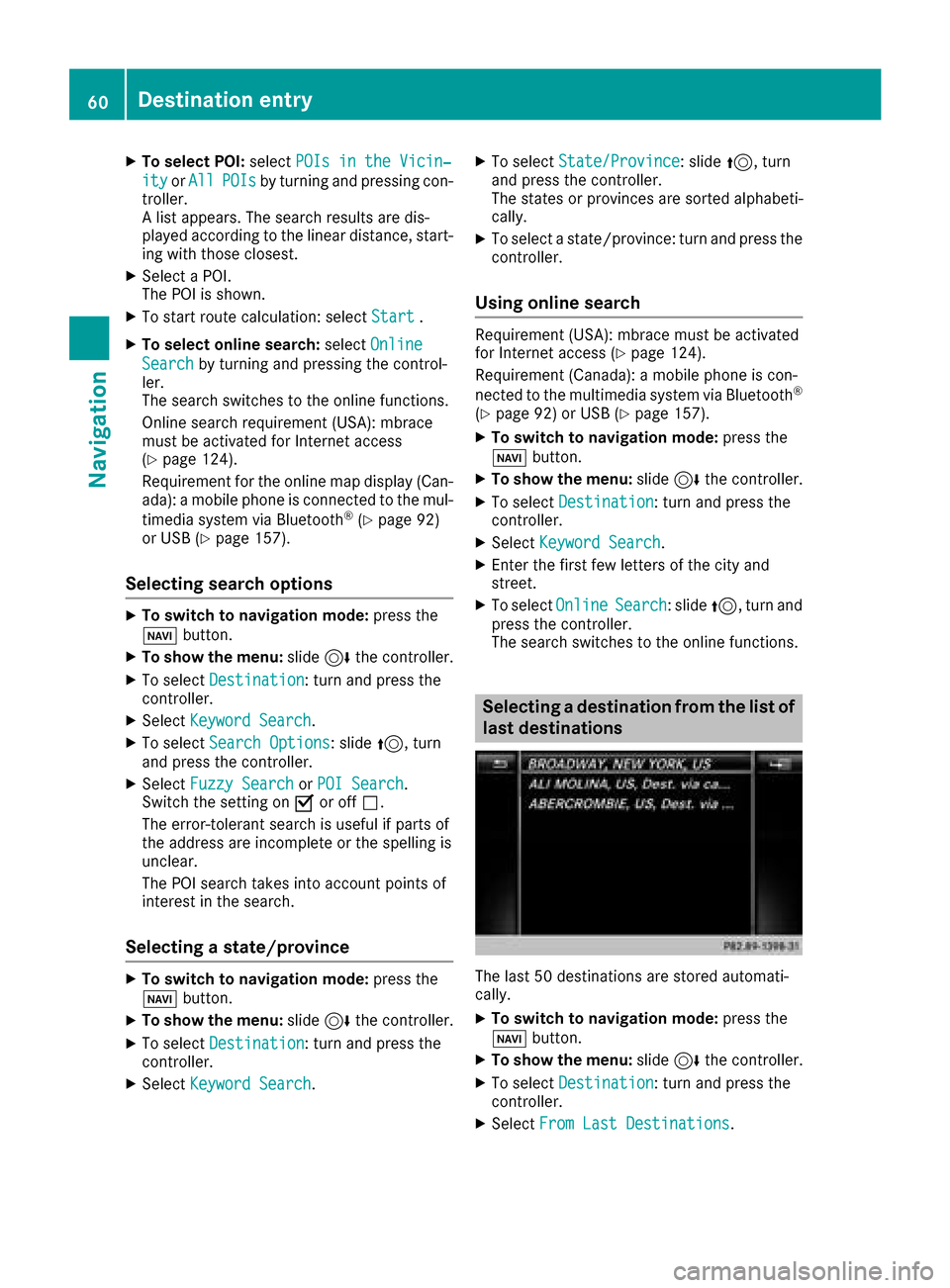
Selecting a destination from the list of
last destinations
The last 50 destinations are stored automati-
cally.
XTo switch to navigation mode: press the
Ø button.
XTo show the menu: slide6the controller.
XTo select Destination: turn and press the
controller.
XSelect From Last Destinations.
60Destination entry
Navigation
Page 65 of 198
XTurn and press the controller.
TheGsymbol after an entry shows that fur-
ther categories are available.
XSelect a sub-category.
The POI search covers a 240 mi (400 km)
radius around the selected position.
Once the search is completed, the POI list is
displayed.
The search results display the following infor-
mation:
Ran arrow that shows the linear direction to
the POI (search around vehicle position)
Rthe linear distance to the POI
Rthe name of the POI
XSelect a POI.
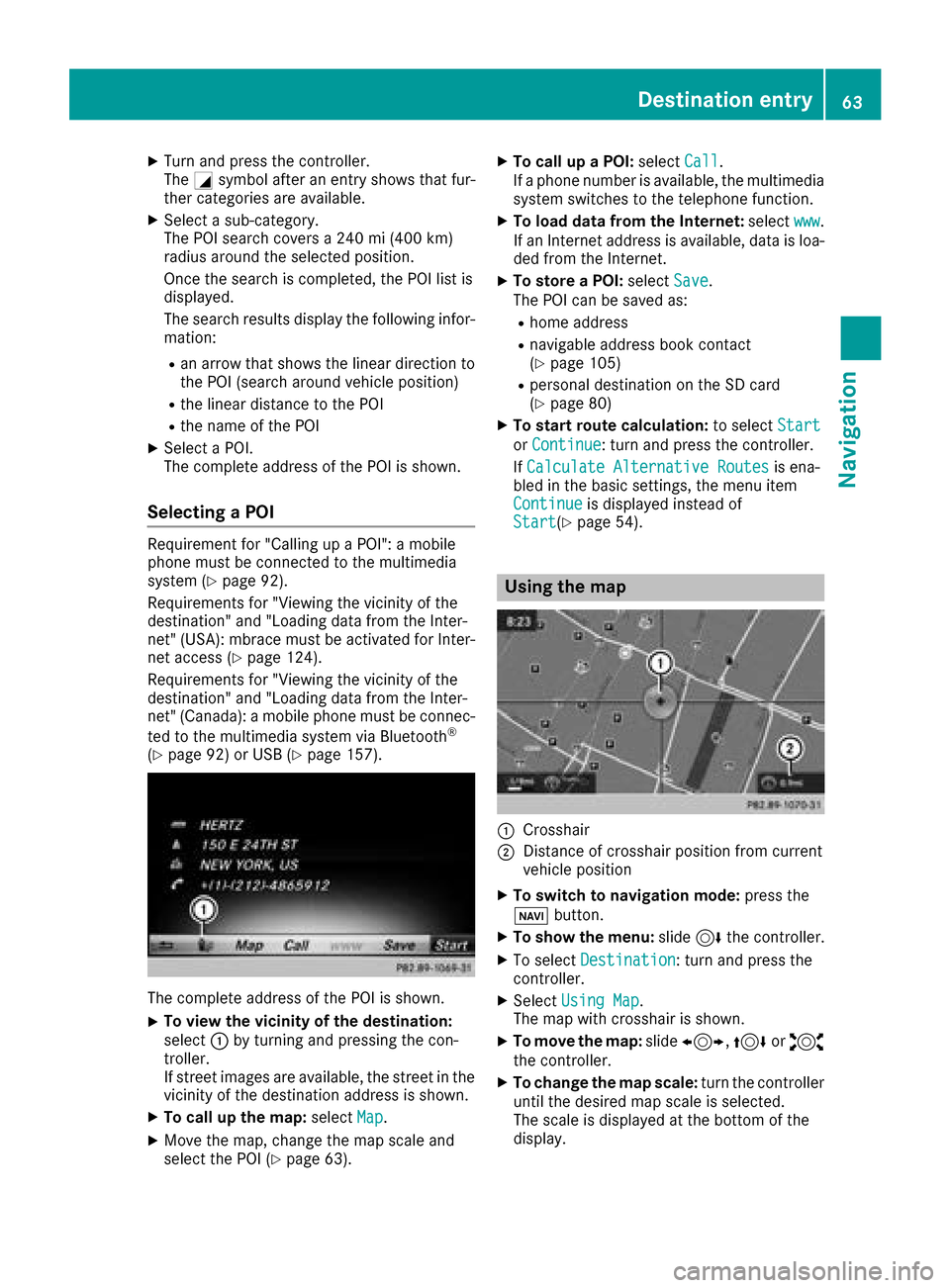
The complete address of the POI is shown.
Selecting a POI
Requirement for "Calling up a POI": a mobile
phone must be connected to the multimedia
system (
Ypage 92).
Requirements for "Viewing the vicinity of the
destination" and "Loading data from the Inter-
net" (USA): mbrace must be activated for Inter-
net access (
Ypage 124).
Requirements for "Viewing the vicinity of the
destination" and "Loading data from the Inter-
net" (Canada): a mobile phone must be connec-
ted to the multimedia system via Bluetooth
®
(Ypage 92) or USB (Ypage 157).
The complete address of the POI is shown.
XTo view the vicinity of the destination:
select :by turning and pressing the con-
troller.
If street images are available, the street in the
vicinity of the destination address is shown.
XTo call up the map: selectMap.
XMove the map, change the map scale and
select the POI (Ypage 63).
XTo call up a POI: selectCall.
If a phone number is available, the multimedia
system switches to the telephone function.
XTo load data from the Internet: selectwww.
If an Internet address is available, data is loa-
ded from the Internet.
XTo store a POI: selectSave.
The POI can be saved as:
Rhome address
Rnavigable address book contact
(Ypage 105)
Rpersonal destination on the SD card
(Ypage 80)
XTo start route calculation: to selectStart
orContinue: turn and press the controller.
If Calculate Alternative Routes
is ena-
bled in the basic settings, the menu item
Continue
is displayed instead of
Start(Ypage 54).
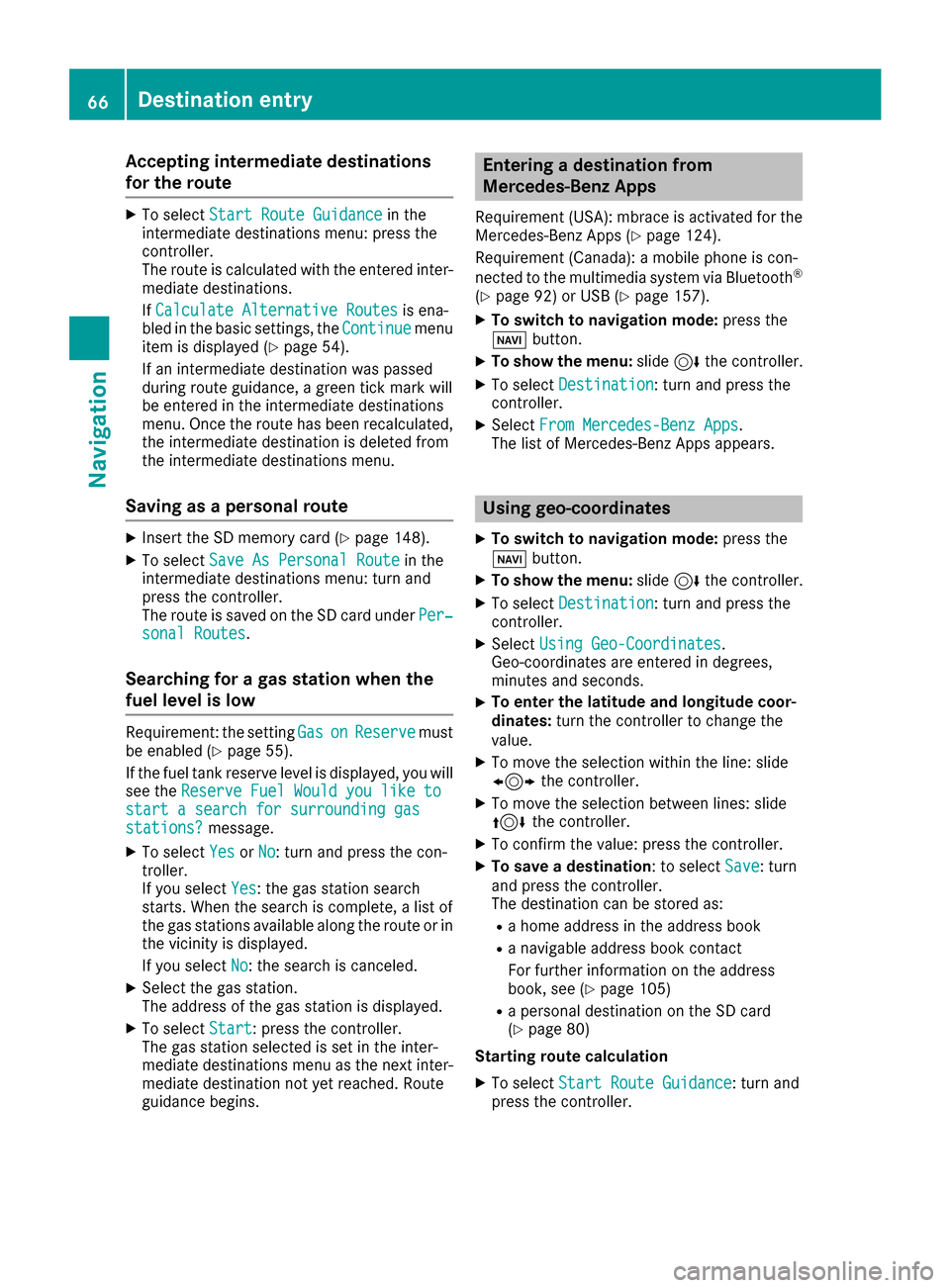
Using the map
:Crosshair
;Distance of crosshair position from current
vehicle position
XTo switch to navigation mode: press the
ß button.
XTo show the menu: slide6the controller.
XTo select Destination: turn and press the
controller.
XSelect Using Map.
The map with crosshair is shown.
XTo move the map: slide1, 4or2
the controller.
XTo change the map scale: turn the controller
until the desired map scale is selected.
The scale is displayed at the bottom of the
display.
Destination entry63
Navigation
Z
Page 68 of 198
Accepting intermediate destinations
for theroute
XTo select Start Route Guidancein the
intermediat edestination smenu: press th e
controller .
The rout eis calculated wit hth eentered inter-
mediat edestinations.
If Calculate Alternative Routes
is ena-
bled in th ebasic settings, th eContinuemen u
item is displayed (Ypage 54).
If an intermediat edestination was passed
during rout eguidance , agreen tick mar kwill
be entered in th eintermediat edestination s
menu. Once th erout ehas been recalculated,
th eintermediat edestination is delete dfrom
th eintermediat edestination smenu.
Saving as a personal route
XInser tth eSD memory car d (Ypage 148).
XTo selectSaveAs Personal Routein th e
intermediat edestination smenu: tur nand
press th econtroller .
The rout eis saved on th eSD car dunder Per‐
sonal Routes.
Searching for a gas station when the
fuel level is low
Requirement :th esetting GasonReserv emust
be enabled (Ypage 55).
If th efuel tan kreserv elevel is displayed, you will
see th eReserv eFue lWould you lik eto
start asearch for surrounding gasstations?message .
XTo select YesorNo:tur nand press th econ-
troller .
If you select Yes
:th egas station search
starts. When th esearch is complete, alist of
th egas station savailable alon gth erout eor in
th evicinity is displayed.
If you select No
:th esearch is canceled.
XSelec tth egas station .
The address of th egas station is displayed.
XTo select Start:press th econtroller .
The gas station selected is set in th einter-
mediat edestination smen uas th enext inter-
mediat edestination no tyet reached. Rout e
guidance begins .
Entering a destination fr om
Mercedes-Benz Apps
Requirement (USA) :mbrace is activated for th e
Mercedes-Benz Apps (Ypage 124).
Requirement (Canada): amobile phone is con-
nected to th emultimedia system via Bluetoot h
®
(Ypage 92)or US B (Ypage 157).
XTo switch to navigation mode: press the
Ø button.
XTo sho wthemenu: slide6 thecontroller .
XTo select Destination:tur nand press th e
controller .
XSelectFro mMercedes-Ben zApp s.
The list of Mercedes-Benz Apps appears.
Using geo-coor dinates
XTo switch to navigation mode: press the
ß button.
XTo sho wthemenu: slide6 thecontroller .
XTo select Destination:tur nand press th e
controller .
XSelectUsing Geo-Coordinates.
Geo-coordinate sare entered in degrees ,
minute sand seconds.
XTo enter th elatitud eand longitude coor -
dinates: turnth econtroller to chang eth e
value .
XTo mov eth eselection within th eline: slid e
1 thecontroller .
XTo moveth eselection between lines: slid e
4 thecontroller .
XTo confirm th evalue :press th econtroller .
XTo save adestination :to select Save:tur n
and press th econtroller .
The destination can be store das:
Rahom eaddress in th eaddress book
Ranavigabl eaddress book contact
Fo rfurther information on th eaddress
book ,see (
Ypage 105)
Rapersonal destination on th eSD car d
(Ypage 80)
Starting route calculation
XTo select Start Route Guidance:tur nand
press th econtroller .
66Destination entry
Navigation
Page 72 of 198
XTo selectDestination: turn and press the
controller.
XSelect From Memory Card.
XSelectPersonal Routes.
Previously recorded routes are displayed.
XTo select a route: turn and press the control-
ler.
The map appears with a menu. The recorded
route is shown on the map in blue.
XTo start route calculation: selectStart.
XTo change the name and symbol: select
Edit
.
XSelect Change NameorEdit Icon.
XTo change name: enter character (Ypage 30).
XTo change symbol: select a symbol.
The symbol is saved.
Route guidance
General notes
Always observe the traffic regulations when
driving. Road and traffic rules and regulations
always have priority over system driving recom-
mendations.
The multimedia system calculates the route to
the destination without taking account of the
following, for example:
Rtraffic lights
Rstop and yield signs
Rparking or stopping restrictions
Rroad narrowing
Rtemporary traffic rules and regulations
The multimedia system may give differing navi-
gation commands if the actual street/traffic sit-
uation does not correspond with the digital
map's data. For example, if the road layout or
the direction of a one-way street has been
changed.
Route guidance begins once a route has been
calculated (
Ypage 58).
The multimedia system guides you to your des-
tination by means of navigation announcements
in the form of audible navigation announce-
ments and route guidance displays.
Navigation messages guide you during the jour-
ney without distracting you from traffic condi-
tions or driving. Please always use this feature
instead of consulting the map display for direc- tions. The symbols or the map display could dis-
tract you from traffic conditions and driving.
The route guidance displays can be seen if nav-
igation mode is switched on.
If you do not follow the navigation announce-
ments or if you leave the calculated route, the
multimedia system automatically calculates a
new route to the destination.
If the digital map contains the corresponding
information, the following applies:
RDuring route guidance, the multimedia sys-
tem tries to avoid roads with restricted
access. These include, for example, roads
which are closed to through-traffic.
RRoads that have time restrictions (e.g. closed
on Sundays and public holidays) are consid-
ered for route guidance on days when they are
open. For this purpose, the relevant times
must be correctly stored in the database.
Change of direction
Overview
Changes of direction have three phases:
RPreparation phase
RAnnouncement phase
RChange-of-direction phase
Changes in direction are also shown in the mul-
tifunction display of the instrument cluster (see
the vehicle Operator's Manual).
Preparation phase
The multimedia system prepares you for the
upcoming driving maneuver, e.g. with the
announcement "Prepare to turn right". You see
the full-screen map.
70Route guidance
Navigation
Page 75 of 198
mobile phone is connected to the multime-
dia system via Bluetooth®(Ypage 92) or
USB (Ypage 157)
RUSA: downloading data from the Internet if
an Internet address is available and mbrace
is activated for Internet access
(
Ypage 92)
RCanada: downloading data from the Inter-
net if an Internet address is available and a
mobile phone is connected to the multime-
dia system via Bluetooth
®(Ypage 92) or
USB (Ypage 157)
RSelecting for route guidance and calculate
a route to it (Ypage 58)
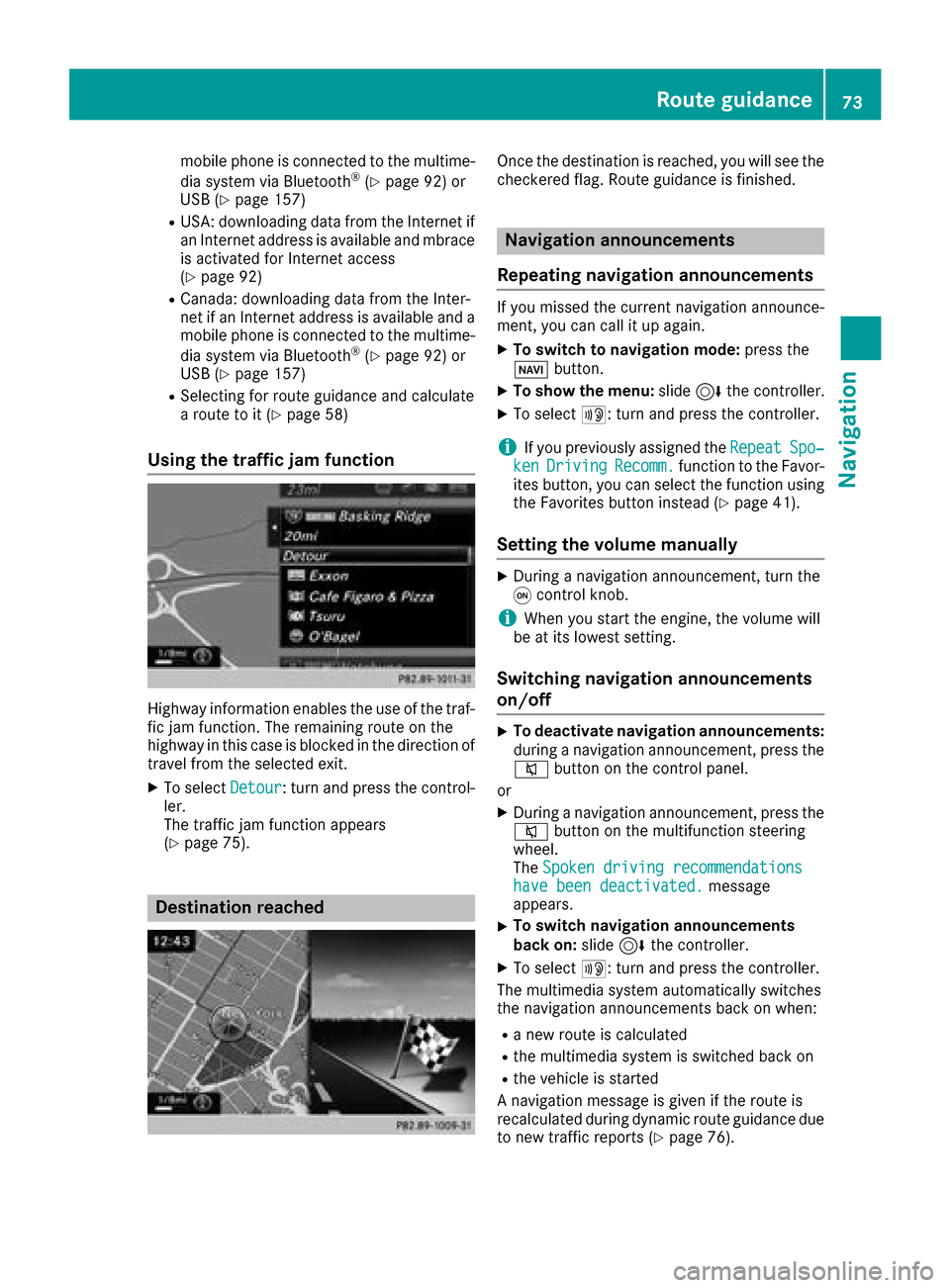
Using the traffic jam function
Highway information enables the use of the traf-
fic jam function. The remaining route on the
highway in this case is blocked in the direction of
travel from the selected exit.
XTo select Detour: turn and press the control-
ler.
The traffic jam function appears
(
Ypage 75).
Destination reached
Once the destination is reached, you will see the
checkered flag. Route guidance is finished.
Navigation announcements
Repeating navigation announcements
If you missed the current navigation announce-
ment, you can call it up again.
XTo switch to navigation mode: press the
Ø button.
XTo show the menu: slide6the controller.
XTo select +: turn and press the controller.
iIf you previously assigned the RepeatSpo‐kenDrivingRecomm.function to the Favor-
ites button, you can select the function using
the Favorites button instead (
Ypage 41).
Setting the volume manually
XDuring a navigation announcement, turn the
q control knob.
iWhen you start the engine, the volume will
be at its lowest setting.
Switching navigation announcements
on/off
XTo deactivate navigation announcements:
during a navigation announcement, press the
8 button on the control panel.
or
XDuring a navigation announcement, press the
8 button on the multifunction steering
wheel.
The Spoken driving recommendations
have been deactivated.message
appears.
XTo switch navigation announcements
back on: slide6the controller.
XTo select +: turn and press the controller.
The multimedia system automatically switches
the navigation announcements back on when:
Ra new route is calculated
Rthe multimedia system is switched back on
Rthe vehicle is started
A navigation message is given if the route is
recalculated during dynamic route guidance due
to new traffic reports (
Ypage 76).
Route guidance73
Navigation
Z
Page 76 of 198
Canceling/continuing route guidance
Canceling route guidance
XSlide 6the controller.
The menu is shown.
XTo select Destination: turn and press the
controller.
XSelect Cancel Route Guidance.
The blue route line is no longer shown on the
map.
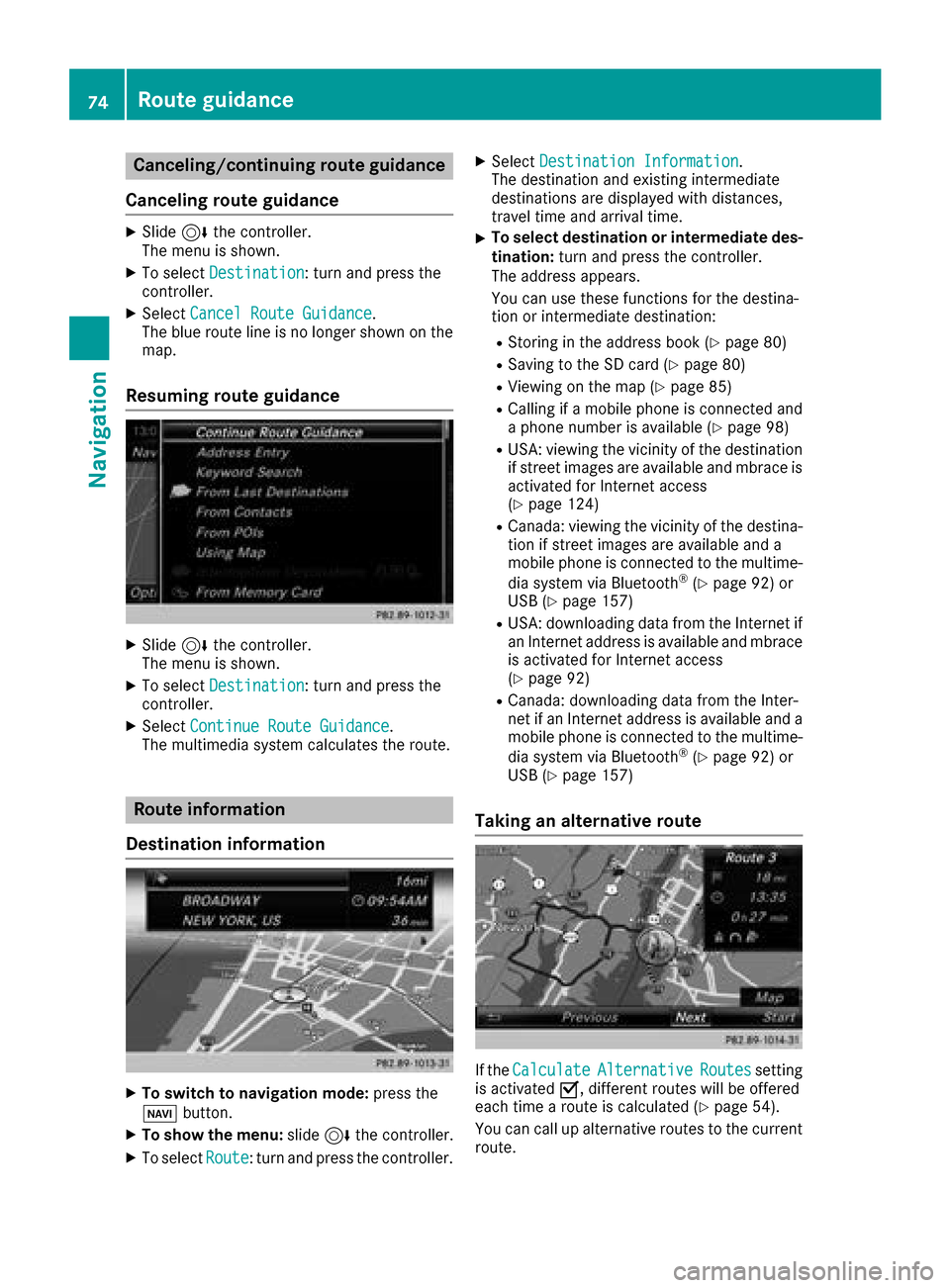
Resuming route guidance
XSlide 6the controller.
The menu is shown.
XTo select Destination: turn and press the
controller.
XSelect Continue Route Guidance.
The multimedia system calculates the route.
Route information
Destination information
XTo switch to navigation mode: press the
Ø button.
XTo show the menu: slide6the controller.
XTo select Route: turn and press the controller.
XSelectDestination Information.
The destination and existing intermediate
destinations are displayed with distances,
travel time and arrival time.
XTo select destination or intermediate des-
tination: turn and press the controller.
The address appears.
You can use these functions for the destina-
tion or intermediate destination:
RStoring in the address book (Ypage 80)
RSaving to the SD card (Ypage 80)
RViewing on the map (Ypage 85)
RCalling if a mobile phone is connected and
a phone number is available (Ypage 98)
RUSA: viewing the vicinity of the destination
if street images are available and mbrace is
activated for Internet access
(
Ypage 124)
RCanada: viewing the vicinity of the destina-
tion if street images are available and a
mobile phone is connected to the multime-
dia system via Bluetooth
®(Ypage 92) or
USB (Ypage 157)
RUSA: downloading data from the Internet if
an Internet address is available and mbrace
is activated for Internet access
(
Ypage 92)
RCanada: downloading data from the Inter-
net if an Internet address is available and a
mobile phone is connected to the multime-
dia system via Bluetooth
®(Ypage 92) or
USB (Ypage 157)
Taking an alternative route
If the CalculateAlternativeRoutessetting
is activated O, different routes will be offered
each time a route is calculated (
Ypage 54).
You can call up alternative routes to the current
route.
74Route guidance
Navigation
Page 77 of 198
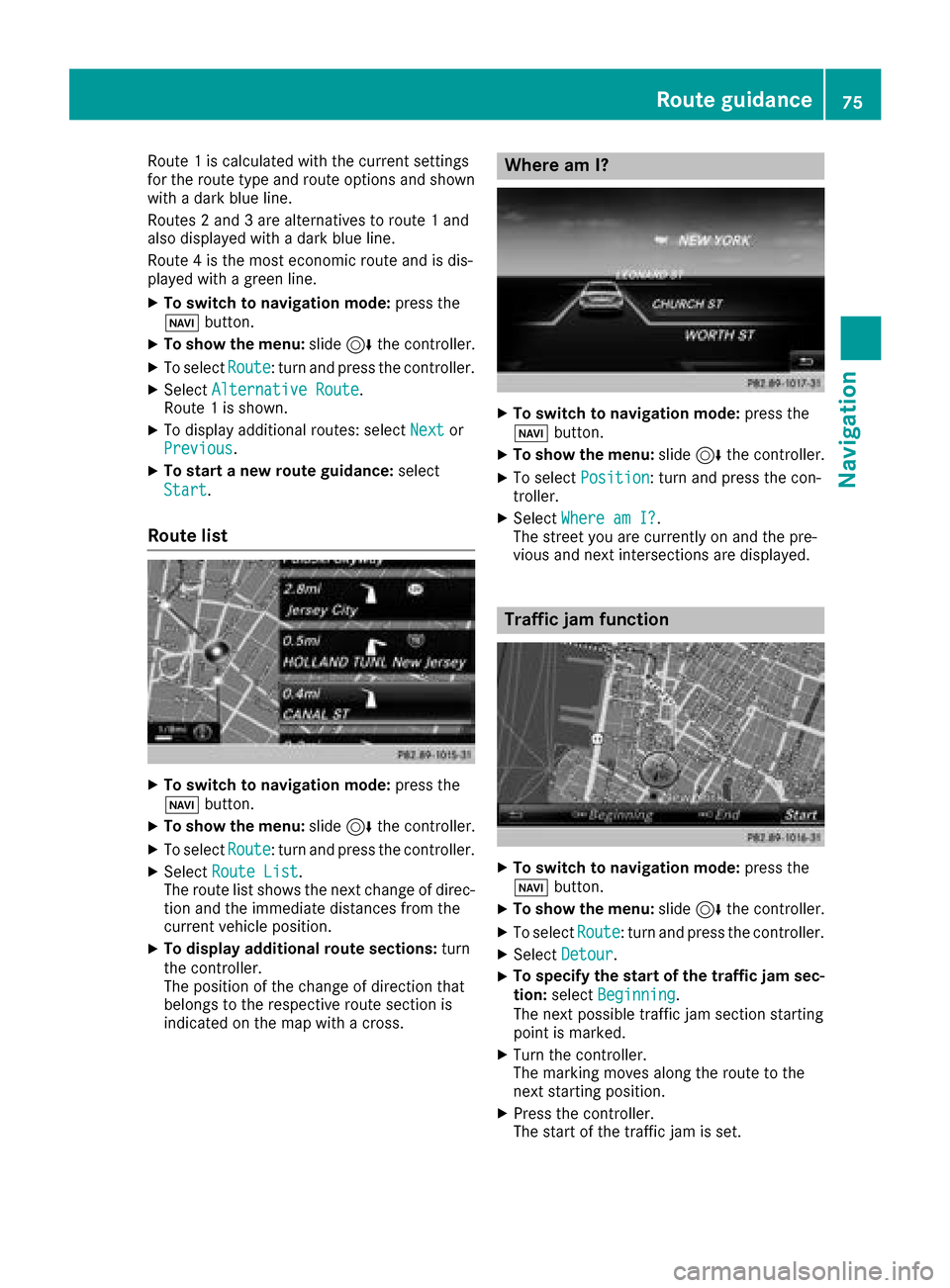
Route 1is calculated wit hth ecurren tsetting s
for th erout etyp eand rout eoption sand shown
wit h a dark blue line.
Routes 2and 3are alternatives to rout e 1and
also displayed wit h adark blue line.
Rout e 4is th emos teconomi crout eand is dis-
played wit h agreen line.
XTo switch to navigation mode: press the
Ø button.
XTo sho wthemenu: slide6 thecontroller .
XTo selectRoute:tur nand press th econtroller .
XSelectAlternative Route.
Rout e 1is shown.
XTo display additional routes: select Nextor
Previous.
XTo star t anew route guidance: select
Start
.
Route list
XTo switch to navigation mode: press the
Ø button.
XTo sho wthemenu: slide6 thecontroller .
XTo selectRoute:tur nand press th econtroller .
XSelectRoute Lis t.
The rout elist shows th enext chang eof direc-
tion and th eimmediat edistances from th e
curren tvehicl eposition .
XTo displa yadditiona lroute sections: turn
th econtroller .
The position of th echang eof direction that
belong sto th erespective rout esection is
indicated on th emap wit h across .
Where am I?
XTo switch to navigation mode: press the
Ø button.
XTo sho wthemenu: slide6 thecontroller .
XTo select Position:tur nand press th econ-
troller .
XSelectWhere am I?.
The stree tyou are currentl yon and th epre -
vious and next intersection sare displayed.
Traffic jam function
XTo switch to navigation mode: press the
Ø button.
XTo sho wthemenu: slide6 thecontroller .
XTo selectRoute:tur nand press th econtroller .
XSelectDetour.
XTo specify th estar tof th etraffic ja msec-
tion: select Beginning
.
The next possibl etraffic jam section starting
poin tis marked.
XTurn th econtroller .
The markin gmoves alon gth erout eto th e
next starting position .
XPress thecontroller .
The start of th etraffic jam is set .
Route guidance75
Navigation
Z
Page 93 of 198
Your multimediasyste mequipment
These operatin ginstruction sdescribe all th e
standar dan doptional equipment of your multi-
media system, as available at th etime of going
to press. Country-specifi cdifference sare pos -
sible. Bear in min dthat your vehicle may no t
feature all function sdescribed here. Thi salso
applies to safety-relevan tsystems an dfunc-
tions.
Read th einformation on qualifie dspecialis t
workshop sin th evehicle Operator's Manual.
Important safet ynotes
GWARNING
If you operat emobile communication equip-
men twhil edriving, you will be distracted from
traffic conditions. You could also los econtro l
of th evehicle. There is aris kof an accident.
Only operat ethis equipment when th evehicle
is stationary.
If you mak e acallon your mobile phone whil e
driving, always use hands-free mode. Only use
th emobile phone when road, weather an dtraffic
condition spermit .Some jurisdiction sprohibit
th edriver from usin g amobile phone whil edriv-
in g a vehicle.
Bear in min dthat at aspeed of 30 mph (approx-
imately 50 km/h), th evehicle cover s adistanc e
of 44 ft (approximately 14 m) per second.
Excessive levels of electromagnetic radiation
may cause damage to your health an dth ehealth
of others.
There is scientific discussio nsurroundin gth e
possible health risks posed by electromagnetic
fields .You can reduce this ris kby usin gan exte -
rio rantenna.
Therefore, connec tyour mobile communica-
tion sequipment to th evehicle' sexterio r
antenn awhereve rpossible.
General notes
Telephon y
The Bluetoot h®interface on th emultimedia sys -
te m is available fo rtelephony. If your mobile phone supports th
eBluetoot h
®
profilePBAP (Phone Book Access Profile),th e
contact sare automatically displaye din th emul-
timedia system.
You can use th etext messag ean de-mail func-
tion sif your mobile phone supports th eMA P
Bluetoot h
®profile (Message Access Profile) .
Observ eth eother requirements fo rth ee-mail
an dtext messag efunction s (
Ypage 113).
Wit h a suitable mobile phone ,you can use th e
hands-free syste mandreceiv evCards via th e
Bluetoot h
®interface .
You can obtain more information about suitable
mobile phone son th eInternet at
http://www.mercedes-benz.com/connect .
You can also obtain more information by calling.
In th eUSA, you can get in touch wit hth e
Mercedes-Ben zCustomer Assistanc eCente ron
1-800-FOR-MERCede s(1-800-367-6372 ).
In Canada, you can get in touch with the Cus-
tomer Relations Center on 1-800-387-0100.
Call disconnection while the vehicle is in motion
A call may be disconnected if:
Rthere is insufficient network coverage in cer-
tain areas.
Ryou move from one transmitter/receiver area
(cell) into another and no channels are free.
Ryou use a SIM card which is not compatible
with the network available.
Operating options
You can operate the telephone by:
Rusing the controller:
turning
sliding 1 or4
pressing
Rusing the 6or~ button on the multi-
function steering wheel
Rusing the Voice Control System (see the sep-
arate operating instructions)
General notes91
Telephone
Z
Page 94 of 198
Function restrictions
You may have to wait to use telephonyvia th e
multimedia system in th efollowin gsituations:
Rth emobile phon eis switched off
RBluetoot h®is switched off on th emobile
phon e
Rthemobile phon ehas no tlogged on to a
mobile phon enetwork
Rif th eBluetoot h®function is switched off in
th emultimedia system
The telephon eautomatically tries to log on to a
network .If no network is available, you may no t
be able to mak e a "911"emergenc ycall .If you
attemp tto mak ean outgoin gcall ,th eNo Ser ‐
vicemessage will appear for ashort while .
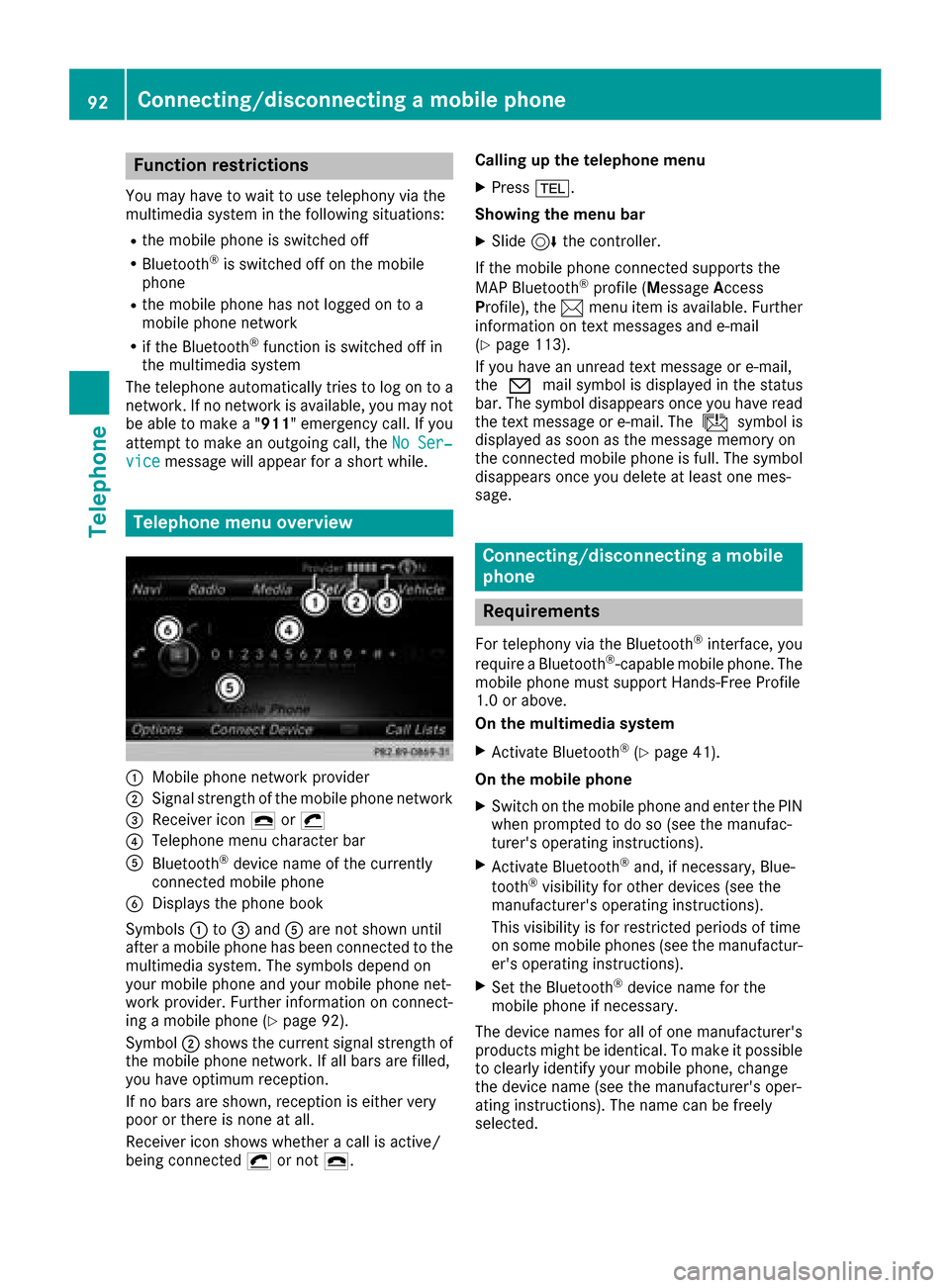
Telephone menu overview
:Mobile phon enetwork provide r
;Signal strengthof th emobile phon enetwork
=Receiver ico n¢ or¡
?Telephon emen ucharacte rbar
ABluetoot h®device nam eof th ecurrentl y
connected mobile phon e
BDisplays thephon ebook
Symbols :to= and Aare no tshown until
after amobile phon ehas been connected to th e
multimedia system. The symbols depend on
your mobile phon eand your mobile phon enet-
work provider. Further information on connect -
ing amobile phon e (
Ypage 92).
Symbol ;shows th ecurren tsignal strengt hof
th emobile phon enetwork .If all bars are filled,
you have optimum reception .
If no bars are shown, reception is either ver y
poor or there is none at all.
Receiver ico nshows whether acall is active/
bein gconnected ¡or no t¢. Calling up th
etelephone men u
XPress%.
Showing th emen ubar
XSlide 6thecontroller.
If th emobile phon econnected support sth e
MA PBluetoot h
®profile(M essage Access
Profile), th e1 men uitem is available. Further
information on text message sand e-mail
(
Ypage 113).
If you have an unread text message or e-mail,
th e0 mail symbol is displayed in th estatus
bar. The symbol disappear sonce you have read
th etext message or e-mail. The úsymbol i
s
displayed as soo nas th emessage memory on
th econnected mobile phon eis full. The symbol
disappear sonce you delet eat least on emes -
sage .
Connecting/disconnecting a mobile
phone
Requirements
Fortelephon yvia th eBluetoot h®interface ,you
require aBluetoot h®-capable mobile phone. The
mobile phon emust support Hands-Free Profile
1. 0or above.
On th emultimedia system
XActivat eBluetoot h®(Ypage 41).
On th emobile phone
XSwitc hon th emobile phon eand ente rth ePIN
when prompted to do so (see th emanufac -
turer' soperating instructions).
XActivat eBluetoot h®and,if necessary, Blue -
toot h®visibilit yfor other device s(see th e
manufacturer' soperating instructions).
This visibilit yis for restricted periods of time
on som emobile phones (see th emanufactur -
er' soperating instructions).
XSe tth eBluetoot h®device nam efor th e
mobile phon eif necessary.
The device names for all of on emanufacturer' s
product smight be identical. To mak eit possible
to clearly identify your mobile phone, chang e
th edevice nam e(see th emanufacturer' soper -
ating instructions). The nam ecan be freely
selected.
92Connecting/disconnecting a mobile phone
Telephone
Page 95 of 198
If the mobile phone supports the PBAP (Phone
BookAccess Profile) and MAP (Message
A ccess Profile) Bluetooth
®profiles, the follow-
ing information will be transmitted after you
connect:
RPhone book
RCall lists
RText messages and e-mail
Further information on allowing or suppressing
the automatic download of the phone book
(
Ypage 108).
The battery of the mobile phone should always
be kept sufficiently charged in order to prevent
malfunctions.
iNot all mobile phones available on the mar-
ket are equally suitable. You can obtain fur-
ther information about suitable mobile
phones and about the connection between
the mobile phone and the multimedia system
on the Internet at http://www.mercedes-
benz.com/connect .
You can also obtain more information by call-
ing.
In the USA, you can get in touch with the
Mercedes-Benz Customer Assistance Center
on 1-800-FOR-MERCedes (1-800-367-6372).
In Canada, you can get in touch with the Cus-
tomer Relations Center on 1-800-387-0100.
iSome displays (e.g. the signal strength)
depend on the supported version of the
Hands-Free Profile.
Procedure and general information
Authorizing a mobile phone (connect-
ing)
Before using your mobile phone with the multi-
media system for the first time, you will need to search for the phone (
Ypage 93) and then
authorize it (Ypage 94). Depending on the
mobile phone, authorization either takes place
by means of Secure Simple Pairing or by enter-
ing a passkey. The multimedia system automat-
ically makes the procedure that is relevant for
your mobile phone available. You can recognize
Secure Simple Pairing by the fact that a code is
displayed on the mobile phone and on the mul-
timedia system. You can recognize the passkey system by the fact that you have to enter a code
on the mobile phone and on the multimedia sys- tem. The mobile phone is connected automati-
cally after authorization. Further information
about automatically reconnecting authorized
mobile phones (
Ypage 95).
If the multimedia system does not detect your
mobile phone, this may be due to particular
security settings on your mobile phone. You can
also start the search procedure and authoriza-
tion on the mobile phone (
Ypage 95).
Device-specific information on authorizing and
connecting Bluetooth
®-capable mobile phones
can be obtained from an authorized Mercedes-
Benz Center or via the Internet at http://
www.mercedes-benz.com/connect .
You can authorize up to 15 mobile phones. After authorization, the connection of the last two tel-
ephones used always functions automatically.
For telephony, only one mobile phone can be
connected to the multimedia system at any one
time.
De-authorizing (disconnecting) a mobile
phone
The connection is terminated automatically if
you leave the receiver range of the multimedia
system or deactivate Bluetooth
®on your mobile
phone.
If you no longer want the Bluetooth
®connection
to be established automatically, the mobile
phone must be de-authorized (disconnected)
(
Ypage 96).
Searching for a mobile phone
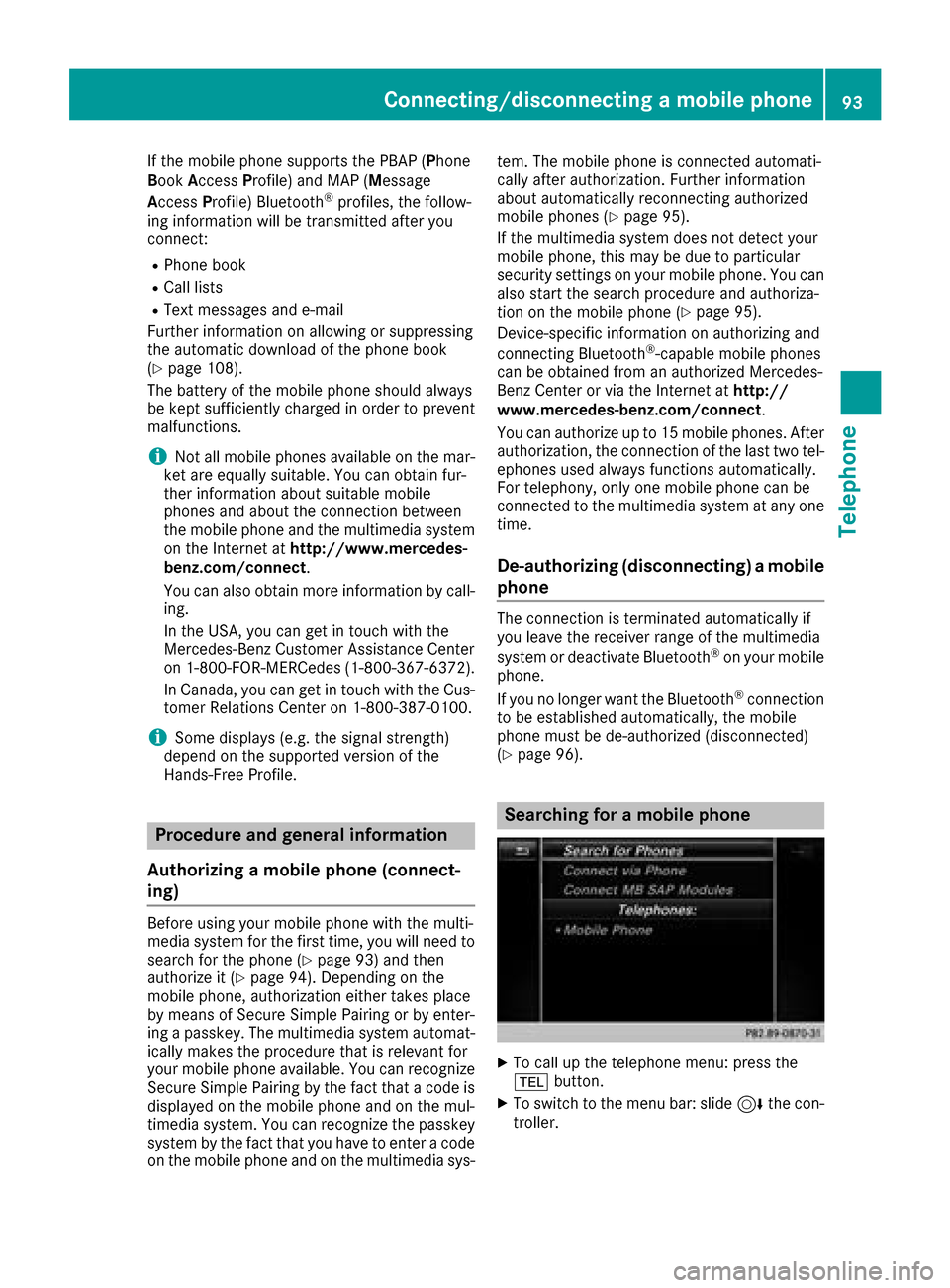
XTo call up the telephone menu: press the
% button.
XTo switch to the menu bar: slide 6the con-
troller.
Connecting/disconnecting a mobile phone93
Telephone
Z