door lock MERCEDES-BENZ G-Class 2017 W463 Owner's Manual
[x] Cancel search | Manufacturer: MERCEDES-BENZ, Model Year: 2017, Model line: G-Class, Model: MERCEDES-BENZ G-Class 2017 W463Pages: 286, PDF Size: 4.91 MB
Page 8 of 286
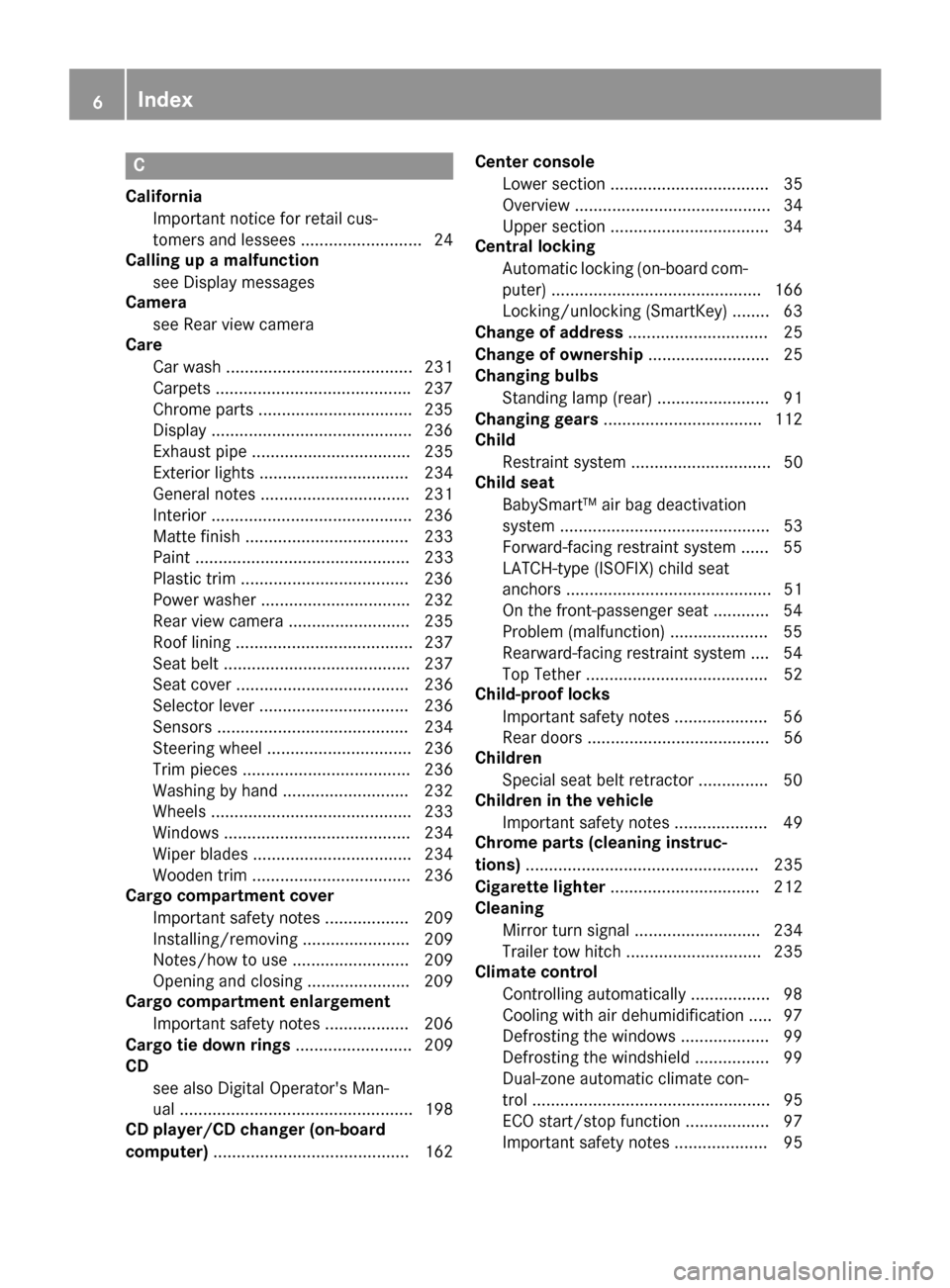
C
CaliforniaImportant notic efor retail cus-
tomersa nd lessees .......................... 24
Callin gupam alfunction
see Display messages
Camera
see Rear view camera
Care
Car wash ........................................ 231
Carpet s......................................... .237
Chrome parts. ................................ 23 5
Disp lay. ..........................................2 36
Exhaus tpipe. ................................. 235
Exterior lights ................................ 234
General notes ................................ 231
Interior ...........................................2 36
Matte finish ................................... 233
Paint .............................................. 233
Plastic trim ....................................2 36
Power washer ................................ 232
Rea rview camera .......................... 235
Roo flining ...................................... 237
Seat belt. ....................................... 237
Seat cover ..................................... 236
Selector lever. ............................... 236
Sensors ......................................... 234
Steering wheel. .............................. 236
Trimp ieces. ................................... 236
Washing by hand ........................... 232
Wheels. .......................................... 233
Window s........................................ 234
Wipe rblade s.................................. 234
Woode ntrim .................................. 236
Carg ocom partmentc over
Important safety notes .................. 209
Installing/removing ....................... 209
Notes/howtou se......................... 209
Opening and closing ...................... 209
Carg ocom partmente nlargement
Important safety notes .................. 206
Carg otie dow nrings ......................... 209
CD
see also Digital Operator's Man-
ual.................................................. 198
CD player/CD changer (on-board
computer) .......................................... 162 Cente
rc
ons
ole
Lower section .................................. 35
Overview .......................................... 34
Upper section .................................. 34
Central locking
Automati cloc king (on-board com-
puter) ............................................. 166
Locking/unlocking (SmartKey). ....... 63
Changeofa ddress.............................. 25
Changeofo wnership.......................... 25
Changin gbulbs
Standing lamp (rear) ........................ 91
Changin ggears .................................. 112
Child
Restraint system .............................. 50
Child seat
BabySmart™ ai rbag deactivation
system ............................................. 53
Forward-facing restraint system ...... 55
LATCH-typ e(ISOFIX) child seat
anchors ............................................ 51
On the front-passenger seat. ........... 54
Problem (malfunction) ..................... 55
Rearward-facing restraint system .... 54
Top Tether ....................................... 52
Child-proof locks
Important safety notes .................... 56
Rear doors ....................................... 56
Children
Specia lseatb eltr etractor ............... 50
Childrenint he vehicle
Important safety notes .................... 49
Chrome parts (cleaning instruc-
tions) .................................................. 235
Cigarette lighter ................................ 212
Cleaning
Mirror turn signal ........................... 234
Trailer tow hitch ............................. 235
Climate control
Controlling automaticall y................. 98
Cooling with ai rdehumidifica tion ..... 97
Defrosting the window s................... 99
Defrosting the windshield ................ 99
Dual-zone automatic climate con-
trol ................................................... 95
ECO start/stop function .................. 97
Important safety notes .................... 95
6Index
Page 10 of 286
Digital speedometer........................ .160
Display messages
Calling up (on-board computer) ..... 170
Driving systems .............................1 79
Engine ............................................ 176
General notes ................................ 169
Hiding (on-board computer) ........... 170
Lights ............................................. 176
Safety systems .............................. 171
Service intervald isplay.................. 230
SmartKey ....................................... 187
Tires ............................................... 183
Vehicl e........................................... 186
Distance recorder
see Odometer
see Tripo dometer
Distance warnin g(wa rning lamp) .... 196
DISTRONICP LUS
Activating ....................................... 134
Activation conditions ..................... 134
Cruise control lever ....................... 134
Deactivating ................................... 136
Displa ymessage ............................ 181
Driving tip s.................................... 136
Driving with DISTRONIC PLUS. ...... 135
Function/note s............................. 132
Important safety notes .................. 133
Stopping ........................................ 135
Warning lamp ................................. 196
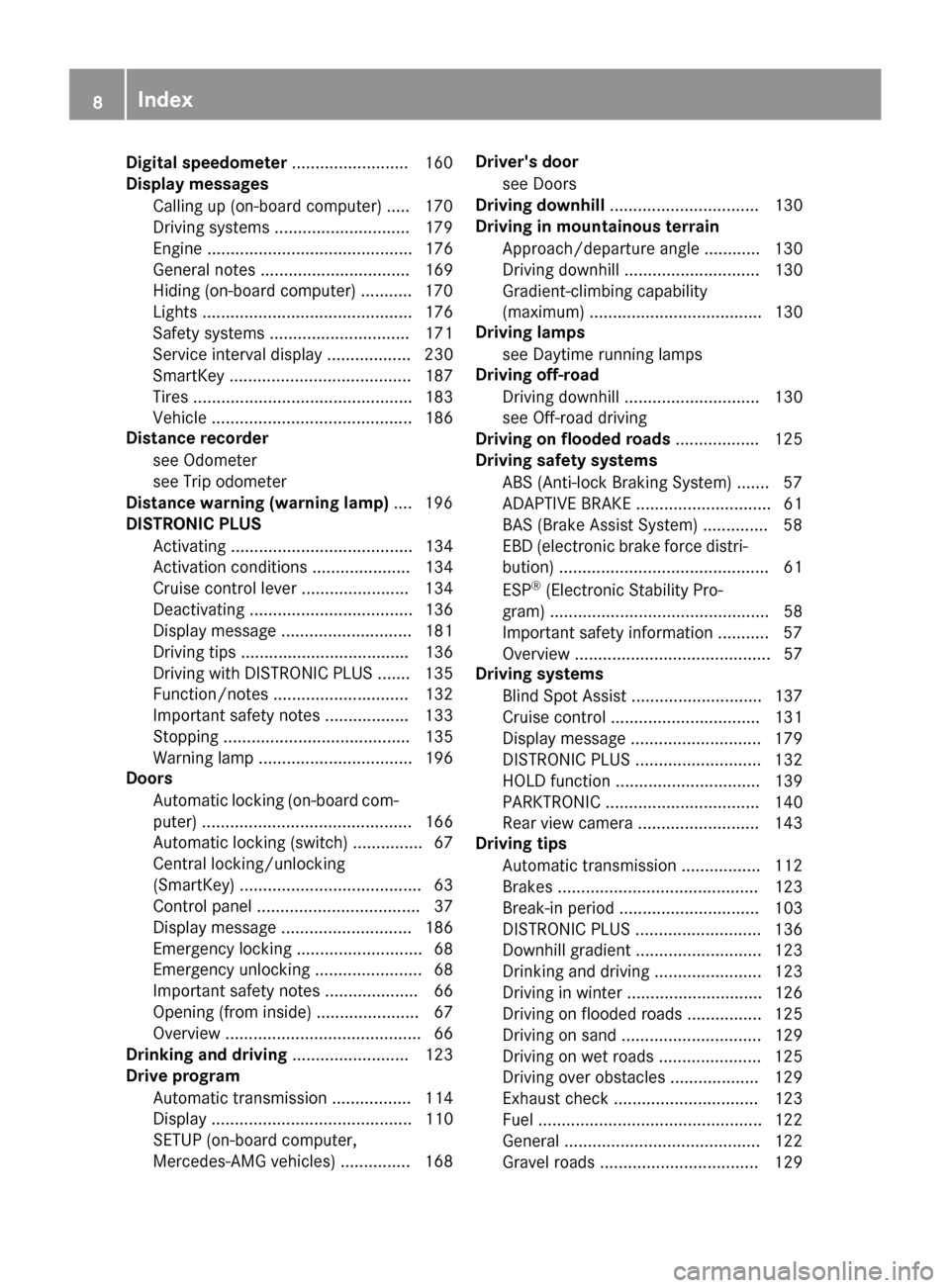
Doors
Automati cloc king (on-board com-
puter) ............................................. 166
Automati cloc king (switch) ............... 67
Central locking/unlocking
(SmartKey). ...................................... 63
Control panel ................................... 37
Displa ymessage ............................ 186
Emergency locking ........................... 68
Emergency unlocking ....................... 68
Important safety notes .................... 66
Opening (fro minside )...................... 67
Overview .......................................... 66
Drinking and driving ......................... 123
Drive program
Automati ctransmissio n................. 114
Displa y........................................... 110
SETUP (on-board computer,
Mercedes-AMGv ehicles) ............... 168 Driver's door
see Doors
Drivin gdownhill ................................ 130
Drivin ginm ountainous terrain
Approach/departure angle ............ 130
Driving downhil l............................. 130
Gradient-climbing capability
(maximum) ..................................... 130
Drivin glamps
see Day time ru
nning lamps
Drivin goff-road
Driving downhil l............................. 130
see Off-road driving
Drivin gonfloodedroads .................. 125
Drivin gsafety systems
ABS (Anti-lock Braking System) ....... 57
ADAPTIVEB RAKE............................. 61
BAS (Brake Assist System) .............. 58
EBD (electronicb rake force distri-
bution) ............................................. 61
ESP
®(Electronic Stability Pro-
gram) ............................................... 58
Important safety information ........... 57
Overview .......................................... 57
Drivin gsystems
Blind Spot Assist ............................ 137
Cruise control ................................ 131
Displa ymessage ............................ 179
DISTRONIC PLUS. .......................... 132
HOLD function ............................... 139
PARKTRONIC ................................. 140
Rear vie wcamera .......................... 143
Drivin gtips
Automati ctransmission ................. 112
Brakes ........................................... 123
Break-in perio d.............................. 103
DISTRONIC PLUS. .......................... 136
Downhil lgradient ........................... 123
Drinking and driving ....................... 123
Driving in winter ............................. 126
Driving on floode droads ................ 125
Driving on sand .............................. 129
Driving on we troads ...................... 125
Driving overo bstacles ................... 129
Exhaus tcheck ............................... 123
Fue l................................................ 122
General. ......................................... 122
Gravel roads .................................. 129
8Index
Page 12 of 286
Exhaustsee Exhaust pipe
Exhaust check .................................. .123
Exhaus tpipe
Cleaning ......................................... 235
Exterior lighting
Cleaning ......................................... 234
see Lights
Exterior mirrors
Adjusting ......................................... 81
Dipping (automatic) ......................... 83
Folding in whe nlocking (on-board
computer) ...................................... 167
Folding in/out( automatically). ........ 82
Folding in/out (electrically) ............. 82
Outofp osition (troubleshooting )..... 82
Setting ............................................. 82
Storing settings (memory func-
tion) ................................................. 83
Storing the parking position ............. 83
F
Favorites
Overview ........................................ 200
Filler cap
see Refueling
First-aidk it......................................... 238
Flat tire
Changing awheel /mounting the
spare wheel. .................................. 269
Preparing the vehicl e..................... 240
Folding the seat backres t(rear)
forwards/back .................................. 207
Frequencies
Mobil ephone ................................. 274
Two-way radio ................................ 274
Fuel
Additives ........................................ 278
Consumption statistics .................. 160
Displaying the rang e...................... 160
Driving tip s.................................... 122
Fue lgauge ....................................... 32
Grade (gasoline )............................ 277
Important safety notes .................. 277
Premium-grade unleade dgaso-
line ................................................. 277
Problem (malfunction) ................... 120 Refueling ........................................ 118
Tank content/reserve fue
l............. 277
Fue lfille rflap
Closing ........................................... 119
Emergency release ........................ 119
Opening ......................................... 119
Fue llevel
Calling up the rang e(on-board
computer) ...................................... 160
Fue ltank
Capacity ........................................ 277
Problem (malfunction) ................... 120
Fus eallocatio nchart ........................ 249
Fus ebox
cargo compartment ....................... 250
Dashboard ..................................... 249
Front-passenger footwell ............... 249
Transmission tunne l....................... 250
Fuses
Allocation chart ............................. 249
Before changing ............................. 249
Dashboard fus ebox ....................... 249
Fus ealloc ation chart ..................... 249
Fus ebox in the carg ocompart-
ment .............................................. 250
Fus ebox in the front-passenger
footwell .......................................... 249
Fus ebox in the transmission tun-
nel ................................................. 250
Important safety notes .................. 248
G
Garaged ooro pener
Clearing the memory ..................... 224
Generaln otes ................................ 221
Important safety notes .................. 222
Opening/closing the garag edoor..2 24
Problems whe nprogramming ........2 24
Programming the remote control ... 222
Synchronizing the rolling code ....... 223
Gasoline ............................................. 277
Gear indicator (on-board com-
puter) ..................................................1 67
Genuine parts ...................................... 23
Glove box ...........................................2 05
10Index
Page 14 of 286
Hazard warning lamps ..................... 87
High beamflasher ............................ 87
High-beamh eadlamps ..................... 87
Light switch .....................................8 5
Low-beamh eadlamps...................... 85
Parking lamps .................................. 86
Rear fog lamp .................................. 86
Standing lamps ................................ 86
Switching the daytime running
lamps on/off( on-board com-
puter) ............................................. 165
Switching the daytime running
lamps on/off( switch) ...................... 85
Switching the exterio rlighting
delaye dswitch-off on/off( on-
board computer) ............................ 165
Switching the surround lighting
on/off( on-board computer) .......... 165
Turn signal s..................................... 87
see Interior lighting
see Replacing bulbs
Load anchorage ................................. 208
Loadin gguidelines ............................ 204
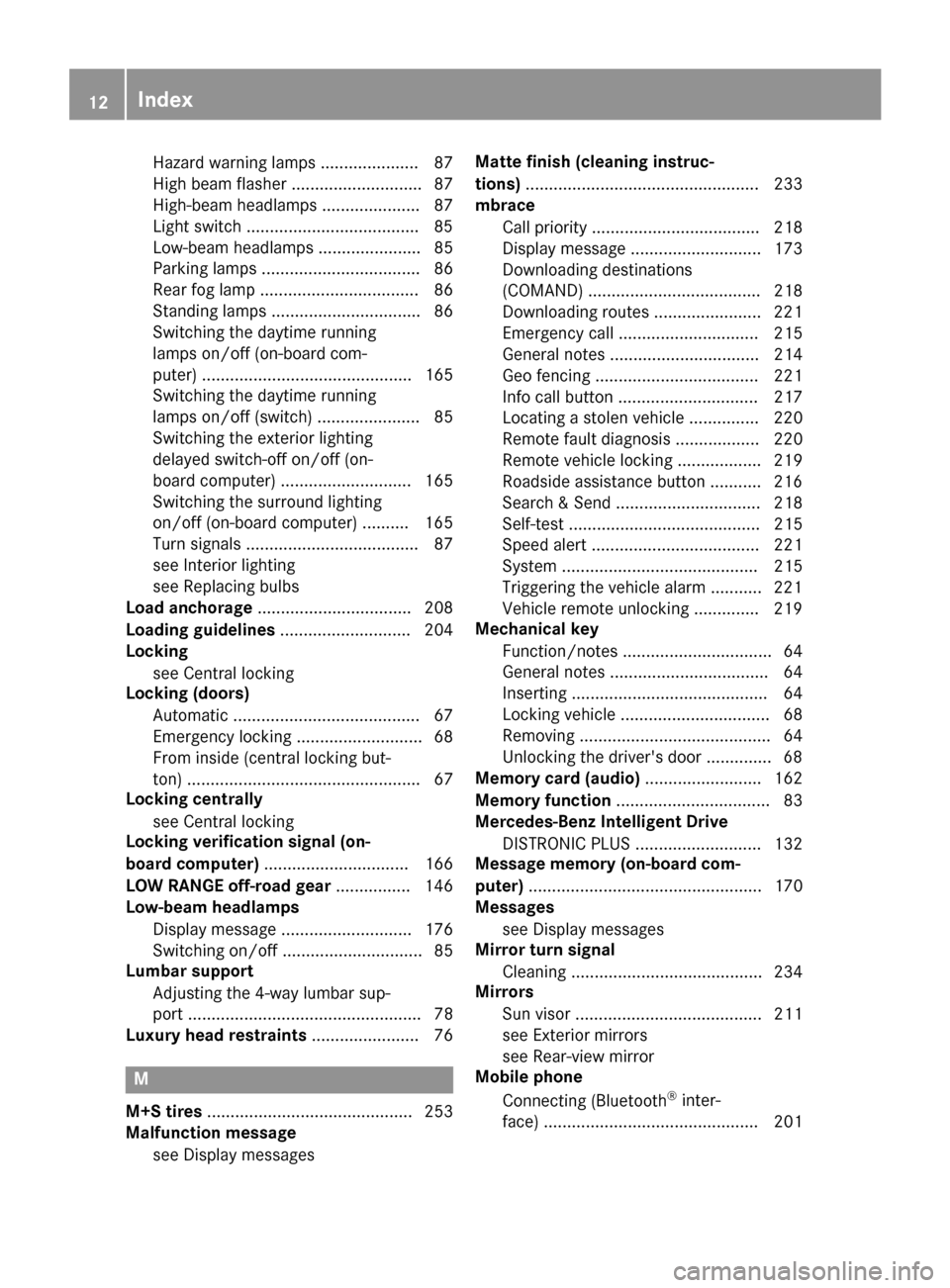
Locking
see Central locking
Locking (doors)
Automati c........................................ 67
Emergency locking ........................... 68
From inside (central locking but-
ton) .................................................. 67
Locking centrally
see Central locking
Locking verification signal (on-
board computer) ............................... 166
LO WR ANGE off-road gear ................ 146
Low-beam headlamps
Displa ymessage ............................ 176
Switching on/off. ............................. 85
Lumbar support
Adjusting the 4-wa ylum bars up-
por t.................................................. 78
Luxury hea drestraints ....................... 76
M
M+S tires ............................................ 253
Malfunctio nmessage
see Displa ymessages Matte finis
h(clea ning instruc-
tions) .................................................. 233
mbrace
Call priority .................................... 218
Displa ymessage ............................ 173
Downloading destinations
(COMAND) ..................................... 218
Downloading routes ....................... 221
Emergency cal l.............................. 215
Generaln otes ................................ 214
Ge ofencing ................................... 221
Info cal lbutton .............................. 217
Locating astolen vehicl e............... 220
Remote fault diagnosis. ................. 220
Remote vehicl eloc king .................. 219
Roadside assistance button ........... 216
Search &Send ............................... 218
Self-test ......................................... 215
Speed alert .................................... 221
System .......................................... 215
Triggering the vehicl ealarm ........... 221
Vehicl eremote unlocking .............. 219
Mechanical key
Function/note s................................ 64
Genera lnotes .................................. 64
Inserting .......................................... 64
Locking vehicl e................................ 68
Removing ......................................... 64
Unlocking the driver'sd oor.............. 68
Memory card (audio) ......................... 162
Memory function ................................. 83
Mercedes-Benz Intelligent Drive
DISTRONIC PLUS. .......................... 132
Messagem emory (on-board com-
puter) .................................................. 170
Messages
see Displa ymessages
Mirro rturn signal
Cleaning ......................................... 234
Mirrors
Sun visor ........................................ 211
see Exterior mirrors
see Rear-vie wmirror
Mobil ephone
Connecting (Bluetooth®inter-
face ).............................................. 201
12Index
Page 19 of 286
Convenience opening feature .......... 70
Display message ............................ 187
Door central locking/unlocking ...... .63
Important safety notes .................... 63
Loss .................................................6 6
Mechanical key ................................ 64
Overview .......................................... 63
Positions (ignition lock) ................. 104
Problem (malfunction) ..................... 66
Starting the engine ........................ 105
SMS
see also Digital Operator's Man-
ual .................................................. 198
Snow chains ...................................... 253
Socket (12 V)
Cargo compartment. ...................... 213
Front-passenger footwell ............... 212
General notes ................................ 212
Rear compartment. ........................213
Sound
Switching on/off ........................... 199
Spare fuses ........................................ 249
Spare wheel
Spare wheel bracket at the rear .... 239
Stainless-steel spare hub cap ........2 39
Special seat beltr etractor.................. 50
Specialist workshop ............................ 27
Speedometer
Digita l............................................ 160
In the Instrument cluster ................. 32
Segments ...................................... 157
Selecting the displayu nit ...............165
Standingl amps
Display message ............................ 176
Switching on/off .............................. 86
Starting the engine
Important safety notes .................. 104
Steering (display message) .............. 187
Steering wheel
Adjusting (electrically). .................... 80
Buttons (on-board computer) ......... 158
Cleaning ..................... .................... 236
Important sa
fety notes .................... 79
Paddle shifters ............................... 114
Steering wheel heating .................... 80
Storing settings (memory func-
tion) ................................................. 83 Steering wheel heating
Indicator lamp (malfunction) ............ 80
Steering wheel paddle shifters ........114
Stopwatch (RACETIMER) ................... 168
Stowage areas ................................... 205
Stowage compartment
Door stowage compartment .......... 206
Stowage compartments
Armrest (under) .............................2 06
Cu ph olders ................................... 210
Glove box ....................................... 205
Important safety information ......... 205
Stowag enet ................................... 206
Stowag epockets ........................... 206
Stowage net ....................................... 206
Summer opening
see Convenience opening feature
Summer tires
In winter ........................................ 253
Sun visor ............................................ 210
Surround lighting (on-board com-
puter) ..................................................1 65
SUV
(Sport Utility Vehicle) ....................... 26
Switchin gair-recirculation mode
on/off ................................................. 101
Switchin gonmedia mode
Via the device lis t.......................... 203
T
Tachometer ........................................ 157
Tail lamp
Replacing bulb s............................... 91
Tail lamps
Displa ymessage ............................ 176
Tank content
Fuelgauge ....................................... 32
Technical data
Capacities ...................................... 276
Drawba rloa d( maximum) ............... 284
Information .................................... 274
Trailer load s................................... 284
Vehicl edata. .................................. 281
Telephone
Accepting acall. ............................ 163
Authorizing amobilephone (con-
necting) ......................................... 202
Index17
Page 39 of 286

Door controlpanel
FunctionPage
:n Override feature fo rthe
rea rsidew indows56
;W Opens/closes th eside
windows69
=7Z ö\
Adjust sand folds th eexter ior
mirrors in/out electrically
81
?r 45=
Stores settings for the seat,
exterior mirrors and steering
column
83
FunctionPage
AAdjusts the seats electrically76
B%&Locks/unlocks
the vehicle67
COpens the door67
Door control panel37
At ag lance
Page 51 of 286
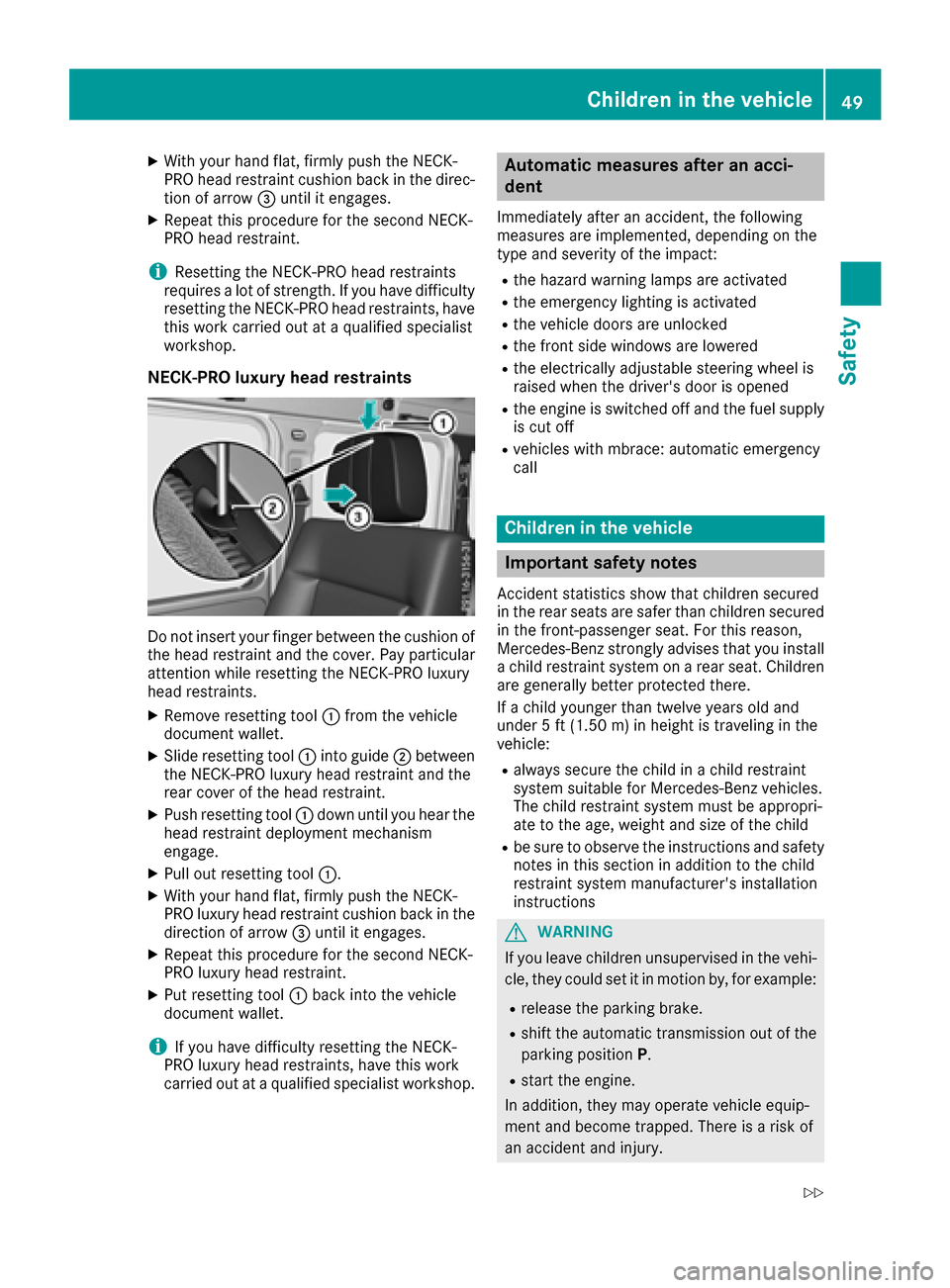
XWith your hand flat, firmly push the NECK-
PRO head restraint cushion back in the direc-tion of arrow =until it engages.
XRepeat this procedure for the secondN ECK-
PRO head restraint.
iResettin gthe NECK-PRO head restraints
requires alot of strength. If you have difficulty
resetting the NECK-PRO head restraints, have
this work carried out at aqualified specialist
workshop.
NECK-PRO luxuryh ead restraints
Do not insert your finger between the cushion of
the head restraint and the cover. Pay particular
attention while resetting the NECK-PRO luxury
head restraints.
XRemove resetting tool :from the vehicle
document wallet.
XSlide resetting tool :into guide ;between
the NECK-PRO luxury head restraint and the
rear cover of the head restraint.
XPush resetting tool :down until you hear the
head restraint deployment mechanism
engage.
XPull out resetting tool :.
XWith your hand flat, firmly push the NECK-
PRO luxury head restraint cushion back in the
direction of arrow=until it engages.
XRepeat this procedure for the secondN ECK-
PRO luxury head restraint.
XPut resetting tool :back into the vehicle
document wallet.
iIf you have difficulty resetting the NECK-
PRO luxury head restraints, have this work
carried out at aqualified specialist workshop.
Automatic measures after an acci-
dent
Immediately after an accident ,the following
measures are implemented, depending on the
type and severityoft he impact:
Rthe hazard warning lamps are activated
Rthe emergency lighting is activated
Rthe vehicle doors are unlocked
Rthe frontside windows are lowered
Rthe electrically adjustable steerin gwheel is
raised when the driver's door is opened
Rthe engine is switched off and the fuel supply
is cut off
Rvehicles with mbrace: automatic emergency
call
Children in the vehicle
Important safety notes
Accident statistics show that children secured
in the rear seats are safer than children secured
in the front-passenger seat. For this reason,
Mercedes-Benz strongly advises that you install
ac hild restraint system on arear seat. Children
are generally better protected there.
If ac hild younger than twelve years old and
under 5ft(1.50m )inh eight is travelin ginthe
vehicle:
Ralwayss ecure the child in achild restraint
system suitable for Mercedes-Benz vehicles.
The child restraint system must be appropri-
ate to the age, weight and size of the child
Rbe sure to observe the instruction sand safety
notes in this section in addition to the child
restraint system manufacturer's installation
instructions
GWARNING
If you leave children unsupervised in the vehi-
cle, they could set it in motion by, for example:
Rrelease the parking brake.
Rshift the automatic transmission out of the
parking position P.
Rstart the engine.
In addition, they may operate vehicle equip-
ment and become trapped. There is arisk of
an accident and injury.
Children in the vehicle49
Safety
Z
Page 58 of 286
Child-proof locks
Important safety notes
GWARNING
If childre nare traveling in th evehicle ,the y
could:
Ropen doors, thus endangering other people
or road users
Rexit th evehicle and be caught by oncoming
traffic
Roperate vehicle equipmenta nd become
trapped
Thereisar iskofana ccidenta nd injury.
Always activat ethe child-proof locks and
override feature if childre nare traveling in the
vehicle .When leaving th evehicle ,always take
th ek eywithy ou and lockt hevehicle .Never
leave childre nunattende dinthevehicle.
Override feature for:
Rth er ear doors(Ypage 56)
Rther ear side windows (Ypage 56)
GWARNING
If you leave childre nunsupervised in th evehi-
cle ,the yc oul dset it in motion by, for example:
Rrelease th eparking brake.
Rshiftt heautomatic transmission out of the
parking position P.
Rstart theengine.
In addition,t heym ay operate vehicle equip-
men tand become trapped. Thereisar isko f
an accidenta nd injury.
When leaving th evehicle ,always tak ethe
SmartKey withy ou and lockthevehicle .Never
leave childre nunsupervised in th evehicle.
GWARNING
If persons, particularly childre nare subjected
to prolonged exposuretoe xtremeheat or
cold, there is ariskofi njury, possibly even
fatal. Never leave childre nunattende dinthe
vehicle.
GWARNING
If th echild restraint system is subjected to
direct sunlight,p artsm ay get ver yhot.C hil-
dren may burn themselve sonthese parts,
particularly on th emetal partsoft hechild
restraint system. Thereisar iskofi njury.
If you leave th evehicle ,taking th echild with
you, always ensure that th echild restraint
system is no texposedtod irect sunlight.P ro-
tect it withab lanket, for example .Ifthechild
restraint system has been exposedtod irect
sunlight,l et it cooldown before securin gthe
child in it. Never leave childre nunattende din
th ev ehicle.
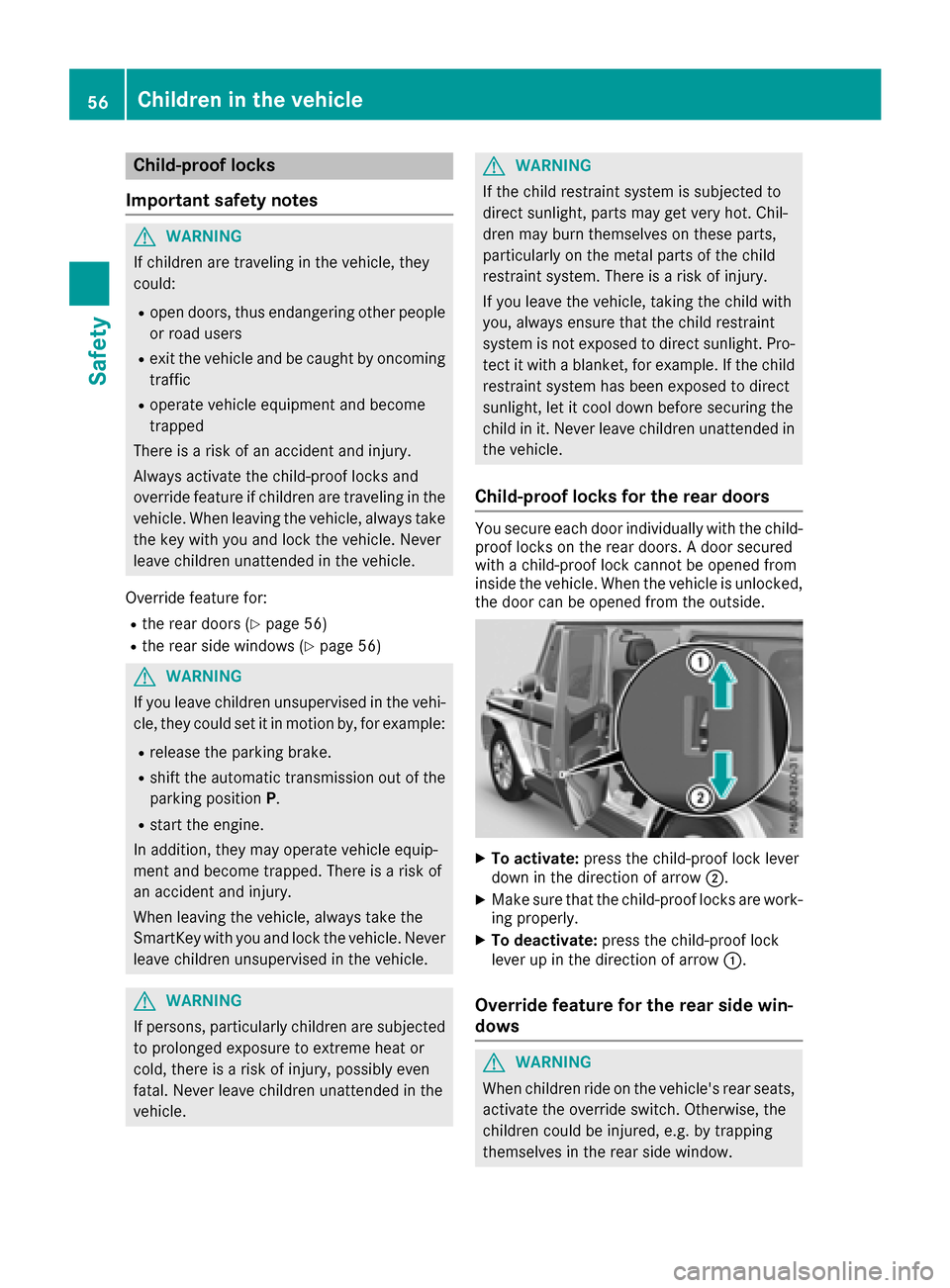
Child-proof locks for th ereard oors
You secure each door individually witht hechild-
proof locks on th erear doors. Adoor secured
withac hild-proof lockc annotbeo pened from
inside th evehicle .When th evehicle is unlocked,
th ed oor can be opened from th eoutside.
XTo activate: pressthe child-proof lockl ever
down in th edirection of arrow ;.
XMakesure that th echild-proof locks are work-
ing properly.
XTo deactivate: pressthe child-proof lock
leve rupint hedirection of arrow :.
Overridefeature for th erears idew in-
dows
GWARNING
When childre nride on th evehicle's rear seats,
activat ethe override switch .Otherwise, the
childre ncoul dbei njured, e.g .bytrapping
themselve sintherear side window.
56Children in th evehicle
Safety
Page 59 of 286
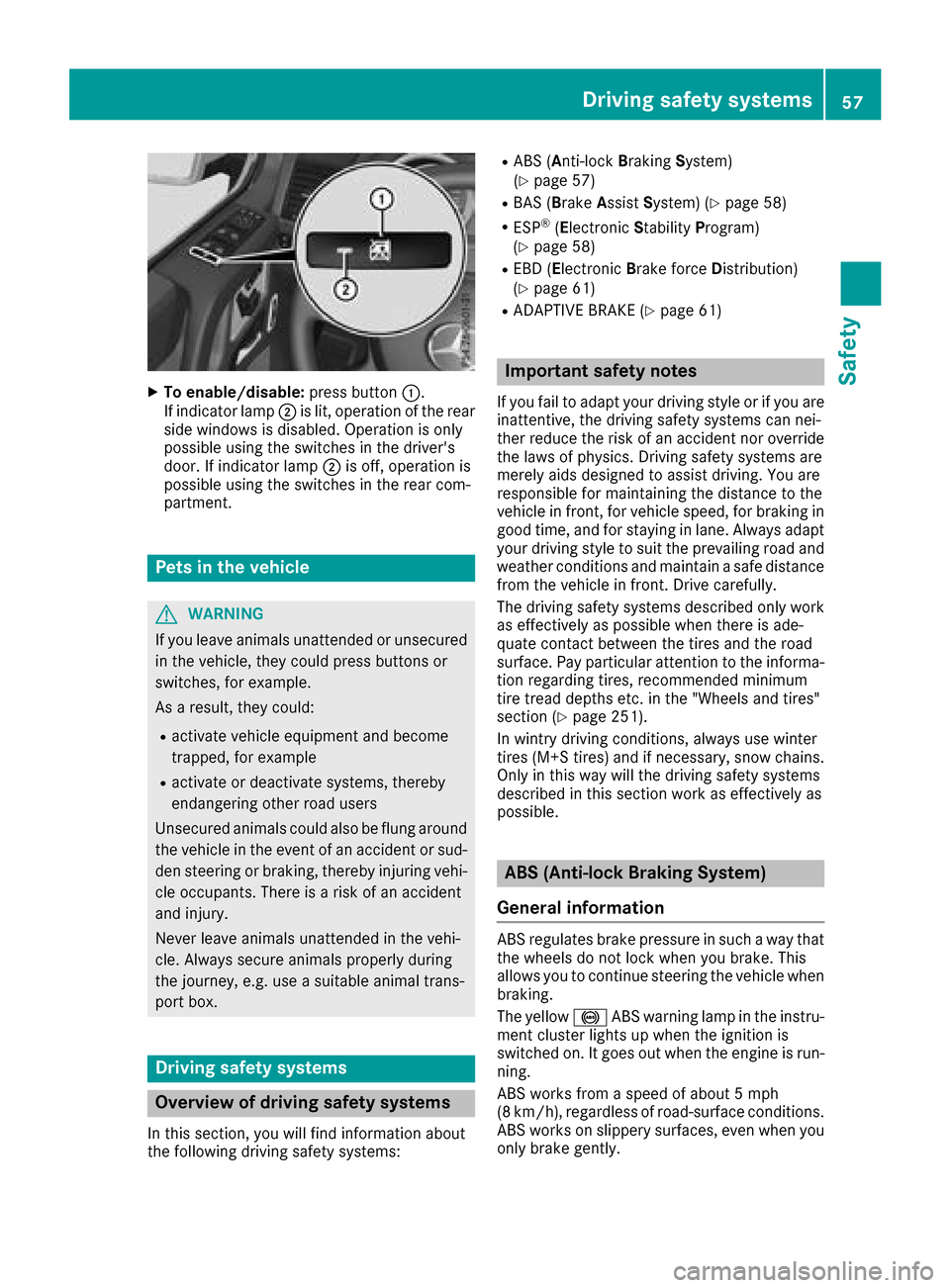
XTo enable/disable:press button:.
If indicator lamp ;is lit, operatio nofthe rear
side windows is disabled .Operation is only
possibl eusing the switches in the driver's
door. If indicator lamp ;is off, operatio nis
possibl eusing the switches in the rearc om-
partment.
Pets in the vehicle
GWARNING
If yo ulea ve animals unattende dorunsecured
in the vehicle, they could press buttons or
switches, for example.
As aresult, they could:
Ractivate vehicl eequipment and become
trapped, for example
Ractivate or deactivate systems, thereby
endangering othe rroadu sers
Unsecured animals could also be flung around
the vehicl einthe event of an accident or sud-
de ns teering or braking ,thereb yinjuring vehi-
cle occupants. There is ariskofana ccident
and injury.
Never leave animals unattende dinthe vehi-
cle .Alway ssecure animals properly during
the journey ,e.g.u se asuitabl eanimal trans-
port box.
Driving safety systems
Overvie wofdriving safety systems
In thiss ection, yo uwillf ind informatio nabout
the following driving safety systems:
RABS ( Anti-lock Braking System)
(Ypage 57)
RBAS ( Brake Assis tSys tem )(Ypage 58)
RESP®(E le ctronic Stability Program)
(Ypage 58)
REBD ( Ele ctronic Brake force Dis tribution)
(Ypage 61)
RADAPTIVE BRAK E(Ypage 61)
Important safety notes
If youfailtoa dapt your driving style or if yo uare
inattentive, the driving safety systemsc an nei-
ther reduce the ris kofanaccident nor override
the laws of physics. Driving safety systemsa re
merel yaidsd esig ned to assist driving .You are
responsibl efor maintaining the distance to the
vehicl einfront, for vehicl espeed ,for braking in
goo dtime ,and for staying in lane. Alway sadapt
your driving style to suit the prevailing roada nd
weather conditions and maintain asafed istance
from the vehicl einfront. Driv ecarefully.
The driving safety systemsd escribe donlyw ork
as effectively as possibl ewhent her eisa de-
quate contact between the tire sand the road
surface. Payp articula rattentio ntothe informa-
tio nr egarding tires, recommende dminimum
tire trea ddepths etc. in the "Wheels and tires"
section (
Ypage 251).
In wintry driving conditions, always us ewinter
tire s(M+ Stires) and if necessary,s now chains.
Onlyint hiswaywill the driving safety systems
describe dinthissection work as effectively as
possible.
ABS (Anti-lock Brakin gSystem)
General information
ABS regulate sbrake pressure in such awaythat
the wheels do not lock when yo ubrake. This
allows yo utocontinue steering the vehicl ewhen
braking.
The yellow !ABS warning lamp in the instru-
ment cluster lights up when the ignition is
switched on. It goe soutwhen the engine is run-
ning.
ABS works from aspeed of about5m ph
(8 km/h), regardless of road-surface conditions.
ABS works on slippery surfaces, eve nwheny ou
onlyb rake gently.
Driving safety systems57
Safety
Z
Page 63 of 286
EBD (electronic brakeforce distribu-
tion)
General information
EB Dm onitors and controls th ebrak epressure
on th erear wheels to improve driving stability
while braking.
Important safety notes
iObserv ethe "Important safety notes" sec-
tio n(Ypage 57).
GWARNING
If EB Dism alfunctioning, th erear wheels can
lock, e.g .unde rfull braking .This increases the
risk of skiddinga nd an accident.
You should therefore adapt your driving style
to th edifferenth andlingcharacteristics .Have
th eb rak esystem checked at aqualified spe-
cialist workshop.
Observ einformatio nregardin gindicator and
warning lamps (
Ypage 190) as well as display
messages (Ypage 172).
ADAPTIV EBRAKE
ADAPTIVEB RAKE provide sincreased braking
safety. In addition to th ebraking function,
ADAPTIVEB RAKE also has th eHOLDf unction
(
Ypage 139) and hill start assist(Ypage 127).
Protection against theft
Immobilizer
The immobilizer prevent syour vehicle from
beings tarted without th ecorrec tSma rtKey.
XTo activate: remove theSmartKey from the
ignition lock.
XTo deactivate: switch on theignition.
When leavin gthe vehicle ,always tak ethe
SmartKey with you and lockt hevehicle .The
engine can be started by anyon ewithavalid
SmartKey that is left inside th evehicle.
iThe immobilizer is always deactivate dwhen
you start th eengine. In th
eeven ttha tthe engine canno tbestarted
(yet th evehicle's battery is charged), th esys-
te misn otoperational. Contac tanauthorized
Mercedes-Ben zCenter or call
1-800-FOR-MERCedes (in th eUSA)or
1-800-387-0100 (in Canada).
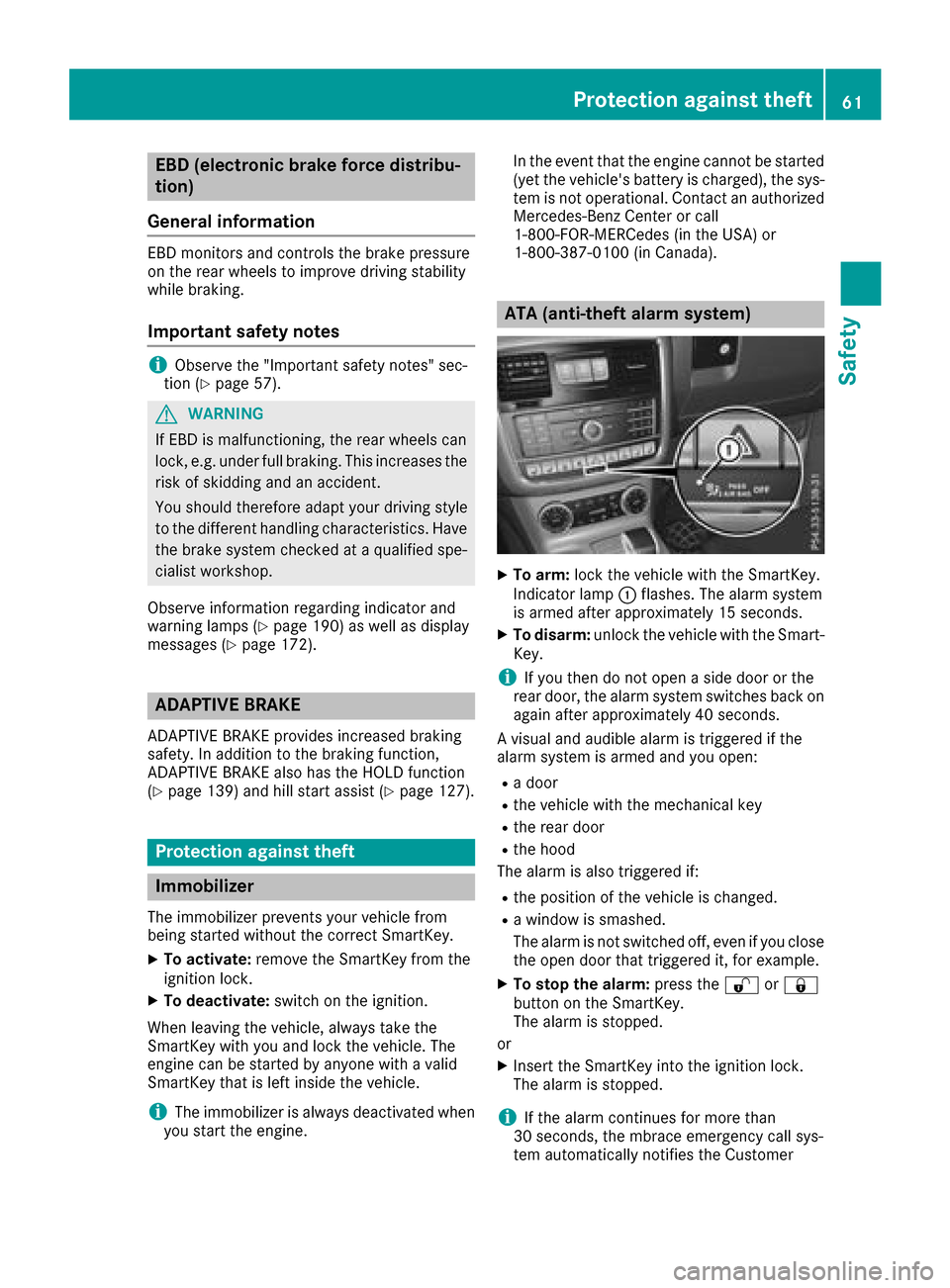
ATA (anti-thef talarm system)
XTo arm: lockthevehicle with th eSmartKey.
Indicato rlamp :flashes. The alarm system
is armed after approximately 15 seconds.
XTo disarm: unlock thevehicle with th eSma rt-
Key.
iIf you then do no topen aside door or the
rear door,t healarm system switches back on
again after approximately 40 seconds.
Av isual and audible alarm is triggered if the
alarm system is armed and you open:
Rad oor
Rthev ehicle with th emechanical key
Rther ear door
Rtheh ood
The alarm is also triggered if:
Rth ep osition of th evehicle is changed.
Raw indow is smashed.
The alarm is no tswitched off ,even if you close
th eo pen door that triggered it, for example.
XTo stop th ealarm: pressthe % or&
butto nont heSmartKey.
The alarm is stopped.
or
XInsertt heSmartKey int othe ignition lock.
The alarm is stopped.
iIf th ealarm continues for mor ethan
30 seconds, th embrace emergency call sys-
te ma utomaticall ynotifies th eCustomer
Protection against theft61
Safety
Z