Video DVD mode
Important safety notes
GWARNING
The CD/DVD drive is a class 1 laser product.
If you open the housing of the CD/DVD drive,
there is a risk of exposure to invisible laser
radiation. This laser radiation could damage
your retina. There is a risk of injury.
Never open the housing. Always have main-
tenance and repair work carried out at a quali- fied specialist workshop.
General notes
DVD playback conditions
Playback problems may occur when playing
copied discs. There is a large variety of discs,
DVD authoring software, writing software and
writers available. This variety means that there
is no guarantee that the Rear Seat Entertain-
ment System will be able to play DVD videos that
you have copied yourself.
Further information (
Ypage 159). Information
regarding the multimedia system also applies to
the Rear Seat Entertainment System.
Function restrictions
Depending on the DVD, it is possible that certain
functions or actions described in this section
will be temporarily blocked or may not function
at all. As soon as you try to activate these func-
tions or actions, you will see the Ksymbol in
the display.
Switching on video DVD mode
XInsert a video DVD (Ypage 186).
The Rear Seat Entertainment System loads
the disc.
If disc mode was the last mode selected, it will
now be active. If it was not, switch on video DVD mode as
described in the following instructions.
XSelect
Discin the menu using the
9=; buttons on the remote con-
trol and confirm by pressing the 9button.
If the DVD video fulfills the playback criteria,
the film either starts automatically or the
menu saved on the DVD appears. If the DVD
menu appears, you must start the film man-
ually.
XSelect the corresponding menu item in the
DVD menu.
A submenu is displayed. If available, addi-
tional options can now be selected.
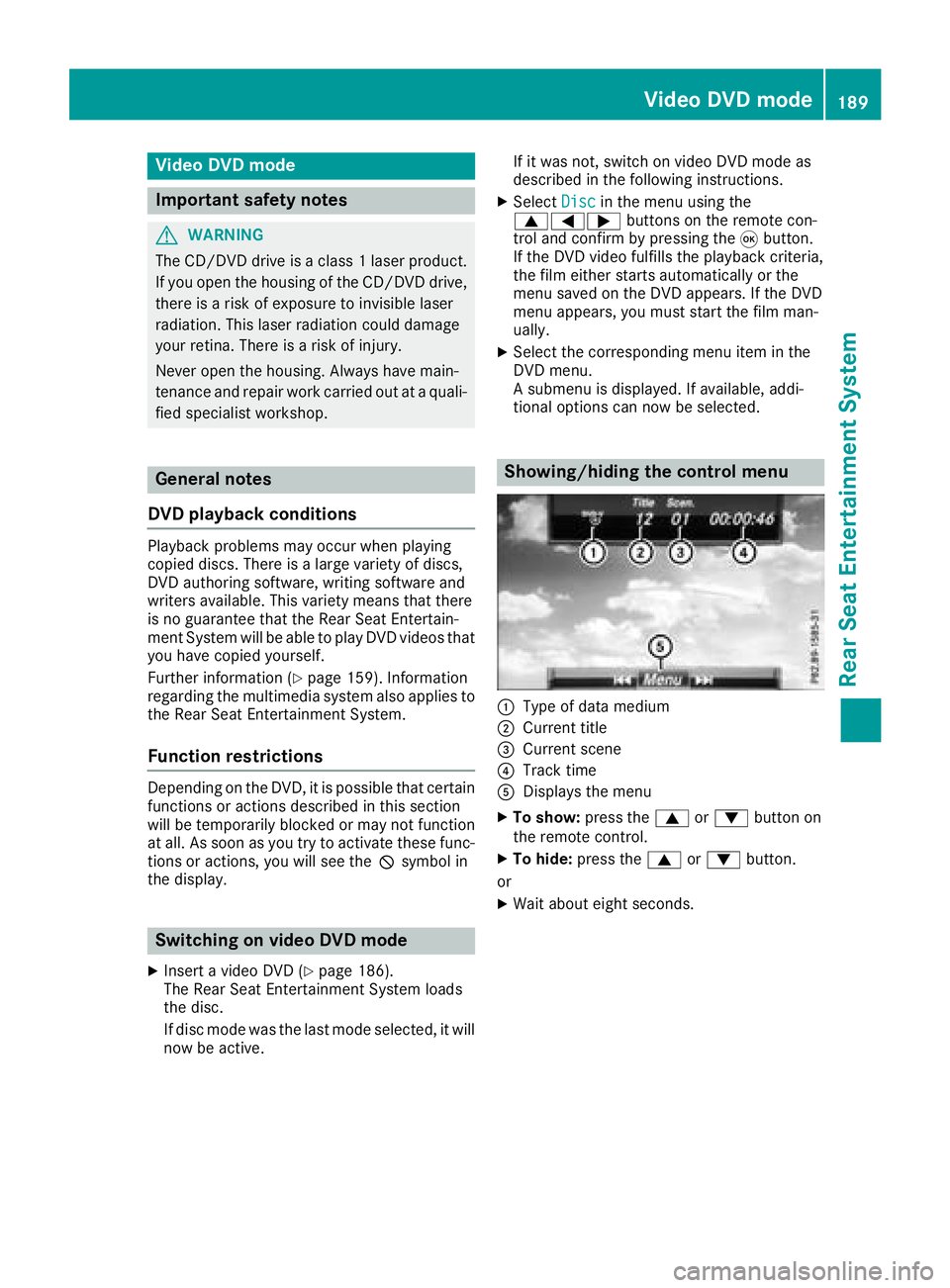
Showing/hiding the control menu
:Type of data medium
;Current title
=Current scene
?Track time
ADisplays the menu
XTo show: press the9or: button on
the remote control.
XTo hide: press the 9or: button.
or
XWait about eight seconds.
Video DVD mode189
Rear Seat Entertainment System
Z