USB MERCEDES-BENZ G-CLASS 2020 User Guide
[x] Cancel search | Manufacturer: MERCEDES-BENZ, Model Year: 2020, Model line: G-CLASS, Model: MERCEDES-BENZ G-CLASS 2020Pages: 530, PDF Size: 45.97 MB
Page 301 of 530
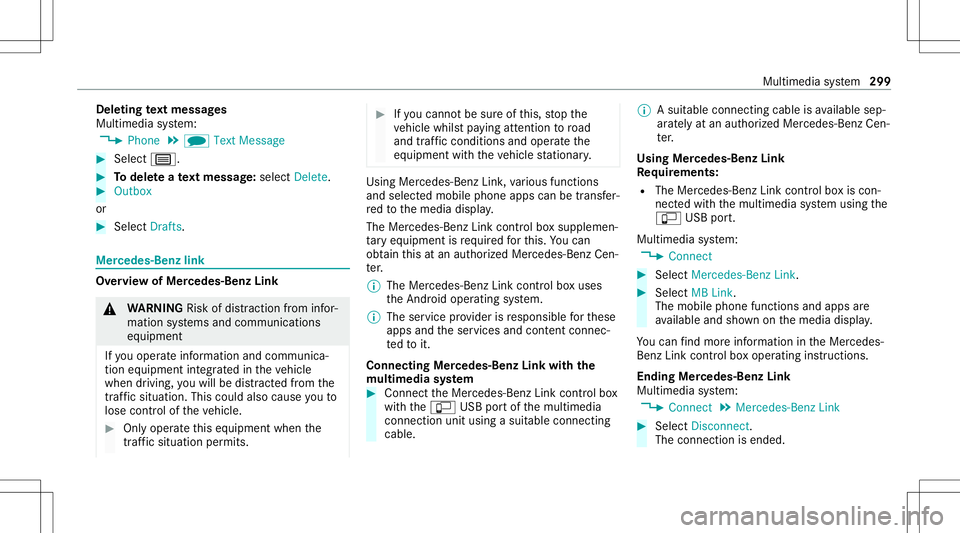
Dele
ting text messag es
Multimedia system:
4 Phone 5
i TextMessage #
Select p. #
Todel eteate xt messag e:select Delete. #
Outbox
or #
Select Drafts. Mer
cedes-Benz link Ov
ervie wof Mer cedes-Benz Link &
WARNIN GRisk ofdist ra ction from infor‐
mati onsystems andcomm unication s
eq uipment
If yo uoper ateinf ormat ionand comm unic a‐
tio neq uipme ntintegratedin theve hicle
when driving, youwill bedistract ed from the
tr af fic situ ation. Thiscou ldalso cau seyouto
lose control of theve hicle. #
Onlyoper ateth is eq uipmen twhen the
tr af fic situ ation per mits. #
Ifyo ucan notbe sur eof this, stop the
ve hicle whilstpa ying attention toroad
and traffic condi tions andoperate the
eq uipment withth eve hicle statio nary. Using
Mercedes-Benz Link,va rious funct ions
and select edmobile phoneappscanbetransf er‐
re dto themedia display.
The Mercedes-B enzLink controlbo xsupplemen ‐
ta ry equipment isrequ ired forth is. Youcan
obt ain this at an aut hor ized Mercedes -Benz Cen‐
te r.
% The Mercedes-B enzLink controlbo xuses
th eAn droid oper ating system.
% The service prov ider isresponsible forth ese
apps andtheser vices andcontent conne c‐
te dto it.
Connecting Mercedes-B enzLink withth e
mu ltim edia system #
Conn ecttheMer cedes- BenzLinkcontrol bo x
wit hth eç USBportof themultimedia
con nect ionunit using asuit able connect ing
cable. %
Asuit able connect ingcable isavailable sep‐
ar atelyat an aut hor izedMer cedes-Ben zCen‐
te r.
Using Mercedes-Benz Link
Re quirement s:
R The Mercedes- BenzLink control bo xis con ‐
nec tedwit hth emultimedia system using the
ç USBport.
Multimedi asy stem:
4 Connec t #
Select Mercedes- BenzLink. #
Select MBLink.
The mobile phonefunctionsand apps are
av ailable andshownonthemedia display.
Yo ucan find mor einf orma tionin theMer cedes-
Benz Linkcontrol bo xoper ating instruction s.
Ending Mercedes-Benz Link
Multimedia system:
4 Connec t5
Mercedes- BenzLink #
Select Disconnect.
The connect ionisended. Multimedia
system 299
Page 303 of 530
R
The iPhone ®
is conn ectedtothemultimedia
sy stem viatheUSB portç using asuit a‐
ble cable (/page31 9).
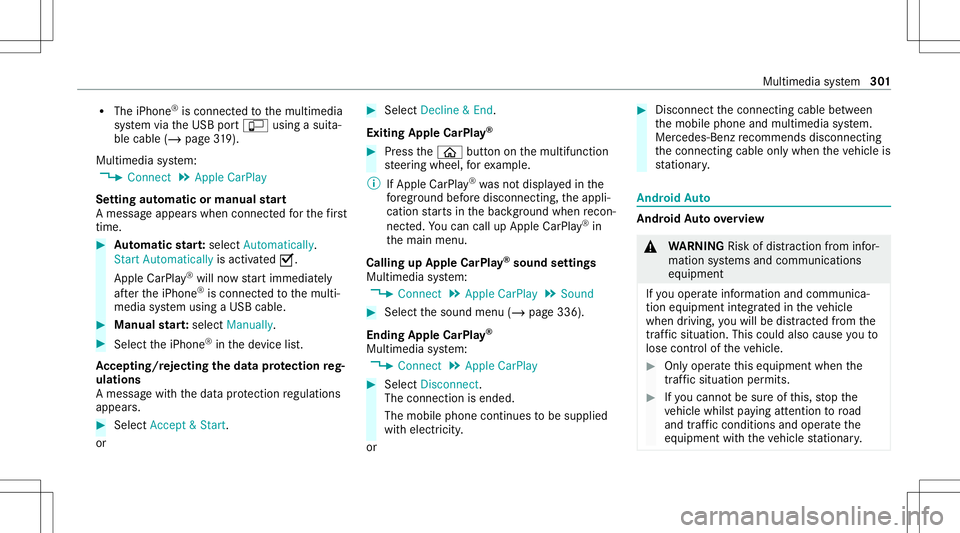
Mul timedi asy stem:
4 Connec t5
Apple CarPlay
Se tting automat icor manu alstar t
A messa geappear swhen connectedfo rth efirs t
tim e. #
Automatic star t:select Automatically.
Start Automatically isactiv ated 0073.
Apple CarPla y®
will nowstar timm ediat ely
af te rth eiPhone ®
is con nect edtothemulti‐
media system using aUSB cable. #
Manua lst ar t:select Manual ly. #
Select theiPhone ®
in thede vice list.
Ac cep ting/r eject ingtheda ta protection reg‐
ulat ions
A messag ewit hth edat apr otect ion regulations
appear s. #
Select Accept &Start .
or #
Select Decline &End.
Exiting AppleCarPla y® #
Press the00E2 buttononthemultifunc tion
st eer ing wheel, forex am ple.
% IfApp leCarPla y®
wa sno tdispla yedin the
fo re grou nd before discon necting,theappli‐
cation star ts inthebac kground when recon‐
nect ed.Youcan callupApple CarPla y®
in
th emain menu.
Calling upApple CarPla y®
sound settings
Multimedia system:
4 Connec t5
Apple CarPlay 5
Sound #
Select thesound menu(/page336).
Ending AppleCarPla y®
Multimedia system:
4 Connec t5
Apple CarPlay #
Select Disconnect.
The connect ionisended.
The mobile phonecontinues tobe supplied
wit helect ricity .
or #
Disco nnect thecon nect ingcable between
th emobile phoneandmultimedia system.
Mer cedes- Benzrecomme ndsdisconnecti ng
th econ nect ingcable onlywhen theve hicle is
st atio nary. Andr
oidAuto Andr
oidAutoove rview &
WARNIN GRisk ofdist ra ction from infor‐
mati onsystems andcomm unication s
eq uipment
If yo uoper ateinf ormat ionand comm unic a‐
tio neq uipme ntintegratedin theve hicle
when driving, youwill bedistract ed from the
tr af fic situ ation. Thiscou ldalso cau seyouto
lose control of theve hicle. #
Onlyoper ateth is eq uipmen twhen the
tr af fic situ ation per mits. #
Ifyo ucan notbe sur eof this, stop the
ve hicle whilstpa ying attention toroad
and traffic condi tions andoperate the
eq uipment withth eve hicle statio nary. Multimedia
system 30
1
Page 304 of 530
Yo
umus tobse rveth eleg alrequ iremen tsforth e
cou ntryin whi chyouar ecur rentl ydr ivi ng when
op erati ng themultimedia system.
Mobile phonefunctionscan beused with
An droid Autousin gth eAn droid oper ating sys‐
te m on themultimedia system. Itis oper ated
using thecent ralcon trol elemen tor thevo ice
con trol. Youcan activat eth evo ice- opera tedcon ‐
tr ol system bypressing andholding the00E3
butt ononthemultifunc tionsteer ing wheel.
When usingAndroid Autovia thevo ice- opera ted
contr olsystem, themultimedia system can still
be opera tedvia theVo ice Cont rolSy stem
(/ page225).
Onl yone mobile phoneatatime canbecon nec‐
te dvia Android Autotothemultimedia system.
The availabilit yof An droid Autoand Android Auto
App sma yva ry acc ordin gto thecount ry.
The service prov ider isresponsible forth is appli‐
cat ion and theser vices andcontent conne cted
to it. Inf
orma tion onAndr oidAuto
While usingAndroid Auto,va rious funct ionsof
th emultimedia system, forex am ple themedia
sour ceBlue tooth®
audio, areno tav ailable.
On lyone routeguidan cecan beact ive at atim e.
If ro uteguidan ceisact ive on themultimedia sys‐
te m, itis closed whenrouteguidan ceisstar ted
on themobile phone.
Connecting amobile phoneviaAndr oidAuto
Re quirement s:
R The firs tacti vatio nof Andr oid Au toon the
multime diasystem mus tbe car ried out when
th eve hicle isstatio naryfo rsaf etyre ason s.
R The mobi lephon esuppo rts Andr oidAuto
fr om Andr oid5.0.
R The Andr oidAutoapp isins talled onthe
mobil ephone.
R Inorder touse thete lephon efunc tions,the
mobil ephone mustbe connect edtothemul‐
timedia system viaBlue tooth®
( / pag e290 ). If
th er ewa sno prior Interne tconn ection, this
is es tablished withth euse ofthemobile
phone withAn droid Auto.
R The mobile phoneisconn ectedtothemulti‐
media system viatheUSB portç using a
suit able cable (/page31 9).
R AnInterne tconne ctionis requ ired forth efull
ra ng eof func tions forAndr oidAuto.
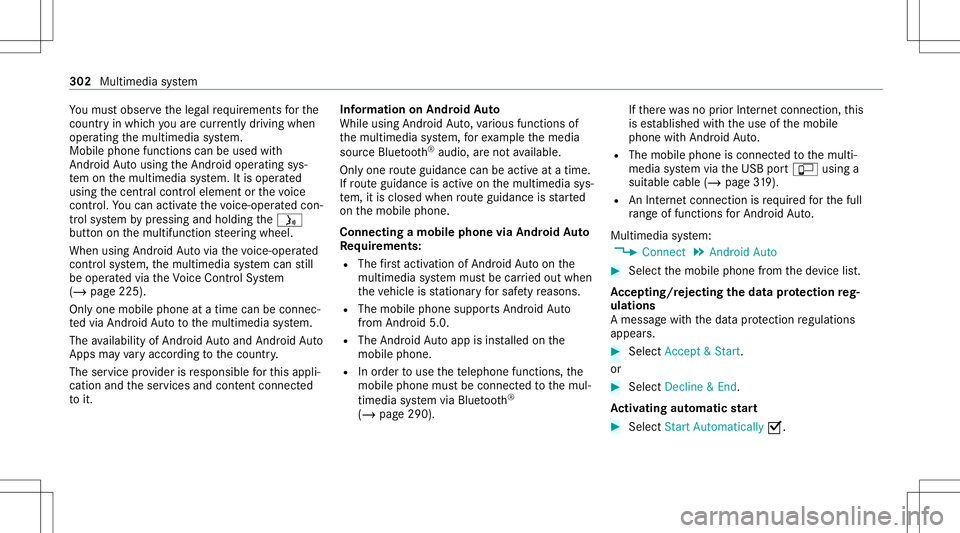
Multimedia system:
4 Connec t5
Android Auto #
Select themobile phonefrom thede vice list.
Ac cep ting/r eject ingtheda ta protection reg‐
ulat ions
A messag ewit hth edat apr otect ion regulations
appear s. #
Select Accept &Start .
or #
Select Decline &End.
Ac tiv atin gaut omati cst ar t #
Select StartAutoma tically0073. 302
Multimedi asy stem
Page 318 of 530
tr
af fic condi tions.Thi scou ldalso cau seyou
to lose control of theve hicle. #
Onlyhandle adat ast or ag emedium
when theve hicle isstatio nary. Pe
rm issible file systems:
R FAT32
R exFA T
R NTFS
Pe rm issible datast or ag emedium:
R SD card
R USB stor ag ede vice
R iPod ®
/iPhone ®
R MTP devices
R Blue tooth®
audio equipme nt
% Obse rveth efo llo wing notes:
R The multimedia system suppor tsatot al
of up to50,000 files.
R Dat ast or ag emedia upto2TB aresup ‐
por ted(32‑ bitaddr essspace). Suppor
tedfo rm ats :
R MP3
R WMA
R AAC
R WAV
R FLAC
R ALAC
% Obser vethefo llo wing notes:
R Due tothelar ge variet yof available
music files rega rding encoder s,sam pling
ra tesand datara tes, pla ybac kcanno t
alw aysbe guar anteed.
R Due tothewide rang eof USB device s
av ailable onthemar ket,play bac kcann ot
be guar anteed forall USB devices.
R Cop y-pr otect edmusic files orDRM
enc rypte dfiles can notbe playedbac k.
R MP3 players mus tsupp ortMedi aTr ans ‐
fe rPr oto col (MT P). Ma
nuf actu redunder licensefrom Dolb yLabor a‐
to ries. Dolb y,Dol byAudio and thedouble-D sym‐
bol aretrademar ksofDolb yLabor ator ies. 31
6
Multimedia system
Page 321 of 530
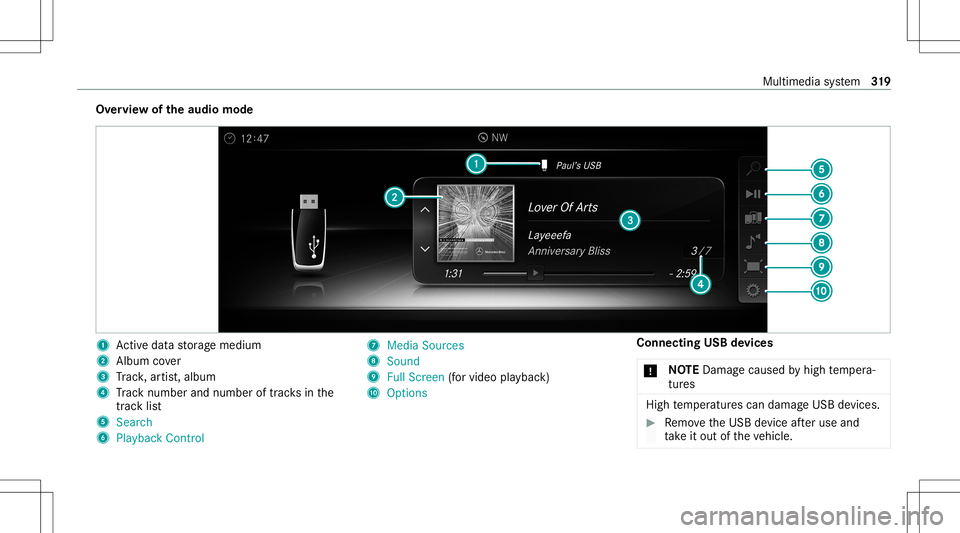
Ov
ervie wof theaud iomod e 1
Activeda ta stor ag emedium
2 Album cover
3 Trac k, artis t,album
4 Trac knum berand num beroftrac ks inthe
tr ac klist
5 Search
6 Play ba ck Control 7
Med iaSou rces
8 Sound
9 FullScree n(for vid eo play bac k)
A Option s Connecting
USBdevices
* NO
TEDama gecau sed byhigh temp era‐
tur es High
temp eratur escan damag eUSB devices. #
Remo vetheUSB device afte ruse and
ta ke itout oftheve hicle. Multimedia
system 31
9
Page 322 of 530
The
multimedia connection unitisfound inthe
st ow agecom partment unde rth ear mr estand
has twoUSB ports.
Depen dingontheve hicle's equipment, addi‐
tional USBportscan befound inthestow age
com partment ofthecent ercon sole andinthe
re ar passe nger com partment . #
Con nectth eUSB device totheUSB port.
Pla yable music files arepla yedbac konl yif
th ecor responding mediadisplayis activ ated.
% Use theUSB portidentif iedbyç touse
Ap ple CarPla y™and Android Auto.
% Dep endingontheve hicle equipment ther eis
an additional USBportin there ar passe nger
com partment .Po rts th at arelabeled witha
bat tery symbol canonly beused tocharge
USB devices.
Selec tingatrac kin themed iapla yba ck
Multimedia system:
4 Media
Selecting atrac kby skipping toatrac k #
Toskip backwards orforw ards toa
tr ac k: navig ateup ordown. Sel
ecting atrac kusin gth ecur rent trac klis t #
Select 00D3. #
Select Current TrackList. #
Select atra ck.
Selec tingplaybac kop tions
Multimedia system:
4 Media 5
Z Option s
Pla ying backsimilar trac ks #
Select Play Simi larTra cks.
A trac klist wit hsimilar trac ks iscreat edand
pla yedbac k.
Pla ybac kmode #
Select Random Mode-Current Playlist.
The current trac klist ispla yedin rando m
or de r. #
Select Random Mode-Cu rrent Medium.
All trac ks on theactiv edat ast or ag emedium
ar epla yedin rando morde r. #
Select Norm alTra ckSequ ence.
The current trac klist ispla yedin theor der it
appear son thedat ast or ag emedium. Contr
olling media playbac k
Multimedia system:
4 Media 5
Y Playback Control
A bar withpla ybac kcon trols issho wn. #
Topause playbac k:sel ect and conf irm
Y with thecent ralcon trol elemen t.
The 00CF symbol isdispla yed. #
Toresume playbac k:select andconf irm
Y again withth ecent ralcon trol elemen t.
The 00D0 symbol isdispla yed.
To fast forw ard/r ewind #
Move00CF onthetimeline.
To hide theplaybac kco ntr ols #
Press the0038 button. Vi
deo mode Sw
itchin gto video mode
Multimedia system:
4 Media 5
à Media Sources #
Select adat ast or ag emedium. 320
Multimedia system
Page 325 of 530
#
Todeac tivatefull -screen mod e:press the
to uc hpad.
Cha nging videosettings
Mult imed iasystem:
4 Media 5
Z Option s
5 Picture Format
The follo wing picturefo rm ats areav ailable:
R Automat ic
R 16:9
R 4:3
R Zoom #
Select apict urefo rm at.
Ad jus tingthe brightne ssmanu ally
If th eAutom aticpictur efo rm atisswit ched off,
yo ucan adjustth ebr ightn essyourself . #
Select Bright ness. #
Adjus tth ebr ightn ess. Media
search St
arting themed iasear ch
Multimedia system:
4 Media 5
ª Search
Depen dingonthecon nect edmedia sourcesand
fi les, thefo llo wing categor iesarelis ted:
R Current TrackList
R Keyword Search
R Playlists
R Artists
R Albums
R Track s
R Folders
R Music Genres
R Year
R Composers
R Videos
R Podcast s(Apple ®
de vices)
R Audiobook s(Apple ®
de vices) #
Select acat egor y. %
The categor iesareav ailable assoon asthe
ent ire media content hasbe en read inand
anal yzed . Med
iaInt erface Inf
orma tion abou tth eMed iaInt erface
Media Inte rface isauniv ersal interface forth e
connecti onofmob ile au dio equipm ent.Themul‐
time diasy stem has twoUSB ports.The USB
por tsarelocat edinthestow agecom partment
unde rth ear mr est.
Supp ortedde vic es
The Med iaInt erface allo ws youto connect the
fo llo wing datast or ag emedia:
R iPod ®
R iPhone ®
R MP3 player
R USB devices
Fo rde tails and alis tof suppor tedde vices, visit
our websit eat htt p:// www .mercedes-
benz .com/c onnect.Fo llowtheins truction sin
th e"Media Interface" secti on. Mu
ltimed iasystem 323
Page 326 of 530
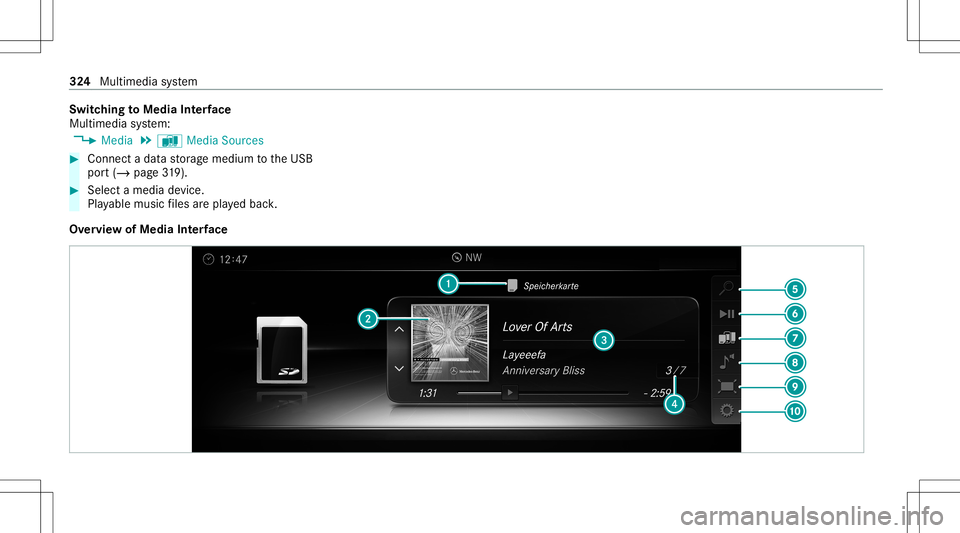
Switc
hingtoMedia Interface
Mult imed iasystem:
4 Media 5
à Media Sources #
Connec ta dat ast or ag emedium totheUSB
por t(/ page31 9). #
Select amed iade vice .
Pl ay able music files arepla yedbac k.
Ov ervie wof Media Interface 32
4
Mult imed iasystem
Page 341 of 530
If
th ete mp eratur efluct uat eswidel y,conde nsa‐
tion couldoccu ron theinside ofthescr een. This
can adversely affect thefunc tion.Onl yswitc hon
th ere ar displa yswhen they have adjus tedto the
ambie nttemp eratur e.
Declar ations ofconf ormit y
Obser vethedeclar ationofcon form ity for"wi re‐
less vehicle component s"(/ page25). Re
ar Seat Entertai nment System overview The
Rear Seat Entertainm entSystem can be
oper ated both intheve hicle aswellas outs ide
th eve hicle.
The Rear Seat Entertainm entSystem includes:
R Twore ar displa ys(Dual System) orone rear
displa y(Sin gle Sy stem)
R Connec tionforcorded headphones foreac h
re ar displa y
R Con nections forUSB (type A)and HDMI on
th ere ar displa y
% Forpla yba ck,yo ucan usecomm erciall y
av ailable corded headph ones, Blue tooth® headphones
orBlue tooth®
speak ers(see the
manuf acturer'soper ating instructions).
When using head sets dis turbance topla y‐
bac kma yocc ur.
% The Rear Seat Entertainm entSystem can be
con nect edand oper ated withan extern al
re mo tecontr olvia Bluetoo th®
(see theman‐
uf actur er'soper ating instruction s).
% Tooper ateth eRe ar Seat Entertainm entSys‐
te m outsid eth eve hicle, a12 V(1.5 A)
ada ptercabl efo rpo we rsupp lyis requ ired
(see themanuf acturer'soper ating instruc‐
tion s).
% The func tionsof there mo tecontr ol,the
cor dless headph ones orspe akerscan be
im paired byother radio-based electronic
de vice s,e.g .mob ile pho nes. Re
ar displa ys Ov
ervie wof there ar displa ys
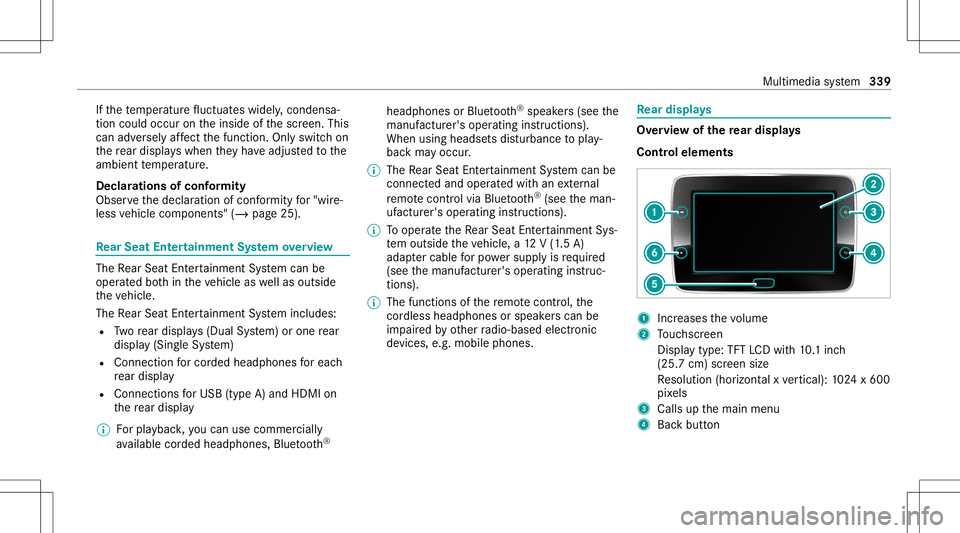
Contr olelemen ts 1
Incr eases thevo lume
2 Touc hsc reen
Displa ytype: TFTLCDwi th 10.1inc h
(25. 7cm) screen size
Re solution (horizont alxve rtical): 1024 x600
pi xe ls
3 Calls upthemain menu
4 Backbutt on Multimedia
system 339
Page 342 of 530
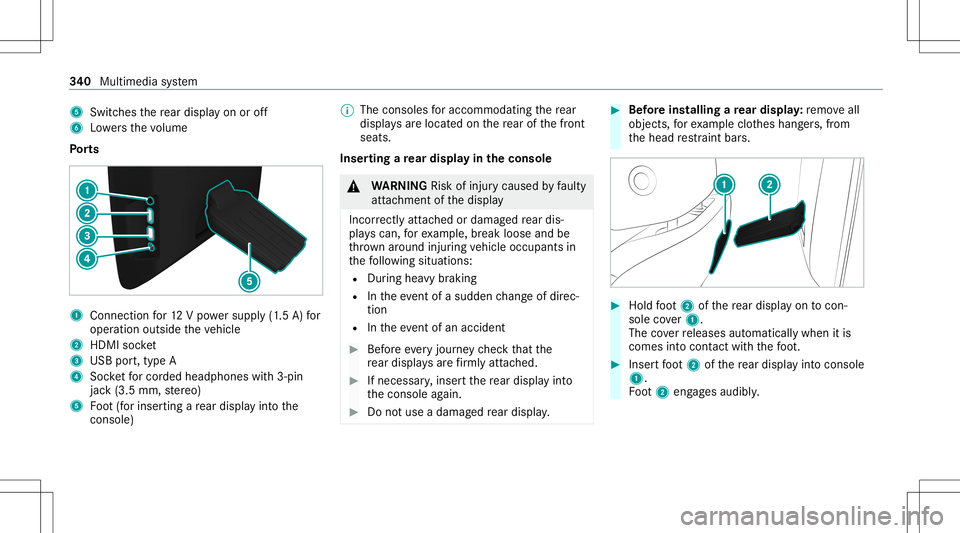
5
Switches there ar displa yon oroff
6 Lowe rsthevo lume
Po rts 1
Con nection for12 Vpo we rsupp ly(1.5 A) for
oper ation outside theve hicle
2 HDMI socket
3 USB port,type A
4 Socketfo rcor ded head phones with3-pin
jac k(3.5 mm, ster eo)
5 Foot (for inser tingare ar displa yint oth e
conso le) %
The conso lesfo raccommoda tingthere ar
displa ysareloc ated on there ar ofthefront
seats.
Inser tingare ar displa yin theconsole &
WARNIN GRisk ofinju rycau sed byfaulty
att achme ntofthedispla y
Inc orrectly attached ordamag edrear dis‐
pla yscan, forex am ple, break looseand be
th ro wn around injuring vehicle occupants in
th efo llo wing situat ions:
R Dur ing heavybrakin g
R Intheeve ntofasu dd en chang eof dir ec‐
tio n
R Intheeve ntofan acci dent #
Beforeev eryjour neych eckth at the
re ar displa ysarefirm lyatt ached. #
Ifnec essar y,inse rtthere ar displa yint o
th econ sole again. #
Donotuse adamag edrear displa y. #
Beforein st alli ng are ar displa y:remo veall
obj ect s,forex am ple clothes hang ers, from
th ehead restra int bar s. #
Hold foot 2 ofthere ar displa yon tocon‐
sol eco ver1.
The coverre leases automat icallywhen itis
com esintocon tact with thefo ot . #
Inser tfo ot 2 ofthere ar displa yint ocon sole
1.
Fo ot 2 eng ages audibly . 34
0
Multimedia system