fuel MERCEDES-BENZ G-CLASS 2020 Owner's Guide
[x] Cancel search | Manufacturer: MERCEDES-BENZ, Model Year: 2020, Model line: G-CLASS, Model: MERCEDES-BENZ G-CLASS 2020Pages: 530, PDF Size: 45.97 MB
Page 176 of 530
#
Todeac tivatecr uis eco ntr ol:pr ess rock er
switc h1 down.
% Ifyo ubr ak e, deac tivateES P®
or ifES P®
int erve nes, cruise contr olisde acti vated. Ac
tiv eDi stance AssistDI ST RO NIC Fu
nction ofActiv eDi stance Assist
DI ST RO NIC
Ac tiveDis tance AssistDIS TRONI Cma intains the
se tspeed onfree-f lowing roads. Ifve hicles in
fr ont arede tected, these tdis tance ismai n‐
ta ined, ifnec essar y,unt ilth eve hicle comes toa
halt. Thevehicle acceler ates orbrak es depend‐
ing onthedis tance totheve hicle infront and
th ese tspeed. Thespeed (inthera ng ebe twee n
15 mp h(2 0km/h) and120mp h(2 00 km/h) )
and thedis tance totheve hicle infront arese t
and save don thesteer ing wheel.
Ot her featur esofActiveDis tance Assist
DIS TRONI C:
R Adjus tsthedr iving style depending onthe
select eddrive pr ogr am (fuel efficie nt, com‐
fo rtable ordynam ic)(/ page14 1) R
Initia tesacceler ationtothestor ed speed if
th etur nsignal indicat orisswitc hedonto
ch ang eto theove rtakin glane .
Ac tiveDis tance AssistDIS TRONI Cis only anaid.
The driver isresponsible forke eping asaf edis‐
ta nce totheve hicle infront, forve hicle speed
and forbr aking ingood time.
Sy stem limit s
The system maybe impair edorma yno tfunc tion
in thefo llo wing situat ions:
R Insno w,rain, fog, hea vyspr ay,if th er eis
gl ar e, indir ect sunlight oringreat lyvarying
ambien tlight .
R Ifth er eis swir ling dust,e.g. when driving off-
ro ad oron san dysur faces.
R The windsh ield inthear ea ofthecamer ais
dir ty,fo gg ed up, damag edorcovered.
R Ifth era dar sensor sar edir tyor covered.
R Inpar kingga rage sor on roads withsteep
uphill ordownhill gradients.
R Ifth er ear enar row vehicles infront, suchas
bicy cles ormo torcyc les. In
addition ,on slipper yro ads, brakin gor acc el‐
er atin gcan caus eon eor severalwheels tolose
tr act ion and theve hicle could then skid.
Do notuse ActiveDis tance AssistDIS TRONI Cin
th ese situation s. &
WARNIN GRisk ofacci dent from acce ler‐
ati on orbraki ng byActiveDis tance
Assi stDIS TRONI C
Ac tiveDis tance AssistDIS TRONI Cma yacc el‐
er ateor brak ein thefo llo wing cases ,fo r
ex am ple:
R Ifth eve hicle pullsaway usin gAc tiveDis ‐
ta nce AssistDIS TRONI C.
R Ifth estor ed speed iscalled upand is
consider ablyfa ster or slo werth an the
cur rently driven spe ed.
R IfAc tiveDis tance AssistDIS TRONI Cno
lo ng er detects ave hicle infront ordoes
no tre act toreleva nt objects. #
Alw ayscar efully observethetraf fic con‐
di tions andbeready tobrak eat all
times. 17
4
Driving and parking
Page 214 of 530
Ins
trum ent Disp layove rview
Mer cedes- AMGvehicl es:besur eto obser ve
th eno tesin theSupplement .Ot her wise, you
ma yfa ilto recogni zedangers. &
WARNIN GRisk ofacci dent dueto an
ins trumen tdispla ymalf unction
If th eIns trument Displayhas failed ormal‐
func tioned,youma yno tre cogni zefuncti on
re strictions applyi ngtosaf etyre leva nt sys‐
te ms.
The oper ating safetyof your vehicle maybe
im pair ed. #
Drive on car efull y. #
Have theve hicle checkedimmediat ely
at aqu alif ied spec ialistwo rkshop. If
th eoper ating safetyof your vehicle is
im pair ed,parkth eve hicle immediat elyand
saf ely. Con tact aqu alif ied spec ialistwo rkshop. Ins
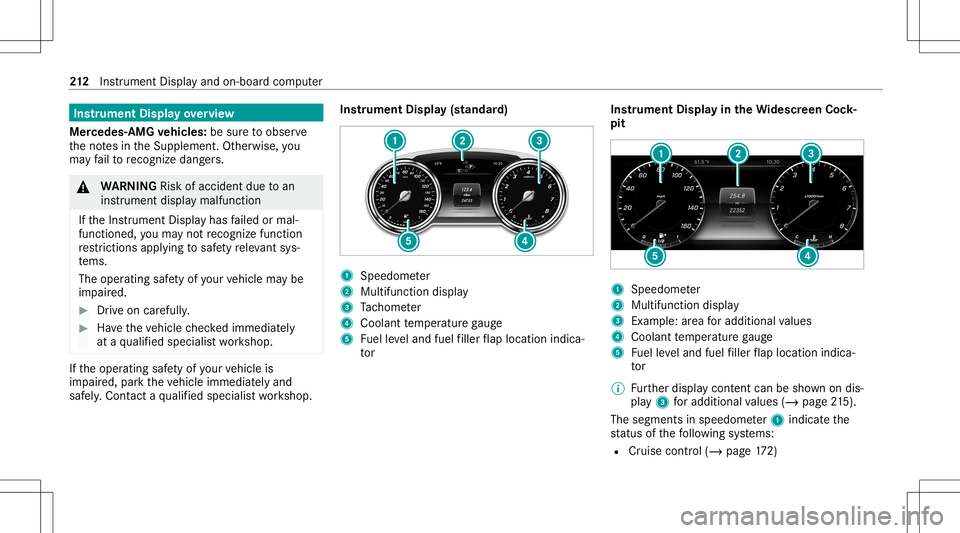
trument Display(s tandar d) 1
Speedome ter
2 Multifunction display
3 Tach ome ter
4 Coolan tte mp eratur ega ug e
5 Fuelleve land fuel filler flap locatio nind ica‐
to r Ins
trum ent Disp layin theWi des cree nCo ck‐
pit 1
Spee dometer
2 Multifunc tiondispla y
3 Exam ple: area foradd itional values
4 Coolant temp eratur ega ug e
5 Fuelleve land fuel filler flap locatio nind ica‐
to r
% Further displa ycont entcan besho wnondis‐
pla y3 foradd itiona lva lues (/page21 5).
The segme ntsinspee dome ter1 indica tethe
st atus ofthefo llo wing systems:
R Cruise control (/ page17 2) 21
2
Instrument Displayand on-boar dcom puter
Page 215 of 530
R
ActiveDis tance AssistDIS TRONI C
(/ page 174)
* NO
TEEngi nedama gedue toexc essiv ely
high engine speeds The
engine willbedamag edifyo udr ive wit h
th eengine intheov errevving rang e. #
Donotdr ive wi th theengine intheove r‐
re vving rang e. The
fuelsu pp lywillbe interru pted toprotect the
engine whenthere dmar kon theta ch ome ter
(o ve rrev ving rang e) isreac hed.
Dur ing norm aloper atingcon dition s,coo lant
te mp eratur edispla y4 mayrise tothere d
mar k. &
WARNIN GDang erofburnswhen open‐
ing thehood
If yo uopen thehood when theengine has
ove rheat edordur ing afire intheengine
com partmen t,yo uco uld come intoco ntact
wit hho tga ses orother escaping operating
fl uids. #
Beforeopen ingthehood, allowthe
engine tocool down. #
Intheeve ntofafire intheengine com‐
par tmen t,ke ep thehood closed and
call thefire ser vice. Ov
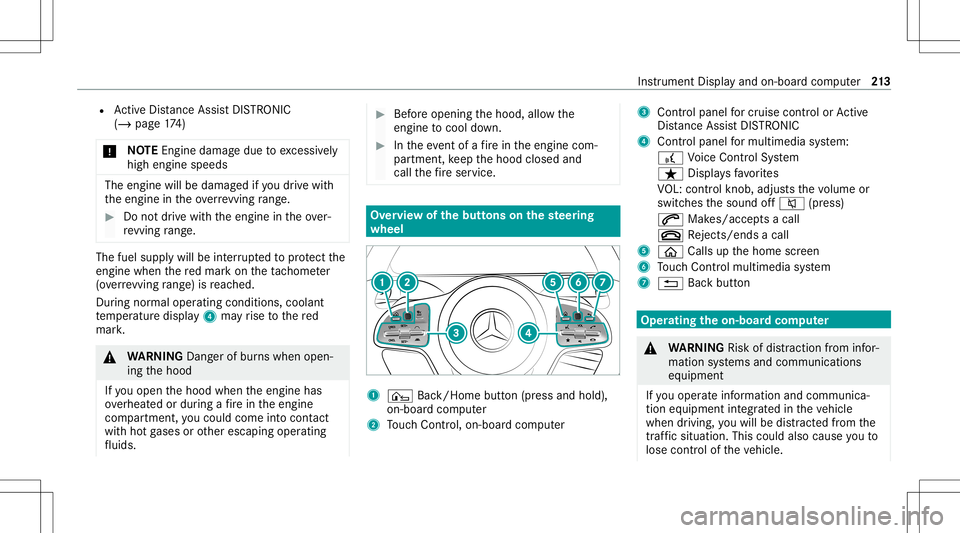
ervie wof thebut tons on thest eer ing
wheel 1
¤ Back/Hom ebutt on(press and hold),
on- boar dcom puter
2 Touc hCon trol, on-bo ardco mp uter 3
Con trol pan elforcr uis econtr olor Active
Dis tance AssistDIS TRONI C
4 Contr olpa nel formulti mediasy stem:
£ Voice Cont rolSy stem
ß Displa ysfavo rite s
VO L:contr olknob, adjuststhevo lume or
switc hesthesound off0063 (press)
0061 Makes/acc epts acall
0076 Rejects /end sa cal l
5 00E2 Calls up thehome screen
6 Touc hCon trol mult imed iasystem
7 0038 Backbutt on Oper
ating theon-boa rdcom puter &
WARNIN GRisk ofdist ra ction from infor‐
mati onsystems andcomm unication s
eq uipment
If yo uoper ateinf ormat ionand comm unic a‐
tio neq uipme ntintegratedin theve hicle
when driving, youwill bedistract ed from the
tr af fic situ ation. Thiscou ldalso cau seyouto
lose control of theve hicle. Ins
trument Displayand on-boar dcom puter 21
3
Page 220 of 530
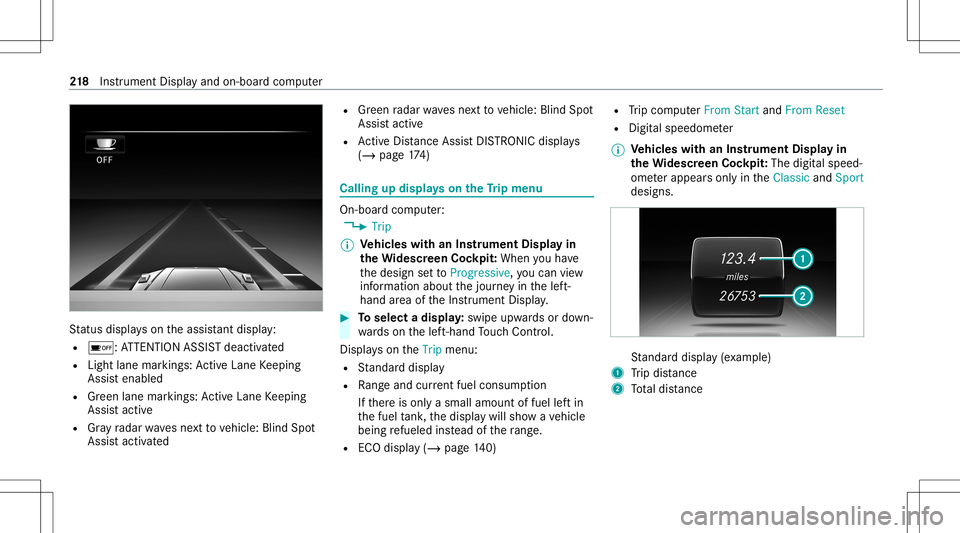
St
atus displa yson theassis tant displ ay:
R 00D7 :AT TENTION ASSISTdeactiv ated
R Light lanemarkings: ActiveLa ne Keeping
Assis tenabled
R Green lane marking s:Ac tiveLa ne Keeping
Assis tactiv e
R Gray radar wavesnext to vehicle: BlindSpot
Assis tactiv ated R
Green radar wavesne xt to vehicle: BlindSpot
Assis tactiv e
R ActiveDis tance AssistDIS TRONI Cdisp lays
( / pag e17 4) Ca
lling up displ ayson theTr ip menu On-
boar dcom puter:
4 Trip
% Ve
hicl eswith anIns trument Displayin
th eWi des cree nCo ckpit: Whe nyo uha ve
th edesign setto Progressive ,yo ucan view
inf ormat ionabout thejour neyin thelef t-
hand area oftheIns trument Display. #
Toselect adispla y:swipe upwards ordown‐
wa rdson thelef t-hand Touc hCon trol.
Dis playson theTrip menu:
R Standar ddispla y
R Rangeand current fue lconsu mption
If th er eis onl ya small amount offuel leftin
th efuel tank ,th edispla ywill showave hicle
being refuel edinstead ofthera ng e.
R ECOdispl ay(/ pag e14 0) R
Trip com puterFro mStart and FromReset
R Digit alspeedom eter
% Ve
hicl eswith anIns trument Displayin
th eWi des cree nCo ckpit: The digit alspe ed‐
ome terapp earsonly intheClassic andSport
designs. St
andar ddispla y(e xa mp le)
1 Trip dis tance
2 Totaldis tance 21
8
Instrument Displayand on-boar dcom puter
Page 221 of 530
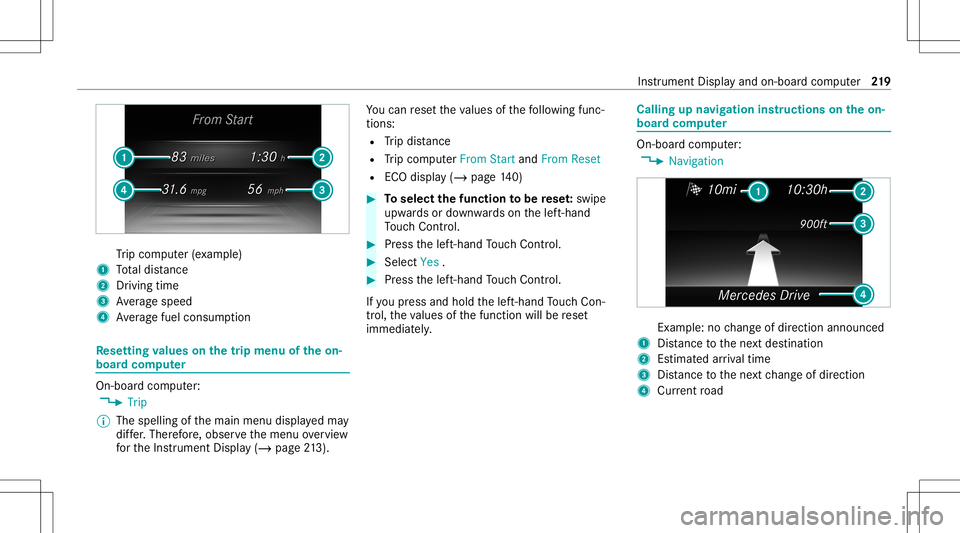
Tr
ip com puter(exa mp le)
1 Totaldis tance
2 Driving time
3 Averag espeed
4 Averag efuel consum ption Re
setting values onthetrip menu oftheon-
boar dcom puter On-boar
dcom puter:
4 Trip
% The spelli ngofthemain menu displayedma y
dif fer. Ther efor e, obser vethemenu overview
fo rth eIns trument Display(/ page21 3). Yo
ucan rese tth eva lues ofthefo llo wing func‐
tion s:
R Trip dis tance
R Trip com puterFro mStart and FromReset
R ECOdispla y(/ page14 0) #
Toselect thefun ction tobe rese t:swipe
upw ards ordown wardson thelef t-hand
To uc hCon trol. #
Press thelef t-hand Touc hCon trol. #
Select Yes . #
Press thelef t-hand Touc hCon trol.
If yo upr ess and hold thelef t-hand Touc hCon ‐
tr ol, theva lues ofthefunc tion willberese t
immediat ely. Callin
gup navig ation instruct ions ontheon-
boar dcom puter On-boar
dcom puter:
4 Navigation Ex
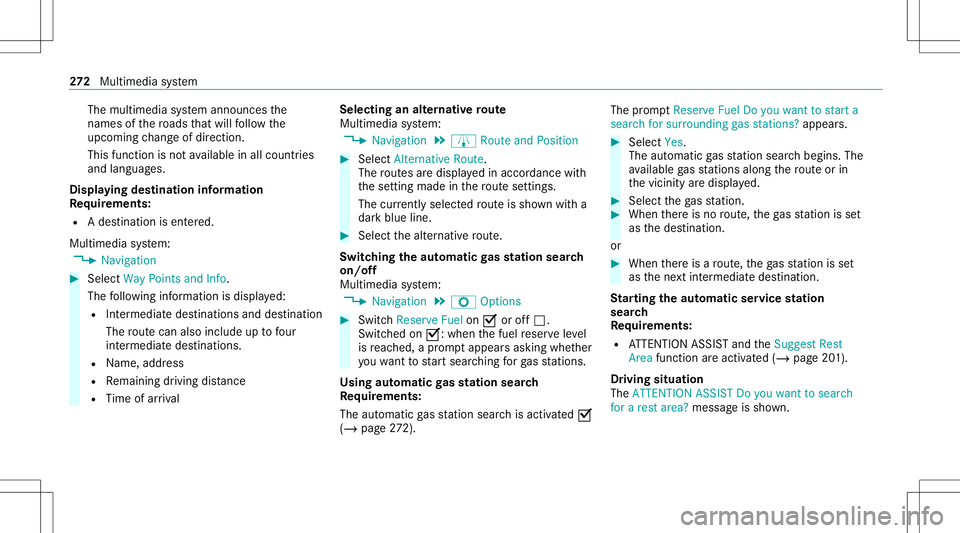
am ple: nochang eof dir ect ion ann oun ced
1 Distance tothene xt des tinat ion
2 Estimat edarriva ltim e
3 Distance tothene xt chang eof dir ect ion
4 Current road In
stru ment Displa yand on-boar dcom puter 21
9
Page 268 of 530
#
Iffavo urites have been save dalr eady
(/ page27 8), select From MyFavo rites. #
Sele ctthefa vo urite.
The destinatio naddr essissho wn.
Select ingaPOI
Mult imed iasystem:
4 Navigation
5 ¬ Previous andOther Destination s
5 POIs #
Select thecat egor y.
or #
Select AllCategories andthecat egor y.
If ro ut eguidanc eis no tactiv e:thesear ch
begins inthevicinit yof thecur rent vehicle
position. Thelistis sor tedby distance in
as cend ingorde r.
The POIs showthefo llo wing informatio n:
R name ofPOI
R linear distance tothePOI
R thedir ect ion ofthelinear distance tothe
POI (arrow) isdispla yedwhen searching
fo rth eve hicle's current positio n #
Select thePOI. #
Routeguidanc eis activ e:sele ctthesear ch
position prior tochoosing aPOI (see exam‐
ple). #
Ifint ermedi atedes tinatio nsarese t,th ese
can also beselect edasthesear chposition
af te rsele cting NearDestination .
Fi lter ing disp lays forPO Is #
Enterthesear chterm inª Search:.
The results listsho wsreleva nt POI s. #
Select ¡.
The firs tPOI inthelis tis highlight ed. #
Select thePOI.
Ex am ple: setting thesear chpos ition forthe
par kingca tegor ydur ing activ ero uteguid‐
ance #
Select Inthe Vicini ty,Near Destinatio nor
Along theRou te.
The listsho wsthelocat edPOIs oropens an
ove rview of thero utedes tinatio naf te r
selecting NearDestination. #
Select thePOI. #
Select NearDestination: selecttheint er‐
mediat edes tinat ionorthedes tinat ion.
St arting anaut omatic gasst ation search
Re quirement s:
R The automat icga sst atio nsear chisact ivat ed
0073 (/ page27 2).
Dr ivin gsituati on
Ro uteguidan ceisact ive. The fuel leve lin the
fuel tank reac hes there ser vefuel leve l.
The Reserv eFuel Doyou want tostar ta searc h
for surro undin ggas stations ?mess ageis sho wn. #
Selec tYes.
The automat icga sst atio nsear chbegins. The
av ailable gasst atio nsalon gth ero uteor in
th evicinit yof theve hicle's current positio n
ar edispl ayed. #
Select thega sst atio n.
The addr essofthega sst atio nis displa yed. #
Ifro uteguidan ceisno tact ive, sele ctStart
Rout eGuidan ce.
The selected gasst atio nis setas thedes ti‐
nation .Ro uteguidan cebegin s.
or 266
Multimed iasystem
Page 274 of 530
The
multimedia system announ cesthe
nam esofthero ads that will follo wthe
upco mingch ang eof dir ect ion.
This function isno tav ailable inall coun tries
and languages.
Displ aying destina tion informa tion
Re quirement s:
R Ades tination isent ered.
Multime diasystem:
4 Navigation #
Select WayPoint sand Info.
The follo wing informatio nis displa yed:
R Intermediat edes tinations anddestination
The routecan also include uptofour
int ermed iatedes tinatio ns.
R Name, address
R Remaini ngdriving distance
R Time ofarriva l Selec
tinganalternativ ero ute
Mul timedi asy stem:
4 Navigation 5
À Route andPosition #
Select Alternativ eRoute.
The routes aredispl ayed inaccor dance with
th ese tting made inthero utese tting s.
The currentl ysel ect edrouteis sho wnwitha
dar kblue line. #
Select thealt ernativ ero ute.
Swit ching theaut oma ticgasst ation search
on/of f
Mult imedia system:
4 Navigation 5
Z Option s #
Switc hReserve Fuelon0073 oroff0053.
Switc hedon0073: when thefuel reser veleve l
is reac hed, apr om ptappear sask ing whe ther
yo uwa nttostar tsear ching forga sst atio ns.
Using automatic gasst ation search
Re quirement s:
The automat icga sst atio nsear chisact ivat ed 0073
(/ page27 2). The
prom ptReser veFue lDo you want tostart a
sear chfor surroun dinggas stati ons? appear s. #
Selec tYes.
The automat icga sst atio nsear chbegins. The
av ailable gasst atio nsalon gth ero uteor in
th evicinit yar edispla yed. #
Select thega sst atio n. #
When ther eis no route, thega sst atio nis set
as thedes tinat ion.
or #
When ther eis aro ute, thega sst atio nis set
as thene xt int ermediat edes tinat ion.
St arting theaut oma ticser vice station
sear ch
Re quirement s:
R ATTENTION ASSISTand theSuggest Rest
Area function areactiv ated (/ page20 1).
Dr iving situation
The ATTE NTION ASSIS TDo you want tosearch
for arest area? messag eis sho wn. 27
2
Multimedia system
Page 284 of 530
If
online information isavailable, fuelprice sand
th eav ailabilit yof par kingspac esinpar king
ga rage aredispla yed, forex am ple.
% Requiremen ts:
R Mer cedes meconnectis available.
R Youha ve auser accoun tfo rth e
Mer cedes meportal.
R The service hasbeen activat ed atan
aut hor ized Mercedes -Benz Cent er.
Fu rther information canbefound at:ht tp :/ /
www .merced es.me
% The onlineinf ormat ionisno tav ailable inall
coun tries.
If Dis play inCOMA NDisact ivat ed inTraf fic Sign
Assi st(/ pag e203) ,speed limitsandovertak‐
ing restrictions aredispl ayed on themap.
% Com panylogos displayedon themap are
tra demar ksofthere spectiv ecom panies and
used solely forth epur pose ofindicat ingthe
locat ionsofthese com panies. Theuseof
suc hlogos onthemap does notindicat e
appr oval of, suppo rtof or adv ertising by th
ese com panies forth ena vig ation system
itself.
Se tting thema pscale
Re quirement s:
R The map issho wn.
Multime diasystem:
4 Navigation #
Tozoo min: swi pedown ontheTo uc hCon ‐
tr ol.
or #
Turn thecon troller count er-cloc kwise.
or #
Movetwofing ersap arton theto uc hpad. #
Tozoo mout: swipeup on theTo uc hCon trol.
or #
Turn thecon troller clockwise.
or #
Movetwofing ersto ge ther on theto uc hpad.
% Youcan setth eunit ofmeasur ementofthe
map scale (/page25 4). Mo
ving thema p
Multi media system:
4 Navigation 5
Z Option s
5 Map Menu #
Alternativ ely,if th emap isdispla yedin full
scr een mode, press thecent ralcon trol ele‐
men t.
The map menuappear s. #
Selec t"Mo vemap" inmap menu 2
(/ page28 1). #
Swipe inanydir ection ontheTo uc hCon trol
or touc hpad.
or #
Slid eth econ troller inanydir ect ion.
The map movesin thecor responding direc‐
tion under thecr osshair .The further you
mo veyour fing er aw ay from thest ar tin gposi‐
tio non theto uc hpad, thefa ster themap
mo ves. 282
Multimedia system
Page 355 of 530
#
Neverto uc hth edang erzon esur round ‐
ing movingco mp onent parts,e.g. the
ro tatio nar ea ofthefa n. #
Remo vejewe lry and watche s. #
Keep items ofclo thing and hair away
fr om moving parts. &
WARNIN GRisk ofinju ryfrom touc hin g
co mp onent partsunder voltag e
The ignit ionsystem and thefuel injec tion
sy stem workund erhigh voltag e. Ifyo uto uc h
co mp onent partswhic har eunder voltag e,
yo uco uld recei vean elec tric shoc k. #
Neverto uc hco mp onent partsof the
ignit ionsystem orthefuel injec tionsys‐
te m when theignition isswitc hedon. &
WARNIN GRisk ofburnsfrom hotcom‐
ponent partsintheengine compartmen t
Cer tain com pone ntsin theengine compart‐
ment canbevery hot,e.g. theengine, the
ra diat orand partsof theex haus tsy stem. #
Allo wtheengine tocool down and only
to uc hco mp onent partsdescr ibedin
th efo llo wing. &
WARNIN GRisk ofinju ryfrom using the
winds hieldwiper swhile theengine hood
is open
When theengine hoodisopen andthewind‐
shield wipersar ese tin mo tion ,yo ucan be
tr apped bythewiper linkage. #
Alw aysswitc hof fth ewindshield wipers
and ignition beforeopening theengine
hood. #
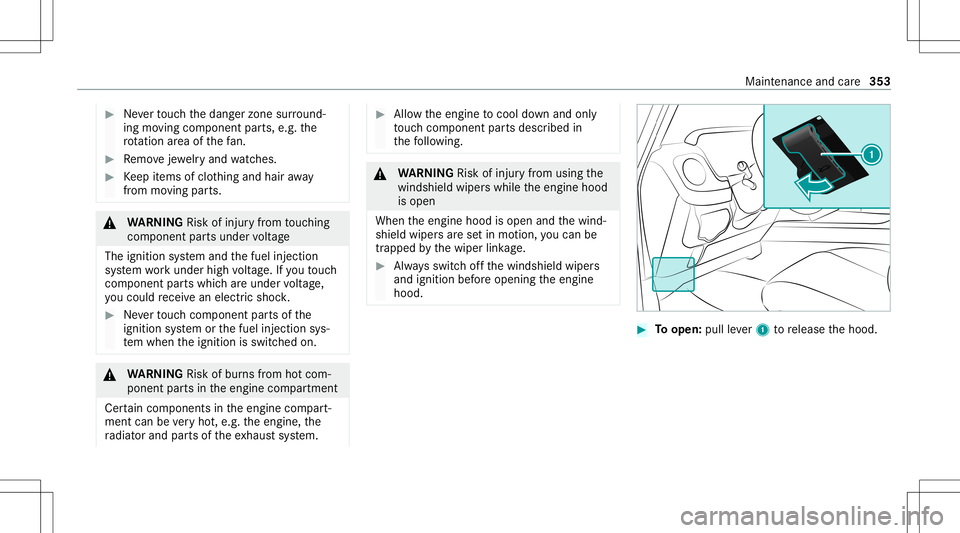
Toopen: pullleve r1 torelease thehood. Maint
enanc eand care353
Page 362 of 530
No
teson paint work/ma tte finish paint workcar e Obser
vethefo llo wing informa tion: Cleaning
andcareA voiding paintworkdam age
Pa intw ork R
Insect remains: soakwithinsect remo verand rinse offth e
tr ea tedar eas afte rw ards.
R Birddr oppin gs:soak withwa terand rinse offaf te rw ards.
R Tree resin, oils, fuels andgreases: remo veby rubbing gen‐
tl y wi th aclo thsoak edinpe troleum ether orlight erfluid.
R Coolan tand brak efluid: remo vewit hadam pclo thand
cle an water.
R Tarst ains :use tarre mo ver.
R Wax:usesilicone remo ver. R
Donotatt achsticke rs,fi lms orsimilar materials.
R Remo vedirtimmediat ely, wher epossi ble. 360
Maintenanceand care