lights MERCEDES-BENZ G-CLASS SUV 2013 Repair Manual
[x] Cancel search | Manufacturer: MERCEDES-BENZ, Model Year: 2013, Model line: G-CLASS SUV, Model: MERCEDES-BENZ G-CLASS SUV 2013Pages: 364, PDF Size: 9.62 MB
Page 194 of 364
There will be either no or only a weak course-
correcting brake application if:
R
there are vehicles or obstacles, e.g. crash
barriers, located on both sides of your
vehicle.
R a vehicle approaches you
too closely at the
side.
R you have adopted a sporty driving style with
high cornering speeds.
R you clearly brake or accelerate.
R a driving safety system intervenes, e.g.
ESP ®
.
R ESP ®
is switched off.
R the LOW RANGE off-road gear is activated.
R a loss of tire pressure has been detected.
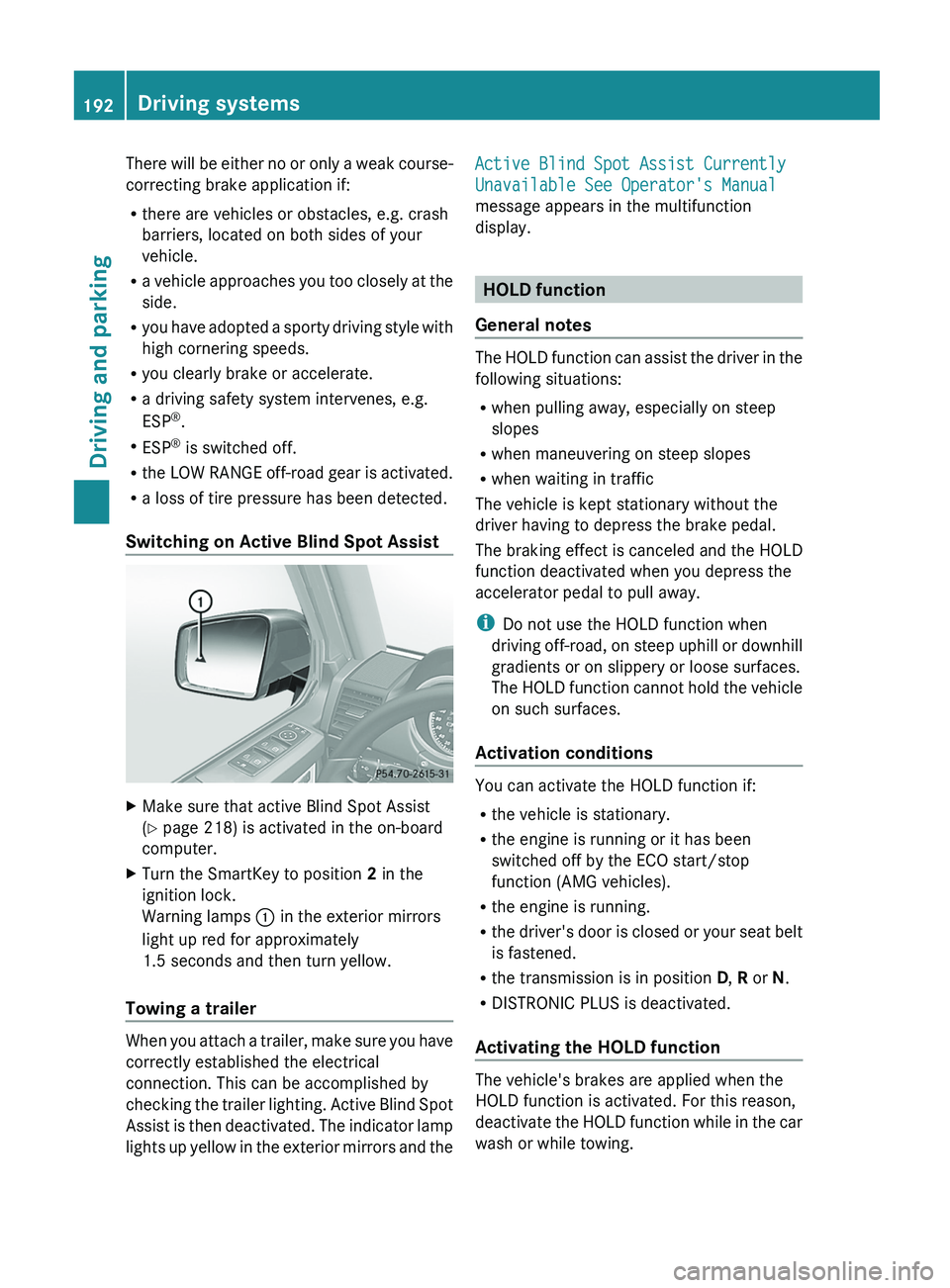
Switching on Active Blind Spot Assist X
Make sure that active Blind Spot Assist
(Y page 218) is activated in the on-board
computer.
X Turn the SmartKey to position 2 in the
ignition lock.
Warning lamps 0043 in the exterior mirrors
light up red for approximately
1.5 seconds and then turn yellow.
Towing a trailer When you attach a trailer, make sure you have
correctly established the electrical
connection. This can be accomplished by
checking the trailer lighting.
Active Blind Spot
Assist is then deactivated. The indicator lamp
lights up yellow in the exterior mirrors and the Active Blind Spot Assist Currently
Unavailable See Operator's Manual
message appears in the multifunction
display.
HOLD function
General notes The HOLD function can assist the driver in the
following situations:
R
when pulling away, especially on steep
slopes
R when maneuvering on steep slopes
R when waiting in traffic
The vehicle is kept stationary without the
driver having to depress the brake pedal.
The braking effect is
canceled and the HOLD
function deactivated when you depress the
accelerator pedal to pull away.
i Do not use the HOLD function when
driving off-road, on steep uphill or downhill
gradients or on slippery or loose surfaces.
The HOLD function cannot hold the vehicle
on such surfaces.
Activation conditions You can activate the HOLD function if:
R
the vehicle is stationary.
R the engine is running or it has been
switched off by the ECO start/stop
function (AMG vehicles).
R the engine is running.
R the driver's
door is
closed or your seat belt
is fastened.
R the transmission is in position D, R or N.
R DISTRONIC PLUS is deactivated.
Activating the HOLD function The vehicle's brakes are applied when the
HOLD function is activated. For this reason,
deactivate the HOLD
function
while in the car
wash or while towing. 192
Driving systems
Driving and parking
Page 198 of 364
One or more segments light up as the vehicle
approaches an obstacle, depending on the
vehicle's distance from the obstacle.
From the:
R
sixth segment onwards, you will hear an
intermittent warning tone for
approximately two seconds.
R seventh segment onwards, you will hear a
warning tone for approximately two
seconds. This indicates that you have now
reached the minimum distance.
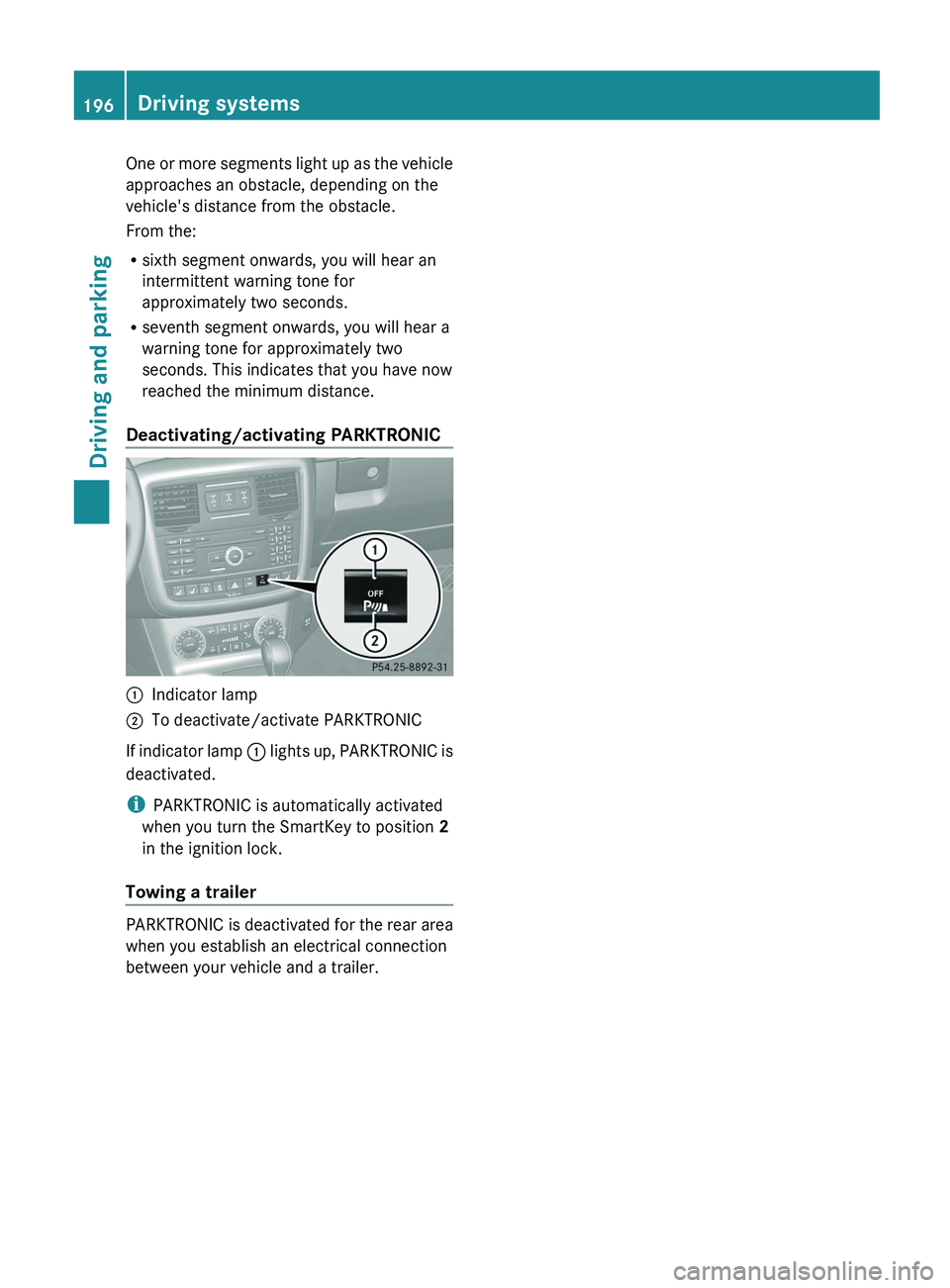
Deactivating/activating PARKTRONIC 0043
Indicator lamp
0044 To deactivate/activate PARKTRONIC
If indicator lamp 0043 lights up,
PARKTRONIC is
deactivated.
i PARKTRONIC is automatically activated
when you turn the SmartKey to position 2
in the ignition lock.
Towing a trailer PARKTRONIC is deactivated for the rear area
when you establish an electrical connection
between your vehicle and a trailer.196
Driving systems
Driving and parking
Page 199 of 364
Problems with PARKTRONIC
Problem Possible causes/consequences and
0050 SolutionsOnly the red segments
in the PARKTRONIC
warning displays are
lit.
You
also hear a warning
tone for approximately
two seconds.
PARKTRONIC is
deactivated after a few
seconds, and the
indicator lamp in the
PARKTRONIC button
lights up. PARKTRONIC has malfunctioned and has switched off.
X
If problems persist, have PARKTRONIC checked at a qualified
specialist workshop. Only the red segments
in the PARKTRONIC
warning displays are
lit.
PARKTRONIC is
deactivated after a few
seconds. The PARKTRONIC sensors are dirty or there is interference.
X
Clean the PARKTRONIC sensors ( Y page 297).
X Switch the ignition back on. The problem may be caused by an external source of radio or
ultrasound waves.
X
See if PARKTRONIC functions in a different location. Rear view camera
Important safety notes The rear view camera is only an aid. It is not
a replacement for your attention to your
immediate surroundings. You are always
responsible for safe maneuvering and
parking. When maneuvering
or
parking, make
sure that there are no persons, animals or
objects in the area in which you are
maneuvering.
Under the following circumstances, the rear
view camera will not function, or will function
in a limited manner:
R the rear door is open
R in heavy rain, snow or fog
R at night or in very dark places
R if the camera is exposed to very bright light
R if the area is lit by fluorescent light or LED
lighting (the display may flicker) R
if there is a
sudden change in temperature,
e.g. when driving into a heated garage in
winter
R if the camera lens is dirty or obstructed
R if the rear of your vehicle is damaged. In
this event, have the camera position and
setting checked at a qualified specialist
workshop. Mercedes-Benz recommends
that you use an authorized Mercedes-Benz
Center for this purpose Driving systems
197
Driving and parking Z
Page 202 of 364
i
AMG vehicles: to shift the transfer case
to LOW RANGE, deactivate the
ECO start/
stop function (Y page 142).
X Press LOW RANGE button 0044.
When the shift procedure is complete, the
LOW RANGE transfer case position appears
in the multifunction display.
Indicator lamp 0043 lights up.
X Shift the transmission to position D.
Switching off the off-road gear ratio G
WARNING
When the transfer case is in the neutral
position, power transmission to the driven
wheels is interrupted. As
a result, the vehicle
could roll away. There is a risk of an accident.
Secure the vehicle with the parking brake, and
on uphill or downhill gradients, also secure it
with a device such as a wheel chock.
! Only carry out the gear selection if:
R the engine is running.
R the vehicle is rolling.
R the automatic transmission is in selector
lever position N.
R you are driving no faster than 43 mph
(70 km/h).
You could otherwise damage the transfer
case.
X Press button 0044.
When the shift procedure is complete, the
HIGH RANGE
transfer
case position appears
in the multifunction display.
Indicator lamp 0043 goes out.
If the gear change is not completed, the
following messages could appear in the
display:
R TC Shift Conditions Not Fulfilled
You have not met one or more shift
conditions.
R TC NEUTRAL On
The transfer case has canceled the gear
change process and is in N. The N transfer case position appears in the multifunction
display.
R TC Shift Canceled
The transfer case has not performed the
gear change process.
X Carry out the gear change process again.
Make sure to meet all conditions for
changing gears.
R TC Malfunction Visit Workshop
There is
a malfunction
in the transfer case.
X Do not shift the transfer case.
X Have the vehicle checked as soon as
possible at a qualified
specialist workshop.
Shifting to neutral G
WARNING
When the transfer case is in the neutral
position, power transmission to the driven
wheels is interrupted. As
a result, the vehicle
could roll away. There is a risk of an accident.
Secure the vehicle with the parking brake, and
on uphill or downhill gradients, also secure it
with a device such as a wheel chock.
X Turn the SmartKey to position
2 (Y page 139) in the ignition lock.
X Apply the parking brake.
X Depress the brake pedal.
X Move the selector lever to position
N(Y page 145).
X Press and hold LOW RANGE button 0044 for
approximately 10 seconds.
Once the gear change procedure is
complete, TC Neutral On message
appears in the multifunction display for
approximately
5 seconds.
If the gear change is not completed, the
following messages could appear in the
display (
Y page 238).
i If the transfer case is in Neutral, the
SmartKey is in the ignition lock and you
open the driver's door, the TC Neutral
On
message appears in the multifunction200
Off-road driving systems
Driving and parking
Page 205 of 364
Differential lock for the transfer case
X
To engage: switch the transfer case to the
LOW RANGE off-road driving position ( Y
page 199).
X Press switch 0087.
When the transfer case is in the LOW
RANGE off-road driving position,
the yellow
activation indicator lamp below switch 0087
lights up.
The 00BB warning lamp in the instrument
panel lights up.
When the differential is locked, the red
function indicator lamp above switch 0087
lights up.
In the multifunction display you see the:
ABS not available Differential
Locked
The 00BB002500E5 warning lamps in the
instrument cluster light up.
The differential lock for the transfer case is
engaged.
4ETS, ESP ®
, BAS and ABS are deactivated.
The vehicle's ability to steer is severely
restricted. Drive carefully and accelerate
gently for optimum traction.
i You can now engage the differential lock
for rear axle 0085
and the differential lock for
front axle 0044 as required.
Differential lock for the rear axle X
To engage: press switch 0085.
Yellow activation indicator lamp 0083 lights
up first, followed by red function indicator
lamp 0043 of switch 0085.
The differential lock for the rear axle is
engaged.
Differential lock for the front axle X
To engage: press switch 0044.
First, the yellow activation indicator lamp
lights up, followed by the red function
indicator lamp. The differential lock for the front axle is
engaged.
Deactivating the differential lock You can deactivate the differential locks in
this order: 0044, 0085, 0087.
X
To simultaneously deactivate all
differential locks: press switch 0087.
Yellow activation indicator lamps 0083 and
red function indicator lamps 0043 go out.
After approximately three seconds of
normal driving, ABS, 4ETS, ESP ®
and BAS
are activated.
The ABS not available
Differential
Locked
message disappears from the
multifunction display and the 00BB, 0025
and 00E5 warning lamps in the instrument
cluster go out.
X Shift the transfer case to the HIGH
RANGE on-road position (Y page 199).
i If red function indicator lamps 0043 do not
go out after disengaging the differential
locks, bring the vehicle to a standstill in
accordance with the traffic conditions.
Then continue driving, as the load change
can release the differential locks. Towing a trailer
Notes on towing a trailer
Important safety notes G
WARNING
If you rest your foot on the brake pedal while
driving, the braking system
can overheat. This
increases the stopping distance and can even
cause the braking system to fail. There is a
risk of an accident.
Never use the brake pedal as a footrest. Never
depress the brake pedal and the accelerator
pedal at the same time. Towing a trailer
203
Driving and parking Z
Page 221 of 364
Instrument cluster
Selecting the unit of measurement for
distance
The Display Unit Speed-/Odometer:
function allows you to choose whether
certain displays appear
in
kilometers or miles
in the multifunction display.
You can determine whether the multifunction
display shows some messages in miles or
kilometers.
X Press the 0059 or 0065 button on the
steering wheel to select the Sett. menu.
X Press the 0064 or 0063 button
to select the
Inst. Cluster submenu.
X Press 0076 to confirm.
X Press the 0064
or 0063
button
to select the
Display Unit Speed-/Odometer:
function.
You will see the selected setting: km or
miles.
X Press the 0076 button to save the setting.
The selected unit of measurement for
distance applies to:
R Vehicles with instrument cluster in
kilometers: digital speedometer in the
Trip menu
R the odometer and the trip odometer
R the trip computer
R the current consumption and the range
R the navigation instructions in the Navi
menu
R cruise control
R SPEEDTRONIC
R DISTRONIC PLUS
R the service interval display Selecting the permanent display function
You can determine whether
the multifunction
display permanently shows your speed or the
outside temperature.
X Press the 0059 or 0065 button on the
steering wheel to select the Sett. menu.
X Press the 0064 or 0063 button
to select the
Instr. Cluster submenu.
X Press 0076 to confirm.
X Press the 0064 or 0063 button
to select the
Permanent Display: function.
You will see the selected setting: Outside
Temperature or Speedometer [mph].
X Press the 0076 button to save the setting.
i Speed is displayed in mph.
Lights Setting the daytime running lamps
i
This function is not available in Canada.
X Press the 0059 or 0065 button on the
steering wheel to select the Sett. menu.
X Press the 0064 or 0063 button
to select the
Lights submenu.
X Press 0076 to confirm.
X Press 0064 or 0063 to
select the Daytime
Running Lights function.
If the Daytime Running Lights: have
been switched on, the cone of light and the
0086 symbol in the multifunction display
are shown in red.
X Press the 0076 button to save the setting.
Further information on daytime running
lamps ( Y page 99).
Surround lighting and exterior lighting
delayed switch-off
X Press the 0059 or 0065 button on the
steering wheel to select the Sett. menu.
X Press the 0064 or 0063 button
to select the
Lights submenu.
X Press 0076 to confirm. Menus and submenus
219
On-board computer and displays Z
Page 222 of 364
X
Press 0064 or 0063 to select the
Surround Lighting function.
When the Surround Lighting function is
activated, the cone of light in the
multifunction display is shown in red.
X Press the 0076 button to save the setting.
Deactivating delayed switch-off of the
exterior lighting temporarily:
X Before leaving the vehicle, turn the
SmartKey to position 0(Y page 139) in the
ignition lock.
X Turn the SmartKey to position 2 in the
ignition lock ( Y
page 139).
The exterior lighting delayed switch-off is
deactivated.
Delayed switch-off of the exterior lighting is
reactivated the next time you start the
engine.
If you have activated the Surround
Lighting function and
the
light switch is set
to 0058, the following functions are activated
when it is dark:
R Surround lighting: the exterior lighting
remains lit for 40 seconds after unlocking
with the SmartKey. If you start the engine,
the surround lighting is switched off and
automatic headlamp mode is activated
(Y page 100).
R Exterior lighting delayed switch-off: the
exterior lighting remains lit for
60 seconds after the engine is switched off.
If you close all the doors and the trunk lid,
the exterior lighting goes off after
15 seconds.
i Depending on your vehicle's equipment,
when the surround lighting and delayed
switch-off exterior lighting are on, the
following light up:
R Parking lamps
R Front fog lamps
R Low-beam headlamps
R Daytime running lamps
R Side marker lamps
R Surround lighting in the exterior mirrors Activating/deactivating the interior
lighting delayed switch-off
If you activate the Interior Lighting
Delay function, the interior lighting remains
on for 20 seconds
after you remove the
SmartKey from the ignition lock.
X Press the 0059 or
0065 button on the
steering wheel to select the Sett. menu.
X Press the 0064
or 0063
button
to select the
Lights submenu.
X Press 0076 to confirm.
X Press 0064 or 0063 to select the
Interior Lighting Delay function.
When the Interior Lighting Delay
function is activated,
the
vehicle interior is
displayed in red in the multifunction
display.
X Press the 0076 button to save the setting.
Vehicle Activating/deactivating the automatic
door locking mechanism
If you activate the Automatic Door Lock
function, the vehicle
is
centrally locked above
a speed of around 9 mph (15 km/h).
X Press the 0059 or 0065 button on the
steering wheel to select the Sett. menu.
X Press the 0064 or 0063 button
to select the
Vehicle submenu.
X Press 0076 to confirm.
X Press 0064 or 0063 to select the
Automatic Door Lock function.
When the Automatic Door
Lock function
is
activated, the vehicle doors are displayed
in red in the multifunction display.
X Press the 0076 button to save the setting.
For further information on the automatic
locking feature, see ( Y page 75).220
Menus and submenus
On-board computer and displays
Page 223 of 364
Activating/deactivating the acoustic
locking verification signal
If you switch
on
the Acoustic Lock function,
an acoustic signal sounds when you lock the
vehicle.
X Press the 0059 or 0065 button on the
steering wheel to select the Sett. menu.
X Press 0064 or 0063 to select the Vehicle
submenu.
X Press 0076 to confirm.
X Press the 0064 or 0063 button
to select the
Acoustic Lock function.
If the Acoustic Lock function is activated,
the 0037 symbol in the multifunction
display lights up red.
X Press the 0076 button to save the setting.
Convenience Activating/deactivating the EASY-
ENTRY/EXIT feature
G
WARNING
You must make sure no one can become
trapped or injured by the moving steering
wheel when the easy-entry/exit feature is
activated.
To stop steering wheel movement, move
steering wheel adjustment lever
or press one
of the memory position buttons.
Do not leave children unattended in the
vehicle, or with access to an unlocked vehicle.
Children could open the driver's door and
unintentionally activate the easy-entry/exit
feature, which could result in an accident
and/or serious personal injury.
X Press the 0059 or 0065 button on the
steering wheel to select the Sett. menu.
X Press the 0064
or 0063
button
to select the
Convenience submenu.
X Press 0076 to confirm. X
Press 0064 or 0063 to select the Easy
Entry/Exit: function.
If the Easy Entry/Exit function is
activated, the vehicle steering wheel is
displayed in red in the multifunction
display.
X Press the 0076 button to save the setting.
Further information on the EASY-ENTRY/EXIT
feature ( Y page 92).
Switching the fold-in mirrors when
locking feature on/off
When you activate the Auto. Mirror
Folding function, the exterior mirrors are
folded in when the vehicle is locked. If you
unlock the vehicle and then open a door, the
exterior mirrors fold out again.
X Press the 0059 or 0065 button on the
steering wheel to select the Sett. menu.
X Press the 0064 or
0063 button
to select the
Convenience submenu.
X Press 0076 to confirm.
X Press 0064 or 0063 to select the Auto.
Mirror Folding function.
If the Auto. Mirror Folding function is
activated, the vehicle's exterior mirror is
displayed in red in the multifunction
display.
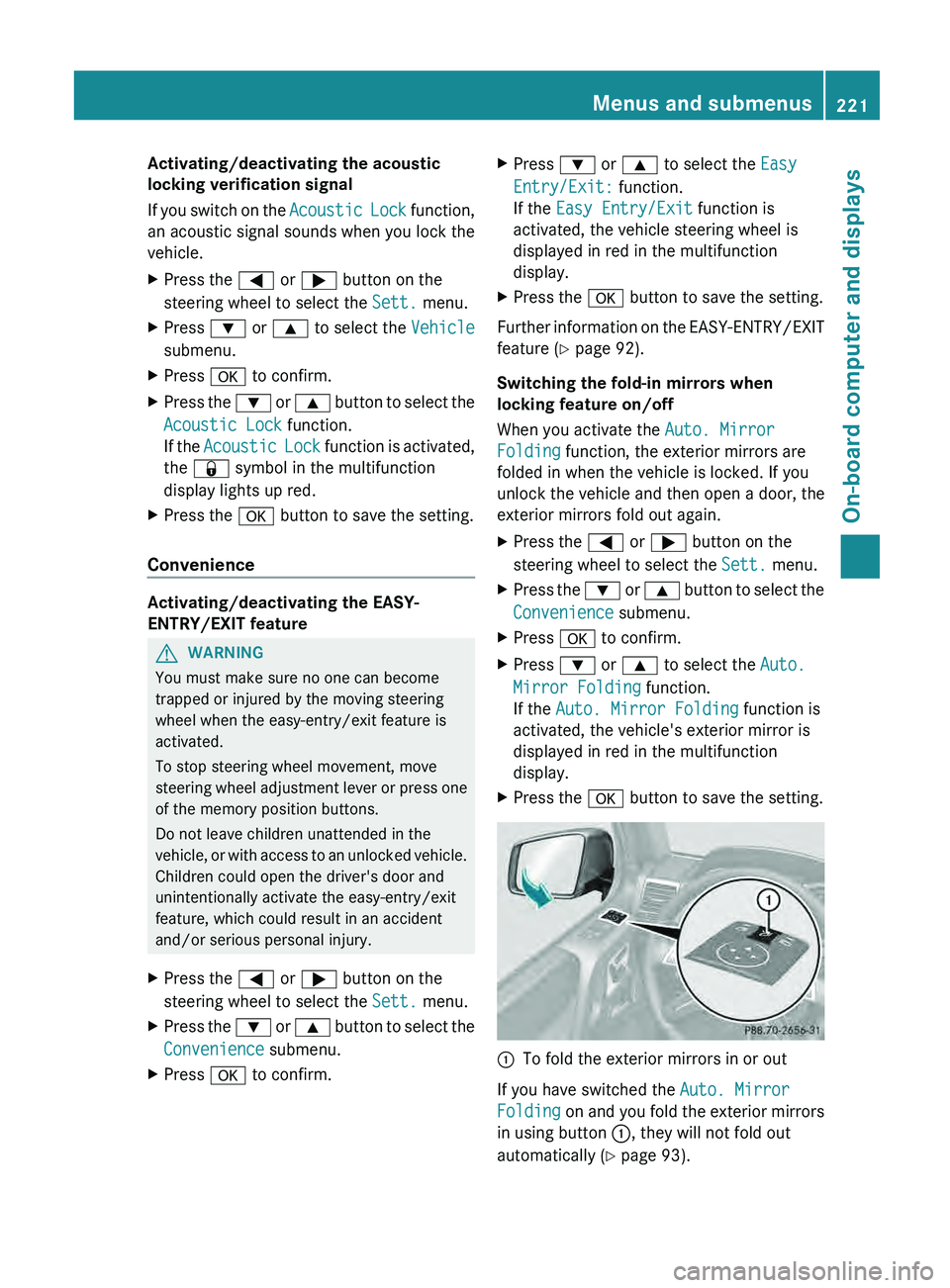
X Press the 0076 button to save the setting. 0043
To fold the exterior mirrors in or out
If you have switched the Auto. Mirror
Folding on and you
fold the exterior mirrors
in using button 0043, they will not fold out
automatically ( Y page 93). Menus and submenus
221
On-board computer and displays Z
Page 224 of 364
You can then only fold out the exterior mirrors
using button 0043.
Restoring the factory settings
X Press the 0059 or 0065 button on the
steering wheel to select the Sett. menu.
X Press the 0064
or 0063 button to select the
Factory Setting submenu.
X Press 0076 to confirm.
The Reset All Settings? message
appears.
X Press the 0064 or 0063 button to select
No or Yes.
X Press 0076 to confirm the selection.
If you select Yes, the multifunction display
shows a confirmation message.
For safety reasons, the Daytime Running
Lights function in the Lights submenu is
only reset if the vehicle is stationary. AMG menu in AMG vehicles
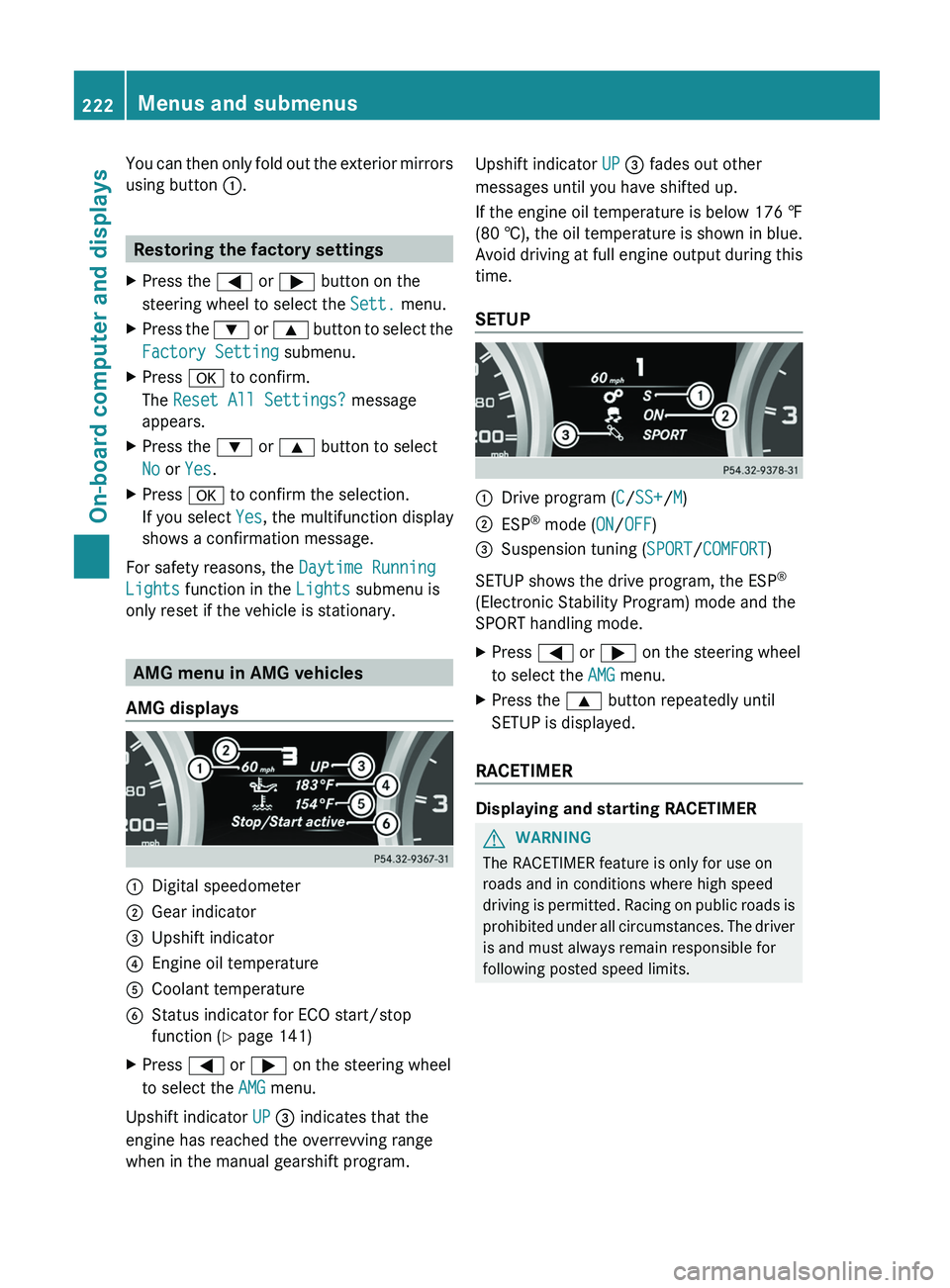
AMG displays 0043
Digital speedometer
0044 Gear indicator
0087 Upshift indicator
0085 Engine oil temperature
0083 Coolant temperature
0084 Status indicator for ECO start/stop
function ( Y page 141)
X Press 0059 or 0065 on the steering wheel
to select the AMG menu.
Upshift indicator UP 0087 indicates that the
engine has reached the overrevving range
when in the manual gearshift program. Upshift indicator UP 0087 fades out other
messages until you have shifted up.
If the engine oil temperature is below
176 ‡
(80 † ),
the oil temperature is shown in blue.
Avoid driving at full engine output during this
time.
SETUP 0043
Drive program (C/SS+/M)
0044 ESP ®
mode ( ON/OFF)
0087 Suspension tuning (SPORT/COMFORT)
SETUP shows the drive program, the ESP ®
(Electronic Stability Program) mode and the
SPORT handling mode.
X Press 0059 or 0065 on the steering wheel
to select the AMG menu.
X Press the 0063 button repeatedly until
SETUP is displayed.
RACETIMER Displaying and starting RACETIMER
G
WARNING
The RACETIMER feature is only for use on
roads and in conditions where high speed
driving is permitted.
Racing
on public roads is
prohibited under all circumstances. The driver
is and must always remain responsible for
following posted speed limits. 222
Menus and submenus
On-board computer and displays
Page 228 of 364
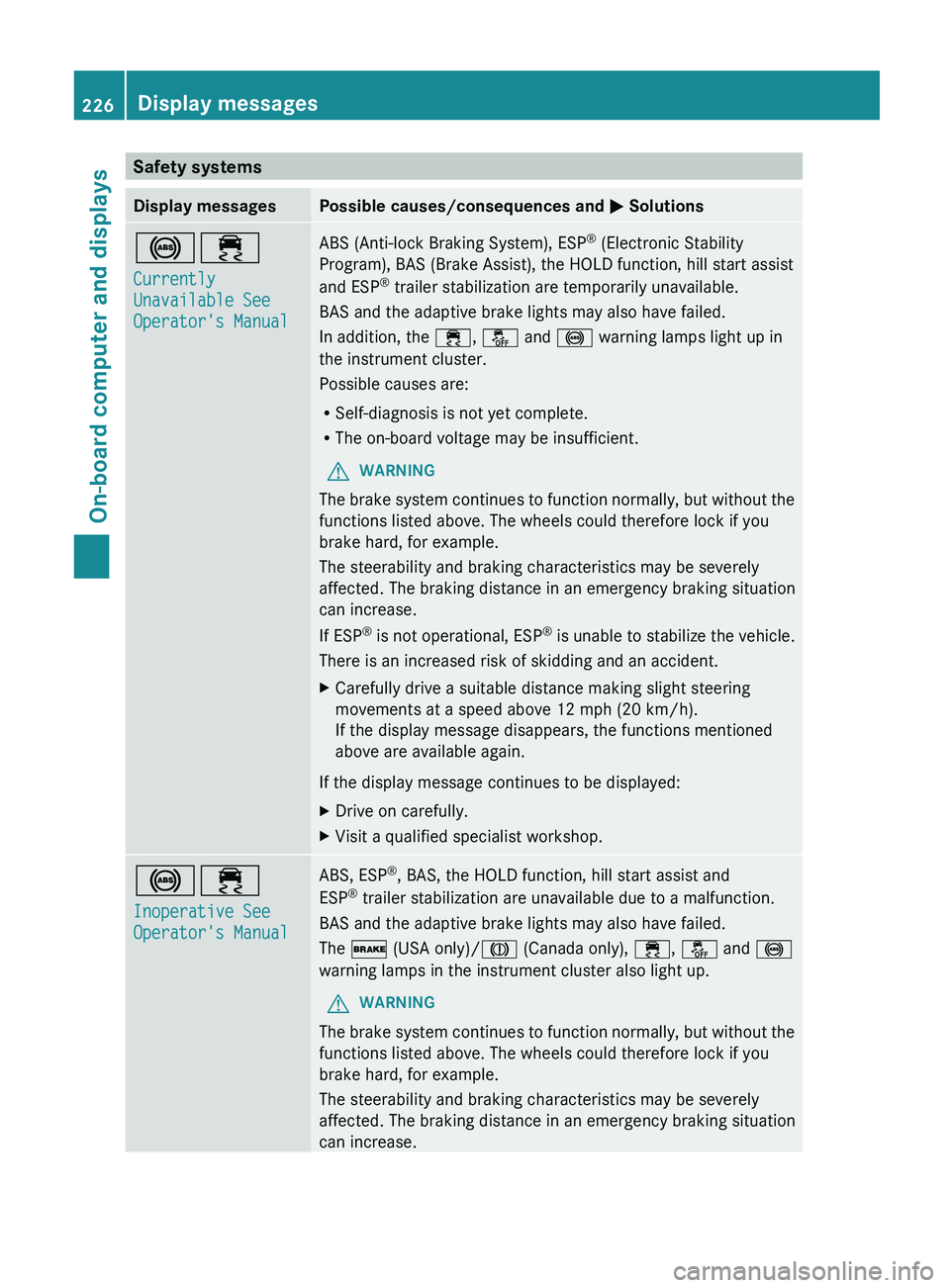
Safety systems
Display messages Possible causes/consequences and
0050 Solutions002500E5
Currently
Unavailable See
Operator's Manual ABS (Anti-lock Braking System), ESP
®
(Electronic Stability
Program), BAS (Brake Assist), the HOLD function, hill start assist
and ESP ®
trailer stabilization are temporarily unavailable.
BAS and the adaptive brake lights may also have failed.
In addition, the 00E5, 00BB and 0025 warning lamps light up in
the instrument cluster.
Possible causes are:
R Self-diagnosis is not yet complete.
R The on-board voltage may be insufficient.
G WARNING
The brake system continues to function normally, but without the
functions listed above. The wheels could therefore lock if you
brake hard, for example.
The steerability and braking characteristics may be severely
affected. The braking distance in an emergency braking situation
can increase.
If ESP ®
is not operational,
ESP®
is unable to stabilize the vehicle.
There is an increased risk of skidding and an accident.
X Carefully drive a suitable distance making slight steering
movements at a speed above 12 mph (20 km/h).
If the display message disappears, the functions mentioned
above are available again.
If the display message continues to be displayed:
X Drive on carefully.
X Visit a qualified specialist workshop. 002500E5
Inoperative See
Operator's Manual ABS, ESP
®
, BAS, the HOLD function, hill start assist and
ESP ®
trailer stabilization are unavailable due to a malfunction.
BAS and the adaptive brake lights may also have failed.
The 0027 (USA only)/004D (Canada only), 00E5, 00BB and 0025
warning lamps in the instrument cluster also light up.
G WARNING
The brake system continues to function normally, but without the
functions listed above. The wheels could therefore lock if you
brake hard, for example.
The steerability and braking characteristics may be severely
affected. The braking distance in an emergency braking situation
can increase. 226
Display messagesOn-board computer and displays