language MERCEDES-BENZ G-CLASS SUV 2014 Owners Manual
[x] Cancel search | Manufacturer: MERCEDES-BENZ, Model Year: 2014, Model line: G-CLASS SUV, Model: MERCEDES-BENZ G-CLASS SUV 2014Pages: 272, PDF Size: 39.13 MB
Page 17 of 272
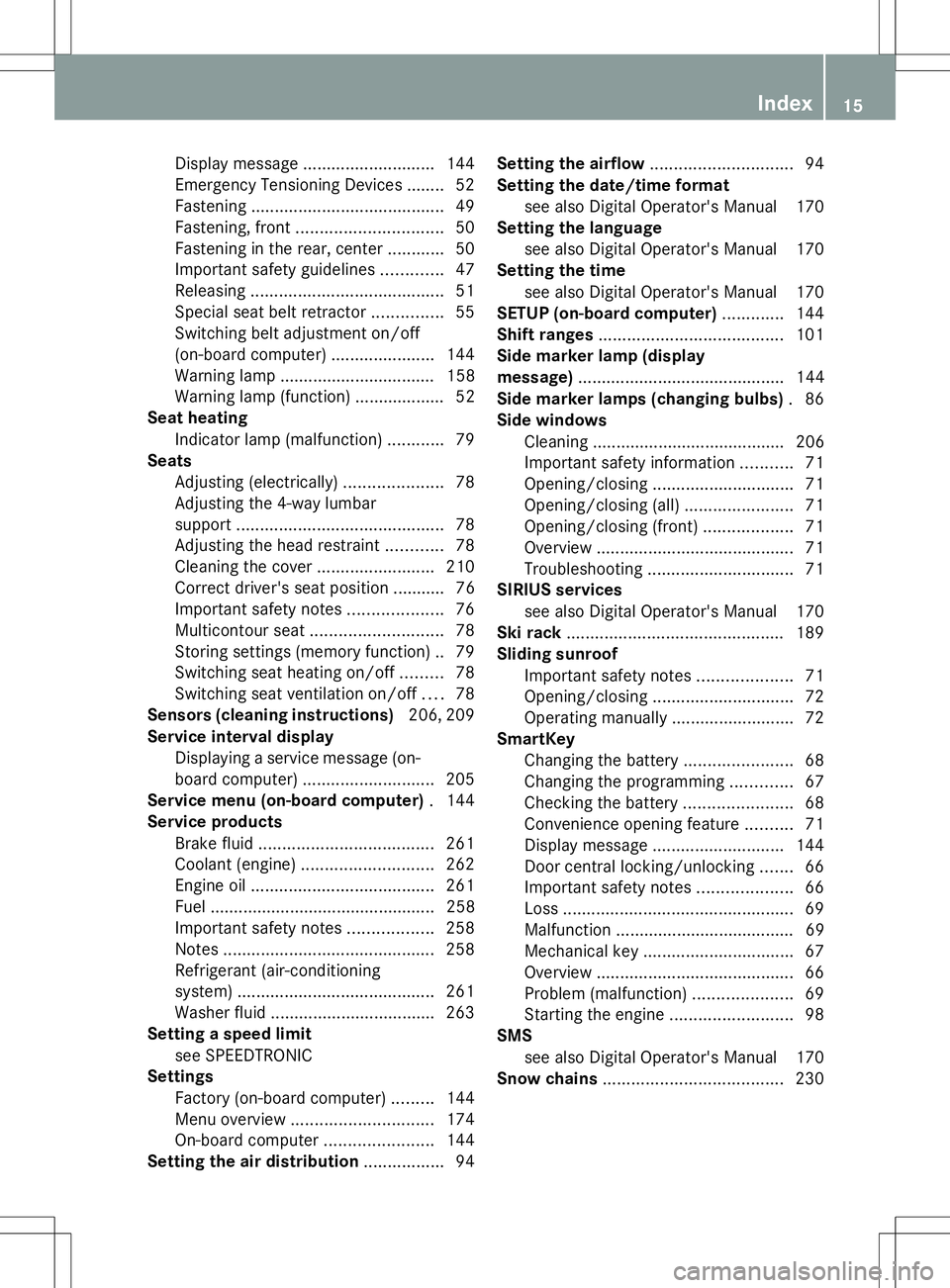
Display message
............................ 144
Emergency Tensioning Devices ....... .52
Fastening ......................................... 49
Fastening, front ............................... 50
Fastening in the rear, center ............50
Important safety guidelines .............47
Releasing ......................................... 51
Special seat belt retractor ...............55
Switching belt adjustment on/off
(on-board computer) ......................144
Warning lamp ................................. 158
Warning lamp (function) ................... 52
Seat heating
Indicator lamp (malfunction) ............79
Seats
Adjusting (electrically) .....................78
Adjusting the 4-way lumbar
support ............................................ 78
Adjusting the head restraint ............78
Cleaning the cover .........................210
Correct driver's seat position ........... 76
Important safety notes ....................76
Multicontour seat ............................ 78
Storing settings (memory function) .. 79
Switching seat heating on/off .........78
Switching seat ventilation on/off ....78
Sensors (cleaning instructions) 206, 209
Service interval display Displaying a service message (on-
board computer) ............................ 205
Service menu (on-board computer) .144
Service products Brake fluid ..................................... 261
Coolant (engine) ............................ 262
Engine oil ....................................... 261
Fuel ................................................ 258
Important safety notes ..................258
Notes ............................................. 258
Refrigerant (air-conditioning
system) .......................................... 261
Washer fluid .................................. .263
Setting a speed limit
see SPEEDTRONIC
Settings
Factory (on-board computer) .........144
Menu overview .............................. 174
On-board computer .......................144
Setting the air distribution .................94Setting the airflow
.............................. 94
Setting the date/time format see also Digital Operator's Manual 170
Setting the language
see also Digital Operator's Manual 170
Setting the time
see also Digital Operator's Manual 170
SETUP (on-board computer) .............144
Shift ranges ....................................... 101
Side marker lamp (display
message) ............................................ 144
Side marker lamps (changing bulbs) .86
Side windows Cleaning ......................................... 206
Important safety information ...........71
Opening/closing .............................. 71
Opening/closing (all) .......................71
Opening/closing (front) ...................71
Overview .......................................... 71
Troubleshooting ............................... 71
SIRIUS services
see also Digital Operator's Manual 170
Ski rack .............................................. 189
Sliding sunroof Important safety notes ....................71
Opening/closing .............................. 72
Operating manually ..........................72
SmartKey
Changing the battery .......................68
Changing the programming .............67
Checking the battery .......................68
Convenience opening feature ..........71
Display message ............................ 144
Door central locking/unlocking .......66
Important safety notes ....................66
Loss ................................................. 69
Malfunction ...................................... 69
Mechanical key ................................ 67
Overview .......................................... 66
Problem (malfunction) .....................69
Starting the engine ..........................98
SMS
see also Digital Operator's Manual 170
Snow chains ...................................... 230 Index
15
Page 177 of 272
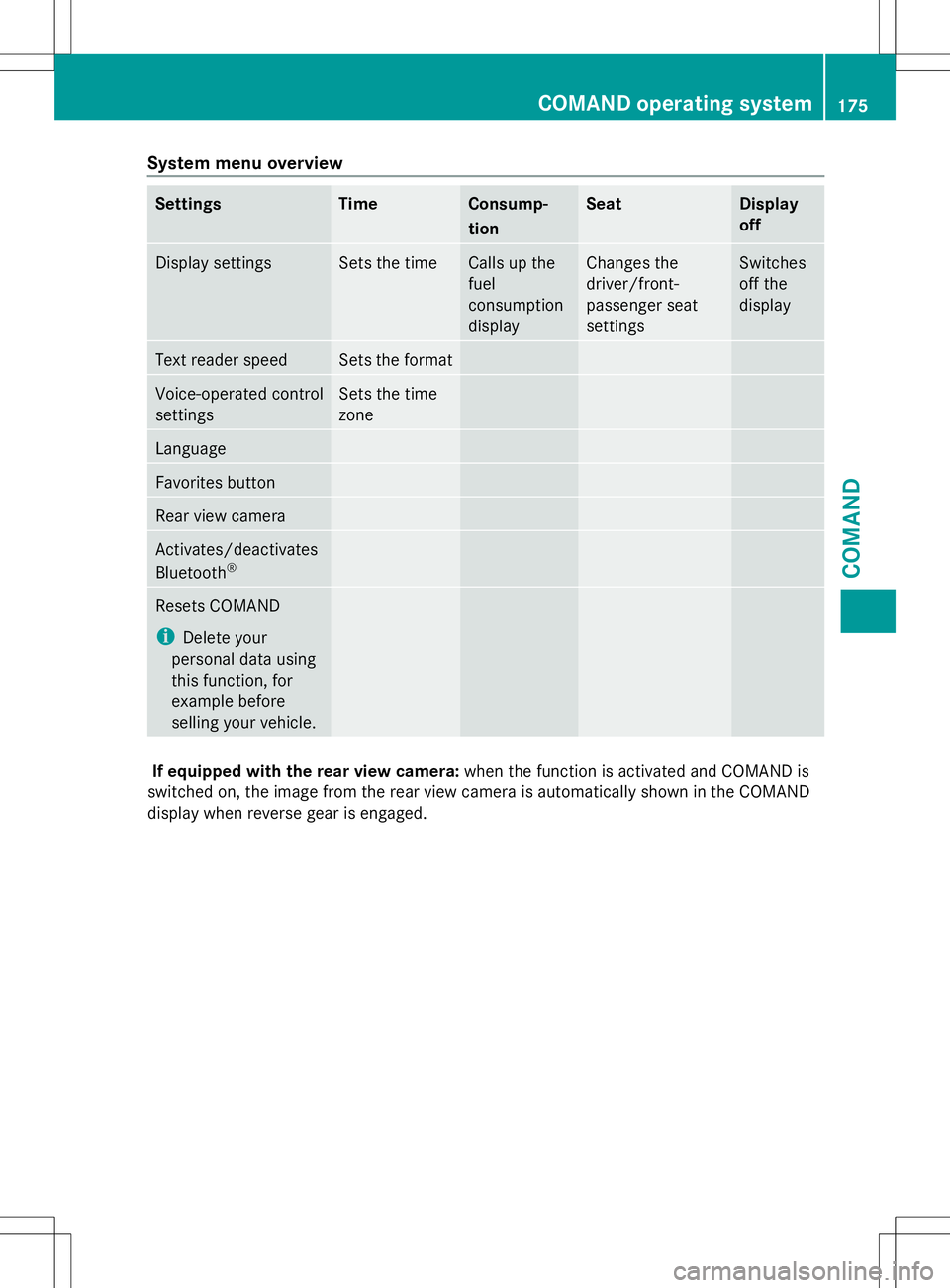
System menu overview
Settings Time Consump-
tion Seat Display
off
Display settings Sets the time Calls up the
fuel
consumption
display Changes the
driver/front-
passenger seat
settings Switches
off the
display
Text reader speed Sets the format
Voice-operated control
settings Sets the time
zone
Language
Favorites button
Rear view camera
Activates/deactivates
Bluetooth
® Resets COMAND
i
Delete your
personal data using
this function, for
example before
selling your vehicle. If equipped with the rear view camera:
when the function is activated and COMAND is
switched on, the image from the rear view camera is automatically shown in the COMAND
display when reverse gear is engaged. COMAND operating system
175COMAND Z