language MERCEDES-BENZ G-CLASS SUV 2018 User Guide
[x] Cancel search | Manufacturer: MERCEDES-BENZ, Model Year: 2018, Model line: G-CLASS SUV, Model: MERCEDES-BENZ G-CLASS SUV 2018Pages: 549, PDF Size: 10.22 MB
Page 327 of 549
If
th e Mercedes-Benz emer gency call sy stem
cann otconnect tothe Mercedes-Benz emer‐
ge ncy call centre, the emer gency call is au tomat‐
ically sent tothe public emer gency services call
centre.
If no connection can be made tothe public
emer gency services, a cor responding message
appears inthe media displa y.#
Dial the emer gency call number 11 2onyour
mobile phone.
Ending an unin tentional emer gency call #
Select ~onthe multifunction steering
wheel.
Data transfer of the Mercedes-Benz emer‐
ge ncy call sy stem
In theeve nt of an au tomatic or manual emer‐
ge ncy call thefo llowing data is transmitte d,for
ex ample:
R Vehicle's GPS position data
R GPS position data on thero ute (a few
hundred metres before the incident)
R Direction of tra vel R
Vehicle identification number
R Vehicle drive type
R Number of people de term ined tobe in the
ve hicle
R Whe ther Mercedes me connect is available
or not
R Whe ther the emer gency call was initiated
manually or automatically
R Time of the accident
R Language setting on the multimedia sy stem
Fo r accident clarification purposes, thefo llowing
measures can be take n up toan hour af terthe
emer gency call has been initia ted:
R The cur rent vehicle position can be called up
R Avo ice connection totheve hicle occupants
can be es tablished
% ForRu ssia: various functions, e.g. receiving
traf fic information, cannot be used for up to
two hou rsafte r sending an emergency call. Fu
nction of the emer gency call sy stem self-
diagnosis (Russia)
Yo ur car verifies the operability of the emer‐
ge ncy call sy stem each time the ignition is ON.
In case of sy stem failure, you will be informed
with text messa geon the instrument clus ter and
with red indicator SOS NOT READY onthe media
displa y.
Please, make sure, that during 30 seconds af ter
switching ignition ON there d indicator SOS
NOT READY inthe upper right corner of the
media display is switched OFF, this means the
emer gency call sy stem passed diagnostics suc‐
cessfully. If necessar y,switch ON the media dis‐
pla y,if it was switched OFF before.
St arting/ending ERA-GLONASS test mode
(Russia)
Re quirements:
R The star ter battery is suf ficiently charge d.
R The ignition is switched on.
R The vehicle has been stationary for at least
one minute. 324
Multimedia sy stem
Page 328 of 549
#
Tostart thete st mode: press and hold the
~ button on the multifunction steering
wheel for at least five seconds.
The test mode is star ted and automatically
ends af terth e language test has been per‐
fo rm ed. #
Toend thete st mode manuall y:switch off
th e ignition.
The test mode is ended. Online and Internet functions
Internet connection
Information on connecting
tothe Internet &
WARNING Risk of di stra ction from infor‐
mation sy stems and communications
equipment
If yo u operate information and communica‐
tion equipment integ rated in theve hicle
when driving, you will be distracted from the
traf fic situation. This could also cause youto
lose control of theve hicle. #
Only operate this equipment when the
traf fic situation permits. #
Ifyo u cannot be sure of this, stop the
ve hicle whilst paying attention toroad
and traf fic conditions and ope rate the
equipment with theve hicle stationar y. Yo
u must obse rveth e legal requirements forthe
country in whi chyou are cur rently driving when
operating the multimedia sy stem. &
WARNING Risk of di stra ction from oper‐
ating mobile communication equipment
while theve hicle is in motion
If yo u operate mobile communication equip‐
ment when driving, you will be distracted
from the tra ffic situation. This could also
cause youto lose control of theve hicle. #
Only operate this equipment when the
ve hicle is stationar y. Yo
u must obse rveth e legal requirements forthe
country in whi chyou are cur rently driving when operating mobile communication equipment in
th
eve hicle.
Depending on theve hicle's equipment, you can
es tablish an Internet connection in thefo llowing
wa ys:
R Vehicles with a communication module:
Internet use including Mercedes me connect
services and data roaming (/ page 325).
R Vehicles without a communication mod‐
ule:
- viaWi-Fi wi tha data-enabled mobile
phone (/ page 326)
- via Blue tooth®
with a data-enabled
mobile phone (/ page 327)
- via business telephony (/ page 326)
The Internet functions can only be used toa limi‐
te d degree whilst driving.
Fu nction of the communication module
On vehicles with a built-in communication mod‐
ule, the Internet connection is es tablished via an
integrated SIM card. Multimedia sy
stem 325
Page 333 of 549
Operating Mercedes-Benz Apps using
voice
control
Re quirements:
R The registration forth e use of Mercedes-
Benz Apps has been comple ted.
R The general term s and conditions ha vebeen
con firm ed.
The o symbol indicates that a Mercedes-
Benz app can be used via voice control. #
Select a Mercedes-Benz app.
The app menu is displa yed. #
Touse voice control: selectoLan-
guage. #
Say thequ estion or command.
% Voice control is not available in all countries
and languages. We
b br owser Calling up a
web page &
WARNING Risk of di stra ction from infor‐
mation sy stems and communications
equipment
If yo u operate information and communica‐
tion equipment integ rated in theve hicle
when driving, you will be distracted from the
traf fic situation. This could also cause youto
lose control of theve hicle. #
Only operate this equipment when the
traf fic situation permits. #
Ifyo u cannot be sure of this, stop the
ve hicle whilst paying attention toroad
and traf fic conditions and ope rate the
equipment with theve hicle stationar y. Yo
u must obse rveth e legal requirements forthe
country in whi chyou are cur rently driving when
operating the multimedia sy stem. Multimedia sy
stem:
4 Connect 5
z Browser
5 z Enter URL #
Ente r aweb address.
% The function is count ry-dependent. #
Tofinish the entry and call up thewe b‐
site: select ¬.
Showing/hiding thewe b br ows er menu
If yo u call up a website byselecting a link, for
ex ample, thewe b br ows er menu is hidden. #
Toshow/hide: pressthe% button.
% The web br ows er supports video playbac k.
% Nowebsites or videos are displa yed while
th eve hicle is in motion. 330
Multimedia sy stem
Page 357 of 549
Overview of
the displa ysintheTV cont rol
menu The
following information is displa yed:
R Cur rent TV channel with theß symbol (if
th ech annel has been sa ved as a favo urite)
R Cur rent programme wi thstart and finish
times
R FIX
Channel fix, description of the function
(/ page 355)
Ac tivating/deactivating channel fix
( / page 355)
R Symbols, forex ample:
p Telete xt
z Audio languages available
r Encryp tedch annel Showing or hiding in full screen
Showing
#
Select #Full screen .
or #
Press theD button.
Hiding #
Press the% button. Selecting
TVchannels Selecting
TVchannels from the control menu
Multimedia sy stem:
4 Media 5
à Media sources 5
TV #
Swipe up or down on theto uchpad.
The TVtuner sets the pr evious/n extch annel
from thech annel list. The control menu
appears for twelve seconds.
Selecting TVchannels from thech annel list
Multimedia sy stem:
4 Media 5
à Media sources 5
TV
5 ª Station lists #
Select TV channels. #
Select a TVchannel.
The TVtuner selects thech annel from the
ch annel list. The control menu appears for
appr oximately twelve seconds. Sear
ches for a TVchannel #
Select TV channels . #
Select ªSearch . #
Enter thech annel sear ched for
( / page 259). #
Select a TVchannel.
Selecting a TVchannel from thefa vo urites
Re quirements:
R The TVchannel has been sa ved in thefa vo ur‐
ites.
Multimedia sy stem:
4 Media 5
à Media sources 5
TV
5 ß Presets #
Select theTV channel.
Selecting TVchannels in the bac kground
Re quirements:
R An application is active, e.g. the navigation.
R TVmode is switched on in the bac kground
and the sound from the selected TVchannel
can be heard 354
Multimedia sy stem
Page 359 of 549
Quic
k-saving a TVchannel
Multimedia sy stem:
4 Media 5
à Media sources 5
TV #
In full-screen mode, press theto uchpad for
longer than thre e seconds.
The cur rent TV channel is stored in the
fa vo urites in the next available position.
St oring TVchannels
Multimedia sy stem:
4 Media 5
à Media sources 5
TV
5 ß Presets #
Select Store current station in the presets .
or #
Highlight a channel in thech annel list and
st ore as a favo urite.
The cur rent channel is stored in thefa vo ur‐
ites in the next available position.
Moving channels in thefa vo urites #
Highlight a channel in thefa vo urites. #
Select ¥Move highlighted station. #
Highlight the new position. #
Confirm the position.
Deleting channels #
Highlight a channel in thefa vo urites. #
Select ¥Delete highlighted station. #
Select Yes. TV
prog ramme Overvi
ewof audio language and subtitles
Au dio language
R It is possible tochoose between se veral
audio languages when a programme is broad‐
cast in multiple languages.
R If En glish, forex ample, is set as the sy stem
language and a TVchannel is broadcasting in
th is language, En glish is selec ted automati‐
cally.
The prog ramme transmission may be indica ted
with thefo llowing symbols:
m Programme with audio explanations for
th e visually impaired
o Stereo broadcast n
Programme forth e hearing impaired
O Broadcast in sur round sound
If a symbol is not shown, the programme is
either broadcast in mono or the transmission
properties are unkn own.
Subtitles
R The function is switched on: subtitles are
shown in the selected language forth e cur‐
re nt programme (if available).
Setting theTV audio language
Multimedia sy stem:
4 Media 5
à Media sources 5
TV
5 Z Options #
Select Audio/subtitles. #
Select one of theav ailable audio languages.
The audio language selec ted only applies to
th e cur rent programme. 356
Multimedia sy stem
Page 360 of 549
Setting
theTV subtitles
Multimedia sy stem:
4 Media 5
à Media sources 5
TV
5 Z Options #
Select Audio/subtitles. #
Select Show subtitles.
Switch the subtitles on Oor off ª. #
Select one of theav ailable languages forthe
subtitles. Te
lete xt Te
lete xt ove rview
Te lete xt pa ges are located between page 100
and page 899.
A dynamic telete xt pa geconsi sts of se veral sub‐
pages.
Information on MHEG-5 digital telete xt:
R digi taltelete xt is only available in some coun‐
tries, e.g. the UK and New Zealand
R interactive multimedia applications such as
weather fore casts, ne wsreports and sport
re sults are available R
it may take some time before all the pages
load
Showing telete xt
Multimedia sy stem:
4 Media 5
à Media sources 5
TV
5 Z Options 5
Teletext #
Tocall up the pr evious or next telete xt
page: swipe upwards or down wards on the
to uchpad. #
Toenter numbers: press and holdthe
to uchpad. #
Enterth e numbers in quick succession. #
Toselect a subpage: swipe left orright on
th eto uchpad.
% The subpage cur rently selected is ma rked by
a blue symbol. #
Toreturn totheTV prog ramme: press and
hold the% button. MHEG-5 digital
telete xt #
Ifth ete lete xt is displ ayed, press and hold on
th eto uchpad.
A colour selection bar appears. #
Select a colour.
The data content is displ ayed. #
Toenter numbers: select123. #
Enterth e numbers in quick succession. #
Toreturn totheTV prog ramme: selectTV. Pictu
resettings Picture settings
overview
The following picture form at settings are availa‐
ble:
R Automatic
The brightness is automatically set with this
option.
R 16:9
R 4:3
R Zoom Multimedia sy
stem 357
Page 367 of 549
#
Insert foot 2 ofthere ar display into console
1.
Fo ot 2 engages audibly.
Re moving the rear display from the console &
WARNING Risk of inju rythro ugh dis‐
pla ysmounted in theve hicle
The rear displa ysfitted in theve hicle could
injure there ar seat occupants, forex ample in
th efo llowing situations:
R During heavy braking
R Sudden change of direction
R Intheev ent of an accident #
Remo vethere ar displa ysfrom theve hi‐
cle each time af ter using and store
safel y. #
Press button 3and remo verear display foot
2 from console 1.
Switching a rear display on/off
Switching on #
Switch on the po wer supp lyor the ignition
using thest art/ stop button (/ page141). #
Press and hold but ton5 onthere ar display
until the symbols at the side light up
(/ page 362).
During thech arging process a charging sym‐
bol appears at theto p left of thest atus line. #
When theRe ar Seat Entertainment Sys‐
te m is used for the firs t time or af ter a
re set tothefa ctory settings: selectthe
sy stem language. #
Set the device sear chname.
% The device name consi sts of between 3 and
16 characters. The rear displa yshave differ‐
ent names.
Switching off #
Press and hold button 5onthere ar display
fo r about thre e seconds (/ page 362).
Media playback is ended and must be restar‐
te d when it is switched on.
% When theve hicle ignition is switched off, the
re ar displa ysare also swit ched off. 364
Multimedia sy stem
Page 371 of 549
Setting
thevo lume and brightness Re
ar Seat En tertainment Sy stem:
4 Comfort
Setting the sound #
Select Sound. #
Select Volume . #
Set thevo lume.
or #
Select Equalizer. #
Set the treble and bass.
Ad justing the brightness #
Select Brightness . #
Set the screen brightness.
% Settings for sound and brightness can be
car ried out individually for bo threar displa ys. Setting
the sy stem language for the rear dis‐
play Re
ar Seat En tertainment Sy stem:
4 Settings 5
Language #
The desired sy stem language is set. Setting
theRe ar Seat Entertainment Sy stem
connections Re
ar Seat En tertainment Sy stem:
4 Settings
Wi -Fi settings #
Select Wi-Fi.
The following menus are available:
R Access point mode
Inthis menu you can set the sear chname
of the device as well as the password for
Wi -Fi secu rity. For suf ficient secu rity you
should use a password with 8-16 charac‐
te rs.
R Wi-Fi connection In
this menu you can swit chtheWi -Fi
on/o ffas well as set automatic and man‐
ual connection toavailable networ ks.
% Where there is active Wi-Fi theö symbol
is shown at theto pright of thest atus bar.
Pa iring settings (Blue tooth ®
) #
Select Pairing.
The following functions are available:
R Activating/deactivating Blu etoo th®
R Pairing/disconnecting Blue tooth devices
(e.g. Blue tooth headphones)
% Ifth eRe ar Seat En tertainment Sy stem is
re set tothefa ctory settings, theWi -Fi and
pairing settings are also reset.
Fu rther information on resetting tothefa c‐
to ry settings (/ page 369). Sharing playback with a
rear display Re
quirements for playba ckof a mobile end
device via there ar displa y:
R The end device is DLNA compatible. 368
Multimedia sy stem
Page 526 of 549
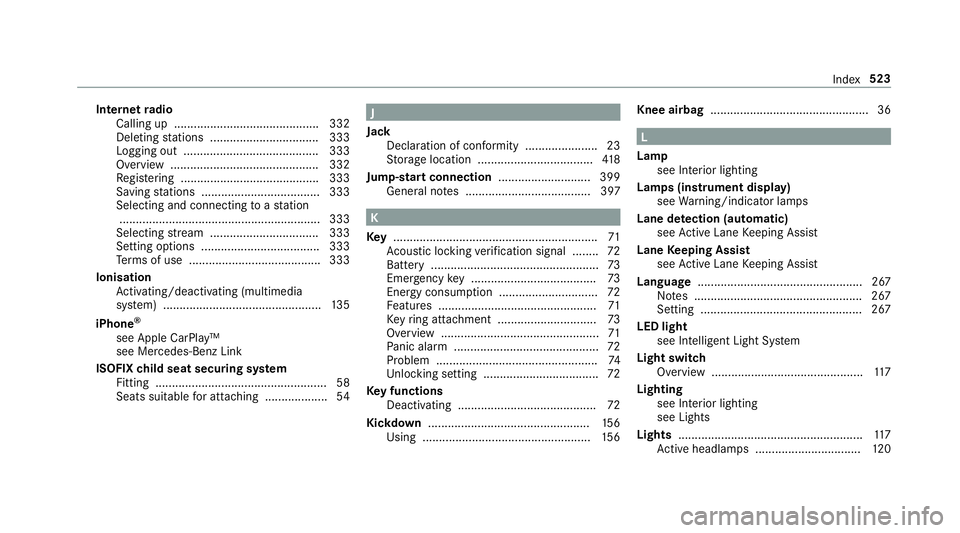
Internet
radio
Calling up ............................................ 332
Deleting stations ................................ .333
Logging out ......................................... 333
Overview ............................................. 332
Re gis tering .......................................... 333
Saving stations .................................... 333
Selecting and connecting toast ation
............................................................ .333
Selecting stre am ................................ .333
Setting options ................................... .333
Te rm s of use ........................................3 33
Ionisation Activating/deactivating (multimedia
sy stem) ................................................ 13 5
iPhone ®
see Apple CarPlay™
see Mercedes-Benz Link
ISOFIX child seat securing sy stem
Fitting .................................................... 58
Seats suitable for attaching ................... 54 J
Jack Declaration of conformity ......................23
Storage location ................................... 41 8
Jump-start connection ............................399
Gene ral no tes ...................................... 397 K
Ke y.............................................................. 71
Ac oustic locking verification signal ........ 72
Battery ................................................... 73
Emergency key ...................................... 73
Energy consumption .............................. 72
Fe atures ................................................ 71
Ke yring attachment .............................. 73
Overview ................................................ 71
Pa nic alarm ............................................ 72
Problem .................................................74
Un locking setting .................................. .72
Ke y functions
Deactivating .......................................... 72
Kickd own.................................................1 56
Using ................................................... 15 6Knee airbag
................................................ 36 L
Lamp see In terior lighting
Lamps (instrument display) see Warning/indicator lamps
Lane de tection (au tomatic)
see Active Lane Keeping Assist
Lane Keeping Assist
see Active Lane Keeping Assist
Language .................................................. 267
No tes ................................................... 267
Setting .................................................2 67
LED light see In telligent Light Sy stem
Light switch Overview ..............................................1 17
Lighting see In terior lighting
see Lights
Lights ........................................................ 11 7
Ac tive headla mps ................................ 12 0 Index
523
Page 527 of 549
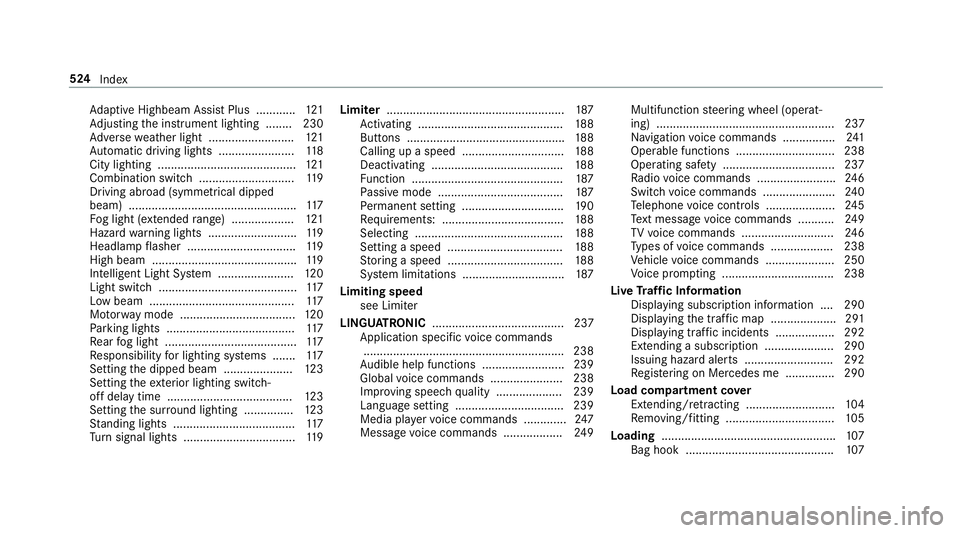
Ad
aptive Highbeam Assist Plus ............ 121
Ad justing the instrument lighting ........ 230
Ad versewe ather light .......................... 121
Au tomatic driving lights ....................... 11 8
City lighting .......................................... 121
Combination swit ch............................. 11 9
Driving ab road (symm etrical dipped
beam) ................................................... 11 7
Fo g light (extended range) ................... 121
Haza rdwa rning lights .......................... .119
Headla mpflasher ................................ .119
High beam ............................................ 11 9
Intellige nt Light Sy stem ....................... 12 0
Light switch .......................................... 11 7
Low beam ............................................ 11 7
Mo torw ay mode ................................... 12 0
Pa rking lights ...................................... .117
Re ar fog light ........................................1 17
Re sponsibility for lighting sy stems .......1 17
Setting the dipped beam ..................... 12 3
Setting theex terior lighting switch-
off delay time ...................................... 12 3
Setting the sur round lighting .............. .123
St anding lights .................................... .117
Tu rn signal lights ..................................1 19Limiter
...................................................... 187
Ac tivating ............................................ 188
Buttons ................................................ 188
Calling up a speed .............................. .188
Deactivating ........................................ 188
Fu nction .............................................. 187
Pa ssive mode ...................................... 187
Pe rm anent setting .............................. .190
Re quirements: .................................... .188
Selecting ............................................. 188
Setting a speed ................................... 188
St oring a speed ................................... 188
Sy stem limitations ...............................1 87
Limiting speed see Limiter
LINGU ATRO NIC ........................................ 237
Application specific voice commands
............................................................ .238
Au dible help functions .........................2 39
Global voice commands ...................... 238
Impr oving speech quality .................... 239
Language setting ................................ .239
Media pla yervo ice commands ............ .247
Message voice commands .................. 24 9Multifunction
steering wheel (operat‐
ing) ...................................................... 237
Na vigation voice commands ................ 241
Operable functions .............................. 238
Operating saf ety .................................. 237
Ra dio voice commands ........................ 24 6
Switch voice commands ...................... 24 0
Te lephone voice controls .................... .245
Te xt messa gevoice commands .......... .249
TV voice commands ............................ 24 6
Ty pes of voice commands .................. .238
Ve hicle voice commands .................... .250
Vo ice prom pting .................................. 238
Live Traf fic Information
Displaying subsc ript ion information .... 290
Displaying the tra ffic map .................... 291
Displaying traf fic incidents .................. 292
Extending a subscription ..................... 290
Issuing hazard alerts ........................... 292
Re gis tering on Mercedes me ............... 290
Load co mpartment co ver
Extending/r etra cting ........................... 104
Re moving/fitting ................................. 105
Loading .................................................... .107
Bag hook ............................................. 107524
Index