wheel MERCEDES-BENZ GL 2011 Owners Manual
[x] Cancel search | Manufacturer: MERCEDES-BENZ, Model Year: 2011, Model line: GL, Model: MERCEDES-BENZ GL 2011Pages: 376, PDF Size: 17.39 MB
Page 230 of 376
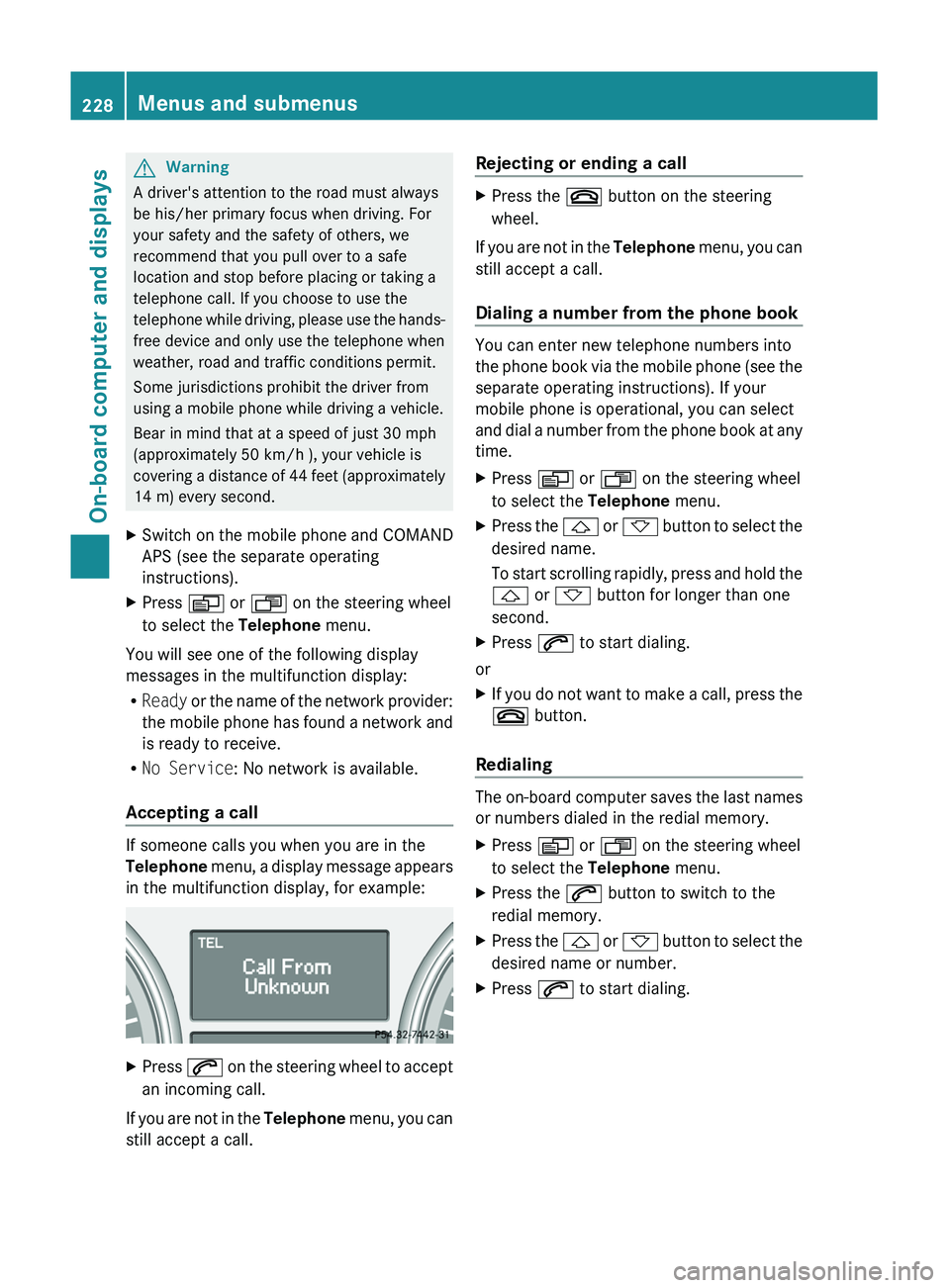
GWarning
A driver's attention to the road must always
be his/her primary focus when driving. For
your safety and the safety of others, we
recommend that you pull over to a safe
location and stop before placing or taking a
telephone call. If you choose to use the
telephone while driving, please use the hands-
free device and only use the telephone when
weather, road and traffic conditions permit.
Some jurisdictions prohibit the driver from
using a mobile phone while driving a vehicle.
Bear in mind that at a speed of just 30 mph
(approximately 50 km/h ), your vehicle is
covering a distance of 44 feet (approximately
14 m) every second.
XSwitch on the mobile phone and COMAND
APS (see the separate operating
instructions).XPress V or U on the steering wheel
to select the Telephone menu.
You will see one of the following display
messages in the multifunction display:
R Ready or the name of the network provider:
the mobile phone has found a network and
is ready to receive.
R No Service : No network is available.
Accepting a call
If someone calls you when you are in the
Telephone menu, a display message appears
in the multifunction display, for example:
XPress 6 on the steering wheel to accept
an incoming call.
If you are not in the Telephone menu, you can
still accept a call.
Rejecting or ending a callXPress the ~ button on the steering
wheel.
If you are not in the Telephone menu, you can
still accept a call.
Dialing a number from the phone book
You can enter new telephone numbers into
the phone book via the mobile phone (see the
separate operating instructions). If your
mobile phone is operational, you can select
and dial a number from the phone book at any
time.
XPress V or U on the steering wheel
to select the Telephone menu.XPress the & or * button to select the
desired name.
To start scrolling rapidly, press and hold the
& or * button for longer than one
second.XPress 6 to start dialing.
or
XIf you do not want to make a call, press the
~ button.
Redialing
The on-board computer saves the last names
or numbers dialed in the redial memory.
XPress V or U on the steering wheel
to select the Telephone menu.XPress the 6 button to switch to the
redial memory.XPress the & or * button to select the
desired name or number.XPress 6 to start dialing.228Menus and submenusOn-board computer and displays
BA 164.8 USA, CA Edition B 2011; 1; 2, en-USd2sboikeVersion: 3.0.3.52010-04-21T15:08:44+02:00 - Seite 228
Page 231 of 376
Display messages
Hiding display messages
GWarning
All categories of messages contain important information which should be taken note of and,
where a malfunction is indicated, addressed as soon as possible at an authorized Mercedes-Benz
Center.
Failure to repair the condition noted may cause damage not covered by the Mercedes-Benz
Limited Warranty, or result in property damage or personal injury.
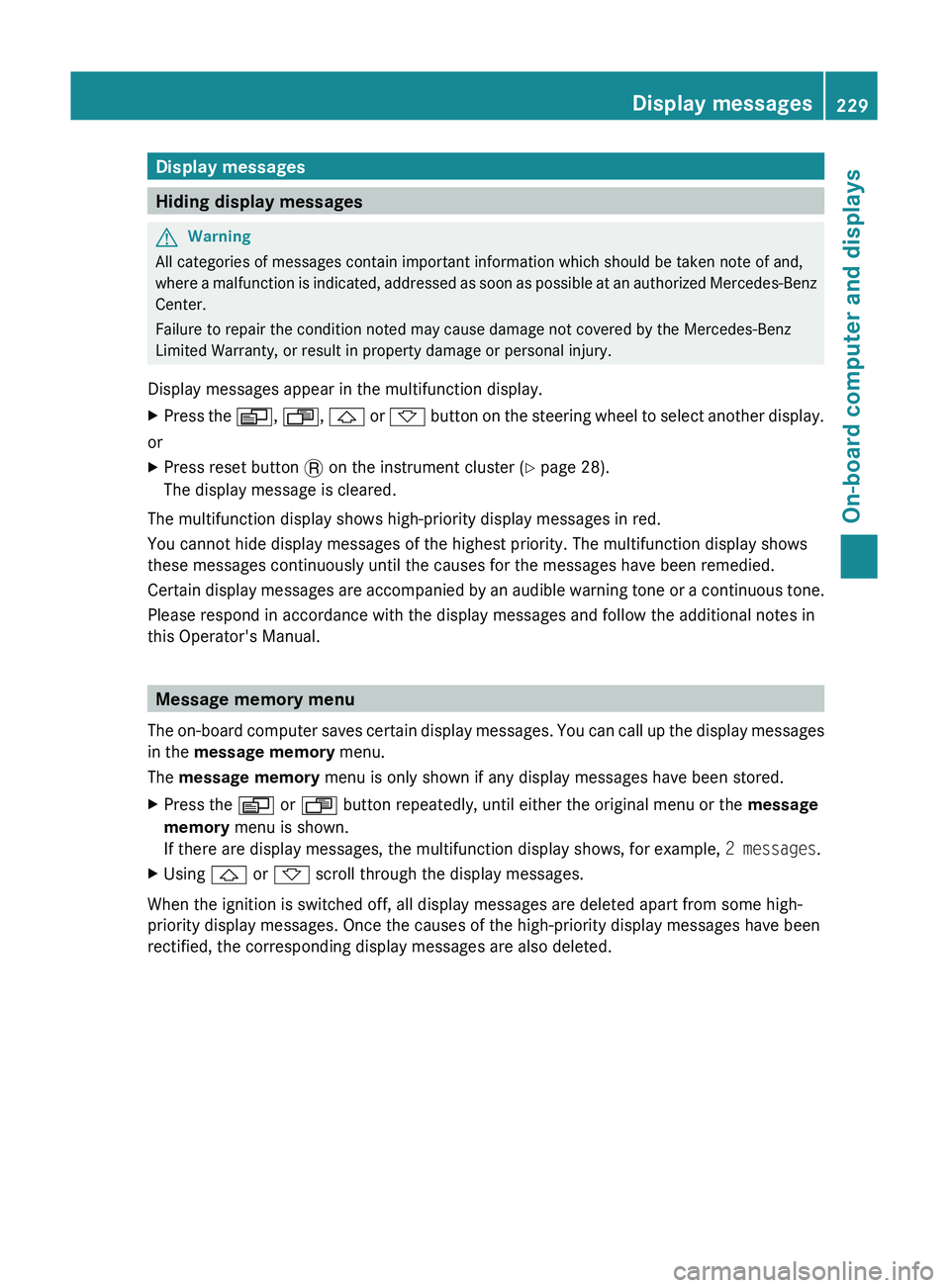
Display messages appear in the multifunction display.
XPress the V, U , & or * button on the steering wheel to select another display.
or
XPress reset button . on the instrument cluster ( Y page 28).
The display message is cleared.
The multifunction display shows high-priority display messages in red.
You cannot hide display messages of the highest priority. The multifunction display shows
these messages continuously until the causes for the messages have been remedied.
Certain display messages are accompanied by an audible warning tone or a continuous tone.
Please respond in accordance with the display messages and follow the additional notes in
this Operator's Manual.
Message memory menu
The on-board computer saves certain display messages. You can call up the display messages
in the message memory menu.
The message memory menu is only shown if any display messages have been stored.
XPress the V or U button repeatedly, until either the original menu or the message
memory menu is shown.
If there are display messages, the multifunction display shows, for example, 2 messages.XUsing & or * scroll through the display messages.
When the ignition is switched off, all display messages are deleted apart from some high-
priority display messages. Once the causes of the high-priority display messages have been
rectified, the corresponding display messages are also deleted.
Display messages229On-board computer and displaysBA 164.8 USA, CA Edition B 2011; 1; 2, en-USd2sboikeVersion: 3.0.3.52010-04-21T15:08:44+02:00 - Seite 229Z
Page 232 of 376
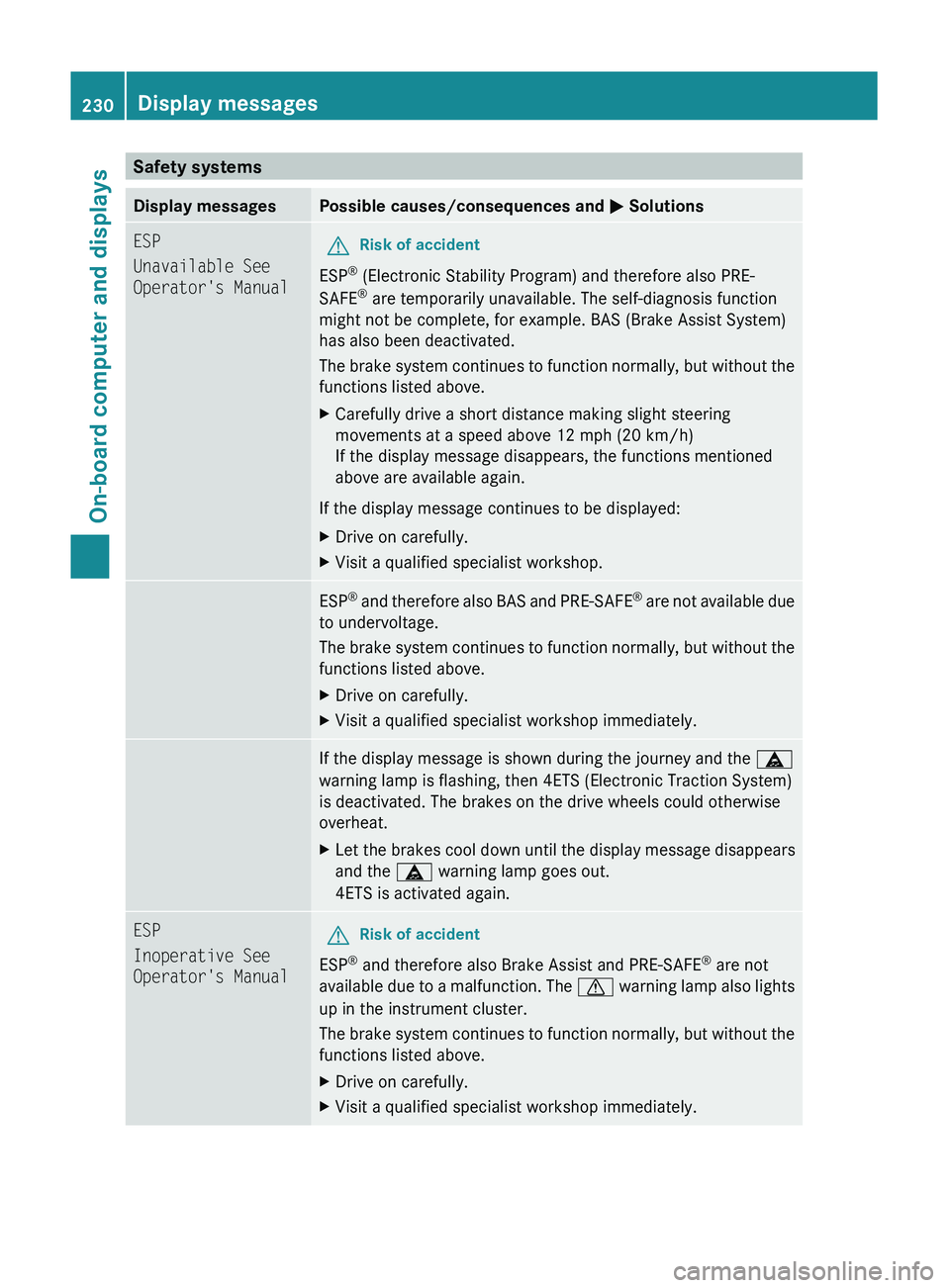
Safety systemsDisplay messagesPossible causes/consequences and M SolutionsESP
Unavailable See
Operator's ManualGRisk of accident
ESP ®
(Electronic Stability Program) and therefore also PRE-
SAFE ®
are temporarily unavailable. The self-diagnosis function
might not be complete, for example. BAS (Brake Assist System)
has also been deactivated.
The brake system continues to function normally, but without the
functions listed above.
XCarefully drive a short distance making slight steering
movements at a speed above 12 mph (20 km/h)
If the display message disappears, the functions mentioned
above are available again.
If the display message continues to be displayed:
XDrive on carefully.XVisit a qualified specialist workshop.ESP ®
and therefore also BAS and PRE-SAFE ®
are not available due
to undervoltage.
The brake system continues to function normally, but without the
functions listed above.XDrive on carefully.XVisit a qualified specialist workshop immediately.If the display message is shown during the journey and the ä
warning lamp is flashing, then 4ETS (Electronic Traction System)
is deactivated. The brakes on the drive wheels could otherwise
overheat.XLet the brakes cool down until the display message disappears
and the ä warning lamp goes out.
4ETS is activated again.ESP
Inoperative See
Operator's ManualGRisk of accident
ESP ®
and therefore also Brake Assist and PRE-SAFE ®
are not
available due to a malfunction. The d warning lamp also lights
up in the instrument cluster.
The brake system continues to function normally, but without the
functions listed above.
XDrive on carefully.XVisit a qualified specialist workshop immediately.230Display messagesOn-board computer and displays
BA 164.8 USA, CA Edition B 2011; 1; 2, en-USd2sboikeVersion: 3.0.3.52010-04-21T15:08:44+02:00 - Seite 230
Page 237 of 376
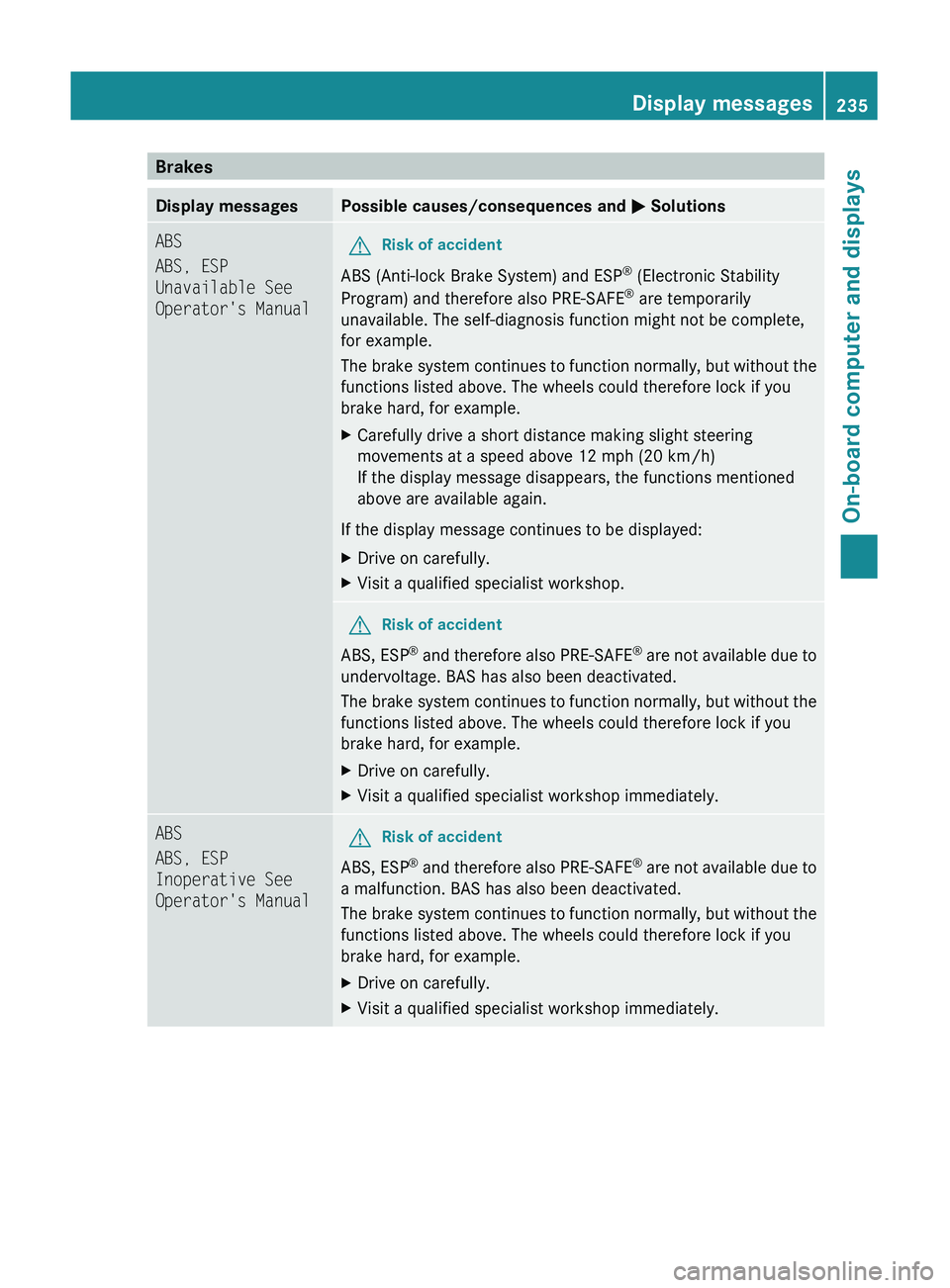
BrakesDisplay messagesPossible causes/consequences and M SolutionsABS
ABS, ESP
Unavailable See
Operator's ManualGRisk of accident
ABS (Anti-lock Brake System) and ESP ®
(Electronic Stability
Program) and therefore also PRE-SAFE ®
are temporarily
unavailable. The self-diagnosis function might not be complete,
for example.
The brake system continues to function normally, but without the
functions listed above. The wheels could therefore lock if you
brake hard, for example.
XCarefully drive a short distance making slight steering
movements at a speed above 12 mph (20 km/h)
If the display message disappears, the functions mentioned
above are available again.
If the display message continues to be displayed:
XDrive on carefully.XVisit a qualified specialist workshop.GRisk of accident
ABS, ESP ®
and therefore also PRE-SAFE ®
are not available due to
undervoltage. BAS has also been deactivated.
The brake system continues to function normally, but without the
functions listed above. The wheels could therefore lock if you
brake hard, for example.
XDrive on carefully.XVisit a qualified specialist workshop immediately.ABS
ABS, ESP
Inoperative See
Operator's ManualGRisk of accident
ABS, ESP ®
and therefore also PRE-SAFE ®
are not available due to
a malfunction. BAS has also been deactivated.
The brake system continues to function normally, but without the
functions listed above. The wheels could therefore lock if you
brake hard, for example.
XDrive on carefully.XVisit a qualified specialist workshop immediately.Display messages235On-board computer and displaysBA 164.8 USA, CA Edition B 2011; 1; 2, en-USd2sboikeVersion: 3.0.3.52010-04-21T15:08:44+02:00 - Seite 235Z
Page 238 of 376
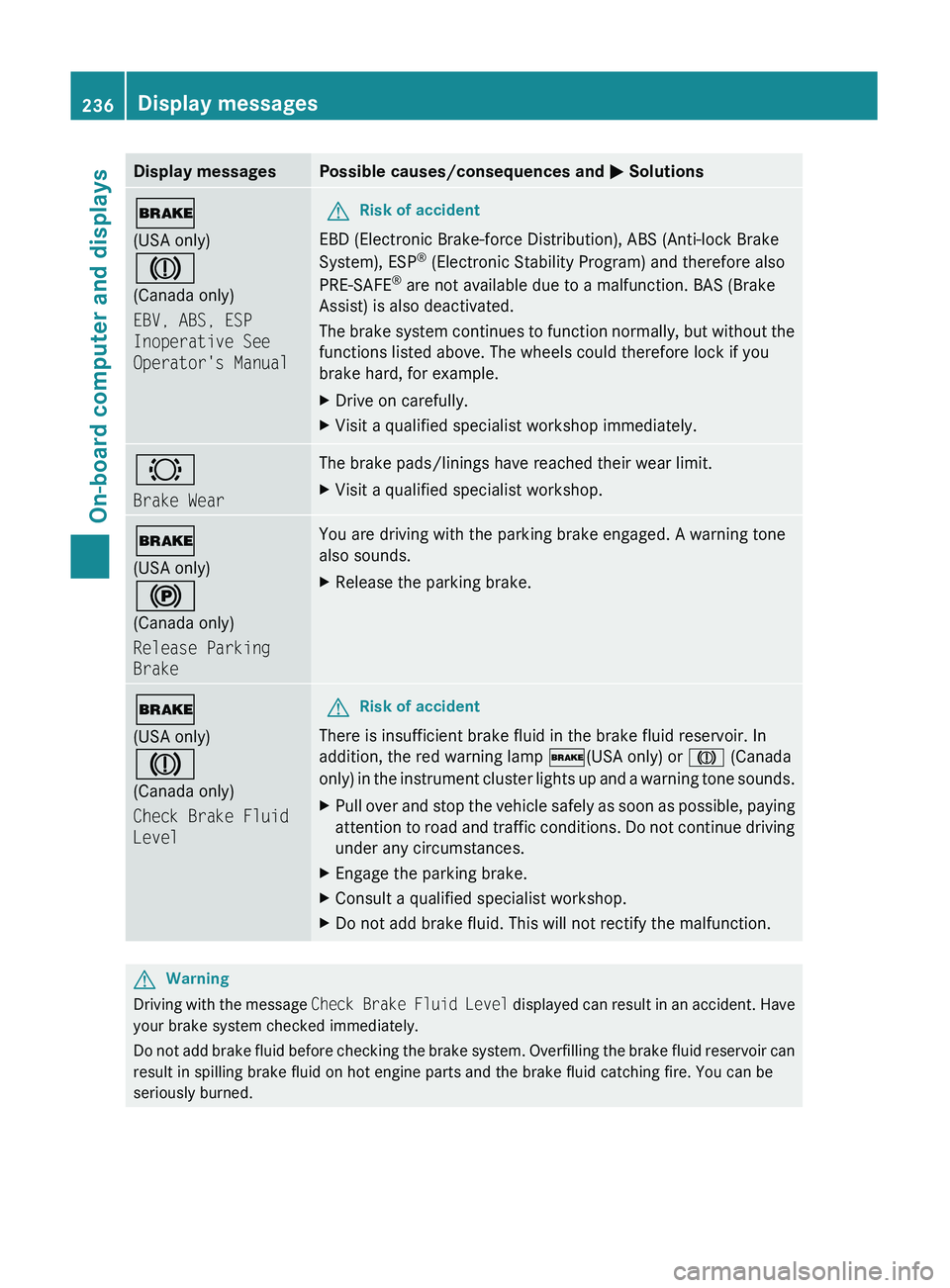
Display messagesPossible causes/consequences and M Solutions$
(USA only)
J
(Canada only)
EBV, ABS, ESP
Inoperative See
Operator's ManualGRisk of accident
EBD (Electronic Brake-force Distribution), ABS (Anti-lock Brake
System), ESP ®
(Electronic Stability Program) and therefore also
PRE-SAFE ®
are not available due to a malfunction. BAS (Brake
Assist) is also deactivated.
The brake system continues to function normally, but without the
functions listed above. The wheels could therefore lock if you
brake hard, for example.
XDrive on carefully.XVisit a qualified specialist workshop immediately.#
Brake WearThe brake pads/linings have reached their wear limit.XVisit a qualified specialist workshop.$
(USA only)
!
(Canada only)
Release Parking
BrakeYou are driving with the parking brake engaged. A warning tone
also sounds.XRelease the parking brake.$
(USA only)
J
(Canada only)
Check Brake Fluid
LevelGRisk of accident
There is insufficient brake fluid in the brake fluid reservoir. In
addition, the red warning lamp $(USA only) or J (Canada
only) in the instrument cluster lights up and a warning tone sounds.
XPull over and stop the vehicle safely as soon as possible, paying
attention to road and traffic conditions. Do not continue driving
under any circumstances.XEngage the parking brake.XConsult a qualified specialist workshop.XDo not add brake fluid. This will not rectify the malfunction.GWarning
Driving with the message Check Brake Fluid Level displayed can result in an accident. Have
your brake system checked immediately.
Do not add brake fluid before checking the brake system. Overfilling the brake fluid reservoir can
result in spilling brake fluid on hot engine parts and the brake fluid catching fire. You can be
seriously burned.
236Display messagesOn-board computer and displays
BA 164.8 USA, CA Edition B 2011; 1; 2, en-USd2sboikeVersion: 3.0.3.52010-04-21T15:08:44+02:00 - Seite 236
Page 247 of 376
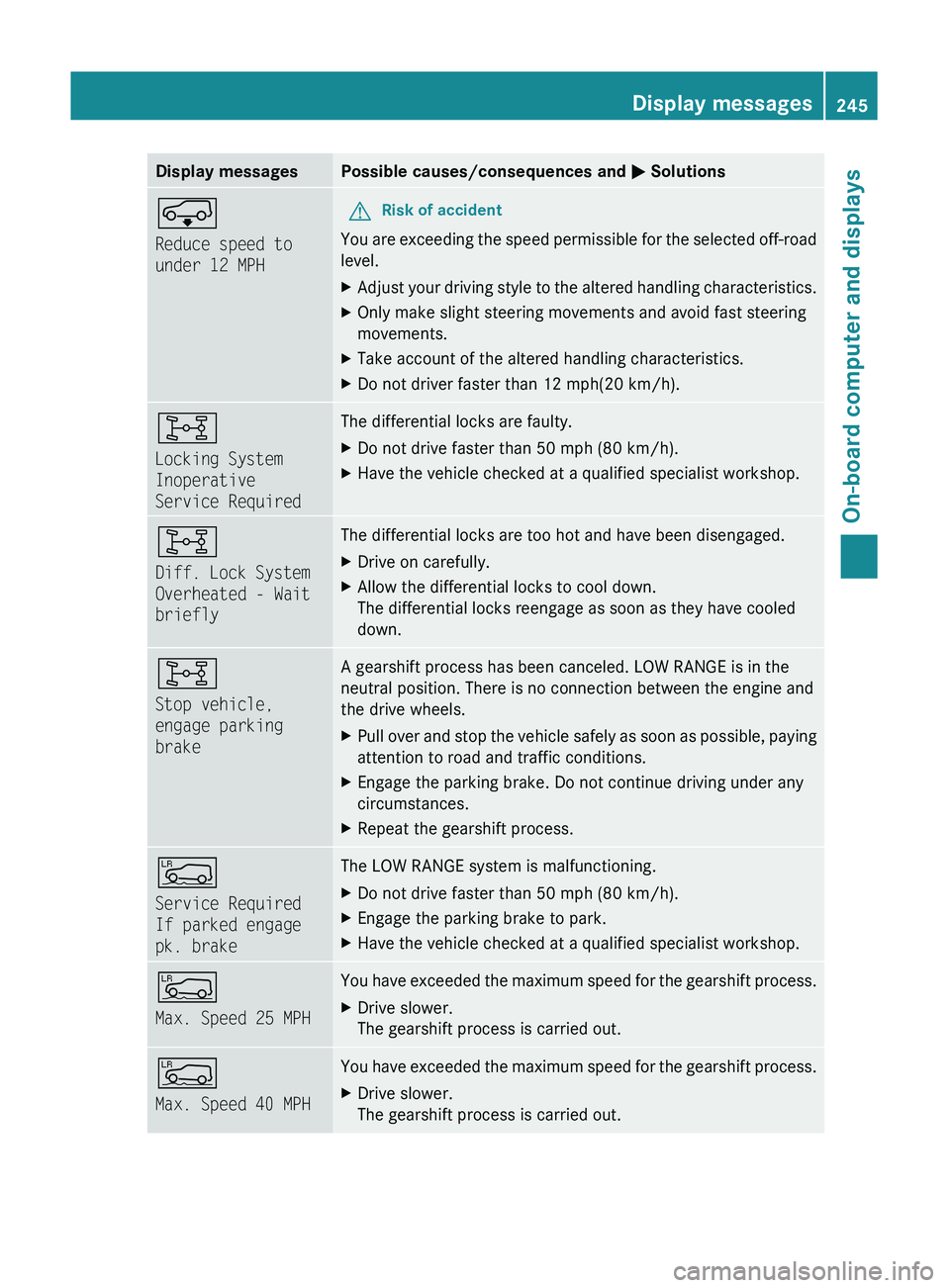
Display messagesPossible causes/consequences and M SolutionsÆ
Reduce speed to
under 12 MPHGRisk of accident
You are exceeding the speed permissible for the selected off-road
level.
XAdjust your driving style to the altered handling characteristics.XOnly make slight steering movements and avoid fast steering
movements.XTake account of the altered handling characteristics.XDo not driver faster than 12 mph(20 km/h).8
Locking System
Inoperative
Service RequiredThe differential locks are faulty. XDo not drive faster than 50 mph (80 km/h).XHave the vehicle checked at a qualified specialist workshop.8
Diff. Lock System
Overheated - Wait
brieflyThe differential locks are too hot and have been disengaged.XDrive on carefully.XAllow the differential locks to cool down.
The differential locks reengage as soon as they have cooled
down.8
Stop vehicle,
engage parking
brakeA gearshift process has been canceled. LOW RANGE is in the
neutral position. There is no connection between the engine and
the drive wheels.XPull over and stop the vehicle safely as soon as possible, paying
attention to road and traffic conditions.XEngage the parking brake. Do not continue driving under any
circumstances.XRepeat the gearshift process.Å
Service Required
If parked engage
pk. brakeThe LOW RANGE system is malfunctioning. XDo not drive faster than 50 mph (80 km/h).XEngage the parking brake to park.XHave the vehicle checked at a qualified specialist workshop.Å
Max. Speed 25 MPHYou have exceeded the maximum speed for the gearshift process.XDrive slower.
The gearshift process is carried out.Å
Max. Speed 40 MPHYou have exceeded the maximum speed for the gearshift process.XDrive slower.
The gearshift process is carried out.Display messages245On-board computer and displaysBA 164.8 USA, CA Edition B 2011; 1; 2, en-USd2sboikeVersion: 3.0.3.52010-04-21T15:08:44+02:00 - Seite 245Z
Page 250 of 376
Currently Unavailable See Operator’s Manual message will be displayed in the
multifunction display and DISTRONIC will be turned off.
Tires
GWarning
Do not drive with a flat tire. A flat tire affects the ability to steer or brake the vehicle. You may
lose control of the vehicle. Continued driving with a flat tire will cause excessive heat build-up
and possibly a fire.
GWarning
Follow recommended tire inflation pressures.
Do not underinflate tires. Underinflated tires wear excessively and/or unevenly, adversely affect
handling and fuel economy, and are more likely to fail from being overheated.
Do not overinflate tires. Overinflated tires can adversely affect handling and ride comfort, wear
unevenly, increase stopping distance, and result in sudden deflation (blowout) because they are
more likely to become punctured or damaged by road debris, potholes etc.
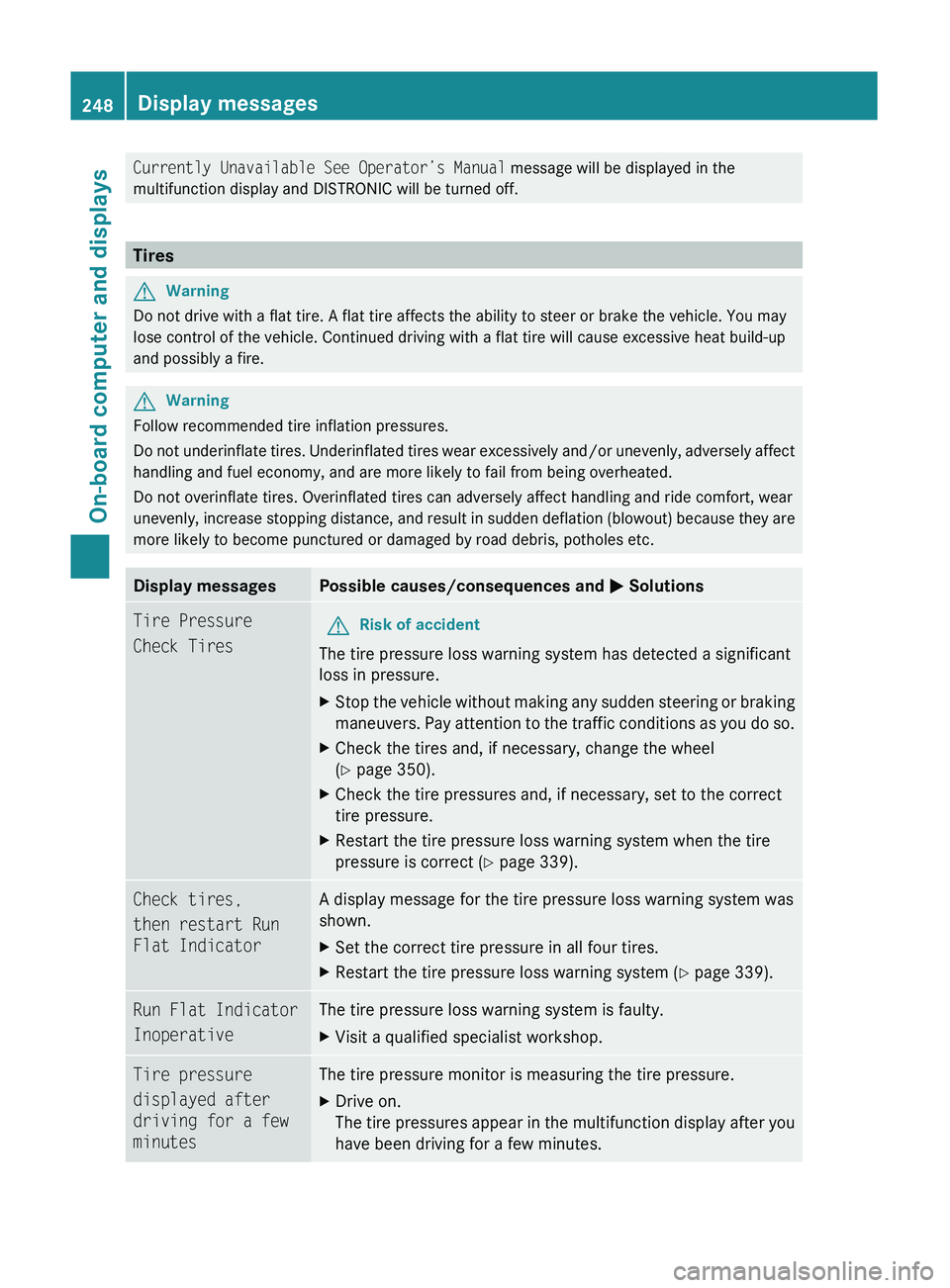
Display messagesPossible causes/consequences and M SolutionsTire Pressure
Check TiresGRisk of accident
The tire pressure loss warning system has detected a significant
loss in pressure.
XStop the vehicle without making any sudden steering or braking
maneuvers. Pay attention to the traffic conditions as you do so.XCheck the tires and, if necessary, change the wheel
( Y page 350).XCheck the tire pressures and, if necessary, set to the correct
tire pressure.XRestart the tire pressure loss warning system when the tire
pressure is correct ( Y page 339).Check tires,
then restart Run
Flat IndicatorA display message for the tire pressure loss warning system was
shown.XSet the correct tire pressure in all four tires.XRestart the tire pressure loss warning system ( Y page 339).Run Flat Indicator
InoperativeThe tire pressure loss warning system is faulty.XVisit a qualified specialist workshop.Tire pressure
displayed after
driving for a few
minutesThe tire pressure monitor is measuring the tire pressure.XDrive on.
The tire pressures appear in the multifunction display after you
have been driving for a few minutes.248Display messagesOn-board computer and displays
BA 164.8 USA, CA Edition B 2011; 1; 2, en-USd2sboikeVersion: 3.0.3.52010-04-21T15:08:44+02:00 - Seite 248
Page 251 of 376
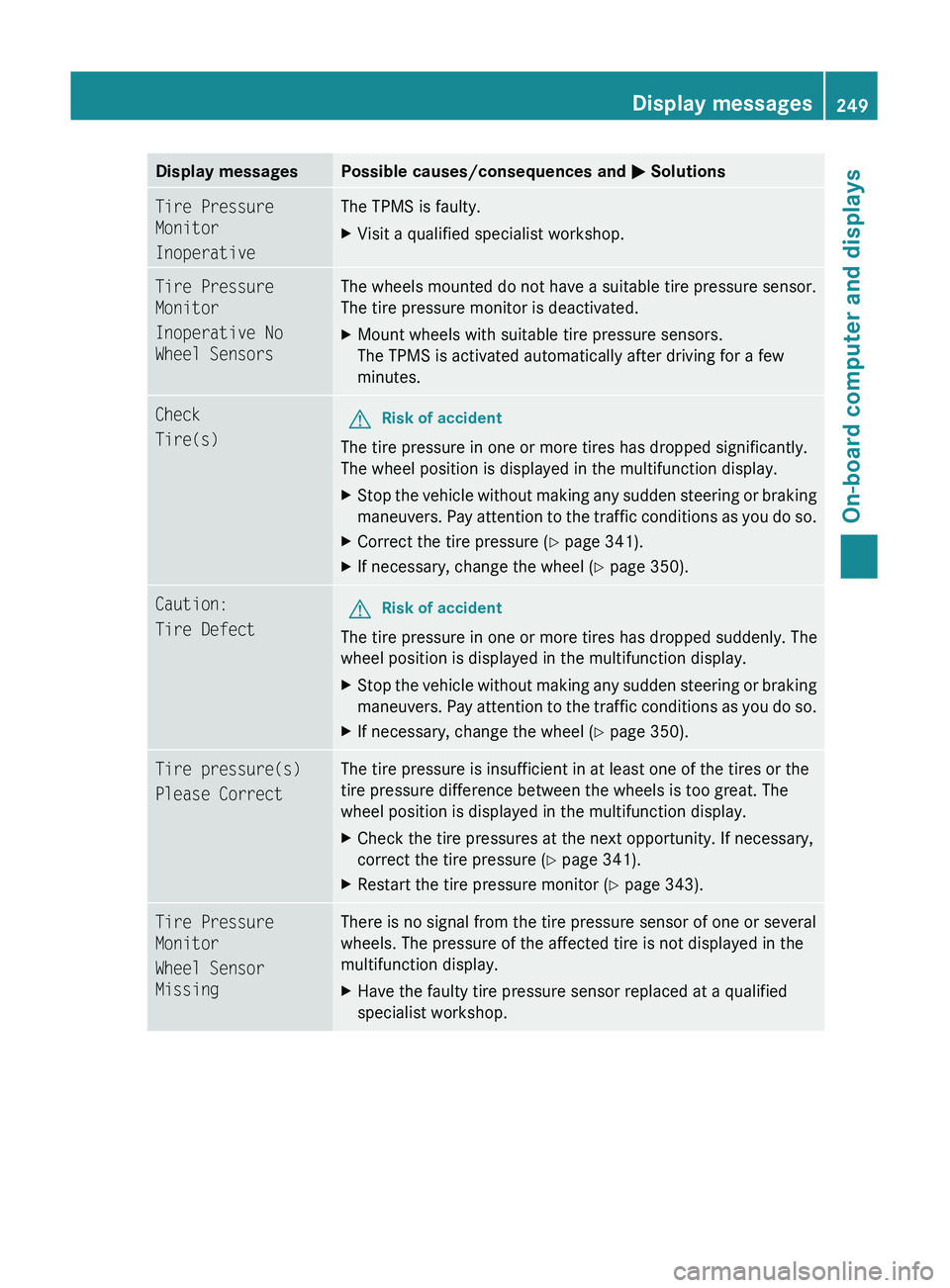
Display messagesPossible causes/consequences and M SolutionsTire Pressure
Monitor
InoperativeThe TPMS is faulty.XVisit a qualified specialist workshop.Tire Pressure
Monitor
Inoperative No
Wheel SensorsThe wheels mounted do not have a suitable tire pressure sensor.
The tire pressure monitor is deactivated.XMount wheels with suitable tire pressure sensors.
The TPMS is activated automatically after driving for a few
minutes.Check
Tire(s)GRisk of accident
The tire pressure in one or more tires has dropped significantly.
The wheel position is displayed in the multifunction display.
XStop the vehicle without making any sudden steering or braking
maneuvers. Pay attention to the traffic conditions as you do so.XCorrect the tire pressure ( Y page 341).XIf necessary, change the wheel ( Y page 350).Caution:
Tire DefectGRisk of accident
The tire pressure in one or more tires has dropped suddenly. The
wheel position is displayed in the multifunction display.
XStop the vehicle without making any sudden steering or braking
maneuvers. Pay attention to the traffic conditions as you do so.XIf necessary, change the wheel ( Y page 350).Tire pressure(s)
Please CorrectThe tire pressure is insufficient in at least one of the tires or the
tire pressure difference between the wheels is too great. The
wheel position is displayed in the multifunction display.XCheck the tire pressures at the next opportunity. If necessary,
correct the tire pressure ( Y page 341).XRestart the tire pressure monitor ( Y page 343).Tire Pressure
Monitor
Wheel Sensor
MissingThere is no signal from the tire pressure sensor of one or several
wheels. The pressure of the affected tire is not displayed in the
multifunction display.XHave the faulty tire pressure sensor replaced at a qualified
specialist workshop.Display messages249On-board computer and displaysBA 164.8 USA, CA Edition B 2011; 1; 2, en-USd2sboikeVersion: 3.0.3.52010-04-21T15:08:44+02:00 - Seite 249Z
Page 252 of 376
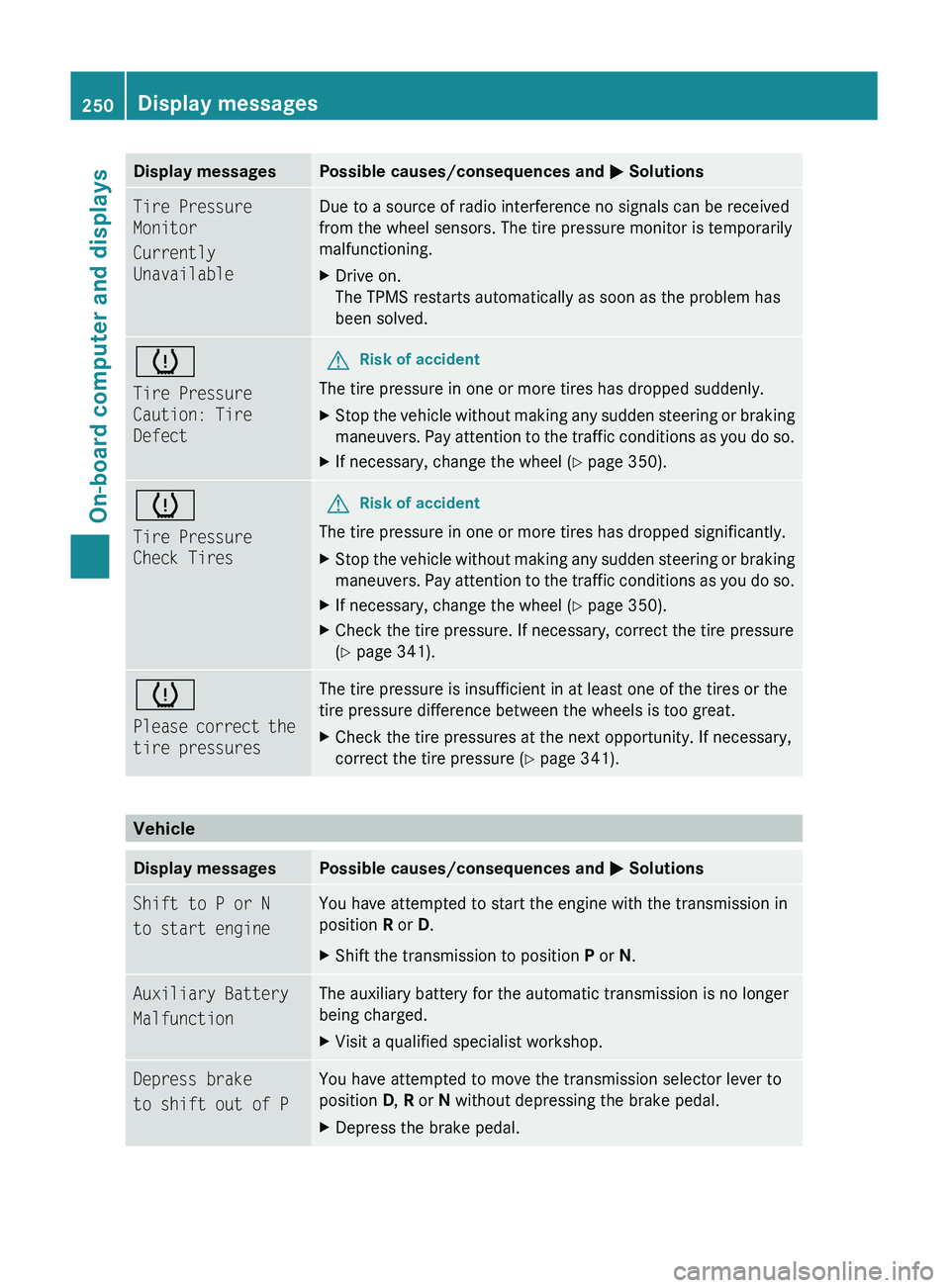
Display messagesPossible causes/consequences and M SolutionsTire Pressure
Monitor
Currently
UnavailableDue to a source of radio interference no signals can be received
from the wheel sensors. The tire pressure monitor is temporarily
malfunctioning.XDrive on.
The TPMS restarts automatically as soon as the problem has
been solved.h
Tire Pressure
Caution: Tire
DefectGRisk of accident
The tire pressure in one or more tires has dropped suddenly.
XStop the vehicle without making any sudden steering or braking
maneuvers. Pay attention to the traffic conditions as you do so.XIf necessary, change the wheel ( Y page 350).h
Tire Pressure
Check TiresGRisk of accident
The tire pressure in one or more tires has dropped significantly.
XStop the vehicle without making any sudden steering or braking
maneuvers. Pay attention to the traffic conditions as you do so.XIf necessary, change the wheel ( Y page 350).XCheck the tire pressure. If necessary, correct the tire pressure
( Y page 341).h
Please correct the
tire pressuresThe tire pressure is insufficient in at least one of the tires or the
tire pressure difference between the wheels is too great.XCheck the tire pressures at the next opportunity. If necessary,
correct the tire pressure ( Y page 341).
Vehicle
Display messagesPossible causes/consequences and M SolutionsShift to P or N
to start engineYou have attempted to start the engine with the transmission in
position R or D. XShift the transmission to position P or N.Auxiliary Battery
MalfunctionThe auxiliary battery for the automatic transmission is no longer
being charged.XVisit a qualified specialist workshop.Depress brake
to shift out of PYou have attempted to move the transmission selector lever to
position D, R or N without depressing the brake pedal.XDepress the brake pedal.250Display messagesOn-board computer and displays
BA 164.8 USA, CA Edition B 2011; 1; 2, en-USd2sboikeVersion: 3.0.3.52010-04-21T15:08:44+02:00 - Seite 250
Page 258 of 376
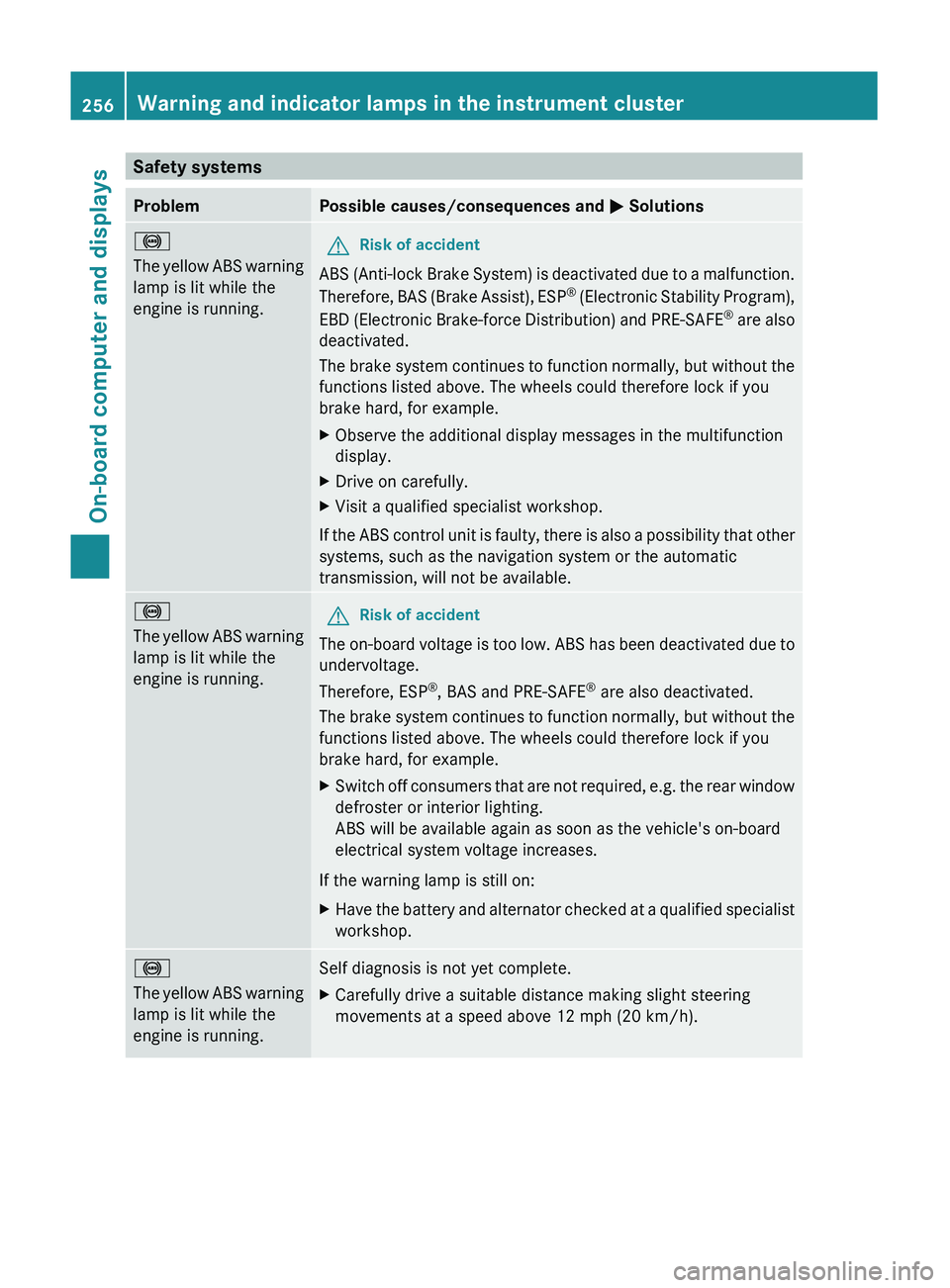
Safety systemsProblemPossible causes/consequences and M Solutions!
The yellow ABS warning
lamp is lit while the
engine is running. GRisk of accident
ABS (Anti-lock Brake System) is deactivated due to a malfunction.
Therefore, BAS (Brake Assist), ESP ®
(Electronic Stability Program),
EBD (Electronic Brake-force Distribution) and PRE-SAFE ®
are also
deactivated.
The brake system continues to function normally, but without the
functions listed above. The wheels could therefore lock if you
brake hard, for example.
XObserve the additional display messages in the multifunction
display.XDrive on carefully.XVisit a qualified specialist workshop.
If the ABS control unit is faulty, there is also a possibility that other
systems, such as the navigation system or the automatic
transmission, will not be available.
!
The yellow ABS warning
lamp is lit while the
engine is running.GRisk of accident
The on-board voltage is too low. ABS has been deactivated due to
undervoltage.
Therefore, ESP ®
, BAS and PRE-SAFE ®
are also deactivated.
The brake system continues to function normally, but without the
functions listed above. The wheels could therefore lock if you
brake hard, for example.
XSwitch off consumers that are not required, e.g. the rear window
defroster or interior lighting.
ABS will be available again as soon as the vehicle's on-board
electrical system voltage increases.
If the warning lamp is still on:
XHave the battery and alternator checked at a qualified specialist
workshop.!
The yellow ABS warning
lamp is lit while the
engine is running.Self diagnosis is not yet complete.XCarefully drive a suitable distance making slight steering
movements at a speed above 12 mph (20 km/h).256Warning and indicator lamps in the instrument clusterOn-board computer and displays
BA 164.8 USA, CA Edition B 2011; 1; 2, en-USd2sboikeVersion: 3.0.3.52010-04-21T15:08:44+02:00 - Seite 256