brake light MERCEDES-BENZ GL 2012 Owners Manual
[x] Cancel search | Manufacturer: MERCEDES-BENZ, Model Year: 2012, Model line: GL, Model: MERCEDES-BENZ GL 2012Pages: 384, PDF Size: 15.71 MB
Page 7 of 384
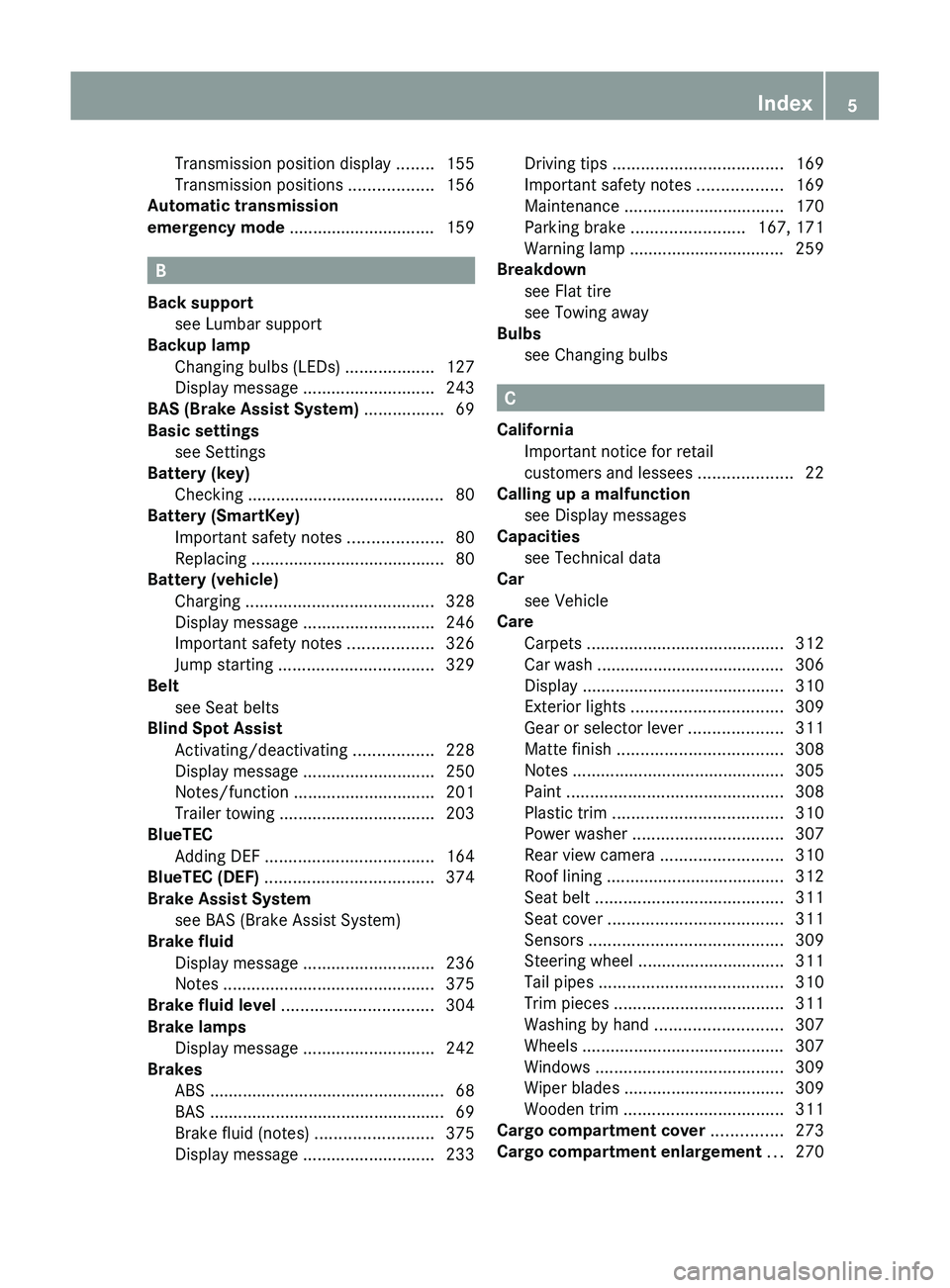
Transmission position display ........155
Transmission positions ..................156
Automatic transmission
emergency mode ............................... 159
B
Back support see Lumbar support
Backup lamp
Changing bulbs (LEDs) ...................127
Display message ............................ 243
BAS (Brake Assist System) ................. 69
Basic settings see Settings
Battery (key)
Checking .......................................... 80
Battery (SmartKey)
Important safety notes ....................80
Replacing ......................................... 80
Battery (vehicle)
Charging ........................................ 328
Display message ............................ 246
Important safety notes ..................326
Jump starting ................................. 329
Belt
see Seat belts
Blind Spot Assist
Activating/deactivating .................228
Display message ............................ 250
Notes/function .............................. 201
Trailer towing ................................. 203
BlueTEC
Adding DEF .................................... 164
BlueTEC (DEF) .................................... 374
Brake Assist System see BAS (Brake Assist System)
Brake fluid
Display message ............................ 236
Notes ............................................. 375
Brake fluid level ................................ 304
Brake lamps Display message ............................ 242
Brakes
ABS .................................................. 68
BAS .................................................. 69
Brake fluid (notes) .........................375
Display message ............................ 233
Driving tips .................................... 169
Important safety notes ..................169
Maintenance .................................. 170
Parking brake ........................ 167, 171
Warning lamp ................................. 259
Breakdown
see Flat tire
see Towing away
Bulbs
see Changing bulbs
C
California Important notice for retail
customers and lessees ....................22
Calling up a malfunction
see Display messages
Capacities
see Technical data
Car
see Vehicle
Care
Carpets .......................................... 312
Car wash ........................................ 306
Display ........................................... 310
Exterior lights ................................ 309
Gear or selector lever ....................311
Matte finish ................................... 308
Notes ............................................. 305
Paint .............................................. 308
Plastic trim .................................... 310
Power washer ................................ 307
Rear view camera .......................... 310
Roof lining ...................................... 312
Seat belt ........................................ 311
Seat cover ..................................... 311
Sensors ......................................... 309
Steering wheel ............................... 311
Tail pipes ....................................... 310
Trim pieces .................................... 311
Washing by hand ........................... 307
Wheels ........................................... 307
Windows ........................................ 309
Wiper blades .................................. 309
Wooden trim .................................. 311
Cargo compartment cover ............... 273
Cargo compartment enlargement ... 270
Index5
Page 11 of 384
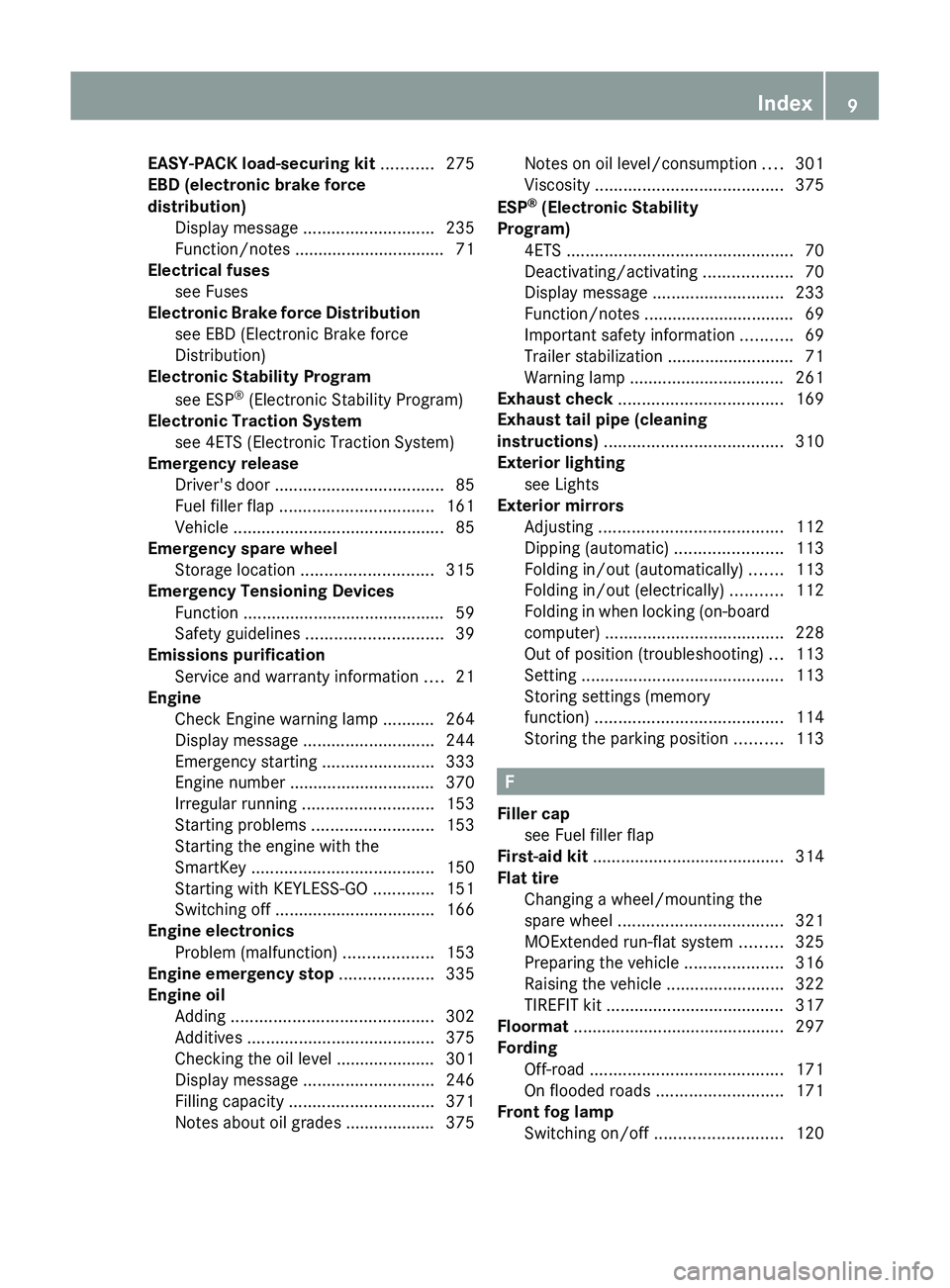
EASY-PACK load-securing kit ........... 275
EBD (electronic brake force
distribution) Display message ............................ 235
Function/notes ................................ 71
Electrical fuses
see Fuses
Electronic Brake force Distribution
see EBD (Electronic Brake force
Distribution)
Electronic Stability Program
see ESP ®
(Electronic Stability Program)
Electronic Traction System
see 4ETS (Electronic Traction System)
Emergency release
Driver's door .................................... 85
Fuel filler flap ................................. 161
Vehicle ............................................. 85
Emergency spare wheel
Storage location ............................ 315
Emergency Tensioning Devices
Function ........................................... 59
Safety guidelines ............................. 39
Emissions purification
Service and warranty information ....21
Engine
Check Engine warning lamp ........... 264
Display message ............................ 244
Emergency starting ........................333
Engine number ............................... 370
Irregular running ............................ 153
Starting problems ..........................153
Starting the engine with the
SmartKey ....................................... 150
Starting with KEYLESS-GO .............151
Switching off .................................. 166
Engine electronics
Problem (malfunction) ...................153
Engine emergency stop .................... 335
Engine oil Adding ........................................... 302
Additives ........................................ 375
Checking the oil level ..................... 301
Display message ............................ 246
Filling capacity ............................... 371
Notes about oil grades ................... 375Notes on oil level/consumption ....301
Viscosity ........................................ 375
ESP ®
(Electronic Stability
Program) 4ETS ................................................ 70
Deactivating/activating ...................70
Display message ............................ 233
Function/notes ................................ 69
Important safety information ...........69
Trailer stabilization ........................... 71
Warning lamp ................................. 261
Exhaust check ................................... 169
Exhaust tail pipe (cleaning
instructions) ...................................... 310
Exterior lighting see Lights
Exterior mirrors
Adjusting ....................................... 112
Dipping (automatic) .......................113
Folding in/out (automatically) .......113
Folding in/out (electrically) ...........112
Folding in when locking (on-board
computer) ...................................... 228
Out of position (troubleshooting) ...113
Setting ........................................... 113
Storing settings (memory
function) ........................................ 114
Storing the parking position ..........113
F
Filler cap see Fuel filler flap
First-aid kit ......................................... 314
Flat tire Changing a wheel/mounting the
spare wheel ................................... 321
MOExtended run-flat system .........325
Preparing the vehicle .....................316
Raising the vehicle .........................322
TIREFIT kit ...................................... 317
Floormat ............................................. 297
Fording Off-road ......................................... 171
On flooded roads ........................... 171
Front fog lamp
Switching on/off ........................... 120
Index9
Page 12 of 384
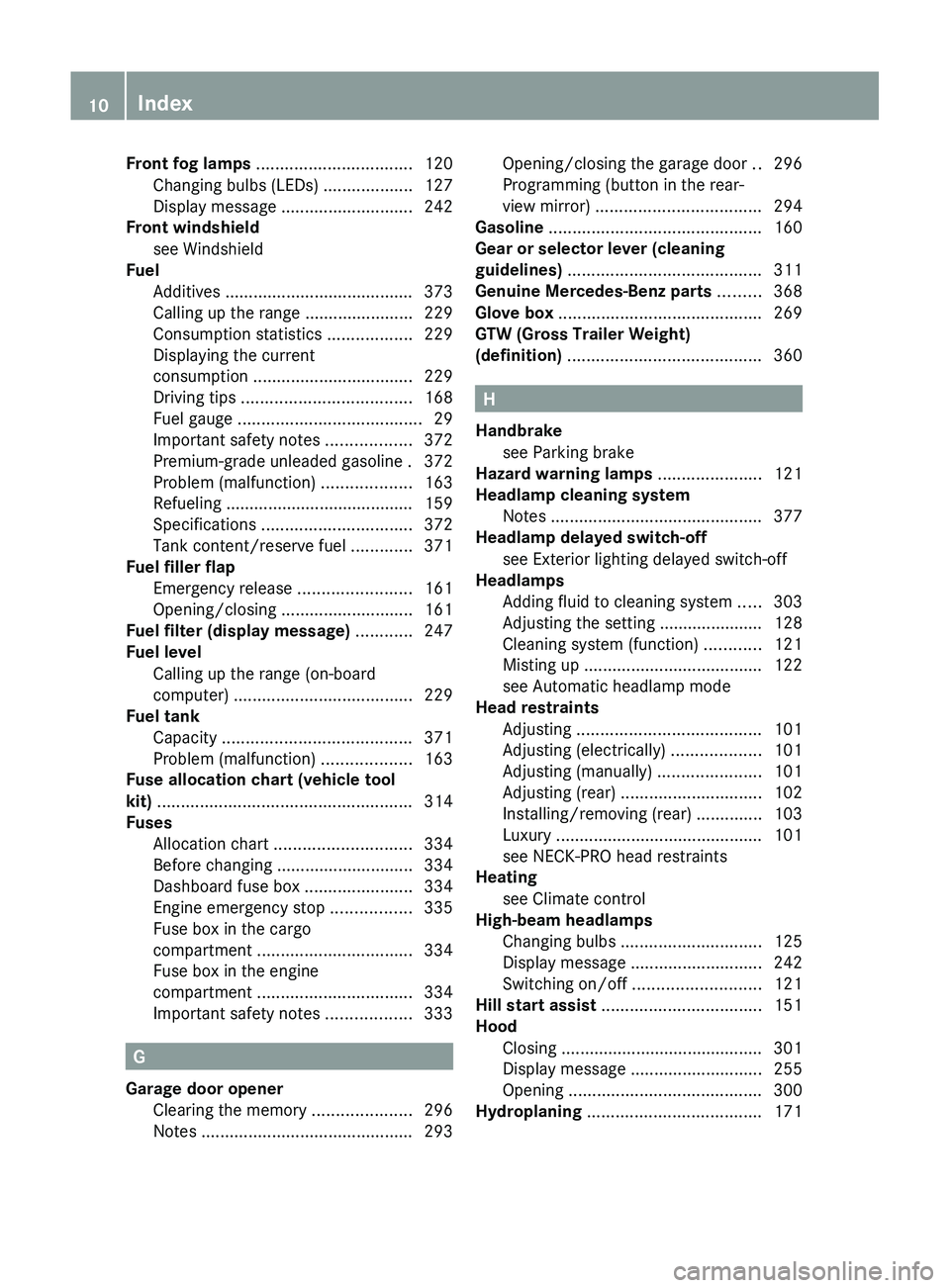
Front fog lamps ................................. 120
Changing bulbs (LEDs) ...................127
Display message ............................ 242
Front windshield
see Windshield
Fuel
Additives ........................................ 373
Calling up the range .......................229
Consumption statistics ..................229
Displaying the current
consumption .................................. 229
Driving tips .................................... 168
Fuel gauge ....................................... 29
Important safety notes ..................372
Premium-grade unleaded gasoline . 372
Problem (malfunction) ...................163
Refueling ........................................ 159
Specifications ................................ 372
Tank content/reserve fuel .............371
Fuel filler flap
Emergency release ........................161
Opening/closing ............................ 161
Fuel filter (display message) ............ 247
Fuel level Calling up the range (on-board
computer) ...................................... 229
Fuel tank
Capacity ........................................ 371
Problem (malfunction) ...................163
Fuse allocation chart (vehicle tool
kit) ...................................................... 314
Fuses Allocation chart ............................. 334
Before changing ............................. 334
Dashboard fuse box .......................334
Engine emergency stop .................335
Fuse box in the cargo
compartment ................................. 334
Fuse box in the engine
compartment ................................. 334
Important safety notes ..................333
G
Garage door opener Clearing the memory .....................296
Notes ............................................. 293
Opening/closing the garage door ..296
Programming (button in the rear-
view mirror) ................................... 294
Gasoline ............................................. 160
Gear or selector lever (cleaning
guidelines) ......................................... 311
Genuine Mercedes-Benz parts ......... 368
Glove box ........................................... 269
GTW (Gross Trailer Weight)
(definition) ......................................... 360
H
Handbrake see Parking brake
Hazard warning lamps ...................... 121
Headlamp cleaning system Notes ............................................. 377
Headlamp delayed switch-off
see Exterior lighting delayed switch-off
Headlamps
Adding fluid to cleaning system .....303
Adjusting the setting ...................... 128
Cleaning system (function) ............121
Misting up ...................................... 122
see Automatic headlamp mode
Head restraints
Adjusting ....................................... 101
Adjusting (electrically) ...................101
Adjusting (manually) ......................101
Adjusting (rear) .............................. 102
Installing/removing (rear) ..............103
Luxury ............................................ 101
see NECK-PRO head restraints
Heating
see Climate control
High-beam headlamps
Changing bulbs .............................. 125
Display message ............................ 242
Switching on/off ........................... 121
Hill start assist .................................. 151
Hood Closing ........................................... 301
Display message ............................ 255
Opening ......................................... 300
Hydroplaning ..................................... 171
10Index
Page 15 of 384
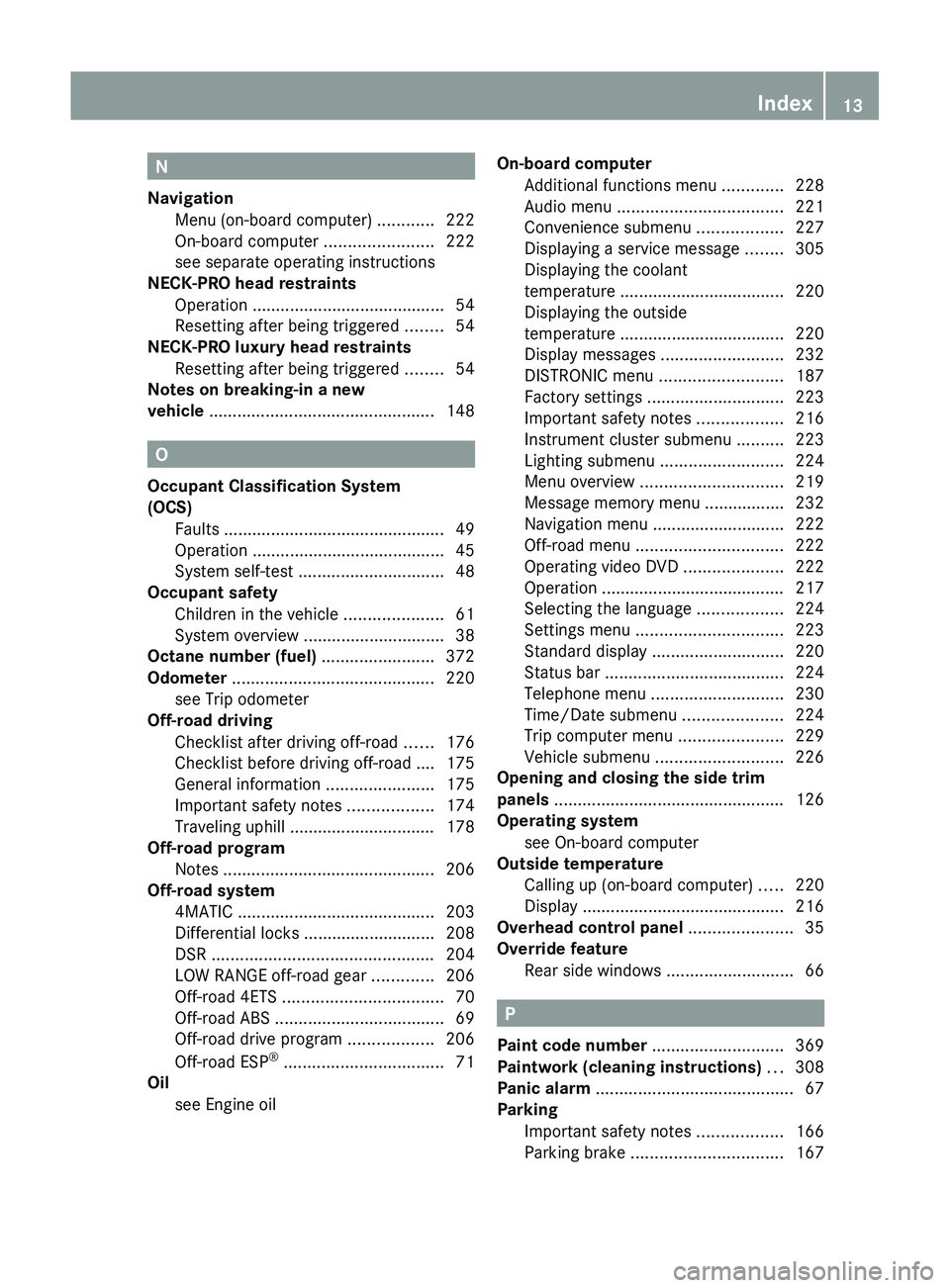
N
Navigation Menu (on-board computer) ............222
On-board computer .......................222
see separate operating instructions
NECK-PRO head restraints
Operation ......................................... 54
Resetting after being triggered ........54
NECK-PRO luxury head restraints
Resetting after being triggered ........54
Notes on breaking-in a new
vehicle ................................................ 148
O
Occupant Classification System
(OCS) Faults ............................................... 49
Operation ......................................... 45
System self-test ............................... 48
Occupant safety
Children in the vehicle .....................61
System overview .............................. 38
Octane number (fuel) ........................ 372
Odometer ........................................... 220
see Trip odometer
Off-road driving
Checklist after driving off-road ......176
Checklist before driving off-road .... 175
General information .......................175
Important safety notes ..................174
Traveling uphill ............................... 178
Off-road program
Notes ............................................. 206
Off-road system
4MATIC .......................................... 203
Differential locks ............................ 208
DSR ............................................... 204
LOW RANGE off-road gear .............206
Off-road 4ETS .................................. 70
Off-road ABS .................................... 69
Off-road drive program ..................206
Off-road ESP ®
.................................. 71
Oil
see Engine oil
On-board computer
Additional functions menu .............228
Audio menu ................................... 221
Convenience submenu ..................227
Displaying a service message ........305
Displaying the coolant
temperature ................................... 220
Displaying the outside
temperature ................................... 220
Display messages ..........................232
DISTRONIC menu .......................... 187
Factory settings ............................. 223
Important safety notes ..................216
Instrument cluster submenu ..........223
Lighting submenu .......................... 224
Menu overview .............................. 219
Message memory menu ................. 232
Navigation menu ............................ 222
Off-road menu ............................... 222
Operating video DVD .....................222
Operation ....................................... 217
Selecting the language ..................224
Settings menu ............................... 223
Standard display ............................ 220
Status bar ...................................... 224
Telephone menu ............................ 230
Time/Date submenu .....................224
Trip computer menu ......................229
Vehicle submenu ........................... 226
Opening and closing the side trim
panels ................................................. 126
Operating system see On-board computer
Outside temperature
Calling up (on-board computer) .....220
Display ........................................... 216
Overhead control panel ...................... 35
Override feature Rear side windows ...........................66
P
Paint code number ............................ 369
Paintwork (cleaning instructions) ... 308
Panic alarm .......................................... 67
Parking Important safety notes ..................166
Parking brake ................................ 167
Index13
Page 16 of 384
Position of exterior mirror, front-
passenger side ............................... 113
Rear view camera .......................... 199
see Parking
see PARKTRONIC
Parking aid
see Exterior mirrors
see PARKTRONIC
Parking brake
Display message ............................ 236
Notes/function .............................. 167
see Parking brake
Parking lamps (changing bulbs) ...... 126
PARKTRONIC Deactivating/activating .................198
Driving system ............................... 196
Function/notes ............................. 196
Problem (malfunction) ...................199
Range of the sensors .....................196
Trailer towing ................................. 198
Warning display ............................. 197
PASSENGER AIRBAG OFF indicator
lamp ...................................................... 45
PASSENGER AIR BAG OFF indicator
lamp (only Canada) ............................. 50
PASSENGER AIR BAG OFF indicator
lamp (only USA) ................................... 45
Pedals ................................................. 168
Permanent four-wheel drive see 4MATIC (permanent four-
wheel drive)
Plastic trim (cleaning instructions) . 310
Power steering Filling capacity ............................... 371
Power washers .................................. 307
Power windows see Side windows
PRE-SAFE ®
(Preventive occupant
safety system) Display message ............................ 236
Operation ......................................... 53
PRE-SAFE ®
Brake (vehicles with
DISTRONIC PLUS) Warning lamp ................................. 265Preventive occupant safety
system
see PRE-SAFE ®
(Preventive
occupant safety system)
Product information ............................ 21
Pulling away (automatic
transmission) ..................................... 151
Q
Qualified specialist workshop ........... 24
R
Radar sensor system Activating/deactivating .................227
Radiator cover ................................... 301
Radio Selecting a station .........................221
see separate operating instructions
Radio-controlled devices
(installing) .......................................... 297
Reading lamp ..................................... 122
Rear bench seat Folding forwards/back ..................270
Rear compartment
Activating/deactivating climate
control ........................................... 138
Setting the air vents ......................146
Setting the temperature ................141
Rear-compartment seat
see Rear seat
Rear fog lamp
Display message ............................ 242
Switching on/off ........................... 120
Rear lamps
see Lights
Rear seat
Adjusting ....................................... 104
Rear view camera
Cleaning instructions .....................310
Function/notes ............................. 199
Rear-view mirror
Anti-glare (manual) ........................112
Dipping (automatic) .......................113
Rear window defroster
Problem (malfunction) ...................143
14Index
Page 30 of 384
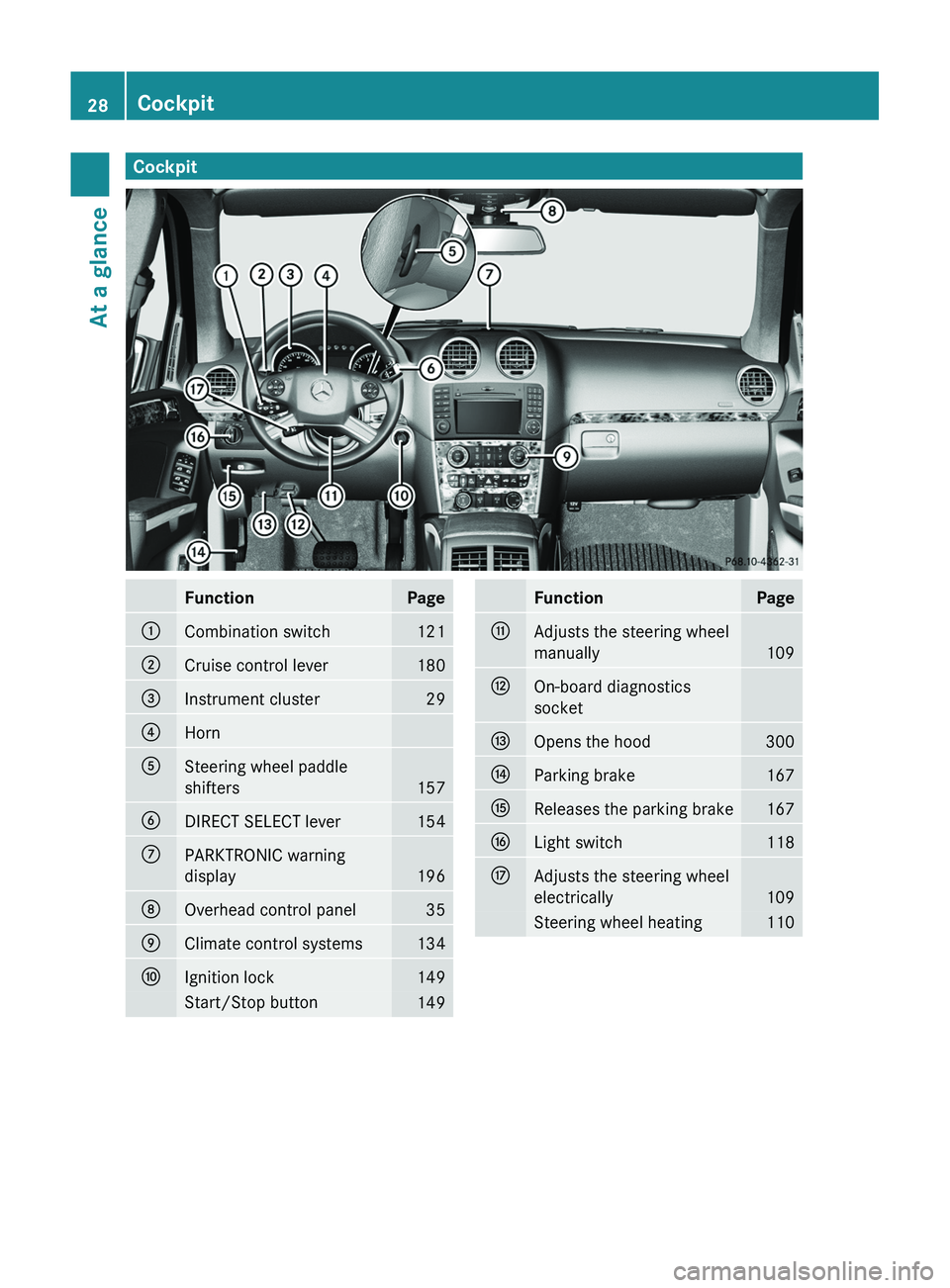
CockpitFunctionPage:Combination switch121;Cruise control lever180=Instrument cluster29?HornASteering wheel paddle
shifters
157
BDIRECT SELECT lever154CPARKTRONIC warning
display
196
DOverhead control panel35EClimate control systems134FIgnition lock149Start/Stop button149FunctionPageGAdjusts the steering wheel
manually
109
HOn-board diagnostics
socketIOpens the hood300JParking brake167KReleases the parking brake167LLight switch118MAdjusts the steering wheel
electrically
109
Steering wheel heating11028CockpitAt a glance
Page 32 of 384
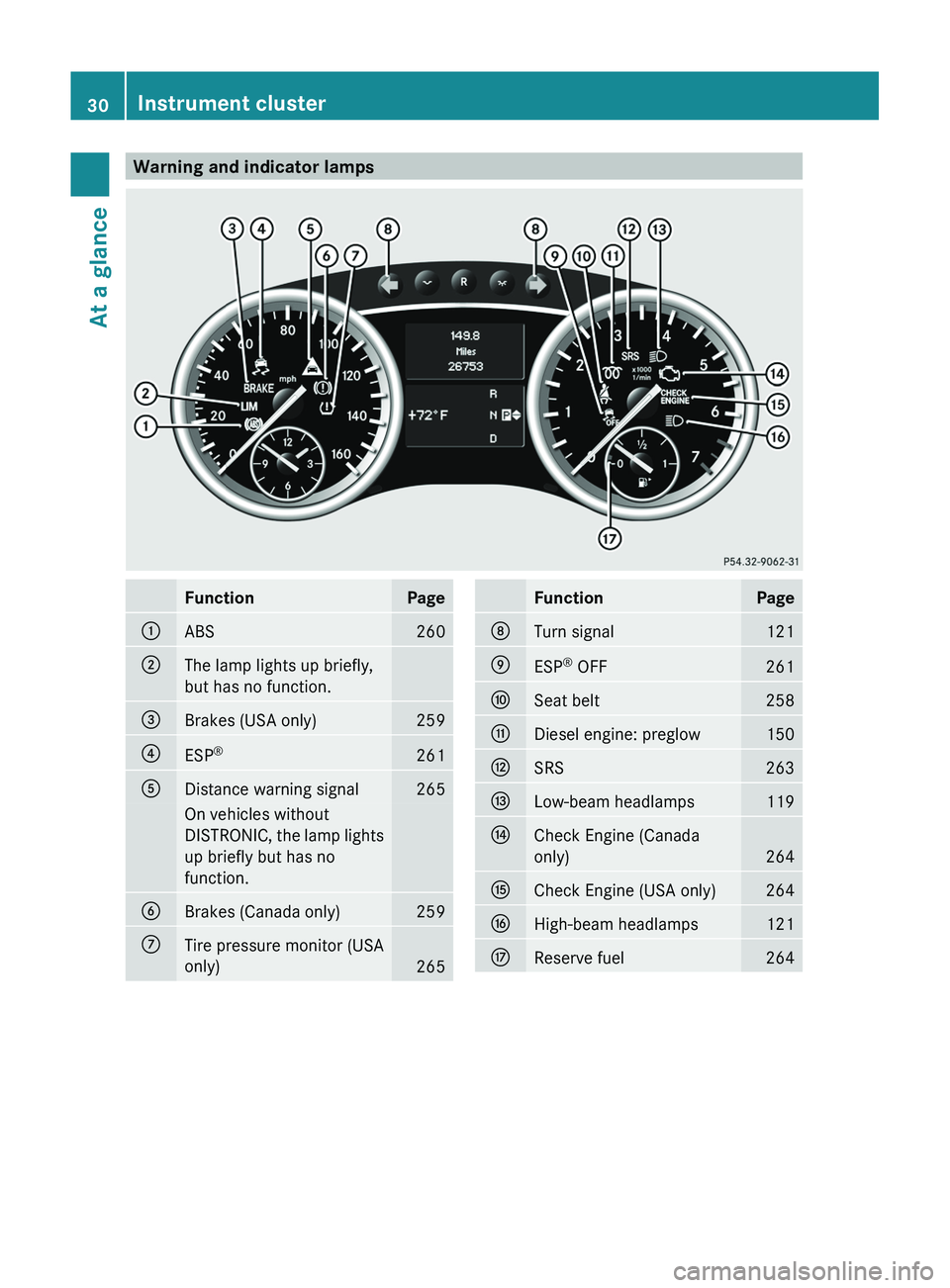
Warning and indicator lampsFunctionPage:ABS260;The lamp lights up briefly,
but has no function.=Brakes (USA only)259?ESP ®261ADistance warning signal265On vehicles without
DISTRONIC, the lamp lights
up briefly but has no
function.BBrakes (Canada only)259CTire pressure monitor (USA
only)
265
FunctionPageDTurn signal121EESP ®
OFF261FSeat belt258GDiesel engine: preglow150HSRS263ILow-beam headlamps119JCheck Engine (Canada
only)
264
KCheck Engine (USA only)264LHigh-beam headlamps121MReserve fuel26430Instrument clusterAt a glance
Page 69 of 384
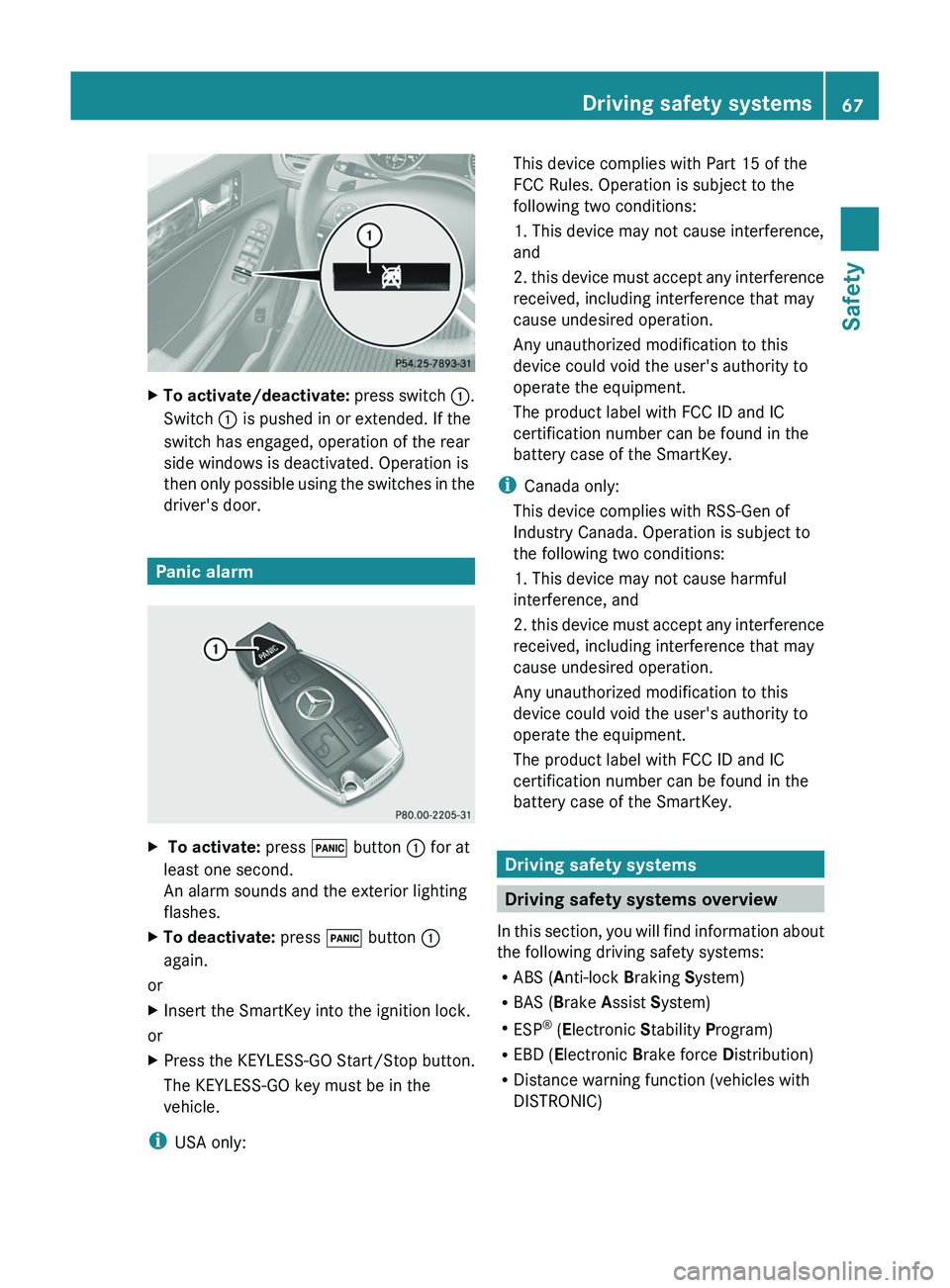
XTo activate/deactivate: press switch :.
Switch : is pushed in or extended. If the
switch has engaged, operation of the rear
side windows is deactivated. Operation is
then only possible using the switches in the
driver's door.
Panic alarm
X To activate: press ! button : for at
least one second.
An alarm sounds and the exterior lighting
flashes.XTo deactivate: press ! button :
again.
or
XInsert the SmartKey into the ignition lock.
or
XPress the KEYLESS-GO Start/Stop button.
The KEYLESS-GO key must be in the
vehicle.
i USA only:
This device complies with Part 15 of the
FCC Rules. Operation is subject to the
following two conditions:
1. This device may not cause interference,
and
2. this device must accept any interference
received, including interference that may
cause undesired operation.
Any unauthorized modification to this
device could void the user's authority to
operate the equipment.
The product label with FCC ID and IC
certification number can be found in the
battery case of the SmartKey.
i Canada only:
This device complies with RSS-Gen of
Industry Canada. Operation is subject to
the following two conditions:
1. This device may not cause harmful
interference, and
2. this device must accept any interference
received, including interference that may
cause undesired operation.
Any unauthorized modification to this
device could void the user's authority to
operate the equipment.
The product label with FCC ID and IC
certification number can be found in the
battery case of the SmartKey.
Driving safety systems
Driving safety systems overview
In this section, you will find information about
the following driving safety systems:
R ABS ( Anti-lock Braking System)
R BAS ( Brake Assist System)
R ESP ®
(E lectronic Stability Program)
R EBD ( Electronic Brake force Distribution)
R Distance warning function (vehicles with
DISTRONIC)
Driving safety systems67SafetyZ
Page 70 of 384
Important safety notesGWARNING
The following factors increase the risk of
accidents:
R Excessive speed, especially in turns
R Wet and slippery road surfaces
R Following another vehicle too closely
The driving safety systems described in this
section cannot reduce these risks or prevent
the natural laws of physics from acting on the
vehicle. They cannot increase braking or
steering efficiency beyond that afforded by
the condition of the vehicle brakes and tires
or the traction afforded.
Only a safe, attentive, and skillful driver can
prevent accidents.
The capabilities of a vehicle equipped with the
driving safety systems described in this
section must never be exploited in a reckless
or dangerous manner which could jeopardize
the user's safety or the safety of others.
Always adjust your driving style to the
prevailing road and weather conditions and
keep a safe distance to other road users and
objects on the street.
If a driving system malfunctions, other driving
safety systems may also switch off. Observe
indicator and warning lamps that may come
on as well as messages in the multifunction
display that may appear.
i Please note that the driving safety
systems described only work as effectively
as possible when there is adequate contact
between the tires and the road surface. Pay
particular attention to the information
regarding tires, recommended minimum
tire tread depths etc. in the "Wheels and
tires" section ( Y page 338).
In wintry driving conditions, always use
winter tires (M+S tires) and if necessary,
snow chains. Only in this way will the
driving safety systems described in this
section work as effectively as possible.
ABS (Anti-lock Braking System)
Important safety notes
i Observe the "Important safety notes"
section ( Y page 68).
ABS regulates brake pressure in such a way
that the wheels do not lock when you brake.
This allows you to continue steering the
vehicle when braking.
ABS works from a speed of about
5 mph(8 km/h) upwards, regardless of road-
surface conditions. ABS works on slippery
surfaces, even when you only brake gently.
GWARNING
If the ABS malfunctions, other driving systems
such as the BAS or the ESP ®
are also switched
off. Observe indicator and warning lamps that
may come on as well as messages in the
multifunction display that may appear.
If the ABS malfunctions, the wheels may lock
during hard braking, reducing the steering
capability and extending the braking distance.
The ! warning lamp in the instrument
cluster lights up when the ignition is switched
on. It goes out when the engine is running.
Braking
If ABS intervenes when braking, you will feel
a pulsing in the brake pedal.
XIf ABS intervenes: continue to depress the
brake pedal with force until the braking
situation is over.XTo make a full brake application:
depress the brake pedal with full force.
The pulsating brake pedal can be an
indication of hazardous road conditions, and
functions as a reminder to take extra care
while driving.
GWARNING
Do not pump the brake pedal. Use firm, steady
brake pedal pressure instead. Pumping the
brake pedal defeats the purpose of the ABS
68Driving safety systemsSafety
Page 72 of 384
4ETS (Electronic Traction System)
iObserve the "Important safety notes"
section ( Y page 68).
Traction control is part of ESP ®
.
Traction control brakes the drive wheels
individually if they spin. This enables you to
pull away and accelerate on slippery surfaces,
for example if the road surface is slippery on
one side. In addition, more drive torque is
transferred to the wheel or wheels with
traction.
Traction control remains active if you
deactivate ESP ®
.
XActivate the off-road drive program
( Y page 206) or engage the LOW RANGE
( Y page 206) off-road gear if appropriate
for the driving conditions.GWARNING
Traction control cannot reduce the risk of an
accident if you drive too fast. Traction control
cannot override the laws of physics.
Off-road 4ETS (Electronic Traction
System)
A 4ETS system specifically suited to off-road
terrain is activated automatically if the off-
road drive program is activated
( Y page 206) or the LOW RANGE
( Y page 206) off-road gear is selected.
Deactivating/activating ESP ®
i
Observe the "Important safety notes"
section ( Y page 68).
GWARNING
ESP ®
should not be deactivated during
normal driving other than in the
circumstances described below. Disabling
the system will reduce vehicle stability in
driving maneuvers.
Do not deactivate ESP ®
when the emergency
or spare wheel is mounted.
ESP ®
is activated automatically when the
engine is started.
It may be best to deactivate ESP ®
in the
following situations:
R when using snow chains
R in deep snow
R on sand or gravelGWARNING
Switch on ESP ®
immediately if one of the
previously stated conditions is no longer met.
Otherwise, ESP ®
cannot stabilize the vehicle
if it begins to lurch or when a wheel spins.
When you deactivate ESP ®
:
R ESP ®
no longer improves driving stability.
R the engine's torque is no longer limited and
the drive wheels can spin. The spinning of
the wheels results in a cutting action, which
provides better grip.
R traction control is still activated.
R ESP ®
still provides support when you
brake.
If ESP ®
is deactivated and one or more wheels
start to spin, the ÷ ESP®
warning lamp in
the instrument cluster flashes. In such
situations, ESP ®
will not stabilize the vehicle.
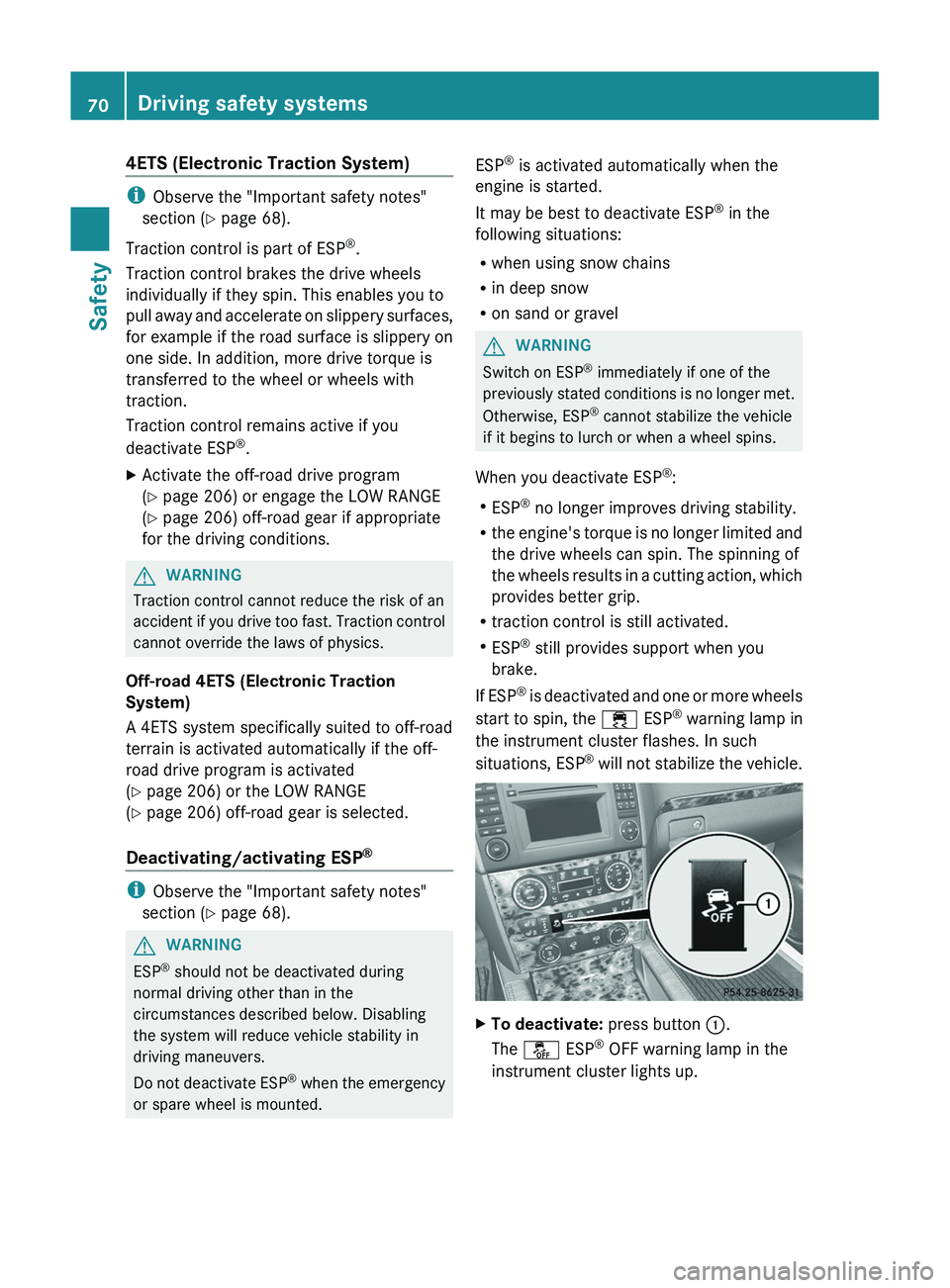
XTo deactivate: press button :.
The å ESP®
OFF warning lamp in the
instrument cluster lights up.70Driving safety systemsSafety