brake sensor MERCEDES-BENZ GL 2013 Owner's Manual
[x] Cancel search | Manufacturer: MERCEDES-BENZ, Model Year: 2013, Model line: GL, Model: MERCEDES-BENZ GL 2013Pages: 454, PDF Size: 6.31 MB
Page 279 of 454
Active Parking Assist symbol is shown instead
of the 0003symbol (Y page 221).
If the PRE-SAFE Brake: Sensors Deactivated message appears, the radar
sensor system is deactivated.
X Activate the rada rsensor system
(Y page 281).
For more information on PRE-SAFE ®
Brake,
see (Y page 73).
Activating/deactivating ATTENTION
ASSIST X
Press 0002or0005 on the steering wheel
to select the DriveAssist menu.
X Press the 0003or0004 button to select
Attention Asst. X
Press the 000Bbutton.
The curren tselection is displayed.
X To activate/deactivate: press the000B
button again.
When ATTENTION ASSIST is activated, the
0003 symbol appears in the multifunction
display when the ignition is on.
For further information about ATTENTION
ASSIST, see (Y page 234).
Activating/deactivating Blind Spot
Assist X
Press 0002or0005 on the steering wheel
to select the DriveAssist menu.
X Press the 0003or0004 button to select
Blind Spot Asst. .
X Press the 000Bbutton.
The curren tselection is displayed.
X To activate/deactivate: press the000B
button again.
If the Blind Spot Assist Sensors Deactivated or
Active Blind Spot Assist Sensors Deactivated message
appears, the radar sensor system is
deactivated. X
Activate the radar sensor system
(Y page 281).
For further information about Blind Spot
Assist, see (Y page 237).
For further information about Active Blind
Spot Assist, see (Y page 241).
Activating/deactivating Lane Keeping
Assist X
Press 0002or0005 on the steering wheel
to select the DriveAssist menu.
X Press the 0003or0004 button to select
Lane Keep. Asst. X
Press the 000Bbutton.
The curren tselection is displayed.
X Press 000Bto confirm.
X Press 0004or0003 to set Off ,
Standard or
Adaptive .
X Press the 000Bbutton to save the setting.
When Lane Keeping Assist or Active Lane
Keeping Assist is activated, the 0001symbol
appears in the multifunction display when the
ignition is on.
For further information about Lane Keeping
Assist, see (Y page 239).
For further information about Active Lane
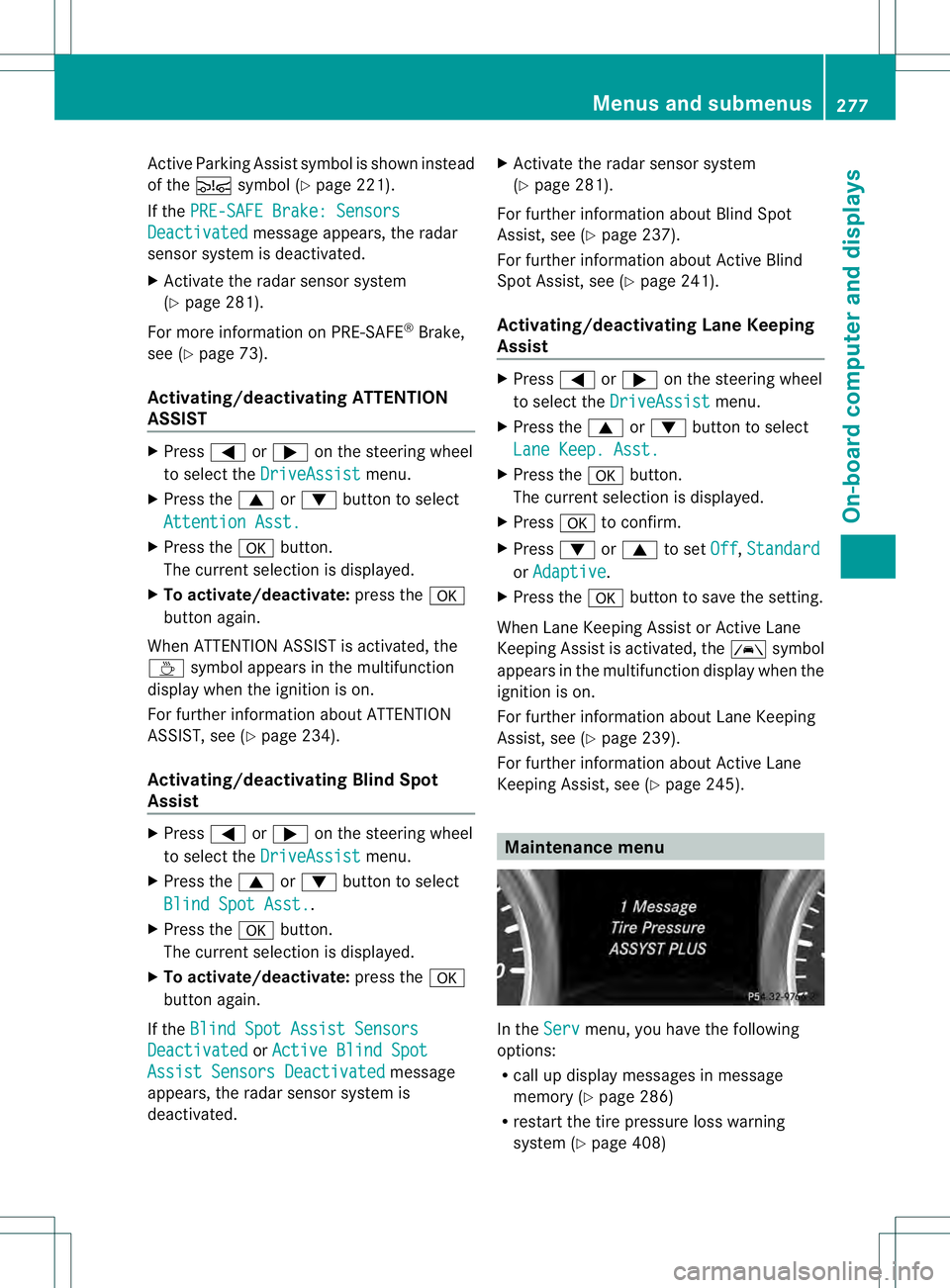
Keeping Assist, see (Y page 245). Maintenance menu
In the
Serv menu, you have the following
options:
R call up display messages in message
memory (Y page 286)
R restart the tire pressure loss warning
system (Y page 408) Menus and submenus
277On-board computer and displays Z
Page 283 of 454
Activating/deactivating the rada
rsensor
system
X Press the 0002or0005 button on the
steering wheel to selec tthe Sett. menu.
X Press 0004or0003 to select the Vehicle submenu.
X Press 000Bto confirm.
X Press the 0003or0004 button to select
Radar Sensor (See Oper. Manual): .
You will see the selected setting: Enabledor
Disabled .
X Press the 000Bbutton to save the setting.
The following systems are switched off when
the radar sensor system is deactivated:
R DISTRONIC PLUS (Y page 198)
R BAS PLUS (Y page 67)
R PRE-SAFE ®
Brake (Y page 73)
R Blind Spot Assist (Y page 237)
R Active Blind Spot Assist (Y page 241)
Convenience submenu Activating/deactivating the EASY-
ENTRY/EXIT feature
G
WARNING
You must make sure no one can become
trapped or injured by the moving steering
wheel when the easy-entry/exit feature is
activated.
To stop steering wheel movement, move
steering wheel adjustment lever or press one
of the memory position buttons.
Do not leave children unattended in the
vehicle, or with access to an unlocked vehicle.
Children could open the driver's door and
unintentionally activate the easy-entry/exit
feature, which could result in an accident
and/or serious personal injury.
X Press the 0002or0005 button on the
steering wheel to select the Sett. menu.
X Press the 0004or0003 button to select the
Convenience submenu.X
Press 000Bto confirm.
X Press 0004or0003 to select the Easy Entry/Exit function.
If the Easy Entry/Exit function is
activated, the vehicle steering wheel is
displayed in red in the multifunction
display.
X Press the 000Bbutton to save the setting.
Further information on the EASY-ENTRY/EXIT
feature (Y page 117).
Switching the belt adjustment on/off
X Press the 0002or0005 button on the
steering wheel to select the Sett. menu.
X Press the 0004or0003 button to select the
Convenience submenu.
X Press 000Bto confirm.
X Press the 0004or0003 button to select the
Belt Adjustment function.
When the Belt Adjustment function is
activated, the vehicle seat belt is displayed
in red in the multifunction display.
X Press the 000Bbutton to save the setting.
For further information on belt adjustment,
see (Y page 57).
Switching the fold-in mirrors with the
locking feature on/off
This function is only available on vehicles with
the memory function (Y page 121).
When you activate the Auto. Mirror Folding function, the exterior mirrors are
folded in when the vehicle is locked. If you
unlock the vehicle and then open a door, the
exterior mirrors fold out again.
X Press the 0002or0005 button on the
steering wheel to select the Sett. menu.
X Press the 0004or0003 button to select the
Convenience submenu.
X Press 000Bto confirm. Menus and submenus
281On-board computer and displays Z
Page 296 of 454
Display messages Possible causes/consequences and
0001 Solutions
PRE-SAFE
Functions
Currently Limited
See Operator's
Manual Vehicles without the Active Driving Assistance package: Adaptive
Brake Assis
tis temporarily inoperative. Possible causes are:
R function is impaired due to heavy rain or snow.
R the sensor in the bumper is dirty.
R the radar sensor system is temporarily inoperative, e.g. due to
electromagnetic radiation emitted by nearby TV or radio
stations or other sources of electromagnetic radiation.
R AMG vehicles: ESP ®
is deactivated.
R the system is outside the operating temperature range.
R the on-board voltage is too low.
When the causes stated above no longer apply, the display
message disappears.
Adaptive Brake Assist is operational again.
If the display message does not disappear:
X Pull over and stop the vehicle safely as soon as possible, paying
attention to road and traffic conditions.
X Secure the vehicle against rolling away (Y page 183).
X Cleant he bumpers (Y page 375).
X Restart the engine.
X AMG vehicles: reactivate ESP ®
(Y page 72). 294
Display messagesOn-board computer and displays
Page 297 of 454
Display messages Possible causes/consequences and
0001 Solutions
PRE-SAFE
Functions
Currently Limited
See Operator's
Manual Vehicles with the Active Driving Assistance package:
PRE-SAFE
®
Brake is temporarily inoperative. Possible causes are:
R function is impaired due to heavy rain or snow.
R the sensors in the radiato rgrill and the bumper are dirty.
R the rada rsensor system is temporarily inoperative, e.g. due to
electromagnetic radiation emitted by nearby TV or radio
stations or other sources of electromagnetic radiation.
R AMG vehicles: ESP ®
is deactivated.
R the system is outside the operating temperature range.
R the on-board voltage is too low.
When the causes stated above no longer apply, the display
message disappears.
PRE-SAFE ®
Brake is operational again.
If the display message does not disappear:
X Pull over and stop the vehicle safely as soon as possible, paying
attention to road and traffic conditions.
X Secure the vehicle against rolling away (Y page 183).
X Clean the sensors in the radiator grill and the bumper
(Y page 375).
X Restart the engine.
X AMG vehicles: reactivate ESP ®
(Y page 72). PRE-SAFE
Functions Limited
See Operator's
Manual Vehicles without the Active Driving Assistance package: Adaptive
Brake Assist is faulty. The distance warning function may also have
failed.
Vehicles with the Active Driving Assistance package:
PRE-SAFE
®
Brake is faulty. BAS PLUS or the distance warning
function may also have failed.
X Visit a qualified specialist workshop. 001F
SRS Malfunction
Service Required There is a malfunction in the SRS (Supplemental Restraint
System).
The
001F warning lamp also lights up in the instrument cluster.
G WARNING
The air bags or Emergency Tensioning Devices may either be
triggered unintentionally or, in the event of an accident, may not
be triggered.
There is an increased risk of injury.
X Visit a qualified specialist workshop.
Further information on occupant safety (Y page 43). Display messages
295On-board computer and displays Z
Page 318 of 454
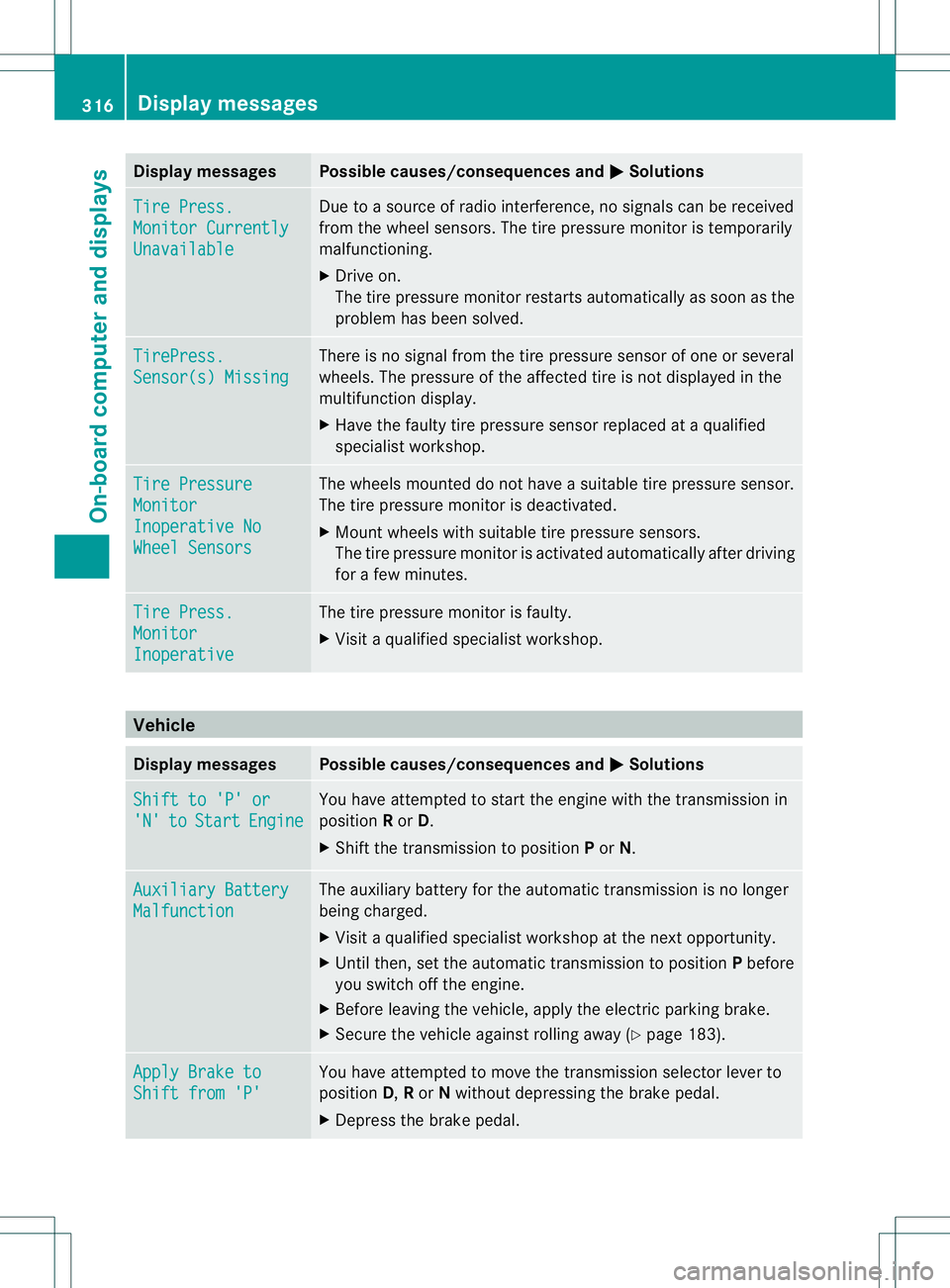
Display messages Possible causes/consequences and
0001 Solutions
Tire Press.
Monitor Currently
Unavailable Due to a source of radi
ointerference, no signals can be received
from the wheel sensors .The tire pressure monitor is temporarily
malfunctioning.
X Drive on.
The tire pressure monitor restarts automatically as soon as the
problem has been solved. TirePress.
Sensor(s) Missing There is no signal from the tire pressure sensor of one or several
wheels. The pressure of the affected tire is not displayed in the
multifunction display.
X
Have the faulty tire pressure sensor replaced at a qualified
specialist workshop. Tire Pressure
Monitor
Inoperative No
Wheel Sensors The wheels mounted do not have a suitable tire pressure sensor.
The tire pressure monitor is deactivated.
X
Mount wheels with suitable tire pressure sensors.
The tire pressure monitor is activated automatically after driving
for a few minutes. Tire Press.
Monitor
Inoperative The tire pressure monitor is faulty.
X
Visit a qualified specialist workshop. Vehicle
Display messages Possible causes/consequences and
0001 Solutions
Shift to 'P' or
'N' to Start Engine You have attempted to start the engine with the transmission in
position
Ror D.
X Shift the transmission to position Por N. Auxiliary Battery
Malfunction The auxiliary battery for the automatic transmission is no longer
being charged.
X
Visit a qualified specialist workshop at the next opportunity.
X Until then, set the automatic transmission to position Pbefore
you switch off the engine.
X Before leaving the vehicle, apply the electric parking brake.
X Secure the vehicle against rolling away (Y page 183).Apply Brake to
Shift from 'P' You have attempted to move the transmission selector lever to
position
D,Ror Nwithout depressing the brake pedal.
X Depress the brake pedal. 316
Display messagesOn-board computer and displays