radio MERCEDES-BENZ GL 2014 Owners Manual
[x] Cancel search | Manufacturer: MERCEDES-BENZ, Model Year: 2014, Model line: GL, Model: MERCEDES-BENZ GL 2014Pages: 462, PDF Size: 8.98 MB
Page 2 of 462
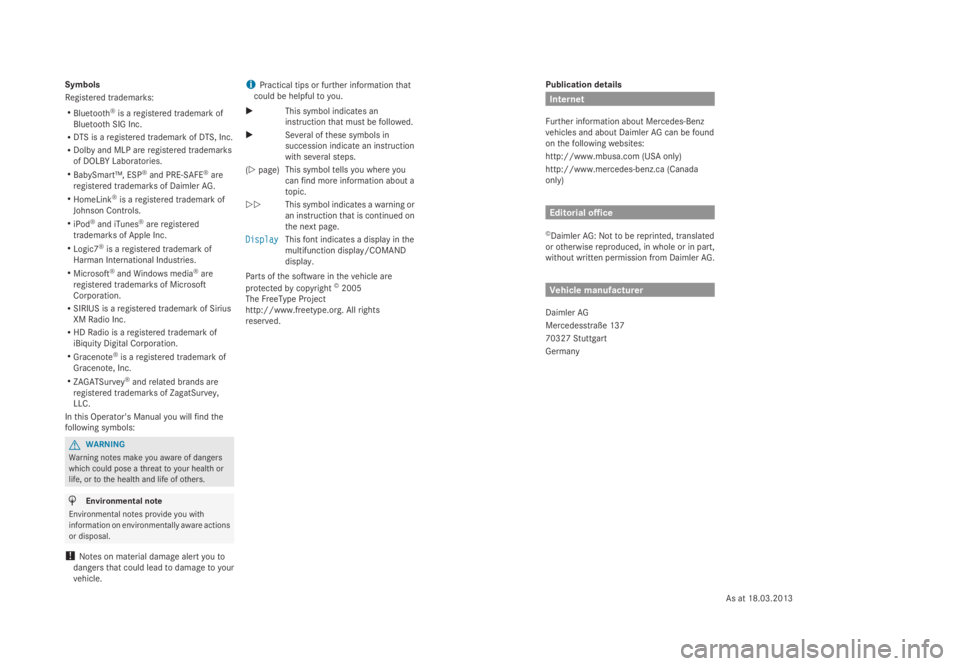
Publication details
Internet
Further information about Mercedes-Benz
vehicles and about Daimler AG can be found
on the following websites:
http://www.mbusa.com (USA only)
http://www.mercedes-benz.ca (Canada
only)
Editorial office
©Daimler AG: Not to be reprinted, translated
or otherwise reproduced, in whole or in part,
without written permission from Daimler AG.
Vehicle manufacturer
Daimler AG
Mercedesstraße 137
70327 Stuttgart
Germany
Symbols
Registered trademarks:
RBluetooth®is a registered trademark of
Bluetooth SIG Inc.
RDTS is a registered trademark of DTS, Inc.
RDolby and MLP are registered trademarks
of DOLBY Laboratories.
RBabySmart™, ESP®and PRE-SAFE®are
registered trademarks of Daimler AG.
RHomeLink®is a registered trademark of
Johnson Controls.
RiPod®and iTunes®are registered
trademarks of Apple Inc.
RLogic7®is a registered trademark of
Harman International Industries.
RMicrosoft®and Windows media®are
registered trademarks of Microsoft
Corporation.
RSIRIUS is a registered trademark of Sirius
XM Radio Inc.
RHD Radio is a registered trademark of
iBiquity Digital Corporation.
RGracenote®is a registered trademark of
Gracenote, Inc.
RZAGATSurvey®and related brands are
registered trademarks of ZagatSurvey,
LLC.
In this Operator's Manual you will find the
following symbols:
GWARNING
Warning notes make you aware of dangers
which could pose a threat to your health or
life, or to the health and life of others.
HEnvironmental note
Environmental notes provide you with
information on environmentally aware actions
or disposal.
!Notes on material damage alert you to
dangers that could lead to damage to your
vehicle.
iPractical tips or further information that
could be helpful to you.
XThis symbol indicates an
instruction that must be followed.
XSeveral of these symbols in
succession indicate an instruction
with several steps.
(Ypage)This symbol tells you where you
can find more information about a
topic.
YYThis symbol indicates a warning or
an instruction that is continued on
the next page.
DisplayDisplayThis font indicates a display in the
multifunction display/COMAND
display.
Parts of the software in the vehicle are
protected by copyright©2005
The FreeType Project
http://www.freetype.org. All rights
reserved.
As at 18.03.2013
Page 18 of 462
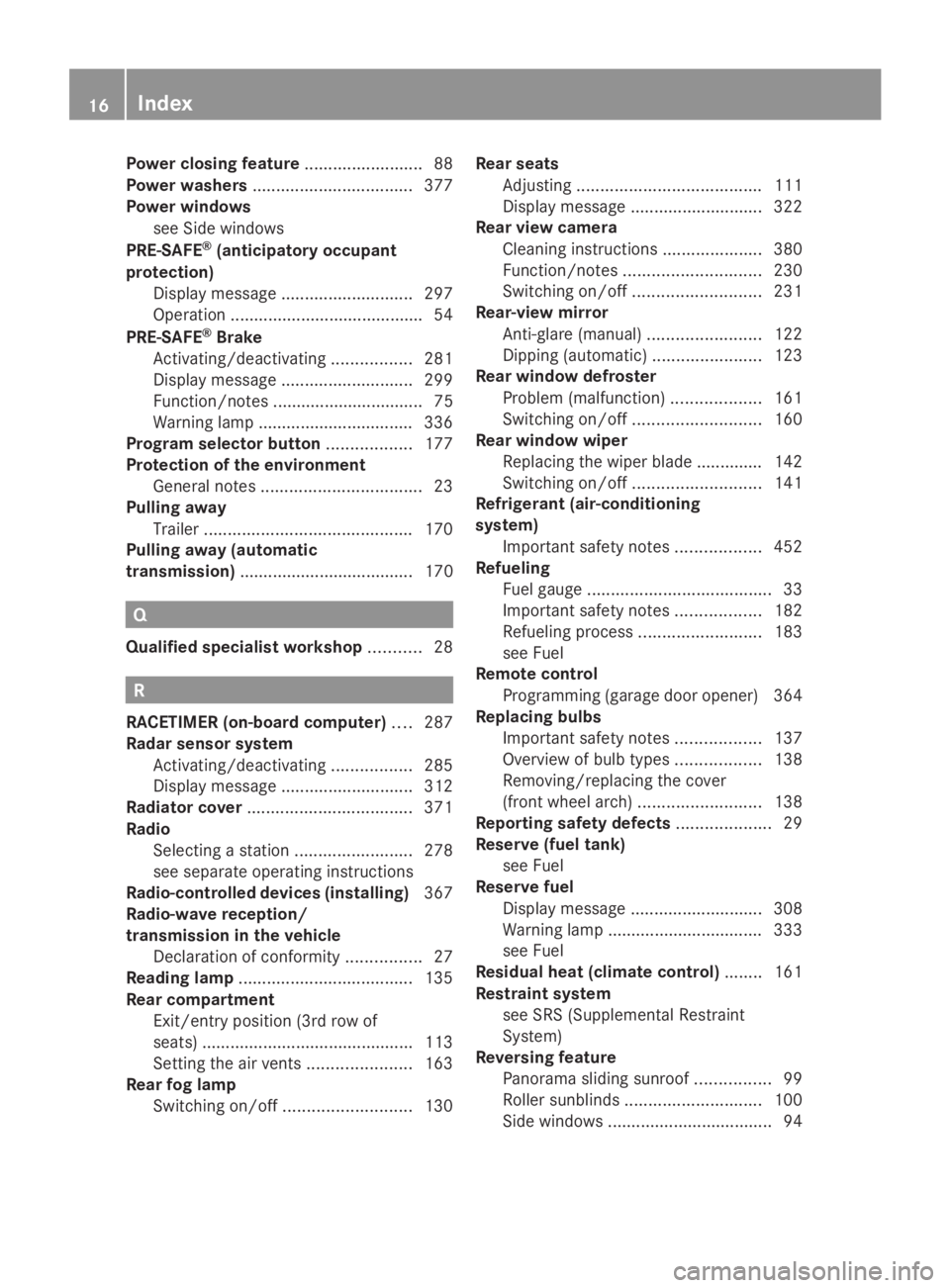
Power closing feature.........................88
Power washers..................................377
Power windows
see Side windows
PRE-SAFE®(anticipatory occupant
protection)
Display message............................297
Operation .........................................54
PRE-SAFE®Brake
Activating/deactivating.................281
Display message............................299
Function/notes ................................ 75
Warning lamp ................................. 336
Program selector button..................177
Protection of the environment
General notes..................................23
Pulling away
Trailer............................................170
Pulling away (automatic
transmission)..................................... 170
Q
Qualified specialist workshop...........28
R
RACETIMER (on-board computer)....287
Radar sensor system
Activating/deactivating.................285
Display message............................312
Radiator cover...................................371
Radio
Selecting a station.........................278
see separate operating instructions
Radio-controlled devices (installing)367
Radio-wave reception/
transmission in the vehicle
Declaration of conformity................27
Reading lamp.....................................135
Rear compartment
Exit/entry position (3rd row of
seats) .............................................113
Setting the air vents......................163
Rear fog lamp
Switching on/off...........................130
Rear seats
Adjusting.......................................111
Display message............................322
Rear view camera
Cleaning instructions.....................380
Function/notes.............................230
Switching on/off...........................231
Rear-view mirror
Anti-glare (manual)........................122
Dipping (automatic).......................123
Rear window defroster
Problem (malfunction)...................161
Switching on/off...........................160
Rear window wiper
Replacing the wiper blade .............. 142
Switching on/off...........................141
Refrigerant (air-conditioning
system)
Important safety notes..................452
Refueling
Fuel gauge.......................................33
Important safety notes..................182
Refueling process..........................183
see Fuel
Remote control
Programming (garage door opener) 364
Replacing bulbs
Important safety notes..................137
Overview of bulb types..................138
Removing/replacing the cover
(front wheel arch)..........................138
Reporting safety defects....................29
Reserve (fuel tank)
see Fuel
Reserve fuel
Display message............................308
Warning lamp ................................. 333
see Fuel
Residual heat (climate control)........161
Restraint system
see SRS (Supplemental Restraint
System)
Reversing feature
Panorama sliding sunroof................99
Roller sunblinds.............................100
Side windows...................................94
16Index
Page 29 of 462
hot parts of the exhaust system. There is a
risk of fire.
When driving off road or on unpaved roads,
check the vehicle's underside regularly. In
particular, remove parts of plants or other
flammable materials which have become
trapped. In the case of damage, contact a
qualified specialist workshop.
GWARNING
Modifications to electronic components, their
software as well as wiring can impair their
function and/or the function of other
networked components. In particular,
systems relevant to safety could also be
affected. As a result, these may no longer
function as intended and/or jeopardize the
operating safety of the vehicle. There is an
increased risk of an accident and injury.
Never tamper with the wiring as well as
electronic components or their software. You
should have all work to electrical and
electronic equipment carried out at a qualified
specialist workshop.
If you make any changes to the vehicle
electronics, the general operating permit is
rendered invalid.
!There is a risk of damage to the vehicle if:
Rthe vehicle becomes stuck, e.g. on a high
curb or an unpaved road
Ryou drive too fast over an obstacle, e.g.
a curb or a hole in the road
Ra heavy object strikes the undercarriage
or parts of the chassis
In situations like this, the body, the
undercarriage, chassis parts, wheels or
tires could be damaged without the
damage being visible. Components
damaged in this way can unexpectedly fail
or, in the case of an accident, no longer
withstand the strain they are designed to.
If the underbody paneling is damaged,
combustible materials such as leaves,
grass or twigs can gather between the
underbody and the underbody paneling. If
these materials come in contact with hot
parts of the exhaust system, they can catch
fire.
In such situations, have the vehicle
checked and repaired immediately at a
qualified specialist workshop. If on
continuing your journey you notice that
driving safety is impaired, pull over and
stop the vehicle immediately, paying
attention to road and traffic conditions. In
such cases, visit a qualified specialist
workshop.
Declarations of conformity
Vehicle components which receive
and/or transmit radio waves
USA:"The wireless devices of this vehicle
comply with Part 15 of the FCC Rules.
Operation is subject to the following two
conditions: 1) These devices may not cause
harmful interference, and 2) These devices
must accept any interference received,
including interference that may cause
undesired operation. Changes or
modifications not expressly approved by the
party responsible for compliance could void
the user’s authority to operate the
equipment."
Canada:"The wireless devices of this vehicle
comply with Industry Canada license-exempt
RSS standard(s). Operation is subject to the
following two conditions: (1) These devices
may not cause interference, and (2) These
devices must accept any interference,
including interference that may cause
undesired operation of the device."
Diagnostics connection
The diagnostics connection is only intended
for the connection of diagnostic equipment at
a qualified specialist workshop.
Introduction27
Z
Page 87 of 462
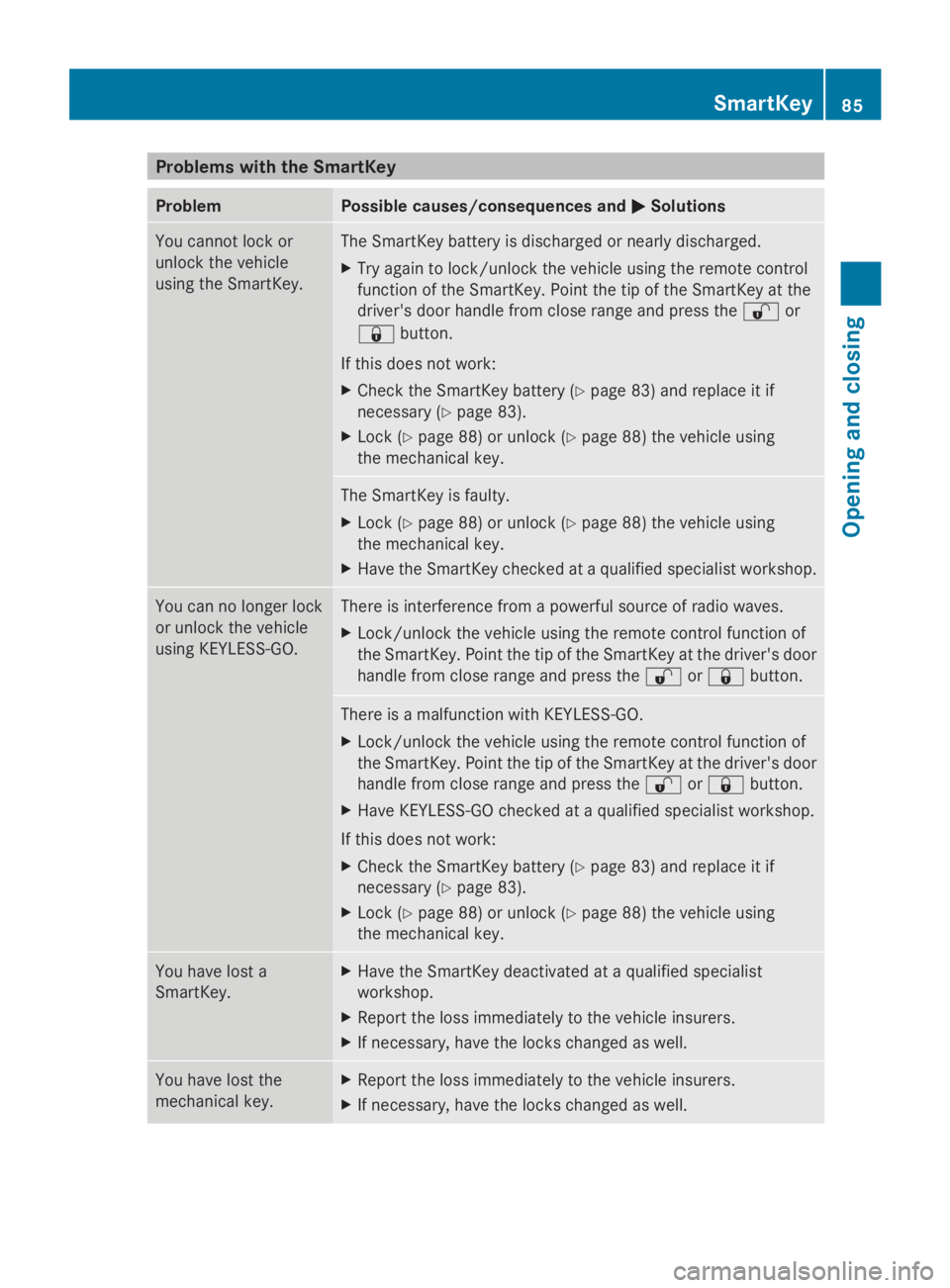
Problems with the SmartKey
ProblemPossible causes/consequences andPPSolutions
You cannot lock or
unlock the vehicle
using the SmartKey.
The SmartKey battery is discharged or nearly discharged.
XTry again to lock/unlock the vehicle using the remote control
function of the SmartKey. Point the tip of the SmartKey at the
driver's door handle from close range and press the6or
7button.
If this does not work:
XCheck the SmartKey battery (Ypage 83) and replace it if
necessary (Ypage 83).
XLock (Ypage 88) or unlock (Ypage 88) the vehicle using
the mechanical key.
The SmartKey is faulty.
XLock (Ypage 88) or unlock (Ypage 88) the vehicle using
the mechanical key.
XHave the SmartKey checked at a qualified specialist workshop.
You can no longer lock
or unlock the vehicle
using KEYLESS-GO.
There is interference from a powerful source of radio waves.
XLock/unlock the vehicle using the remote control function of
the SmartKey. Point the tip of the SmartKey at the driver's door
handle from close range and press the6or7button.
There is a malfunction with KEYLESS-GO.
XLock/unlock the vehicle using the remote control function of
the SmartKey. Point the tip of the SmartKey at the driver's door
handle from close range and press the6or7button.
XHave KEYLESS-GO checked at a qualified specialist workshop.
If this does not work:
XCheck the SmartKey battery (Ypage 83) and replace it if
necessary (Ypage 83).
XLock (Ypage 88) or unlock (Ypage 88) the vehicle using
the mechanical key.
You have lost a
SmartKey.
XHave the SmartKey deactivated at a qualified specialist
workshop.
XReport the loss immediately to the vehicle insurers.
XIf necessary, have the locks changed as well.
You have lost the
mechanical key.
XReport the loss immediately to the vehicle insurers.
XIf necessary, have the locks changed as well.
SmartKey85
Opening and closing
Z
Page 88 of 462
ProblemPossible causes/consequences andPPSolutions
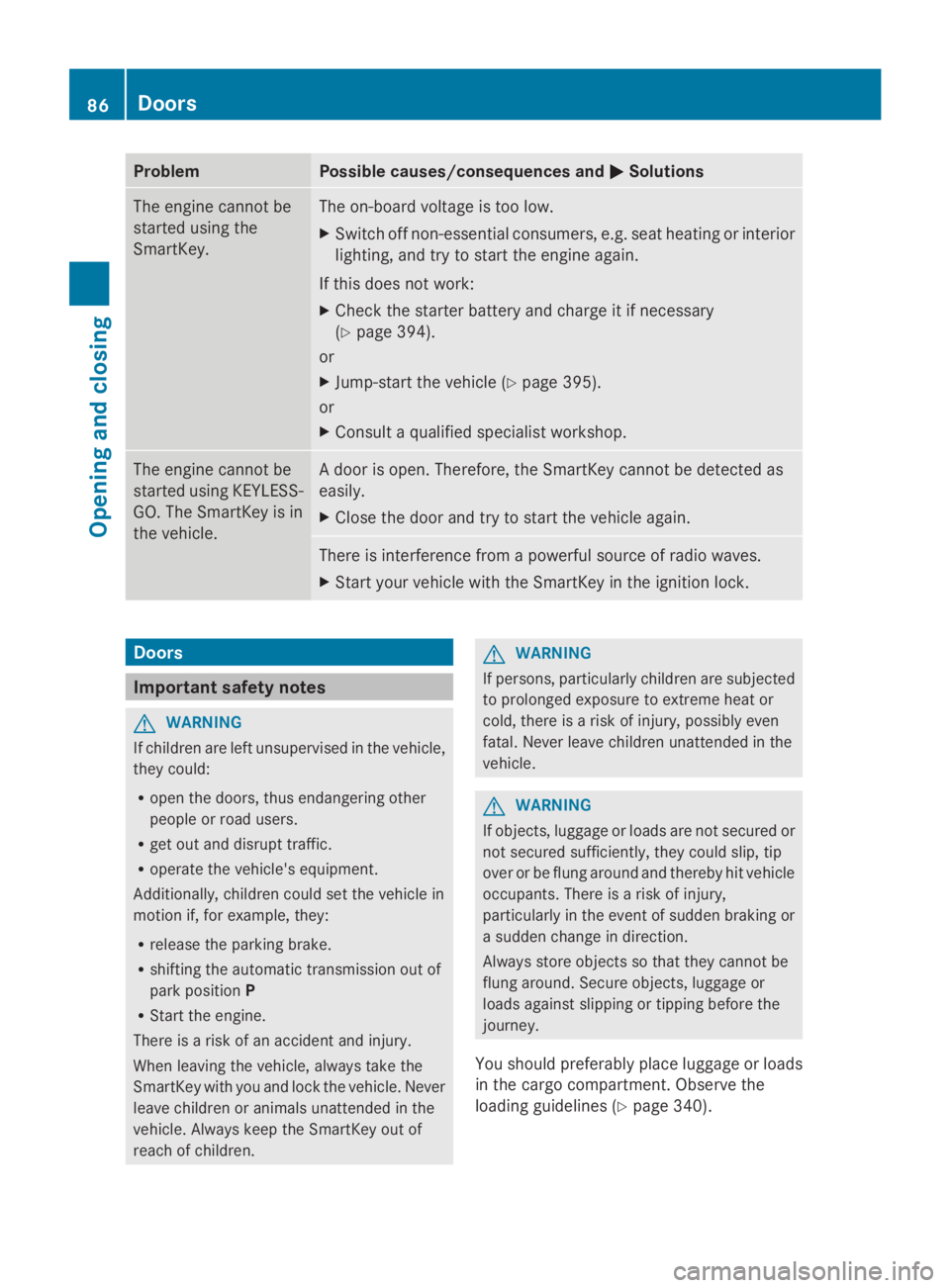
The engine cannot be
started using the
SmartKey.
The on-board voltage is too low.
XSwitch off non-essential consumers, e.g. seat heating or interior
lighting, and try to start the engine again.
If this does not work:
XCheck the starter battery and charge it if necessary
(Ypage 394).
or
XJump-start the vehicle (Ypage 395).
or
XConsult a qualified specialist workshop.
The engine cannot be
started using KEYLESS-
GO. The SmartKey is in
the vehicle.
A door is open. Therefore, the SmartKey cannot be detected as
easily.
XClose the door and try to start the vehicle again.
There is interference from a powerful source of radio waves.
XStart your vehicle with the SmartKey in the ignition lock.
Doors
Important safety notes
GWARNING
If children are left unsupervised in the vehicle,
they could:
Ropen the doors, thus endangering other
people or road users.
Rget out and disrupt traffic.
Roperate the vehicle's equipment.
Additionally, children could set the vehicle in
motion if, for example, they:
Rrelease the parking brake.
Rshifting the automatic transmission out of
park positionP
RStart the engine.
There is a risk of an accident and injury.
When leaving the vehicle, always take the
SmartKey with you and lock the vehicle. Never
leave children or animals unattended in the
vehicle. Always keep the SmartKey out of
reach of children.
GWARNING
If persons, particularly children are subjected
to prolonged exposure to extreme heat or
cold, there is a risk of injury, possibly even
fatal. Never leave children unattended in the
vehicle.
GWARNING
If objects, luggage or loads are not secured or
not secured sufficiently, they could slip, tip
over or be flung around and thereby hit vehicle
occupants. There is a risk of injury,
particularly in the event of sudden braking or
a sudden change in direction.
Always store objects so that they cannot be
flung around. Secure objects, luggage or
loads against slipping or tipping before the
journey.
You should preferably place luggage or loads
in the cargo compartment. Observe the
loading guidelines (Ypage 340).
86Doors
Opening and closing
Page 228 of 462
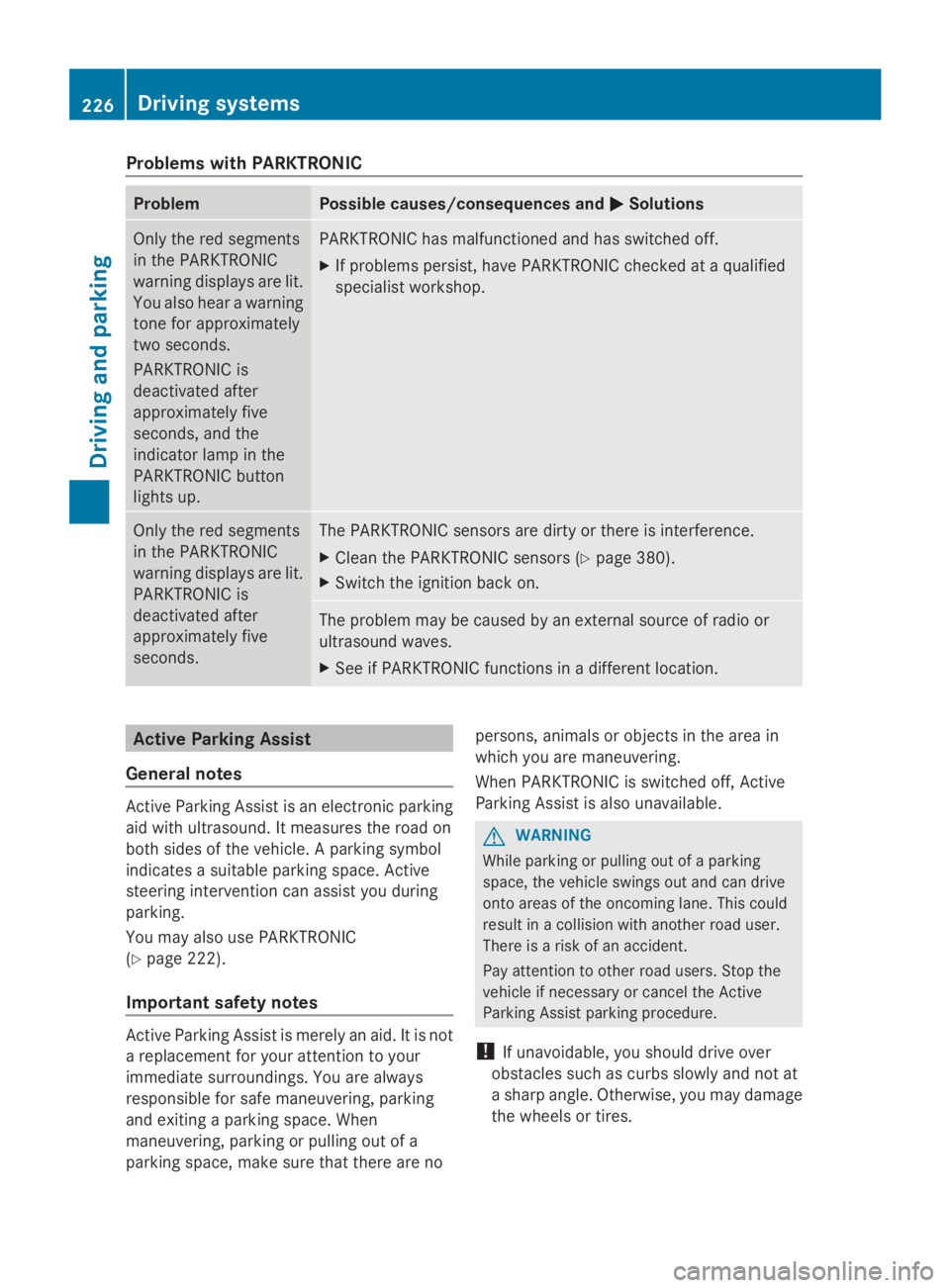
Problems with PARKTRONIC
ProblemPossible causes/consequences andPPSolutions
Only the red segments
in the PARKTRONIC
warning displays are lit.
You also hear a warning
tone for approximately
two seconds.
PARKTRONIC is
deactivated after
approximately five
seconds, and the
indicator lamp in the
PARKTRONIC button
lights up.
PARKTRONIC has malfunctioned and has switched off.
XIf problems persist, have PARKTRONIC checked at a qualified
specialist workshop.
Only the red segments
in the PARKTRONIC
warning displays are lit.
PARKTRONIC is
deactivated after
approximately five
seconds.
The PARKTRONIC sensors are dirty or there is interference.
XClean the PARKTRONIC sensors (Ypage 380).
XSwitch the ignition back on.
The problem may be caused by an external source of radio or
ultrasound waves.
XSee if PARKTRONIC functions in a different location.
Active Parking Assist
General notes
Active Parking Assist is an electronic parking
aid with ultrasound. It measures the road on
both sides of the vehicle. A parking symbol
indicates a suitable parking space. Active
steering intervention can assist you during
parking.
You may also use PARKTRONIC
(Ypage 222).
Important safety notes
Active Parking Assist is merely an aid. It is not
a replacement for your attention to your
immediate surroundings. You are always
responsible for safe maneuvering, parking
and exiting a parking space. When
maneuvering, parking or pulling out of a
parking space, make sure that there are no
persons, animals or objects in the area in
which you are maneuvering.
When PARKTRONIC is switched off, Active
Parking Assist is also unavailable.
GWARNING
While parking or pulling out of a parking
space, the vehicle swings out and can drive
onto areas of the oncoming lane. This could
result in a collision with another road user.
There is a risk of an accident.
Pay attention to other road users. Stop the
vehicle if necessary or cancel the Active
Parking Assist parking procedure.
!If unavoidable, you should drive over
obstacles such as curbs slowly and not at
a sharp angle. Otherwise, you may damage
the wheels or tires.
226Driving systems
Driving and parking
Page 280 of 462
Lane recommendations are only displayed if
the relevant data is available on the digital
map.
Other status indicators of the
navigation system
RK: you have reached the destination or an
intermediate destination.
RNew Route...New Route...orCalculating RouteCalculating Route:
calculating a new route
ROff MapOff MaporOffOffMappedMappedRoadRoad: the vehicle
position is outside the area of the digital
map (off-map position).
RNo RouteNo Route: no route could be calculated to
the selected destination.
Audio menu
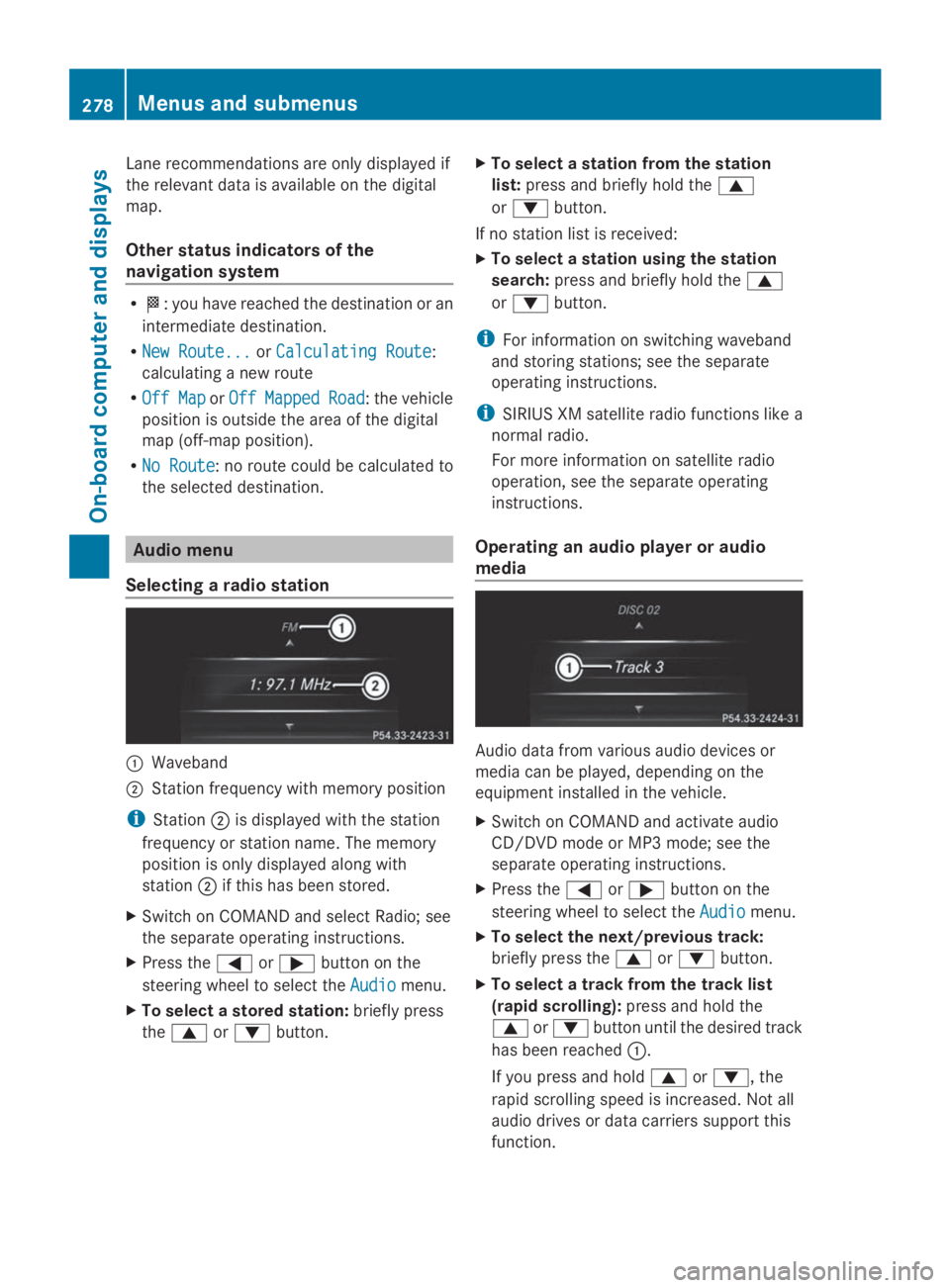
Selecting a radio station
CWaveband
DStation frequency with memory position
iStationDis displayed with the station
frequency or station name. The memory
position is only displayed along with
stationDif this has been stored.
XSwitch on COMAND and select Radio; see
the separate operating instructions.
XPress theYorebutton on the
steering wheel to select theAudioAudiomenu.
XTo select a stored station:briefly press
thecordbutton.
XTo select a station from the station
list:press and briefly hold thec
ordbutton.
If no station list is received:
XTo select a station using the station
search:press and briefly hold thec
ordbutton.
iFor information on switching waveband
and storing stations; see the separate
operating instructions.
iSIRIUS XM satellite radio functions like a
normal radio.
For more information on satellite radio
operation, see the separate operating
instructions.
Operating an audio player or audio
media
Audio data from various audio devices or
media can be played, depending on the
equipment installed in the vehicle.
XSwitch on COMAND and activate audio
CD/DVD mode or MP3 mode; see the
separate operating instructions.
XPress theYorebutton on the
steering wheel to select theAudioAudiomenu.
XTo select the next/previous track:
briefly press thecordbutton.
XTo select a track from the track list
(rapid scrolling):press and hold the
cordbutton until the desired track
has been reachedC.
If you press and holdcord, the
rapid scrolling speed is increased. Not all
audio drives or data carriers support this
function.
278Menus and submenus
On-board computer and displays
Page 300 of 462
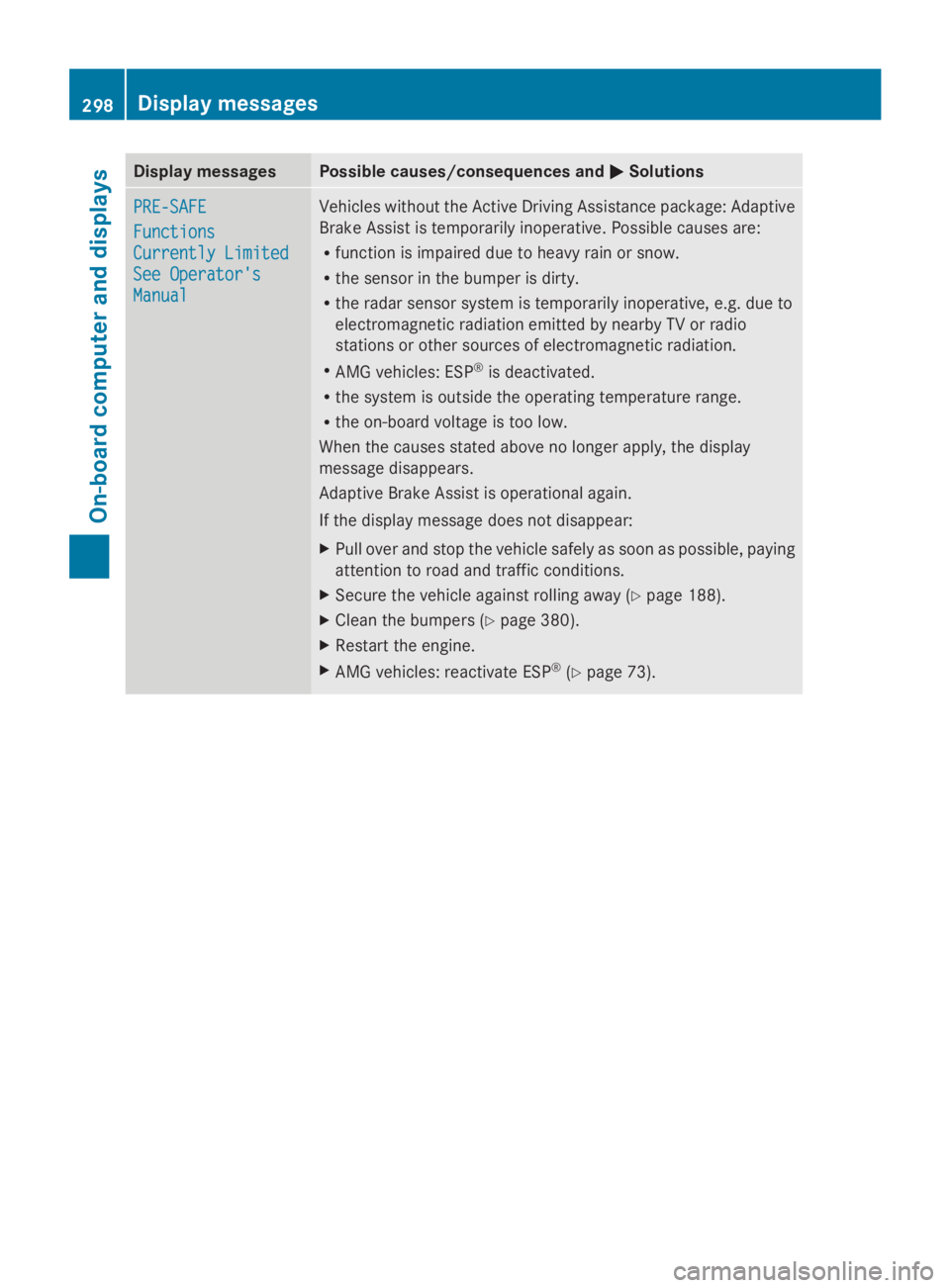
Display messagesPossible causes/consequences andPPSolutions
PRE-SAFEPRE-SAFE
FunctionsFunctions
Currently LimitedCurrently Limited
See Operator'sSee Operator's
ManualManual
Vehicles without the Active Driving Assistance package: Adaptive
Brake Assist is temporarily inoperative. Possible causes are:
Rfunction is impaired due to heavy rain or snow.
Rthe sensor in the bumper is dirty.
Rthe radar sensor system is temporarily inoperative, e.g. due to
electromagnetic radiation emitted by nearby TV or radio
stations or other sources of electromagnetic radiation.
RAMG vehicles: ESP®is deactivated.
Rthe system is outside the operating temperature range.
Rthe on-board voltage is too low.
When the causes stated above no longer apply, the display
message disappears.
Adaptive Brake Assist is operational again.
If the display message does not disappear:
XPull over and stop the vehicle safely as soon as possible, paying
attention to road and traffic conditions.
XSecure the vehicle against rolling away (Ypage 188).
XClean the bumpers (Ypage 380).
XRestart the engine.
XAMG vehicles: reactivate ESP®(Ypage 73).
298Displaymessages
On-b oard computer and displays
Page 301 of 462
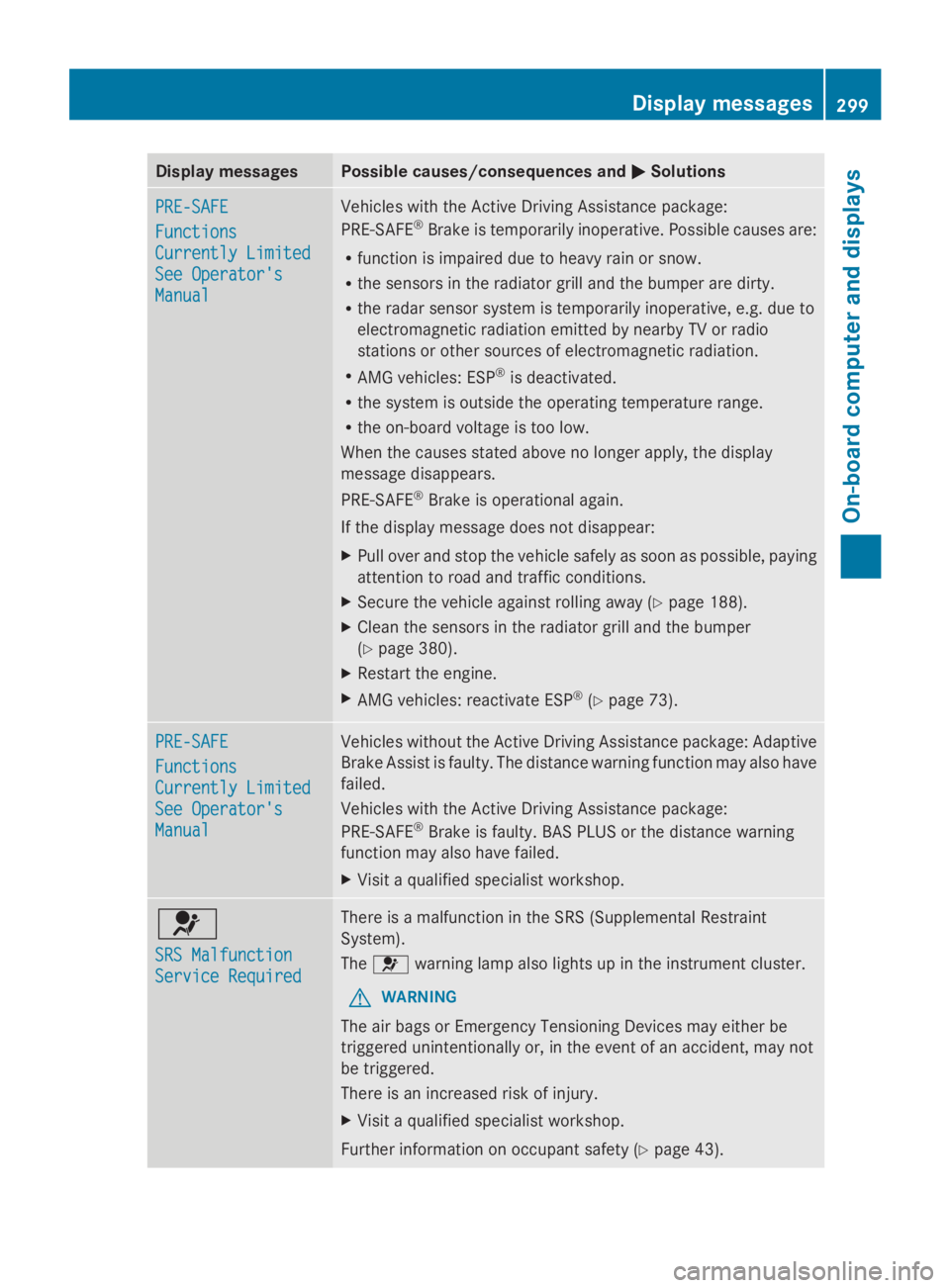
Display messagesPossible causes/consequences andPPSolutions
PRE-SAFEPRE-SAFE
FunctionsFunctions
Currently LimitedCurrently Limited
See Operator'sSee Operator's
ManualManual
Vehicles with the Active Driving Assistance package:
PRE-SAFE®Brake is temporarily inoperative. Possible causes are:
Rfunction is impaired due to heavy rain or snow.
Rthe sensors in the radiator grill and the bumper are dirty.
Rthe radar sensor system is temporarily inoperative, e.g. due to
electromagnetic radiation emitted by nearby TV or radio
stations or other sources of electromagnetic radiation.
RAMG vehicles: ESP®is deactivated.
Rthe system is outside the operating temperature range.
Rthe on-board voltage is too low.
When the causes stated above no longer apply, the display
message disappears.
PRE-SAFE®Brake is operational again.
If the display message does not disappear:
XPull over and stop the vehicle safely as soon as possible, paying
attention to road and traffic conditions.
XSecure the vehicle against rolling away (Ypage 188).
XClean the sensors in the radiator grill and the bumper
(Ypage 380).
XRestart the engine.
XAMG vehicles: reactivate ESP®(Ypage 73).
PRE-SAFEPRE-SAFE
FunctionsFunctions
Currently LimitedCurrently Limited
See Operator'sSee Operator's
ManualManual
Vehicles without the Active Driving Assistance package: Adaptive
Brake Assist is faulty. The distance warning function may also have
failed.
Vehicles with the Active Driving Assistance package:
PRE-SAFE®Brake is faulty. BAS PLUS or the distance warning
function may also have failed.
XVisit a qualified specialist workshop.
u
SRS MalfunctionSRS Malfunction
Service RequiredService Required
There is a malfunction in the SRS (Supplemental Restraint
System).
Theuwarning lamp also lights up in the instrument cluster.
GWARNING
The air bags or Emergency Tensioning Devices may either be
triggered unintentionally or, in the event of an accident, may not
be triggered.
There is an increased risk of injury.
XVisit a qualified specialist workshop.
Further information on occupant safety (Ypage 43).
Displaymessages299
On-b oard computer and displays
Z
Page 316 of 462
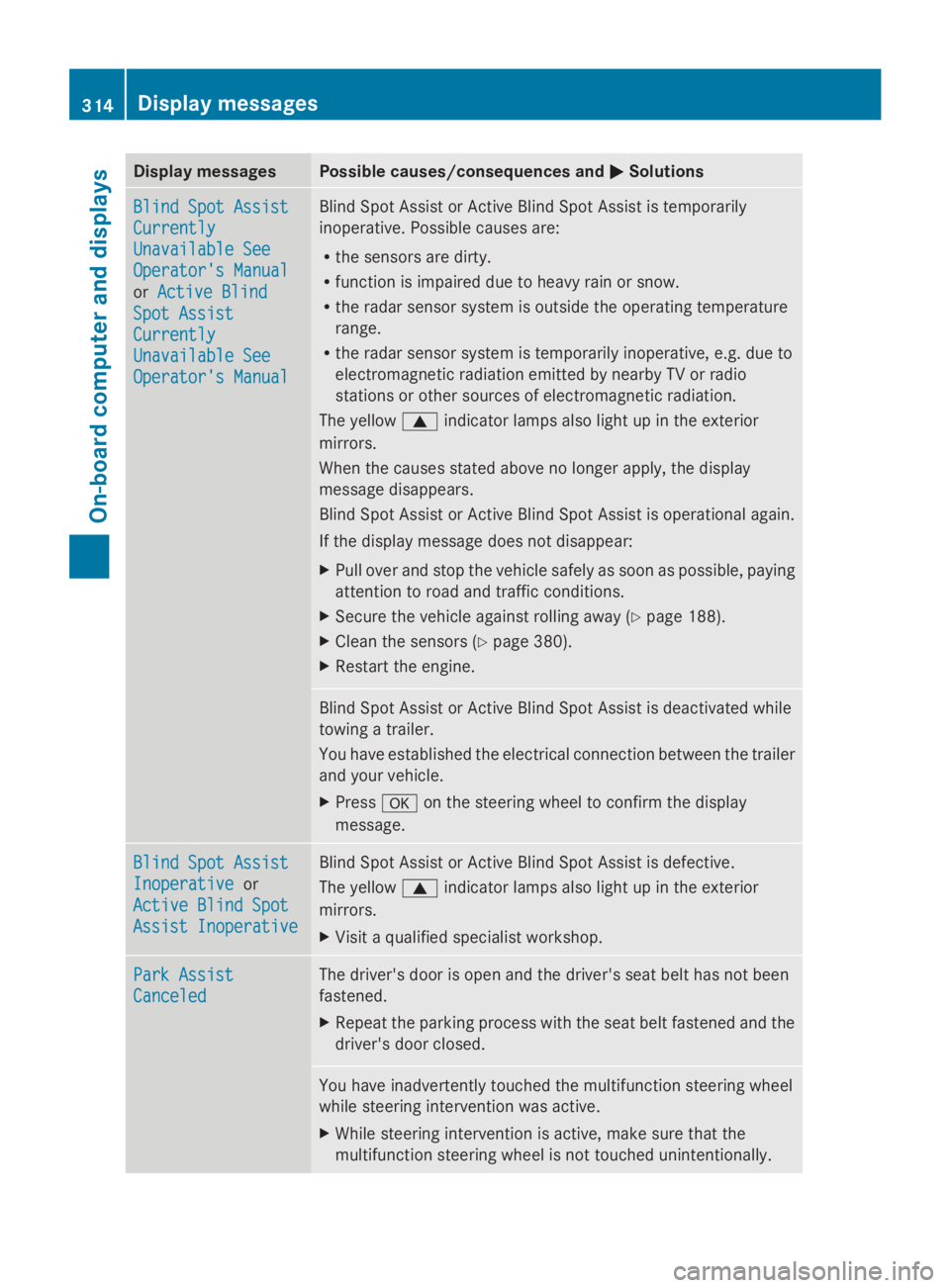
Display messagesPossible causes/consequences andPPSolutions
Blind Spot AssistBlind Spot Assist
CurrentlyCurrently
Unavailable SeeUnavailable See
Operator's ManualOperator's Manual
orActive BlindActive Blind
Spot AssistSpot Assist
CurrentlyCurrently
Unavailable SeeUnavailable See
Operator's ManualOperator's Manual
Blind Spot Assist or Active Blind Spot Assist is temporarily
inoperative. Possible causes are:
Rthe sensors are dirty.
Rfunction is impaired due to heavy rain or snow.
Rthe radar sensor system is outside the operating temperature
range.
Rthe radar sensor system is temporarily inoperative, e.g. due to
electromagnetic radiation emitted by nearby TV or radio
stations or other sources of electromagnetic radiation.
The yellowcindicator lamps also light up in the exterior
mirrors.
When the causes stated above no longer apply, the display
message disappears.
Blind Spot Assist or Active Blind Spot Assist is operational again.
If the display message does not disappear:
XPull over and stop the vehicle safely as soon as possible, paying
attention to road and traffic conditions.
XSecure the vehicle against rolling away (Ypage 188).
XClean the sensors (Ypage 380).
XRestart the engine.
Blind Spot Assist or Active Blind Spot Assist is deactivated while
towing a trailer.
You have established the electrical connection between the trailer
and your vehicle.
XPressvon the steering wheel to confirm the display
message.
Blind Spot AssistBlind Spot Assist
InoperativeInoperativeor
Active Blind SpotActive Blind Spot
Assist InoperativeAssist Inoperative
Blind Spot Assist or Active Blind Spot Assist is defective.
The yellowcindicator lamps also light up in the exterior
mirrors.
XVisit a qualified specialist workshop.
Park AssistPark Assist
CanceledCanceled
The driver's door is open and the driver's seat belt has not been
fastened.
XRepeat the parking process with the seat belt fastened and the
driver's door closed.
You have inadvertently touched the multifunction steering wheel
while steering intervention was active.
XWhile steering intervention is active, make sure that the
multifunction steering wheel is not touched unintentionally.
314Displaymessages
On-b oard computer and displays