warning lights MERCEDES-BENZ GL 2016 Owner's Manual
[x] Cancel search | Manufacturer: MERCEDES-BENZ, Model Year: 2016, Model line: GL, Model: MERCEDES-BENZ GL 2016Pages: 462, PDF Size: 12.66 MB
Page 253 of 462
Either no braking application, or a course-
correcting brake application adapted to the
driving situation occurs if: R
there are vehicles or obstacles, e.g. crash
barriers, close to both sides of your vehicle. R
a vehicle approaches you too closely at the
side. R
you have adopted a sporty driving style with
high cornering speeds. R
you brake or accelerate significantly. R
a driving safety system intervenes, e.g.
ESP ®
or PRE-SAFE ®
Brake.R
ESP ®
is switched off.R
the off-road program is activated (vehicles
without the ON&OFFROAD package). R
off-road program 1 or 2 is activated (vehi-
cles with the ON&OFFROAD package). R
the LOW RANGE off-road gear is activated
(vehicles with the ON&OFFROAD package). R
a loss of tire pressure or a defective tire is
detected.
Switching on Active Blind Spot Assist X
Make sure that Active Blind Spot Assist is
activated in the on-board computer
( Y
page 282). X
Turn the SmartKey to position 2 in the igni-
tion lock.
Warning lamps C in the exterior mirrors
light up red for approximately 1.5 seconds
and then turn yellow.
Towing a trailer
When you attach a trailer, make sure you have
co rr ectly established the electrical connec-
tion. This can be accomplished by checking
the trailer lighting. Active Blind Spot Assist is
then deactivated. The indicator lamp lights up
yellow in the exterior mirrors and the Active
Blind Spot Assist Currently Unavail‐
able See Operator's Manual message
appears in the multifunction display. Active Lane Keeping Assist General notes
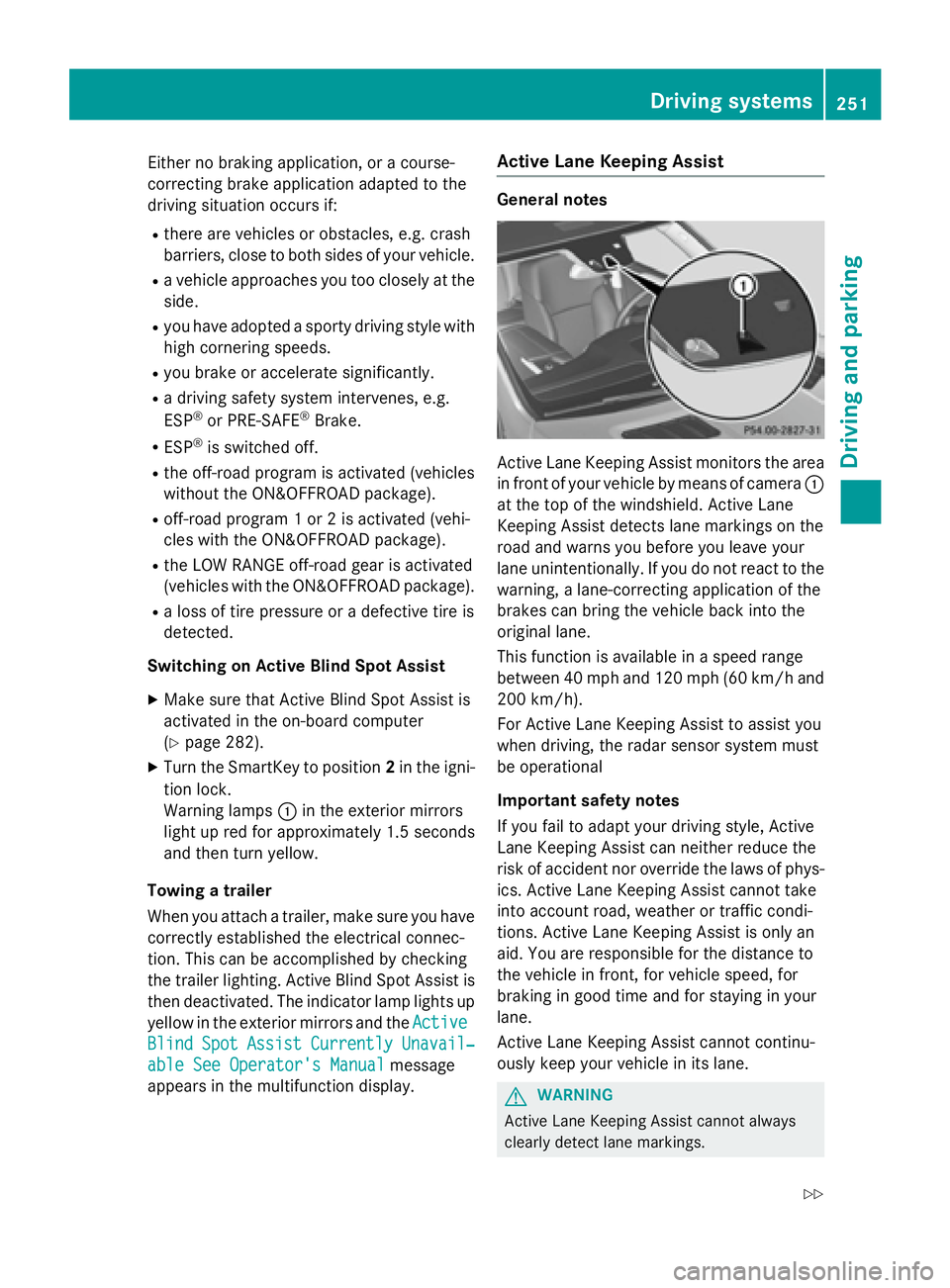
Active Lane Keeping Assist monitors the area
in front of your vehicle by means of camera C
at the top of the windshield. Active Lane
Keeping Assist detects lane markings on the
road and warns you before you leave your
lane unintentionally. If you do not react to the
warning, a lane-correcting application of the
brakes can bring the vehicle back into the
original lane.
This function is available in a speed range
between 40 mph and 120 mph (60 km/h and
200 km/h).
For Active Lane Keeping Assist to assist you
when driving, the radar sensor system must
be operational
Important safety notes
If you fail to adapt your driving style, Active
Lane Keeping Assist can neither reduce the
risk of accident nor override the laws of phys-
ics. Active Lane Keeping Assist cannot take
into account road, weather or traffic condi-
tions. Active Lane Keeping Assist is only an
aid. You are responsible for the distance to
the vehicle in front, for vehicle speed, for
braking in good time and for staying in your
lane.
Active Lane Keeping Assist cannot continu-
ously keep your vehicle in its lane.
G WARNING
Active Lane Keeping Assist cannot always
clearly detect lane markings.Driving system s 251
Dr ivi ng an d parking Z
Page 259 of 462
! A function or performance test should
only be carried out on a two-axle dyna-
mometer. Before you operate the vehicle
on such a dynamometer, please consult a
qualified workshop. You could otherwise
damage the drive train or the brake system.
i In wintry driving conditions, the maximum
effect of 4MATIC can only be achieved if
you use winter tires (M +S tires), with snow
chains if necessary.
Further information about "Driving off-road"
( Y
page 198).
DSR (Downhill Speed Regulation) General notes
DSR is an aid to assist you when driving down-
hill. It keeps the speed of travel at the speed
selected on the on-board computer. The
steeper the downhill gradient, the greater the
DSR braking effect on the vehicle. When driv-
ing on flat stretches of road or on an uphill
gradient, the DSR braking effect is minimal or
nonexistent.
DSR controls the vehicle’s speed when it is
activated and the transmission is in position
D , R or N . You can drive at a higher or a lower
speed than that set on the on-board computer
at any time by accelerating or braking.
Important safety notes
G WARNING
If the speed driven and the set speed deviate
and you activate DSR on a slippery road sur-
face, the wheels may lose traction. There is an
increased danger of skidding and accidents.
Before switching DSR on, please take into
consideration the road surface and the differ-
ence between driving speed and the set
speed.
If you fail to adapt your driving style, DSR can
neither reduce the risk of accident nor over-
ride the laws of physics. DSR cannot take
account of road, weather and traffic condi-
tions. DSR is only an aid. You are responsible for the distance to the vehicle in front, for
vehicle speed, for braking in good time and for
staying in your lane.
You are always responsible for keeping con-
trol of the vehicle and for assessing whether
the downhill gradient can be managed. DSR
may not always be able to keep to the set
speed, depending on road surface and tire
conditions. Select a set speed suitable for the
prevailing conditions and when necessary,
apply the brakes manually.
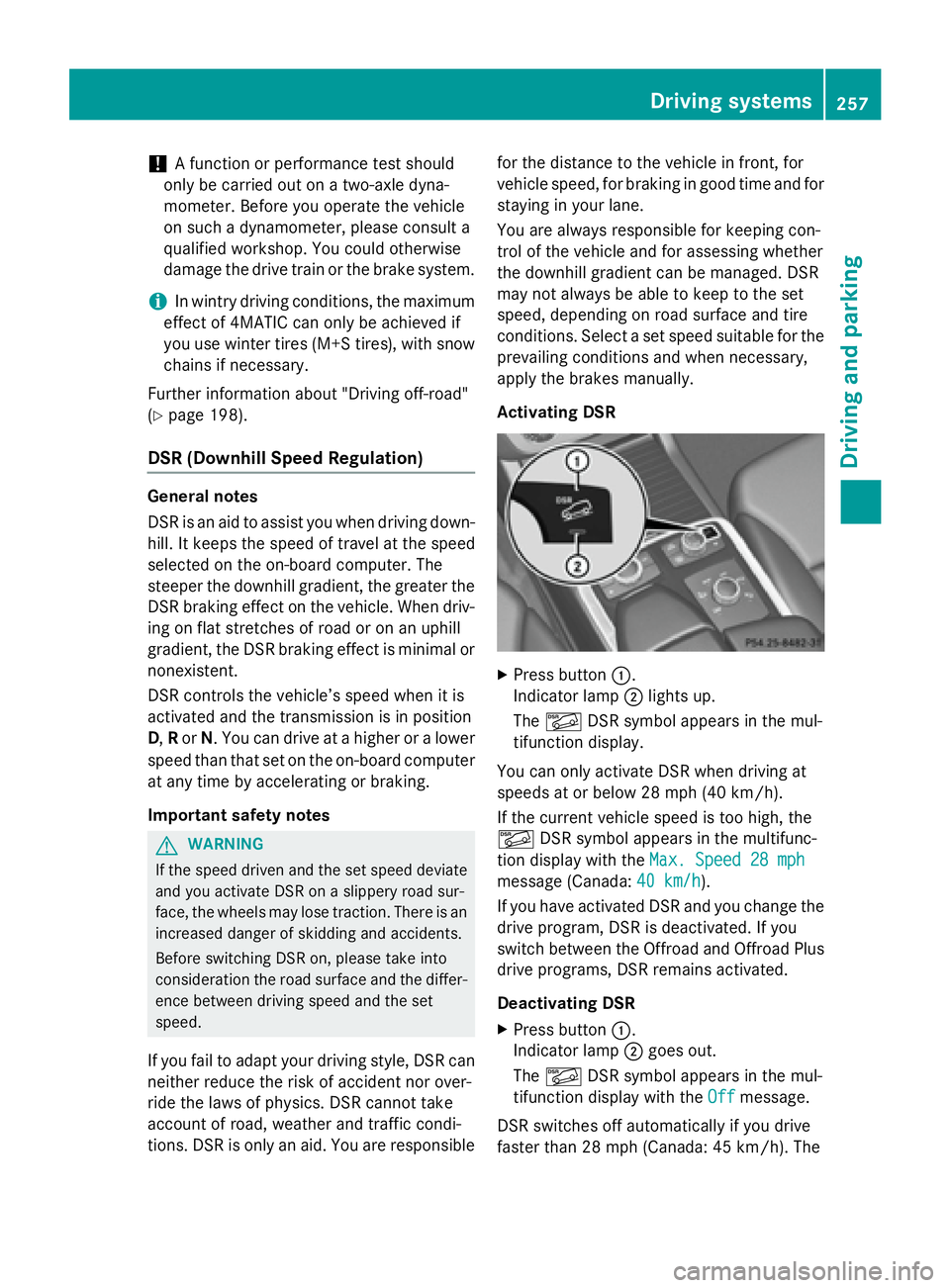
Activating DSR
X
Press button C .
Indicator lamp D lights up.
The
Page 287 of 462
R
surround lighting: the exterior lighting
remains lit for 40 seconds after unlocking
with the SmartKey. If you start the engine,
the surround lighting is switched off and
automatic headlamp mode is activated
( Y
page 130). R
exterior lighting delayed switch-off: the
exterior lighting remains lit for 60 seconds
after the engine is switched off. If you close
all the doors and the tailgate, the exterior
lighting goes off after 15 seconds.
i Depending on your vehicle's equipment,
when the surround lighting and delayed
switch-off exterior lighting are on, the fol-
lowing light up: R
Parking lamps R
Daytime running lamps R
Side marker lamps R
Surround lighting in the exterior mirrors
Activating/deactivating the interior light-
ing delayed switch-off
If you activate the Light. Delay
function,
the interior lighting remains on for
20 seconds after you remove the SmartKey
from the ignition lock. X
Press the Y or e button on the steer-
ing wheel to select the Settings
menu.X
Press the d or c button to select the
Lights
submenu.X
Press v to confirm.X
Press the d or c button to select the
Lighting delayed sw.-off
function.
If the Interior
Lighting Delay function
has been switched on, the vehicle interior is
displayed in orange in the multifunction
display. X
Press the v button to save the setting. Vehicle submenu Activating/deactivating the automatic
door locking mechanism
If you activate the Automatic Door Lock
function, the vehicle is centrally locked above
a speed of approximately 9 mph (15 km/h). X
Press the Y or e button on the steer-
ing wheel to select the Sett
menu.X
Press the d or c button to select the
Vehicle
submenu. X
Press v to confirm. X
Press the d or c button to select the
Automatic Door Lock
function.
When the Automatic
Door Lock function
is activated, the vehicle doors are displayed
in orange in the multifunction display. X
Press the v button to save the setting.
For further information on the automatic lock-
ing feature, see ( Y
page 91).
Activating/deactivating the acoustic
locking verification signal
If you switch on the Acoustic
Lock function,
an acoustic signal sounds when you lock the
vehicle. X
Press the Y or e button on the steer-
ing wheel to select the Sett.
menu.X
Press d or c to select the Vehicle
submenu. X
Press v to confirm. X
Press the d or c button to select the
Acoustic Lock
function.
If the Acoustic
Lock function is activated,
the 7 symbol in the multifunction dis-
play lights up orange. X
Press the v button to save the setting.
Convenience submenu
Activating/deactivating the EASY-
ENTRY/EXIT feature
G WARNING
When the EASY-ENTRY/EXIT feature adjusts
the steering wheel, you and other vehicleMenus and submenus 285
On-board computer and displays Z
Page 335 of 462
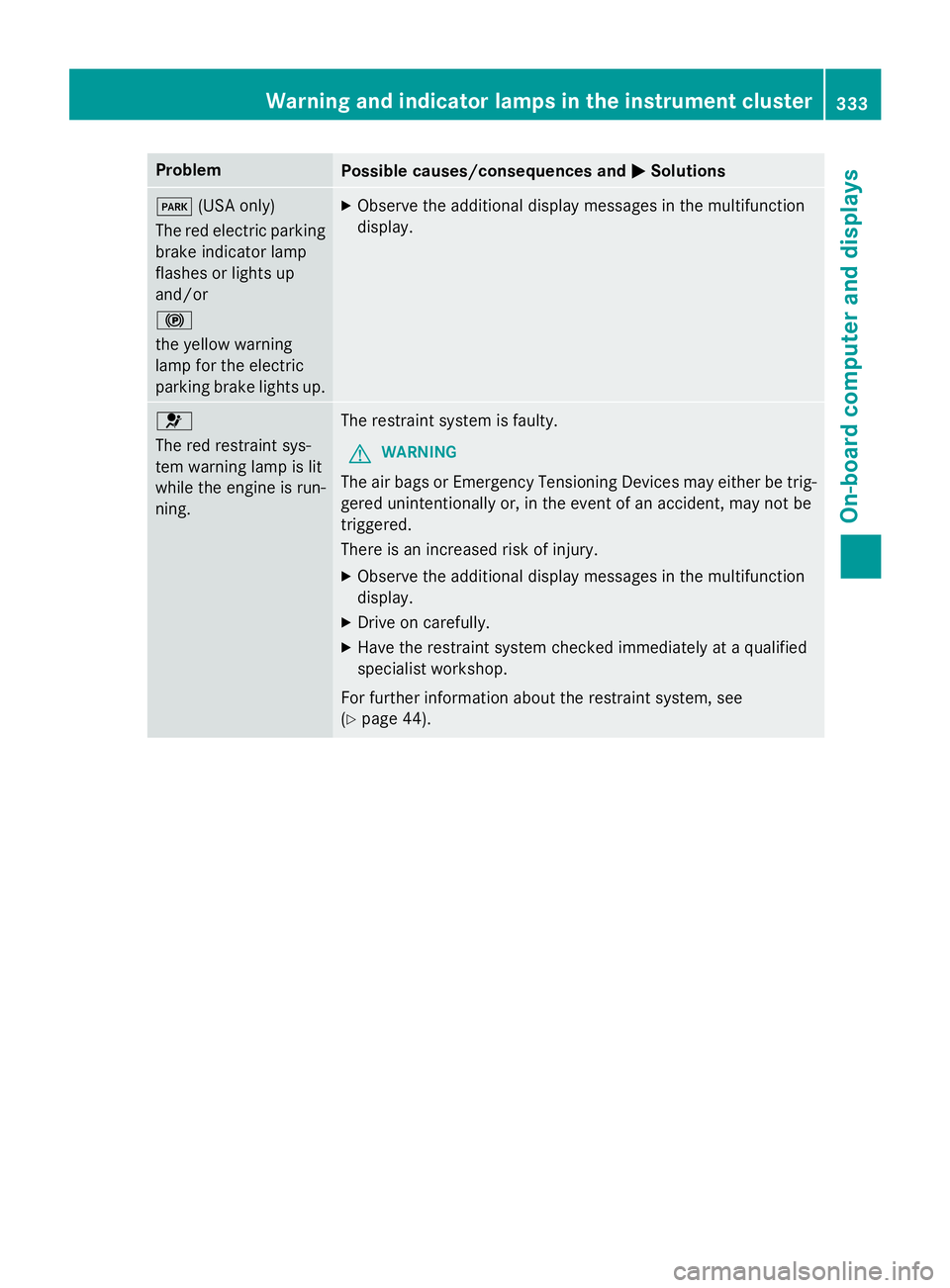
Problem
Possible causes/consequences and P Solutions
I (USA only)
The red electric parking
brake indicator lamp
flashes or lights up
and/or
$
the yellow warning
lamp for the electric
parking brake lights up. X
Observe the additional display messages in the multifunction
display.
u
The red restraint sys-
tem warning lamp is lit
while the engine is run-
ning. The restraint system is faulty.
G WARNING
The air bags or Emergency Tensioning Devices may either be trig-
gered unintentionally or, in the event of an accident, may not be
triggered.
There is an increased risk of injury. X
Observe the additional display messages in the multifunction
display. X
Drive on carefully. X
Have the restraint system checked immediately at a qualified
specialist workshop.
For further information about the restraint system, see
( Y
page 44).Warning and indicator lamps in the instrument cluster 333
On-board computer and displays Z
Page 416 of 462
The tire pressure monitor is not able to warn
you of a sudden loss of pressure, e.g. if the
tire is penetrated by a foreign object. In the
event of a sudden loss of pressure, bring the
vehicle to a halt by braking carefully. Avoid
abrupt steering maneuvers.
The tire pressure monitor has a yellow warn-
ing lamp in the instrument cluster for indicat-
ing pressure loss or a malfunction. Whether
the warning lamp flashes or lights up indi-
cates whether a tire pressure is too low or the
tire pressure monitor is malfunctioning: R
if the warning lamp is lit continuously, the
tire pressure on one or more tires is signif-
icantly too low. The tire pressure monitor is
not malfunctioning. R
if the warning lamp flashes for around a
minute and then remains lit constantly, the
tire pressure monitor is malfunctioning.
In addition to the warning lamp, a message
appears in the multifunction display. Observe
the information on display messages
( Y
page 318).
It may take up to ten minutes for a malfunc-
tion of the tire pressure monitor to be indica-
ted. A malfunction will be indicated by the tire
pressure warning lamp flashing for approx-
imately one minute and then remaining lit.
When the malfunction has been rectified, the
tire pressure warning lamp goes out after a
few minutes of driving.
The tire pressure values indicated by the on-
board computer may differ from those meas-
ured at a gas station with a pressure gage.
The tire pressures shown by the on-board
computer refer to those measured at sea
level. At high altitudes, the tire pressure val-
ues indicated by a pressure gage are higher
than those shown by the on-board computer.
In this case, do not reduce the tire pressures.
The operation of the tire pressure monitor can
be affected by interference from radio trans-
mitting equipment (e.g. radio headphones,
two-way radios) that may be being operated
in or near the vehicle. Checking the tire pressure electroni-
cally X
Make sure that the SmartKey is in position
2 in the ignition lock ( Y
page 165).X
Press the Y or e button on the steer-
ing wheel to select the Service
menu.X
Press the c or d button to select
Tire Pressure
. X
Press the v button.
The current tire pressure of each tire is
shown in the multifunction display.
If the vehicle has been parked for longer than
20 minutes, the Tire pressure will be
displayed after driving a few
minutes message appears.
After a teach-in process, the tire pressure
monitor automatically detects new wheels or
new sensors. As long as a clear allocation of
the tire pressure value to the individual
wheels is not possible, the Tire Pressure
Monitor Active display message is shown
instead of the tire pressure display. The tire
pressures are already being monitored.
i If an emergency spare wheel is mounted,
the system may continue to show the tire
pressure of the wheel that has been
removed for a few minutes. If this occurs,
note that the value displayed for the posi-
tion where the spare wheel is mounted is
not the same as the current tire pressure of
the emergency spare wheel.
Tire pressure monitor warning mes-
sages
If the tire pressure monitor detects a pressure
loss in one or more tires, a warning message
is shown in the multifunction display and the
yellow tire pressure monitor warning lamp
comes on. R
If the Please Correct Tire Pressure
message appears in the multifunction dis-
play, the tire pressure in at least one tire is414
Tire pressure
Wheels and tires