key MERCEDES-BENZ GL 2016 Manual PDF
[x] Cancel search | Manufacturer: MERCEDES-BENZ, Model Year: 2016, Model line: GL, Model: MERCEDES-BENZ GL 2016Pages: 462, PDF Size: 12.66 MB
Page 222 of 462
cle could rollover more easily, for example on
a bend. There is a risk of an accident.
Always select as low a vehicle level as possi-
ble and adjust your driving style.
G WARNING
When you drive with the chassis lowered or
raised, the vehicle's braking and driving char-
acteristics can be significantly impaired. You
could also exceed the permissible vehicle
height if the chassis is raised. There is a risk of
an accident.
Adjust the vehicle level before pulling away.
G WARNING
Due to the high center of gravity, the vehicle
may start to skid and roll over in the event of
an abrupt steering maneuver and/or when
the vehicle's speed is not adapted to the road
conditions. There is a risk of an accident.
Always adapt your speed and driving style to
the vehicle's driving characteristics and to the
prevailing road and weather conditions.
! When driving on extremely rough terrain,
select a high vehicle level in good time.
Make sure there is always sufficient ground
clearance. You will otherwise damage the
vehicle.
! When you raise the vehicle in such a way
that not all wheels have contact with the
ground, remove the SmartKey from the
ignition lock. R
Utility vehicles have a significantly higher
rollover rate than other types of vehicles.
Failure to operate this vehicle safely may
result in an accident, rollover of the vehicle,
and severe or fatal injury. R
In a rollover crash, an unbelted person is
significantly more likely to die than a per-
son wearing a seat belt.
You and all vehicle occupants should
always wear your seat belts. General notes
Further information about "Driving off-road"
( Y
page 198).
Level control adapts the vehicle level auto-
matically to the current operating and driving
situation. This results in reduced fuel con-
sumption and improved handling.
If y
ou select ADS comfort mode ( Y
page 218),
the vehicle is lowered to high-speed level as
the speed increases. As the vehicle speed
decreases, the vehicle is raised back up to
highway level.
If you select ADS sport mode ( Y
page 218),
the vehicle skips highway level and lowers
directly to high-speed level depending on the
basic setting ( Y
page 220).
Make changes to the vehicle level while the
vehicle is in motion. This enables the vehicle
to adjust to the new level as quickly as pos-
sible.
The vehicle level may change visibly if you
park the vehicle and the outside temperature
changes. If the temperature drops, the vehi-
cle level is lower; with an increase in temper-
ature, the vehicle level rises.
If you unlock the vehicle or open a door, the
vehicle begins to compensate for load dis-
crepancies while still parked. However, for
significant level changes, such as after the
vehicle has been stationary for a long period,
the engine must be on. For safety reasons,
the vehicle is only lowered when the doors are
closed. Lowering is interrupted if a door is
opened, and it continues once the door has
been closed.
Basic settings (excluding Mercedes-AMG
vehicles)
The extent to which the vehicle is raised or
lowered depends on the basic setting selec-
ted. Sele ct raised level for off-road driving or
hi g
hway/high-speed level for normal roads.220
Driving systems
Driving and parking
Page 225 of 462
In Comfort and Sport driving modes, after
locking the vehicle it lowers to the Sport+
level. When locking the vehicle at the raised
level, the vehicle does not lower.
The settings will remain stored after you
switch off the engine. When starting the
engine, the selected setting, e.g. AMG adap-
tive suspension system Comfort, is restored.
i The vehicle level may change visibly if you
park the vehicle and the outside tempera-
ture changes. If the temperature drops, the
vehicle level lowers; with an increase in
temperature, the vehicle level rises.
Suspension tuning General notes
The electronically controlled damping system
works continuously. This improves driving
safety and ride comfort.
The damping is tuned individually to each
wheel and depends on: R
your driving style R
the road surface conditions R
your individual selection of Sport, Sport +
or Comfort
Your selection remains stored even if you
remove the SmartKey from the ignition lock.
Sport mode
The firmer suspension tuning in Sport mode
ensures even better contact with the road.
Select this mode when employing a sporty
driving style, e.g. on winding country roads. X
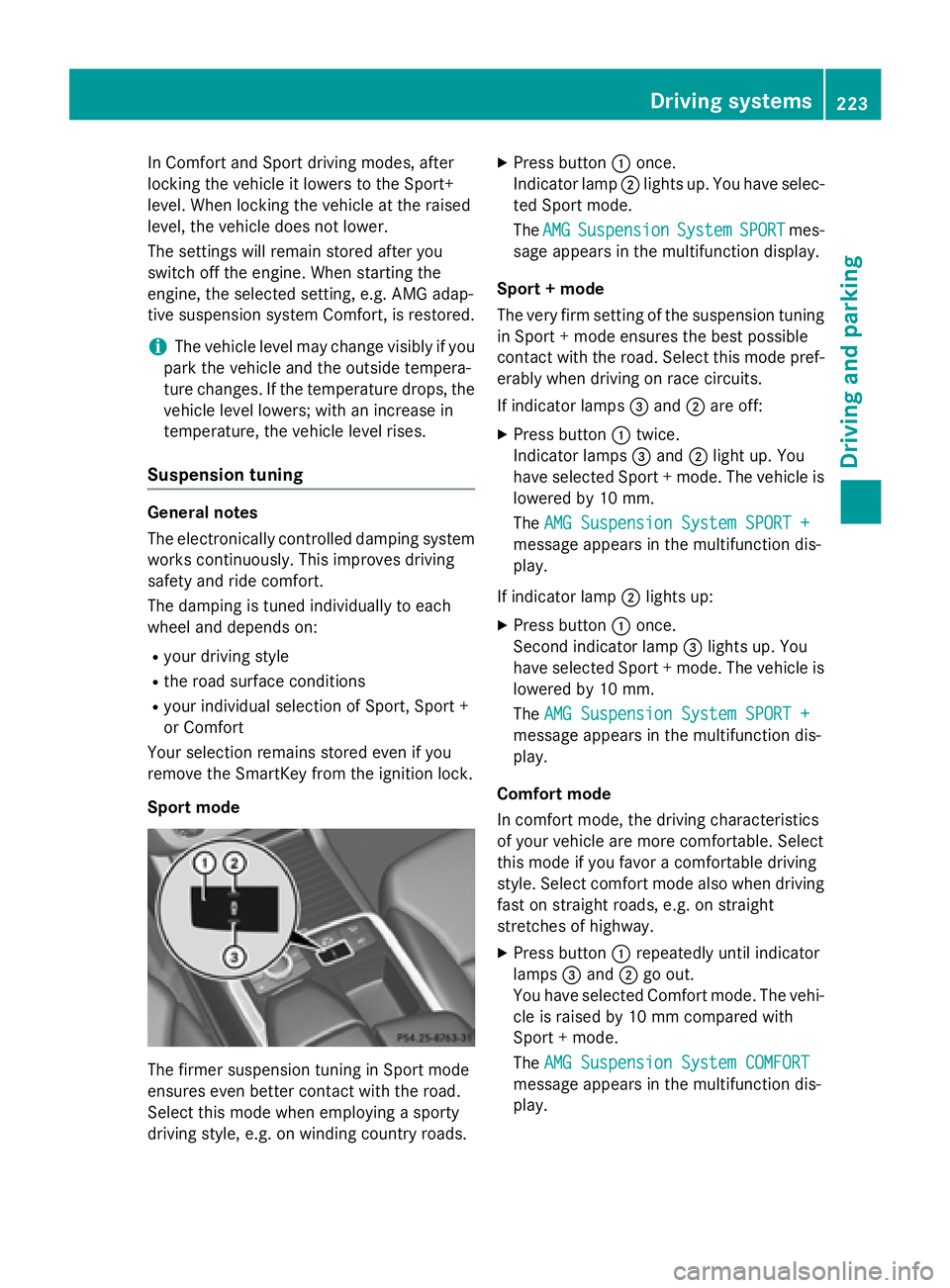
Press button C once.
Indicator lamp D lights up. You have selec-
ted Sport mode.
The AMG Suspension System SPORT mes-
sage appears in the multifunction display.
Sport + mode
The very firm setting of the suspension tuning
in Sport + mode ensures the best possible
contact with the road. Select this mode pref-
erably when driving on race circuits.
If indicator lamps
Page 228 of 462
One or more segments light up as the vehicle
approaches an obstacle, depending on the
vehicle's distance from the obstacle.
From the: R
sixth segment onwards, you will hear an
intermittent warning tone for approx-
imately two seconds. R
seventh segment onwards, you will hear a
warning tone for approximately two sec-
onds. This indicates that you have now
reached the minimum distance.
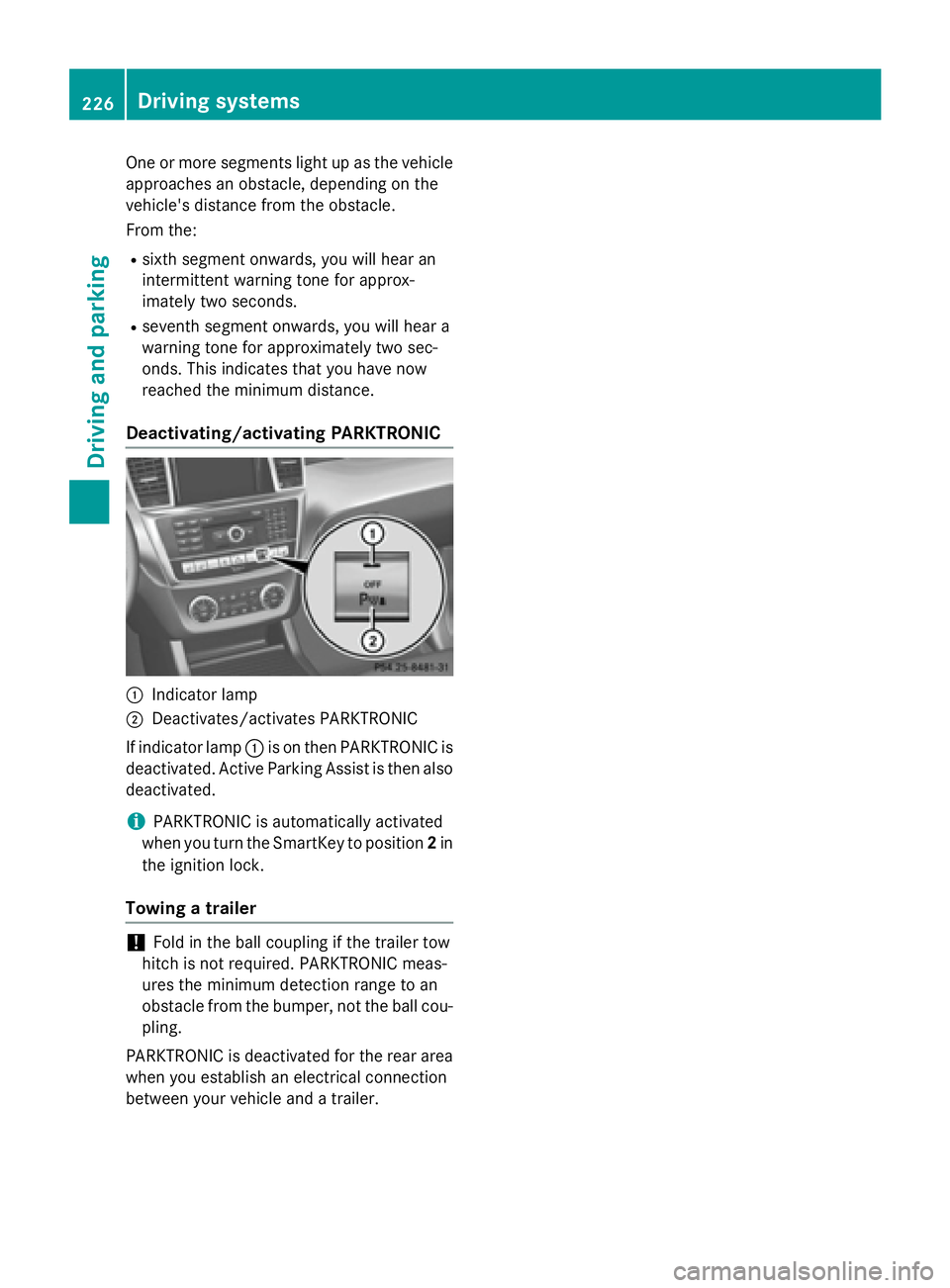
Deactivating/activating PARKTRONIC
C
Indicator lampD
Deactivates/activates PARKTRONIC
If indicator lamp C is on then PARKTRONIC is
deactivated. Active Parking Assist is then also
deactivated.
i PARKTRONIC is automatically activated
when you turn the SmartKey to position 2 in
the ignition lock.
Towing a trailer
! Fold in the ball coupling if the trailer tow
hitch is not required. PARKTRONIC meas-
ures the minimum detection range to an
obstacle from the bumper, not the ball cou-
pling.
PARKTRONIC is deactivated for the rear area
when you establish an electrical connection
between your vehicle and a trailer.226
Driving systems
Driving and parking
Page 234 of 462
R
if there is a sudden change in temperature,
e.g. when driving into a heated garage in
winter R
if the camera lens is dirty or obstructed.
Observe the notes on cleaning
( Y
page 380) R
if the rear of your vehicle is damaged. In this
event, have the camera position and setting
checked at a qualified specialist workshop
The field of vision and other functions of the
rear view camera may be restricted due to
additional accessories on the rear of the vehi-
cle (e.g. license plate holder, bicycle rack).
For technical reasons, leaving the standard
height can result in inaccuracies in the guide
lines on vehicles with a height-adjustable
chassis.
Activating/deactivating the rear view
camera
X
To activate: make sure that the SmartKey
is in position 2 in the ignition lock.X
Make sure that the "Show rear view camera
display" function is selected in COMAND
(see the Digital Operator's Manual). X
Engage reverse gear.
The area behind the vehicle is shown in the
COMAND display with guide lines. X
To change the function mode for vehi-
cles with trailer tow hitch: using the
COMAND controller, select symbol C for
the "Reverse parking" function or sym- bol D for "Coupling up a trailer" (see the
separate COMAND operating instructions).
The symbol of the selected function is high-
lighted.
To deactivate: the rear view camera deacti-
vates if you shift the transmission to P or after
driving forwards a short distance.
Displays in the COMAND display The rear view camera may show a distorted
view of obstacles, show them incorrectly or
not at all. The rear view camera does not show
objects in the following positions: R
very close to the rear bumper R
under the rear bumper R
in the area immediately above the tailgate
handle
! Objects not at ground level may appear to
be further away than they actually are, e.g.: R
the bumper of a parked vehicle R
the drawbar of a trailer R
the ball coupling of a trailer tow hitch R
the rear section of an HGV R
a slanted post
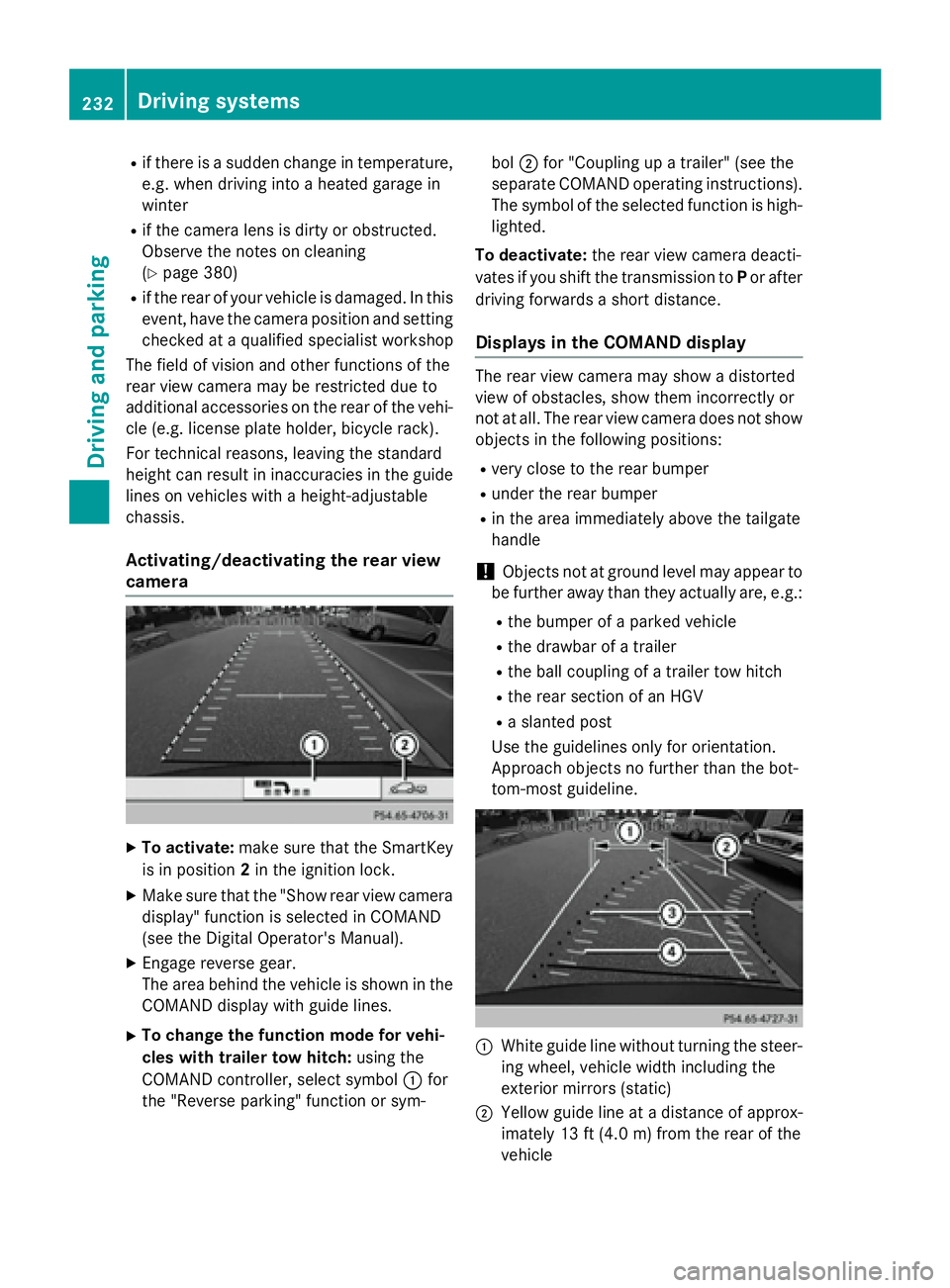
Use the guidelines only for orientation.
Approach objects no further than the bot-
tom-most guideline.
C
White guide line without turning the steer-
ing wheel, vehicle width including the
exterior mirrors (static)
D
Yellow guide line at a distance of approx-
imately 13 ft (4.0 m) from the rear of the
vehicle232
Driving system s
Dr ivi ng an d parking
Page 244 of 462
Pedestrian recognition may be impaired or
inoperative if: R
pedestrians are partially or entirely
obscured by objects, e.g. parked vehicles R
the silhouette of the pedestrian in the Night
View Assist Plus display is incomplete or
interrupted, e.g. by powerful light reflec-
tions R
pedestrians do not contrast adequately
from the background R
pedestrians are not in an upright position,
e.g. sitting, squatting or lying
Activating Night View Assist Plus Activation conditions
You can only activate Night View Assist Plus
if: R
the SmartKey is in position 2 in the ignition
lock. R
it is dark. R
the light switch is in the X or X posi-
tion. R
reverse gear has not been engaged.
Activating Night View Assist Plus
X
Make sure that COMAND is switched on. X
Press button C .
The Night View Assist Plus display appears
in the COMAND display.
You can read about how to adjust the bright-
ness of the COMAND display in the COMAND
operating instructions. i The infrared headlamps only switch on
when the vehicle is being driven at speeds
of approximately 6 mph (10 km/h). This
means that you do not have the full visual
range while the vehicle is stationary and
cannot check whether Night View Assist
Plus is working.
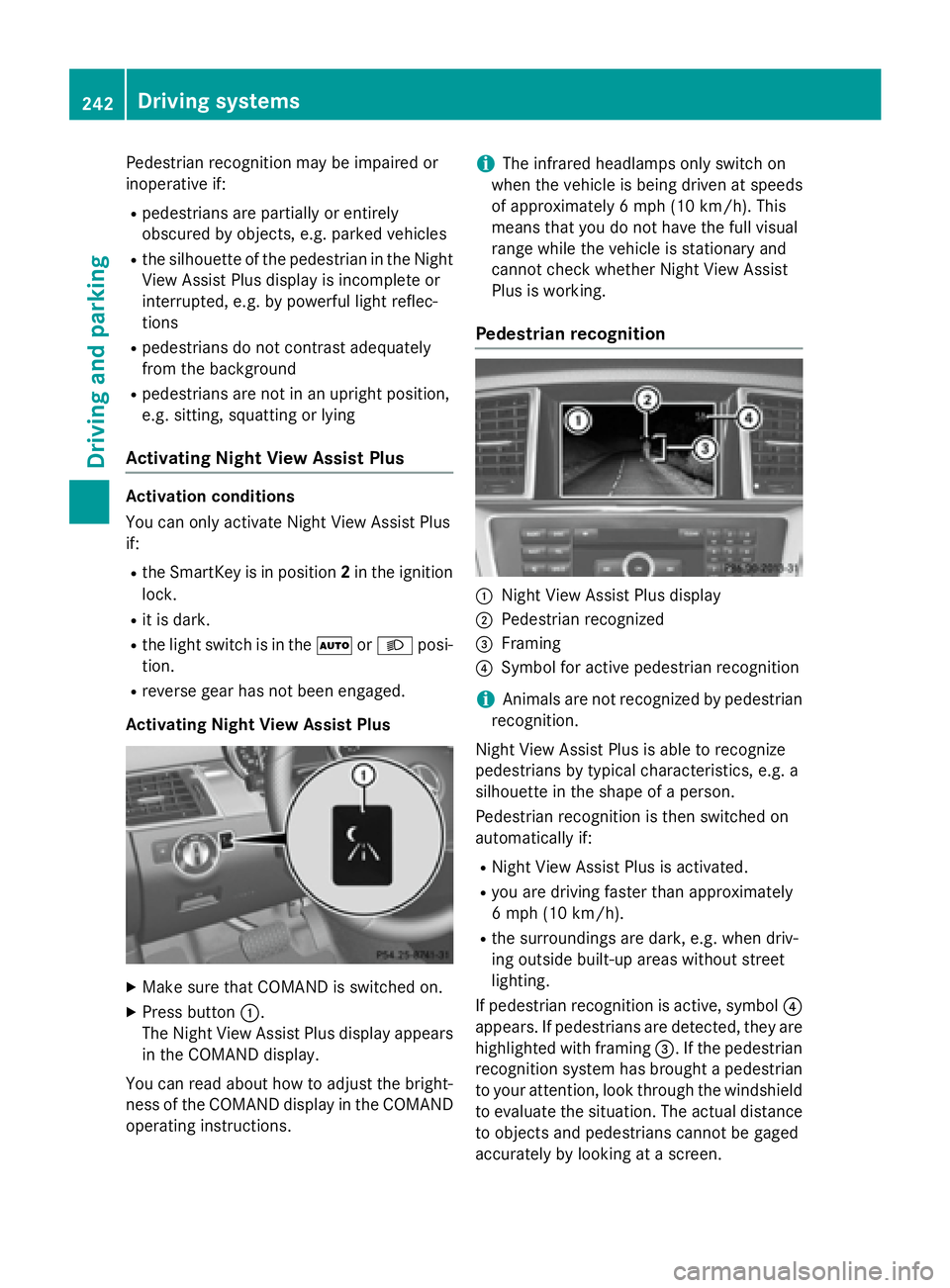
Pedestrian recognition
C
Night View Assist Plus display D
Pedestrian recognized
Page 248 of 462
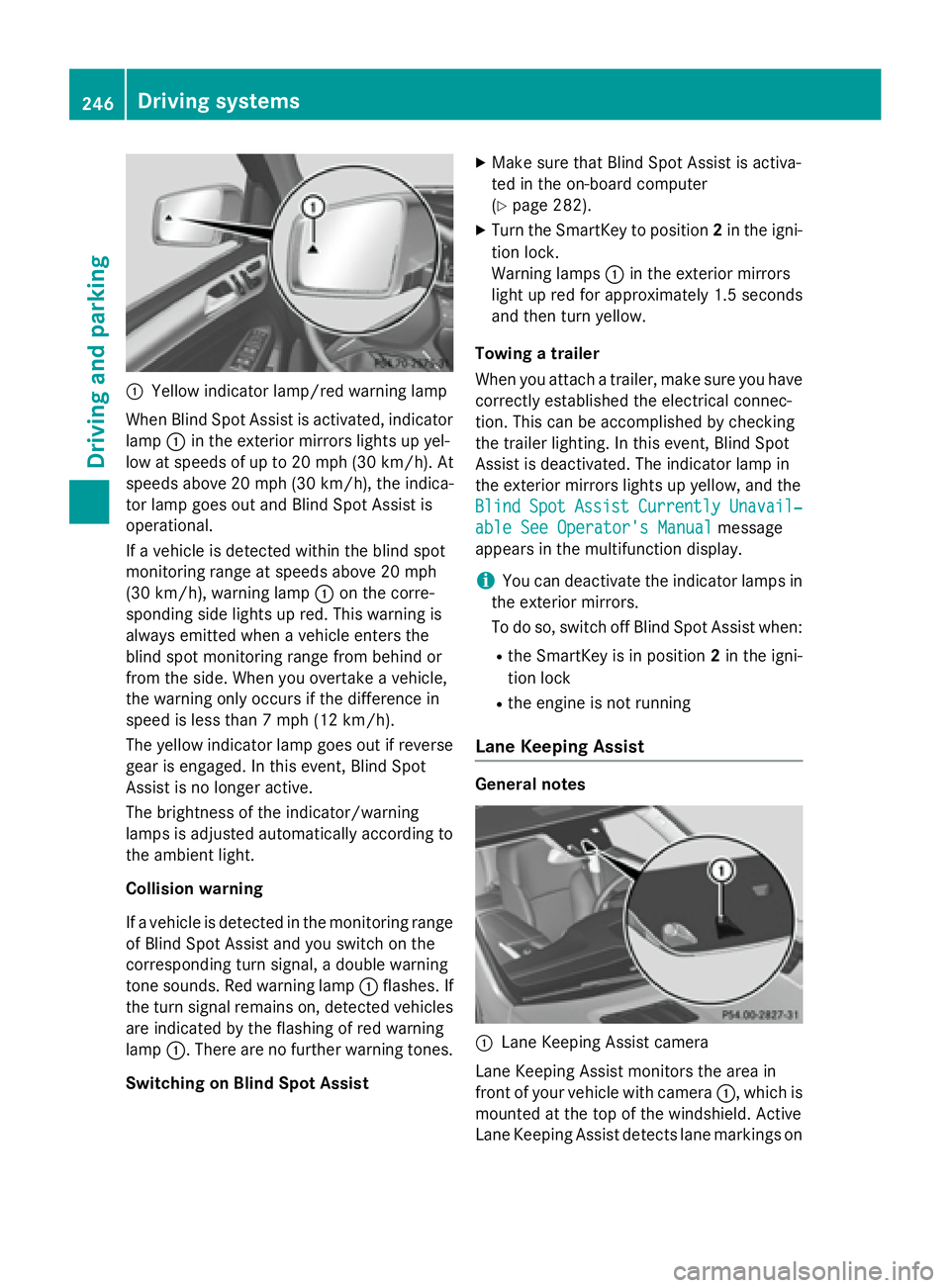
C
Yellow indicator lamp/red warning lamp
When Blind Spot Assist is activated, indicator
lamp C in the exterior mirrors lights up yel-
low at speeds of up to 20 mph (30 km/h). At
speeds above 20 mph (30 km/h), the indica-
tor lamp goes out and Blind Spot Assist is
operational.
If a vehicle is detected within the blind spot
monitoring range at speeds above 20 mph
(30 km/h), warning lamp C on the corre-
sponding side lights up red. This warning is
always emitted when a vehicle enters the
blind spot monitoring range from behind or
from the side. When you overtake a vehicle,
the warning only occurs if the difference in
speed is less than 7 mph (12 km/h).
The yellow indicator lamp goes out if reverse
gear is engaged. In this event, Blind Spot
Assist is no longer active.
The brightness of the indicator/warning
lamps is adjusted automatically according to
the ambient light.
Collision warning
If a vehicle is detected in the monitoring range
of Blind Spot Assist and you switch on the
corresponding turn signal, a double warning
tone sounds. Red warning lamp C flashes. If
the turn signal remains on, detected vehicles
are indicated by the flashing of red warning
lamp C . There are no further warning tones.
Switching on Blind Spot Assist X
Make sure that Blind Spot Assist is activa-
ted in the on-board computer
( Y
page 282). X
Turn the SmartKey to position 2 in the igni-
tion lock.
Warning lamps C in the exterior mirrors
light up red for approximately 1.5 seconds
and then turn yellow.
Towing a trailer
When you attach a trailer, make sure you have
cor rectly established the electrical connec-
t ion . This can be accomplished by checking
the trailer lighting. In this event, Blind Spot
Assist is deactivated. The indicator lamp in
the exterior mirrors lights up yellow, and the
Blind Spot Assist Currently Unavail‐
able See Operator's Manual message
appears in the multifunction display.
i You can deactivate the indicator lamps in
the exterior mirrors.
To do so, switch off Blind Spot Assist when: R
the SmartKey is in position 2 in the igni-
tion lock R
the engine is not running
Lane Keeping Assist
General notes
C
Lane Keeping Assist camera
Lane Keeping Assist monitors the area in
front of your vehicle with camera C , which is
mounted at the top of the windshield. Active
Lane Keeping Assist detects lane markings on246
Driving systems
Driving and parking
Page 253 of 462
Either no braking application, or a course-
correcting brake application adapted to the
driving situation occurs if: R
there are vehicles or obstacles, e.g. crash
barriers, close to both sides of your vehicle. R
a vehicle approaches you too closely at the
side. R
you have adopted a sporty driving style with
high cornering speeds. R
you brake or accelerate significantly. R
a driving safety system intervenes, e.g.
ESP ®
or PRE-SAFE ®
Brake.R
ESP ®
is switched off.R
the off-road program is activated (vehicles
without the ON&OFFROAD package). R
off-road program 1 or 2 is activated (vehi-
cles with the ON&OFFROAD package). R
the LOW RANGE off-road gear is activated
(vehicles with the ON&OFFROAD package). R
a loss of tire pressure or a defective tire is
detected.
Switching on Active Blind Spot Assist X
Make sure that Active Blind Spot Assist is
activated in the on-board computer
( Y
page 282). X
Turn the SmartKey to position 2 in the igni-
tion lock.
Warning lamps C in the exterior mirrors
light up red for approximately 1.5 seconds
and then turn yellow.
Towing a trailer
When you attach a trailer, make sure you have
co rr ectly established the electrical connec-
tion. This can be accomplished by checking
the trailer lighting. Active Blind Spot Assist is
then deactivated. The indicator lamp lights up
yellow in the exterior mirrors and the Active
Blind Spot Assist Currently Unavail‐
able See Operator's Manual message
appears in the multifunction display. Active Lane Keeping Assist General notes
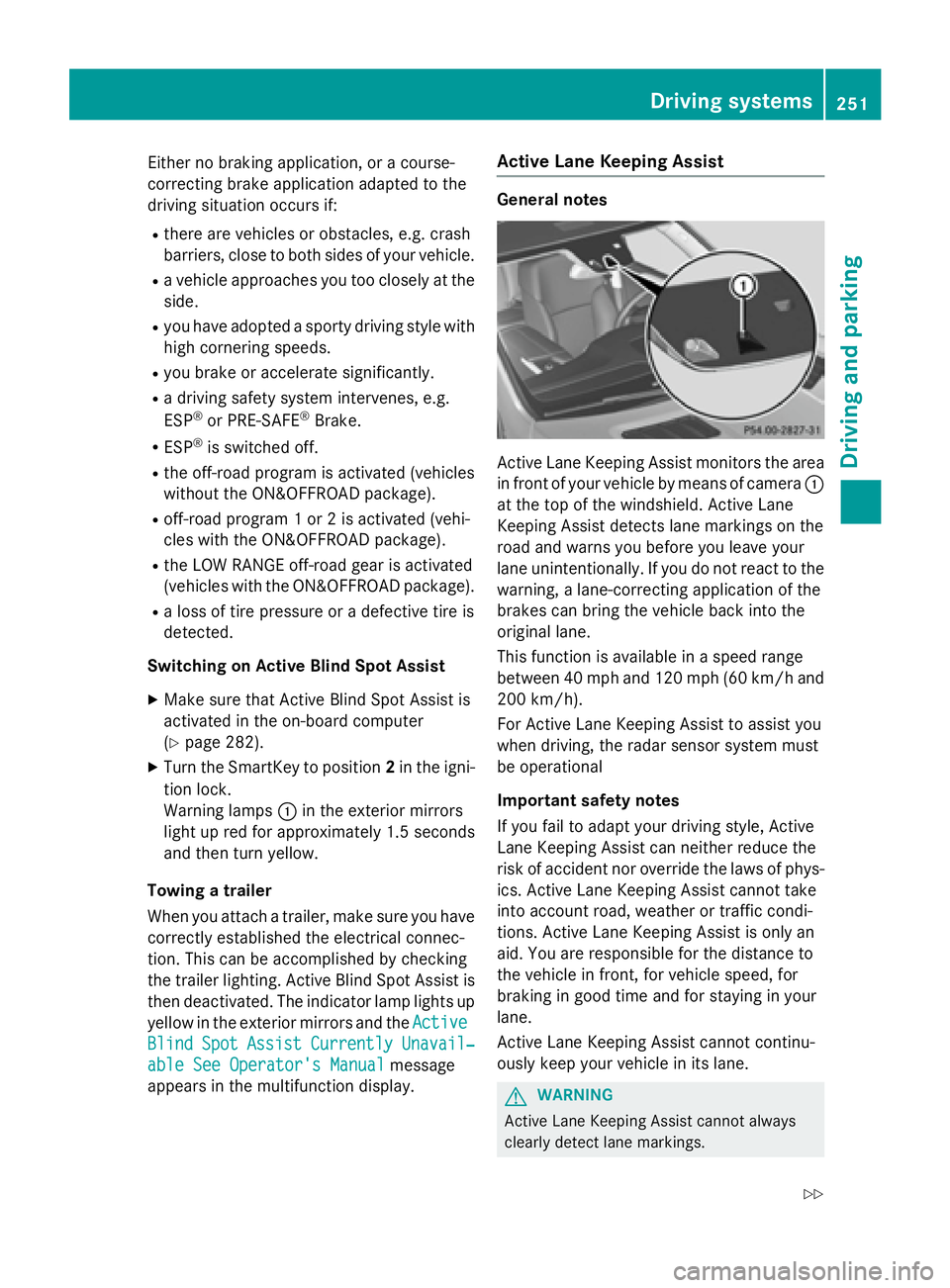
Active Lane Keeping Assist monitors the area
in front of your vehicle by means of camera C
at the top of the windshield. Active Lane
Keeping Assist detects lane markings on the
road and warns you before you leave your
lane unintentionally. If you do not react to the
warning, a lane-correcting application of the
brakes can bring the vehicle back into the
original lane.
This function is available in a speed range
between 40 mph and 120 mph (60 km/h and
200 km/h).
For Active Lane Keeping Assist to assist you
when driving, the radar sensor system must
be operational
Important safety notes
If you fail to adapt your driving style, Active
Lane Keeping Assist can neither reduce the
risk of accident nor override the laws of phys-
ics. Active Lane Keeping Assist cannot take
into account road, weather or traffic condi-
tions. Active Lane Keeping Assist is only an
aid. You are responsible for the distance to
the vehicle in front, for vehicle speed, for
braking in good time and for staying in your
lane.
Active Lane Keeping Assist cannot continu-
ously keep your vehicle in its lane.
G WARNING
Active Lane Keeping Assist cannot always
clearly detect lane markings.Driving system s 251
Dr ivi ng an d parking Z
Page 256 of 462
R
you switch on th e tur n signals. In this
event , th e warnings are suppressed fo r a
certain period of time. R
a drivin g safet y system intervenes, e.g.
ABS, BA S or ES P ®
.R
you accelerat e hard, e.g. kickdown .R
you brak e hard.R
you steer actively, e.g. swerve to avoid an
obstacle or chang e lanes quickly.R
you cut th e corner on a shar p bend.
Towing a trailer
Whe n you attach a trailer , mak e sur e you hav e
correctl y established th e electrica l connec -
tion . This can be accomplished by checking
th e trailer lighting . Lane-correcting brak e
application doe s no t take plac e when towin g
a trailer . Active Lan e Keepin g Assis t is no t
activated and th e lines in th e assistanc e
graphi c are gray.
On-road program s (vehicles wit h th e
ON&OFFROAD package)
General notes
The on-road programs assist you during on -
road drivin g and th e off-road programs when
drivin g off-road ( Y
page 258).
The following program message s remain in
th e multifunction display until th e corre-
spondin g vehicl e level has been set . Up to off-
road level 2, you can hide th e program mes -
sage s usin g th e 8 or v butto n on th e
multifunction steerin g wheel. AUT O program
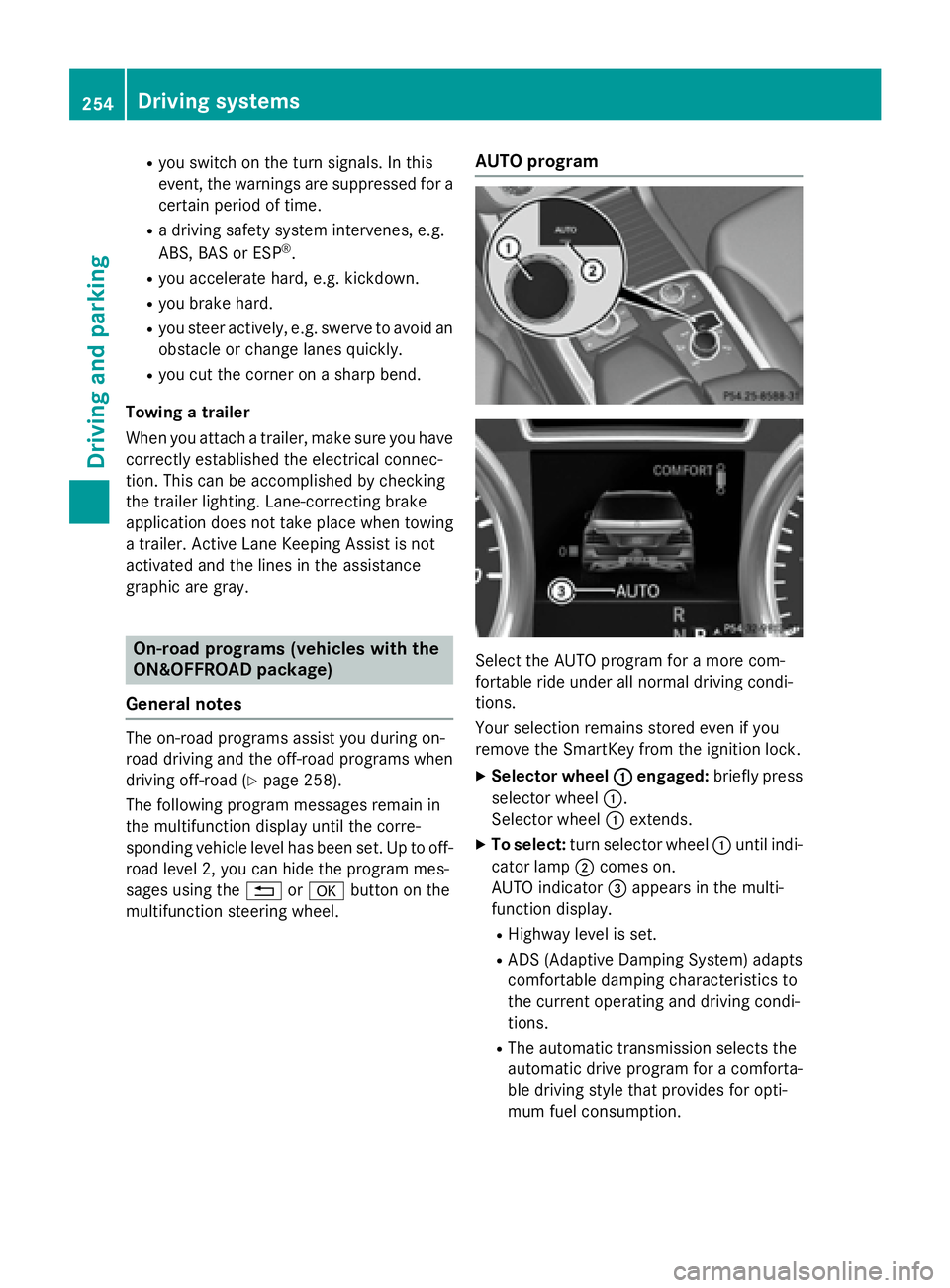
Selec t th e AUTO program fo r a mor e com-
fortable rid e under all normal drivin g condi-
tions.
Your selection remain s stored eve n if you
remov e th e SmartKey from th e ignition lock.X
Selecto r wheel C engaged : briefl y press
selector whee l C .
Selecto r whee l C extends. X
To select : tur n selector whee l C until indi-
cator lamp D comes on .
AUTO indicator
Page 257 of 462
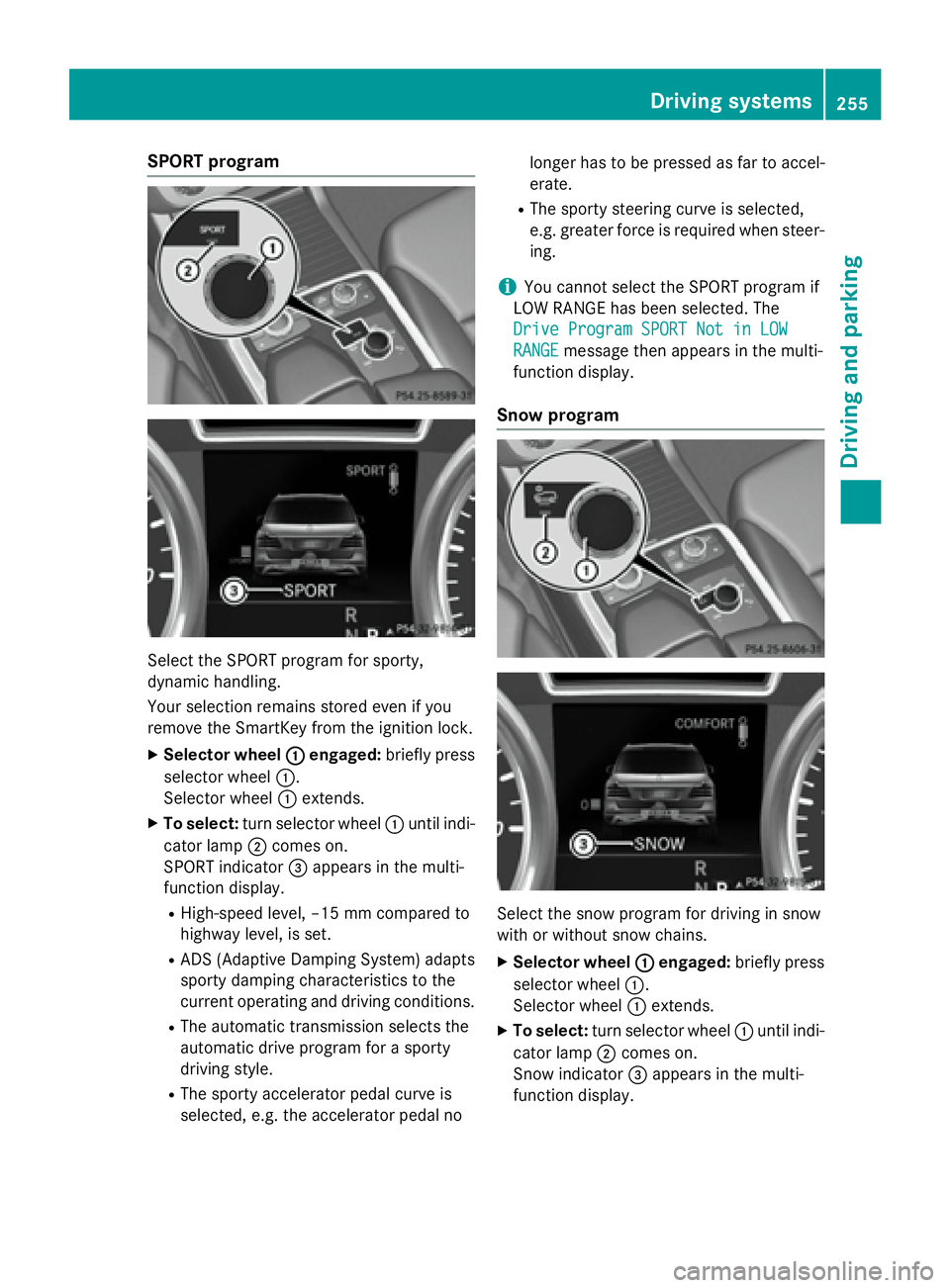
SPORT program
Select the SPORT program for sporty,
dynamic handling.
Your selection remains stored even if you
remove the SmartKey from the ignition lock. X
Selector wheel C engaged: briefly press
selector wheel C .
Selector wheel C extends.X
To select: turn selector wheel C until indi-
cator lamp D comes on.
SPORT indicator
Page 264 of 462
Messages in the multifunction display
If a gear change process has not been successful, the following messages may be displayed in
the multifunction display:
Display messages
Possible causes/consequences and P Solutions
LOW RANGE Max.
Speed 40 km/h You have been driving faster than 40 km/h. Additionally, the indi-
cator lamp on the button in the center console blinks. X
Drive more slowly to carry out the gear change process.
LOW RANGE Shift to
Position N Briefly The transmission is in position D and you are driving at below
40 km/h. X
Shift the transmission to N to complete the gear change proc-
ess.
LOW RANGE Shifting
Canceled Please
Reactivate The gear change process was not carried out. X
Ensure that all gear change conditions are fulfilled and carry out
the gear change process again.
LOW RANGE Stop
Apply Parking Brake A warning tone also sounds. The gear change process has not been
completed. LOW RANGE is in the neutral position. There is no
connection between the engine and the drive wheels.
! Do not drive any further. You could otherwise damage the
vehicle's drive train. X
Stop the vehicle. Take into account the road and traffic condi-
tions when doing this. X
Depress the electric parking brake ( Y
page 190).X
Carry out the gear change process again.
If the gear change process has been carried out, the LOW
RANGE
Stop Apply Parking Brake message disappears.
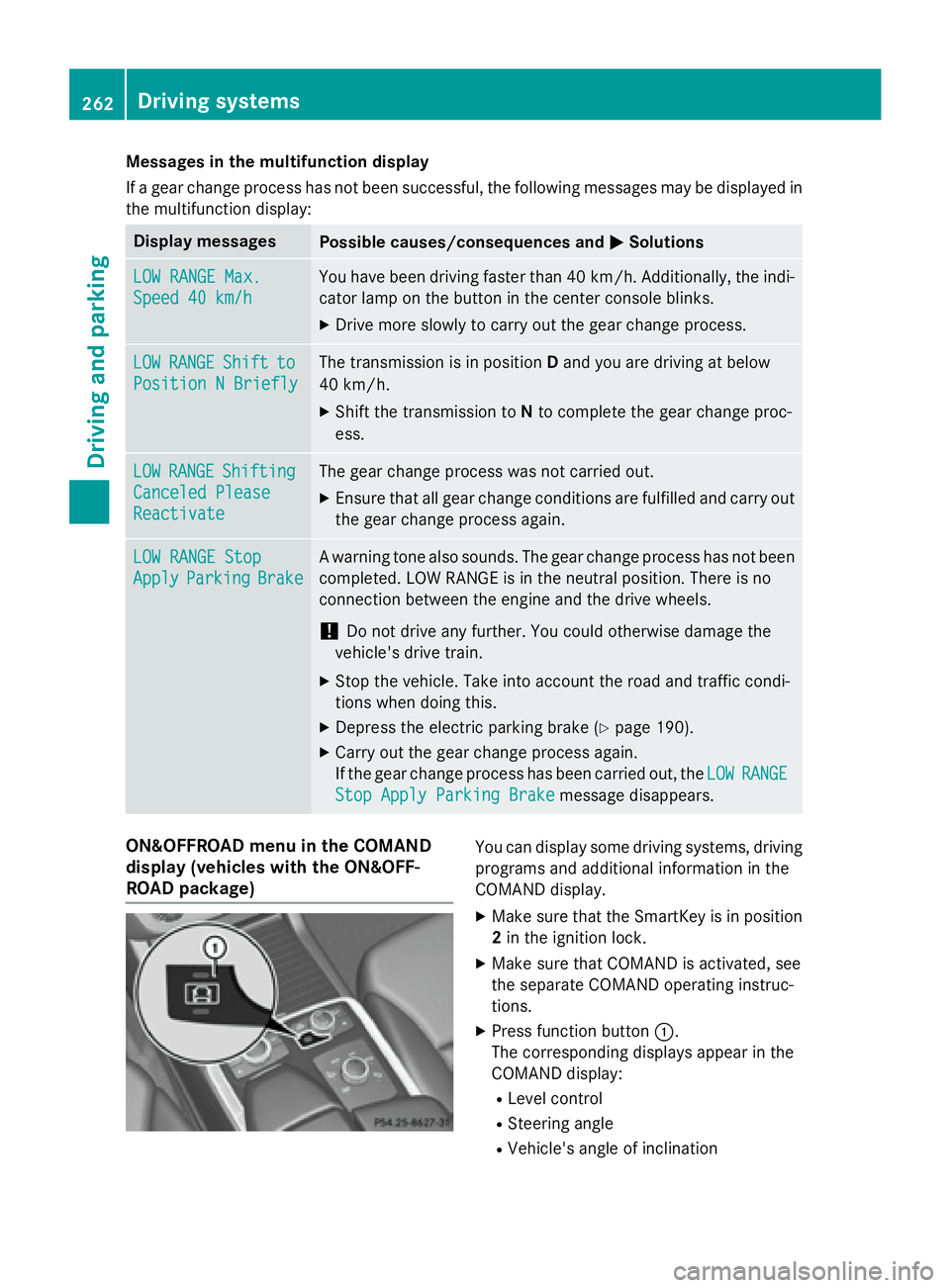
ON&OFFROAD menu in the COMAND
display (vehicles with the ON&OFF-
ROAD package) You can display some driving systems, driving
programs and additional information in the
COMAND display. X
Make sure that the SmartKey is in position
2 in the ignition lock. X
Make sure that COMAND is activated, see
the separate COMAND operating instruc-
tions. X
Press function button C .
The corresponding displays appear in the
COMAND display: R
Level control R
Steering angle R
Vehicle's angle of inclination262
Driving systems
Driving and parking