service interval MERCEDES-BENZ GL 2016 Owners Manual
[x] Cancel search | Manufacturer: MERCEDES-BENZ, Model Year: 2016, Model line: GL, Model: MERCEDES-BENZ GL 2016Pages: 462, PDF Size: 12.66 MB
Page 7 of 462
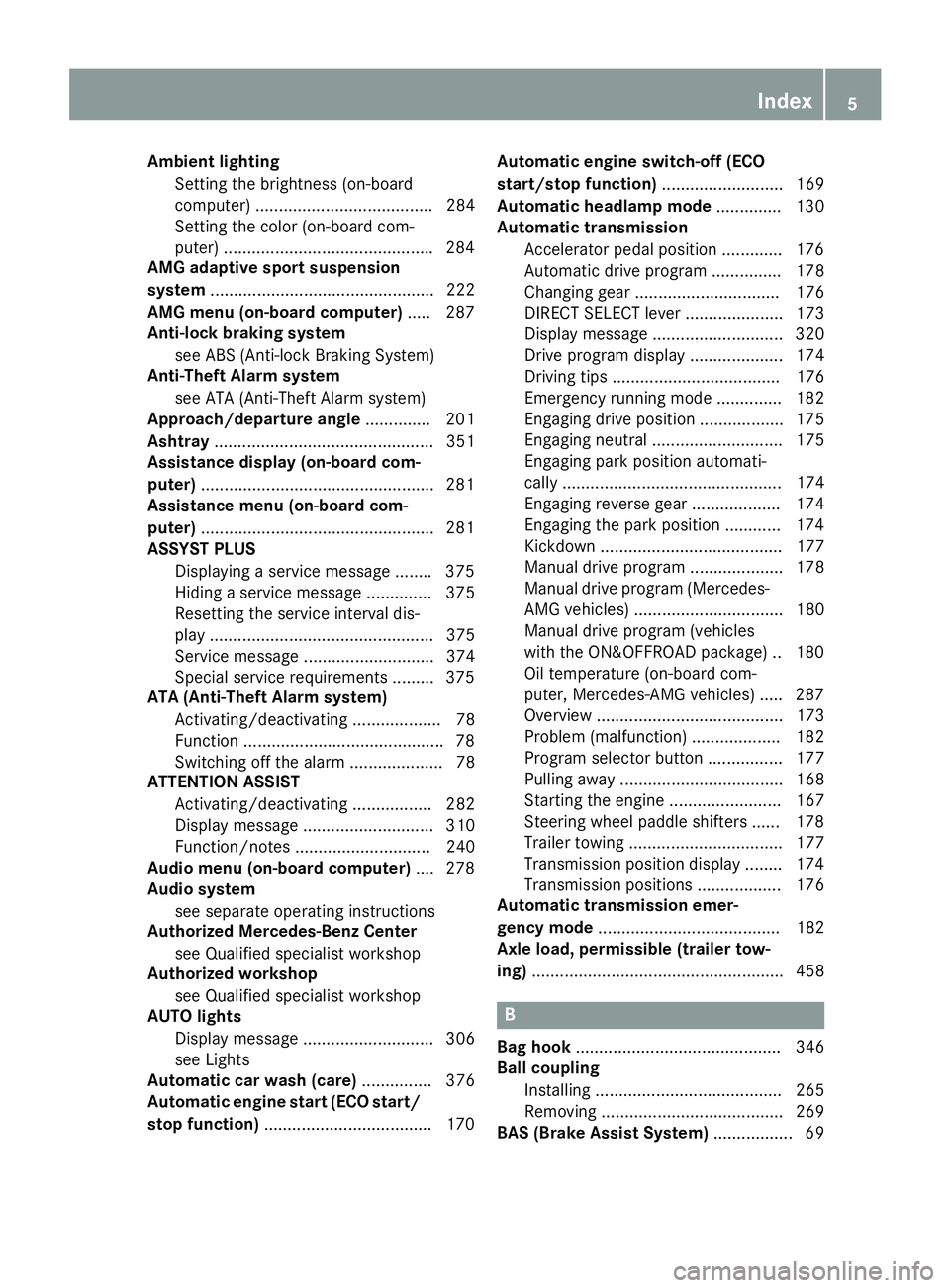
Amb ient lighting
Se tting the brightness (on-board
computer) ...................................... 284
Se tting the color (on-board com-
puter) ............................................ .2 84
AMG adaptive sport suspension
system ................................................ 222
AMG menu (on-board computer) ..... 287
Anti-lock braking system
see ABS (Anti-lock Braking System)
Anti-Theft Alarm system
see ATA (Anti-Theft Alarm system)
Approach/departure angle .............. 201
Ashtray ............................................... 351
Assistance display (on-board com-
puter) ................................................. .2 81
Assistance menu (on-board com-
puter) ................................................. .2 81
ASSYST PLUS
Displaying a service message ....... .3 75
Hiding a service message .............. 375
Resetting the service interval dis-
play ................................................ 375
Service message ............................ 374
Special service requirements ......... 375
ATA (Anti-Theft Alarm system)
Activating/deactivating ................... 78
Function .......................................... .7 8
Switching off the alarm .................... 78
ATTENTION ASSIST
Activating/deactivating ................. 282
Display message ............................ 310
Function/notes ............................. 240
Audio menu (on-board computer) .... 278
Audio system
see separate operating instructions
Authorized Mercedes-Benz Center
see Qualified specialist workshop
Authorized workshop
see Qualified specialist workshop
AUTO lights
Display message ............................ 306
see Lights
Automatic car wash (care) ............... 376
Automatic engine start (ECO start/
stop function) .................................... 170 A
utomatic engine switch-off (ECO
start/stop function) .......................... 169
Automatic headlamp mode .............. 130
Automatic transmission
Accelerator pedal position ............. 176
Automatic drive program ............... 178
Changing gear ............................... 176
DIRECT SELECT lever ..................... 173
Display message ............................ 320
Drive program display .................... 174
Driving tips .................................... 176
Emergency running mode .............. 182
Engaging drive position .................. 175
Engaging neutral ............................ 175
Engaging park position automati-
cally ............................................... 174
Engaging reverse gear ................... 174
Engaging the park position ............ 174
Kickdown ....................................... 177
Manual drive program .................... 178
Manual drive program (Mercedes-
AMG vehicles) ................................ 180
Manual drive program (vehicles
with the ON&OFFROAD package) .. 180
Oil temperature (on-board com-
puter, Mercedes-AMG vehicles) ..... 287
Overview ........................................ 173
Problem (malfunction) ................... 182
Program selector button ................ 177
Pulling away ................................... 168
Starting the engine ........................ 167
Steering wheel paddle shifters ...... 178
Trailer towing ................................. 177
Transmission position display ........ 174
Transmission positions .................. 176
Automatic transmission emer-
gency mode ....................................... 182
Axle load, permissible (trailer tow-
ing) ...................................................... 458
B
Bag hook ............................................ 346
Ball coupling
Installing ........................................ 265
Removing ....................................... 269
BAS (Brake Assist System) ................. 69Index 5
Page 26 of 462
Protection of the environment
General notes
H Environmental note
Daimler's declared policy is one of compre-
hensive environmental protection.
The objectives are for the natural resources
that form the basis of our existence on this
planet to be used sparingly and in a manner
that takes the requirements of both nature
and humanity into account.
You too can help to protect the environment
by operating your vehicle in an environmen-
tally responsible manner.
Fuel consumption and the rate of engine,
transmission, brake and tire wear are affected
by these factors: R
operating conditions of your vehicle R
your personal driving style
You can influence both factors. You should
bear the following in mind:
Operating conditions: R
avoid short trips as these increase fuel con-
sumption. R
always make sure that the tire pressures
are correct. R
do not carry any unnecessary weight. R
remove roof racks once you no longer need
them. R
a regularly serviced vehicle will contribute
to environmental protection. You should
therefore adhere to the service intervals. R
always have service work carried out at a
qualified specialist workshop.
Personal driving style: R
do not depress the accelerator pedal when
starting the engine. R
do not warm up the engine when the vehicle
is stationary. R
drive carefully and maintain a safe distance
from the vehicle in front. R
avoid frequent, sudden acceleration and
braking. R
change gear in good time and use each gear
only up to
Page 28 of 462
Information for customers in Califor-
niaUnder Califo rn ia law you may be entitled to a
replacement of your vehicle or a refund of the
purchase pric e or lease price, if after a rea-
son able number of repair attempts
Mercedes-Benz USA, LLC and/or it s author-
iz ed repair or service facilities fail to fix one or
more substantial defects or malfunctions in
the vehicle that are covered by it s express
warranty. During the period of 18 months
from original deliv ery of the vehicle or the
accumulation of 18,000 miles (approximately
29,000 km) on the odometer of the vehicle,
whic hever occurs first, a reasonable number
of repair attempts is presumed for a retail
buyer or lessee if one or more of the fol lowin g
occurs:
(1) the same substantial defect or malfunc-
tion results in a condition that is likely to
cause death or serious bodily injury if the
vehicle is driv en, that defect or malfunc-
tion has been subject to repair two or
more times, and you have direct ly noti-
fied Mercedes-Benz USA, LLC in writ ing
of the need for it s repair,
(2) the same substantial defect or malfunc-
tion of a less serious nature than cate-
gory (1) has been subject to repair four or
more times and you have directly notified
us i n writ ing of the need for its repair, or
(3) the vehicle is out of service by reason of
repair of the same or different substantial
defects or malfunctions for a cumulative
total of more than 30 calendar days.
Please send your written notice to:
Mercedes-Benz USA, LLC
Customer Assistance Center
One Mercedes Drive
Montvale, NJ 07645-0350 Maintenance The Se rvice and Warranty Booklet describes
all the necessary maintenance work which
should be done at regular intervals.
Always have the Se rvice and Warranty Book-
let with you when you bring the vehicle to an
authorized Mercedes-Benz Center. The ser-
vice advisor will record every ser vic e for you
in the Se rvice and Warranty Booklet.
Breakdown assistance The Mercedes-Benz Roads ide Assistance
Program offers technical help in the event of a
breakdown. Calls to the toll-free Roads ide
Assistance Hotline are answered by our
agents 24 hours a day, 365 days a year.
1-800-FOR-MERCedes(1- 800-367-6372 )
(USA)
1-8 00-387-0100 (Canada)
For additional information, refer to the
Mercedes-Benz Roads ide Assistance Pro-
gram brochure (USA) or the "Roadside Assis-
tance" section in the Se rvice and Warranty
booklet (Canada). You will find both in your
vehicle literature portfolio.
Change of address or change of own-
ership
In the event of a change of address, please
send us the "Not ific ation of Address Change"
in the Se rvice and Guarantee booklet or sim-
ply call the Mercedes-Benz Customer Assis-
tance Center (USA) at the hotline number
1-800-FOR-MERCedes(1-800-367-6372) or
Customer Service Center (Canada) at
1-800-387-0100. This will assist us in con-
tacting you in a timely manner should the
need arise.
If you sell your Mercedes, please leave the
entire literature in the vehicle so that it is
available to the next owner.
If you have purchased a used car, please send
us the "Notification of Used Car Purchase" in26
Introduction
Page 195 of 462
If you make a call while driving, always use
hands-free mode. Only operate the telephone
when the traffic situation permits. If you are
unsure, pull over to a safe location and stop
before operating the telephone.
Bear in mind that at a speed of only 30 mph
(approximately 50 km/h) the vehicle covers a
distance of 44 ft (approximately 14 m) per
second.
Drive sensibly – save fuel Observe the following tips to save fuel: X
The tires should always be inflated to the
recommended tire pressure. X
Remove unnecessary loads. X
Remove roof carriers when they are not
needed. X
Warm up the engine at low engine speeds. X
Avoid frequent acceleration or braking. X
Have all maintenance work carried out as
indicated by the service intervals in the
Maintenance Booklet or by the service
interval display.
Fuel consumption also increases when driv-
ing in cold weather, in stop-start traffic and in
hilly terrain.
Drinking and driving
G WARNING
Drinking and driving and/or taking drugs and
driving are very dangerous combinations.
Even a small amount of alcohol or drugs can
affect your reflexes, perceptions and judg-
ment.
The possibility of a serious or even fatal acci-
dent is greatly increased when you drink or
take drugs and drive.
Do not drink or take drugs and drive or allow
anyone to drive who has been drinking or tak-
ing drugs. Emission control
G WARNING
Combustion engines emit poisonous exhaust
gases such as carbon monoxide. Inhaling
these exhaust gases leads to poisoning. There
is a risk of fatal injury. Therefore never leave
the engine running in enclosed spaces with-
out sufficient ventilation.
Certain engine systems are designed to keep
the level of poisonous components in exhaust
fumes within legal limits.
These systems only work at peak efficiency if
they are serviced exactly in accordance with
the manufacturer's specifications. For this
reason, all work on the engine must be carried
out by qualified and authorized Mercedes-
Benz technicians.
The engine settings must not be changed
under any circumstances. Furthermore, all
specific service work must be carried out at
regular intervals and in accordance with the
Mercedes-Benz service requirements. Details
can be found in the Maintenance Booklet.
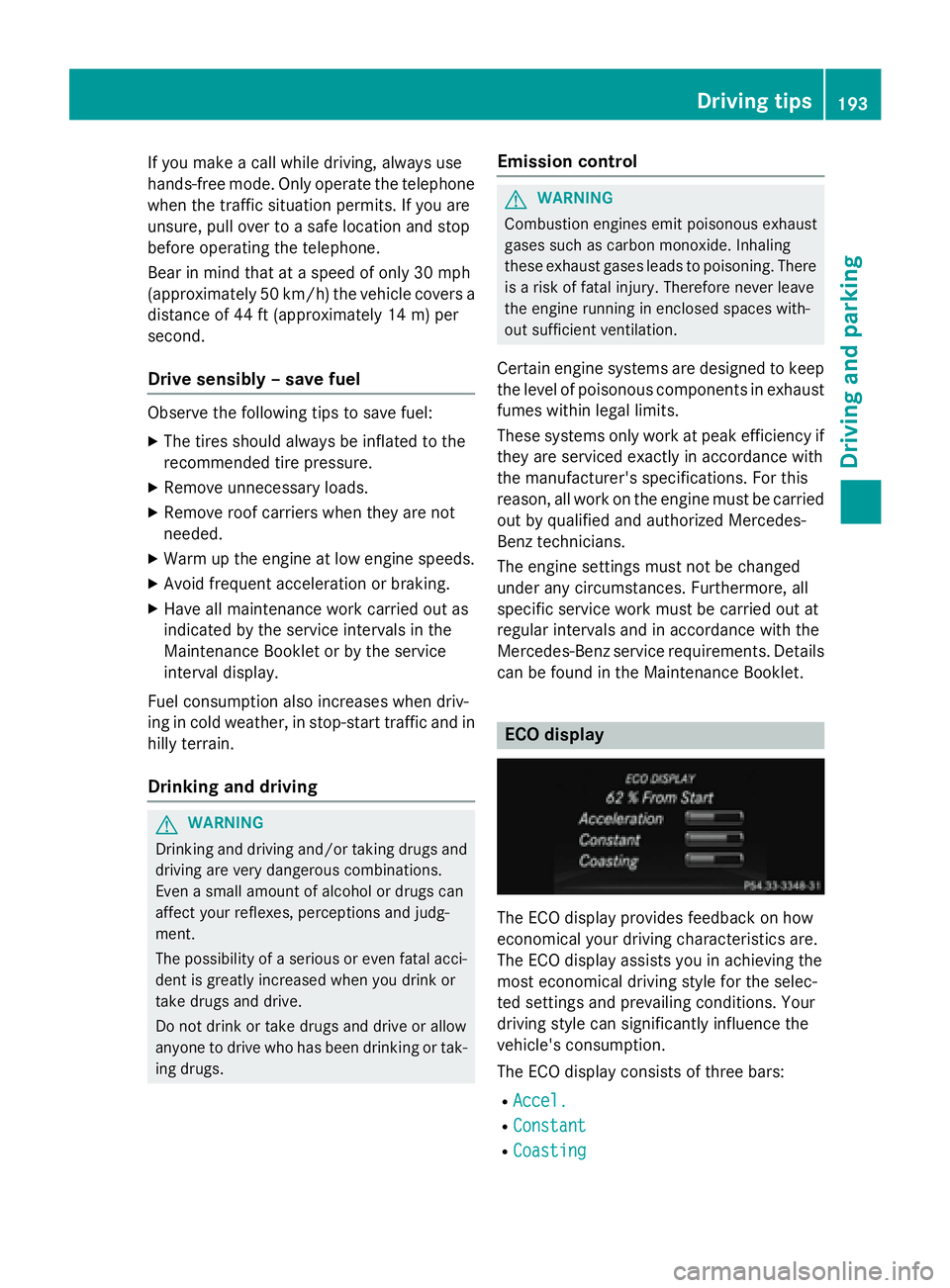
ECO display
The ECO display provides feedback on how
economical your driving characteristics are.
The ECO display assists you in achieving the
most economical driving style for the selec-
ted settings and prevailing conditions. Your
driving style can significantly influence the
vehicle's consumption.
The ECO display consists of three bars: R
Accel. R
Constant R
Coasting Driving tips 193
Driving and parking Z
Page 285 of 462
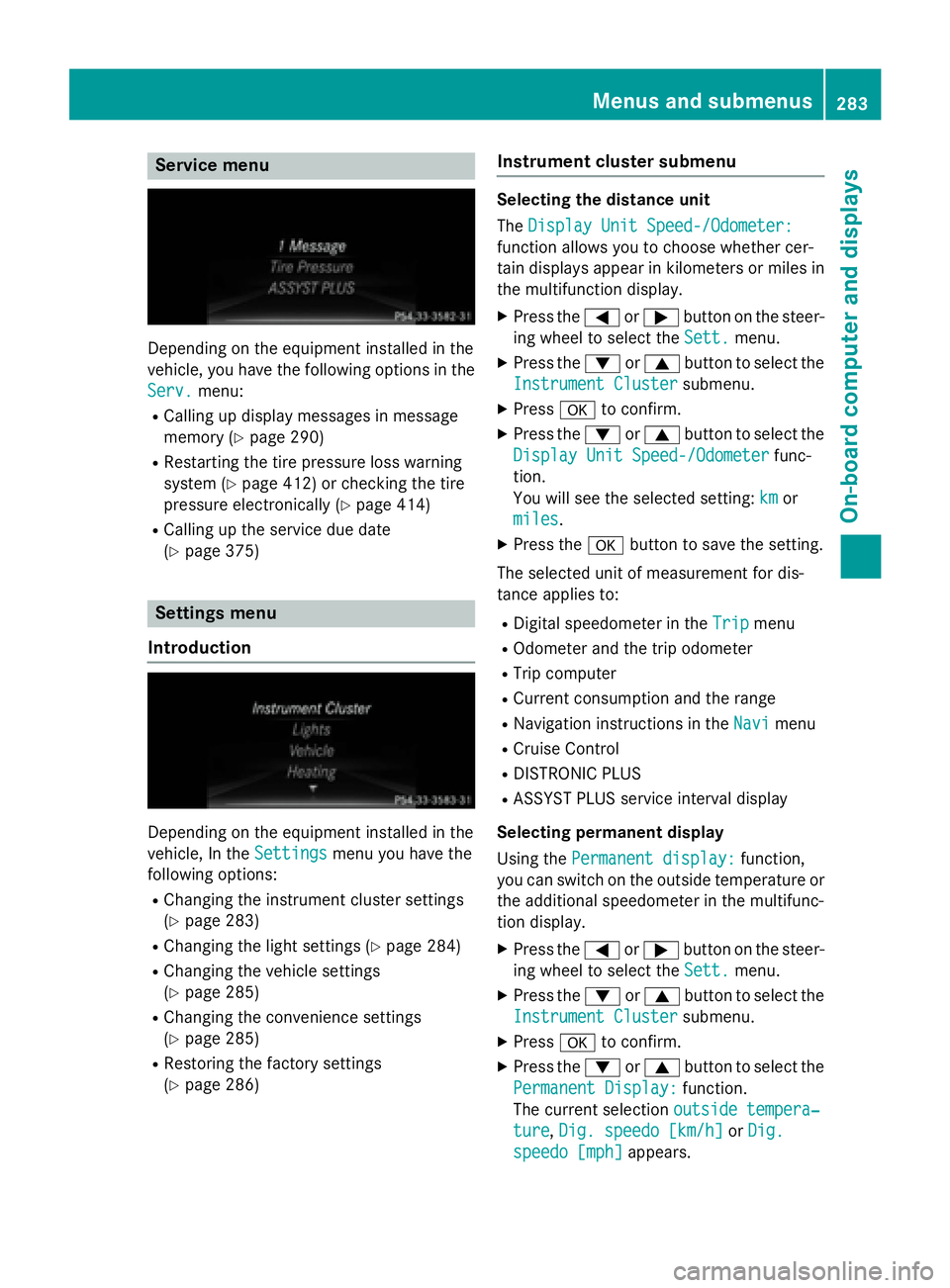
Service menu
Depending on the equipment installed in the
vehicle, you have the following options in the
Serv.
menu: R
Calling up display messages in message
memory ( Y
page 290)R
Restarting the tire pressure loss warning
system ( Y
page 412) or checking the tire
pressure electronically ( Y
page 414)R
Calling up the service due date
( Y
page 375)
Settings menu
Introduction
Depending on the equipment installed in the
vehicle, In the Settings
menu you have the
following options: R
Changing the instrument cluster settings
( Y
page 283) R
Changing the light settings ( Y
page 284)R
Changing the vehicle settings
( Y
page 285) R
Changing the convenience settings
( Y
page 285) R
Restoring the factory settings
( Y
page 286) Instrument cluster submenu Selecting the distance unit
The Display Unit Speed-/Odometer:
function allows you to choose whether cer-
tain displays appear in kilometers or miles in
the multifunction display. X
Press the Y or e button on the steer-
ing wheel to select the Sett.
menu.X
Press the d or c button to select the
Instrument Cluster
submenu.X
Press v to confirm. X
Press the d or c button to select the
Display Unit Speed-/Odometer
func-
tion.
You will see the selected setting: km
or
miles
. X
Press the v button to save the setting.
The selected unit of measurement for dis-
tance applies to: R
Digital speedometer in the Trip menuR
Odometer and the trip odometer R
Trip computer R
Current consumption and the range R
Navigation instructions in the Navi menuR
Cruise Control R
DISTRONIC PLUS R
ASSYST PLUS service interval display
Selecting permanent display
Using the Permanent display:
function,
you can switch on the outside temperature or
the additional speedometer in the multifunc-
tion display. X
Press the Y or e button on the steer-
ing wheel to select the Sett.
menu.X
Press the d or c button to select the
Instrument Cluster
submenu.X
Press v to confirm. X
Press the d or c button to select the
Permanent Display:
function.
The current selection outside tempera‐
ture , Dig. speedo [km/h] or Dig.
speedo [mph] appears.Menus and submenus 283
On-board computer and displays Z
Page 376 of 462
For further information on coolant, see
( Y
page 452).
Adding washer fluid to the windshield
washer system
G WARNING
Certain components in the engine compart-
ment, such as the engine, radiator and parts
of the exhaust system, can become very hot.
Working in the engine compartment poses a
risk of injury.
Where possible, let the engine cool down and
touch only the components described in the
following.
G WARNING
Windshield washer concentrate could ignite if
it comes into contact with hot engine compo-
nents or the exhaust system. There is a risk of
fire and injury.
Make sure that no windshield washer con-
centrate is spilled next to the filler neck.
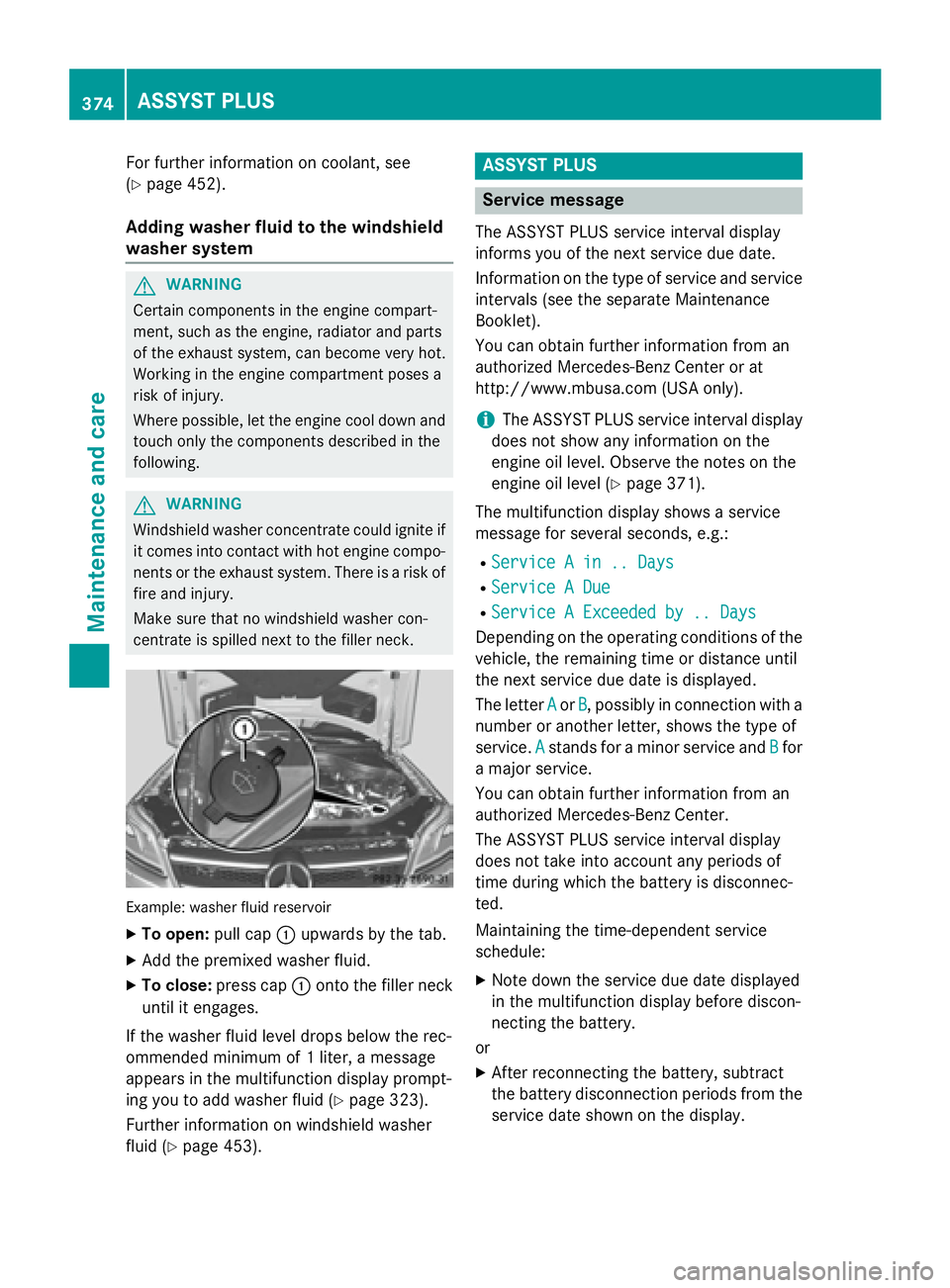
Example: washer fluid reservoir X
To open: pull cap C upwards by the tab.X
Add the premixed washer fluid. X
To close: press cap C onto the filler neck
until it engages.
If the washer fluid level drops below the rec-
ommended minimum of 1 liter, a message
appears in the multifunction display prompt-
ing you to add washer fluid ( Y
page 323).
Further information on windshield washer
fluid ( Y
page 453). ASSYST PLUS
Service message The ASSYST PLUS service interval display
informs you of the next service due date.
Information on the type of service and service
intervals (see the separate Maintenance
Booklet).
You can obtain further information from an
authorized Mercedes-Benz Center or at
http://www.mbusa.com (U SA only).
i The ASSYST PLUS service interval display
does not show any information on the
engine oil level. Observe the notes on the
engine oil level ( Y
page 371).
The multifunction display shows a service
message for several seconds, e.g.: R
Service A in .. Days R
Service A Due R
Service A Exceeded by .. Days
Depending on the operating conditions of the
vehicle, the remaining time or distance until
the next service due date is displayed.
The letter A or B , possibly in connection with a
number or another letter, shows the type of
service. A
stands for a minor service and B for
a major service.
You can obtain further information from an
authorized Mercedes-Benz Center.
The ASSYST PLUS service interval display
does not take into account any periods of
time during which the battery is disconnec-
ted.
Maintaining the time-dependent service
schedule: X
Note down the service due date displayed
in the multifunction display before discon-
necting the battery.
or X
After reconnecting the battery, subtract
the battery disconnection periods from the
service date shown on the display.374
ASSYST PLUS
Maintenance and care
Page 377 of 462
Hiding a service message X
Press the 8 or v button on the steer-
ing wheel.
Displaying service messages X
Switch on the ignition. X
Press the Y or e button on the steer-
ing wheel to select the Serv.
menu.X
Press the c or d button to select the
ASSYST PLUS
submenu and confirm by
pressing the v button.
The service due date appears in the multi-
function display.
Information about Service
Resetting the ASSYST PLUS service
interval display
! If the ASSYST PLUS service interval dis-
play has been inadvertently reset, this set-
ting can be corrected at a qualified special-
ist workshop.
Have service work carried out as described
in the Maintenance Booklet. This may oth-
erwise lead to increased wear and damage
to the major assemblies or the vehicle.
A qualified specialist workshop, e.g. an
authorized Mercedes-Benz Center, will reset
the ASSYST PLUS service interval display
after the service work has been carried out.
You can also obtain further information on
maintenance work, for example. Special service requirements The specified maintenance interval takes only
the normal operation of the vehicle into
account. Under arduous operating conditions
or increased load on the vehicle, mainte-
nance work must be carried out more fre-
quently, for example: R
regular city driving with frequent intermedi-
ate stops R
if the vehicle is primarily used to travel
short distances R
use in mountainous terrain or on poor road
surfaces R
if the engine is often left idling for long peri-
ods
Under these or similar conditions, have, for
example, the air filter, engine oil and oil filter
replaced or changed more frequently. Under
arduous operating conditions, the tires must
be checked more often. Further information
can be obtained at a qualified specialist work-
shop, e.g. an authorized Mercedes-Benz Cen-
ter.
Driving abroad
An extensive Mercedes-Benz Service network
is also available in other countries. You can
obtain further information from any author-
ized Mercedes-Benz Center.
Care
General notes
H Environmental note
Dispose of empty packaging and cleaning
cloths in an environmentally responsible man-
ner.
! For cleaning your vehicle, do not use any
of the following: R
dry, rough or hard cloths R
abrasive cleaning agents Care 375
Maintenance and care Z
Page 395 of 462
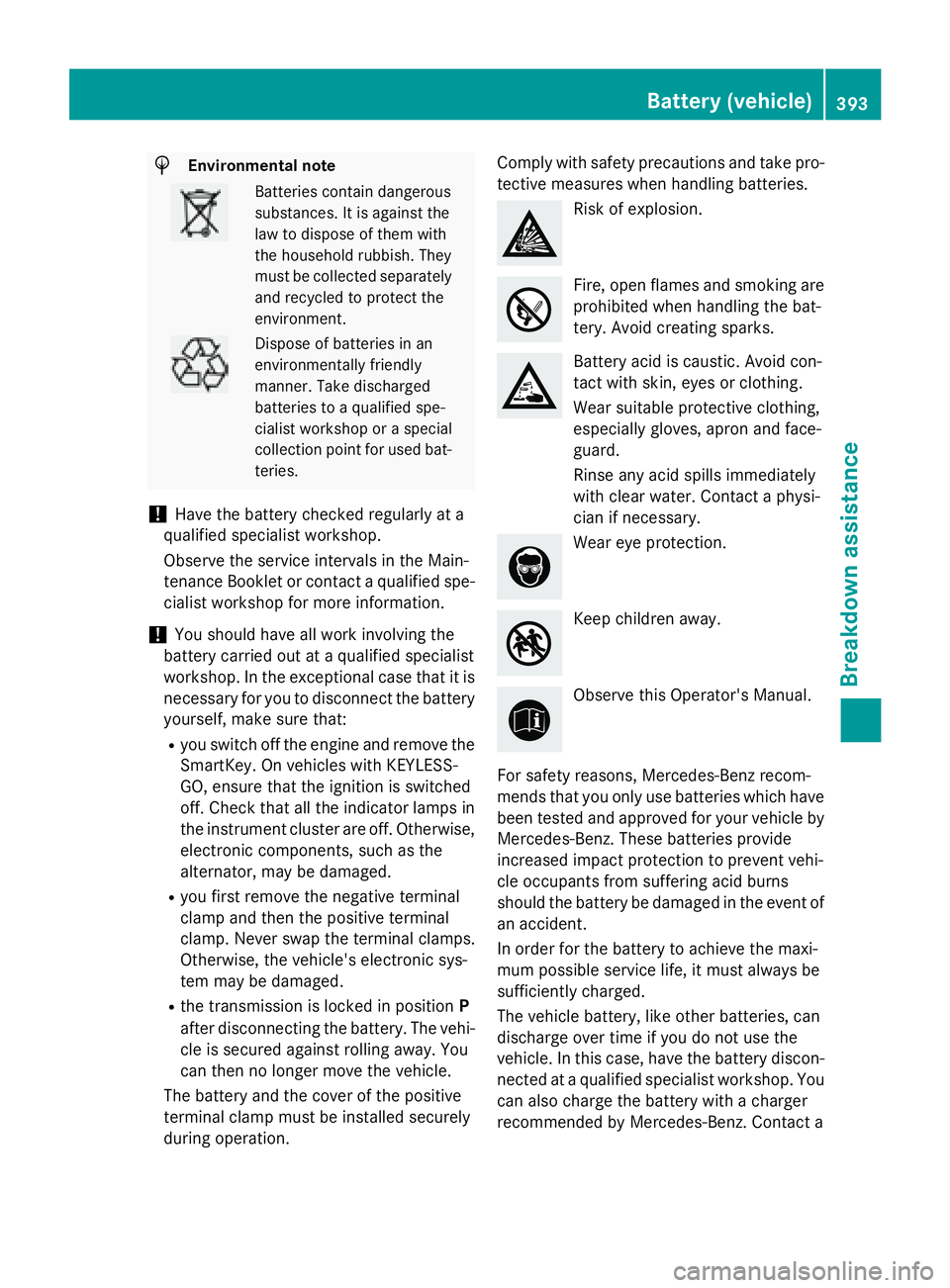
H Environmental note
Batteries contain dangerous
substances. It is against the
law to dispose of them with
the household rubbish. They
must be collected separately
and recycled to protect the
environment.
Dispose of batteries in an
environmentally friendly
manner. Take discharged
batteries to a qualified spe-
cialist workshop or a special
collection point for used bat-
teries.
! Have the battery checked regularly at a
qualified specialist workshop.
Observe the service intervals in the Main-
tenance Booklet or contact a qualified spe-
cialist workshop for more information.
! You should have all work involving the
battery carried out at a qualified specialist
workshop. In the exceptional case that it is
necessary for you to disconnect the battery
yourself, make sure that: R
you switch off the engine and remove the
SmartKey. On vehicles with KEYLESS-
GO, ensure that the ignition is switched
off. Check that all the indicator lamps in
the instrument cluster are off. Otherwise,
electronic components, such as the
alternator, may be damaged. R
you first remove the negative terminal
clamp and then the positive terminal
clamp. Never swap the terminal clamps.
Otherwise, the vehicle's electronic sys-
tem may be damaged. R
the transmission is locked in position P
after disconnecting the battery. The vehi-
cle is secured against rolling away. You
can then no longer move the vehicle.
The battery and the cover of the positive
terminal clamp must be installed securely
during operation. Comply with safety precautions and take pro-
tective measures when handling batteries.
Risk of explosion.
Fire, open flames and smoking are
prohibited when handling the bat-
tery. Avoid creating sparks.
Battery acid is caustic. Avoid con-
tact with skin, eyes or clothing.
Wear suitable protective clothing,
especially gloves, apron and face-
guard.
Rinse any acid spills immediately
with clear water. Contact a physi-
cian if necessary.
Wear eye protection.
Keep children away.
Observe this Operator's Manual.
For safety reasons, Mercedes-Benz recom-
mends that you only use batteries which have
been tested and approved for your vehicle by
Mercedes-Benz. These batteries provide
increased impact protection to prevent vehi-
cle occupants from suffering acid burns
should the battery be damaged in the event of
an accident.
In order for the battery to achieve the maxi-
mum possible service life, it must always be
sufficiently charged.
The vehicle battery, like other batteries, can
discharge over time if you do not use the
vehicle. In this case, have the battery discon-
nected at a qualified specialist workshop. You
can also charge the battery with a charger
recommended by Mercedes-Benz. Contact a Battery (vehicle) 393
Breakdown assistance Z
Page 452 of 462
Low outside temperatures
i Diesel fuel with improved cold flow prop-
erties is available during the winter months.
Further information about fuel properties
can be obtained from oil companies, e.g. at
gas stations.
DEF
Important safety notes Comply with the important safety notes for
service products when handling DEF
( Y
page 447).
DEF is a water-soluble fluid for the exhaust
gas aftertreatment of diesel engines. It is: R
not poisonous R
colorless and odorless R
not flammable
When you open the DEF container, small
amounts of ammonia vapor may be released.
Ammonia vapors have a pungent odor and are
particularly irritating to the skin, to mucous
membranes and to the eyes. You may expe-
rience a burning sensation in your eyes, nose
and throat. Coughing and watering of the
eyes are possible.
Do not inhale ammonia vapors. Fill the DEF
tank only in well-ventilated areas.
Low outside temperatures
DEF freezes at a temperature of approx-
imately 12 ‡( -11 †). The vehicle is delivered
from the factory equipped with a DEF pre-
heating system. Winter operation can thus be
guaranteed even at temperatures below 12 ‡
(-11 †).
Additives
! Only use DEF in accordance with ISO
22241. Do not use additives with DEF and
do not dilute DEF with water. This may
destroy the BlueTEC exhaust gas after-
treatment system. Purity
! Impurities in DEF (e.g. due to other ser-
vice products, cleaning agents or dust) lead
to: R
increased emission values R
damage to the catalytic converter R
engine damage R
malfunctions in the BlueTEC exhaust gas
aftertreatment system
Assuring the purity of DEF is particularly
important with respect to avoiding malfunc-
tions in the BlueTEC exhaust gas aftertreat-
ment system.
If DEF is pumped out of the DEF tank, e.g.
during repair work, it must not be returned to
the tank. The purity of the fluid can no longer
be guaranteed.
Filling capacities
Model Total capacity
GL 350 Blue-
TEC 4MATIC 8.8 US gal
(33.4 l)
Engine oil
General notes
! Never use engine oil or an oil filter of a
specification other than is necessary to ful-
fill the prescribed service intervals. Do not
change the engine oil or oil filter in order to
achieve longer replacement intervals than
those prescribed. You could otherwise
cause engine damage or damage to the
exhaust gas aftertreatment.
Follow the instructions in the service inter-
val display regarding the oil change. Other-
wise, you may damage the engine and the
exhaust gas aftertreatment.
When handling engine oil, observe the impor-
tant safety notes on service products
( Y
page 447).450
Service products and filling capacities
Technical data
Page 453 of 462
The engine oils are matched to the perform-
ance of Mercedes-Benz engines and service
intervals. You should therefore only use
engine oils and oil filters that are approved for
vehicles with maintenance systems.
For a list of approved engine oils and oil filters,
consult an authorized Mercedes-Benz Cen-
ter. Or visit the website
http://bevo.mercedes-benz.com.
The table shows which engine oils have been
approved for your vehicle.
Gasoline engines MB Approval
All models
229.5
Diesel engines MB Approval
GL 350 Blue-
TEC 4MATIC 228.51,
229.31,
229.51, 229.52
Mercedes-AMG vehicles: use only
SAE 0W-40 or SAE 5W-40 engine oils.
i MB approval is indicated on the oil con-
tainers.
Filling capacities
The following values refer to an oil change
including the oil filter.
Missing values were not available at time of
going to print.
Model Capacity
GL 350 Blue-
TEC 4MATIC 8.5 US qt (8.0 l)
GL 450
GL 450 4MATIC 7.4 US qt (7.0 l)
GL 550 4MATIC
9.0 US qt (8.5 l)
Mercedes ‑ AMG
vehicles Additives
! Do not use any additives in the engine oil.
This could damage the engine.
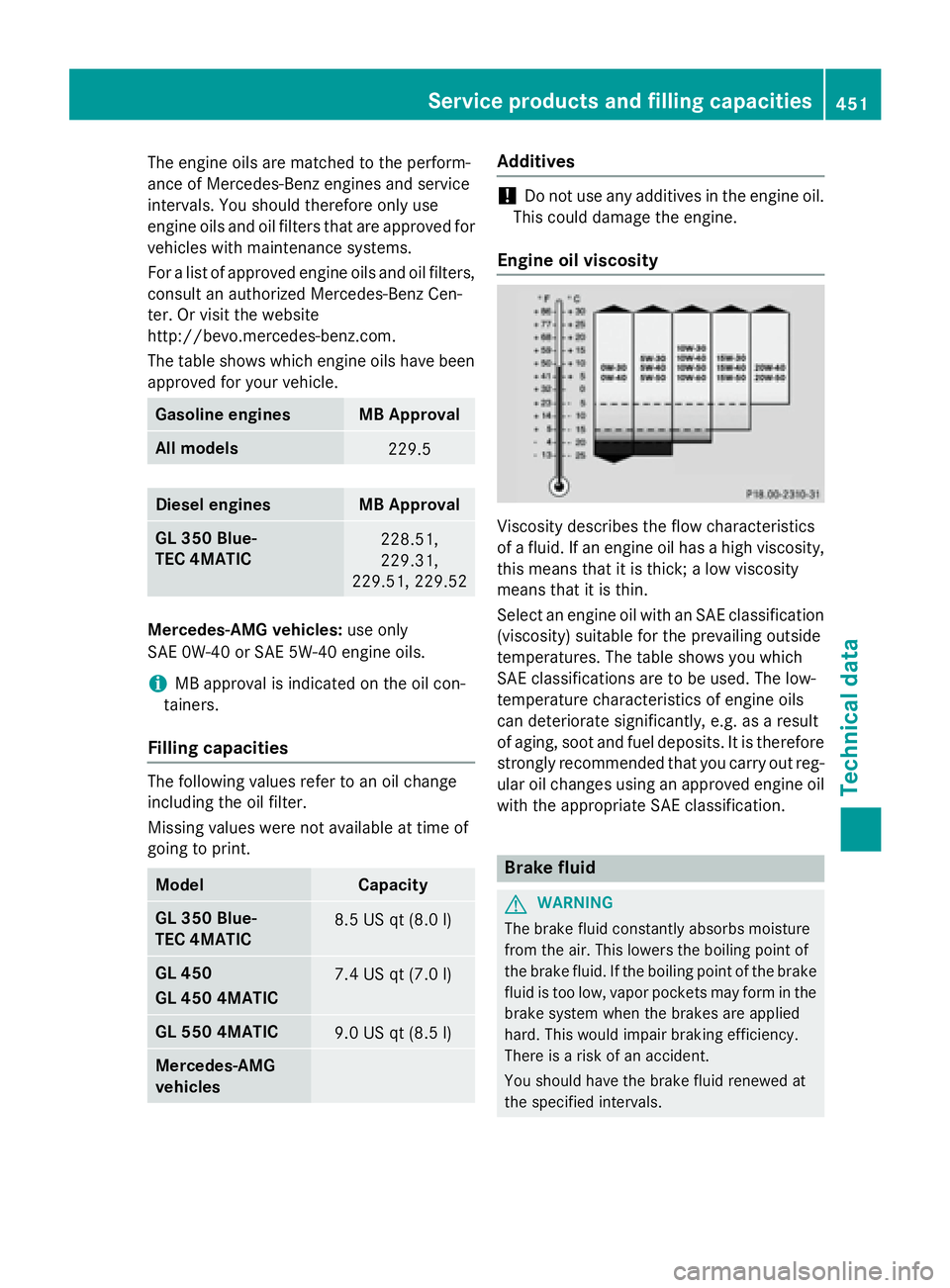
Engine oil viscosity
Viscosity describes the flow characteristics
of a fluid. If an engine oil has a high viscosity,
this means that it is thick; a low viscosity
means that it is thin.
Select an engine oil with an SAE classification
(viscosity) suitable for the prevailing outside
temperatures. The table shows you which
SAE classifications are to be used. The low-
temperature characteristics of engine oils
can deteriorate significantly, e.g. as a result
of aging, soot and fuel deposits. It is therefore
strongly recommended that you carry out reg-
ular oil changes using an approved engine oil
with the appropriate SAE classification.
Brake fluid
G WARNING
The brake fluid constantly absorbs moisture
from the air. This lowers the boiling point of
the brake fluid. If the boiling point of the brake
fluid is too low, vapor pockets may form in the
brake system when the brakes are applied
hard. This would impair braking efficiency.
There is a risk of an accident.
You should have the brake fluid renewed at
the specified intervals.Service products and filling capacities 451
Technical data Z