wheel MERCEDES-BENZ GL-Class 2011 X164 Comand Manual
[x] Cancel search | Manufacturer: MERCEDES-BENZ, Model Year: 2011, Model line: GL-Class, Model: MERCEDES-BENZ GL-Class 2011 X164Pages: 214, PDF Size: 4.69 MB
Page 103 of 214

X
Sel ect °inthe characte rbarand pres sth e
9 buttonto confirm .
or
X While the° iconishighlig hted,press the
6 button onCOMAND.
In both cases, thecalls dialedlist appea rs.
The most recent lydial ednumber isat the
top.
X To selec tacall:press the9 or:
button.
X To conne ctac all: press the9or6
button.
Co nne ctin gac all toan entry onacall
lis to rinthe COMAND phonebook X
Call upacall listand select anent ryusing
the 9: buttons.
or
X Call upthe COMAND phonebookand
select anent ryusing the9:
button s.
X To connect acall: press the9or6
button. Func
tionsavail able during acall
Ove rview Tel
epho neoper ationwithasing lecall
: Perso nyou are calling
; Icon foractive telephone connection
= Toswitch hands-fr eemicrophon eon/of f?
Tosend DTMF tones(not possible withall
mobile phones)
A Name ofthe mobile phoneconnected
B Toend acall
Switches thehands- freemicroph one
on/off This
funct ionisalso availa bleduring anactive
phone call.
X Call upthe basic telephone menu
(Y page 99).
X To switch off:select MicOff and
press
the 9button toconf irm.
If the microphon eis switched off,the
display showstheQicon andtheThe microphone is off message
appearsfor
a short period.
X To switch on:select Mic On and
press the
9 button toconf irm.
The Qicon goes out.Youwillbriefly see
the The microphone ison message.
Ends anactive call X
Select ¢andpress the9button to
conf irm.
or
X Press the~ button onCOMAND oron
the multifunct ionsteerin gwheel.
Call waiting i
The "call waiting" functionmust be
supported bythe network provider andbe
enabled.
If you current lyhave anactive single-c all
conn ection andreceive afurther call,the
phone number ofthe waiting callisenter ed
in the listofreceived calls.Atone sounds.
DTMF tonetransmission This
funct ionisnot supported byallmobile
phones. Telephone
operation
101Telephone Z
Page 117 of 214
Opera
tingthetelephone usingthe
mult ifunction steeringwheel Telephone
menu
Introd uction You
canoperate thetelephon eusing the
function sin the "Tele phone" menu,provided
you have connected itto the Mercedes-Benz
hands-free system.
The displa yin the "Tele phone" menudepends
on the status ofthe telephone.
X Switch onthe telephone andCOMAND.
X Press theV orU button toselect the
TEL displa
y.
Telephone isready toreceive calls Bluetooth
®
interface telephony: whetherthe
network provider's nameisdispla yed
depends onthe telephone connected. Acc
epting acall
You may accep tacallat any time provided
the telepho neisrea dytorece ivecalls.Whe n
a cal lis incom ing,yousee thename or
tele pho nenumb erinthe multifunction
di spl ay.
X Pre ssthe 6 button onthe multifunction
stee ring wheel . Reje
cting orendin gac all
X Press the~ button onthe multifunctio n
steeri ngwhe el. Cal
linganumbe rfrom theCOM AND
phone book
You may select and diala numbe rfrom the
COMAND phonebookatany time, provid ed
you rmobile phone isready toreceive calls. i
Ifyou have imported contacts
(Y page 114), youcan select thephone
book entriesofthe mobile phonebyusing
the multifunct ionsteerin gwheel.
X Press theV orU button toselect the
TEL display
.
X Press the& or* button toopen the
phone bookinthe multifunct iondisplay .
X Press the& or* button untilthe
desired entryhas been highlighted.
The stored names aredisplay ed
alphabe tically.
i Ifyou press andhold the& or*
button forlonger thanonesecond, the
multifunct iondisplay willskip from thefifth
entr yto the first entryfound forthe next
letter. Skipping stopsassoon asyou
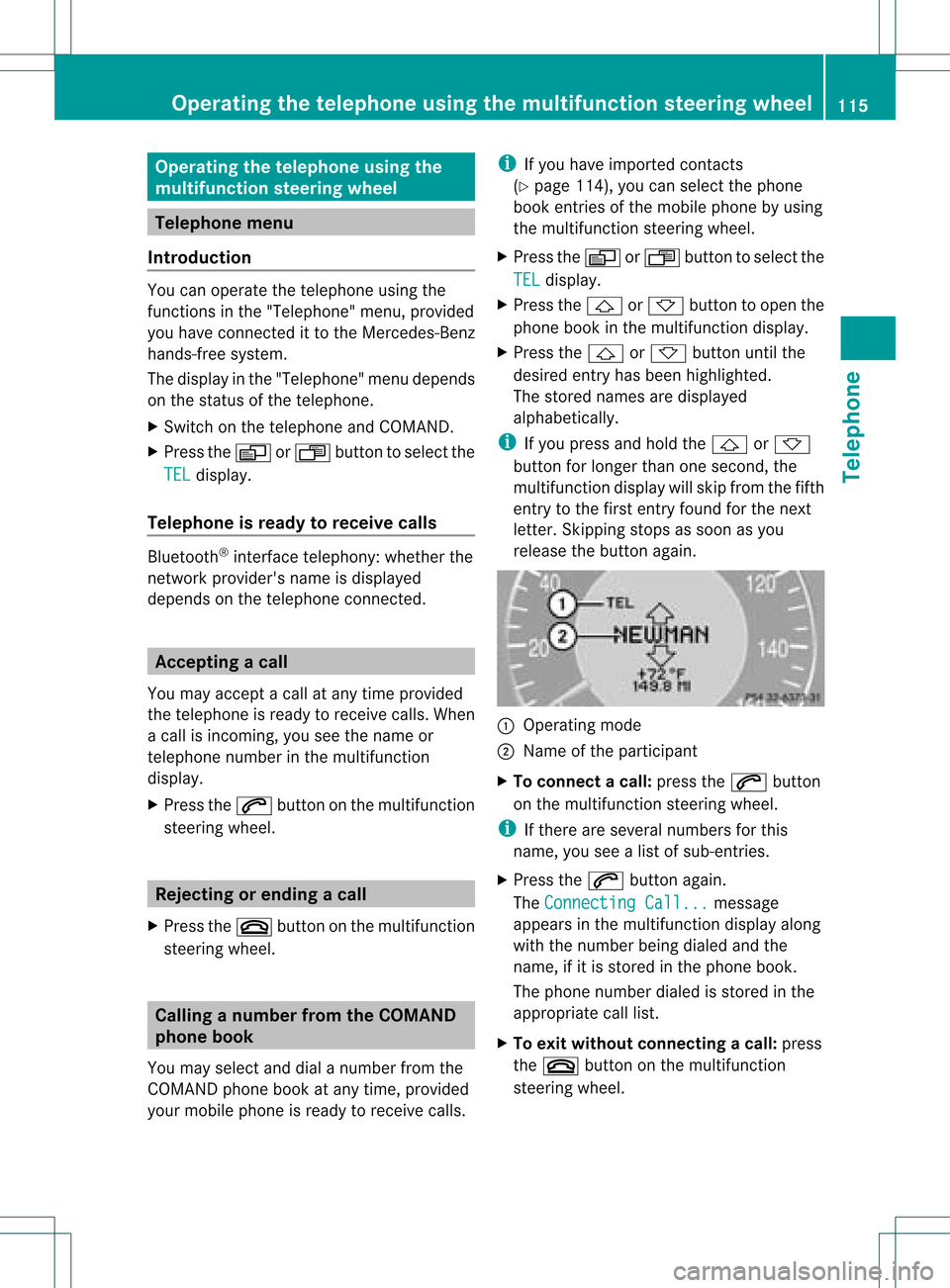
release thebutton again. :
Operating mode
; Name ofthe participant
X To connec tacall:press the6 button
on the multifunctio nstee ring wheel.
i Ifthe rearese ver alnum bers for this
nam e,youse ealist of sub-e ntri es.
X Pre ssthe 6 button again.
Th eCon nectingCal l... mes
sage
ap pe arsin the multifu nctio ndisplay along
with thenumb erbeing dialed andthe
name ,if it is stored inthe phon ebook .
The phon enumb erdialed isstored inthe
appropr iatecalllist.
X To exit withou tconnect ingacall: press
the ~ button onthe multifunctio n
steeri ngwhe el. Operating
thetelephone usingthe multifunc tionsteering wheel
115Tele phone Z
Page 118 of 214

Redi
als
X Pre ssthe V orU button tosel ect the
TEL di
spl ay.
X Pre ssthe 6 button.
Yo usee thelast cal ldi aled.
X To scrol lin the list of cal lsmad e:pre ssthe
& or* button untilthe desirede ntry
is displ ayed .
X To make acal l:pre ssthe 6 button. 11
6 Ope
ratin gthe telepho neusing the multi function ste ering wheelTel epho ne
Page 126 of 214
i
SIRIUS XMRadio offe rsmore than130
di gital -qu ality rad iocha nnel spro viding
100% comme rcial-fre emus ic,spo rt,new s
and enter tainment.
SIR IUS XMRadio emp loys afle et ofhigh-
pe rfor mance satel lites tobro adcas taround
the clock through outtheUSA andCanada .
The SatRa dioprogra misavail able fora
monthly fee.Details areavail able from the
SIRIUS XMService Centerandat
htt p://www .sirius.com (USA)or
htt p://www .siriuscanada. com
(Ca nada). Registering
Registering SatRadio Switching
toSatRadio mode:
X From another mainfunction: select
Audio using
the9:=;
buttons andpress the9button toconfirm.
X Select Audio and
press the9button to
confirm.
X Select SatRadio and
press the9button
to confirm.
i Ifradio mode wasthelast active mode,
you only need toselect Audio .
X When inaudio mode: selectAudio using
the 9:=; buttonsand
press the9button toconfirm.
X Select SatRadio and
press the9button
to confirm.
The satellite radiomainmenu appears
showing theweather channel. Youcannot
select anyother stations.
X Select SatRadio (in
the submenu) using
the 9:=; buttonsand
press the9button toconfirm.
X Select Service and
press the9button to
confirm.
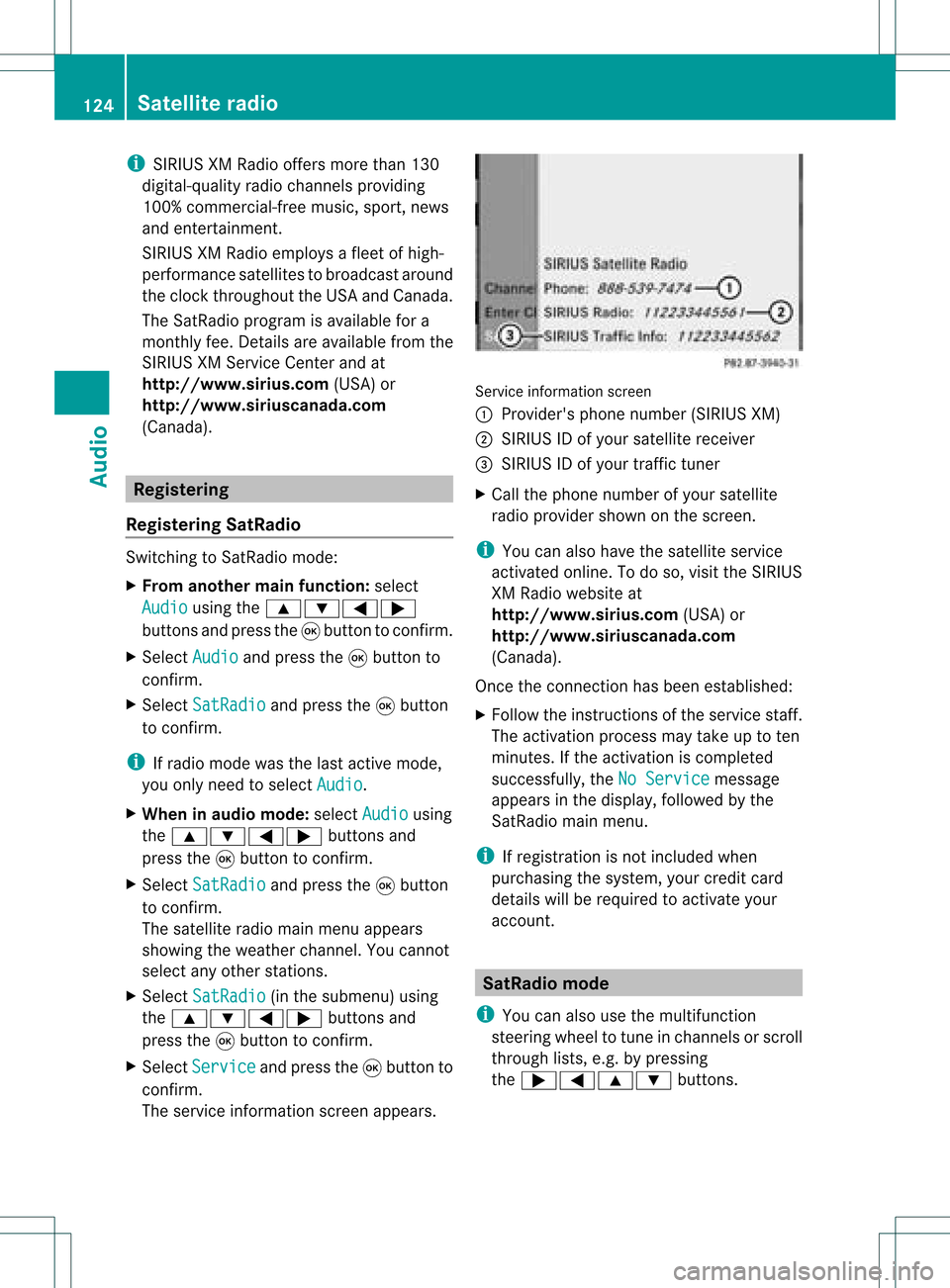
The service information screenappears. Service
information screen
1 Provider's phonenumber (SIRIUSXM)
2 SIRIUS IDofyour satellite receiver
= SIRIUS IDofyour traffic tuner
X Cal lthe phone number ofyour satellite
radio provider shownonthe screen.
i You canalso have thesatellite service
activated online.Todo so, visit theSIRIUS
XM Radi owebsite at
htt p://www .sirius.com (USA)or
htt p://www .siriuscanada. com
(Canad a).
Once theconn ection hasbeen established :
X Follow theinstruct ionsofthe service staff.
The activation processmaytake uptoten
minutes. Ifthe activation iscompleted
successfully ,the NoService message
appea rsinthe displa y,followed bythe
SatRadio mainmenu.
i Ifregistration isnot included when
purchasing thesystem, yourcredit card
details willberequired toactivate your
account. SatRa
diomode
i You canalso usethemultifunction
steering wheeltotune inchannels orscroll
through lists,e.g.bypressing
the ;=9: buttons.124
Satellite
radioAudio
Page 137 of 214
Selec
tingbytrack list X
Select Title or
Tracks in
audi oCD/D VD
mode andpress the9button toconf irm.
or
X Press the9button inMP3 mode whenthe
display /selection windowisactive.
The track listappears. The#dot indicates
the current track.
X Select atrack using the9: buttons
and press the9button toconf irm.
i InMP3 mode, thelistshows allthe track s
in alphab eticalorder.
Selec tingatrac kusing thenumber pad X
Press theU button onthe number pad.
An umer icalentry fiel dappear s.The
num berofposi tion soff ere dcorresponds to
the number oftrack sonthe CD/DV D.Onl y
num bers tha tcorr espond toatrac k
num beron the CD/DV Dcan beente red.
X Enter thedesired trac knum berus ing the
num berk eys.
X To complete entry:press the9button .
i Pressin gand holding anumber keyfor
two secon dsormore alsocomplet esent ry
and thecorr espondin gtrac kisplay ed.
Selec tingusing themultifunction
steering wheel X
Switch onaudi oCD/DVD ,MP3 orSD
memory cardmode onCOMAND.
X Use theV orU button onthe
multifunction steeringwheeltoselect the
DISC displa y.
X Press the9 or: button onthe
multifunction steeringwheel.
You willhear theprevious ornext track.
Skipping backwards skipstothe beginning
of the current trackifthe track hasbeen
play ingformore thaneight seconds. Ifthe
track hasbeen playingforless than eight
seconds, itskips tothe start ofthe previous
track. Fast
forward/rewind
Selec tingusing COMAND X
The displa y/selection windowisactive:
press the= or; button repeatedly
until youreach thedesired position.
or
X Press andhold theE orF button
until thedesired position hasbeen
reached.
Selec tingusing themultifunction
steering wheel X
Press andhold the9 or: button on
the multifunction steeringwheeluntilthe
desired position hasbeen reached. Selec
tingafolder
This function ison lyavailable inMP3 mode .
X Swit chon MP3 mode (Ypage 131).
X Sele ctFol der usin
gth e:=;
butt onsand pres sth e9 butt ontocon firm.
or
X Pres sth e9 butt onwhen thedisplay/
selec tionw indow isact ive.
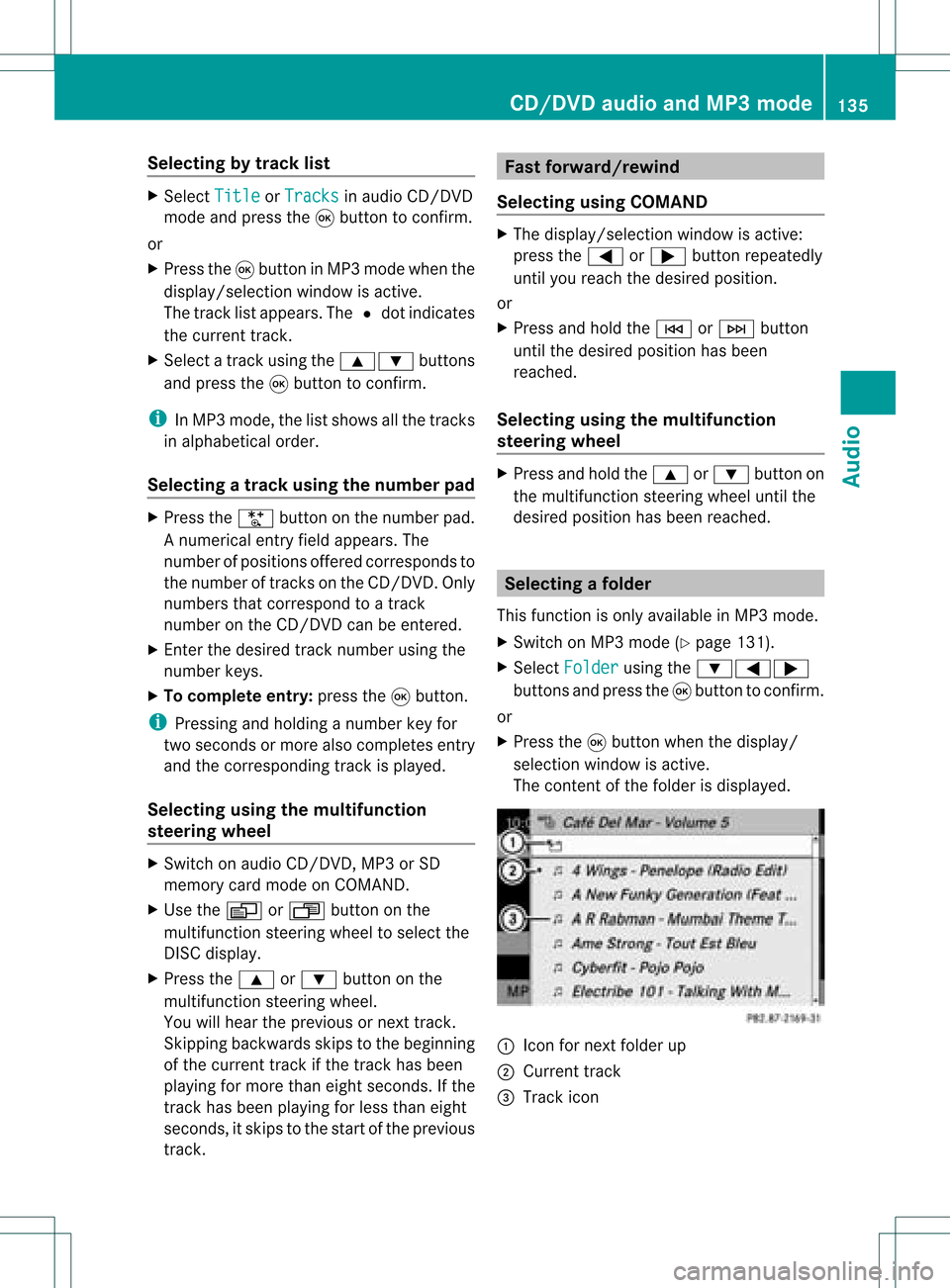
The contentofthe folder isdispla yed. :
Icon fornext folder up
; Current track
= Track icon CD/
DVD audioand MP3 mode
135Audio Z
Page 183 of 214

ent
ry!”. Thevoice control confirms import ant
comm andstoyou and gives youinstruct ions
in the event ofincor rectentries.
Comma ndTyp es Voice
control distin guishes between the
following typesofcomm and:
R Global commands:
These arecomm andswhich canbecalled
up atany time (e.g.helporphone
comm ands).
R Local comm ands:
These arecomm andswhich areonly
available forthe active application (e.g.
“En terStreet” during navigation ).
Active Applicat ion The
local comm andsrefertothe application
curren tlyshown onthe display andtothe
audio source youarecurren tlylisten ingto.
For example, ifyou arelisten ingtothe radio
while thenavigation application isactive on
the display, youcan operate both
applications usingvoicecontrol.
To operate adifferen tfunc tion usin gvoi ce
co ntrol ,you must first swit chtothat
applic ation usin gth eco rrespo nding
co mm and. Op
era ting Voi ceCont rol Veh
icles withVoiceCont rolButtons on
th eMu lti-Fu nct ion Steer ing Wheel Ex
ampl edisp lay:M-Class
1 A Cancelsvoice control
2 ? Activat esvoice control
3 X Decreases thevol ume
W Incr eases thevol ume
x Mute
i You cancancelthedialog withvoi ce
co ntrol atany time.
Voic eco ntrol isoper ationalaroun dhalf a
min ute afterCOMA NDisswit ched on.
Veh icles withLever forVoiceCont rol Ex
ampl edisp lay:SL-Cla ss
1 Canc elsvoice control
2 Activat esvoice control
3 X Decreases thevol ume
W Incr eases thevol ume Over
view
181VoiceControl Z
Page 184 of 214
Star
ting theDialog X
Switch onthe ignition (seethevehicle
Owner's Manual).
X Vehicles withVoice Control buttonson
the Multi-fu nctionSteering Wheel:Press
the ? button.
or
X Vehicles withLever forVoice Control:
Pull thelever toward you
An acoustic signalconfirms thatthedialog
has been started.
X Give acommand.
Interru ptingtheDialog If
alist appears onthe display ,you can use
the “Pause” command tointerr uptthedialog.
You canthen select anentr yusing the
COMAND controlpanel.
To resume thedialog withvoice control,press
the ? button onthe multifunct ionsteering
wheel.
Cancel ingthe Dialog X
Vehicles withVoice Control buttonson
the Multi-fu nctionSteering Wheel:Press
the A button.
or
X Vehicles withLever forVoice Control:
Push thelever away fromyou.
An acoustic signalconfirms thatthedialog
has been canceled.
or
X Say thecommand “Cancel”(exceptwhen
creating andstoring voicetags,navigation
entr iesorduring individual ization).
or
X Press anybutton onCOMAND.
Adjust ingthe Volume X
Start thedialog.
X Give acommand, e.g.“Help”. X
Press theW orX button.
The volume increases ordecreases during
voice output.
or
X Set thevolume forthe voice output onthe
volume controlfor COMAND.
Display Messages The
audi blehelp funct ioncan be
supplemented byvisual helponthe display
(Y page 38).Ifthe help funct ionisswitched
on, the most important commands thatare
current lypossible appearint he displa ywhen
you start thedialog .
In the address bookandnavigation system,a
selection listisshown inthe displa yif voice
cont rolrequires additional information from
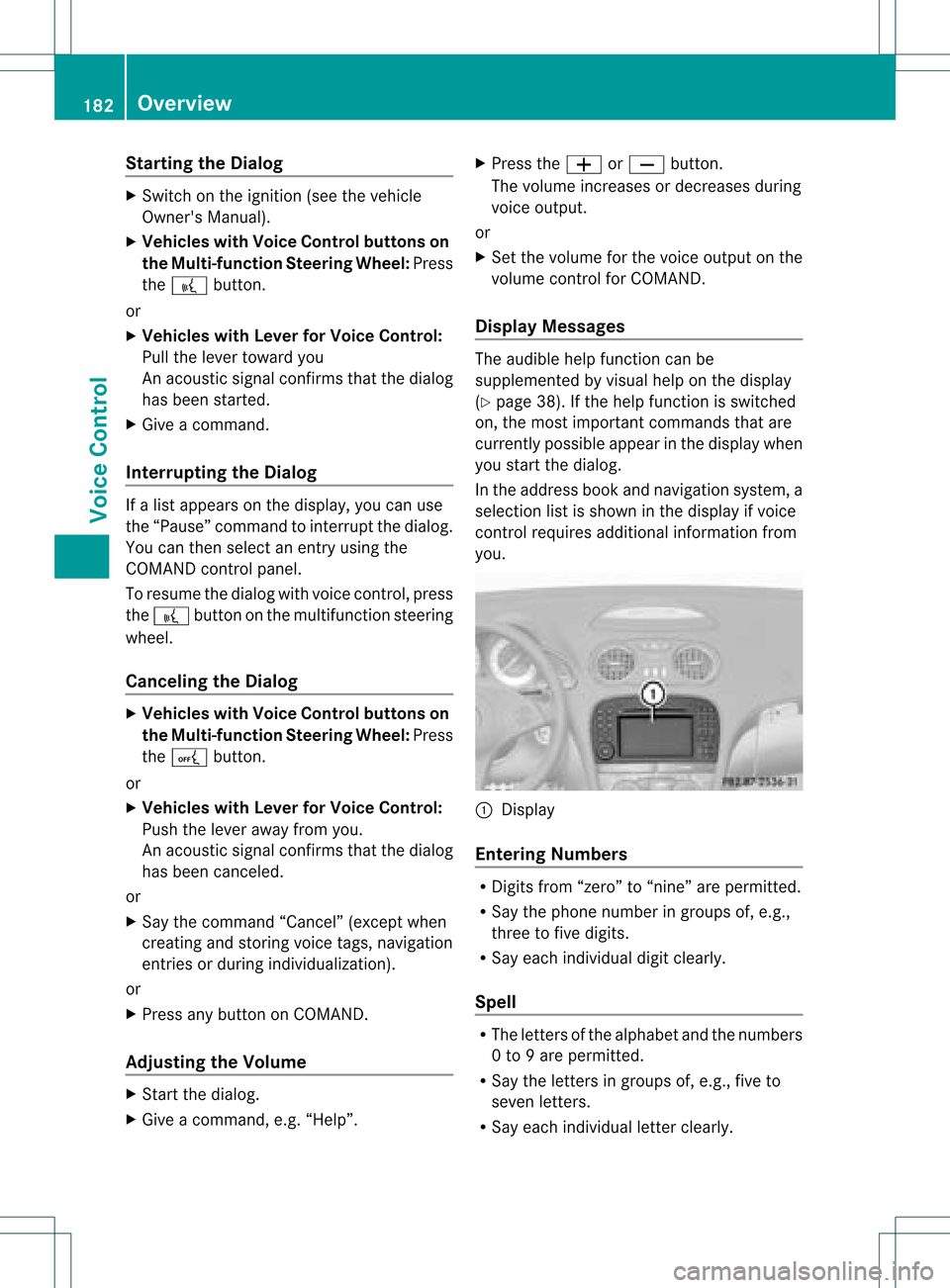
you. 1
Display
Entering Numbers R
Digits from“zero” to“nine” arepermitted.
R Say thephone number ingroups of,e.g.,
three tofive digits.
R Say each individua ldigit clearly.
Spell R
The letters ofthe alpha betand thenumbers
0 to 9are permitted.
R Say theletters ingroups of,e.g., fiveto
seven letters.
R Say each individua lletter clearly. 182
OverviewVoice
Control
Page 186 of 214
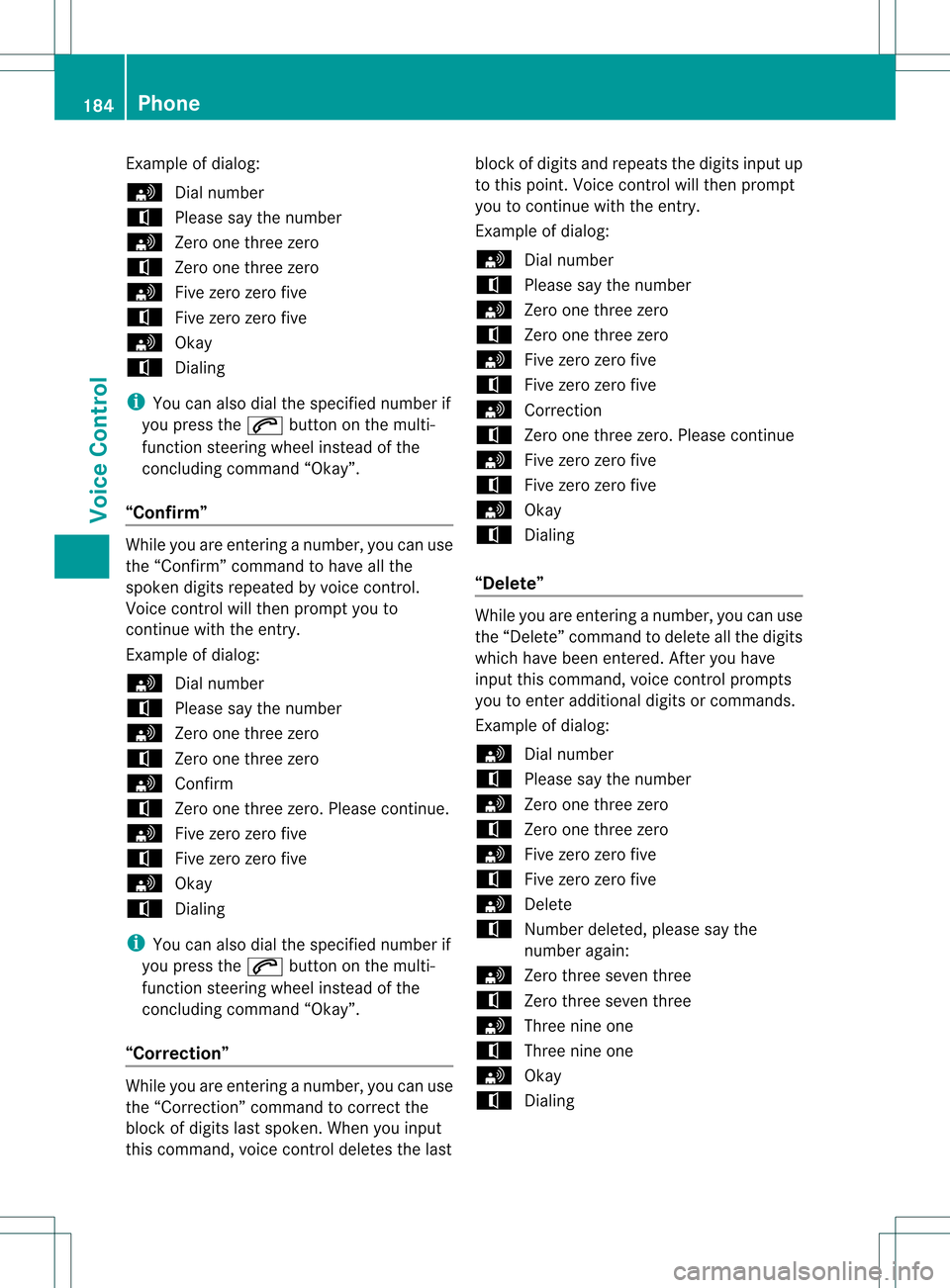
Exam
ple of dialog :
s Dialnum ber
t Plea se saythe num ber
s Zero one threezero
t Zero one threezero
s Fivezero zero five
t Fivezero zero five
s Okay
t Dialing
i Youcan also dial the speci fiednum berif
you pressthe6 buttonon themult i-
fun ction steer ing whee lin st ead ofthe
co ncludin gco mm and “Okay”.
“Conf irm” Whil
eyou areenterin ganum ber,you can use
th e“Con firm” comm and tohav eall the
spo kend igits repeat edbyvoic econ trol.
Voic econ trol will thenprompt youto
continue withtheentry.
Example ofdia log:
s Dialnumber
t Pleasesay thenumber
s Zeroonethree zero
t Zeroonethree zero
s Confirm
t Zeroonethree zero.Pleasecontinue.
s Fivezero zero five
t Fivezero zero five
s Okay
t Dialing
i You canalsodia lthe speci fiednumber if
you press the6 button onthe multi -
function steeringwheelinstead ofthe
concludi ngcommand “Okay”.
“Co rrectio n” Whil
eyou areentering anumber, youcan use
the “Correction” command tocorrect the
block ofdigi tslas tspoken .When youinput
this command, voicecontroldeletes thelast block
ofdigits andrepeats thedigits inputup
to this point. Voicecontrolwill then prompt
you tocont inue withtheentr y.
Example ofdialog :
s Dialnumber
t Please saythenumber
s Zeroonethree zero
t Zeroonethree zero
s Fivezero zero five
t Fivezero zero five
s Correction
t Zeroonethree zero.Please continue
s Fivezero zero five
t Fivezero zero five
s Okay
t Dialing
“Del ete” While
youareenterin ganumber, youcan use
the “Delete” command todelete allthe digits
which havebeen entered. Afteryou have
input thiscommand, voicecontrolprompts
you toenter additional digitsorcommands.
Example ofdialog :
s Dialnumber
t Please saythenumber
s Zeroonethree zero
t Zeroonethree zero
s Fivezero zero five
t Fivezero zero five
s Delete
t Number deleted, pleasesaythe
number again:
s Zerothree seven three
t Zerothree seven three
s Threenineone
t Threenineone
s Okay
t Dialing 184
PhoneVoice
Control
Page 187 of 214

“Save
Name”(Address Book) "Save
Name" (Address Book)functional
description (Ypage 194)
“Dial Name”(Address Book) “Dial
Name” (Address Book)functional
description (Ypage 195)
“Dele teNam e”(Address Book) “Delete
Name”(Address Book)functional
description (Ypage 195)
“Find Name”(Address Book) “Find
Name” (Address Book)functional
description (Ypage 195)
“List Phone Book”andDialing aPhone
Number You
canusethe“List phone book”command
to listen toallentries inthe phone bookin
whi chaphone numbe risalso stored and,if
required, selectanentry. Ifthe listcont ains
more than30entries, thesystem asksyouto
say thename fromwhich thereading shallbe
started.
Example ofdial og:
s Listphone book
The system readsoutallthe address
book entries withphone numbers. If
there ismore thanonephone number
for anentry, voicecontrolqueries this.
t Doyou want tomake awork callora
home call?
s Homecall To
cance lthe dialog:
X Vehicles withVoice Control buttons on
the Multi-function SteeringWheel:Press
the A button.
X Vehicles withLever forVoice Control:
Push theVoice Control leverawayfrom
you.
You have canceled thedialog. The system
confirms byresponding “Cancel”.
“Redial” You
canusethe“Redi al”command toredial
the number mostrecent lycalled.
Managing Announcement Servicesor
Voice Mail You
canalso usevoice controltomanage
your voice mailorrecorded announcement
services.
While aphone callisin progress:
X Vehicles withVoice Control buttons on
the Multi-function SteeringWheel:Press
the ? button whileaphone callisin
progress.
or
X Vehicles withLever forVoice Control:
Pull theVoice Control levertoward you.
An acoustic signalconfirms thatthesystem
is activated.
X Say therequired digits(“zero” to“nine”).
or
X Say therequired words“Star”or“Hash”.
X Say theconcluding command“Okay”.
The system dialsthe number entered. Navigation
G
Warning!
For safety reasons, youshould onlyselect a
destination whenthevehicle isstationary.
While thenavigation systemprovides
directional assistance, thedriver mustremain Navigat
ion
185Voice Control
Z
Page 188 of 214
focuse
don safe drivingbeha vior,especially
pay attention totraffic andstreet signs,and
shou ldutil ize the system 'sau dio cues while
drivi ng.
The navig ation system doesnotsupplyany
informa tiononstop signs, yield signs, traffic
regu lations ortraffic safetyrul es. Thei r
obse rvance alwaysremai nsinthe drive r's
perso nalrespo nsibility.DVD maps donot
cover allareas norallroutes withinanarea.
Traffic regulationsalways have priority over
any route recommendations given.Bearin
mind thatataspeed ofjust 30mph
(app roximately 50km/h), yourvehicle is
cover ingadistanc eof 44 feet (approximately
14 m)every second.
During routeguidance, youwillnotreceive
infor mation on:
R traff iclights
R stop andyield signs
R parking orstoppin gzon es
R one- way street s
R narrow bridges
R other trafficregulation data
You should thereforealway sstric tlyobserve
traff icregulations whiledriving. Drive
carefully andalway sobey trafficlaws and
road signs, evenifthey contradict navigation
system instruct ions. G
War
ning
Navigation announcementsare inten dedto
direct youwhile driving without divertingyour
atten tionfrom theroad anddriving.
Please alwaysuse this feature instead of
con sulting themap display fordirect ions.
Consultin gthe symbols ormap display for
direct ionsmay cause youtodivert your
atten tionfrom driving andincrease yourrisk
of an acciden t. G
War
ning!
Please donot use theVoice ControlSystem
in an emergen cy,asthe toneof your voice
may change inastres sfulsituation .This could cause
adelay incompleting yourphone call
in atimely manner. Thiscould distract youin
an emergency situationandcause youtobe
involved inan accident. Operat
ion
You canusevoice controlto:
R enter astate
R enter aprovince
R enter acity
R enter adistrict (center)
R enter astreet
R enter anintersec tion
R enter ahouse number
R enter anentire address
R enter azip code
R find address
R enter apoint ofinterest
R select oneofyour previous destinations
R call uproute information
R store adestination
R displa ythe map
R enlarge/reduce thesize ofthe map
R listen tothe destination memory
R start andstop route guidance
R switch theguida nceinstruct ionsonand off
To select thenavigation application:
X Vehicles withVoice Control buttons on
the Multi-fu nctionSteering Wheel:Press
the ? button.
or
X Vehicles withLever forVoice Control:
Pull theVoice Control levertoward you. 186
Navigat
ionVoiceControl