Traffic MERCEDES-BENZ GL-Class 2012 X164 Comand Manual
[x] Cancel search | Manufacturer: MERCEDES-BENZ, Model Year: 2012, Model line: GL-Class, Model: MERCEDES-BENZ GL-Class 2012 X164Pages: 210, PDF Size: 5.11 MB
Page 130 of 210

Load
ingemp tyma gaz ine trays
X Pres sth eV load/ejectbutt on.
The magaz inemen uappears .
X Sele ctFil lemp tyslots .
You seethePle ase wait... mess
age.
COMA NDswit chesto thenex tempt y
magaz inetray. You then see thePle ase ins
ert disc
age.
i Nev erins ert adata medium before
COMA NDprom ptsyou todo so. Nev er
ins ert mor eth an one disc atatim eint oa
magaz inetray.
X Insert adisc intoth edisc slotwith the
prin tedside facing upwards.
You seethePle ase wait... mess
age.
On ce thedisc isloaded, theDV Dc hanger
switches tothe next empty tray.Yousee
the Please insertdisc
X Repea tthis step until alltrays areloaded .
The DVD changer willplay thelast disc
loaded ifit has been inserted correctlyand
is of apermissible type.Thisappli eseven
if not alltrays havebeen loaded withadisc.
X To complete theinsertion: pressthe
V eject/load button againorpress the
k button.
Ejecting discsfromtheDVD changer Notes
G
WARNING
Only eject adisc when thevehicle is
stationary. Otherwise, youmay bedistracted
from thetraffic condition sand could cause an
accident.
If you remove onedisc while playinganother
disc, theDVD changer interrupts playback.
Play back continues oncethedisc hasbeen
eject ed.
Ejecting asingle disc
X Press theV load/ej ectbutt on.
The magazin emen uappears. Themagazin e
tr ay with thecurr entdisc ishighlight ed. :
Magazin etr ay loaded (ejectionisenabled)
; Disc type
= Disc name (onlyifsto red onthe disc)
? Curren tdisc (eje cting possible )
X Selec taloaded magazinetray using the
=; buttonsand press the9butt on
to con firm .
or
X Press numberkeys j top.
The Ejec ting disc
age
appears. Then,you seethefollowin g
mess age: X
Take thedisc outofthe slot.
If you donot takethe disc outofthe slot,
COMA NDwill draw itin again autom atically
aft erashor twhile and load itagain. 128
Audio
CD/DVD andMP3 modeAudio
Page 150 of 210
X
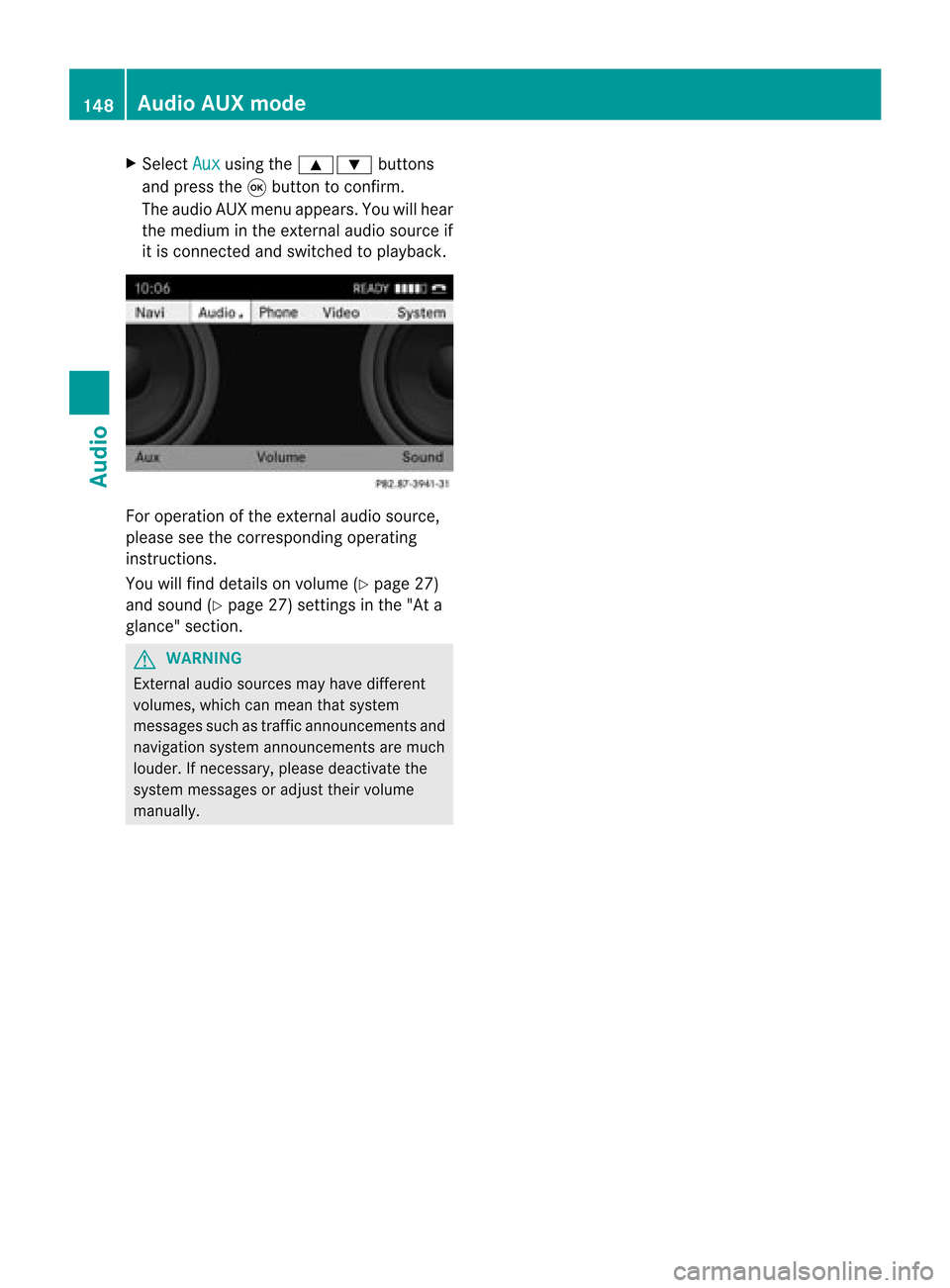
Sel ect Aux us
ing the 9: buttons
and pressthe 9button toconfi rm.
The audioAUX menu appe ars .You will hear
the medium inthe exter nalaudio source if
it is conn ected andswitched toplayb ack. For
operation ofthe exter nalaudio source,
please seethecorrespon dingoperating
instr uctions.
You willfind details onvolume (Ypage 27)
and sound (Ypage 27)settings inthe "Ata
glance" section. G
WARNIN
G
Ext ernal audio sources mayhave different
volumes, whichcanmean thatsystem
messages suchastraffic announc ementsand
navigation systemannounc ementsare much
louder. Ifnecessary, pleasedeactivate the
system messages oradjust theirvolume
manually. 148
Audio
AUXmodeAudio
Page 152 of 210
COMAN
Dfea tures
Thes eOper atingIn st ruc tions desc ribeall
st andar dand optionalequipm enta vail able
for you rCOMAND systematthe time of
purcha se.Cou ntry-specifi cdeviation sare
possible. Pleasenotethat your COMAND
system maynotbeequipped withallthe
features described. General
information Autom
aticpictu reshut off
The video picture isonly shown whenthegear
lever isin position "P".
If the gear lever isshift edtoaposition other
than "P",theInorder nottodistrac t you from the traffic situati
on, the
picture
isfaded outwhile the vehicle
isinmotion message
appears.
If you reset thegear lever to"P", thepicture
will bedisplayed again. Basic
settings Pictur
esettings
Adju sting thebright ness,contra stor
color The
following describes thevideo DVDand
video AUXmodes.
X Press the9button invideo DVDmode and
show themenu.
X Select DVD-Vid eo or
AUX using
the :=; buttonsand press the
9 button tocon firm.
Am enu appears.
X Select Brightn ess ,
Contras t or
Color using
the9: buttonsand press the
9 button tocon firm.
X Select asett ingusing the9:
button sand press the9button tocon firm. Changing
thepictu reform at The
following describes thevideo DVDand
video AUXmodes.
X Press the9button invideo DVDmode and
show themenu.
X Select DVD-Vid eo or
AUX using
the :=; buttonsand press the
9 button tocon firm.
Am enu appears.
X Select 16:9Optimiz ed ,
4:3 or
Widescr een using
the9: buttons
and press the9button tocon firm.
The äicon indicat esthe format currently
select ed. Sound
settings
The sound settings canbeselect edtosuit a
variety ofdifferen tvideo sourc es.You cancall
up the respe ctive soun dmen ufro mt hemenu
of the desired mode(Ypage 27). Video
DVDmode Safety
notes G
WARNING
COMAND isclassified asaClass 1laser
prod uct.You must notopen thecasing. Ifyou
open thecasing, orifthe casing isfaulty or
damaged, thereisarisk ofexposure to
invisible laserradiation. Thismay damage
your eyes, orthose ofothers.
COMAND doesnotcont ainany parts thatcan
be serviced bythe user. Forsafety reasons,
all mainten ancework must becarried outby
quali fiedaftersales technicians. G
WARNING
Only when thevehicle isstation aryshould
you:
R load adisc
R eject adisc 150
Video
DVDmodeVideo
Page 160 of 210
Showing/
hidingthemenu
X To show: pressthe9button.
X To hide: press the9 button, select
Full Screen and
press the9button to
conf irm. Volume
andsound settings
You willfind details onvolume (Ypage 27)
and sound (Ypage 27)settin gsinthe "Ata
glance" section. G
WARNING
Ext ernal video sources mayhave different
volumes, whichcanmean thatsystem
messages suchastraffic announcem entsand
navigation systemannouncem entsaremuch
louder. Ifnecessary, pleasedeactivate the
system messages oradjust theirvolume
manually .
i Itmay bethe case thatadevice whichis
conn ected asan extern alvideo source
seems quieter orlouder inthe vehicle, or
that theusua lmaximum volumecannotbe
reached. Thevolume ofsome devices can
be set separately. Inthis case, startata
medium volumeandthen raise itslowly .
This enables youtohear ifthe system can
play themusic without distortion evenat
high volumes. 158
Video
AUXmodeVideo
Page 166 of 210
X
Adju stthe brightne ssusing the 9:
bu ttons andpressthe 9button toconfi rm.
The brightne ssbarm oves upordown. The
picture becomes lighterordarker in
accordanc ewith thescale. Showing/hiding
thepictur e
X To hide thepictur e:select Display Off in
the system menuusingthe:;
button sand press the9button toconf irm.
The picture ishidden.
X To display thepictur e:press the9
button . Audio
CD/DVDand MP3 mode Import
antsafety notes G
WARNIN
G
The CD/D VDdrive isaclass 1laser product.
Nev eropen thehousi ng.There isarisk of
exposure toinvisible laserradiation ifthe
housing isopened, orifthe casing isfaulty or
damaged.
The Rear SeatEntertainment Systemcontains
no parts which youcan repair yourself. For
safety reasons, allmaintenanc ework must be
carried outbyqual ified aftersales
techn icians. G
WARNING
The driver should notwear aRear Seat
Ent ertainment headsetwhileoperating the
vehicle underanycircumstan ces.Theuseof
a headset whiledriving thevehicle could
drastically impairtheabili tyto react toaudi ble
traffic conditions (e.g.emergency sirensfrom
<0010000F000C0009000300050024000600090012000500240001000D00020015
000C0001000E000300050035> anothercar'shorn,
etc. ). G
WARNING
When notinuse, headsets orextern alvideo
sources shouldbestored inas afe locatio n
(e. g.on eof theveh icle'sstorag e com
partmen ts)so that they are notloose
within thepassenger compartmentduring
braking, vehiclemaneuvers oratraffic
accident .Object smoving withinthe
passenger compartmentcould cause serious
personal injurytovehicle occupant s. G
WARNING
Due toapotent ialchokin ghazar d,wired
heads etusage bychildre nshould onlyoccur
with adultsuper vision . Gener
alnot es
You willfindinf orm ationonthe following
topics inthe "Audio" section:
R notes onCDs/DV Ds(Ypage 137)
R notes onMP3 mode (Ypage 136)
R notes oncopyright (Ypage 137) Inserting
aCD/DVD
M- Class :th eCD /DVD drive isin thece nter
beh ind th efron tseats.
R-Class: theCD/D VDdrive isin the center
con sole. :
Disc slot
; Eject button
The CD/D VDdrive isasingle discdrive. If
ther eis already adisc insert ed,this must be
ejec tedbefore anotherisinsert ed.
X Inser tadisc intothe disc slot.
The print edside ofthe disc must face
upwards. Ifneit her side ofthe disc is 164
Audio
CD/DVDand MP3 modeRear Entert ainmentSyst em
Page 180 of 210
COMAN
Dfea tures
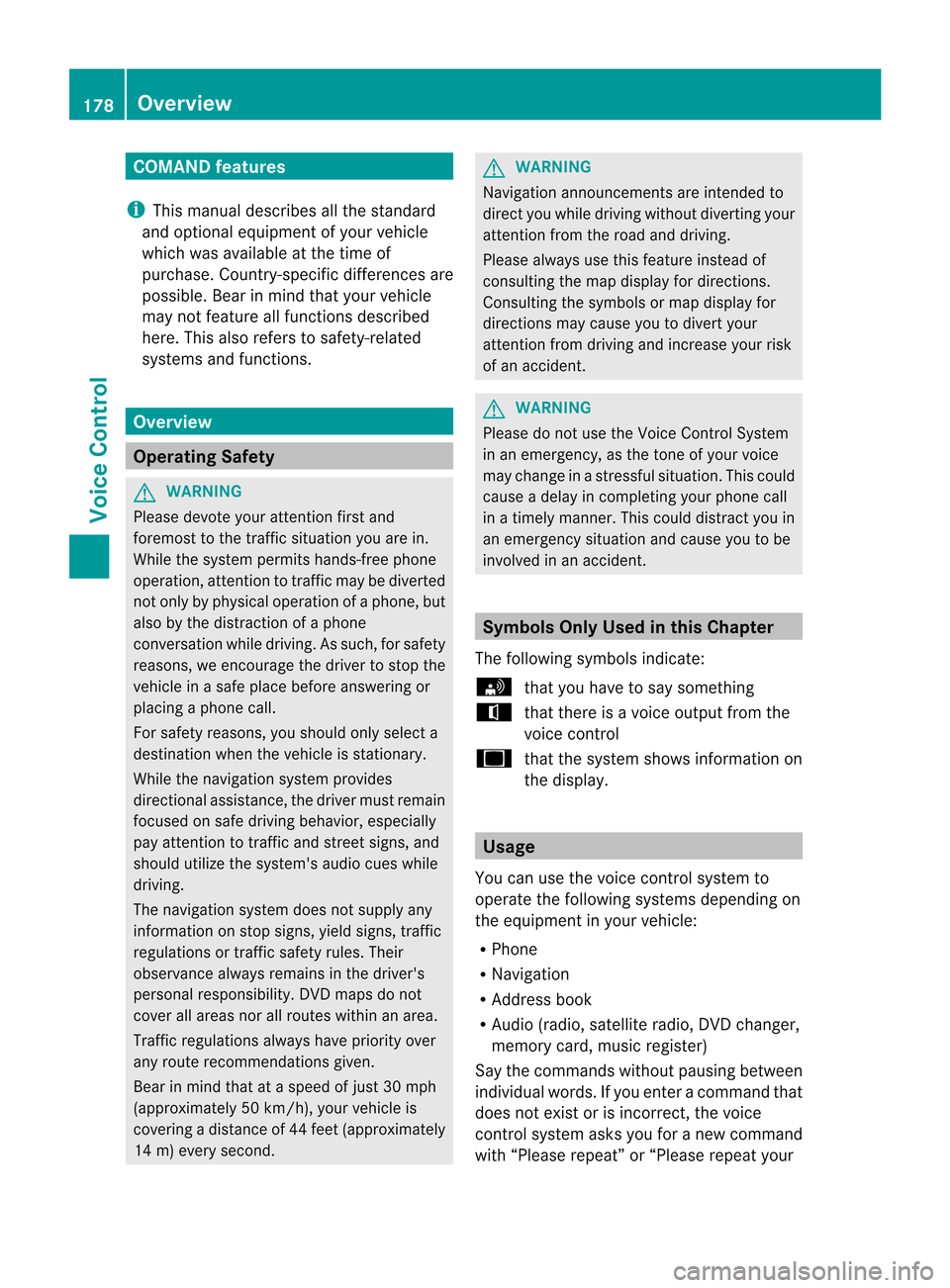
i This manualdesc ribesall thest and ard
and optionalequipm ento fyour vehicle
which wasavaila bleatthe time of
purchase. Country-spec ificdifferenc esare
possible. Bearinmind thatyour vehicle
may notfeature allfunct ionsdescribed
here. Thisalso refers tosafety-related
systems andfunct ions. Overview
Operat
ingSafety G
WARNIN
G
Please devote youratten tionfirst and
foremost tothe traffic situation youarein.
While thesystem permits hands-fr eephone
operation, attentiontotraffic maybediverted
not only byphysical operation ofaphone, but
also bythe distract ionofaphone
conv ersation whiledriving. Assuch, forsafety
reasons, weencourage thedriver tostop the
vehicle inasafe place before answering or
placing aphone call.
For safety reasons, youshould onlyselect a
destination whenthevehicle isstation ary.
While thenavigation systemprovides
direction alassistance, thedriver mustremain
focused onsafe driving behavior, especially
pay atten tiontotraffic andstreet signs,and
should utilizethesystem's audiocueswhile
driving.
The navigation systemdoesnotsupply any
informat iononstop signs, yieldsigns, traffic
regulations ortraffic safety rules.Their
observance alwaysremains inthe driver's
personal responsibility. DVDmaps donot
cover allareas norallroutes withinanarea.
Traffic regulations alwayshave priority over
any route recommen dationsgiven.
Bear inmind thatataspeed ofjust 30mph
(approximately 50km/ h),your vehicle is
coverin gadistance of44 feet (approximately
14 m)every second. G
WARNIN
G
Navigation announcementsare inten dedto
direct youwhile driving without diverting your
atten tionfrom theroad anddriving.
Please alwaysuse this feature instead of
consultin gthe map display fordirection s.
Consulting thesymbols ormap display for
direction smay cause youtodivert your
atten tionfrom driving andincrease yourrisk
of an accident . G
WARNIN
G
Please donot use theVoice Control System
in an emergenc y,as the tone ofyour voice
may change inastressf ulsituation. Thiscould
cause adelay incompletin gyour phone call
in atimely manner .This could distract youin
an emergency situationandcause youtobe
involved inan accident. Symbols
OnlyUsed inthis Chapter
The following symbolsindicate:
s thatyouhave tosay something
t thatthere isavoice output fromthe
voice control
u thatthesystem showsinformation on
the displa y. Usage
You canusethevoice controlsystem to
operate thefollowing systemsdepending on
the equipment inyour vehicle:
R Phone
R Navigation
R Address book
R Audio (radio, satellite radio,DVDchanger,
memory card,music register)
Say thecommands withoutpausingbetween
individua lwords. Ifyou enter acommand that
does notexist orisincorrec t,the voice
cont rolsystem asksyouforanew command
with “Please repeat”or“Please repeatyour 178
OverviewVoice
Control
Page 183 of 210
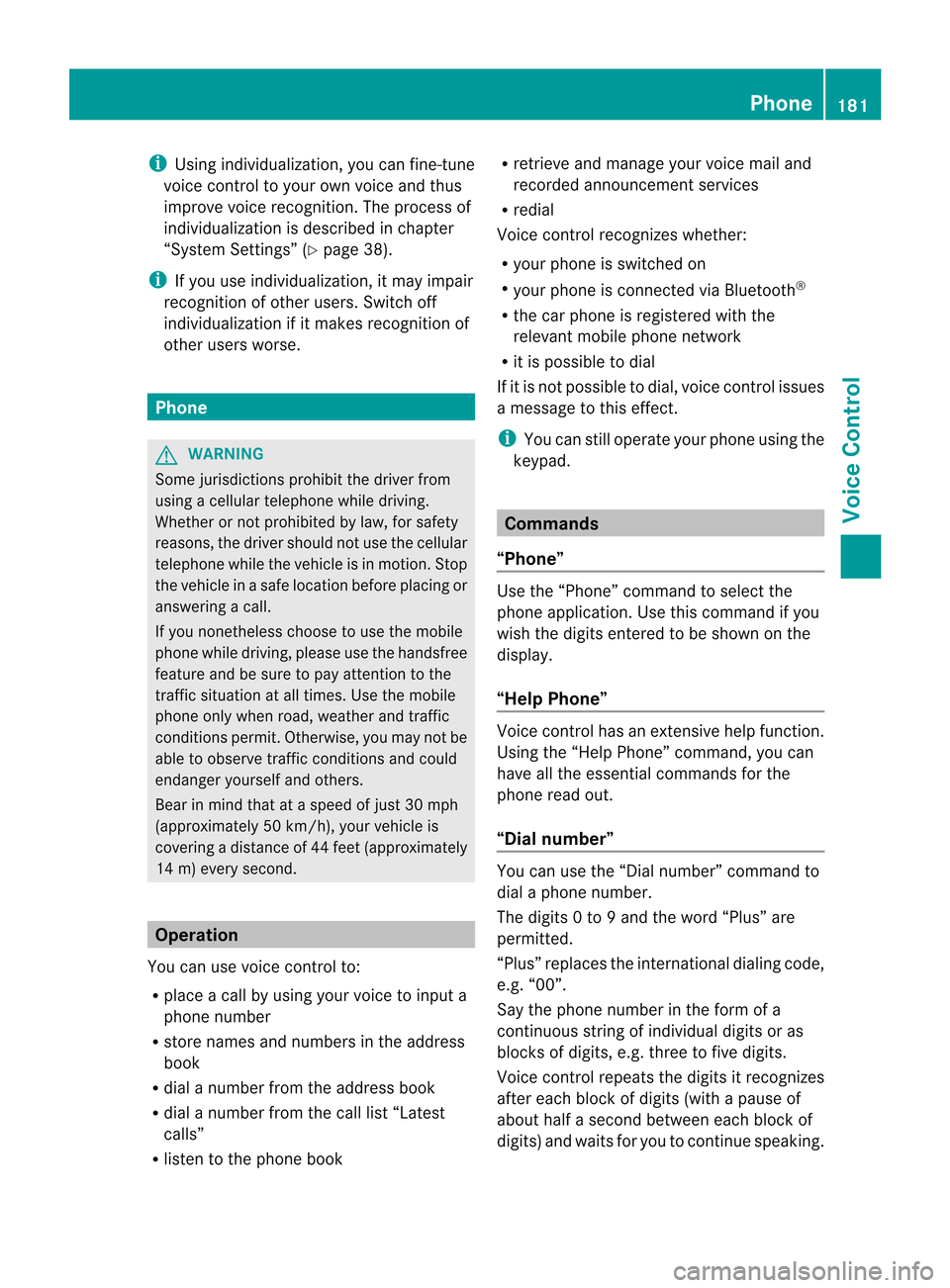
i
Using individu alization, youcan fine-tune
voice controltoyour ownvoice andthus
improve voicerecognition. Theprocess of
individu alization isdescribed inchapter
“System Settings” (Ypage 38).
i Ifyou useindividu alization, itmay impai r
recognition ofother users. Switch off
individu alization ifit makes recognition of
other users worse. Phone
G
WARNING
Some jurisdictions prohibitthedriver from
using acellul artelephone whiledriving.
Whether ornot prohibited bylaw, forsafety
reasons, thedriver should notuse thecellul ar
telephone whilethevehicle isin motion. Stop
the vehicle inasafe location beforeplacing or
answering acall.
If you nonetheless choosetouse themobile
phone whiledriving, pleaseusethehandsfree
feature andbesure topay attent iontothe
traffic situation atall times. Usethemobile
phone onlywhen road,weather andtraffic
conditions permit.Otherwise, youmay notbe
able toobserve trafficconditions andcould
endanger yourselfand othe rs.
Bea rin mind thatat aspe edofjus t30 mph
(a pp roxi mately50 km/h) ,yo ur veh icleis
cove ringadi sta nce of44 feet(appro ximately
14 m)ever ysec ond. Oper
ation
You canusevoicecon trol to:
R place acall byusin gyour voiceto inp uta
phon enum ber
R store nam esand num bers intheaddre ss
book
R dial anum berfrom theaddre ssbook
R dial anum berfrom thecall list“Lat est
calls ”
R list en tothephon ebook R
ret riev eand man ageyour voicemail and
rec orde dann oun cem entservices
R redi al
Voic econ trol rec ogn izeswhet her:
R your phoneis swit ched on
R your phoneis con nectedvia Bluet ooth®
R thecar phon eis reg istered withthe
rele vantmobile phone network
R itis possible todial
If it is not possible todial, voice controlissues
a message tothis effect .
i You canstilloperate yourphone usingthe
keypad. Command
s
“Phone” Use
the“Phone” commandto select the
phone application. Usethiscomman difyou
wish thedigits enteredtobe shown onthe
display .
“Help Phone” Voice
controlhas anexten sivehelp funct ion.
Using the“Help Phone” comman d,you can
have allthe essent ialcomman dsfor the
phone readout.
“Dial number” You
canusethe“Dial number” commandto
dial aphone number.
The digits 0to9a nd the word“Pl us”ar e
pe rmi tted .
“Pl us”rep laces theinte rnational dialing cod e,
e.g .“00” .
Say thephone num berin the form ofa
conti nuousstri ngofind ividu aldigits or as
bl ocks ofdigits, e.g.three tofive digits.
Voice controlrepeats thedigits itrecogniz es
after each block ofdigits (withapause of
about halfasecond between eachblock of
digits) andwaits foryou tocont inue speaking. Phone
181VoiceControl Z
Page 186 of 210
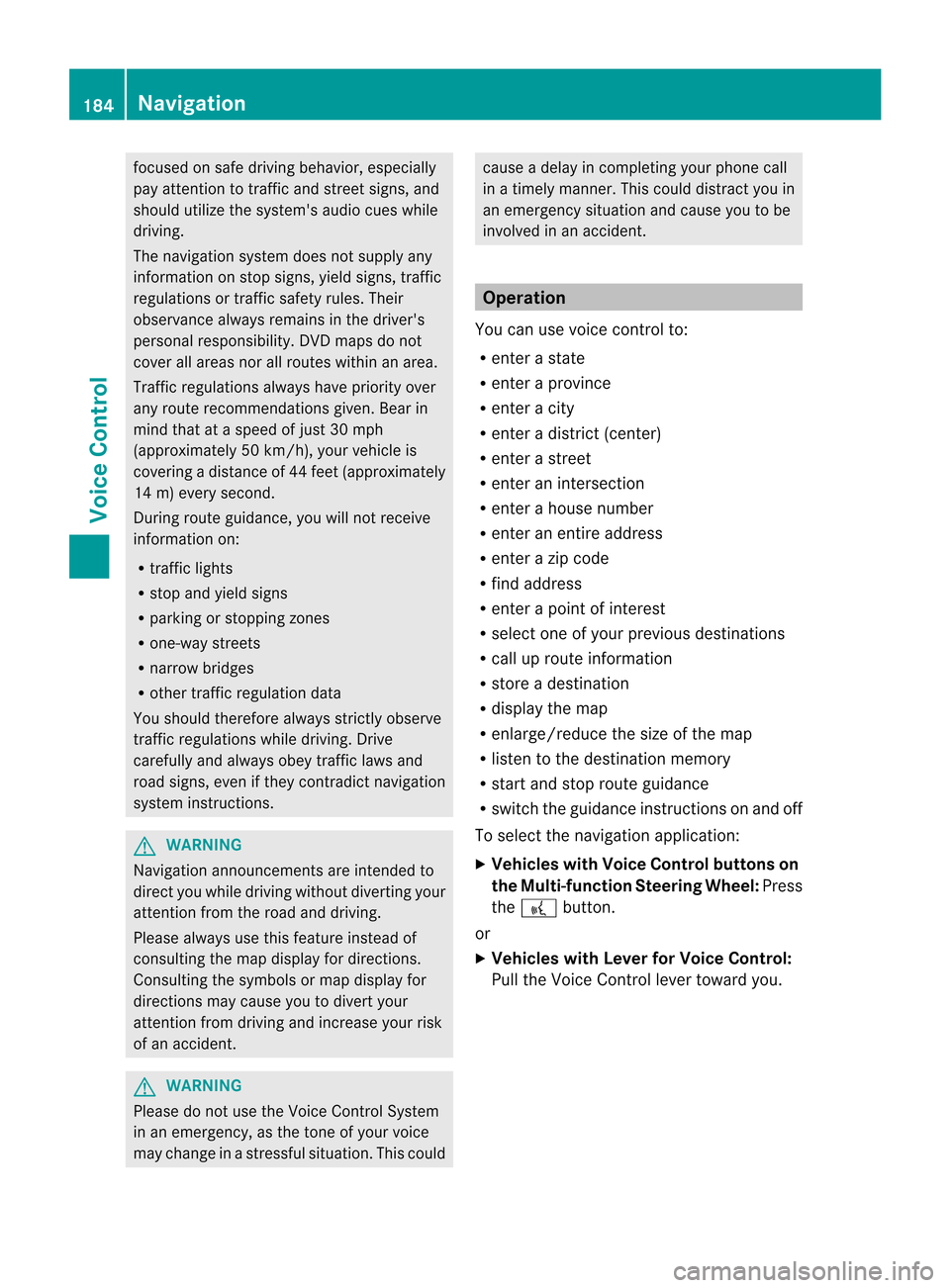
focuse
don safe drivingbeha vior,especially
pay attention totraffic andstreet signs,and
shou ldutil ize the system 'sau dio cues while
drivi ng.
The navig ation system doesnotsupplyany
informa tiononstop signs, yield signs, traffic
regu lations ortraffic safetyrul es. Thei r
obse rvance alwaysremai nsinthe drive r's
perso nalrespo nsibility.DVD maps donot
cover allareas norallroutes withinanarea.
Traffic regulationsalways have priority over
any route recommendations given.Bearin
mind thatataspeed ofjust 30mph
(app roximately 50km/h), yourvehicle is
cover ingadistanc eof 44 feet (approximately
14 m)every second.
During routeguidance, youwillnotreceive
infor mation on:
R traff iclights
R stop andyield signs
R parking orstoppin gzon es
R one- way street s
R narrow bridges
R other trafficregulation data
You should thereforealway sstric tlyobserve
traff icregulations whiledriving. Drive
carefully andalway sobey trafficlaws and
road signs, evenifthey contradict navigation
system instruct ions. G
WARN
ING
Navigation announcementsare inten dedto
direct youwhile driving without divertingyour
atten tionfrom theroad anddriving.
Please alwaysuse this feature instead of
con sulting themap display fordirect ions.
Consultin gthe symbols ormap display for
direct ionsmay cause youtodivert your
atten tionfrom driving andincrease yourrisk
of an acciden t. G
WARN
ING
Please donot use theVoice ControlSystem
in an emergen cy,asthe toneof your voice
may change inastres sfulsituation .This could cause
adelay incompleting yourphone call
in atimely manner. Thiscould distract youin
an emergency situationandcause youtobe
involved inan accident. Operat
ion
You canusevoice controlto:
R enter astate
R enter aprovince
R enter acity
R enter adistrict (center)
R enter astreet
R enter anintersec tion
R enter ahouse number
R enter anentire address
R enter azip code
R find address
R enter apoint ofinterest
R select oneofyour previous destinations
R call uproute information
R store adestination
R displa ythe map
R enlarge/reduce thesize ofthe map
R listen tothe destination memory
R start andstop route guidance
R switch theguida nceinstruct ionsonand off
To select thenavigation application:
X Vehicles withVoice Control buttons on
the Multi-fu nctionSteering Wheel:Press
the ? button.
or
X Vehicles withLever forVoice Control:
Pull theVoice Control levertoward you. 184
Navigat
ionVoiceControl
Page 193 of 210
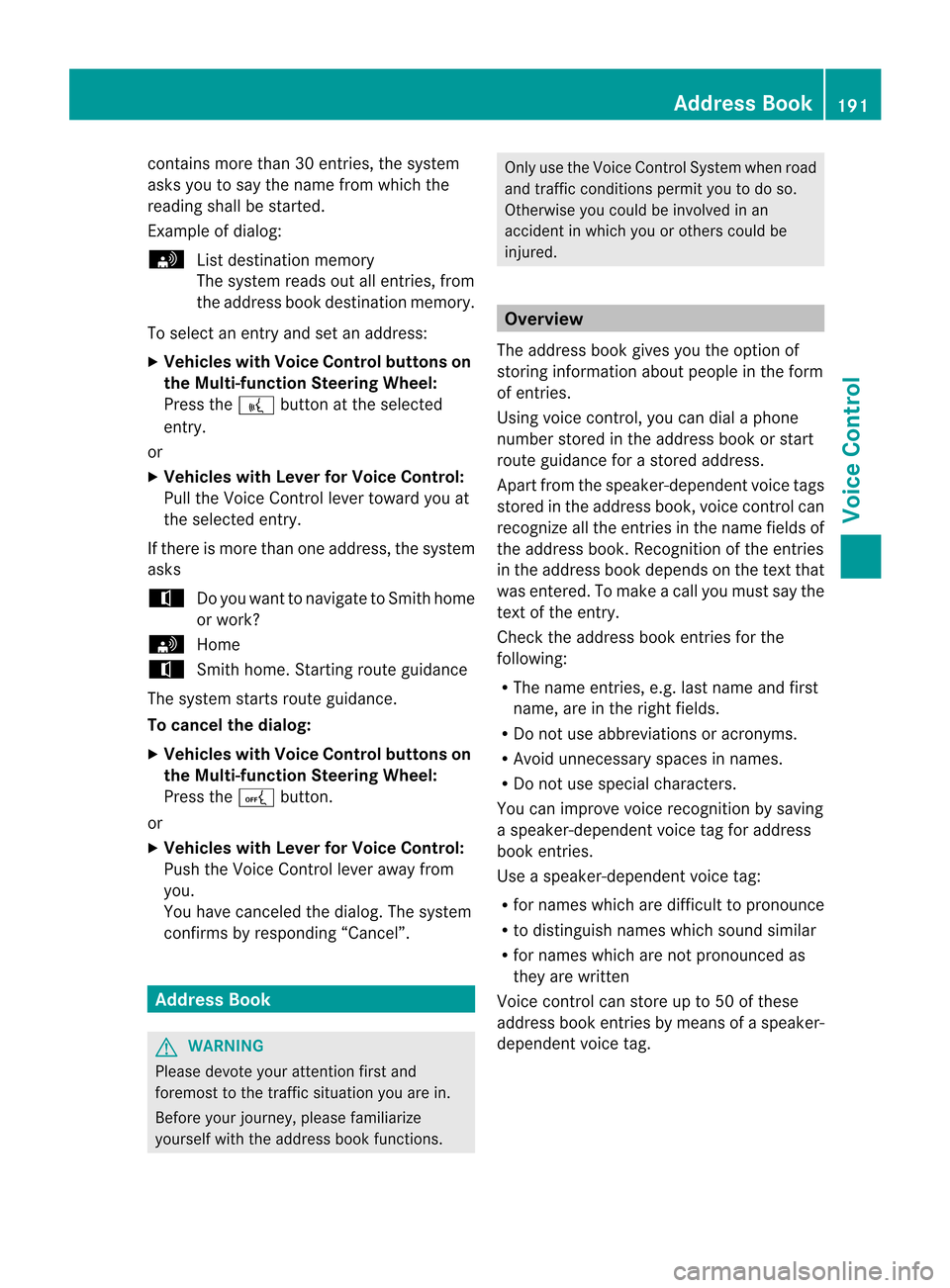
contai
nsmore than30entri es,the system
as ks youto saythe name fromwhich the
rea ding sha llbe star ted.
Examp leof dialog:
s Listdestin ation memory
The system readsoutallent ries, from
the address bookdestin ationmemory.
To select anent ryand setanaddress:
X Vehicles withVoice Control buttonson
the Mult i-funct ionSteering Wheel:
Press the? button atthe select ed
ent ry.
or
X Vehicles withLever forVoice Control:
Pull theVoice Controllever toward youat
the select edent ry.
If ther eis more thanoneaddress, thesystem
asks
t Doyou want tonavigate toSmit hhome
or work?
s Home
t Smithhome. Startin groute guidance
The system startsroute guidance.
To cancel thedialog:
X Vehicles withVoice Control buttonson
the Mult i-funct ionSteering Wheel:
Press theA button .
or
X Vehicles withLever forVoice Control:
Push theVoice Controllever away from
you.
You have canceled thedialog. Thesystem
con firms byrespon ding“Cancel”. Addr
essBook G
WARN
ING
Please devote youratten tionfirst and
foremo stto the traff icsituation youarein.
Befor eyour journ ey,please familiarize
yourself withtheaddress bookfunctions. Only
usetheVoice ControlSystem whenroad
and trafficcon ditions permityoutodo so.
Other wiseyoucould beinvolved inan
acciden tinw hich youorothers couldbe
injured. Overview
The address bookgives youtheoption of
storing information aboutpeople inthe form
of entr ies.
Using voicecontrol,you can dialaphone
number storedinthe address bookorstart
route guidanceforastored address.
Apart fromthe<0013001000050001000B0005001200270004000500100005000E00040005000E
0014> voicetags
stored inthe address book,voicecontrolcan
recogniz eall the entr iesinthe name fieldsof
the address book.Recognition ofthe entr ies
in the address bookdepends onthe text that
was entered. Tomake acall you must saythe
text ofthe entr y.
Check theaddress bookentriesforthe
following:
R The name entries, e.g. lastname andfirst
name, areinthe right fields.
R Do not use abbreviations oracronyms.
R Avoid unnecessary spacesinnames.
R Do not use special characters.
You canimprove voicerecognit ionbysaving
a <0013001000050001000B0005001200270004000500100005000E00040005000E
0014> voicetagforaddress
book entries.
Use a<0013001000050001000B0005001200270004000500100005000E00040005000E
0014> voicetag:
R for names whicharedifficult topronounce
R to distinguish nameswhichsound similar
R for names whicharenot pronounced as
they arewritten
Voice controlcan store upto50 ofthese
address bookentriesbymeans ofaspeaker-
dependent voicetag. Addr
essBook
191VoiceControl Z
Page 196 of 210
selected
entryshould becalled, navigated
to or opened.
To cance lthe dialog:
X Vehicles withVoice Control buttons on
the Multi-function SteeringWheel:
Press theA button.
or
X Vehicles withLever forVoice Control:
Push theVoice Control leverawayfrom you
You have cancelled thedialog. The system
confirms byresponding “Cancel”.
“List Phone Book”andDiali ngaPhone
Number (Y
pag e183)
“De lete Address Book” You
canusethe“Dele teadd ress book”
command todel ete individu alvoice tagsorall
the voice tagsinthe address book. The
add ress data isnot deleted.
“Open Entry” You
canusethe“Ope nentry ”comm andto
op en any addre ssbook entry .
Exam ple of dialog:
s Openentry
t Plea se saythe nam e
s Smith
u Thesystem showsanum bered list in
the displ ay.
t Plea se select aline num bero rsay
co ntinue .
s Number1...
t Number1acc epted.
The syst emopen sth efir st en tryon the
list .
If th eselec teden try co ntains atleast
on ephon enum beroran addre ss,
voic eco ntrol ask swhet heryou want
to dial thenum berornav igat eto the
st ore daddre ss. “Sp
ellEnt ry” You
canusethe“S pell entry“ comm and to
open anyaddre ssbook entry by spell ingthe
nam e.
Say thelet ters inthefor mof aco ntinuo us
st rin gof letters (e. g.fiveto sev enletters) .
Al ist ofpossible entries willappear inthe
display andyoucan choose theone you
require .
Ex ample ofdialog:
s Spellentry
t Please spellthename .
s S-M-I -T-H
u Thesystemshows anumb eredlistin
the display.
t Please selectaline numberor say
con tinue.
s Number four
t Number fouraccepte d
The systemopen sthe fourt hentry on
the list.
If the selecte dentry containsatleas t
one phone num bero rana ddress,
voice controlasks whether youwant
to dial thenumber ornavigat eto the
stor edaddress.
i You canusethe“Next page” or“Previous
page” commandstoscro llthr ough thelist.
You canusethe“Correc tion”comm andto
spell thename again. Rad
ioand Satellite Radio G
WARN
ING
Please devoteyour attent ion first and
forem osttothe trafficsituation youarein.
Befor eyour journ ey,please familiarize
yourself withtheradio functions.
Only usetheVoice ControlSyst emwhen road
and trafficcon dition spermit youtodo so.
Other wiseyoucould beinvolv edinan 194
Ra
dio and Satellite RadioVoice Control