towing MERCEDES-BENZ GL SUV 2009 Owners Manual
[x] Cancel search | Manufacturer: MERCEDES-BENZ, Model Year: 2009, Model line: GL SUV, Model: MERCEDES-BENZ GL SUV 2009Pages: 309, PDF Size: 10.27 MB
Page 8 of 309
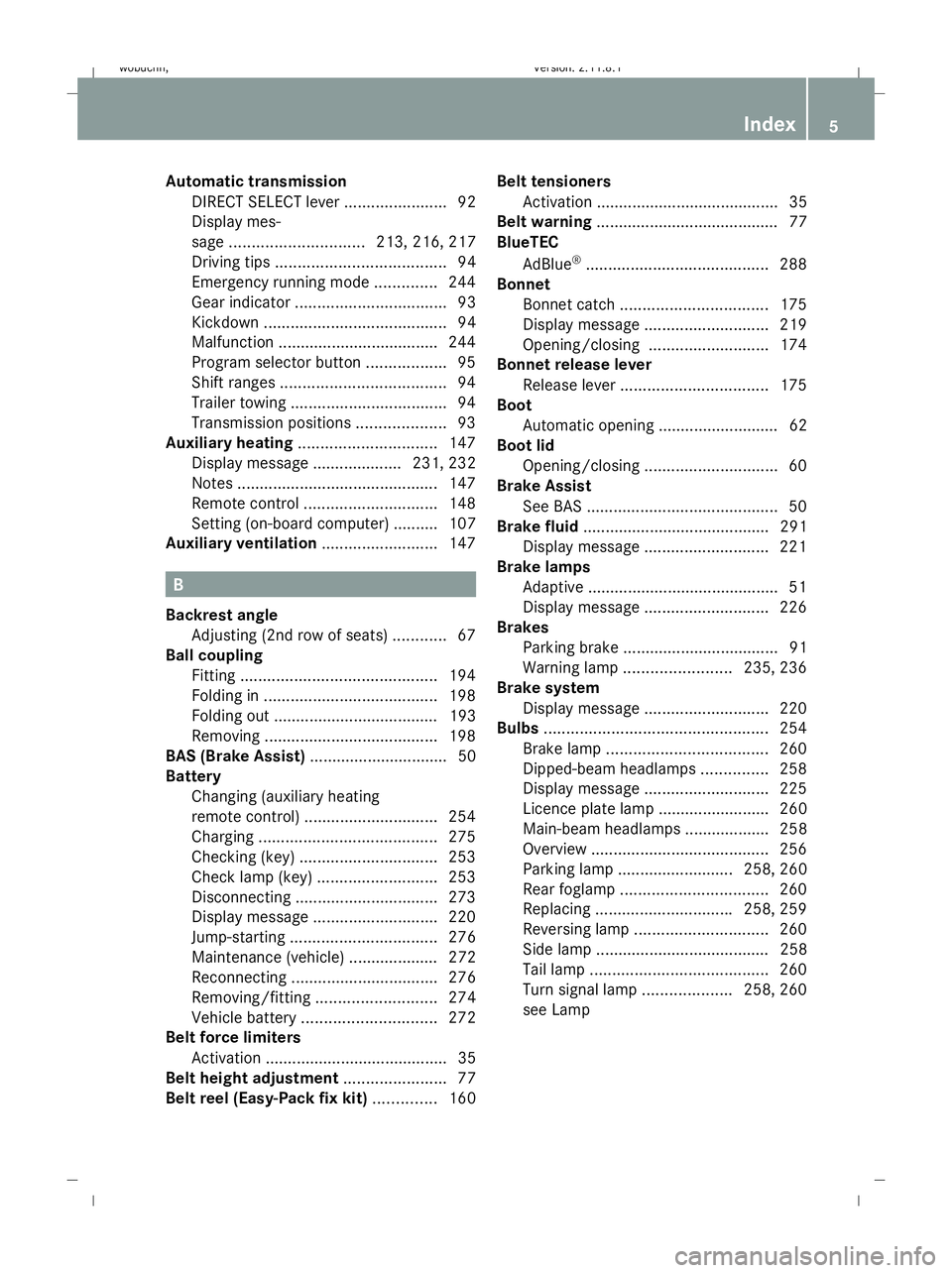
Automatic transmission
DIRECT SELECT lever .......................92
Display mes-
sage .............................. 213, 216, 217
Driving tips ...................................... 94
Emergency running mode ..............244
Gear indicator .................................. 93
Kickdown ......................................... 94
Malfunction ................................... .244
Program selector button ..................95
Shift ranges ..................................... 94
Trailer towing ................................... 94
Transmission positions ....................93
Auxiliary heating ............................... 147
Display message .................... 231, 232
Notes ............................................. 147
Remote control .............................. 148
Setting (on-board computer) .......... 107
Auxiliary ventilation ..........................147 B
Backrest angle Adjusting (2nd row of seats) ............67
Ball coupling
Fitting ............................................ 194
Folding in ....................................... 198
Folding out ..................................... 193
Removing ....................................... 198
BAS (Brake Assist) ............................... 50
Battery Changing (auxiliary heating
remote control) .............................. 254
Charging ........................................ 275
Checking (key) ............................... 253
Check lamp (key )........................... 253
Disconnecting ................................ 273
Display message ............................ 220
Jump-starting ................................. 276
Maintenance (vehicle) .................... 272
Reconnecting ................................. 276
Removing/fitting ........................... 274
Vehicle battery .............................. 272
Belt force limiters
Activation ......................................... 35
Belt height adjustment .......................77
Belt reel (Easy-Pack fix kit) ..............160Belt tensioners
Activation ......................................... 35
Belt warning ......................................... 77
BlueTEC
AdBlue ®
......................................... 288
Bonnet
Bonnet catch ................................. 175
Display message ............................ 219
Opening/closing ........................... 174
Bonnet release lever
Release leve r................................. 175
Boot
Automatic opening ........................... 62
Boot lid
Opening/closing .............................. 60
Brake Assist
See BAS ........................................... 50
Brake fluid .......................................... 291
Display message ............................ 221
Brake lamps
Adaptive .......................................... .51
Display message ............................ 226
Brakes
Parking brake ................................... 91
Warning lamp ........................ 235, 236
Brake system
Display message ............................ 220
Bulbs .................................................. 254
Brake lamp .................................... 260
Dipped-beam headlamps ...............258
Display message ............................ 225
Licence plate lamp ......................... 260
Main-beam headlamps ................... 258
Overview ........................................ 256
Parking lamp .......................... 258, 260
Rear foglamp ................................. 260
Replacing .............................. .258, 259
Reversing lamp .............................. 260
Side lamp ....................................... 258
Tail lamp ........................................ 260
Turn signal lamp ....................258, 260
see Lamp Index
5 X164_AKB; 2; 3, en-GB
wobuchh,
Version: 2.11.8.1
2009-03-31T14:14:58+02:00 - Seite 5Dateiname: 6515431202_buchblock.pdf; erzeugt am 01. Apr 2009 00:16:29; WK
Page 10 of 309
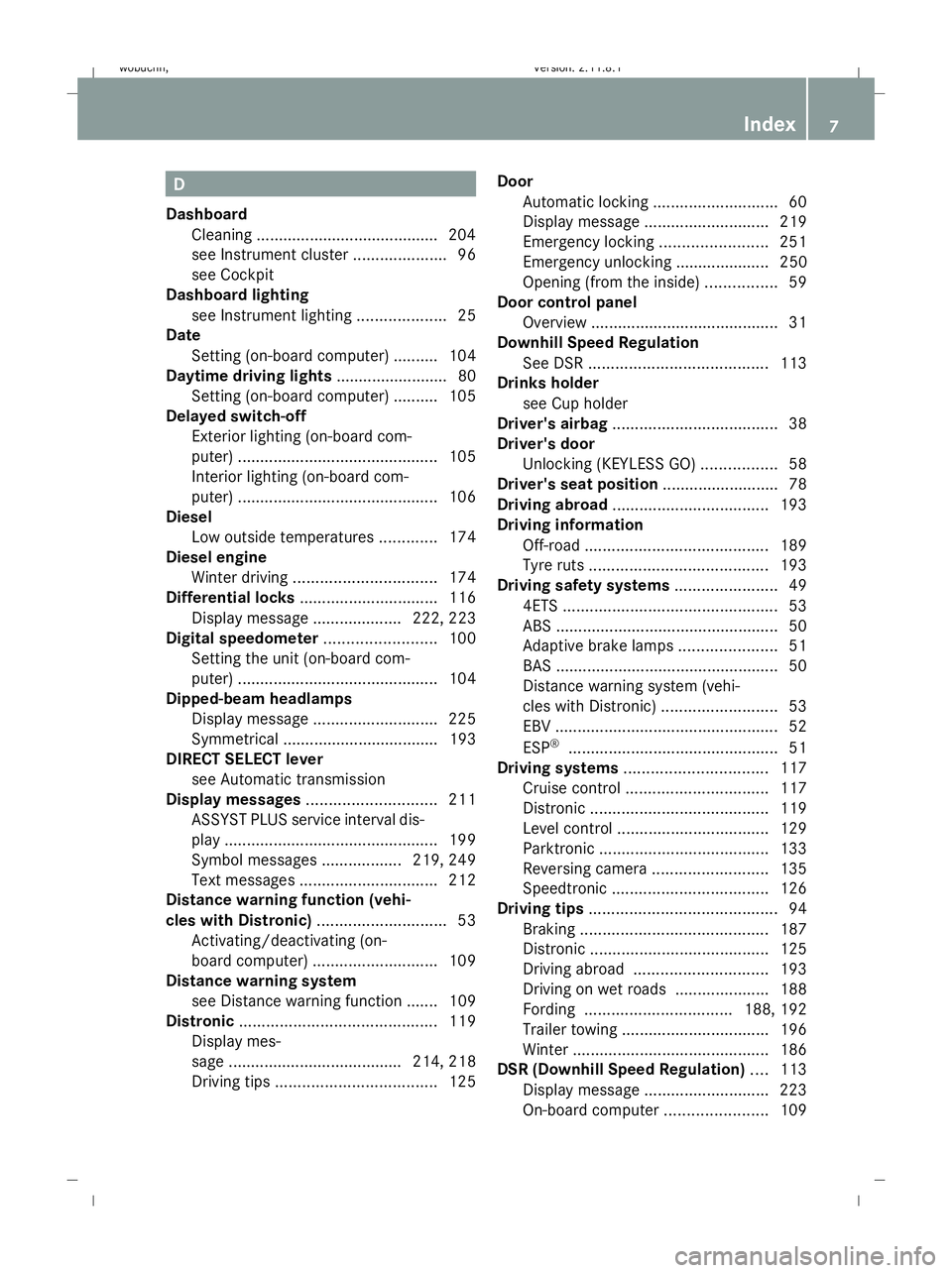
D
Dashboard Cleaning ........................................ .204
see Instrument cluster .....................96
see Cockpit
Dashboard lighting
see Instrument lighting ....................25
Date
Setting (on-board computer) .......... 104
Daytime driving lights ......................... 80
Setting (on-board computer) .......... 105
Delayed switch-off
Exterior lighting (on-board com-
puter) ............................................. 105
Interior lighting (on-board com-
puter) ............................................. 106
Diesel
Low outside temperatures .............174
Diesel engine
Winter driving ................................ 174
Differential locks ............................... 116
Display message .................... 222, 223
Digital speedometer .........................100
Setting the unit (on-board com-
puter) ............................................. 104
Dipped-beam headlamps
Display message ............................ 225
Symmetrical ................................... 193
DIRECT SELECT lever
see Automatic transmission
Display messages ............................. 211
ASSYST PLUS service interval dis-
pla y................................................ 199
Symbol messages ..................219, 249
Text messages ............................... 212
Distance warning function (vehi-
cles with Distronic) .............................53
Activating/deactivating (on-
board computer) ............................ 109
Distance warning system
see Distance warning function ....... 109
Distronic ............................................ 119
Display mes-
sage ...................................... .214, 218
Driving tips .................................... 125Door
Automatic locking ............................ 60
Display message ............................ 219
Emergency locking ........................251
Emergency unlocking ..................... 250
Opening (from the inside) ................59
Door control panel
Overview .......................................... 31
Downhill Speed Regulation
See DSR ........................................ 113
Drinks holder
see Cup holder
Driver's airbag ..................................... 38
Driver's door Unlocking (KEYLESS GO) .................58
Driver's seat position ..........................78
Driving abroad ................................... 193
Driving information Off-road ......................................... 189
Tyre ruts ........................................ 193
Driving safety systems .......................49
4ETS ................................................ 53
ABS .................................................. 50
Adaptive brake lamps ......................51
BAS .................................................. 50
Distance warning system (vehi-
cles with Distronic) ..........................53
EBV .................................................. 52
ESP ®
............................................... 51
Driving systems ................................ 117
Cruise control ................................ 117
Distronic ........................................ 119
Level control .................................. 129
Parktroni c...................................... 133
Reversing camera ..........................135
Speedtronic ................................... 126
Driving tips .......................................... 94
Braking .......................................... 187
Distronic ........................................ 125
Driving abroad .............................. 193
Driving on wet roads .....................188
Fording ................................. 188, 192
Trailer towing ................................. 196
Winter ............................................ 186
DSR (Downhill Speed Regulation) ....113
Display message ............................ 223
On-board computer .......................109 Index
7 X164_AKB; 2; 3, en-GB
wobuchh,
Version: 2.11.8.1
2009-03-31T14:14:58+02:00 - Seite 7Dateiname: 6515431202_buchblock.pdf; erzeugt am 01. Apr 2009 00:16:29; WK
Page 15 of 309
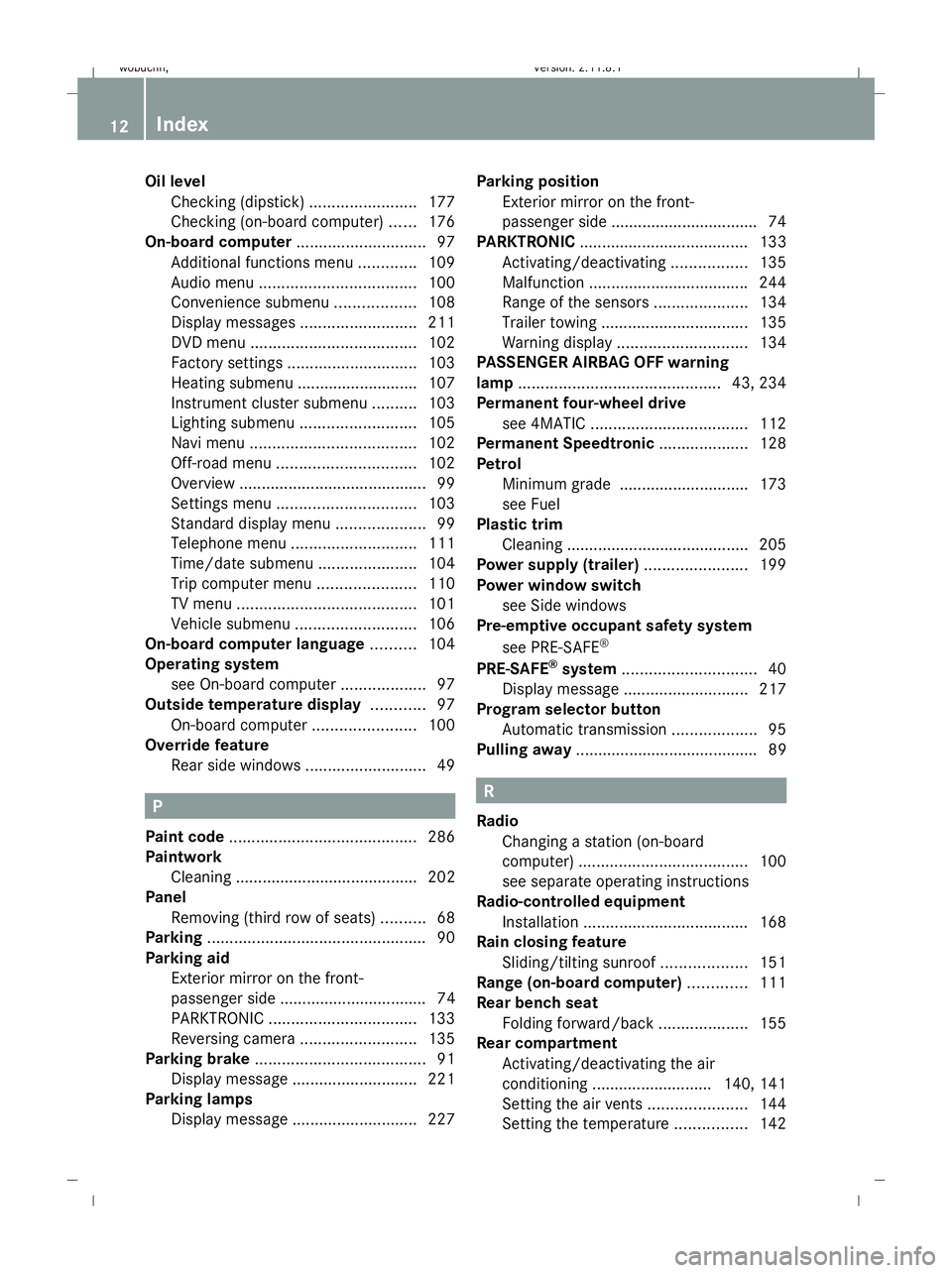
Oil level
Checking (dipstick) ........................177
Checking (on-board computer) ......176
On-board computer .............................97
Additional functions menu .............109
Audio menu ................................... 100
Convenience submenu ..................108
Display messages ..........................211
DVD menu ..................................... 102
Factory settings ............................. 103
Heating submenu ........................... 107
Instrument cluster submenu ..........103
Lighting submenu .......................... 105
Navi menu ..................................... 102
Off-road menu ............................... 102
Overview .......................................... 99
Settings menu ............................... 103
Standard display menu ....................99
Telephone menu ............................ 111
Time/date submenu ......................104
Trip computer menu ......................110
TV menu ........................................ 101
Vehicle submenu ........................... 106
On-board computer language ..........104
Operating system see On-board computer ...................97
Outside temperature display ............97
On-board computer .......................100
Override feature
Rear side windows ...........................49 P
Paint code .......................................... 286
Paintwork Cleaning ......................................... 202
Panel
Removing (third row of seats) ..........68
Parking ................................................. 90
Parking aid Exterior mirror on the front-
passenger side ................................. 74
PARKTRONIC ................................. 133
Reversing camera ..........................135
Parking brake ...................................... 91
Display message ............................ 221
Parking lamps
Display message ............................ 227Parking position
Exterior mirror on the front-
passenger side ................................. 74
PARKTRONIC ...................................... 133
Activating/deactivating .................135
Malfunction ................................... .244
Range of the sensors .....................134
Trailer towing ................................. 135
Warning displa y............................. 134
PASSENGER AIRBAG OFF warning
lamp ............................................. 43, 234
Permanent four-wheel drive see 4MATIC ................................... 112
Permanent Speedtronic ....................128
Petrol Minimum grade ............................ .173
see Fuel
Plastic trim
Cleaning ......................................... 205
Power supply (trailer) .......................199
Power window switch see Side windows
Pre-emptive occupant safety system
see PRE-SAFE ®
PRE-SAFE ®
system .............................. 40
Display message ............................ 217
Program selector button
Automatic transmission ...................95
Pulling away ......................................... 89 R
Radio Changing a station (on-board
computer) ...................................... 100
see separate operating instructions
Radio-controlled equipment
Installation ..................................... 168
Rain closing feature
Sliding/tilting sunroof ...................151
Range (on-board computer) .............111
Rear bench seat Folding forward/back ....................155
Rear compartment
Activating/deactivating the air
conditioning ........................... 140, 141
Setting the air vents ......................144
Setting the temperature ................142 12
Index X164_AKB; 2; 3, en-GB
wobuchh,
Version: 2.11.8.1 2009-03-31T14:14:58+02:00 - Seite 12Dateiname: 6515431202_buchblock.pdf; erzeugt am 01. Apr 2009 00:16:30; WK
Page 18 of 309
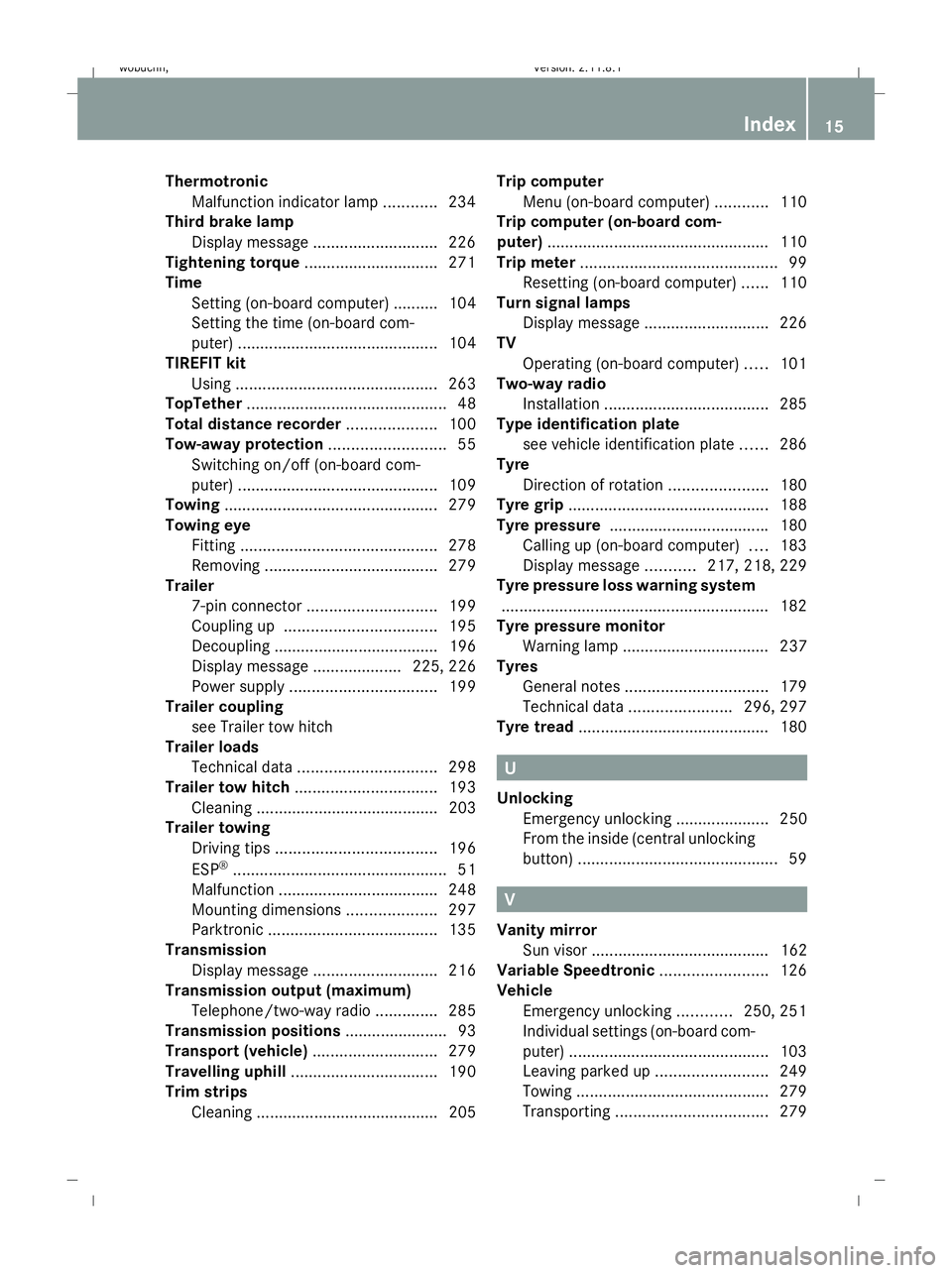
Thermotronic
Malfunction indicator lamp ............234
Third brake lamp
Display message ............................ 226
Tightening torque .............................. 271
Time Setting (on-board computer) .......... 104
Setting the time (on-board com-
puter) ............................................. 104
TIREFIT kit
Using ............................................. 263
TopTether ............................................. 48
Total distance recorder ....................100
Tow-away protection ..........................55
Switching on/off (on-board com-
puter) ............................................. 109
Towing ................................................ 279
Towing eye Fitting ............................................ 278
Removing ....................................... 279
Trailer
7-pin connector ............................. 199
Coupling up .................................. 195
Decoupling ..................................... 196
Display message .................... 225, 226
Power supply ................................. 199
Trailer coupling
see Trailer tow hitch
Trailer loads
Technical data ............................... 298
Trailer tow hitch ................................ 193
Cleaning ......................................... 203
Trailer towing
Driving tips .................................... 196
ESP ®
................................................ 51
Malfunction ................................... .248
Mounting dimensions ....................297
Parktroni c...................................... 135
Transmission
Display message ............................ 216
Transmission output (maximum)
Telephone/two-way radio ..............285
Transmission positions ....................... 93
Transport (vehicle) ............................279
Travelling uphill ................................. 190
Trim strips Cleaning ......................................... 205 Trip computer
Menu (on-board computer) ............110
Trip computer (on-board com-
puter) ................................................. .110
Trip meter ............................................ 99
Resetting (on-board computer) ......110
Turn signal lamps
Display message ............................ 226
TV
Operating (on-board computer) .....101
Two-way radio
Installation ..................................... 285
Type identification plate
see vehicle identification plate ......286
Tyre
Direction of rotatio n...................... 180
Tyre grip ............................................. 188
Tyre pressure ................................... .180
Calling up (on-board computer) ....183
Display message ...........217, 218, 229
Tyre pressure loss warning system
............................................................ 182
Tyre pressure monitor
Warning lamp ................................. 237
Tyres
General notes ................................ 179
Technical data ....................... 296, 297
Tyre tread .......................................... .180 U
Unlocking Emergency unlocking ..................... 250
From the inside (central unlocking
button) ............................................. 59 V
Vanity mirror Sun visor ........................................ 162
Variable Speedtronic ........................126
Vehicle Emergency unlocking ............250, 251
Individual settings (on-board com-
puter) ............................................. 103
Leaving parked up .........................249
Towing ........................................... 279
Transporting .................................. 279 Index
15 X164_AKB; 2; 3, en-GB
wobuchh,
Version: 2.11.8.1
2009-03-31T14:14:58+02:00 - Seite 15Dateiname: 6515431202_buchblock.pdf; erzeugt am 01. Apr 2009 00:16:30; WK
Page 25 of 309
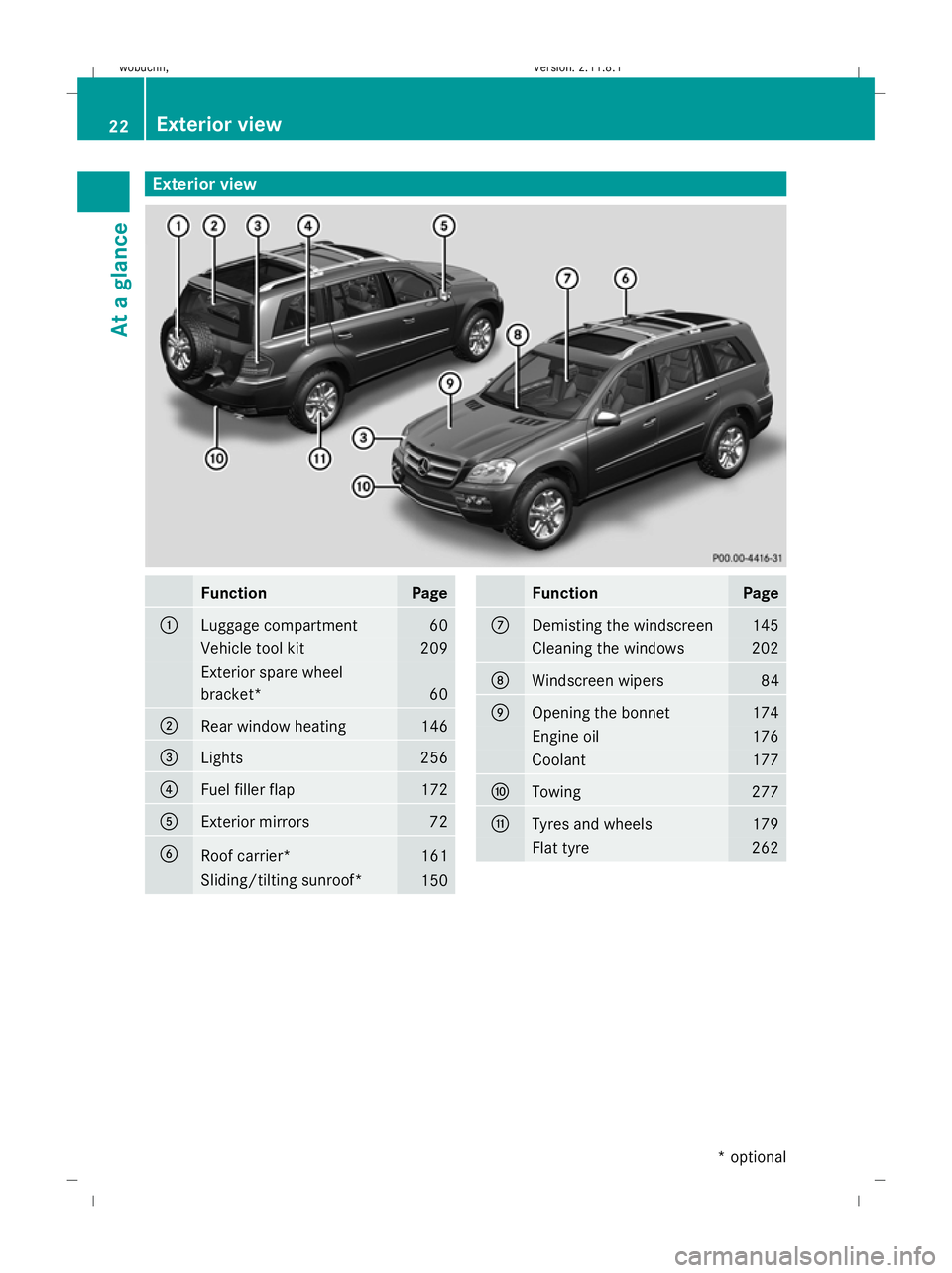
Exterior view
Function Page
:
Luggage compartment 60
Vehicle tool kit 209
Exterior spare wheel
bracket*
60
;
Rear window heating 146
=
Lights 256
?
Fuel filler flap 172
A
Exterior mirrors 72
B
Roof carrier* 161
Sliding/tilting sunroof*
150 Function Page
C
Demisting the windscreen 145
Cleaning the windows 202
D
Windscreen wipers 84
E
Opening the bonnet 174
Engine oil 176
Coolant 177
F
Towing 277
G
Tyres and wheels 179
Flat tyre 26222
Exterior viewAt a glance
* optional
X164_AKB; 2; 3, en-GB
wobuchh,
Version: 2.11.8.1 2009-03-31T14:14:58+02:00 - Seite 22
Dateiname: 6515431202_buchblock.pdf; erzeugt am 01. Apr 2009 00:16:32; WK
Page 60 of 309
Opening and closing
...........................58
Tailgate ................................................ 60
Key positions ....................................... 63
Seats .................................................... 64
Steering wheel .................................... 70
Mirrors ................................................. 72
Memory functions* .............................74
Seat belts ............................................. 75
Lights ................................................... 78
Windscreen wipers .............................84
Side windows ...................................... 85
Driving and parking ............................88
Transmission ....................................... 91
Instrument cluster ..............................96
On-board computer .............................97
Off-road driving ................................. 112
Driving systems ................................ 117
Air conditioning ................................. 136
Sliding sunroof .................................. 149
Loading and stowing ........................151
Features ............................................. 161 57Controls
X164_AKB; 2; 3, en-GB
wobuchh,
Version: 2.11.8.1 2009-03-31T14:14:58+02:00 - Seite 57
Dateiname: 6515431202_buchblock.pdf; erzeugt am 01. Apr 2009 00:16:51; WK
Page 97 of 309
Driving tips
Accelerator pedal position
Your style of driving influences how the auto-
matic transmission shifts gear:
R little throttle: early upshifts
R more throttle: late upshifts
Kickdown
Use kickdown for maximum acceleration.
X Depress the accelerator pedal beyond the
pressure point.
The transmission shifts to a lower gear
depending on the engine speed.
X Ease off the accelerator pedal once the
desired speed is reached.
The automatic transmission shifts back up.
Trailer towing
X Drive in the middle of the engine speed
range on uphill gradients.
X Shift down to shift range 3or 2depending
on the incline of the uphill or downhill gra-
dient (Y page 94), even if cruise control
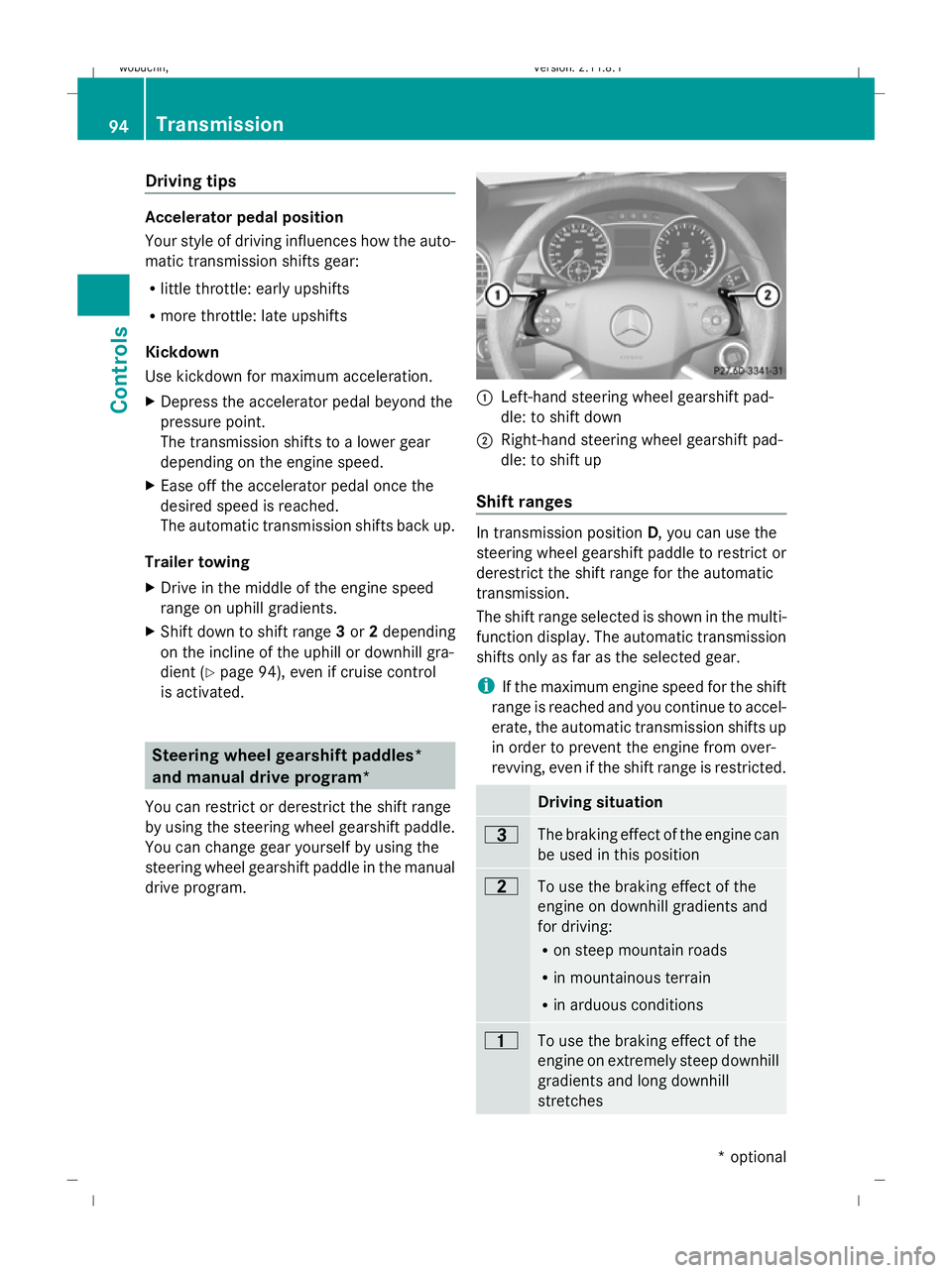
is activated. Steering wheel gearshift paddles*
and manual drive program*
You can restrict or derestrict the shift range
by using the steering wheel gearshift paddle.
You can change gear yourself by using the
steering wheel gearshift paddle in the manual
drive program. :
Left-hand steering wheel gearshift pad-
dle: to shift down
; Right-hand steering wheel gearshift pad-
dle: to shift up
Shift ranges In transmission position
D, you can use the
steering wheel gearshift paddle to restrict or
derestrict the shift range for the automatic
transmission.
The shift range selected is shown in the multi-
function display. The automatic transmission
shifts only as far as the selected gear.
i If the maximum engine speed for the shift
range is reached and you continue to accel-
erate, the automatic transmission shifts up
in order to prevent the engine from over-
revving, even if the shift range is restricted. Driving situation
=
The braking effect of the engine can
be used in this position
5
To use the braking effect of the
engine on downhill gradients and
for driving:
R on steep mountain roads
R in mountainous terrain
R in arduous conditions 4
To use the braking effect of the
engine on extremely steep downhill
gradients and long downhill
stretches 94
TransmissionCont
rols
* optional
X164_AKB; 2; 3, en-GB
wobuchh,
Version: 2.11.8.1
2009-03-31T14:14:58+02:00 - Seite 94
Dateiname: 6515431202_buchblock.pdf; erzeugt am 01. Apr 2009 00:17:12; WK
Page 120 of 309
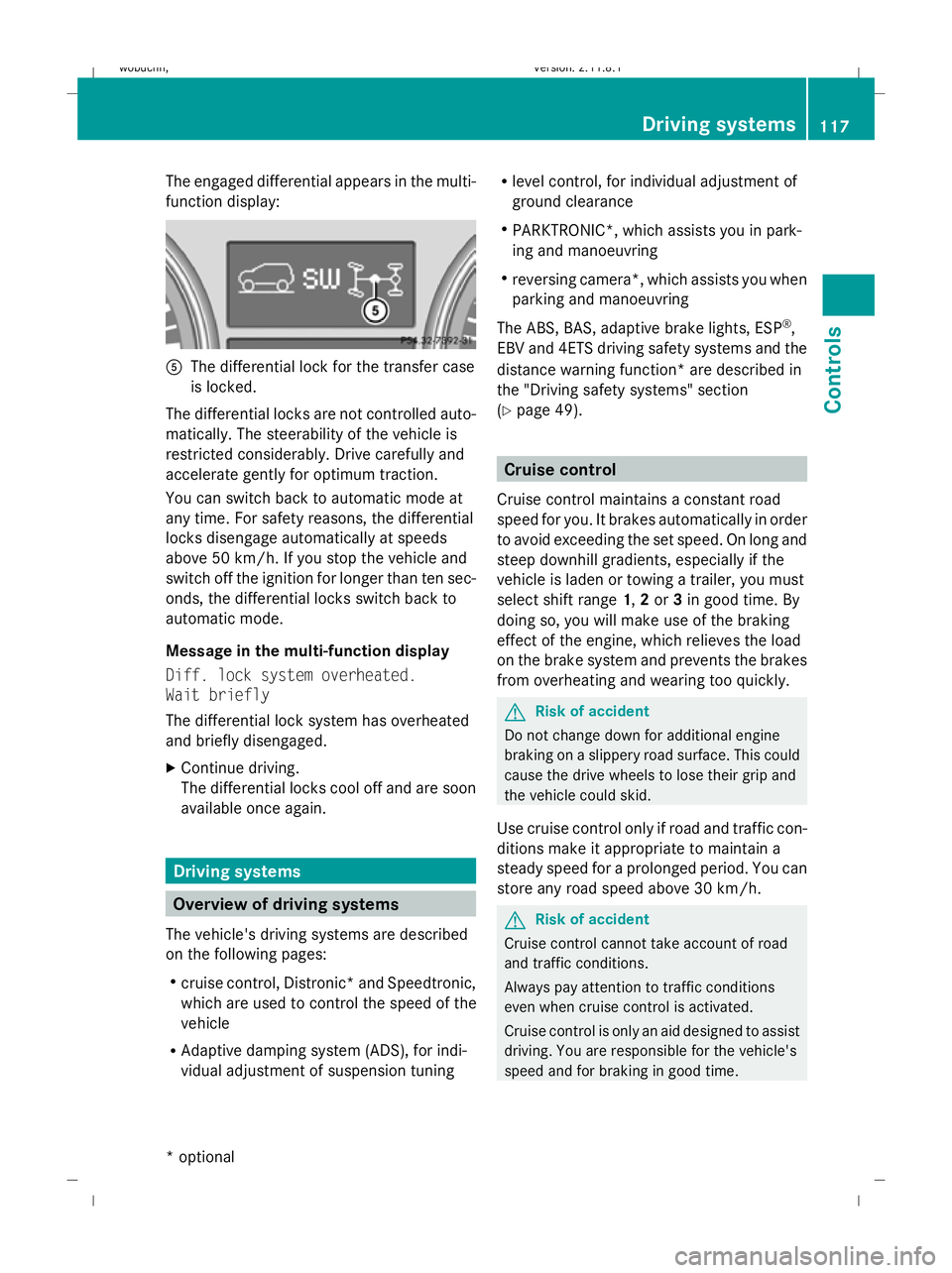
The engaged differential appears in the multi-
function display:
A
The differential lock for the transfer case
is locked.
The differential locks are not controlled auto-
matically. The steerability of the vehicle is
restricted considerably. Drive carefully and
accelerate gently for optimum traction.
You can switch back to automatic mode at
any time. For safety reasons, the differential
locks disengage automatically at speeds
above 50 km/h. If you stop the vehicle and
switch off the ignition for longer than ten sec-
onds, the differential locks switch back to
automatic mode.
Message in the multi-function display
Diff. lock system overheated.
Wait briefly
The differential lock system has overheated
and briefly disengaged.
X Continue driving.
The differential locks cool off and are soon
available once again. Driving systems
Overview of driving systems
The vehicle's driving systems are described
on the following pages:
R cruise control, Distronic *and Speedtronic,
which are used to control the speed of the
vehicle
R Adaptive damping system (ADS), for indi-
vidual adjustment of suspension tuning R
level control, for individual adjustment of
ground clearance
R PARKTRONIC*, which assists you in park-
ing and manoeuvring
R reversing camera*, which assists you when
parking and manoeuvring
The ABS, BAS, adaptive brake lights, ESP ®
,
EBV and 4ETS driving safety systems and the
distance warning function* are described in
the "Driving safety systems" section
(Y page 49). Cruise control
Cruise control maintains a constant road
speed for you. It brakes automatically in order
to avoid exceeding the set speed. On long and
steep downhill gradients, especially if the
vehicle is laden or towing a trailer, you must
select shift range 1,2or 3in good time. By
doing so, you will make use of the braking
effect of the engine, which relieves the load
on the brake system and prevents the brakes
from overheating and wearing too quickly. G
Risk of accident
Do not change down for additional engine
braking on a slippery road surface. This could
cause the drive wheels to lose their grip and
the vehicle could skid.
Use cruise control only if road and traffic con-
ditions make it appropriate to maintain a
steady speed for a prolonged period. You can
store any road speed above 30 km/h. G
Risk of accident
Cruise control cannot take account of road
and traffic conditions.
Always pay attention to traffic conditions
even when cruise control is activated.
Cruise control is only an aid designed to assist
driving. You are responsible for the vehicle's
speed and for braking in good time. Driving systems
117Controls
* optional
X164_AKB; 2; 3, en-GB
wobuchh
,V ersion: 2.11.8.1
2009-03-31T14:14:58+02:00 - Seite 117 Z
Dateiname: 6515431202_buchblock.pdf; erzeugt am 01. Apr 2009 00:17:20; WK
Page 123 of 309
laden or towing a trailer, you must select shift
range 1,2or 3in good time. By doing so, you
will make use of the braking effect of the
engine, which relieves the load on the brake
system and prevents the brakes from over-
heating and wearing too quickly. G
Risk of accident
The brake pedal is retracted when Distronic
brakes. Do not restrict the movement of the
pedal in any way.
R Do not put any objects in the footwell.
R Ensure that floor mats and carpets are fixed
securely.
R Do not place your foot under the brake
pedal as it could become trapped.
You could otherwise cause an accident and
injure yourself and others. G
Risk of accident
Do not change down for additional engine
braking on a slippery road surface. This could
cause the drive wheels to lose their grip and
the vehicle could skid. G
Risk of accident
Distronic is only an aid designed to assist
driving. The driver is fully responsible for the
vehicle's distance from other vehicles, the
vehicle's speed and for braking in good time.
Distronic does not react to:
R pedestrians
R stationary obstacles on the road, e.g. sta-
tionary or parked vehicles
R oncoming and crossing traffic
Distronic may not detect narrow vehicles driv-
ing in front, e.g. motorcycles, or vehicles driv-
ing on a different line. Therefore, always pay
attention to traffic conditions even when Dis-
tronic is activated. Otherwise, you may fail to
recognise dangers in time, cause an accident
and injure yourself and others.
If a slower-moving vehicle is detected in front,
Distronic causes your vehicle to brake and maintain the preset distance to the vehicle in
front that you have set. G
Risk of accident
Distronic cannot take account of road and
traffic conditions. Deactivate, or do not acti-
vate, Distronic if it does not detect the vehicle
in front, or if it no longer detects it. This is
especially the case:
R before corners
R in filter lanes
R when changing to a lane with faster moving
traffic
R in complex driving situations or where the
lanes are diverted, e.g. at motorway/road-
way construction sites
Otherwise, Distronic maintains the current
speed or accelerates to the set speed.
Distronic cannot take account of weather
conditions. Deactivate, or do not activate,
Distronic:
R if the roads are slippery, snow-covered or
icy. The wheels could lose their grip when
braking or accelerating. The vehicle could
start to skid.
R if the sensors are dirty or there is poor vis-
ibility, e.g. due to snow, rain or fog. Dis-
tance control may be impaired.
Always pay attention to traffic conditions
even when Distronic is activated. Otherwise,
you may fail to recognise dangers in time,
cause an accident and injure yourself and oth-
ers.
If no car is driving in front of you, Distronic
works like cruise control in the speed range
between 30 km/h and 200 km/h. If a vehicle
is driving in front of you, Distronic Plus works
in the speed range between 0 km/h and
200 km/h.
Do not use Distronic while driving on roads
with steep gradients. 120
Driving systemsControls
X164_AKB; 2; 3, en-GB
wobuchh,
Version: 2.11.8.1 2009-03-31T14:14:58+02:00 - Seite 120
Dateiname: 6515431202_buchblock.pdf; erzeugt am 01. Apr 2009 00:17:21; WK
Page 124 of 309
G
Risk of accident
Distronic brakes your vehicle at a maximum
of 4m /s2
, depending on its speed. This cor-
responds to approximately 40% of your vehi-
cle's maximum brake force. You must also
apply the brakes yourself if this braking power
is not sufficient.
If Distronic detects a risk of collision with a
vehicle in front, an intermittent warning tone
sounds. In addition, the ·distance warn-
ing lamp in the instrument cluster lights up.
Brake to avoid a collision.
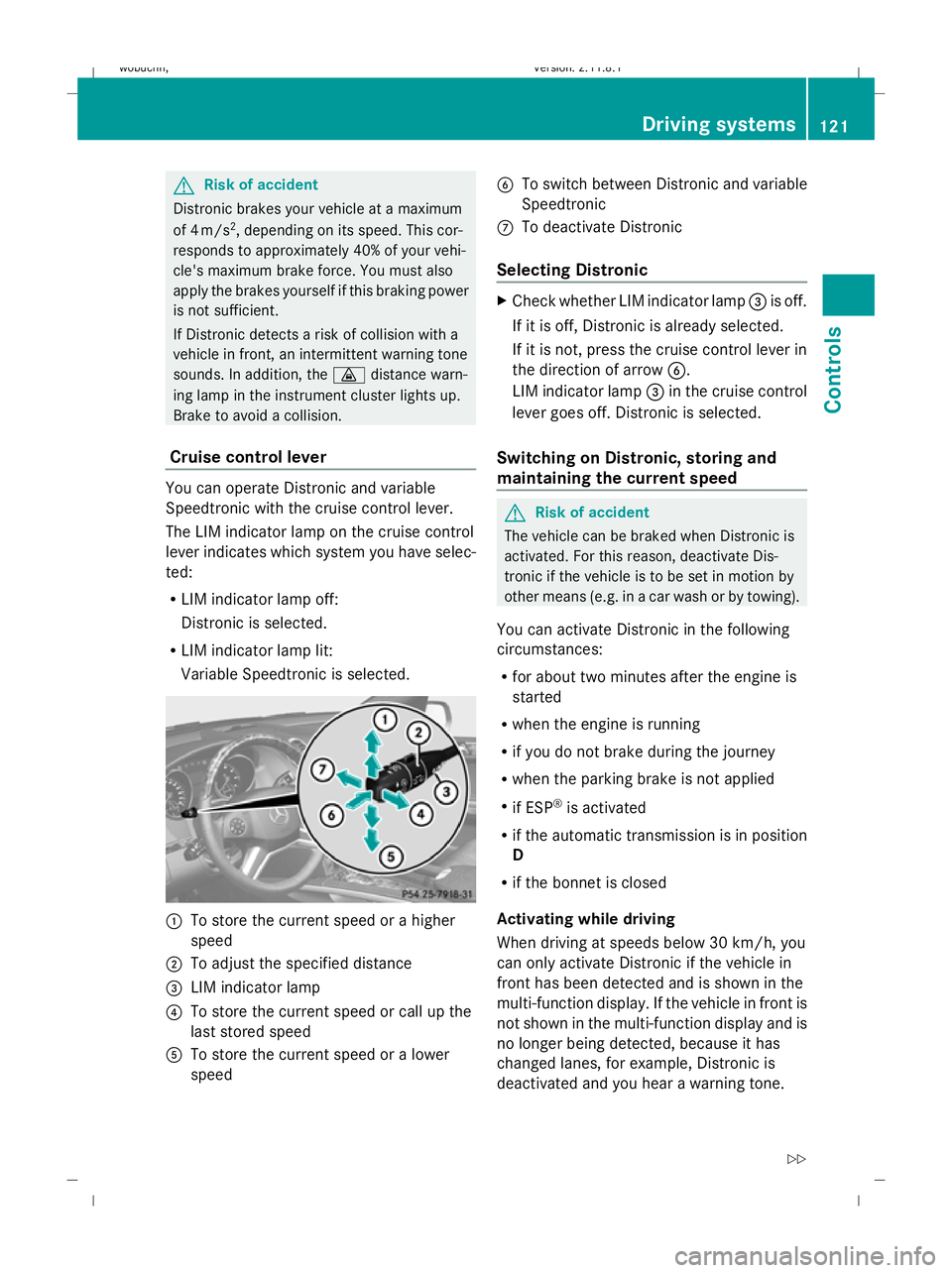
Cruise control lever You can operate Distronic and variable
Speedtronic with the cruise control lever.
The LIM indicator lamp on the cruise control
lever indicates which system you have selec-
ted:
R LIM indicator lamp off:
Distronic is selected.
R LIM indicator lamp lit:
Variable Speedtronic is selected. :
To store the current speed or a higher
speed
; To adjust the specified distance
= LIM indicator lamp
? To store the current speed or call up the
last stored speed
A To store the current speed or a lower
speed B
To switch between Distronic and variable
Speedtronic
C To deactivate Distronic
Selecting Distronic X
Check whether LIM indicator lamp =is off.
If it is off, Distronic is already selected.
If it is not, press the cruise control lever in
the direction of arrow B.
LIM indicator lamp =in the cruise control
lever goes off. Distronic is selected.
Switching on Distronic, storing and
maintaining the current speed G
Risk of accident
The vehicle can be braked when Distronic is
activated. For this reason, deactivate Dis-
tronic if the vehicle is to be set in motion by
other means (e.g. in a car wash or by towing).
You can activate Distronic in the following
circumstances:
R for about two minutes after the engine is
started
R when the engine is running
R if you do not brake during the journey
R when the parking brake is not applied
R if ESP ®
is activated
R if the automatic transmission is in position
D
R if the bonnet is closed
Activating while driving
When driving at speeds below 30 km/h, you
can only activate Distronic if the vehicle in
front has been detected and is shown in the
multi-function display. If the vehicle in front is
not shown in the multi-function display and is
no longer being detected, because it has
changed lanes, for example, Distronic is
deactivated and you hear a warning tone. Driving systems
121Controls
X164_AKB; 2; 3, en-GB
wobuchh,V ersion: 2.11.8.1
2009-03-31T14:14:58+02:00 - Seite 121 Z
Dateiname: 6515431202_buchblock.pdf; erzeugt am 01. Apr 2009 00:17:21; WK