audio MERCEDES-BENZ GL SUV 2012 Owners Manual
[x] Cancel search | Manufacturer: MERCEDES-BENZ, Model Year: 2012, Model line: GL SUV, Model: MERCEDES-BENZ GL SUV 2012Pages: 441, PDF Size: 10.66 MB
Page 8 of 441
Alar
msystem
se eA TA(Anti-Thef tAlarms ystem)
Ambient lighting
Setting the brightness (on-board
computer) ...................................... 281
Setting the colou r(on-boar dcom-
puter )............................................. 282
AMG men u(on-boa rd computer) .....286
AMG RID ECONTROL sports sus-
pension ............................................... 215
Anti-glare film .................................... 358
Ant i-loc kB rakin gSystem
se eA BS (Anti-lock Braking System)
Anti-Thef tAlarm system
se eA TA (Anti-Theft Alarm system)
Approach/d eparture angle ..............191
Aquaplaning ....................................... 186
Ashtray ............................................... 349
Assistanc emenu (on-board com-
puter) ................................................. .277
AS SYST PLUS
Displaying aservice message ........365
Hid ingas ervice message ..............365
Note s............................................. 364
Resetting the service interva ldis-
pla y................................................ 365
Service message ............................ 364
Specia lservice requirem ents ......... 365
ATA (Anti-Theft Alarm system)
Activating/deactivating ...................71
Functio n.......................................... .71
Interio rmotion sensor ..................... 72
Switch ingo ff th ealarm .................... 71
To w-awa yprotectio n........................ 71
ATTENTIO NASSIST
Ac tivating/deactivating .................278
Display message ............................ 307
Function/notes ............................. 232
Audio men u(on-boa rd computer) ....274
Author ised workshop
see Qualified specialist workshop
AUTO lights
Display message ............................ 303
se eL ights
Automatic engine start (ECO start/
stop function) .................................... 165Automatic en
gine switch-of f(ECO
st art/stop functio n).......................... 164
Automatic headlamp mode ..............119
Automatic transmission Accelerator pe dalposition ............. 170
Automatic drive program ...............171
Ch anging gear ............................... 170
DIREC TSELECT leve r..................... 167
Display message ............................ 319
Drive positio n(ECO start/stop
function) ........................................ 169
Drive program di splay. ................... 168
Driving tip s.................................... 170
Emergency running mod e.............. 174
Engag ingd rive positio n.................. 169
Engag ingn eutral ............................ 169
Engag ingp ark positio nautomati-
cally ............................................... 168
Engag ingr ever se ge ar................... 169
Engag ingt he park position ............168
Kickdow n....................................... 170
Manual drive program ....................172
Neutral (EC Ostart/stop function) .169
Overview ........................................ 167
Pro blem (fault) ............................... 174
Progra mselector button ................170
Pullin gaway................................... 161
Shift rang es................................... 171
Starting the engine ........................161
Steering wh eelgearshift paddle s... 171
Traile rtowing ................................. 170
Transmissio nposition display ........168
Transmission positions ..................169
Automatic transmission emer-
gency runnin gmode ......................... 174
Aux iliary heating
Activating/deactivating .................148
Activating/deactivating (o nthe
centr econsole) .............................. 149
Display message ............................ 321
Important safety notes ..................148
Pro blem (display message) ............153
Remote control .............................. 149
Setting ........................................... 284
Setting the de parture time ............. 150 Index
5
Page 13 of 441
PRE-
SAFE®
Brake ............................. 68
Steering assistant STEER CON-
TRO L................................................ 70
Dri ving system
360°cam era. ................................. 228
Active Lane Kee ping Assist ............245
Active Parking Assis t..................... 219
ADS ............................................... 212
AIRMATIC package ........................212
Leve lcontrol (vehicle with AIR-
MATI Cpackage) ............................ .213
On-road programs .......................... 248
Dri ving systems
Active Curve System ...................... 213
Active Drivin gAssistanc epack-
age ................................................. 242
AMG RIDE CONTROL sports sus-
pension .......................................... 215
ATTENTIO NASSIST ........................ 232
Blind Spo tAssist ...... ...................... 238
Cruise control ................................ 193
Display message ............................ 307
Distronic Pl us................................ 198
HOLD function ............................... 211
Lane Kee ping Assist ...................... 240
Leve lcontrol (vehicles with the
ON&OFFROAD package) ................207
PARKTRONIC ................................. 216
Revers ingc amera .......................... 223
Speed Limi tAssist ......................... 233
SPEEDTRONIC ............................... 196
Dri ving tips
Aquaplaning ................................... 186
Automatic transmission .................170
Brake s........................................... 184
DISTRONI CPLUS ........................... 206
Downhill gradient ........................... 185
Driving abroa d............................... 118
Driving in winte r............................ .187
Driving on flo oded roads ................ 186
Driving on sand .............................. 190
Driving on we troads ...................... 186
Driving ove robstacles ................... 191
Fue l................................................ 184
General .......................................... 184
Icy road surfaces ........................... 188
Limited braking efficiency on sa l-
ted road s....................................... 185New brake pads/l
inings ................ 185
Off-road driving .............................. 188
Off-road ford ing. ............................ 186
Running-i ntips ............................... 158
Sno wchains .................................. 399
Symmetrical di pped bea m............. 118
To wing atrailer .............................. 257
Travelling uphill .............................. 191
Tyr eruts ........................................ 190
We troad surf ace. .......................... 185
DSR (Downhi llSpeed Regulation)
Display message ............................ 309
Function/notes ............................. 251
DVD audio
Operating (on-bo ardc omputer )..... 274
DVD video
Operating (on-bo ardc omputer )..... 275 E
EASY- ENTRY feature
Activating/deactivating .................285
Function/notes ............................. 111
EASY- EXIT feature
Crash-responsive ........................... 112
Function/notes ............................. 111
Switch ingo n/off ........................... 285
EBD (electronic brake force distri-
buti on)
Disp laym essage ............................ 293
Function/notes ................................ 68
EC Os tart/stop function
Deactivating/activating .................163
Gen eral information ....................... 163
Electri calfuses
se eF uses
Electroni cStability Program
see ESP ®
(Electroni cStability Program)
Emergenc ykey
Unlocking the driver's door ..............84
Emergency key element
Function/notes ................................ 78
Locking veh icle ................................ 85
Emergency rel ease
Driver's door .................................... 84
Emergency spar ewheel
Important safety notes ..................414
Po ints to remember ....................... 41410
Index
Page 36 of 441

Multifunctio
nsteering wheel Function Page
:
Multifunction dis
play 270
;
Audio/COMAND display;
see the separate operating
instructions
=
?
Switches on LINGUA-
TRONIC; see the separate
operating instructions
?
~
Rejects or ends
acall 275
Exits telephone book/
redial memory
6
Makes or accepts
acall Switches to the redial mem-
ory
WX
Adjusts the volume
8
Mute Function Page
A
=;
Selects
amenu 269
9:
Selects
asubmenu or
scroll sthrough lists 269
a
Confirms your selection 269
Hides display messages 290
B
%
Back 269
Switches off LINGU
A-
TRONIC ;see the separate
operatin ginstructions Multifunction steering wheel
33Atag lance
Page 65 of 441
BAS (Brak
eAssis tSystem)
i Observet he "Imp ortant safety notes "sec-
tion (Y page 61). G
WARNING
If BAS is malfunctioning, the braking distance
in an emergency braking situation is
increased .There is arisk of accident.
In an emergenc ybraking situa tion, depress
the bra kepedal with full force. AB Sprevents
th ew heels fr om locking.
BAS operate sinemergency brakin gsitua-
tions. If you depress the brake pedal quickly,
BAS automatically boosts the brakin gforce,
thus shortening the stoppin gdistance.
The brakes will func tion as usual onc eyou
release the brake pedal. BA Sisd eactivated. BAS PLUS (Brake Assist Syste
mPlus)
i Observe the "Importan tsafety notes" sec-
tion (Y page 61).
BAS PLUS is only available on vehicles with
DISTRONIC PLUS.
BAS PLUS provides braking assistance in haz-
ardous situations at speeds greater than
7k m/h and uses rad ar sensortechnology to
assess the traffic situation.
With the help of the rada rsensor system ,BAS
PLU Scan detect obstacles that are in the
path of your vehicle for an extended period of
time.
At speeds up to approximately 70 km/ h,BAS
PLUS may also det ects tationar yobstacles,
for example, stopped or parked vehicles.
To prevent afront-en dcollision, BA SPLUS
calculate sthe brake force necessary if:
R you approach an obstacle, and
R BA SP LUS ha sdetected arisk of collision
If you ar edriving at aspeed over
30 km/h:ify ou depress the brake sharply,
BA SP LUS automatically raise sthe brake
pressur etoavalue adapted to the traffic sit-
uation. If you are driving at
aspeed under
30 km/h:ify ou depress the brake, BA SPLUS
is activated. Braking will be carried ou tatthe
last possible moment.
If BA SPLUS demand sparticularly high brak-
ing force, preventative passenger protection
measures (PRE-SAFE ®
)a re activate dsimul-
taneously.
X Keep the brake pedal depressed until the
emergenc ybraking situatio niso ver.
ABS prevents th ewheels from locking.
BA SP LUS is deactivate dand the brakes func-
tion as usual ,if:
R you release th ebrake pedal.
R there is no longe rany danger of arear-end
collision.
R no obstacl eisdetected in front of your
vehicle.
If you have activated DSR (Y page 251), BAS
PLU Sisa lso deactivated.
The radar sensor system is switched off auto-
matically in the vicinit yofradio telescope
facilities in the following vehicles:
R vehicles with COMAND Online and naviga-
tion
R vehicles with Audio 20 and Becker ®
MAP
PILOT
Becker ®
MAP PILOT must be connected;
see the separate operating instructions.
The radar senso rsystem must be switched off
using the on-board computer in the vicinit yof
radio telescop efacilities in the following vehi-
cles:
R vehicles without COMAND Online and nav-
igation
R vehicles without Audio 20 and Becker ®
MAP PILOT
R vehicles for Australia
For information on switching off the radar
senso rsystem using the on-board computer,
see (Y page 283). 62
Driving safety systemsSafety
Page 73 of 441
G
WARNING
PRE-SAFE ®
Brake does not react:
R to people or animals
R to oncoming vehicles
R to crossing traffic
R when cornering
As aresult, PRE-SAFE ®
Brake may neither
give warnings nor intervene in all critical sit-
uations. There is arisk of an accident.
Always pay caref ulattention to the traffic sit-
uation and be read ytobrake.
In order to maintai nthe appropriate distance
to the vehicle in front and thus preven tacol-
lision, you must apply the brake syourself.
X To activate/deactiva te:activate or deac-
tivate PRE-SAFE ®
Brake in the on-board
computer (Y page 278).
When PRE-SAFE ®
Brake is activated, the
Ä symbol appears in multifunction dis-
play ,asl ong as the HOL Dfunction is deac-
tivated (Y page 211). On vehicles with the
Active Parking Assis tdriving system, the
Ä symbo lisdisplayed when position P
is engaged or you are drivin gfaster than
35 km/h.
For PRE-SAFE ®
Brake to assis tyou when driv-
ing, the radar sensor system must be
switched on (Y page 283) and be opera-
tional.
The radar sensor system is switched off auto-
matically in the vicinit yofradio telescope
facilities in the following vehicles:
R vehicles with COMAND Online and naviga-
tion
R vehicles with Audio 20 and Becker ®
MAP
PILOT
Becker ®
MAP PILOT must be connected;
see the separate operating instructions. The radar senso
rsystem must be switched off
using the on-board computer in the vicinity of
radio telescope facilities in the following vehi-
cles:
R vehicles without COMAND Online and nav-
igation
R vehicles without Audio 20 and Becker ®
MAP PILOT
R vehicles for Australia
For information on switching off the radar
sensor syste musing the on-boar dcomputer,
see (Y page 283).
Following damage to the front end of the vehi-
cle, have the configuration and operation of
the radar sensor schecked at aqualified spe-
cialist workshop. This also applies to colli-
sions at slow speeds where there is no visible
damage to the front of the vehicle. STEER CONTROL
i Observe the "Important safety notes" sec-
tion (Y page 61).
STEE RCONTROL helps you by transmittin ga
noticeable steering force to the steering
wheel in the direction require dfor vehicle
stabilisation.
This steering suppor tisprovide dinparticular
if:
R both right wheel sorboth left wheels ar eon
aw et or slippery road surface when you
brake.
R the vehicle starts to skid.
If there is an ESP ®
malfunction ,you will not
receive any steering suppor tfrom STEER
CONTROL. Powe rsteering will ,however, con-
tinue to func tion. 70
Driving safety systemsSafety
Page 272 of 441
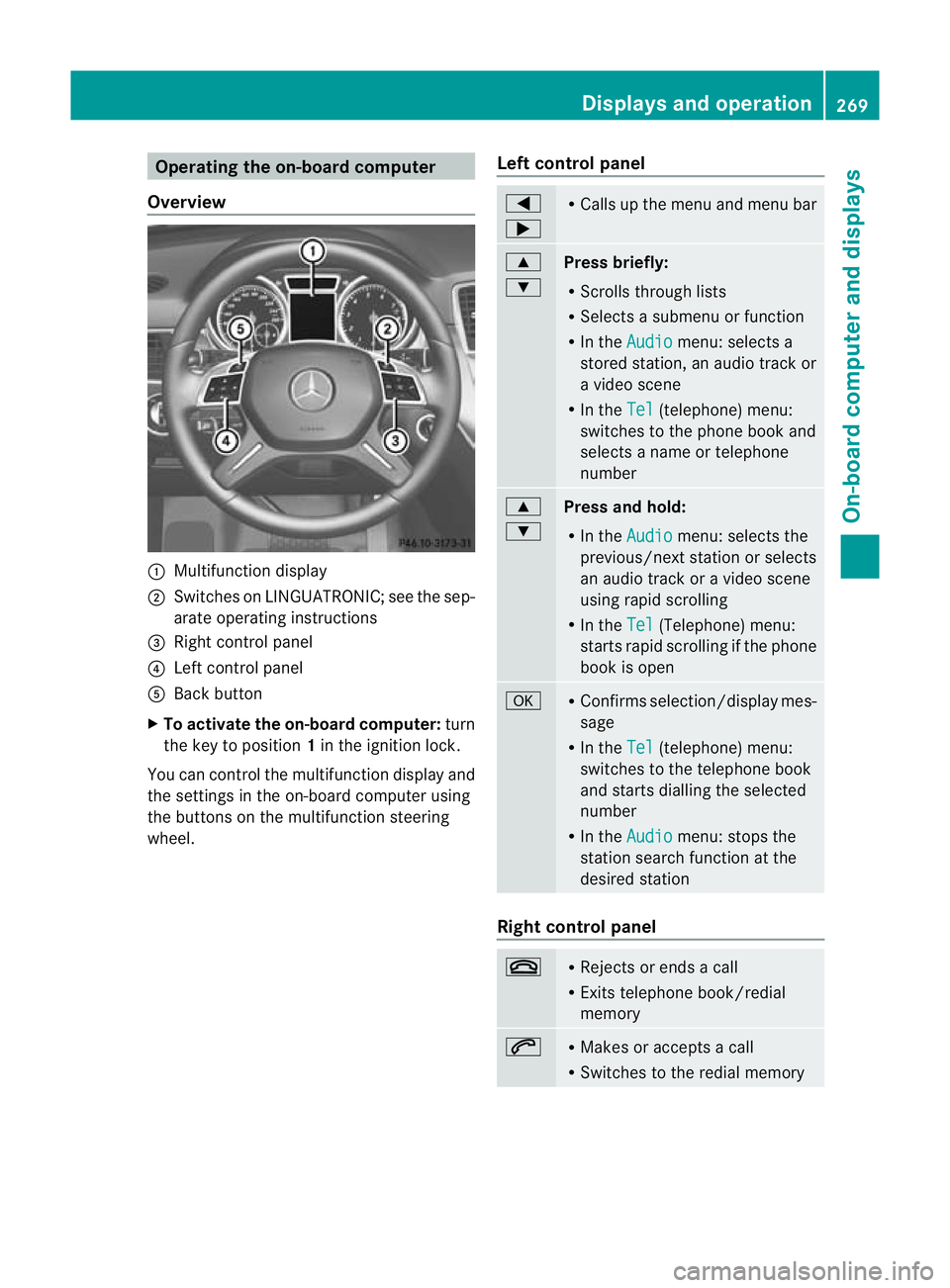
Oper
ating the on-board compu ter
Overview :
Multifunction display
; Swit ches on LINGU ATRONIC; see the sep-
arate operating instructions
= Right control panel
? Left control panel
A Back button
X To activate the on-board computer: turn
the key to position 1in the ignitio nlock.
You can control the multifunction display and
the settings in the on-boar dcompu teru sing
the button sonthe multifunction steering
wheel. Lef
tcontrol panel =
; R
Calls up the menu and menu bar 9
:
Press briefly:
R
Scrolls through lists
R Select sasubmenu or function
R In the Audio menu: select
sa
stored station, an audi otrack or
av ideo scene
R In the Tel (telephone) menu:
switches to th ephon ebook and
selects anam eo rtele phone
number 9
:
Press and hold:
R In the Audio menu: sele
ctst he
previous/next statio norselects
an audio trac koravideoscene
using rapi dscrolling
R In the Tel (Te
lephone) menu:
starts rapid scrolling if the phone
book is open a R
Confirm sselection/display mes-
sage
R In the Tel (telephone) menu:
switches to the telephone book
and starts dialling the selected
number
R In the Audio menu: stops the
station searc hfunction at the
desired station Right control panel
~ R
Rejects or ends acall
R Exits telephone book/redial
memory 6 R
Makes or accepts acall
R Switches to the redial memory Displays and operation
269On-board computer and displays Z
Page 274 of 441
Ä
PRE-SAFE®
Brake (Y page68)
120 km/h! Maximum permissibl
espeed
exceeded (only for cer tain coun-
tries) Menus and submenus
Menu overview
Press the =or; button on the steer-
ing wheel to call up the menu bar and select
am enu.
Operating the on-board computer
(Y page 269).
Dependin gonthe equipment fit tedint he
vehicle, you can cal lupthe followin gmenus:
R Trip men
u(Ypage 271)
R Navi menu (navigation details)
(Y page 272)
R Audio menu (Y
page 274)
R Tel menu (telephone) (Y
page 275)
R Assist. menu (assistance) (Y
page 277)
R Serv. menu (Y
page 279)
R Sett. menu (Y
page 279)
R ON&OFFRO AD menu (Y
page 286)
R AMG menu in AM
Gvehicles (Y page 286)
The Audio ,
Navi and
Tel menus differ slightly
in vehicles with an audio system and in vehi-
cles with COMAN DOnline. The examples
given in this Owner's Manual appl ytov ehicles
equipped with COMAN DOnline. Trip menu
Standard display X
Pres sand hol dthe % button on the
steerin gwheel until the Trip men
uwith
trip meter :and total distance
recorder ;is shown.
Trip compu ter" From start" or "From
reset" Example: "From start
"trip computer
: Distance
; Time
= Averag espeed
? Average fuel consumption
X Press the =or; button on the steer-
ing wheel to select the Trip menu.
X Press 9or: to select From start or
From reset .
The values in the From start submen
uare
calculate dfrom th estart of ajour ney, whilst
the values in the Fromreset submenu are
calculated fro mthe last tim ethe submenu
was reset (Y page 272).
The From start trip compute
risa utomati-
cally reset when:
R the ignition has been switched off for more
than four hours.
R 999 hours have been exceeded.
R 9,999 kilometres have been exceeded.
The From reset trip computer is automati-
cally reset if the value exceeds 9,999 hours
or 99,99 9kilometres. Menus and submenus
271On-board computer and displays Z
Page 277 of 441
Audio menu
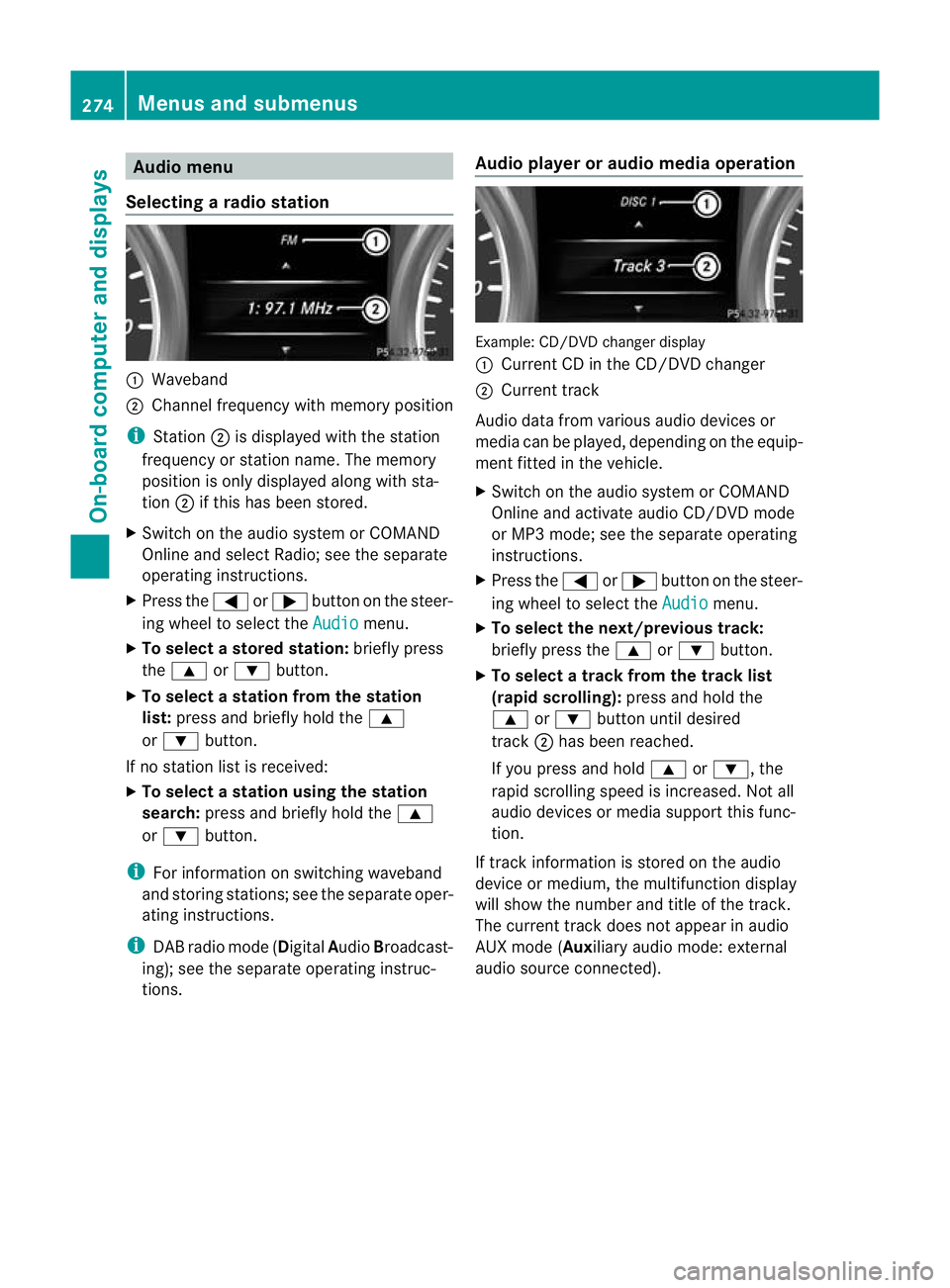
Selecting aradio station :
Waveb and
; Channel frequency with memory position
i Station ;is displaye dwitht he station
frequency or station name. The memory
position is only displayed along with sta-
tion ;if this has been stor ed.
X Switch on the audi osystem or COM AND
Online and select Radio; see the separate
operating instructions.
X Pres sthe = or; button on the steer-
ing wheel to selec tthe Audio menu.
X To select astore dstation: brieflypress
the 9 or: button.
X To select astation from the station
list: press and briefl yholdt he 9
or : button.
If no station lis tisr eceived:
X To select astatio nusing th estation
search: press and briefl yholdt he 9
or : button.
i For inf ormatio nons witching waveband
and storin gstations ;see th eseparate oper-
atin ginstructions.
i DABradio mode ( DigitalAudioBroadcast-
ing); see the separat eoperatin ginstruc-
tions. Audio player or audio media operation Example: CD/DV
Dchange rdisplay
: Curren tCDint he CD/DV Dchanger
; Curren ttrack
Audi odata from various audio devices or
media can be played, depending on the equip-
men tfitted in the vehicle.
X Switch on the audio system or COMAND
Onlin eand activate audi oCD/DVD mode
or MP3 mode; see the separate operating
instructions.
X Press the =or; button on the steer-
ing whee ltos elect the Audio menu.
X To select th enext/previous track:
briefly press the 9or: button.
X To select atrack from the track list
(rapid scroll ing): press and hold the
9 or: button until desired
track ;has been reached.
If you press and hold 9or:,t he
rapid scrollin gspeed is increased. Not all
audio devices or media support this func-
tion.
If track information is stored on the audio
devic eorm edium,the multifunction display
will show the number and title of the track.
The curren ttrack does not appe ar inaudio
AU Xm ode( Aux iliary audio mode: exter nal
audio source con nected). 274
Menu
sand submenusOn-boar dcomputer and displays
Page 278 of 441
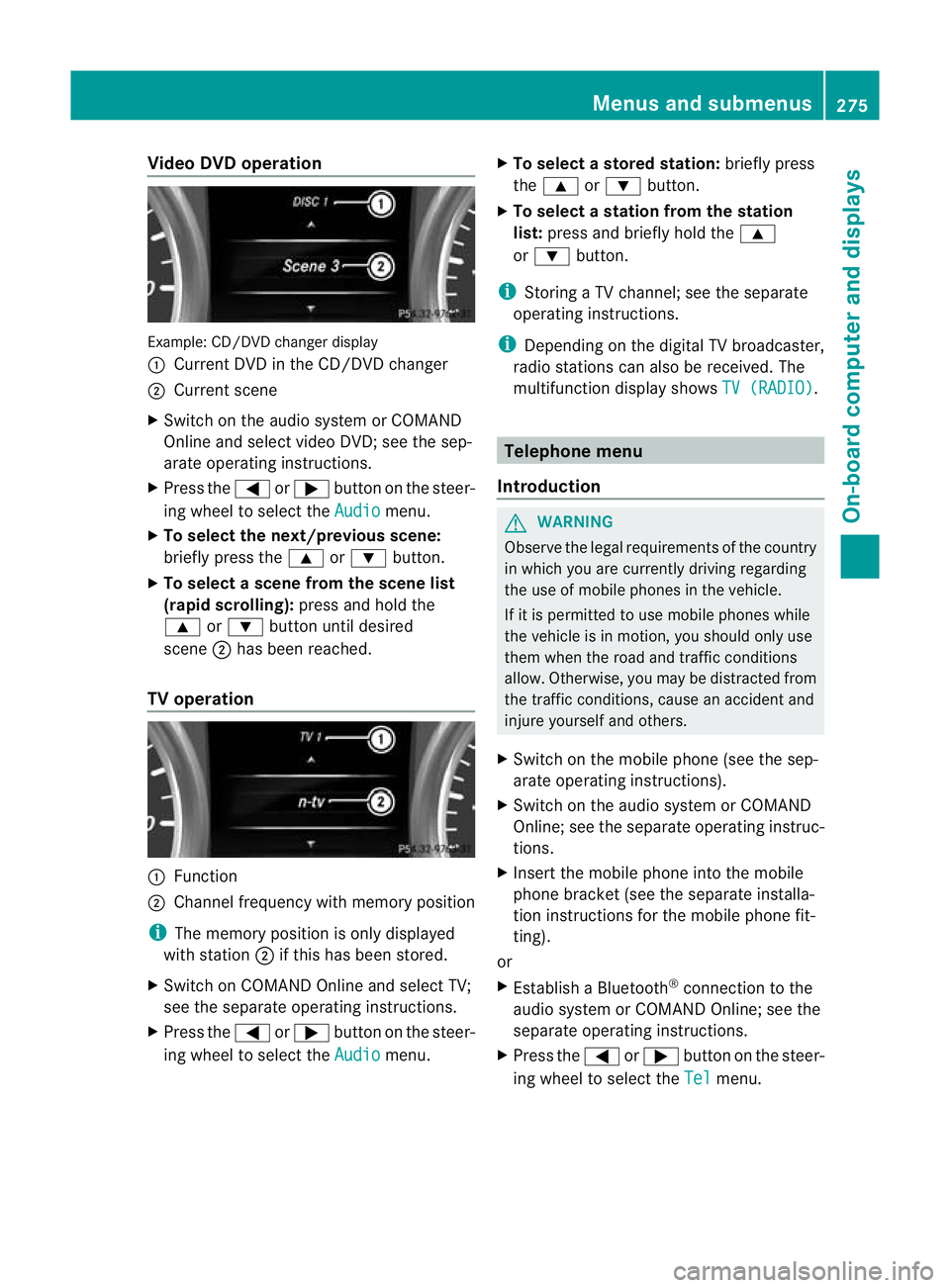
Vide
oDVD operation Example
:CD/DVD change rdisplay
: Curren tDVD in th eCD/DVD changer
; Curren tscene
X Switch on the audi osystem or COMAND
Online and select video DVD ;see the sep-
arate operating instructions.
X Press the =or; button on the steer-
ing wheel to select the Audio menu.
X To select th enext/previous scene:
briefly press the 9or: button.
X To select ascene from th escene list
(rapid scrolling): press and hold the
9 or: button until desired
scene ;has been reached.
TV operati on :
Function
; Channe lfrequenc ywithm emory position
i The memory position is only displayed
with station ;if this has bee nstored.
X Switch on COMAND Online and select TV;
see the separate operating instructions.
X Press the =or; button on the steer-
ing whee ltos elect the Audio menu.X
To select astore dstation: brieflypress
the 9 or: button.
X To select astation from the station
list: press and briefl yholdt he 9
or : button.
i Storing aTVchannel; see the separate
operatin ginstructi ons.
i Depending on the digital TV broadca ster,
radi ostations can also be received. The
multifunctio ndisplay shows TV (RADIO) .
Telephone menu
Introduction G
WAR
NING
Observe the lega lrequir ements of the country
in which you are cur rently drivin gregarding
the use of mobile phones in the vehicle.
If it is permitted to use mobile phones while
the vehicle is in motion, you should only use
the mw hen the roa dand traffic conditions
allow. Otherwise ,you may be distrac tedf rom
th et raffic conditions, caus eanaccident and
injure yourself and others.
X Switch on the mobile phone (see the sep-
arate operating ins tructions).
X Switch on the audio system or COMAND
Online; see the separate operating instruc-
tions.
X Insert the mobile phone int othe mobile
phon ebracket (see th esepara teinstalla-
tion instruc tions for the mobile phon efit-
ting).
or
X Establish aBluetooth ®
connection to the
audio system or COMAN DOnline; see the
separat eoperating instruc tions.
X Press the =or; button on the steer-
ing wheel to selec tthe Tel menu.Menu
sand submenus
275On-board computer and displays Z
Page 279 of 441
You will see one of the followin
gdisplay mes-
sages in the multifunction display:
R Please enter PIN :t
he mobile phone has
been placed in the mobile phone bracket
and the PIN has not yet been entered.
When you enter your PIN via the mobile
phone, LINGUATRONIC ,the audio system
or COMAN DOnline, the mobil ephone
searches for anetwor k.
R Telephone ready or the nam
eofthe net-
wor kprovider: th emobile phone has found
an etwor kand is ready to receive.
R Telephone No Service :t
here is no net-
wor kavail able or the mobile phone is
searching for anetwor k.
i You can obtain further information about
suitable mobile phones and connecting
mobile phones via Bluetooth ®
:
R from any Mercedes Benz Service Centre
R on the Internet at: http://
www.mercedes-benz.com/ connect
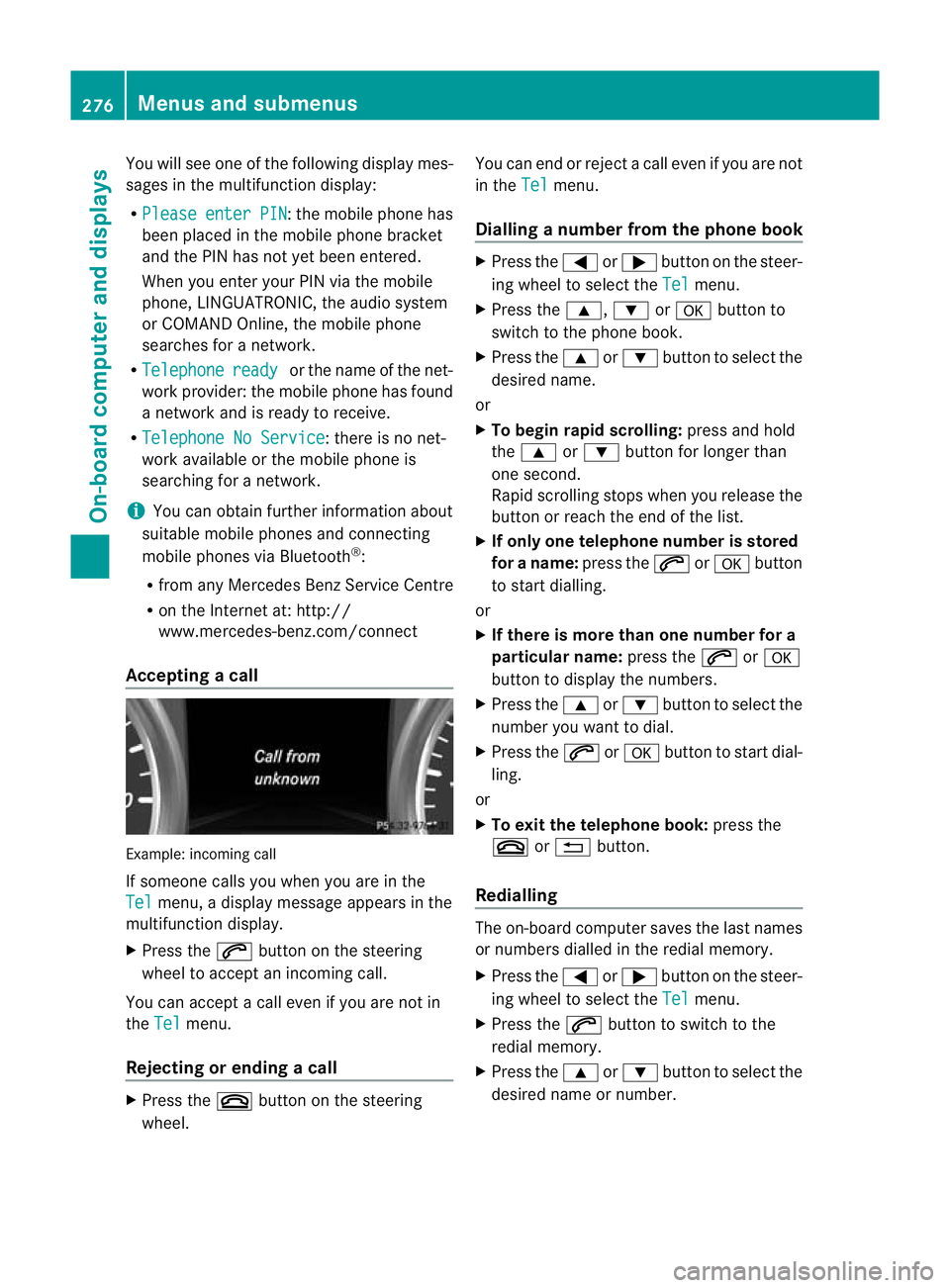
Acceptin gacall Examp
le:i ncoming call
If someone call syou when you are in the
Tel menu,
adisplay message appears in the
multifunction display.
X Press the 6button on the steering
wheel to accept an incomin gcall.
You can accept acall even if you are not in
the Tel menu.
Rejecting or ending acall X
Press the ~buttonont he steer ing
wheel. You can end or reject
acall even if you are not
in the Tel menu.
Dialling anumbe rfrom the phone book X
Press the =or; button on the steer-
ing wheel to sel ectthe Tel menu.
X Press the 9,:ora button to
switch to the phone book.
X Press the 9or: button to select the
desired name.
or
X To begin rapid scrolling: press and hold
the 9 or: button for longer than
one second.
Rapid scrolling stops when you release the
button or reach the end of the list.
X If only one telephone number is stored
for aname: press the 6ora button
to start diall ing.
or
X If ther eismore tha none number for a
pa rticula rname: press the 6ora
button to display the numbers.
X Press the 9or: button to select the
number you want to dial.
X Press the 6ora button to start dial-
ling.
or
X To exit the telephon ebook: press the
~ or% button.
Redialling The on-board computer saves the last names
or numbers dialle dinthe redial memory.
X Press the =or; button on the steer-
ing wheel to selec tthe Tel menu.
X Press the 6button to switc htothe
redial memory.
X Press the 9or: button to selec tthe
desired nam eornumber. 276
Menus and submenusOn-board computer and displays