audio MERCEDES-BENZ GLA 2016 User Guide
[x] Cancel search | Manufacturer: MERCEDES-BENZ, Model Year: 2016, Model line: GLA, Model: MERCEDES-BENZ GLA 2016Pages: 390, PDF Size: 10.2 MB
Page 166 of 390
Mercedes-AMG vehicles: it is only possible
to use kickdown in the automatic drive pro-
gram and the temporary manual drive pro-
gram M . When manual drive program M is
permanently activated, kickdown is not pos-
sible.
For further information on kickdown in man-
ual drive program M ( Y
page 168).
Rocking the vehicle free Shifting the transmission repeatedly between
gears D and R may help to free the vehicle if it
has become stuck in slush or snow. The vehi-
cle's engine management system limits the
speed to a maximum of 5 mph (9 km/h) when
shifting back and forth. To shift back and forth
between transmission positions D and R ,
move the DIRECT SELECT lever up and down
past the point of resistance.
Drive programs
All vehicles (except Mercedes-AMG
vehicles)
Drive program C (Comfort)
Drive program C is characterized by the fol-
lowing: R
the vehicle delivers comfortable, economi-
cal handling characteristics. R
the vehicle pulling away more gently in
forward and reverse gears, unless the
accelerator pedal is depressed fully. R
the vehicle having improved driving stabil-
ity, for example on slippery road surfaces. R
optimal fuel consumption resulting from
the automatic transmission shifting up
sooner. The vehicle is driven in the low
engine speed range and the wheels are less
likely to spin. Drive program S (Sport)
Drive program S is characterized by the fol-
lowing: R
sporty engine settings. R
the automatic transmission shifting up
later. the fuel consumption possibly being
higher as a result of the later automatic
transmission shift points.
Drive program I (Individual)
In drive program I the following properties of
the drive program can be selected: R
the drive (engine and transmission man-
agement) R
the steering R
the availability of the ECO start/stop func-
tion R
the climate control:
Information about the configuration of drive
program I with COMAND or Audio 20 can be
found in the Digital Operator's Manual.
i To permanently select the gears in drive
program I using the steering wheel paddle
shifters, select the M (manual) setting for
the drive.
Off-road drive program
The Off-road drive program is characterized
by the following: R
the vehicle exhibits optimal driving charac-
teristics on easily negotiable off-road ter-
rain.
Drive program E (Economy)
Drive program E is characterized by the fol-
lowing: R
comfort-oriented engine settings. R
optimal fuel consumption resulting from
the automatic transmission shifting up
sooner. R
the vehicle pulling away more gently in
forward and reverse gears, unless the
accelerator pedal is depressed fully.164
Automatic transmission
Driving and parking
Page 167 of 390
R
the vehicle having improved driving stabil-
ity, for example on slippery road surfaces. R
the automatic transmission shifting up
sooner. This results in the vehicle being
driven at lower engine speeds and the
wheels being less likely to spin. R
gliding mode is activated automatically
when engine-internal conditions are fulfil-
led and the accelerator is not depressed. At
the same time the transmission’s clutch
opens and the vehicle rolls freely using its
kinetic energy. As a result great distances
can be completed without the engine brake
and fuel consumption reduced.
Mercedes-AMG vehicles Drive program I (Individual)
In drive program I the following properties of
the drive program can be selected: R
the drive (engine management) R
the transmission management R
the suspension (vehicles with AMG RIDE
CONTROL) R
ESP ®
Information about the configuration of drive
program I with COMAND or Audio 20 can be
found in the Digital Operator's Manual.
Drive program C (Comfort)
Drive program C is characterized by the fol-
lowing: R
the vehicle delivers comfortable, economi-
cal handling characteristics. R
the vehicle pulling away more gently in
forward and reverse gears, unless the
accelerator pedal is depressed fully. R
the vehicle having improved driving stabil-
ity, for example on slippery road surfaces. R
optimal fuel consumption resulting from
the automatic transmission shifting up
sooner. The vehicle is driven in the low
engine speed range and the wheels are less
likely to spin. R
gliding mode is available. R
the ECO start/stop function is available.
Drive program S (Sport)
Drive program S is characterized by the fol-
lowing: R
the vehicle exhibits sporty driving charac-
teristics. R
the automatic transmission shifting up
l ater. the fuel consumption possibly being
higher as a result of the later automatic
transmission shift points. R
the suspension exhibits stiff springing and
damping settings (vehicles with AIR RIDE
CONTROL). R
gliding mode is not available. R
the ECO start/stop function is not availa-
ble.
Drive program S+ (Sport Plus)
Drive program S+ is characterized by the fol-
lowing: R
the vehicle exhibits particularly sporty driv-
ing characteristics. R
the automatic transmission shifting up
later. R
the fuel consumption possibly being higher
as a result of the later automatic transmis-
sion shift points. R
the suspension exhibits particularly stiff
springing and damping settings (vehicles
with AMG adaptive sport suspension sys-
tem). R
gliding mode is not available. R
the ECO start/stop function is not availa-
ble.
Drive program RACE (vehicles with AMG
RIDE CONTROL)
The RACE drive program is characterized by
the following: R
the vehicle exhibits driving characteristics
suitable for the racetrack. R
all vehicle systems are set for maximum
sportiness.Automatic transmission 165
Driving an d parking Z
Page 202 of 390
Displaying the assistance graphic X
Select the Assistance Graphic function
using the on-board computer
( Y
page 227).
When the off-road program is activated,
symbol C appears in the assistance
graphic display.
Driving dynamics display (vehicles
with Off-Road Engineering package)
General notes The driving dynamics display allows you to
see the selected drive program and additional
information about the vehicle's operating sta-
tus in the Audio 20 or COMAND display.
Vehicles with Audio 20: R
Drive program selected R
Angle of inclination R
Steering angle R
Uphill or downhill gradient in percentage R
DSR status indicator
Vehicles with COMAND: R
Drive program selected R
Accelerator pedal position shown in % R
Brake pedal position shown in % R
Angle of inclination R
Steering angle R
Uphill or downhill gradient in percentage R
Level control R
Compass with angle scale R
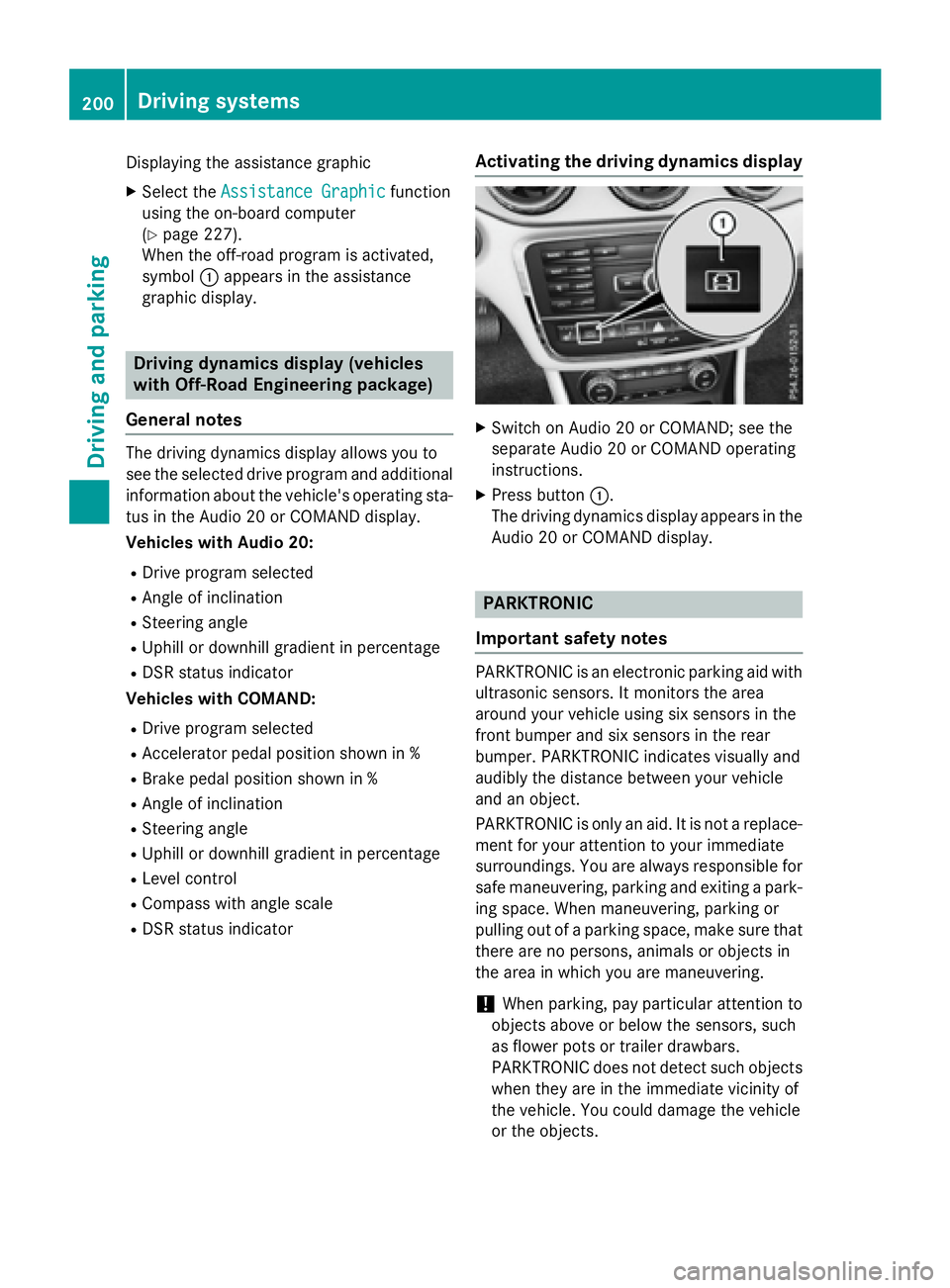
DSR status indicator Activating the driving dynamics display X
Switch on Audio 20 or COMAND; see the
separate Audio 20 or COMAND operating
instructions. X
Press button C .
The driving dynamics display appears in the
Audio 20 or COMAND display.
PARKTRONIC
Important safety notes
PARKTRONIC is an electronic parking aid with
ultrasonic sensors. It monitors the area
around your vehicle using six sensors in the
front bumper and six sensors in the rear
bumper. PARKTRONIC indicates visually and
audibly the distance between your vehicle
and an object.
PARKTRONIC is only an aid. It is not a replace-
ment for your attention to your immediate
surroundings. You are always responsible for
safe maneuvering, parking and exiting a park-
ing space. When maneuvering, parking or
pulling out of a parking space, make sure that
there are no persons, animals or objects in
the area in which you are maneuvering.
! When parking, pay particular attention to
objects above or below the sensors, such
as flower pots or trailer drawbars.
PARKTRONIC does not detect such objects
when they are in the immediate vicinity of
the vehicle. You could damage the vehicle
or the objects.200
Driving system s
Dr ivi ng an d parking
Page 210 of 390
Rear view camera
General notes
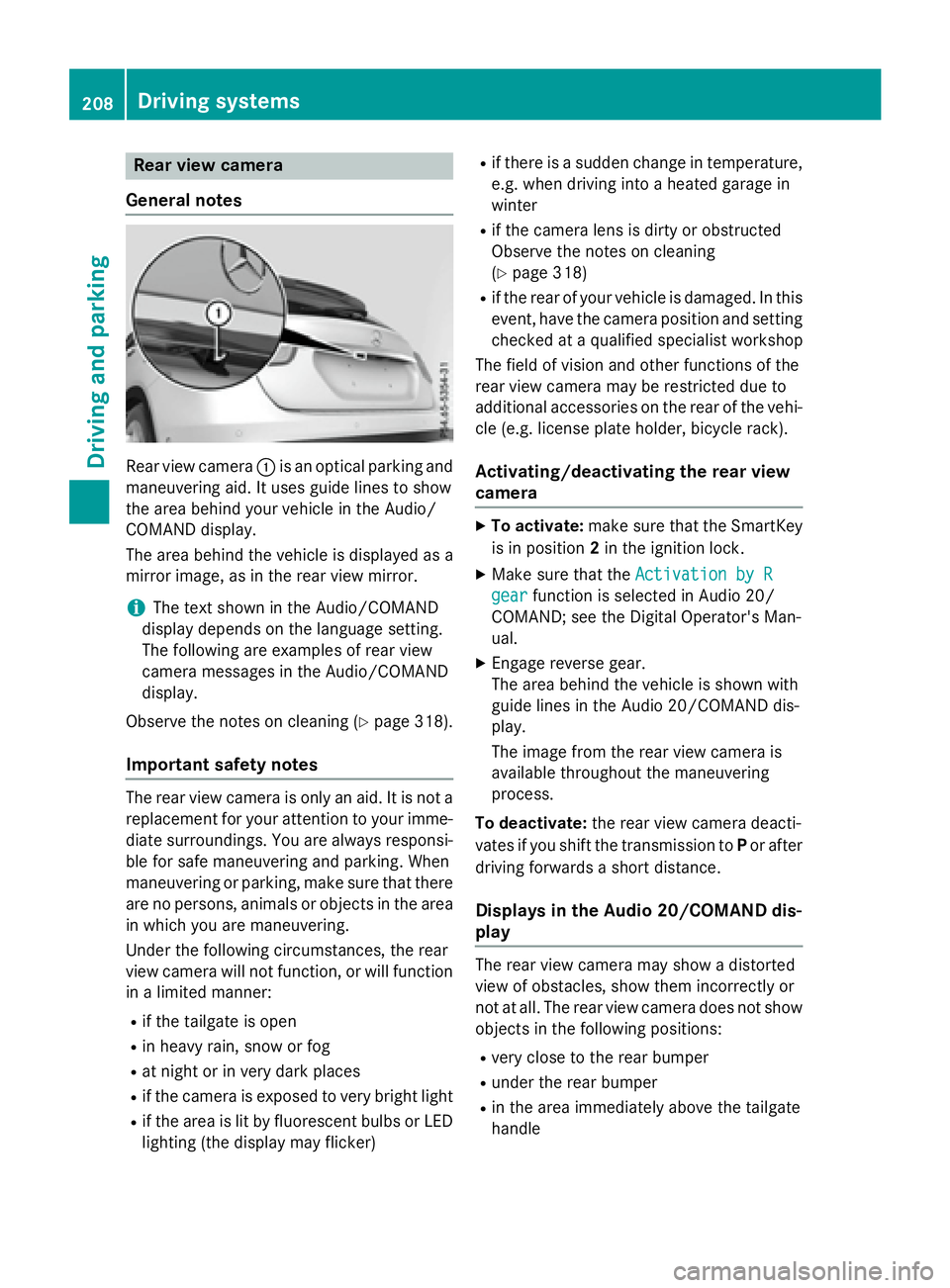
Rear view camera C is an optical parking and
maneuvering aid. It uses guide lines to show
the area behind your vehicle in the Audio/
COMAND display.
The area behind the vehicle is displayed as a
mirror image, as in the rear view mirror.
i The text shown in the Audio/COMAND
display depends on the language setting.
The following are examples of rear view
camera messages in the Audio/COMAND
display.
Observe the notes on cleaning ( Y
page 318).
Important safety notes
The rear view camera is only an aid. It is not a
replacement for your attention to your imme-
diate surroundings. You are always responsi-
ble for safe maneuvering and parking. When
maneuvering or parking, make sure that there
are no persons, animals or objects in the area
in which you are maneuvering.
Under the following circumstances, the rear
view camera will not function, or will function
in a limited manner: R
if the tailgate is open R
in heavy rain, snow or fog R
at night or in very dark places R
if the camera is exposed to very bright light R
if the area is lit by fluorescent bulbs or LED
lighting (the display may flicker) R
if there is a sudden change in temperature,
e.g. when driving into a heated garage in
winter R
if the camera lens is dirty or obstructed
Observe the notes on cleaning
( Y
page 318) R
if the rear of your vehicle is damaged. In this
event, have the camera position and setting
checked at a qualified specialist workshop
The field of vision and other functions of the
rear view camera may be restricted due to
additional accessories on the rear of the vehi-
cle (e.g. license plate holder, bicycle rack).
Activating/deactivating the rear view
camera X
To activate: make sure that the SmartKey
is in position 2 in the ignition lock. X
Make sure that the Activation by R
gear function is selected in Audio 20/
COMAND; see the Digital Operator's Man-
ual. X
Engage reverse gear.
The area behind the vehicle is shown with
guide lines in the Audio 20/COMAND dis-
play.
The image from the rear view camera is
available throughout the maneuvering
process.
To deactivate: the rear view camera deacti-
vates if you shift the transmission to P or after
driving forwards a short distance.
Displays in the Audio 20/COMAND dis-
play
The rear view camera may show a distorted
view of obstacles, show them incorrectly or
not at all. The rear view camera does not show
objects in the following positions: R
very close to the rear bumper R
under the rear bumper R
in the area immediately above the tailgate
handle208
Driving systems
Driving and parking
Page 222 of 390
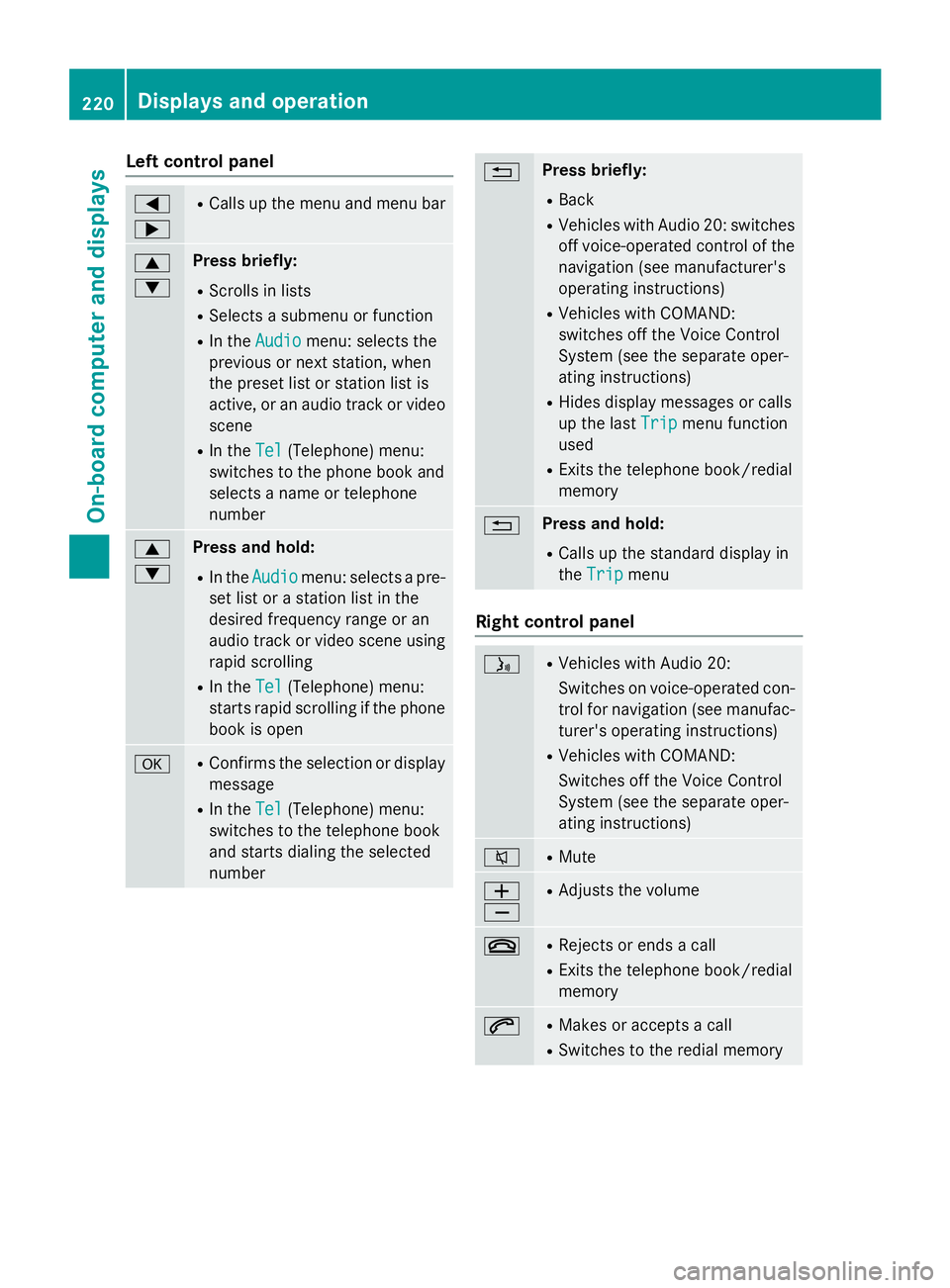
Left control panel Y
e R
Calls up the menu and menu bar
c
d Press briefly: R
Scrolls in lists R
Selects a submenu or function R
In the Audio menu: selects the
previous or next station, when
the preset list or station list is
active, or an audio track or video
scene R
In the Tel (Telephone) menu:
switches to the phone book and
selects a name or telephone
number
c
d Press and hold: R
In the Audio menu: selects a pre-
set list or a station list in the
desired frequency range or an
audio track or video scene using
rapid scrolling R
In the Tel (Telephone) menu:
starts rapid scrolling if the phone
book is open
v R
Confirms the selection or display
message R
In the Tel (Telephone) menu:
switches to the telephone book
and starts dialing the selected
number 8 Press briefly: R
Back R
Vehicles with Audio 20: switches
off voice-operated control of the
navigation (see manufacturer's
operating instructions) R
Vehicles with COMAND:
switches off the Voice Control
System (see the separate oper-
ating instructions) R
Hides display messages or calls
up the last Trip
menu function
used R
Exits the telephone book/redial
memory
8 Press and hold: R
Calls up the standard display in
the Trip
menu
Right control panel
Page 227 of 390
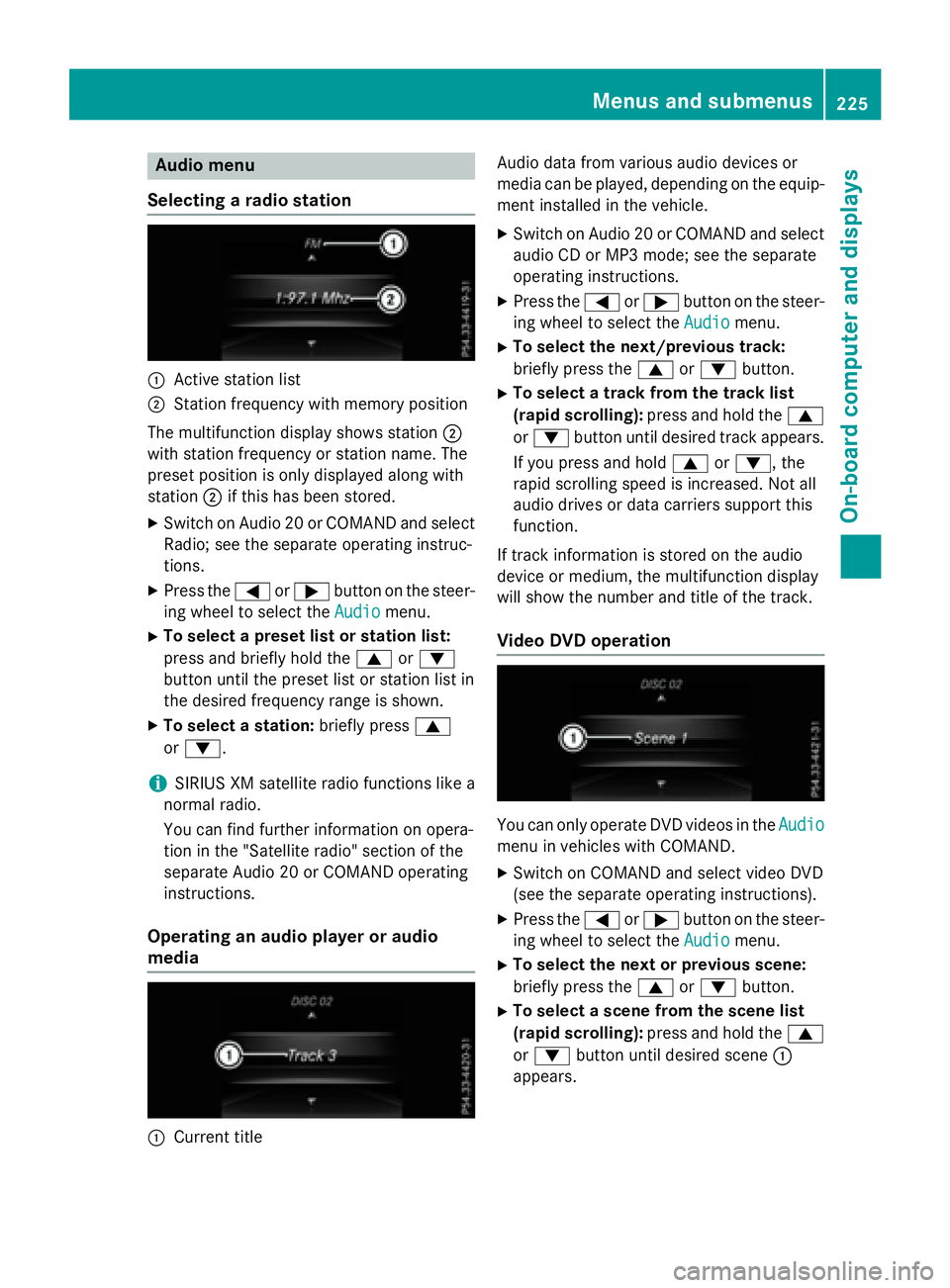
Audio menu
Selecting a ra dio station
C
Active station listD
Station frequency wit h memory position
The multifunction display shows station D
wit h station frequency or station name. The
preset position is only displayed alon g wit h
station D if this has been stored.X
Switc h on Audio 20 or COMAND and select
Radio; see th e separat e operating instruc-
tions. X
Press th e Y or e butto n on th e steer -
ing whee l to select th e Audio
menu.X
To select a preset list or station list :
press and briefly hold th e c or d
butto n until th e preset list or station list in
th e desired frequency range is shown. X
To select a station: briefly press c
or d .
i SIRIUS XM satellit e radi o function s lik e a
normal radio.
You can fin d further information on opera-
tion in th e "Satellit e radio" section of th e
separat e Audio 20 or COMAND operating
instructions.
Operating an audio player or audio
media
C
Curren t titl e Audio dat a from various audio device s or
media can be played, depending on th e equip-
men t installed in th e vehicle. X
Switc h on Audio 20 or COMAND and select
audio CD or MP3 mode; see th e separat e
operating instructions. X
Pre ss th e Y or e butto n on th e st eer -
ing whee l to select th e Audio
menu.X
To select th e next/previou s track :
briefly pre ss th e c or d button.X
To select a track fr om th e track list
(rapid scrolling): pre ss and hold th e c
or d butto n until desired track appears.
If you pre ss and hold c or d , th e
rapi d sc rollin g spee d is increased. Not all
audio drives or dat a carriers support this
function .
If track information is st ore d on th e audio
device or medium, th e multifunction display
will show th e number and titl e of th e track .
Video DVD operation
You can only operate DV D videos in th e Audio
men u in vehicles wit h COMAND .X
Switc h on COMAND and select vide o DV D
(see th e separat e operating instructions). X
Pre ss th e Y or e butto n on th e st eer -
ing whee l to select th e Audio
menu.X
To select th e next or previou s scene:
briefly press th e c or d button.X
To select a scene fr om th e scene list
(rapid scrolling): press and hold th e c
or d butto n until desired sc en e C
appear s.Menus and submenus 22 5
On-board computer and displays Z
Page 228 of 390
Telephone menu
Introduction
G WARNING
If you operate information systems and com-
munication equipment integrated in the vehi-
cle while driving, you will be distracted from
traffic conditions. You could also lose control
of the vehicle. There is a risk of an accident.
Only operate the equipment when the traffic
situation permits. If you are not sure that this
is possible, park the vehicle paying attention
to traffic conditions and operate the equip-
ment when the vehicle is stationary.
When telephoning, you must observe the
legal requirements for the country in which
you are currently driving. X
Switch on the mobile phone (see the man-
ufacturer’s operating instructions). X
Switch on Audio 20 or COMAND, see the
separate operating instructions. X
Establish a Bluetooth ®
connection to Audio
20 or COMAND, see the separate operating
instructions. X
Press the Y or e button on the steer-
ing wheel to select the Tel
menu.
You will see one of the following display mes-
sages in the multifunction display: R
Phone READY or the name of the network
provider: the mobile phone has found a
network and is ready to receive. R
Phone No Service : there is no network
available or the mobile phone is searching
for a network.
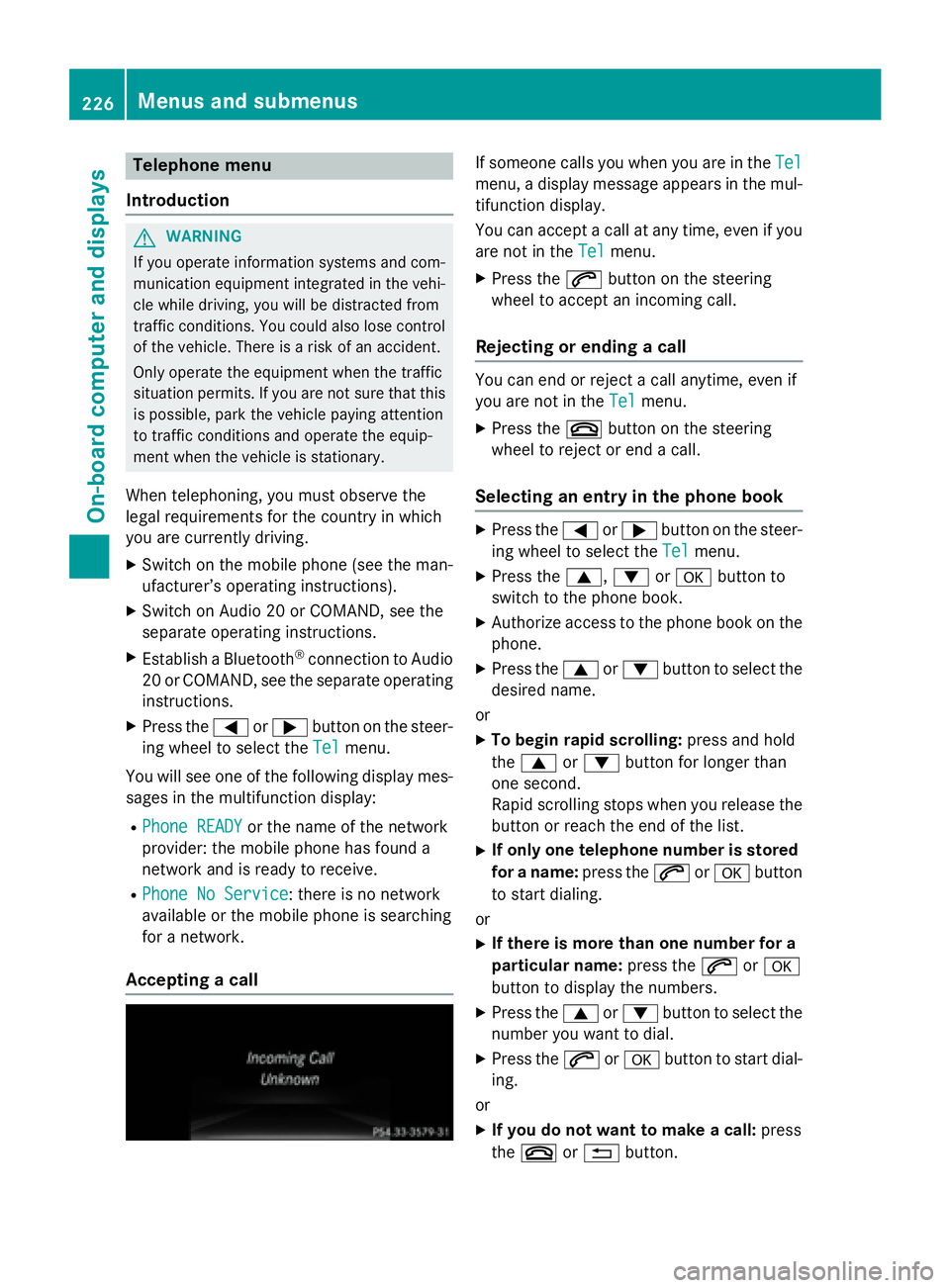
Accepting a call If someone calls you when you are in the Tel
menu, a display message appears in the mul-
tifunction display.
You can accept a call at any time, even if you
are not in the Tel
menu. X
Press the a button on the steering
wheel to accept an incoming call.
Rejecting or ending a call You can end or reject a call anytime, even if
you are not in the Tel
menu. X
Press the v button on the steering
wheel to reject or end a call.
Selecting an entry in the phone book X
Press the Y or e button on the steer-
ing wheel to select the Tel
menu.X
Press the c , d or v button to
switch to the phone book. X
Authorize access to the phone book on the
phone. X
Press the c or d button to select the
desired name.
or X
To begin rapid scrolling: press and hold
the c or d button for longer than
one second.
Rapid scrolling stops when you release the
button or reach the end of the list. X
If only one telephone number is stored
for a name: press the a or v button
to start dialing.
or X
If there is more than one number for a
particular name: press the a or v
button to display the numbers. X
Press the c or d button to select the
number you want to dial. X
Press the a or v button to start dial-
ing.
or X
If you do not want to make a call: press
the v or 8 button.226
Menus and submenus
On-board computer and displays
Page 296 of 390
As soon as the emergency call has been ini-
tiated, the indicator lamp in the SOS button
flashes. The multifunction display shows the
Connecting Call message.
The audio output is muted.
Once the connection has been made, the
Call Connected
message appears in the
multifunction display.
All important information on the emergency is
transmitted, for example: R
current location of the vehicle (as deter-
mined by the GPS system) R
vehicle identification number R
information on the severity of the accident
Shortly after the emergency call has been ini-
tiated, a voice connection is automatically
established between the Customer Assis-
tance Center and the vehicle occupants. R
If the vehicle occupants respond, the
Mercedes-Benz Customer Assistance Cen-
ter attempts to get more information on the
emergency. R
If there is no response from the vehicle
occupants, an ambulance is immediately
sent to the vehicle.
If no voice connection can be established to
the Mercedes-Benz Customer Assistance
Center, the system has been unable to initiate
an emergency call.
This can occur, for example, if the relevant
mobile phone network is not available. The
indicator lamp in the SOS button flashes con-
tinuously.
The Call Failed message appears in the
multifunction display and must be confirmed.
In this case, summon assistance by other
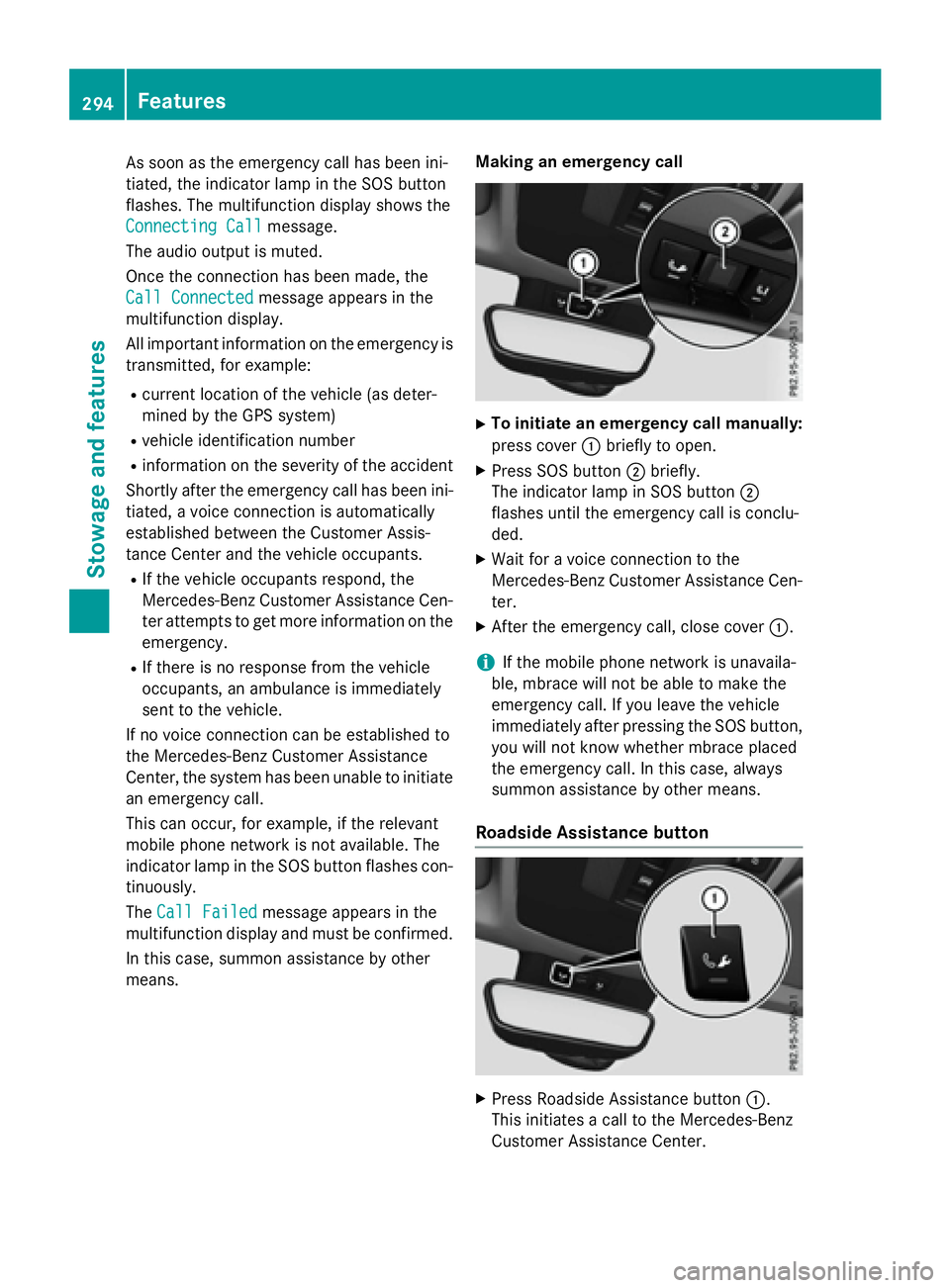
means. Making an emergency call X
To initiate an emergency call manually:
press cover C briefly to open. X
Press SOS button D briefly.
The indicator lamp in SOS button D
flashes until the emergency call is conclu-
ded. X
Wait for a voice connection to the
Mercedes-Benz Customer Assistance Cen-
ter. X
After the emergency call, close cover C .
i If the mobile phone network is unavaila-
ble, mbrace will not be able to make the
emergency call. If you leave the vehicle
immediately after pressing the SOS button,
you will not know whether mbrace placed
the emergency call. In this case, always
summon assistance by other means.
Roadside Assistance button
X
Press Roadside Assistance button C .
This initiates a call to the Mercedes-Benz
Customer Assistance Center.294
Features
Sto wag e an d features
Page 297 of 390
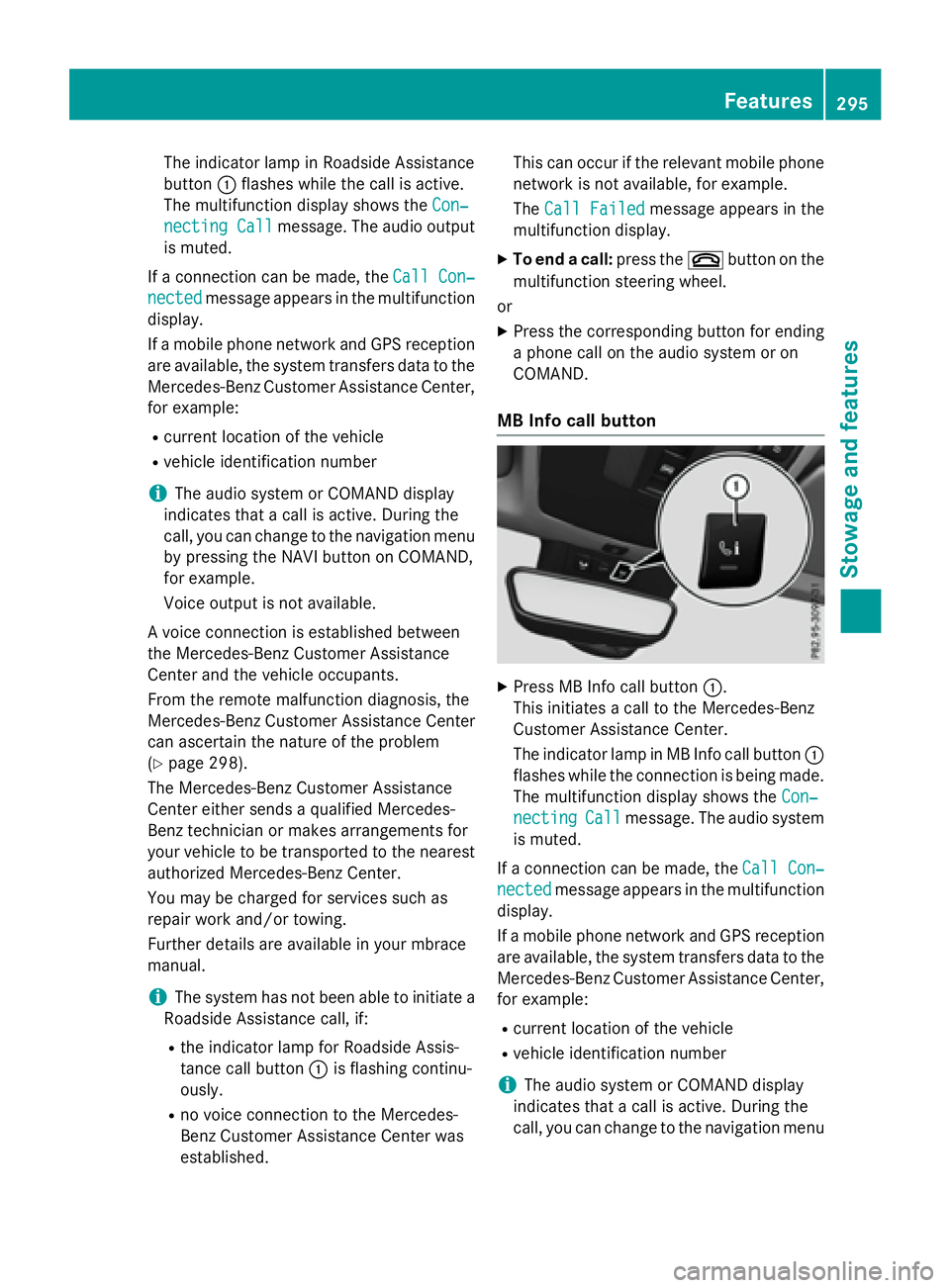
The indicator lamp in Roadside Assistance
button C flashes while the call is active.
The multifunction display shows the Con‐
necting Call message. The audio output
is muted.
If a connection can be made, the Call Con‐
nected message appears in the multifunction
display.
If a mobile phone network and GPS reception
are available, the system transfers data to the
Mercedes-Benz Customer Assistance Center,
for example: R
current location of the vehicle R
vehicle identification number
i The audio system or COMAND display
indicates that a call is active. During the
call, you can change to the navigation menu
by pressing the NAVI button on COMAND,
for example.
Voice output is not available.
A voice connection is established between
the Mercedes-Benz Customer Assistance
Center and the vehicle occupants.
From the remote malfunction diagnosis, the
Mercedes-Benz Customer Assistance Center
can ascertain the nature of the problem
( Y
page 298).
The Mercedes-Benz Customer Assistance
Center either sends a qualified Mercedes-
Benz technician or makes arrangements for
your vehicle to be transported to the nearest
authorized Mercedes-Benz Center.
You may be charged for services such as
repair work and/or towing.
Further details are available in your mbrace
manual.
i The system has not been able to initiate a
Roadside Assistance call, if: R
the indicator lamp for Roadside Assis-
tance call button C is flashing continu-
ously. R
no voice connection to the Mercedes-
Benz Customer Assistance Center was
established. This can occur if the relevant mobile phone
network is not available, for example.
The Call Failed message appears in the
multifunction display. X
To end a call: press the v button on the
multifunction steering wheel.
or X
Press the corresponding button for ending
a phone call on the audio system or on
COMAND.
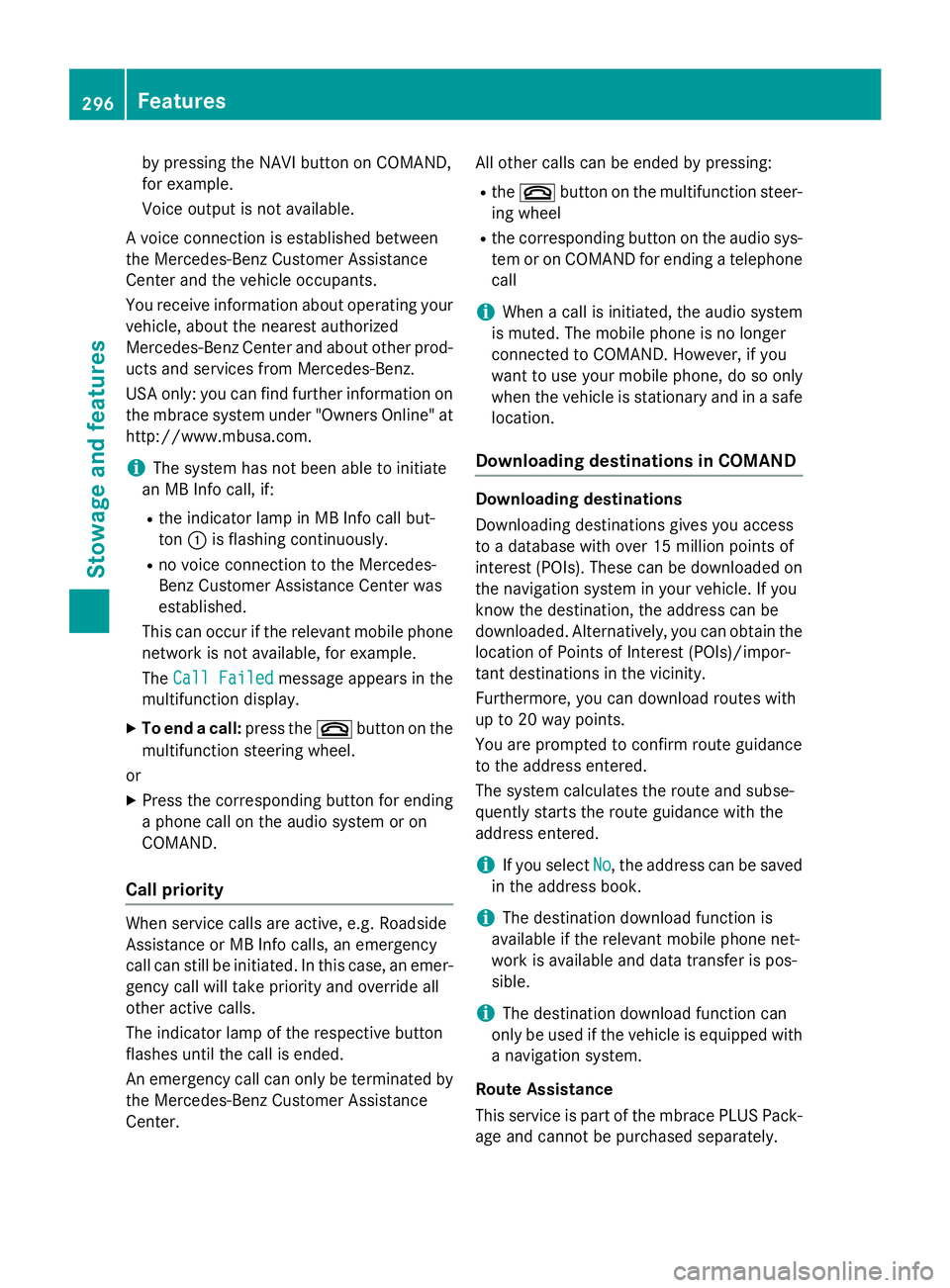
MB Info call button
X
Press MB Info call button C .
This initiates a call to the Mercedes-Benz
Customer Assistance Center.
The indicator lamp in MB Info call button C
flashes while the connection is being made.
The multifunction display shows the Con‐
necting Call message. The audio system
is muted.
If a connection can be made, the Call Con‐
nected message appears in the multifunction
display.
If a mobile phone network and GPS reception
are available, the system transfers data to the
Mercedes-Benz Customer Assistance Center,
for example: R
current location of the vehicle R
vehicle identification number
i The audio system or COMAND display
indicates that a call is active. During the
call, you can change to the navigation menu Features 295
Stowage and features Z
Page 298 of 390
by pressing the NAVI button on COMAND,
for example.
Voice output is not available.
A voice connection is established between
the Mercedes-Benz Customer Assistance
Center and the vehicle occupants.
You receive information about operating your
vehicle, about the nearest authorized
Mercedes-Benz Center and about other prod-
ucts and services from Mercedes-Benz.
USA only: you can find further information on
the mbrace system under "Owners Online" at
http://www.mbusa.com.
i The system has not been able to initiate
an MB Info call, if: R
the indicator lamp in MB Info call but-
ton C is flashing continuously.R
no voice connection to the Mercedes-
Benz Customer Assistance Center was
established.
This can occur if the relevant mobile phone
network is not available, for example.
The Call Failed message appears in the
multifunction display. X
To end a call: press the v button on the
multifunction steering wheel.
or X
Press the corresponding button for ending
a phone call on the audio system or on
COMAND.
Call priority
When service calls are active, e.g. Roadside
Assistance or MB Info calls, an emergency
call can still be initiated. In this case, an emer-
gency call will take priority and override all
other active calls.
The indicator lamp of the respective button
flashes until the call is ended.
An emergency call can only be terminated by
the Mercedes-Benz Customer Assistance
Center. All other calls can be ended by pressing: R
the v button on the multifunction steer-
ing wheel R
the corresponding button on the audio sys-
tem or on COMAND for ending a telephone
call
i When a call is initiated, the audio system
is muted. The mobile phone is no longer
connected to COMAND. However, if you
want to use your mobile phone, do so only
when the vehicle is stationary and in a safe
location.
Downloading destinations in COMAND Downloading destinations
Downloading destinations gives you access
to a database with over 15 million points of
interest (POIs). These can be downloaded on
the navigation system in your vehicle. If you
know the destination, the address can be
downloaded. Alternatively, you can obtain the
location of Points of Interest (POIs)/impor-
tant destinations in the vicinity.
Furthermore, you can download routes with
up to 20 way points.
You are prompted to confirm route guidance
to the address entered.
The system calculates the route and subse-
quently starts the route guidance with the
address entered.
i If you select No , the address can be saved
in the address book.
i The destination download function is
available if the relevant mobile phone net-
work is available and data transfer is pos-
sible.
i The destination download function can
only be used if the vehicle is equipped with
a navigation system.
Route Assistance
This service is part of the mbrace PLUS Pack-
age and cannot be purchased separately.296
Features
Stowage and features