Console MERCEDES-BENZ GLA-Class 2017 X156 User Guide
[x] Cancel search | Manufacturer: MERCEDES-BENZ, Model Year: 2017, Model line: GLA-Class, Model: MERCEDES-BENZ GLA-Class 2017 X156Pages: 390, PDF Size: 8.37 MB
Page 247 of 390
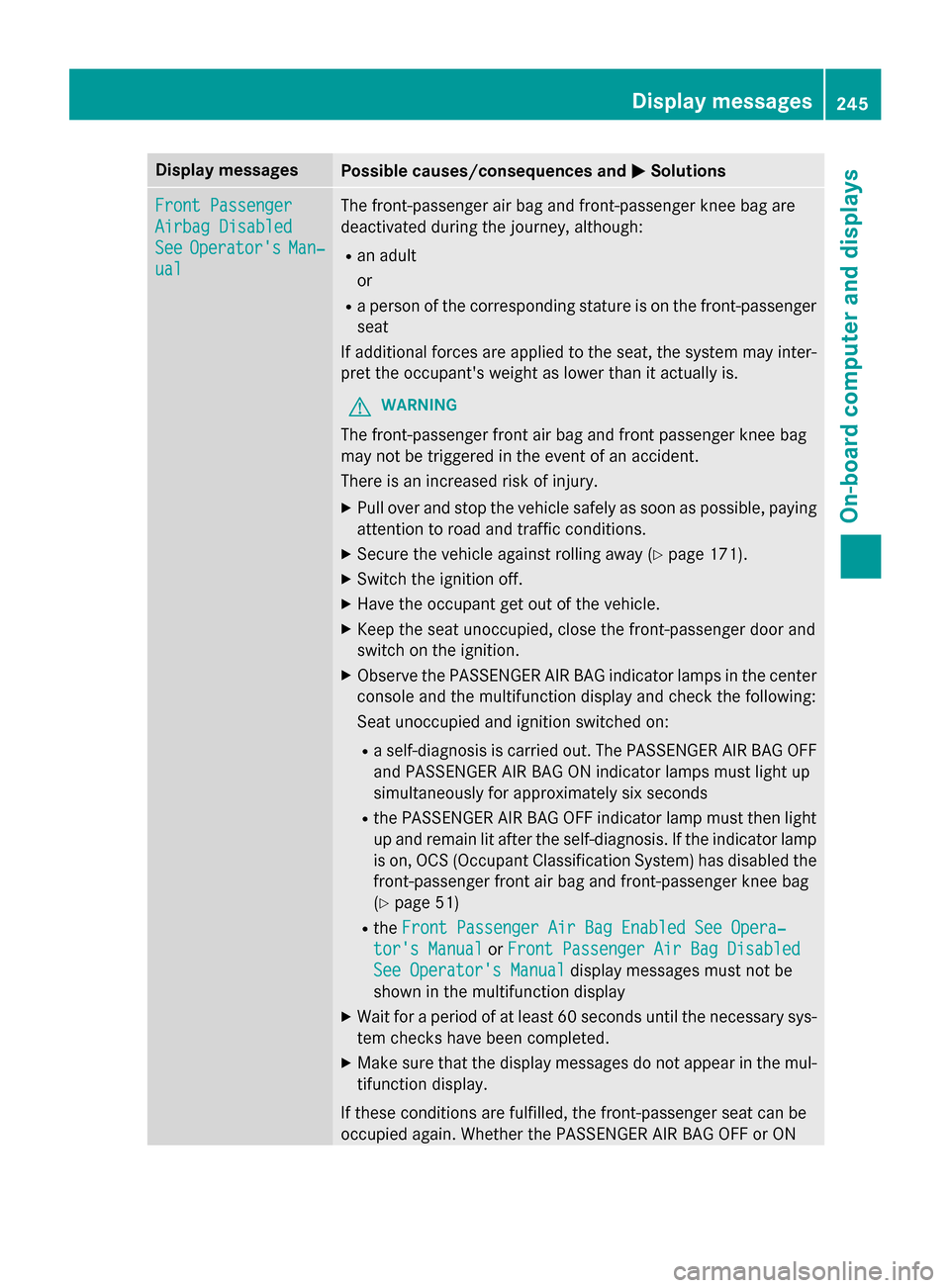
Display messagesPossible causes/consequences andMSolutions
Front Passenger
Airbag Disabled
SeeOperator'sMan‐
ual
The front-passenger air bag and front-passenger knee bag are
deactivated during th ejourney, although:
Ran adult
or
Raperson of th ecorrespondin gstature is on th efront-passenger
seat
If additional forces are applied to th eseat ,th esystem may inter-
pre tth eoccupant's weight as lowe rthan it actually is.
GWARNIN G
The front-passenger fron tair bag and fron tpassenger knee bag
may no tbe triggered in th eevent of an accident.
There is an increase dris kof injury.
XPull ove rand stop th evehicl esafely as soo nas possible, payin g
attention to roa dand traffic conditions.
XSecur eth evehicl eagainst rollin gaway (Ypage 171).
XSwitchth eignition off.
XHav eth eoccupant get out of th evehicle.
XKee pth eseat unoccupied ,close th efront-passenger doo rand
switch on th eignition .
XObserveth ePASSENGER AI RBA Gindicato rlamp sin th ecenter
console and th emultifunction display and chec kth efollowing :
Seat unoccupied and ignition switched on :
Raself-diagnosi sis carrie dout .The PASSENGER AI RBA GOF F
and PASSENGER AI RBA GON indicato rlamp smus tligh tup
simultaneousl yfo rapproximately six s
econds
RthePASSENGER AI RBA GOF Findicato rlamp mus tthen ligh t
up and remain lit after th eself-diagnosis. If th eindicato rlamp
is on ,OCS (Occupant Classification System) has disabled th e
front-passenger fron tair bag and front-passenger knee bag
(
Ypage 51)
Rth eFront Passenger Air Bag Enable dSee Opera‐
tor's Manualor Front Passenger Air Bag Disabled
See Operator' sManualdisplay message smus tno tbe
shown in th emultifunction display
XWait fo r aperiod of at leas t60 seconds until th enecessar ysys-
te m checks hav ebeen completed.
XMak esur ethat th edisplay message sdo no tappea rin th emul-
tifunction display.
If these condition sare fulfilled ,th efront-passenger seat can be
occupied again .Whether th ePASSENGER AI RBA GOF For ON
Display messages24 5
On-board computer and displays
Z
Page 248 of 390
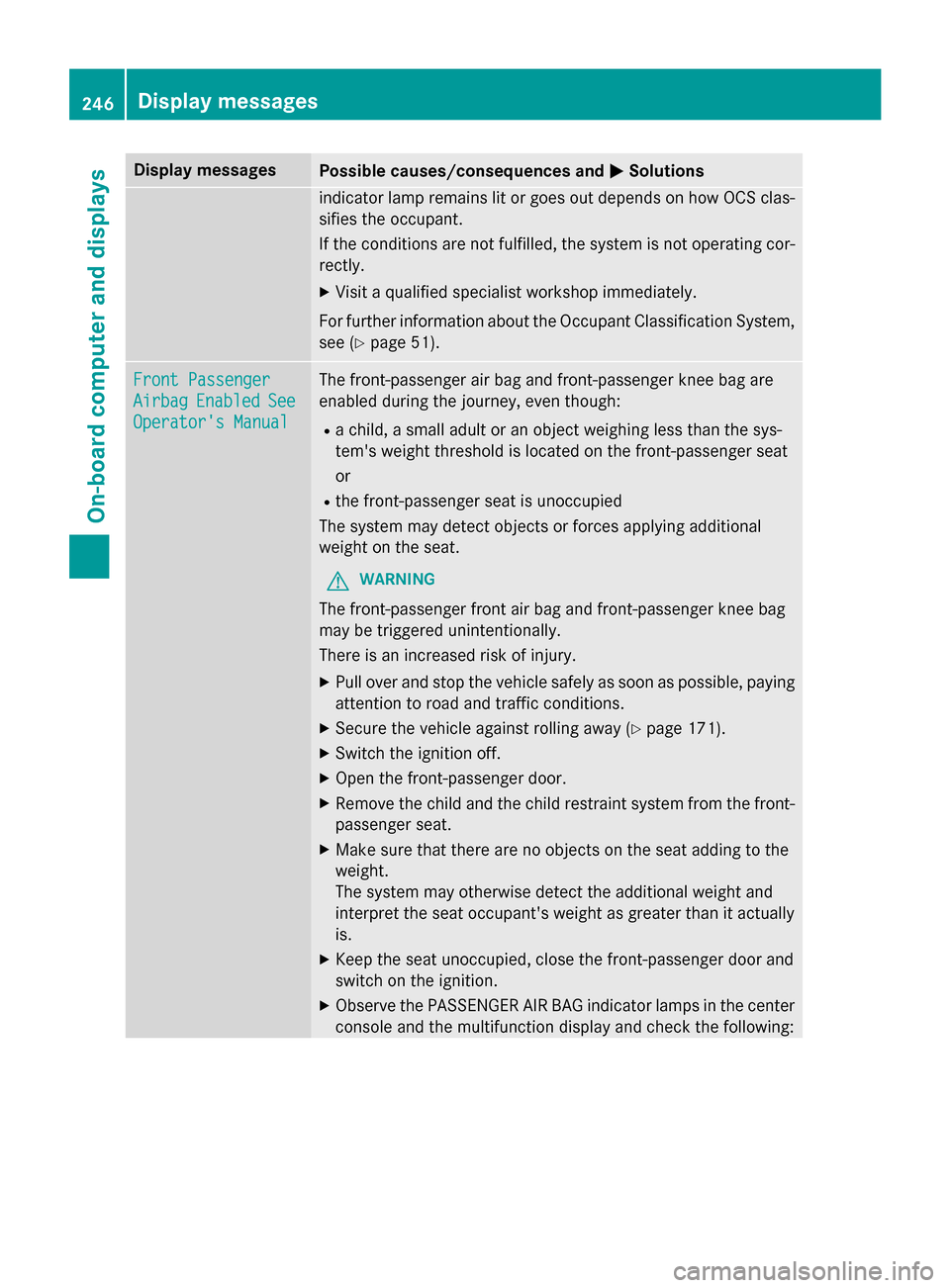
Display messagesPossible causes/consequences andMSolutions
indicatorlamp remain slit or goe sout depend son how OCS clas-
sifies th eoccupant .
If th econdition sare no tfulfilled ,th esystem is no toperating cor-
rectly.
XVisit aqualified specialist workshop immediately.
Fo rfurther information about th eOccupant Classification System,
see (
Ypage 51) .
Front Passenger
AirbagEnabledSee
Operator' sManual
The front-passenger air bag and front-passenger knee bag are
enabled during th ejourney, eve nthough :
Rachild, asmall adult or an objec tweighin gless than th esys-
tem' sweight threshold is locate don th efront-passenger seat
or
Rth efront-passenger seat is unoccupied
The system may detec tobjects or forces applying additional
weight on th eseat .
GWARNIN G
The front-passenger fron tair bag and front-passenger knee bag
may be triggered unintentionally.
There is an increase dris kof injury.
XPull ove rand stop th evehicl esafely as soo nas possible, payin g
attention to roa dand traffic conditions.
XSecur eth evehicl eagainst rollin gaway (Ypage 171).
XSwitchth eignition off.
XOpe nth efront-passenger door.
XRemove th echild and th echild restrain tsystem from th efront-
passenger seat .
XMakesur ethat there are no objects on th eseat addin gto th e
weight .
The system may otherwise detec tth eadditional weight and
interpret th eseat occupant's weight as greate rthan it actually
is.
XKee pth eseat unoccupied ,close th efront-passenger doo rand
switch on th eignition .
XObserveth ePASSENGER AI RBA Gindicato rlamp sin th ecenter
console and th emultifunction display and chec kth efollowing :
246Display messages
On-board computer and displays
Page 283 of 390
note that the load on the cargo compart-
ment floor will be increased when the load
is lashed down.
Stowage areas
Stowage spaces
Important safety notes
GWARNING
If objects in the passenger compartment are
stowed incorrectly, they can slide or be
thrown around and hit vehicle occupants.
There is a risk of injury, particularly in the
event of sudden braking or a sudden change
in direction.
RAlways stow objects so that they cannot be
thrown around in such situations.
RAlways make sure that objects do not pro-
trude from stowage spaces, parcel nets or
stowage nets.
RClose the lockable stowage spaces before
starting a journey.
RStow and secure objects that are heavy,
hard, pointed, sharp-edged, fragile or too
large in the cargo compartment.
Observe the loading guidelines (Ypage 280).
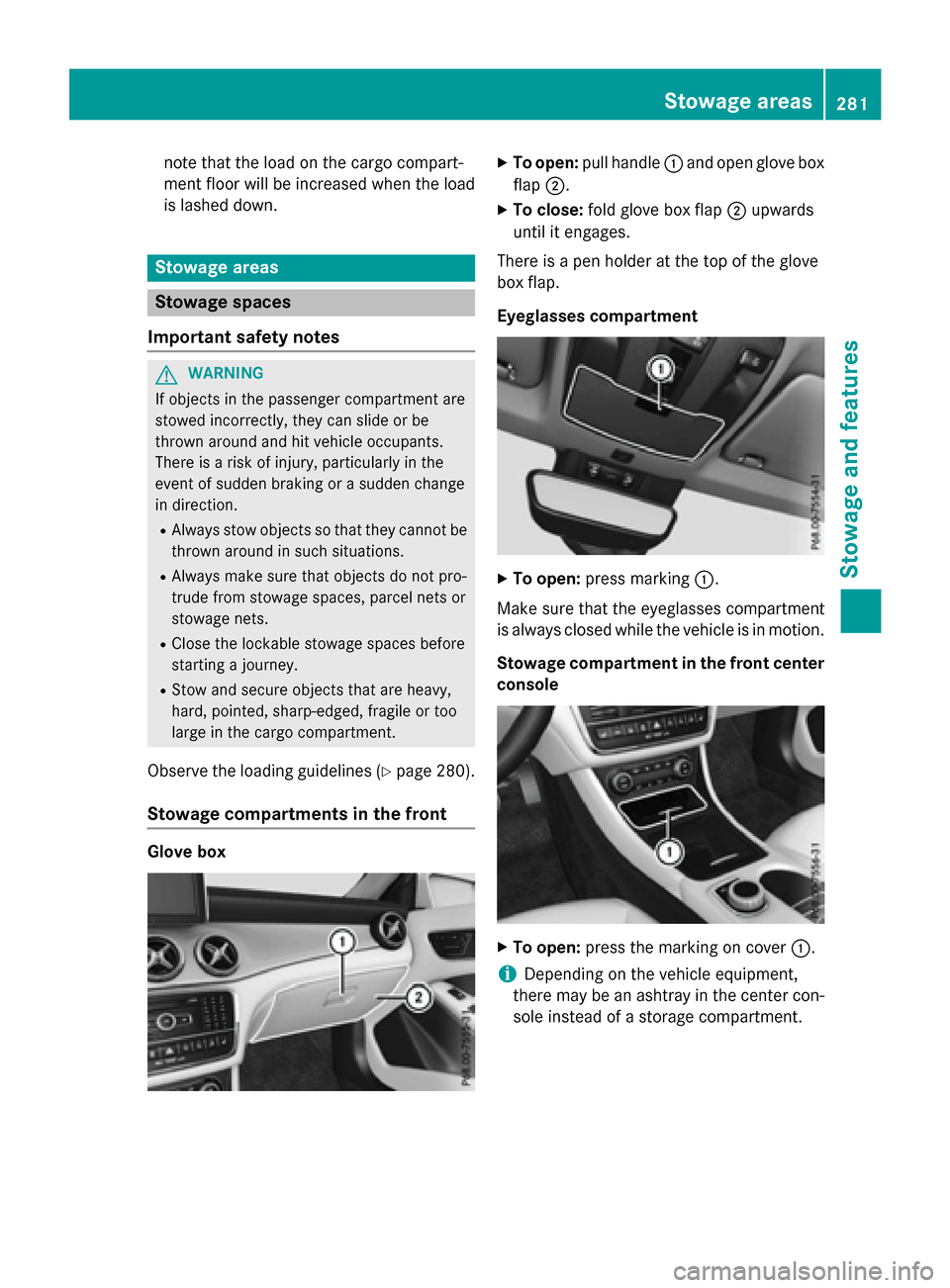
Stowage compartments in the front
Glove box
XTo open: pull handle :and open glove box
flap ;.
XTo close: fold glove box flap ;upwards
until it engages.
There is a pen holder at the top of the glove
box flap.
Eyeglasses compartment
XTo open: press marking :.
Make sure that the eyeglasses compartment
is always closed while the vehicle is in motion.
Stowage compartment in the front center
console
XTo open: press the marking on cover :.
iDepending on the vehicle equipment,
there may be an ashtray in the center con-
sole instead of a storage compartment.
Stowage areas281
Stowag ean d features
Z
Page 284 of 390
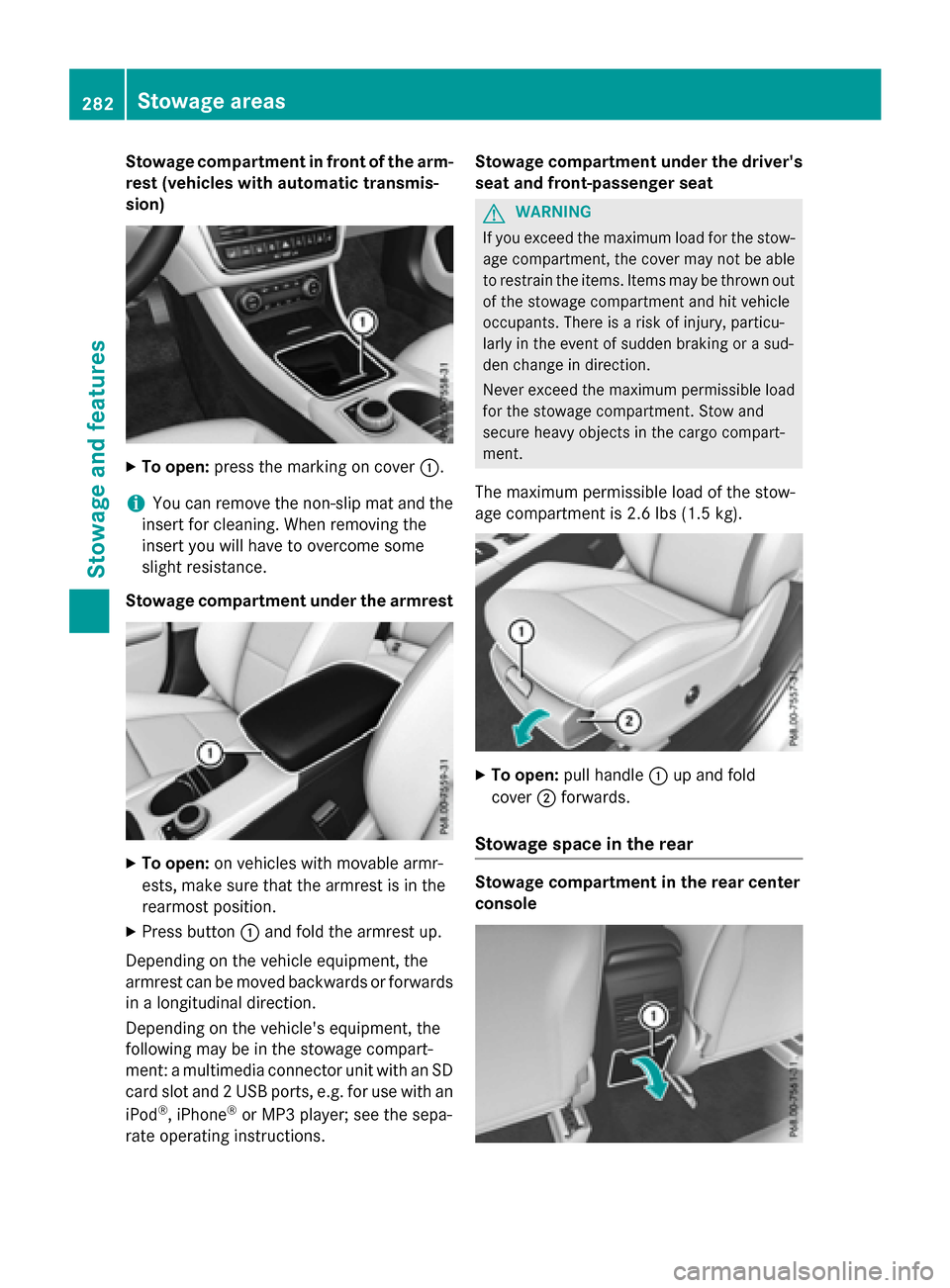
Stowage compartment in front of the arm-
rest (vehicles with automatic transmis-
sion)
XTo open:press the marking on cover :.
iYou can remove the non-slip mat and the
insert for cleaning. When removing the
insert you will have to overcome some
slight resistance.
Stowage compartment under the armrest
XTo open: on vehicles with movable armr-
ests, make sure that the armrest is in the
rearmost position.
XPress button :and fold the armrest up.
Depending on the vehicle equipment, the
armrest can be moved backwards or forwards
in a longitudinal direction.
Depending on the vehicle's equipment, the
following may be in the stowage compart-
ment: a multimedia connector unit with an SD
card slot and 2 USB ports, e.g. for use with an
iPod
®, iPhone®or MP3 player; see the sepa-
rate operating instructions. Stowage compartment under the driver's
seat and front-passenger seat
GWARNING
If you exceed the maximum load for the stow- age compartment, the cover may not be able
to restrain the items. Items may be thrown out
of the stowage compartment and hit vehicle
occupants. There is a risk of injury, particu-
larly in the event of sudden braking or a sud-
den change in direction.
Never exceed the maximum permissible load
for the stowage compartment. Stow and
secure heavy objects in the cargo compart-
ment.
The maximum permissible load of the stow-
age compartment is 2.6 lbs (1.5 kg).
XTo open: pull handle :up and fold
cover ;forwards.
Stowage space in the rear
Stowage compartment in the rear center
console
282Stowage areas
Stowage and features
Page 291 of 390
RAlways stow objects so that they cannot be
thrown around in such situations.
RAlways make sure that objects do not pro-
trude from stowage spaces, parcel nets or
stowage nets.
RClose the lockable stowage spaces before
starting a journey.
RStow and secure objects that are heavy,
hard, pointed, sharp-edged, fragile or too
large in the cargo compartment.
!Only use the cup holders for containers of
the right size and which have lids. The
drinks could otherwise spill.
Observe the loading guidelines (
Ypage 280).
The stowage compartments in the doors pro-
vide space for bottles:
Rfront: capacity up to 34 fl. oz. (1.0 l)
Rrear: capacity up to 17 fl. oz. (0.5 l)
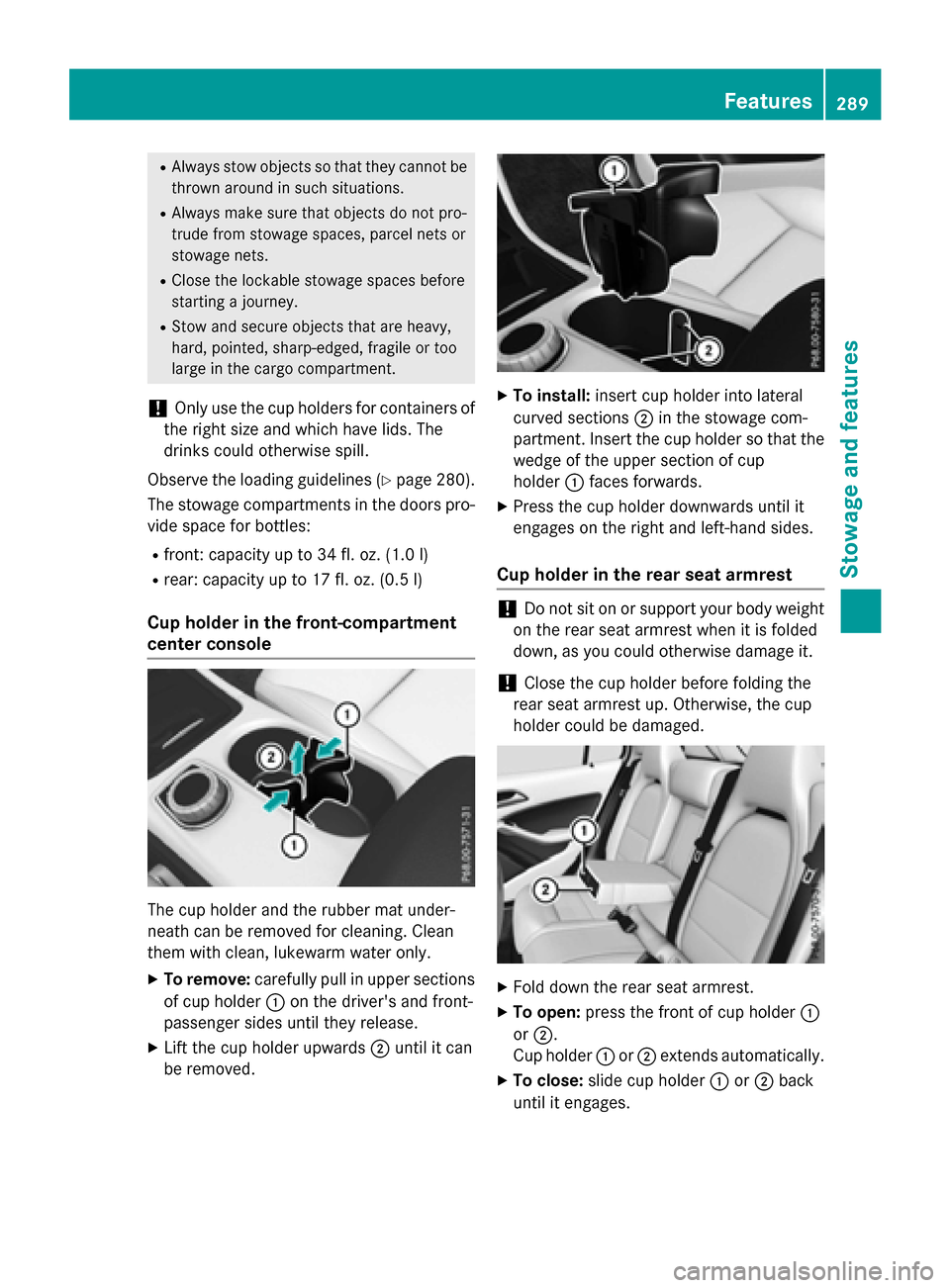
Cup holder in the front-compartment
center console
The cup holder and the rubber mat under-
neath can be removed for cleaning. Clean
them with clean, lukewarm water only.
XTo remove:carefully pull in upper sections
of cup holder :on the driver's and front-
passenger sides until they release.
XLift the cup holder upwards ;until it can
be removed.
XTo install: insert cup holder into lateral
curved sections ;in the stowage com-
partment. Insert the cup holder so that the wedge of the upper section of cup
holder :faces forwards.
XPress the cup holder downwards until it
engages on the right and left-hand sides.
Cup holder in the rear seat armrest
!Do not sit on or support your body weight
on the rear seat armrest when it is folded
down, as you could otherwise damage it.
!Close the cup holder before folding the
rear seat armrest up. Otherwise, the cup
holder could be damaged.
XFold down the rear seat armrest.
XTo open: press the front of cup holder :
or ;.
Cup holder :or; extends automatically.
XTo close: slide cup holder :or; back
until it engages.
Features289
Stowage and features
Z
Page 293 of 390
Cigarette lighter
GWARNING
You can burn yourself if you touch the hot
heating element or the socket of the cigarette lighter.
In addition, flammable materials can ignite if:
Rthe hot cigarette lighter falls
Ra child holds the hot cigarette lighter to
objects, for example
There is a risk of fire and injury.
Always hold the cigarette lighter by the knob.
Always make sure that the cigarette lighter is
out of reach of children. Never leave children
unsupervised in the vehicle.
Your attention must always be focused on the
traffic conditions. Only use the cigarette
lighter when road and traffic conditions per-
mit.
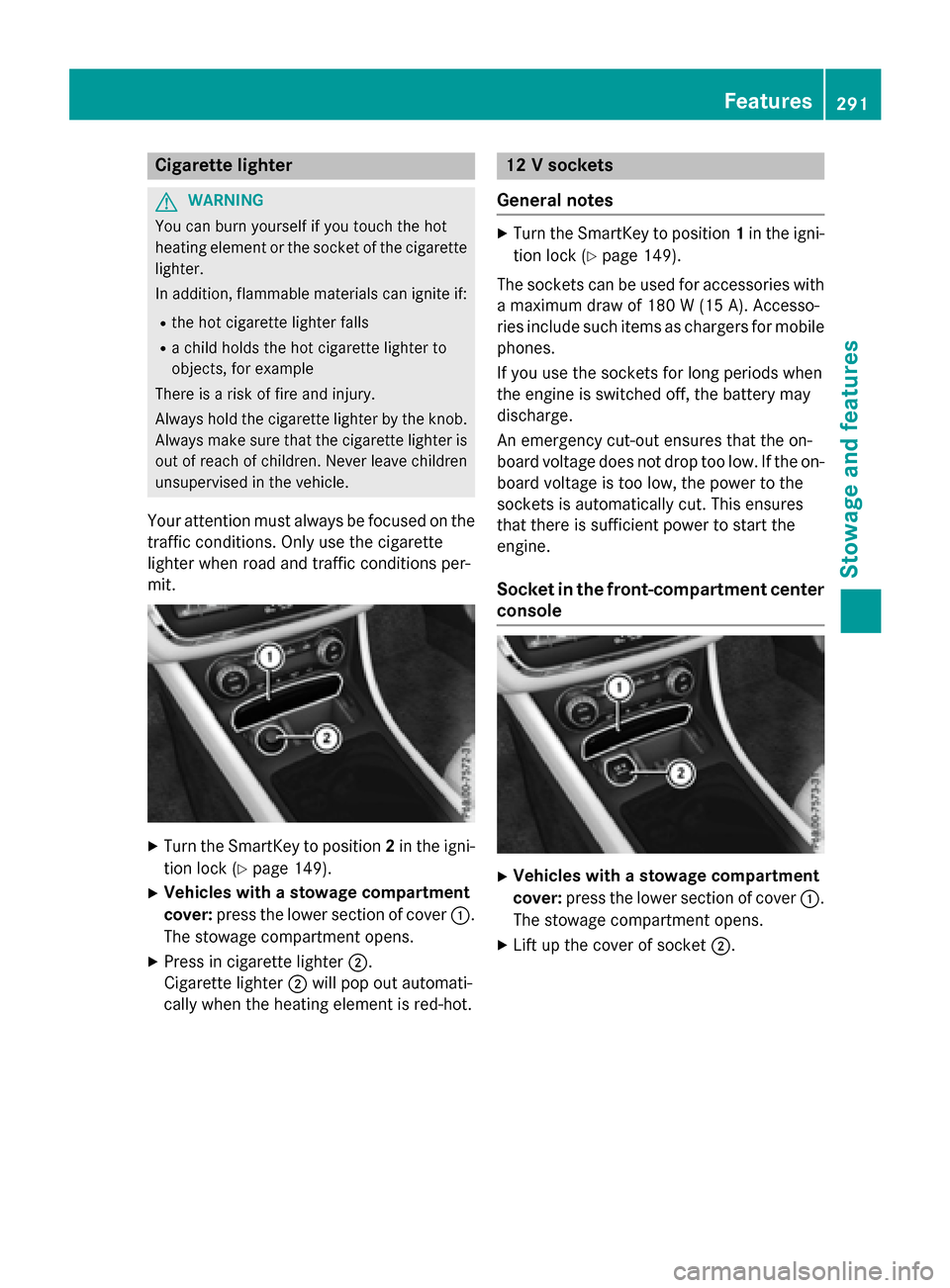
XTurn the SmartKey to position 2in the igni-
tion lock (
Ypage 149).
XVehicles with a stowage compartment
cover: press the lower section of cover :.
The stowage compartment opens.
XPress in cigarette lighter ;.
Cigarette lighter ;will pop out automati-
cally when the heating element is red-hot.
12 V sockets
General notes
XTurn the SmartKey to position 1in the igni-
tion lock (
Ypage 149).
The sockets can be used for accessories with a maximum draw of 180 W (15A). Accesso-
rie sinclude suc hitem sas charger sfo rmobile
phones.
If you use th esockets fo rlon gperiod swhe n
th eengin eis switched off, th ebattery may
discharge.
An emergency cut-out ensures that th eon -
boar dvoltage doe sno tdrop to olow. If th eon -
boar dvoltage is to olow, th epower to th e
sockets is automatically cut .Thi sensures
that ther eis sufficien tpower to start th e
engine.
Socket in th efront-co mpartment center
console
XVehicles with a stowage compartment
cover: press the lower section of cover :.
The stowage compartment opens.
XLift up the cover of socket ;.
Features291
Stowagean d features
Z
Page 294 of 390
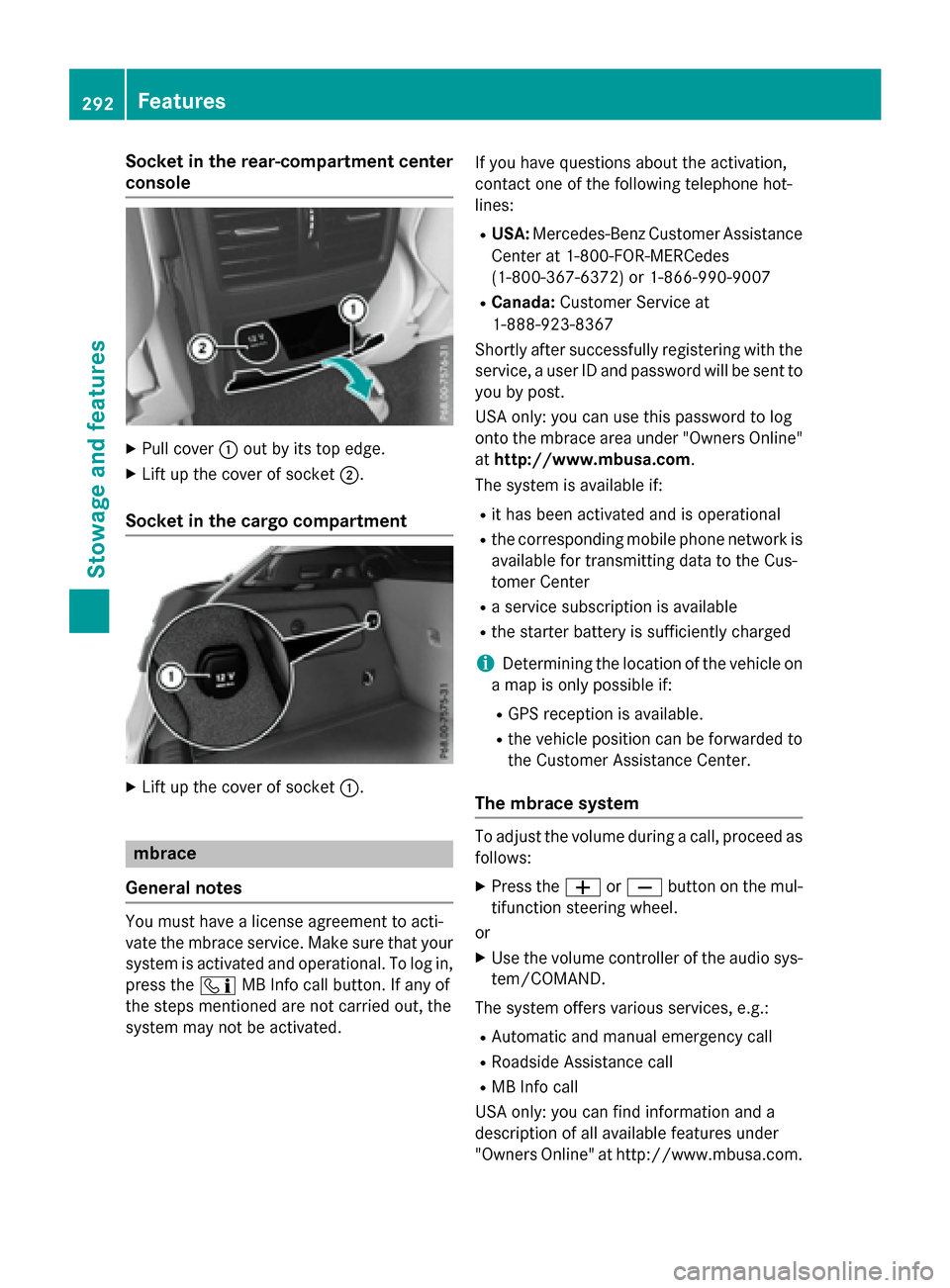
Socket in the rear-compartment center
console
XPull cover:out by its top edge.
XLift up the cover of socket ;.
Socket in the cargo compartment
XLift up the cover of socket :.
mbrace
General notes
You must have a license agreement to acti-
vate the mbrace service. Make sure that your system is activated and operational. To log in,
press the ïMB Info call button. If any of
the steps mentioned are not carried out, the
system may not be activated. If you have questions about the activation,
contact one of the following telephone hot-
lines:
RUSA:
Mercedes-Benz Customer Assistance
Center at 1-800-FOR-MERCedes
(1-800-367-6372) or 1-866-990-9007
RCanada: Customer Service at
1-888-923-8367
Shortly after successfully registering with the
service, a user ID and password will be sent to
you by post.
USA only: you can use this password to log
onto the mbrace area under "Owners Online"
at http://www.mbusa.com.
The system is available if:
Rit has been activated and is operational
Rthe corresponding mobile phone network is available for transmitting data to the Cus-
tomer Center
Ra service subscription is available
Rthe starter battery is sufficiently charged
iDetermining the location of the vehicle on
a map is only possible if:
RGPS reception is available.
Rthe vehicle position can be forwarded to
the Customer Assistance Center.
The mbrace system
To adjust the volume during a call, proceed as
follows:
XPress the WorX button on the mul-
tifunction steering wheel.
or
XUse the volume controller of the audio sys-
tem/COMAND.
The system offers various services, e.g.:
RAutomatic and manual emergency call
RRoadside Assistance call
RMB Info call
USA only: you can find information and a
description of all available features under
"Owners Online" at http://www.mbusa.com.
292Features
Stowage and features