Multifunction MERCEDES-BENZ GLA-Class 2017 X156 Repair Manual
[x] Cancel search | Manufacturer: MERCEDES-BENZ, Model Year: 2017, Model line: GLA-Class, Model: MERCEDES-BENZ GLA-Class 2017 X156Pages: 390, PDF Size: 8.37 MB
Page 272 of 390
ProblemPossible causes/consequences andMSolutions
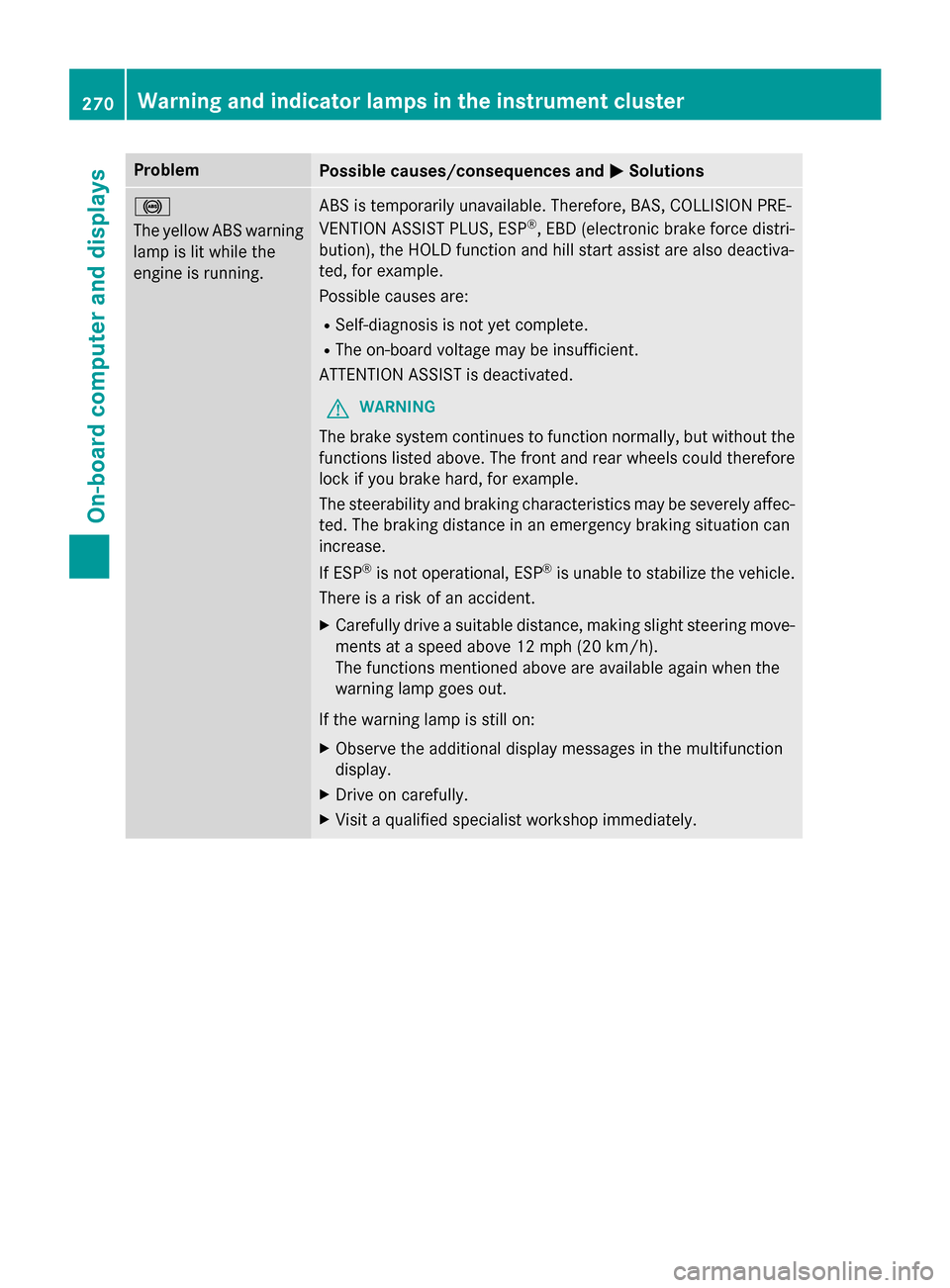
!
The yellow ABS warning
lamp is lit while the
engine is running.ABS is temporarily unavailable. Therefore, BAS, COLLISION PRE-
VENTION ASSIST PLUS, ESP®, EBD (electronic brake force distri-
bution), the HOLD function and hill start assist are also deactiva-
ted, for example.
Possible causes are:
RSelf-diagnosis is not yet complete.
RThe on-board voltage may be insufficient.
ATTENTION ASSIST is deactivated.
GWARNING
The brake system continues to function normally, but without the
functions listed above. The front and rear wheels could therefore
lock if you brake hard, for example.
The steerability and braking characteristics may be severely affec-
ted. The braking distance in an emergency braking situation can
increase.
If ESP
®is not operational, ESP®is unable to stabilize the vehicle.
There is a risk of an accident.
XCarefully drive a suitable distance, making slight steering move-
ments at a speed above 12 mph (20 km/h).
The functions mentioned above are available again when the
warning lamp goes out.
If the warning lamp is still on:
XObserve the additional display messages in the multifunction
display.
XDrive on carefully.
XVisit a qualified specialist workshop immediately.
270Warning and indicator lamps in the instrument cluster
On-board computer and displays
Page 273 of 390
ProblemPossible causes/consequences andMSolutions
!
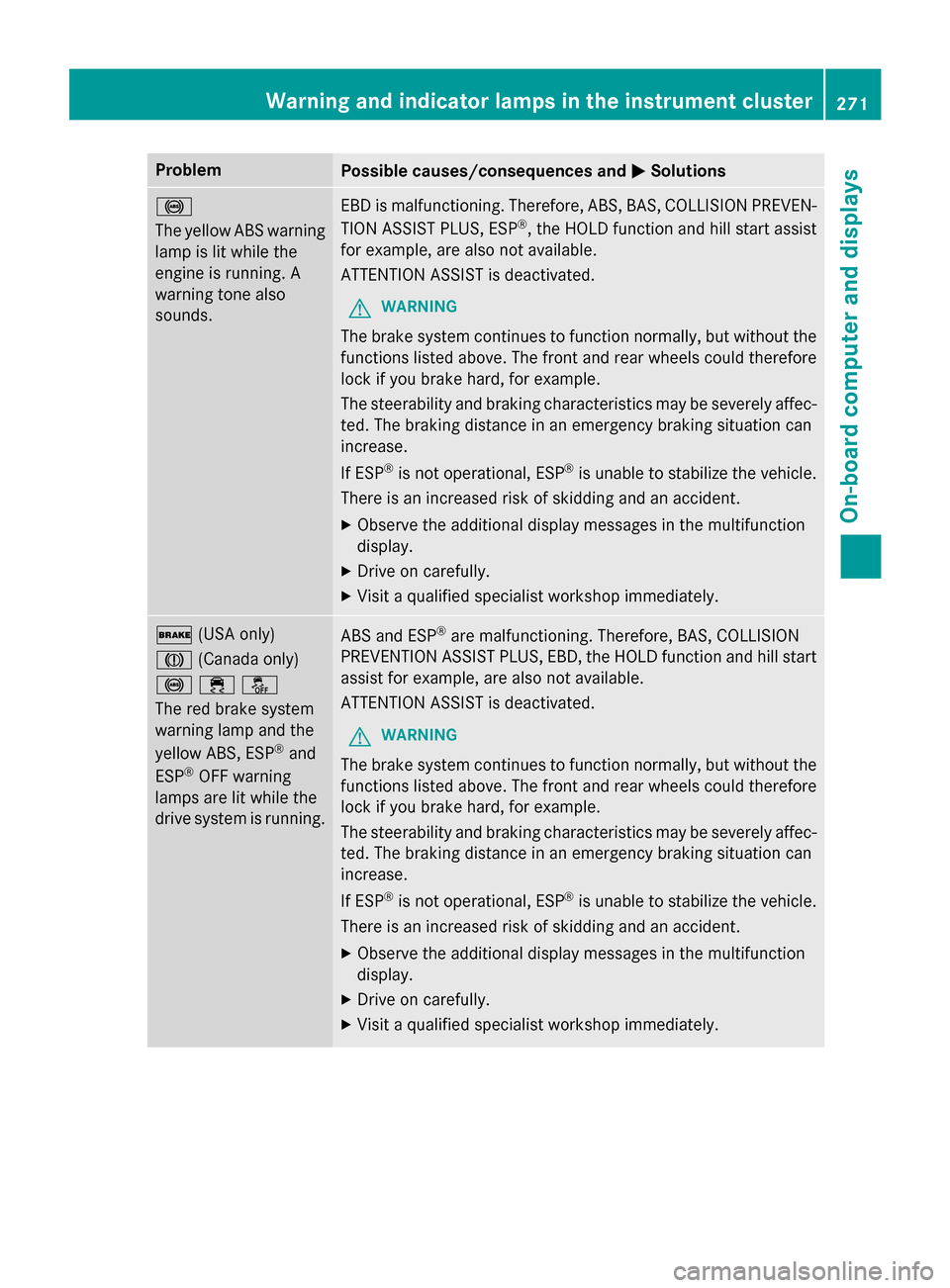
The yellow ABS warning
lamp is lit while the
engine is running. A
warning tone also
sounds.EBD is malfunctioning. Therefore, ABS, BAS, COLLISION PREVEN-
TION ASSIST PLUS, ESP®, the HOLD function and hill start assist
for example, are also not available.
ATTENTION ASSIST is deactivated.
GWARNING
The brake system continues to function normally, but without the
functions listed above. The front and rear wheels could therefore
lock if you brake hard, for example.
The steerability and braking characteristics may be severely affec-
ted. The braking distance in an emergency braking situation can
increase.
If ESP
®is not operational, ESP®is unable to stabilize the vehicle.
There is an increased risk of skidding and an accident.
XObserve the additional display messages in the multifunction
display.
XDrive on carefully.
XVisit a qualified specialist workshop immediately.
$ (USA only)
J (Canada only)
!֌
The red brake system
warning lamp and the
yellow ABS, ESP
®and
ESP®OFF warning
lamps are lit while the
drive system is running.
ABS and ESP®are malfunctioning. Therefore, BAS, COLLISION
PREVENTION ASSIST PLUS, EBD, the HOLD function and hill start
assist for example, are also not available.
ATTENTION ASSIST is deactivated.
GWARNING
The brake system continues to function normally, but without the
functions listed above. The front and rear wheels could therefore
lock if you brake hard, for example.
The steerability and braking characteristics may be severely affec-
ted. The braking distance in an emergency braking situation can
increase.
If ESP
®is not operational, ESP®is unable to stabilize the vehicle.
There is an increased risk of skidding and an accident.
XObserve the additional display messages in the multifunction
display.
XDrive on carefully.
XVisit a qualified specialist workshop immediately.
Warning and indicator lamps in the instrument cluster271
On-board computer and displays
Z
Page 275 of 390
ProblemPossible causes/consequences andMSolutions
֌
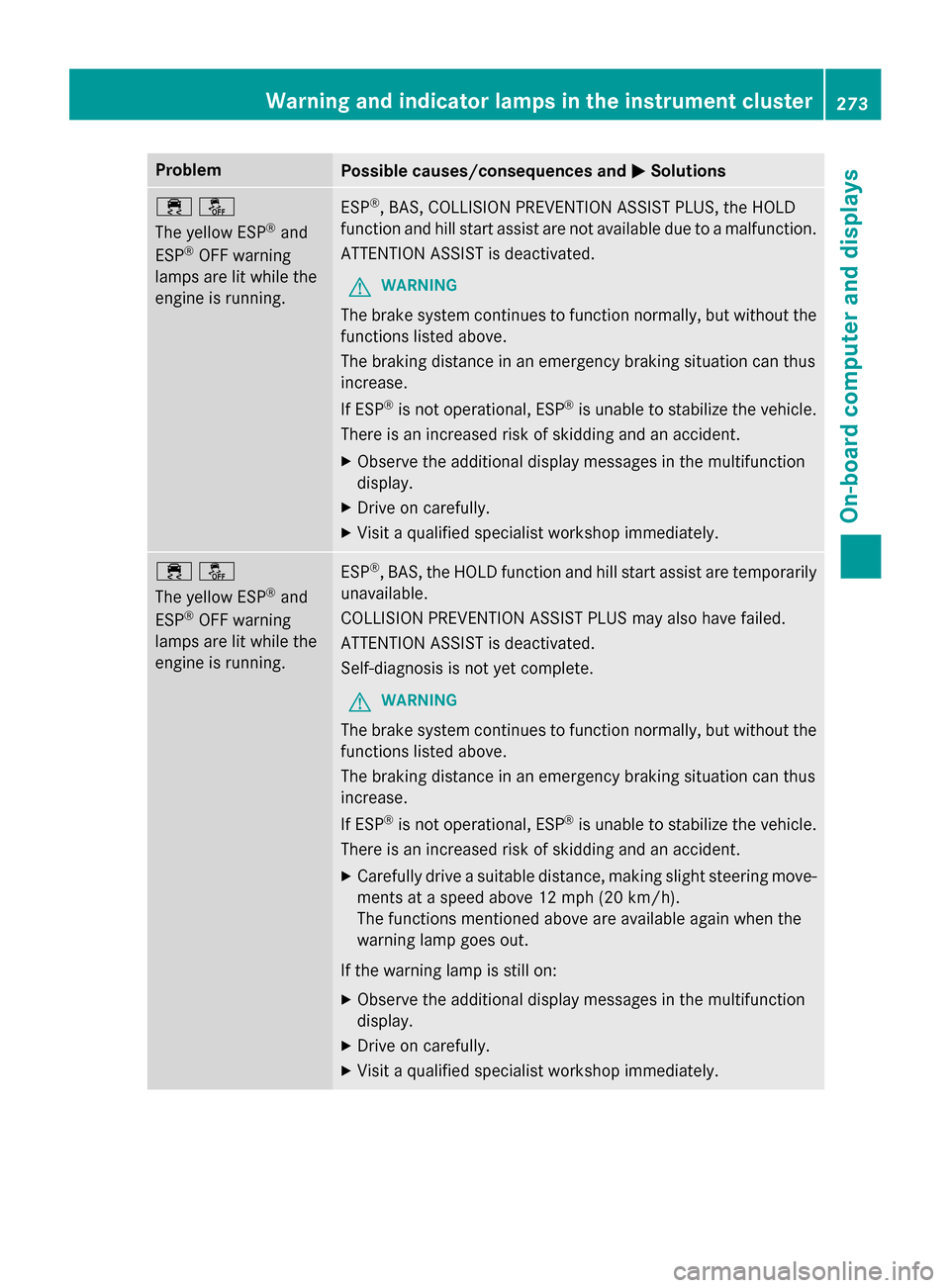
The yellow ESP
®and
ESP®OFF warning
lamps are lit while the
engine is running.
ESP®, BAS, COLLISION PREVENTION ASSIST PLUS, the HOLD
function and hill start assist are not available due to a malfunction.
ATTENTION ASSIST is deactivated.
GWARNING
The brake system continues to function normally, but without the
functions listed above.
The braking distance in an emergency braking situation can thus
increase.
If ESP
®is not operational, ESP®is unable to stabilize the vehicle.
There is an increased risk of skidding and an accident.
XObserve the additional display messages in the multifunction
display.
XDrive on carefully.
XVisit a qualified specialist workshop immediately.
֌
The yellow ESP
®and
ESP®OFF warning
lamps are lit while the
engine is running.
ESP®, BAS, the HOLD function and hill start assist are temporarily
unavailable.
COLLISION PREVENTION ASSIST PLUS may also have failed.
ATTENTION ASSIST is deactivated.
Self-diagnosis is not yet complete.
GWARNING
The brake system continues to function normally, but without the
functions listed above.
The braking distance in an emergency braking situation can thus
increase.
If ESP
®is not operational, ESP®is unable to stabilize the vehicle.
There is an increased risk of skidding and an accident.
XCarefully drive a suitable distance, making slight steering move-
ments at a speed above 12 mph (20 km/h).
The functions mentioned above are available again when the
warning lamp goes out.
If the warning lamp is still on:
XObserve the additional display messages in the multifunction
display.
XDrive on carefully.
XVisit a qualified specialist workshop immediately.
Warning and indicator lamps in the instrument cluster273
On-board computer and displays
Z
Page 276 of 390
ProblemPossible causes/consequences andMSolutions
F(USA only)
! (Canada only)
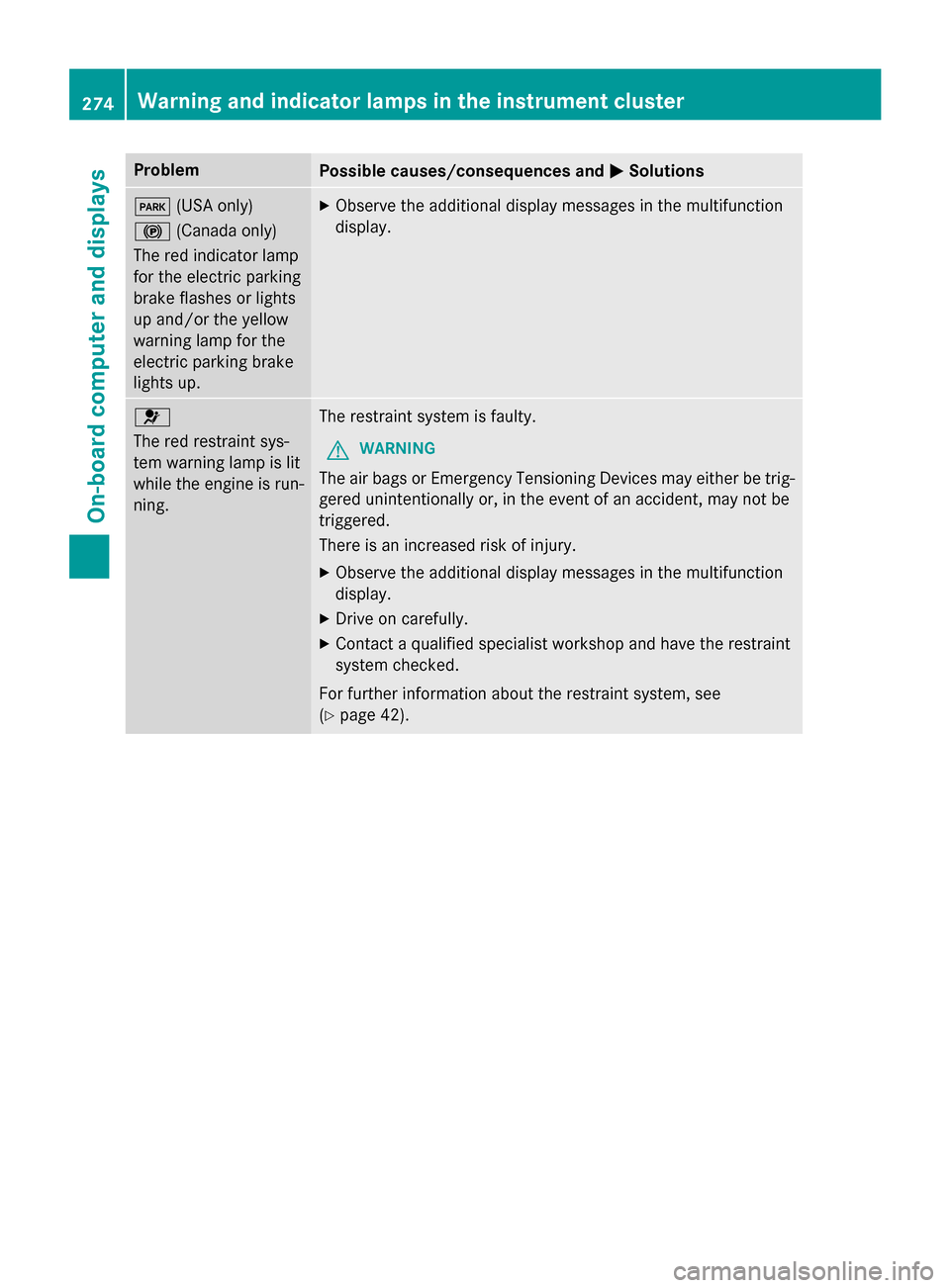
The red indicator lamp
for the electric parking
brake flashes or lights
up and/or the yellow
warning lamp for the
electric parking brake
lights up.XObserve the additional display messages in the multifunction
display.
6
The red restraint sys-
tem warning lamp is lit
while the engine is run-
ning.The restraint system is faulty.
GWARNING
The air bags or Emergency Tensioning Devices may either be trig-
gered unintentionally or, in the event of an accident, may not be
triggered.
There is an increased risk of injury.
XObserve the additional display messages in the multifunction
display.
XDrive on carefully.
XContact a qualified specialist workshop and have the restraint
system checked.
For further information about the restraint system, see
(
Ypage 42).
274Warning and indicator lamps in the instrument cluster
On-board computer and displays
Page 278 of 390
ProblemPossible causes/consequences andMSolutions
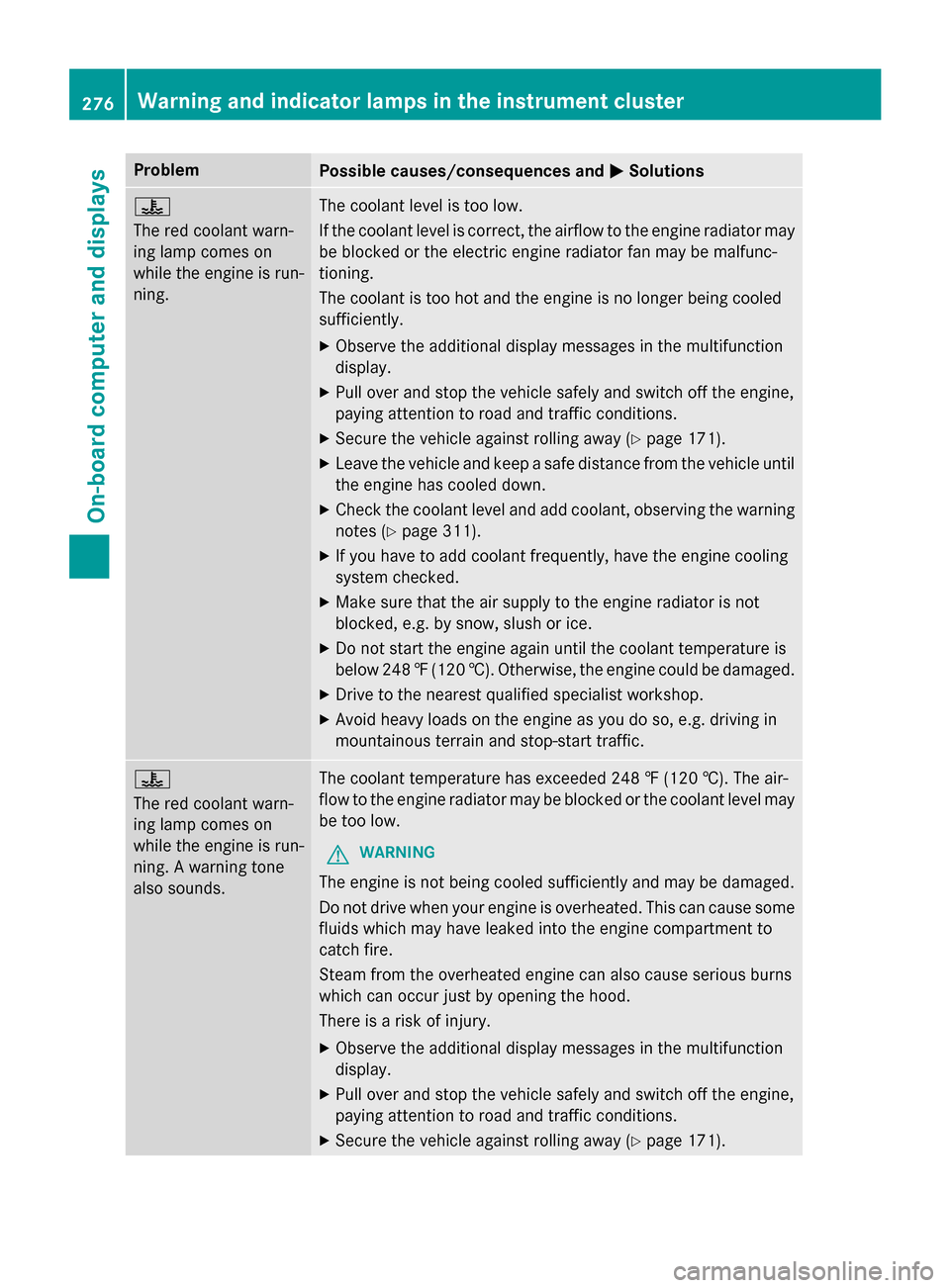
?
The red coolant warn-
ing lamp comes on
while the engine is run-
ning.The coolant level is too low.
If the coolant level is correct, the airflow to the engine radiator may
be blocked or the electric engine radiator fan may be malfunc-
tioning.
The coolant is too hot and the engine is no longer being cooled
sufficiently.
XObserve the additional display messages in the multifunction
display.
XPull over and stop the vehicle safely and switch off the engine,
paying attention to road and traffic conditions.
XSecure the vehicle against rolling away (Ypage 171).
XLeave the vehicle and keep a safe distance from the vehicle until
the engine has cooled down.
XCheck the coolant level and add coolant, observing the warning
notes (
Ypage 311).
XIf you have to add coolant frequently, have the engine cooling
system checked.
XMake sure that the air supply to the engine radiator is not
blocked, e.g. by snow, slush or ice.
XDo not start the engine again until the coolant temperature is
below 248‡(120 †). Otherwise, the engine could be damaged.
XDrive to the nearest qualified specialist workshop.
XAvoid heavy loads on the engine as you do so, e.g. driving in
mountainous terrain and stop-start traffic.
?
The red coolant warn-
ing lamp comes on
while the engine is run-
ning. A warning tone
also sounds.The coolant temperature has exceeded 248 ‡ (120 †). The air-
flow to the engine radiator may be blocked or the coolant level may
be too low.
GWARNING
The engine is not being cooled sufficiently and may be damaged.
Do not drive when your engine is overheated. This can cause some
fluids which may have leaked into the engine compartment to
catch fire.
Steam from the overheated engine can also cause serious burns
which can occur just by opening the hood.
There is a risk of injury.
XObserve the additional display messages in the multifunction
display.
XPull over and stop the vehicle safely and switch off the engine,
paying attention to road and traffic conditions.
XSecure the vehicle against rolling away (Ypage 171).
276Warning and indicator lamps in the instrument cluster
On-board computer and displays
Page 280 of 390
Tires
ProblemPossible causes/consequences andMSolutions
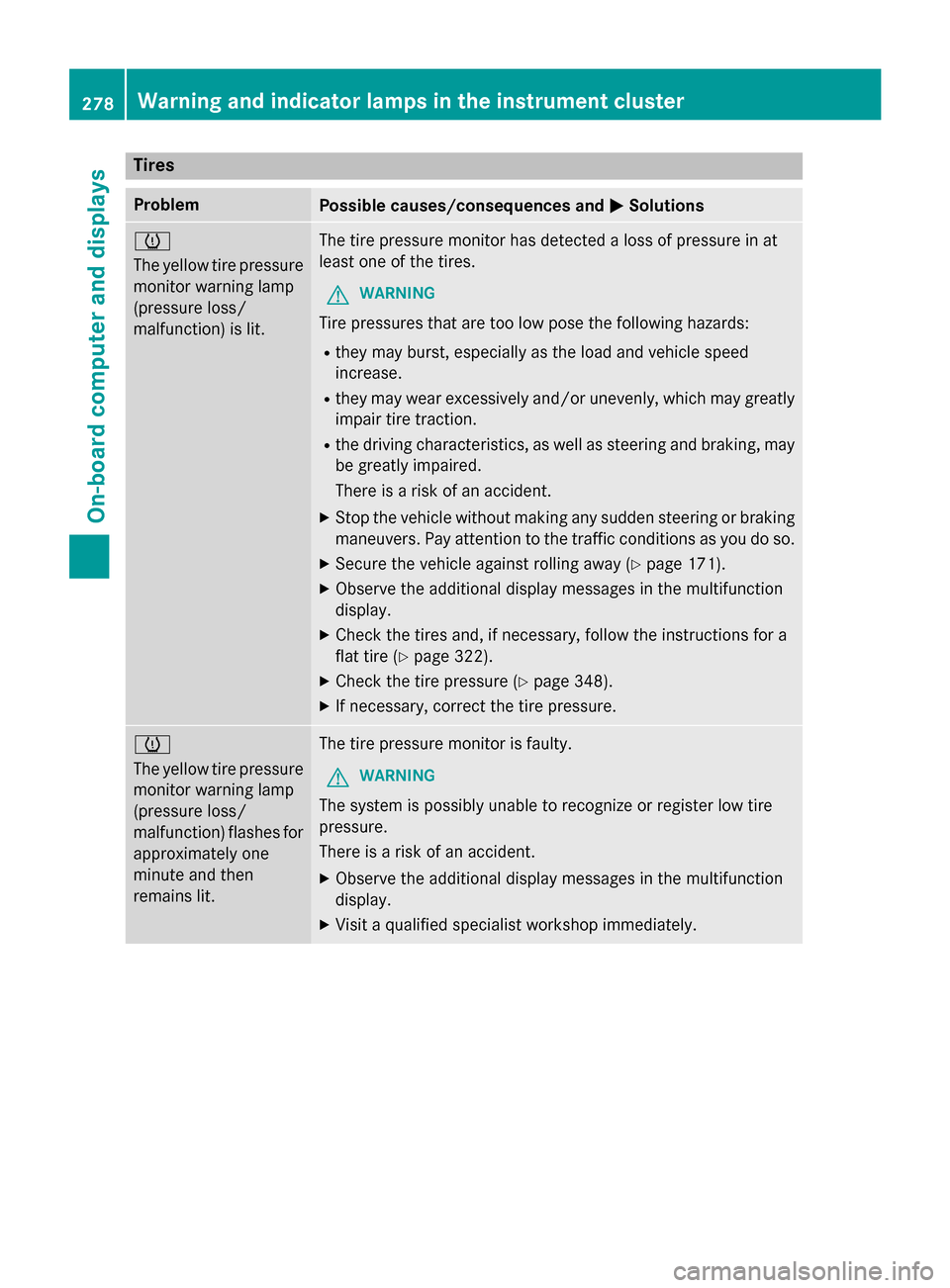
h
The yellow tire pressure
monitor warning lamp
(pressure loss/
malfunction) is lit.The tire pressure monitor has detected a loss of pressure in at
least one of the tires.
GWARNING
Tire pressures that are too low pose the following hazards:
Rthey may burst, especially as the load and vehicle speed
increase.
Rthey may wear excessively and/or unevenly, which may greatly
impair tire traction.
Rthe driving characteristics, as well as steering and braking, may
be greatly impaired.
There is a risk of an accident.
XStop the vehicle without making any sudden steering or braking
maneuvers. Pay attention to the traffic conditions as you do so.
XSecure the vehicle against rolling away (Ypage 171).
XObserve the additional display messages in the multifunction
display.
XCheck the tires and, if necessary, follow the instructions for a
flat tire (
Ypage 322).
XCheck the tire pressure (Ypage 348).
XIf necessary, correct the tire pressure.
h
The yellow tire pressure
monitor warning lamp
(pressure loss/
malfunction) flashes for
approximately one
minute and then
remains lit.The tire pressure monitor is faulty.
GWARNING
The system is possibly unable to recognize or register low tire
pressure.
There is a risk of an accident.
XObserve the additional display messages in the multifunction
display.
XVisit a qualified specialist workshop immediately.
278Warning and indicator lamps in the instrument cluster
On-board computer and displays
Page 295 of 390
System self-test
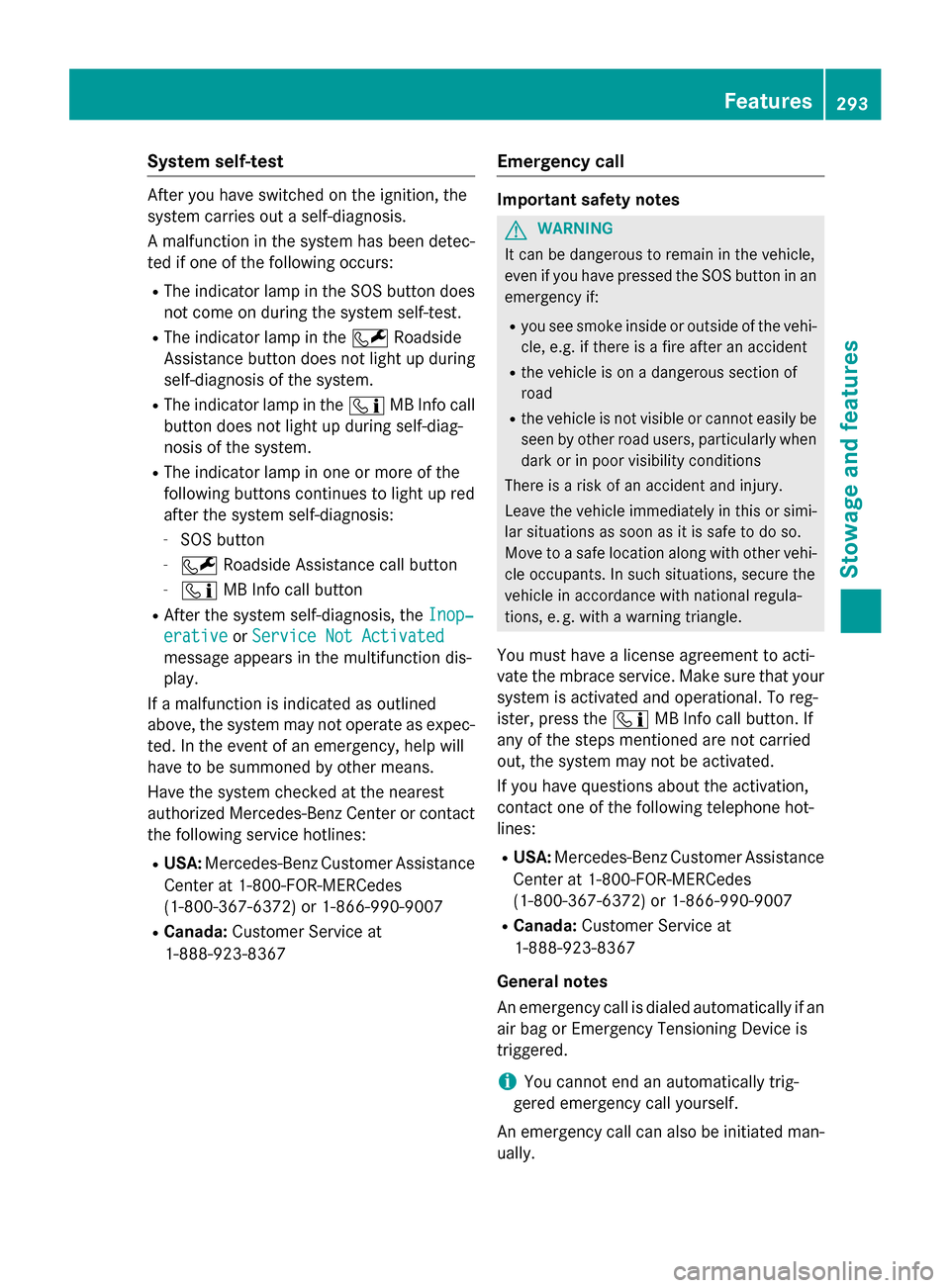
After you have switched on the ignition, the
system carries out a self-diagnosis.
A malfunction in the system has been detec-
ted if one of the following occurs:
RThe indicator lamp in the SOS button doesnot come on during the system self-test.
RThe indicator lamp in the FRoadside
Assistance button does not light up during
self-diagnosis of the system.
RThe indicator lamp in the ïMB Info call
button does not light up during self-diag-
nosis of the system.
RThe indicator lamp in one or more of the
following buttons continues to light up red
after the system self-diagnosis:
-SOS button
-F Roadside Assistance call button
-ïMB Info call button
RAfter the system self-diagnosis, the Inop‐
erativeorService Not Activated
message appears in the multifunction dis-
play.
If a malfunction is indicated as outlined
above, the system may not operate as expec-
ted. In the event of an emergency, help will
have to be summoned by other means.
Have the system checked at the nearest
authorized Mercedes-Benz Center or contact
the following service hotlines:
RUSA: Mercedes-Benz Customer Assistance
Center at 1-800-FOR-MERCedes
(1-800-367-6372) or 1-866-990-9007
RCanada: Customer Service at
1-888-923-8367
Emergency call
Important safety notes
GWARNING
It can be dangerous to remain in the vehicle,
even if you have pressed the SOS button in an emergency if:
Ryou see smoke inside or outside of the vehi-
cle, e.g. if there is a fire after an accident
Rthe vehicle is on a dangerous section of
road
Rthe vehicle is not visible or cannot easily beseen by other road users, particularly when
dark or in poor visibility conditions
There is a risk of an accident and injury.
Leave the vehicle immediately in this or simi-
lar situations as soon as it is safe to do so.
Move to a safe location along with other vehi-
cle occupants. In such situations, secure the
vehicle in accordance with national regula-
tions, e. g. with a warning triangle.
You must have a license agreement to acti-
vate the mbrace service. Make sure that your
system is activated and operational. To reg-
ister, press the ïMB Info call button. If
any of the steps mentioned are not carried
out, the system may not be activated.
If you have questions about the activation,
contact one of the following telephone hot-
lines:
RUSA: Mercedes-Benz Customer Assistance
Center at 1-800-FOR-MERCedes
(1-800-367-6372) or 1-866-990-9007
RCanada: Customer Service at
1-888-923-8367
General notes
An emergency call is dialed automatically if an air bag or Emergency Tensioning Device is
triggered.
iYou cannot end an automatically trig-
gered emergency call yourself.
An emergency call can also be initiated man-
ually.
Features293
Stowage and features
Z
Page 296 of 390
As soon as the emergency call has been ini-
tiated, the indicator lamp in the SOS button
flashes. The multifunction display shows the
Connecting Call
message.
The audio output is muted.
Once the connection has been made, the
Call Connected
message appears in the
multifunction display.
All important information on the emergency is
transmitted, for example:
Rcurrent location of the vehicle (as deter-
mined by the GPS system)
Rvehicle identification number
Rinformation on the severity of the accident
Shortly after the emergency call has been ini- tiated, a voice connection is automatically
established between the Customer Assis-
tance Center and the vehicle occupants.
RIf the vehicle occupants respond, the
Mercedes-Benz Customer Assistance Cen-
ter attempts to get more information on the
emergency.
RIf there is no response from the vehicle
occupants, an ambulance is immediately
sent to the vehicle.
If no voice connection can be established to
the Mercedes-Benz Customer Assistance
Center, the system has been unable to initiate
an emergency call.
This can occur, for example, if the relevant
mobile phone network is not available. The
indicator lamp in the SOS button flashes con- tinuously.
The Call Failed
message appears in the
multifunction display and must be confirmed.
In this case, summon assistance by other
means. Making an emergency call
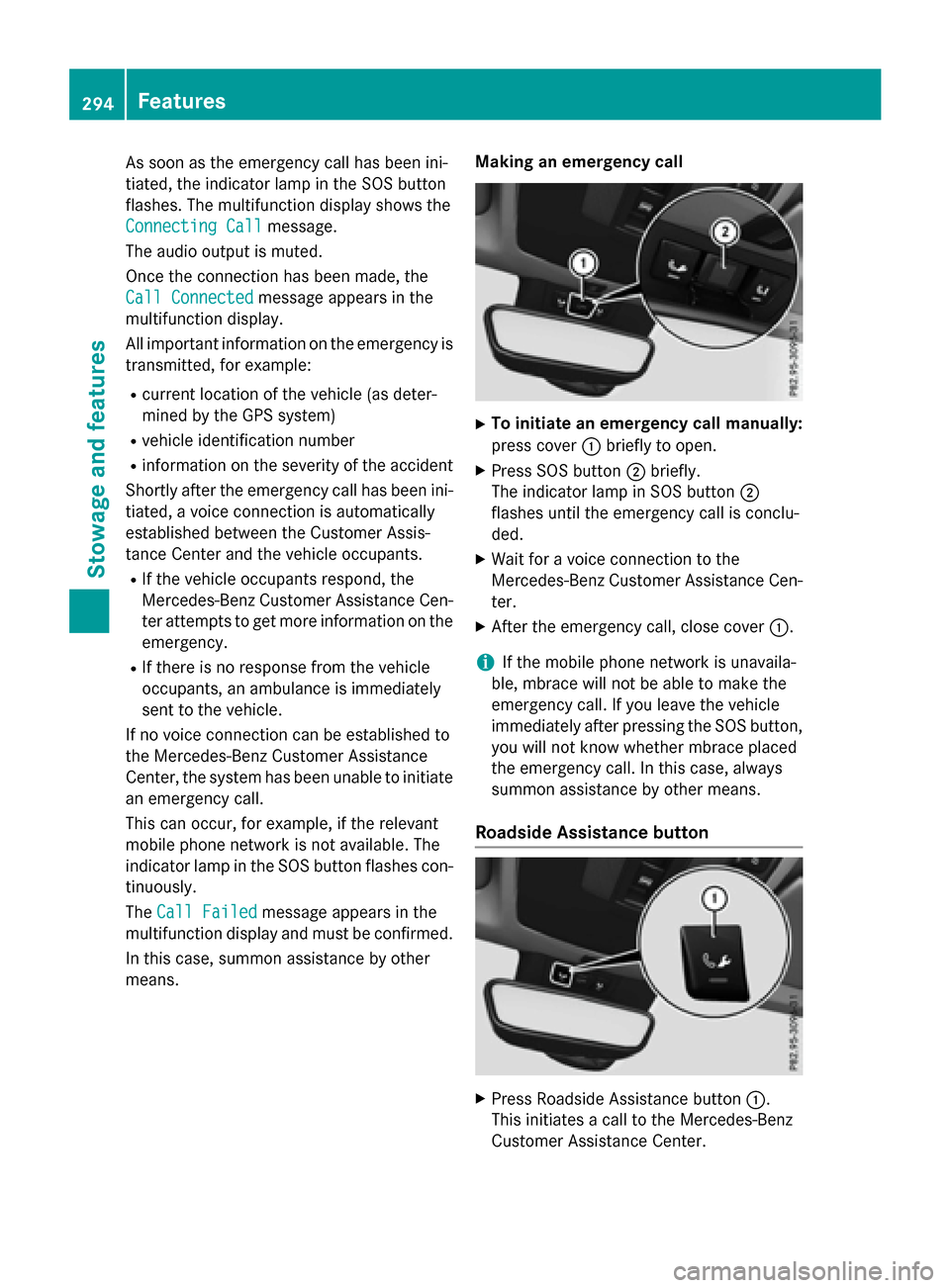
XTo initiate an emergency call manually:
press cover
:briefly to open.
XPress SOS button ;briefly.
The indicator lamp in SOS button ;
flashes until the emergency call is conclu-
ded.
XWait for a voice connection to the
Mercedes-Benz Customer Assistance Cen-
ter.
XAfter the emergency call, close cover :.
iIf the mobile phone network is unavaila-
ble, mbrace will not be able to make the
emergency call. If you leave the vehicle
immediately after pressing the SOS button,
you will not know whether mbrace placed
the emergency call. In this case, always
summon assistance by other means.
Roadside Assistance button
XPress Roadside Assistance button :.
This initiates a call to the Mercedes-Benz
Customer Assistance Center.
294Features
Stowag ean d features
Page 297 of 390
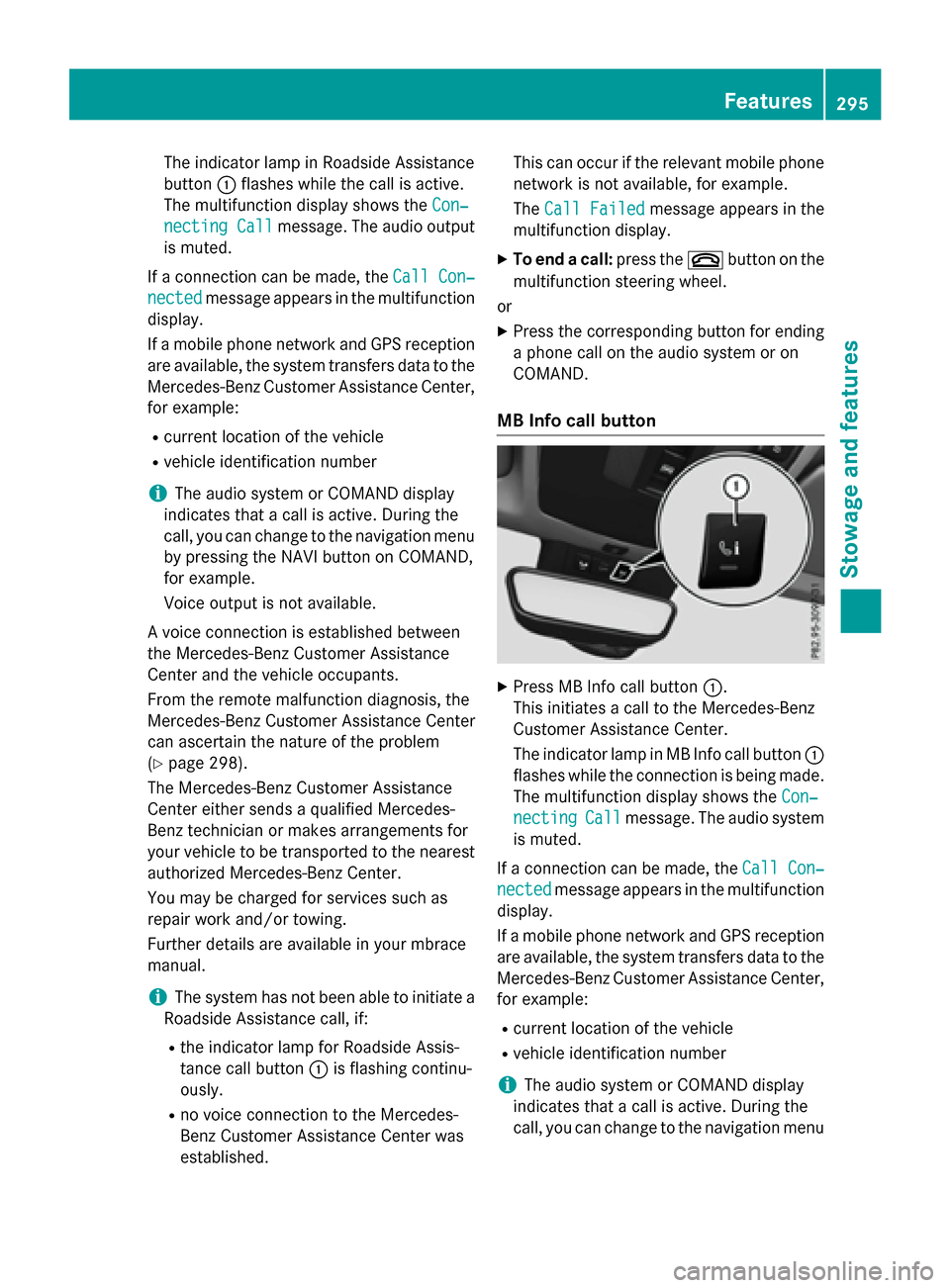
The indicator lamp in Roadside Assistance
button:flashes while the call is active.
The multifunction display shows the Con‐
necting Callmessage. The audio output
is muted.
If a connection can be made, the Call Con‐
nectedmessage appears in the multifunction
display.
If a mobile phone network and GPS reception
are available, the system transfers data to the
Mercedes-Benz Customer Assistance Center,
for example:
Rcurrent location of the vehicle
Rvehicle identification number
iThe audio system or COMAND display
indicates that a call is active. During the
call, you can change to the navigation menu
by pressing the NAVI button on COMAND,
for example.
Voice output is not available.
A voice connection is established between
the Mercedes-Benz Customer Assistance
Center and the vehicle occupants.
From the remote malfunction diagnosis, the
Mercedes-Benz Customer Assistance Center
can ascertain the nature of the problem
(
Ypage 298).
The Mercedes-Benz Customer Assistance
Center either sends a qualified Mercedes-
Benz technician or makes arrangements for
your vehicle to be transported to the nearest
authorized Mercedes-Benz Center.
You may be charged for services such as
repair work and/or towing.
Further details are available in your mbrace
manual.
iThe system has not been able to initiate a
Roadside Assistance call, if:
Rthe indicator lamp for Roadside Assis-
tance call button :is flashing continu-
ously.
Rno voice connection to the Mercedes-
Benz Customer Assistance Center was
established. This can occur if the relevant mobile phone
network is not available, for example.
The
Call Failed
message appears in the
multifunction display.
XTo end a call: press the~button on the
multifunction steering wheel.
or
XPress the corresponding button for ending
a phone call on the audio system or on
COMAND.
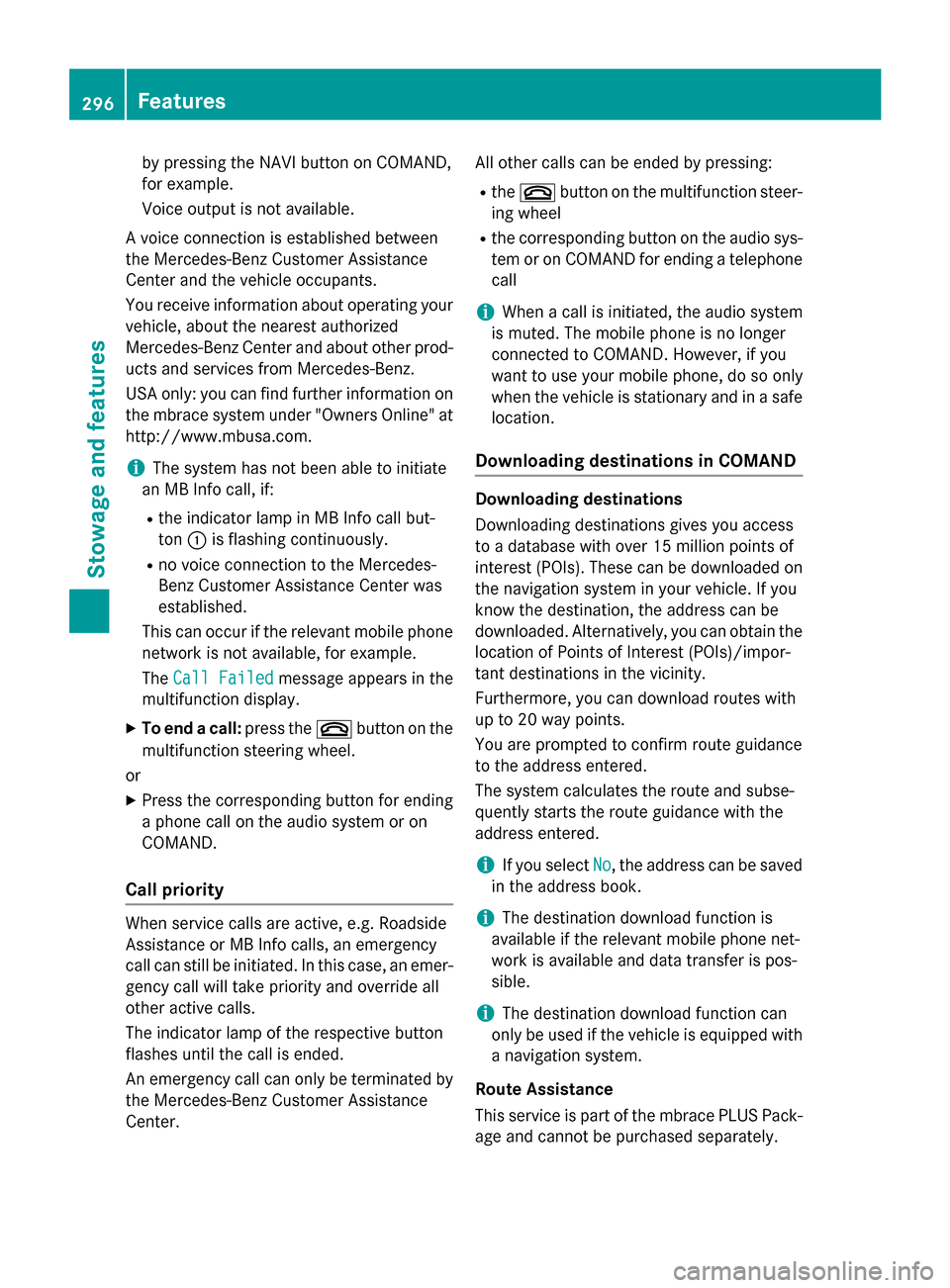
MB Info call button
XPress MB Info call button :.
This initiates a call to the Mercedes-Benz
Customer Assistance Center.
The indicator lamp in MB Info call button :
flashes while the connection is being made.
The multifunction display shows the Con‐
nectingCallmessage. The audio system
is muted.
If a connection can be made, the Call Con‐
nectedmessage appears in the multifunction
display.
If a mobile phone network and GPS reception
are available, the system transfers data to the
Mercedes-Benz Customer Assistance Center,
for example:
Rcurrent location of the vehicle
Rvehicle identification number
iThe audio system or COMAND display
indicates that a call is active. During the
call, you can change to the navigation menu
Features295
Stowage and features
Z
Page 298 of 390
by pressing the NAVI button on COMAND,
for example.
Voice output is not available.
A voice connection is established between
the Mercedes-Benz Customer Assistance
Center and the vehicle occupants.
You receive information about operating your
vehicle, about the nearest authorized
Mercedes-Benz Center and about other prod-
ucts and services from Mercedes-Benz.
USA only: you can find further information on
the mbrace system under "Owners Online" at
http://www.mbusa.com.
iThe system has not been able to initiate
an MB Info call, if:
Rthe indicator lamp in MB Info call but-
ton :is flashing continuously.
Rno voice connection to the Mercedes-
Benz Customer Assistance Center was
established.
This can occur if the relevant mobile phone
network is not available, for example.
The Call Failed
message appears in the
multifunction display.
XTo end a call: press the~button on the
multifunction steering wheel.
or
XPress the corresponding button for ending
a phone call on the audio system or on
COMAND.
Call priority
When service calls are active, e.g. Roadside
Assistance or MB Info calls, an emergency
call can still be initiated. In this case, an emer-
gency call will take priority and override all
other active calls.
The indicator lamp of the respective button
flashes until the call is ended.
An emergency call can only be terminated by the Mercedes-Benz Customer Assistance
Center. All other calls can be ended by pressing:
Rthe
~ button on the multifunction steer-
ing wheel
Rthe corresponding button on the audio sys- tem or on COMAND for ending a telephone
call
iWhen a call is initiated, the audio system
is muted. The mobile phone is no longer
connected to COMAND. However, if you
want to use your mobile phone, do so only
when the vehicle is stationary and in a safe
location.
Downloading destinations in COMAND
Downloading destinations
Downloading destinations gives you access
to a database with over 15 million points of
interest (POIs). These can be downloaded on
the navigation system in your vehicle. If you
know the destination, the address can be
downloaded. Alternatively, you can obtain the
location of Points of Interest (POIs)/impor-
tant destinations in the vicinity.
Furthermore, you can download routes with
up to 20 way points.
You are prompted to confirm route guidance
to the address entered.
The system calculates the route and subse-
quently starts the route guidance with the
address entered.
iIf you select No, the address can be saved
in the address book.
iThe destination download function is
available if the relevant mobile phone net-
work is available and data transfer is pos-
sible.
iThe destination download function can
only be used if the vehicle is equipped with
a navigation system.
Route Assistance
This service is part of the mbrace PLUS Pack-
age and cannot be purchased separately.
296Features
Stowage and features