snow chains MERCEDES-BENZ GLA SUV 2013 Owners Manual
[x] Cancel search | Manufacturer: MERCEDES-BENZ, Model Year: 2013, Model line: GLA SUV, Model: MERCEDES-BENZ GLA SUV 2013Pages: 401, PDF Size: 11.9 MB
Page 12 of 401
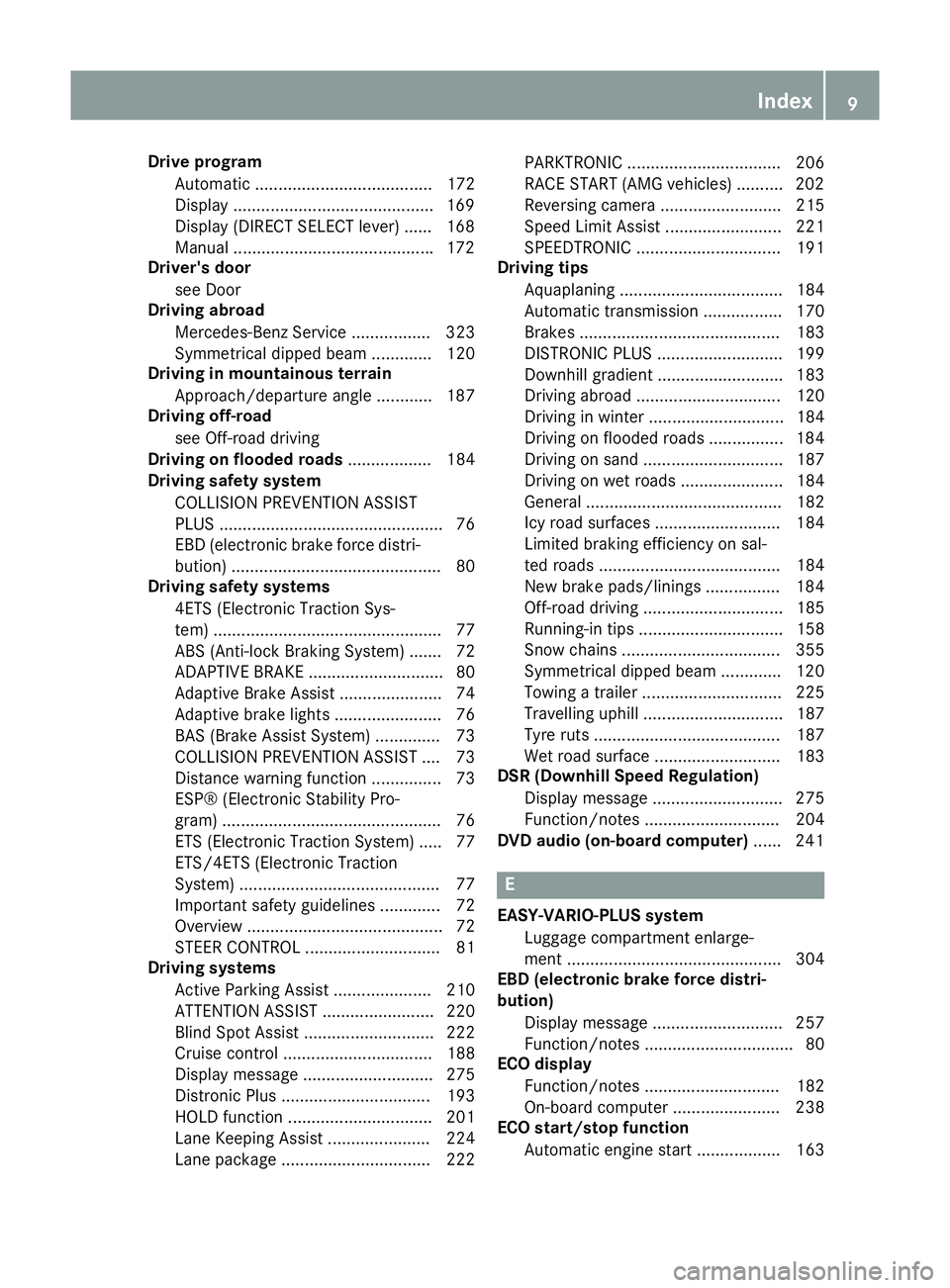
Drive program
Automatic ...................................... 172
Display .......................................... .169
Display (DIRECT SELECT lever) ...... 168
Manual .......................................... .172
Driver's door
see Door
Driving abroad
Mercedes-Benz Service ................. 323
Symmetrical dipped bea m............. 120
Driving in mountainous terrain
Approach/departure angle ............ 187
Driving off-road
see Off-road driving
Driving on flooded roads .................. 184
Driving safety system
COLLISION PREVENTION ASSIST
PLUS ................................................ 76
EBD (electronic brake force distri- bution) ............................................. 80
Driving safety systems
4ETS (Electronic Traction Sys-
tem) ................................................. 77
ABS (Anti-lock Braking System) ....... 72
ADAPTIVE BRAK E............................. 80
Adaptive Brake Assist ...................... 74
Adaptive brake lights ....................... 76
BAS (Brake Assist System) .............. 73
COLLISION PREVENTION ASSIST .... 73
Distance warning function ............... 73
ESP® (Electronic Stability Pro-
gram) ............................................... 76
ETS (Electronic Traction System) ..... 77
ETS/4ETS (Electronic Traction
System) ........................................... 77
Important safety guidelines ............. 72
Overview .......................................... 72
STEER CONTROL ............................. 81
Driving systems
Active Parking Assist ..................... 210
ATTENTION ASSIST ........................ 220
Blind Spot Assist ............................ 222
Cruise control ................................ 188
Display message ............................ 275
Distronic Plus ................................ 193
HOLD function ............................... 201
Lane Keeping Assist ...................... 224
Lane package ................................ 222 PARKTRONIC ................................. 206
RACE START (AMG vehicles) .......... 202
Reversing camera .......................... 215
Speed Limit Assist ......................... 221
SPEEDTRONIC ............................... 191
Driving tips
Aquaplaning ................................... 184
Automatic transmission ................. 170
Brakes ........................................... 183
DISTRONIC PLUS ........................... 199
Downhill gradient ........................... 183
Driving abroad ............................... 120
Driving in winter ............................. 184
Driving on flooded roads ................ 184
Driving on sand .............................. 187
Driving on wet roads ...................... 184
General .......................................... 182
Icy road surfaces ........................... 184
Limited braking efficiency on sal-
ted roads ....................................... 184
New brake pads/linings ................ 184
Off-road driving .............................. 185
Running-in tips ............................... 158
Snow chains .................................. 355
Symmetrical dipped beam ............. 120
Towing a traile r.............................. 225
Travelling uphill .............................. 187
Tyre ruts ........................................ 187
Wet road surface ........................... 183
DSR (Downhill Speed Regulation)
Display message ............................ 275
Function/note s............................. 204
DVD audio (on-board computer) ...... 241 E
EASY-VARIO-PLUS system Luggage compartment enlarge-
ment .............................................. 304
EBD (electronic brake force distri-
bution)
Display message ............................ 257
Function/note s................................ 80
ECO display
Function/note s............................. 182
On-board computer ....................... 238
ECO start/stop function
Automatic engine start .................. 163 Index
9
Page 20 of 401
Roller sunblind
Opening/closing ............................ 104
Panorama sliding sunroof .............. 103
Roof carrier ........................................ 307
Roof lining and carpets (cleaning
instructions) ...................................... 329
Roof load (maximum) ........................ 391
Route (navigation)
see Route guidance (navigation)
Route guidance (navigation) ............ 239S
Safety Automatic front-passenger front
airbag deactivation system .............. 51
Child restraint systems .................... 60
Children in the vehicle ..................... 59
Safety system
see Driving safety systems
Seat
Adjusting (Performance Seat) ........ 113
Seat belt
Correct usage .................................. 46
Switching belt adjustment on/off
(on-board computer) ...................... 250
Seat belts
Adjusting the driver's and front-
passenger seat bel t......................... 47
Adjusting the height ......................... 46
Cleaning ......................................... 329
Display message ............................ 263
Fastening ......................................... 46
Important safety guidelines ............. 44
Introduction ..................................... 44
Rear seat belt status indicator ......... 48
Releasing ......................................... 47
Warning lamp ................................. 288
Warning lamp (function) ................... 47
Seats
Adjusting (electrically) ................... 110
Adjusting (manually) ...................... 110
Adjusting the 4-way lumbar sup-
port ................................................ 112
Adjusting the head restraint .......... 111
Cleaning the cover ......................... 328
Correct driver's seat position ........ 108
Important safety notes .................. 109 Seat heating problem .................... 114
Storing settings (memory func-
tion) ............................................... 117
Switching seat heating on/of
f....... 113
Sensors (cleaning instructions) ....... 326
Service
see ASSYST PLUS
Service Centre
see Qualified specialist workshop
Service menu (on-board com-
puter) .................................................. 245
Service products
Brake fluid ..................................... 390
Coolant (engine) ............................ 390
Engine oil ....................................... 388
Fuel ................................................ 385
Important safety notes .................. 384
Washer fluid ................................... 391
Setting the air distribution ............... 145
Setting the airflow ............................ 145
Settings
Factory (on-board computer) ......... 251
On-board compute r....................... 245
SETUP (on-board computer) ............. 251
Shifting to neutral (manual trans-
mission) ............................................. 167
Side lamps
Switching on/of f........................... 122
Side windows
Convenience closing ........................ 99
Convenience opening ...................... 99
Important safety notes .................... 98
Opening/closing .............................. 98
Problem (malfunction) ................... 101
Resetting ....................................... 100
Sidebag ................................................ 50
Sliding sunroof
see Panorama sliding sunroof
Snow chains ...................................... 355
Socket
Luggage compartment ................... 312
Points to observe before use ......... 311
Sockets
Centre console .............................. 311
Rear compartment ......................... 311
Specialist workshop ............................ 25
Spectacles compartment ................. 301 Index
17
Page 24 of 401
LIM (DISTRONIC PLUS) .................. 194
LIM (variable SPEEDTRONIC) .........1
91
Overview .......................................... 34
PASSENGER AIR BAG ..................... .43
Reserve fuel .................................. .295
Seat belt ........................................ 288
Tyre pressure monitor ................... 298
Warning triangle ................................ 332
Washer fluid
Display message ............................ 287
Wheel and tyre combinations
see Tyres
Wheel bolt tightening torque ........... 365
Wheel chock ...................................... 363
Wheels
Changing a wheel .......................... 361
Changing/replacing ....................... 361
Checking ........................................ 353
Cleaning ......................................... 324
Cleaning (warning) ......................... 362
Emergency spare wheel ................. 377
Fitting a new wheel ........................ 365
Fitting a wheel ............................... 362
Important safety notes .................. 352
Removing a wheel .......................... 365
Storing .......................................... .362
Tightening torque ........................... 365
Wheel size/tyre size ..................... .366
Windowbag
Display message ............................ 265
Operation ......................................... 51
Windows
Cleaning ......................................... 325
see Side windows
Windscreen
Demisting ...................................... 146
Windscreen washer fluid
see Windscreen washer system
Windscreen washer system
Notes ............................................. 391
Topping up ..................................... 321
Windscreen wipers
Display message ............................ 287
Problem (malfunction) ................... 135
Rear window wiper ........................ 133
Replacing the wiper blades ............ 133
Switching on/off ........................... 132 Winter driving
General notes ................................ 354
Winter operation
Slippery road surfaces ................... 184
Snow chains .................................. 355
Winter tyres
Limiting the speed (on-board com-
puter) ............................................. 248
M+S tyres ...................................... 354
Wiper blades
Cleaning ......................................... 326
Important safety notes .................. 133
Replacing (on the rear window) ..... 134
Replacing (windscreen) .................. 133
Wooden trim (cleaning instruc-
tions) ................................................. .328
Workshop
see Qualified specialist workshop Z
ZONE function Switching on/off ........................... 145 Index
21
Page 75 of 401
Driving safety systems
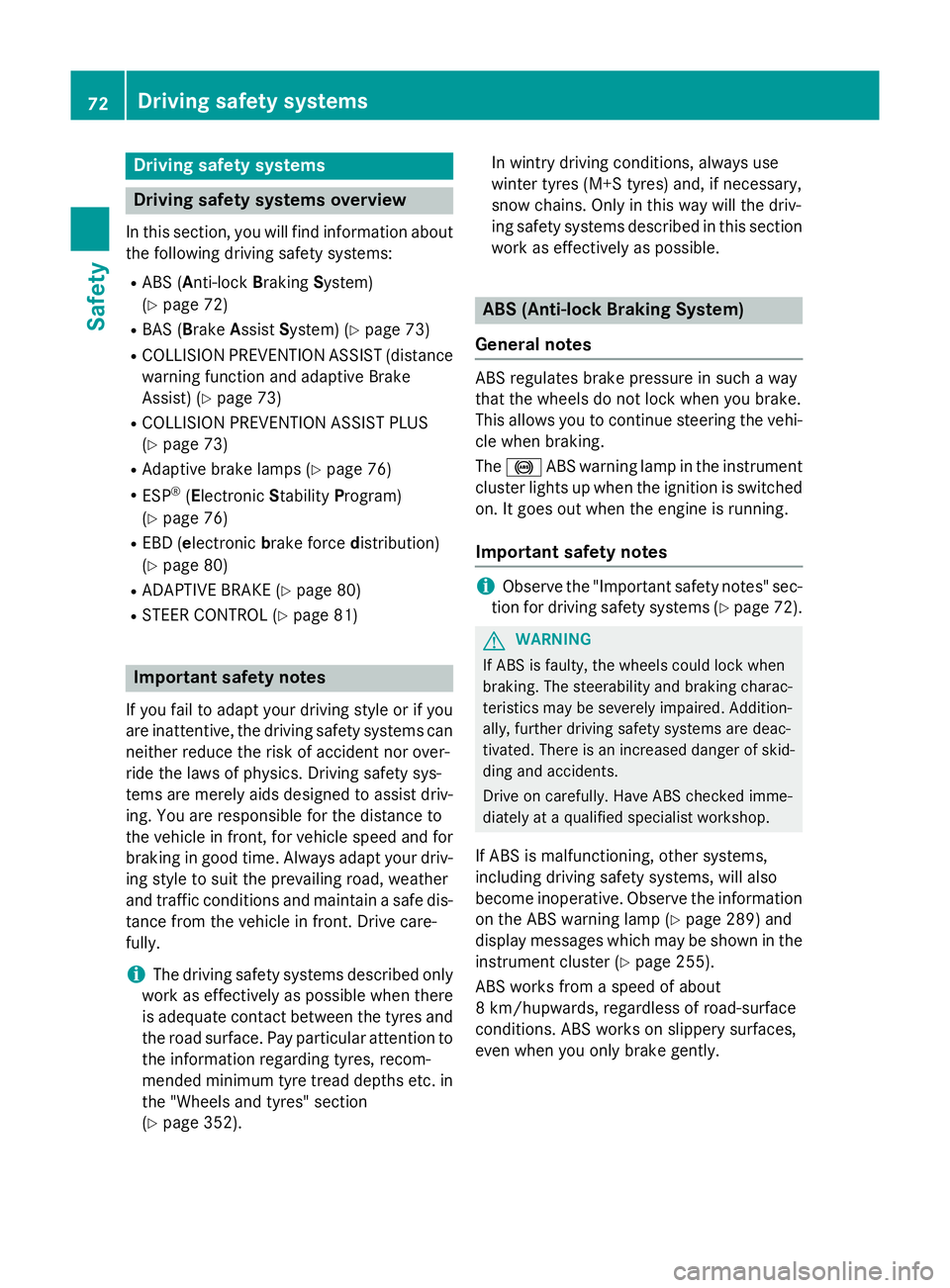
Driving safety systems overview
In this section, you will find information about the following driving safety systems:
R ABS (Anti-lock BrakingSystem)
(Y page 72)
R BAS (Brake Assist System) (Y page 73)
R COLLISION PREVENTION ASSIST (distance
warning function and adaptive Brake
Assist) (Y page 73)
R COLLISION PREVENTION ASSIST PLUS
(Y page 73)
R Adaptive brake lamps (Y page 76)
R ESP ®
(E lectronic StabilityProgram)
(Y page 76)
R EBD (electronic brake forcedistribution)
(Y page 80)
R ADAPTIVE BRAKE (Y page 80)
R STEER CONTROL (Y page 81)Important safety notes
If you fail to adapt your driving style or if you
are inattentive, the driving safety systems can
neither reduce the risk of accident nor over-
ride the laws of physics. Driving safety sys-
tems are merely aids designed to assist driv- ing. You are responsible for the distance to
the vehicle in front, for vehicle speed and forbraking in good time. Always adapt your driv- ing style to suit the prevailing road, weather
and traffic conditions and maintain a safe dis-
tance from the vehicle in front. Drive care-
fully.
i The driving safety systems described only
work as effectively as possible when there
is adequate contact between the tyres and
the road surface. Pay particular attention to the information regarding tyres, recom-
mended minimum tyre tread depths etc. inthe "Wheels and tyres" section
(Y page 352). In wintry driving conditions, always use
winter tyres (M+S tyres) and, if necessary,
snow chains. Only in this way will the driv-
ing safety systems described in this section
work as effectively as possible. ABS (Anti-lock Braking System)
General notes ABS regulates brake pressure in such a way
that the wheels do not lock when you brake.
This allows you to continue steering the vehi- cle when braking.
The ! ABS warning lamp in the instrument
cluster lights up when the ignition is switched on. It goes out when the engine is running.
Important safety notes i
Observe the "Important safety notes" sec-
tion for driving safety systems (Y page 72). G
WARNING
If ABS is faulty, the wheels could lock when
braking. The steerability and braking charac-
teristics may be severely impaired. Addition-
ally, further driving safety systems are deac-
tivated. There is an increased danger of skid- ding and accidents.
Drive on carefully. Have ABS checked imme-
diately at a qualified specialist workshop.
If ABS is malfunctioning, other systems,
including driving safety systems, will also
become inoperative. Observe the information on the ABS warning lamp (Y page 289) and
display messages which may be shown in the
instrument cluster (Y page 255).
ABS works from a speed of about
8 km/hupwards, regardless of road-surface
conditions. ABS works on slippery surfaces,
even when you only brake gently. 72
Driving safety syste
msSafety
Page 81 of 401
If ESP
®
intervenes:
X Do not deactivate ESP ®
under any circum-
stances.
X When pulling away, only depress the accel-
erator pedal as far as is necessary.
X Adapt your driving style to suit the prevail-
ing road and weather conditions.
ECO start/stop function
The ECO start/stop function switches the
engine off automatically if the vehicle stops
moving. When pulling away again, the engine
starts automatically. ESP ®
remains in its pre-
viously selected status. Example:if ESP®
was deactivated before the engine was
switched off, ESP ®
remains deactivated when
the engine is switched on again.
Deactivating/activating ESP ®
(except
AMG vehicles) Important safety notes
You can select between the following states
of ESP
®
:
R ESP ®
is activated.
R ESP ®
is deactivated. G
WARNING
If you deactivate ESP ®
, ESP ®
no longer sta-
bilises the vehicle. There is an increased risk
of skidding and an accident.
Only deactivate ESP ®
in the situations descri-
bed in the following.
It may be best to deactivate ESP ®
in the fol-
lowing situations:
R when using snow chains
R in deep snow
R on sand or gravel
i Activate ESP ®
as soon as the situations
described above no longer apply. ESP ®
will
otherwise not be able to stabilise the vehi-
cle if the vehicle starts to skid or a wheel
starts to spin. Deactivating/activating ESP
®
You can deactivate or activate ESP ®
via the
on-board computer.
X To deactivate:(Y page 244).
The å ESP®
OFF warning lamp in the
instrument cluster lights up.
X To activate:(Y page 244).
The å ESP®
OFF warning lamp in the
instrument cluster goes out.
Characteristics when ESP ®
is deactivated
If ESP ®
is deactivated and one or more wheels
start to spin, the ÷ESP®
warning lamp in
the instrument cluster flashes. In such situa-
tions, ESP ®
will not stabilise the vehicle.
If you deactivate ESP ®
:
R ESP ®
no longer improves driving stability.
R engine torque is no longer limited and the
drive wheels are able to spin.
The spinning of the wheels results in a cut-
ting action for better traction on loose sur- faces.
R traction control is still activated.
R ESP ®
still provides support when you
brake.
Deactivating/activating ESP ®
(AMG
vehicles) Important safety notes
i Observe the "Important safety notes" sec-
tion (Y page 72).
You can select between the following states
of ESP ®
:
R ESP ®
is activated.
R SPORT handling mode is activated.
R ESP ®
is deactivated. G
WARNING
When SPORT handling mode is activated,
there is a greater risk of skidding and acci-
dents. 78
Driving safety systemsSafety
Page 82 of 401
Only activate SPORT handling mode in the sit-
uations described in the following. G
WARNING
If you deactivate ESP ®
, ESP ®
no longer sta-
bilises the vehicle. There is an increased risk
of skidding and an accident.
Only deactivate ESP ®
in the situations descri-
bed in the following.
In the following situations, it may be better to activate SPORT handling mode or deactivate
ESP ®
:
R when using snow chains
R in deep snow
R on sand or gravel
R on specially designated roads when the
vehicle's own oversteering and understeer-
ing characteristics are desired
Driving in SPORT handling mode or without
ESP ®
requires an extremely qualified and
experienced driver.
i Activate ESP ®
as soon as the situations
described above no longer apply. ESP ®
will
otherwise not be able to stabilise the vehi-
cle if the vehicle starts to skid or a wheel
starts to spin.
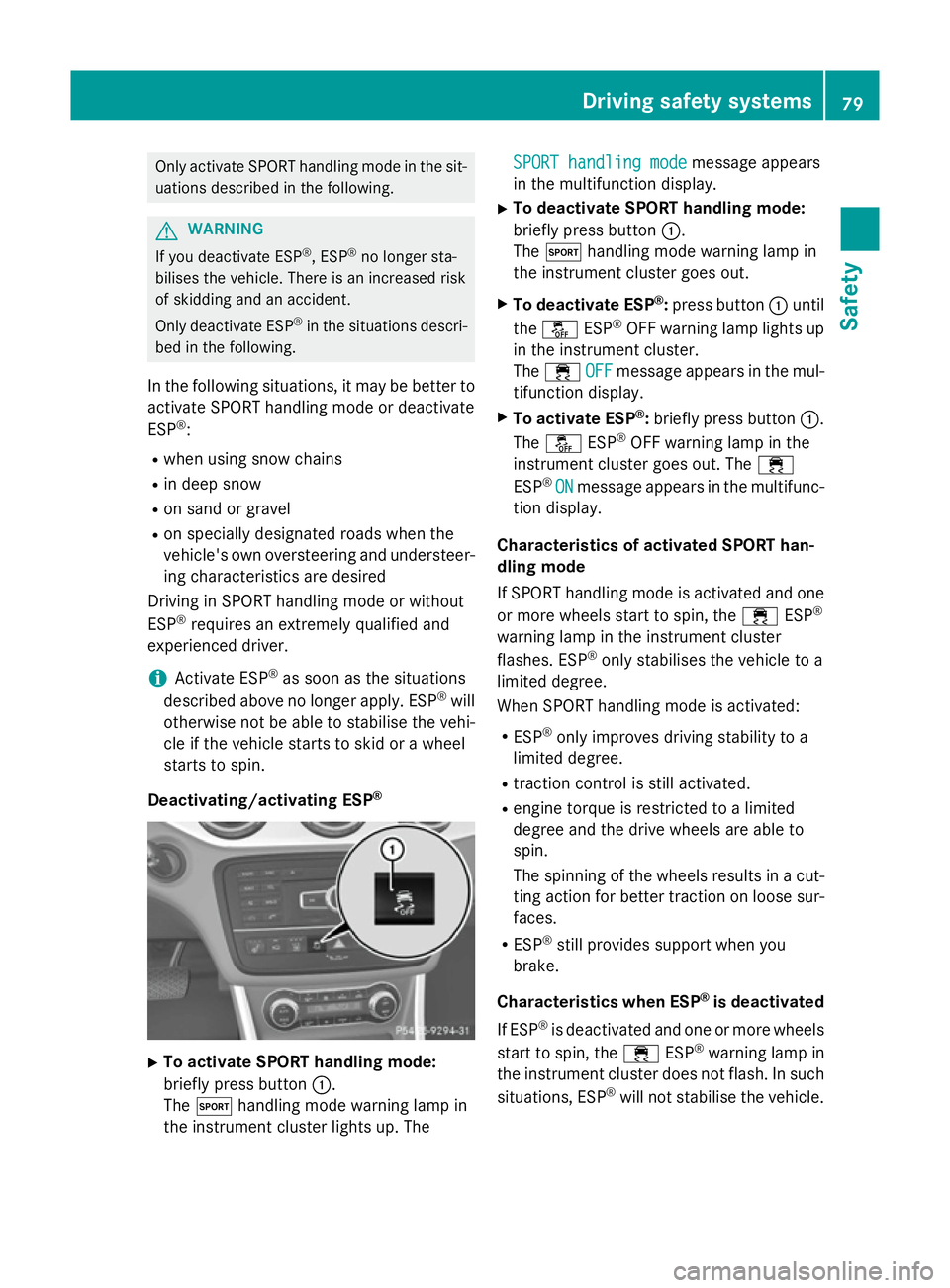
Deactivating/activating ESP ®X
To activate SPORT handling mode:
briefly press button :.
The M handling mode warning lamp in
the instrument cluster lights up. The SPORT handling mode
SPORT handling mode message appears
in the multifunction display.
X To deactivate SPORT handling mode:
briefly press button :.
The M handling mode warning lamp in
the instrument cluster goes out.
X To deactivate ESP ®
:press button :until
the å ESP®
OFF warning lamp lights up
in the instrument cluster.
The ÷ OFF OFFmessage appears in the mul-
tifunction display.
X To activate ESP ®
:briefly press button :.
The å ESP®
OFF warning lamp in the
instrument cluster goes out. The ÷
ESP ®
ON
ON message appears in the multifunc-
tion display.
Characteristics of activated SPORT han-
dling mode
If SPORT handling mode is activated and one or more wheels start to spin, the ÷ESP®
warning lamp in the instrument cluster
flashes. ESP ®
only stabilises the vehicle to a
limited degree.
When SPORT handling mode is activated:
R ESP ®
only improves driving stability to a
limited degree.
R traction control is still activated.
R engine torque is restricted to a limited
degree and the drive wheels are able to
spin.
The spinning of the wheels results in a cut-
ting action for better traction on loose sur- faces.
R ESP ®
still provides support when you
brake.
Characteristics when ESP ®
is deactivated
If ESP ®
is deactivated and one or more wheels
start to spin, the ÷ESP®
warning lamp in
the instrument cluster does not flash. In such
situations, ESP ®
will not stabilise the vehicle. Driving safety systems
79Safety Z
Page 188 of 401
ensure an adequate supply of fresh air, open a
window on the side of the vehicle that is not
facing into the wind.
Have your vehicle winterproofed at a qualified specialist workshop at the onset of winter.
You should drive particularly carefully on slip- pery road surfaces. Avoid sudden accelera-
tion, steering and braking manoeuvres. Do
not use cruise control or DISTRONIC PLUS.
If the vehicle threatens to skid or cannot be
stopped when moving at low speed:
X Vehicles with manual transmission:
shift to neutral.
X Vehicles with automatic transmission:
shift the transmission to position N.
X Try to bring the vehicle under control by
using corrective steering.
The outside temperature indicator is not
designed to serve as an ice-warning device
and is therefore unsuitable for that purpose.
Changes in the outside temperature are dis-
played after a short delay.
Indicated temperatures just above the freez-
ing point do not guarantee that the road sur-
face is free of ice. The road may still be icy,
especially in wooded areas or on bridges.
You should pay special attention to road con-
ditions when temperatures are around the
freezing point.
For more information on driving with snow
chains, see (Y page 355).
For more information on driving with summer tyres, see (Y page 354).
Observe the notes in the "Winter operation"
section (Y page 354). Off-road driving
Important safety notes G
WARNING
If you drive up a steep incline at an angle or
turn on a steep incline, the vehicle could slip sideways, tip and overturn. There is a risk of
an accident.
When driving up an incline, drive into the line
of fall (upwards or downwards in a straight
line) and do not turn.
The vehicle is only designed for easily nego-
tiable off-road terrain and poor road surfaces. When driving off-road, substances such as
sand, mud and water or water mixed with oil
may get into the brakes. This may lead to a
reduction in braking performance or total
brake failure as a result of increased wear.
The braking characteristics will vary depend-
ing on the substances that get into the
brakes. Clean the brakes after driving off-
road. If you notice grinding noises or a reduc-
tion in braking performance, have the brake
system checked at a qualified specialist work- shop immediately. Adapt your driving style to
the altered braking characteristics.
Driving off-road increases the possibility of
damage to the vehicle, which may cause
assemblies or systems to fail. Adapt your
driving style to the conditions of the terrain.
Drive carefully. Have vehicle damage rectified immediately at a qualified specialist work-
shop.
Do not shift into transmission position N
when driving off-road. You could lose control
of the vehicle if you attempt to brake the
vehicle using the service brake. If the gradient
is too steep for your vehicle, back up in
reverse gear.
General notes H
Environmental note
Protection of the environment is of primary
importance. Treat nature with respect.
Observe all prohibiting signs.
Read this section before driving your vehicle
off-road.
Off-road driving is only possible with the Off-
Road Engineering package (Y page 205). Driving tips
185Driving and parking Z
Page 207 of 401
take account of road, weather and traffic con-
ditions. 4MATIC is only an aid. You are
responsible for the distance to the vehicle in
front, for vehicle speed, for braking in good
time, and for staying in lane.
If a drive wheel spins due to insufficient grip:
R when pulling away, only depress the accel-
erator pedal as far as is necessary.
R accelerate less when driving.
! Never tow the vehicle with one axle
raised. This may damage the transfer case.
Damage of this sort is not covered by the
Mercedes-Benz implied warranty. All
wheels must remain either on the ground or be fully raised. Observe the instructions for
towing the vehicle with all wheels in full
contact with the ground.
i In wintry driving conditions, the maximum
effect of 4MATIC can only be achieved if
you use winter tyres (M+S tyres), with snow
chains if necessary. DSR
Important safety notes i
DSR (Downhill Speed Regulation) is only
available for vehicles with the Off-Road
Engineering package.
DSR is an aid to assist you when driving down-
hill. It keeps the speed of travel at the speed
selected on the on-board computer. The
steeper the downhill gradient, the greater the
DSR braking effect on the vehicle. When driv-
ing on flat stretches of road or on an uphill
gradient, the DSR braking effect is minimal or
non-existent.
DSR controls the vehicle’s speed when it is
activated and the transmission is in position
D, Ror N. By accelerating or braking, you can
always drive at a higher or a lower speed than
that set on the on-board computer.
If you fail to adapt your driving style, DSR can
neither reduce the risk of accident nor over-
ride the laws of physics. DSR cannot take account of road, weather and traffic condi-
tions. DSR is only an aid. You are responsible
for the distance to the vehicle in front, for
vehicle speed, for braking in good time, and
for staying in lane.
You are always responsible for keeping con-
trol of the vehicle and for assessing whether
the downhill gradient can be managed. DSR
may not always be able to keep to the set
speed, depending on road surface and tyre
conditions. Select a set speed suitable for theprevailing conditions and when necessary,
apply the brakes manually. G
WARNING
If the speed driven and the set speed deviate and you activate DSR on a slippery road sur-
face, the wheels may lose traction. This
increases the risk of skidding and having an
accident.
Before switching DSR on, please take into
consideration the road surface and the differ-
ence between driving speed and the set
speed.
For information about driving off-road, see
(Y page 185).
Activating/deactivating DSR G
WARNING
If you drive faster than the set speed and acti-
vate DSR, the vehicle will decelerate on down- hill gradients. If you do not know the set
speed, the vehicle could decelerate unexpect-edly. There is a risk of an accident.
Decelerate the vehicle to the set speed before
activating DSR. If you do not know what the
stored set speed is, store the desired set
speed again.
Activating
You can only activate DSR when driving at
speeds below 30 km/h. 204
Driving systemsDriving and parking
Page 209 of 401
teristics and the gearshifting characteristics
of the automatic transmission are adapted for
this purpose. ABS, ESP ®
and ETS programs
especially adapted to off-road driving are also
activated.
Do not use the off-road program on roads that are snow-covered or icy or if you have fitted
your vehicle with snow chains.
For information about "Driving off-road", see
(Y page 185).
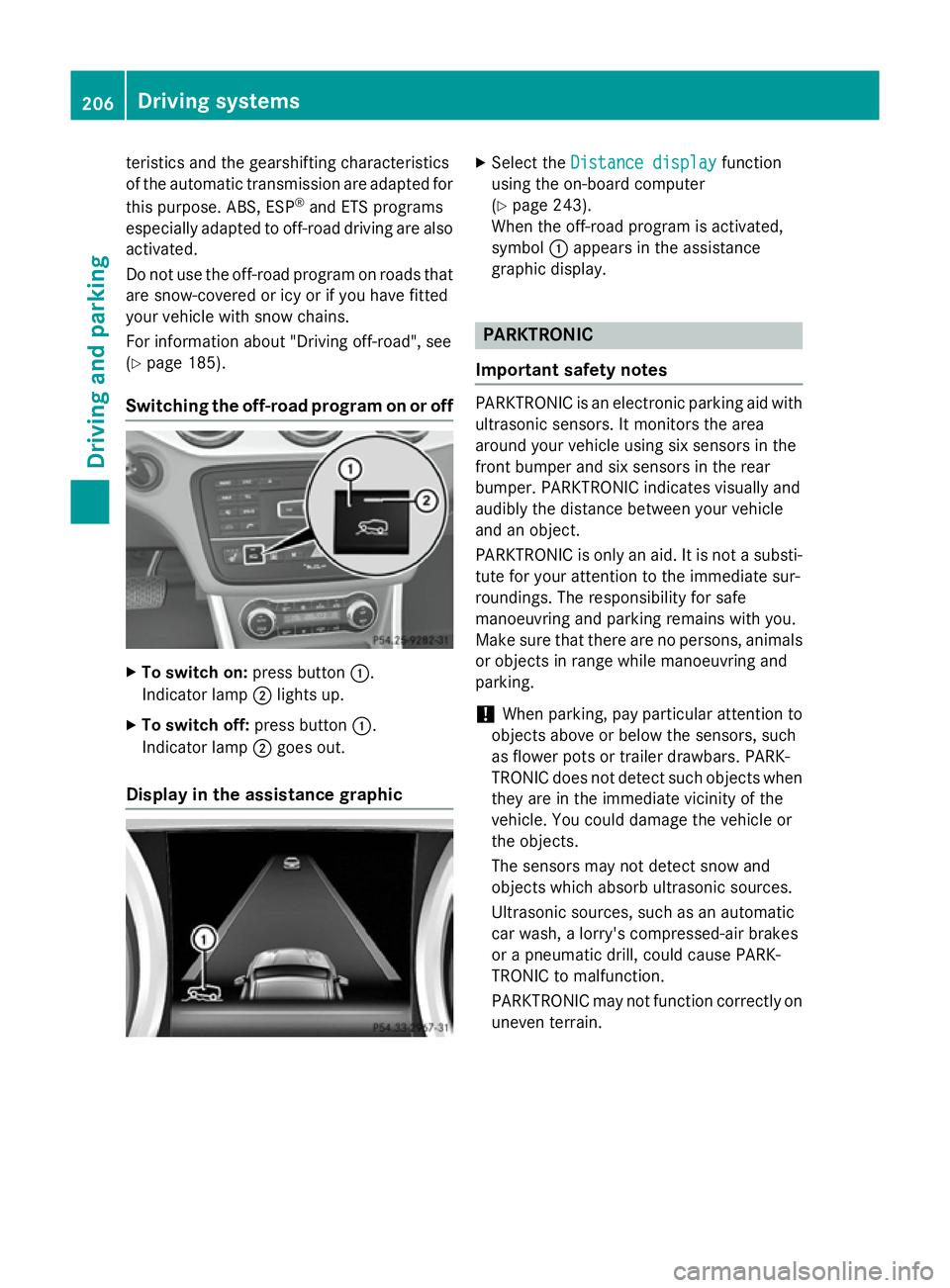
Switching the off-road program on or off X
To switch on: press button:.
Indicator lamp ;lights up.
X To switch off: press button:.
Indicator lamp ;goes out.
Display in the assistance graphic X
Select the Distance display Distance display function
using the on-board computer
(Y page 243).
When the off-road program is activated,
symbol :appears in the assistance
graphic display. PARKTRONIC
Important safety notes PARKTRONIC is an electronic parking aid with
ultrasonic sensors. It monitors the area
around your vehicle using six sensors in the
front bumper and six sensors in the rear
bumper. PARKTRONIC indicates visually and
audibly the distance between your vehicle
and an object.
PARKTRONIC is only an aid. It is not a substi- tute for your attention to the immediate sur-
roundings. The responsibility for safe
manoeuvring and parking remains with you.
Make sure that there are no persons, animals
or objects in range while manoeuvring and
parking.
! When parking, pay particular attention to
objects above or below the sensors, such
as flower pots or trailer drawbars. PARK-
TRONIC does not detect such objects when they are in the immediate vicinity of the
vehicle. You could damage the vehicle or
the objects.
The sensors may not detect snow and
objects which absorb ultrasonic sources.
Ultrasonic sources, such as an automatic
car wash, a lorry's compressed-air brakes
or a pneumatic drill, could cause PARK-
TRONIC to malfunction.
PARKTRONIC may not function correctly on uneven terrain. 206
Driving systemsDriving an
d parking
Page 214 of 401
Active Parking Assist may also display spaces
not suitable for parking, e.g.:
R parking or stopping prohibitions
R in front of driveways or entrances and exits
R unsuitable surfaces
Parking tips:
R on narrow roads, drive as closely as possi-
ble past the parking space.
R parking spaces that are littered or over-
grown might be identified or measured
incorrectly.
R parking spaces that are partially occupied
by trailer drawbars might not be identified
as such or be measured incorrectly.
R snowfall or heavy rain may lead to a parking
space being measured inaccurately.
R pay attention to the PARKTRONIC
(Y page 207 )warning messages during the
parking procedure.
R you can intervene in the steering procedure
to correct it at any time. Active Parking
Assist will then be cancelled.
R when transporting a load which protrudes
from your vehicle, you should not use
Active Parking Assist.
R never use Active Parking Assist when snow
chains are fitted.
R make sure that the tyre pressures are
always correct. This has a direct influence
on the parking characteristics of the vehi-
cle.
Use Active Parking Assist for parking spaces
that are:
R parallel or at right angles to the direction of
travel
R on straight roads, not bends
R on the same level as the road, e.g. not on
the pavement
Detecting parking spaces Objects located above the height range of
Active Parking Assist will not be detected
when the parking space is measured. These are not taken into account when the parking
procedure is calculated, e.g. overhanging
loads, tail sections or loading ramps of goods
vehicles. G
WARNING
If objects are located above the detection
range, Active Parking Assist may start to steer into the parking space too soon. As a result,
you could cause a collision. There is a risk of
an accident.
If objects are located above the detection
range, stop the vehicle and switch Active
Parking Assist off.
For further information on the detection
range (Y page 207).
Active Parking Assist does not support you
parking in spaces at right angles to the direc-
tion of travel if:
R two parking spaces are located directly
next to one another
R the parking space is directly next to a low
obstacle such as a low kerb stone
R you forward park
Active Parking Assist does not support you
parking in spaces that are parallel or at right
angles to the direction of travel if:
R the parking space is on a kerb stone
R the parking space appears to be blocked,
for example by foliage or grass paving
blocks
R the range of movement is too small
R the parking space is bordered by an obsta-
cle which is not clearly defined such as a
tree or a trailer Driving systems
211Driving and parking Z