belt MERCEDES-BENZ GLA SUV 2017 Service Manual
[x] Cancel search | Manufacturer: MERCEDES-BENZ, Model Year: 2017, Model line: GLA SUV, Model: MERCEDES-BENZ GLA SUV 2017Pages: 369, PDF Size: 7.56 MB
Page 186 of 369
If there is no vehicle in front, Distance Pilot
DISTRONIC operates in the same way as cruise control.
If Distance Pilot DISTRONIC detects a slower-
moving vehicle in front, it brakes your vehicle. In
this way, the distance you have selected is main- tained.
If Distance Pilot DISTRONIC detects a faster-
moving vehicle in front, it increases the driving
speed. However, the vehicle is only accelerated
up to the speed you have stored.
i Distance Pilot DISTRONIC is deactivated
when you depress the brake, except when the vehicle is stationary.
Selecting the drive program Distance Pilot DISTRONIC supports a sporty
driving style when you select the S+drive pro-
gram (Y page 159) or manual gearshifting
(Y page 161). Acceleration behind the vehicle in
front or to the set speed is then noticeably more dynamic. If you have selected the E(C in
Mercedes-AMG vehicles:) drive program, the
vehicle accelerates more gently. This setting is
recommended in stop-start traffic.
Changing lanes If you want to change to the overtaking lane on
multi-lane roads, Distance Pilot DISTRONIC sup-
ports you if:
R you are driving faster than 70 km/h
R Distance Pilot DISTRONIC is maintaining the
distance to a vehicle in front
R you switch on the respective turn signal
R Distance Pilot DISTRONIC does not currently
detect a danger of collision
If these conditions are met, your vehicle accel-
erates. Acceleration will be interrupted if chang-
ing lanes takes too long or if the distance
between your vehicle and the vehicle in front
becomes too small.
Stopping If Distance Pilot DISTRONIC detects that the
vehicle in front is stopping, it brakes your vehicle
until it is stationary.
Once your vehicle is stationary, it remains sta-
tionary and you do not need to depress the
brake.
i After a short period, the vehicle is secured
by the electric parking brake, thus relieving
the service brake. i
Depending on the specified minimum dis-
tance, your vehicle will come to a standstill at
a sufficient distance behind the vehicle in
front. The specified minimum distance is set
using the control on the cruise control lever.
When Distance Pilot DISTRONIC is activated,
the transmission is shifted automatically to
position jif:
R the driver's seat belt is not fastened and the
driver's door is open
R the engine is switched off, unless it is auto-
matically switched off by the ECO start/stop
function
The electric parking brake is applied automati-
cally if Distance Pilot DISTRONIC is active when
the vehicle is stationary and:
R a system fault occurs
R the power supply is insufficient
If a fault occurs, the transmission may also shift
to position jautomatically.
Setting a speed Bear in mind that it may take a brief moment
until the vehicle has accelerated or braked to
the set speed.
X
Press the cruise control lever up :for a
higher speed or down ;for a lower speed.
X Keep the cruise control lever pressed until the
desired speed is reached or press the cruise
control lever repeatedly until the desired
speed is reached.
X Release the cruise control lever.
The new speed is stored. Distance Pilot
DISTRONIC is activated and adjusts the vehi-
cle's speed to the new speed stored.
X To adjust the set speed in 1 km/h incre-
ments:
briefly press the cruise control lever
up : or down Ato the pressure point.
The last stored speed increases or decreases
in 1 km/h increments.
X To adjust the set speed in 10 km/h incre-
ments: briefly press the cruise control lever
up : or down Abeyond the pressure point.
The last stored speed increases or decreases in 10 km/h increments.
i Distance Pilot DISTRONIC is not deactivated
if you depress the accelerator pedal. If you
accelerate to overtake, Distance Pilot
DISTRONIC adjusts the vehicle's speed to the Driving systems
183Driving and parking Z
Page 189 of 369
Tips for driving with Distance Pilot
DISTRONIC General notes
Pay particular attention in the following traffic
situations:
R Cornering, entering and exiting a bend: the
ability of Distance Pilot DISTRONIC to detect
vehicles when cornering is limited. Your vehi-
cle may brake unexpectedly or late.
R Driving on a different line: Distance Pilot
DISTRONIC may not detect vehicles driving in
a different lane. The distance to the vehicle in front will be too short.
R Other vehicles changing lane: Distance Pilot
DISTRONIC has not detected the vehicle cut-
ting in yet. The distance to this vehicle will be
too short.
R Narrow vehicles: Distance Pilot DISTRONIC
does not detect the vehicle in front on the
edge of the carriageway because of its narrow
width. The distance to the vehicle in front will
be too short.
R Obstacles and stationary vehicles: Distance
Pilot DISTRONIC does not brake for obstacles
or stationary vehicles. If, for example, the
detected vehicle turns a corner and an obsta-
cle or stationary vehicle is revealed, Distance Pilot DISTRONIC will not brake for them.
R Distance Pilot DISTRONIC may mistakenly
detect vehicles that are crossing your lane. If
you activate Distance Pilot DISTRONIC under the following conditions, the vehicle could
pull away unintentionally:
- at traffic lights with crossing traffic, for
example
- if there is a vehicle in front after a crossing
with the HOLD function activated
In such situations, brake if necessary. Distance Pilot DISTRONIC is then switched off. HOLD function
General notes The HOLD function can assist the driver in the
following situations:
R when pulling away, especially on steep slopes
R when manoeuvring on steep slopes
R when waiting in traffic The vehicle is kept stationary without the driver
having to depress the brake pedal.
The braking effect is cancelled and the HOLD
function deactivated when you depress the
accelerator pedal to pull away.
Important safety notes G
WARNING
When leaving the vehicle, it can still roll away despite being braked by the HOLD function if:
R there is a malfunction in the system or in
the voltage supply
R the HOLD function is deactivated by the
accelerator pedal being depressed, e.g. by
a vehicle occupant
R the electrical system in the engine com-
partment, the battery or the fuses are tam-
pered with
R the battery is disconnected
There is a risk of an accident.
Before leaving the vehicle, always deactivate
the HOLD function and secure the vehicle
from rolling away.
! When Distance Pilot DISTRONIC or the
HOLD function is activated, the vehicle
brakes automatically in certain situations.
To avoid damage to the vehicle, deactivate
Distance Pilot DISTRONIC and the HOLD
function in the following or similar situations:
R when towing away
R in a car wash
Deactivating the HOLD function (Y page 187).
Activation conditions You can activate the HOLD function if:
R
the vehicle is stationary
R the engine is running or if it has been auto-
matically switched off by the ECO start/stop
function
R the driver's door is closed or if your seat belt
is fastened
R the electric parking brake is released
R Distance Pilot DISTRONIC is deactivated
R the transmission is in position h,kori
on vehicles with automatic transmission 186
Driving systemsDriving an
d parking
Page 190 of 369
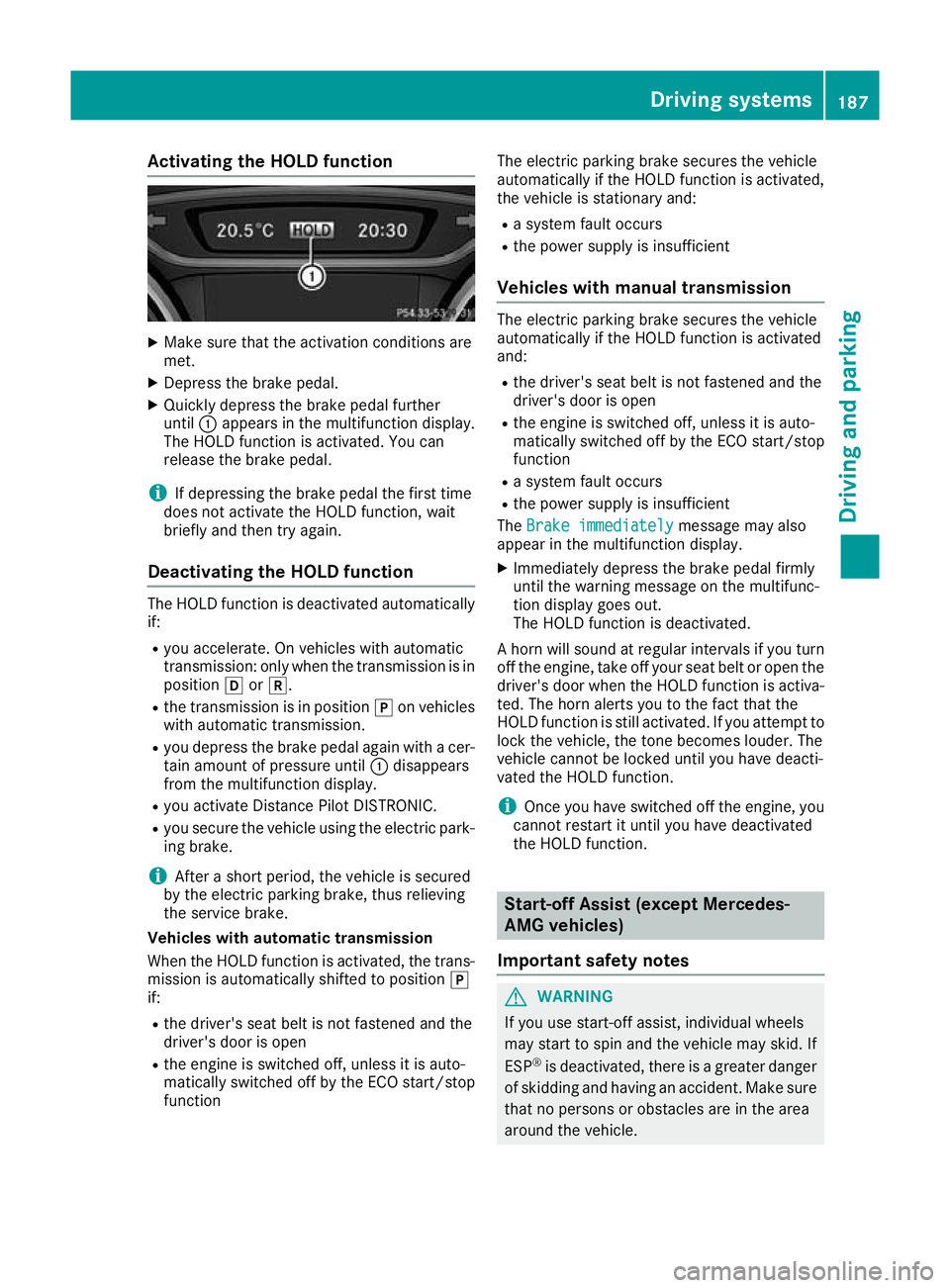
Activating the HOLD function
X
Make sure that the activation conditions are
met.
X Depress the brake pedal.
X Quickly depress the brake pedal further
until :appears in the multifunction display.
The HOLD function is activated. You can
release the brake pedal.
i If depressing the brake pedal the first time
does not activate the HOLD function, wait
briefly and then try again.
Deactivating the HOLD function The HOLD function is deactivated automatically
if:
R you accelerate. On vehicles with automatic
transmission: only when the transmission is in
position hork.
R the transmission is in position jon vehicles
with automatic transmission.
R you depress the brake pedal again with a cer-
tain amount of pressure until :disappears
from the multifunction display.
R you activate Distance Pilot DISTRONIC.
R you secure the vehicle using the electric park-
ing brake.
i After a short period, the vehicle is secured
by the electric parking brake, thus relieving
the service brake.
Vehicles with automatic transmission
When the HOLD function is activated, the trans-
mission is automatically shifted to position j
if:
R the driver's seat belt is not fastened and the
driver's door is open
R the engine is switched off, unless it is auto-
matically switched off by the ECO start/stop
function The electric parking brake secures the vehicle
automatically if the HOLD function is activated,
the vehicle is stationary and:
R a system fault occurs
R the power supply is insufficient
Vehicles with manual transmission The electric parking brake secures the vehicle
automatically if the HOLD function is activated
and:
R the driver's seat belt is not fastened and the
driver's door is open
R the engine is switched off, unless it is auto-
matically switched off by the ECO start/stop
function
R a system fault occurs
R the power supply is insufficient
The Brake immediately
Brake immediately message may also
appear in the multifunction display.
X Immediately depress the brake pedal firmly
until the warning message on the multifunc-
tion display goes out.
The HOLD function is deactivated.
A horn will sound at regular intervals if you turn
off the engine, take off your seat belt or open the driver's door when the HOLD function is activa-ted. The horn alerts you to the fact that the
HOLD function is still activated. If you attempt to
lock the vehicle, the tone becomes louder. The
vehicle cannot be locked until you have deacti-
vated the HOLD function.
i Once you have switched off the engine, you
cannot restart it until you have deactivated
the HOLD function. Start-off Assist (except Mercedes-
AMG vehicles)
Important safety notes G
WARNING
If you use start-off assist, individual wheels
may start to spin and the vehicle may skid. If
ESP ®
is deactivated, there is a greater danger
of skidding and having an accident. Make sure that no persons or obstacles are in the area
around the vehicle. Driving systems
187Driving and parking Z
Page 209 of 369
Information in the Digital Owner's Man-
ual In the Digital Owner's Manual, you will find infor-
mation on the following topics:
R Displays in the COMAND display
R Images displayed with PARKTRONIC display
Stopping the 360° camera display As soon as your vehicle exceeds a speed of
30 km/h with the function activated, the func-
tion switches off. The previous display appears
on the COMAND display. You can also switch
the display by selecting the &symbol in the
display and pressing Wthe COMAND controller
to confirm. ATTENTION ASSIST
General notes ATTENTION ASSIST helps you during long,
monotonous journeys such as on motorways
and trunk roads. It is active in the 60 km/h to
200 km/h speed range. If ATTENTION ASSIST
detects typical indicators of fatigue or increas-
ing lapses in concentration on the part of the
driver, it suggests taking a break.
Important safety notes ATTENTION ASSIST is only an aid. It may not
always detect fatigue or lapses in concentration
until too late, or may not detect them at all. The system is not a substitute for a well-rested and
attentive driver.
The functionality of ATTENTION ASSIST is
restricted, and warnings may be delayed or not
occur at all in the following situations:
R the length of the journey is less than approx-
imately 30 minutes
R if the road condition is poor, e.g. if the surface
is uneven or contains potholes
R in the event of strong crosswinds
R if you have adopted a sporty driving style with
high cornering speeds or high rates of accel-
eration
R if you are predominantly driving at a speed
below 60 km/h or above 200 km/h R
if the time has been set incorrectly
R in active driving situations, such as when you
change lanes or change your speed
ATTENTION ASSIST is reset and starts assessing
your tiredness again when you continue your
journey if:
R you switch off the engine
R you take off your seat belt and open the driv-
er's door, e.g. for a change of drivers or to
take a break
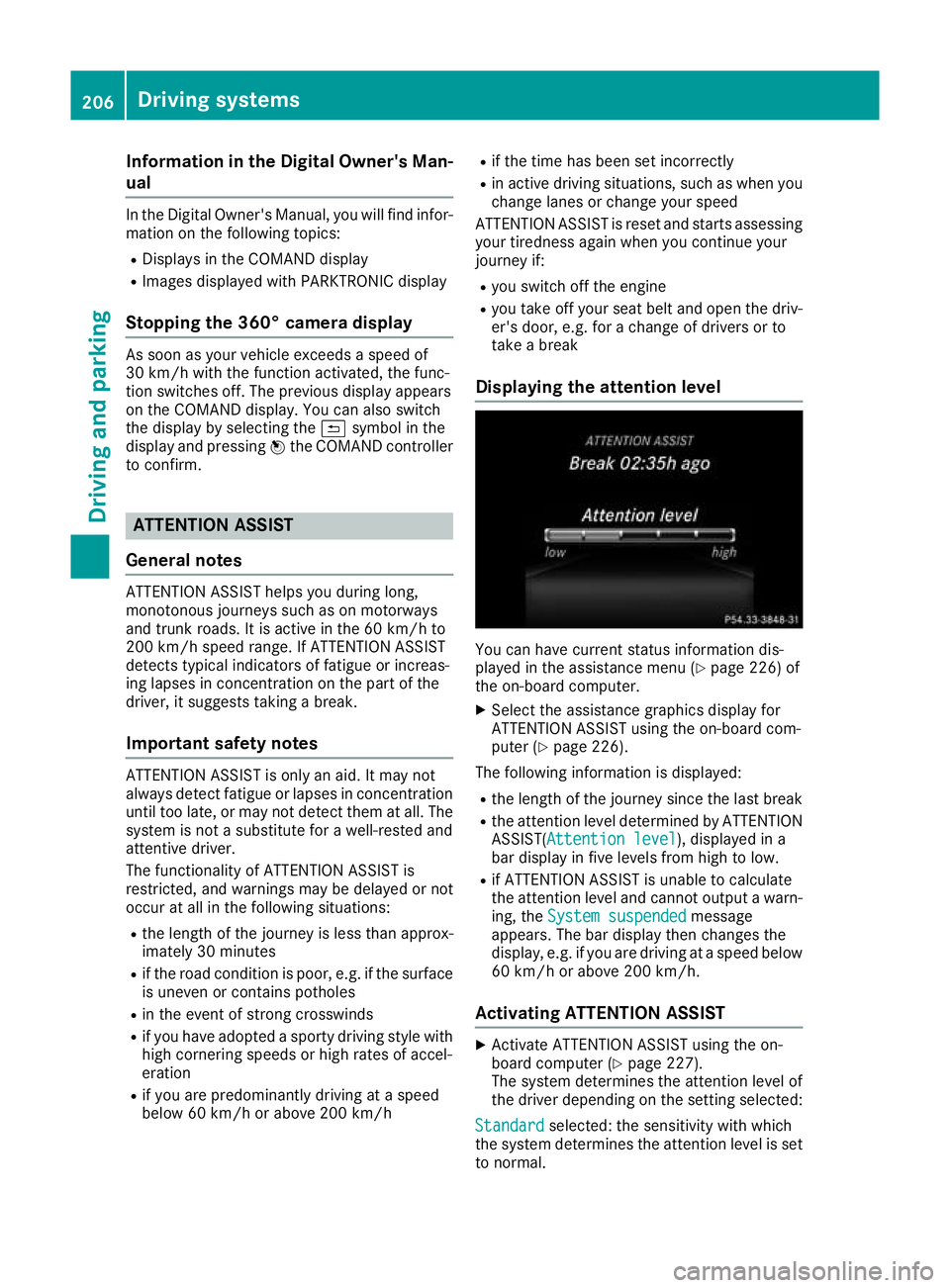
Displaying the attention level You can have current status information dis-
played in the assistance menu (Y
page 226) of
the on-board computer.
X Select the assistance graphics display for
ATTENTION ASSIST using the on-board com-
puter (Y page 226).
The following information is displayed:
R the length of the journey since the last break
R the attention level determined by ATTENTION
ASSIST( Attention level Attention level), displayed in a
bar display in five levels from high to low.
R if ATTENTION ASSIST is unable to calculate
the attention level and cannot output a warn-
ing, the System suspended System suspended message
appears. The bar display then changes the
display, e.g. if you are driving at a speed below 60 km/h or above 200 km/h.
Activating ATTENTION ASSIST X
Activate ATTENTION ASSIST using the on-
board computer (Y page 227).
The system determines the attention level of
the driver depending on the setting selected:
Standard Standard selected: the sensitivity with which
the system determines the attention level is set to normal. 206
Driving systemsDriving and pa
rking
Page 234 of 369
X
Press the :or9 button to set the
selected display.
X Press the abutton to store the entry.
The yellow indicator lamp on the auxiliary
heating button lights up.
Comfort Switching belt adjustment on/off
X Press the =or; button on the steering
wheel to select the Settings Settingsmenu.
X Press the :or9 button to select the
Convenience
Convenience submenu.
X Press ato confirm.
X Press the :or9 button to select the
Belt adjustment
Belt adjustment function.
When the Belt adjustment
Belt adjustment function is acti-
vated, the seat belt is displayed in orange in
the multifunction display.
X Press the abutton to save the setting.
Further information on belt adjustment
(Y page 45).
Switching the fold mirrors in when lock-
ing function on/off This function is only available when the vehicle is
equipped with the electrical fold-in function.
When you activate the Auto. fold-in mir‐
Auto. fold-in mir‐
rors
rors function, the exterior mirrors are folded in
when the vehicle is locked. When you unlock the vehicle and then open the driver's or front-
passenger door, the exterior mirrors fold out
again.
If you have switched on the Auto. fold-in
Auto. fold-in
mirrors
mirrors function and you fold in the exterior
mirrors using the button on the door
(Y page 113), they will not fold out automati-
cally. The exterior mirrors can then only be fol-
ded out using the button on the door.
X Press the =or; button on the steering
wheel to select the Settings
Settings menu.
X Press the :or9 button to select the
Convenience Convenience submenu.
X Press ato confirm.
X Press the :or9 button to select the
Auto. fold-in mirrors
Auto. fold-in mirrors function.
If the Auto. fold-in mirrors
Auto. fold-in mirrors function is
switched on, the multifunction display shows the exterior mirror in orange.
X Press ato save the setting. Resetting to factory settings X
Press the =or; button on the steering
wheel to select the Settings
Settingsmenu.
X Press the :or9 button to select the
Factory setting
Factory setting submenu.
X Press ato confirm.
The Reset all settings?
Reset all settings? function
appears.
X Press the :or9 button to select No
Noor
Yes
Yes.
X Press the abutton to confirm the selec-
tion.
If you have selected Yes Yes, the multifunction
display shows a confirmation message.
For safety reasons, not all functions are reset:
the Limit Limit speed
speed(winter
(winter tyres)
tyres)function of
the permanent speed limiter can only be set in
the Vehicle
Vehicle submenu.
If you want to reset the Daytime driving Daytime driving
lights
lights function in the Lights
Lightssubmenu, you
must turn the key to position 1in the ignition
lock. AMG menu (Mercedes-AMG vehicles)
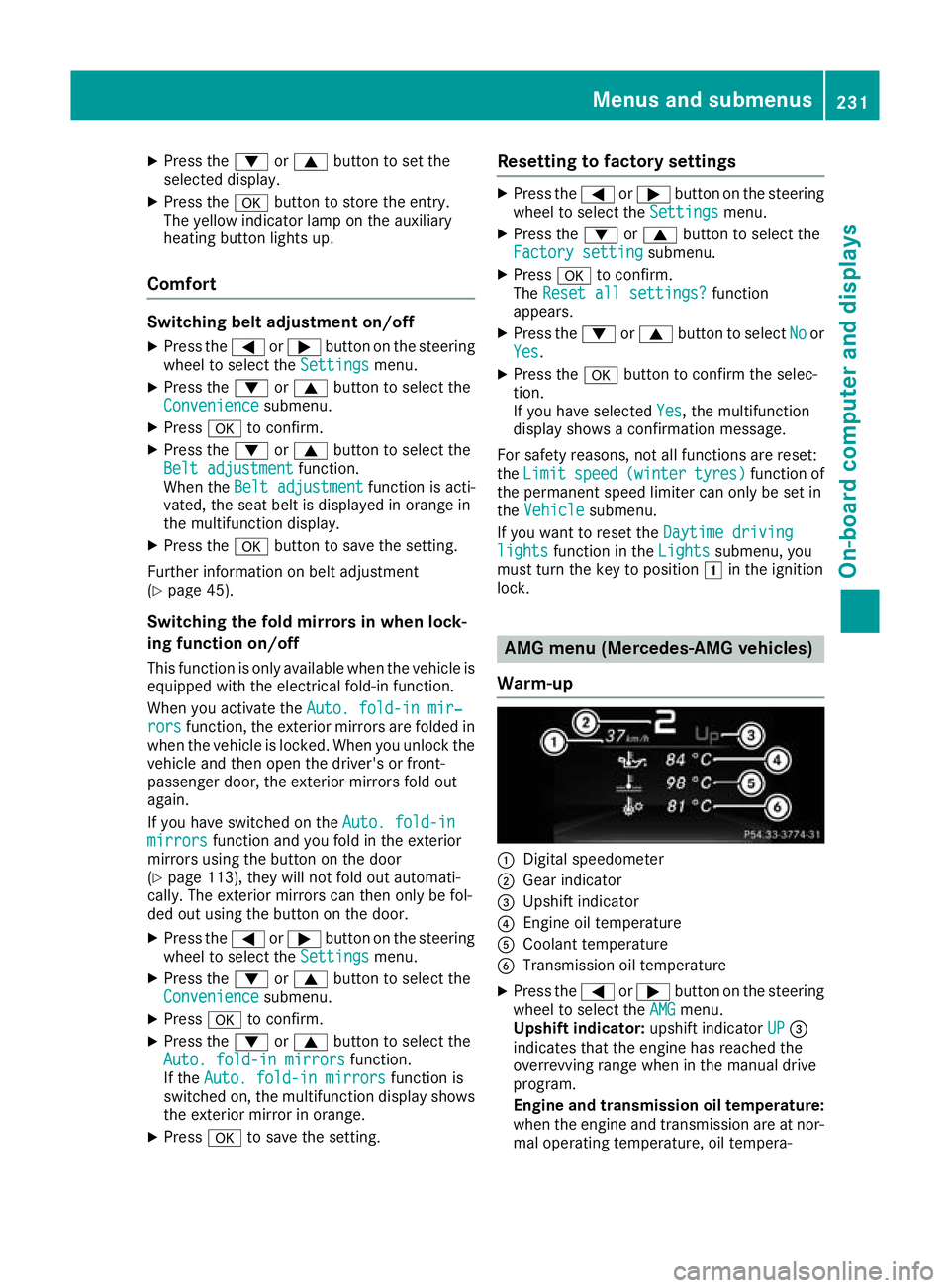
Warm-up :
Digital speedometer
; Gear indicator
= Upshift indicator
? Engine oil temperature
A Coolant temperature
B Transmission oil temperature
X Press the =or; button on the steering
wheel to select the AMG AMGmenu.
Upshift indicator: upshift indicatorUP UP=
indicates that the engine has reached the
overrevving range when in the manual drive
program.
Engine and transmission oil temperature: when the engine and transmission are at nor-
mal operating temperature, oil tempera- Menus and submenus
231On-board computer and displays Z
Page 241 of 369
Display messages
Possible causes/consequences and
M
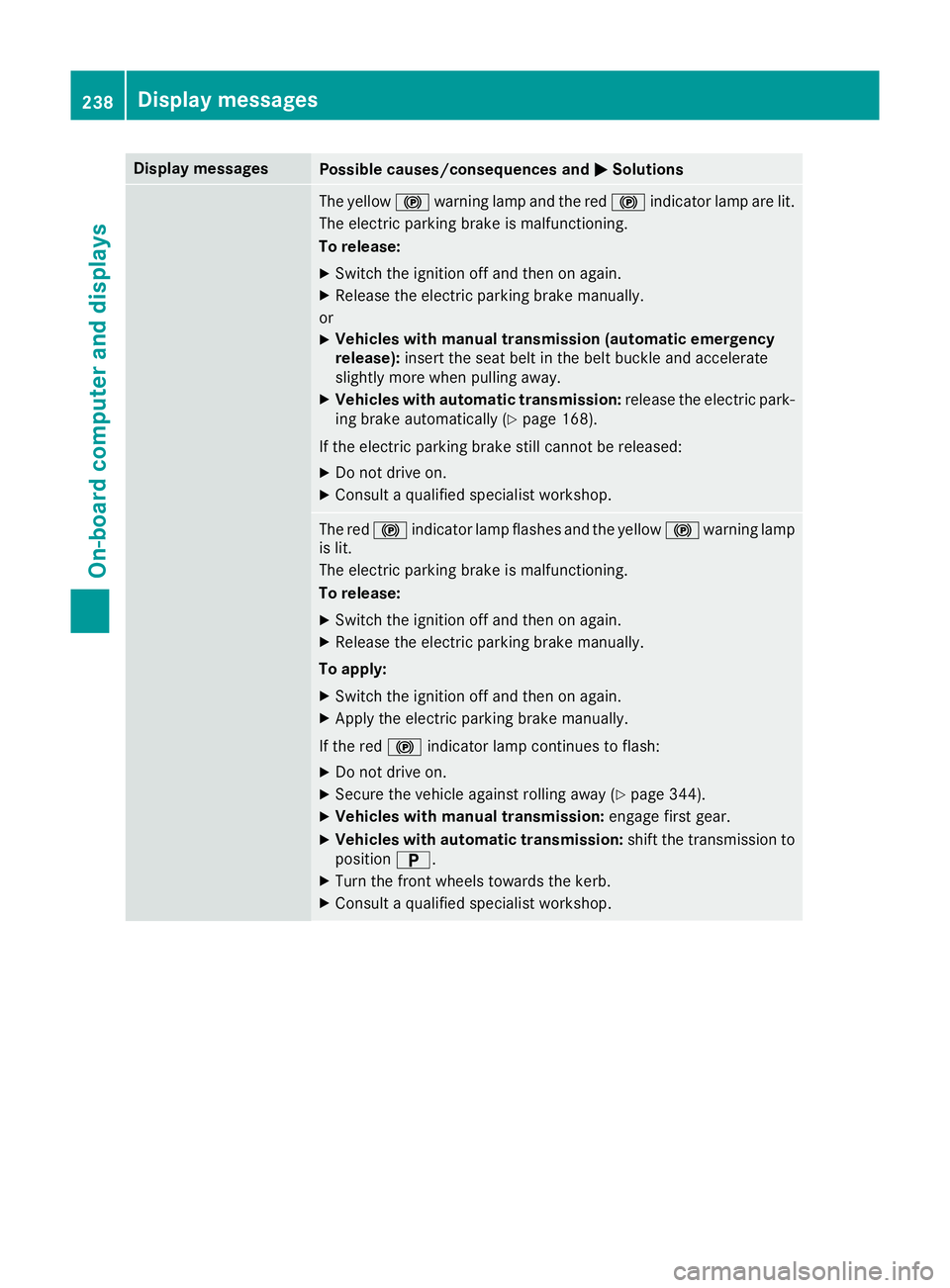
MSolutions The yellow
!warning lamp and the red !indicator lamp are lit.
The electric parking brake is malfunctioning.
To release:
X Switch the ignition off and then on again.
X Release the electric parking brake manually.
or X Vehicles with manual transmission (automatic emergency
release): insert the seat belt in the belt buckle and accelerate
slightly more when pulling away.
X Vehicles with automatic transmission: release the electric park-
ing brake automatically (Y page 168).
If the electric parking brake still cannot be released:
X Do not drive on.
X Consult a qualified specialist workshop. The red
!indicator lamp flashes and the yellow !warning lamp
is lit.
The electric parking brake is malfunctioning.
To release:
X Switch the ignition off and then on again.
X Release the electric parking brake manually.
To apply: X Switch the ignition off and then on again.
X Apply the electric parking brake manually.
If the red !indicator lamp continues to flash:
X Do not drive on.
X Secure the vehicle against rolling away (Y page 344).
X Vehicles with manual transmission: engage first gear.
X Vehicles with automatic transmission: shift the transmission to
position B.
X Turn the front wheels towards the kerb.
X Consult a qualified specialist workshop. 238
Display
messagesOn-board computer and displays
Page 242 of 369
Display messages
Possible causes/consequences and
M
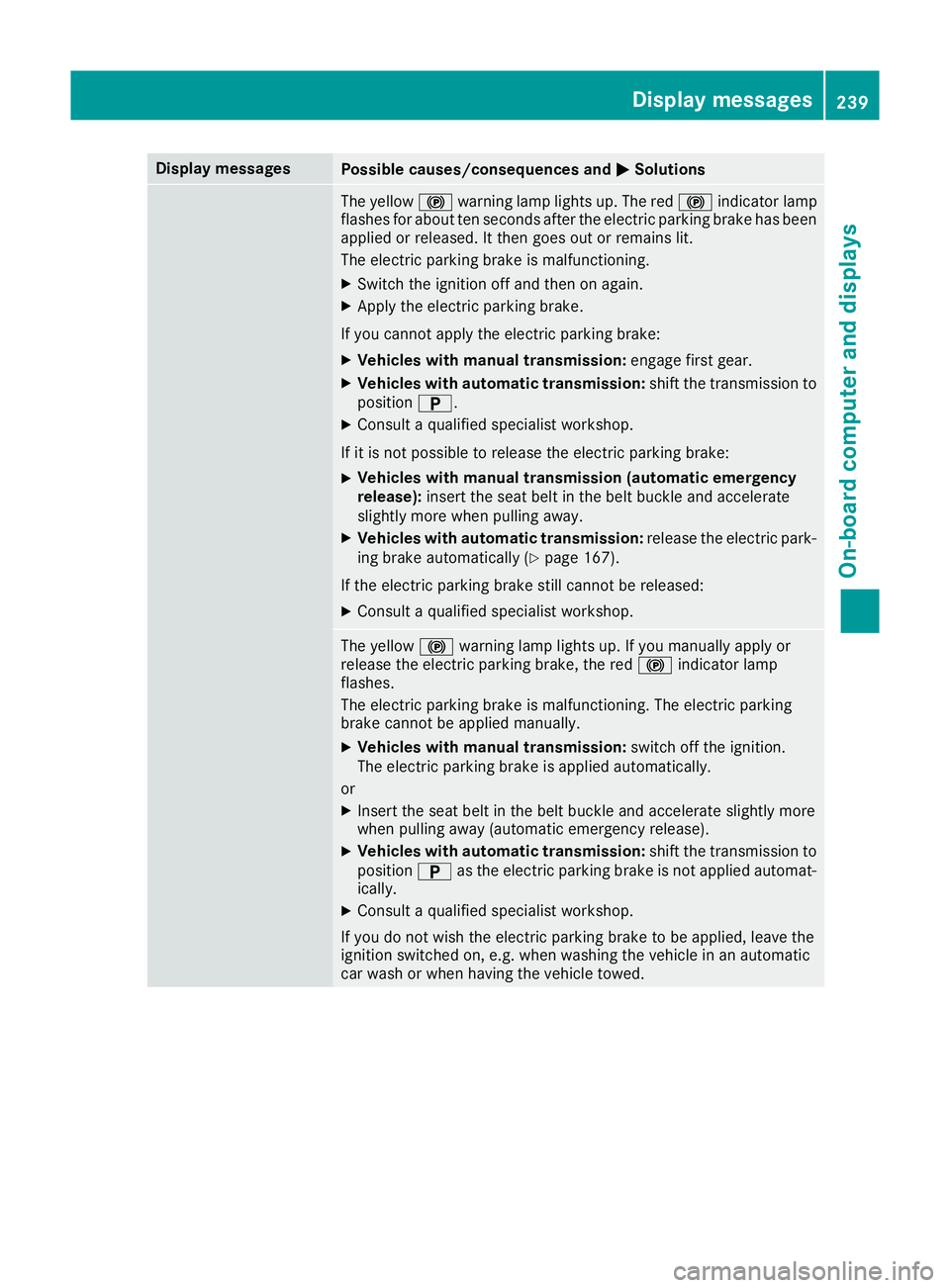
MSolutions The yellow
!warning lamp lights up. The red !indicator lamp
flashes for about ten seconds after the electric parking brake has been applied or released. It then goes out or remains lit.
The electric parking brake is malfunctioning.
X Switch the ignition off and then on again.
X Apply the electric parking brake.
If you cannot apply the electric parking brake:
X Vehicles with manual transmission: engage first gear.
X Vehicles with automatic transmission: shift the transmission to
position B.
X Consult a qualified specialist workshop.
If it is not possible to release the electric parking brake:
X Vehicles with manual transmission (automatic emergency
release):
insert the seat belt in the belt buckle and accelerate
slightly more when pulling away.
X Vehicles with automatic transmission: release the electric park-
ing brake automatically (Y page 167).
If the electric parking brake still cannot be released:
X Consult a qualified specialist workshop. The yellow
!warning lamp lights up. If you manually apply or
release the electric parking brake, the red !indicator lamp
flashes.
The electric parking brake is malfunctioning. The electric parking
brake cannot be applied manually.
X Vehicles with manual transmission: switch off the ignition.
The electric parking brake is applied automatically.
or
X Insert the seat belt in the belt buckle and accelerate slightly more
when pulling away (automatic emergency release).
X Vehicles with automatic transmission: shift the transmission to
position Bas the electric parking brake is not applied automat-
ically.
X Consult a qualified specialist workshop.
If you do not wish the electric parking brake to be applied, leave the
ignition switched on, e.g. when washing the vehicle in an automatic
car wash or when having the vehicle towed. Display
messages
239On-board computer and displays Z
Page 245 of 369
Display messages
Possible causes/consequences and
M
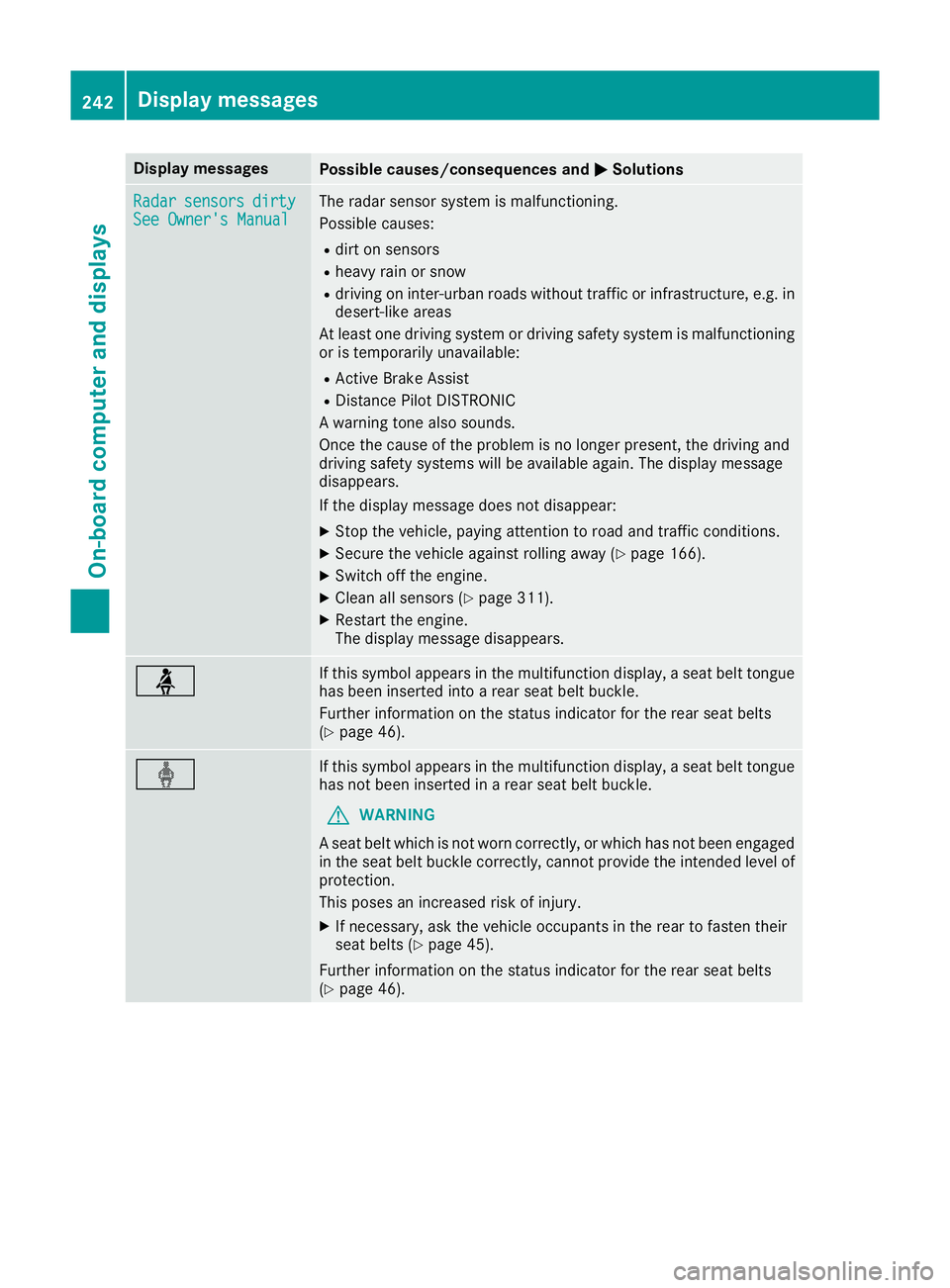
MSolutions Radar
Radar
sensors
sensors dirty
dirty
See Owner's Manual
See Owner's Manual The radar sensor system is malfunctioning.
Possible causes:
R dirt on sensors
R heavy rain or snow
R driving on inter-urban roads without traffic or infrastructure, e.g. in
desert-like areas
At least one driving system or driving safety system is malfunctioning or is temporarily unavailable:
R Active Brake Assist
R Distance Pilot DISTRONIC
A warning tone also sounds.
Once the cause of the problem is no longer present, the driving and
driving safety systems will be available again. The display message
disappears.
If the display message does not disappear:
X Stop the vehicle, paying attention to road and traffic conditions.
X Secure the vehicle against rolling away (Y page 166).
X Switch off the engine.
X Clean all sensors (Y page 311).
X Restart the engine.
The display message disappears. ü If this symbol appears in the multifunction display, a seat belt tongue
has been inserted into a rear seat belt buckle.
Further information on the status indicator for the rear seat belts
(Y page 46). ý If this symbol appears in the multifunction display, a seat belt tongue
has not been inserted in a rear seat belt buckle.
G WARNING
A seat belt which is not worn correctly, or which has not been engaged
in the seat belt buckle correctly, cannot provide the intended level of protection.
This poses an increased risk of injury.
X If necessary, ask the vehicle occupants in the rear to fasten their
seat belts (Y page 45).
Further information on the status indicator for the rear seat belts
(Y page 46). 242
Display
messagesOn-board computer and displays
Page 246 of 369
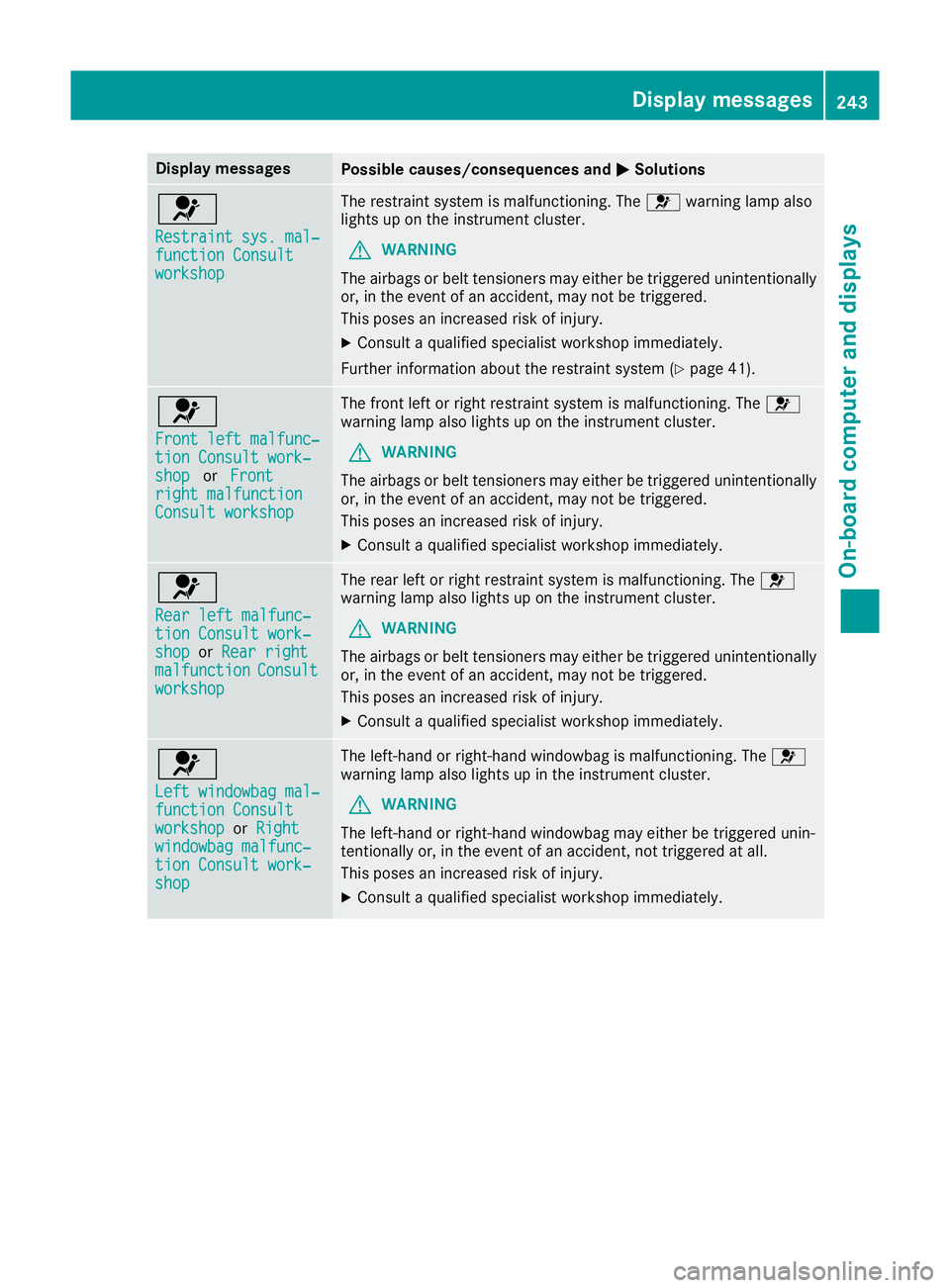
Display messages
Possible causes/consequences and
M
MSolutions 6
Restraint sys. mal‐ Restraint sys. mal‐
function Consult function Consult
workshop workshop The restraint system is malfunctioning. The
6warning lamp also
lights up on the instrument cluster.
G WARNING
The airbags or belt tensioners may either be triggered unintentionally or, in the event of an accident, may not be triggered.
This poses an increased risk of injury.
X Consult a qualified specialist workshop immediately.
Further information about the restraint system (Y page 41).6
Front left malfunc‐ Front left malfunc‐
tion Consult work‐ tion Consult work‐
shop shop
orFront
Front
right malfunction
right malfunction
Consult workshop Consult workshop The front left or right restraint system is malfunctioning. The
6
warning lamp also lights up on the instrument cluster.
G WARNING
The airbags or belt tensioners may either be triggered unintentionally or, in the event of an accident, may not be triggered.
This poses an increased risk of injury.
X Consult a qualified specialist workshop immediately. 6
Rear left malfunc‐ Rear left malfunc‐
tion Consult work‐ tion Consult work‐
shop shop
orRear right
Rear right
malfunction
malfunction Consult
Consult
workshop
workshop The rear left or right restraint system is malfunctioning. The
6
warning lamp also lights up on the instrument cluster.
G WARNING
The airbags or belt tensioners may either be triggered unintentionally or, in the event of an accident, may not be triggered.
This poses an increased risk of injury.
X Consult a qualified specialist workshop immediately. 6
Left windowbag mal‐ Left windowbag mal‐
function Consult function Consult
workshop workshop
orRight
Right
windowbag malfunc‐
windowbag malfunc‐
tion Consult work‐ tion Consult work‐
shop shop The left-hand or right-hand windowbag is malfunctioning. The
6
warning lamp also lights up in the instrument cluster.
G WARNING
The left-hand or right-hand windowbag may either be triggered unin-
tentionally or, in the event of an accident, not triggered at all.
This poses an increased risk of injury.
X Consult a qualified specialist workshop immediately. Display
messages
243On-board computer and displays Z
Page 253 of 369
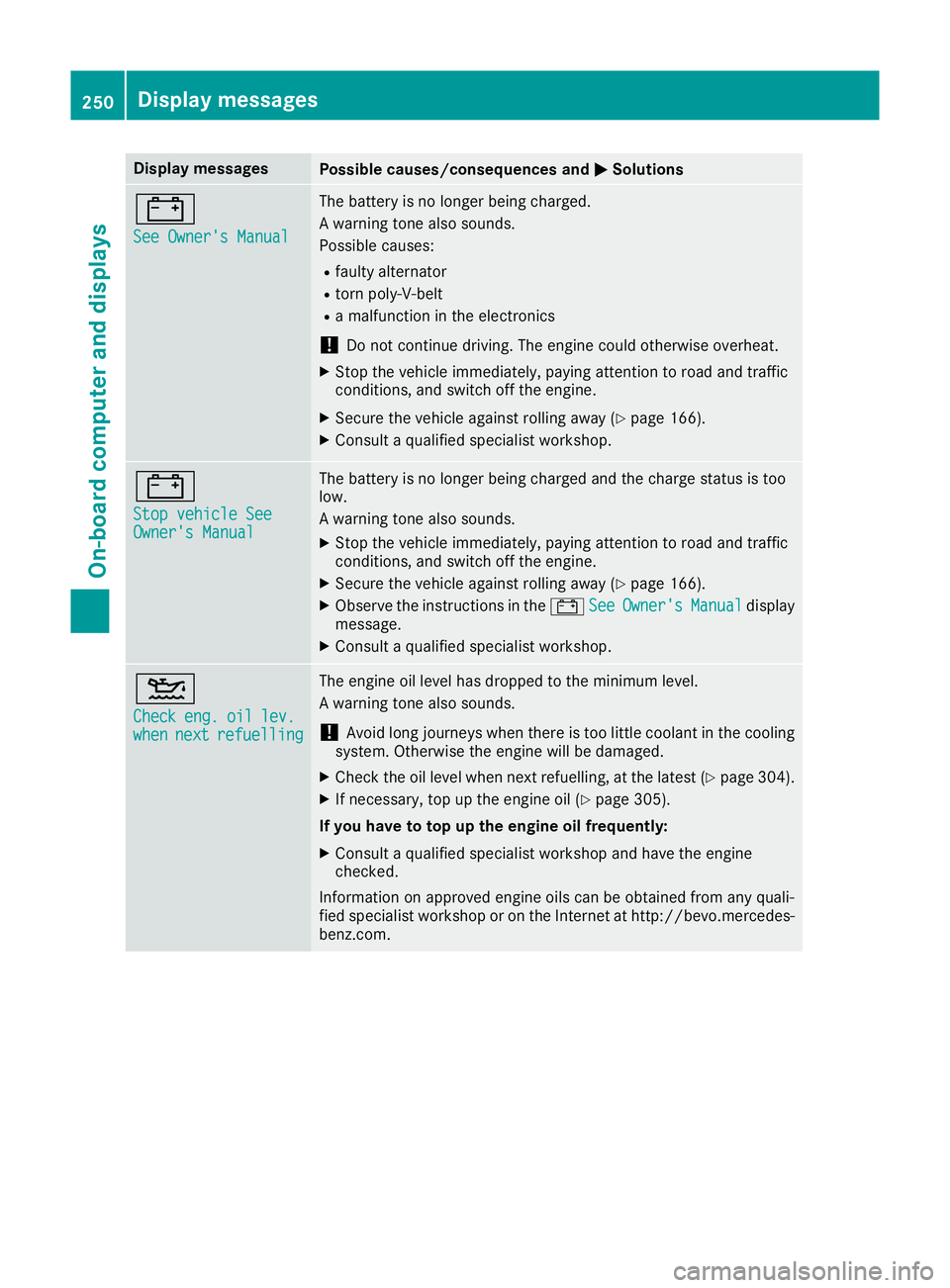
Display messages
Possible causes/consequences and
M
MSolutions #
See Owner's Manual See Owner's Manual The battery is no longer being charged.
A warning tone also sounds.
Possible causes:
R faulty alternator
R torn poly-V-belt
R a malfunction in the electronics
! Do not continue driving. The engine could otherwise overheat.
X Stop the vehicle immediately, paying attention to road and traffic
conditions, and switch off the engine.
X Secure the vehicle against rolling away (Y page 166).
X Consult a qualified specialist workshop. #
Stop vehicle See Stop vehicle See
Owner's Manual Owner's Manual The battery is no longer being charged and the charge status is too
low.
A warning tone also sounds.
X Stop the vehicle immediately, paying attention to road and traffic
conditions, and switch off the engine.
X Secure the vehicle against rolling away (Y page 166).
X Observe the instructions in the #See SeeOwner's
Owner's Manual
Manualdisplay
message.
X Consult a qualified specialist workshop. 4
Check Check
eng.
eng.oil
oillev.
lev.
when
when next
nextrefuelling
refuelling The engine oil level has dropped to the minimum level.
A warning tone also sounds.
! Avoid long journeys when there is too little coolant in the cooling
system. Otherwise the engine will be damaged.
X Check the oil level when next refuelling, at the latest (Y page 304).
X If necessary, top up the engine oil (Y page 305).
If you have to top up the engine oil frequently:
X Consult a qualified specialist workshop and have the engine
checked.
Information on approved engine oils can be obtained from any quali-
fied specialist workshop or on the Internet at http://bevo.mercedes-
benz.co m. 250
Display messagesOn-board computer and displays