CD player MERCEDES-BENZ GLA SUV 2017 Owners Manual
[x] Cancel search | Manufacturer: MERCEDES-BENZ, Model Year: 2017, Model line: GLA SUV, Model: MERCEDES-BENZ GLA SUV 2017Pages: 369, PDF Size: 7.56 MB
Page 10 of 369
Display message ............................ 247
Brakes
ABS .................................................. 68
BAS .................................................. 69
Brake fluid (notes) ........................ .356
Braking assistance appropriate to
the situation ..................................... 71
Display message ............................ 235
Driving tips ................................... .170
Hill start assist ............................... 147
HOLD function ............................... 186
Important safety notes .................. 170
Parking brake ................................ 167
Warning lamp ................................. 266
Braking assistance appropriate to
the situation
Function/notes ................................ 71
Breakdown
Where will I find...? ........................ 315
see Flat tyre
see Tow-starting
see Towing away
Buttons on the steering column ...... 218C
Calling up a fault see Display messages
Car
see Vehicle
Car wash (care) ................................. 308
Care
Automatic car wash ....................... 308
Carpets .......................................... 314
Display .......................................... .312
Exhaust pipe .................................. 312
Exterior lighting ............................ .311
Gear or selector lever .................... 313
High-pressure cleaner .................... 309
Interior .......................................... .312
Matt paintwork .............................. 309
Notes ............................................. 308
Paint .............................................. 309
Plastic trim ................................... .312
Reversing camera .......................... 311
Roof lining ...................................... 314
Seat belt ........................................ 313
Seat cover ..................................... 313 Sensors ......................................... 311
Steering wheel ............................... 313
Trim pieces ................................... .313
Washing by hand ........................... 308
Wheels .......................................... .310
Windows ........................................ 310
Wiper blades .................................. 310
Wooden trim .................................. 313
CD
See also Digital Owner's Manual ... 277
CD player (on-board computer) ........224
Central locking
Automatic locking (on-board com-
puter) ............................................. 229
Locking/unlocking (key ).................. 79
Centre console
Lower section .................................. 37
Upper section .................................. 36
Changing a wheel
Wheels and tyres ........................... 343
Child
Restraint system .............................. 57
Child seat
Forward-facing restraint system ...... 61
i-Size ................................................ 57
ISOFIX .............................................. 57
On the front-passenger sea t............ 60
Rearward-facing restraint system .... 61
Recommendations ........................... 65
Suitable positions ............................ 61
Top Tether ....................................... 59
Child-proof locks
Important safety notes .................... 66
Rear doors ....................................... 67
Children in the vehicle
Important safety notes .................... 56
Cigarette lighter ................................ 298
Cleaning
Mirror turn signal ........................... 311
Trailer tow hitch ............................. 312
Climate control
Air conditioning ............................. 129
Auxiliary heating/ventilation .......... 137
Controlling automaticall y............... 132
Convenience opening/closing
(air-recirculation mode) ................. 136
Cooling with air dehumidification .. 132
Demisting the windows .................. 135 Index
7
Page 227 of 369
X
To select a preset list or station list: press
and briefly hold the 9or: button until
the preset list or station list in the desired
frequency range is shown.
X To select a station: briefly press9
or :.
i DAB radio mode (Digital
AudioBroadcast-
ing) is an optimised digital transmission
standard designed for the mobile reception of
radio transmissions.
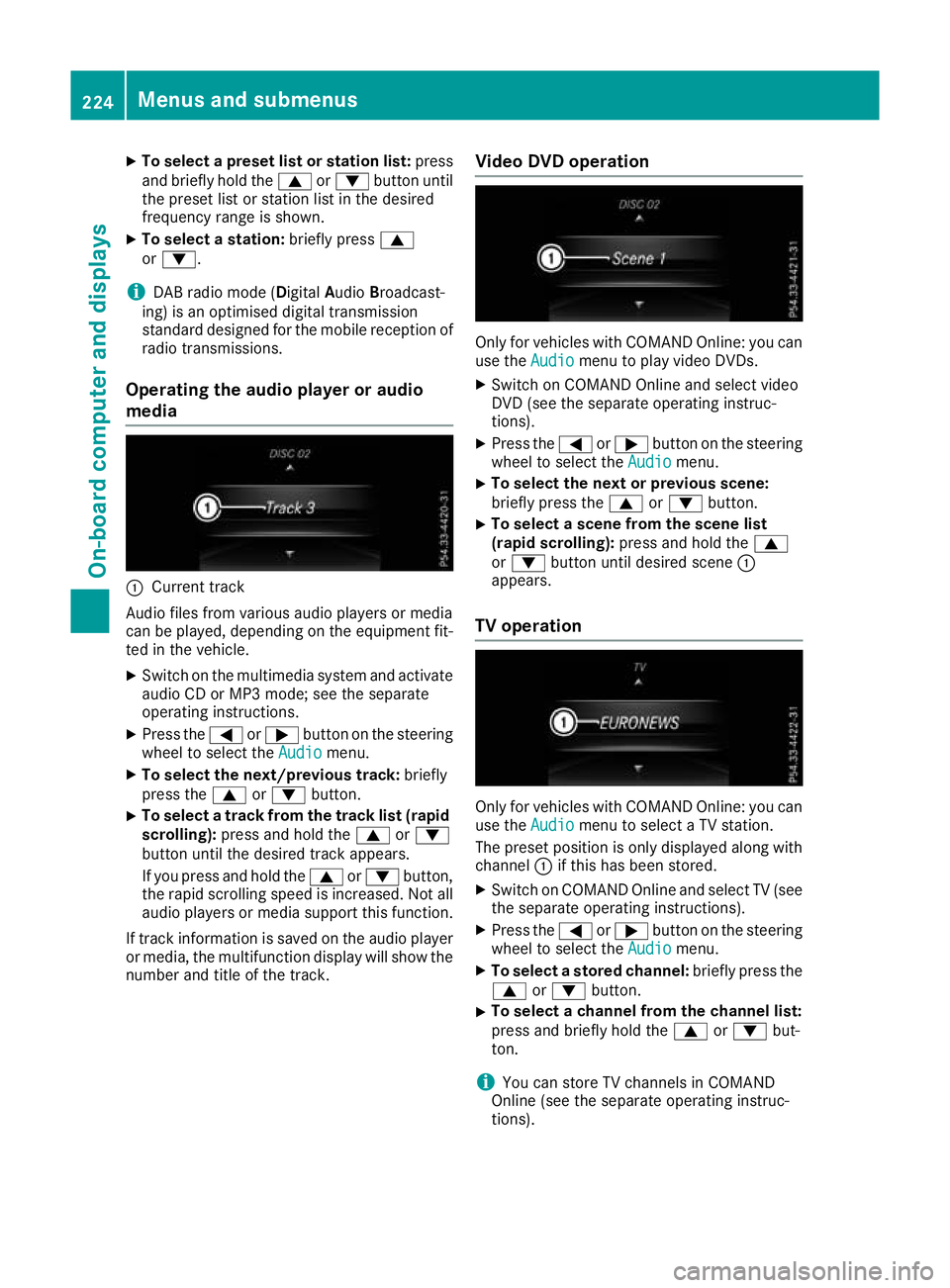
Operating the audio player or audio
media :
Current track
Audio files from various audio players or media
can be played, depending on the equipment fit- ted in the vehicle.
X Switch on the multimedia system and activate
audio CD or MP3 mode; see the separate
operating instructions.
X Press the =or; button on the steering
wheel to select the Audio
Audio menu.
X To select the next/previous track: briefly
press the 9or: button.
X To select a track from the track list (rapid
scrolling): press and hold the 9or:
button until the desired track appears.
If you press and hold the 9or: button,
the rapid scrolling speed is increased. Not all audio players or media support this function.
If track information is saved on the audio player
or media, the multifunction display will show the
number and title of the track. Video DVD operation Only for vehicles with COMAND Online: you can
use the Audio
Audio menu to play video DVDs.
X Switch on COMAND Online and select video
DVD (see the separate operating instruc-
tions).
X Press the =or; button on the steering
wheel to select the Audio Audiomenu.
X To select the next or previous scene:
briefly press the
9or: button.
X To select a scene from the scene list
(rapid scrolling):
press and hold the 9
or : button until desired scene :
appears.
TV operation Only for vehicles with COMAND Online: you can
use the Audio
Audio menu to select a TV station.
The preset position is only displayed along with
channel :if this has been stored.
X Switch on COMAND Online and select TV (see
the separate operating instructions).
X Press the =or; button on the steering
wheel to select the Audio
Audio menu.
X To select a stored channel: briefly press the
9 or: button.
X To select a channel from the channel list:
press and briefly hold the
9or: but-
ton.
i You can store TV channels in COMAND
Online (see the separate operating instruc-
tions). 224
Menus and submenusOn-board computer and displays
Page 289 of 369
Activating/deactivating text message
downloading from the mobile phone Dial number Function
00080 Text message down-
loading is deactiva-
ted.
00081 Text message down-
loading is activated.
For further information on receiving text mes-
sages when using the telephone module (see
the Digital Owner's Manual).
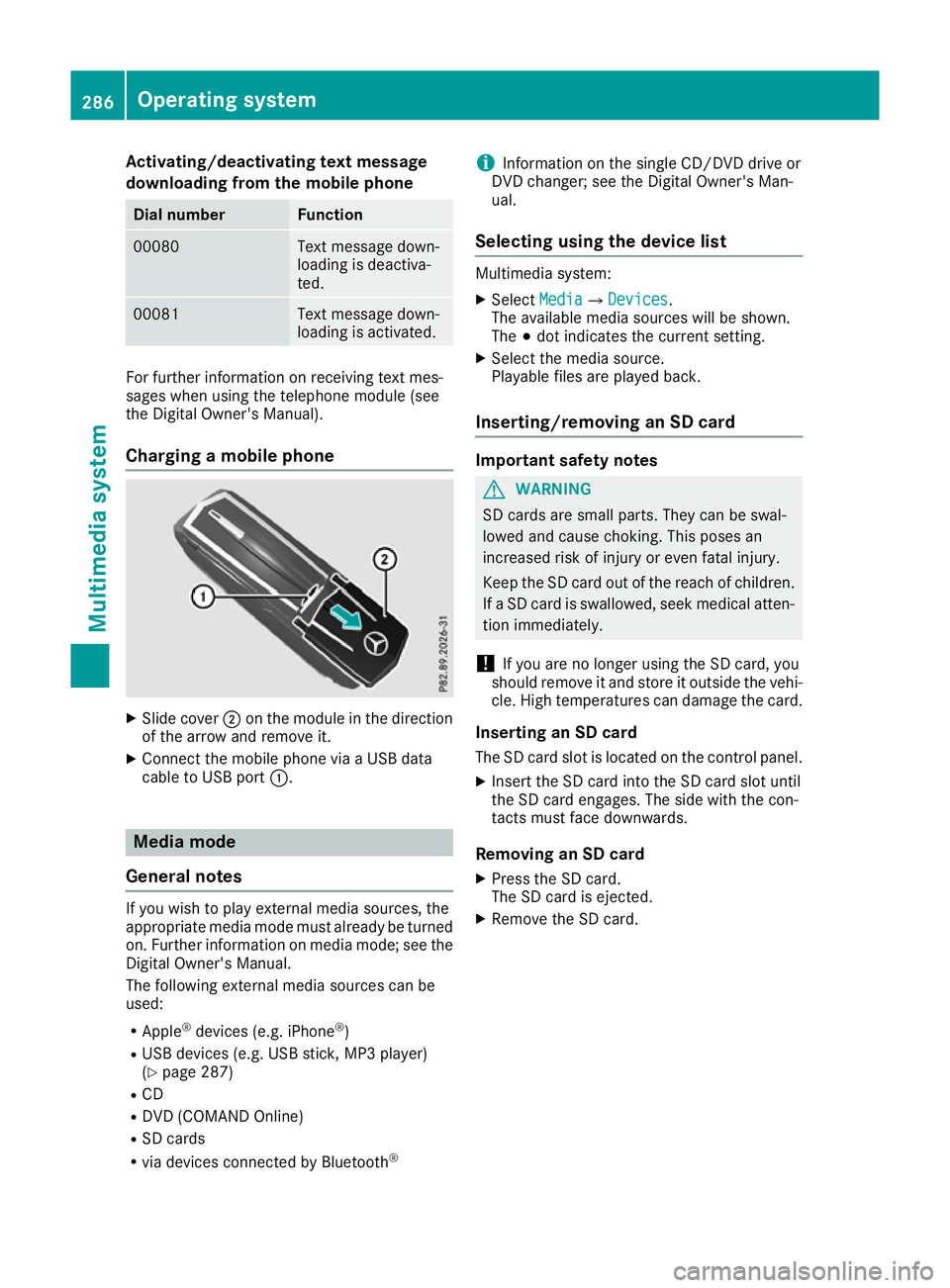
Charging a mobile phone X
Slide cover ;on the module in the direction
of the arrow and remove it.
X Connect the mobile phone via a USB data
cable to USB port :. Media mode
General notes If you wish to play external media sources, the
appropriate media mode must already be turned
on. Further information on media mode; see the Digital Owner's Manual.
The following external media sources can be
used:
R Apple ®
devices (e.g. iPhone ®
)
R USB devices (e.g. USB stick, MP3 player)
(Y page 287)
R CD
R DVD (COMAND Online)
R SD cards
R via devices connected by Bluetooth ®i
Information on the single CD/DVD drive or
DVD changer; see the Digital Owner's Man-
ual.
Selecting using the device list Multimedia system:
X Select Media MediaQ Devices
Devices.
The available media sources will be shown.
The #dot indicates the current setting.
X Select the media source.
Playable files are played back.
Inserting/removing an SD card Important safety notes
G
WARNING
SD cards are small parts. They can be swal-
lowed and cause choking. This poses an
increased risk of injury or even fatal injury.
Keep the SD card out of the reach of children. If a SD card is swallowed, seek medical atten-
tion immediately.
! If you are no longer using the SD card, you
should remove it and store it outside the vehi-
cle. High temperatures can damage the card.
Inserting an SD card
The SD card slot is located on the control panel. X Insert the SD card into the SD card slot until
the SD card engages. The side with the con-
tacts must face downwards.
Removing an SD card X Press the SD card.
The SD card is ejected.
X Remove the SD card. 286
Operating systemMultimedia system
Page 293 of 369
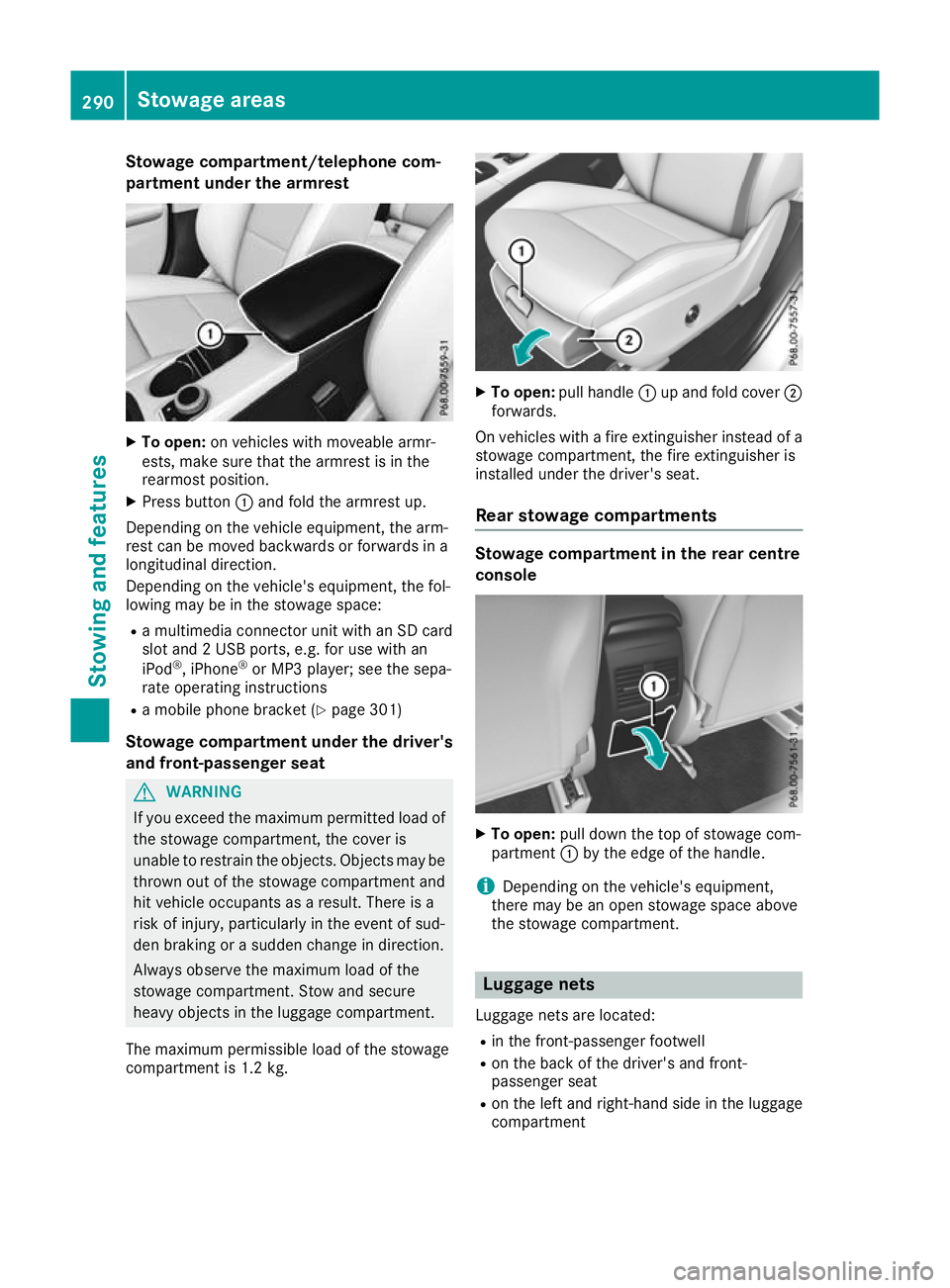
Stowage compartment/telephone com-
partment under the armrest X
To open: on vehicles with moveable armr-
ests, make sure that the armrest is in the
rearmost position.
X Press button :and fold the armrest up.
Depending on the vehicle equipment, the arm-
rest can be moved backwards or forwards in a
longitudinal direction.
Depending on the vehicle's equipment, the fol-
lowing may be in the stowage space:
R a multimedia connector unit with an SD card
slot and 2 USB ports, e.g. for use with an
iPod ®
, iPhone ®
or MP3 player; see the sepa-
rate operating instructions
R a mobile phone bracket (Y page 301)
Stowage compartment under the driver's and front-passenger seat G
WARNING
If you exceed the maximum permitted load of the stowage compartment, the cover is
unable to restrain the objects. Objects may be
thrown out of the stowage compartment and
hit vehicle occupants as a result. There is a
risk of injury, particularly in the event of sud-
den braking or a sudden change in direction.
Always observe the maximum load of the
stowage compartment. Stow and secure
heavy objects in the luggage compartment.
The maximum permissible load of the stowage
compartment is 1.2 kg. X
To open: pull handle :up and fold cover ;
forwards.
On vehicles with a fire extinguisher instead of a
stowage compartment, the fire extinguisher is
installed under the driver's seat.
Rear stowage compartments Stowage compartment in the rear centre
console
X
To open: pull down the top of stowage com-
partment :by the edge of the handle.
i Depending on the vehicle's equipment,
there may be an open stowage space above
the stowage compartment. Luggage nets
Luggage nets are located:
R in the front-passenger footwell
R on the back of the driver's and front-
passenger seat
R on the left and right-hand side in the luggage
compartment 290
Stowage areasStowing and features