turn signal MERCEDES-BENZ GLA SUV 2017 Owners Manual
[x] Cancel search | Manufacturer: MERCEDES-BENZ, Model Year: 2017, Model line: GLA SUV, Model: MERCEDES-BENZ GLA SUV 2017Pages: 369, PDF Size: 7.56 MB
Page 10 of 369
Display message ............................ 247
Brakes
ABS .................................................. 68
BAS .................................................. 69
Brake fluid (notes) ........................ .356
Braking assistance appropriate to
the situation ..................................... 71
Display message ............................ 235
Driving tips ................................... .170
Hill start assist ............................... 147
HOLD function ............................... 186
Important safety notes .................. 170
Parking brake ................................ 167
Warning lamp ................................. 266
Braking assistance appropriate to
the situation
Function/notes ................................ 71
Breakdown
Where will I find...? ........................ 315
see Flat tyre
see Tow-starting
see Towing away
Buttons on the steering column ...... 218C
Calling up a fault see Display messages
Car
see Vehicle
Car wash (care) ................................. 308
Care
Automatic car wash ....................... 308
Carpets .......................................... 314
Display .......................................... .312
Exhaust pipe .................................. 312
Exterior lighting ............................ .311
Gear or selector lever .................... 313
High-pressure cleaner .................... 309
Interior .......................................... .312
Matt paintwork .............................. 309
Notes ............................................. 308
Paint .............................................. 309
Plastic trim ................................... .312
Reversing camera .......................... 311
Roof lining ...................................... 314
Seat belt ........................................ 313
Seat cover ..................................... 313 Sensors ......................................... 311
Steering wheel ............................... 313
Trim pieces ................................... .313
Washing by hand ........................... 308
Wheels .......................................... .310
Windows ........................................ 310
Wiper blades .................................. 310
Wooden trim .................................. 313
CD
See also Digital Owner's Manual ... 277
CD player (on-board computer) ........224
Central locking
Automatic locking (on-board com-
puter) ............................................. 229
Locking/unlocking (key ).................. 79
Centre console
Lower section .................................. 37
Upper section .................................. 36
Changing a wheel
Wheels and tyres ........................... 343
Child
Restraint system .............................. 57
Child seat
Forward-facing restraint system ...... 61
i-Size ................................................ 57
ISOFIX .............................................. 57
On the front-passenger sea t............ 60
Rearward-facing restraint system .... 61
Recommendations ........................... 65
Suitable positions ............................ 61
Top Tether ....................................... 59
Child-proof locks
Important safety notes .................... 66
Rear doors ....................................... 67
Children in the vehicle
Important safety notes .................... 56
Cigarette lighter ................................ 298
Cleaning
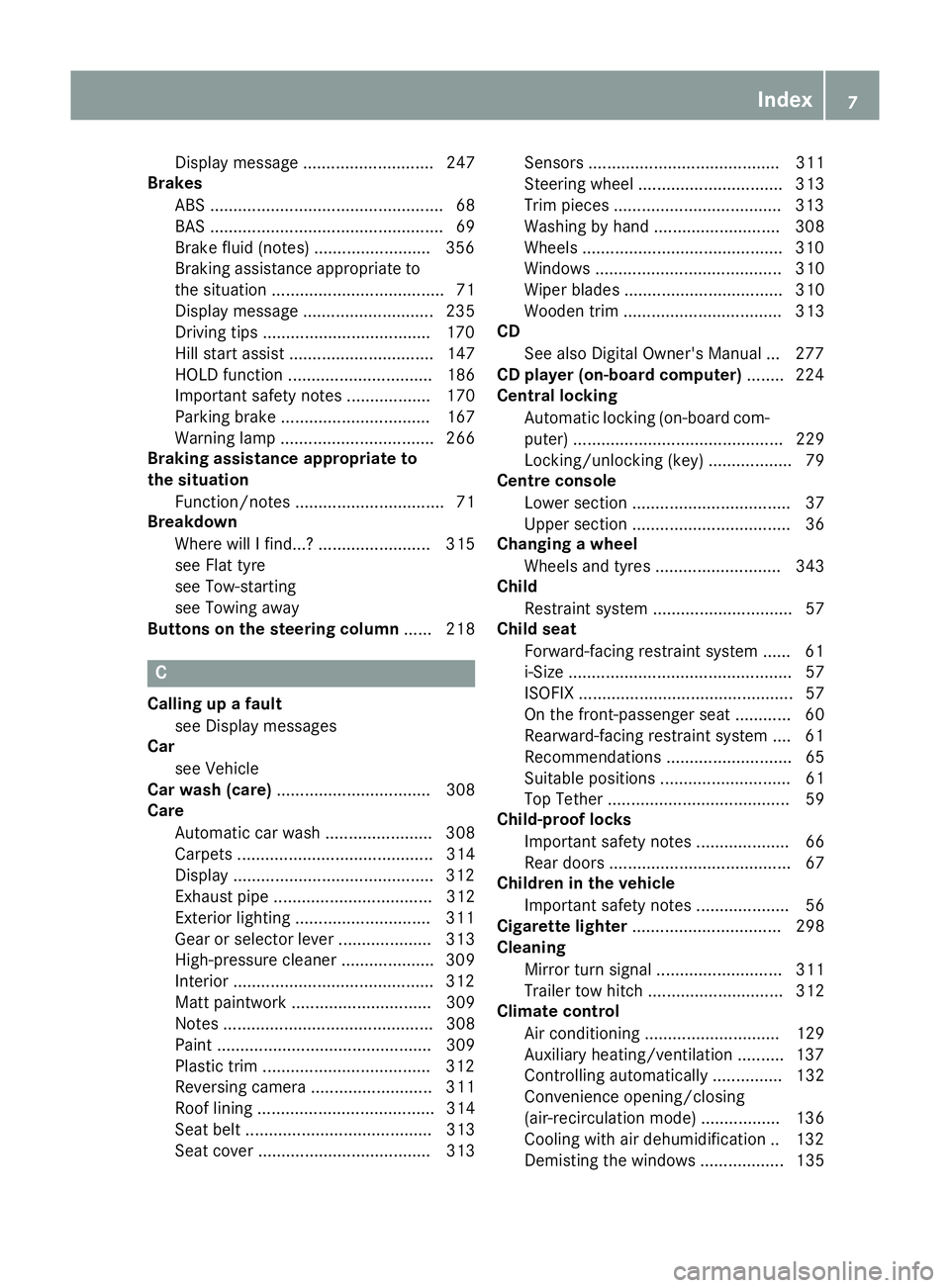
Mirror turn signal ........................... 311
Trailer tow hitch ............................. 312
Climate control
Air conditioning ............................. 129
Auxiliary heating/ventilation .......... 137
Controlling automaticall y............... 132
Convenience opening/closing
(air-recirculation mode) ................. 136
Cooling with air dehumidification .. 132
Demisting the windows .................. 135 Index
7
Page 16 of 369
H
Handling control system see ESP ®
(Electronic Stability Program)
HANDS-FREE ACCESS ................... 91, 95
Hazard warning lamps
Display message ............................ 263
Switching on/off ........................... 118
Head restraints
Adjusting ....................................... 108
Adjusting (manually) ...................... 109
Adjusting (rear) .............................. 109
Fitting/removing (rear) .................. 109
Headlamp flasher .............................. 118
Headlamps
Misting up ...................................... 119
see Automatic headlamp mode
Heating
see Climate control
High-pressure cleaners .................... 309
Hill start assist .................................. 147
HOLD function
Activating ....................................... 187
Activation conditions .................... .186
Deactivating ................................... 187
Display message ............................ 252
Function/notes ............................ .186
Home address
See also Digital Owner's Manual ... 277
Horn ...................................................... 32 I
Ignition key see Key
Ignition lock
see Key positions
Immobiliser .......................................... 76
Indicator and warning lamp
Restraint system ............................ 272
Indicator and warning lamps
Coolant .......................................... 273
Engine diagnostics ......................... 272
SPORT handling mode ................... 270
Indicator lamps
Display message ............................ 246
see Warning and indicator lamps Indicators
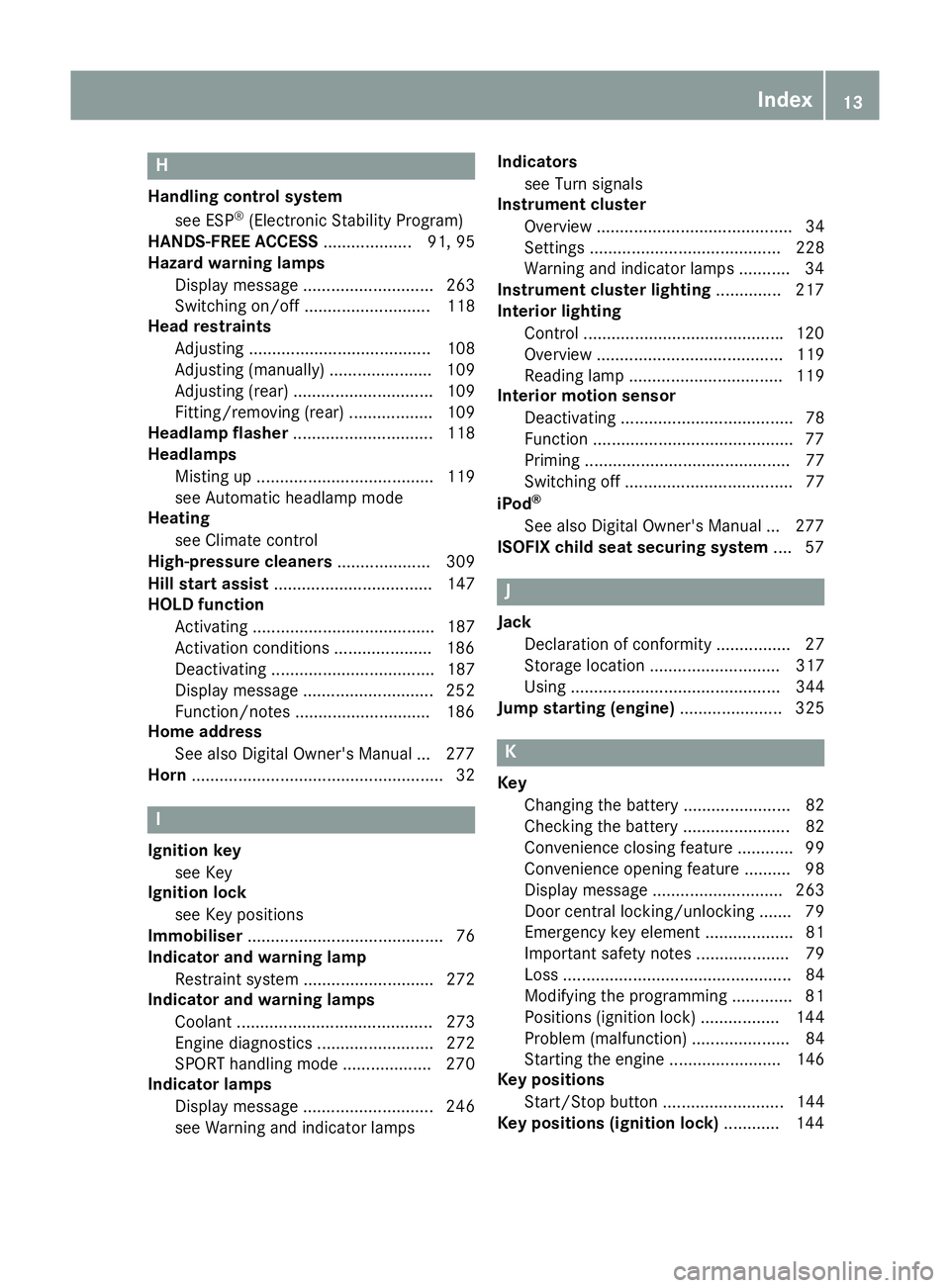
see Turn signals
Instrument cluster
Overview .......................................... 34
Settings ......................................... 228
Warning and indicator lamps ........... 34
Instrument cluster lighting .............. 217
Interior lighting
Control .......................................... .120
Overview ........................................ 119
Reading lamp ................................. 119
Interior motion sensor
Deactivating ..................................... 78
Function .......................................... .77
Priming ............................................ 77
Switching off .................................... 77
iPod ®
See also Digital Owner's Manual ... 277
ISOFIX child seat securing system ....57 J
Jack Declaration of conformity ................27
Storage location ............................ 317
Using ............................................. 344
Jump starting (engine) ...................... 325 K
Key Changing the battery ....................... 82
Checking the battery ....................... 82
Convenience closing feature ............ 99
Convenience opening feature .......... 98
Display message ............................ 263
Door central locking/unlocking ....... 79
Emergency key element ................... 81
Important safety notes .................... 79
Loss ................................................. 84
Modifying the programming ............. 81
Positions (ignition lock) ................. 144
Problem (malfunction) ..................... 84
Starting the engine ........................ 146
Key positions
Start/Stop button .......................... 144
Key positions (ignition lock) ............ 144 Index
13
Page 17 of 369
KEYLESS-GO
Convenience closing ........................ 99
Deactivation .................................... .80
Locking ............................................ 80
Unlocking .........................................80
Kickdown
Driving tips .................................... 158
Manual gearshifting ...................... .163
Kneebag ............................................... 48 L
Lamps see Warning and indicator lamps
Lane detection (automatic)
see Lane Keeping Assist
Lane Keeping Assist
Activating/deactivating (on-
board computer) ............................ 228
Display message ............................ 252
Function/informatio n.................... 210
Lane package ..................................... 209
Lap time (RACETIMER) ...................... 232
Lashing eyelets ................................. 293
Licence plate lamp (display mes-
sage) ................................................... 247
Light sensor (display message) ....... 248
Lighting
see Lights
Lights
Adaptive Highbeam Assist ............. 118
Automatic headlamp mode ............ 116
Dipped-beam headlamp s............... 117
Driving abroad ............................... 116
Foglamps ....................................... 117
Hazard warning lamps ................... 118
Headlamp flashe r........................... 118
Headlamp range ............................ 117
Light switch ................................... 116
Main-beam headlamp s................... 118
Misted up headlamp s.................... 119
Parking lamps ................................ 117
Rear foglamp ................................. 117
Setting exterior lighting ................. 116
Side lamps ..................................... 117
Switching the daytime driving
lights on/off (on-board com-
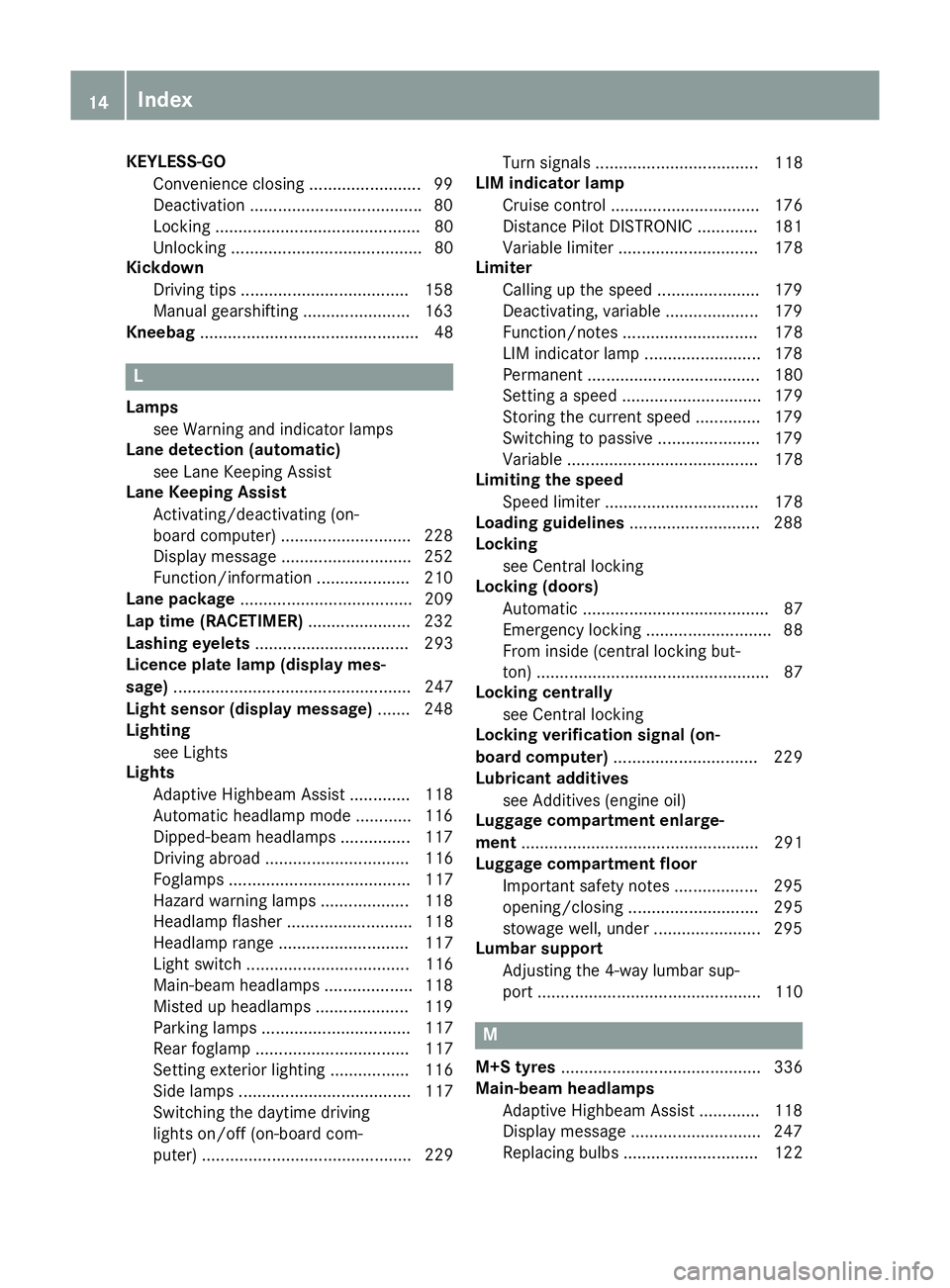
puter) ............................................. 229 Turn signals ................................... 118
LIM indicator lamp
Cruise control ................................ 176
Distance Pilot DISTRONIC ............. 181
Variable limite r.............................. 178
Limiter
Calling up the speed ...................... 179
Deactivating, variable .................... 179
Function/note s............................. 178
LIM indicator lamp ......................... 178
Permanent ..................................... 180
Setting a speed .............................. 179
Storing the current speed .............. 179
Switching to passive ...................... 179
Variabl e......................................... 178
Limiting the speed
Speed limiter ................................. 178
Loading guidelines ............................ 288
Locking
see Central locking
Locking (doors)
Automatic ........................................ 87
Emergency locking ........................... 88
From inside (central locking but-
ton) .................................................. 87
Locking centrally
see Central locking
Locking verification signal (on-
board computer) ............................... 229
Lubricant additives
see Additives (engine oil)
Luggage compartment enlarge-
ment ................................................... 291
Luggage compartment floor
Important safety notes .................. 295
opening/closing ............................ 295
stowage well, under ....................... 295
Lumbar support
Adjusting the 4-way lumbar sup-
port ................................................ 110 M
M+S tyres ........................................... 336
Main-beam headlamps
Adaptive Highbeam Assist ............. 118
Display message ............................ 247
Replacing bulb s............................. 122 14
Index
Page 18 of 369
Switching on/of
f........................... 118
Manual transmission
Drive program ................................ 154
DYNAMIC SELECT button .............. 151
Engaging reverse gear ................... 153
Gear lever ...................................... 153
Pulling away ................................... 146
Shift recommendation ................... 154
Shifting to neutral .......................... 153
Starting the engine ........................ 146
Matt finish (cleaning instructions) .. 309
Memory card (audio) ......................... 224
Memory function ............................... 115
Mercedes-Benz emergency call
system
Switch in the overhead control
panel .............................................. 299
Mercedes-Benz Intelligent Drive
Traffic Sign Assist .......................... 207
Mercedes-Benz Service Centre
see Qualified specialist workshop
Message memory (on-board com-
puter) .................................................. 234
Messages
see Display messages
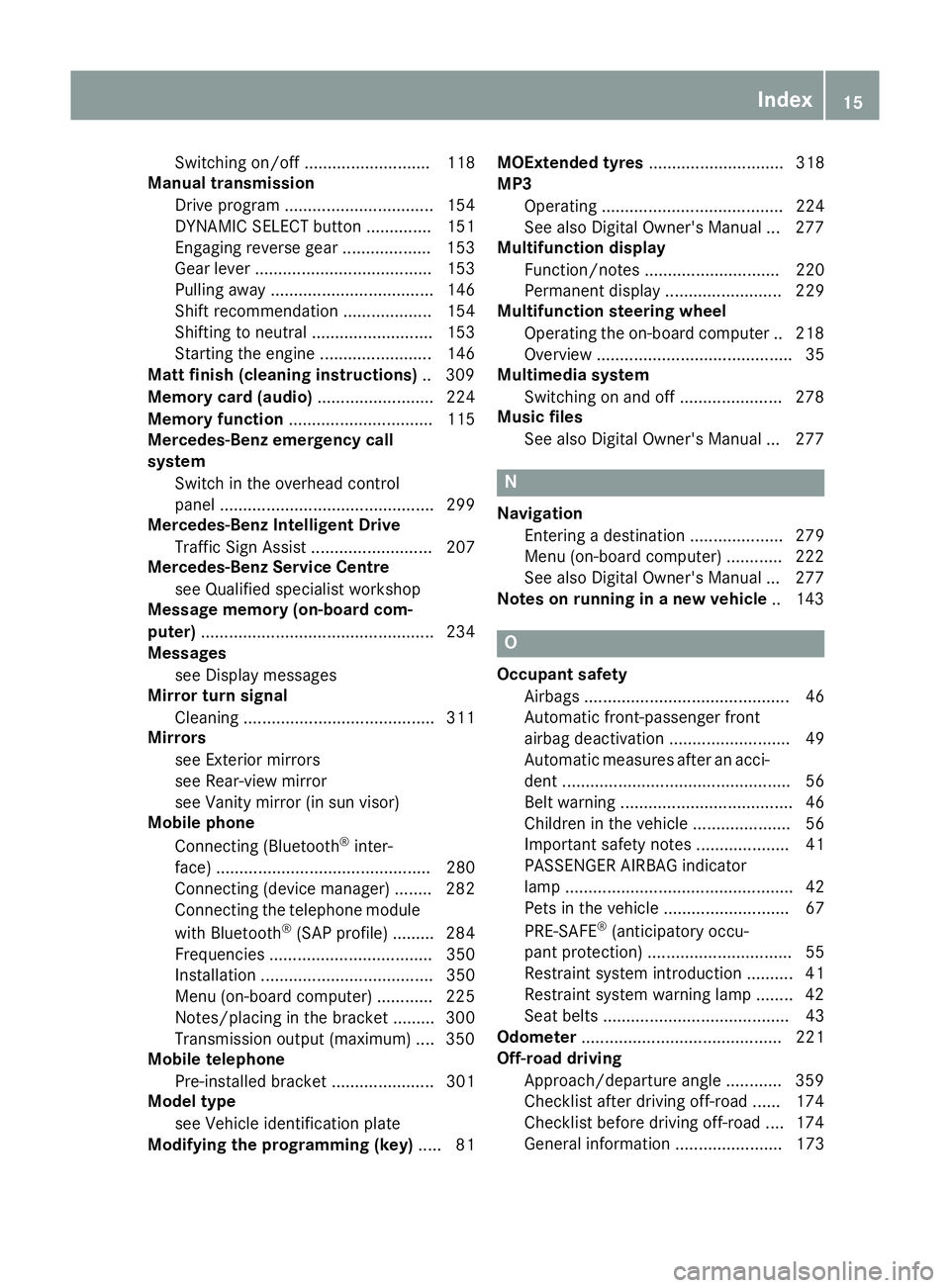
Mirror turn signal
Cleaning ......................................... 311
Mirrors
see Exterior mirrors
see Rear-view mirror
see Vanity mirror (in sun visor)
Mobile phone
Connecting (Bluetooth ®
inter-
face) .............................................. 280
Connecting (device manager) ........ 282
Connecting the telephone module
with Bluetooth ®
(SAP profile) ......... 284
Frequencies ................................... 350
Installation ..................................... 350
Menu (on-board computer) ............ 225
Notes/placing in the bracket ......... 300
Transmission output (maximum) .... 350
Mobile telephone
Pre-installed bracket ...................... 301
Model type
see Vehicle identification plate
Modifying the programming (key) ..... 81MOExtended tyres
............................. 318
MP3
Operating ....................................... 224
See also Digital Owner's Manua l... 277
Multifunction display
Function/note s............................. 220
Permanent display ......................... 229
Multifunction steering wheel
Operating the on-board compute r..2 18
Overview .......................................... 35
Multimedia system
Switching on and off ..................... .278
Music files
See also Digital Owner's Manual ... 277 N
Navigation Entering a destination .................... 279
Menu (on-board computer) ............ 222
See also Digital Owner's Manual ... 277
Notes on running in a new vehicle .. 143 O
Occupant safety Airbags ............................................ 46
Automatic front-passenger front
airbag deactivatio n.......................... 49
Automatic measures after an acci-
dent ................................................. 56
Belt warning ..................................... 46
Children in the vehicle ..................... 56
Important safety notes .................... 41
PASSENGER AIRBAG indicator
lamp ................................................. 42
Pets in the vehicle ........................... 67
PRE-SAFE ®
(anticipatory occu-
pant protection) ............................... 55
Restraint system introduction .......... 41
Restraint system warning lamp ........ 42
Seat belts ........................................ 43
Odometer ........................................... 221
Off-road driving
Approach/departure angle ............ 359
Checklist after driving off-road ...... 174
Checklist before driving off-road .... 174
General information ....................... 173 Index
15
Page 21 of 369
Rear window heating
Problem (fault) ............................... 135
Switching on/off ........................... 135
Rear window wiper
Replacing the wiper blad e.............. 126
Switching on/of f........................... 124
Rear-compartment seat belt sta-
tus indicator ........................................ 46
Rear-view mirror
Anti-dazzle mode (automatic) ........ 113
Dipping (manual) ........................... 112
Reflective safety vest ....................... 315
Refuelling
Fuel gaug e....................................... 34
Important safety notes .................. 163
Notes for Mercedes‑ AMG vehi-
cles ................................................ 354
Refuelling process ......................... 164
see Fuel
Remote control
Auxiliary heating/ventilation .......... 138
Changing the batteries (auxiliary
heating) ......................................... 140
Replacing bulbs
Brake lamp .................................... 123
Dipped-beam headlamp s............... 122
Fitting/removing the cover (front
wheel arch) .................................... 121
Important safety notes .................. 120
Main-beam headlamp s................... 122
Overview of bulb types .................. 121
Rear fog lamp ................................ 123
Turn signals (front) ......................... 122
Turn signals (rear) .......................... 123
Replacing the battery (auxiliary
heating remote control) .................... 140
Rescue card ......................................... 30
Reserve (fuel tank)
see Fuel
Reserve fuel
Display message ............................ 251
Warning lamp ................................. 272
Residual heat (climate control) ........ 137
Restraint system
Display message ............................ 243
Introduction ..................................... 41
Warning lamp ................................. 272 Warning lamp (function) ................... 42
Rev counter ........................................ 217
Reverse gear
Engaging (manual transmission) .... 153
Reverse gear (selector lever) ........... 156
Reversing camera
"Reverse parking" function ............ 202
Cleaning instructions ..................... 311
Coupling up a trailer function ........ 203
Display in the multimedia system .. 201
Function/note s............................. 200
General notes ................................ 200
Switching on/of f........................... 201
Reversing feature
Side windows ................................... 98
Tailgate ............................................ 89
Reversing function
Roller sunblind ............................... 103
Reversing lamps
Display message ............................ 247
Roller sunblind
Panorama sliding sunroo f.............. 103
Roof carrier ........................................ 296
Roof lining and carpets (cleaning
instructions) ...................................... 314
Roof load (maximum) ........................ 358
Route guidance
See also Digital Owner's Manua l... 277 S
Safety Children in the vehicle ..................... 56
see Occupant safety
Safety net
Attaching ....................................... 294
Important safety information ......... 294
Safety system
see Driving safety systems
SD card
Inserting ........................................ 286
Inserting/removing ........................ 286
Removing ....................................... 286
SD memory card
See also Digital Owner's Manua l... 277
Seat
Adjusting (Performance Seat) ........ 110
Correct driver's seat position ........ 106 18
Index
Page 25 of 369
Traction system
see ETS/4ETS (Electronic Trac-
tion System)
Traffic Sign Assist
Activating ....................................... 208
Activating/deactivating the warn-ing function .................................... 226
Display message ............................ 254
Function/note s............................. 207
Important safety notes .................. 208
Instrument cluster display ............. 208
Trailer
Folding the ball coupling in/out ..... 214
Trailer coupling
see Towing a trailer
Trailer towing
7-pin connecto r............................. 216
Blind Spot Assist ............................ 210
Cleaning the trailer tow hitch ......... 312
Coupling up a traile r...................... 215
Decoupling a traile r....................... 215
Driving tips .................................... 213
Folding in the ball coupling ............ 215
Folding out the ball coupling .......... 214
Important safety notes .................. 212
Lights display message .................. 246
Power supply ................................. 215
Trailer load s................................... 359
Transmission
see Automatic transmission
see Manual transmission
Transmission position display
(DIRECT SELECT lever) ...................... 155
Transporting the vehicle .................. 330
Travelling uphill
Brow of hill ..................................... 175
Driving downhill ............................. 176
Maximum gradient-climbing capa-
bility ............................................... 175
Trim pieces (cleaning instruc-
tions) .................................................. 313
Trip computer (on-board com-
puter) .................................................. 221
Trip meter
Calling up ....................................... 221
Resetting (on-board computer) ...... 222
Turn signal lamp
Replacing bulbs (rear) .................... 123 Turn signals
Replacing bulbs (front) ................... 122
Switching on/of f........................... 118
TV
Operating (on-board computer) ..... 224
see Separate operating instructions
Two-way radio
Frequencies ................................... 350
Installation ..................................... 350
Transmission output (maximum) .... 350
Type identification plate
see Vehicle identification plate
Tyre inflation compressor
see TIREFIT kit
Tyre pressure
Calling up (on-board computer) ..... 340
Display message ............................ 256
Not reached (TIREFIT) .................... 321
Reached (TIREFIT) .......................... 321
Recommended ............................... 337
Tyre pressure loss warning
General notes ................................ 339
Important safety notes .................. 339
Restarting ...................................... 339
Tyre pressure monitor
Checking the tyre pressure elec-
tronically ........................................ 340
Function/note s............................. 340
General notes ................................ 340
Important safety notes .................. 340
Radio type approval for the tyre
pressure monitor ........................... 342
Restarting ...................................... 341
Warning lamp ................................. 276
Warning message .......................... 341
Tyres
Changing a whee l.......................... 342
Checking ........................................ 334
Direction of rotation ...................... 343
Display message ............................ 256
General notes ................................ 347
Important safety notes .................. 334
Information on driving .................... 334
M+S tyres ...................................... 336
MOExtended tyre s......................... 336
Replacing ....................................... 342
Service life ..................................... 335
Storing ........................................... 343 22
Index
Page 37 of 369
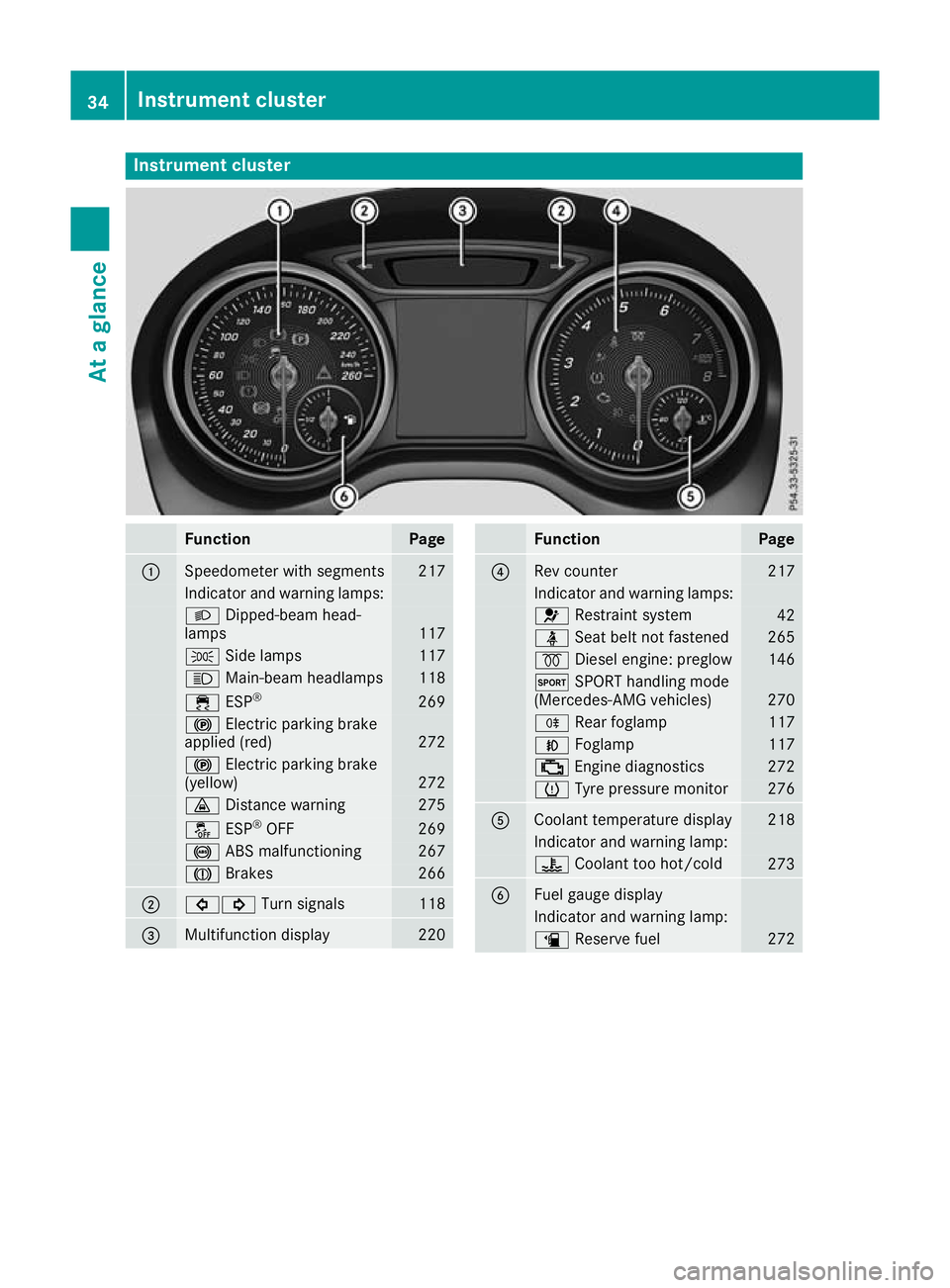
Instrument cluster
Function Page
:
Speedometer with segments 217
Indicator and warning lamps:
L
Dipped-beam head-
lamps 117
T
Side lamps 117
K
Main-beam headlamps 118
÷
ESP® 269
!
Electric parking brake
applied (red) 272
!
Electric parking brake
(yellow) 272
·
Distance warning 275
å
ESP®
OFF 269
!
ABS malfunctioning 267
J
Brakes 266
;
#!
Turn signals 118
=
Multifunction display 220 Function Page
?
Rev counter 217
Indicator and warning lamps:
6
Restraint system 42
ü
Seat belt not fastened 265
%
Diesel engine: preglow 146
M
SPORT handling mode
(Mercedes-AMG vehicles) 270
R
Rear foglamp 117
N
Foglamp 117
;
Engine diagnostics 272
h
Tyre pressure monitor 276
A
Coolant temperature display 218
Indicator and warning lamp:
?
Coolant too hot/cold 273
B
Fuel gauge display
Indicator and warning lamp:
æ
Reserve fuel 27234
Instrument clusterAt a glance
Page 83 of 369
If you do not open the vehicle within approx-
imately 40 seconds of unlocking:
R the vehicle locks again
R protection against theft is reactivated
X To lock: press the &button.
The key centrally locks/unlocks:
R the doors
R the tailgate
R the fuel filler flap
During unlocking, the turn signals flash once.
During locking, they flash three times.
When the locator lighting is activated via the
multimedia system, it lights up when it is dark
after the vehicle is unlocked with the remote
control; see the separate operating instructions.
You can also set an audible signal to confirm
that the vehicle has been locked. The audible
signal can be activated or deactivated using the
on-board computer (Y page 229).
X To open the tailgate automatically from
outside the vehicle: press and hold theF
button until the tailgate opens (Y page 95).
Vehicles with KEYLESS-GO or KEYLESS-GO
start function: X To close the tailgate automatically from
outside the vehicle:
if the key is located in
the immediate vicinity of the vehicle, press
the F button on the key (Y page 90).
When the tailgate closes, you can then
release the button. KEYLESS-GO
General notes Bear in mind that the engine can be started by
any of the vehicle occupants if there is a key in
the vehicle.
Locking and unlocking You can start, lock or unlock the vehicle using
KEYLESS-GO. To do this, you need to carry the
key with you. You can combine the KEYLESS-GO
functions with the functions of a conventional
key. Unlock the vehicle using KEYLESS-GO, for
instance, and lock it using the &button on
the key.
The driver's door and the door on which the
handle is used must both be closed. The key must be outside the vehicle. When locking or
unlocking with KEYLESS-GO, the distance
between the key and the corresponding door
handle must not be greater than one metre.
A check that periodically establishes a radio
connection between the vehicle and the key
determines whether a valid key is in or in the
direct vicinity of the vehicle. This occurs, for
example:
R while starting the engine
R while driving
R when the external door handles are touched
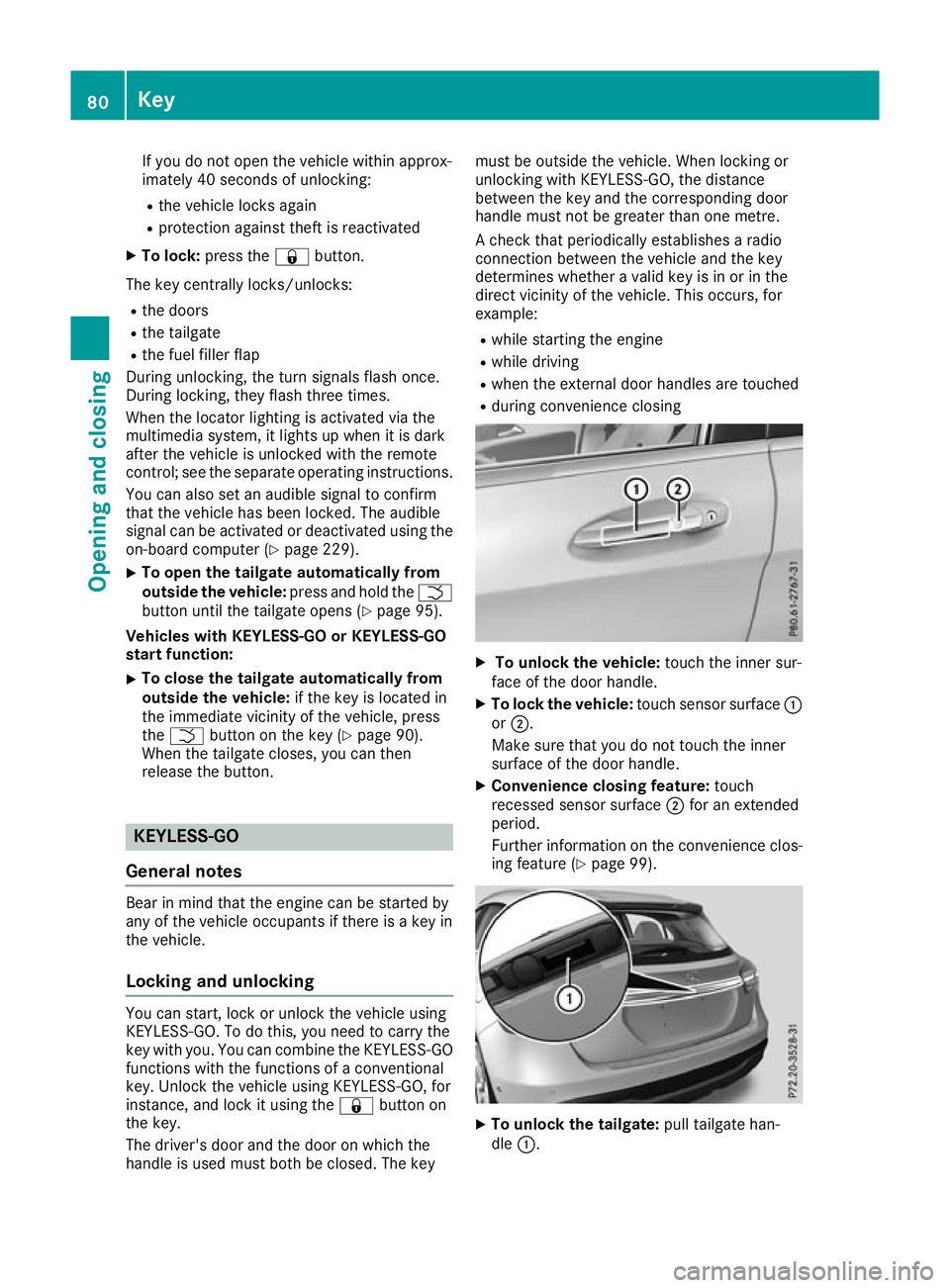
R during convenience closing X
To unlock the vehicle: touch the inner sur-
face of the door handle.
X To lock the vehicle: touch sensor surface :
or ;.
Make sure that you do not touch the inner
surface of the door handle.
X Convenience closing feature: touch
recessed sensor surface ;for an extended
period.
Further information on the convenience clos-
ing feature (Y page 99). X
To unlock the tailgate: pull tailgate han-
dle :. 80
KeyOpening and closing
Page 121 of 369
2
Driver's seat, front-passenger seat and rear
seats occupied, luggage compartment
laden
3 Driver's and front-passenger seat occupied
and maximum permissible rear axle load uti- lised, e.g. when towing a trailer
The headlamp range control allows you to adjust
the cone of light from the headlamps to suit the
vehicle load.
X Start the engine.
X Turn the headlamp range controller to the
position that corresponds to the load in your
vehicle. Combination switch
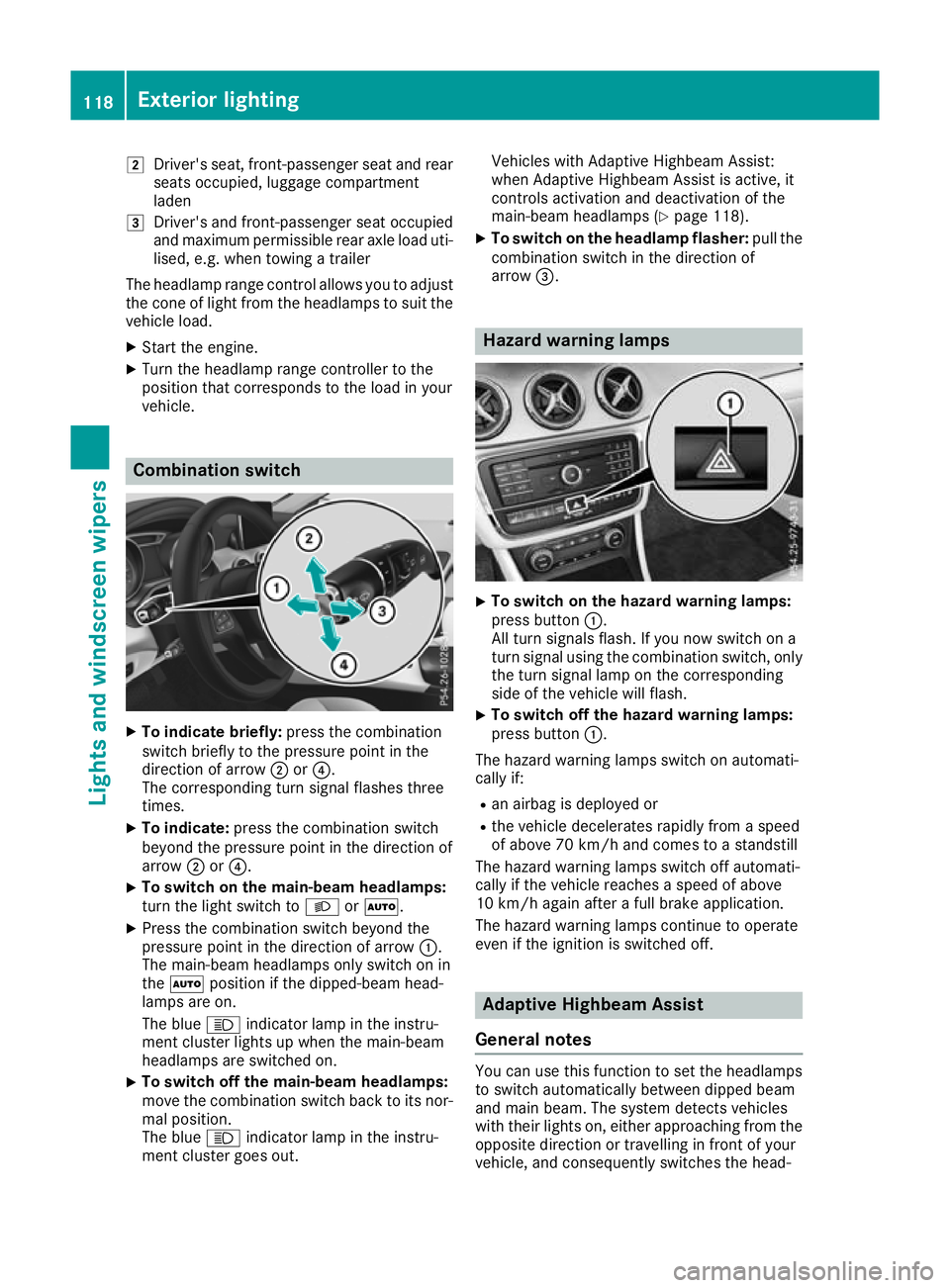
X
To indicate briefly: press the combination
switch briefly to the pressure point in the
direction of arrow ;or?.
The corresponding turn signal flashes three
times.
X To indicate: press the combination switch
beyond the pressure point in the direction of
arrow ;or?.
X To switch on the main-beam headlamps:
turn the light switch to LorÃ.
X Press the combination switch beyond the
pressure point in the direction of arrow :.
The main-beam headlamps only switch on in
the à position if the dipped-beam head-
lamps are on.
The blue Kindicator lamp in the instru-
ment cluster lights up when the main-beam
headlamps are switched on.
X To switch off the main-beam headlamps:
move the combination switch back to its nor-
mal position.
The blue Kindicator lamp in the instru-
ment cluster goes out. Vehicles with Adaptive Highbeam Assist:
when Adaptive Highbeam Assist is active, it
controls activation and deactivation of the
main-beam headlamps (Y page 118).
X To switch on the headlamp flasher: pull the
combination switch in the direction of
arrow =. Hazard warning lamps
X
To switch on the hazard warning lamps:
press button :.
All turn signals flash. If you now switch on a
turn signal using the combination switch, only the turn signal lamp on the corresponding
side of the vehicle will flash.
X To switch off the hazard warning lamps:
press button
:.
The hazard warning lamps switch on automati-
cally if:
R an airbag is deployed or
R the vehicle decelerates rapidly from a speed
of above 70 km/h and comes to a standstill
The hazard warning lamps switch off automati-
cally if the vehicle reaches a speed of above
10 km/h again after a full brake application.
The hazard warning lamps continue to operate
even if the ignition is switched off. Adaptive Highbeam Assist
General notes You can use this function to set the headlamps
to switch automatically between dipped beam
and main beam. The system detects vehicles
with their lights on, either approaching from the
opposite direction or travelling in front of your
vehicle, and consequently switches the head- 118
Exterior lightingLights and
windscreen wipers
Page 124 of 369
Protect bulbs from moisture during operation.
Do not allow bulbs to come into contact with
liquids.
Replace only the bulbs listed (Y page 121).
Have the bulbs that you cannot change yourself replaced at a qualified specialist workshop.
If you require assistance replacing bulbs, con-
sult a qualified specialist workshop.
If the new bulb still does not light up, consult a
qualified specialist workshop.
Headlamps and lights are an important aspect of
vehicle safety. You must therefore make sure
that these function correctly at all times. Have
the headlamp setting verified regularly.
Vehicles with LED headlamps: the front and
rear lamp clusters of your vehicle are equipped
with LED bulbs. Do not replace the bulbs your-
self. Contact a qualified specialist workshop
with the necessary specialist knowledge and
tools to carry out the work required. Overview of bulb types
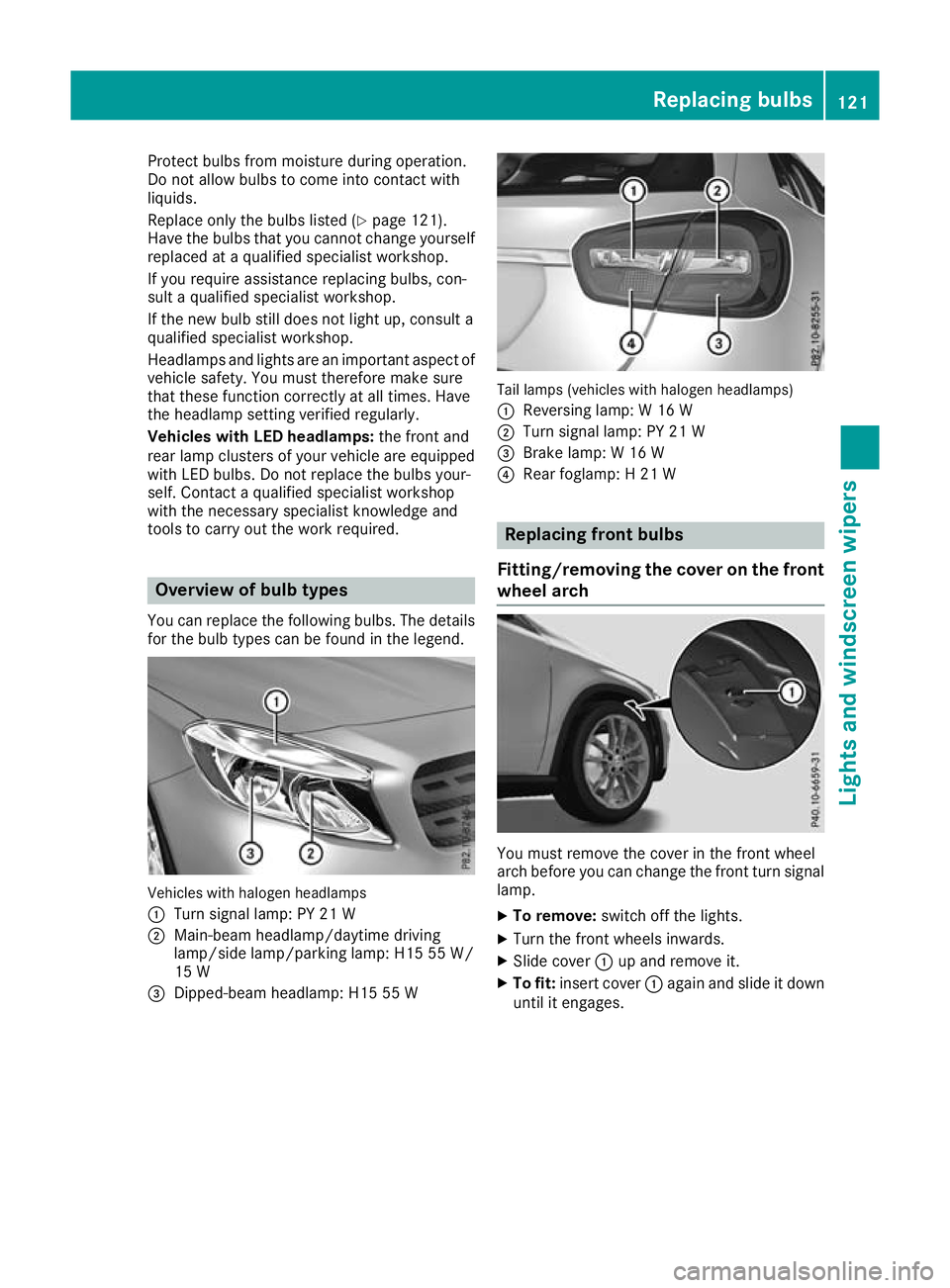
You can replace the following bulbs. The details for the bulb types can be found in the legend. Vehicles with halogen headlamps
:
Turn signal lamp: PY 21 W
; Main-beam headlamp/daytime driving
lamp/side lamp/parking lamp: H15 55 W/
15 W
= Dipped-beam headlamp: H15 55 W Tail lamps (vehicles with halogen headlamps)
: Reversing lamp: W 16 W
; Turn signal lamp: PY 21 W
= Brake lamp: W 16 W
? Rear foglamp: H 21 W Replacing front bulbs
Fitting/removing the cover on the front wheel arch You must remove the cover in the front wheel
arch before you can change the front turn signal
lamp.
X To remove: switch off the lights.
X Turn the front wheels inwards.
X Slide cover :up and remove it.
X To fit: insert cover :again and slide it down
until it engages. Replacing bulbs
121Lights and windscreen wipers Z